
Extremely simple, seriously capable
Free online sticky notes: an infinite wall for your ideas.
All the speed of a pad of sticky notes, none of the physical limits. Add notes in every color, stack and group them, drop comments, and rearrange endlessly on a canvas that never runs out of wall.


Start your sticky note wall
Open a board and start dropping color-coded notes in seconds.
Add your first noteColor-coded notes
Works in your browser
No install needed
How it works
How to use sticky notes online.
Three steps from an empty board to a wall of organized thinking.
1
Drop your notes
Create a board and add a sticky note for every idea, task, or thought. Notes are fast to create, so you can capture a whole brainstorm without slowing down.
2
Color and group
Give notes colors to mark themes, owners, or priority, then stack and group related notes together. Frames and walls keep clusters tidy as the board grows.
3
Discuss and share
Add comments where decisions need input, then share a view-only link or export the wall as a PDF or image when it is time to show the results.
Creatives working for these brands already got early access
- Red Bull
- Canon
- Artlist
- Porsche
See how easy it is to get started
Watch a real project come together, from a blank board to a finished plan, clicked through step by step.

Capture everything, organize later.
The point of sticky notes is speed: one thought per note, no formatting decisions. Storyflow keeps that speed and adds room to grow, so a messy brain dump can mature into a structured second brain on the same board where it started.
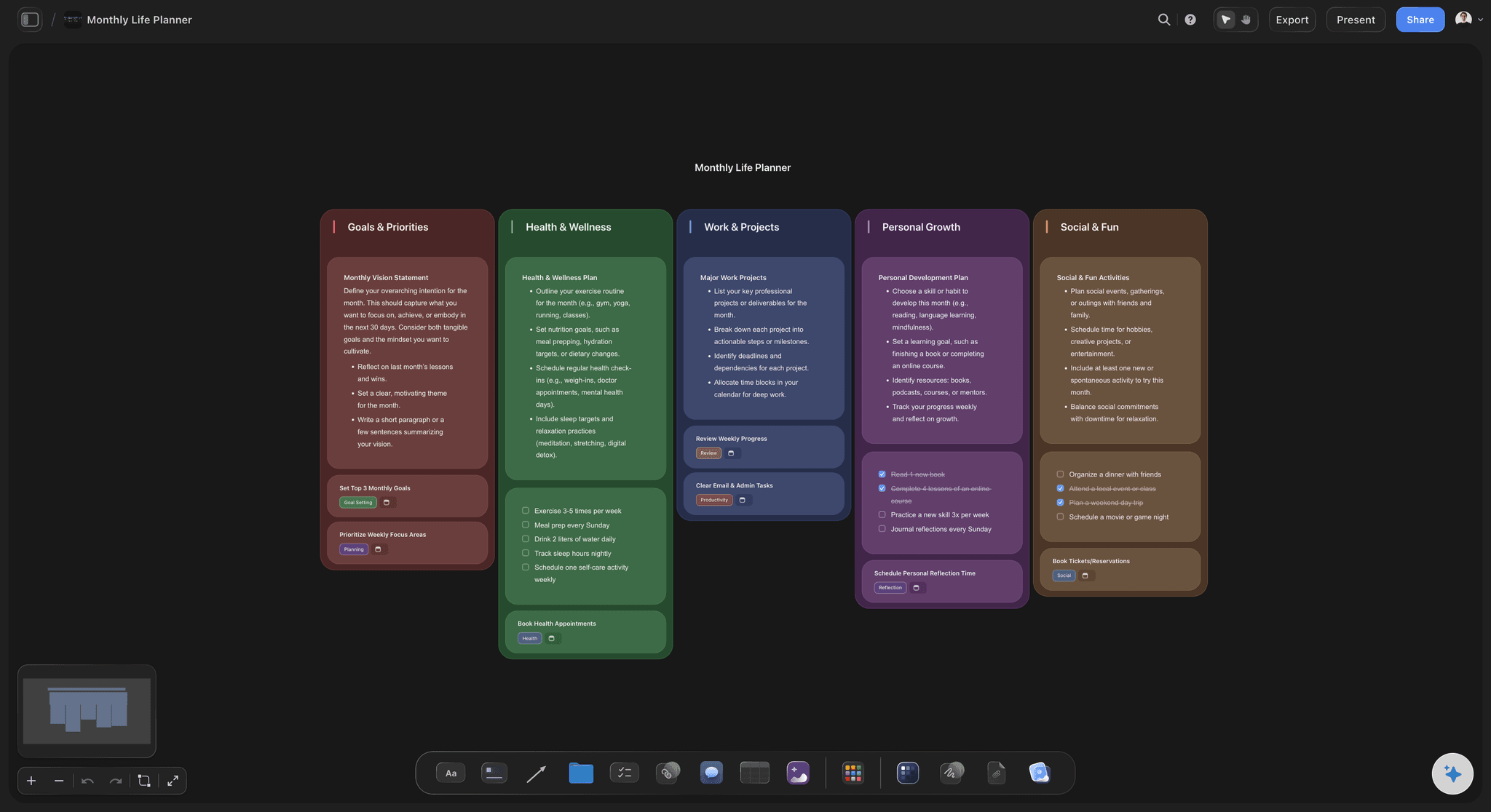
Plan your week, month, or whole year.
Sticky notes make planning tactile. Lay out days or months as columns, write one commitment per note, and drag things around as reality changes. Unlike paper, nothing falls off the wall.

Run retros, standups, and workshops.
Sticky notes are the native language of team sessions. Set up columns before the meeting, capture the group's input as notes while one facilitator drives the board, then cluster the themes and mark decisions with comments. Afterwards, a view-only link shows everyone the outcome.
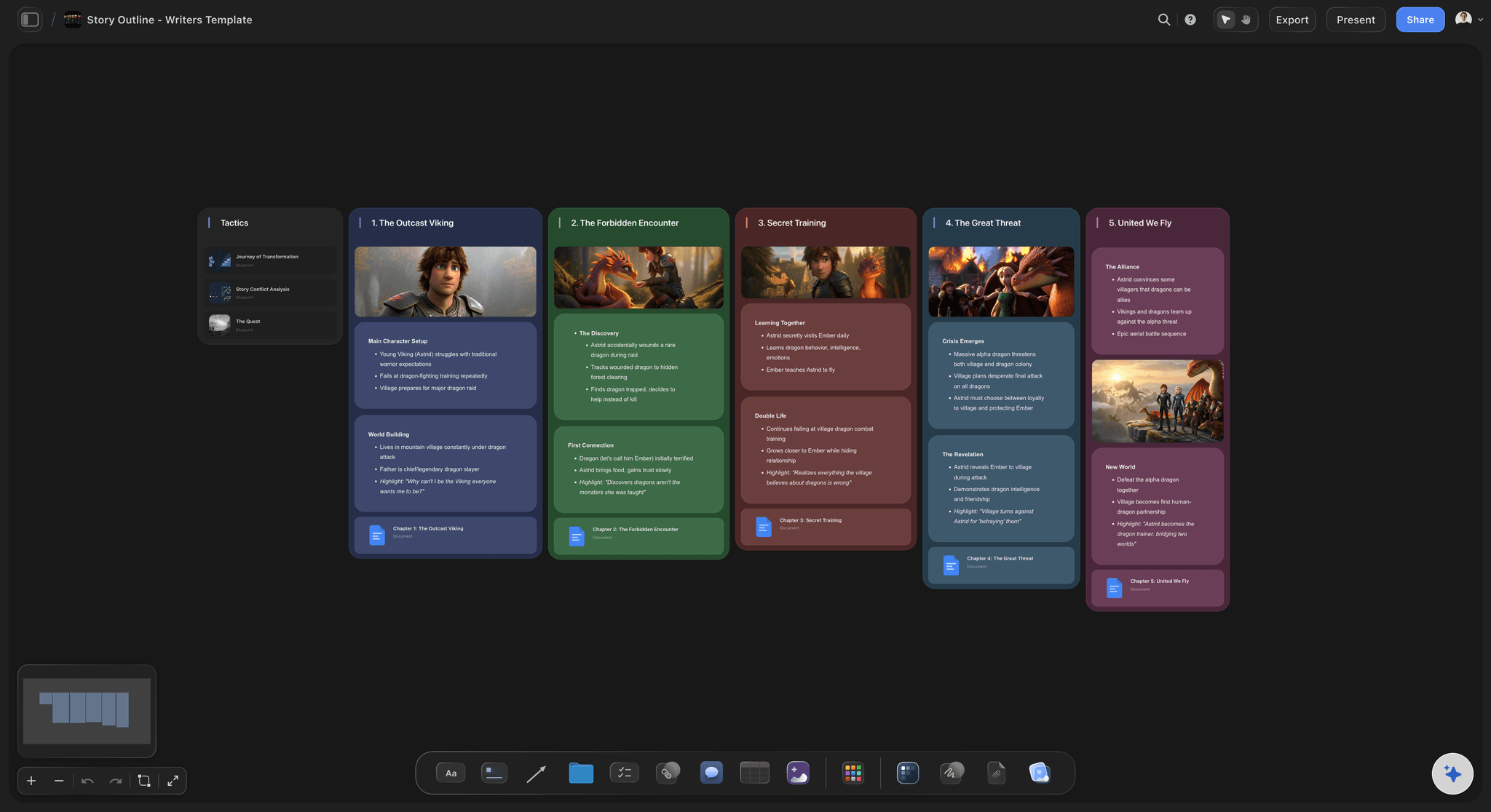
Outline stories one beat at a time.
Writers have always outlined on index cards. Do it digitally: one scene or beat per note, arrange acts as rows, and reorder the whole story in seconds. Color-code by character, plotline, or status and watch the structure appear.
Notes at the speed of thought.
Storyflow's sticky notes work the way you expect: click, type, done. Pick a color per theme, stack notes to keep variations together, and group clusters with frames and walls. Because everything sits on an infinite canvas, one board can hold a brainstorm, a plan, and an archive side by side.
Sticky notes that live next to everything else.
A note is rarely the whole story. In Storyflow your sticky notes share the canvas with images, tables, kanban boards, and connector lines, so an idea can graduate from a note to a plan without leaving the board. Add comments where feedback is needed and keep the discussion attached to the note it is about.
Sticky notes, in your browser.
Sign up and get unlimited boards on an infinite canvas, sticky notes in every color, grouping, comments, basic AI usage, and view-only share links. When a session wraps, export the wall as a PDF or image so the results outlive the meeting.
What creators are saying
Join early creators getting structured workspaces and AI that remembers their projects
“Storyflow has sped up my workflow by at least 3x, which means more flow state and more projects I can actually ship. It truly changed the way me and my team create.”

Reilin Joey
Director & YouTuber
“One prompt gets me a structured board. But the tactics are my favorite. I run my YouTube scripts through them and my intros and retention got better. It's amazing.”

Justkay
YouTuber & Freelance Filmmaker
“I used to juggle five apps to plan a project. Now I describe what I am making and get boards, lists, and a schedule. All in one place.”

George
@fernwehchronicles
Frequently asked questions.
Colors, clusters, comments, and sharing your wall.
Create a Storyflow board and add a sticky note from the toolbar. Type your idea, pick a color, and drop it anywhere on the open canvas. You can add as many notes as you like and rearrange them at any time.
Not during early access. Storyflow is paid-only right now, with Plus at $7.99 a month billed annually. Notes themselves are unlimited, in every color, and so are the boards you stick them on, along with grouping, comments, and view-only links. A Free plan is planned before the end of 2026.
Yes. Stack related notes, cluster them with frames and walls, and color-code by theme, owner, or priority. Moving a group moves everything inside it, so reorganizing a big wall takes seconds.
Yes. Pass along the view-only link and the current wall appears in their browser, no sign-up needed. For meetings and documents, a PDF or image export captures the wall as it stands.
Yes. Leave comments anywhere on the canvas to ask questions, capture decisions, or give feedback, and the discussion stays attached to the notes it refers to.
Yes, and they suit mobile well: open the board in your phone's browser, jot the thought down as a note before it escapes, and sort it into the right cluster later from any device.
Stick your ideas on an infinite wall.
Add color-coded sticky notes, group them into themes, and share a view-only link, all on one board.