
Pitch-ready plans, extremely reliable
A social media shot list
that gets a month of posts from one day.
For marketers, founders and the photographers they hire: every planned post turned into shots with a format and a platform, grouped by set-up so the lights move as few times as possible, with the talent, props and running order for the content day.


Creatives working for these brands already got early access
- Red Bull
- Canon
- Artlist
- Porsche
See how easy it is to get started
Watch a real project come together, from a blank board to a finished plan, clicked through step by step.
Start from a ready-made template
Pick a board to see what you can build, then let AI fill it in. Every template is a real, editable starting point on the same infinite canvas.

Storyboard
Lay out your shots frame by frame with images and notes, then reorder them until the sequence reads like the finished cut.
How do you build a social media shot list for a content day?
A social media shot list is every shot a content shoot needs, each tagged with the post, format and platform it serves, so one shoot day can fill weeks of posts. Storyflow is an AI visual workspace that plans a content shoot day on one infinite canvas: the month's post plan, the shot list grouped by set-up, the moodboard, and a call sheet PDF its AI drafts.
Do the maths before you book the studio. As an illustration, six set-ups that each deliver five posts give thirty: at five feed posts a week, that is a month, with ten to spare for Stories or misses. Count posts, not shots, because a carousel or a cut Reel takes several. At forty-five to sixty minutes a set-up, six fill a working day.
Group by what moves. A set-up is one background, one lighting plan and one camera position, and every change costs time. A post's shots often sit in two or three set-ups, which is why the list is grouped by set-up rather than by post, with each row naming the post it serves.
Settle rights before the camera comes out. Everyone recognisable on camera signs a release naming where the content will run, and paid ads usually need wider terms than organic posts, so agree them when you book talent. Business accounts on TikTok and Instagram can get a narrower music library than personal ones, so choose the sound before you plan a trend around it.
Ultra fast from brief to board
From the month's post plan to a content day in set-ups.
All of it finished the week before the shoot.
01
Start from the month's posts
If the month is not planned yet, the AI's content planner workflow drafts the pillars, a batching plan and ten real posts to start from, and the AI's planner lays the month out in a table with a date column. If it is, paste the post plan and the AI breaks each post into the shots it needs.
02
Tag every shot
Each shot gets its pillar, format (9:16 video, 4:5 photo or a carousel frame), platform, hook or idea, talent, outfit and props. A shot with no format is the one that gets shot the wrong way round.
03
Group the shots into set-ups
Keep rows grouped by set-up, then order the set-ups so each change of background, light or outfit happens once. Count the posts per pillar, so a thin pillar shows up before the day, not after it.
04
Brief the day
Share the board with the photographer and the talent, and have the AI draft a call sheet PDF with call times, the address, contacts and the order of set-ups.
What the month needs, and the day that shoots it.
Plan the content here. Scheduling and publishing stay in your scheduler.
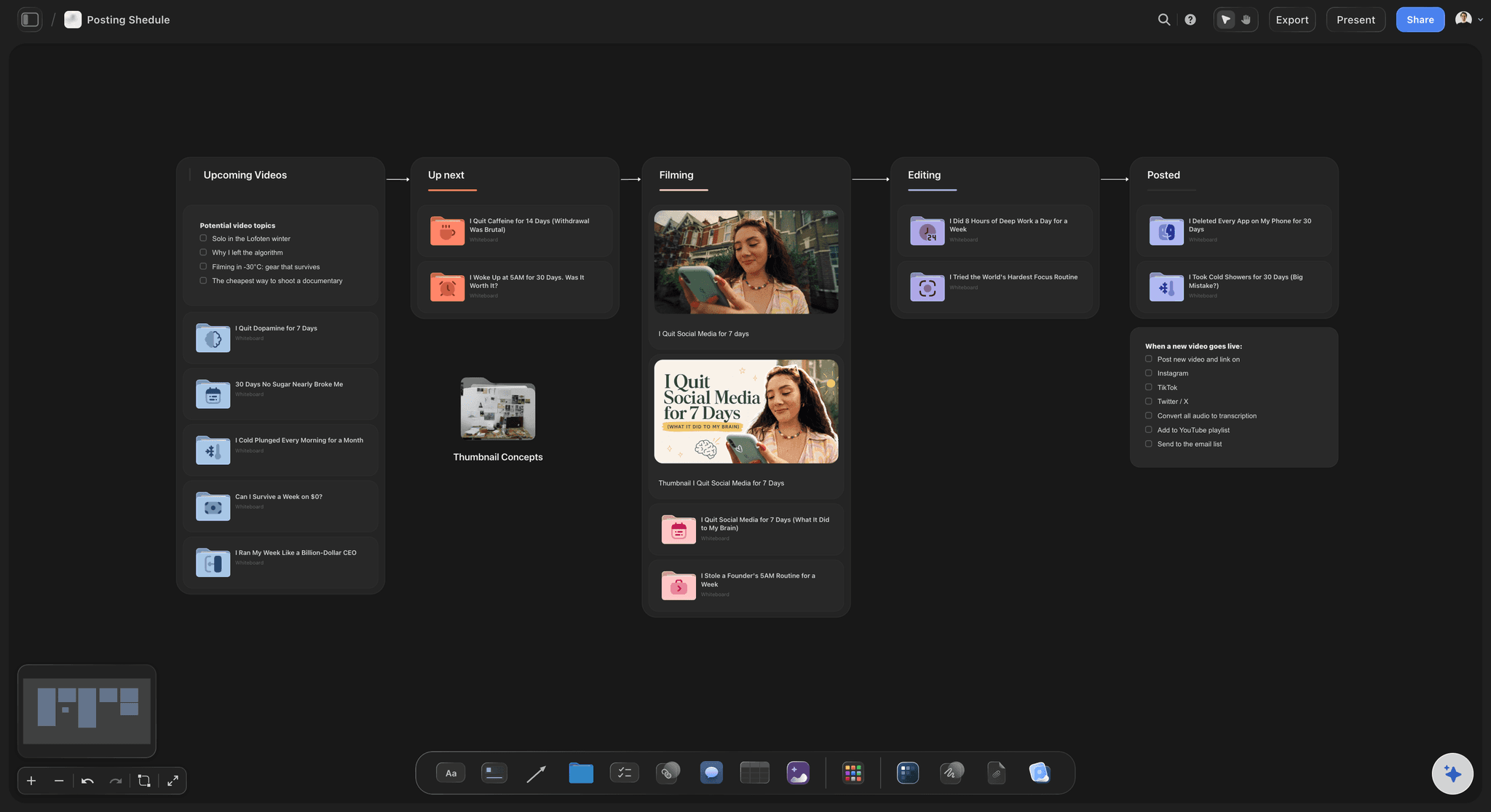
From the month to the day
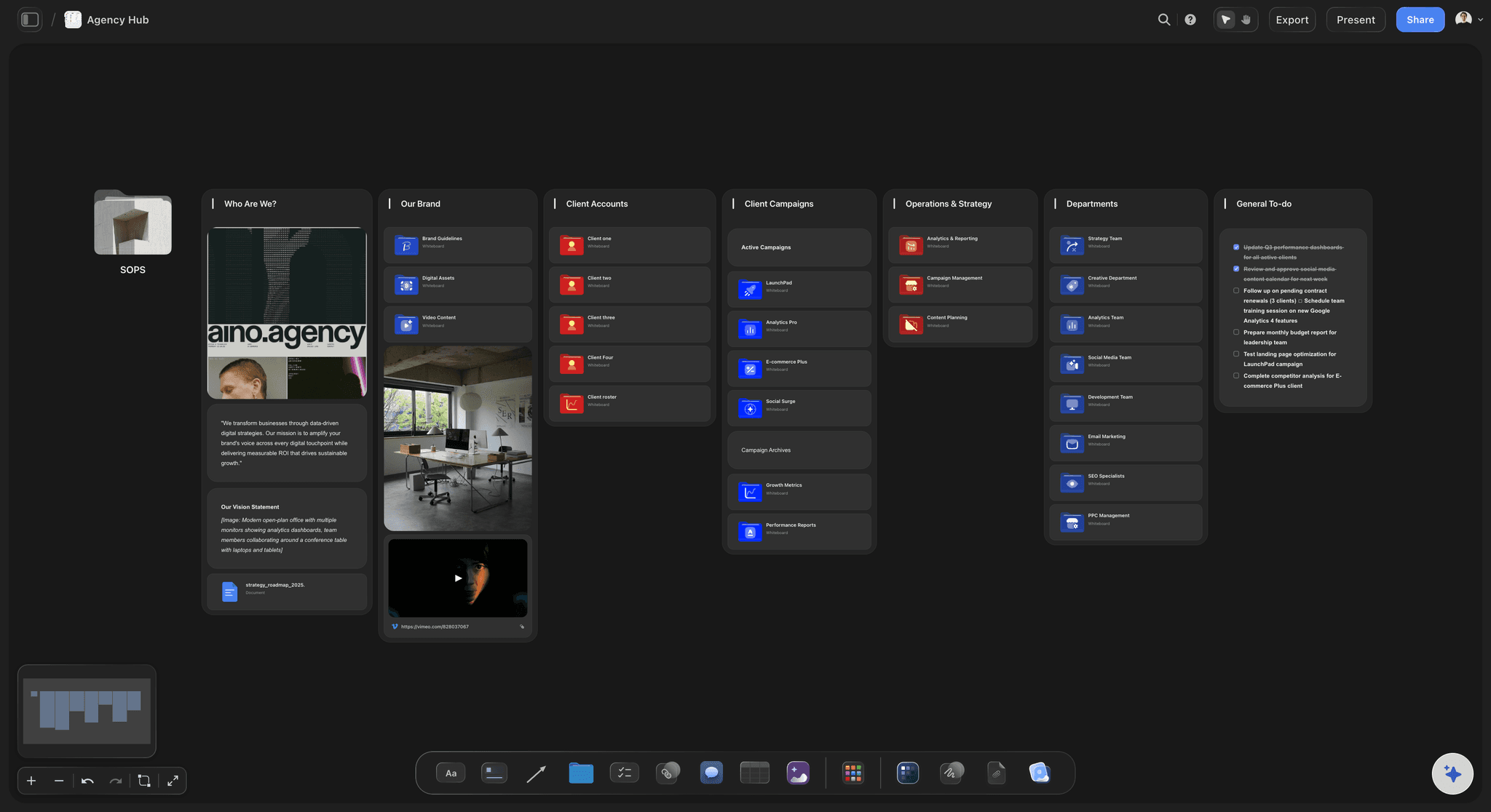
Every post traced to the shots it needs
The month's post plan sits in a table with a date column, rows kept in date order, beside the content day's shot list. When a post changes, its shots are on the same board, not in another file.
See the social media content calendar →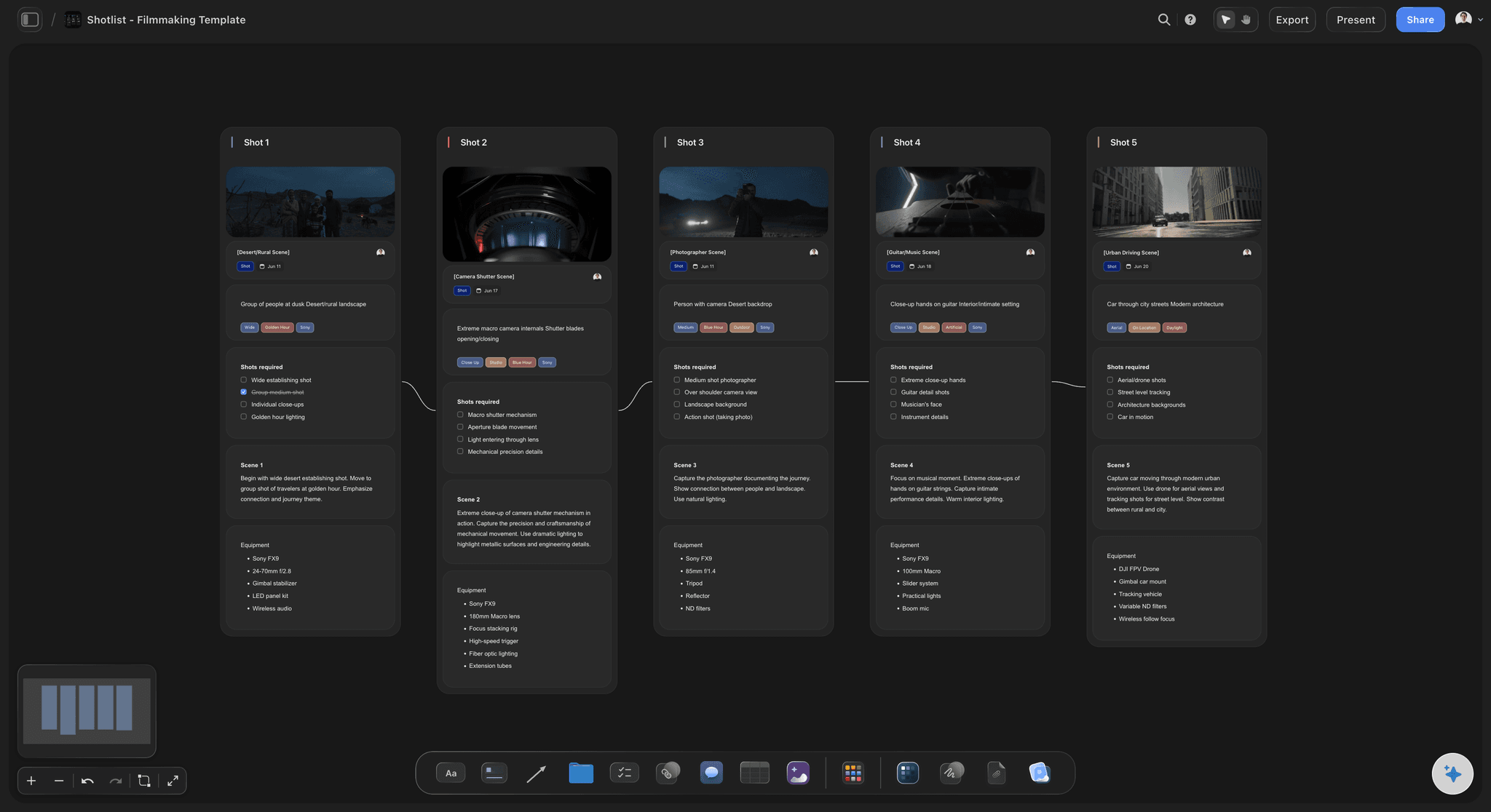
Grouped by set-up
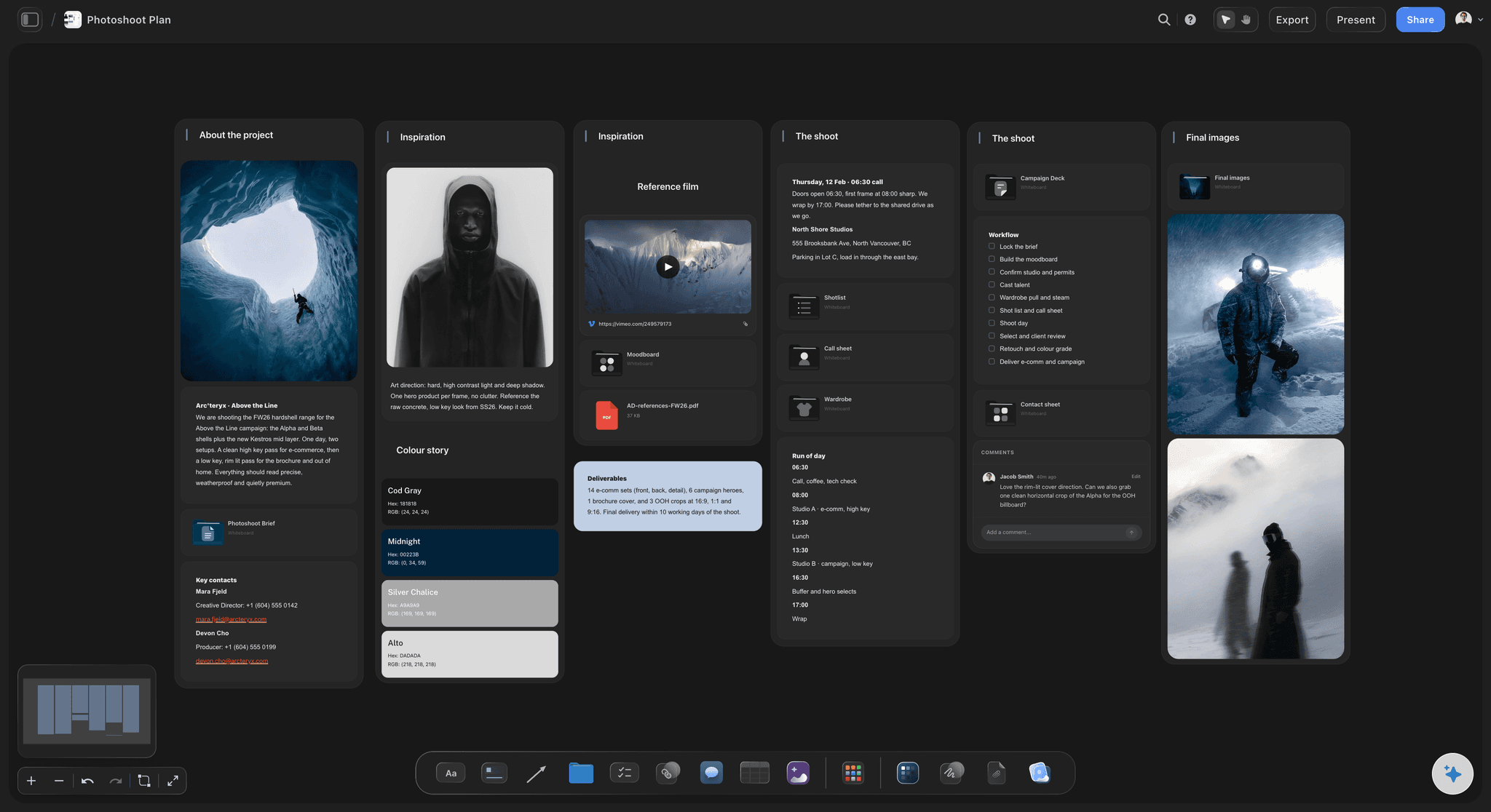
A shot list that moves the lights once
One row per shot with pillar, format, platform, hook, talent, props and a status box, grouped by set-up. The AI's shot list workflow drafts it from the post plan; you set the order of set-ups.
See the shot list template →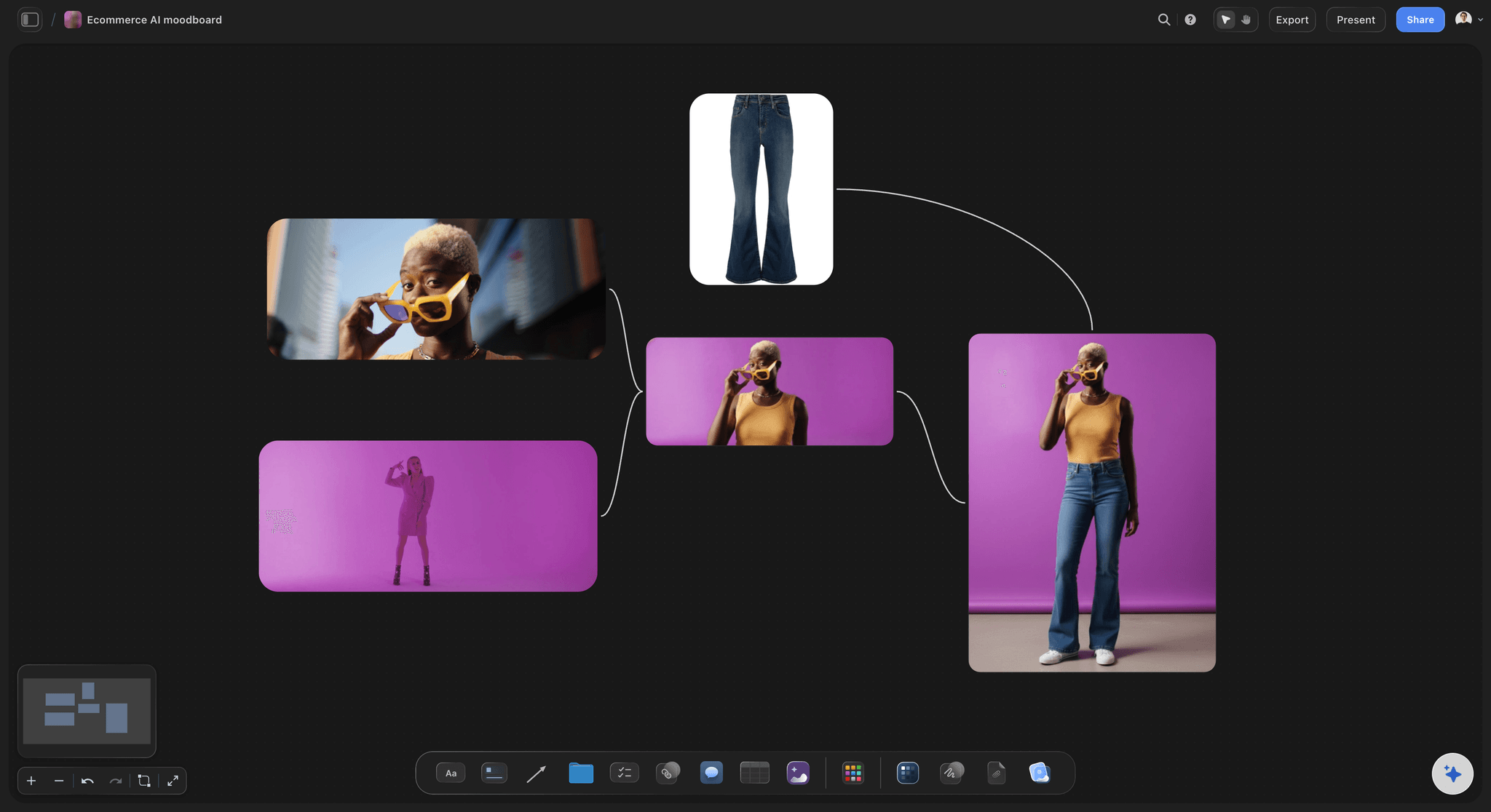
The look, agreed first
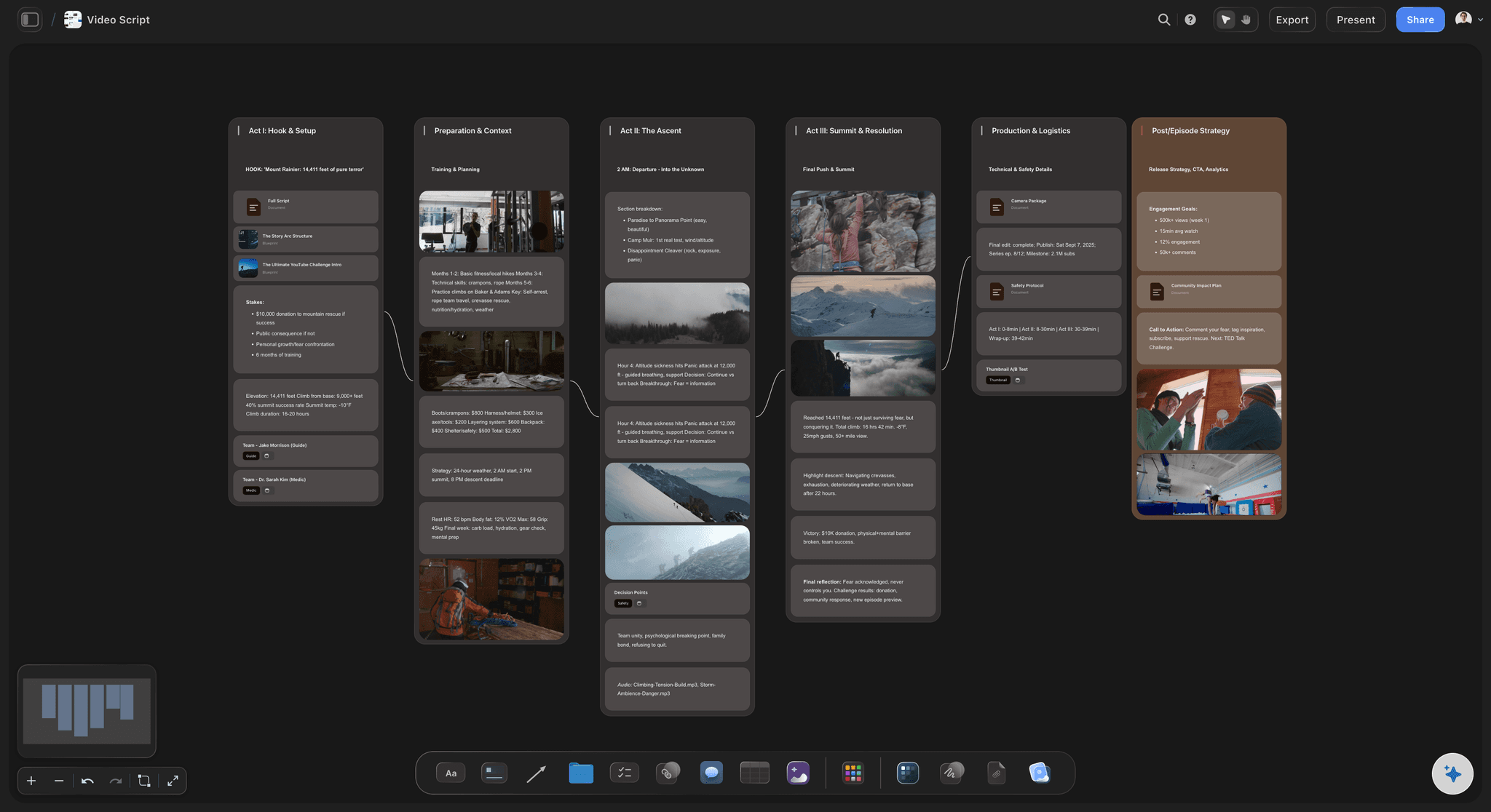
A moodboard beside the list
Backdrop colours, lighting references, outfits and props, plus the reference clips you upload, playing on the board, for the hooks you want to borrow. The AI's moodboard workflow can start it from a few lines about the brand.
See brand photoshoot planning →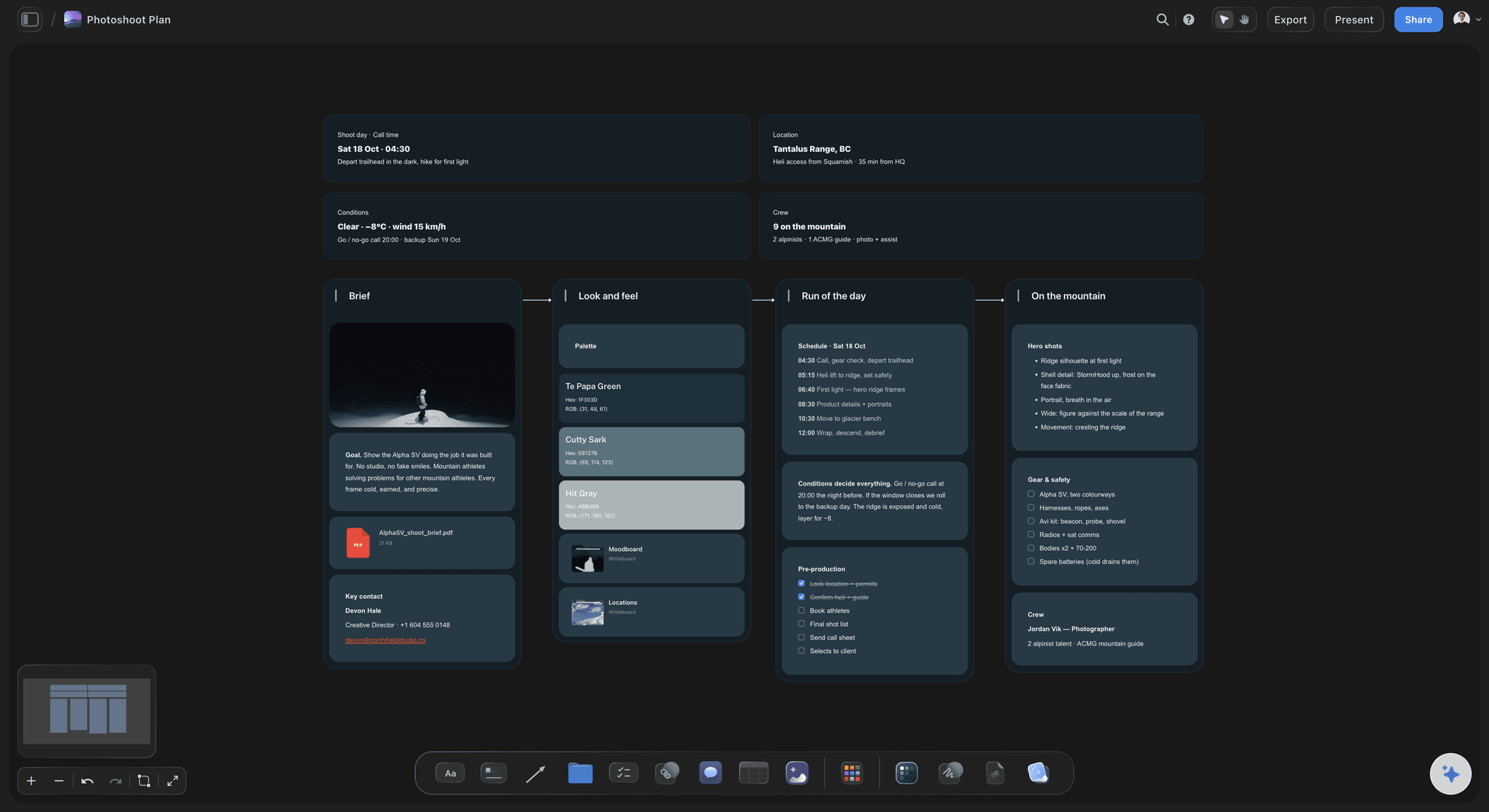
For the client and the crew
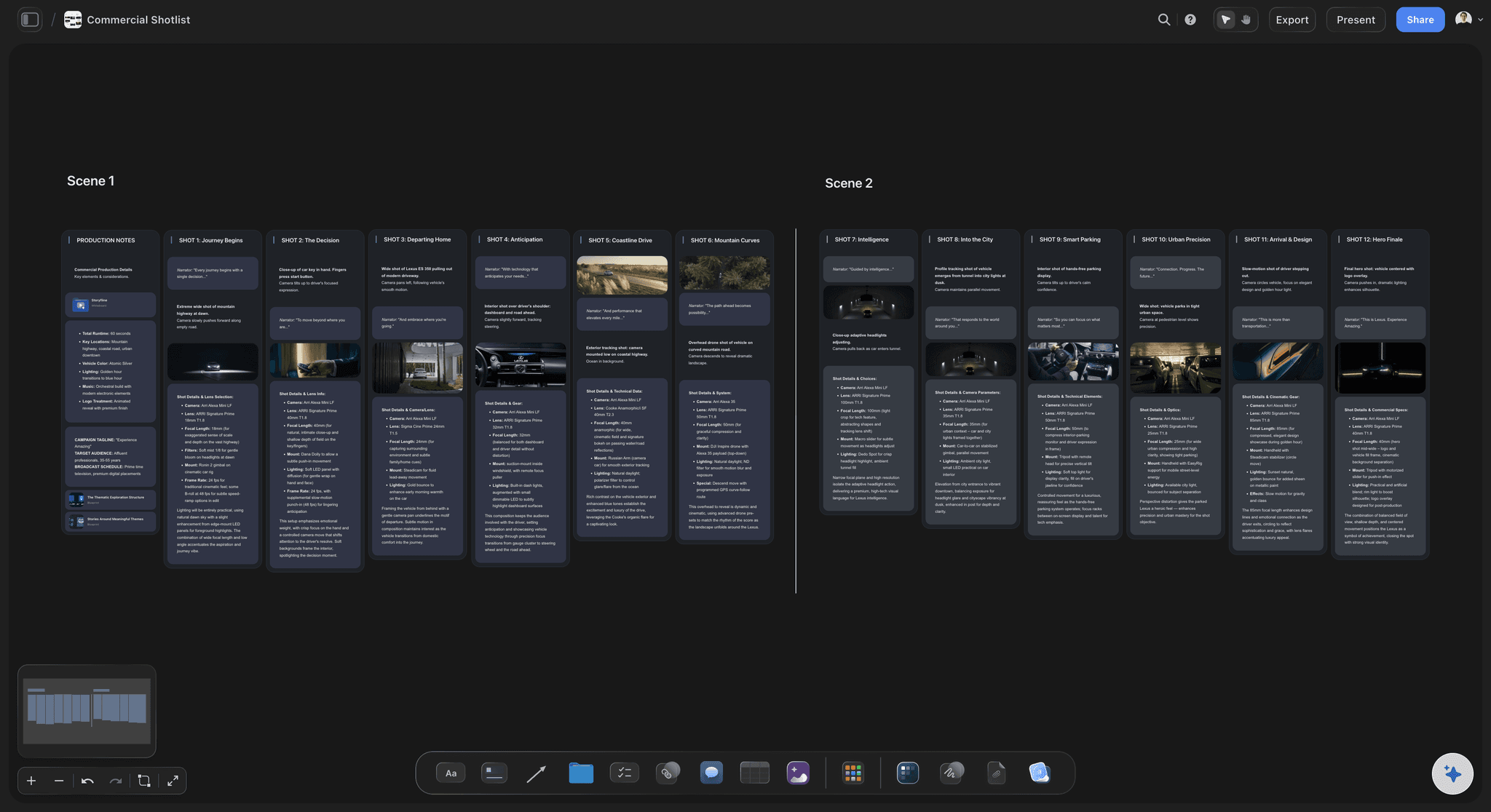
One plan the client reads and the crew shoots from
The client opens the board from a view-only link with no account, and signs in to comment on a post or a shot. The crew gets the AI's call sheet PDF, and the AI can export the shot list table as an Excel file for anyone who works in spreadsheets.
See the call sheet template →A board per client, a content day per month.
Duplicate last month's content day and swap in the new posts. Storyflow is paid-only during early access, with plans from $7.99 a month billed annually ($9.99 monthly). A free plan launches before the end of 2026, and anyone a paid member invites to a board joins free.
Unlimited boards, images, video and files on every paid plan
AI that drafts pillars, posts, shot lists and a call sheet PDF
Tables with label, person and status cells for every shot
View-only links for clients and live editing with your team
Built for people with taste
The shot list columns, the set-up rules and a worked content day.
The columns and rules work in any table. The numbers are an illustration for one studio day with one photographer or videographer; scale them to your crew and your cadence.
The columns
What each row of the shot list carries
Shot, set-up and pillar: A shot number within its set-up (A1, A2, B1) and the pillar it serves. The pillar column is how you check that each pillar gets its share of the month.
Format and platform: 9:16 video for Reels, TikTok and Shorts, 4:5 stills for the feed, or one carousel frame with its position, such as 3 of 8. Leave room around the subject so a still survives the 3:4 profile-grid crop and a Stories crop.
Hook or idea: The first line or the first second, written before the day, not on set. Shoot the hook two or three ways, because it is the part you will want options for in the edit.
Talent, outfit, props and status: Who is on camera, in which outfit, with which products, so nothing is hunted for between set-ups. A status box ticked on the day shows what is missing before the set is struck.
Set-up grouping rules
How shots are grouped into set-ups
One background, one light, one set-up: A new backdrop colour, room corner or lighting plan is a new set-up, even in the same studio. Order the day so each one changes once.
Every format before you strike: Shoot the vertical video, the stills and the carousel frames at a set-up before moving on. Rebuilding a struck set-up for one missing shot costs more than the shot.
Outfits between set-ups: Group shots by outfit inside each set-up and change while the crew moves the lights. A change in the middle of a set-up leaves everyone waiting.
People with the least time first: The founder with a two-hour window, the customer who came in for one video, the model booked for a half day. Flat lays and product close-ups fill the time during hair and make-up.
A worked content day
Four pillars, six set-ups, one month of posts
The month: Four pillars and twenty feed posts at five a week, plus Stories. For example: six education posts, six product, four behind the scenes and four from customers.
The set-ups: A plain backdrop for talking-head Reels, the kitchen counter for the product in use, a coloured backdrop for stills and carousel frames, the desk for behind the scenes, window light for portraits and the street outside. Five posts from each gives thirty, for twenty feed posts with room for Stories and misses.
The running order: A 9:00 call, with hair and make-up while the product set-up is lit, set-ups from 9:45 at about an hour each including the move, lunch at 1:00 and a wrap by 5:30. The outdoor set-up goes when the light suits it, not when the list reaches it.
The count that matters: At wrap, check the count per pillar, not the number of files. Thirty posts for one pillar and none for another is not a month of content.

After the content day
From selects to the scheduler
Selects against the list: Tick each shot as you select and note which post it fills. A post with no usable shot shows before the edit starts, while a reshoot is still cheap.
Edit time on the board: Cutting Reels and writing captions take their own days, so give them an owner and a date on the board. A full memory card is not a finished month.
Hand the finished posts to your scheduler: Storyflow plans and does not publish, so the finished files and captions go into the scheduler you already use. Note each scheduled date back on the post's row, so the board stays true.
Next month starts here: Duplicate the board, keep the set-ups that worked and swap in the new posts. The shots you did not use are the first ideas for next month.
Explore templates for your project
Every template opens as a real, editable board on the infinite canvas. Pick the closest fit and make it your own.
Storyboard
Lay out your shots frame by frame with images and notes, then reorder them until the sequence reads like the finished cut.
One app instead of five
Storyflow vs Notion, Canva and Later for planning a content shoot.
Canva designs, plans and schedules in one account, Notion keeps the posts in a database you can show as a calendar, and Later is a scheduler built around a visual calendar. Storyflow is where the content day is planned from the month's posts, with the look and the shot list side by side.
Storyflow
Recommended
Shot list beside the moodboard on one canvas
AI drafts the call sheet PDF from the shot list
AI breaks the month's posts into shots
Stills grabbed from a reference clip onto the plan
Month grid of the planned posts
Notion
Shot list beside the moodboard on one canvas
AI drafts the call sheet PDF from the shot list
AI breaks the month's posts into shots
Stills grabbed from a reference clip onto the plan
Month grid of the planned posts
Canva
Shot list beside the moodboard on one canvas
AI drafts the call sheet PDF from the shot list
AI breaks the month's posts into shots
Stills grabbed from a reference clip onto the plan
Month grid of the planned posts
Later
Shot list beside the moodboard on one canvas
AI drafts the call sheet PDF from the shot list
AI breaks the month's posts into shots
Stills grabbed from a reference clip onto the plan
Month grid of the planned posts
What creators are saying
Join early creators getting structured workspaces and AI that remembers their projects
“Storyflow has sped up my workflow by at least 3x, which means more flow state and more projects I can actually ship. It truly changed the way me and my team create.”

Reilin Joey
Director & YouTuber
“One prompt gets me a structured board. But the tactics are my favorite. I run my YouTube scripts through them and my intros and retention got better. It's amazing.”

Justkay
YouTuber & Freelance Filmmaker
“I used to juggle five apps to plan a project. Now I describe what I am making and get boards, lists, and a schedule. All in one place.”

George
@fernwehchronicles
Content days and social shot lists, answered.
Formats, set-ups, the maths of a month, and releases for everyone on camera.
Storyflow is the social media shot list template for a content day that has to fill a month: the shot list is a table grouped by set-up with each shot's format and platform, the month's posts and a moodboard sit beside it, and the AI drafts a call sheet PDF. The client opens the board by link with no account and signs in to comment, or reads it as a PDF. Buffer, Later or Planoly publish the posts.
One row per shot with the set-up it belongs to, the pillar it serves, its format (9:16 video, 4:5 photo or a carousel frame), the platform, the hook or idea, the talent, the outfit, the props and a status box to tick on the day. Add a count of posts per pillar at the top, and a reference image or clip for any shot the client has to picture.
It depends on set-ups, not hours. As an illustration, six set-ups that each deliver five posts give thirty, enough for a month of feed posts at five a week plus Stories and a few spares. Count posts rather than shots, since a carousel or a cut Reel takes several shots. Plan on forty-five to sixty minutes per set-up, including the move, and longer for talking-head video with several takes.
Work backwards from next month's posts. Turn each post into its shots, tag each shot with its format and platform, group the shots by set-up, and order the set-ups so backgrounds, lights and outfits change once. Then book talent against that order, write the hooks before the day and send a call sheet. In Storyflow the post plan, shot list, moodboard and call sheet PDF share one board.
A set-up is one background, one lighting plan and one camera position. Put every shot that shares all three in the same set-up, shoot all its formats before you strike it, change outfits between set-ups, and put the people with the least time first. Product close-ups can run during hair and make-up, and daylight set-ups go when the light is right, whatever the list says.
Plan each shot for where it will run: 9:16 vertical video for Reels, TikTok and Shorts, 4:5 stills for Instagram and Facebook feeds, carousel frames shot as a set in one ratio, and 16:9 for YouTube and website video. Keep faces and on-screen text away from the bottom and right edges of vertical video, where the app puts its caption and buttons, and leave room to crop stills for Stories.
Anyone recognisable on camera, including staff, customers and friends of the brand, not only hired models. The release should name where the content may run and for how long, and whether it may appear in paid ads, which models and creators often price higher than organic posts. Collect the releases before the first set-up, and note each one in the talent column of the shot list.
A common shape: agree the month's posts three weeks out, book talent and the studio two to three weeks out, lock the shot list and moodboard a week before, and send the call sheet two days before. Leave a week between the content day and the first post for editing and captions, so the month starts on time rather than a week late.
Yes, if you plan it per set-up. Shoot both at each set-up before moving on, often stills first while everything is fresh, then video, or split the work between two shooters. Continuous light works for both, while flash only works for stills, so light a shared set-up for video. Put both formats on each row of the shot list, so neither is forgotten at the last set-up.
It can draft one for you to cut. In Storyflow, the AI's content planner drafts the pillars, a batching plan and ten real posts to start from, the shot list workflow breaks the posts into shots, and the AI can draft a call sheet PDF for the day. It reads the board you have open plus up to five attached documents, such as a brand guide. You decide the set-up order and what is worth shooting.
A scheduler, not Storyflow. Storyflow plans the month, the shot list and the content day, and it does not connect to Instagram, TikTok or any other network. Buffer, Later and Planoly schedule and publish posts, and Later and Planoly also preview your Instagram grid. Note each post's scheduled date back on its row in the post plan, so the board stays the record.
Not during early access. Storyflow is paid-only during early access, with plans from $7.99 a month billed annually ($9.99 monthly). A free plan launches before the end of 2026, and anyone a paid member invites to a board joins free. A client, photographer or model can work on the plan without paying.
More from Storyflow
Social media content calendar
Content calendar for creators
Editorial calendar
Instagram content planner
TikTok content planner
Content repurposing planner
Content pillar planner
Brand photoshoot planning
Shot list template
In-house content production
Event photography shot list
Call sheet template
How to batch a month of content in one day
Pricing
Video editing brief template
Video ad script template
Arrive at the studio with the month already planned.
Paste next month's posts, group the shots by set-up, and send the call sheet.