
Ultra-fast moodboards with real taste
The moodboard tool for photographers
who run more than one shoot a month.
A board per client, references the AI finds from the brief, sign-off from one link, and the shot list beside the pictures. Every shoot, the same way.


Creatives working for these brands already got early access
- Red Bull
- Canon
- Artlist
- Porsche
See how easy it is to get started
Watch a real project come together, from a blank board to a finished plan, clicked through step by step.
Start from a ready-made template
Pick a board to see what you can build, then let AI fill it in. Every template is a real, editable starting point on the same infinite canvas.

Film Moodboard
Collect film references, color palettes, lighting, locations, and tone in one place, then invite your crew.
What is the best moodboard tool for photographers?
Storyflow is an AI visual workspace that photographers use as their moodboard tool across every shoot: one project per client, an AI that drafts the moodboard from the client's brief with real reference pictures and a named palette, a view-only link the client signs off from, and the shot list built from the approved references on the same board. It suits a photographer running several shoots a month. Pinterest is still where most photographers discover references, and Milanote suits a quiet personal board.
A photographer's moodboard tool has a different job from a one-off moodboard. One shoot needs one good board. A working photographer needs the same thing done well twenty or forty times a year, across weddings, portraits, brand shoots, product days and editorials, for clients who each read the board differently. So the questions that matter are about repetition: how fast does a new board start, how does the client approve it, where does the shot list go, and can you find last spring's references when a returning client asks for "that look again".
Here is how a shoot runs on Storyflow. The client's brief, an email, a PDF or a filled questionnaire, goes on a new board in that client's project. Storyflow's AI reads it and drafts the moodboard: a direction line, groups for light, poses, styling, hair and makeup, location and colour, real reference pictures from the web saved as Storyflow's own copies, and a palette of named swatches. You cut the references to what you will commit to, add your own work from past shoots, and write a caption under each picture saying what you are borrowing from it.
Then the client. You send a view-only link that opens in a browser with no account. A client who wants to comment on a specific picture signs in, and an invited client joins free. Stylists, hair and makeup artists and second shooters are invited to the same board. When the look is approved, select the references and ask the AI for a shot list. It builds a card for every setup, with your reference picture as the frame, a checklist of shots, a direction note and an equipment note. On the day, the moodboard and the shot list are one board on your phone.
A worked example. A portrait and brand photographer books 26 shoots in a quarter: 10 headshot days, 8 small-brand shoots, 6 family sessions and 2 editorials. Each client gets a project. Each shoot gets a board started from a template or from the AI reading the brief, which takes minutes rather than an evening on Pinterest. A brand shoot board carries 24 references in six groups of four, a five-colour palette with hex values the retoucher grades to, and a shot list of 18 cards. When one of the brands books again in autumn, its project still holds the spring board, the palette and the approved selects.
What should you look for when you choose a moodboard tool as a photographer? Five things. How a new board starts: from nothing, from a template, or from the client's brief read by AI. Whether notes, a palette and the shot list can sit beside the pictures, or only pictures. How the client sees it: a link with no account, and comments on a specific picture. Whether boards are limited, because a busy year means forty or more of them. And whether last year's boards are still easy to find when a client books again. Storyflow answers all five on one canvas; Pinterest answers the first only for discovery, and Milanote answers most of them for a single shoot.
Be honest about the limits. Storyflow is paid-only during early access, from $7.99 a month billed annually ($9.99 monthly), with a free plan launching before the end of 2026. It runs in the browser, with no native app to install. It is not a gallery delivery service or a client CRM, so contracts, invoices and final image delivery stay in the tools you already use for them. A reference picture from the web belongs to whoever made it, so treat it as direction, not as something to publish.
Ultra fast from brief to board
How do photographers run a moodboard for every shoot?
The same five steps for a headshot day or a campaign. Each runs on one Storyflow board per shoot.
01
Open a project for the client
One project per client, one board per shoot. Returning clients keep their past boards, palettes and approved selects in the same place.
02
Drop in the brief
Put the client's email, PDF or questionnaire answers on the board. Ask Storyflow's AI to draft the moodboard: direction, groups, real reference pictures and a named palette.
03
Cut, caption and add your own work
Keep the references you will commit to, drag in your own photos from past shoots, and caption each picture with what you are taking from it, such as "this window light, not the pose".
04
Get sign-off from one link
Send a view-only link. The client opens it with no account and signs in to comment on a specific picture. Stylists and makeup artists are invited to the same board free.
05
Build the shot list beside it
Select the approved references and ask the AI for a shot list. Each setup becomes a card with your reference as the frame, a shot checklist and gear notes, on the same board.
What should a moodboard tool for photographers do?
Four things decide whether a tool saves you an evening per shoot or costs you one.
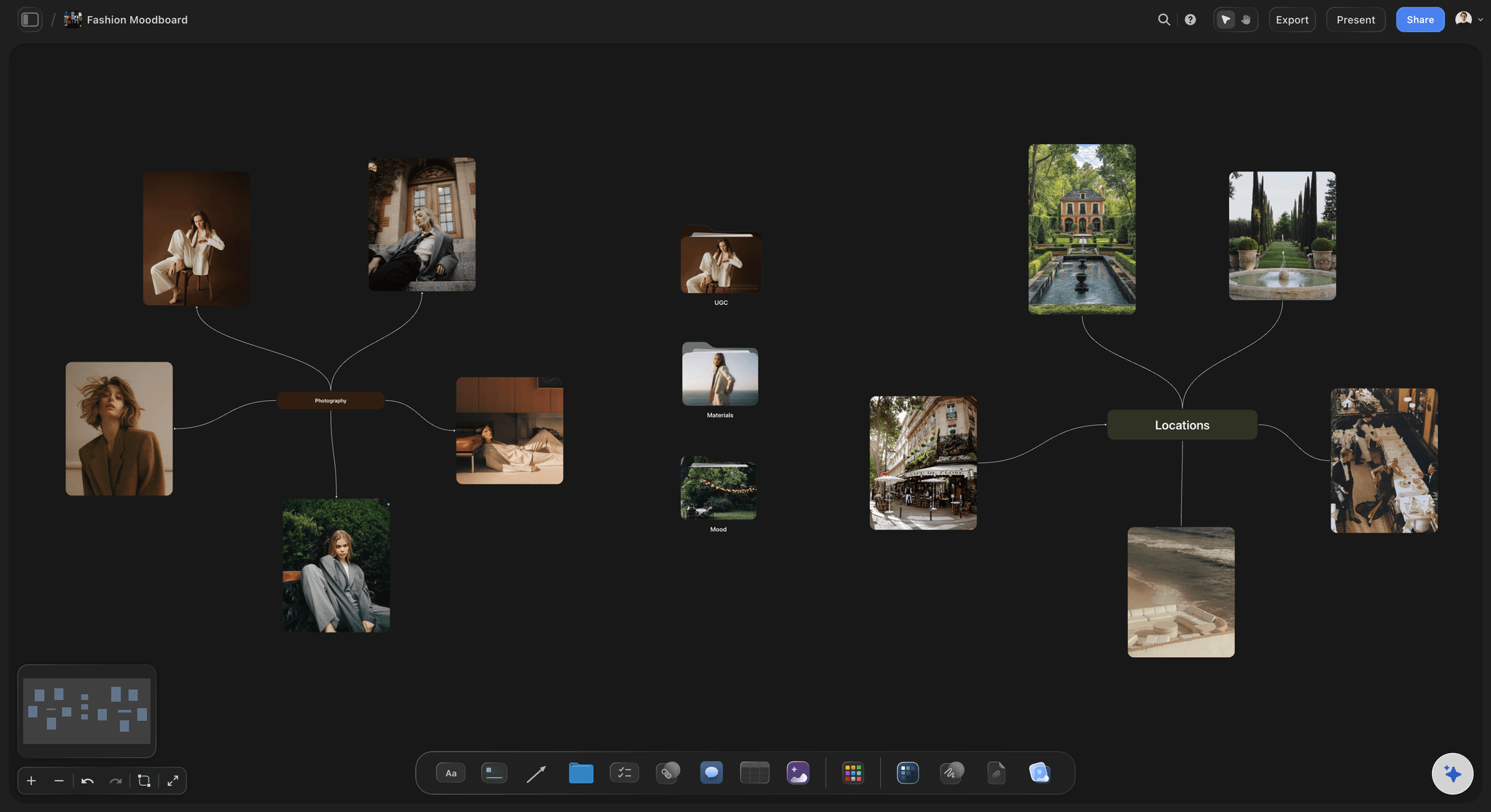
Start fast
A first board from the client's brief
The AI reads the brief on the board and lays out the groups, real reference pictures and a palette. You start by cutting, not by searching.
See the photoshoot moodboard maker →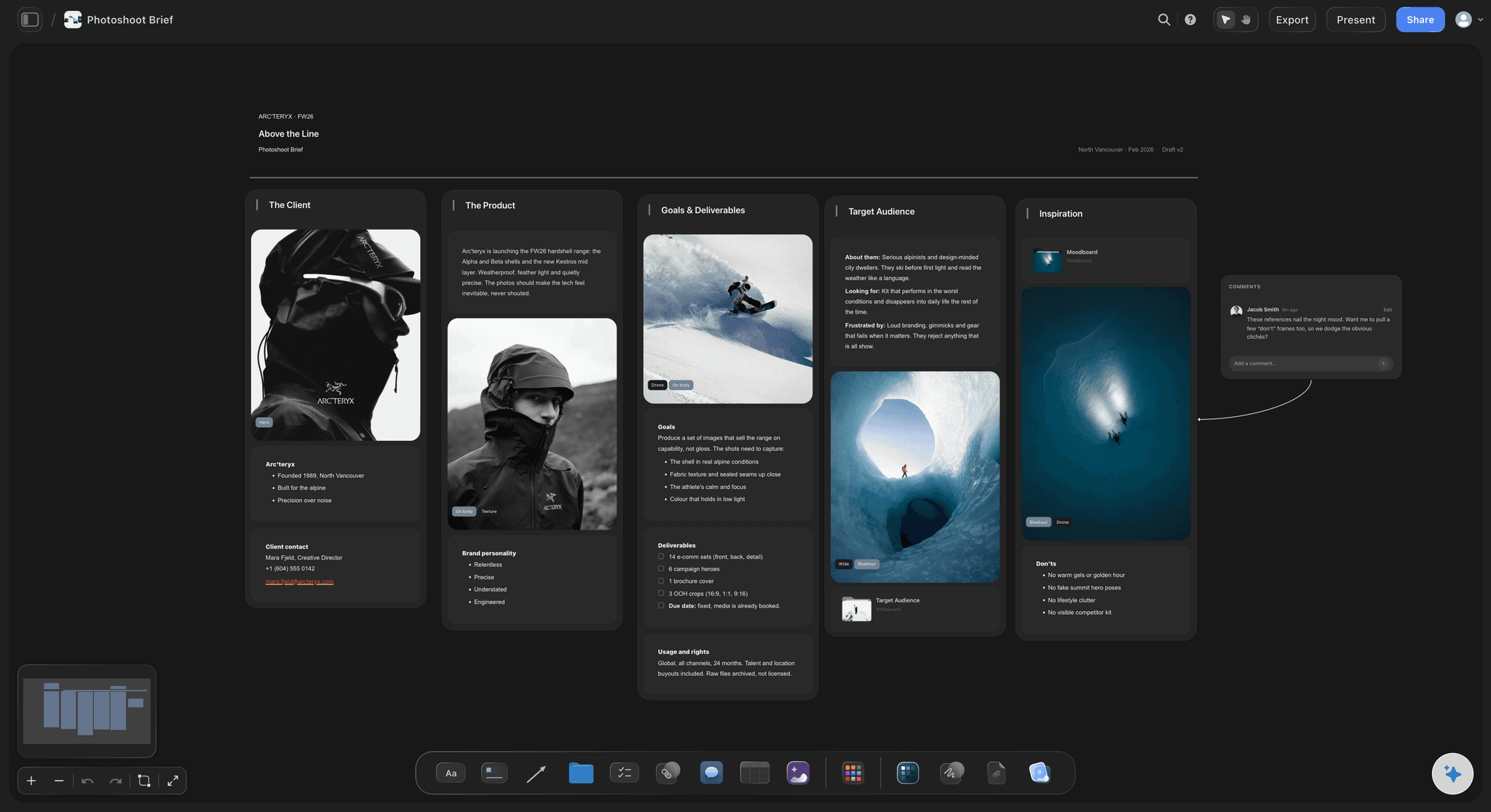
Client sign-off
One link, no account to look
Clients open a view-only link in any browser. To comment on a picture they sign in, and invited clients join free.
See moodboards for clients →
Shot list
References become the shot cards
Approved pictures turn into a row of shot cards with checklists and gear notes, so the plan and the look are read together on the day.
See the AI shot list generator →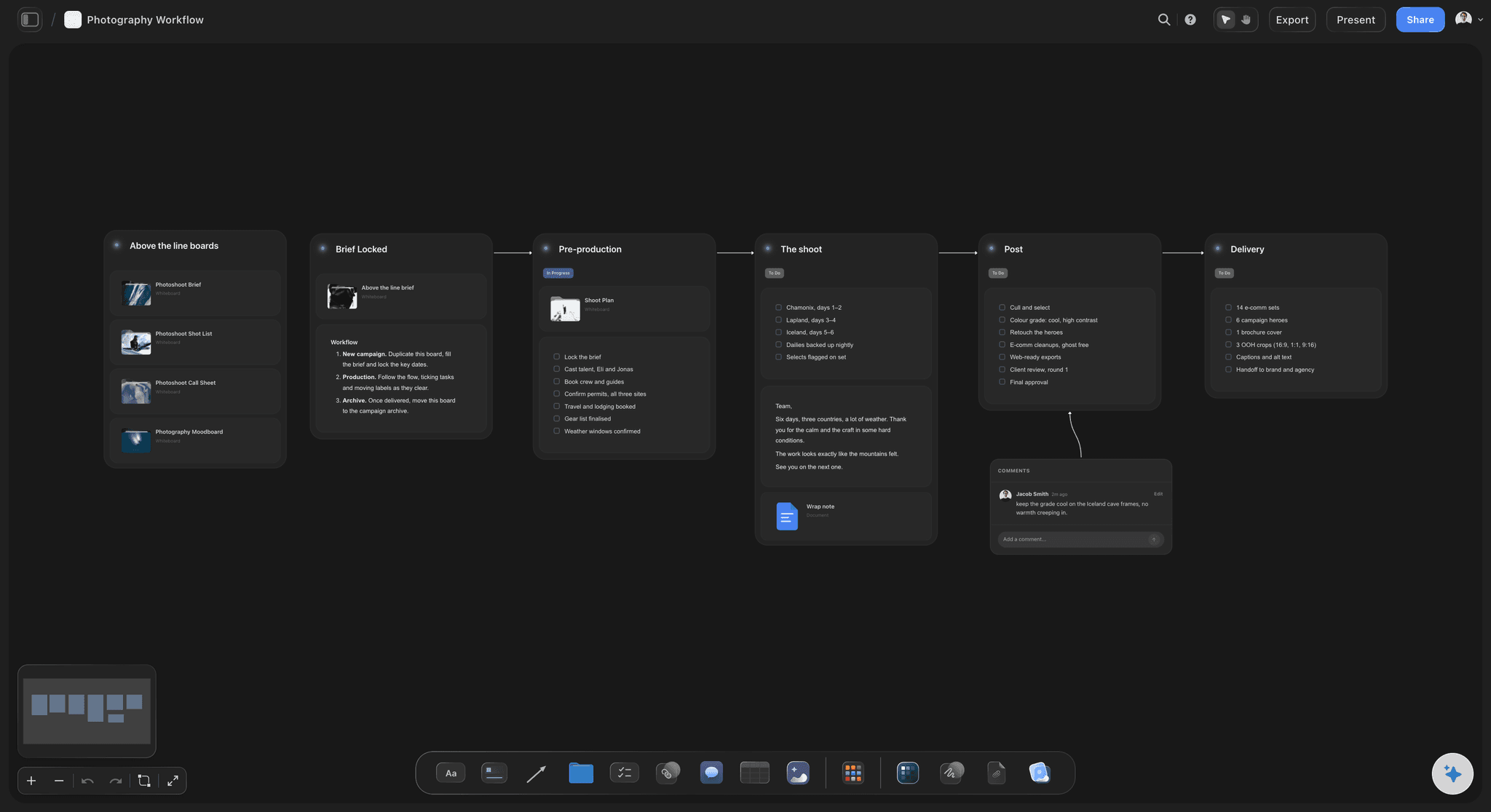
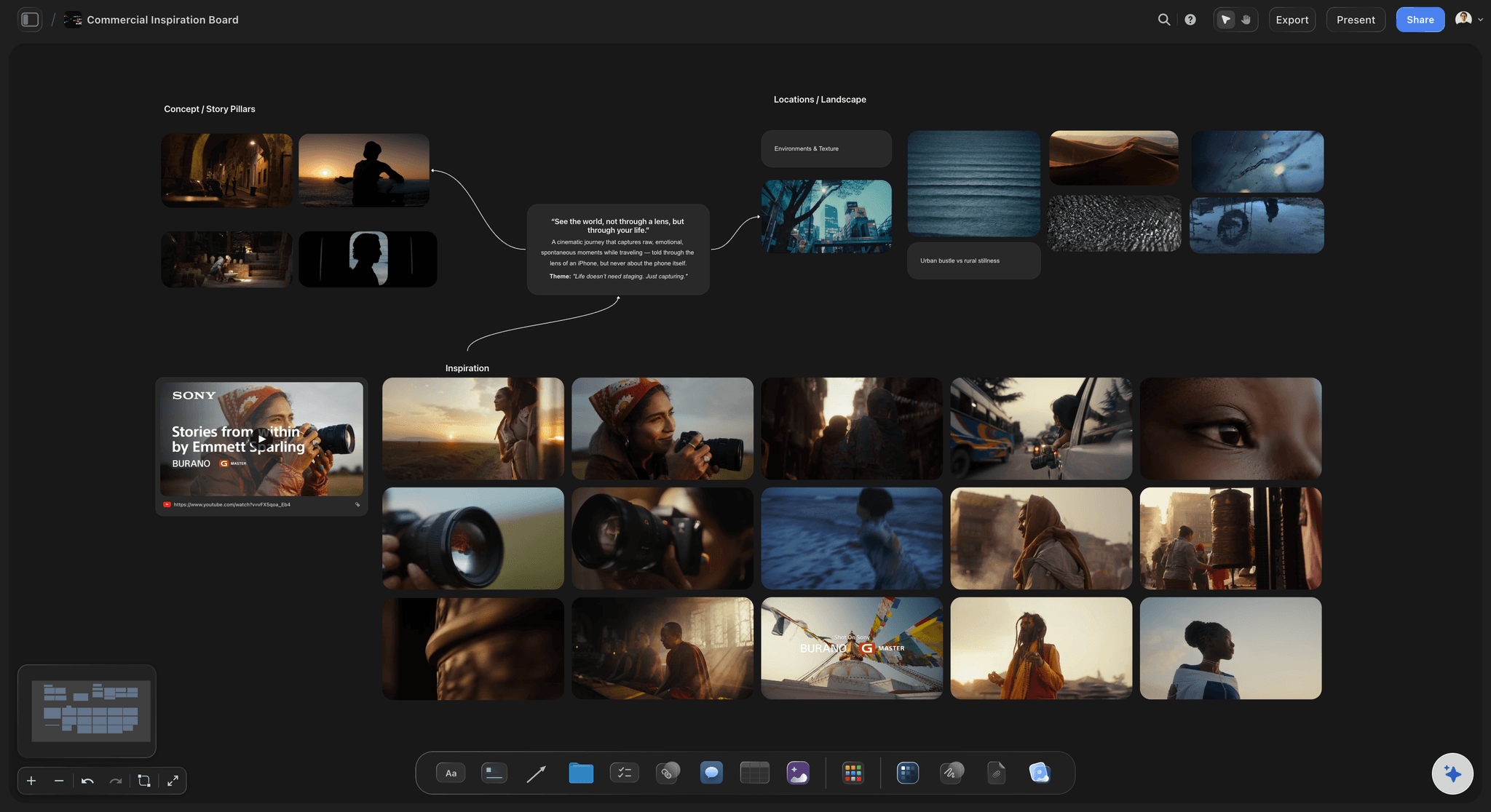
Every client
A project per client, kept
Past boards, palettes and approved selects stay in the client's project, ready when they book again and ask for the same look.
See Storyflow for photographers →What does it cost a photographer?
Storyflow is paid-only during early access: Plus is $7.99 a month billed annually ($9.99 monthly), with Pro and Max above it. Every paid plan has unlimited boards and file uploads, so a board per shoot never runs into a limit. A free plan launches before the end of 2026. Clients, stylists and assistants you invite join free.
Unlimited boards and file uploads on every paid plan
AI that drafts a moodboard from the client's brief
Background removal and upscaling on paid plans
View-only links clients open with no account
Invited clients and crew join free
Built for people with taste
Which kinds of photographers use it, and how?
The board changes with the shoot. The tool stays the same.

Brand and commercial
Brand shoots and product days
Palette the retoucher grades to: Named swatches with hex values on the board, so the grade matches the brand without a back-and-forth.
Brief, board and shot list together: The marketing manager's brief, the moodboard and the 18-card shot list on one canvas.
Present it fullscreen: Presentation mode for the pre-production call, or a PDF for the client's deck.
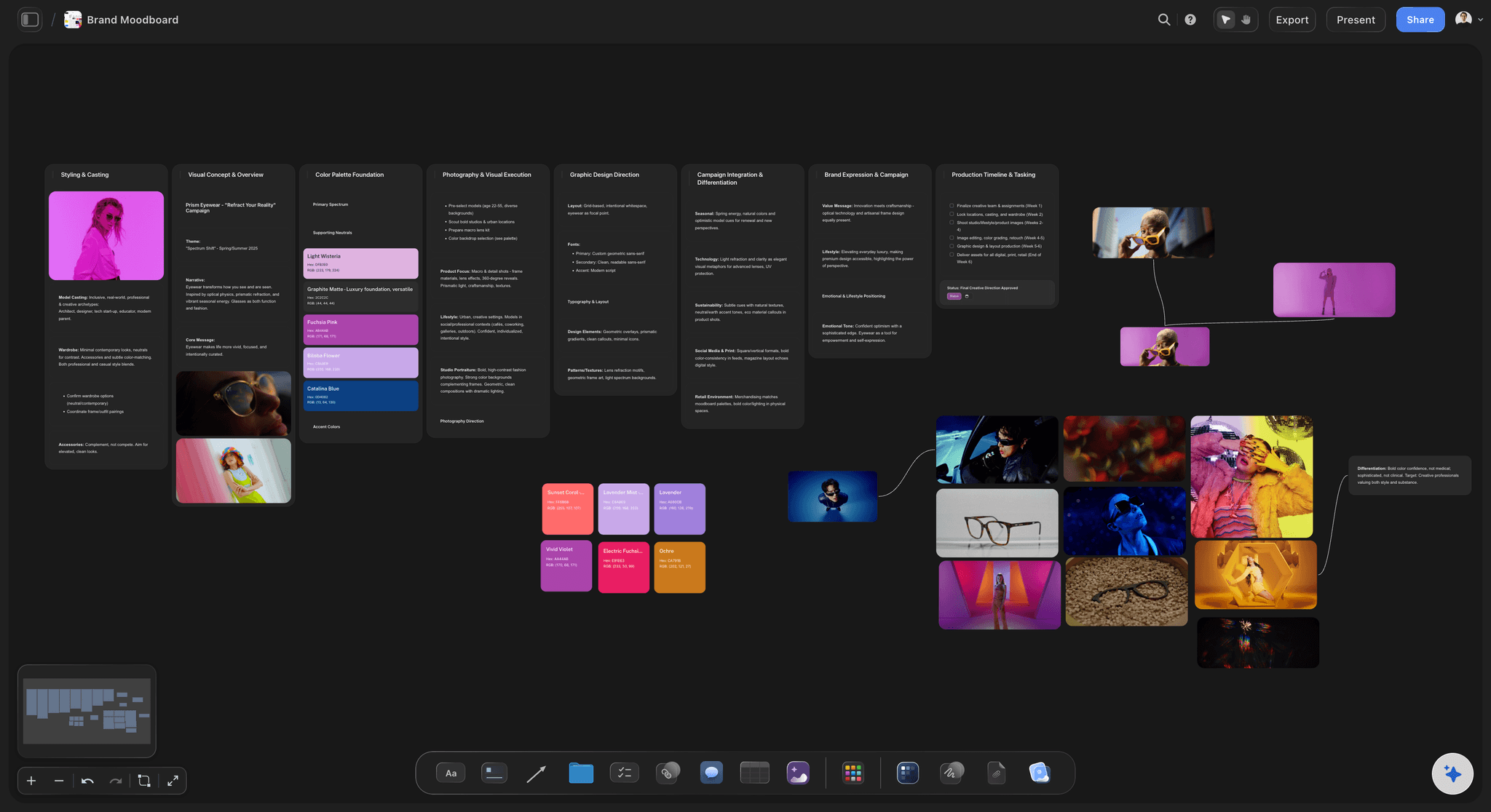
Weddings and portraits
Couples, families and headshots
A board the couple can open: No account to look; sign in to comment on the picture they love or the pose they do not want.
Must-have list beside the look: The family groupings and must-have moments sit on the same board as the style references.
Start from a template: Reuse your own wedding or headshot board as the start of the next one.
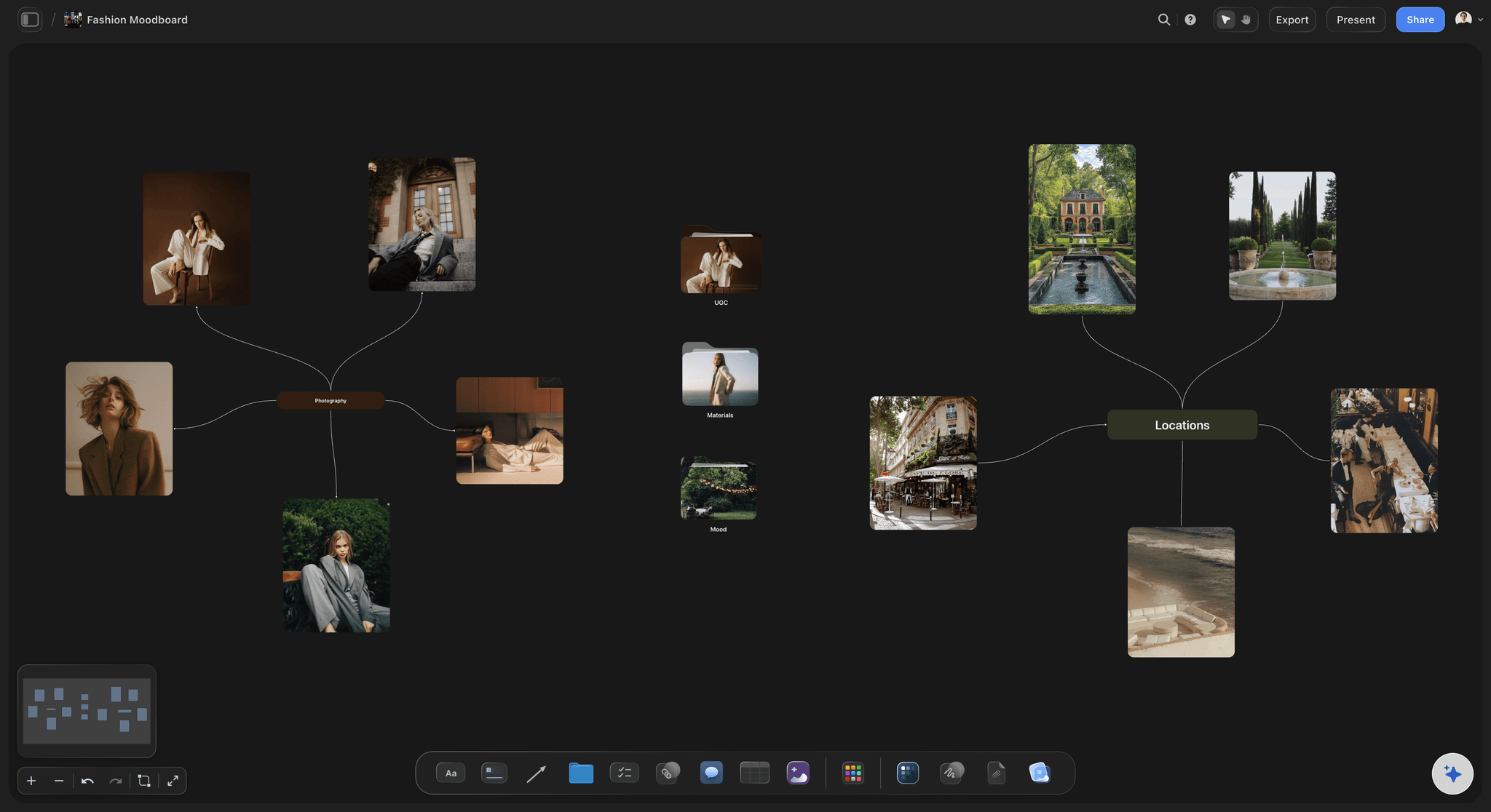
Editorial and fashion
Editorials with a team
Stylist, MUA and model on one board: Invited collaborators join free and comment on the exact look they are preparing.
Looks in groups: One group per look with its styling, hair and makeup and lighting references side by side.
Generate a missing reference: When nobody has photographed the look you mean, the AI can generate a picture to show it on the Pro and Max plans.
Explore templates for your project
Every template opens as a real, editable board on the infinite canvas. Pick the closest fit and make it your own.
Film Moodboard
Collect film references, color palettes, lighting, locations, and tone in one place, then invite your crew.
One app instead of five
How does Storyflow compare with Milanote and Pinterest for photographers?
Our own product is listed first. Milanote is a calm board app, Pinterest the place to discover; Storyflow carries the board into the shoot.
Storyflow
Recommended
AI drafts the moodboard from the client's brief
Shot list built from the approved references
Palette with hex values beside the pictures
Client opens a link with no account
Free plan available today
Native mobile app
Milanote
AI drafts the moodboard from the client's brief
Shot list built from the approved references
Palette with hex values beside the pictures
Client opens a link with no account
Free plan available today
Native mobile app
AI drafts the moodboard from the client's brief
Shot list built from the approved references
Palette with hex values beside the pictures
Client opens a link with no account
Free plan available today
Native mobile app
What creators are saying
Join early creators getting structured workspaces and AI that remembers their projects
“Storyflow has sped up my workflow by at least 3x, which means more flow state and more projects I can actually ship. It truly changed the way me and my team create.”

Reilin Joey
Director & YouTuber
“One prompt gets me a structured board. But the tactics are my favorite. I run my YouTube scripts through them and my intros and retention got better. It's amazing.”

Justkay
YouTuber & Freelance Filmmaker
“I used to juggle five apps to plan a project. Now I describe what I am making and get boards, lists, and a schedule. All in one place.”

George
@fernwehchronicles
Moodboard tools for photographers: questions
What working photographers ask before they move their client boards.
Most collect references on Pinterest, then build the client board in a canvas tool. Storyflow is an AI visual workspace that photographers use for that client board: the AI drafts it from the brief with real reference pictures and a named palette, the client signs off from one link, and the shot list is built from the approved references on the same board.
Storyflow is built for exactly this job: a project per client, a board per shoot, unlimited boards and uploads on every paid plan, and an AI that drafts each new board from the brief so you start by cutting rather than searching. It is paid-only during early access, from $7.99 a month billed annually. Milanote suits a photographer who wants a quiet free board for a few shoots.
Put the brief on a Storyflow board, ask the AI to draft the groups (light, poses, styling, hair and makeup, location, colour) with reference pictures and a palette, cut to what you will commit to, caption each picture, and send a view-only link. The how to make a photoshoot moodboard guide covers each step in detail.
Yes. A Storyflow view-only link opens in any browser with no account. To comment on a specific picture the client signs in, and anyone a paid member invites to the board joins free.
Yes. Select the approved references and ask Storyflow's AI for a shot list. It builds a card for each setup with your reference picture as its frame, a checklist of shots, a direction note and an equipment note, on the same board.
Yes. Each client's project keeps its past boards, palettes and approved selects. Duplicate last season's board as the start of the new one, or ask the AI to read it and draft the new direction from it.
Yes. Storyflow's AI can find real pictures on the web for each group and save its own copy of each onto the board, so a reference does not break when the original page goes. On the Pro and Max plans it can also generate a picture for a look nobody has photographed. Treat web references as direction and check rights before anything is published.
Yes. Drag your own photos straight onto the Storyflow board, from past shoots or test shots. Paid plans have unlimited file uploads, and include background removal and upscaling.
Not yet. Storyflow is paid-only during early access, from $7.99 a month billed annually ($9.99 monthly). A free plan launches before the end of 2026. Clients, stylists and assistants you invite to a board join free.
Storyflow runs in the browser on a phone, tablet or computer with nothing to install; there is no native app. On a shoot day the moodboard and the shot list open on your phone from the same board.
No. Storyflow is where the shoot is planned: the moodboard, the brief, the shot list and the client's sign-off. Contracts, invoices and final image delivery stay in the gallery and studio tools you already use.
Milanote is a calm freeform board app with a free tier capped by item count. Storyflow adds an AI that drafts the moodboard from the client's brief and finds references, and the shot list built from the approved references on the same board.
Yes. Invite them to the board and they join free. They comment on the exact look they are preparing once signed in, so a garment that cannot be sourced is flagged before the shoot rather than on the day.
Every shoot, one board, from brief to shot list.
A moodboard tool built for photographers who run many shoots for many clients.