
Extremely reliable pre-production
Break down the script with Claude,
scene by scene, into shoot days.
For producers, first assistant directors and indie filmmakers in prep: Claude reads the script and builds a scene table and a day-by-day shooting schedule on a Storyflow board.


Creatives working for these brands already got early access
- Red Bull
- Canon
- Artlist
- Porsche
See how easy it is to get started
Watch a real project come together, from a blank board to a finished plan, clicked through step by step.
Start from a ready-made template
Pick a board to see what you can build, then let AI fill it in. Every template is a real, editable starting point on the same infinite canvas.

Pre-Production
Pull the brief, script, shot list, and moodboard into one pre-production hub so the whole shoot is planned in one place.
Can Claude break down a script?
Yes, Claude can break down a script: it reads the scenes and lists, for each one, the heading, the length, the cast, the props, the wardrobe and anything else the scene needs, but on its own that list is a long table in a chat that nobody else on the film can open. Storyflow is an AI visual workspace that turns a script into a breakdown and a shooting schedule on one infinite canvas: a table with a row for every scene, columns for cast, props and wardrobe, a column for every shoot day and a coloured strip for every scene. Connected to Storyflow, Claude reads the script on your board and builds both there, with its own model, so the work costs no Storyflow AI credits.
Claude is a careful reader even with nothing connected. Paste twelve pages and it finds every scene heading, tells interiors from exteriors and day from night, and lists who speaks. It also reads the action lines, which is where the work hides: "a dog barks at the door" is an animal and a handler, and "rain streaks the window" is an effect someone has to rig. Ask which scenes share a location and it groups them. What it gives back is text. You copy the table into a spreadsheet, add the eighths up by hand, and paste again every time a scene moves.
Connect Claude to Storyflow and the breakdown lands on the film's board instead. Claude reads the script where it sits, as a Final Draft file, a PDF or a Word file, or you paste it into the chat. First it builds the scene table: one row per scene, with columns for the scene number, the heading, the pages, the cast, the props, the wardrobe and your notes. Then you say how many days you have and what belongs together, and it builds the shooting schedule: one column per shoot day, one strip per scene, in shooting order, with an arrow from each day to the next. Storyflow sets each strip's colour from interior or exterior and the time of day, and adds up each day's pages itself.
A worked example, small enough to check by hand. A 12-page short with ten scenes, shot over three days. Day 1 takes the house interiors: scene 1 (1 4/8 pages), scene 3 (2 pages) and scene 6 (1 page), which is 4 4/8. Day 2 takes the harbour exteriors: scene 2 (6/8), scene 5 (1 2/8), scene 8 (5/8) and scene 10 (1 page), which is 3 5/8. Day 3 takes the nights: scene 4 (3/8), scene 7 (2 1/8) and scene 9 (1 3/8), which is 3 7/8. The three days make 12 pages. The scene table has ten rows and seven columns. Its cast column shows that Mara is in eight scenes and the ferryman is in three, all of them on Day 2, so he is booked for one day and not three.
Every breakdown records the same things for each scene, whoever does it. The scene number. The heading: inside or outside, the place, the time of day. The length in eighths of a page, so a scene of 3/8 is under half a page. The speaking cast, the extras, the props an actor touches, the wardrobe, vehicles and animals, effects and stunts, and any special gear. Read the action lines as closely as the dialogue, because that is where a prop or a stunt hides. The schedule then follows from the table: group scenes by place first, then by day and night, and keep each actor's scenes on as few days as you can.
Here is where it stops. Claude gets the first 40,000 characters of a file on the board, which is a short of about a dozen pages whole but only the opening of a longer script, and it cannot read further into the same file. So a feature goes in parts: split it into smaller files, or paste it into the chat an act at a time. A scanned PDF is not read at all. A table holds 8 columns and 50 rows, so a long script needs more than one. Claude works out each scene's length from the text, so check the eighths against your script. There is no day-out-of-days report and no link to a budget. Claude has no tool that deletes a card, so a schedule built twice lands beside the first. Storyflow's own built-in AI, inside the app, is the other route to a script breakdown.
Ultra fast from brief to board
Script in, scene table out, shoot days after that.
Four steps. The third one is where you catch what Claude missed.
01
Connect Claude to Storyflow once
In Claude, go to Customize and then Connectors. Press Add and pick Add custom connector. Call it Storyflow, paste https://mcp.storyflow.so/mcp and press Continue. Pick Sign in now, press Add, then sign in to Storyflow and choose the film's project.
02
Put the script on the board
Drop the Final Draft, PDF or Word file on the film's board, or paste the scenes into the chat. Ask Claude to read it and tell you how many scenes it found before it builds anything. If the count is short, the file was cut off and needs splitting.
03
Ask for the scene table and read it
For example: "Break down the script on the Last Ferry board into a scene table: scene, heading, pages, cast, props, wardrobe, notes. Leave a cell empty if the script names nothing." A table appears with a row per scene. Check it against the script and fix what is wrong.
04
Ask for the shoot days
Tell Claude how many days you have and what must go together: the harbour scenes on one day, the nights on another. It builds one column per day with a strip per scene, and Storyflow colours the strips and totals each day's pages.
The scenes, what each one needs, and the days.
Claude does the reading. Storyflow keeps the result where every department can open it.
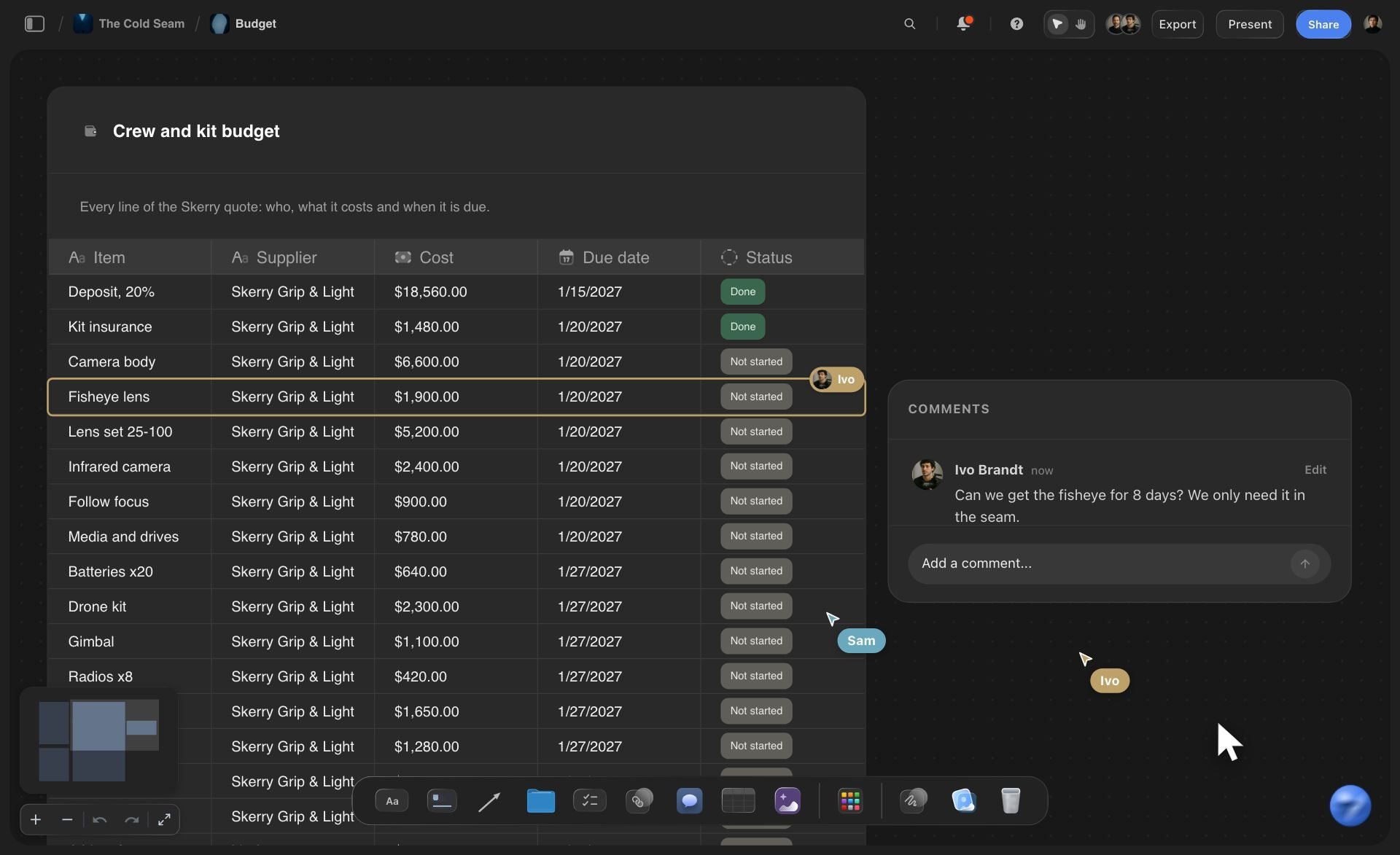
The scene table
Every scene in a row
Claude builds a table with a row per scene and a column each for the scene number, the heading, the pages, the cast, the props, the wardrobe and your notes. The costume designer reads one column and the props master reads another.
See script breakdown software →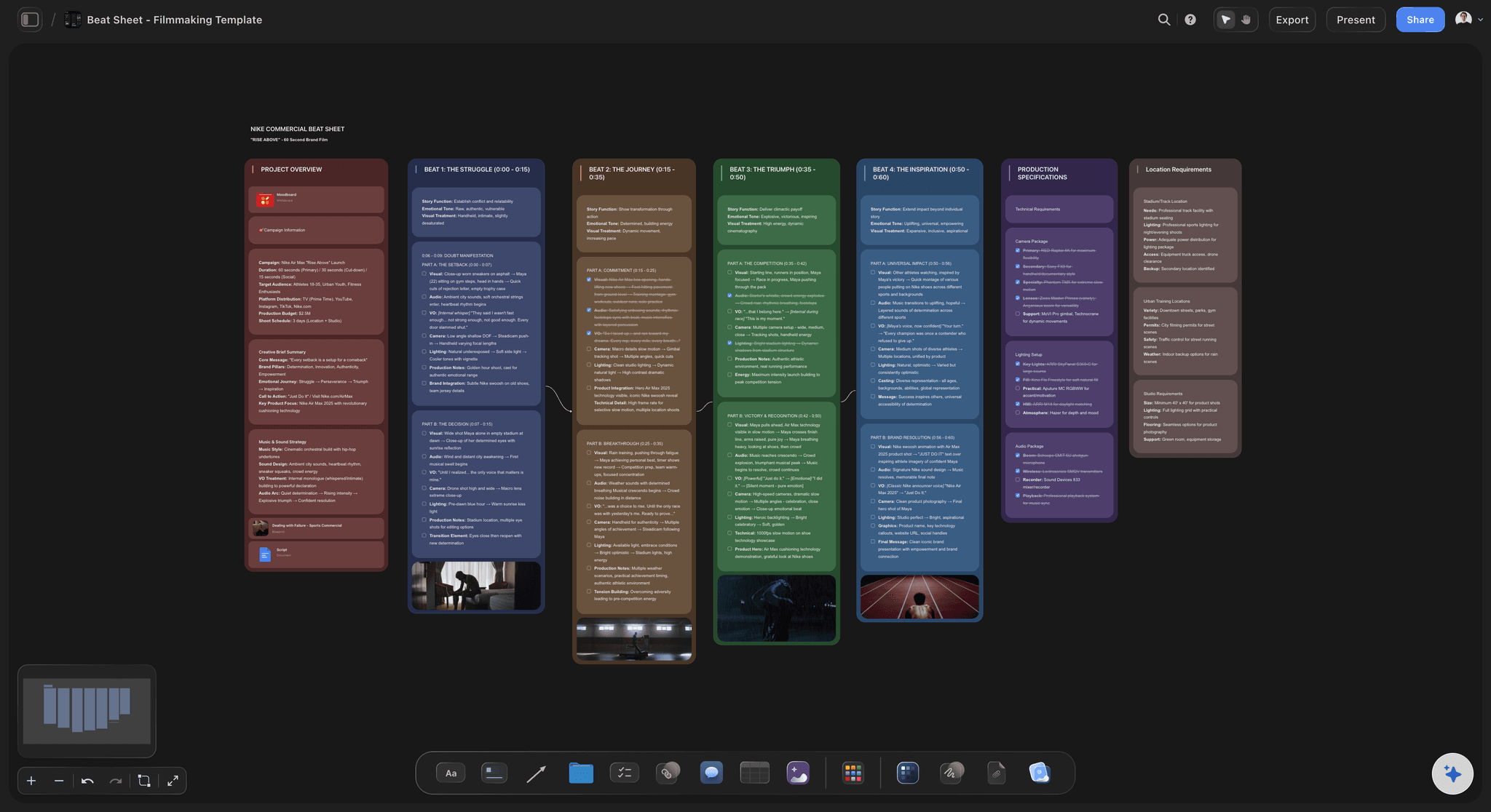
The schedule
A column per shoot day, a strip per scene
Each strip shows the scene number, the heading, the pages and the cast. Storyflow gives interior day, exterior day, interior night and exterior night their own colours, and writes each day's page total at the top of its column.
See the stripboard page →
The script
Read from the file on the board
Put the Final Draft, PDF or Word file on the film's board and Claude reads it there. The script stays beside the breakdown, so anyone can check a row against the page it came from.
See the AI script breakdown →
Any assistant
First AD in Claude, producer in ChatGPT, one board
Storyflow's connector is one web address. The first AD breaks the script down in Claude, the producer checks the days from ChatGPT, and both are looking at the same board. Each person picks the projects their assistant may open.
See how to connect your assistant →Claude reads the script. Storyflow does not bill credits for it.
Claude runs on its own model, so a breakdown built over the connector uses no Storyflow AI credits. A free account (today, one invited by a paid member) gets a weekly allowance of actions from its assistant, and the pricing page shows the current number. Plus, Pro and Max have no limit. Storyflow is paid-only during early access, with plans from $7.99 a month billed annually ($9.99 monthly). A free plan launches before the end of 2026, and anyone a paid member invites to a board joins free.
No Storyflow AI credits spent on a breakdown Claude builds
No limit on connector actions on Plus, Pro and Max
Heads of department you invite to the board join free
Script, scene table, schedule and shot list on one board
You choose which films Claude may open, and whether it may change them

Built for people with taste
Where a breakdown from a chat stops helping.
Claude reads a script closely. The trouble is where its answer has to go next.
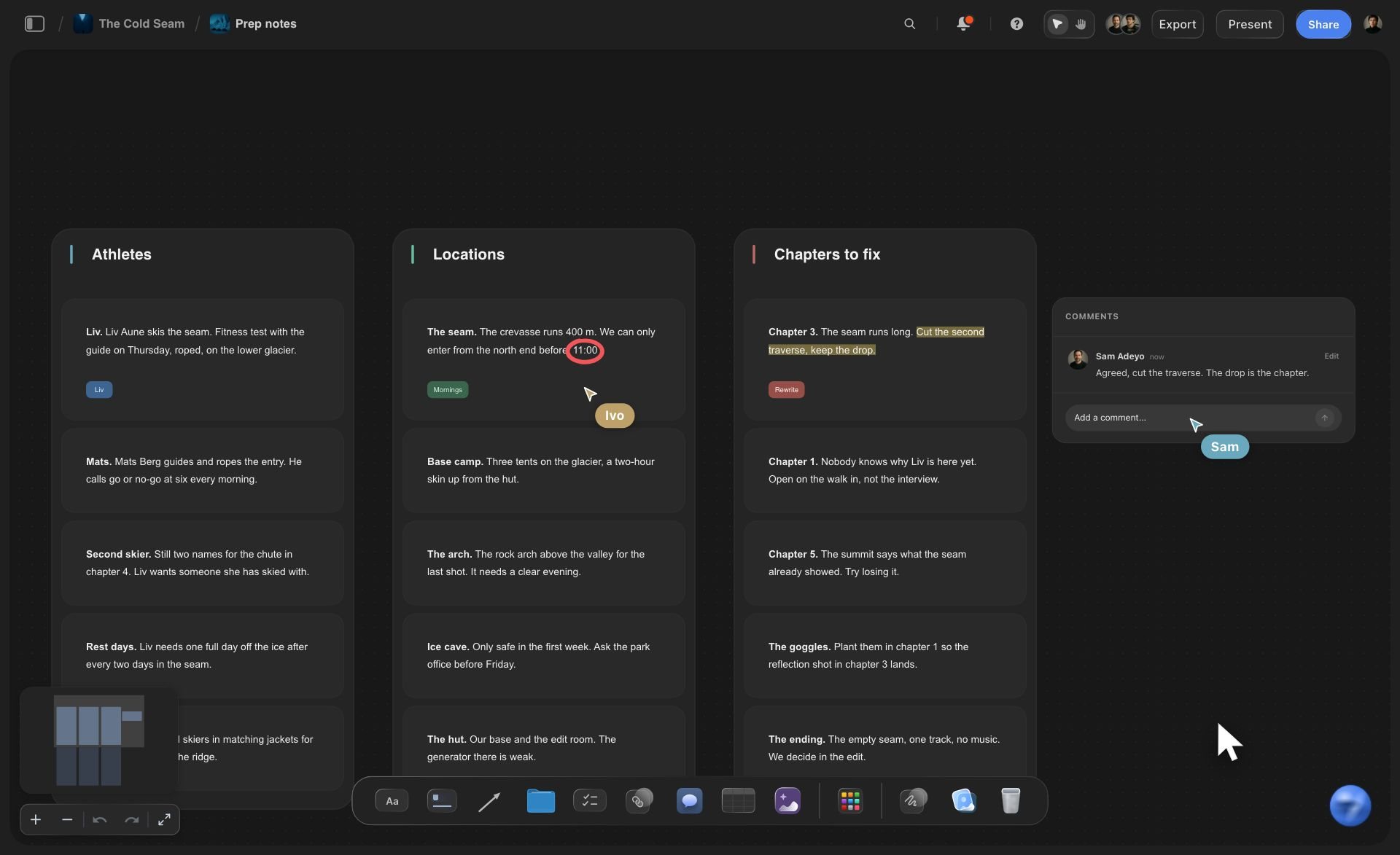
The reading
Fifty scenes in a chat window
A row per scene, not a wall of text: The breakdown is a table on the film's board. Wardrobe reads the wardrobe column and the art department reads the props column, and nobody scrolls back through a conversation to find scene 31.
Final Draft files are read as they are: Put the .fdx file on the board and Claude reads it there. PDF and Word scripts work too. A scanned PDF does not, because its pages are pictures of text.
Long scripts go in parts: Claude gets the first 40,000 characters of a file. Split a feature into files of about 20 pages each, or paste it into the chat one act at a time.
Fifty scenes per table: A table holds 8 columns and 50 rows per request. A feature with 120 scenes becomes three tables side by side: 50, 50 and 20.

The schedule
Eighths added up at midnight
Storyflow does the sum: Claude decides which scenes go on which day. Storyflow adds the pages and eighths for each day when it builds the schedule, which is the sum a language model is most likely to fumble.
Colours a first AD reads on sight: Storyflow sets each strip's colour from interior or exterior and from day, night, dusk or dawn. Claude does not pick colours, so they mean the same thing on every board.
Up to 30 days in one request: A schedule of up to 30 shoot days, with up to 40 strips a day, is built in one go, with an arrow from each day to the next.
A second version beside the first: Lost the harbour on Day 2? Ask Claude to build the schedule again with those scenes on Day 3. The new one lands beside the old one with fresh totals, and you remove the loser by hand.

The prep
A breakdown only the first AD has seen
Every department reads the same rows: Share the board from Storyflow and wardrobe, art and the producer all read one table. A view-only link opens in a browser with no account.
Fix a row by asking: Scene 7 now needs a second car. Tell Claude and it updates the table. It sends the whole table back with the change, so look over the rows around it.
Who works which day: Ask Claude which cast are in each day's strips. It reads the schedule on the board and answers in the chat. That is a quick check, not a formal day-out-of-days report.
The shot list on the same board: When the days hold, ask Claude for the shot list for Day 1. Each shot lands as its own column of cards next to the schedule it belongs to.
Explore templates for your project
Every template opens as a real, editable board on the infinite canvas. Pick the closest fit and make it your own.
Pre-Production
Pull the brief, script, shot list, and moodboard into one pre-production hub so the whole shoot is planned in one place.
One app instead of five
Claude with a board, Claude alone, or Movie Magic Scheduling.
Storyflow holds the breakdown and the days Claude builds. It does not produce the reports a union feature runs on.
Storyflow with Claude
Recommended
Breakdown drafted by Claude from the script
Script, scene table, schedule and shot list on one open canvas
Strip colours set by interior, exterior, day and night
Day totals worked out by the tool, not by the AI
Reference pictures and storyboard beside the schedule
Day-out-of-days report built in
Strips re-sorted by set, cast or time of day in the tool
Budget linked to the schedule
Claude on its own
Breakdown drafted by Claude from the script
Script, scene table, schedule and shot list on one open canvas
Strip colours set by interior, exterior, day and night
Day totals worked out by the tool, not by the AI
Reference pictures and storyboard beside the schedule
Day-out-of-days report built in
Strips re-sorted by set, cast or time of day in the tool
Budget linked to the schedule
Movie Magic Scheduling
Breakdown drafted by Claude from the script
Script, scene table, schedule and shot list on one open canvas
Strip colours set by interior, exterior, day and night
Day totals worked out by the tool, not by the AI
Reference pictures and storyboard beside the schedule
Day-out-of-days report built in
Strips re-sorted by set, cast or time of day in the tool
Budget linked to the schedule
What creators are saying
Join early creators getting structured workspaces and AI that remembers their projects
“Storyflow has sped up my workflow by at least 3x, which means more flow state and more projects I can actually ship. It truly changed the way me and my team create.”

Reilin Joey
Director & YouTuber
“One prompt gets me a structured board. But the tactics are my favorite. I run my YouTube scripts through them and my intros and retention got better. It's amazing.”

Justkay
YouTuber & Freelance Filmmaker
“I used to juggle five apps to plan a project. Now I describe what I am making and get boards, lists, and a schedule. All in one place.”

George
@fernwehchronicles
Script breakdowns with Claude: questions
What producers and first ADs ask before they trust an assistant with the script.
Yes. Claude reads the script and lists each scene's heading, length, cast, props and wardrobe. Connected to Storyflow, it builds that as a scene table on your board, then a shooting schedule with one column per shoot day and a strip per scene. Storyflow sets the strip colours and adds up each day's pages. You check the rows against the script, because Claude can miss a prop that hides in an action line.
Storyflow gives Claude a board to break the script down on: a scene table with a row per scene and columns for cast, props and wardrobe, then a shooting schedule with a strip per scene and each day's pages added up by Storyflow, beside the script and the shot list. It works with ChatGPT, Gemini and Grok too. Movie Magic Scheduling still produces the day-out-of-days report and links the schedule to a budget.
The scene number, the heading (inside or outside, the place, the time of day), the length in eighths of a page, the speaking cast, extras, props, wardrobe, vehicles and animals, effects and stunts, and special gear. In Storyflow, Claude builds these as columns in a scene table. A table holds 8 columns, so pick the eight your shoot needs and put the rest in the notes column.
Not from one file on the board. Over the Storyflow connector Claude gets the first 40,000 characters of a file and cannot read past that point. A short of about a dozen pages fits whole; a longer script is read only to that point. For a feature, split the script into smaller files on the board, or paste it into the Claude chat an act at a time. Ask Claude how many scenes it found, so you know nothing was cut off.
Final Draft (.fdx), PDF, Word (.docx) and plain text files on your Storyflow board, up to 25 MB each. A scanned PDF is not read, because its pages are pictures, and the older .doc format is not read either. A script you attach in the Claude chat is read in the chat, but the file itself does not reach Storyflow.
You say how many days you have and which scenes belong together. In Storyflow, Claude builds one column per shoot day and a strip per scene with its number, heading, pages and cast, up to 30 days and 40 strips a day in one request. Storyflow sets each strip's colour from interior or exterior and the time of day, and adds up each day's pages.
Check them. Over the connector Claude works out each scene's length from the text it reads, so an eighth can be off. Storyflow adds up whatever is on the strips correctly, but a wrong page count gives a wrong day. Compare the pages column with your script before you lock the days, and correct a row by hand or by asking Claude.
In Claude, open Customize, then Connectors, and click Add, then Add custom connector. Give it the name Storyflow, paste https://mcp.storyflow.so/mcp and click Continue. Select Sign in now, click Add, and sign in to Storyflow, where you pick the projects Claude may use. On the Free plan Claude allows one custom connector.
No. Storyflow has no day-out-of-days report and no link from the schedule to a budget. Claude can read the schedule on your board and tell you which days each actor works, which is enough for a short or a commercial. For a feature that needs the formal report, keep scheduling software such as Movie Magic Scheduling.
For a small fix, ask Claude to change one strip and it edits that card on your Storyflow board. For a real change, ask for the schedule again: the day totals are worked out when a schedule is built, and the new one lands beside the old one. Claude has no tool that deletes cards, so you remove the old schedule by hand. It stays in the trash for 7 days.
No. The reading and the writing are done by Claude's own model, so a breakdown built over the connector uses no Storyflow AI credits. A free Storyflow account (today, one invited by a paid member) gets a weekly allowance of actions from its assistant, and the pricing page shows the current number. Plus, Pro and Max have no limit.
Yes. Storyflow's connector is one address, https://mcp.storyflow.so/mcp. Storyflow's setup notes list ChatGPT Plus, Pro, Business, Enterprise and Edu, on the web, and on Business and Enterprise an admin turns on developer mode. Gemini's custom apps need a personal Google account with Keep Activity on, in the US, for people 18 or over, in English. On Grok Business and Enterprise a team admin adds it in the xAI console first.
Only the ones you choose. When you sign in, Storyflow asks whether Claude may use all your projects or only the ones you tick, and whether it may make changes. Without changes it can read the script and the board but build nothing. Every connection ends after 30 days, and then Claude asks you to sign in again.
More from Storyflow
Storyflow MCP server
Connect Claude to Storyflow
AI script breakdown
Script breakdown software
Stripboard
Shooting schedule
Shot list with Claude
Call sheet with ChatGPT
Storyboard with ChatGPT
Day out of days
Film scheduling software
Production plan with ChatGPT
Short film planning
Indie film production workflow
Storyflow for producers
Storyflow for indie filmmakers
The script on Monday. The shoot days by Tuesday.
A row for every scene, a strip for every scene, and each day's pages added up, on one board the whole film shares.