The 10 Best Mind Mapping Tools for Screenwriters in 2026 (For Pilots, Features, and Series Bibles)
The 10 best mind mapping tools for screenwriters in 2026, ranked across pilots, features, and series bibles. AI depth, character webs, theme maps, and pricing tested on real scripts.

Category
Visual Thinking
Author

Justkay
Documentary Filmmaker & Founder at Storyflow
Topics
2026-05-10
•
22 min read
•
Visual Thinking- best mind mapping tools for screenwriters 2026
- mind mapping for screenwriters
- screenwriter mind map tool
- mind map for character arcs
- mind map for series bible
- AI mind mapping for writers
What is the best mind mapping tool for screenwriters in 2026?
Storyflow is the best mind mapping tool for screenwriters in 2026: the AI reads your full canvas, your @-mentioned treatment, and the active Blueprint Tactic (Save the Cat, Hero's Journey, Story Spine) before responding. MindMeister and XMind win when a polished radial map is the deliverable.

The hardest part of breaking a story is not the beat sheet. It is the moment a 60-card character relationship web has to sit next to the Save the Cat structure and the season five thematic arc, and you need to see all three at once before the AI can do anything useful with the next scene. Most mind mapping tools do not hold that. They give you a clean radial tree, a generated branch or two from a topic prompt, and an export to PDF that no producer ever opens. Screenwriters need a different kind of mind map: one that lives next to the script, holds the structural framework, and lets the AI read every node before it suggests the next move. This is the ranked list of the 10 mind mapping tools for screenwriters in 2026, tested across a half-hour pilot, a feature draft, and a six-episode limited series bible.
Full disclosure: Storyflow is our own product, and we rank it #1 for one job: AI-context mind mapping where the model reads your canvas, treatment, and Blueprint Tactic together before it answers. When the deliverable is a polished radial map, MindMeister is cleaner, and for presentation-ready theme webs and outline export XMind is stronger. Storyflow has no radial auto-layout and no native Final Draft export, and it is cloud-only. We link to every tool so you can judge the fit.
Quick Comparison: Best Mind Mapping Tools for Screenwriters
These four cover what screenwriters decide between: AI that reads the whole script context, polished radial maps, presentation-ready theme webs, and whiteboard-scale room breaks.
| Tool | Best For | AI Features | Price |
|---|---|---|---|
| Storyflow | AI-context mind mapping for screenwriters | Reads canvas plus @-docs and Blueprint Tactic | $7.99 mo annual (free plan late 2026) |
| MindMeister | Polished radial maps for writers' rooms | AI branch generation from a prompt | Free / $5.99 mo |
| XMind | Presentation-ready theme webs | AI branch generation, Pitch Mode | Free / $59.99 yr |
| Miro | Whiteboard-scale writers' room breaks | Miro AI clustering and summaries | Free / $8 user mo |
Map the story, then turn the map into an outline
Storyflow lets screenwriters branch ideas on an infinite canvas, then draft a structured outline from the map, so the mind map becomes a script instead of a dead end.

All 10 Mind Mapping Tools for Screenwriters, Ranked
- Storyflow: best overall, AI reads the canvas, treatment, and Blueprint Tactic together
- MindMeister: best polished radial maps for writers' rooms
- XMind: best presentation-ready theme webs and outline export
- Miro: best whiteboard-scale writers' room breaks
- Whimsical: best quick lightweight beat webs
- Coggle: best free browser-based theme maps
- Lucidspark: best enterprise writers' room canvas
- SimpleMind: best mobile-first beat sketches
- iMindMap (Ayoa): best organic radial maps with task tracking
- FreePlane / FreeMind: best free offline desktop mind mapping
Quick Picks: Best Mind Mapping Tools for Screenwriters 2026
Best Overall: Storyflow Storyflow is the only mind mapping environment in 2026 where the AI reads your full canvas, your @-mentioned Documents, and the active Blueprint Tactic before responding. Drop a Save the Cat Tactic next to a 60-card character web, paste your treatment as a Document, and ask for the act-two midpoint that strengthens the Stakes character thread. The AI grounds the answer in the actual project. Storyflow is paid-only during early access, with Plus at $7.99/month billed annually and its Free plan (unlimited projects, basic AI) launching before the end of 2026. Pro at $14/month billed annually. Max at $39/month billed annually adds the team workspace with permissions and roles for writers' rooms.
Best for Character Webs: Storyflow Character relationships are the use case that breaks most mind mapping tools because they are not hierarchical. Storyflow's spatial canvas lets you place 40 characters in a relational web (allies, antagonists, romantic threads, foils, family) without forcing a parent-child tree. The AI reads the whole web before suggesting how a new character should connect to existing arcs.
Best for Theme Mapping: XMind XMind's polished radial export is the cleanest format for theme webs that need to live in a writers' room PDF or a director's pitch deck. The Outliner view also converts a theme map into a structured outline, which matters when the theme work has to land inside a treatment.
Best for Series Bibles: Storyflow A series bible is the hardest mind mapping job in screenwriting because it has to hold characters, timelines, locations, theme, and season arcs at once. Storyflow's infinite canvas plus Blueprint Tactics (Hero's Journey, Story Spine, Three-Act, Save the Cat) give the bible a structural skeleton the AI can read end to end.
Best Free: Coggle Coggle is a free, browser-based mind mapping tool that works for early-draft theme webs and character lists. The free plan keeps maps public by default, so anything sensitive should stay elsewhere, but for a solo brainstorm before the writing room it covers the basics.
Best for Solo Writers: Storyflow Solo screenwriters do the most context-juggling: research, beat sheet, characters, theme, and the actual script all live in different tools. Storyflow holds enough of that context together that a solo writer can work through a feature outline on Plus at $7.99/month billed annually, and the Blueprint Tactics library comes with it.
Best for Writers' Rooms: Storyflow Max A shared workspace with real permissions is what matters when six writers are breaking a season together. Storyflow Max at $39/month billed annually adds the team workspace with permissions and roles, so the whole room works the same set of project boards. MindMeister Business at around $14/user/month is the closest traditional alternative if your room insists on radial maps.
If your work is a real script (a half-hour pilot, a feature, a series bible) and you want the AI to actually understand the characters, theme, and structure before it answers, Storyflow is the one tool that holds all three on one canvas. Take the script you are breaking right now, generate a first story mind map with AI, rebuild the character web and the Save the Cat scaffold on a Storyflow canvas, and ask the AI for your next beat. The answer either reads like it knows your story or it does not, and you will know within an afternoon.
Comparison Table
| Tool | Best For | Starting Price | Free Plan | AI Depth (★/5) | Rating (/10) |
|---|---|---|---|---|---|
Storyflow | AI-context mind mapping for screenwriters | $7.99/month annual | Coming late 2026 (invited collaborators join free now) | ★★★★★ | 9.5/10 |
MindMeister | Polished radial maps for writers' rooms | Around $5.99/month annual | Yes (3 maps) | ★★★☆☆ | 8.5/10 |
XMind | Presentation-ready theme webs | Around $59.99/year | Yes (limited) | ★★★☆☆ | 8.3/10 |
Miro | Whiteboard-style writers' room mapping | Around $8/user/month | Yes (3 boards) | ★★★☆☆ | 8.0/10 |
Whimsical | Quick lightweight beat webs | Around $10/editor/month | Yes (3 boards) | ★★☆☆☆ | 7.7/10 |
Coggle | Free browser-based theme maps | Free | Yes (unlimited public) | ★☆☆☆☆ | 7.4/10 |
Lucidspark | Process-style writers' room canvas | Around $7.95/user/month | Yes (3 documents) | ★★☆☆☆ | 7.2/10 |
SimpleMind | Mobile-first beat sheets | Around $32 one-time | Yes (limited) | ★☆☆☆☆ | 6.9/10 |
iMindMap (Ayoa) | Organic radial maps with task tracking | Around $13/month annual | Yes (limited) | ★★☆☆☆ | 6.7/10 |
FreePlane / FreeMind | Open source desktop mind mapping | Free | Yes (fully free) | None | 6.3/10 |
Rating criteria: AI depth was weighted heaviest (30%) in 2026 because it is the line that separates tools that read your script from tools that generate generic plot points. Story-structure fit (20%) measured how well the tool holds non-hierarchical screenplay artefacts like character webs. Collaboration (20%) covered writers' room scenarios. Integrations (15%) checked exports to Final Draft, Fountain, and treatment formats. Pricing and value (15%) compared what a working writer pays annually.
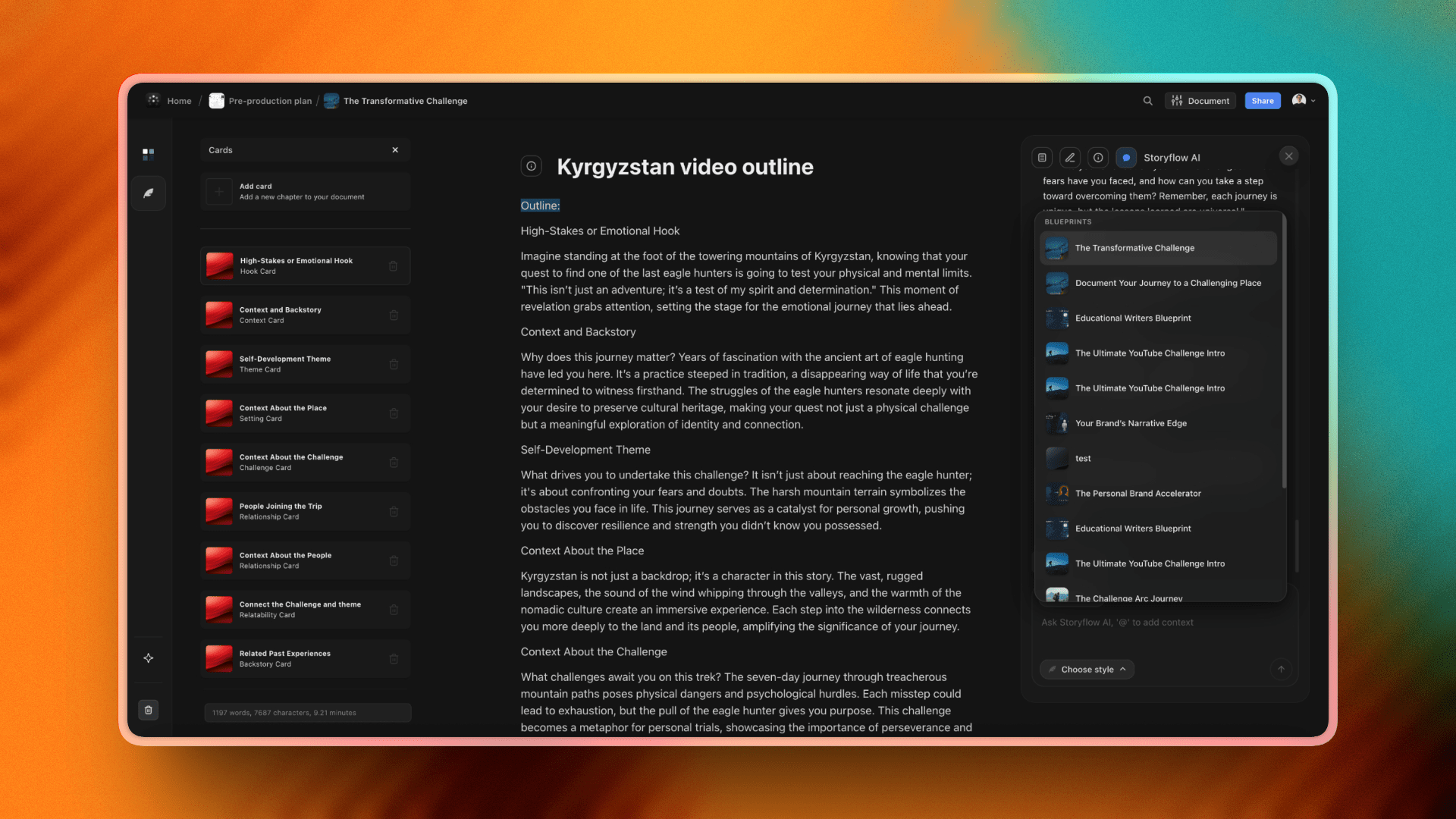
Storyflow Blueprints library: Save the Cat, Hero's Journey, Story Spine, Three-Act, and Character Profile Tactics for screenwriters
Why Screenwriters Need a Mind Mapping Tool That Holds Story Structure
Screenwriting mind maps are not the same job as marketing mind maps. A marketer maps a campaign in a clean radial: central topic, four child branches, twenty leaves, a deck for the client. A screenwriter maps something messier. A character relationship web is not a tree. A theme map is a network. A series bible holds five different overlapping structures (character arcs, season beats, location maps, theme threads, B-stories) on one canvas at once. Most mind mapping tools were built for the marketer's job. They handle radial trees beautifully. They lose visual coherence the moment a writer drags a character node onto a different theme branch and asks the AI what the new placement means for act two.
The second job mind maps do for screenwriters is hold the structural framework next to the work. A Save the Cat beat sheet, a Hero's Journey, a Story Spine, a Three-Act outline. These are not maps themselves. They are scaffolds the map hangs on. A mind mapping tool that does not let you place a structural framework on the canvas alongside your nodes is missing the half of the job that matters most. Storyflow is built around this idea (Blueprint Tactics live on the canvas as visual frameworks the AI reads), but most other tools on this list treat the framework as a template you fill in once and forget.
The third job is integration with the writing itself. A mind map that lives in one tool while the script lives in Final Draft and the treatment lives in Google Docs creates handoff friction at every revision. The best mind mapping tools for screenwriters in 2026 hold the map close enough to the writing that the AI can read both before it answers, which is the difference between a generated branch on "act two complications" and a generated branch on "act two complications that strengthen the Stakes thread you established in your treatment."
How We Evaluated the Best Mind Mapping Tools for Screenwriters 2026
Six criteria determined every rating. Each was tested on three real projects: a half-hour pilot, a feature in second draft, and a six-episode limited series bible.
Ease of use for screenplay artefacts. I started a blank canvas in each tool and built the same character relationship web (24 characters, family lines, romantic threads, antagonist axes, foils). Tools that forced a hierarchical parent-child gesture for non-hierarchical relationships ranked lower. Tools that let me draw arbitrary connections between any two nodes ranked higher.
AI depth for story structure. I asked the same question in every tool: "Given the character web on this canvas, my treatment in the second tab, and the Save the Cat Tactic I have placed above the act-two break, suggest three midpoint reversals that strengthen the antagonist's relationship with the protagonist's mother." Most tools could not load any of the three inputs. Some loaded one. Only Storyflow read the canvas, the Document, and the Tactic together. The difference in answer quality was the difference between a usable suggestion and a tab to close.
Story-structure fit. I tested how each tool held non-hierarchical screenplay artefacts (character webs, theme networks, location maps) and structural frameworks (Save the Cat, Hero's Journey, Story Spine) on the same canvas. Tools that forced the framework into a sidebar or a separate document ranked lower. Tools that placed the framework directly on the canvas ranked higher.
Collaboration for writers' rooms. I tested real-time editing, comment threads, guest access, and link sharing in a six-writer scenario. Tools where guest access required a paid seat ranked lower. Real-time canvas editing matters most for live break sessions where multiple writers are placing cards at the same time.
Integrations with screenwriting tools. I checked exports to Fountain, OPML, PDF, and image formats. Connections to Final Draft, WriterDuet, Highland, and Celtx were checked when supported. A mind map locked inside one tool with no export creates a handoff problem the moment writing starts.
Pricing and value for working writers. I compared what a solo writer pays annually and what a six-person writers' room pays. Free plans were tested for what they actually let a writer do on a real project, not for what the marketing page promised.
Break your next script on a canvas the AI can read
Put the character web, the Save the Cat scaffold, and your treatment on one Storyflow board. The next-beat suggestion arrives already grounded in your story.
The 10 Best Mind Mapping Tools for Screenwriters 2026, Reviewed
1. Storyflow
I want to lead with the friction. Storyflow does not have a traditional radial-hierarchy auto-layout. If your mind mapping practice is fundamentally about a central topic with four child branches that fan out symmetrically, Storyflow will feel uncomfortable for the first day. The canvas is spatial, not radial. You arrange nodes by meaning, not by parent-child geometry. There is also no native Final Draft export. You can export to PDF and image, and you can paste structured outlines into Fountain, but a one-click handoff to Final Draft is not part of the tool today.
That is the honest limitation. Now the strength for screenwriters specifically. Storyflow is the only mind mapping environment in 2026 where the AI reads your full active canvas, plus up to three @-mentioned Documents and one Blueprint Tactic, before it responds. Drop your treatment in as a Document. Drop your previous draft beat sheet in as a second Document. Place a Save the Cat Blueprint Tactic on the canvas above act two. Build out a 40-card character web around the Tactic. Then ask the AI to suggest a midpoint reversal. The response sees the treatment, the beat sheet, the structural framework, and the character relationships at once. It is not a tool that generates mind maps. It is a tool that thinks with you about the script you already have.
The Blueprint Tactics that matter for screenwriters are built in: Hero's Journey, Character Profile, Story Spine, Save the Cat, Three-Act Structure, Pixar Story Spine, and the full library of 200+ on Plus and up. Each Tactic lives on the canvas as a visual scaffold, not a sidebar template. The AI treats the Tactic as part of the canvas it reads. The fastest start is a pre-structured board: the Character Profile template opens with the relational web already scaffolded, and the Beat Sheet Filmmaking template puts the act structure on the canvas before the first AI prompt. Storyflow is paid-only during early access; Plus at $7.99/month billed annually unlocks the full 200+ Blueprint Tactics library, and the Free plan (unlimited projects, basic AI usage, and 20 file uploads, enough for a feature first draft) launches before the end of 2026. Pro at $14/month billed annually adds AI image generation for moodboards and 20× more AI than Plus. Max at $39/month billed annually adds the team workspace with permissions and roles for writers' rooms.
Pros include the AI context model, the unlimited canvas (no node cap, which matters for series bibles), and the Blueprint Tactics that bring proven story frameworks directly onto the map. Cons include the lack of radial auto-layout, the absence of native Final Draft export, being paid-only during early access, and a learning curve before the AI workflow clicks. Best for: screenwriters across pilots, features, and series bibles who treat mind mapping as part of a larger creative project that includes treatments, research, and structural frameworks. Not the right pick for: writers whose mind mapping practice is purely radial presentation, or rooms whose only deliverable is a Final Draft file with no upstream structural canvas.

Storyflow's character relationship web alongside the Save the Cat beat sheet on one canvas with AI context built in
2. MindMeister
MindMeister is the cleanest, most refined traditional mind mapping tool on this list. After fifteen years of iteration, the radial layout is automatic, the branch styling is consistent, and a 100-node mind map looks presentation-ready without manual cleanup. For writers' rooms that think in hierarchical character lists or theme trees and want a tool that produces them at the highest visual standard, MindMeister still earns its place.
Real-time multi-user editing works smoothly, comments thread per node, and version history is clean. For breaks where a six-writer room builds a map together on a shared screen, MindMeister handles the load better than most tools that bolted collaboration on later. Export options are strong too: PDF, image, OPML, and slide presentations from a map. For a showrunner who needs to present a season arc to a network executive, the slide export is the cleanest in the category.
The limitation in 2026 is AI depth. MindMeister added an AI assistant in 2024 that can generate branches from a topic prompt, but the AI does not read uploaded treatments, attached scripts, or related project context. Ask it for "act two complications" and you get generic complications. It cannot read your specific treatment, your character bible, or your previous draft. Pricing sits around $5.99/month for Personal, around $9.99/month for Pro, and around $14/user/month for Business, all billed annually. Free plan covers 3 maps with limited features.
Best for: writers' rooms that want a polished radial map as the artefact and value real-time collaboration on hierarchical structures. Not the right pick for: screenwriters who need the AI to understand the actual script, treatment, or character work.
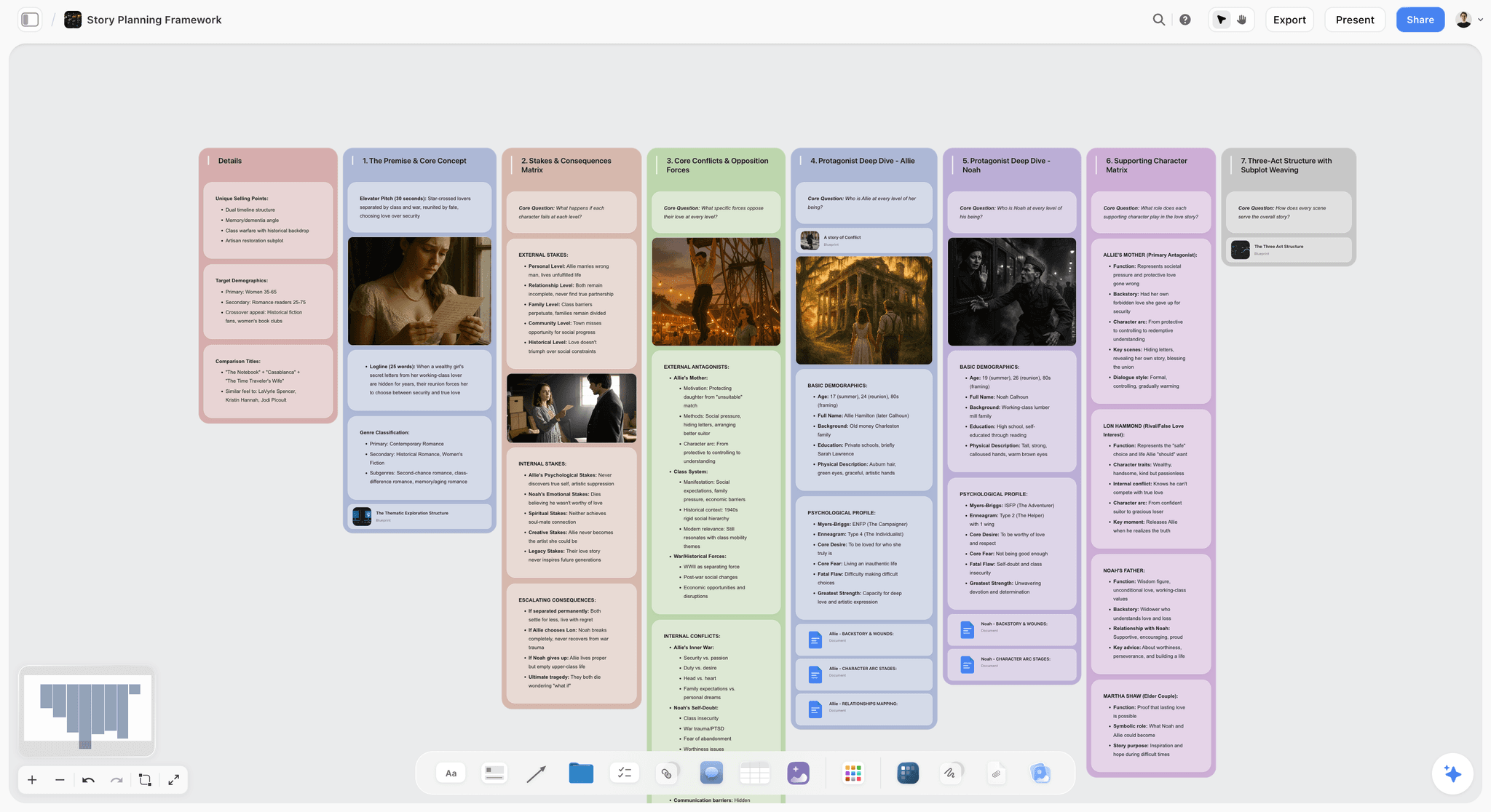
A screenwriter's story plan board on Storyflow, where act structure, character threads, and theme live on one canvas the AI reads
3. XMind
XMind is the desktop-class mind mapping tool. If MindMeister is the cleanest cloud mind mapper, XMind is the cleanest desktop mind mapper. The exports are exceptional: PowerPoint, PDF, image, OPML, and a Pitch Mode that turns any map into a slide presentation by walking through branches in order. For a screenwriter pitching a series bible to a network or a producer, XMind's Pitch Mode is the cleanest theme-map deliverable on this list.
The Outliner view is genuinely useful for writers. You can switch any mind map between radial layout and a structured outline, which makes XMind one of the few mind mapping tools that handles the transition from visual exploration to written treatment gracefully. For writers who use mind mapping as the first stage of a long document, this matters.
The limitations are collaboration and AI. Real-time multi-user editing exists but is weaker than MindMeister, Miro, or Storyflow Max. The desktop-first architecture means cloud sync and live collaboration feel grafted on rather than native. AI features are present but shallow: a generative branch tool that produces generic suggestions without reading your actual treatment or script. Pricing sits around $59.99/year for XMind Pro for individuals, and there is a free version with significant feature limits.
Best for: showrunners and screenwriters who present theme maps or season-arc visuals as the deliverable, and who want the cleanest export options on this list. Not the right pick for: writers' rooms that need real-time collaboration or context-aware AI on a treatment.

XMind's presentation-ready theme webs convert from radial to outline view, useful for screenwriters who turn a map into a treatment
4. Miro
Miro is not a mind mapping tool. It is a whiteboard with a mind map template that scales to writers' rooms better than any dedicated mind mapping tool. The reason rooms use Miro for breaks in 2026 is the surrounding ecosystem: voting, timer, sticky notes, frames, and a templated workshop format that makes a 12-writer break session work without chaos.
The mind map template auto-arranges branches and handles the basic add-child-node gesture cleanly. For rooms that run facilitated brainstorming sessions on character, theme, or season arcs, Miro is the right scale. The free plan (3 editable boards) is enough for a single show, and at around $8/user/month billed annually it is competitively priced for what rooms already use it for.
The limitation is that Miro's mind map is a template on top of a general whiteboard, not a purpose-built mind mapping environment. The auto-layout works for 30 nodes. At 100 nodes (which is normal for a series bible), the map starts to lose visual coherence because Miro is not optimised for the dense radial layout that dedicated mind mapping tools handle automatically. The AI works at the element level, not the project level. It does not read attached treatments or character bibles.
Best for: writers' rooms running facilitated breaks as part of a broader workshop format with voting, sticky notes, and time-boxed activities. Not the right pick for: dense individual mind mapping on a series bible or projects that need AI to understand a treatment.

A writers' room break session on Miro-style whiteboard canvas, handled with deeper AI context inside Storyflow
5. Whimsical
Whimsical is the fastest tool on this list. From blank canvas to organised mind map takes under two minutes because the default styling, layout, and gestures are tuned for speed over depth. For writers' rooms that need a quick visual structure during a break and do not want to think about formatting, Whimsical is honest about what it does well.
The tool covers mind maps, flowcharts, wireframes, and sticky notes inside one product, which makes it useful for hybrid sessions where a beat-web turns into a flow turns into a rough storyboard. Free plan covers 3 boards. Pro sits around $10/editor/month.
The limitation is depth. Whimsical's mind maps stop being useful at around 50 nodes. The performance and visual coherence both degrade past that point, which rules out anything bigger than a half-hour pilot beat web. AI features are minimal and prompt-based, not context-aware. There is no integration with treatments or character bibles. Whimsical is the right tool for a 20-minute beat web in a break. It is the wrong tool for a 20-week series bible.
Best for: quick lightweight beat webs and structural sketches in early breaks. Not the right pick for: large character webs, series bibles, or AI-assisted treatment work.

Whimsical handles speed but loses depth past 50 nodes, where Storyflow's spatial canvas keeps a series bible coherent
6. Coggle
Coggle is the most generous free option in this category. Unlimited public mind maps, browser-based, no install required. The branch styling is automatic and visually pleasing in a way that makes Coggle a popular choice for student writers, MFA candidates, and anyone who wants to mind map a pilot without a subscription.
The tool is intentionally simple. You add a node, you add a child node, you draw a branch, and the layout handles itself. For solo brainstorming on a theme web, a class assignment in a screenwriting program, or an early-draft character list, Coggle is fully functional and produces a map that looks better than the effort suggests.
The limitations are everywhere. Free maps are public by default (paid for private), which is a real problem for any script under option or working with confidential IP. Real-time collaboration is basic. There is no AI to speak of, no document attachments, no project context, no integrations. Once you outgrow basic mapping, Coggle's ceiling appears quickly.
Best for: student writers and early-draft solo brainstorming on theme webs that do not need to stay private. Not the right pick for: professional rooms, optioned scripts, large character webs, or projects that need AI assistance.
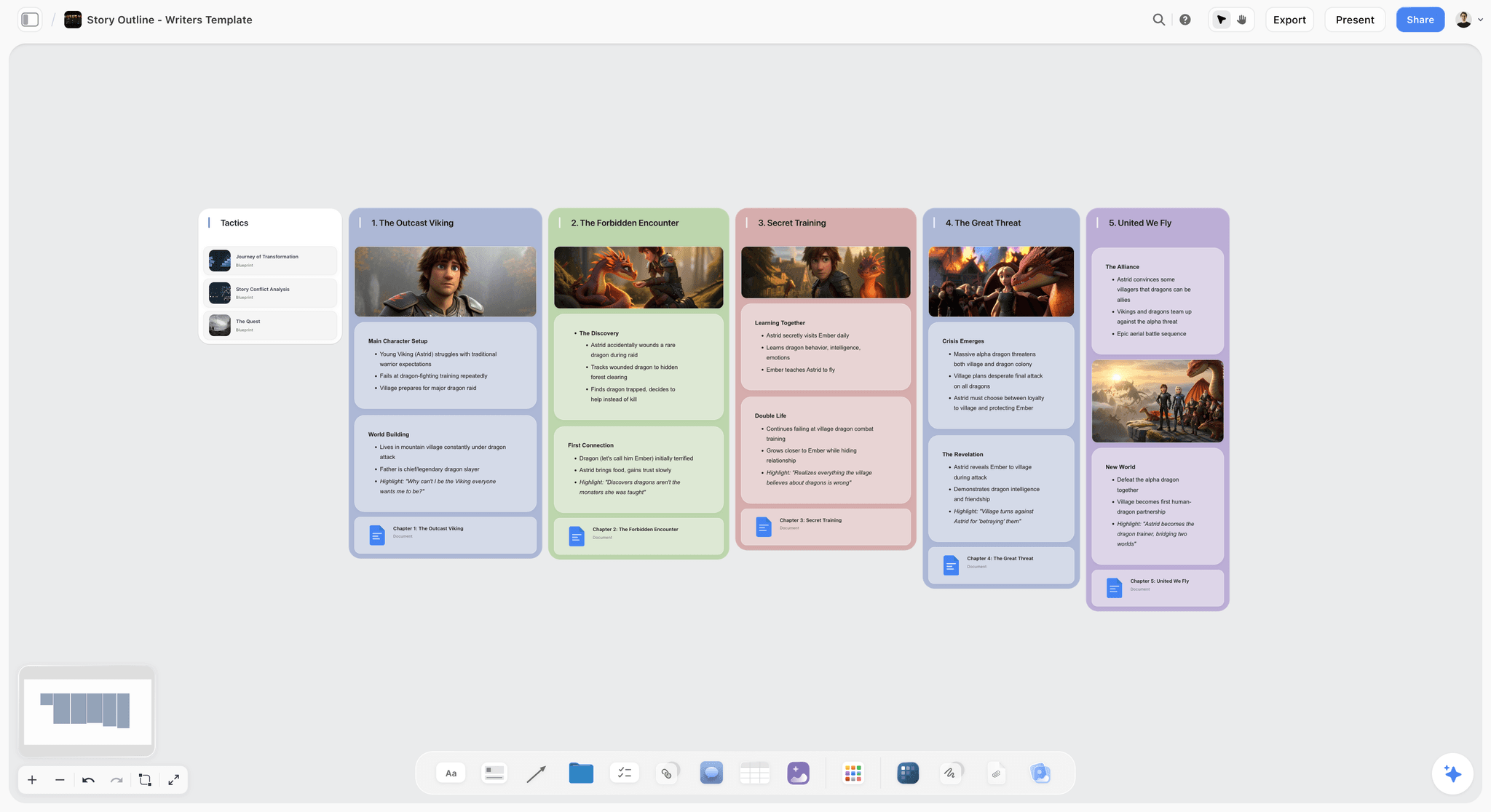
A free browser-based mind map next to the same theme-web shape plus AI context on Storyflow
7. Lucidspark
Lucidspark (the whiteboard sibling to Lucidchart) is the closest enterprise-style canvas to a writers' room workflow. It handles sticky notes, voting, frames, and mind map templates inside the broader Lucid suite. For studio writers' rooms or production companies that already pay for Lucid for diagramming, adding Lucidspark for breaks keeps the mind map and the production diagram in the same admin pane.
The tool is strong on integrations. Atlassian, Google Workspace, Microsoft 365, and Slack connect natively, which matters for writers' rooms whose breaks need to land in a Confluence page or a Google Slides treatment without copy-paste. Pricing sits around $7.95/user/month for individuals, with team plans higher.
The limitation is that Lucidspark's mind map feels like a diagramming exercise rather than a thinking environment. The aesthetics lean technical (precise lines, geometric layouts, structured connectors) rather than fluid in the way a character web wants to be. AI features are present but not contextual. Lucidspark treats your mind map as a diagram. Storyflow treats it as thinking made visible. The difference matters more than it sounds when the deliverable is a script.
Best for: studio writers' rooms inside enterprises that already use Lucid for diagramming and want a unified canvas surface. Not the right pick for: indie or solo screenwriters who need fluid character webs and context-aware AI.
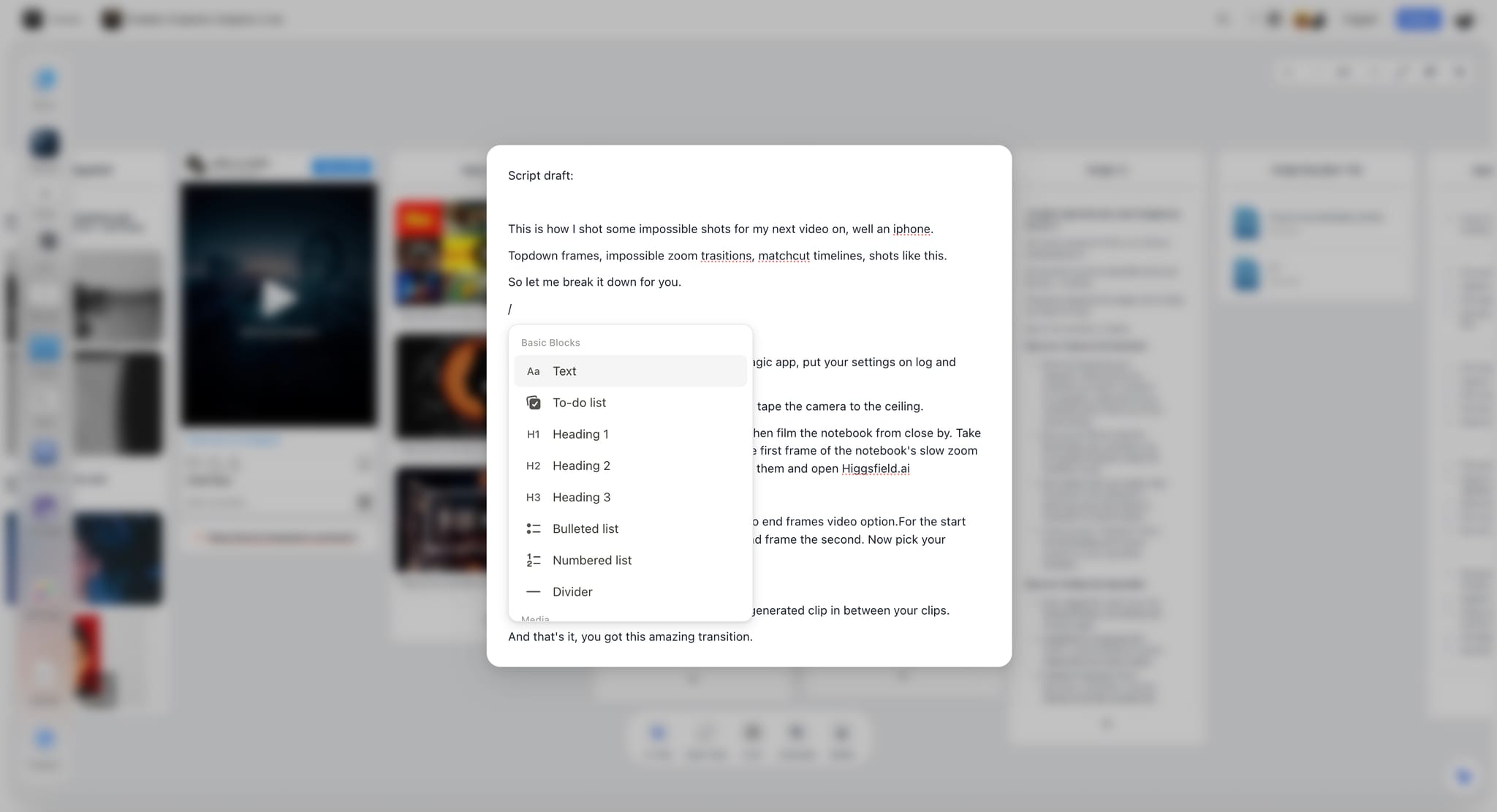
Lucidspark's diagramming aesthetic stiffens character webs that flow more naturally on Storyflow's spatial canvas
8. SimpleMind
SimpleMind is the cleanest mobile mind mapping experience in 2026. The interface is genuinely thoughtful for phone-first work. For screenwriters who break beats on a phone during a commute, walk a story through the park, or capture a midpoint reversal in a voice-to-text node from a coffee shop, SimpleMind is the rare tool designed for that context.
Premium sits around $32 one-time across desktop and mobile, which makes it cheap relative to subscription competitors. Free version exists with feature limits. Desktop apps are available, but the mobile experience is the obvious primary use case.
The limitation is scope. SimpleMind is a mobile mind mapping tool, not a serious option for a writers' room or for a feature draft that moves between collaborators. Export options are limited (basic PDF, image, OPML). AI is not present in any meaningful way. For a solo writer who wants a beat sheet captured on their phone and dropped into Final Draft on the desktop, SimpleMind covers the workflow. For anything bigger, the ceiling arrives fast.
Best for: solo screenwriters who think on the move and want the best mobile beat-sketch tool available. Not the right pick for: writers' rooms or anything that needs desktop-class features and AI.
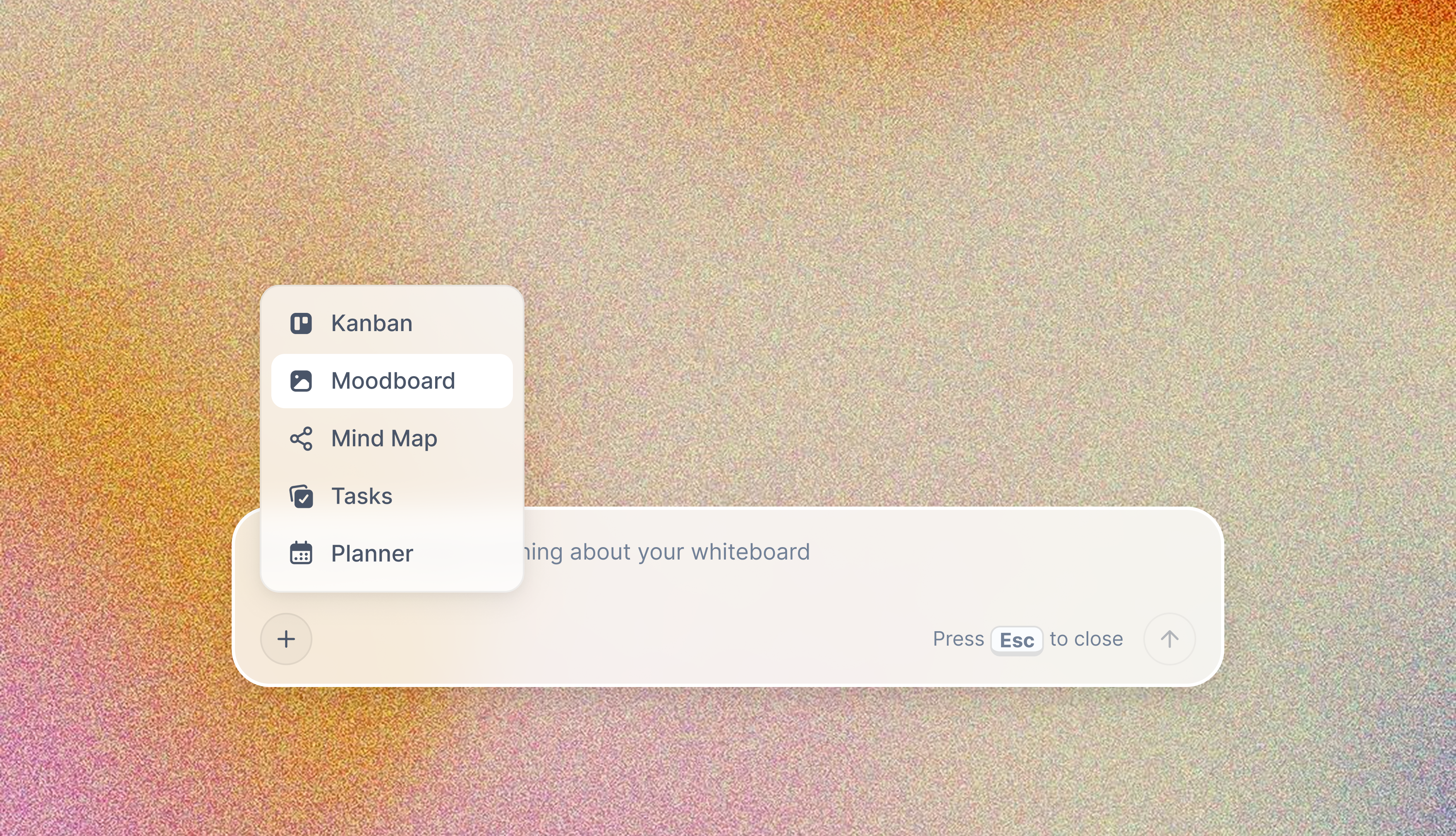
Mobile beat sketches captured on the move land inside Storyflow's canvas where AI reads them next to the treatment
9. iMindMap (now Ayoa)
Ayoa (formerly iMindMap) brings two features that screenwriters notice: organic radial mind maps that look hand-drawn rather than geometric, and integrated task management. The organic radial style is closer to a sketched theme web than a corporate diagram, which some writers find genuinely useful for fluid early-draft work. The task management ties the mind map to a Kanban board, which writers' rooms occasionally use to track scene-by-scene progress.
Pricing sits around $13/month billed annually for the standard plan. Free version exists with feature limits. The desktop and mobile apps cover most of the practical use cases.
The limitations are real. The AI is shallow (a generative branch tool that does not read your treatment). Collaboration is basic relative to MindMeister or Miro. The organic style, while distinctive, can become visually noisy at scale, which makes a 200-node series bible harder to read in Ayoa than in a cleaner radial tool. Export options are decent but do not include native Final Draft or Fountain.
Best for: solo screenwriters who want an organic radial style for fluid theme work and like having a connected task board for revision tracking. Not the right pick for: writers' rooms or large series bibles where AI context is the primary need.
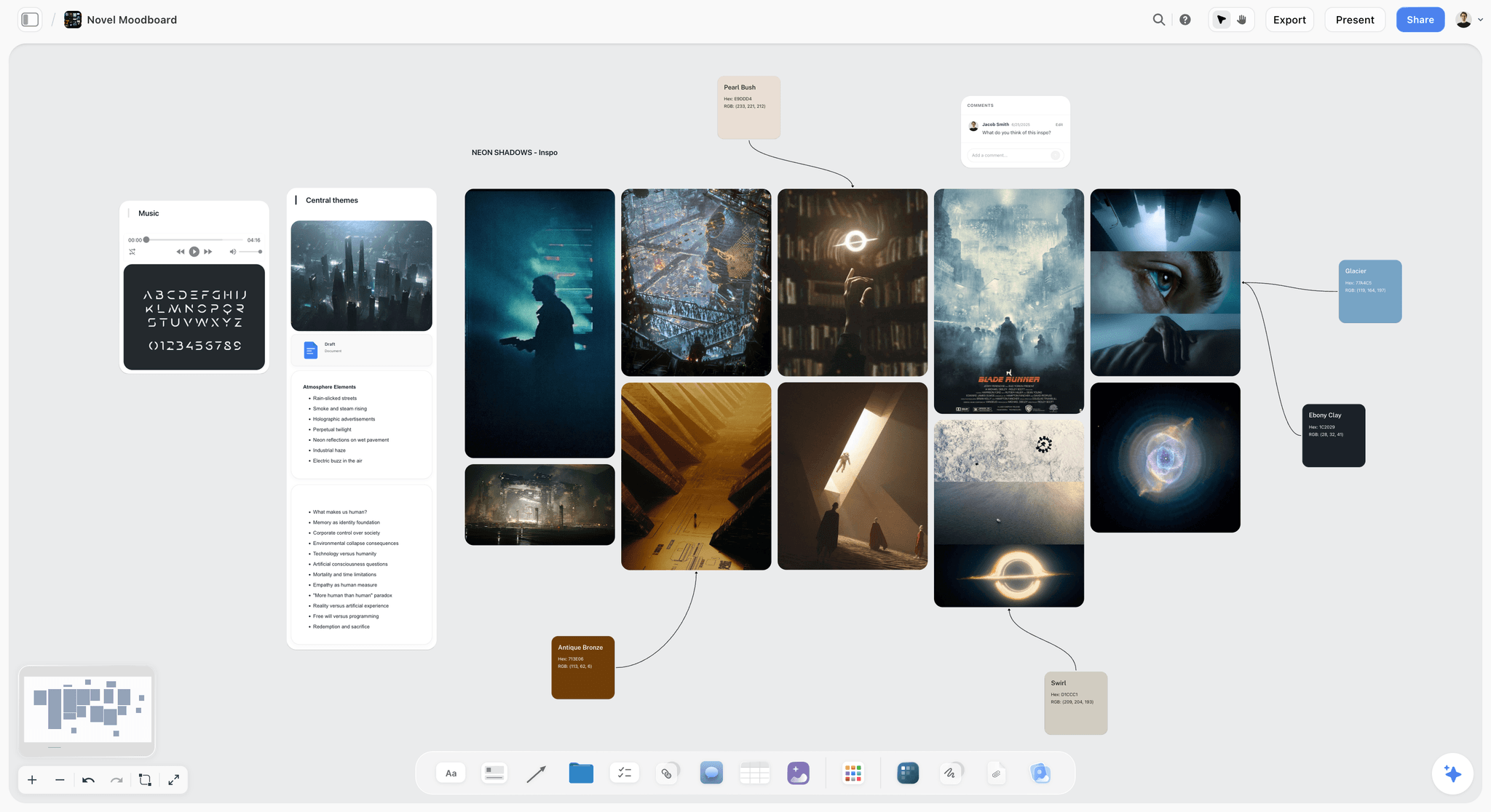
Organic radial theme maps lose coherence at series-bible scale where Storyflow's spatial canvas stays readable
10. FreePlane / FreeMind
FreePlane (the actively maintained fork of FreeMind) is the open-source desktop mind mapping tool that has existed in some form for over twenty years. It is fully free, runs on Java, and supports the kind of dense hierarchical mind mapping that academics and engineers built it for. The .mm format is portable across other open-source mind mappers.
The honest description: FreePlane is a 2010 mind mapping tool that still works in 2026. The interface looks like 2010. The features are what 2010 mind mappers had. There is no cloud sync, no real-time collaboration, no AI, and no modern integrations. For screenwriters who specifically want a free desktop tool with no subscription, no telemetry, and no internet dependency (a real constraint for writers under non-disclosure on confidential IP), FreePlane delivers.
What it gives the screenwriter is a private, offline, fully customisable mind map with conditional styling, scripting, and an export pipeline that has been stable for two decades. The friction is everything modern: no AI, no live collaboration, no mobile, and a learning curve that assumes the user reads documentation.
Best for: offline-first solo screenwriters working on confidential IP who want a free, private, customisable desktop tool. Not the right pick for: writers' rooms, AI-assisted work, or anyone who values current interface design.
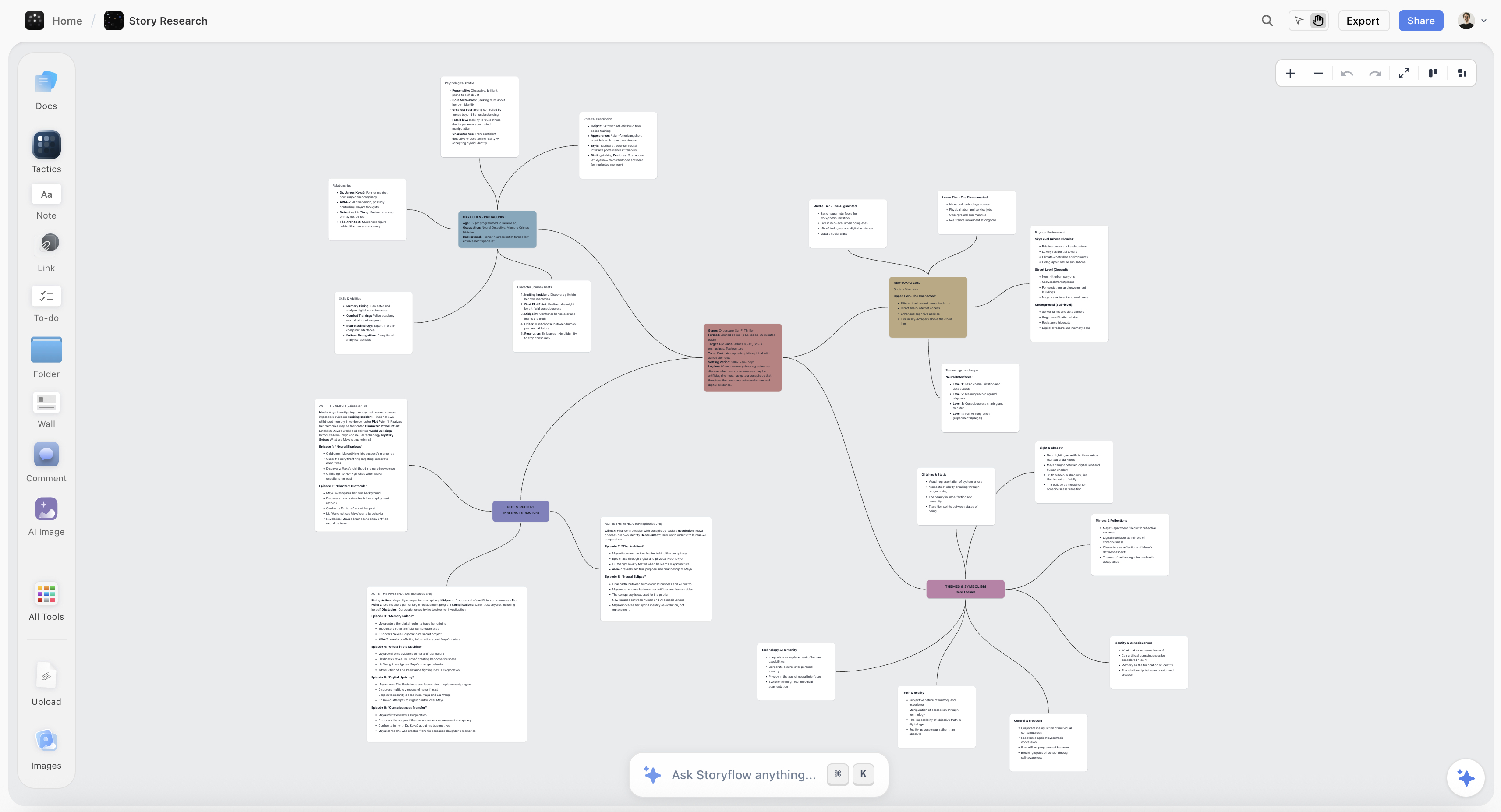
Open-source desktop mind mapping handles offline work where Storyflow's modern canvas adds AI context for online drafting
How to Pick the Right Mind Mapping Tool for Screenwriting Work in 2026
Start with the format you are writing and the role mind mapping plays in your process. The right pick depends on three things: whether you are solo or in a room, whether the mind map needs to be the deliverable or the thinking layer behind a script, and whether the AI needs to understand your specific treatment and characters or can respond to prompts in isolation.
Solo feature writers benefit most from Storyflow because the AI reads project content. If your mind map connects to a treatment, a character bible, or any documents that matter, you want a tool where the AI can see those documents. Storyflow is paid-only during early access, Plus at $9.99/month covers most solo feature work, and the Free plan (unlimited projects, basic AI, 20 file uploads) launches before the end of 2026. If your mind mapping practice is purely radial (no documents, no research, just a theme tree), MindMeister or XMind serve that need better with cleaner visual polish.
Pilot writers and TV writers working on a half-hour or hour pilot have a different shape. The pilot itself is short, but the world behind it (characters, locations, season arcs, theme threads) is dense from day one. Storyflow's Blueprint Tactics (Hero's Journey, Save the Cat, Story Spine) live on the canvas alongside the character web, which holds the pilot and the larger world on one surface. Plus at $9.99/month handles a single pilot comfortably and opens the full Tactics library when the world starts to grow into a bible.
Writers' rooms breaking a season together need a shared workspace, not a pile of forwarded links. Miro at around $8/user/month is the broadest scale for facilitated breaks but loses AI depth. Storyflow Max at $39/month billed annually adds the team workspace with permissions and roles, which matters when six writers share the same set of project boards. MindMeister Business at around $14/user/month is the cleanest traditional radial alternative if your room insists on hierarchical maps.
Series-bible work is the hardest test because the bible holds character arcs, season beats, location maps, theme threads, and B-stories at once. Storyflow's spatial canvas plus Blueprint Tactics give the bible a structural skeleton the AI can read end to end. Starting the bible from the Story Plan template or the World Building template gives the AI a skeleton to read from card one. The infinite canvas means there is no node cap, which matters when a six-episode limited series easily passes 300 cards. For the series-bible job specifically, Storyflow is the only tool on this list with both the canvas size and the AI context to make the artefact useful rather than decorative.
Best Mind Mapping Tools for Screenwriters 2026 Pricing Compared
For working screenwriters in 2026, pricing breaks into three groups. The first is the free tier: Coggle (unlimited public maps) and FreePlane (fully free desktop), neither with meaningful AI context. Storyflow is paid-only during early access, and its Free plan (unlimited projects, basic AI, 20 file uploads) launches before the end of 2026, at which point it becomes the free tier option with real AI context.
The second group is solo-writer paid plans. MindMeister Personal at around $5.99/month, Storyflow Plus at $7.99/month billed annually, XMind Pro at around $59.99/year, and Whimsical Pro at around $10/editor/month. The price gap between MindMeister and Storyflow Plus closes once you account for the 200+ Blueprint Tactics that ship with Plus and the AI context that does not exist in MindMeister at any tier.
The third group is professional and writers'-room plans. Storyflow Pro at $14/month billed annually adds AI image generation (useful for moodboards and visual references) and 20× more AI than Plus. Storyflow Max at $39/month billed annually adds the team workspace with permissions and roles for rooms. MindMeister Business at around $14/user/month is the closest traditional alternative. Miro at around $8/user/month is the right scale for cross-functional rooms that include non-writers (line producers, executives) on the same board.
The honest answer for most working screenwriters: start on Storyflow Plus at $9.99/month (or $7.99/month billed annually) for basic AI usage and the full Tactics library, and consider Pro at $14/month or Max at $39/month only when AI image generation, AI volume, or a shared team workspace become daily needs. The Free plan is worth revisiting once it launches before the end of 2026.

Storyflow Plus at $7.99/month annual unlocks the full 200+ Blueprint Tactics library for solo screenwriters
Final Verdict
After testing all 10 tools on a half-hour pilot, a feature draft, and a six-episode series bible, the answer for 2026 is direct. Storyflow is the best mind mapping tool for screenwriters because it is the only tool where the AI reads your full canvas, your treatment, and your structural framework before responding. The character web, the Save the Cat scaffold, the season arc, and the treatment all live on one surface the AI can see. Every other tool on this list either generates generic branches in a vacuum or treats the mind map as a diagram disconnected from the script.
The lack of radial auto-layout in Storyflow is real. If your mind mapping practice is fundamentally about symmetrical tree presentations and you cannot let that format go, MindMeister and XMind remain strong choices for visual polish. For everyone else, the AI context advantage closes the case. A 60-card character web that the AI cannot read is a beautiful artefact. A 60-card character web that the AI reads alongside the treatment is the next scene.
If your work is solo and project-driven, start on Storyflow Plus at $7.99/month billed annually (its Free plan launches before the end of 2026). If you are writing a series bible, Pro at $14/month billed annually adds AI image generation and 20× more AI than Plus. If you are running a writers' room, Max at $39/month billed annually adds the team workspace with permissions and roles. The mind mapping category for screenwriters in 2026 is no longer about who has the cleanest radial tree. It is about whose AI can actually read the script.
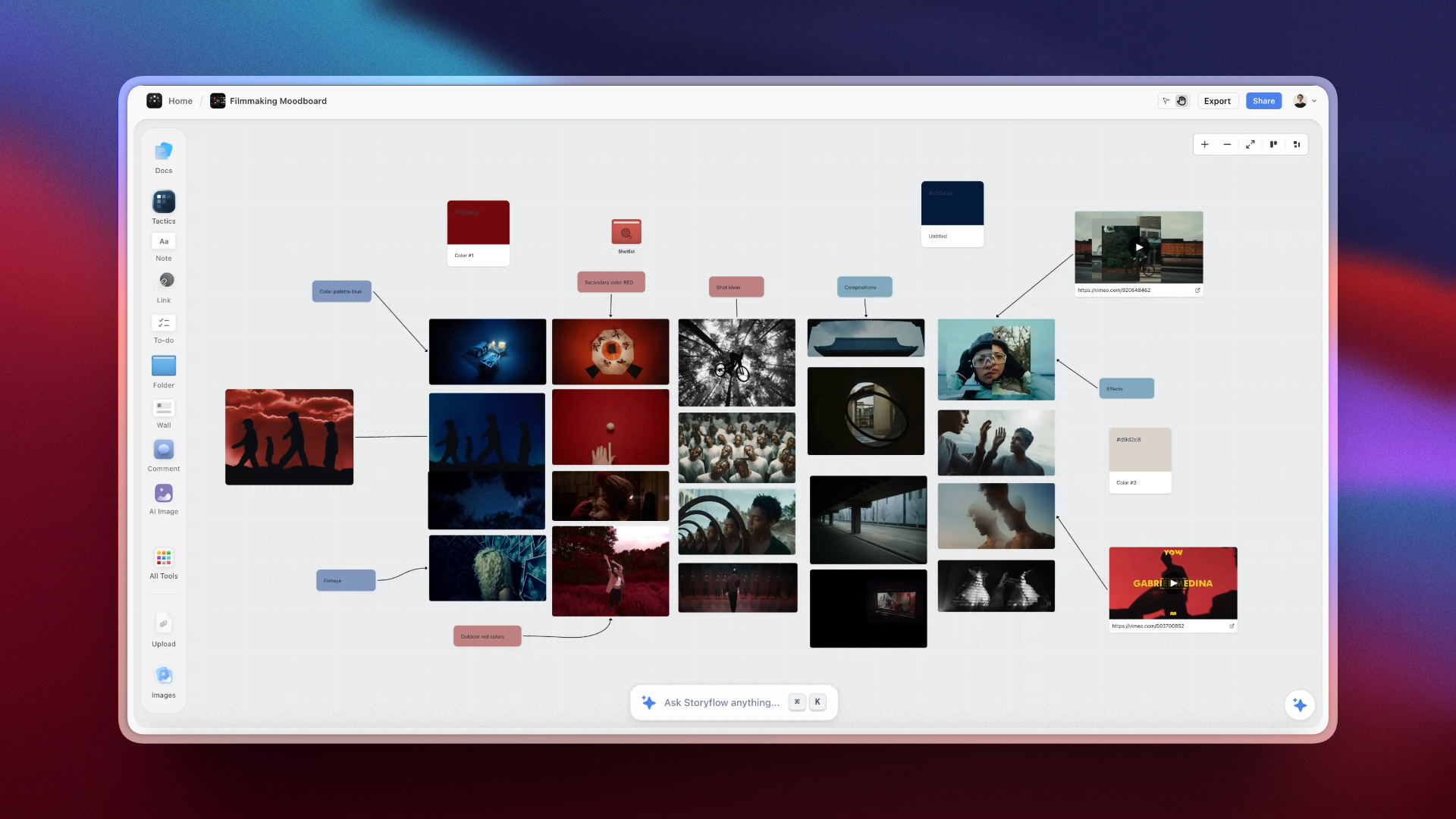
Storyflow holds the character web, Save the Cat scaffold, and treatment on one canvas the AI reads end to end
FAQ: Best Mind Mapping Tools for Screenwriters 2026
What is the best mind mapping tool for screenwriters?
Storyflow is the best mind mapping tool for screenwriters in 2026 because the AI reads your full canvas, up to three @-mentioned Documents, and one Blueprint Tactic before responding. That means the suggestion for a midpoint reversal sees your treatment, your character bible, and your Save the Cat scaffold at once. MindMeister and XMind remain strong if you want the cleanest radial format with no AI context, but for screenplay work where the script and the structure need to talk to each other, Storyflow is the answer.
Can a mind mapping tool replace Final Draft?
No. Final Draft is a screenplay formatting tool. A mind mapping tool is the structural thinking layer that lives upstream of Final Draft. The best workflow in 2026 is to run the mind map (character web, theme map, beat sheet, treatment) inside a tool like Storyflow that holds the structural thinking, then move into Final Draft, WriterDuet, or Highland for the page work. The mind map is not the script. It is the thinking that makes the script possible.
What's the difference between a mind map and a beat sheet?
A beat sheet is a structured ordered list of story moments (Save the Cat has fifteen, Story Spine has eight, Three-Act has three turning points). A mind map is a non-ordered visual structure that holds related ideas spatially. Most mind mapping tools handle the beat sheet poorly because the structure is inherently linear. Tools like Storyflow that place the beat sheet as a Blueprint Tactic on the canvas alongside a character web give you both at once: the linear structure and the spatial relationships, on one surface.
Are there free mind mapping tools good enough for serious writers?
Yes, with caveats. Coggle is fully free and browser-based but keeps maps public unless you pay. FreePlane is fully free and offline but looks like 2010. Storyflow will be the strongest free option for serious writers once its Free plan launches before the end of 2026 (unlimited projects, basic AI usage, and 20 file uploads, which covers a feature first draft); today it is paid-only during early access, from $7.99/month billed annually on Plus. For solo writers on a budget, Storyflow Plus is the cleanest paid path until the Free plan is out.
Should screenwriters use AI mind mapping?
It depends on whether the AI can read your project. AI that generates generic branches from a topic prompt adds noise to a screenplay process. AI that reads your treatment, your character bible, and your structural framework before suggesting a midpoint reversal is genuinely useful. Storyflow is the only mind mapping tool in 2026 that does the second. For every other tool on this list, the AI is decoration. The honest answer: yes, use AI mind mapping, but only with a tool where the AI sees your script.
What's the best mind mapping tool for series bibles?
Storyflow handles series bibles better than any other tool on this list because the spatial canvas has no node cap (a six-episode limited series bible easily passes 300 cards) and the AI reads the full canvas plus @-mentioned Documents. A series bible needs to hold characters, season beats, location maps, theme threads, and B-stories at once. Tools that force a hierarchical tree lose half the structure. Storyflow's Blueprint Tactics give the bible a structural skeleton on the canvas itself.
What's the best mind mapping tool for character arcs?
Character arcs are not hierarchical, which is why most mind mapping tools handle them poorly. Storyflow's spatial canvas lets you place character cards in a relational web (allies, antagonists, romantic threads, foils, family lines) without forcing a parent-child tree. The AI reads the whole web before suggesting how a new character connects to existing arcs. For polished radial character hierarchies as a deliverable, MindMeister and XMind are cleaner. For thinking through the arcs themselves, Storyflow is the right surface.
How much does Storyflow cost for screenwriters?
Storyflow is paid-only during early access, starting at $7.99/month on the Plus plan billed annually for the full Blueprint Tactics library. Its Free plan (unlimited projects, basic AI usage, and 20 file uploads, enough for a solo writer to break a half-hour pilot or a feature first draft) launches before the end of 2026. Plus at $7.99/month billed annually unlocks the 200+ Story blueprints (Save the Cat, Hero's Journey, Story Spine, Three-Act, Character Profile). Pro at $14/month billed annually adds AI image generation and 20 times more AI usage. Max at $39/month billed annually adds the team workspace with permissions and roles for writers' rooms. For most solo screenwriters, Plus covers the work until a room or AI image generation becomes a daily need.
Can I use Miro for screenwriting mind maps?
Yes, Miro has a mind map template that works well for facilitated writers' room breaks at moderate scale. Miro is not a purpose-built mind mapping tool, so the auto-layout becomes loose past 100 nodes (which a series bible passes quickly) and the AI does not read project content. For rooms running collaborative breaks as part of a broader workshop format with voting, sticky notes, and timers, Miro is the right pick. For deep individual screenplay work or AI-context series bible building, Storyflow handles the job better.
Table of Contents
- All 10 Mind Mapping Tools for Screenwriters, Ranked
- Quick Picks: Best Mind Mapping Tools for Screenwriters 2026
- Comparison Table
- Why Screenwriters Need a Mind Mapping Tool That Holds Story Structure
- How We Evaluated the Best Mind Mapping Tools for Screenwriters 2026
- The 10 Best Mind Mapping Tools for Screenwriters 2026, Reviewed
- How to Pick the Right Mind Mapping Tool for Screenwriting Work in 2026
- Best Mind Mapping Tools for Screenwriters 2026 Pricing Compared
- Final Verdict
- FAQ: Best Mind Mapping Tools for Screenwriters 2026
- Related Reading
Templates to check out for this topic


Story and writing templates you can use in Storyflow
Start your next script, novel, or world from a ready-made Storyflow board instead of an empty page. The AI reads the whole canvas, so every suggestion is grounded in your story.


See Storyflow in Action
A visual AI workspace where every feature lives inside one canvas. No tab-switching, no context lost.
Build your entire board from a single message
Type what you need in the AI chat at the bottom of your canvas. The AI adds cards, headings, and structure directly onto your board.
Use expert frameworks as AI context
Type @ in the AI chat and choose any Tactic. The AI tailors every response to that framework instead of giving generic advice.
Turn your board into a mind map in seconds
Ask the AI to restructure your canvas as a mindmap. It connects your ideas into a visual hierarchy so you can see how everything relates.
Why Storyflow Exists
Storyflow actually began as a personal tool while working on creative and research projects.
We kept running into the same problem: ideas were scattered everywhere: notes, documents, and whiteboards.
Nothing helped us see how everything connected.
So we started building a workspace designed around how ideas actually grow.
→ Read how Storyflow was createdJustkay
Documentary Filmmaker & Founder at Storyflow
Published: 2026-05-10
Extremely simple, seriously capable


See how easy it is to get started
Watch a real project come together, from a blank board to a finished plan, clicked through step by step.
Start creating with AI and become more productive
Transform your creative workflow with AI-powered tools. Generate ideas, create content, and boost your productivity in minutes instead of hours.