
Category
Filmmaking Tools
Author

Justkay
Documentary Filmmaker & Founder at Storyflow
Topics
2026-05-17
•
Updated July 2, 2026
•
12 min read
•
Filmmaking Tools- best free storyboard tools 2026
- free storyboard software
- free storyboard maker
- storyboard without drawing
- Storyboarder
- Storyflow free storyboard
What are the best free storyboard tools in 2026?
The best free storyboard tools in 2026 are Storyboarder (best free dedicated app, open-source), Milanote (best free visual canvas), and Canva (best free templates). Storyflow is the strongest canvas for photo and AI storyboards with no card cap, but it is paid-only during early access, with a Free plan landing before the end of 2026. You do not need to draw: the template, photo, and AI paths need zero drawing skill.

Full disclosure: Storyflow is our own product, and we rank it #1 for one job: a canvas for photo and AI storyboards where the board never hits a card cap. It is paid-only during early access, with a Free plan landing before the end of 2026. If you want a free dedicated storyboard app or to hand-draw your frames, Storyboarder is the stronger, purpose-built tool, and Milanote is a more polished visual canvas for shorter boards. Storyflow has no hand-drawing tools, will cap free uploads at 20, and puts AI image generation behind a paid tier. We link to every tool so you can judge the fit.
Quick Comparison: Best Free Storyboard Tools
These four cover the no-draw and draw paths people board with: a dedicated free app, photo and AI panels on a canvas, a visual card canvas, and drag-and-drop templates.
| Tool | Best For | AI Features | Price |
|---|---|---|---|
| Storyboarder | Dedicated free storyboard app | None (character poser, not AI) | Free (open-source) |
| Storyflow | Photo and AI storyboards on a canvas | AI drafts shot notes, reads the canvas | $7.99 mo annual (free plan late 2026) |
| Milanote | Visual storyboard canvas | None | Free / $9.99 mo |
| Canva | Template-based storyboards | Magic tools (capped on Free) | Free / ~$15 mo |
1) Quick Answer: The Best Free Storyboard Tools in 2026
The best free storyboard tools in 2026 are Storyboarder (best free dedicated storyboard app), Milanote (best free visual storyboard canvas), and Canva (best free template-based storyboards). Storyflow is the strongest canvas for photo and AI storyboards, though its Free plan is not out yet: it is paid-only during early access, with Free launching before the end of 2026. The right pick depends on whether you draw, use templates, shoot reference photos, or generate frames with AI.
A storyboard's job is to communicate the shot, not to be art. You do not need to draw to storyboard. The single biggest reason people avoid storyboarding is the belief that it requires drawing skill. It does not. A storyboard exists to tell a crew what is in the frame, from what angle, with what movement. Stick figures do that. Photos do that. AI frames do that. The drawing is optional; the communication is not.
I have storyboarded documentary sequences without drawing a single clean figure, using reference photos and rough boxes, and the crew shot from them fine. The Storyboard Is Not Art framework in section 3 ranks all 12 free tools by how well they let a non-artist board, across four paths: draw, template, photo, and AI.
For the full storyboard tool landscape, see The 12 Best Storyboarding Software in 2026. For the basics, see What is a Storyboard? The Complete Guide.
All 12 Free Storyboard Tools, Ranked
- Storyflow: strongest canvas for photo and AI storyboards, no card cap once its Free plan launches (paid-only during early access now)
- Storyboarder: best free dedicated storyboard app, open-source, genuinely free
- Milanote: best free visual storyboard canvas, capped at 100 cards
- Canva: best free template-based storyboards, no drawing needed
- Storyboard That: best drag-and-drop boards for education
- Krita: best free hand-drawn boards for artists
- Miro: best collaborative boards, capped at 3 boards free
- FigJam: best for design teams already in Figma
- Excalidraw: best quick sketched frames, fully free
- Google Slides: best universal free fallback
- Boords: best polished boards and animatics (free trial only, not free forever)
- Trello: best improvised card-based shot board
Best Free Storyboard Tool by Job
The overall ranking is not the answer to every question. Match the tool to the job you actually have:
- Best free dedicated storyboard app: Storyboarder. Open-source, genuinely free, built for drawing panels.
- Best canvas for photo and AI storyboards once free: Storyflow. Paid-only during early access, with Free launching before the end of 2026; unlimited panels and the shot list will sit on the same canvas.
- Best free template-based storyboards with no drawing required: Canva.
- Best free visual storyboard canvas under 100 cards: Milanote.
- Best drag-and-drop boards for education: Storyboard That.
2) Comparison Table: 12 Free Storyboard Tools at a Glance
Pricing and free-tier limits reflect publicly listed plans as of early 2026 and change often. Ratings weigh non-artist accessibility, kind of free, free-tier usefulness, collaboration, and storyboard fit.
Frequently Asked: Which Free Storyboard Tools Are Most Trusted, Best Rated, and Genuinely Free
Which free storyboard tools are the most trusted?
Storyboarder and Krita, and both earn it the same way: they are open source, fully free, and have no tier above them that the free version is quietly protecting. Storyboarder was built by a film studio for storyboarding and given away, which is why it has no upsell. Canva is the most trusted by people who are not filmmakers, because it is already installed in every marketing team. Storyflow is not free during early access, so it does not belong in a trust answer about free tools, and this article does not pretend otherwise.
Which free storyboard tools are genuinely free, with no catch?
Three, and only three: Storyboarder, Krita, and Excalidraw are open source and free at full capability, plus Google Slides for anyone with a Google account. Everything else is a capped tier protecting a paid one, and the caps bite at different points: Milanote stops at 100 cards, which is roughly one short film's board; Miro stops at 3 boards; FigJam stops at 3 files; Storyboard That limits how many storyboards you can save; Boords is a trial rather than a free tier, which is the most important distinction on this page. Canva's free tier is genuinely generous and the paid upsell is assets rather than capability.
Which free storyboard tools are the most innovative?
Boords and Storyflow. Boords turns frames into a timed animatic with a scratch track, which is the feature that most changes what a storyboard is worth, and it is behind a trial rather than a free tier. Storyflow's contribution is that the board sits on a canvas with the script notes and references, and the AI reads all of it, so frames can be filled from what the project already contains. Canva deserves credit for making a storyboard reachable by someone who has never made one.
Which free storyboard tools are the highest rated?
By the ratings in the table above: Storyflow (9.2) leads on capability for photo and AI boards, Storyboarder (9.0) leads among the genuinely free, and Milanote (8.7) and Canva (8.4) lead the capped tiers. Read those numbers with the "Kind of Free" column beside them. If the requirement is free today with no card cap, Storyboarder's 9.0 is the highest number on this page that actually qualifies, and it is the right answer.
Where is Storyflow not the right answer?
Anything with a hard requirement to cost nothing today, since its Free plan has not launched. Also hand-drawn frames with real drawing tools (Krita, Storyboarder), a timed animatic with audio (Boords), and print-ready template layouts for a classroom (Storyboard That, Canva).
Frame Count, Aspect Ratio, and Getting the Board Out of the Tool
Three practical questions decide whether a free tool actually finishes the job, and free tiers fail most often on the third.
How many frames do you need? One frame per shot, not per scene, plus an extra frame wherever the camera or the blocking changes inside a shot. A rough guide from real boards: a 60-second commercial runs 15 to 30 frames, a 5-minute short 40 to 80, a dialogue scene 12 to 25, and an action sequence 3 to 5 times whatever the dialogue equivalent would be. This is the number that decides whether Milanote's 100-card cap is generous or tight: it covers a short comfortably and a feature not at all.
What aspect ratio should the frames be? Board in the ratio you will shoot in, because a board in the wrong ratio quietly lies about what fits in frame. 16:9 for most video and streaming, 2.39:1 for anamorphic widescreen, 1.85:1 for standard theatrical, 9:16 for vertical social, 1:1 for square social. Storyboarder and Boords let you set the ratio up front. On Canva, Milanote, Miro, FigJam, and Google Slides you set it yourself by sizing the frame, and the common mistake is boarding 4:3 boxes for a 16:9 shoot.
How do you get the board out? This is where free tiers bite hardest, because export is the most common paid feature. What each tool actually gives you free: Storyboarder exports PDF, images, and an Premiere/Final Cut-ready sequence. Krita and Excalidraw export images. Google Slides exports PDF natively and prints cleanly. Canva exports PDF free. Milanote and Boords put PDF export behind their paid tiers, which is the single most important thing to know before boarding a whole film in either. Miro and FigJam export PDF free but paginate awkwardly for a shot-per-page board.
The practical test before you commit a project to a free tool: board three frames, then export them the way you will need to on the day. If the export is paid, you have found that out at frame three instead of frame sixty.
Free Storyboard Software vs Free Storyboard Web Tools
People searching for free storyboard software usually mean something different from people searching for a free storyboard tool: they want an application that installs, runs offline, and keeps the files on their own disk. That is a real distinction and it narrows the list sharply.
The free storyboard software that actually installs: Storyboarder by Wonderunit is the answer for most people, and it is genuinely free and open source rather than a free tier. Krita is the answer if you are drawing properly, also free and open source. Excalidraw runs in a browser but works offline and stores locally. Everything else good in this category is a web tool with an account.
The honest recommendation for "free storyboard software": install Storyboarder. It is dedicated to this one job, it exports a PDF and an editing-timeline sequence without paying, and it has no cap. Its limits are real too: no collaboration, no cloud, and it expects you to draw or at least to place images yourself.
Where a web tool wins instead is the moment more than one person needs to see the board, or the board has to sit beside the script and the shot list. That is the case for Storyflow, which holds the board next to the rest of the plan and lets invited collaborators in free, and for Canva if the board is going to a client who wants it to look finished.
3) The Storyboard Is Not Art
The most expensive myth in filmmaking is that storyboarding requires drawing. It stops non-artists from storyboarding at all, and an unstoryboarded shoot is a shoot that discovers its problems on set.
A storyboard answers four questions per shot: what is in the frame, from what angle, what is the subject doing, and how does the camera move. None of those answers needs to be beautiful. They need to be clear. A panel of stick figures with a labelled arrow communicates a camera push exactly as well as a rendered illustration. The crew reads the information, not the artistry.
There are four paths to a storyboard, and only one of them requires drawing:
The Draw path. Sketch the frames by hand, well or roughly. Storyboarder, Krita, and Excalidraw serve this, and rough is fine.
The Template path. Drag pre-made characters, props, and backgrounds into frames. Canva and Storyboard That serve this. No drawing at all. A ready-made storyboard template gets this path started even faster.
The Photo path. Shoot reference photos, of stand-ins, of locations, of your own hand, and use them as the panels. Storyflow, Milanote, and Miro serve this. The fastest path for live-action.
The AI path. Generate storyboard frames from a text description. Boords and Storyflow serve this. The newest path, useful for fast roughs.
Here is the rule that decides tool choice. A free storyboard tool's real test is whether a non-artist can finish a board on it. A drawing-only tool excludes everyone who cannot draw, which is most of a film crew. A tool that supports the Template, Photo, or AI path lets a director who has never drawn a clean line storyboard a whole film for free.
The 12 free tools below are ranked by non-artist accessibility and by how genuinely free they are. Tools that open the Photo, Template, and AI paths sit high, because they make storyboarding possible for the people who most often skip it.
4) How We Evaluated These Tools
Five criteria, weighted in this order:
- Non-artist accessibility. Can someone who cannot draw finish a storyboard, via templates, photos, or AI? Tools that require drawing skill rank lower.
- Kind of free. Is it Free Forever, Free Trial, or Free But Capped? Genuinely free tools rank highest, with capped and trial tools marked accordingly.
- Free-tier usefulness. Can you finish a real storyboard inside the free tier, or does the cap appear first?
- Storyboard fit. Does the tool actually produce a shot-by-shot board, with frames, notes, and sequence?
- Collaboration. Can a director share the board with a crew for free? Solo-only tools are marked down.
Testing covered a short film storyboard, a commercial spot, and a documentary sequence, each boarded start to finish inside each tool's free option.
5) Quick Picks by Free Storyboard Need
Best tool for photo and AI storyboards (once free): Storyflow. Paid-only during early access, with Free launching before the end of 2026; reference photos and AI frames on a canvas with no card cap.
Best free dedicated storyboard app: Storyboarder. Purpose-built, open-source, genuinely free.
Best free visual storyboard canvas: Milanote. Polished freeform boards, free up to 100 cards.
Best free template-based storyboards: Canva or Storyboard That. Drag-and-drop, no drawing.
Best free tool for hand-drawn boards: Krita. A full free drawing app for artists who board by hand.
Best free quick sketched boards: Excalidraw. Fast, rough, browser-based, fully free.
Best cheapest complete workflow: Storyboarder for the board, genuinely free. Add Storyflow's Plus plan ($7.99/month billed annually) to plan the shots around it, or wait for Storyflow's Free plan before the end of 2026. Total: $0 for the board alone.
Storyboard your next shoot without drawing a single frame
Drop reference photos onto a Storyflow board or generate rough frames with AI, then arrange them shot by shot. Unlimited boards and cards, so a full film never hits a cap. Paid-only during early access, with a Free plan landing before the end of 2026.

6) Detailed Reviews: 12 Free Storyboard Tools
1. Storyflow
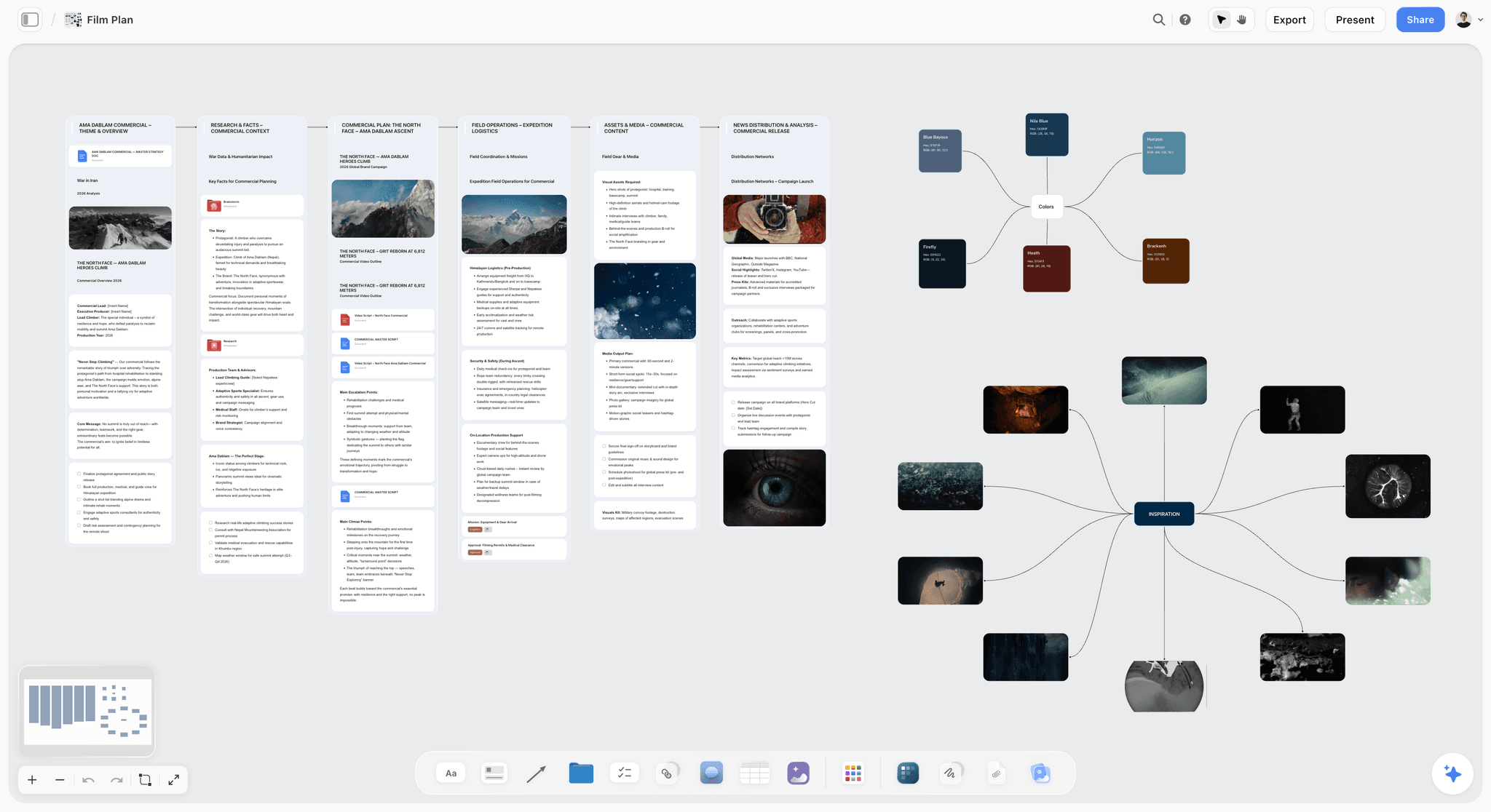
Storyflow boards a film without drawing: drop reference photos onto a canvas as panels, or generate rough frames with AI, and arrange them shot by shot. Storyflow is paid-only during early access, but its Free plan, launching before the end of 2026, will carry unlimited boards and cards, so a full storyboard will never hit a cap. Anyone a paid member invites to a board joins free today. The AI reads the canvas, so it can draft shot notes or check the sequence. It is the strongest option for the Photo path once the Free plan is live, and for the AI path on Pro. The Storyboard template opens with the frames already laid out, and the Shotlist template keeps the shot planning on the same canvas. See the free storyboard maker page for what the free tier will include.
Best for: Non-artists who want to board with reference photos once Storyflow's Free plan lands before the end of 2026, or with AI frames on Pro.
Verdict: The strongest canvas for photo storyboards once its Free plan launches, and for AI storyboards on Pro. For hand-drawing, Storyboarder is the better tool.
Key features
- Storyboard panels from reference photos on a canvas.
- AI-assisted frame and shot-note drafting.
- Unlimited boards and cards once the Free plan launches (paid-only during early access now).
- Free collaboration for the crew today, since collaborators invited by a paid member join free.
- Shot list and storyboard on the same board.
Pricing
Paid-only during early access. Free: launching before the end of 2026, with unlimited boards and cards, unlimited collaboration, basic AI, and 20 file uploads. Collaborators invited by a paid member join free now. Plus: $7.99/mo annual. Unlimited uploads. Pro: $14/mo annual. AI image generation, 30x AI usage. Max: $39/mo annual. 60x more AI, team workspace with roles.
Pros
- Unlimited boards and cards on the upcoming Free plan, so no storyboard will hit a cap.
- Photo and AI paths need no drawing skill.
- Collaborators invited by a paid member join free today.
Cons
- No hand-drawing tools; pair with Storyboarder for sketching.
- The coming Free plan caps file uploads at 20, tight for photo-heavy boards.
- AI image generation is a paid feature.
2. Storyboarder
Storyboarder, by Wonder Unit, is the free dedicated storyboard app. It is open-source and fully free, with drawing tools, a built-in character poser for non-artists, shot type presets, and animatic export. It is the rare tool built specifically for storyboarding that costs nothing, and the character poser means you can board without drawing skill.
Best for: Anyone who wants a free, dedicated storyboard app with both drawing and non-artist tools.
Verdict: The strongest free storyboard tool in 2026. Genuinely free, purpose-built, no catch.
Key features
- Dedicated storyboard app with drawing tools.
- Built-in character poser for non-artists.
- Shot type and camera move presets.
- Animatic export.
- Open-source and fully free.
Pricing
Free Forever. Open-source, no paid tier.
Pros
- Genuinely free, purpose-built for storyboarding.
- Character poser removes the drawing barrier.
- Animatic export included.
Cons
- Desktop-only, no cloud collaboration.
- Interface is functional, not modern.
- Drawing tools assume some comfort with a tablet.
3. Milanote
Milanote boards on a freeform canvas: each panel a card holding a photo, a sketch, or a note, arranged in shot order. It suits the Photo and Template paths well. Its free tier is Free But Capped at 100 cards, which a full storyboard can exceed.
Best for: Non-artists who want a polished visual storyboard canvas, free for shorter boards.
Verdict: A strong free storyboard canvas. The 100-card cap is the wall on longer boards.
Key features
- Freeform canvas with panel cards.
- Photo and image upload per panel.
- Storyboard templates.
- Shareable boards.
Pricing
Free with 100 cards. Individual: $9.99/mo. Team: $49/mo flat.
Pros
- Polished visual canvas.
- Photo path needs no drawing.
- Storyboard templates.
Cons
- 100-card free cap limits longer boards.
- No drawing tools.
- No animatic export.
4. Canva
Canva boards via the Template path: drag pre-made characters, props, and backgrounds into storyboard frames. No drawing needed. Its free tier is generous, with premium assets behind Canva Pro. It is the most accessible free template-based storyboard tool.
Best for: Non-artists who want template-based storyboards with zero drawing.
Verdict: The strongest free template path. Premium assets are the paywall, not the board.
Key features
- Storyboard templates.
- Drag-and-drop characters and props.
- Large free asset library.
- Easy export and sharing.
Pricing
Free tier with most features. Pro: roughly $15/mo for premium assets.
Pros
- No drawing required.
- Generous free tier.
- Easy for anyone.
Cons
- Best assets are Pro-only.
- Template characters can feel generic.
- Not a dedicated storyboard tool.
5. Storyboard That
Storyboard That is a drag-and-drop storyboard tool built around the Template path: pose pre-made characters in pre-made scenes. It is popular in education and is genuinely usable by anyone. Its free tier is Free But Capped, limiting how many storyboards you can keep. Students who hit that cap can look at Storyflow's storyboard for students option for when its Free plan launches before the end of 2026, with unlimited boards and cards; it is paid-only during early access today.
Best for: Non-artists and educators who want simple drag-and-drop storyboards.
Verdict: A friendly template-based tool. The free tier's storyboard cap is the limit.
Key features
- Drag-and-drop characters and scenes.
- Large library of poses and props.
- Simple, beginner-friendly interface.
- Cell-based storyboard layout.
Pricing
Free tier with limited storyboards. Paid plans for more.
Pros
- No drawing skill needed.
- Very easy to learn.
- Strong character library.
Cons
- Free tier caps storyboards.
- Cartoon style suits some projects, not all.
- Less suited to live-action film.
6. Krita
Krita is a free, open-source drawing application that artists use for hand-drawn storyboards. It is the Draw path done well and free: full brush engine, animation timeline, frame-by-frame panels. It assumes drawing ability.
Best for: Artists who board by hand and want a free, full-featured drawing tool.
Verdict: The strongest free drawing tool for hand-drawn boards. For non-artists, the wrong path.
Key features
- Full drawing and painting tools.
- Animation timeline for panels.
- Open-source and fully free.
- Cross-platform desktop.
Pricing
Free Forever. Open-source.
Pros
- Genuinely free and powerful.
- Excellent for hand-drawn boards.
- No subscription.
Cons
- Requires drawing ability.
- Not storyboard-specific.
- Steeper learning curve.
7. Miro
Miro boards on a collaborative canvas: panels as frames holding photos or sketches, the whole crew editing in real time. It suits the Photo and Template paths. Its free tier is Free But Capped at 3 boards.
Best for: Crews that want a collaborative storyboard, free for a few boards.
Verdict: Good free for one or two storyboards. The 3-board cap bites with more projects.
Key features
- Collaborative canvas with frame panels.
- Real-time editing and comments.
- Image upload.
- Templates.
Pricing
Free for 3 boards. Starter: $8/mo annual. Business: $16/mo.
Pros
- Strong free collaboration.
- Photo path needs no drawing.
- Familiar to many teams.
Cons
- 3-board free cap.
- No drawing or animatic tools.
- Built for business teams.
8. FigJam
FigJam, Figma's whiteboard, boards for design teams already in Figma: frame panels with photos or quick shapes. Free tier is Free But Capped at 3 files. Convenient if Figma is already your tool.
Best for: Design teams already in Figma who want a free storyboard nearby.
Verdict: Fine free for a few boards. The 3-file cap limits ongoing use.
Key features
- Whiteboard with frame panels.
- Real-time collaboration.
- Image upload.
- Integrates with Figma.
Pricing
Free for 3 files. Paid plans from roughly $5/mo.
Pros
- Free collaboration.
- Sits near design work.
- Mature platform.
Cons
- 3-file free cap.
- Generic, not storyboard-specific.
- No drawing or animatic tools.
9. Excalidraw
Excalidraw is a free, open-source whiteboard with a deliberately rough, hand-sketched style. For the Draw path, that roughness is ideal: it keeps storyboard sketches fast and low-pressure. It is fully free with no account needed.
Best for: Anyone who wants to sketch rough storyboard frames fast and free.
Verdict: A genuinely free, fast sketch tool. The rough style keeps boarding quick.
Key features
- Hand-sketched-style drawing.
- Free, open-source, no account needed.
- Shapes, arrows, and text for shot notes.
- Browser-based.
Pricing
Free Forever. Open-source.
Pros
- Fully free, no account.
- Rough style keeps sketching fast.
- Works in any browser.
Cons
- Not storyboard-specific.
- No frame templates or animatic.
- Basic for polished boards.
10. Google Slides
Google Slides boards one frame per slide: drop a photo or sketch into each slide, add shot notes, present in sequence. It is the Free Forever fallback, with no real cap, and everyone can open it.
Best for: Anyone who wants a free, universally shareable storyboard.
Verdict: A workable free fallback. Not storyboard-built, but genuinely free and universal.
Key features
- One frame per slide.
- Photo and image insert.
- Speaker notes for shot detail.
- Free with a Google account.
Pricing
Free Forever with a Google account.
Pros
- Genuinely free, no cap.
- Universal, everyone has access.
- Present mode plays the board in sequence.
Cons
- Not built for storyboarding.
- No drawing or animatic tools.
- Manual setup per slide.
11. Boords
Boords is a polished storyboard and animatic tool with drawing tools and AI frame generation. It is reviewed here honestly: Boords is not free-forever. It offers a free trial, then requires a paid plan. It is excellent, but the free access is a trial, not a plan.
Best for: People who want a polished storyboard tool and are willing to pay after the trial.
Verdict: An excellent tool, but a Free Trial, not Free Forever. Budget for the subscription.
Key features
- Polished storyboard builder.
- AI storyboard frame generation.
- Animatic with timing and sound.
- Client review and approval.
Pricing
Free trial only. Paid plans from roughly $15/mo.
Pros
- Polished, purpose-built tool.
- AI frames and animatic included.
- Strong client review.
Cons
- Not free-forever; the free access is a trial.
- Requires a paid plan to keep using.
- The trial alone will not finish a long project.
12. Trello
Trello can board via the Photo path: each card a panel with a photo, lists as scenes. It is not a storyboard tool, but its free tier is generous and the card layout works as a rough shot board.
Best for: People who want a free, simple card-based shot board.
Verdict: A workable free improvisation. Not a real storyboard tool.
Key features
- Cards as storyboard panels.
- Photo attachments per card.
- Lists for scenes.
- Generous free tier.
Pricing
Free for personal use. Standard: $5/user/mo.
Pros
- Generous free tier.
- Photo path needs no drawing.
- Familiar and simple.
Cons
- Not a storyboard tool.
- No frame layout or animatic.
- Cards do not show the board in sequence well.
7) Recommended Free Storyboard Stacks
Stack 1: Non-Artist Director. Storyboarder's character poser for any frames that need a figure, free and open-source, plus Storyflow for photo and AI panels with no card cap: paid-only during early access (Plus at $7.99/month billed annually), with Free launching before the end of 2026. A board with zero drawing skill required.
Stack 2: Artist or Illustrator. Storyboarder (free, dedicated, with drawing tools) or Krita (free drawing app) for hand-drawn boards, plus Storyflow (paid during early access, Free plan coming before the end of 2026) to plan the shots around them.
Stack 3: Student or Educator. Storyboard That or Canva (free template path) for accessible boards, plus Google Slides to present them.
Stack 4: Cheapest Complete Workflow. Storyboarder (free) for the board, genuinely $0. Add Storyflow's Plus plan ($7.99/month billed annually) for the shot list and planning (the Pre-Production Board template covers both on one canvas), or wait for Storyflow's Free plan before the end of 2026. Total: $0 for the board, no trial.
The pattern across every stack: pick the path that matches your skill, draw, template, photo, or AI, and build on Free Forever tools so no storyboard hits a paywall. You do not need to draw to finish a free storyboard.
8) Honorable Mentions
- Plot. A storyboard and shot tool with a free option, worth checking.
- Storyboard Fountain. An older free Mac storyboard tool, still usable.
- Pencil2D. A free open-source animation tool that can sketch boards.
- Pinterest. Free, useful for gathering shot references that feed a board.
- Pen and paper. The original free storyboard tool, still completely valid.
9) Tools to Avoid for Free Storyboarding
- A free trial treated as free. If the tool stops working after a trial, it is not a free storyboard tool. Budget for it or pick a Free Forever option.
- Skipping the storyboard because you cannot draw. The Template, Photo, and AI paths exist precisely so non-artists can board.
- A drawing-only tool when you cannot draw. Krita and similar require drawing skill. Use a template or photo tool instead.
- A tool whose free tier caps below a real board. Check the cap. A board that does not fit the free tier is a board you cannot finish for free.
11) The Bottom Line
The best free storyboard tools in 2026 are the ones a non-artist can actually finish a board on. Storyboarder is the best free dedicated app. Milanote and Canva are strong free options for visual and template paths. Krita is the best free tool for hand-drawing. Storyflow is the strongest canvas for photo and AI boards, but it is paid-only during early access, with its Free plan launching before the end of 2026.
A storyboard's job is to communicate the shot, not to be art. You do not need to draw to storyboard. Pick the path that matches your skill, draw, template, photo, or AI, and build on a Free Forever tool so no board hits a paywall. The storyboard that helps your shoot is the one that got made, not the one that looked good.
For your next shoot, try the AI storyboard generator to turn your scene list into a first board, then build it out in Storyflow using reference photos and AI frames, with no card cap and no drawing required (Storyflow is paid-only during early access, with a Free plan launching before the end of 2026). The Film Plan template keeps the whole shoot (board, shot list, schedule) on one canvas.
10) FAQ: Free Storyboard Tools
What is the best free storyboard tool in 2026?
Storyboarder is the best free dedicated storyboard app, open-source and genuinely free. Milanote and Canva are strong free options for visual and template-based boards. Storyflow is the strongest canvas for photo and AI storyboards, but it is paid-only during early access, with its Free plan launching before the end of 2026. The best pick depends on whether you draw.
Do I need to draw to make a storyboard?
No. A storyboard communicates the shot, it does not have to be art. You can board with templates (Canva, Storyboard That), reference photos (Storyflow, Milanote), or AI-generated frames (Storyflow, Boords). Drawing is one of four paths, and the only one that needs drawing skill.
What is the best free storyboard app for non-artists?
For non-artists, the best free tools open a no-drawing path: Canva and Storyboard That for templates. Storyboarder also has a built-in character poser so non-artists can place figures without drawing them. Storyflow opens the photo and AI path well, but it is paid-only during early access, with its Free plan launching before the end of 2026.
Is Storyboarder really free?
Yes. Storyboarder, by Wonder Unit, is open-source and fully free, with no paid tier. It includes drawing tools, a character poser, shot presets, and animatic export. It is the rare dedicated storyboard tool that costs nothing.
What is the difference between free, free trial, and free but capped?
Free Forever tools (Storyboarder, Krita, Excalidraw, Google Slides) cost nothing indefinitely. Free Trial tools (Boords) work for a limited time, then require payment. Free But Capped tools (Milanote, Miro, Canva) have a permanent free tier with a limit. Storyflow is paid-only during early access, with a Free plan launching before the end of 2026. Check which kind before you commit.
Can I make a storyboard with AI for free?
Partly. Storyflow's upcoming Free plan will include AI assistance for drafting shot notes and organizing frames; it is paid-only during early access today. Full AI image generation of storyboard frames is usually a paid feature, on Storyflow and on Boords. Free AI is enough to assist a board, not to generate every frame.
What is the best free storyboard tool for film?
For live-action film, the Photo path is fastest: Storyflow lets you board with reference photos and no cap, though it is paid-only during early access, with Free launching before the end of 2026. Storyboarder is the best free dedicated app if you want to sketch. Both produce a board a crew can shoot from.
How do I storyboard for free without drawing skill?
Use the Photo path or the Template path. Shoot quick reference photos of stand-ins or locations and arrange them as panels in Storyflow or Milanote, or drag template characters into frames in Canva or Storyboard That. Neither needs a single drawn line.
What is the cheapest way to storyboard a whole film?
Storyboarder is free and dedicated, a genuinely free workflow with no trial and no subscription for the board itself. Pair it with Storyflow's Plus plan ($7.99/month billed annually) for the shot planning around it, or wait for Storyflow's Free plan, launching before the end of 2026, to add that at no cost.
Is Canva good for free storyboards?
Yes, for the template path. Canva's free tier includes storyboard templates and a large asset library, so a non-artist can drag characters and props into frames. Premium assets sit behind Canva Pro, but the free tier can finish a board.
Can I storyboard collaboratively for free?
Yes, once someone is on a paid Storyflow plan: collaborators they invite join free and can invite others too, so a director can share a board with the whole crew at no extra cost. Miro and FigJam collaborate well on their free tiers but cap the number of boards. Google Slides shares freely with anyone.
What free tool do professionals use to storyboard?
Many professionals use Storyboarder, which is free and built for the job, especially in animation. For live-action, professionals often board with reference photos in a canvas tool. Paid tools like Boords are common too, but a fully professional free workflow is possible.
Table of Contents
- Quick Answer: The Best Free Storyboard Tools in 2026
- Comparison Table: 12 Free Storyboard Tools at a Glance
- Free Storyboard Software vs Free Storyboard Web Tools
- The Storyboard Is Not Art
- How We Evaluated These Tools
- Quick Picks by Free Storyboard Need
- Detailed Reviews: 12 Free Storyboard Tools
- Recommended Free Storyboard Stacks
- Honorable Mentions
- Tools to Avoid for Free Storyboarding
- FAQ: Free Storyboard Tools
- The Bottom Line
- Author
- Related Reading
Templates to check out for this topic


Filmmaking templates you can use in Storyflow
Skip the blank canvas. Open one of these filmmaking boards in Storyflow and the AI builds on the structure that is already there, from research through the shot list.


See Storyflow in Action
A visual AI workspace where every feature lives inside one canvas. No tab-switching, no context lost.
Build your entire board from a single message
Type what you need in the AI chat at the bottom of your canvas. The AI adds cards, headings, and structure directly onto your board.
Use expert frameworks as AI context
Type @ in the AI chat and choose any Tactic. The AI tailors every response to that framework instead of giving generic advice.
Turn your board into a mind map in seconds
Ask the AI to restructure your canvas as a mindmap. It connects your ideas into a visual hierarchy so you can see how everything relates.
Why Storyflow Exists
Storyflow actually began as a personal tool while working on creative and research projects.
We kept running into the same problem: ideas were scattered everywhere: notes, documents, and whiteboards.
Nothing helped us see how everything connected.
So we started building a workspace designed around how ideas actually grow.
→ Read how Storyflow was createdJustkay
Documentary Filmmaker & Founder at Storyflow
Published: 2026-05-17
Extremely simple, seriously capable


See how easy it is to get started
Watch a real project come together, from a blank board to a finished plan, clicked through step by step.
Start creating with AI and become more productive
Transform your creative workflow with AI-powered tools. Generate ideas, create content, and boost your productivity in minutes instead of hours.