
Ultra-fast storyboards: minutes, not days
From script to storyboard
in minutes.
Paste your script or drop a PDF on the canvas and Storyflow's AI turns it into a laid-out storyboard. Every scene mapped, structured, and ready to refine.


Creatives working for these brands already got early access
- Red Bull
- Canon
- Artlist
- Porsche
See how easy it is to get started
Watch a real project come together, from a blank board to a finished plan, clicked through step by step.
Start from a ready-made template
Pick a board to see what you can build, then let AI fill it in. Every template is a real, editable starting point on the same infinite canvas.

Storyboard
Lay out your shots frame by frame with images and notes, then reorder them until the sequence reads like the finished cut.
What does script to storyboard mean?
Script to storyboard is the step in pre-production where a written script becomes a visual plan: every scene broken out, ordered, and laid up as frames the whole team can see. Storyflow is an AI visual workspace that turns your script into a storyboard on one infinite canvas: every scene laid out, structure and notes beside the frames, and a pen tool to sketch over them. Doing the script to storyboard step by hand means re-reading the script, splitting it into scenes, and building each frame one at a time. For a short script that takes an afternoon. For a full screenplay it takes days.
Storyflow compresses the script to storyboard workflow into minutes. Paste your script into the AI, or drop it on the canvas as a PDF, and the AI reads the story and lays out a storyboard with scenes, structure, and notes on an infinite canvas. From there you refine it: re-arrange frames with drag and drop, sketch over scenes with the pen tool, add reference images and video, and keep prompting the AI to rework pacing or add coverage.
Because the AI keeps the context of your whole board, the script to storyboard conversion is not a one-shot export. Ask for an extra scene, a different act structure, or tighter pacing, and it updates the board while keeping everything you have already placed.
Ultra fast from brief to board
Turn your script into a storyboard in four steps.
No manual scene splitting, no frame-by-frame setup. The AI reads the script and builds the board.
01
Open a canvas
Sign up in seconds. No download, no setup. Your infinite canvas is ready in the browser.
02
Add your script
Paste the script straight into the AI chat, or drag a PDF of your script onto the canvas for the AI to work from.
03
Let the AI lay out every scene
The AI breaks the script into scenes and generates a storyboard with structure, notes, and a fitting framework, arranged on the canvas.
04
Refine, share, export
Re-order frames, sketch details with the pen tool, add references, then share a view-only link or export the storyboard as an image or PDF.
A script to storyboard workflow that keeps going.
The storyboard is a starting point. Shot lists, breakdowns, and moodboards live on the same canvas.

Scene-by-scene layout generated from your script
Generate a storyboard from any script
Paste a screenplay, a YouTube script, or a rough treatment. The AI maps the scenes, sequence, and structure so you start from a full board instead of a blank page.
See the AI storyboard generator →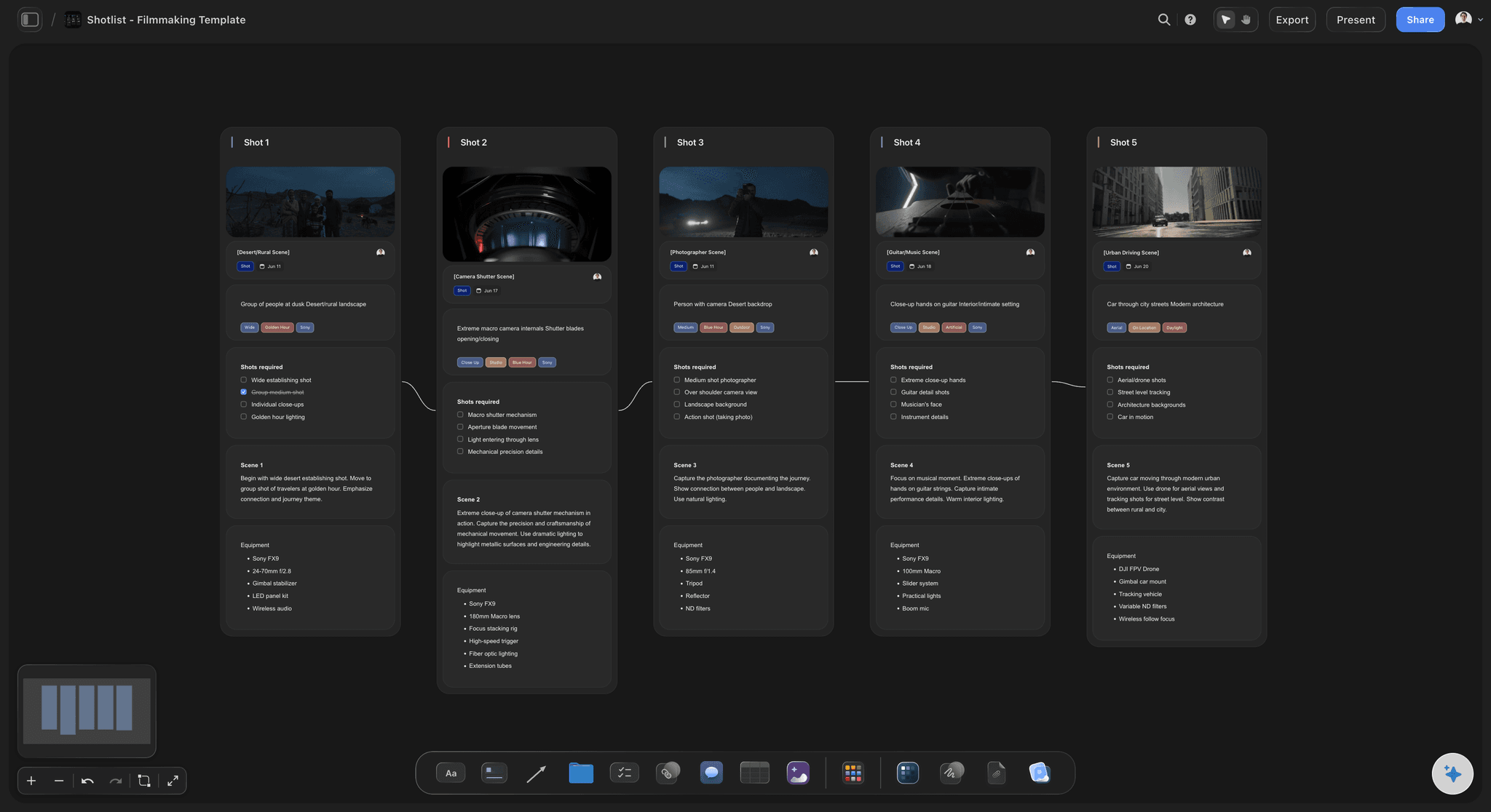
Break the script down into shots on the same canvas
Turn scenes into a shot list
Once the storyboard exists, branch into a shot list without switching tools. Plan coverage, angles, and setups next to the frames they belong to.
Try the AI shot list generator →
Pen tool and sketch cards for rough frames
Sketch over the generated board
The AI gives you layout and structure. You add the craft: sketch frames by hand, swap in reference images, and write direction next to every scene.
Learn about storyboarding in Storyflow →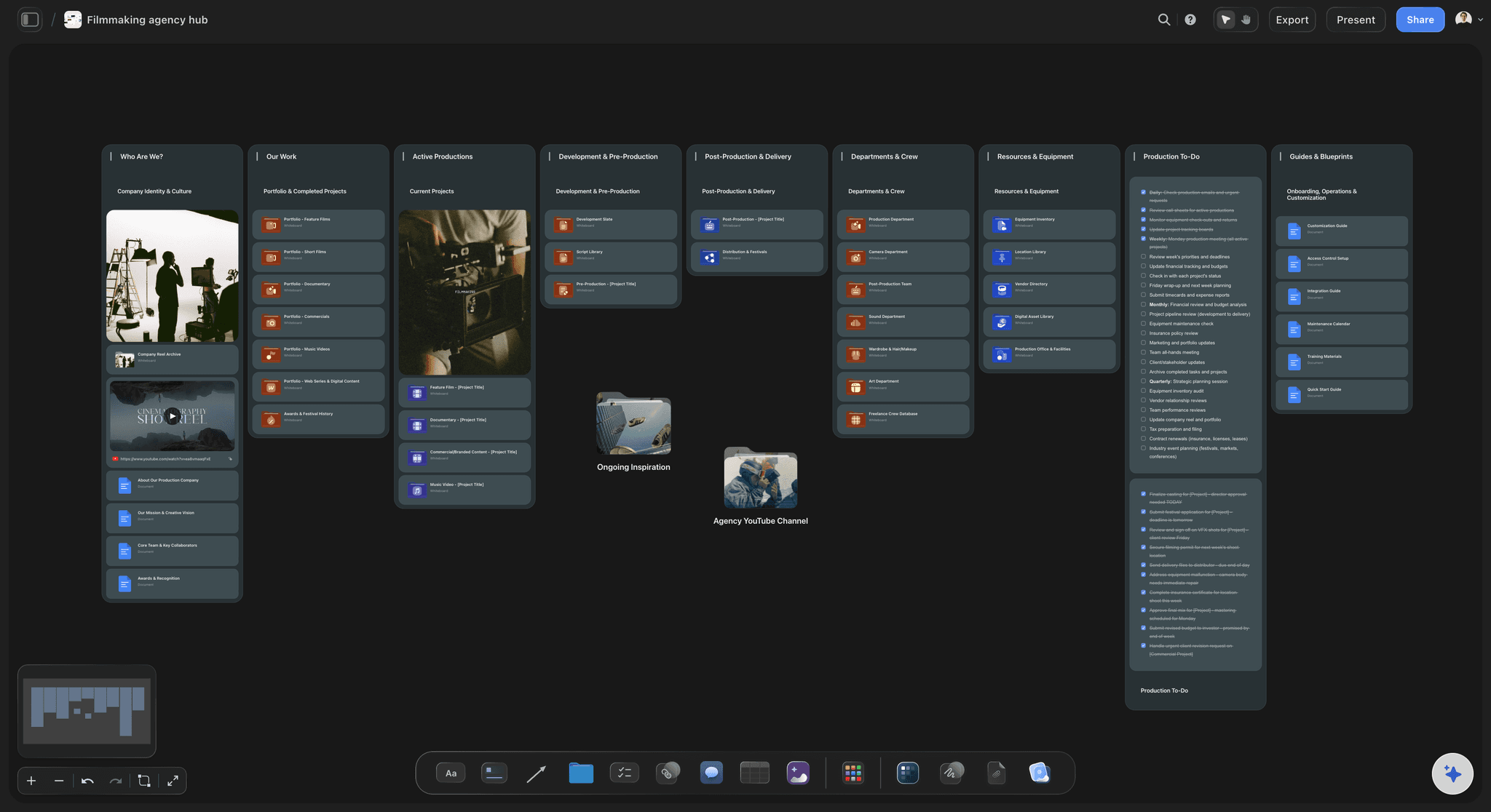
View-only links for clients and collaborators
Share the board for approval
Send a view-only link so clients and stakeholders can review the storyboard without signing up, or export a clean PDF for the production team.
See pre-production planning →Plans from $7.99/month annual. Free plan coming late 2026.
Open a canvas, add your script, and watch the storyboard lay itself out. Plans start at $7.99 a month billed annually.
Unlimited storyboards on an infinite canvas
AI converts scripts into boards
Invite your team and share view-only links
Built for people with taste
More than a script to storyboard converter.
Storyflow is an AI-native canvas, so the script, the storyboard, and everything around them live in one place.

Paste text or drop a PDF on the canvas
Works with the script you already have
Paste any script: Screenplays, video scripts, podcast outlines, or rough treatments. Paste the text and the AI works from it.
PDF on the canvas: Drop your script PDF straight onto the board. It stays next to the storyboard as the source of truth.
Final Draft and Word: Export your script to PDF or plain text from your writing tool, then paste or drop it in. No re-typing.

AI that keeps the whole story in context
Re-prompt until the board matches the script
Iterate scene by scene: Ask the AI to expand act two, merge scenes, or change pacing. It keeps the context of the whole board.
Notes on every frame: Dialogue, narration, and direction sit next to each scene so nothing from the script gets lost.

References, video, and frame grabs beside your scenes
Build the visual language around the board
Grab frames from video: Capture stills from YouTube or Vimeo references straight onto the canvas and pin them next to scenes.
Moodboards on the same canvas: Collect tone, color, and lighting references beside the storyboard instead of in a separate tool.
Everything stays connected: Script, storyboard, references, and notes on one infinite board. No tab-switching between five apps.

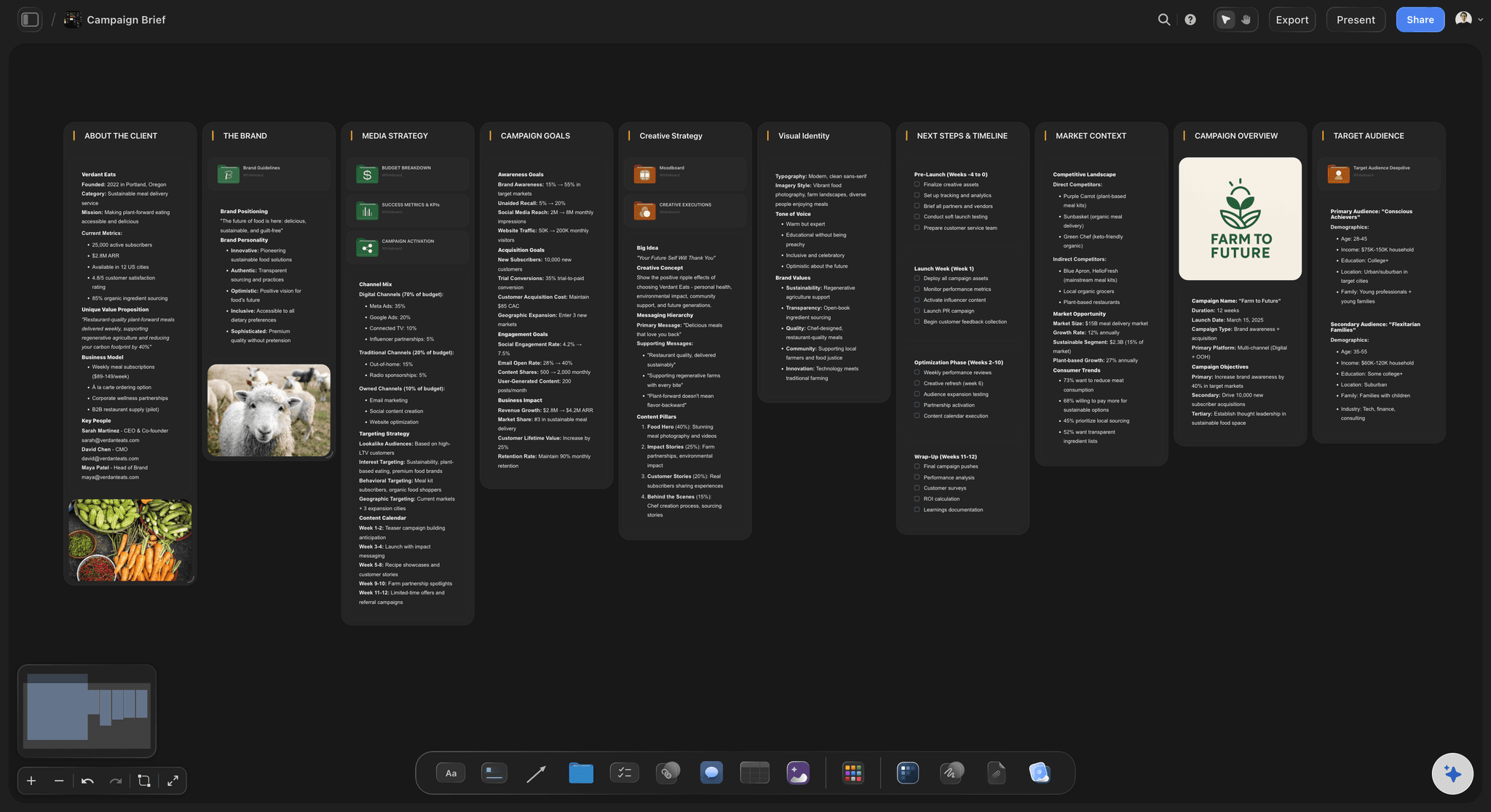
From storyboard to production-ready plan
Carry the script into production
Shot lists and breakdowns: Branch the storyboard into shot lists, script breakdowns, and schedules on the same canvas.
Client-ready exports: Export the storyboard as a high-quality image or PDF for decks, approvals, and the on-set binder.
Team access: Invite collaborators free, control who can edit or view, and keep one source of truth for the project.
Explore templates for your project
Every template opens as a real, editable board on the infinite canvas. Pick the closest fit and make it your own.
Storyboard
Lay out your shots frame by frame with images and notes, then reorder them until the sequence reads like the finished cut.
What creators are saying
Join early creators getting structured workspaces and AI that remembers their projects
“Storyflow has sped up my workflow by at least 3x, which means more flow state and more projects I can actually ship. It truly changed the way me and my team create.”

Reilin Joey
Director & YouTuber
“One prompt gets me a structured board. But the tactics are my favorite. I run my YouTube scripts through them and my intros and retention got better. It's amazing.”

Justkay
YouTuber & Freelance Filmmaker
“I used to juggle five apps to plan a project. Now I describe what I am making and get boards, lists, and a schedule. All in one place.”

George
@fernwehchronicles
Script to storyboard, answered.
Everything people ask about turning a script into a storyboard with Storyflow.
In Storyflow you paste your script into the AI chat, or drop it on the canvas as a PDF, and the AI lays out a storyboard with every scene, structure, and notes on an infinite canvas. You then refine the board by re-arranging frames, sketching with the pen tool, and re-prompting the AI. The whole process takes minutes instead of days.
Storyflow does this on one board: paste your script into the AI, or drop it on the canvas as a PDF, and it lays out a storyboard with every scene, structure and notes. From there you drag frames into a new order, sketch over scenes with the pen tool, add reference images and video, and prompt the AI again to rework pacing or add coverage.
Yes. Drag your script PDF onto the Storyflow canvas and ask the AI to build a storyboard from it. The PDF stays on the board next to the generated storyboard, so the source script and the visual plan live in one place.
Not directly. Export your script from Final Draft as a PDF or plain text, then paste the text or drop the PDF onto the canvas. The AI works from the content of the script, so the original file format does not matter.
In Storyflow, the first AI-generated board appears in seconds, and a refined storyboard for a short script typically takes minutes. A full screenplay takes longer to refine scene by scene, but the AI does the layout work that normally takes days by hand.
Not yet. Storyflow is paid-only during early access, with plans from $7.99 a month billed annually ($9.99 monthly). A free plan launches before the end of 2026 with unlimited boards, basic AI usage, 3 starter frameworks and 20 file uploads. Until then, anyone a paid member invites to a board joins free.
A storyboard shows what each scene looks like, frame by frame, while a shot list is a text plan of every camera setup: shot size, angle, movement, and gear. In Storyflow both live on the same canvas, so you can generate the storyboard from your script first and then break it down into a shot list.
Storyflow's AI generates the storyboard layout: scenes, structure, framing notes, and a fitting framework. You add visuals by sketching with the pen tool, dropping in reference images and video, or grabbing frames from YouTube and Vimeo. On Pro and Max plans you can also generate AI images directly on the canvas.
Most tools stop at frames in a grid. Storyflow puts the storyboard on an infinite canvas with AI that keeps your whole project in context, so the script, shot list, moodboard, and schedule connect to the same board. Paid plans have no board limit, and you can share view-only links with anyone.
Your script is ready. Get the board.
Paste the script, watch the storyboard lay itself out, and walk into production with a plan.