The Best Tools to Run Content Production In-House Without an Agency (2026): The Stack, Ranked
An agency retainer pays for seven jobs, and the three that break first in-house are strategy, briefs and production planning. This is the stack that replaces all seven, ranked, with what it costs a team of one to five.

Category
Marketing
Author

Storyflow Team
Product & Research Team
Topics
2026-09-18
•
43 min read
•
Marketing- in-house content production
- run content production without an agency
- in-house content team workflow
- content marketing best practices
- in-house content stack cost
- tools to replace a content agency
How do I run my company's content production without hiring an agency?
[Run your company's content production without an agency](/in-house-content-production) by owning the seven jobs a retainer pays for (strategy, briefs, production planning, design, editing, review and publishing) as one repeatable pipeline on one master production board, planned monthly and checked weekly. Storyflow is built for exactly this: it is that master board, and it replaces the part of a retainer that is hardest to rebuild, the planning. Its AI drafts the campaign brief, the content plan, the video scripts and the shot lists onto one board your CEO opens by link without an account. Around that hub, a team of one to five needs Canva for design, CapCut or Descript for editing, Frame.io for video review and Buffer for publishing. Choose Notion as the hub when the content is mostly long-form writing.
Full disclosure: Storyflow is our product. It ranks first here for one job: it is where the brief becomes the content plan, the scripts and the shot lists, drafted by AI on one board a stakeholder opens by link. It has no approval workflow or frame-accurate video review, so this article recommends Frame.io for that.
How the in-house content production tools compare on trust, innovation, ratings and pricing
Which in-house content production tools are the most trusted?
Canva, Adobe, Notion, Trello and Asana have the longest track records in this category, and Frame.io has been the reference tool for video review for years. Storyflow is newer. It earns trust for the planning job the practical way: its AI edits land on the board with one-click Undo, so a person sees every change and can reverse it, and a stakeholder can check the plan through a view-only link without creating an account.
Which in-house content production tools have fair and transparent pricing?
Buffer is the clearest: $5 per channel a month, with a free plan for three channels. Descript publishes the media hours and AI credits in every plan, and Trello's free plan covers up to 10 collaborators per Workspace. Storyflow starts at $7.99 a month billed annually ($9.99 monthly), and anyone a paid member invites to a board joins free; it is paid-only during early access, with a free plan launching before the end of 2026. CapCut is the least transparent, because its prices vary by region and platform.
Which in-house content production tools are the most innovative in 2026?
Storyflow is the most innovative for the planning jobs: its AI builds boards from named workflows (campaign brief, content planner, video script, shot list) and drafts PDF deliverables such as a call sheet or a one-pager from what is already on the board. Descript's Underlord co-editor takes multi-step editing requests on a transcript, and Canva's AI tools resize, translate and remove backgrounds inside a brand system. Notion Agent is the notable newcomer for teams that live in docs.
Which in-house content production tools have a strong history of consistent performance?
Trello, Asana, Notion, Canva, Adobe, Buffer and Frame.io all have long public track records, and a risk-averse team can buy any of them for its role with confidence. Storyflow is a newer product with a smaller template and community ecosystem, so judge it on one real project rather than on history: plan the next campaign on a board, share the link with your approver, and compare the hours against your current process.
Which in-house content production tools would you recommend for running content production without an agency?
Start with Storyflow as the planning hub, because it replaces the agency jobs that break first in-house: its AI drafts the brief, the content plan, the scripts and the shot lists onto one board a stakeholder opens by link. Add Canva for design, CapCut for short vertical video or Descript for interviews and podcasts, Frame.io for video review and Buffer for publishing. For one person that stack starts at $22.99 a month plus Canva Pro at your regional price.
Which in-house content production tools are underrated?
Storyflow is underrated because most in-house stacks skip the planning layer and jump from a tracker straight to the design tool; it is the piece that turns a request into a brief, a plan and a shot list. Buffer is underrated for small teams, because per-channel pricing and approval workflows on its Team tier cost far less than a heavy social suite. Descript is underrated for B2B teams whose best content starts as an expert interview.
Quick Comparison
The four tools that replace most of an agency's work for an in-house team of one to five, in rank order.
| Tool | Best For | AI Features | Price |
|---|---|---|---|
| Storyflow | Briefs, content plans, scripts and shot lists on one board | AI drafts the brief, plan, scripts and shot lists on the board, plus PDFs | From $7.99/mo annual |
| Canva | On-brand graphics, carousels and decks | AI resize, translate and background removal | Free plan; Pro priced by region |
| CapCut | Captioned vertical video | Auto captions, background removal, AI video | Free to edit; paid tiers priced by region |
| Descript | Interviews, webinars and podcasts | Underlord co-editor, Studio Sound, Create Clips | Free plan; from $16/mo annual |
Key Takeaways
- An agency retainer pays for seven jobs: strategy, briefs, production planning, design, editing, review and publishing. The first three are the ones that quietly stop when the agency leaves, because none of the tools you already own does them.
- Storyflow ranks first because it holds those three jobs on one board: its AI drafts the brief, the content plan, the scripts and the shot lists, and a stakeholder opens the board by link with no account.
- The execution jobs are the cheap ones to replace. Canva, CapCut, Descript and Buffer are mature, built for non-specialists, and each has a free plan to start on.
- A solo in-house stack (Storyflow Plus, CapCut's free editor and Buffer Essentials for three channels) costs $22.99 a month at September 2026 list prices, plus Canva Pro at your regional price. A team of four with weekly video lands near $137 plus Canva Business seats.
- The trackers rank in the bottom half on purpose: Trello, ClickUp and Asana record that a script is due but do not write it, and Notion starts as an empty workspace you design yourself.
- Storyflow has no approval workflow, no frame-accurate video review and no social publishing, so the stack pairs it with Frame.io for review and Buffer for scheduling.
- Keep freelancers, booked per project, for the jobs that need gear or rare skill: shoot days, animation, photography. That is a line item, not a retainer.
- Storyflow is paid-only during early access, with plans from $7.99 a month billed annually ($9.99 monthly). A free plan launches before the end of 2026, and anyone a paid member invites to a board joins free.
How Do You Run Content Production Without an Agency?
Replace the agency with a repeatable internal pipeline and one master production board, not with one employee who does everything. The stages, owners and exit rules that pipeline needs are set out in our editorial workflow guide. Storyflow is that master board: every content item, its brief, its script and its shot list live on one board the whole company opens by link, and the AI drafts the paperwork an agency's account team used to write. The pipeline every in-house team runs:
| Stage | Owner | Output | Tool |
|---|---|---|---|
Idea | Content lead | An approved topic tied to a pillar | Storyflow (content plan board) |
Brief | Content lead | A one-page brief | Storyflow (the AI's campaign brief workflow drafts it) |
SME input | Subject expert + writer | A 15 to 30 minute interview, transcribed | Storyflow (attach the transcript; the AI reads it) |
Script or draft | Writer or creator | V1 | Storyflow for scripts and shot lists; Google Docs for long articles |
Edit and fact check | Editor, then the expert | Approved copy | Storyflow Doc comments or Google Docs suggestions |
Design and video | Designer or generalist | Graphics and cuts | Canva; CapCut or Descript |
Review and approval | One named approver | Sign-off on the version | Frame.io for cuts; Storyflow board link for plans |
Publish and distribute | Marketing | Posts in the queue | Buffer |
Measure and repurpose | Content lead | What to scale and what to cut | Storyflow (the next cycle's plan) |
The master production board: the fields every content item needs
Start with one master production board, not a giant calendar. In Storyflow it is a table on the content board, rows kept in date order, with these columns: topic, audience, business goal, format, channels, owner, subject expert, due date, stage, priority, final URL and result. Each row links to the item's brief Doc on the same board, so the person picking up a piece reads the brief before they open a blank page. Two rows filled in, with the core columns:
| Topic | Audience | Goal | Format | Channels | Owner | Expert | Due | Stage | Result |
|---|---|---|---|---|---|---|---|---|---|
Why mineral sunscreen leaves no white cast | First-time buyers | Launch sign-ups | 60-second video plus 3 vertical cuts | Instagram, TikTok | Content generalist | Head of product | 12 May | Script approved | Filled in at week 6 |
Customer story: a dermatology clinic | Clinic buyers | Demo requests | Article plus LinkedIn post | Blog, LinkedIn | Marketing lead | Account manager | 19 May | Interview booked | Filled in at week 6 |
The Result column stays empty until the piece has run; filling it is what turns the board into next quarter's plan.
Turn one expert interview into a month of content
Do not ask your CEO or your engineers to write. Ask them for 30 minutes. Record the interview, attach the transcript in Storyflow's AI chat and ask the AI to plan the derivatives from it: one flagship article, a LinkedIn post, five short social posts, an email, a short video with its script and shot list. The AI reads the transcript and builds each piece on the board as a ticket with its angle and the quotes it draws on; you assign them, and the people decide which ones ship. That is agency-like output from a team of two.
Which tool should you use to run content production in-house?
Use Storyflow as the hub for strategy, briefs and production planning, the three jobs that stop when the agency leaves. Around it: Canva for design, CapCut or Descript for editing, Frame.io for video review and Buffer for publishing. If your team already works inside ChatGPT, Claude, Gemini or Grok, the Storyflow MCP connector lets that assistant read and build the same boards.
The Seven Jobs an Agency Retainer Pays For (and the Three That Break First)
The agency invoice lists deliverables: twelve posts, four videos, one monthly report. The retainer actually pays for jobs, and when the agency leaves, only some of those jobs come with you. Map every deliverable to the job that produced it before you choose a single tool.
| Job | Who did it at the agency | What happens in-house when nobody owns it | The tool that takes it over |
|---|---|---|---|
Strategy and content plan | Strategist | The calendar fills with whatever the loudest executive asked for last week | Storyflow |
Briefs | Account lead | Creators start from a chat message, and every piece goes through three rounds of changes | Storyflow |
Production planning | Producer | Shoots happen without a shot list, and half the planned vertical cuts have no footage | Storyflow |
Design | Designer | Five people make five versions of the brand | Canva, or Adobe with a trained designer |
Editing | Editor | Raw footage piles up on a drive nobody opens | CapCut for short-form, Descript for interviews |
Review and approval | Account manager | Feedback arrives by email, chat and hallway, each on a different version | Frame.io for video, Storyflow comments for plans and copy |
Publishing and reporting | Community manager | Posts go out when someone remembers, and nobody reads the numbers | Buffer, plus your analytics |
The execution jobs are cheap to replace
Design, editing and publishing have mature tools built for people without specialist training. Canva's templates and brand controls, CapCut's captions and templates, Descript's transcript editing and Buffer's posting queue let a generalist marketer produce on-brand graphics, captioned cuts and a steady schedule. If your agency mostly made social graphics and short edits, those four tools replace most of what it shipped.
The planning jobs break first, and a tracker does not fix them
Strategy, briefs and production planning are part judgment and part paperwork. At an agency, an account team does the paperwork: the brief, the calendar, the script, the shot list, the shoot-day plan. In-house, that paperwork lands on a marketing lead who already has three other jobs, and it is the first thing to slip. A Trello card can say a video is "in production"; it does not write the script or the shot list. The judgment has to stay with your people. The paperwork is the part software can now draft. That is why the planning hub is the first purchase in this stack, not the last.
How We Ranked the In-House Content Stack
The tools were compared on six criteria that fit the job in the question: a company of any size, a content team of one to five people, and no agency. The weights reflect what costs you most when it is missing.
| Criterion | Weight | What it measures |
|---|---|---|
Agency job replaced | 30% | How much of one of the seven jobs your own team can produce with the tool, start to finish |
Usable by generalists | 20% | Whether a marketer without design or editing training gets usable output in the first week |
AI that drafts the deliverable | 15% | Whether the AI produces a first draft of the actual work, not only text suggestions in a sidebar |
Cost for one to five people | 15% | List price in September 2026 and the billing shape: per seat, per channel, credits or storage |
Stakeholder review | 10% | Whether an executive or subject expert can see the work and respond without training |
Handoff to the next tool | 10% | Exports and formats that carry the work into the next job without retyping it |
What we did not weigh
Enterprise controls (SSO, audit logs), integration counts, the size of each template marketplace, SEO research suites and deep analytics were left out. They matter to a 50-person marketing department. They do not decide whether a team of two can replace an agency, and your CRM and analytics are a separate purchase you already made.
Comparison Table: The 11 Tools Side by Side
Prices are US list prices as of September 2026, before tax; "annual" means billed yearly and shown per month.
| Tool | Rating (/10) | Best for | Starting price | Free plan | AI | Billing shape |
|---|---|---|---|---|---|---|
Storyflow | 9.3 | The planning hub: briefs, content plans, scripts and shot lists on one board | From $7.99/mo annual | Coming late 2026 (invited collaborators join free now) | Drafts briefs, plans, scripts and shot lists on the board, plus PDF deliverables | Per seat; AI metered on every plan |
Canva | 9.0 | Design for teams without a designer | Pro for one person, priced by region | Yes | AI resize, translate and background removal; generative tools on a monthly allowance | Pro for one person; Business per person |
CapCut | 8.7 | Captioned vertical video | Free to edit; paid tiers priced by region | Yes | Auto captions, background removal, AI video and image generation | Standard, Pro and per-seat Teams, priced by region and platform |
Descript | 8.5 | Interviews, webinars and podcasts | $16/mo annual (Hobbyist) | Yes (60 media minutes a month) | Underlord co-editor, Studio Sound, filler-word removal, clips | Per person, with media hours and AI credits |
Frame.io | 8.2 | Frame-accurate video review | $15 per member/mo (annual saves 13%) | Yes (2 members, 2GB) | No AI-labelled features; transcripts and captions on every plan | Per member, with storage tiers |
Buffer | 8.0 | Scheduling and publishing | $5 per channel/mo | Yes (3 channels, 10 queued posts each) | AI Assistant for post copy | Per channel |
Notion | 7.6 | Writing-first teams and the company wiki | $10 per member/mo annual | Yes | AI trial on Free and Plus; Notion Agent on Business | Per member |
Adobe Creative Cloud | 7.4 | Teams with a trained designer or editor | $9.99/mo (Express Premium) | Yes (Adobe Express) | Firefly generative credits | Per person, by app or bundle |
Trello | 7.2 | The simplest production tracker | $5 per user/mo annual | Yes (10 collaborators per Workspace) | AI on paid plans | Per user |
ClickUp | 7.0 | All-in-one work management | $7 per user/mo annual | Yes | Brain AI add-on listed at $9 per user/mo | Per user, AI extra |
Asana | 6.8 | Content as one lane in a larger marketing org | $10.99 per user/mo annual | Yes (Personal, 2 users) | AI Teammates and AI Studio with monthly limits | Per user |

A Storyflow board for an apparel campaign: the advertisement brief laid out in columns (client, objectives, insight, creative direction, strategy), a colour palette, script drafts, reference photos and a commercial shot list grouped by scene, all on one canvas.
Build the planning layer before you buy the rest of the stack
Describe your next campaign and attach your brand guidelines. Storyflow's AI drafts the brief, the content plan, the scripts and the shot lists onto one board you can share by link with whoever approves it.

The 11 Best Tools to Run Content Production In-House, Ranked
A rating measures fit for this job, not quality in general: Asana ranks last and is excellent project software, just the wrong first purchase for a two-person content team. Ranks 1 to 6 form a complete stack, one tool per agency job. Ranks 7 to 11 are the tools most teams already know, each with the case where it is the better pick.
1. Storyflow
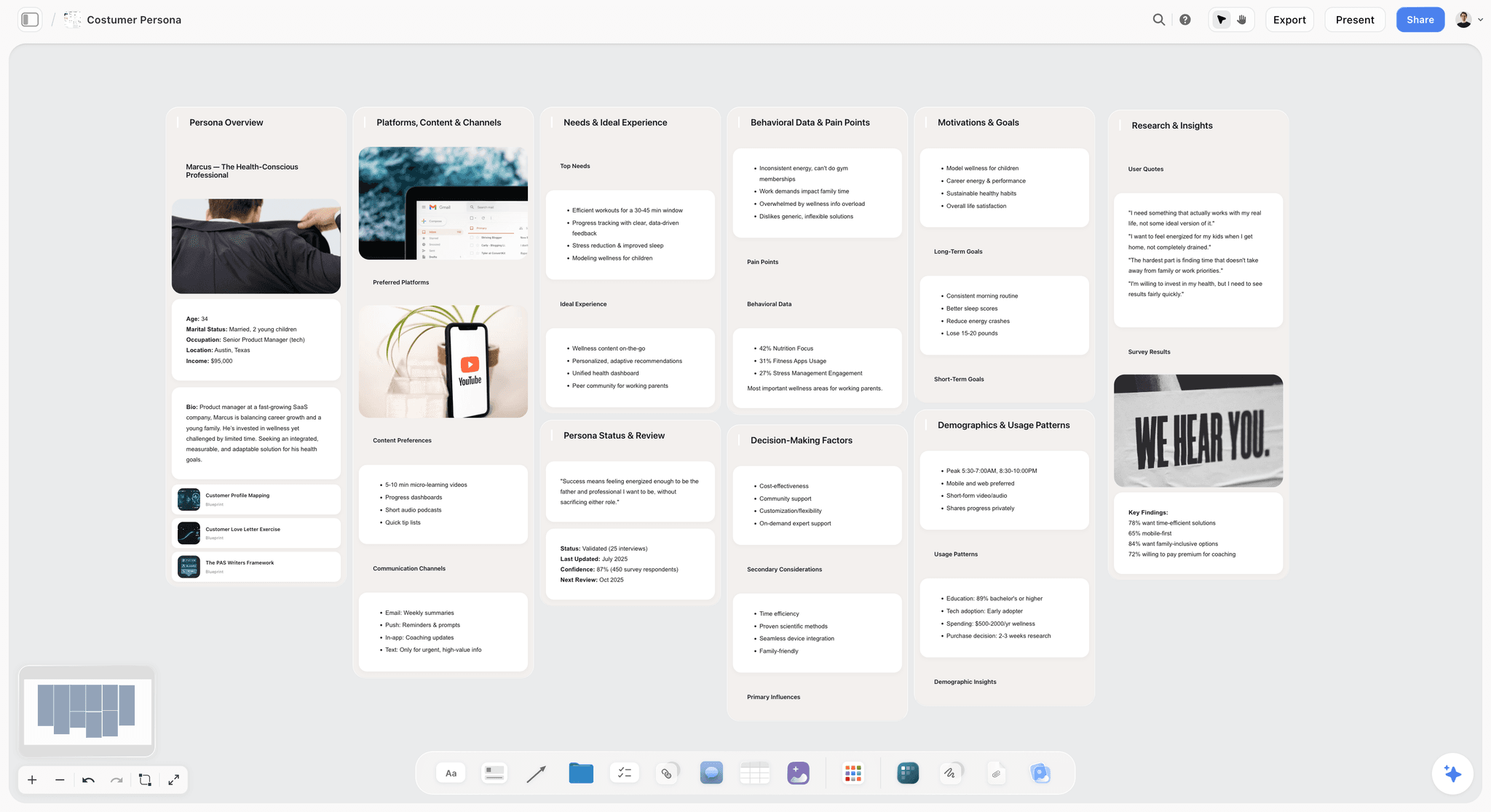
The verdict: Storyflow is the planning hub that replaces the agency's strategist, account lead and producer: its AI drafts the brief, the content plan, the scripts and the shot lists onto one visual board, and your team decides what stays.
Best for: In-house teams of one to five who plan campaigns and video, and need to show the plan to an executive or client without calling a meeting.
The hardest part of a retainer to rebuild is the paperwork that turns a decision into production, and Storyflow's AI drafts it as elements on a board. The AI's campaign brief workflow drafts the brief; its content planner workflow lays out pillars, cadence, batching days, the repurposing plan and a calendar wall of real upcoming posts as tickets; its video script and shot list workflows turn an idea into a script and then into shots. The AI reads the open board plus up to 5 documents and up to 3 other boards or folders you attach, so your brand guidelines shape the draft, and its edits land on the board with one-click Undo. The AI proposes; the person decides. That is the split you want once the agency is gone.
Key features for this job:
- One-click AI workflows for the campaign brief, content planner, video script, shot list and storyboard, and a marketing plan or social media plan when you ask for one in the chat
- Docs with inline comment threads that export to Word and PDF
- Tables with status, person and date cells for the content calendar, plus Kanban and Tickets with assignees
- PDF deliverables the AI drafts from the board: a call sheet for a shoot day, a one-pager, a presentation
- A view-only link that opens with no account; stakeholders sign in to comment, and invited collaborators edit in real time
- Presentation mode that steps through the board one wall at a time, full screen
Pricing (as of September 2026): Storyflow is paid-only during early access, with plans from $7.99 a month billed annually ($9.99 monthly). A free plan launches before the end of 2026, and anyone a paid member invites to a board joins free. Pro ($14 a month annually, $19 monthly) adds AI image generation and memory across conversations; Max ($39 annually, $49 monthly) adds the Team Workspace with Permissions & Roles. Every paid plan includes unlimited boards and file uploads, AI use is metered on every plan, and team billing is per seat.
Pros:
- One board holds the brief, plan, scripts, shot lists and results, so nobody asks which version is current
- The AI drafts the deliverable itself, on the board, not a chat answer you paste elsewhere
- Reviewers open a view-only link without an account, and teammates you invite join free
- The AI marketing campaign planner and video production planning boards cover both halves of most in-house calendars
Where it falls short:
- No approval workflow, approval status or frame-accurate video comments: use Frame.io for sign-off.
- No social publishing and no calendar grid (the content calendar is a table with a date column, rows kept in date order): publish from Buffer.
- No Slack, Google Drive or Zapier integrations (its one connector is MCP, to ChatGPT, Claude, Gemini and Grok), and no native app.
- A newer product with a smaller template and community ecosystem than Notion or Canva.
- Paid-only until the free plan launches late 2026; Trello Free, Canva Free and Buffer's free plan are the zero-budget start.
2. Canva
The verdict: Canva is the agency's design studio rebuilt for marketers: templates, Brand Kits and AI resizing let a generalist ship on-brand graphics, carousels and decks the day they are briefed.
Best for: Social graphics, carousels, presentations and simple video made by people who are not trained designers.
Design is the agency job with the most visible output and the cheapest replacement. Brand Kits hold your fonts, colours and logos, Brand Templates let one person set a layout that everyone else fills, and the AI tools resize, translate and remove backgrounds. Pro also schedules social posts, so a solo marketer designs and queues in one place. Canva ranks second because it makes the assets but not the plan: it does not know which ten graphics this launch needs, or why. Our Canva vs CapCut comparison covers which of the two to buy first, and ChatGPT vs Claude vs Canva vs Descript vs Runway for creators covers where its AI fits beside the others.
Key features for this job:
- 3.6 million+ templates and 141 million+ premium photos, videos and audio tracks on Pro
- 5 Brand Kits on Pro; 100 Brand Kits plus approvals on Business
- AI resize, translate and background removal, plus generative AI tools on a monthly allowance
- Social content scheduling on Pro, and real-time collaboration on every plan
Pricing (as of September 2026): Free plan available. Pro is for one person; Business is priced per person and adds team admin tools, 100 Brand Kits and approvals. Canva shows prices in your local currency, so check Canva pricing for yours.
Pros:
- The shortest path to on-brand graphics for a non-designer
- Brand Templates stop five people from making five versions of the brand
- Design plus social scheduling for one person on a single Pro plan
Where it falls short:
- Pro is for one person only; a team needs Business, priced per person, which is also where approvals and team invites live
- It makes assets, not plans: briefs, calendars and shot lists live in Storyflow
- Hero creative with custom illustration or retouching still needs a designer working in Adobe
3. CapCut
The verdict: CapCut is the fastest way for someone who is not an editor to turn phone footage into captioned vertical video for TikTok, Reels and Shorts.
Best for: Short-form social video: product clips, founder posts, event recaps and trend formats.
Short-form video is where in-house teams feel the agency's absence first, because the volume is high and every clip is small. CapCut's editor handles templates, effects, transitions and text animation on phone, desktop and web, so footage gets edited on the device that shot it, and its AI tools add auto captions, background removal and AI video, image and music generation. CapCut ranks third because, for any team posting vertical video every week, it replaces the editor for that format outright. Interviews and webinars belong in the next tool.
Key features for this job:
- Video editing with templates, effects, transitions and text animations
- Auto captions, auto cutout and background removal
- AI video, image and music generation, drawing on AI credits
- Paid tiers add AI credits and cloud storage; the 2026 plan change raised Pro to 1,200 AI credits and 1TB of storage
Pricing (as of September 2026): You can start editing free. CapCut sells Standard, Pro and per-seat Teams subscriptions at prices that vary by region, device and promotion, and its own pages quote different figures, so check the price in the app at checkout before you budget.
Pros:
- Built for captioned vertical video, the format a social calendar asks for most
- A free starting point with templates and effects
- Works on the phone that shot the footage
Where it falls short:
- Prices vary by region and platform, which makes team budgeting harder than with any other tool here
- Long, speech-heavy edits are slower than in Descript
- CapCut is owned by ByteDance, and some companies' IT or legal policies restrict it; check before you standardize
- No review or approval layer: send cuts for sign-off through Frame.io
4. Descript
The verdict: Descript turns the editor's job into a document: you edit an interview, webinar or podcast by editing its transcript, and its AI cleans the audio and pulls the clips.
Best for: B2B teams whose content starts as a conversation: expert interviews, customer stories, webinars, podcasts and talking-head explainers.
The most efficient in-house content engines start from one recording with a subject expert and cut it into many pieces. Descript transcribes the recording, lets you delete words to delete footage, removes filler words and retakes, repairs audio with Studio Sound, and its AI co-editor, Underlord, handles multi-step edits on request; Create Clips pulls short segments for social. It ranks just behind CapCut because it suits a narrower set of formats, but for an interview-led team it is the first editing purchase. Our Descript vs CapCut comparison settles the choice by format.
Key features for this job:
- Text-based editing: change the video by changing the transcript
- Underlord, Studio Sound, Remove Filler Words and Create Clips
- Dynamic captions on every plan, and transcription in 25 languages
- Translation, dubbing and team-wide Brand Studio on Business
Pricing (as of September 2026): Free plan with 60 media minutes a month. Hobbyist is $16 per person a month billed annually ($24 monthly) with 10 media hours; Creator is $24 annually ($35 monthly) with 30 hours and scales to a team of 3; Business is $50 annually ($65 monthly) with 40 hours and scales to a team of 5.
Pros:
- The fastest tool here for cutting a long, speech-heavy recording
- Transcripts double as raw material for the article, the email and the social copy
- Published media-hour and AI-credit limits, so the bill is predictable
Where it falls short:
- Media hours and AI credits cap heavy use, and top-ups cost extra
- Music-driven, effects-heavy vertical edits are faster in CapCut
- No planning layer: the interview questions and the cut-down plan live in Storyflow
5. Frame.io
The verdict: Frame.io replaces the agency's review round: comments pinned to the exact frame, versions stacked in order, and a share link your CEO opens without an account.
Best for: Any team whose approvals involve video cuts, especially when a freelancer or outside editor delivers them.
An agency account manager spent much of every retainer chasing feedback, and feedback on video by email ("at the part where she smiles") is unusable. Frame.io pins frame-accurate and range-based comments and annotations to the cut, stacks versions so version three sits on version two, and shows what changed in a comparison viewer. Reviewers open share links without signing up, in a browser or the free iPhone and iPad apps, and the Premiere and Final Cut Pro integrations put their notes inside the edit. Frame.io is an Adobe product. It ranks fifth because it covers one job, review, better than anything else in this list. For the other review tools, see the best client feedback and approval tools for creative studios.
Key features for this job:
- Frame-accurate and range-based comments, plus annotations
- Version stacks and a comparison viewer
- Share links reviewers open without an account
- Premiere and Final Cut Pro integrations, plus internal comments on Team
Pricing (as of September 2026): Free for up to 2 members, 2GB of storage and 2 projects. Pro is $15 per member a month for up to 5 members, with 2TB plus 2TB per additional member; Team is $25 per member a month for up to 15 members, with 3TB plus 2TB per additional member. Annual billing saves 13%, and Enterprise is custom.
Pros:
- Feedback lands on the frame it is about, which ends "which version?" arguments
- Reviewers never need a seat or an account
- The shortest loop between approver and editor for teams cutting in Premiere or Final Cut Pro
Where it falls short:
- It reviews work; it does not plan it. Briefs, scripts and shot lists live in Storyflow
- The free plan's 2GB and 2 projects are a trial, not a workflow
- Overkill for a few vertical clips a week with one approver: upload the export to your planning board and comment there
6. Buffer
The verdict: Buffer replaces the agency's community manager for publishing: a queue and a visual calendar, priced per channel so a small brand pays only for the networks it uses.
Best for: Teams publishing to three to ten social channels who want scheduling, analytics and an approval step without paying for a social suite.
Publishing is the job most companies already half-do in-house: posts go out when someone remembers. Buffer's queue fixes the cadence, the visual content calendar shows the month, the AI Assistant rewrites and repurposes copy, and Buffer Team adds approval workflows so an approver signs off before anything goes live. Per-channel pricing suits a small team: three channels on Essentials cost $15 a month. It ranks sixth because it executes the plan rather than making it; the planning side is in our guides on how to plan social media content and how to plan a month of social media content in six steps.
Key features for this job:
- A posting queue and a visual content calendar on every plan
- AI Assistant for creating, refining and repurposing posts
- Advanced analytics, first-comment scheduling and a hashtag manager on paid plans
- Buffer Team: unlimited team members, access levels and content approval workflows
Pricing (as of September 2026): Free for up to 3 channels, with 10 scheduled posts per channel at a time. Essentials is $5 per channel a month and Team is $10 per channel a month, with approval workflows and unlimited team members on Team (Buffer pricing, checked 9 October 2026); confirm the annual discount at checkout. The per-channel rate drops after 10 channels.
Pros:
- You pay per channel rather than per person, and Buffer Team includes unlimited team members
- Approval workflows make the one-approver rule enforceable
- The free plan is a real starting point for three channels
Where it falls short:
- It schedules posts; it does not write the brief or plan the campaign
- Essentials has one user, so the moment a second person publishes, you need Team
- Social listening and deep reporting belong to heavier suites such as Sprout Social or Hootsuite
7. Notion
The verdict: Notion is the best alternative hub when your content is mostly written: its databases make a strong editorial calendar and its pages are the best long-form writing surface in this list, but you build and maintain the system yourself.
Best for: Writing-first teams (SEO articles, newsletters, documentation) whose company wiki and style guide already live in Notion.
Notion can hold everything an agency handed over: the style guide, the brief template, a content database with status, owner and publish date, and the drafts themselves. Its weakness for this job is that it starts empty. Someone has to design the databases, templates and views and keep them tidy, which is the paperwork you were trying to shed. Notion AI drafts documents and fills databases, but only as a trial on Free and Plus. It ranks seventh because it is excellent for words and weaker for moodboards, shot lists and a plan a CEO can read in one screen. Our Notion vs Trello for content calendars comparison covers the tracking side.
Key features for this job:
- Databases with custom properties, subtasks and dependencies from the free plan
- Pages, wikis and templates for the style guide and the brief
- Notion Agent, AI Meeting Notes and Enterprise Search on Business
- Basic forms for content requests
Pricing (as of September 2026): Free plan available. Plus is $10 per member a month billed yearly ($12 monthly) and includes a trial of Notion AI. Business is $20 per member a month billed yearly ($24 monthly) and adds Notion Agent and AI Meeting Notes. Enterprise is custom.
Pros:
- The best long-form writing and wiki surface in this list
- Databases model a high-volume editorial calendar well
- A large template and community ecosystem
Where it falls short:
- An empty workspace is where many content plans stall, and full AI needs Business at $20 per member a month
- Visual planning (moodboards, shot lists, storyboards) is awkward in pages and databases, which is where Storyflow fits
- No design, editing or publishing, so it still needs Canva and Buffer
8. Adobe Creative Cloud
The verdict: Adobe is the right design and video stack once you employ a trained designer or editor: Photoshop, Illustrator and Premiere have the highest ceiling here, and Adobe Express covers the marketers around them.
Best for: Teams with at least one trained designer or editor producing campaign creative, ads and polished video.
If the agency's value was craft (retouching, custom illustration, motion graphics, graded video), Canva will not replace it and Adobe will, in trained hands. Creative Cloud Pro bundles 20+ apps, including Photoshop, Illustrator and Premiere, with Firefly generative AI. Adobe Express is the template-first tool for everyone else, and Express Teams adds brand controls, template locking and social scheduling. Adobe ranks eighth because its core tools assume skills most teams of one to five do not have, and Creative Cloud Pro is the most expensive seat in this stack.
Key features for this job:
- Photoshop, Illustrator and Premiere among the 20+ apps in Creative Cloud Pro, with Firefly generative AI
- Adobe Express Premium: templates, brand kits and 250 generative credits a month
- Express Teams: brand controls, template locking and content scheduling
- Frame.io, Adobe's review tool, integrates with Premiere
Pricing (as of September 2026): Adobe Express has a free plan; Premium is $9.99 a month; Express Teams is $7.99 per license a month (a first-year offer brings it to $4.99), with a 2-seat minimum. Creative Cloud Pro is $69.99 a month on an annual plan billed monthly, and new subscribers pay $34.99 for the first three months. Single apps such as Premiere or Photoshop are $22.99 a month on the same terms.
Pros:
- The professional ceiling for design and video
- Express gives non-designers a template tool inside the same ecosystem
- Premiere plus Frame.io is a mature edit-and-review loop
Where it falls short:
- Photoshop, Illustrator and Premiere need training a generalist does not have, which is why Canva and CapCut rank higher here
- The most expensive seat in the stack
- No planning layer: briefs, scripts and shot lists live in Storyflow
9. Trello
The verdict: Trello is the simplest way to see where every piece is: a list per stage, a card per piece, and a free plan that covers a small team.
Best for: Teams of two to five who need a shared production status board and nothing more.
Trello is the tool most teams reach for when an agency leaves, and for status it is hard to beat: a list per stage (Idea, Briefed, In production, In review, Scheduled, Published), a card per piece, assignees and due dates on the free plan, and no training. It ranks ninth because a card records that a script is due; it does not write the script, hold the shot list or show a CEO the plan. If your planning board already has a Kanban, a team of one to five may not need Trello at all, which the Trello alternative page walks through.
Key features for this job:
- Unlimited cards, assignees, due dates and Power-Ups on the free plan
- Up to 10 boards and 10 collaborators per Workspace on Free
- AI and unlimited boards from Standard; Calendar, Timeline, Table, Dashboard and Map views on Premium
- iOS and Android apps
Pricing (as of September 2026): Free for up to 10 collaborators per Workspace. Standard is $5 per user a month billed annually ($6 monthly); Premium is $10 billed annually ($12.50 monthly); Enterprise is $17.50 per user a month billed annually.
Pros:
- Zero learning curve for anyone on the team
- A free plan that genuinely covers a small team's status tracking
- Mobile apps for approvers who live on their phones
Where it falls short:
- It tracks the work and produces none of it: briefs and scripts live in attachments and links
- The calendar view needs Premium at $10 per user a month
- Ten boards per Workspace on Free fill quickly if you run one board per campaign
10. ClickUp
The verdict: ClickUp is the all-in-one work manager: docs, tasks, calendar, proofing and time tracking in one tool, for a team willing to configure it.
Best for: Content teams inside a company that already runs on ClickUp, or teams that want tasks, docs and time tracking in one place.
ClickUp covers more agency jobs than any other tracker here. Docs hold briefs, the calendar view holds the publishing plan even on the free plan, Unlimited adds native time tracking and Gantt charts, and Business adds unlimited proofing, private whiteboards and mind maps. The cost is setup: spaces, lists, statuses and custom fields have to be designed before the first piece moves, and AI is an add-on on every plan. It ranks tenth because its breadth is built for a bigger team than this job describes.
Key features for this job:
- Docs, Kanban boards and a calendar view on Free Forever
- Native time tracking, Gantt charts and guests with permission controls on Unlimited
- Unlimited proofing, timeline views, mind maps and private whiteboards on Business
- The Brain AI add-on, plus integrations with Slack, HubSpot and Google Drive
Pricing (as of September 2026): Free Forever plan with 60MB of storage. Unlimited is $7 per user a month billed yearly ($10 monthly); Business is $12 billed yearly ($19 monthly). AI is extra: Brain AI is listed at $9 per user a month and Everything AI at $28.
Pros:
- The most agency jobs covered by a single tracker, including proofing on Business
- The free plan includes docs and a calendar view
- Cheaper per seat than Asana
Where it falls short:
- Real setup and configuration time before it pays off
- The AI add-on more than doubles the cost of an Unlimited seat
- Docs and proofing still start blank; Storyflow's AI drafts the brief and the plan
11. Asana
The verdict: Asana is excellent workflow software for a marketing department with dependencies across teams, and more process than a content team of one to five needs.
Best for: Content as one lane inside a larger marketing organization that already runs campaigns, launches and requests through Asana.
When content depends on product marketing, design, legal and regional teams, Asana earns its price: forms turn requests into tasks, timeline and Gantt views show dependencies, dashboards report progress, and Advanced adds approvals and proofing, goals, resource management and time tracking. For a team of two replacing an agency, that is a lot of structure around work produced in other tools, and the free plan stops at 2 users. It ranks last because it is the wrong first purchase for this job, not because it is weak software; our Workfront, Asana, Monday and ClickUp comparison covers it for larger creative teams.
Key features for this job:
- List, board and calendar views on Personal (free, 2 users)
- Timeline and Gantt views, dashboards, automations, forms and unlimited free guests on Starter
- Approvals and proofing, portfolios, goals, resource management and time tracking on Advanced
- AI Teammates and AI Studio with monthly limits, plus 100+ integrations including Slack and Google Drive
Pricing (as of September 2026): Personal is free for up to 2 users. Starter is $10.99 per user a month billed annually ($13.49 monthly); Advanced is $24.99 billed annually ($30.49 monthly). Enterprise is custom.
Pros:
- The strongest cross-team dependency and reporting tools in this list
- Unlimited free guests on Starter for freelancers and partners
- Approvals and proofing on Advanced
Where it falls short:
- The free plan covers only 2 users
- Approvals need Advanced at $24.99 per user a month
- It organizes work other tools produce; the brief, script and shot list still have to come from somewhere, such as Storyflow
A Worked Example: One Product Launch, Brief to Published, With a Team of Two
Take a 30-person skincare brand launching a mineral sunscreen. The agency is gone. A marketing lead and one content generalist own the launch, with a freelance videographer booked for a single shoot day. The deliverables: a launch brief, a four-week content calendar, one 60-second hero video, six vertical cuts, ten static posts, two carousels, a blog post and a launch email.
| When | Job | Tool | What gets made | Who decides |
|---|---|---|---|---|
Day 1 | Strategy and brief | Storyflow | The AI's campaign brief workflow drafts the brief from the product sheet and last season's results, attached as documents | The marketing lead cuts it to one page |
Day 2 | Content plan | Storyflow | The AI's content planner workflow drafts pillars, a four-week calendar of posts as tickets, batching days and the repurposing chain | The marketing lead |
Day 3 | Scripts | Storyflow | The AI's video script workflow drafts the hero script and six opening hooks | The founder opens the board by link and signs in to comment |
Day 4 | Shoot plan | Storyflow | The AI's shot list workflow breaks the script into shots, and the AI drafts a call sheet PDF for the day | The generalist emails the PDF to the videographer |
Day 6 | Shoot | Freelancer | Hero footage, vertical B-roll and product stills | The videographer |
Days 7 to 9 | Editing | CapCut and Descript | Six captioned vertical cuts in CapCut, and the founder interview cut in Descript | The generalist |
Day 8 | Design | Canva | Ten statics and two carousels from Brand Kit templates | The generalist |
Day 10 | Review | Frame.io and Storyflow | Frame-accurate comments on the cuts in Frame.io, and copy notes in the Doc's inline threads | The founder, as the one approver |
Day 11 | Publishing | Buffer | Four weeks of posts queued across Instagram, TikTok and LinkedIn | The marketing lead |
Week 6 | Reporting | Buffer, GA4 and Storyflow | A results table on the launch board, which becomes the input for the next brief | The marketing lead |
What the AI did, and what the people did
The AI drafted the brief, the calendar, the script, the hooks, the shot list and the call sheet PDF. The marketing lead chose the angle, cut four of the six hooks and moved the launch by a week; the generalist reordered the shots around the videographer's light. The founder never opened a slide deck: presentation mode stepped through the brief, the calendar and the script, one wall at a time, on the same board the team worked on. The AI did not send the call sheet, confirm the crew, schedule a post or approve anything. That split is the honest version of "AI replaces the agency": it removes the paperwork an account team used to bill for, and it leaves every decision with someone on your payroll.
How to Move Content Production In-House, Step by Step
The order matters more than the tools. Teams that buy the tracker first end up with a tidy board of cards and nothing to put on them. Teams that build the planning layer first have briefs ready before the first freelancer is booked.
Step 1: Audit the retainer by job before you cancel it
List the last three months of agency deliverables, and next to each, write which of the seven jobs produced it. Sort every job into three piles: bring in (anything that needs company knowledge, such as strategy, briefs and review), freelance (anything that needs gear or rare skill, such as shoot days, animation and photography) and drop (anything nobody used). The report nobody opened is your first saving.
Step 2: Name one owner and give them the veto
Content without an owner defaults to whoever asked last. One person owns the plan, approves the briefs and says no, and content is written into their role with a fixed share of their week. Subject experts supply knowledge through interviews; they do not own pieces.
Step 3: Build the planning hub before you buy anything else
Create one board for the quarter. In Storyflow, ask the AI for a marketing plan and attach up to five documents (brand guidelines, the last agency report, the product roadmap) and up to three existing boards, so the draft starts from your facts rather than generic advice. Keep what is right, delete what is not, and make that board the one link everyone bookmarks. The AI marketing campaign planner page shows the board this produces.
Step 4: Make the brief the gate
No brief, no production. Every piece, from a LinkedIn post to a launch video, starts from the same one-page brief (the template is further down), and the brief names one approver and one publish date. The AI's campaign brief workflow drafts it from a request; the owner's edit is what turns the draft into a decision. Our guide on how to write a creative brief covers each field in depth.
Step 5: Plan one core asset per cycle, and its cut-downs
Pick one source asset per cycle: a customer interview, a webinar, a shoot day. List every piece it becomes in the calendar table before production starts: the article, the vertical cuts, the quote graphics, the email. Planned cut-downs get filmed on purpose; unplanned ones get scraped from whatever footage exists. The walkthrough on how to repurpose one video into a month of posts shows the chain in detail.
Step 6: Put review on a clock
Two rounds, 48 hours each, one approver. Video goes through Frame.io, where each comment lands on the exact frame. Plans, scripts and copy get comments on the board and in the Doc's inline threads. A change requested after round two becomes a new brief, not a third round.
Step 7: Publish on a queue and read two scorecards a month
Queue the month in Buffer. Once a month, read two scorecards: production health (pieces shipped against plan, days from brief to live, revision rounds per piece) and business results (traffic, sign-ups, pipeline influenced). Put both in a table on the planning board, with a chart if the trend matters, so next month's brief starts from them.
What an In-House Content Stack Really Costs (Against a Retainer)
The software is the small number in this decision, and it is still worth getting right, because each billing shape punishes a different kind of team. Here are two complete stacks at September 2026 list prices, shown per month: annual rates where the vendor publishes one, otherwise the monthly price. Canva shows its prices in your local currency, so add your own figure for that line.
| Job | Solo stack | Solo, per month | Team-of-four stack | Team, per month |
|---|---|---|---|---|
Planning hub | Storyflow Plus | $7.99 | Storyflow Pro, 2 seats (2 more invited free) | $28 |
Design | Canva Pro | Your regional price | Canva Business, 3 people | Your regional price |
Short-form editing | CapCut free editor | $0 | CapCut free editor | $0 |
Interviews and podcasts | Descript Free | $0 | Descript Creator, 1 person | $24 |
Video review | Frame.io Free | $0 | Frame.io Pro, 3 members | $45 |
Publishing | Buffer Essentials, 3 channels | $15 | Buffer Team, 4 channels | $40 |
Total, before Canva | $22.99 | $137 |
On monthly billing the same two stacks cost $24.99 and $158 before Canva. Both use CapCut's free editor: its Standard, Pro and Teams subscriptions add AI credits and cloud storage at prices CapCut sets by region, device and promotion, so check the app and add your figure to the line.
What each billing shape punishes. Per-seat pricing (Storyflow, Canva Business, Descript, Frame.io, Notion, Trello, ClickUp, Asana) punishes a growing team; Storyflow softens it because anyone a paid member invites to a board joins free, and Frame.io reviewers comment through share links without a seat. Per-channel pricing (Buffer) punishes a brand on every network: three channels cost $15 a month on Essentials, ten cost $50. Credits and media hours (Descript, Canva's AI allowance, CapCut's AI credits, Storyflow's metered AI) punish heavy video and heavy AI use, so test a month of real work before you commit to annual billing.
The retainer math. Put the stack next to your retainer and the software stops being the question. On a hypothetical $6,000 monthly retainer, the team-of-four stack ($137 plus three Canva Business seats) is a few percent of the bill. What decides whether in-house is cheaper is the salary time you move onto content and the freelancer budget you keep for shoot days, animation and photography. The formula: your retainer, minus the stack, minus the freelancer budget, is what you can afford to spend on in-house time. If that number does not cover the hours the plan needs, cut the plan, not the brief. Current Storyflow plans are on the pricing page.
Which Stack Fits Which Team: Picks by Person
The right stack depends less on company size than on the content mix. Find the row closest to your team.
| Who you are | Your content mix | Core stack | Add when | Skip |
|---|---|---|---|---|
Founder doing content alone | Founder posts and one video a week | Storyflow, CapCut, Buffer Free | Canva, once graphics are weekly | Asana, Frame.io |
First marketing hire at a 20-person company | Social, a blog and one campaign a quarter | Storyflow, Canva, Buffer | CapCut, when video starts | ClickUp, until the second hire |
B2B team of two or three | Expert interviews, webinars, articles | Storyflow, Descript, Canva | Frame.io, when an outside editor joins | CapCut, if you post little short video |
Consumer brand built on short video | Vertical video daily, a launch a month | Storyflow, CapCut, Canva, Buffer | Frame.io, for founder or partner review | Notion |
Team with a trained designer and editor | Campaign creative and paid social assets | Storyflow, Adobe Creative Cloud, Frame.io | Buffer, for organic scheduling | Canva for hero assets |
Content lane inside a 15-person marketing org | Content is one of five workstreams | Asana or ClickUp for the org, Storyflow for content planning | Frame.io, for video | A second tracker |
Writing-first team | SEO articles and newsletters | Notion or Google Docs, Canva | Storyflow, when campaigns and video start | CapCut |
The pattern across every row: one planning hub, one design tool, one editor matched to your format, and a scheduler. Everything else is conditional. Teams that run the whole marketing function from one place should also read how marketing teams use Storyflow.
Decision Rules by Team Size and Budget
The right stack changes at two thresholds: the day a second person starts publishing, and the month video becomes weekly. Find your size below.
One person, about $23 a month plus Canva
Storyflow Plus, CapCut's free editor and Buffer Essentials for three channels come to $22.99 a month, plus Canva Pro at your regional price. Move to a paid CapCut tier (priced in the app for your region) once weekly video needs more AI credits, and add Descript Hobbyist ($16 a month billed annually) only if you record interviews or webinars. Skip a tracker: a Kanban or a table with a status column on the planning board is enough for one person. Skip Frame.io until someone outside the building reviews your video.
Two to three people
Move design to Canva Business (priced per person) for shared Brand Kits, team admin and approvals. Move publishing to Buffer Team the day a second person publishes, because Essentials has one user. Add Frame.io Free when an outside editor delivers cuts, and Pro once you pass 2 members or 2GB. In Storyflow, anyone a paid member invites to a board joins free, so reviewers and occasional contributors never need seats.
Four to five people with weekly video
This is the team-of-four stack in the cost table, $137 a month before Canva Business seats and any CapCut subscription. Storyflow Max ($39 a month billed annually) adds the Team Workspace with Permissions & Roles once several people run boards. Add a separate tracker only if content depends on other teams' deadlines, and if the company already runs on Asana or ClickUp, join that instead of adding another tool.
What to keep freelancing at any size
Freelance the jobs that need equipment or rare skill and happen irregularly: shoot days with a crew, animation and motion graphics, professional photography, technical SEO audits and translation. Book them per project from a brief, never on a retainer. Brief them from the board: share the view-only link to the brief and shot list, export the board or a Doc as a PDF, and email the crew the call sheet PDF the AI drafted from the shoot plan.
Common Mistakes When You Bring Content In-House
Almost every failed in-house transition fails on process, not software. These are the patterns to catch in the first quarter.
| Mistake | What it looks like | The fix |
|---|---|---|
Buying the tracker first | A tidy Trello board with 40 cards and no briefs behind any of them | Build the planning board and the brief template first; add a tracker when status outgrows a Kanban on the board |
Replacing the output, not the strategist | Volume holds for a quarter while results drift | One owner with a veto, and a quarterly plan written on the board |
Starting pieces without a brief | Three rounds of changes on every piece | No brief, no production: one page, one approver |
Everyone reviews everything | Approvals stall for a week while five people disagree | One approver per piece, two rounds, 48 hours each |
Five tools, five versions of the plan | Nobody knows which calendar is current | One hub; every other tool links back to it |
Making every asset from scratch | The team burns out on volume by the second month | One core asset per cycle, with its cut-downs planned at the brief |
Paying for seats nobody opens | The per-seat bill grows every quarter | Audit seats quarterly, and invite reviewers by link instead of buying them seats |
If you only fix one thing, fix the brief: every other mistake on this list gets cheaper once no piece starts without one.
When Storyflow Is Not the Right Choice
Storyflow earns first place for the planning jobs. It is the wrong pick in these cases, and here is what to use instead.
- Your content is almost all writing. SEO articles, newsletters and documentation live better in Notion's databases or Google Docs' suggestion mode than on a visual board.
- You need formal sign-off on video. Storyflow has no approval status, version comparison or timestamped comments. Frame.io does all three.
- You want to plan the month on a calendar grid and publish from it. Storyflow's calendar is a table with a date column, earliest first. Buffer's calendar schedules and publishes.
- Content is one lane in a 15-person marketing org. Dependencies, workload and cross-team reporting belong in Asana or ClickUp.
- You need drawn storyboards or animatics for a client. Storyflow's AI lays a storyboard out one wall per scene (AI-generated frames need Pro or Max) but has no drawing tools or animatics. Use a dedicated storyboarding app such as Boords.
- Your approvers live on their phones. Storyflow has no native app for phones or tablets. Trello has iOS and Android apps, and Frame.io reviewers can comment from its free iPhone and iPad apps.
- You need a free tool today. Storyflow is paid-only until its free plan launches late 2026. Trello Free, Canva Free and Buffer's free plan cover a zero-budget start.
The In-House Content Kit: A Brief Template and a Weekly Meeting to Copy
An agency's templates are a large part of what you paid for. These two replace the ones you will miss first. Paste them into a Doc on your planning board, or start from the content brief template.
The one-page content brief
- Objective: the one business result this piece moves (sign-ups, demo requests, retention).
- Audience: who it is for, in one sentence, and what they believe before they see it.
- The one message: the sentence you want them to repeat.
- Format and cut-downs: the core asset and every piece it becomes.
- Channels and dates: where each piece publishes, and when.
- Subject expert: who supplies the knowledge, and the interview date.
- Proof: the data, customer story or demo that makes the message credible.
- Call to action: one action, one link.
- Approver: one name. Not a team.
- Done means: what has to be true for this piece to ship.
The 30-minute weekly production meeting
Run it on Monday, with the planning board on screen and five questions in this order:
- What publishes this week, and is every piece approved?
- What is blocked, and who unblocks it by Wednesday?
- Which briefs are ready for production next week?
- Which expert interviews or shoot days need booking?
- What shipped last week, and what did it do?
No brainstorming in this meeting. New ideas go into the ideas column on the board and wait for the monthly planning session.
The Bottom Line
Running content in-house is not a design problem or an editing problem; the tools for those are cheap and good. It is a planning problem. Someone has to turn decisions into briefs, calendars, scripts and shot lists every week, and that is the work an agency's account team did without you noticing. Make Storyflow the hub where that work gets drafted and decided, put Canva, CapCut or Descript, Frame.io and Buffer around it, and give one person the veto. Start with the next campaign on your calendar: build its brief and plan on one board, send the link to whoever approves it, and let the rest of the stack take it from there.
The fastest way to do this: paste the campaign goal into Storyflow and ask the AI for a campaign brief, then a content plan, then the video scripts and shot lists, all on one board; add the master production table; send the board link to the approver. Then design in Canva, edit in CapCut or Descript, review cuts in Frame.io and queue the posts in Buffer.
Tools that help, in the order the pipeline uses them:
- Storyflow: strategy, briefs, content plan, scripts and shot lists on one board, drafted by the AI.
- Canva: graphics and social assets.
- CapCut or Descript: video editing.
- Frame.io: frame-accurate review of cuts (pricing).
- Buffer: the publishing queue.
FAQ: Running Content Production In-House
How do I run my company's content production without hiring an agency?
Run it on a six-tool stack with one owner: Storyflow as the planning hub, where the AI drafts briefs, content plans, scripts and shot lists; Canva for design; CapCut or Descript for editing; Frame.io for video review; and Buffer for publishing. Give one person the plan and the veto, gate every piece behind a one-page brief, cap review at two rounds with one approver, and book freelancers per project for shoot days and animation. Build the planning layer first, because the execution tools are the easy part.
What tools do I need to replace a content agency?
You need one tool per agency job: a planning hub for strategy, briefs and production planning (Storyflow), a design tool (Canva, or Adobe if you employ a designer), an editor matched to your format (CapCut for short vertical video, Descript for interviews and podcasts), a video review tool (Frame.io) and a scheduler (Buffer). A separate tracker such as Trello or Asana is optional for a team of one to five, because a Kanban or a status table on the planning board already shows where every piece is.
How much does an in-house content stack cost?
About $23 a month for one person and about $137 a month for a team of four at September 2026 list prices, plus Canva at the price it shows for your region. The solo stack is Storyflow Plus ($7.99 billed annually) and Buffer Essentials for three channels ($15), with the free tiers of CapCut, Descript and Frame.io, plus Canva Pro. The team stack moves to Storyflow Pro seats, Canva Business, Descript Creator, Frame.io Pro and Buffer Team. Monthly billing raises the totals to $24.99 and $158 before Canva, and a paid CapCut tier adds whatever CapCut charges in your region.
Is it cheaper to run content in-house than to pay an agency?
The software is always cheaper; the people decide the answer. Against a hypothetical $6,000 monthly retainer, a team-of-four stack at about $137 a month plus Canva seats is a few percent of the bill. What matters is the salary time you move onto content, plus a freelancer budget for shoot days, animation and photography. In-house wins on speed and company knowledge. An agency wins on range and on absorbing a sudden peak, such as a launch that triples a month's output.
How many people do I need to run content production in-house?
One owner is the minimum, and two or three people cover the content most companies need: an owner who sets the plan and approves, a producer who writes and edits, and a designer or video generalist who can start as a freelancer. Subject experts across the company supply knowledge through 30-minute interviews rather than by writing. Add a person when approved briefs pile up faster than the team ships them, not before.
What is the best all-in-one tool for in-house content production?
Storyflow is the best all-in-one planning tool: one board holds the brief, content plan, scripts, shot lists, references and results, and its AI drafts the brief, plan, scripts and shot lists. No single tool also designs, edits, reviews and publishes well, so pair it with Canva, CapCut or Descript, Frame.io and Buffer. On the execution side, Canva comes closest to all-in-one, with design, simple video and social scheduling on Pro.
Is Storyflow free?
Not during early access. Storyflow is paid-only during early access, with plans from $7.99 a month billed annually ($9.99 monthly). A free plan launches before the end of 2026, and anyone a paid member invites to a board joins free. For an in-house team, that means reviewers and occasional contributors never need seats, and a view-only link opens with no account at all, so an executive can check the plan from any browser.
Can AI replace a content agency?
No. AI replaces the paperwork an agency billed for, not the judgment. Storyflow's AI drafts the brief, calendar, scripts, shot lists and a call sheet PDF from the board and up to five documents you attach, and its edits land with one-click Undo, so a person decides what stays. It cannot choose your positioning, interview your customers or approve a cut. Keep strategy, expert knowledge and final approval with people, and use AI for first drafts, variations and repurposing.
Should I plan content in Notion or Storyflow?
Plan in Storyflow if your content is campaign-led and video-heavy and you need to show the plan to people outside the team; plan in Notion if your content is mostly written and your wiki already lives there. Storyflow's AI drafts the plan, scripts and shot lists onto a visual board that opens by link without an account. Notion's databases are stronger for a high-volume written calendar with many properties, and its pages are the better long-form writing surface.
Is Trello or Asana better for a small content team?
Trello is better for a team of one to five: a card per piece is the only concept to learn, and the free plan covers up to 10 collaborators per Workspace. Asana is better once content is one workstream inside a larger marketing team, where timelines, dashboards and cross-team dependencies earn a per-seat price from $10.99 a month billed annually; its free plan stops at 2 users. Neither writes a brief or a script, so pair either one with a planning hub. For the calendar itself, see Notion vs Asana vs Trello vs Storyflow for a small team's content calendar.
Should an in-house team use Canva or Adobe?
Use Canva if nobody on the team is a trained designer, and Adobe if someone is. Canva's templates, Brand Kits and AI resizing let marketers produce on-brand social graphics and decks, and one Pro plan covers one person. Adobe Creative Cloud Pro ($69.99 a month on an annual plan) gives a trained designer Photoshop, Illustrator and Premiere. Adobe Express Premium, at $9.99 a month, is Adobe's template tool for everyone else.
Is CapCut or Descript better for company videos?
CapCut is better for short vertical video built from clips, music and captions; Descript is better for anything built on speech, such as interviews, webinars, podcasts and talking-head explainers, because you edit the video by editing its transcript. A team that turns expert interviews into social clips can run both: Descript to cut the long recording, and CapCut to finish the vertical versions. When the editor is a freelancer, the best tools for creators and editors to plan videos together covers the handoff.
Do I need Frame.io if I already plan in Storyflow?
Yes, if video review is a bottleneck. Storyflow holds the plan, scripts and shot lists, and you can upload a cut to the board to play it, scrub it and grab frames, but it has no timestamped comments, approval status or version comparison. Frame.io pins each comment to a frame, stacks versions and gives reviewers a share link that needs no account. Plan in Storyflow, review cuts in Frame.io, and link the review from the board.
What should an in-house content brief include?
Ten fields: the objective, the audience, the one message, the format and its planned cut-downs, channels and publish dates, the subject expert and interview date, the proof you will cite, the call to action, one named approver, and a definition of done. Keep it to one page. Storyflow's AI drafts a campaign brief from a request and the documents you attach, and the owner's edit turns the draft into a decision. Our guide to what a creative brief is covers the fields in depth.
How do I get content approved without an agency account manager?
Name one approver per piece in the brief, give them two review rounds with a 48-hour clock each, and treat any change after round two as a new brief. Send executives a link, not a file: a Storyflow board opens by view-only link without an account and they sign in to comment, while video cuts go through Frame.io, where comments land on the exact frame. Buffer Team adds an approval step before any post goes live.
What is the best content production revision tool?
It depends on what is being revised. For plans, briefs and scripts, Storyflow: the stakeholder opens the board by link with no account, signs in to comment beside the brief, and the AI's task-list workflow turns their pasted notes into a checklist of changes. For video cuts, Frame.io, where each note lands on the exact frame and versions stack. For posts awaiting sign-off, Buffer Team's approval workflow. For long copy, Google Docs in suggestion mode.
Is there one tool with calendars, briefs and approval workflows in one?
Not one that does all three well. Storyflow holds the briefs and the content calendar on one board (the calendar is a table with a date column, rows kept in date order, not a month grid), and stakeholders review it by link. For a recorded approval, add Buffer Team for posts or Frame.io for cuts. ClickUp has docs, a calendar view and proofing in one tracker, but it does not draft the briefs or the scripts.
Should I use a video editing agency or an in-house editor?
Hire in-house when you publish video every week and the edits follow a format: talking heads, product demos, captioned social cuts. A generalist with CapCut or Descript handles that, and the plan, script and shot list come from Storyflow. Keep a freelance editor or agency, booked per project, for one-off brand films, motion graphics and anything with a grade and a mix. The deciding number is volume: under two videos a month, freelance per project is cheaper than a salary.
Should I run webinars in-house or hire a webinar production company?
Run them in-house when the format repeats: one presenter, slides, a recording you cut afterwards. Plan the run of show and the follow-up pieces on the planning board, record on your webinar platform, and cut the recording into an article and clips in Descript. Hire a production company for a one-off flagship event with several cameras, a studio or live switching.
Should I use Figma or ClickUp to manage a high-volume design queue?
They do different jobs. ClickUp manages the queue: a form for requests, a status per job, an owner and a due date. Figma is where a trained designer does the work. For a team of one to five without a designer, a Kanban on the planning board and Canva cover the same ground with less setup.
What should I still outsource after bringing content in-house?
Outsource the jobs that need equipment or rare skill and happen irregularly: shoot days with a crew, animation and motion graphics, professional photography, technical SEO audits and translation. Book them per project from a brief, not on a retainer. Brief freelancers from the planning board: share the view-only link, export the board or a Doc as a PDF, and email the crew the call sheet PDF the AI drafted from the shoot plan.
Table of Contents
- Key Takeaways
- How Do You Run Content Production Without an Agency?
- The Seven Jobs an Agency Retainer Pays For (and the Three That Break First)
- How We Ranked the In-House Content Stack
- Comparison Table: The 11 Tools Side by Side
- The 11 Best Tools to Run Content Production In-House, Ranked
- 1. Storyflow
- 2. Canva
- 3. CapCut
- 4. Descript
- 5. Frame.io
- 6. Buffer
- 7. Notion
- 8. Adobe Creative Cloud
- 9. Trello
- 10. ClickUp
- 11. Asana
- Also Considered: Hootsuite, Sprout Social, monday.com, Airtable, Figma and Google Docs
- A Worked Example: One Product Launch, Brief to Published, With a Team of Two
- How to Move Content Production In-House, Step by Step
- What an In-House Content Stack Really Costs (Against a Retainer)
- Which Stack Fits Which Team: Picks by Person
- Decision Rules by Team Size and Budget
- Common Mistakes When You Bring Content In-House
- When Storyflow Is Not the Right Choice
- The In-House Content Kit: A Brief Template and a Weekly Meeting to Copy
- The Bottom Line
- FAQ: Running Content Production In-House
- Related Reading
Templates to check out for this topic


Templates you can use in Storyflow
Every Storyflow board starts from real structure and an AI that reads the whole canvas. Open one of these templates and make it yours.


See Storyflow in Action
A visual AI workspace where every feature lives inside one canvas. No tab-switching, no context lost.
Build your entire board from a single message
Type what you need in the AI chat at the bottom of your canvas. The AI adds cards, headings, and structure directly onto your board.
Use expert frameworks as AI context
Type @ in the AI chat and choose any Tactic. The AI tailors every response to that framework instead of giving generic advice.
Turn your board into a mind map in seconds
Ask the AI to restructure your canvas as a mindmap. It connects your ideas into a visual hierarchy so you can see how everything relates.
Why Storyflow Exists
Storyflow actually began as a personal tool while working on creative and research projects.
We kept running into the same problem: ideas were scattered everywhere: notes, documents, and whiteboards.
Nothing helped us see how everything connected.
So we started building a workspace designed around how ideas actually grow.
→ Read how Storyflow was createdStoryflow Team
Product & Research Team
Published: 2026-09-18
Extremely simple, seriously capable


See how easy it is to get started
Watch a real project come together, from a blank board to a finished plan, clicked through step by step.
Start creating with AI and become more productive
Transform your creative workflow with AI-powered tools. Generate ideas, create content, and boost your productivity in minutes instead of hours.