How to Plan Social Media Content: A Month-by-Month System and Template (2026)
How to plan a month of social media content: one goal, three to five pillars, a filled four-week calendar you can copy, batching, approvals, repurposing and a month-end review.

Category
Social Media
Author

Justkay
Documentary Filmmaker & Founder at Storyflow
Topics
2026-07-17
•
35 min read
•
Social Media- how to plan a month of social media content
- how to plan social media content
- monthly social media content calendar
- social media content plan
- content pillars
- content calendar
- repurpose content across platforms
- social media planning system
How do I plan a month of social media content?
To plan a month of social media content, build it on one Storyflow board: ask its AI for a content plan and it lays out your pillars, calendar structure, batching and repurposing walls plus a Content Calendar wall of ten post ideas as tickets, each with its pillar and platform, which you edit, assign and share with the client from a link; you add the rest of the month's posts. The method underneath works in any tool: set one goal, pick three to five pillars, mark the month's fixed dates, choose a cadence you can hold, fill a four-week calendar, batch production, get approvals, repurpose each idea and review at month end. You paste the approved posts into Buffer or Later to publish; Notion, Airtable or Trello suit a team that wants a database instead of a canvas. Want to see one finished? Read our [30-day content plan example](/30-day-social-media-content-plan-example).

Full disclosure: Storyflow is our own product. We rank it first on this page because the page's job is planning the month, which it does on one board from goal to approved post, and it scored highest on plan building and visual context, the criteria that job needs most. It does not schedule or publish posts, so it scores zero on publishing, and Buffer and Later are named for that layer. Every competitor price was read from the vendor's own pricing page in September 2026.
Quick Comparison
Planning tools first, then the schedulers that publish what was approved. Scores and weights are in the ranking section.
| Tool | Best For | AI Features | Price |
|---|---|---|---|
| Storyflow | Planning the month: pillars, calendar tickets, assets, client review | Builds a content plan on the board from a prompt | $7.99 mo annual (free plan late 2026) |
| Buffer | Publishing per channel; approvals on Team | AI Assistant on every plan | Free plan; $5 per channel mo, yearly |
| Later | Instagram grid preview and publishing | AI caption tools (credits) | $18.75 mo, billed yearly |
| Notion | Content database | Depends on the plan | Plus $10 per seat mo, yearly |
| Airtable | Calendar as data across brands | Not compared here | Team $20 per seat mo, annual |
| Hootsuite | Publishing across many accounts, larger teams | Not compared here | $99 per user mo, billed annually |
| Trello | Idea-to-published pipeline | On paid plans | Free; Standard $5 per user mo, annual |
Key Takeaways
- Plan the month, not the week. One planning session, two batch sessions and a short mid-month top-up replace thirty small decisions made under deadline.
- Start from one goal and the number that proves it. Awareness, leads and launch sales need different posts, and a month that chases all three proves none of them.
- Three to five pillars, with a share of the month each. The mix table below gives a default split you can copy.
- Mark fixed dates before you brainstorm. Launches, events, sales and client deadlines go on the calendar first; ideas fill the gaps.
- Twelve to thirteen anchor posts and three or four flex slots is a sane month for a small team. Three planned posts a week, one open slot most weeks for whatever happens.
- Batch in two sessions, not thirty. One session writes, one session shoots and designs; the calendar table shows which post comes from which session.
- Approvals get a date, a person and one round. A calendar the client has not signed off by day minus five is how a month slips.
- Repurpose the idea, not the file. One strong idea becomes three or four platform-native posts; the calendar below does this on purpose.
- Review and plan in one sitting, ten days before the month starts. Three weeks of results are enough to steer the next plan; the last week's numbers adjust only the flex slots.
The Month on One Page: The Nine Steps
Here is the whole cycle before the detail. Each step has its own section below with a table or checklist you can copy.
- Set one goal for the month and the one number that tells you it worked.
- Choose three to five content pillars and decide what share of the month each one gets.
- Mark the fixed dates: launches, events, sales, holidays your audience cares about, client deadlines.
- Pick a cadence you can hold on your worst week, per platform.
- Fill the four-week calendar: date, platform, pillar, post, format, owner, status.
- Batch production into a writing session and a making session.
- Get approvals in one round, with a named approver and a sign-off date.
- Repurpose each strong idea into the formats the other platforms want.
- Review the month against the goal in the same sitting as the next plan, and carry the findings into it.
If you plan for a client, add one more line to step 7: the client reviews the whole month at once, not post by post. That single change is what makes a monthly retainer manageable. For the checklist version of this cycle, see the content calendar checklist.
Why Planning Post by Post Burns Out Brands and Teams
Watch a brand account go quiet and it rarely looks like a decision. It looks like the calendar thinning out: three posts in week one, one in week three, nothing in week five. The cause is not a lack of ideas or effort. Planning each post on the day it is due means every post starts with a blank page, a fresh search for an idea, a separate approval and its own production setup. That cost repeats thirty times a month, and a marketer who also owns email, the website and the next launch cannot pay it indefinitely.
A monthly plan moves those decisions to one sitting. The goal, the pillars and the cadence are decided once. The ideas come from a backlog, not from the morning of posting. Production happens in batches. The client or the founder approves the month in one review instead of answering a message every other day. What is left for the working week is execution: publish, reply, adjust one flex slot.
This is also why "make a content calendar" is not the whole answer. A calendar is the output. The plan is the set of decisions that fills it: what the month is for, what you post about, how often, who makes what and who signs off. Get those right and the calendar fills itself in an afternoon.
Step 1: Set One Goal and the Number That Proves It
Every month needs a single job. A month built to launch a product looks different from a month built to grow an audience, and a month that tries to do both usually does neither well. Pick one primary goal and at most one secondary goal, then name the one metric that will tell you on the last day whether it worked.
| Goal for the month | The number to watch | Posts that serve it | Posts to cut back |
|---|---|---|---|
Launch a product or offer | Link clicks and sales or sign-ups in launch week | Teasers, demos, proof, the offer post, reminders | Broad awareness posts with no link |
Grow awareness | Reach and follows from non-followers | Short video, trend-aware posts, shareable carousels | Long promotional posts |
Generate leads | Clicks to a lead magnet, form fills, DMs | Education posts with one clear call to action | Pure entertainment posts |
Build community | Comments, replies, saves, shares | Questions, behind the scenes, user posts you reshare | Hard selling |
Support sales conversations | Profile visits from target accounts, inbound DMs | Case-style explainers, founder point of view, FAQs | Generic tips |
Write the goal at the top of the plan in one line, for example: "October: launch the new SPF; 400 clicks to the product page in launch week." Every post on the calendar should be traceable to that line or to a pillar that feeds it. When a post cannot be traced, it is a candidate for the flex slot, not the plan.
If the goal is a campaign with its own brief and budget rather than an ordinary month, plan it as a campaign first and fold it into the month afterwards. The guide to turning a campaign brief into a content calendar covers that direction.
Step 2: Choose Three to Five Content Pillars
A content pillar is a recurring theme your audience cares about that connects to what the brand sells. Pillars answer "what do we post about" once, so the monthly session is spent choosing ideas rather than arguing about direction. Three is the minimum that avoids repetition; five is the most a small team can keep distinct. The full definition, with examples by industry, is in what is a content pillar.
The step most plans skip is deciding how much of the month each pillar gets. Without a share, the pillar that is easiest to make (usually promotion or behind the scenes) quietly takes over. Here is a default mix for a brand in a normal month, with the adjustment for a launch month.
| Pillar | Normal month | Launch month | The job it does | Example post |
|---|---|---|---|---|
Education | 35% | 25% | Earns saves and trust | "Three mistakes people make when applying sunscreen" |
Proof | 20% | 25% | Shows the product working | A before-and-after or a customer's own words, with permission |
Behind the scenes | 15% | 10% | Makes the brand human | The founder testing formulas; the packing table on launch eve |
Community | 15% | 10% | Starts conversation | A question post; resharing a customer's post |
Offer | 15% | 30% | Asks for the sale | The launch post, the reminder, the last-day post |
Adjust the shares, but keep them written down. On the monthly review you will compare the planned share with what actually shipped, which is the quickest way to spot a pillar that is drifting. The common rule of thumb that roughly four posts in five should give value and one in five should sell is built into the normal-month column: offer sits at 15%, and proof does selling work without asking.
Two tests for each pillar before you commit: can it produce at least four posts a month for a year without repeating, and would a customer recognise it as useful rather than as marketing? A pillar that fails the first test is a topic, not a pillar. One that fails the second belongs inside another pillar.
Step 3: Mark the Month's Fixed Dates First
Before anyone brainstorms, put the dates that cannot move on the calendar. Ideas flex around them; they do not flex around ideas. A launch or an event planned somewhere else that reaches the social plan late is what makes a month feel chaotic, so collect those dates first.
The fixed-date pass, in order:
- Commercial dates: launches, restocks, sales, price changes, webinar or event dates, the last day of an offer.
- Client or company deadlines: when the client needs the calendar, when assets from the photographer arrive, when legal needs to review a claim.
- Audience dates: holidays and observances your audience actually marks, industry events, seasonal moments (back to school, year-end, a trade show).
- Platform dates: a known feature change or a recurring series you run (a weekly tip, a monthly Q and A).
- Blackout dates: days you will not post, such as a public holiday when the team is off or a sensitive date for your market.
Each fixed date gets a post or a run of posts around it: usually a tease three to five days before, the day itself, and a follow-up. Mark them in the calendar with the pillar they belong to. On the example calendar in step 5, the launch on Wednesday of week 3 pulls a teaser into week 2 and a proof post and a last-chance post into week 4.
Leave the rest of the grid empty until step 5. Filling ideas before the fixed dates are in place is how teams end up with two promotional posts on the same day as the launch.
Step 4: Pick a Cadence You Can Hold on Your Worst Week
Cadence is the number of posts per platform per week that you can keep up when someone is ill, the client is late with feedback and the launch slips. Pick that number, not the number a benchmark says is possible. A modest cadence you keep for six months builds more than an ambitious one that stops in week three.
The table gives a starting cadence by who is doing the work. "Anchor" posts are planned in advance; the "flex" slot is left open on purpose for a timely post, a reshare or a post that is working and deserves a follow-up.
| Who runs the account | Platforms | Anchor posts a week | Flex slots a week | Posts in a four-week month | Production sessions | Approval rounds |
|---|---|---|---|---|---|---|
Solo founder | 1 to 2 | 2 to 3 | 1 | 12 to 16 | 1 half day | None or one self-check |
In-house marketer, one person | 2 to 3 | 3 | 1 | 16 | 2 half days | 1 (founder or manager) |
Small in-house team, 2 to 4 people | 3 to 4 | 4 to 5 | 1 to 2 | 20 to 28 | 2 full days | 1 plus a legal or brand check if needed |
Agency, per client retainer | As contracted | As contracted | 1 | As contracted | 2 per client | 1 client round, 1 revision |
Count stories and replies separately. They are daily habits, not planned posts, and putting them on the calendar makes it look fuller than the work it represents.
For an agency, the cadence is part of the contract. Write it into the plan exactly as the retainer states it ("12 feed posts and 8 stories a month across Instagram and LinkedIn") so the calendar doubles as proof of delivery at month end. For more on building slack into a calendar, see calendar buffers, batching and cadence.
Step 5: Fill the Four-Week Calendar (a Worked Example You Can Copy)
Now the grid. Here is a complete month for an example brand: a small skincare company with one in-house marketer, posting on Instagram, LinkedIn and TikTok, and launching a new SPF on Wednesday of week 3. The goal line is "launch the SPF; clicks to the product page in launch week." The brand, the posts and the owners are invented for the example; the structure is what you copy.
| Week | Day | Platform | Pillar | Post | Format | Made in | Owner | Status |
|---|---|---|---|---|---|---|---|---|
1 | Mon | Education | Three sunscreen mistakes | Carousel | Writing session | Marketer | Approved | |
1 | Wed | Behind the scenes | Why we spent a year on one formula | Text post | Writing session | Founder | Approved | |
1 | Fri | TikTok | Education | Mistake number two, shown in 20 seconds | Short video | Making session | Marketer | Approved |
1 | Flex | Any | Community | Reshare a customer post or answer a comment | Story or post | Same day | Marketer | Open |
2 | Mon | Proof | A customer's routine, in their words | Carousel | Writing session | Marketer | In review | |
2 | Wed | TikTok | Behind the scenes | Filling the first launch batch | Short video | Making session | Marketer | In review |
2 | Fri | Offer | Teaser: something new next Wednesday | Reel | Making session | Marketer | In review | |
2 | Flex | Any | Community | Poll: what do you want to know about SPF? | Story | Same day | Marketer | Open |
3 | Mon | Education | What SPF numbers actually mean | Carousel | Writing session | Founder | Draft | |
3 | Wed | Offer | Launch: the new SPF is here | Reel plus carousel | Making session | Marketer | Draft | |
3 | Wed | TikTok | Offer | Launch cut of the reel | Short video | Making session | Marketer | Draft |
3 | Fri | Proof | First reviews, with permission | Carousel | Same week | Marketer | Draft | |
4 | Mon | TikTok | Community | Answering the top launch question | Short video | Making session | Marketer | Draft |
4 | Wed | Behind the scenes | What launch week taught us | Text post | Same week | Founder | Draft | |
4 | Fri | Offer | Last day of the launch price | Carousel | Writing session | Marketer | Draft | |
4 | Flex | Any | Community | Follow up the best-performing post of the month | Any | Same day | Marketer | Open |
A few things to notice, because they are the decisions that make the month work:
- Thirteen anchor posts and three flex slots. Launch week trades its flex slot for a second launch post, because the fixed date earns it; the other weeks keep one flex slot for anything unplanned.
- The pillar mix follows the launch-month column. Four offer posts out of thirteen planned posts is roughly the 30% the mix table allows, and every offer post sits next to a proof or education post.
- One idea, several posts. "Sunscreen mistakes" appears as a carousel on Monday and a short video on Friday of week 1; the launch reel is cut again for TikTok. That is repurposing designed into the plan, not bolted on later.
- Every row has a session. The "Made in" column tells you whether a post comes from the writing session, the making session or has to be made in the week. Only two posts are made the same week, and both depend on launch results.
- Status is honest. Weeks 1 and 2 are approved or in review before the month starts; weeks 3 and 4 are drafts because they depend on the launch assets.
To reuse it, copy the table into whatever you plan in, replace the pillars with yours, keep the columns, and fill the fixed dates first. If ideas run dry in the middle of the grid, the guide to filling a content calendar without running out of ideas lists the sources that keep a backlog full.
Step 6: Batch Production in Two Sessions
Making posts one at a time is what makes social feel like a second job. Batching groups the same kind of work so you set up once: one session for words, one session for pictures and video. The month above needs thirteen planned posts; two focused sessions produce most of them, and a short mid-month session makes the launch-dependent ones.
Here is the timing that works backwards from the first day of the month. Day 0 is the first posting day.
| When | What happens | Who | Output |
|---|---|---|---|
Day minus 10 | Review of the current month so far, then the planning session: goal line, fixed dates, pillars, mix, calendar grid | Marketer (plus founder or account lead) | Four review answers and the four-week calendar in draft |
Day minus 9 | Writing session: captions, hooks, text posts, carousel copy | Marketer | All copy for weeks 1 and 2, outlines for weeks 3 and 4 |
Day minus 8 | Making session: shoot short video, design carousels, pull photos | Marketer or designer | Assets for weeks 1 and 2 plus launch assets |
Day minus 6 | Internal check: brand, facts, claims, links | Marketer or manager | Calendar marked "in review" |
Day minus 5 | Client or founder review, one round | Approver | Comments on the whole month |
Day minus 3 | Revisions and final approval | Marketer, approver | Weeks 1 and 2 approved |
Day minus 2 | Load approved posts into the scheduler | Marketer | Weeks 1 and 2 queued |
Mid-month | Second, shorter making session for launch-dependent posts | Marketer | Weeks 3 and 4 assets |
Last working day of the month | Close-out: add the final week's numbers to the review | Marketer | Flex slots for the coming month adjusted |
Two rules keep batching from becoming a bottleneck. First, write before you make: a caption and a hook decide what the video needs to show, so the shoot takes half the time. Second, batch by format, not by pillar: all the carousels in one sitting, all the short videos in one location. The deep version of this, including a one-day schedule, is in how to batch a month of content in one day.
Step 7: Get Approvals Without a Month of Messages
Approvals are where monthly plans slip, especially with clients. The fix is structural: one review of the whole month, a named approver, a date, and a clear line between what the approver signs off and what the marketer decides.
| Stage | Who | What they approve | When | What they do not approve |
|---|---|---|---|---|
Plan | Founder, manager or client lead | Goal, pillars, mix, fixed dates, cadence | Day minus 10 | Individual captions |
Copy | Client or brand owner | Claims, offers, prices, product names | Day minus 5 | Emoji, hashtags, posting time |
Visuals | Client or creative lead | Product shots, faces, logos, brand colours | Day minus 5 | Crop per platform |
Compliance, if needed | Legal or regulated-claims reviewer | Health, finance or comparative claims | Day minus 6 | Anything else |
Final | Marketer | Publishing order and times | Day minus 2 | Nothing already approved |
Three habits make this hold:
- Review the month as one document or board. The approver sees the whole mix and can say "too much offer in week 4" instead of approving posts one by one without context.
- One round of comments, one round of revisions. Write it into the retainer or the internal agreement. A second round is a new request with a new date.
- Record the sign-off. A comment that says "approved" with a name and a date, on the plan itself, ends most later disputes.
Some tools have a formal approval step: Buffer's Team plan lists approval workflows, Later's Growth plan lists internal and external collaboration and approvals, and Planable is built around approvals, with required approvals on its Pro plan ($49 per workspace per month, per Planable's pricing page). A planning board without one works fine if the status column and the comment trail are kept up to date. The wider approval workflow, from brief to delivered assets, is covered in campaign approvals from brief to delivery.

Step 8: Repurpose One Idea Across Platforms
Repurposing is where a month of content gets cheaper. The expensive part of a post is the idea and the thinking behind it; the format is comparatively cheap. So plan each strong idea once and decide which platform formats it becomes, rather than inventing a separate idea for every channel.
| Platform | What the idea becomes | Length or shape | What changes from the source |
|---|---|---|---|
Instagram feed | A carousel of the idea's steps or a reel | 5 to 10 slides; reel under a minute | Visual first; the caption carries the detail |
Instagram stories | A poll, a question sticker, a behind-the-scenes clip | 3 to 5 frames | Interactive; posted the same day |
TikTok | The single most surprising point, shown | 15 to 45 seconds | Hook in the first second; one idea only |
The idea as a lesson or a point of view | A text post or a document carousel | First person, the business angle, no trend audio | |
YouTube Shorts | The TikTok cut, re-exported | Under a minute | Title and first frame matter more |
Newsletter | The idea expanded, with a link to the post | A section, not an issue | Depth and a call to action |
The rule for a monthly plan: at least a third of the planned posts should be second or third versions of an idea already on the calendar. In the worked example, "sunscreen mistakes" is used twice in week 1, the launch reel is cut for TikTok, and the top launch question is answered on TikTok in week 4. That is five posts from three ideas.
What does not repurpose well: trend formats tied to a platform's audio, posts that depend on a platform-specific feature, and anything whose humour relies on the original context. Leave those native. For a full walkthrough starting from one long video, see how to repurpose one video into a month of posts.
Step 9: Review the Month and Feed the Next Plan
The review closes the loop. Do it at day minus 10, about three weeks into the current month, in the same sitting as the next month's planning session, so the findings go straight into the next plan instead of into a report nobody reopens. Three weeks of results are enough to steer pillars and formats. On the last working day, add the final week's numbers and adjust only next month's flex slots.
| If the goal was | Read this | Where to read it | Decision it drives next month |
|---|---|---|---|
Launch | Clicks and sales in launch week | Platform insights plus your shop or site analytics | Which offer post drove clicks; repeat its format |
Awareness | Reach and follows from non-followers | Platform insights | Which pillar reached new people; give it more share |
Leads | Clicks to the lead magnet, form fills, DMs | Link tracking and your form tool | Which call to action converted; reuse it |
Community | Comments, saves, shares per post | Platform insights | Which questions people asked; turn them into posts |
Sales support | Profile visits, DMs from target accounts | Platform insights, CRM notes | Which topics sales heard back; build a pillar post |
Then answer four questions and write the answers at the top of next month's plan:
- Which pillar over-delivered against its share, and which under-delivered?
- Which format held attention on each platform?
- Which planned post did the flex slot beat, and why?
- What did the audience ask about that we have not posted about?
The review should take under an hour. If it takes longer, the calendar is missing the columns that make it quick: pillar, format and a link to the published post. Before planning a new direction entirely, a content audit tells you what to keep.
Planning a Month for a Client: Agencies and Freelancers
A monthly plan for a client is the same nine steps with two additions: the plan is also the proof of delivery, and the client's time is the scarcest input. Structure the month so the client needs to touch it twice: once to agree the goal and fixed dates, once to approve the calendar.
- Kick-off message, day minus 14. Ask for next month's fixed dates, any offer or product news, and anything the client does not want posted. Three questions, one reply.
- Plan and calendar, day minus 10 to minus 6. Built without the client. They see the finished draft, not a work in progress.
- Client review, day minus 5. One link, the whole month, one round of comments, a deadline. The retainer states what happens if feedback is late: the approved weeks go out and the rest move back.
- Delivery record, month end. The calendar with every row marked published, links to each post and the month-end numbers. This is what renews a retainer.
Keep one board or file per client and per month, so the history of what was planned, approved and published is never mixed across accounts. Agencies running several clients will find more on tooling in the best AI tools for agencies planning campaigns.

How to Plan the Month in Storyflow
Storyflow is a visual workspace: one infinite canvas per project, with notes, documents, tables, tickets, images and video on the same board, and an AI that builds and edits the board from a prompt. It does not publish to social platforms. Here is the monthly cycle in it, step by step.
- Open a board for the client or brand. One project per client keeps each month's history separate. Attach the brand brief, last month's plan or the launch brief from the "+" menu (up to five documents per message), so the AI plans from the real context.
- Ask the AI for a content plan. Type something like "Build a content plan for our skincare brand: Instagram, LinkedIn and TikTok, three posts a week, SPF launch on the 15th." It lays out ten numbered walls (foundation, pillars and themes, calendar structure, batching, per-platform scheduling, repurposing, seasonal planning, analytics, tools, staying consistent) and a Content Calendar wall of ten tickets: real upcoming posts, each with its pillar and platform. Changes apply straight to the board, with one-click Undo per message.
- For a video-led client, ask for a social media plan instead. That builds a video-first plan with a wall of video-concept tickets, per-platform strategy, measurement and a 30-60-90 day roadmap.
- Fill the rest of the month. Ask the AI to add the remaining posts as tickets, or to build the month as a table with date, platform, pillar, owner and status columns, rows kept in date order. Tables here cannot be sorted or filtered by a column, so keep the rows in order as you add them.
- Assign and track. Tickets take assignees; table cells take a status, a person, a date and a link. Ask the AI for a kanban with columns such as Idea, Drafting, In review, Approved and Scheduled if you prefer to move cards.
- Put the assets next to the posts. Drop product shots, reference images and video onto the board. Select up to 24 images and ask the AI for caption drafts or a review of the selection.
- Share for approval. Send a view link: the client opens it with no account and signs in to comment (a signed-in commenter can also draw on the board). Invited collaborators edit the same board in real time. Or present the plan one wall at a time in presentation mode on a call.
- Hand off to the scheduler. Copy the approved captions and assets into Buffer, Later or your scheduler of choice yourself; there is no integration between them. Export the board as a PDF or image for the client's records.
- Start next month from this one. Duplicate the board or save it as a template, then ask the AI to redraft the calendar for the new month's goal and fixed dates.
The AI proposes; you decide. Every wall and ticket is editable, and a plan that ships without your edits will read like everyone else's. The fuller product walkthrough for content work lives on the content calendar page and the AI content planner page.

Which Tools to Use for This
A month of social content needs two layers: somewhere to plan (goal, pillars, calendar, assets, approvals) and somewhere to publish (queue, post, basic analytics). Few tools are strong at both, and the ranking below reflects that. This page ranks for the job in its title, planning the month; for the full field of calendar tools with longer reviews, see the best content calendar tools in 2026.
How we scored. Five criteria, weighted for an in-house marketer, founder or agency planning a brand's month: plan building (turning a goal into pillars and a filled month of posts) 35%; visual context (assets, references and the plan on one surface) 15%; review and approvals (can a client or approver see and sign off the month) 20%; publishing (can it post to the platforms) 15%; price for a small team 15%. Each criterion is scored out of 10 from the vendors' own pages and help centres, checked September 2026; the score is the weighted sum. The plan building, approvals and price sub-scores are the same ones the content calendar tools ranking gives for its matching criteria (Hootsuite is not in that ranking and was scored here). Storyflow is our product and was scored on its current workflows in September 2026.
| Tool | Plan building (35%) | Visual context (15%) | Review and approvals (20%) | Publishing (15%) | Price, small team (15%) | Score /10 |
|---|---|---|---|---|---|---|
Storyflow | 10 | 10 | 6 | 0 | 9 | 7.55 |
Buffer | 3 | 5 | 7 | 10 | 8 | 5.90 |
Later | 3 | 7 | 7 | 10 | 5 | 5.75 |
Notion | 8 | 4 | 5 | 0 | 7 | 5.45 |
Airtable | 7 | 4 | 5 | 0 | 5 | 4.80 |
Hootsuite | 3 | 4 | 6 | 10 | 2 | 4.65 |
Trello | 4 | 5 | 4 | 0 | 9 | 4.30 |
Google Sheets | 3 | 2 | 3 | 0 | 10 | 3.45 |
The method pairs the top row with one scheduler: plan and approve the month in Storyflow, then paste the approved posts into Buffer or Later to queue them.
1. Storyflow
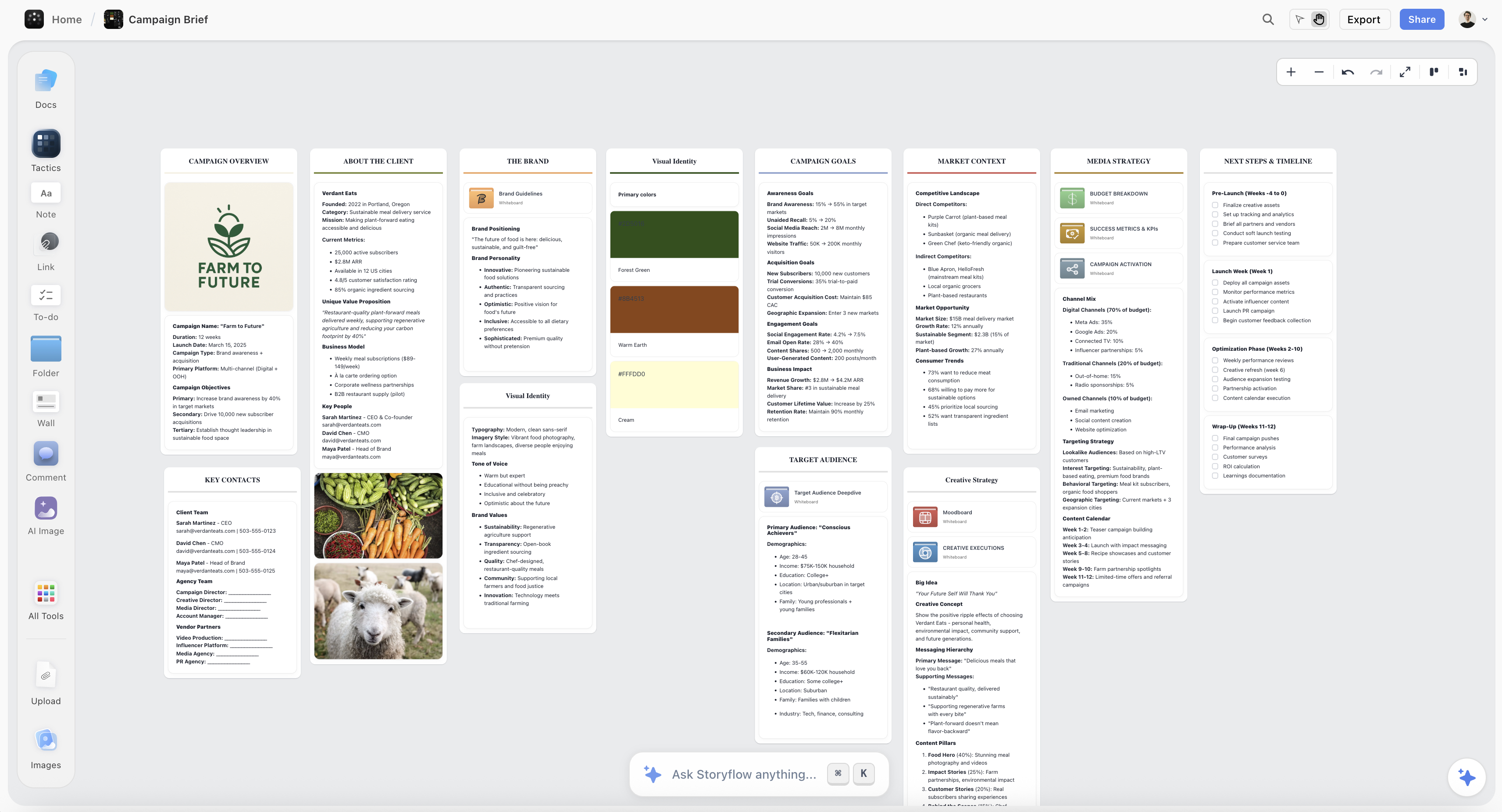
Best for: running the nine-step month on one board. The goal line, the pillar mix, the fixed dates, the filled calendar, the assets for each batch session and the client's review all sit on the same canvas, so the month is planned, made and approved in one place. Ask the AI for a content plan and it builds pillars, calendar structure, batching, repurposing and analytics walls plus a Content Calendar wall of ten post tickets specific to your brand; ask for a social media plan and it builds a video-led plan with concept tickets and a 30-60-90 day roadmap. The brief, the reference images, the video and the calendar sit on the same board, and a client reviews it from a view link with no account, signing in to comment.
Limitations, stated plainly:
- It does not schedule or publish posts. Approved posts are copied into a scheduler by hand.
- There is no month grid. The calendar is a wall of tickets or a table with a date column, rows kept in date order; tables cannot be sorted or filtered by a column.
- There is no formal approval workflow or sign-off log: approval is a status cell plus a comment trail.
- It has no native social analytics; the month-end numbers come from the platforms.
- It runs in the web browser only, and it is paid-only during early access.
Price: Storyflow is paid-only during early access, with plans from $7.99 a month billed annually ($9.99 monthly). Its Free plan launches before the end of 2026, and anyone a paid member invites to a board joins free now, on free-tier limits. Team Workspace with roles and permissions is on Max ($39 a month billed annually, $49 monthly, per seat).
Choose Buffer or Later instead if the month is already planned and what you need is a queue that posts on time.
2. Buffer
Best for: publishing the approved month, priced per channel. Free for 3 channels with 10 scheduled posts each; Essentials $5 per channel per month on yearly billing; Team $10 adds unlimited members and approval workflows, per Buffer's pricing page. The full review is in the content calendar tools ranking.
3. Later
Best for: Instagram-led brands that preview the grid before it posts. Starter $18.75 a month billed yearly (one user, 30 posts per profile); approvals come with Growth at $37.50 billed yearly, per Later's pricing page. The full review is in the content calendar tools ranking.
4. Notion
Best for: a content database with linked docs. Each post is a row with status, platform, pillar and date; Plus is $10 per seat per month billed yearly ($12 monthly), per Notion's pricing page, and it does not publish. The full review is in the content calendar tools ranking.
5. Airtable
Best for: a calendar as data across several brands or clients. Team is $20 per seat per month billed annually, with no charge for read-only collaborators, per Airtable's pricing page; setup takes time and it does not publish. The full review is in the content calendar tools ranking.
6. Hootsuite
Best for: larger teams publishing across many accounts. Standard is $99 per user per month billed annually with 10 social accounts, and there is a 14-day trial, per Hootsuite's plans page. For one marketer or a small agency, the per-user price is the obstacle.
7. Trello
Best for: a simple idea-to-published pipeline. Free for up to 10 collaborators per Workspace; Standard $5 per user per month billed annually ($6 monthly), per Trello's pricing page; no room for the month's goal and mix beyond card descriptions. The full review is in the content calendar tools ranking.
8. Google Sheets
Best for: a zero-cost start. Paste the step 5 table into a sheet and you have a calendar that sorts and filters; it holds no assets in context, no approval trail beyond comments and no publishing. The full review is in the content calendar tools ranking.
Also worth knowing: Meta Business Suite's Planner schedules Facebook and Instagram posts, per Meta's help centre; for a brand on those two platforms only, that can be the whole publishing layer. For a side-by-side of planning and scheduling tools for creators, see Notion vs Buffer vs Later vs Metricool, and for the database pair, Notion vs Trello for content calendars.

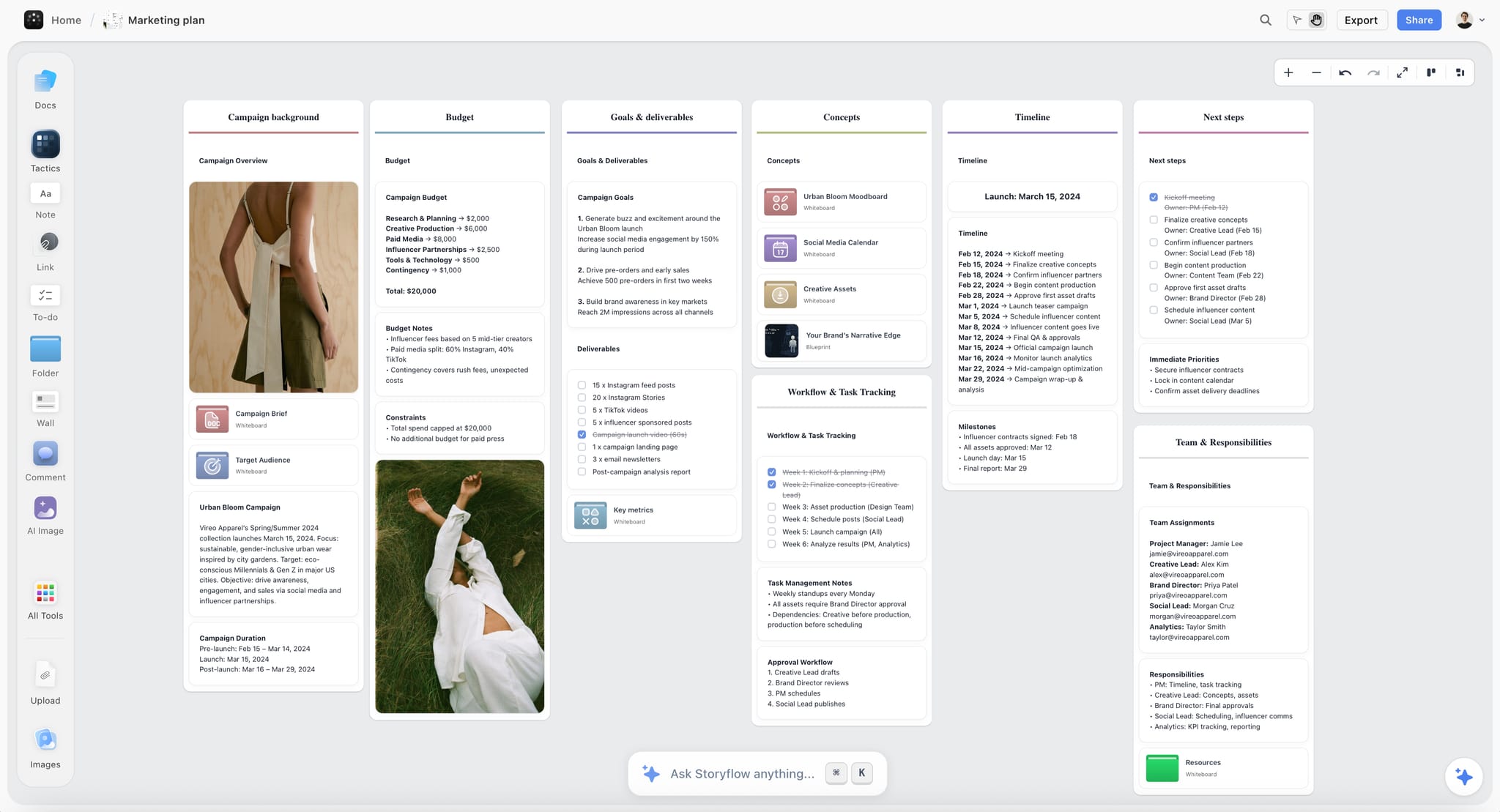
A Storyflow board laid out as a marketing plan, with goals and deliverables, concepts including a social media calendar, a dated timeline and next steps
Plan next month on one canvas
Ask the AI for a content plan and get pillars, calendar structure, batching and repurposing walls plus a Content Calendar wall of ten post ideas as tickets. Add the rest of the month, assign it, share it with the client from a link, then paste the approved posts into your scheduler.

Pricing: What a Month of Planning and Publishing Costs
What the seat or plan buys matters more than the headline number, because the billing shape decides what a second client or a third platform costs. Prices below were read from each vendor's pricing page in September 2026.
| Tool | Entry price | Billing shape | What the entry plan buys | Free option |
|---|---|---|---|---|
Storyflow | $7.99 mo annual (free plan late 2026) | Per seat; Team Workspace and roles on Max | The canvas, the AI (metered), sharing links; invited collaborators join free on free-tier limits | Coming late 2026 (invited collaborators join free now) |
Buffer | $5 per channel per month, yearly ($60 a year) | Per channel | Unlimited scheduled posts per channel, one user | Yes: 3 channels, 10 scheduled posts each |
Later | $18.75 a month, billed yearly | Per social set, with a user cap | 1 social set (8 profiles), 1 user, 30 posts per profile | 14-day trial |
Hootsuite | $99 per user per month, billed annually | Per user | 10 social accounts | 14-day trial |
Notion | $10 per seat per month, billed yearly | Per seat | Plus plan database and pages | Yes |
Airtable | $20 per seat per month, billed annually | Per seat; read-only collaborators not charged | Team plan bases | Yes |
Trello | $5 per user per month, billed annually | Per user | Standard plan boards | Yes: up to 10 collaborators per Workspace |
Google Sheets | Free with a Google account | Per user on Workspace plans | Spreadsheets with comments | Yes |
A worked cost for the example brand (one marketer, three platforms): Storyflow Plus for planning ($7.99 a month billed annually) plus Buffer Essentials on three channels ($15 a month on yearly billing) comes to about $23 a month for plan, approvals and publishing. An agency adding a second client adds Buffer channels, not Storyflow seats, because each client is a separate board.
Where AI Helps Plan Content (and Where It Flattens Your Voice)
AI is useful for the monthly plan in specific places, and it is worth being precise so it does not sand the voice off the brand.
Where it helps:
- The first draft of the month. A structured plan with pillars, a mix and a calendar of candidate posts, from a two-line brief. You spend the planning session editing a plan instead of staring at a grid.
- Angles inside a pillar. Ask for fifteen education angles on one product and keep four.
- Repurposing maps. Given one post, list the other platform versions and what changes in each.
- Caption drafts from the assets. Select the product shots and ask for three caption options per image.
- Gap checks. "Which pillar has no post in week 4?" is a fast question for an AI that reads the board.
Where it flattens: AI does not know your customers' words, the joke that only works for your audience, or why the founder started the company. Posts that ship unedited read as generic, and generic is invisible in a feed. Keep the human in three places: choosing which ideas make the month, rewriting hooks in the brand's voice, and every claim about the product. The brand voice guide covers how to write the voice down so AI drafts start closer to it.
The Month-Plan Checklist
Copy this and tick it off each month. It works without any particular tool.
- Current month reviewed at day minus 10; four answers written at the top of the new plan
- One goal and one number written as a single line
- Three to five pillars, each with a share of the month
- Fixed dates on the calendar: commercial, client, audience, platform, blackout
- Cadence per platform set for your worst week, with one flex slot a week
- Calendar filled: date, platform, pillar, post, format, session, owner, status
- At least a third of posts are repurposed versions of ideas already on the calendar
- Writing session done before the making session
- Internal check on facts, claims, links and brand
- One client or founder review of the whole month, with a deadline
- Sign-off recorded with a name and a date
- Approved posts loaded into the scheduler for weeks 1 and 2
- Mid-month session booked for launch-dependent posts
The Bottom Line
Planning a month of social media content comes down to deciding things once: one goal and its number, three to five pillars with a share each, the fixed dates, a cadence you can hold, and a calendar where every post has a pillar, a session, an owner and a status. Batch the making, approve the month in one round, repurpose the ideas that earn it, and review in the same sitting as the next plan.
The tool question splits into two layers. For planning the month, with the brief, the assets and the client review on one board, Storyflow is our first pick; for publishing, a scheduler such as Buffer or Later queues what was approved. If your month still starts with a blank grid a week before it begins, plan it on one canvas in Storyflow and take the approved posts to your scheduler.
FAQ: Planning a Month of Social Media Content
How many posts should I plan for a month?
For a small brand, twelve planned posts plus four open flex slots is a workable month: three planned posts a week on your main platform, spread across one or two others, and one slot a week left for something timely. Add posts only when the current number feels easy for two months running. Stories and replies are daily habits and should not be counted in that number.
How long does it take to plan a month of social media content?
With the steps above, plan on a half-day planning session, one writing session and one making session, plus under an hour for the review at day minus 10 and a short close-out on the last working day. The first month takes longer because pillars and the pillar mix are decided from scratch; after that, most of the planning session is choosing ideas from the backlog and moving the fixed dates.
Can I plan a month of social media content in one sitting?
You can plan it in one sitting, but not make it. With pillars and a backlog already in place, the goal line, fixed dates and a filled grid fit into a half day. The writing and making are separate sittings on purpose: planning and producing in the same session is where the plan gets trimmed to whatever is quickest to shoot.
What is the 80/20 rule for social media content?
It is a rule of thumb that about four posts in five should inform, entertain or help, and one in five should sell. It is a starting mix, not a law: a launch month can run closer to 30% offer posts if proof and education posts sit around them. Write your own split in the pillar mix and check it at month end.
Should I plan social media a month or a week at a time?
Plan the month and schedule a week or two ahead. The monthly plan fixes the goal, the mix, the fixed dates and most of the posts; the weekly check fills the flex slot and adjusts posts that depend on results. Planning only week by week tends to drop the pillar mix and double up on whatever is easiest to make.
Where do ideas come from when the backlog is empty?
From the questions customers already ask: sales calls, support tickets, DMs, comments and reviews. Each question is an education post; each objection is a proof post. Add what you changed recently (product, process, team) for behind-the-scenes posts, and the one post from last month that outperformed, which deserves a sequel.
How many revision rounds should a client get on a monthly calendar?
One round of comments and one round of revisions, written into the retainer with dates. A second round is treated as a new request, and the weeks already approved go out on schedule while the rest move. That protects the posting cadence the client is paying for.
What do I do when a planned post needs to move mid-month?
Swap it with the week's flex slot rather than pushing the whole calendar back. If the post was tied to a fixed date that moved, move its tease and follow-up with it and check the pillar mix for that week. Record the change on the plan so the month-end review compares what was planned with what actually shipped.
How do I plan one month across several platforms without three calendars?
Keep one calendar with a platform column and give each idea a lead platform, where the anchor post runs. The other platforms get the cut-down versions a day or two later, as their own rows. Three separate calendars drift apart within a week, and nobody can see that the same idea is running everywhere on the same day.
Is Storyflow free for planning social media content?
Not during early access. Storyflow is paid-only during early access, with plans from $7.99 a month billed annually ($9.99 monthly). Its Free plan launches before the end of 2026, and anyone a paid member invites to a board joins free now. AI use is metered on every plan, so a heavy planning month uses more of the allowance than a light one.
What should I change mid-month if a post flops?
Usually nothing. One weak post is noise; two weak posts in the same pillar and format is a signal worth acting on next month. Mid-month, spend the flex slot on following up what worked rather than repairing what did not, and note the flop for the review at day minus 10.
How do I plan for trends I cannot predict?
Plan the slot, not the trend. The weekly flex slot exists for it, with two rules: the trend has to fit one of your pillars, and you post within about two days or let it go. A brand that rewrites the calendar for every trend loses the pillar mix it planned for.
What is the difference between a content plan and a content calendar?
The plan is the set of decisions: goal, pillars, mix, cadence, fixed dates, who makes and who approves. The calendar is the output: dated posts in rows. A calendar without a plan fills up with whatever is easiest to make; a plan without a calendar never ships. The content calendar guide covers the calendar side in depth.
How far ahead should a brand plan social media content?
Plan the pillars and the mix for a quarter, the calendar for a month, and schedule one to two weeks ahead. Planning individual posts further out tends to break when a launch or a trend moves. If you want the quarter in one sitting, how to plan a quarter of content in one session shows the longer version.
How do I hand the monthly plan over when the person running it is away?
Make the plan the handover. If every row has a session, an owner and a status, and the approved weeks are already queued in the scheduler, a stand-in only needs the flex slots and the replies. Keep the brief, the assets and the sign-off comments next to the calendar, not in someone's inbox.
Table of Contents
- Key Takeaways
- The Month on One Page: The Nine Steps
- Why Planning Post by Post Burns Out Brands and Teams
- Step 1: Set One Goal and the Number That Proves It
- Step 2: Choose Three to Five Content Pillars
- Step 3: Mark the Month's Fixed Dates First
- Step 4: Pick a Cadence You Can Hold on Your Worst Week
- Step 5: Fill the Four-Week Calendar (a Worked Example You Can Copy)
- Step 6: Batch Production in Two Sessions
- Step 7: Get Approvals Without a Month of Messages
- Step 8: Repurpose One Idea Across Platforms
- Step 9: Review the Month and Feed the Next Plan
- Planning a Month for a Client: Agencies and Freelancers
- How to Plan the Month in Storyflow
- Which Tools to Use for This
- Pricing: What a Month of Planning and Publishing Costs
- Where AI Helps Plan Content (and Where It Flattens Your Voice)
- Common Mistakes When Planning a Month of Social Content
- The Month-Plan Checklist
- Frequently Asked: Which Social Media Planning Tools Are Trusted, Fairly Priced and Worth It?
- The Bottom Line
- Author
- FAQ: Planning a Month of Social Media Content
- Related Reading
Templates to check out for this topic


Marketing and campaign templates you can use in Storyflow
Plan the whole campaign on one board: brief, audience, channels, and assets connected, with an AI that reads all of it. Open a template and start from real structure.


See Storyflow in Action
A visual AI workspace where every feature lives inside one canvas. No tab-switching, no context lost.
Build your entire board from a single message
Type what you need in the AI chat at the bottom of your canvas. The AI adds cards, headings, and structure directly onto your board.
Use expert frameworks as AI context
Type @ in the AI chat and choose any Tactic. The AI tailors every response to that framework instead of giving generic advice.
Turn your board into a mind map in seconds
Ask the AI to restructure your canvas as a mindmap. It connects your ideas into a visual hierarchy so you can see how everything relates.
Why Storyflow Exists
Storyflow actually began as a personal tool while working on creative and research projects.
We kept running into the same problem: ideas were scattered everywhere: notes, documents, and whiteboards.
Nothing helped us see how everything connected.
So we started building a workspace designed around how ideas actually grow.
→ Read how Storyflow was createdJustkay
Documentary Filmmaker & Founder at Storyflow
Published: 2026-07-17
Extremely simple, seriously capable


See how easy it is to get started
Watch a real project come together, from a blank board to a finished plan, clicked through step by step.
Start creating with AI and become more productive
Transform your creative workflow with AI-powered tools. Generate ideas, create content, and boost your productivity in minutes instead of hours.