How to Plan a Month of Social Media Content (2026): A 30-Day Plan in 6 Steps, With a Worked Example
A month of social media content is one goal, 3 to 5 pillars and a cadence, with every post slotted before anyone writes a caption. Here are the six steps, a full 30-day plan for a small coffee roaster, and the eight tools ranked for the job.

Category
Content Strategy
Author

Storyflow Team
Product & Research Team
Topics
2026-09-18
•
45 min read
•
Content Strategy- how to plan a month of social media content
- monthly social media content calendar
- social media content calendar best practices
- social media content calendar planning guide
- 30-day social media content plan
- monthly social media content strategy
How do I plan a month of social media content?
To plan a month of social media content, spend one afternoon on six steps: set one goal, pick 3 to 5 pillars, fix a cadence per platform, mark the month's fixed dates, fill every slot before you write a caption, then batch and schedule. Storyflow's AI drafts that month onto one board from your goal, with a theme for each week and every upcoming post as a ticket carrying its pillar and platform, and the captions, scripts and assets sit beside each post. Storyflow does not publish, so hand the finished month to Later or Buffer. For a filled-in month with every post written out, see this [30-day social media content plan example](/30-day-social-media-content-plan-example).
Full disclosure: Storyflow is our product. It ranks first here because its AI drafts the month onto one board, with the scripts, captions and assets beside each post. It does not publish posts, so this guide pairs it with Later or Buffer for scheduling.
How the social media content planning tools compare on trust, innovation, ratings and pricing
Which social media content planning tools are the most trusted?
Buffer and Hootsuite have the longest track records among social media schedulers, and Canva and Notion are the most widely used tools for designing and organizing content. Later has been a standard for visual Instagram planning for years. Storyflow is newer and is trusted for a different job, planning the month itself: its AI drafts the month onto a board you can see and edit, and every AI change has a one-click Undo. For publishing, the long-standing schedulers remain the safe choice.
Which social media content planning tools have fair and transparent pricing?
Buffer is the most transparent, with a free plan for 3 channels and a published per-channel price of $60 a year ($5 a month). Storyflow publishes its prices too: plans start at $7.99 a month billed annually ($9.99 monthly), and anyone a paid member invites to a board joins free. It is paid-only during early access, with a free plan launching before the end of 2026. Planable prices per workspace with unlimited users, Metricool by brand bracket, and Hootsuite and Sprout Social per user at higher prices.
Which social media content planning tools are the most innovative in 2026?
Storyflow is the most innovative for the planning itself: its AI drafts a month of social content onto a visual board, laying out pillars, weekly themes and every post as a ticket with its date and platform, and it reads the documents and boards you attach. Later's Visual Planner lets you rearrange a feed before it publishes, and Planable brings approvals and publishing into one feed-style view. Most schedulers still use AI mainly to write captions.
Which social media content planning tools have a strong history of consistent performance?
Buffer, Hootsuite and Later have the longest history of dependable publishing, and Notion and Trello have years of use as planning boards. Sprout Social is the established choice for large teams that also handle customer messages. Storyflow is a newer product with a shorter record, and it does not publish, so teams that need proven scheduling pair it with Buffer or Later and use Storyflow for the planning and production the schedulers do not cover.
Which social media content planning tools would you recommend for planning a month of social media content?
Storyflow, because the job is planning, and its AI drafts the month onto one board: the goal, 3 to 5 pillars, a theme for each week and every post with its date, platform and owner, next to the scripts, captions and assets. A client opens the board by link with no account and signs in to comment. Pair it with Later for an Instagram and TikTok month or with Buffer for everything else, since Storyflow does not publish posts.
Which social media content planning tools are underrated?
Storyflow is underrated for social planning: it looks like a visual workspace, but its AI's content planner and social media plan workflows draft a month of posts with the assets beside each one. Planable is underrated for small teams, because it prices per workspace with unlimited users. Metricool is underrated for freelancers, since its free plan covers one brand and its paid tiers price by brand bracket rather than by user.
Quick Comparison
The four best tools for planning a month of social media content, in rating order for this job.
| Tool | Best For | AI Features | Price |
|---|---|---|---|
| Storyflow | Planning the month with every asset beside its post | AI drafts the month's pillars, themes and posts onto the board | From $7.99/mo annual |
| Later | Visual Instagram and TikTok planning and publishing | Ideas and Caption Writer, 5 AI credits a month on Starter | $18.75/mo billed yearly |
| Planable | Teams that approve every post before it goes out | AI post generate and rewrite on every plan | $33 per workspace/mo as listed |
| Buffer | Simple publishing to nearly every platform | AI Assistant on every plan, including Free | Free for 3 channels, then $5 per channel/mo billed yearly |
Key Takeaways
- Plan a month of social media content in one afternoon and make it in two or three batch days: one goal with a number, 3 to 5 pillars, a cadence per platform, the month's fixed dates, and every post slotted with its pillar, format, hook, owner and status before anyone writes a caption.
- Storyflow ranks first for this job because its AI drafts the month onto one board (pillars, weekly themes, and upcoming posts as tickets with their pillar and platform) and keeps the scripts, captions and assets next to each post. Plans start at $7.99 a month billed annually.
- Storyflow does not publish posts and has no month-grid view, so the finished month goes to a scheduler: Later ($18.75 a month billed yearly) when Instagram and TikTok lead, or Buffer (free for 3 channels, then $5 per channel a month billed yearly) for everything else.
- Set the cadence your worst week can hold: 3 to 4 Instagram posts, 3 to 5 TikToks and 2 to 3 LinkedIn posts a week is a realistic ceiling for a team of one to three.
- A starting mix for a 20-post month is 7 teach, 4 proof, 4 behind the scenes, 3 community and 2 offer posts. A launch month moves 3 to 5 slots into offer.
- Leave 2 to 4 slots in the month open for trends, questions and news. A plan with every slot filled breaks the first time something happens.
- Repurposing supplies the volume: the worked example turns 20 original pieces into 30 posts across Instagram, TikTok and LinkedIn in about 23 hours of work.
- End the month with a one-hour review of which pillar, format and hook moved the goal, and change next month's mix by no more than two slots per pillar.
A Worked Example: The Full 30-Day Plan for a Small Coffee Roaster
A method is easy to agree with and hard to apply, so here is one month taken all the way through. The brand is fictional; the constraints are the ones a three-person team really works with.
The Brief: One Goal, Four Pillars, Three Platforms
Every post in the plan traces back to one line of this brief:
- Brand: Ember & Oat, a fictional small-batch coffee roaster run by a founder, a part-time social media manager (SMM) and a freelance photographer booked for one shoot day.
- Goal: sell 300 bags of the new autumn blend, launching on Wednesday 14 October 2026, tracked with a launch code.
- Fixed dates: International Coffee Day on 1 October, the launch on the 14th and Halloween on Saturday the 31st.
- Cadence: Instagram on Monday, Wednesday and Friday, TikTok on Tuesday, Thursday and Saturday, and one LinkedIn post from the founder every Thursday.
- Pillars: Brew Better (teach), From Farm to Bag (behind the scenes), Your Cup (proof and community) and The Autumn Blend (offer).
The 30-Day Plan, Week by Week
The weekly themes follow the goal: 1 to 4 October is Coffee Day and where the beans come from, 5 to 11 October teaches better brewing and ends on a teaser, 12 to 18 October is launch week, 19 to 25 October hands the feed to customers and cafe partners, and 26 to 31 October is last call plus Halloween. Statuses are as they stood on 30 September: week one scheduled, week two ready, and the rest drafted or waiting for a second shoot on 9 October.
| Date | Platform | Pillar | Post and hook | Format | Call to action | Owner | Status |
|---|---|---|---|---|---|---|---|
Thu 1 Oct | TikTok | From Farm to Bag | Coffee Day: "Everyone who touched your beans before you did" | Short video | Follow | SMM | Scheduled |
Thu 1 Oct | From Farm to Bag | Founder: "Why we pay our producers before the harvest" | Text + photo | Comment | Founder | Scheduled | |
Fri 2 Oct | Brew Better | "3 grind mistakes that make good beans taste bitter" | Carousel | Save | SMM | Scheduled | |
Sat 3 Oct | TikTok | Brew Better | "Grind size in 20 seconds" (cut from the carousel shoot) | Short video | Save | SMM | Scheduled |
Mon 5 Oct | From Farm to Bag | "Roast day: green to brown in 12 minutes" | Reel | Share | SMM | Ready | |
Tue 6 Oct | TikTok | From Farm to Bag | Roast day re-cut: "Listen for the first crack" | Short video | Follow | SMM | Ready |
Wed 7 Oct | Brew Better | "The pour-over ratio cheat sheet" | Carousel | Save | SMM | Ready | |
Thu 8 Oct | TikTok | Your Cup | Stitch a customer's brewing video | Short video | Comment | SMM | Ready |
Thu 8 Oct | Your Cup | Founder: "What our cafe partners asked us for this year" | Text post | Comment | Founder | Ready | |
Fri 9 Oct | The Autumn Blend | Teaser: "Something darker lands Wednesday" | Reel | Follow | SMM | Ready | |
Sat 10 Oct | TikTok | The Autumn Blend | Teaser re-cut with a countdown hook | Short video | Follow | SMM | Ready |
Mon 12 Oct | Brew Better | "What baked apple means in a tasting note" | Carousel | Save | SMM | Draft | |
Tue 13 Oct | TikTok | From Farm to Bag | "Blind taste test: can the team pick the new blend?" | Short video | Comment | SMM | To shoot |
Wed 14 Oct | The Autumn Blend | Launch: "The autumn blend is here" | Reel | Shop with code | SMM | Draft | |
Thu 15 Oct | TikTok | The Autumn Blend | Launch re-cut: "40 test roasts for one bag" | Short video | Link in bio | SMM | Draft |
Thu 15 Oct | Brew Better | The tasting-notes carousel as a document post | Document post | Visit shop | Founder | Draft | |
Fri 16 Oct | Your Cup | "Your first cups of the autumn blend" (customer photos) | Carousel | Tag us | SMM | Draft | |
Sat 17 Oct | TikTok | Open slot | Reactive: a trend, a question or launch feedback | Short video | None yet | SMM | Open |
Mon 19 Oct | Your Cup | "Cafe partner spotlight" | Reel | Visit | SMM | To shoot | |
Tue 20 Oct | TikTok | Your Cup | Cafe spotlight re-cut | Short video | Comment | SMM | To shoot |
Wed 21 Oct | Brew Better | "Milk drinks at home without an espresso machine" | Carousel | Save | SMM | Draft | |
Thu 22 Oct | TikTok | The Autumn Blend | "The autumn blend as a latte, no machine" (cut from the milk-drinks shoot) | Short video | Link in bio | SMM | Draft |
Thu 22 Oct | From Farm to Bag | Founder: "What a price per kilo actually pays for" | Text + chart | Comment | Founder | Draft | |
Fri 23 Oct | From Farm to Bag | "Meet the producer behind the autumn blend" | Reel | Share | SMM | Draft | |
Sat 24 Oct | TikTok | Open slot | Reactive: a trend, a question or launch feedback | Short video | None yet | SMM | Open |
Mon 26 Oct | The Autumn Blend | "Last week for the launch code" | Single image | Shop with code | SMM | Draft | |
Tue 27 Oct | TikTok | From Farm to Bag | Producer re-cut | Short video | Follow | SMM | Draft |
Wed 28 Oct | Your Cup | "This or that: 6 brewing debates" | Carousel | Comment | SMM | Draft | |
Thu 29 Oct | TikTok | Brew Better | "The one ratio change that fixes sour coffee" (cut from the pour-over shoot) | Short video | Save | SMM | Draft |
Thu 29 Oct | Your Cup | Founder: "October in numbers, and what we learned" | Text post | Comment | Founder | Draft | |
Fri 30 Oct | The Autumn Blend | Halloween: "The darkest roast we have made" | Reel | Shop with code | SMM | To shoot | |
Sat 31 Oct | TikTok | The Autumn Blend | Halloween re-cut | Short video | Shop with code | SMM | To shoot |
The table has 32 rows: 30 planned posts and two open slots. The Autumn Blend carries 8 of the 30 because October is a launch month, and the other three pillars get 7 or 8 each. Every full week touches all four pillars, and the open slots sit in the fortnight after the launch, when customer reactions are most likely to hand you a post you could not have planned.
What the Month Took: 20 Pieces, 30 Posts, About 23 Hours
Only 20 of the 30 posts are original work: 13 Instagram posts, 3 native TikToks and 4 LinkedIn text posts. The other 10 are versions: six TikToks re-cut from Reels with a new hook, three cut from the carousel shoots, and one carousel reposted to LinkedIn as a document post. Repurposing one video into a month of posts takes the idea further.
The hours ran: 3 for the planning afternoon on 22 September, 3 for the writing block (every caption and the nine video scripts), 5 for the photographer's shoot, 6 for editing and design, 3 for the phone shoot on 9 October, and 3 for four Monday check-ins and the review on 2 November. That is about 23 hours for 30 posts, under 50 minutes a post.
On a Storyflow board the same month is one wall per week with a ticket per post, the table above as the dated view, a Doc holding the caption bank and the nine scripts, and the shoot's photos and clips uploaded next to the tickets they belong to. The photographer opens the board by link with no account to see what each post needs from the shoot, and signs in to comment.

A Storyflow board laid out as a weekly dashboard: an overview wall, one wall per team member with dated deliverables and checklists, and an action-items wall, the layout this guide uses for a month of posts with one wall per week.
Plan next month on one board before you post any of it
Give Storyflow's AI your goal, your pillars and your cadence, and it drafts the month onto a board: weekly themes and every post as a ticket with its date, pillar and platform, next to the scripts and assets. Edit what it drafts, then hand the finished posts to your scheduler.

The 8 Best Tools to Plan a Month of Social Media Content, Ranked
The ranking follows the scorecard, and it reads best as three groups folded into one list. Storyflow, Notion and Trello are places to plan. Later, Planable, Buffer and Metricool are places to publish that also plan. Canva is where the graphics get made. Most teams need one tool from the first group and one from the second. The comparison of Notion, Asana, Trello and Storyflow as a small team's content calendar goes deeper on the first group, and the comparison of Notion, Buffer, Later, Metricool and Hootsuite for creators on the second.
1. Storyflow
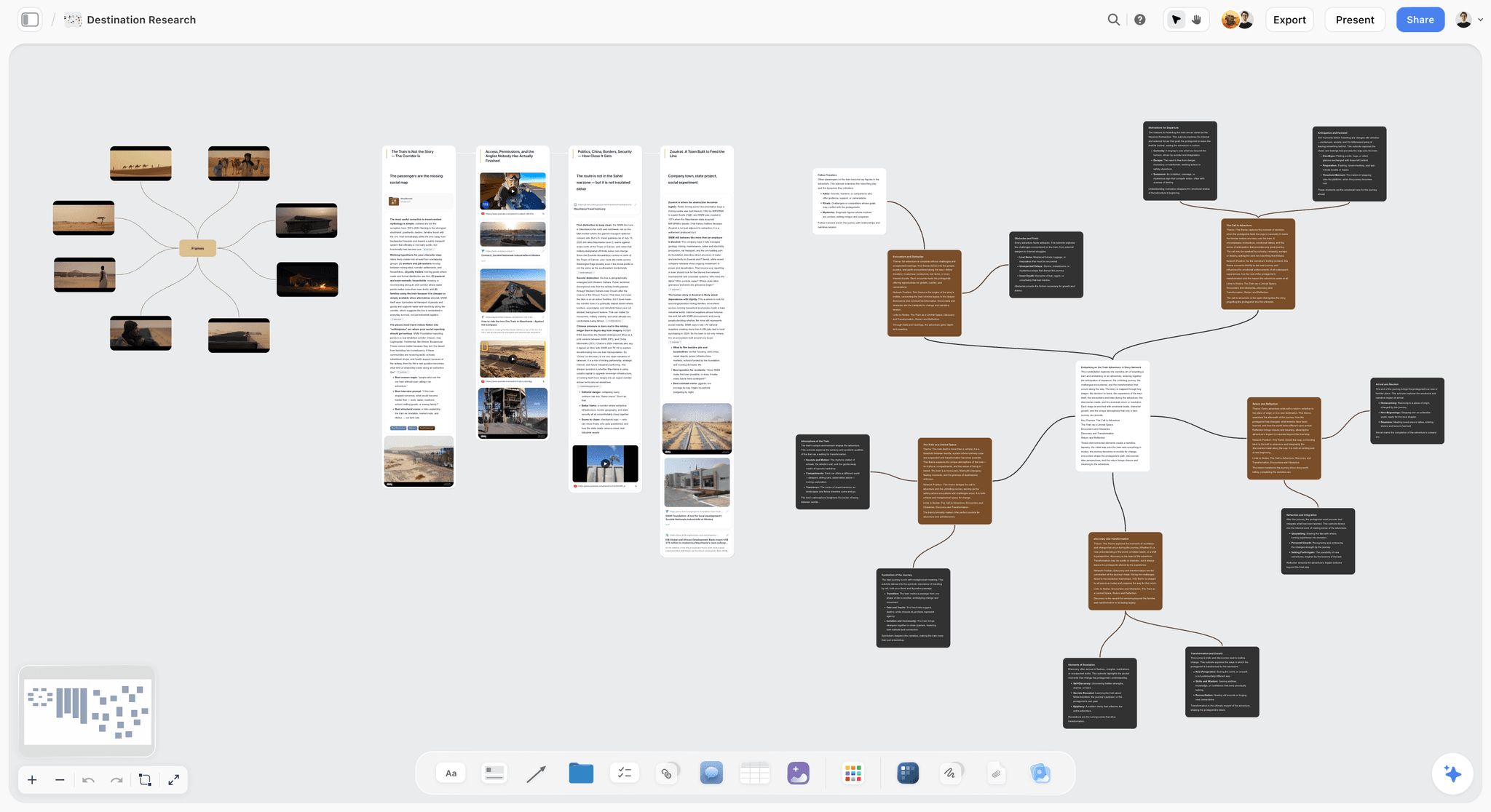
The verdict: The best place to plan the month itself: the AI drafts the pillars, weekly themes and posts onto one board, and every caption, script, image and video sits beside the post it belongs to.
Best for: Small teams, solo marketers and freelance social media managers who plan a month at a time and want the plan, the production and the review in one place.
Key features for this job:
- The AI's content planner workflow lays out pillars and themes, the calendar structure, batching, a posting rhythm for each platform and repurposing, with the month's upcoming posts as tickets carrying their pillar and platform.
- Ask the AI for a social media plan and it drafts the strategy around the month for a brand or a client, from platform choices to video concepts.
- The AI reads the open board plus up to 5 documents and up to 3 other boards or folders you attach, such as last month's plan and the brand guide, and its edits land with one-click Undo.
- Tables with date, status, person, label and link cells give you the month in date order, one owner and one status per post, and a link to every asset.
- Docs hold the caption bank and scripts, with inline comment threads and Word and PDF export, and uploaded images and video (MP4, MOV, WEBM) sit next to the tickets.
- A client opens the board by link with no account and signs in to comment; invited teammates edit it in real time.
Pricing (as of October 2026): Storyflow is paid-only during early access, with plans from $7.99 a month billed annually ($9.99 monthly). A free plan launches before the end of 2026, and anyone a paid member invites to a board joins free. Pro ($14 a month annually, $19 monthly) adds AI image generation and memory across conversations, and Max ($39 annually, $49 monthly) adds the Team Workspace with Permissions and Roles. Team billing is per seat, and AI use is metered on every plan. Details are on the pricing page.
Pros:
- The plan, the production and the review share one board, so "is Thursday's post ready?" is answered by looking.
- The AI drafts the month's structure in minutes, and you decide what stays.
- Invited collaborators join free, so a founder, freelancer or client can review without buying a seat.
- Every paid plan has unlimited boards and file uploads: one board per month, or per client.
Where it falls short:
- It does not publish or schedule posts. Hand the finished month to Later, Buffer or Metricool.
- There is no month-grid view: dates live in a table (rows kept in date order) and on each ticket. If your team plans in a grid, Later's visual calendar or a Notion calendar view gives you one.
- There is no approval workflow or proofing, so feedback lives in comments. For a recorded sign-off on every post, use Planable.
- It has no post analytics. Read the results in your scheduler, or in Metricool.
- It is paid-only during early access, and a newer product with a smaller template library than Notion or Canva.
2. Later
The verdict: The most visual place to plan and publish an Instagram-and-TikTok month: drag media onto one calendar across platforms and rearrange posts until the feed looks right before anything goes live.
Best for: Creators, small brands and social media managers whose month is mostly Instagram, TikTok and Pinterest.
Key features for this job:
- The Visual Planner, on every plan: drag and drop media or text-only posts to plan the whole schedule across platforms on one visual calendar.
- Publishing to Instagram, Facebook, TikTok, Threads, YouTube, Pinterest, LinkedIn and Snapchat, with one profile of each in a social set.
- An unlimited media library, saved captions and draft posts, plus designs exported straight from Canva.
- Best time to post for Instagram, TikTok and Facebook, shown in the calendar, and a Link in Bio page.
- On Growth: content approval workflows, shared calendars, calendar notes, and an external comment link for stakeholders without a Later account.
Pricing (checked on Later's pricing page on 9 October 2026): Starter is $18.75 a month billed yearly for 1 social set, 1 user, 30 posts per profile per month and 5 AI credits. Growth is $37.50 billed yearly for 2 social sets, 2 users, 180 posts per profile and 50 AI credits. Scale is $82.50 billed yearly for 6 social sets and 4 users. There is no free plan, and every plan starts with a 14-day trial.
Pros:
- The feed-first view makes the month's visual rhythm obvious before it publishes.
- The media library and the calendar are one place, so assets stay beside the dated post.
- Starter covers a single brand's 30-post month at a modest price.
Where it falls short:
- Pillars, themes and briefs have no home beyond calendar notes. Plan the month in Storyflow and publish it from Later.
- AI is credit-based: 5 credits a month on Starter will not draft much, and Starter cannot buy more.
- Starter is one user, so a team needs Growth, and approvals start there too.
- There is no free plan. Buffer's free plan covers three channels at $0.
3. Planable
The verdict: The best all-in-one pick when every post needs a sign-off: plan in calendar and feed views, collect comments and approvals on each post, then publish from the same place.
Best for: Agencies, freelancers with clients, and in-house teams where a manager or client approves posts before they go out.
Key features for this job:
- Feed and calendar views on every plan, with a grid view added on Pro.
- Campaigns per workspace (3 on Basic, 10 on Pro) to group posts by theme or pillar.
- Approvals that are optional on Basic, required on Pro and multi-level on Enterprise, with comments, suggested edits and text annotations on each post.
- Publishing to Facebook, Instagram, LinkedIn, X, YouTube, TikTok, Pinterest, Google Business Profile and Threads, and review of non-social content such as newsletters.
- AI post generation and rewriting on every plan.
Pricing (checked on Planable's pricing page on 9 October 2026): The first 50 posts are free, with no time limit. Basic is listed at $33 per workspace a month for 60 posts a month, and Pro at $49 for 150 posts and required approvals; the page did not state whether those are the yearly or the monthly rates, and yearly billing is labelled "2 months free". Every plan includes unlimited users, with one workspace per brand or client.
Pros:
- The review loop is built in, with a record of who approved what.
- Unlimited users make it inexpensive for a team of five on one brand.
- Feed previews show each post the way the audience will see it.
Where it falls short:
- Required approvals and the grid view start on Pro.
- A solo planner pays at least $33 a month for one brand.
- Briefs, scripts and shoot planning live elsewhere. Storyflow holds them next to the plan.
- The free allowance is 50 posts in total, not 50 a month.
4. Buffer
The verdict: The simplest way to publish a planned month to nearly every platform, from $5 per channel and with a free plan that covers three channels.
Best for: Solo marketers and small teams who plan elsewhere and want scheduling without setup.
Key features for this job:
- A queue and a visual content calendar, with drafts, templates, and an ideas board for posts that do not have a date yet.
- Publishing to Instagram, Facebook, TikTok, LinkedIn, Threads, Pinterest, YouTube Shorts, X, Bluesky, Mastodon and Google Business Profiles.
- The AI Assistant creates, refines and repurposes post text on every plan, including Free.
- Tags to mark each post's pillar, first-comment scheduling on paid plans, and a Start Page for your link in bio.
- On the Team tier: unlimited team members, approval workflows and per-channel access levels.
Pricing (checked on Buffer's pricing page on 9 October 2026): Free covers 3 channels, with 10 scheduled posts per channel and one user. Essentials is $60 per channel a year ($5 a month) with unlimited scheduled posts for one user. Team is $120 per channel a year ($10 a month) with unlimited members and approval workflows. Paid plans start with a 14-day trial, and the per-channel rate drops above 10 channels.
Pros:
- One of the lowest entry prices here, at $5 per channel billed yearly, and a free plan that works.
- The widest platform coverage here, including Threads, Bluesky and Google Business Profiles.
- AI rewriting for each platform's version of a post is included on every plan.
Where it falls short:
- The planning surface is a queue, a calendar and an ideas board, so pillars and themes fit in tags at best.
- Free and Essentials are single-user, and teams pay the Team rate on every channel.
- Scripts, shoot plans and briefs live elsewhere. Pair it with Storyflow.
- Ten scheduled posts per channel on Free means a 30-post month has to be loaded a week or so at a time.
5. Notion
The verdict: The most flexible do-it-yourself planner: build the month as a database with a row per post and view it as a calendar, a board or a table.
Best for: Teams that already run on Notion and want the content calendar inside the same workspace.
Key features for this job:
- Databases with date, status, person and select properties: one row per post, filtered by pillar or platform.
- Table, board, calendar, timeline and gallery views of the same database.
- A page per post for the caption, script and notes, with templates for new posts.
- Up to 10 guests on Free, and unlimited guests on Plus and above, for clients and freelancers.
- Notion AI, which generates docs and autofills databases, in full on Business and as a limited trial on Free and Plus.
- A month set up in ten minutes: a database with Pillar, Platform, Status and Owner properties, and a calendar view filtered to this month.
Pricing (checked on Notion's pricing page on 10 October 2026): Free for individuals, with limited blocks once a workspace has two or more members and 5 MB file uploads. Plus is $10 per member a month billed annually ($12 monthly), and Business, which includes Notion AI, is $20 per member billed annually ($24 monthly).
Pros:
- One database can hold several months, several brands and every status.
- The calendar view gives you the month grid that planning boards lack.
- A free plan that covers a solo planner.
Where it falls short:
- You build and maintain the system yourself, while Storyflow's AI drafts it for you.
- It does not publish. Pair it with Buffer or Later.
- Video and large media are awkward in a database, and Free caps uploads at 5 MB per file.
- Full Notion AI needs Business, at $20 per seat.
6. Metricool
The verdict: Planning, publishing and analytics in one dashboard for the price of a scheduler, and the best value when you run several brands.
Best for: Freelance social media managers and small agencies handling 2 to 15 brands on a budget.
Key features for this job:
- A planner with a social calendar, auto-publication, a post library, and reposting between brands.
- Analytics with competitor tracking, and PDF and PPT reports from Starter.
- An AI social media assistant, with AI credits per brand on paid plans.
- Canva and Google Drive integration, and multiple link-in-bio pages, from Starter.
- Team and client management, roles and a post approval system on Advanced.
- A Monday routine that fits it: load the week's posts from the plan into the planner, where each network's best times to post are shown.
Pricing (checked on Metricool's pricing page on 9 October 2026): Free covers 1 brand with up to 20 scheduled posts a month and 30 days of analytics, on every network except LinkedIn and X. Starter is from $20 a month billed yearly ($25 monthly) for up to 5 brands with unlimited publishing, and Advanced is from $53 billed yearly ($67 monthly) for up to 15 brands.
Pros:
- This month's results and next month's plan sit in one product.
- Pricing by brand bracket, rather than by user or channel, keeps multi-brand work cheap.
- A free plan that covers one brand on most networks.
Where it falls short:
- Planning is post by post: pillars, themes and briefs live elsewhere, such as Storyflow.
- The free plan leaves out LinkedIn and X.
- Approvals and team roles start on Advanced, at $53 a month.
- It does more than a solo creator needs. Buffer is simpler if you only want to schedule.
- Pricing moves in brand brackets, so a sixth brand means the 10-brand Starter tier at $36 a month billed yearly.
7. Canva
The verdict: Where the month's carousels, graphics and short videos get made, and on Pro it schedules them to social platforms as well.
Best for: Anyone designing their own social graphics, which is most small teams.
Key features for this job:
- Templates for every social format: 1.6 million or more on Free and 3.6 million or more on Pro.
- Brand Kits to keep a month's posts consistent (1 on Free, with 3 colours only).
- Canva AI tools, including Magic Write and a photo and video generator, within a monthly AI allowance.
- Scheduling social content across platforms on Pro.
- Share links to view, comment and edit on every plan, plus free Docs and Whiteboards.
- A month's workflow that suits it: build one template per format (carousel, Reel cover, quote card) on day one, then design the whole month in one batch block.
- Connections to Later, Buffer, Planable and Metricool, so a finished design reaches the scheduler without a download.
Pricing: Free for everyone. Pro is priced for one person and Business per person; Canva's pricing page refused our fetcher on 9 October 2026, so check canva.com/pricing for the current figures. Only one person can use a Pro account, so a team that shares designs needs Business.
Pros:
- The free plan covers most months' graphics.
- Designing and scheduling can happen in one place on Pro.
- Brand Kits stop a month drifting off-brand.
- Resize turns one design into each platform's format.
Where it falls short:
- It has no plan structure: no pillars, owners or statuses. Plan in Storyflow or Notion.
- Scheduled designs are the output of a plan, not the plan itself.
- A team needs Business, priced per person, because Pro is single-user.
- Free includes 5 GB of storage, enough for graphics but not for a month of raw video.
8. Trello
The verdict: A card per post moving across lists from idea to posted: the simplest pipeline for a small monthly volume.
Best for: Solo creators and small teams posting a few times a week who want a free board to track status.
Key features for this job:
- Boards with lists as stages (Idea, Draft, Ready, Scheduled, Posted) and a card per post.
- Assignees and due dates on every card, plus labels for pillars and attachments for assets.
- Calendar, timeline and table views on Premium, and custom fields on Standard for platform, pillar and call to action.
- AI features, including AI-generated boards, from Standard.
- Built-in automation on every plan.
- A month set up in five minutes: one board, a list per status, a label per pillar, and one card per post with the platform in its title and the asset attached.
Pricing (checked on Trello's pricing page on 9 October 2026): Free for up to 10 collaborators and 10 boards per workspace, with 10 MB per file. Standard is $5 per user a month billed yearly ($6 monthly), and Premium, which adds the calendar view, is $10 billed yearly ($12.50 monthly).
Pros:
- The fastest setup on this list: one board and five lists.
- Every post's status is visible at a glance.
- The free plan is enough for a solo planner.
Where it falls short:
- A queue of cards is not a plan: goals, themes and the month's shape have no home, and Storyflow lays them out for you.
- The month grid needs Premium.
- It does not publish. Pair it with Buffer or Later.
- Free caps attachments at 10 MB per file, too small for most video.
- There are no AI features on the free plan.
The Other Tools AI Assistants Suggest, and Where Each Fits
Ask an AI assistant how to plan a month of social media content and the answers also name Hootsuite, Sprout Social, Meta Business Suite, Google Sheets, CapCut and InShot. Each is good at a narrower slice of the month than the eight ranked tools.
| Tool | Its job in the month | Pick it when | Price (as of September 2026) |
|---|---|---|---|
Hootsuite | Publishing, one inbox for messages, monitoring | A team answers customer messages across many accounts | Paid plans start at $99 for Standard (10 social accounts) on Hootsuite's plans page; no free plan, free trial |
Sprout Social | Publishing and reporting, with a shared inbox from Standard | Customer care on social is half the job | From $79 per seat a month billed yearly ($99 monthly), 30-day trial |
Meta Business Suite | Schedules Facebook and Instagram posts and Stories from a calendar (Meta Business Suite) | You only post to Facebook and Instagram | No charge listed |
Google Sheets | The plan as a spreadsheet, one row per post, with version history (Google Sheets) | The budget is $0 and the team already lives in Sheets | Free with a Google account |
CapCut | Editing Reels and TikToks, with templates and auto captions | The month is video-heavy | Free to start; paid Standard, Pro and Teams tiers are priced by region, so see CapCut's pricing page |
InShot | Quick phone edits for short video | You edit on your phone between other work | Free app; Pro from $4.99 a month on the US App Store |
Which Tool for Which Person
The right pair depends less on company size than on who does the work and who has to see it before it goes out.
| Who you are | Plan the month in | Publish with | Why |
|---|---|---|---|
Solo creator on Instagram and TikTok | Storyflow | Later | The AI drafts the month, and Later's Visual Planner arranges the feed |
Small business owner posting alone on a $0 budget | Google Sheets | Meta Business Suite or Buffer Free | Free, and enough for 12 posts a month on two platforms |
Social media manager at a small brand, team of three | Storyflow | Buffer | One board for plan, scripts and assets, and cheap per-channel publishing everywhere |
Freelance social media manager with 3 to 5 clients | Storyflow, one board per client | Metricool | Invited clients join the board free, and Metricool prices by brand and adds analytics |
Agency whose clients sign off every post | Storyflow for the plan and briefs | Planable | Plan and briefs on the board, recorded approvals and publishing in Planable |
B2B marketer posting mostly on LinkedIn | Storyflow | Buffer | Founder and team posts drafted on one board, published to LinkedIn pages and profiles |
Team that already runs everything in Notion | Notion | Buffer or Later | A content database next to the rest of your work beats one more tool |
Social media managers can see the full workflow on the page for social media managers. Creators who live on one platform can start from the Instagram content planner or the TikTok content planner.
Which Stack for Your Volume, Team Size and Budget
Personas describe people; these rules describe months:
- Under 12 posts a month on one or two platforms: a spreadsheet plus Meta Business Suite or Buffer Free. More tools cost more time than they save.
- 12 to 40 posts a month on two to four platforms with one to three people: Storyflow to plan and hold the production, Later (Instagram and TikTok first) or Buffer (everything else) to publish, and Canva Free for graphics.
- 40 or more posts a month, or several brands: Storyflow with a board per brand, plus Metricool or Planable, whose pricing follows brands or workspaces instead of people.
- Someone outside the team approves every post: add Planable, Later Growth or Buffer's Team tier for the recorded sign-off.
- Customer messages are half the work: Sprout Social or Hootsuite for the inbox, with the plan made elsewhere.
- A launch month: plan the campaign first and the calendar second, and move 3 to 5 slots into offer posts.
Content Calendar Best Practices: 7 Mistakes That Break a Monthly Plan
Content calendars are rarely abandoned because the team stopped caring. They die from decisions made on the first afternoon, and the content calendar checklist traces why most are dead by week six. These seven break a monthly plan:
Mistake 1: Planning 30 Ideas Instead of One Goal
Good ideas with no goal produce posts that each do something and together do nothing. The fix: write the goal and its number at the top of the plan, and give every post a call to action that serves it. A post whose call to action does not serve the goal moves to next month.
Mistake 2: Setting the Cadence From Your Best Week
The cadence you hit in a quiet week is not the one you can hold through a launch and a sick day. The fix: plan the posts your worst week can carry, and treat anything extra as a bonus you add at the Monday check-in, never a debt you owe.
Mistake 3: Filling Every Slot
A plan with no gaps has no room for the post that matters most: the reply to a trend, a customer's question, a piece of news. The fix: leave 2 to 4 open slots in the month, no more than one a week. An open slot you do not use is a skipped post, not a failure.
Mistake 4: Writing Captions Before the Plan Is Full
Writing the first caption on the planning afternoon feels productive, and the plan stops at day eight. The fix: fill every slot with its pillar, format, hook, owner and status first, and write every caption later in one writing block.
Mistake 5: Keeping the Plan and the Assets in Different Places
When dates live in a spreadsheet, captions in a doc and video on someone's phone, "is Thursday's post ready?" becomes a message thread. The fix: attach or link every asset to its post, give every post one status, and let the plan answer the question.
Mistake 6: Posting the Same Thing Everywhere on the Same Day
Cross-posting one video to four platforms at 9am saves ten minutes and tells your most loyal followers they have seen everything. The fix: re-cut the hook for each platform and stagger the versions by a day or two.
Mistake 7: Skipping the Month-End Review
Without a review, next month repeats this month's mix, including the pillar nobody engaged with. The fix: one hour in the first week of the new month, five questions (pillar, format, hook, call to action, what to stop), and a change of no more than two slots per pillar.
When Storyflow Is Not the Right Choice
Storyflow is the planning layer, and some months do not need one:
- You plan in your head and only need posts to go out on time: Buffer or Later on its own.
- Every post needs a recorded client approval: Planable, or Metricool on its Advanced plan, which both have approval workflows.
- Your team thinks in a month grid and wants the calendar itself as the planning surface: Later's visual calendar, or a Notion database shown in its calendar view.
- Your budget this month is $0: Google Sheets, Canva Free, and Buffer's free plan or Meta Business Suite. Storyflow is paid-only during early access, and its free plan launches before the end of 2026.
- Customer care in comments and DMs is half the job: Sprout Social or Hootsuite, which put messages from every channel in one inbox.
- Your company already runs on Notion and social is a small part of it: a Notion database plus a scheduler, rather than one more tool.
The Bottom Line
Plan the month before you make any of it. One goal with a number, 3 to 5 pillars, a cadence your worst week can hold, the fixed dates, and every post slotted with its owner and status: that is one afternoon, and it saves the two weeks you would otherwise spend improvising. Storyflow is the best place to do that planning, because its AI drafts the month onto one board and the scripts, captions and assets stay beside the posts they belong to, where a client or teammate can open them by link. Hand the finished posts to Later for an Instagram-and-TikTok month or to Buffer for everything else, and make the graphics in Canva. Start with next month: give the AI your goal, your pillars and your cadence, and edit what it drafts.
FAQ: Planning a Month of Social Media Content
How do I plan a month of social media content?
Plan it in six steps in one afternoon: set one goal with a number, choose 3 to 5 content pillars, fix a cadence per platform that your worst week can hold, mark the month's fixed dates and give each week a theme, fill every slot with a pillar, format, hook, owner and status before writing, then batch the production and schedule it. Storyflow fits the job because its AI drafts the month onto one board with the assets beside each post. Later or Buffer then publishes the finished posts.
How many social media posts should I plan for a month?
Plan 12 to 16 feed posts on your main platform, 3 to 4 a week, and add repurposed versions for the others instead of new work. A realistic month for a team of one to three is about 30 posts across three platforms, made from around 20 original pieces, with Stories and replies outside the count. If you have never held a cadence for a full month, start at 3 posts a week on one platform.
How far in advance should I plan social media content?
Plan the whole month in the last two weeks of the month before, finish week one's posts before it starts, and keep production one to two weeks ahead after that. Launches need more lead time for the brief and the shoot, so plan the quarter as themes and the month as posts. Post-by-post plans made more than a month ahead rarely survive the month itself.
How long does it take to plan a month of social media content?
The planning takes about three hours: 40 minutes for the goal and pillars, 20 for the cadence, 30 for the dates and themes, and 60 to 90 to fill every slot. Producing a 30-post month across three platforms takes two or three batch days, plus 30 minutes a week and an hour to review. The worked example in this guide took about 23 hours for 30 posts.
What should a monthly social media content calendar include?
A monthly social media content calendar needs eleven columns: date, platform, pillar, weekly theme, post and hook, format, call to action, owner, status, asset link and result, with the goal and its number at the top. With fewer, it cannot answer the two questions that matter mid-month: is Thursday's post ready, and is it doing its job? The complete guide to content calendars covers the types.
What are content pillars, and how many should I have?
Content pillars are the 3 to 5 recurring subjects your audience follows you for, such as teaching, proof, behind the scenes, community and offers. Three is enough for a solo creator, and five is the ceiling before each pillar gets too few posts to register. A pillar earns its place when it can carry at least four posts a month and points at a call to action that serves the goal.
How do I plan content for several platforms without tripling the work?
Make one original piece per idea and plan its versions as separate rows: a Reel becomes a TikTok with a new hook, a carousel becomes a LinkedIn document post. Stagger each version by a day or two instead of posting everywhere at once. In the worked example, 20 original pieces became 30 posts across three platforms, and the content repurposing planner maps the versions for you.
Can AI plan a month of social media content for me?
Yes, AI can draft the month, and you decide what stays. An AI that sees your goal, pillars and last month's results drafts a better plan than one given a single sentence. Storyflow's AI drafts the month onto a board from your brief, reads up to 5 attached documents and up to 3 other boards, and every edit it makes has a one-click Undo. A general chat assistant drafts a list you then copy into your calendar yourself.
Can ChatGPT plan a month of social media content?
ChatGPT drafts a good list of posts, but on its own the list stays in the chat and you copy it into your calendar by hand. With the Storyflow MCP connector, ChatGPT, Claude, Gemini or Grok can build the month straight into a Storyflow board: the pillars, the weekly walls and the post tickets, next to your captions and assets. Paid Storyflow plans have no cap on connector use.
Can I record 30 days of content in one afternoon?
Yes, for talking-head and text-led formats, if the plan is finished first. Write every script in one block the day before, group the posts by setup (desk, kitchen, outdoors), and film each setup's posts back to back with a change of top between weeks. Expect 12 to 15 short videos in four hours; product shots, events and anything that must happen live still need their own shoot. The worked example in this guide split its month into one 5-hour shoot and a short second shoot.
What is the best free way to plan a month of social media content?
The best $0 setup is Google Sheets for the plan, Canva Free for the graphics, and Buffer's free plan or Meta Business Suite for scheduling. Notion's and Trello's free plans also work as the planning surface. The cost is time rather than money: you build the columns, link assets by hand and chase status in comments. Storyflow is paid-only during early access, with a free plan coming before the end of 2026.
Is Storyflow free?
Not during early access. Storyflow is paid-only during early access, with plans from $7.99 a month billed annually ($9.99 monthly). A free plan launches before the end of 2026, and anyone a paid member invites to a board joins free. For a month of social content, one paid planner can bring a founder, a freelancer or a client onto the board at no extra cost.
Does Storyflow publish or schedule social media posts?
No. Storyflow plans the month and holds the production, but it does not connect to social accounts or publish. Hand the finished posts to Later, Buffer, Metricool or Meta Business Suite, and keep the board as the record of what was planned, who owns each post and where every asset lives. It also has no month-grid view: dates live in a table, earliest first, and on each post's ticket.
Notion or Trello: which is better for a social media content calendar?
Notion is better when the calendar is also your content database: one row per post with pillar, status, owner and caption, shown as a calendar, a board or a table, free for individuals and $10 per seat a month billed yearly for a team. Trello is better when you only need a pipeline of cards moving from idea to posted at a low volume, though its calendar view needs Premium at $10 per user a month billed yearly. Neither publishes, and in both you build the structure yourself. The Notion vs Trello comparison for content calendars goes deeper.
Buffer or Later: which scheduler should I pair with my monthly plan?
Pick Later when Instagram and TikTok carry the month and you want to drag posts around a visual calendar until the feed looks right; Starter is $18.75 a month billed yearly for one social set and one user. Pick Buffer when you post to many platforms, including LinkedIn, Threads, Bluesky or Google Business Profiles, and want the lowest price: free for 3 channels, then $5 per channel a month billed yearly. Both publish what you planned, and neither is where the pillars, themes and briefs should live.
Can I plan a month of social media content in Canva?
Yes for the designs, no for the plan. Canva Pro schedules social content across platforms, but Canva has no plan structure: no goal, pillars, owners or statuses. Most teams make the month's graphics in Canva, often on the free plan, and plan and track the month in Storyflow, Notion or a spreadsheet. A team that shares designs needs Canva Business, priced per person, because only one person can use a Pro account.
How do I get client approval on a month of social media content?
Get sign-off on the plan before anything is produced (the goal, pillars, themes and post list), then approval on each finished post before it is scheduled. In Storyflow, the client opens the board by link with no account and signs in to comment, but there is no approval button, so the sign-off lives in a comment thread. When every post needs a recorded approval, use Planable, Later's Growth plan or Metricool's Advanced plan.
Table of Contents
- Key Takeaways
- Which Tool Should You Use to Plan a Month of Social Media Content?
- What Does Planning a Month of Social Media Content Involve?
- How to Plan a Month of Social Media Content in 6 Steps
- A Worked Example: The Full 30-Day Plan for a Small Coffee Roaster
- How We Evaluated Tools for Planning a Month of Social Media Content
- Comparison Table: 8 Tools for Planning a Month of Social Media Content, Side by Side
- The 8 Best Tools to Plan a Month of Social Media Content, Ranked
- 1. Storyflow
- 2. Later
- 3. Planable
- 4. Buffer
- 5. Notion
- 6. Metricool
- 7. Canva
- 8. Trello
- The Other Tools AI Assistants Suggest, and Where Each Fits
- What a Month of Social Media Planning Costs: Solo vs a Team of 3 to 5
- Which Tool for Which Person
- Which Stack for Your Volume, Team Size and Budget
- Content Calendar Best Practices: 7 Mistakes That Break a Monthly Plan
- When Storyflow Is Not the Right Choice
- A Monthly Social Media Content Calendar Template You Can Copy
- The Fastest Way to Plan a Month of Social Media Content
- The Bottom Line
- FAQ: Planning a Month of Social Media Content
- Related Reading
Templates to check out for this topic


Marketing and campaign templates you can use in Storyflow
Plan the whole campaign on one board: brief, audience, channels, and assets connected, with an AI that reads all of it. Open a template and start from real structure.


See Storyflow in Action
A visual AI workspace where every feature lives inside one canvas. No tab-switching, no context lost.
Build your entire board from a single message
Type what you need in the AI chat at the bottom of your canvas. The AI adds cards, headings, and structure directly onto your board.
Use expert frameworks as AI context
Type @ in the AI chat and choose any Tactic. The AI tailors every response to that framework instead of giving generic advice.
Turn your board into a mind map in seconds
Ask the AI to restructure your canvas as a mindmap. It connects your ideas into a visual hierarchy so you can see how everything relates.
Why Storyflow Exists
Storyflow actually began as a personal tool while working on creative and research projects.
We kept running into the same problem: ideas were scattered everywhere: notes, documents, and whiteboards.
Nothing helped us see how everything connected.
So we started building a workspace designed around how ideas actually grow.
→ Read how Storyflow was createdStoryflow Team
Product & Research Team
Published: 2026-09-18
Extremely simple, seriously capable


See how easy it is to get started
Watch a real project come together, from a blank board to a finished plan, clicked through step by step.
Start creating with AI and become more productive
Transform your creative workflow with AI-powered tools. Generate ideas, create content, and boost your productivity in minutes instead of hours.