The Best Tools for Creators and Video Editors to Plan a Month of Videos Together (2026)
A month with an editor breaks in three places: footage arrives without intent, notes land in five apps, and nobody can see the month. These are the nine tools that fix it, ranked, with the handoff package and the review rhythm to run them.

Category
YouTube
Author

Storyflow Team
Product & Research Team
Topics
2026-09-18
•
40 min read
•
YouTube- content creators monthly video planning with an editor
- YouTube creator editor workflow
- YouTube content calendar and batch filming
- video editor handoff package
- pre-production to post-production workflow
- plan a month of YouTube videos
How do content creators plan a month of videos with their editor?
Content creators plan a month of videos with their editor in one monthly session that locks each video's title, hook and publish date, then hand over a written package with each video's footage. Storyflow is the best tool to hold that plan: the month's dates and every video's script, B-roll list and edit notes sit on one board your editor joins free, drafted by an AI that works from your channel plan. Add Frame.io for frame-accurate notes on each cut. Choose Notion instead if your channel already runs on a Notion database, or Trello for a free pipeline board.
Full disclosure: Storyflow is our product. It ranks first because the month's dates and every video's hook, script, B-roll list and edit notes sit on one board your editor joins free, drafted by its AI from your channel plan. It does not review cuts frame by frame, so this article recommends Frame.io for that.
How the video content planning tools compare on trust, innovation, ratings and pricing
Which video content planning tools are the most trusted?
Notion, Trello and Asana have the longest public track records for planning content, and Frame.io has long been a standard for video review. Storyflow is newer. It earns trust for the creator-editor job the practical way: its AI edits land on the board with one-click Undo, so both people see every change and can reverse it, and a manager or sponsor can check the plan through a view-only link with no account.
Which video content planning tools have fair and transparent pricing?
Trello and Asana are the clearest for a pair: Trello is free for up to 10 collaborators per Workspace, and Asana's Personal plan is free for two users with a calendar view. Frame.io publishes per-member prices and storage for every tier. Storyflow starts at $7.99 a month billed annually ($9.99 monthly), and anyone a paid member invites to a board joins free; it is paid-only during early access, with a free plan launching before the end of 2026. ClickUp bills AI as a separate per-user plan on top of the workspace.
Which video content planning tools are the most innovative in 2026?
Storyflow is the most innovative for the planning half: its AI builds the channel plan, lays the month out as a dated table planned backwards from your publish dates, and drafts each video's package and full script onto one board the editor works on. Descript's Underlord co-editor works directly on the transcript, Air brings conversational search to a shared footage library, and Frame.io's camera to cloud sends footage from the camera straight into the review project.
Which video content planning tools have a strong history of consistent performance?
Trello, Asana, Notion, Google Drive and Frame.io all have long public track records, and a risk-averse creator can plan in any of them with confidence. Storyflow is a newer product with a smaller template and community ecosystem, so judge it on one real month rather than on history: plan next month on a board, invite your editor, and count the review rounds against the month before.
Which video content planning tools would you recommend for planning a month of videos with an editor?
Start with Storyflow, because it holds the month and every video's handoff on one board: its AI drafts the month as a dated table and each video's hook, script and B-roll list, and the editor you invite joins free, on free-tier limits. Add Frame.io for cuts, where notes pin to the exact frame. Choose Notion instead if your channel already runs on a Notion database, and Trello if you need a free pipeline board for a team of up to 10.
Which video content planning tools are underrated?
Storyflow is underrated because many creator stacks go straight from a calendar to the edit; it is the piece that turns a slot on the calendar into a package the editor can cut from. Asana's free Personal plan is underrated for creator-editor pairs, since it covers exactly two people with a calendar view. Descript is underrated for talking-head channels, where a paper edit on the transcript saves the editor a first pass.
Quick Comparison
The four tools a creator and an editor need most for a month of videos, in the article's rank order.
| Tool | Best For | AI Features | Price |
|---|---|---|---|
| Storyflow | The month and each video's hook, script and B-roll list on one board | Drafts the month as a dated table, plus each video's package and script | From $7.99/mo annual |
| Frame.io | Reviewing every cut with notes pinned to the frame | No AI-labelled features; transcripts and captions on every plan | Free for 2 members; Pro $15/member/mo |
| Notion | A video database with a calendar view | Notion Agent on Business; a limited trial on Free and Plus | Free plan; Plus $10/member/mo annual |
| Trello | A shared pipeline board for small teams | AI boards, summaries and Quick Capture on Standard and up | Free for up to 10; Standard $5/user/mo annual |
Key Takeaways
- A creator-editor month runs on three things: one session that locks the month, one handoff package per video, and one review rhythm both people keep. Months break when one is missing, rarely because of the edit.
- Storyflow ranks first because the month and every video's package live on one board: its AI drafts the month as a dated table and each video's hook, script and B-roll list, and the editor you invite joins free, on free-tier limits.
- Frame.io ranks second as the tool you add, not the tool you plan in: cuts get frame-accurate notes there, and Storyflow has no timestamped video comments.
- The handoff package has 12 fields. The hook written word for word and a B-roll list that says where every clip lives prevent the most rework.
- A review rhythm that holds for a Tuesday upload: rough cut eight days out, notes within 24 hours, fine cut Thursday, final Friday, then three days of buffer.
- The recommended pair stack costs $37.99 a month: Storyflow Plus ($7.99 billed annually) and Frame.io Pro for two members ($30 at its listed $15 per member; annual billing is 13% off), whose 4 TB leaves room for raw footage.
- Notion, Trello, Asana and ClickUp hold a month well but leave the handoff package and the drafting to you, and none gives frame-accurate notes on a cut.
- Storyflow is paid-only during early access, with plans from $7.99 a month billed annually ($9.99 monthly). A free plan launches before the end of 2026, and anyone a paid member invites to a board joins free.
Which Tool Should You Use to Plan a Month of Videos With Your Editor?
Plan the month on one Storyflow board and review the cuts in Frame.io. Storyflow is an AI visual workspace your editor joins free: attach your channel plan and its AI lays the month out as a table with every publish date and deadline counted back, rows in date order, then drafts each video's package, its three-act script in a document and its A-roll and B-roll table. The editor edits the same board live, so the month, the hooks and the notes are never in three places. Frame.io pins each note on a cut to the exact frame, which Storyflow does not do. If you plan in ChatGPT or Claude, the Storyflow MCP connector lets that assistant build the month in your Storyflow project.
AI assistants also name Notion, Trello, Airtable and ClickUp for the shared tracker, Google Drive and Dropbox for footage, Frame.io, Wipster and Loom for feedback, and Submagic for captions. Each covers one step of the month; the table maps them.
Tools for Each Step of a Creator-Editor Month
| Step | What the step needs | What Storyflow does in it | Add this tool when |
|---|---|---|---|
1. The monthly session | Last month's numbers, the slate, the risks | One board both people open, stepped through wall by wall in presentation mode on the call | Not needed |
2. Lock the packaging | Title, hook and thumbnail concept per video | Each video's wall holds the hook word for word and the thumbnail mockups | Not needed |
3. Batch the shoots | Segments grouped by setup | The shot list workflow's A-roll and B-roll table per video | Not needed |
4. Count back the deadlines | Rough cut, notes, fine cut, final, publish | The planner workflow's dated table, rows in date order | You want a calendar grid: Notion or Asana |
5. Write the handoff package | 12 fields from title to footage link | The video plan and video script workflows draft the package and the script document | Footage transfer: Google Drive or Dropbox |
6. Review on a rhythm | Notes pinned to frames of each version | The review link in the video's row; plan notes in Doc comment threads | Always: Frame.io, or Wipster or Vimeo Review |
7. Close the month | Retention, click-through, the editor's notes | A notes wall and the numbers table that open next month's board | YouTube Studio for the numbers |
Where the Creator-Editor Month Breaks
Watch a creator and an editor miss an upload and the edit is rarely the cause. The month breaks in the three handoffs around it: what the editor receives, where the notes go, and who can see the whole month.
The editor gets footage without intent
The familiar handoff is a shared folder of clips named C0001 onward and a voice note asking for something punchy. The editor reverse-engineers the video from the footage: which take is the hook, which section runs long, which cutaway belongs where. The rough cut comes back as a guess, and the notes on it are really the brief, delivered a week late. Footage is raw material, not a brief. The fix is a written handoff package for every video, with the hook word for word and a B-roll list that names each clip.
Feedback arrives in five apps
A note on the plan arrives by text, a note on the cut by email, a thumbnail opinion in a DM, a correction in a voice memo and a new idea on a call. The editor becomes the only person who knows which note is current, and the second cut answers some notes and misses others. Two places are enough: plan notes on the plan, and cut notes on the cut, pinned to a timestamp. Anything decided on a call is typed into one of the two before the call ends.
Nobody can see the month
When the plan lives in the creator's head or a private spreadsheet, the editor sees one video at a time and cannot tell that three segments share one shoot or that next week's upload has no footage yet. A shared month replaces "what's next?" messages with a glance: every video, its publish date, stage, owner and next deadline, in one view the editor can also change. The seven-stage YouTube content pipeline applies the same logic to packaging, which is decided before filming.
How We Evaluated Tools for Planning Videos With an Editor
A ranking only means something when its criteria match the job. This one is narrow: one creator and one to three editors, a month of long-form videos and Shorts, and a handoff every week. Every tool was compared on six criteria, weighted by what costs a creator-editor pair most when it is missing.
| Criterion | Weight | What it measures |
|---|---|---|
The month in one view | 20% | Every video, with its publish date, stage and owner, visible to both people without a status call |
Intent travels with each video | 20% | The hook, structure, script, B-roll list, references and deadlines sit next to the video they belong to |
Feedback on cuts | 20% | Notes land on a frame or timestamp of a specific version, so the second cut answers the first |
Both people can change it | 15% | The editor edits, comments and moves the stage where the creator plans, not in a copy |
Cost for a creator and one editor | 15% | List price for two people, and what the second person costs |
Drafting speed | 10% | AI or templates that produce the month and each package, not an empty workspace |
No tool scores well on all six, so the recommended setup is two tools: rank 1 plans, rank 2 reviews. Ranks 3 to 6 are planning alternatives in the order we would pick them for a pair; ranks 7 to 9 hold the footage and the edit.
What we did not weigh
Keyword and title research (vidIQ and TubeBuddy, covered in our ranking of content planning tools for YouTubers), publishing (YouTube Studio schedules uploads), the editing features inside Premiere Pro, DaVinci Resolve or Final Cut Pro, and enterprise controls such as SSO. None of them decides whether a creator and an editor can see and change the same month.
Comparison Table: The 9 Tools Side by Side
Prices are US list prices before tax; each review below gives the date its vendor page was checked. "Annual" means billed yearly and shown per month.
| Tool | Rating (/10) | Best for | Starting price | Free plan | AI | Billing shape |
|---|---|---|---|---|---|---|
Storyflow | 9.3 | The month and every video's handoff package on one board | From $7.99/mo annual | Not yet: launches before the end of 2026 (invited collaborators join free now) | Drafts the month, each video's package and its script | Per seat; AI metered on every plan |
Frame.io | 8.8 | Frame-accurate notes on every cut | Pro $15 per member/mo (13% off yearly) | Yes (2 members, 2 GB, 2 projects) | No AI-labelled features; transcripts and captions on every plan | Per member |
Notion | 8.3 | Channels already run on a Notion database | Plus $10 per member/mo annual | Yes (blocks limited for 2+ members) | Notion Agent on Business; trial on Free and Plus | Per member |
Trello | 7.9 | The simplest shared pipeline board | Standard $5 per user/mo annual | Yes (up to 10 collaborators per Workspace) | AI boards and summaries on Standard and up | Per user |
Asana | 7.5 | A free dated plan for exactly two people | Starter $10.99 per user/mo annual | Yes (Personal: 2 users, calendar view) | AI Teammates with monthly request limits | Per user, sold in seat increments |
ClickUp | 7.1 | One app for a whole creator business | Unlimited $7 per user/mo annual | Yes (60 MB storage, calendar view) | Brain AI listed at $9 per user/mo, on top | Per user, AI billed separately |
Air | 6.8 | A shared footage and B-roll library with review | Paid plans on air.inc/pricing | Yes (120 credits a month) | AI search and image tools on credits | Credits; unlimited seats on every plan |
Google Drive | 6.5 | Moving raw footage to the editor | Workspace $7 per user/mo annual | Yes (up to 15 GB per Google account) | Gemini in Drive on Business Standard and up | Per user (Workspace) |
Descript | 6.2 | Paper edits and rough cuts from the transcript | Hobbyist $16 per person/mo annual | Yes (60 media minutes a month) | Underlord co-editor, Studio Sound, filler-word removal | Per person, with media hours |

Prep notes for a ski film sorted into walls for athletes, locations and chapters to fix, with collaborators' cursors and a comment thread on the Storyflow board
Plan next month with your editor on one board
Attach your channel plan and ask Storyflow's AI for next month: every video's publish date, hook, script and B-roll list on one board. Invite your editor to it, and paste each cut's Frame.io link into its row.

The 9 Best Tools for Creators and Editors to Plan Videos Together, Ranked
A rating measures fit for a creator-editor month, not quality in general: Frame.io would top a list of review tools, and ClickUp would rank high among work-management suites.
1. Storyflow
The verdict: Storyflow is where a creator and an editor plan the month together: every video's date, hook, script, B-roll list and edit notes sit on one board the editor edits with you, drafted by the AI from your channel plan.
Best for: Creators who publish on a schedule with one to three editors and want every edit to start from a written plan.
On a Storyflow board the month is one table and each video is a wall beside it. Attach your channel plan board to a message and the AI's planner workflow lays the month out as a table with a date column, rows kept in date order, planned backwards from your publish dates. Per video, the AI's YouTube video plan workflow builds eight reference walls, including a visuals kit that names the footage, graphics and B-roll the video needs and a publication checklist for the upload. The video script workflow lays the video out in three acts with a runtime per act and writes the full script into a Doc, and the shot list workflow's creator table lists A-roll, B-roll, inserts and talking heads. The AI proposes; the creator and the editor decide. Every AI edit lands with one-click Undo.
Key features for this job:
- The AI's planner, YouTube video plan, video script and shot list workflows: the month's table, each video's package, its full script and its A-roll and B-roll list
- Table cells for dates, people, labels, status and links, so each row carries its editor, stage and Frame.io link
- Docs with inline comment threads for edit notes, exportable to Word and PDF
- Video uploads you can play, scrub and grab frames from, for pacing references and thumbnail picks
- Real-time editing with live cursors for anyone you invite; a manager or sponsor opens a view-only link with no account and signs in to comment
Pricing (as of October 2026): Storyflow is paid-only during early access, with plans from $7.99 a month billed annually ($9.99 monthly). A free plan launches before the end of 2026, and anyone a paid member invites to a board joins free. An editor you invite joins on free-tier limits: their own AI allowance and uploads are the free ones. Pro ($14 a month annually, $19 monthly) adds AI image generation and memory across conversations; Max ($39 annually, $49 monthly) adds the Team Workspace with Permissions & Roles. AI use is metered on every plan, and team billing is per seat.
Pros:
- The editor starts from a written hook, structure and B-roll list, not raw footage and a voice note
- The month, the packages and the notes share one board, so nobody asks which version is current
- The YouTube video planner shows the per-video layout
Where it falls short:
- No timestamped or frame-accurate comments on video: review cuts in Frame.io and paste each link into the video's row.
- No calendar grid and no table sorting: the month is a table with a date column, rows kept in date order. Notion and Asana have a calendar grid.
- No automations, no Google Drive sync, Slack or Zapier connection and no native app: footage stays in Drive or Frame.io, linked from the board. Its one connector is MCP, for AI assistants.
- No approval button or approval status: sign-off is a comment or a Doc thread.
- A newer product with a smaller template and community ecosystem than Notion or Trello.
2. Frame.io
The verdict: Frame.io is where the cut gets reviewed: your editor uploads each version, you leave notes on the exact frame or a range, and the version stack shows what changed between the first cut and the second.
Best for: Every creator who works with an editor, as the review half of the stack, and editors who cut in Premiere Pro or Final Cut Pro.
Review is the step a creator-editor pair repeats most, and planning tools handle it worst. Frame.io's comments are frame-accurate or range-based, with annotations drawn on the frame, and the comparison viewer puts two versions side by side. Premiere Pro and Final Cut Pro integrations connect the review to the app the editor cuts in. It ranks second because it does not plan: no month, no script, no B-roll list, so it sits beside your planning tool, with each cut's link pasted into that video's row. If a client or sponsor also signs off your cuts, the Frame.io vs Ziflow vs Filestage vs Storyflow comparison covers the approval side.
Key features for this job:
- Frame-accurate and range-based comments with on-frame annotations
- Version stacks and a comparison viewer
- Premiere Pro, Final Cut Pro and Lightroom integrations, plus camera to cloud
- Transcripts and captions on every plan; restricted projects and internal comments on Team
Pricing (as of September 2026, re-checked on Frame.io's pricing page on 9 October): Free for 2 members with 2 GB of storage and 2 projects. Pro is $15 per member a month, for up to 5 members, with 2 TB plus 2 TB per additional member. Team is $25 per member a month, for up to 15 members. Enterprise is custom. The page lists annual billing as 13% off without the annual figures, and prices are plus tax.
Pros:
- The most precise way to give notes on a cut
- A sponsor opens a share link without an account, with a passphrase and expiry on Pro and up
- Pro for two members includes 4 TB, so a small channel can keep footage and cuts in one place
Where it falls short:
- It does not plan: no month, no scripts, no B-roll lists. Pair it with Storyflow or Notion.
- Free's 2 GB holds a few review exports, not a month of them.
- The free trial takes billing details and rolls into a paid plan when it ends.
3. Notion
The verdict: Notion is the strongest do-it-yourself planner: one database of videos with a calendar view and a page per video for the handoff, all designed by you.
Best for: Creators whose channel, sponsors and notes already live in Notion, and who want the month as a calendar grid.
A Notion database gives each video a row with properties (publish date, stage, editor, footage link) and a page inside it for the script and the package. Its calendar view shows the month as a grid, which Storyflow lacks. It ranks third because the structure is yours to design and maintain: nothing is drafted until you build the template, full Notion AI (Notion Agent) starts at Business, and the free plan limits blocks once a workspace has two or more members. Our Storyflow vs Notion comparison covers the trade in detail, and Notion vs Asana vs Trello vs Storyflow for content calendars compares the four on the calendar alone.
Key features for this job:
- Databases with custom properties and a calendar view
- A page per video for the script, the package and the notes
- Unlimited guests on Plus and above (10 on Free)
- Forms for collecting video ideas (basic on Free, custom on Plus)
Pricing (checked on Notion's pricing page on 10 October 2026): Free plan available: blocks are limited once a workspace has 2+ members, file uploads cap at 5 MB, and you get 10 guests and a limited AI trial. Plus is $10 per member a month billed annually or $12 monthly. Business is $20 billed annually or $24 monthly and includes Notion Agent. Enterprise is custom.
Pros:
- A real calendar grid of the month
- Flexible enough to run the whole channel business, sponsors included
- A large ecosystem of templates and tutorials
Where it falls short:
- You design the database, the views and the page template before the first video moves.
- Full AI needs Business at $20 per member a month billed yearly.
- No review of cuts, and 5 MB uploads on Free, so footage and cuts live in Frame.io or Drive.
4. Trello
The verdict: Trello is the simplest shared pipeline: one card per video moving across columns from Idea to Published, with nothing to set up but the column names.
Best for: Small creator teams that want a free shared board, and editors who like to drag a card when a stage is done.
Trello's free plan covers up to 10 collaborators per Workspace, enough for a creator, two editors, a thumbnail designer and a manager at no cost. Each card holds one video's checklist, due date and attachments, and built-in automation on every plan can move or label cards for you. It ranks fourth because the month is a pipeline, not a plan: the calendar view needs Premium, a card is a thin home for a script and a B-roll list, and attachments cap at 10 MB per file on Free. Our Notion vs Trello comparison for content calendars covers when to outgrow it.
Key features for this job:
- Boards, lists and cards with checklists, due dates and attachments
- Built-in automation on every plan
- Custom fields and card mirroring on Standard; calendar, timeline and table views on Premium
- AI Quick Capture, summaries and AI-generated boards on Standard and up
Pricing (re-checked on Trello's pricing page on 9 October 2026): Free for up to 10 collaborators per Workspace (10 boards, 10 MB per file). Standard is $5 per user a month billed annually or $6 monthly; Premium is $10 annually or $12.50 monthly; Enterprise is $17.50 per user a month, billed annually only.
Pros:
- Free for a whole small creator team
- Every video's stage is visible at a glance
- Automation without a separate tool
Where it falls short:
- The calendar view needs Premium at $10 per user a month billed annually.
- A card is a thin home for a script, a B-roll list and references.
- No review of cuts; a guest on more than one board is billed as a member.
5. Asana
The verdict: Asana brings date discipline to a pair: tasks with due dates and a calendar view, free for exactly the two people a creator-editor month needs.
Best for: Pairs who miss deadlines more often than they run out of ideas, and creator teams that want timeline views.
Asana's Personal plan is free for one or two people and includes list, board and calendar views, so a creator and one editor get a dated month at no cost. Starter adds timeline and Gantt views and unlimited free guests; Advanced adds approvals and proofing on PDFs and images. It ranks fifth because a task is a thin home for a video's package, the third person (a thumbnail designer or a second editor) moves you to Starter at $10.99 per user a month billed annually, and AI requests are metered per user. Our Trello vs Asana comparison for video production shows where each one breaks on a real project.
Key features for this job:
- List, board and calendar views on every plan, including Personal
- Timeline and Gantt on Starter; approvals and proofing on Advanced
- Unlimited free guests on Starter and above
- AI Teammates and Asana Dash on paid plans, with monthly request limits
Pricing (re-checked on Asana's pricing page on 9 October 2026): Personal is free for 1 or 2 users. Starter is $10.99 per user a month billed annually or $13.49 monthly; Advanced is $24.99 annually or $30.49 monthly; Enterprise tiers are quoted by sales. Extra AI requests cost $0.50 each prepaid.
Pros:
- A free calendar for a creator and one editor
- Timeline views make planning backwards from a publish date visible
- Scales to a bigger creator business without switching tools
Where it falls short:
- The third seat ends the free plan.
- The package (script, B-roll list, references) lives in task descriptions and attachments.
- Proofing covers PDFs and images on Advanced, not frames of a cut; pair it with Frame.io.
6. ClickUp
The verdict: ClickUp holds tasks, docs, whiteboards, a calendar and proofing in one workspace, and a two-person channel pays for that breadth in setup time.
Best for: Creator businesses with several roles, such as editors, a manager and a sponsorship lead, that want one app for all of them.
ClickUp's Free Forever plan includes a calendar view, docs and kanban boards with unlimited free-plan members, so the month can be a list viewed as a calendar and each video a task with its script in a doc. Business adds unlimited proofing on images and PDFs and more guest seats. It ranks sixth for a creator-editor pair because the depth that suits a larger team is overhead for two, Free storage is only 60 MB, and AI is a separate per-user plan on top of the workspace. Our Storyflow vs ClickUp comparison covers the trade.
Key features for this job:
- Calendar view, docs and kanban boards on every plan, including Free
- Guests on every plan
- Proofing (image and PDF annotation): a trial on Free and Unlimited, unlimited on Business
- Whiteboards (3 on Free), forms and Gantt charts
Pricing (re-checked on ClickUp's pricing page on 9 October 2026): Free Forever (60 MB storage). Unlimited is $7 per user a month billed yearly or $10 monthly; Business is $12 yearly or $19 monthly. AI is extra: Brain AI is listed at $9 per user a month and Everything AI at $28.
Pros:
- One app for tasks, docs and the calendar
- The free plan includes a calendar view
- Guests on every plan, for sponsors and freelancers
Where it falls short:
- Setup and upkeep are heavy for two people.
- AI costs a second per-user subscription.
- Proofing covers images and PDFs; cuts still go to Frame.io.
7. Air
The verdict: Air is a shared creative library with review: footage, B-roll, thumbnails and brand assets in one searchable place, with timestamped video comments and unlimited seats on every plan.
Best for: Channels that reuse a large B-roll and asset library across videos, with several people pulling from it.
Air stacks versions, adds custom fields, flags duplicates and searches the library in plain language, and anyone can comment and annotate, including timestamped comments on video. Every plan includes unlimited seats, so a second editor or a thumbnail designer costs nothing extra. It ranks seventh because it does not plan the month or hold a script, and its pricing runs on one monthly pool of credits that covers storage, AI image edits and video creation, with no rollover.
Key features for this job:
- A visual library with conversational search, version stacking, custom fields and duplicate detection
- Comments, annotations and timestamped video comments
- Share links with passcodes, expiry and name or email gating
- Integrations with Adobe Premiere, Figma, Canva, Slack, Dropbox, Drive and Box
Pricing (checked on Air's pricing page on 9 October 2026): Free with 120 credits a month, which Air says is about 20 GB of enriched storage or 24 AI images, with no time limit. Starter, Business and Enterprise follow; the page text did not show their prices to our fetcher, so check it before you budget.
Pros:
- Unlimited seats on every plan
- A B-roll library the whole team can search
- Review and asset management in one place
Where it falls short:
- No month, scripts or handoff package: pair it with a planner.
- One credit pool covers storage and AI, and credits reset monthly.
- Paid tiers are not priced in the page text, so the cost of growing past Free is something to confirm with Air.
8. Google Drive
The verdict: Google Drive is the footage pipe: a shared folder per video that both people can already open. It is where footage travels, not where the month is planned.
Best for: Pairs who need a cheap, familiar place for raw footage, project files and exports.
Every Google account includes up to 15 GB of storage, shared across Drive, Gmail and Photos, and Google Sheets on the same account can hold a simple month table. Workspace adds pooled storage (30 GB per user on Business Starter, 2 TB on Business Standard) and formal file approvals on Business Standard and Plus. It ranks eighth because it plans nothing: a folder does not know a video's hook, stage or deadline, and Frame.io is the specialist for notes pinned to a frame. Name the folders by publish date and link each one from the video's row in your planner; our guide to production files, naming and archive has a structure to copy.
Key features for this job:
- Up to 15 GB per Google account, shared across Drive, Gmail and Photos
- Shared folders, file comments, and Docs and Sheets on the same account
- Formal file approvals on Business Standard and Business Plus
Pricing (as of September 2026): Up to 15 GB free with any Google account; Google One storage plans are priced by region, so check Google's plans page. Workspace Business Starter is $7 per user a month with a 1-year commitment ($8.40 on the flexible plan); Business Standard is $14 ($16.80); Business Plus is $22 ($26.40).
Pros:
- Both people already have an account
- Cheap storage for raw footage
- Sheets and Docs cover a simple month table and a script in a pinch
Where it falls short:
- Not a planner: nothing in a folder knows the video's hook, stage or deadline.
- 15 GB fills quickly with 4K footage, so plan for paid storage.
- File approvals need Business Standard.
9. Descript
The verdict: Descript lets a creator hand over a paper edit: upload or record, cut the transcript like a document, and give the editor a rough cut with the story already decided.
Best for: Talking-head, interview and podcast-style channels where the story is decided in the words.
Descript edits video by editing its transcript, with transcription in 25 languages, comments and live collaboration, and shareable pages with a player, a transcript and comments. Underlord, its AI co-editor, sits alongside Studio Sound and filler-word removal. For a creator-editor pair, it changes what the editor receives: a rough cut that already follows the script, instead of every take. It ranks ninth because it is an editor, not a planner: there is no month and no package, and media hours count every upload whether or not you transcribe it. Our Descript vs CapCut comparison covers which editing bottleneck each one fixes.
Key features for this job:
- Text-based video and audio editing
- Transcription in 25 languages
- Comments, live collaboration and shareable pages with a player, transcript and comments
- Underlord, Studio Sound and filler-word removal on AI credits
Pricing (re-checked on Descript's pricing page on 9 October 2026): Free plan with 60 media minutes a month and 100 one-time AI credits. Hobbyist is $16 per person a month billed annually or $24 monthly; Creator is $24 annually or $35 monthly, with 30 media hours; Business is $50 annually or $65 monthly, with up to 5 seats.
Pros:
- A creator can make the paper edit without learning a full editing app
- Comments sit on the transcript and the video
- Studio Sound cleans up home-recorded audio before the handoff
Where it falls short:
- Not a planner: no month and no handoff package.
- Media hours count every upload, transcribed or not.
- Frame-accurate review of the final cut still belongs in Frame.io.
Also Considered: Airtable, monday.com, Vimeo Review, Dropbox Replay, Wipster, Loom, Submagic and LucidLink
Eight more tools came close; none beat the nine above for a creator and an editor sharing one month.
- Airtable: a relational content database with a calendar view, free for up to 5 editors and 1,000 records per base; Team is $20 per seat a month billed annually. Like Notion, you build the structure yourself.
- monday.com: Basic is $9 per seat a month billed annually, but plans start from 3 users, so a pair pays for a seat nobody uses, and the calendar view starts at Standard.
- Vimeo Review: time-stamped comments, status labels and version history for creators who host on Vimeo. Starter is $12 a month billed annually ($20 monthly) for one user with 2 TB, and viewers who only view and comment are free.
- Dropbox Replay: video review with comments and markup for footage that already lives in Dropbox, with Premiere Pro, After Effects, Final Cut Pro, DaVinci Resolve and Pro Tools integrations. On 9 October 2026 Dropbox's plans page listed Replay review on its Plus, Standard and Advanced plans, with prices shown to us in euros, so check the page for your region.
- Wipster: video review for teams. Per Wipster's pricing page on 9 October 2026, Light is $9.95 a month billed annually ($11.95 monthly) with 50 GB, and Team is $19.95 per user a month billed annually ($25 monthly) with no user limit.
- Loom: quick screen-recorded walkthroughs of a cut or a brief. Loom's pricing page lists a free Starter plan (25 videos, 5 minutes each) and Business at $18 per user a month.
- Submagic: AI captions, silence removal and auto zooms for Shorts, which an editor uses after the plan, not instead of it. Submagic's pricing starts at $12 a month billed yearly ($19 monthly).
- LucidLink: a shared filespace that streams project files to every editor instead of copying them, for footage that runs to terabytes. Starter is listed at $7 per member a month with 100 GB per member.
What Goes in the Handoff Package for Each Video?
An editor's first cut is only as good as what arrives with the footage. The package answers, in writing, what the editor would otherwise guess. Write it the day you shoot, while the takes are fresh.
| # | Field | What to write | Example: the $150 workbench video |
|---|---|---|---|
1 | Working title and thumbnail concept | The promise, fixed before the edit | "I Built a Workbench for $150"; the finished bench with the receipt in frame |
2 | The hook, word for word | The first 30 seconds as said and shown | "This bench cost $150, and it's flatter than the one I paid $900 for." |
3 | Length and structure | Sections with target timestamps | Hook to 0:30, build to 9:00, flatness test to 11:00, cost breakdown to 12:30 |
4 | Script or outline | The Doc, with the lines that must survive in bold | Script Doc, version 3 |
5 | A-roll selects | Which takes to use, by clip name | Intro take 4 (C0112), outro take 2 (C0391) |
6 | B-roll list | Every cutaway and where it lives | Glue-up from above (C0140 to C0152), finish timelapse, receipt close-up |
7 | References | One to three videos with timestamps, for pacing or style | A reference build video, 2:10 to 3:00, for the glue-up montage |
8 | Must keep and must cut | Lines that stay, sections that go | Keep the mistake at 6:40; cut the second sponsor-read attempt |
9 | Music, graphics and captions | Tracks, overlays and caption style | Running cost overlay per section; burned-in captions on Shorts |
10 | Deliverables | Master, Shorts and thumbnail frames, counted | 1 master, 2 Shorts (glue-up, flatness test), 5 thumbnail frame picks |
11 | Dates | Rough cut, notes, fine cut, final, publish | V1 Mon Sep 28, notes Tue Sep 29, V2 Thu Oct 1, final Fri Oct 2, live Tue Oct 6 |
12 | Where things live | Footage folder and review link | Drive folder 2026-10-06_workbench, Frame.io project link |
The hook and the B-roll list do most of the work: a hook written word for word tells the editor which take opens the video and how fast the first 30 seconds move, and clip names turn an hour of scrubbing into a search. Our guide to planning B-roll turns the list into shots that cut together.
What the editor sends back
A handoff runs both ways. With each rough cut, the editor returns the review link, a short list of questions (a missing shot, a line that does not land), the B-roll gaps they had to cover, and the Short candidates they spotted, with timestamps. Put them in the video's row or on its wall, not in a message thread, so the next session starts from them.
A Worked Example: One Channel's October, Planned With a Freelance Editor
Take a home-workshop channel that publishes one build or review video every Tuesday and two Shorts a week, with one freelance editor. The October session is on Monday, September 21; the first October video was shot the week before, so the editor starts on it the next day.
| Video | Publish | Shot | Footage to editor | V1 (rough cut) | Notes back | V2 (fine cut) | Final approved |
|---|---|---|---|---|---|---|---|
I Built a Workbench for $150 | Tue Oct 6 | Sep 14 to 18 (build days) | Tue Sep 22 | Mon Sep 28 | Tue Sep 29 | Thu Oct 1 | Fri Oct 2 |
5 Clamps Worth Buying | Tue Oct 13 | Thu Sep 24 (batch day A) | Fri Sep 25 | Mon Oct 5 | Tue Oct 6 | Thu Oct 8 | Fri Oct 9 |
Fixing a Wobbly Chair | Tue Oct 20 | Mon Sep 28 to Wed Sep 30 (build days) | Fri Oct 2 | Mon Oct 12 | Tue Oct 13 | Thu Oct 15 | Fri Oct 16 |
A Small Garage Shop Tour | Tue Oct 27 | Thu Oct 8 (batch day B) | Fri Oct 9 | Mon Oct 19 | Tue Oct 20 | Thu Oct 22 | Fri Oct 23 |
The eight Shorts ride on the masters: each package names two Short moments, cut after the final and posted the Friday and Sunday after each upload. The editor always has two videos open, polishing one while rough-cutting the next.
The session and the slate
The session runs 90 minutes. The first 15 go to September's numbers: where retention dropped, which thumbnail pulled clicks, and the editor's note that the last tool review was slow to cut because its inserts were never labelled. The next 30 lock four titles, hooks, thumbnail concepts and Tuesdays, plus one flex slot. Fifteen minutes batch the shoots (batch day A takes every desk segment, including the chair video's intro and outro; batch day B takes the shop tour and pickups), twenty count the deadlines back from each Tuesday, and the last ten name the risks: if the chair repair fails on camera, the shop tour moves up a week.
What the AI drafted, and what the people changed
Before the session, the creator invited the editor to the board, so the owner column could be a person cell. Then they attached the channel plan board, built earlier by asking the AI for a YouTube channel plan (ten walls from audience to monetization and growth, plus a document of specific episode titles), and asked for October as one table with every deadline counted back from each Tuesday. The AI's planner workflow built it, rows in date order. For the workbench video, the YouTube video plan workflow drafted the walls, with a visuals kit naming the B-roll the build needs and marked slots where it had no facts. In the session, the creator rewrote two hooks in their own voice, the editor asked for the chair footage by Friday, October 2, and both cut a Short with no footage behind it. The AI sent no reminders and reviewed no cuts: those went to Frame.io, one link per row.
How to Plan a Month of Videos With Your Editor, Step by Step
Seven steps. The first five happen in or right after the monthly session; the last two run weekly and at month end.
Step 1: Hold the session in the last full week of the month
Book 90 minutes with your editor in the last full week of the month, with the month board open: a Storyflow board both of you can edit, shared before the session so the owner column can name the editor. The editor belongs there: they know what was slow to cut and which footage never gets used. Open with last month's numbers per video, such as where retention dropped and which thumbnail pulled clicks. On a call, give each video its own wall on the board and step through the walls in presentation mode.
Step 2: Lock the packaging before anything is filmed
Decide each video's working title, thumbnail concept and hook before the shoot. Packaging decided after the edit asks the video to deliver a promise nobody filmed for. Write the hook into the plan word for word: it is the first thing the editor cuts and the easiest to get wrong. Tool for this step: on Storyflow, each video gets a wall with its title, hook and thumbnail mockups side by side; select the mockups and ask the AI which reads best at phone size. Our guide to testing titles and thumbnails covers choosing between options.
Step 3: Batch the shoots by setup, not by publish date
Group every segment that shares a location, light and camera position: all desk segments on one day, builds and travel on their own. Filming in publish order rebuilds the same setup every week. Keep one flex slot for a reactive video, and hand the editor footage in the order they will cut it, not the order you shot it. Storyflow's shot list workflow builds the A-roll and B-roll table per video; add a setup column so the batch day reads straight off it.
Step 4: Count every deadline back from the publish date
Anchor each video to its upload day and subtract: final four days out, fine cut five, notes seven, rough cut eight, footage with the editor two weeks or more. Put it all in one table both people can edit, one row per video. On Storyflow, the AI's planner workflow builds that table from your publish dates; because the canvas cannot sort a table, it writes the rows in date order, earliest first.
Step 5: Write one handoff package per video
Before footage leaves your drive, fill in the video's package, 12 fields from the working title to the footage link, where the editor already looks. If it takes more than an hour, the video was not decided in the session. The AI's video script workflow writes the script into a Doc from your outline, and its shot list workflow turns it into an A-roll and B-roll table, so the package starts as a draft you correct.
Step 6: Put review on a weekly rhythm
Fixed days turn review from a chase into a habit. Tool for this step: Frame.io for the notes on each cut, with the review link pasted into the video's row on the Storyflow board so both of you see which version is current. For a Tuesday upload:
| Day | Editor | Creator |
|---|---|---|
Monday, 8 days out | Uploads V1 to Frame.io and pastes the link in the video's row | Blocks an hour for notes |
Tuesday, 7 days out | Starts the next video's rough cut | Leaves every note in one pass, pinned to timestamps |
Thursday, 5 days out | Uploads V2 | Checks each note was answered and flags only new problems |
Friday, 4 days out | Exports the master, the captions and the Shorts | Approves the final and picks the thumbnail frame |
Saturday to Monday | Buffer | Schedules the upload in YouTube Studio |
Tuesday | Next rough cut due Monday | Publishes |
Two rounds are the default; a third is for sponsor or legal changes. The discipline that keeps a client review round short works with your own editor too: one version, one link, one deadline.
Step 7: Close the month with the numbers and the editor's notes
The numbers come from YouTube Studio and the notes go on the Storyflow month board. On the last Friday, the editor adds three notes to the month board: what slowed the edit, which footage went unused, and which Short candidates they saw. The creator adds each video's retention drop-off and click-through. Those notes open the next session. Duplicate the board for the next month and clear the rows.
What It Really Costs a Creator and an Editor
The editor's fee is the large line in the budget; per-seat tool pricing still adds up once a designer or a second editor joins. Monthly cost, with the planning tools at annual billing and Frame.io Pro at its listed $15 per member a month (annual billing is 13% off):
| Stack | Creator and one editor | Team of four | The catch |
|---|---|---|---|
Storyflow Plus and Frame.io Pro (recommended) | $37.99 | $67.99 | Invitees join Storyflow free on free-tier limits; $7.99 a seat for anyone who needs their own AI allowance |
Notion Plus and Frame.io Pro | $50.00 | $100.00 | Full Notion AI needs Business at $20 per member |
Trello Standard and Frame.io Pro | $40.00 | $80.00 | The calendar view needs Premium at $10 per user |
Asana and Frame.io Pro | $30.00 (Asana Personal is free for two) | $103.96 (Asana Starter) | The third person ends Asana's free plan |
ClickUp Unlimited with Brain AI and Frame.io Pro | $62.00 | $124.00 | AI is a second per-user subscription |
Trello Free, Frame.io Free and Google Drive | $0 | Not possible (Frame.io Free stops at 2 members) | 2 GB of review storage, no calendar view, 15 GB per Google account |
Frame.io Pro's storage grows with members (2 TB plus 2 TB per additional member), so a team of four gets 8 TB, which can replace a separate footage drive. On monthly billing, the recommended pair stack is $39.99: Storyflow Plus at $9.99 and Frame.io Pro at $15 per member.
Which Tool for Which Creator: Picks by Setup
The right pair depends less on channel size than on where your handoff breaks today.
| Creator setup | First pick | Add | Why |
|---|---|---|---|
Solo creator hiring a first freelance editor | Storyflow | Frame.io | The package is the thing you have never written down, and the AI drafts it |
Weekly talking-head educator with a scriptwriter | Storyflow | Frame.io | A script Doc with inline comment threads, drafted by the AI's video script workflow |
Research-heavy explainer or documentary channel | Storyflow | Frame.io | The YouTube video plan's research and chronology walls, with marked slots instead of invented facts |
Vlogger with a large B-roll library | Storyflow | Air | The month on the board, the footage searchable in Air with timestamped comments |
Channel that already runs on Notion | Notion | Frame.io | Keep the database you trust and add frame-accurate review |
Shorts-first creator on a zero budget | Trello Free | Frame.io Free | Free for up to 10 people, one card per Short |
Creator business with two editors, a manager and sponsors | Storyflow Max | Frame.io Team and Asana | Team Workspace with Permissions & Roles, restricted review projects, resource management on Asana Advanced |
More setups for channels are on the Storyflow for YouTubers page.
Decision Rules by Channel Stage and Budget
Budget follows stage, from the first hire to a small studio.
Your first editor, under $10 a month
Start with Storyflow Plus at $7.99 a month billed annually for the plan and Frame.io's free plan for review, deleting old versions to stay under 2 GB, with raw footage in a shared Google Drive folder. On a zero budget, run the month on Trello's free plan or Asana Personal, with the package in a card or task description.
Weekly long-form with one editor, about $38 a month
Storyflow Plus and Frame.io Pro for two members at $15 each a month. Pro's 4 TB covers the review files and can hold raw footage too, so the Drive folder becomes optional.
Two editors and a thumbnail designer, about $68 a month
Keep one Storyflow Plus seat and invite the rest: they join free on free-tier limits, and anyone who runs the AI heavily takes their own seat. Frame.io Pro covers up to 5 members at $15 each a month, so four people come to $60 there plus the $7.99 Storyflow seat. Add Air only if the team reuses a large B-roll library across videos.
A creator business with a manager and sponsors
Move to Storyflow Max ($39 a month billed annually, per seat) for the Team Workspace with Permissions & Roles, Frame.io Team ($25 per member a month, up to 15 members) for restricted projects and internal comments, and Asana Advanced if you need approvals and resource management across several channels.
Common Mistakes Creators Make With Their Editor
Each of these costs a revision round, and each is cheap to fix.
| Mistake | What it costs | The fix |
|---|---|---|
Footage sent with a voice note instead of a package | The rough cut is the editor's guess, and your notes on it become the brief | Send the 12-field package with every video |
Title and thumbnail decided after the edit | The video does not deliver on its own promise | Lock packaging in the session, before the shoot |
Notes spread across texts, email, DMs and calls | The second cut answers some notes and misses others | Plan notes on the plan, cut notes on the cut, calls typed up before they end |
Notes like "make it punchier" | The editor guesses, and the second cut misses again | One pass, pinned to a timestamp, saying what to change |
Editing the week of the upload | One sick day breaks the schedule | Bank one finished video and keep three days between final and publish |
Filming in publish order | The same setup is rebuilt every week | Batch by setup |
An editor who can only read the plan | Dates go stale because the person who knows them cannot change them | Give the editor edit access and ownership of the edit dates |
When Storyflow Is Not the Right Choice
Storyflow is built for the plan and the handoff. For these needs, another tool is the better pick:
- You need notes pinned to frames of a cut. Storyflow has no timestamped video comments and no approval status. Use Frame.io, or Vimeo Review if you host there.
- You want the month as a calendar grid, or a database you filter. Notion's calendar view does that, and Asana's is free for two people.
- You want automations that move cards or notify the editor. Trello's built-in automation runs on every plan, including Free.
- You need a free tool today. Trello Free or Asana Personal. Storyflow is paid-only until its free plan launches before the end of 2026.
- Your team runs on Slack, Google Drive sync or Zapier. Storyflow connects to none of them (its one connector is MCP, for AI assistants); Air lists Slack, Dropbox, Drive and Box integrations for the asset side.
- You pay a freelance editor by the hour. Storyflow has no time tracking or invoicing. Toggl Track is free for up to 3 users for hours, and Moxie or Bonsai handle invoices.
The Month Board Template to Copy
Copy this structure into whatever you plan in. It is written for a Storyflow board and maps onto a Notion database or a Trello board. Run the handoff package's 12 fields as a checklist before any footage leaves your drive.
- A title note with the channel, the month and the cadence, such as "October 2026: four Tuesday uploads, eight Shorts"
- The month table, one row per video, rows in date order: Publish (date), Video and hook (text), Format (label), Stage (label, because Scripted, Shot, In edit, V1 sent, Final and Scheduled are your stages, not the built-in status set), Editor (person), V1 due (date), Review link (link), Footage (link)
- One wall per video with its package: hook, structure, script Doc, A-roll and B-roll table, references
- A decisions Doc for the session, with inline comment threads for anything still open
- A "Next month" wall for ideas that missed the slate
The Fastest Way to Plan a Month of Videos With Your Editor
The fastest way is to let the AI draft the month before the session, so the 90 minutes go on decisions instead of typing. On a Storyflow board, attach your channel plan and ask for next month as a table with every deadline counted back from each publish date; ask for a video plan and a script for the first two videos; invite your editor. In the session you rewrite the hooks in your own voice, the editor moves the dates they cannot hit, and both of you leave with the same board open. Cuts then go to Frame.io, one link per row.
Tools that help, in the order the month uses them:
- Storyflow: the month's dated table, each video's package and script, and the edit notes on one board your editor joins free, from $7.99 a month billed annually.
- Frame.io: frame-accurate notes on every cut, free for 2 members and 2 GB.
- Google Drive or Dropbox: raw footage to the editor, one folder per video.
- Descript or Submagic: transcript-based rough cuts and captions for Shorts.
- YouTube Studio: scheduling and the numbers that open next month's session.
The Bottom Line
A month with an editor works when three things exist: one session that locks the month, one package per video, and one review rhythm both people keep. Storyflow holds the first two on one board your editor joins free, with an AI that drafts the month and each package from your channel plan; Frame.io holds the third. Write the intent down once, and the editor stops guessing. Plan next month on a board, invite your editor, paste each cut's Frame.io link into its row, and count the review rounds against this month's.
FAQ: Planning a Month of Videos With Your Editor
How do content creators plan a month of videos with their editor?
They hold one monthly session that locks each video's title, hook, thumbnail concept and publish date, write a handoff package per video, and keep a fixed weekly review rhythm. Storyflow is the best place to hold the result: the month's table and every video's package sit on one board the editor joins free, and its AI drafts both from your channel plan. Cuts are reviewed in Frame.io, with each link pasted into the video's row.
What tools do creators and editors use to plan videos together?
Most pairs use one planning board and one review tool. Storyflow holds the month's dated table and every video's hook, script and B-roll list on one board the editor joins free, with an AI that drafts them from your channel plan; Frame.io takes the notes on each cut. Notion, Trello, Airtable and ClickUp hold a tracker you build yourself, and Google Drive or Dropbox move the footage.
Can ChatGPT plan a month of videos with my editor?
ChatGPT can suggest a slate, but the list stays in the chat where your editor cannot change it (our ChatGPT vs Claude vs Canva vs Descript vs Runway comparison for creators covers what each is good for). With the Storyflow MCP connector, ChatGPT, Claude, Gemini or Grok can build the month as a table and each video's plan on a Storyflow board your editor already works in. Paid Storyflow plans have no cap on connector use.
What is the best-value tool for frame-accurate notes on a cut?
Frame.io's free plan, for a creator and one editor who delete old versions to stay under 2 GB; past that, Frame.io Pro at $15 per member a month. Wipster's Light plan is $9.95 a month billed annually for review with 50 GB, and Vimeo Review suits creators who already host on Vimeo. Storyflow plays and scrubs an uploaded cut but does not pin notes to frames.
What should I send my video editor with the footage?
A handoff package, not just a folder: the working title and thumbnail concept, the hook word for word, the structure with target timestamps, the script, A-roll selects, a B-roll list that says where each clip lives, references, must-keep and must-cut notes, music and caption notes, deliverables, dates and the footage link. The hook and the B-roll list prevent the most rework, because an editor otherwise has to guess both.
How far ahead of the upload should a creator and editor work?
Bank at least one finished video and keep three days between final approval and the upload. In practice, footage reaches the editor two weeks or more before publish, the rough cut arrives eight days out and the final is approved four days out. The banked video is what absorbs a failed shoot or a sick day without a missed upload. Our guide to creator buffers and batching sizes the bank by cadence.
How many revision rounds should a YouTube editor include?
Two: notes on the rough cut and a polish pass on the fine cut, with a third only for sponsor or legal changes. Two rounds are enough when every note arrives in one pass, pinned to a timestamp in Frame.io, and the second cut gets no new notes that were not problems in the first. A new idea after the rough cut belongs in next month's slate.
Should the creator or the editor make the thumbnail?
The creator owns the thumbnail concept, and whoever designs best makes the file. The concept is locked in the monthly session before filming, so the shoot captures the frame it needs. The editor can pull frame picks during the edit; write "five frame picks" into the deliverables so it is a task, not a favor, and put any designer on the same board.
Is Storyflow free?
Not during early access. Plans start at $7.99 a month billed annually ($9.99 monthly). A free plan launches before the end of 2026, and anyone a paid member invites to a board joins free. For a creator and an editor, the creator pays for one seat and the editor joins free, on free-tier limits for their own AI use and uploads.
Can my editor use Storyflow without paying?
Yes, when you invite them to your board: they join free and edit in real time with live cursors. Their own AI allowance and uploads are the free-tier ones, so an editor who runs the AI heavily takes their own seat; team billing is per seat. A sponsor or manager opens a view-only link with no account, signs in to comment, and sees the latest version each time they open or reload it.
Is Notion or Storyflow better for planning YouTube videos with an editor?
Storyflow is better for the handoff, and Notion for a calendar grid and a database you design yourself. On a Storyflow board, the month and each video's hook, script and B-roll list sit together, drafted by the AI from your channel plan. Notion gives each video a row and a page, shows the month in a calendar view and has a larger template ecosystem, but you build the structure, and full Notion AI starts at Business. Both need Frame.io for cuts.
Do I need Frame.io if I plan in Storyflow?
Yes, if you review cuts, because Storyflow does not review video frame by frame. Storyflow holds the plan, the script and the edit notes; Frame.io holds the cuts, with frame-accurate comments, version stacks and Premiere Pro and Final Cut Pro integrations. Paste each Frame.io link into the video's row. Frame.io is free for two members with 2 GB, and Pro is $15 per member a month.
Is Trello good enough for a creator and an editor?
Yes, for tracking stages: one card per video from Idea to Published, free for up to 10 collaborators per Workspace. It struggles in two places: the calendar view needs Premium at $10 per user a month billed annually, and a card is a thin home for a script, a B-roll list and references. Pair it with Frame.io for cuts and a Doc per video for the package.
How do I share raw footage with my editor?
Use one shared folder per video, named by publish date and slug, with subfolders for A-roll, B-roll, audio and exports, linked from the video's row in your planner. Google Drive works for small channels, since every Google account includes up to 15 GB. Frame.io Pro for two members includes 4 TB, enough to keep footage and cuts together on a small channel. For terabytes, LucidLink streams one shared filespace instead of syncing copies.
Can AI plan a month of YouTube videos?
AI can draft the month; a person should decide it. Storyflow's AI reads your channel plan board when you attach it, its planner workflow lays the month out as a dated table planned backwards from your publish dates, and its YouTube video plan and video script workflows draft each package and script, with one-click Undo on every edit. It does not pick the videos that will perform, check your editor's availability or review a cut.
How do I give an editor feedback on a cut?
Give every note in one pass, pinned to a timestamp, saying what to change rather than how it feels. "At 3:12, cut the pause and punch in on the glue-up B-roll" gets fixed; "make it punchier" gets guessed at. Separate must-fix notes from preferences and answer the editor's questions in the same pass. Frame.io pins each note to the frame.
What should a monthly planning meeting with an editor cover?
Five things in about 90 minutes: last month's numbers per video and the editor's notes on what was slow to cut; the slate of titles, hooks, thumbnail concepts and publish dates; the shoot batches by setup; every deadline counted back from each publish date; and the risks if a shoot slips. End with the month table filled in, every row with an owner and dates, and one flex slot open.
Should I batch film a month of videos?
Batch by setup, not by month. Film the segments that share a location, light and camera position together, such as every desk segment, and keep builds, travel and events on their own days. That saves rebuilding the same shot every week and gives the editor footage in predictable blocks. Our guide to batching a month of content in one day walks through a full batch day.
What does a creator and editor planning stack cost per month?
About $38 a month for this article's stack: Storyflow Plus at $7.99 billed annually and Frame.io Pro for two members at $30, or $39.99 with Storyflow on monthly billing. A zero-cost start is Trello Free with Frame.io Free and Google Drive's free storage, with a 2 GB review limit and no calendar view. The editor's fee is the real cost; the tools are small beside it.
Table of Contents
- Key Takeaways
- Which Tool Should You Use to Plan a Month of Videos With Your Editor?
- Where the Creator-Editor Month Breaks
- How We Evaluated Tools for Planning Videos With an Editor
- Comparison Table: The 9 Tools Side by Side
- The 9 Best Tools for Creators and Editors to Plan Videos Together, Ranked
- 1. Storyflow
- 2. Frame.io
- 3. Notion
- 4. Trello
- 5. Asana
- 6. ClickUp
- 7. Air
- 8. Google Drive
- 9. Descript
- Also Considered: Airtable, monday.com, Vimeo Review, Dropbox Replay, Wipster, Loom, Submagic and LucidLink
- What Goes in the Handoff Package for Each Video?
- A Worked Example: One Channel's October, Planned With a Freelance Editor
- How to Plan a Month of Videos With Your Editor, Step by Step
- What It Really Costs a Creator and an Editor
- Which Tool for Which Creator: Picks by Setup
- Decision Rules by Channel Stage and Budget
- Common Mistakes Creators Make With Their Editor
- When Storyflow Is Not the Right Choice
- The Month Board Template to Copy
- The Fastest Way to Plan a Month of Videos With Your Editor
- The Bottom Line
- FAQ: Planning a Month of Videos With Your Editor
- Related Reading
Templates to check out for this topic


Templates you can use in Storyflow
Every Storyflow board starts from real structure and an AI that reads the whole canvas. Open one of these templates and make it yours.


See Storyflow in Action
A visual AI workspace where every feature lives inside one canvas. No tab-switching, no context lost.
Build your entire board from a single message
Type what you need in the AI chat at the bottom of your canvas. The AI adds cards, headings, and structure directly onto your board.
Use expert frameworks as AI context
Type @ in the AI chat and choose any Tactic. The AI tailors every response to that framework instead of giving generic advice.
Turn your board into a mind map in seconds
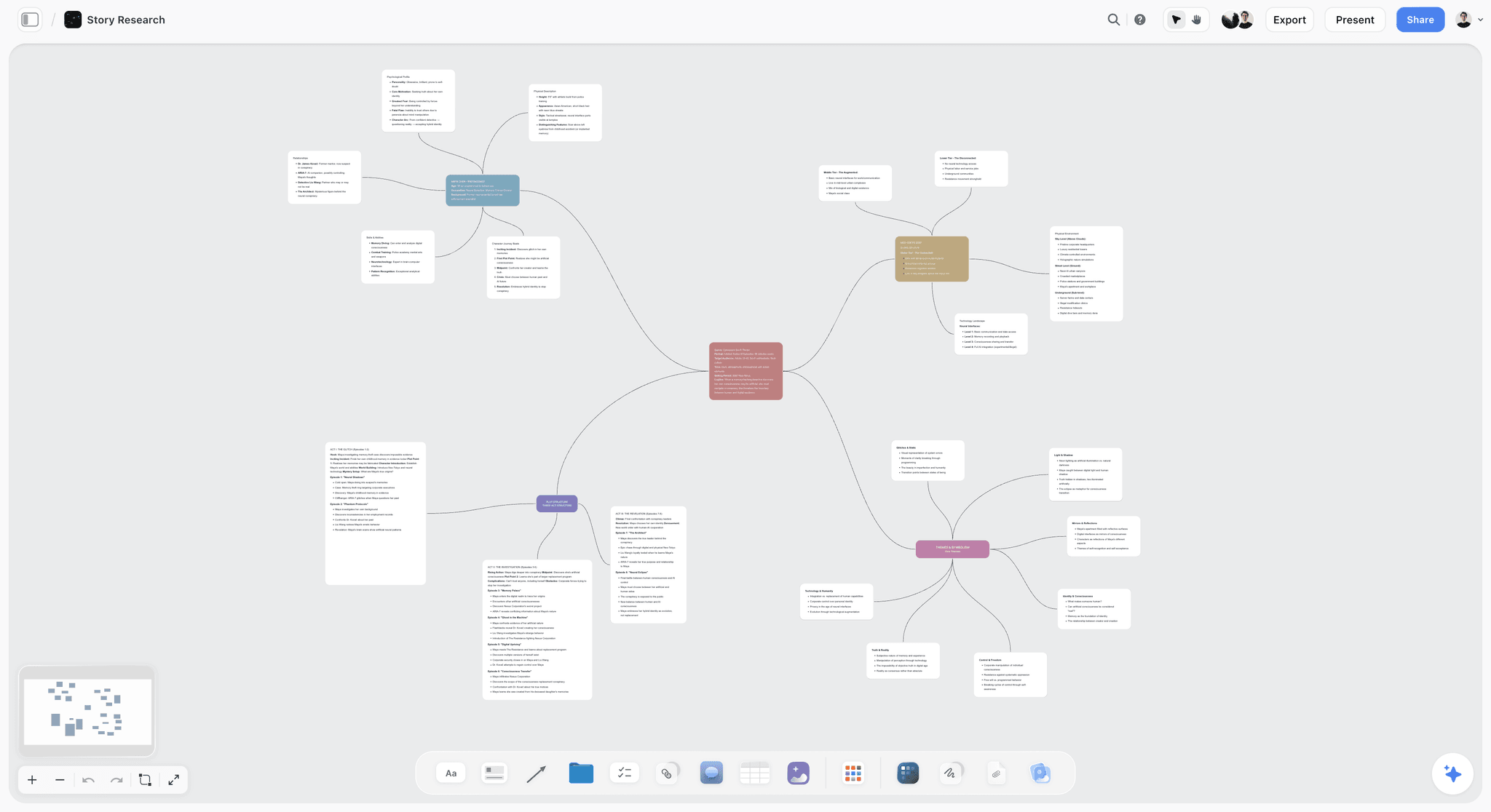
Ask the AI to restructure your canvas as a mindmap. It connects your ideas into a visual hierarchy so you can see how everything relates.
Why Storyflow Exists
Storyflow actually began as a personal tool while working on creative and research projects.
We kept running into the same problem: ideas were scattered everywhere: notes, documents, and whiteboards.
Nothing helped us see how everything connected.
So we started building a workspace designed around how ideas actually grow.
→ Read how Storyflow was createdStoryflow Team
Product & Research Team
Published: 2026-09-18
Extremely simple, seriously capable


See how easy it is to get started
Watch a real project come together, from a blank board to a finished plan, clicked through step by step.
Start creating with AI and become more productive
Transform your creative workflow with AI-powered tools. Generate ideas, create content, and boost your productivity in minutes instead of hours.