
Notion vs Trello for Content Calendars: A Queue Is Not a Project
A project ends; a content queue never empties. Trello models the pipeline, Notion models the repurposing. The empty Tuesday test, the setup trap, and the three properties that survive a busy month.

Category
Content Creation
Author

Justkay
Documentary Filmmaker & Founder at Storyflow
Topics
2026-08-09
•
13 min read
•
Content Creation- Notion vs Trello
- best content calendar tool for creators
- content calendar Notion template
- Trello content calendar
- Trello pricing 2026
- content calendar for repurposing
Notion vs Trello for a content calendar: which should you use?
Choose Trello if your problem is that things do not ship: it models a pipeline, a card moves through stages, and pipeline health is visible in one glance, with a free tier that gives unlimited boards and cards and no user limit. Choose Notion if your problem is that one idea becomes six pieces across four platforms and you cannot track the relationships: its databases and relations handle that and Trello cannot. Trello is $5 per user per month on Standard and $10 on Premium. Notion is free for individuals, $10 per user per month on Plus and $20 on Business. Either way, the stages your cards move through are your [editorial workflow](/editorial-workflow), and they deserve an owner and an exit rule each. Most advice treats a content calendar as a small project tracker. It is not, and that mismatch is why so many creators abandon whichever tool they picked around week five.
Full disclosure: Storyflow is our own product and it is not a content calendar. It has no kanban pipeline with status automation, no calendar view and no relational database, so it does not replace either tool here and the article does not suggest it does. It is mentioned once, in the section on what neither tool covers, which is the idea-development stage upstream of any calendar.
Quick Comparison
Two different problems wearing the same name. Diagnose whether things fail to ship or fail to connect.
| Tool | Best For | AI Features | Price |
|---|---|---|---|
| Trello | A visible pipeline that shows where work jams | Limited, automation via Butler | Free (unlimited boards) / $5 user mo |
| Notion | One idea related to many pieces, and querying the archive | Workspace search and drafting, bundled on Business | Free / $10 user mo ($20 Business) |
Key Takeaways
- A project ends. A content queue never empties. Tools built for projects manage the first shape and quietly fail at the second.
- Trello's kanban board answers the only question that matters weekly: is anything in the pipeline, and where is it stuck?
- Notion's relations answer the question that matters for repurposing: what did this one idea become, and where has it run?
- Trello's free tier is unusually generous here (unlimited boards and cards, no user limit) and is a legitimate permanent option for a solo creator.
- Notion's cost is maintenance. A content database with eight properties gets abandoned faster than one with three.
- Neither tool decides what to make, and for most creators that is the actual bottleneck.
For the full ranked field rather than a head-to-head, see The 12 Best Content Calendar Tools in 2026. For the creator-specific cut, see The Best Content Calendar Tools for Creators in 2026.
A Queue Is Not a Project
Project management software assumes a shape: work begins, passes through phases, and finishes. Everything about the software follows from that assumption, including the satisfaction of an empty board.
A content operation has no end state. You are not completing something, you are sustaining a rate. Next week needs a piece and so does the week after, indefinitely, and the board is never empty because empty means you have nothing to publish.
Two consequences follow, and they are the whole comparison.
First, the metric is flow rather than completion. The question is not "what is done" but "is enough in the pipeline, and where is it jamming?" A pipeline with nine ideas, no drafts, and one thing in review looks healthy until you notice nothing has moved from idea to draft in three weeks. That is a stage-level problem, and it is visible instantly on a kanban board and invisible in a list.
Second, one input produces many outputs. A single idea becomes a long video, three clips, a newsletter, and two posts. Project tools model one thing moving through stages. Content needs one thing that spawns several things, each on its own schedule.
Trello is built for the first consequence. Notion is built for the second.
Trello's board is a pipeline made visible: lists are stages, cards are pieces, and a glance shows you where the queue is thin and where things are stuck. Notion's databases and relations model an idea with children, so you can ask what a concept became and where each piece ran.
If you ship one thing per channel and your problem is consistency, Trello. If you repurpose heavily and your problem is tracking what became what, Notion.
Head-to-Head Comparison Table
| Trello | Notion | |
|---|---|---|
Core model | Kanban pipeline, cards move through lists | Database of items with properties and relations |
Pipeline health at a glance | Excellent, the whole point | Poor, needs a board view and discipline |
One idea to many pieces | Weak, no real relations | Strong, relations and rollups |
Calendar view | Via a Power-Up | Native |
Time to a working board | Under 30 minutes | An afternoon, more if you get ambitious |
Custom fields | Limited on free, more on paid | Extensive, any property type |
Querying across time | Weak | Strong, filter the whole archive |
Briefs and drafts in place | Card descriptions, basic | Full documents, excellent |
Maintenance burden | Low | High, every property is a field to fill |
Free tier | Unlimited boards and cards, no user limit | Generous for one person |
Paid entry | Standard $5 user mo | Plus $10 user mo ($12 monthly) |
Higher tier | Premium $10 user mo | Business $20 user mo, AI included |
Best for | Shipping consistently | Repurposing and querying an archive |
Weakest at | Anything relational | Making a stalled pipeline obvious |
Both vendors change plans; confirm current tiers before committing, particularly which features sit above the free tier.
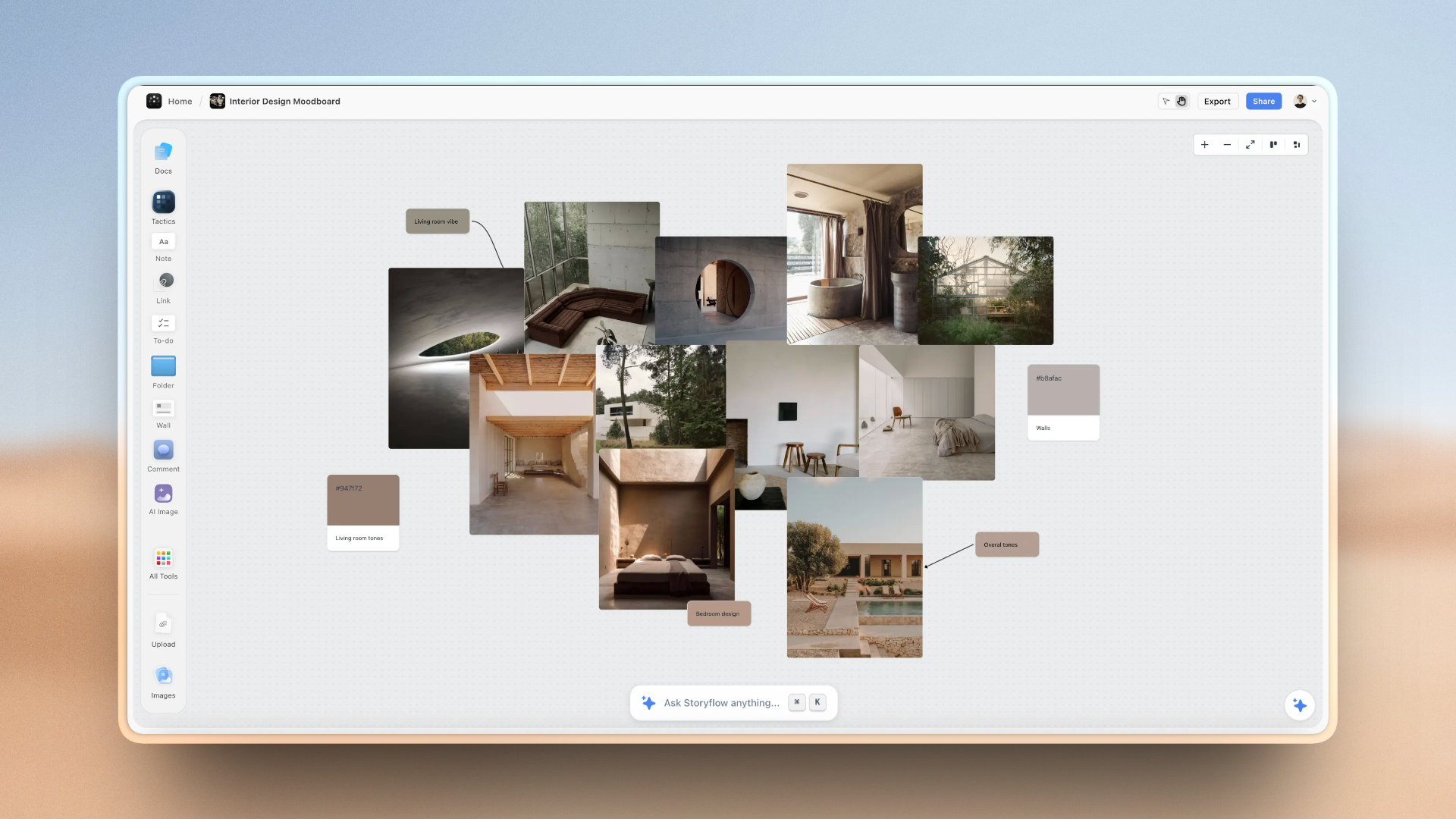
An idea wall and series map feeding a publishing plan on one Storyflow canvas
The stage before the calendar
A calendar full of empty slots is more stressful than no calendar. Idea development is associative rather than list-shaped, and Storyflow gives it a canvas the AI reads end to end. Paid-only during early access; the Free plan lands before the end of 2026.

The Empty Tuesday Test
The most useful diagnostic for a content calendar, and neither vendor frames it this way.
Pick a date two weeks out. Can you tell, in under ten seconds, whether something will publish that day and whether it is on track?
That is the only question a content calendar exists to answer. Everything else is bookkeeping.
Trello answers it structurally. The lists are stages, so a thin column is a visible gap. If "Drafting" has one card and "Ideas" has fourteen, you can see that ideas are not converting, which is the actual failure, weeks before it becomes a missed publish date.
Notion answers it only if you built the right view and maintain the properties. The data is there and the answer is a filter away, and a filter is something you have to remember to look at. The board view helps, and it depends on a status property somebody keeps current.
The general pattern: Trello makes pipeline problems impossible to miss, and Notion makes them answerable if you ask. For a solo creator who is not going to run a weekly review ritual, impossible-to-miss is worth more than answerable.
The corollary that costs nothing: whichever you use, look at the stage before the one you are worried about. A missed publish date is caused three stages earlier, and by the time the calendar looks wrong the problem is a fortnight old.
The Repurposing Problem
This is where Trello genuinely fails and Notion genuinely wins, and for a lot of creators it decides everything.
Modern content is not one piece per idea. One interview becomes a long video, four vertical clips, a newsletter section, two posts, and a podcast episode. Each has its own status, platform and date, and all six belong to one idea.
In Trello you have two bad options. Either one card per final piece, so the connection between the six is lost and your board has six unrelated cards nobody remembers came from one shoot; or one card for the idea with a checklist of outputs, so you cannot see each piece's stage in the pipeline, which is the reason you bought a kanban board.
In Notion this is native. An Ideas database related to a Pieces database. One idea, six related pieces, each with its own status and date, and a rollup on the idea showing how many have shipped. You can ask what a concept produced and which platforms it has not run on, which is a genuinely useful question and unavailable in Trello at any price.
The honest caveat: that structure has to be maintained. Six related rows means six status fields somebody updates. Creators who repurpose heavily get real value from it; creators who publish one thing a week get a maintenance obligation and no benefit.
The test: does one idea reliably become three or more artifacts? If yes, Notion. If no, the relations are overhead.
The Setup Trap
The most common way both tools fail is the same, and it happens in week one.
A content calendar is the single most over-engineered artifact in a creator's stack. It is fun to build, it feels productive, and unlike making content it has a clear finish line. So people build a system with pillar tracking, platform matrices, performance fields, repurposing flags and a content-type taxonomy, and abandon it by week five because every published piece now requires filling in eleven fields.
Notion invites this and Trello resists it, which is an underrated argument for Trello. A board with four lists is hard to over-build. A Notion database is an open invitation.
The rule that survives contact with a busy month: three properties. Status, platform, publish date. That is enough to answer every question a content calendar actually gets asked, and it is few enough that you will still be filling them in during a bad week. Add a fourth only after you have gone a month wishing you had it.
The second rule: the tool should tell you something you did not already know. If your calendar only ever confirms what you remember, it is an obligation rather than an instrument. The board earning its keep is the one that shows you the drafting stage jammed a fortnight ago.
Briefs, Drafts, and Where the Work Lives
A practical difference that shows up daily.
Notion holds the work itself. The brief, the outline, the script and the draft can live in the item's page, so opening the calendar entry opens the actual thing. For written content in particular this is a large advantage, and it removes the constant hunt for which document belongs to which planned piece.
Trello holds pointers. Card descriptions handle a short brief; anything longer becomes an attachment or a link to a document elsewhere. That is fine and it is a permanent extra hop, and links rot as documents get renamed and moved.
The consequence for video and audio creators is smaller than it looks, because the work is a file in an editor either way. Both tools end up holding links to footage and projects, so Notion's advantage narrows to the script and the brief.
For written and newsletter creators, Notion's advantage here is decisive and may outweigh everything in the pipeline argument.
Pricing Compared in 2026
Trello
- Free: unlimited boards and cards, no user limit
- Standard: $5 per user per month
- Premium: $10 per user per month
Notion
- Free: generous for individual use
- Plus: $10 per user per month annual ($12 monthly)
- Business: $20 per user per month annual, AI included
Reading it honestly. Trello's free tier is genuinely one of the strongest in this category and is a legitimate permanent home for a solo content calendar, not a trial. Unlimited boards and cards with no user limit covers a small team comfortably; the calendar view arrives through a Power-Up, which is the main thing you will reach for.
Notion's free tier is also workable for one person and starts costing once you want the workspace shared properly.
For a solo creator, both can be free, and the decision should be made entirely on the queue-versus-relations question rather than on price. For a small team, Trello at $5 is the cheaper path to a working shared board.
Storyflow, disclosed as our own product, is paid-only during early access with plans from $7.99 a month billed annually and a Free plan arriving before the end of 2026; anyone a paid member invites to a board joins free today. It is not a content calendar and this article is not recommending it as one: no kanban pipeline with status automation, no calendar view, no relational database. It sits earlier in the process, on deciding what to make, which is the section below.
What Neither Tool Does
Both are execution tools, and the most common creator bottleneck is upstream of both.
Neither decides what to make. A calendar full of scheduled slots and no ideas is a more stressful artifact than no calendar at all, and this is the actual failure mode for a large share of creators: the pipeline is not jammed, it is empty at the front, because the thinking that generates ideas has no home. Trello's Ideas list and Notion's Ideas database are both storage rather than a place to think.
Neither connects a piece to why it exists. A calendar records that a video ships on the 14th. It does not record that it exists because a previous one about the same subject performed unusually well, so the next person planning the quarter (often you, in three months) has the schedule and not the reasoning.
The cheap fix for the second one, in either tool: a single field or card called "why this one", one sentence, filled in when the idea is created. It converts a schedule into a record of strategy, and it takes ten seconds while the reason is fresh and is unrecoverable later.
The first one needs a different surface. Idea development is spatial and associative rather than list-shaped, which is why creators keep a notes app, a whiteboard, or a document full of fragments alongside whichever calendar they run. That is not a discipline failure, it is the calendar being the wrong tool for that stage.
When to Choose Trello
Choose Trello when:
- Your problem is consistency: things do not ship on time.
- You want pipeline health visible without running a review.
- You publish roughly one piece per idea.
- You want a working board today, not a system this weekend.
- Budget is zero and you want that to be permanent rather than a trial.
- You are prone to over-building systems and want the tool to resist you.
Trello's honest weaknesses: no real relations, so heavy repurposing is unmanageable; the calendar view needs a Power-Up; card descriptions are too thin to hold a brief; and querying across a year of published work is not something it does.
When to Choose Notion
Choose Notion when:
- One idea reliably becomes three or more pieces across platforms.
- You want to query the archive: what ran where, what performed, what has not been repurposed.
- Briefs, outlines and drafts should live inside the calendar entry.
- You write, so the work and the plan being in one place is a daily saving.
- You already run other operations in Notion and want one workspace.
Notion's honest weaknesses: a stalled pipeline is not obvious without a maintained board view; every property is a field somebody fills in, so elaborate systems get abandoned; and it invites over-engineering, which is the most common way content calendars die.
The Bottom Line
Decide which problem you actually have, because they want opposite tools.
If things do not ship, buy Trello. A pipeline made visible is the correct instrument for a consistency problem, its free tier is genuinely permanent, and its resistance to over-building is a feature rather than a limitation.
If one idea becomes six pieces, buy Notion. Relations are the only thing that models repurposing properly, and no amount of Trello configuration gets there.
If you are honestly not sure, start with Trello. It takes half an hour, costs nothing, and if you outgrow it the reason will be specific and you will know exactly what to build in Notion instead. The reverse mistake, building an elaborate Notion system first, costs a weekend and usually ends in week five.
Then add the one field neither tool suggests: why this piece exists. A calendar tells you what ships and when. Nothing in either tool tells you why, and in three months that is the only thing you will want back.
FAQ: Notion vs Trello for Content Calendars
Is Notion or Trello better for a content calendar?
It depends which problem you have. Trello is better if things do not ship consistently: it models a pipeline, so a thin stage is visible at a glance and you can see ideas failing to convert to drafts weeks before a publish date is missed. Notion is better if one idea becomes several pieces across platforms, because relations let you track what a concept produced and where each piece ran, which Trello cannot do at any price. Consistency problem, Trello. Repurposing problem, Notion.
Is Trello's free plan enough for a content calendar?
For a solo creator, usually yes, permanently rather than as a trial. The free tier gives unlimited boards and cards with no user limit, which covers a personal content pipeline and a small team comfortably. The main thing you will want beyond it is the calendar view, which arrives through a Power-Up, and more custom fields if you start tracking platform and performance. It is one of the genuinely strong free tiers in this category rather than a capped teaser.
How much do Notion and Trello cost?
Trello is $5 per user per month on Standard and $10 on Premium, with a free tier of unlimited boards and cards and no user limit. Notion is free for individual use, $10 per user per month on Plus ($12 monthly) and $20 on Business with AI included. For a solo creator both can be free indefinitely, so price should not decide it. For a small team Trello at $5 is the cheaper route to a shared working board.
Why do content calendars get abandoned?
Almost always over-engineering, in week five. A content calendar is the most fun artifact in a creator's stack to build, so people add pillar tracking, platform matrices, performance fields and content-type taxonomies, and then every published piece requires filling in eleven fields during a week when they are already behind. Notion invites this and Trello resists it. The version that survives has three properties: status, platform, publish date. Add a fourth only after a month of genuinely wishing you had it.
Can Trello handle repurposing one video into multiple posts?
Badly, and this is its clearest limitation for creators. You get two poor options: one card per final piece, which loses the connection between the six things that came from one shoot, or one card per idea with a checklist of outputs, which hides each piece's stage and defeats the point of a kanban board. Notion handles this natively with an Ideas database related to a Pieces database, so one idea has six related pieces each with its own status and date, plus a rollup showing how many shipped.
Does Notion have a calendar view for content?
Yes, natively, which is one of its advantages over Trello, where the calendar arrives via a Power-Up. The more important difference is not the view but what sits behind it: Notion's calendar is one projection of a database you can also filter, group and query, so the same items become a board for standups and a table for editing. The catch is that all of those views depend on properties somebody keeps current, so a Notion calendar is only as accurate as its last update.
Which is faster to set up?
Trello, decisively. A working content board takes well under thirty minutes: lists for your stages, cards for pieces, done. A Notion system takes an afternoon, and longer if you get ambitious with relations and rollups, which most people do. That gap matters more than it sounds, because setup time is when enthusiasm is highest and the tool has not yet earned anything, so a long build is a large bet placed before you know whether the system fits how you work.
What should a content calendar actually tell me?
Something you did not already know. If it only ever confirms what you remember, it is an obligation rather than an instrument. The one question it exists to answer is whether something will publish on a date two weeks out and whether it is on track, in under ten seconds. The second most useful habit is looking at the stage before the one you are worried about, since a missed publish date is caused three stages earlier and is usually a fortnight old by the time the calendar looks wrong.
Table of Contents
- Key Takeaways
- A Queue Is Not a Project
- Head-to-Head Comparison Table
- The Empty Tuesday Test
- The Repurposing Problem
- The Setup Trap
- Briefs, Drafts, and Where the Work Lives
- Pricing Compared in 2026
- What Neither Tool Does
- When to Choose Trello
- When to Choose Notion
- The Bottom Line
- FAQ: Notion vs Trello for Content Calendars
- Related Reading
Templates to check out for this topic


Content and video templates you can use in Storyflow
Plan a channel, a script, and a content pipeline on the same board. Open one of these templates and let the AI build on the structure instead of starting from a blank doc.


See Storyflow in Action
A visual AI workspace where every feature lives inside one canvas. No tab-switching, no context lost.
Build your entire board from a single message
Type what you need in the AI chat at the bottom of your canvas. The AI adds cards, headings, and structure directly onto your board.
Use expert frameworks as AI context
Type @ in the AI chat and choose any Tactic. The AI tailors every response to that framework instead of giving generic advice.
Turn your board into a mind map in seconds
Ask the AI to restructure your canvas as a mindmap. It connects your ideas into a visual hierarchy so you can see how everything relates.
Why Storyflow Exists
Storyflow actually began as a personal tool while working on creative and research projects.
We kept running into the same problem: ideas were scattered everywhere: notes, documents, and whiteboards.
Nothing helped us see how everything connected.
So we started building a workspace designed around how ideas actually grow.
→ Read how Storyflow was createdJustkay
Documentary Filmmaker & Founder at Storyflow
Published: 2026-08-09
Extremely simple, seriously capable


See how easy it is to get started
Watch a real project come together, from a blank board to a finished plan, clicked through step by step.
Start creating with AI and become more productive
Transform your creative workflow with AI-powered tools. Generate ideas, create content, and boost your productivity in minutes instead of hours.