Descript vs CapCut for Content Creators: Which Bottleneck Are You Actually Fixing?
Descript removes the editing skill barrier; CapCut removes the editing time barrier. They are not competing for the same job. A worked example, the re-export trap, and the stage neither tool touches.

Category
Content Creation
Author

Justkay
Documentary Filmmaker & Founder at Storyflow
Topics
2026-08-09
•
14 min read
•
Content Creation- Descript vs CapCut
- CapCut vs Descript
- best AI tools for content creators
- AI video editing for creators
- Descript pricing 2026
- CapCut Pro pricing
Descript vs CapCut for content creators: which should you pick?
Choose Descript if your bottleneck is that editing is hard: it turns your video into a transcript and you cut by deleting words, which removes the skill barrier almost entirely and is unmatched for talking-head, interview and podcast work. Choose CapCut if your bottleneck is that editing is slow: it is a real timeline editor with templates, auto-captions and effects that would take an hour to build elsewhere, and it is how an enormous number of short-form creators actually work. Descript starts around $15 per month for Creator and runs to around $30 for Pro, with a free tier capped by transcription minutes. CapCut has an unusually generous free tier with most features available, and CapCut Pro starts around $7 per month. Most comparisons rank these two on feature count, which makes them look closer than they are. They are not competing for the same job.

Full disclosure: Storyflow is our own product and it edits nothing. It has no timeline, no captions, no export and no audio repair, and this article is not suggesting it replaces either tool: if your bottleneck is editing, buy Descript or CapCut. Storyflow appears only in the section about the planning stage that both tools deliberately skip, and the article says plainly that AI has made production cheap and moved the constraint upstream.
Quick Comparison
Two editors that fix different bottlenecks, plus the planning stage neither of them touches.
| Tool | Best For | AI Features | Price |
|---|---|---|---|
| Descript | Editing by deleting words in a transcript | Filler removal, studio sound, Overdub | Free (minutes capped) / ~$15 mo |
| CapCut | Fast short-form with native-looking captions | Auto-captions, auto-reframe, effects | Free (generous) / from ~$7 mo |
| Storyflow | Idea wall, series map and calendar on one canvas | Reads the whole board, plus @-mentioned docs | $7.99 mo annual (free plan late 2026) |
Key Takeaways
- Descript's premise is that video is text. CapCut's premise is that video is a timeline you touch. Everything else follows.
- Descript removes the editing skill barrier. CapCut removes the editing time barrier. Diagnose which one is actually stopping you before you pay for either.
- CapCut's free tier is the strongest in the category and is genuinely sufficient for a lot of short-form work. Descript's free tier is capped by transcription minutes, which is the resource you consume fastest.
- Descript is the better tool for long-form talking-head, interviews and podcasts. CapCut is the better tool for short-form, captions, and anything template-driven.
- Both are weak at the same thing: neither helps you decide what to make. That is the stage the whole category skips.
- Plenty of creators run both, and the split is clean: Descript for the first assembly, CapCut for the vertical cutdowns.
- Both tools solve editing, not planning. Storyflow is the planning stage: the idea wall, the series map, the outline and the calendar on one board, with AI that reads all of it. It edits nothing, so if your bottleneck is editing, buy Descript or CapCut.
For the full ranked field rather than a head-to-head, see The Best Tools for Content Creators in 2026. For the editing category specifically, see The 12 Best AI Tools for Video Editors in 2026.
Two Different Bottlenecks
Ask what is actually stopping you from publishing, because these tools fix different answers.
"I do not really know how to edit." You have footage, you know roughly what should be in the video, and the editing software is the obstacle. Timelines, keyframes, ripple deletes, and the general sense that you are one wrong click from ruining an hour of work.
Descript is built for you. It transcribes the video and shows you the words. Delete a sentence in the transcript and the corresponding video disappears. Remove filler words across the whole file in one action. That is not a feature, it is a different mental model, and for someone who thinks in sentences rather than frames it collapses a skill barrier that used to take months to get past.
"I can edit, it just takes too long." You are shipping several videos a week, most of them short, and the work is not hard, it is repetitive. Captions, hooks, trims, a sound effect, a zoom, export, repeat.
CapCut is built for you. It is a real timeline editor that happens to have an enormous library of templates, transitions, effects and auto-caption styles that match what performs on short-form platforms right now. The auto-captions in particular save a genuinely large amount of time per video, and they look like what the platform's audience expects.
Neither tool fixes the other's bottleneck. Descript will not make you fast at short-form; its strength is a first pass on long talking-head footage. CapCut will not make editing feel easy if timelines are what intimidate you; it is a timeline editor with excellent presets.
Diagnose honestly. Creators frequently buy the tool their favourite YouTuber uses rather than the one that fixes their own constraint, and then conclude the tool is overrated.
Head-to-Head Comparison Table
| Descript | CapCut | |
|---|---|---|
Core model | Edit the transcript, video follows | Edit the timeline, directly |
Best format | Long-form talking head, interviews, podcasts | Short-form vertical, social cutdowns |
Skill required | Very low, if you can edit a document | Low to moderate, a real editor |
Auto-captions | Yes, accurate, plainer styling | Yes, and the styling is the draw |
Filler-word removal | Yes, one of its best features | Manual |
Templates and effects | Modest | Very large library, platform-current |
Screen recording | Built in, strong | Limited |
Multi-track timeline | Present, secondary to the transcript | Primary, more capable |
Overdub and voice tools | Yes, a genuine differentiator | Basic |
Collaboration | Strong, comment on the transcript | Weaker |
Mobile | Weaker | Excellent, mobile-first heritage |
Free tier | Capped by transcription minutes | Unusually generous, most features |
Paid entry | Around $15 mo (Creator) | Around $7 mo (Pro) |
Upper tier | Around $30 mo (Pro) | |
Weakest at | Fast short-form output | Making editing feel easy for non-editors |
Both products iterate quickly and reprice; confirm current tiers on each vendor's pricing page before committing.
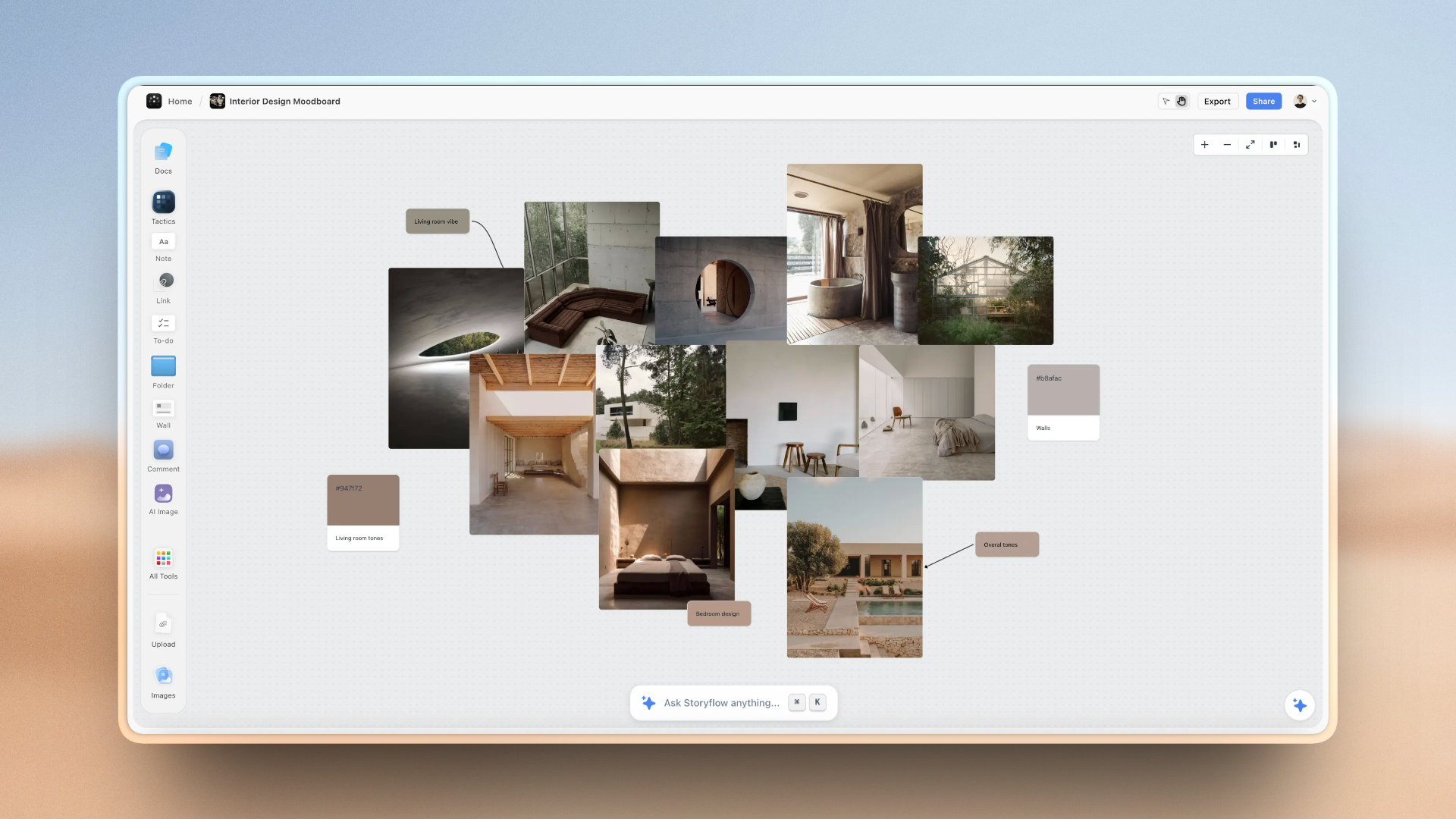
A creator's idea wall, series map and publishing calendar on one Storyflow canvas
The stage that comes before the edit
Both editors act on a decision already taken. Storyflow keeps the idea wall, series maps, outlines and calendar on one canvas the AI reads end to end. Paid-only during early access; the Free plan lands before the end of 2026.

The Transcript Model, and Where It Breaks
Descript's transcript editing is the most genuinely novel idea in consumer video editing in a decade, and it is worth understanding exactly where its advantage stops.
Where it is excellent: removing a rambling ninety seconds from a twenty-minute interview. Cutting every "um" in one pass. Reordering an argument by moving paragraphs. Finding the one place someone said the thing you half-remember, because you can search the video the way you search a document. For interview-driven and podcast work, the first assembly is dramatically faster than in any timeline editor.
Where it breaks: frame-accurate work. A cut that needs to land on a specific beat, a reaction held for exactly the right extra half-second, a transition timed to music. The transcript has no opinion about frames, so precision work pushes you into Descript's timeline, which is present but is not what the product is for.
The general rule, and it applies to both tools: whatever makes the first pass fast usually makes the second pass slower. Descript's first pass on a talking-head video is unbeatable and its polish pass is mediocre. Plan for that rather than discovering it at 1am on a deadline: get the structure right in the transcript, and accept that the last ten percent may want a different tool.
Accuracy matters more than the feature list. Transcript editing is only as good as the transcription, and accents, crosstalk, technical vocabulary and poor audio all degrade it. Test on your worst-quality real footage, not on a clean sample, because the failure mode is subtle: a mis-transcribed word means a cut that lands somewhere you did not intend.
Captions: The Feature Most Creators Actually Buy
For a large share of creators this section is the whole decision, so it is worth separating quality from styling.
Both tools auto-caption accurately. Neither is meaningfully better at hearing words.
CapCut wins on styling, decisively. Its caption presets look like what performs on short-form platforms right now: the animated word-by-word highlighting, the specific fonts and outline treatments that the audience reads as native rather than as an afterthought. Descript's captions are accurate and plainer, and on a vertical video plain reads as lower production value whether or not that is fair.
Descript wins on captioning long content, because the transcript already exists as the editing surface, so corrections propagate naturally.
The accessibility point neither vendor leads with: captions are not only a retention tactic. A meaningful share of your audience needs them, and platform auto-captions are frequently wrong in ways that change meaning. Whichever tool you use, read the captions before you publish. Both tools will confidently caption a technical term as something else entirely, and it is your name on the video.
Speed on Short-Form
Short-form is a volume game, and volume is decided by per-video minutes.
CapCut is faster, and it is not close. Templates that match a current format, auto-captions styled correctly on the first try, effects and transitions that are one tap rather than a build, and a mobile app good enough that the whole edit can happen on a phone. For a creator shipping five to ten shorts a week, that difference compounds into hours.
Descript's angle on short-form is different: if you already made a long video in Descript, pulling clips out of it is fast, because you find the moment by reading rather than by scrubbing. That is a real workflow and it is why the two-tool setup below is common.
The honest caution about templates, which applies to CapCut specifically: templates make you fast and they make you look like everyone else. A format that works is a format saturating quickly. Use them for speed on the parts nobody is judging (captions, simple transitions) and do something of your own where attention is actually won, which is the first three seconds.
A Worked Example: One Interview, Two Tools
Concrete, because the abstract comparison hides where the time actually goes.
I record a forty-minute interview for a documentary channel. The usable material is maybe eleven minutes, and there are three moments that will work as standalone verticals.
In Descript, the first hour looks like this. The transcript appears; I read it the way I would read a transcript, which is fast, and delete everything that is not the eleven minutes. Filler removal takes one action across the whole file. I reorder two answers because the second one sets up the first better, which in a timeline editor means moving clips and repairing the joins, and here means cutting and pasting two paragraphs. By the end of that hour I have a structured eleven-minute edit and, crucially, I know exactly where the three vertical moments are, because I found them by reading rather than by scrubbing.
What Descript is bad at next is the last twenty minutes of that job: holding a reaction a beat longer, landing a cut on a breath rather than on a word boundary, timing a lower-third. Every one of those is a frame decision, and the transcript has no view on frames.
In CapCut, the three verticals take about fifteen minutes each. Captions in a style that reads as native to the platform are one preset rather than a build, the reframe from horizontal is assisted, and the effects that would be fiddly elsewhere are one tap.
The total is roughly two and a half hours for a long-form edit plus three verticals. Done entirely in Descript, the verticals would look plainer and take longer. Done entirely in CapCut, the first hour becomes three, because finding and structuring eleven minutes inside forty is exactly what a transcript is good for and a timeline is not.
The number worth extracting from that: the win is not in either tool, it is in matching the tool to the stage. Creators who standardise on one tool for everything pay that tax on every video, quietly, forever.
Exports, Quality, and the Re-Export Trap
A practical failure mode that hits creators using two tools, and it is easy to avoid once named.
Every export is a re-encode. Take a Descript export into CapCut, edit, export again, and the vertical you publish is a compression of a compression. On a talking-head shot this is nearly invisible; on anything with motion, grain, or gradients it is not, and it shows up first in exactly the places viewers notice (skin tones, dark scenes, fast pans).
The habit that fixes it: export the master from the first tool at the highest quality it offers, not at a "good enough for upload" preset, and treat that file as the source for everything downstream. You upload the second-generation file; you never build a third generation on top of it.
Two related points:
- Do the audio work once, early. Both tools will happily re-process audio that has already been processed, and stacked normalisation and noise reduction sound worse than either applied alone. If Descript's audio repair is doing the work, do it there and leave CapCut's alone.
- Keep the masters. Neither tool's project file is an archive, and platforms and subscriptions both change. A folder of full-quality masters is the only version of your work that survives a tooling decision you have not made yet.
Collaboration and Feedback
Underweighted in most comparisons, decisive for anyone working with a client or an editor.
Descript is much stronger. Because the edit is a document, feedback is document-shaped: someone comments on a line of the transcript and the comment is anchored to that moment. For agency work, client review, or a creator working with a producer, this removes an entire category of "at 4:32, cut the bit about the thing" messages.
CapCut is weaker here, being built around a single creator editing quickly rather than a team converging on an edit.
If your work involves anyone else reviewing before publish, weight this heavily. It is a daily cost, not an occasional one.
Ownership, Lock-In, and Exporting
Worth checking before you build a workflow on either.
Descript projects are cloud-shaped, and the transcript-linked edit is a proprietary structure. You can export video, and what does not export is the editability: take the project elsewhere and you are re-cutting, not continuing. For a long-running podcast archive that is a real consideration.
CapCut projects are more conventional but still tool-specific, and the templates and effects are entirely CapCut's, so a project rebuilt elsewhere loses its look.
The rule for both: export finished masters at full quality as you go, and store them somewhere you control. Neither project file is an archive. Creators discover this when a platform changes terms or a subscription lapses, and the cost is measured in years of work.
AI Beyond Editing
Both tools ship AI features past the core editing loop, and they cluster in the same place.
Descript's are the more distinctive: Overdub voice cloning for fixing a misspoken word without re-recording, studio sound for salvaging bad audio, eye contact correction, and AI-assisted removal of dead air. The audio repair is the one that earns its keep most often, because bad audio kills more videos than bad footage.
CapCut's cluster around speed and format: auto-captions, auto-reframe from horizontal to vertical, background removal, and a large set of AI effects that track the current platform aesthetic.
What neither does, and this is the important gap for the question that brought most readers here: neither helps you decide what to make. Every AI feature in both products acts on a decision already taken. They make production cheaper, which is genuinely valuable, and it means the constraint moves upstream to planning. A creator with five AI tools and no plan ships faster and more randomly.
Storyflow is our own product and this is the gap it addresses, so read this with that disclosed. It is a canvas for the planning stage: the idea wall, the series map, the outline and the calendar on one board, with AI that reads the full board you are on plus up to one Story blueprint and three documents you @-mention. It edits nothing and this article is not suggesting it replaces either tool: no timeline, no captions, no export, no audio repair. If your bottleneck is editing, buy Descript or CapCut. Storyflow is paid-only during early access, with plans from $7.99 a month billed annually and a Free plan arriving before the end of 2026; anyone a paid member invites to a board joins free today.
Pricing Compared in 2026
Descript
- Free: capped by transcription minutes
- Creator: around $15 per month
- Pro: around $30 per month
CapCut
- Free: unusually generous, most features available
- Pro: from around $7 per month
Reading it honestly. CapCut is cheaper and its free tier is genuinely workable for real output, which is rare in this category and is a large part of why it is so widely used. Descript costs more and the thing you run out of first is transcription minutes, not features, so estimate your monthly footage hours rather than comparing tier names.
The comparison that actually matters is against your time. If Descript saves you two hours a week on a podcast edit, $15 is not the relevant number. If CapCut's templates save you twenty minutes per short across eight shorts a week, neither is the relevant number. Price only decides it when the time saved is similar, which for these two it rarely is, because they save time at different stages.
When to Choose Descript
Choose Descript when:
- Your content is long-form talking head, interviews, or podcasts.
- Editing software itself is the barrier, not time.
- You want to remove filler words and dead air without manual work.
- Someone else reviews your edits and you want comments anchored to the transcript.
- Audio quality is inconsistent and studio sound would rescue recordings.
- You repurpose long content into clips and want to find moments by reading.
Descript's honest weaknesses: slower for short-form output, plainer captions that read as lower production value on vertical video, weaker mobile, frame-accurate work pushes you into a timeline that is not the product's strength, and a free tier whose transcription cap arrives quickly.
When to Choose CapCut
Choose CapCut when:
- Your content is short-form vertical and volume matters.
- Captions are a primary reason you are buying an editor.
- You want templates and effects that match current platform aesthetics.
- You edit on a phone, or want the option to.
- Budget matters, or you want to work seriously on a free tier.
- You are comfortable in a timeline and want it to be faster, not easier.
CapCut's honest weaknesses: it will not make editing feel easy if timelines are the intimidating part, collaboration is thin, it has nothing like transcript editing for long content, and template-driven output looks like everyone else's unless you deliberately break from it.
The Two-Tool Setup
Many working creators run both, and the division is unusually clean:
- Descript for the long-form first pass. Record, transcribe, cut the transcript to structure, remove filler, fix audio. This is where Descript is unbeatable.
- Export the master, at full quality, to storage you control.
- CapCut for the vertical cutdowns. Pull the moments you already identified while reading the transcript, caption them in a style that reads as native, and ship.
Combined cost is roughly $22 a month at the entry tiers, which for someone publishing weekly long-form plus several shorts is usually the correct spend. The step people skip is the second one: exporting a real master rather than working from a re-export of a re-export.
And the step before all three: decide what the video is for before you open either tool. Both of these products are excellent at making the thing. Neither has an opinion about whether it is the right thing, and no amount of editing speed rescues a video that should not have been made.
The Bottom Line
Do not compare these on features. Ask what is stopping you.
If editing is hard, buy Descript. Cutting by deleting words removes a skill barrier that used to take months to clear, and for interviews, podcasts and long talking-head footage the first pass is unbeatable.
If editing is slow, buy CapCut. Templates, native-looking captions and a genuinely capable mobile app compound into hours a week for anyone shipping short-form at volume, and the free tier is strong enough to work on seriously.
If both are true, run both in the order above, and export a real master between them.
Then spend the time you save on the part neither tool touches. Both of these products are excellent at making the thing. Neither has an opinion about whether it is the right thing to make, and that is the decision that determines whether any of it works.
FAQ: Descript vs CapCut
Is Descript or CapCut better for content creators?
It depends which bottleneck is stopping you. Descript is better if editing itself is the barrier: it transcribes your video and you cut by deleting words, which is unmatched for long-form talking head, interviews and podcasts. CapCut is better if you can already edit and it simply takes too long: it is a real timeline editor with a large library of templates, effects and platform-current caption styles, and it is faster for short-form by a wide margin. Neither fixes the other's problem, so diagnose your own constraint before choosing.
Which is cheaper, Descript or CapCut?
CapCut, clearly. Its free tier is unusually generous with most features available and is genuinely workable for real short-form output, and CapCut Pro starts around $7 per month. Descript starts around $15 per month for Creator and runs to around $30 for Pro, with a free tier capped by transcription minutes rather than by features, so the thing you run out of first is footage hours. Estimate your monthly recording volume rather than comparing tier names, and weigh both against the time each saves you, since they save it at different stages.
Can CapCut do transcript-based editing like Descript?
Not in the same way. CapCut has accurate auto-captions and can generate a transcript, but the transcript is not the editing surface: deleting a line of text does not remove the corresponding video the way it does in Descript. That difference is Descript's core idea rather than a feature, and it is why Descript collapses the skill barrier for people who find timelines intimidating. If transcript-driven cutting is what you want, CapCut is not a substitute.
Which has better captions, Descript or CapCut?
Both caption accurately; CapCut wins decisively on styling. Its presets match what performs on short-form platforms right now, including animated word-by-word highlighting and the specific fonts and outline treatments the audience reads as native. Descript's captions are accurate and plainer, which on a vertical video reads as lower production value. Descript is the better choice for captioning long content, since the transcript already exists as the editing surface and corrections propagate naturally. Read captions before publishing in either tool: both will confidently mis-caption a technical term.
Do I need both Descript and CapCut?
Many working creators run both and the split is clean: Descript for the long-form first pass (transcribe, cut the transcript to structure, remove filler, fix audio), then CapCut for the vertical cutdowns (pull the moments you spotted while reading, caption them in a native-looking style). Combined that is roughly $22 a month at entry tiers, which is usually right for someone publishing weekly long-form plus several shorts. The step people skip is exporting a real full-quality master between the two rather than working from a re-export.
Is Descript good for short-form video?
It is workable rather than good. Descript's short-form advantage is specific: if the long video already lives in Descript, finding clip-worthy moments is fast because you read rather than scrub. What it does not give you is speed to a finished vertical, since its captions are plainer, its template and effect library is modest, and its mobile experience is weaker. A creator whose output is primarily short-form will be slower in Descript than in CapCut, and the gap grows with volume.
What is the catch with CapCut's free tier?
There is less of one than in most of the category, which is why it is so widely used: most features are available and it supports real published output. The genuine catches are not tier limits. Templates make you fast and make you look like everyone else, so a format that works is a format saturating quickly. Collaboration is thin, so it suits a solo creator better than a team. And project files are tool-specific, so an edit rebuilt elsewhere loses its look; export full-quality masters as you go rather than treating the project as your archive.
Can these tools help me decide what to make?
No, and this is the gap worth naming because it is the actual bottleneck for a lot of creators. Every AI feature in both products acts on a decision already taken: auto-captions, reframing, filler removal, audio repair and effects all make production cheaper without touching what to produce. The result is that AI has made the making cheap and moved the constraint upstream to planning, so a creator with five AI tools and no plan ships faster and more randomly. That stage needs a different kind of tool, and both of these are explicitly not it.
Table of Contents
- Key Takeaways
- Two Different Bottlenecks
- Head-to-Head Comparison Table
- The Transcript Model, and Where It Breaks
- Captions: The Feature Most Creators Actually Buy
- Speed on Short-Form
- A Worked Example: One Interview, Two Tools
- Exports, Quality, and the Re-Export Trap
- Collaboration and Feedback
- Ownership, Lock-In, and Exporting
- AI Beyond Editing
- Pricing Compared in 2026
- When to Choose Descript
- When to Choose CapCut
- The Two-Tool Setup
- The Bottom Line
- FAQ: Descript vs CapCut
- Related Reading
Templates to check out for this topic


Content and video templates you can use in Storyflow
Plan a channel, a script, and a content pipeline on the same board. Open one of these templates and let the AI build on the structure instead of starting from a blank doc.


See Storyflow in Action
A visual AI workspace where every feature lives inside one canvas. No tab-switching, no context lost.
Build your entire board from a single message
Type what you need in the AI chat at the bottom of your canvas. The AI adds cards, headings, and structure directly onto your board.
Use expert frameworks as AI context
Type @ in the AI chat and choose any Tactic. The AI tailors every response to that framework instead of giving generic advice.
Turn your board into a mind map in seconds
Ask the AI to restructure your canvas as a mindmap. It connects your ideas into a visual hierarchy so you can see how everything relates.
Why Storyflow Exists
Storyflow actually began as a personal tool while working on creative and research projects.
We kept running into the same problem: ideas were scattered everywhere: notes, documents, and whiteboards.
Nothing helped us see how everything connected.
So we started building a workspace designed around how ideas actually grow.
→ Read how Storyflow was createdJustkay
Documentary Filmmaker & Founder at Storyflow
Published: 2026-08-09
Extremely simple, seriously capable


See how easy it is to get started
Watch a real project come together, from a blank board to a finished plan, clicked through step by step.
Start creating with AI and become more productive
Transform your creative workflow with AI-powered tools. Generate ideas, create content, and boost your productivity in minutes instead of hours.