
Sharper briefs, sent ultra fast
A video production brief template
a studio can quote from without a second call.
The one action, the viewer, the message, every version counted, reference frames, a budget range and the launch date on one board. Once you pick a studio, the same board grows into the shot list, storyboard and schedule.


Creatives working for these brands already got early access
- Red Bull
- Canon
- Artlist
- Porsche
See how easy it is to get started
Watch a real project come together, from a blank board to a finished plan, clicked through step by step.
Start from a ready-made template
Pick a board to see what you can build, then let AI fill it in. Every template is a real, editable starting point on the same infinite canvas.

Creative Brief
Capture the objective, audience, and message for a creative so everyone works from the same brief.
What goes in a video production brief template?
A video production brief is the client's written request to a studio: objective, audience, key message, counted deliverables, references, budget range, live date, usage and what you supply, enough to quote and plan from. Storyflow is an AI visual workspace that turns a video brief into the production plan on one infinite canvas: the brief as a visual board, the shot list, the storyboard, and a call sheet PDF per shoot day.
A brief is a request for a quote. Each line either lets a producer price the job or leaves a gap they fill with a guess, and guesses come back padded. The details that usually move the number are the count of versions, the shoot days, the locations, who appears on camera and where the film will run.
Give a budget range, not a secret. A studio told the budget is 15 to 20 thousand can design one film to that range and show what more would add. A studio told nothing quotes three different films, and you end up comparing guesses. Say which parts are fixed, such as the live date, and which can flex.
Your review time is part of the schedule. A producer can plan pre-production, the shoot and the edit, but only you can promise how fast notes come back. Name the one person who gives final notes, how many working days each round takes on your side, and which dates that person is away. Late notes, not late edits, usually move a delivery.
Ultra fast from brief to board
From the kickoff call to a brief a studio can price.
Four steps, and most of the brief comes from notes you already have.
01
Answer five questions first
What should a viewer do after watching, who is that viewer, where will the film run, when does it go live, and what is the budget range? Paste the kickoff notes: the AI's advertising brief workflow drafts the fields on the board for you to rewrite.
02
Pin the look with frames, not adjectives
Upload a reference clip or two, play and scrub to the moment you mean, and grab that frame onto the board. Caption each reference with what to copy and what to ignore: the light, the pace, the framing or the sound.
03
Count the versions and date the rounds
List every deliverable in a table with its length, aspect ratio, format and subtitles. Put the dates in a second table worked back from the live date, rows kept in date order, with your own review days on it.
04
Collect quotes, then plan on the same board
Send each of two or three production companies its own copy of the board, so every quote answers the same brief and no studio reads another's questions. Once you pick one, invite its producer, and the AI builds the pre-production plan, the shot list and the storyboard beneath the brief.
Everything a producer asks on the first call, answered in writing.
Written once, quoted by several studios, planned on by one. Contracts, invoices and cut reviews stay with the studio.
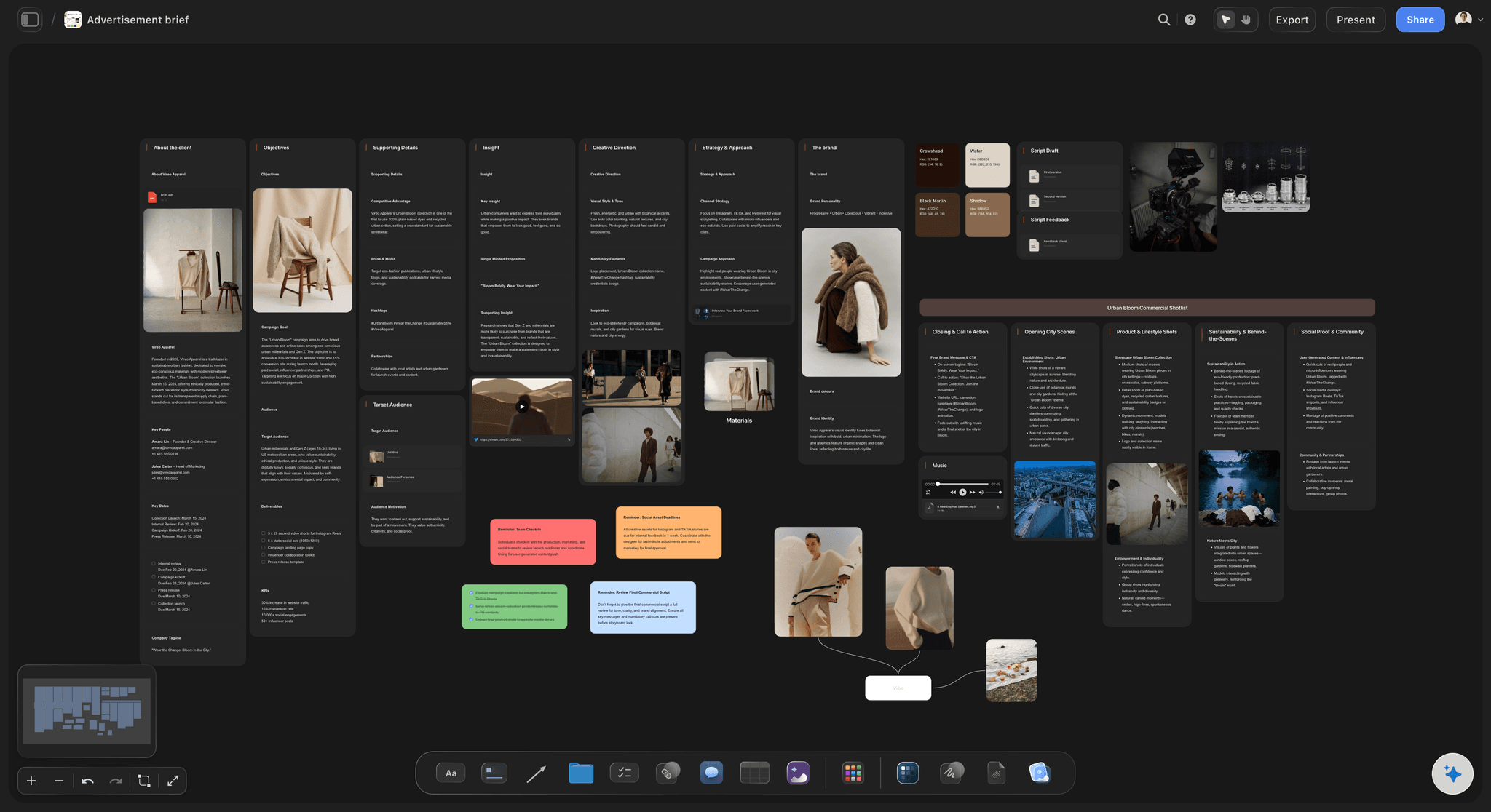
The job in one line
An objective a studio can quote against
One action the viewer should take, one audience, one message and the person who signs off. The AI drafts each field from your notes without inventing a figure, name or date you did not give it.
See the creative brief template →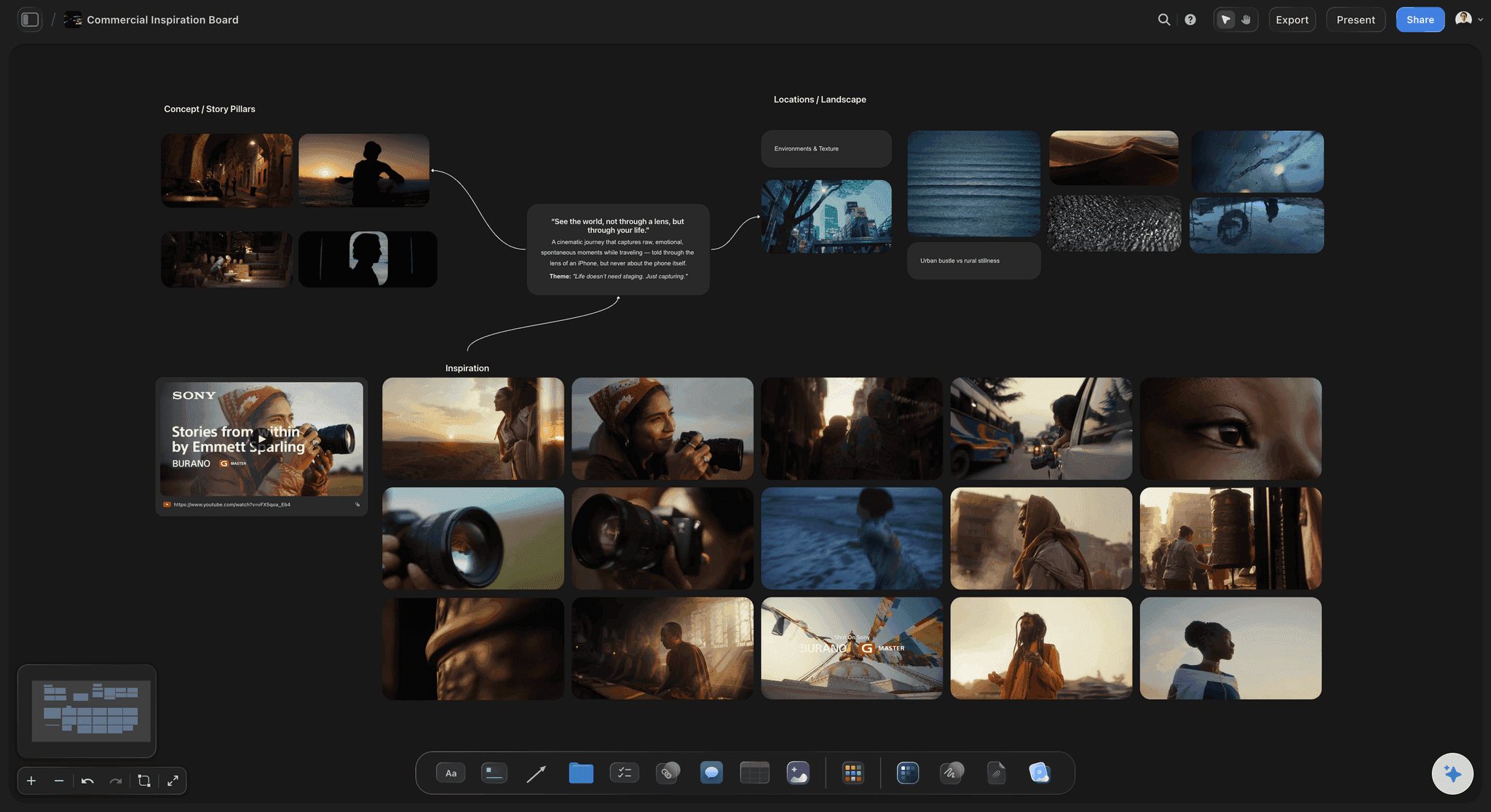
The look, pinned down
References with the exact frame you mean
Upload reference clips, play and scrub them, and grab the frame that shows the light or the framing you want. A captioned frame settles in seconds what three paragraphs about "premium but warm" never will.
See commercial production planning →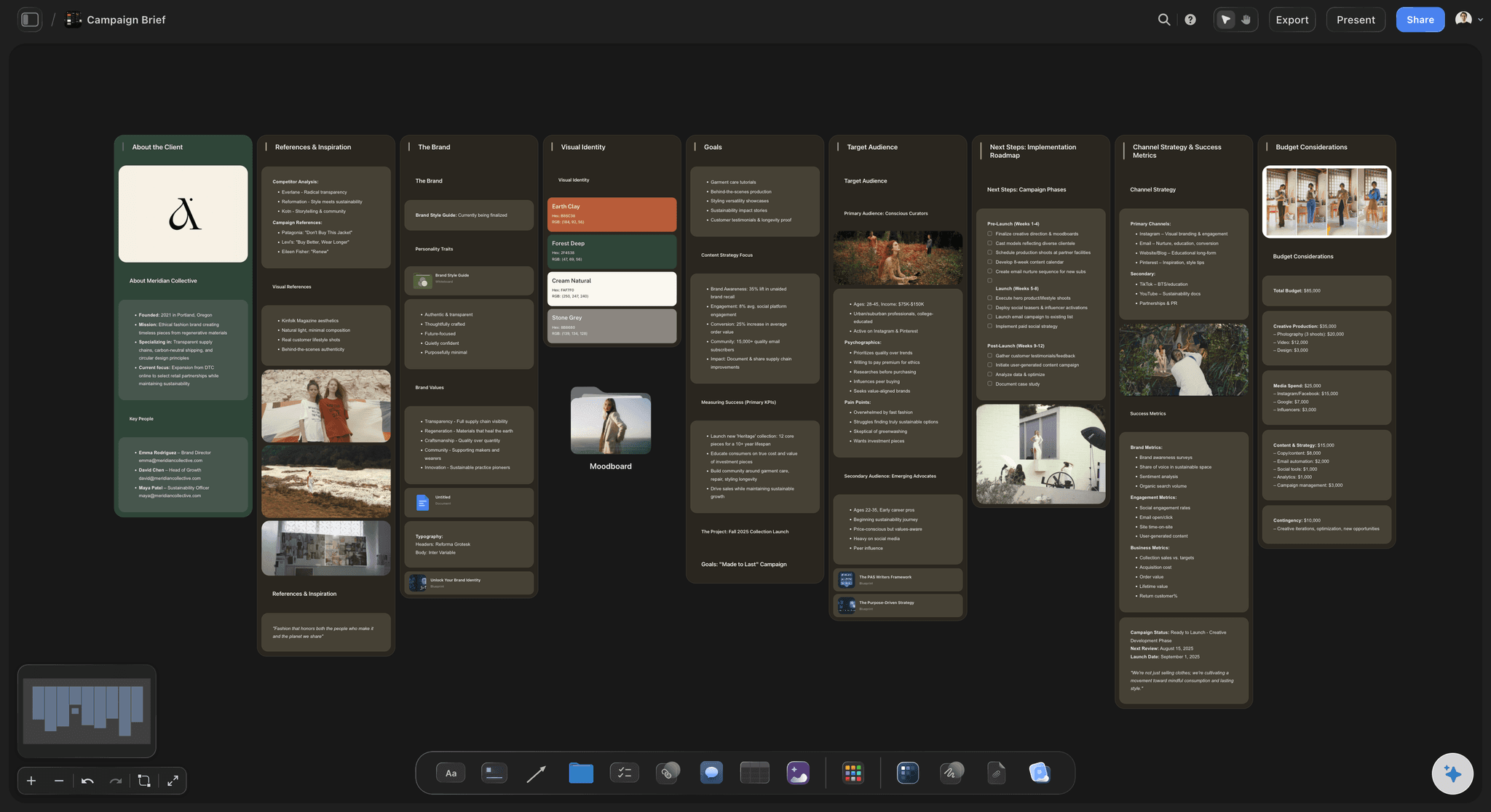
Counted, dated and budgeted
Deliverables and dates in two tables
Each version is a row with its length and ratio, whether it carries subtitles, and the file it arrives as. The dates table counts down to launch with your review days on it, and the budget sits beside both with a note on what it must cover and what can flex.
See the proposal a studio sends back →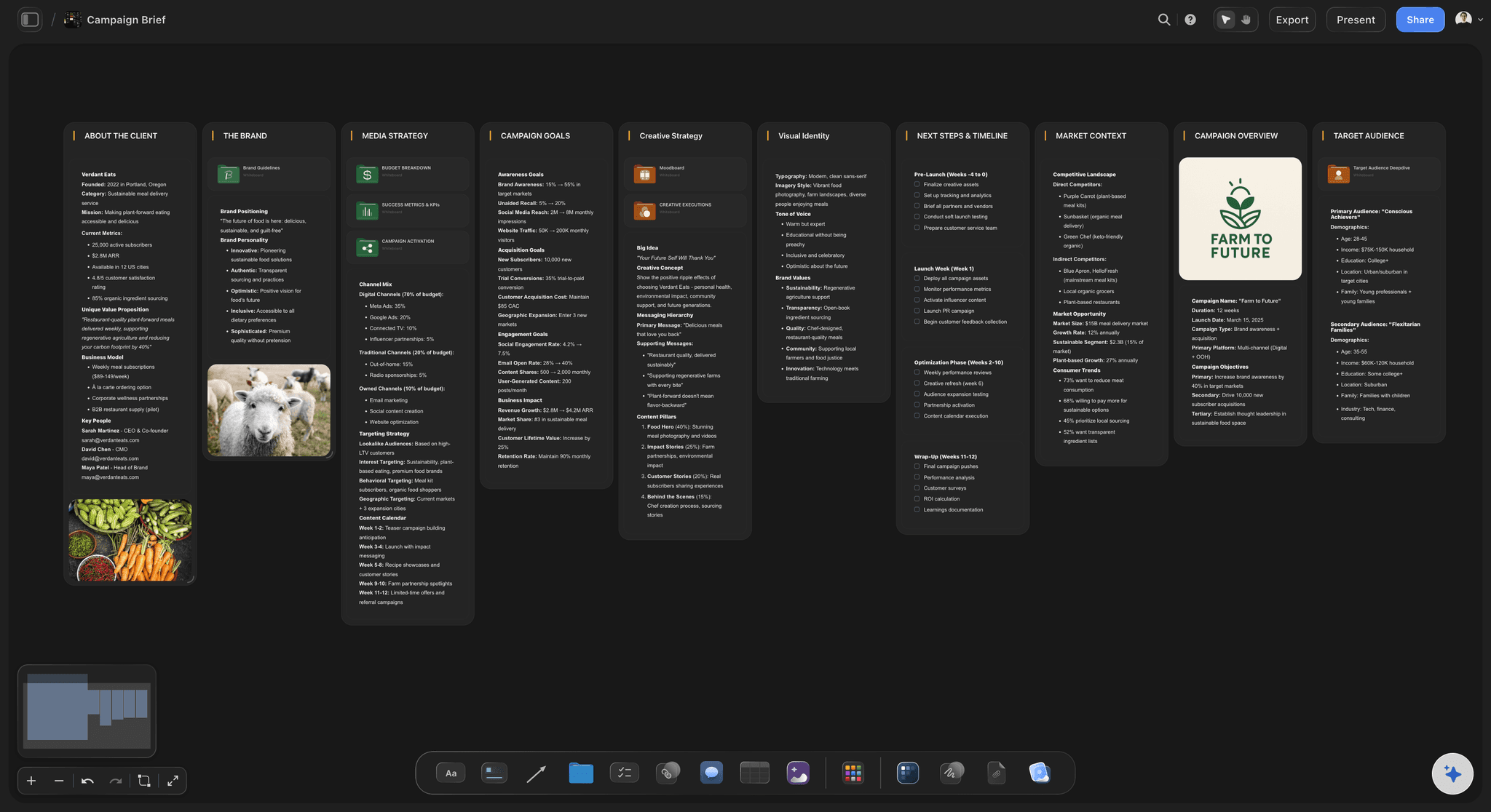
Sent to the studios
One brief, quotes you can compare
Each production company opens the board from a view-only link with no account, and signs in to comment beside the line their question is about. Export the whole board as a PDF for procurement, or have the AI write the brief as a Word file.
See brief to project board →Last quarter's brief is the next one's first draft.
Duplicate last quarter's brief, change the objective and the dates, and the specs, usage and mandatories are already there. Storyflow is paid-only during early access, with plans from $7.99 a month billed annually ($9.99 monthly). A free plan launches before the end of 2026, and anyone a paid member invites to a board joins free.
Unlimited brief boards, reference clips and files on every paid plan
AI that drafts the brief from your notes, and the plan from the brief
Deliverables and dates in tables, with the budget range noted beside them
Presentation mode to walk a studio through the brief on the call

Built for people with taste
What a production company needs before it can quote.
Copy these twelve fields into any document. Each one closes a question a producer would otherwise ask on a call, or answer with a guess in the quote.
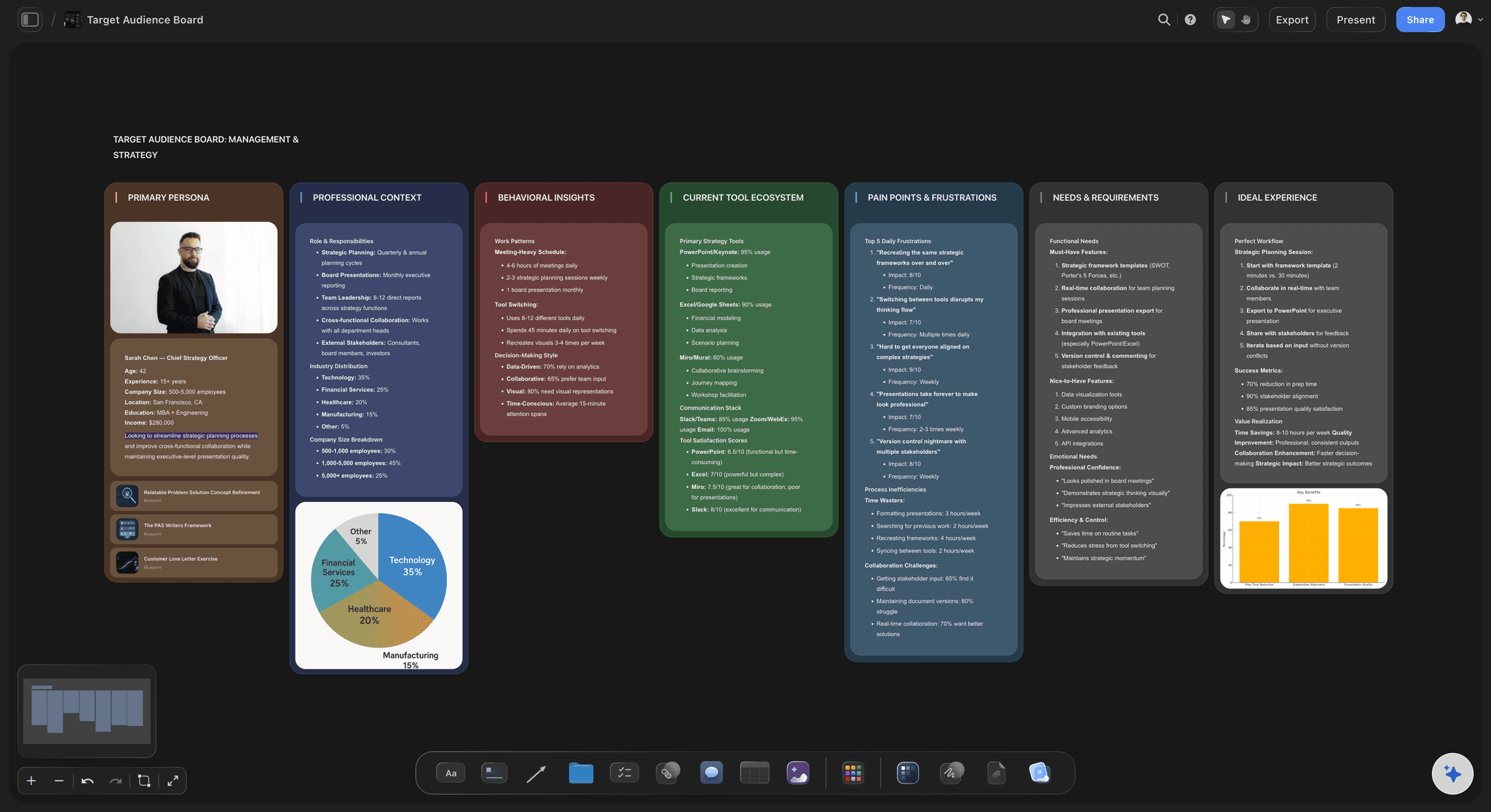
Fields 1 to 4: why it exists
The reason for the video and the person it is for
1. Background and why now: Two lines on the company and the product, and the event that makes this video necessary now: a launch, a raise, a hiring push. Leave out the brand history; the studio can read your website.
2. Objective and the one action: The single thing a viewer should do after watching: book a demo, apply, buy the starter kit. "Raise awareness" is not an objective a producer can shoot toward, and it hides whether the video worked.
3. Audience: One primary viewer described by situation, not demographics: the operations lead comparing three vendors, not adults aged 25 to 54. Add what they already believe, so the film starts where they are.
4. Key message: The one sentence a viewer should be able to repeat afterwards, in plain words. Two messages make two videos; a list of five makes a film nobody remembers.
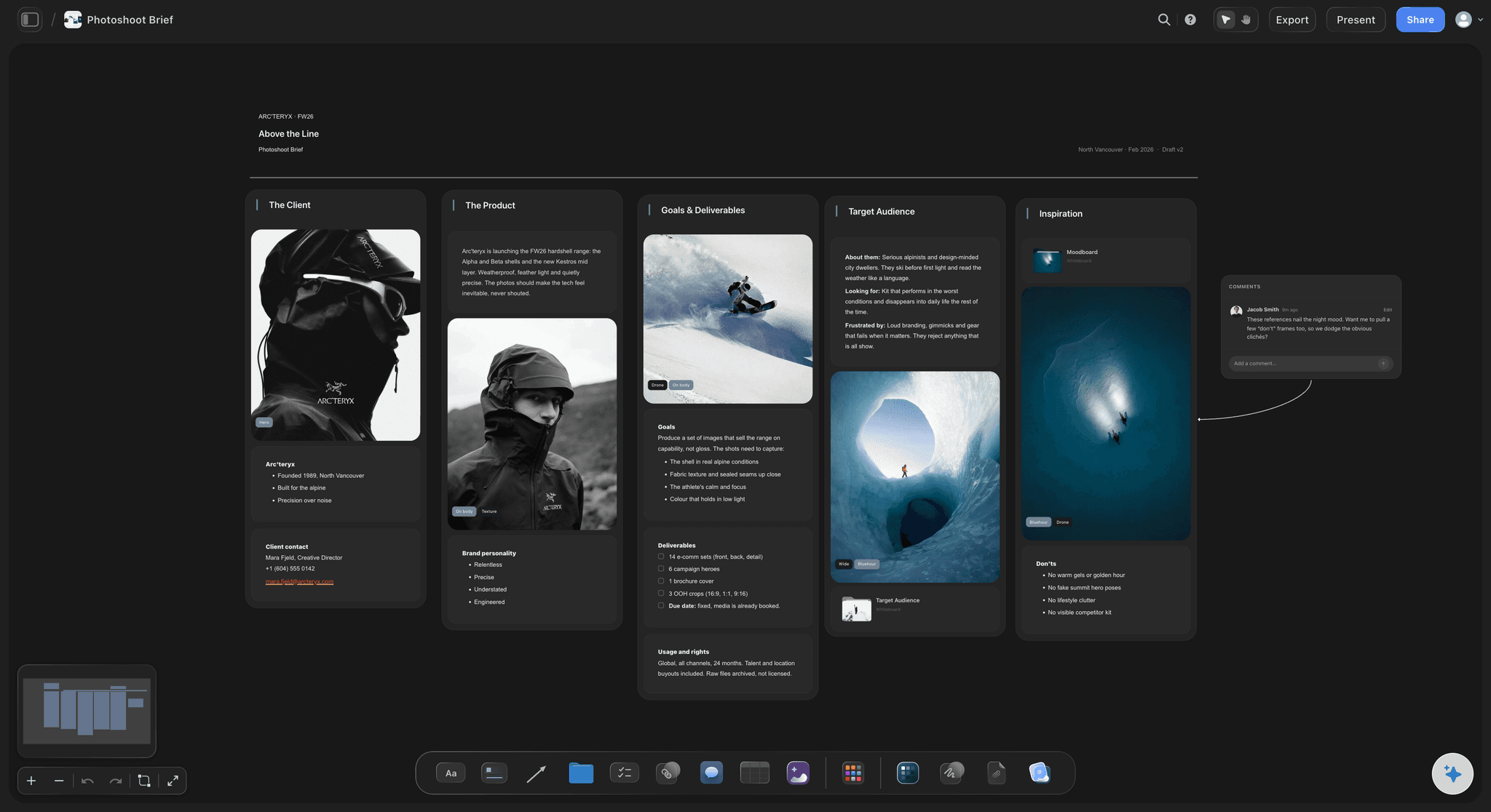
Fields 5 to 8: what gets made
The versions, the rules and the look
5. Deliverables, counted: Every version with its length, aspect ratio, format and subtitles: one 90-second 16:9 master, four vertical 15-second cutdowns, a 6-second bumper and a clean master with no captions. A launch video, uncounted, is how a quote turns into a change order.
6. Where it runs: Website, organic social, paid ads, TV, events or internal only, for how long and in which countries. Usage changes what the studio pays for music, stock footage and talent, so it belongs in the brief, not the contract negotiation.
7. Mandatories and brand assets: The logo lock-up and end card, fonts, colour values, legal lines, cleared product claims and anything that must not appear. Attach the brand guidelines and say which rules are firm and which are habits.
8. References: Two to five captioned references for look, pace and sound, each with what to take from it. A reference without a caption gets copied whole, including the parts you disliked.
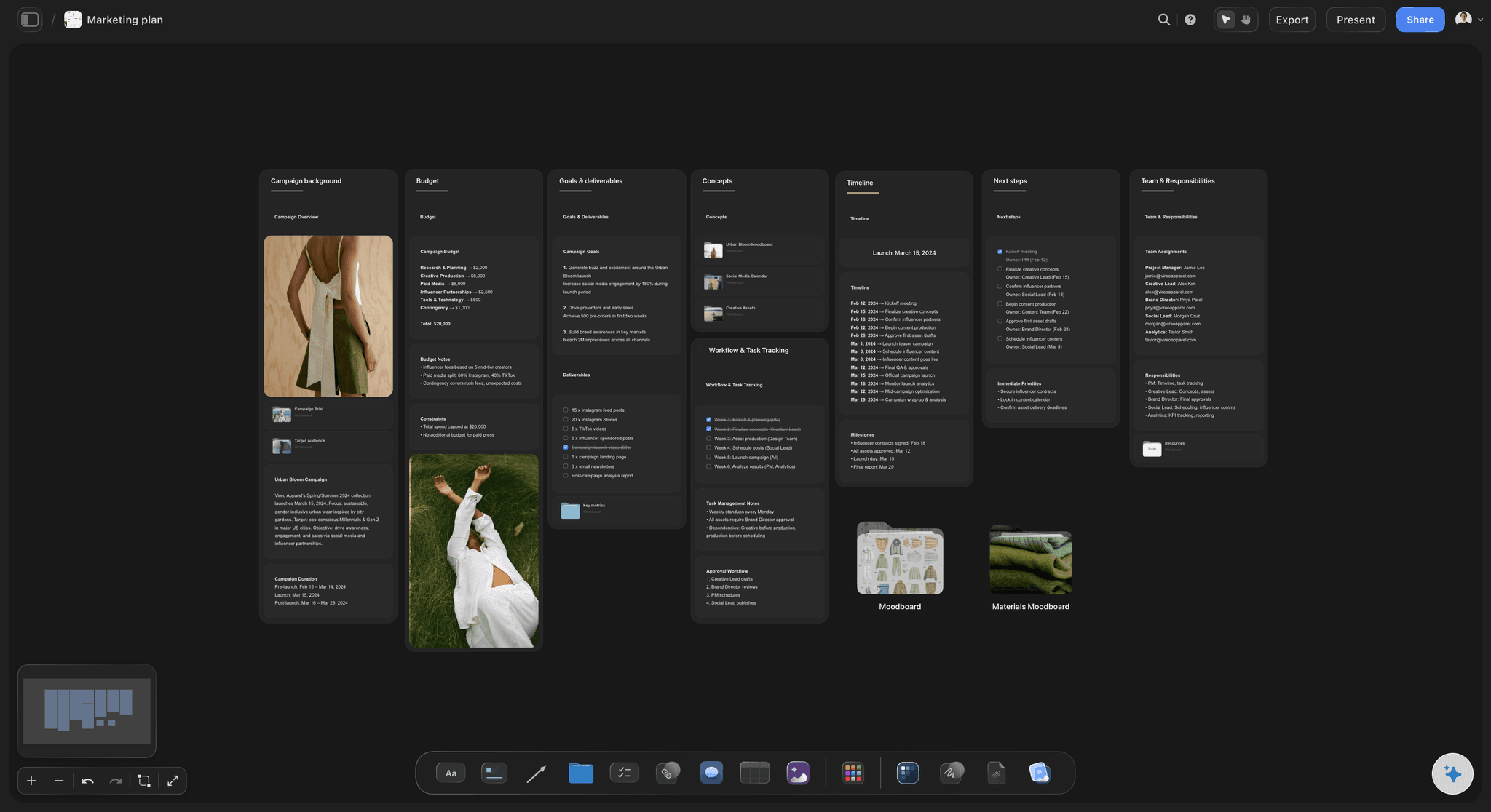
Fields 9 to 12: money, dates and people
What the studio needs to plan the job
9. Budget range: A range and what it must cover, and whether talent, music licences, locations and media spend sit inside it. Say how you pay, such as a purchase order and 30-day terms, because a studio booking crew needs to know when a deposit can land.
10. Live date and review windows: Ten weeks before launch is a common shape for a two-minute brand film: brief out in week 1, quotes back in week 2, pre-production in weeks 3 to 5, the shoot in week 6, the first cut in week 8, then two rounds of notes and the final versions by week 10.
11. The decision-maker: One named person whose notes are final, and who else must see the cut before it ships, such as legal or a founder. Notes from six people with equal say are how a two-round job becomes four.
12. What you provide: Locations and access, the people on camera and their signed release forms, product samples, brand files, and anything security needs to let a crew film on site. Give each item an owner and a date.
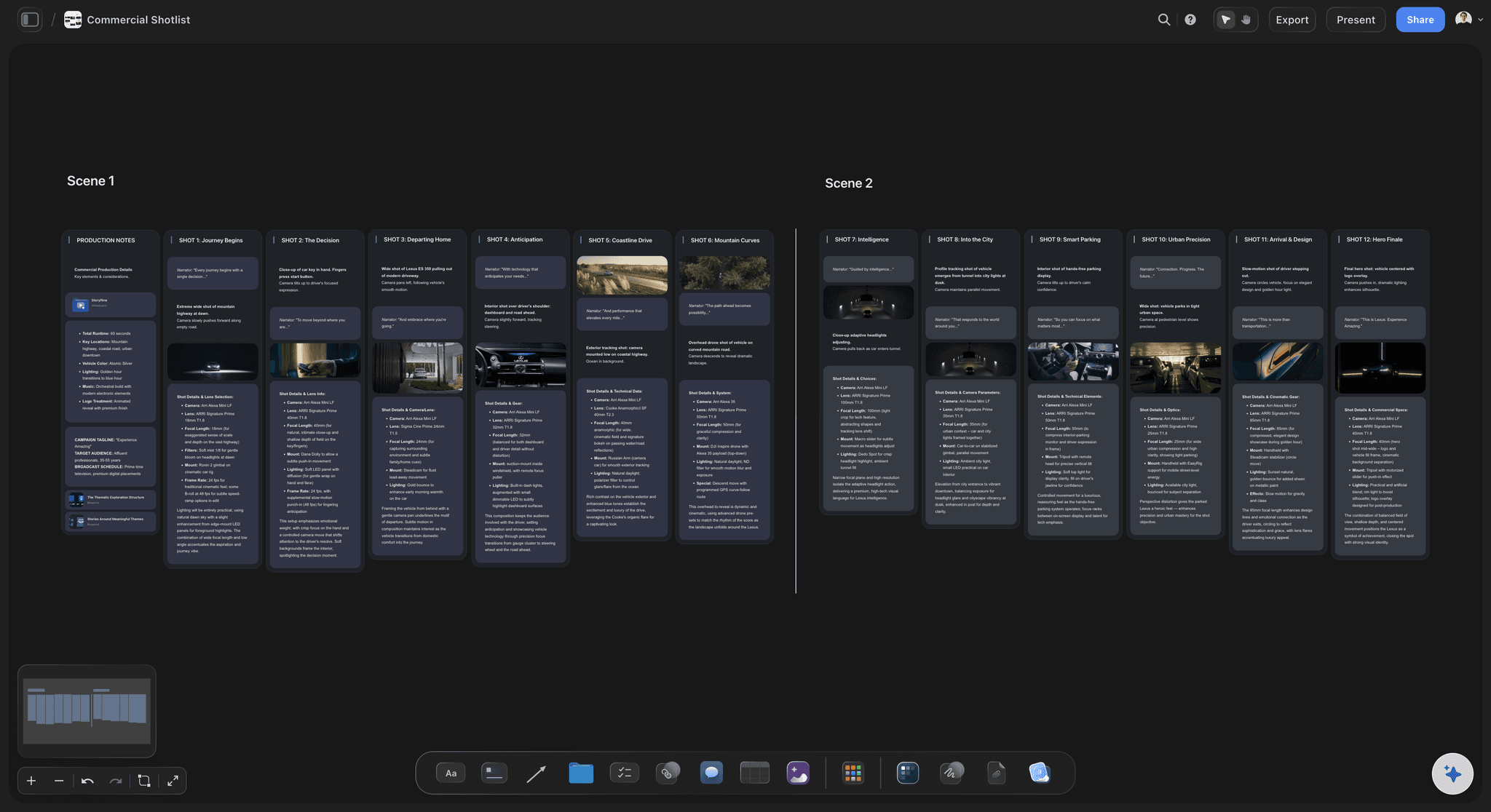
After you pick a studio
Where each field lands in the studio's plan
Deliverables become the deliverables list: Each counted version becomes a row the producer and the editor both check at delivery. Nothing is retyped from a document into a spreadsheet.
The live date becomes the schedule: The dates table grows into the production schedule: shoot days, the edit, each round of notes and delivery. The AI's planner workflow works it back from the live date for you to adjust.
References become the treatment and storyboard: The studio's treatment answers your captioned references, and the AI's storyboard workflow lays the chosen idea out frame by frame beside your references.
Mandatories become the shot list must-gets: The logo shot, the product close-up and the legal line are marked as must-gets on the shot list, and the AI drafts a call sheet PDF for each shoot day. It does not send it or collect replies.
Explore templates for your project
Every template opens as a real, editable board on the infinite canvas. Pick the closest fit and make it your own.
Creative Brief
Capture the objective, audience, and message for a creative so everyone works from the same brief.
One app instead of five
What a board adds to a brief in Google Docs, Notion or HolaBrief.
Google Docs and Notion are where most briefs get typed, and both now draft with AI. Notion and HolaBrief send the questions to the client as a form, and Notion adds a timeline view of dates. Storyflow keeps the frames, the brief and the plan on one canvas.
Storyflow
Recommended
Brief laid out on an infinite canvas
Stills grabbed from a reference clip
AI drafts the brief from call notes
Brief questions sent as a form
Timeline view of production dates
Google Docs
Brief laid out on an infinite canvas
Stills grabbed from a reference clip
AI drafts the brief from call notes
Brief questions sent as a form
Timeline view of production dates
Notion
Brief laid out on an infinite canvas
Stills grabbed from a reference clip
AI drafts the brief from call notes
Brief questions sent as a form
Timeline view of production dates
HolaBrief
Brief laid out on an infinite canvas
Stills grabbed from a reference clip
AI drafts the brief from call notes
Brief questions sent as a form
Timeline view of production dates
What creators are saying
Join early creators getting structured workspaces and AI that remembers their projects
“Storyflow has sped up my workflow by at least 3x, which means more flow state and more projects I can actually ship. It truly changed the way me and my team create.”

Reilin Joey
Director & YouTuber
“One prompt gets me a structured board. But the tactics are my favorite. I run my YouTube scripts through them and my intros and retention got better. It's amazing.”

Justkay
YouTuber & Freelance Filmmaker
“I used to juggle five apps to plan a project. Now I describe what I am making and get boards, lists, and a schedule. All in one place.”

George
@fernwehchronicles
What clients ask before briefing a production company.
Fields, budget, lead time, usage, what you supply, and what happens once a studio is hired.
Storyflow. Write the video brief as a board a production company can quote from without a second call: the viewer's one action, the versions counted, frames grabbed from reference clips, a budget range and the live date, opened by link with no account or read as a PDF. That board then carries the shot list and schedule. Google Docs or Notion hold a text-only brief, HolaBrief a client questionnaire, and Frame.io the review of the cuts.
Twelve: background and why now, the objective and the one action, the audience, the key message, the counted deliverables, where it runs, mandatories and brand assets, references, the budget range, the live date with your review windows, the decision-maker, and what you provide. Keep it to what a producer needs to quote. The creative idea is the studio's job, and the reason you are hiring one.
Detailed enough that two studios would quote the same job. That means every version counted with its length and ratio, the number of locations and people on camera, where it will run and for how long, the budget range and when it goes live. Leave the shot ideas out: a studio pricing your storyboard cannot show you a better one.
Yes, as a range. Studios design to a budget, so a range lets them propose the best film for it and show what more money adds, while a budget still to be confirmed gets you three quotes for three different films. Say what the range must cover, such as talent, music licences and locations, and whether media spend sits outside it.
About ten weeks before the live date is a common shape for a short brand film: a week to brief, a week for quotes, three weeks of pre-production, a shoot week, then four weeks for the edit, two rounds of notes and the final versions. Animation, several locations or casting add time. Count back from launch and put your own review days on the schedule.
Because where it runs sets the price: music, stock footage and talent are licensed for specific uses, so a film cleared for organic social cannot simply move into a paid campaign later. Name every place it will run (website, organic social, paid social, TV, cinema, events or internal), for how long and in which countries. State it in the brief; the agreed terms go in the contract.
Usually the location and access to it, the people on camera and their signed release forms, product samples, brand files and one person on set who can make decisions. For an office shoot, add parking, building security and a quiet room for interviews. Give each item an owner and a date: footage of someone without a signed release cannot be used.
A creative brief sets the problem, audience and message for any piece of creative work. A video production brief adds what a studio needs to price and schedule a shoot: counted versions, locations, people on camera, usage, budget and dates. A treatment is the studio's answer, with the idea, tone and look, and its proposal wraps that answer in scope, schedule and price.
The studio works from it, field by field. The deliverables become the deliverables list, the live date becomes the schedule, the references become the treatment and storyboard, and the mandatories become the shot list must-gets. In Storyflow that happens on the same board once you invite the studio's producer: the AI's pre-production plan, shot list and storyboard workflows build from the brief above them, and it drafts a call sheet PDF per shoot day.
Yes, as a first draft you then correct. Paste the notes into Storyflow and the AI's advertising brief workflow lays out the fields on the board, without inventing a figure, name or date you did not give it. Every change it makes can be undone in one click. Set the objective yourself, and the budget range too: those are decisions, not wording.
No. Storyflow holds what comes before the edit. Review the cuts in Frame.io, where notes sit on the exact frame; comments in Storyflow are not timecoded, and there is no approval button or version compare. The contract, deposit and invoices stay in the production company's own tools. Paste the brief's link into the contract so both point at the same scope.
Not during early access. Storyflow is paid-only during early access, with plans from $7.99 a month billed annually ($9.99 monthly). A free plan launches before the end of 2026, and anyone a paid member invites to a board joins free. The production companies reading your brief pay nothing.
More from Storyflow
Brief to project board
Creative brief template
Campaign brief template
UGC brief template
Project brief template
Video production proposal template
Video editing brief template
Two column script template
Commercial production planning
Corporate video production
From pre-production to shoot day
How to write a video brief
How to build a deliverables list for a video project
Pricing
Creative request intake
Production plan with ChatGPT
Client brief to production plan
Deliverables list
Creative production brief
Brief the video once, then plan it where you wrote it.
Open a board, paste the kickoff notes, and send the studios one brief to quote from. No download.