
Ultra-fast storyboards: minutes, not days
A video editing brief template
that gets the first cut right.
What the video is for, how long each version runs, the sequence of sections, the moments that must stay, the brand kit and the file names, on one board with the footage playing on it.


Creatives working for these brands already got early access
- Red Bull
- Canon
- Artlist
- Porsche
See how easy it is to get started
Watch a real project come together, from a blank board to a finished plan, clicked through step by step.
Start from a ready-made template
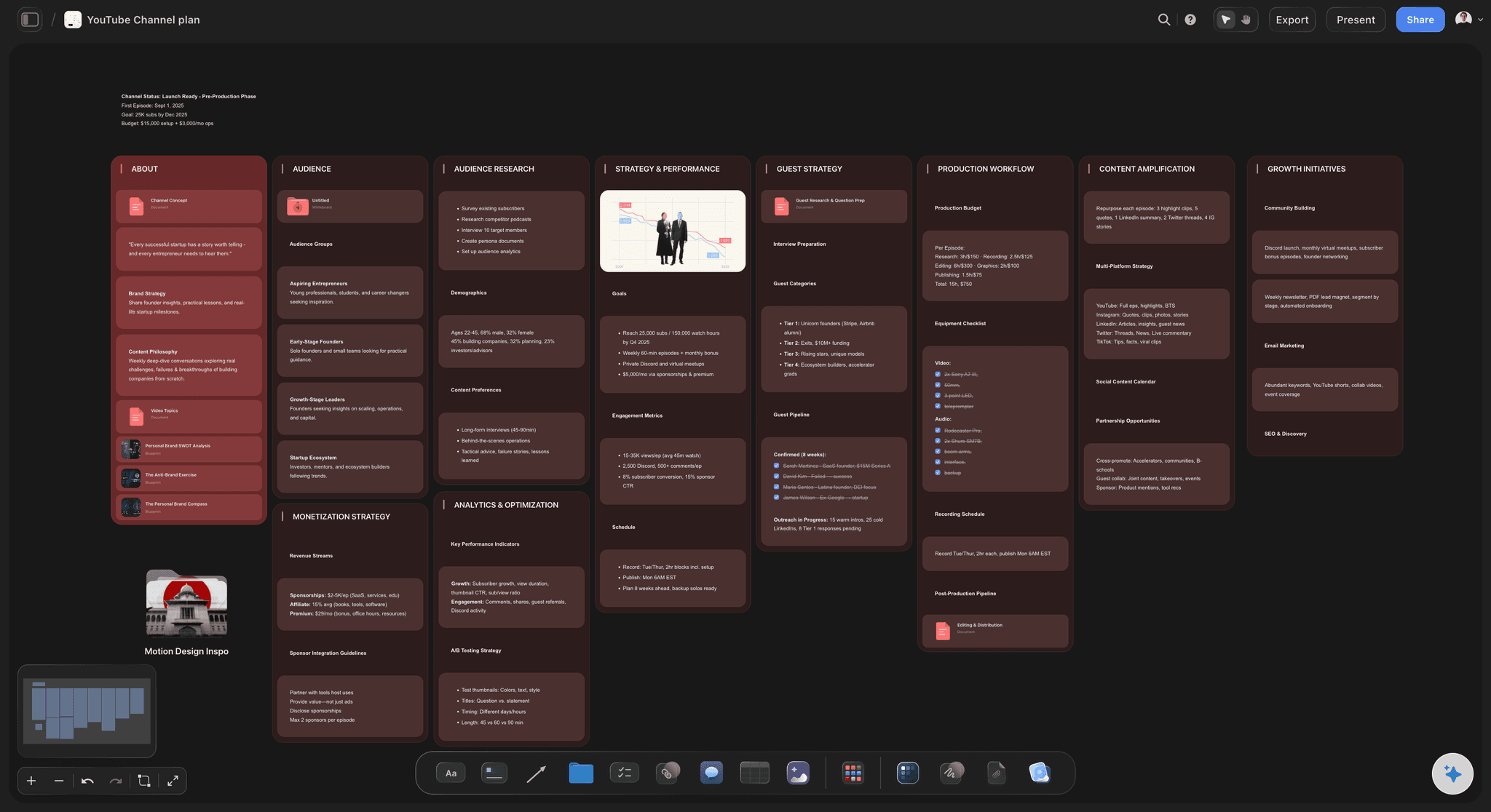
Pick a board to see what you can build, then let AI fill it in. Every template is a real, editable starting point on the same infinite canvas.

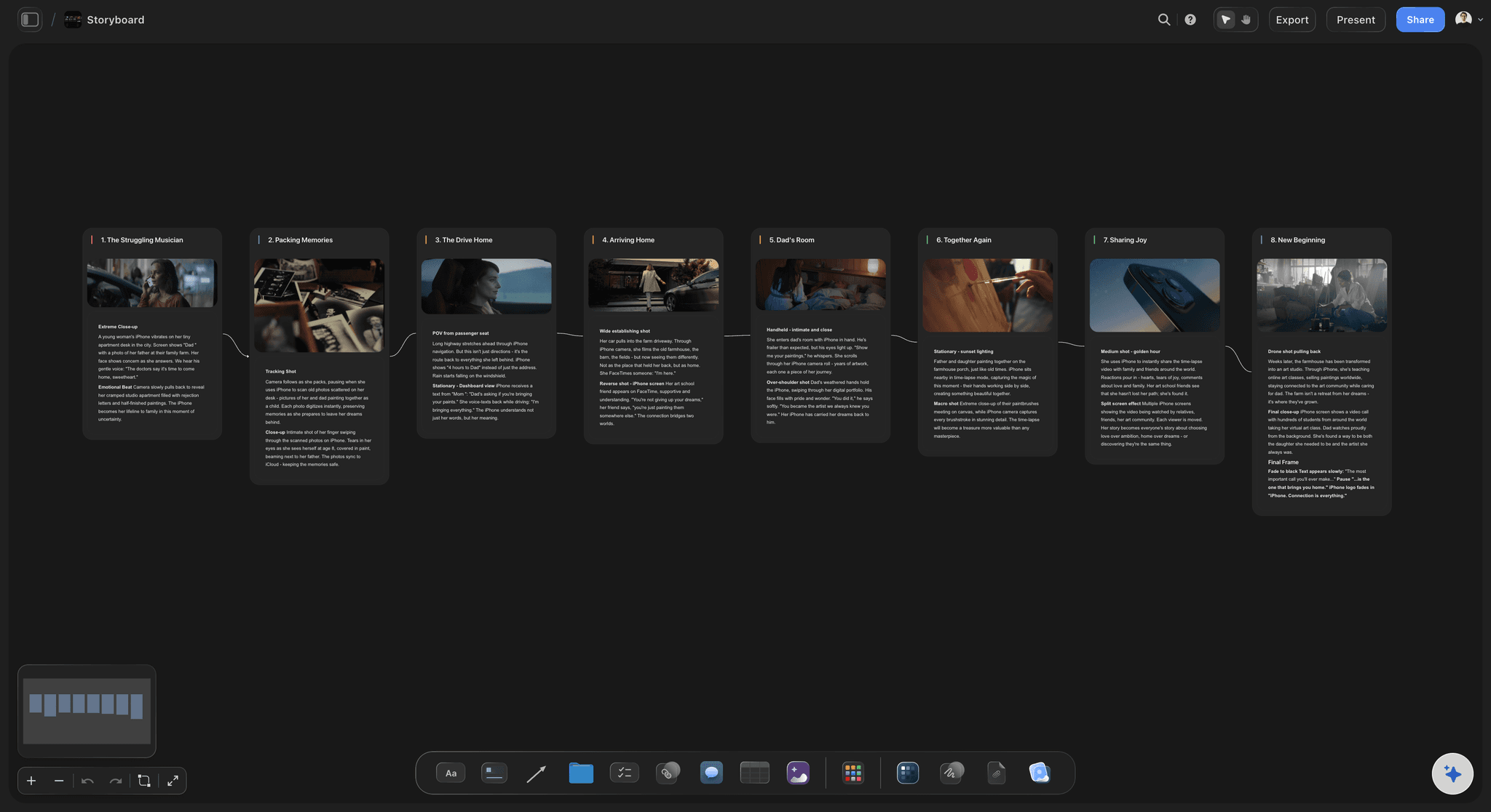
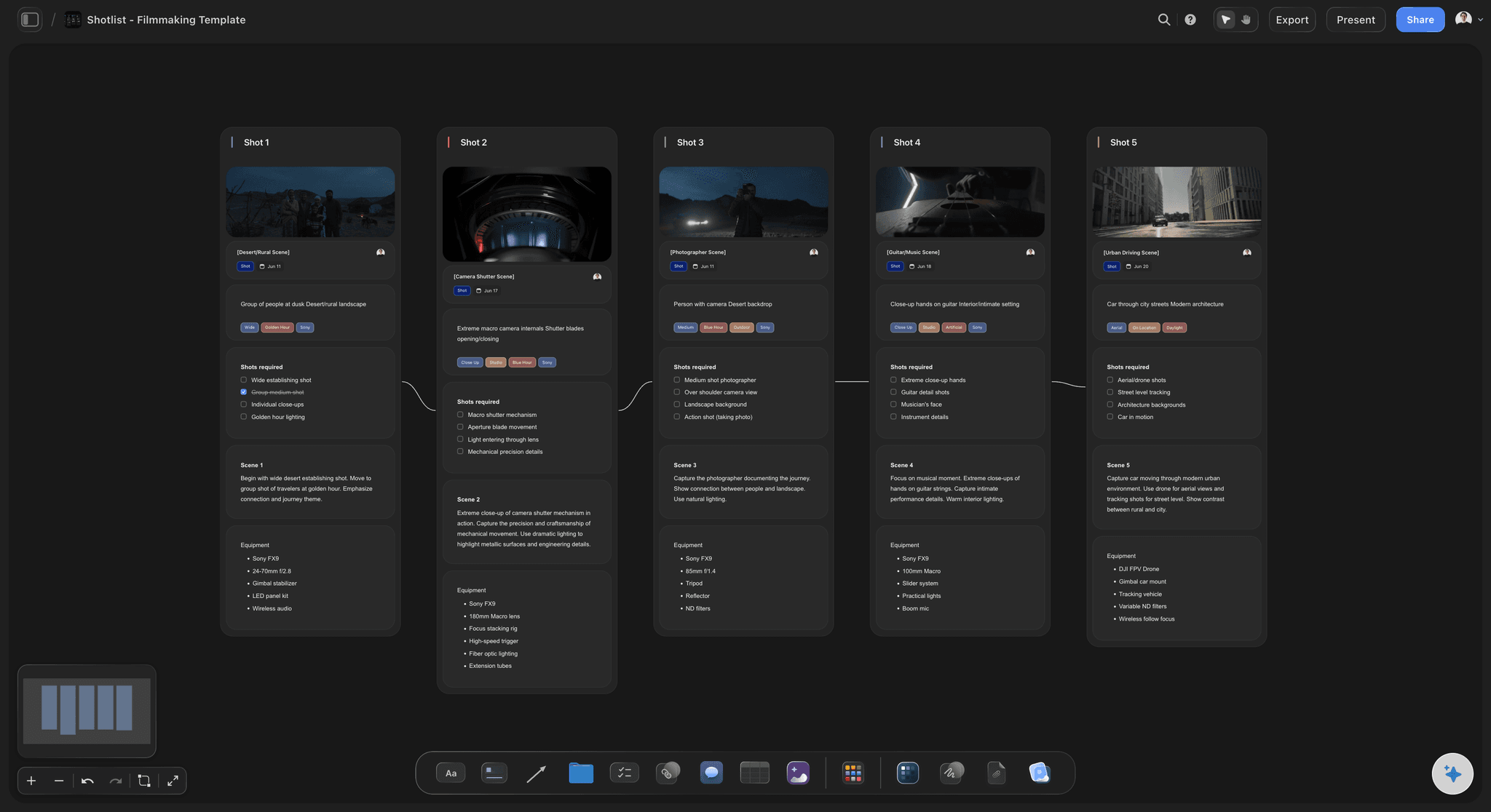
Storyboard
Lay out your shots frame by frame with images and notes, then reorder them until the sequence reads like the finished cut.
What belongs in a video editing brief template?
A video editing brief is what an editor cuts from: the goal and platform, lengths and ratios, the order of the story, pace references, must-use moments, brand assets, versions and the deadline. Storyflow is an AI visual workspace that builds the brief for your editor on one infinite canvas: a board per video, the key clips you upload, the frames you grab from them, and a table of every version.
Hand over the story, not just the footage. List the sections in order, the hook, the beats and the ending, with the selects that carry each one: clip A012C003 from 14:32 to 15:10, the laugh after the fall. An editor handed four hours of rushes and the word "engaging" spends day one finding a story you already know.
Name the pace with a reference and a timestamp. "Snappy" means something different to every editor. Point to a video and the minutes you mean: cut like 0:40 to 1:10 of this one, caption like that one, music this far under the voice. Say what not to copy as well, such as a whoosh on every cut, and the editor stops guessing at your taste.
Plan the versions before the first cut. A vertical cutdown is not the master squeezed into 9:16: it needs its own hook, reframed shots and captions kept clear of the buttons the app draws over the bottom and the right edge. List every version with its length and ratio up front, and mark which moments of the master each Short comes from.
Ultra fast from brief to board
From the shoot to a brief your editor can cut from.
Four steps, and the first cut comes back closer to the video you pictured.
01
Put the script and the footage on the board
Paste the script or the outline, upload the key clips or low-res copies of them, and link the folder that holds the full footage. Play and scrub the clips on the board, and ask the AI to draft the brief from the script for you to correct.
02
Mark the sections and the selects
Lay the sections out left to right, grab the frames of the moments that must stay, and note the ones that must go. Put the clip name and timecode beside each, so the editor finds the moment without scrubbing a whole card.
03
Set the versions, specs and file names
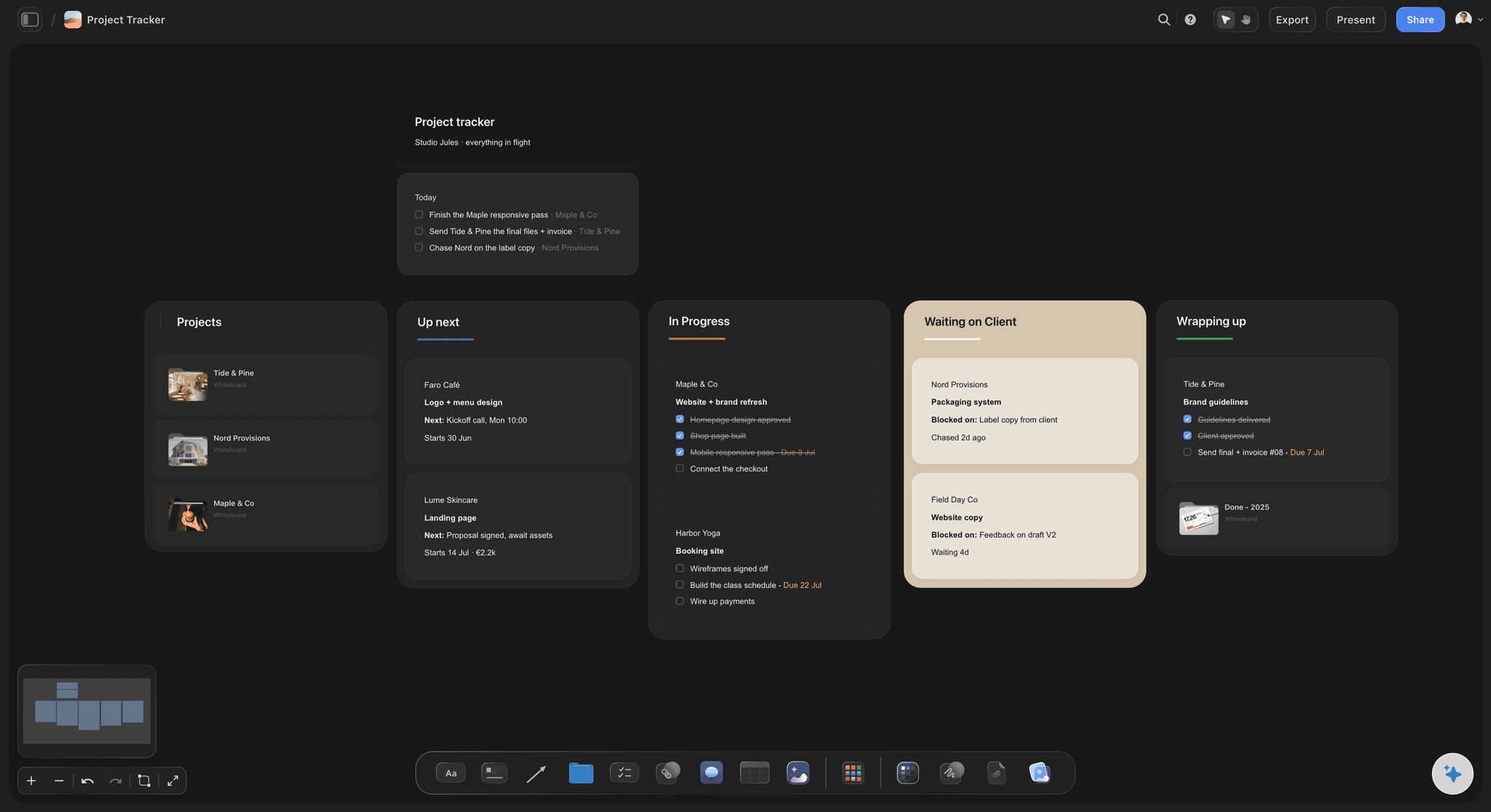
One table row per export: the 16:9 master, the 9:16 cutdowns, the thumbnail stills, each with length, captions, status and due date. Write the naming pattern and the folder link at the top, so exports come back findable.
04
Hand it over, then keep notes where they belong
Your editor reads the board and asks questions beside the still or row they are about. Notes on the cut itself, with timecodes, go in your review tool; changes to the plan go on the board, so it stays the record of what you asked for.
Built around the footage your editor will cut.
The story, the frames and the versions in one place. The cut itself stays in the editing software and the review tool.
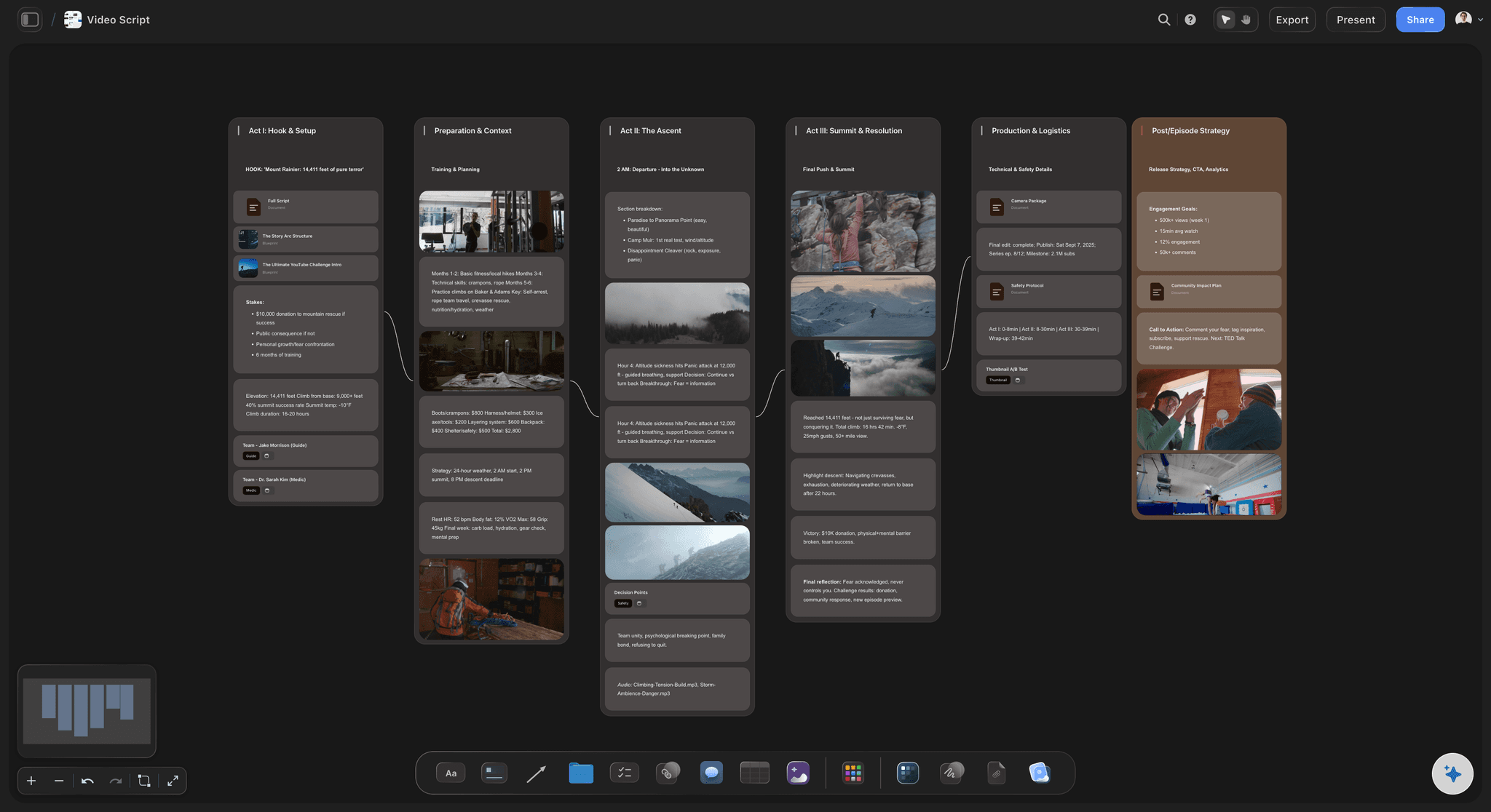
Sections in sequence
Sections, selects and timecodes, left to right
The hook, the beats and the ending as a row of sections, with the selects under each: clip name, in and out, and what the moment is for. The AI's video script workflow lays a script out in acts with a runtime for each, which the editor can cut against.
See the paper edit tool →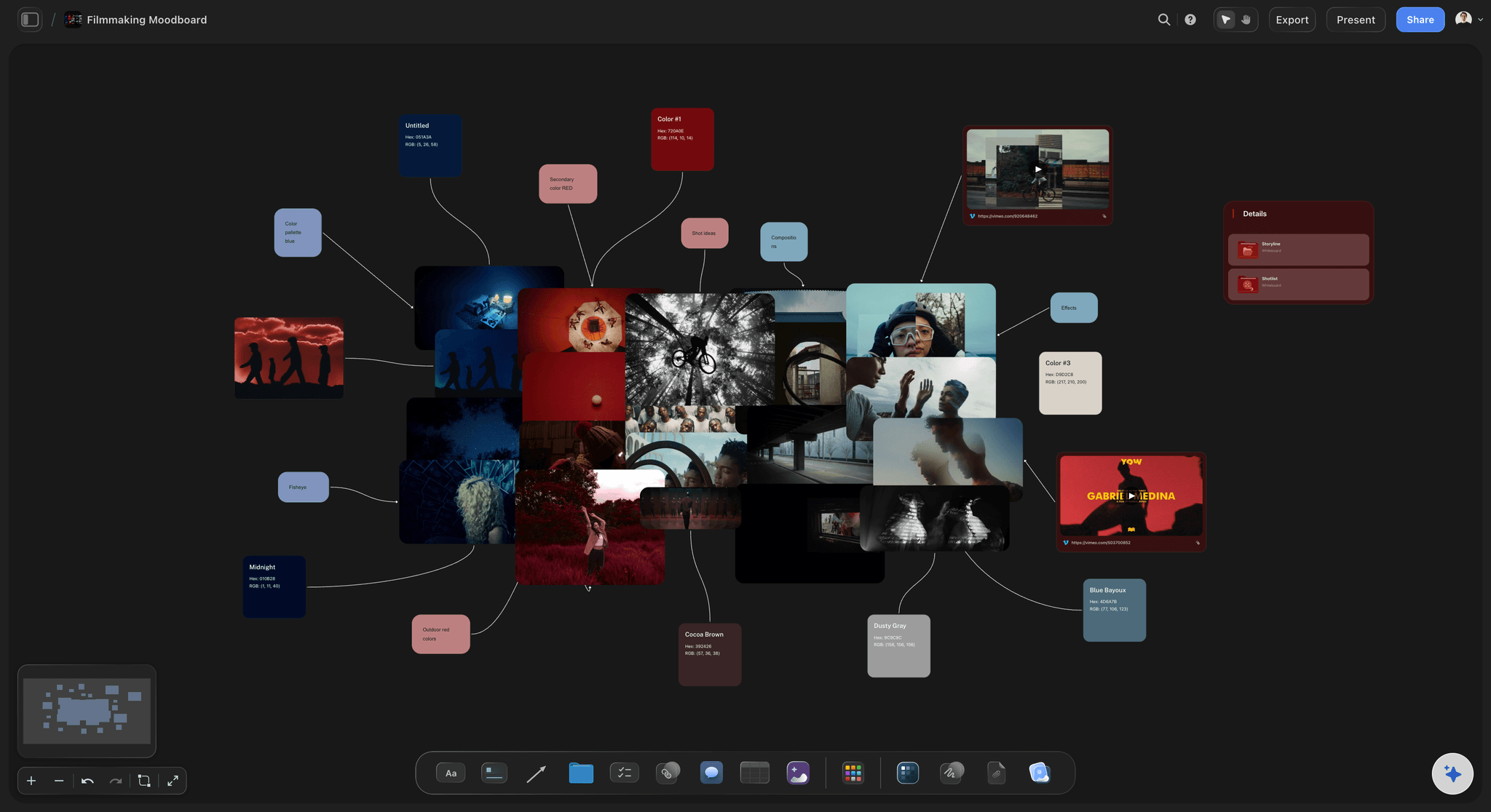
Pace, captions and music
References the editor can play
Paste a reference video's YouTube or Vimeo link or upload the file, play it to the moment you mean and grab it as a frame with a caption: cut this fast, caption this size, music this low. Colour swatches and a note on the grade sit beside them.
See Storyflow for video editors →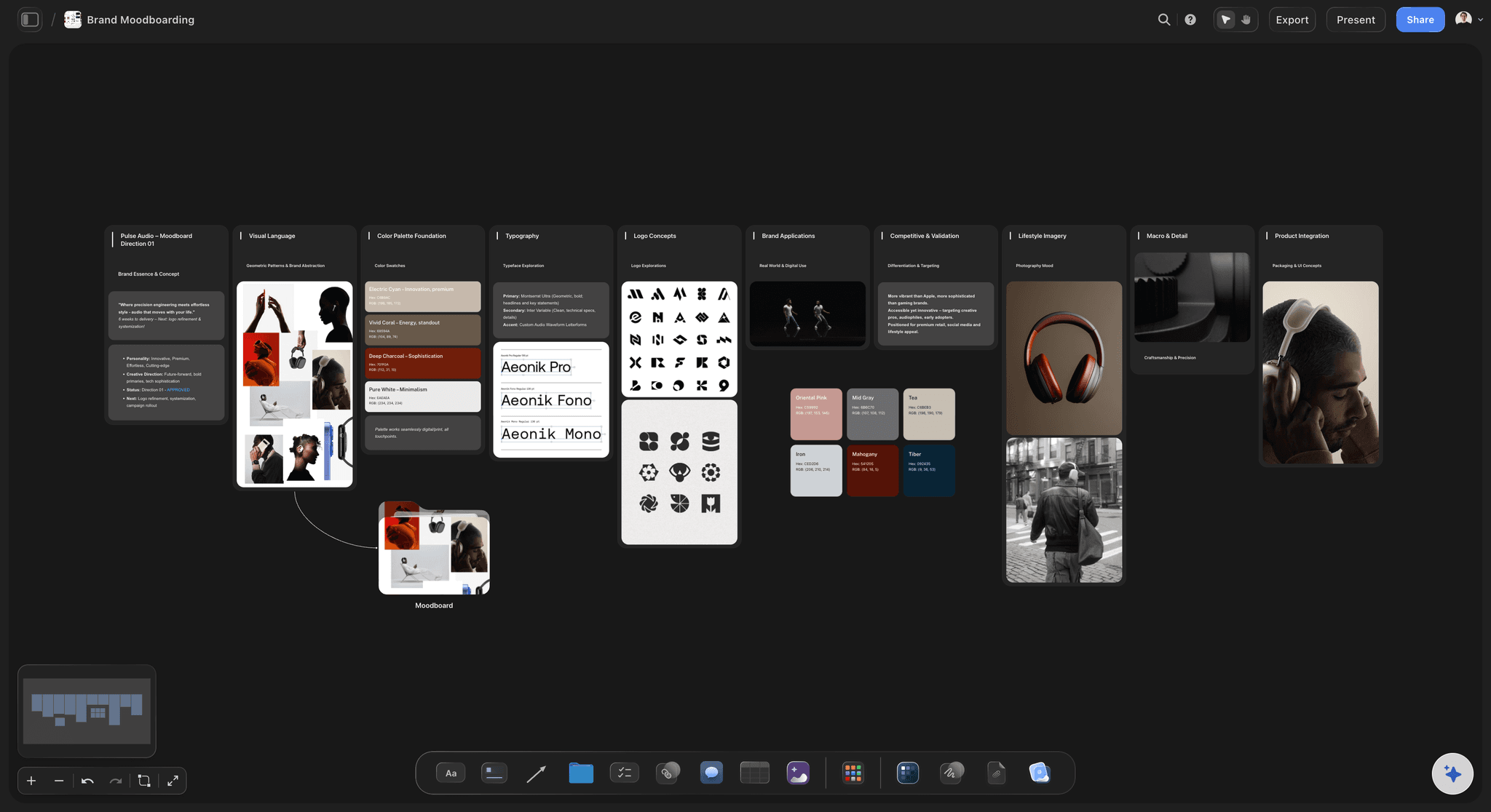
The brand kit, attached
Fonts, colours, logo and lower thirds in one place
Logo files, colour values, fonts, the lower-third style, intro and outro, and the music you hold a licence for, pinned where the editor looks first. Each file sits next to the rule it belongs to.
See in-house content production →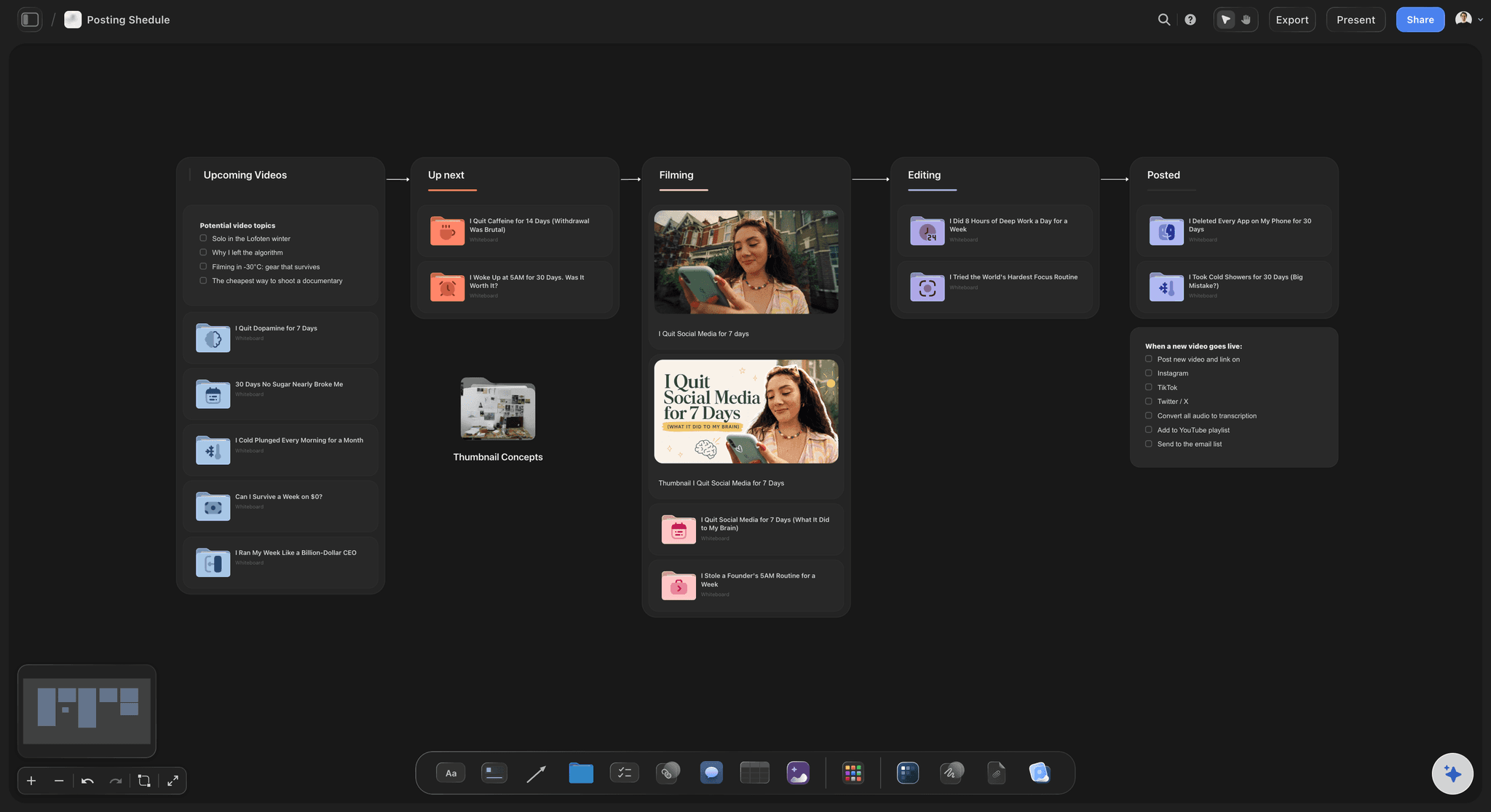
Sent to your editor
A brief for every video on the calendar
Each video on your content calendar board links to its own brief. Your editor opens it from a view-only link with no account and signs in to comment beside the still or row they mean, or joins free as an invited collaborator and edits it with you.
See the content calendar for creators →A brief per video, and last week's brief to start from.
Duplicate the brief of a video that worked, swap the footage and the story, and the specs, brand kit and naming are already set. Storyflow is paid-only during early access, with plans from $7.99 a month billed annually ($9.99 monthly). A free plan launches before the end of 2026, and anyone a paid member invites to a board joins free.
Unlimited video boards, footage uploads and files on every paid plan
AI that drafts the brief from your script and notes
Video that plays and scrubs on the board, with frames you grab
Tables for every export, with status and due dates
Built for people with taste
From the story order to the file names, field by field.
Ten fields, a naming pattern and the rules for rounds of notes. Copy them into any doc, or build them on a board with the footage beside them.
Brief fields 1 to 4: the video
What the video is and how it should move
1. Goal and platform: What the video must do and where it lives: a YouTube upload that has to hold viewers past the first minute, or a paid Reel that has to sell in fifteen seconds. The platform decides the pace, the captions and where the hook lands.
2. Length and aspect ratios: A target and a ceiling for each version: a master of 10 to 12 minutes in 16:9, Shorts of 30 to 45 seconds in 9:16. Give only one number and it becomes the length, whether or not the story needs the time.
3. The story in order: The sections as a paper edit, or a list of selects with clip names and timecodes. If you have a transcript, paste the lines you want in order; the editor then cuts toward your words instead of hunting for them.
4. Pace references: Two or three videos, a timestamp on each, and what to take from them: cut rhythm, punch-in zooms, how much B-roll covers the talking. Add one thing to avoid, which saves a round of notes.
Brief fields 5 to 7: the look and sound
What must stay, what must go, and how it looks
5. Captions and music: Caption style (burned in or a separate file, font, size, position, words per line) and the music: the track or library, the licence, and how far it sits under the voice. Unlicensed music is the note that arrives after publishing.
6. Must-use and must-cut moments: The lines, reactions and shots that have to survive, including the sponsor read and where it sits, and what must not appear: a client's name said on camera, a competitor's logo, the take you hated. Grab a frame of each so there is no doubt which take you mean.
7. Brand assets: Fonts, colour values, logo files, lower-third style, intro and outro, and a grade or LUT reference if you have one. Keep the files in one folder linked from the brief, not scattered through a chat thread.
Brief fields 8 to 10: delivery
Versions, files and the deadline
8. Deliverables and versions: Every export with its ratio, length and format: the 16:9 master with room in its last 20 seconds for YouTube's end screen, three 9:16 cutdowns, a 1:1 for feeds, captions as a separate SRT file and two thumbnail stills. Say which one is due first; it is not always the master.
9. File locations and naming: One folder link and one naming pattern for everything that comes back, such as NORTHWIND_KitchenTour_9x16_30s_v03.mp4: client or channel, video, ratio, length, version. Version numbers only go up, and never turn into final, final2 or FINAL_real.
10. Deadline and review rounds: When the first cut is due, how many rounds of notes are included, and when you will return each one. For a weekly upload, a common shape is a first cut within three working days of the footage, then one round of notes.
Rounds of notes that end
Review rules to settle on day one
A round is one list of notes: Collect every note on a cut into one list from one person, then send it. Notes that arrive in three messages over two days are three rounds to the editor, whatever you call them.
One person consolidates: If three people watch the cut, one of them merges the notes and settles the conflicts before the editor sees them. Contradicting notes sent straight to the editor cost a round each.
Timecodes on the cut, changes on the brief: Notes about a moment go in the review tool with its timecode. A change to the plan itself, a new section or a dropped Short, goes on the brief, so the board shows what was asked and when.
New ideas are new work: A note fixes the cut you asked for; an idea you have once the first cut exists is a new request with its own time and fee. Agree that at handover and a two-round job stays at two.
Explore templates for your project
Every template opens as a real, editable board on the infinite canvas. Pick the closest fit and make it your own.
Storyboard
Lay out your shots frame by frame with images and notes, then reorder them until the sequence reads like the finished cut.
One app instead of five
Brief it in Storyflow, review the cut in Frame.io.
Frame.io is built for reviewing the cut with frame-accurate comments, and it can download a still from the player. Notion and Google Docs hold a written brief and draft it with AI, and Notion can lay a month of publish dates out on a calendar. Storyflow keeps the footage frames, the story order and the versions for each video on one canvas.
Storyflow
Recommended
Frames grabbed from the footage
AI drafts the edit brief from the script
Edit brief on an infinite canvas
Timecoded comments on the cut
Publish dates on a calendar
Frame.io
Frames grabbed from the footage
AI drafts the edit brief from the script
Edit brief on an infinite canvas
Timecoded comments on the cut
Publish dates on a calendar
Notion
Frames grabbed from the footage
AI drafts the edit brief from the script
Edit brief on an infinite canvas
Timecoded comments on the cut
Publish dates on a calendar
Google Docs
Frames grabbed from the footage
AI drafts the edit brief from the script
Edit brief on an infinite canvas
Timecoded comments on the cut
Publish dates on a calendar
What creators are saying
Join early creators getting structured workspaces and AI that remembers their projects
“Storyflow has sped up my workflow by at least 3x, which means more flow state and more projects I can actually ship. It truly changed the way me and my team create.”

Reilin Joey
Director & YouTuber
“One prompt gets me a structured board. But the tactics are my favorite. I run my YouTube scripts through them and my intros and retention got better. It's amazing.”

Justkay
YouTuber & Freelance Filmmaker
“I used to juggle five apps to plan a project. Now I describe what I am making and get boards, lists, and a schedule. All in one place.”

George
@fernwehchronicles
Before the footage leaves your hands.
Fields, selects, pace, naming, versions, rounds and notes an editor can act on.
Storyflow puts the editing brief beside the footage: one board per video with the clips that matter playing on it, stills of the takes you want kept, the story section by section, pace references, brand files and a table of versions, which your editor opens by link with no account or reads as a PDF. A text-only brief works in Notion or Google Docs, and Frame.io or Vimeo review takes the timecoded notes on each cut.
Ten: the goal and platform, length and aspect ratios, the story in order, pace references, captions and music, must-use and must-cut moments, brand assets, deliverables and versions, file locations and naming, and the deadline with the review rounds. An editor who has all ten can start without a call, and usually does.
As a paper edit or a list of selects: the sections in sequence, and under each the clip name, the in and out timecodes and what the moment is for. For an interview-led video, paste the transcript lines you want in the order you want them. The editor then assembles a first cut from your structure instead of guessing at it.
With one pattern agreed before the first export: who it is for, the video, the ratio, the length and a version number, as in NORTHWIND_KitchenTour_9x16_30s_v03.mp4. Keep footage, audio, graphics, music and exports in numbered folders, and put the folder link at the top of the brief so every file comes back to one place.
Two is a common default for client work, notes on the first cut and then on the fine cut; a weekly upload often has room for one. Define a round as one consolidated list from one person, returned by an agreed day. A change to the script or the structure after the first cut is new work, not a note. Write these rules in the brief so nobody argues about them on round three.
With examples, not adjectives. Link a video and the minutes you mean for pace, a screenshot of the caption style you want, and the track or library for music with its licence. Say how far the music sits under the voice, and name one thing not to copy. A frame grabbed from each reference settles what a description cannot.
Every one you will publish: usually a 16:9 master for YouTube, 9:16 cutdowns for Shorts, Reels and TikTok, and sometimes a 1:1 or 4:5 for feeds, each with a length. Say whether captions are burned in or delivered as a file, and how many thumbnail stills you need. A vertical cutdown needs its own hook, not the master's first seconds.
Logo files in light and dark versions, colour values, the fonts, the lower-third and title style, the intro and outro, a grade or LUT reference, and the music you are licensed to use. Put them in one folder, link it from the brief, and mark which rules are firm and which the editor may bend for a platform.
One note per moment, each with the timecode, what is wrong and what you want instead: "02:14, the pause drags, cut to her reaction." Put must-fix notes before nice-to-haves, keep one list per cut, sent by one person, and say why when the fix is not obvious, so the editor can solve it a better way. Write them on the review page for that cut, not in a chat thread.
Yes, as a draft you then correct. Paste the script or outline into Storyflow and the AI drafts the goal, the sections in sequence and the versions on the board, and every change it makes can be undone in one click. The must-use moments are yours to mark, because only you know which take you liked.
No. Storyflow plans and briefs the edit. It does not edit video, and its comments are not timecoded or tied to a version. Review each cut in Frame.io or Vimeo, where notes sit on the exact moment and every version is kept, and cut in Premiere Pro, DaVinci Resolve, Final Cut Pro or CapCut. Link the review page from the brief so the two stay together.
Not during early access. Storyflow is paid-only during early access, with plans from $7.99 a month billed annually ($9.99 monthly). A free plan launches before the end of 2026, and anyone a paid member invites to a board joins free. Your editor pays nothing to work on your briefs.
More from Storyflow
Sizzle reel planner
Content calendar for creators
Storyflow for video editors
Paper edit tool
Footage organizer
B-roll planner
YouTube video planner
Shorts planner
In-house content production
Video production brief template
Two column script template
How to organize footage for editing
How to run a video review round with a client
How to organise video production files, naming and archive
Pricing
Freelancer onboarding
Get back the cut you pictured, the first time.
Open a board, drop in the script and the clips that matter, and send your editor one link. No download.