
Hours back on every video you plan
Plan the brand video before
the stakeholders weigh in.
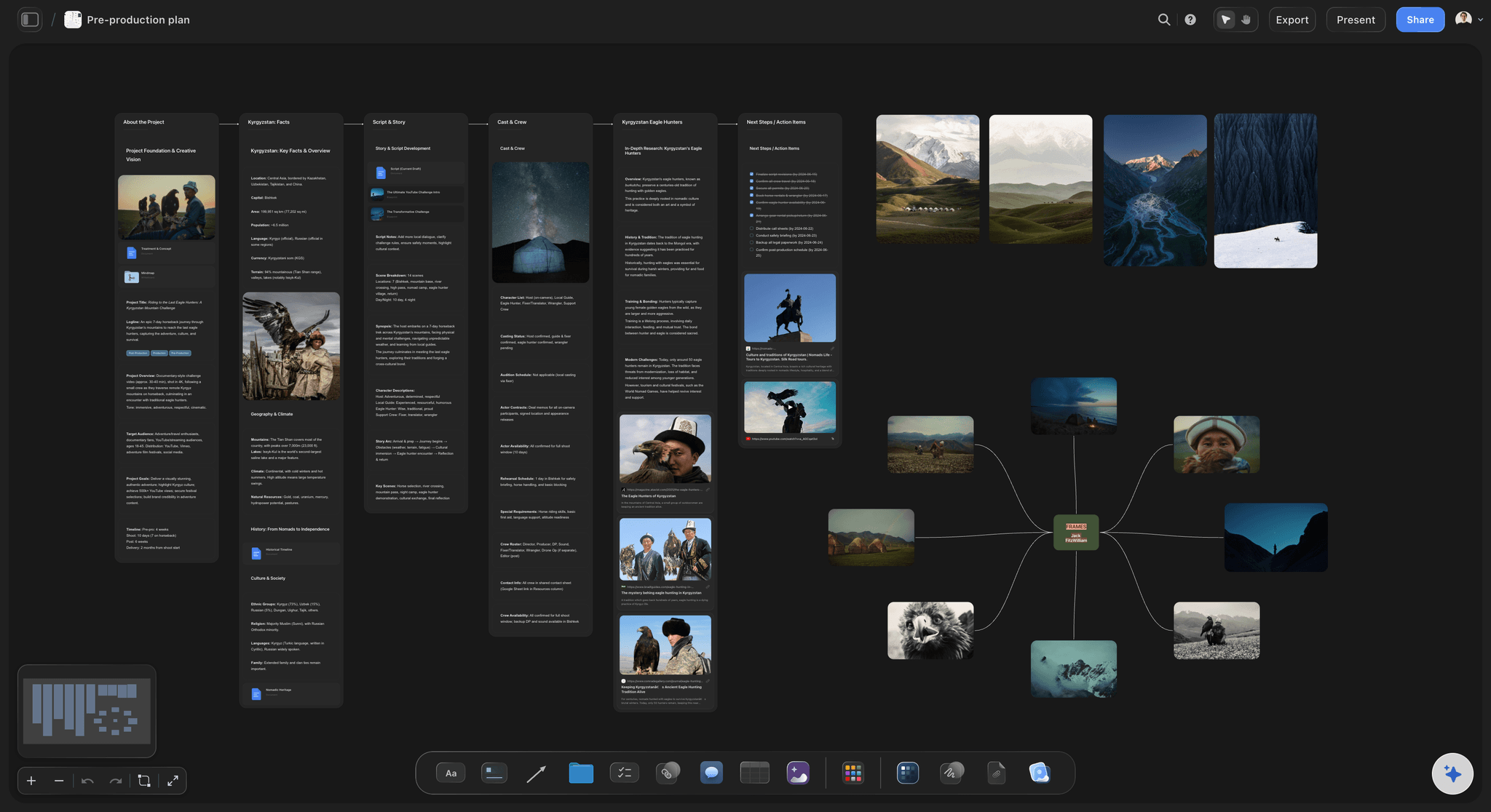
Storyflow is an AI canvas for planning corporate and brand videos. Build the script, storyboard, shot list, and schedule on one board, all shareable so stakeholders approve the plan before the shoot. It plans the video, not the edit. No download required.


Creatives working for these brands already got early access
- Red Bull
- Canon
- Artlist
- Porsche
See how easy it is to get started
Watch a real project come together, from a blank board to a finished plan, clicked through step by step.
Start from a ready-made template
Pick a board to see what you can build, then let AI fill it in. Every template is a real, editable starting point on the same infinite canvas.

Storyboard
Lay out your shots frame by frame with images and notes, then reorder them until the sequence reads like the finished cut.
What is corporate video production?
Corporate video production is making video for a business: brand films, explainers, product videos, testimonials, event recaps, and internal comms. Storyflow is an AI visual workspace that plans your corporate video on one infinite canvas: the script, the storyboard, the shot list and the schedule, shareable so stakeholders approve the plan before the shoot. What sets corporate video apart is the approval chain, several stakeholders usually need to sign off on the concept and script before a shoot is booked, and the plan has to be clear enough for people who are not filmmakers.
That makes planning the hard part. The script, the storyboard, the shot list, and the schedule move through rounds of feedback, and when they live across a doc, a deck, and a spreadsheet, keeping everyone on the current version is a job in itself.
Storyflow puts the whole plan on one infinite canvas. Describe the video and the AI drafts the script, storyboard, shot list, and schedule, and you share one board where stakeholders see the current plan and approve it before the shoot. It is the planning layer, not a video editor.
Because it is shareable and clear, non-filmmakers can follow it. Send a view-only link so the marketing lead and stakeholders review the concept and storyboard, and open the shot list on set on the day, then take the footage into your editor.
Ultra fast from brief to board
Plan a corporate video in four steps.
The AI drafts the plan and stakeholders approve one board.
01
Open your canvas
Sign up in seconds and your infinite canvas opens in the browser.
02
Describe the video or paste a brief
The AI drafts the script, storyboard, and plan from what you give it.
03
Build the shot list and schedule
Plan the coverage and the shoot day, with references on the board.
04
Get sign-off and shoot
Share for stakeholder approval, then open the shot list on set.
The whole video, one board.
Script, storyboard, shot list, and schedule connected and drafted by AI.
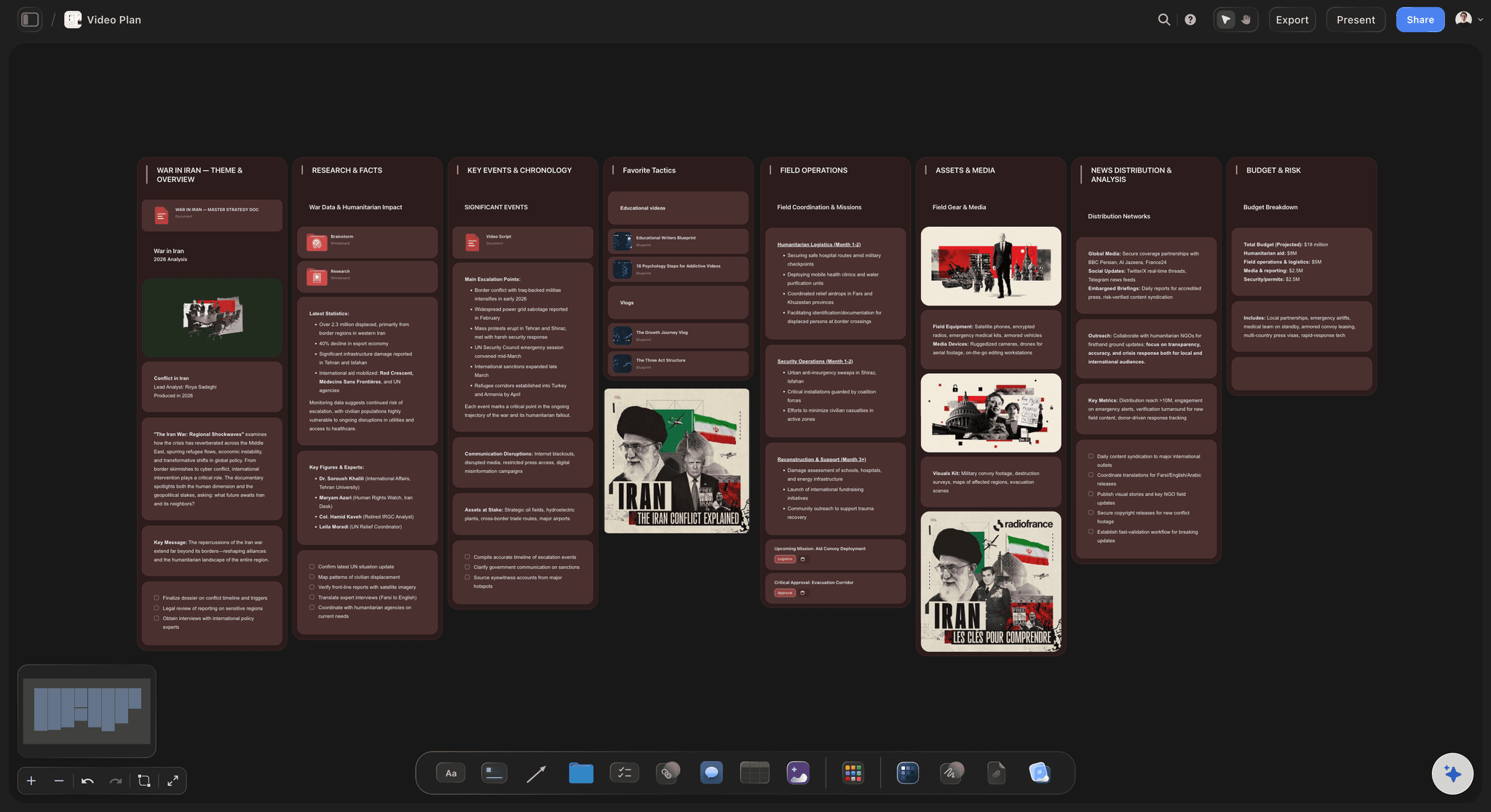
AI plans from the brief
Go from brief to plan
Describe the video and the AI drafts the script, storyboard, and schedule for you to shape.
See video production planning →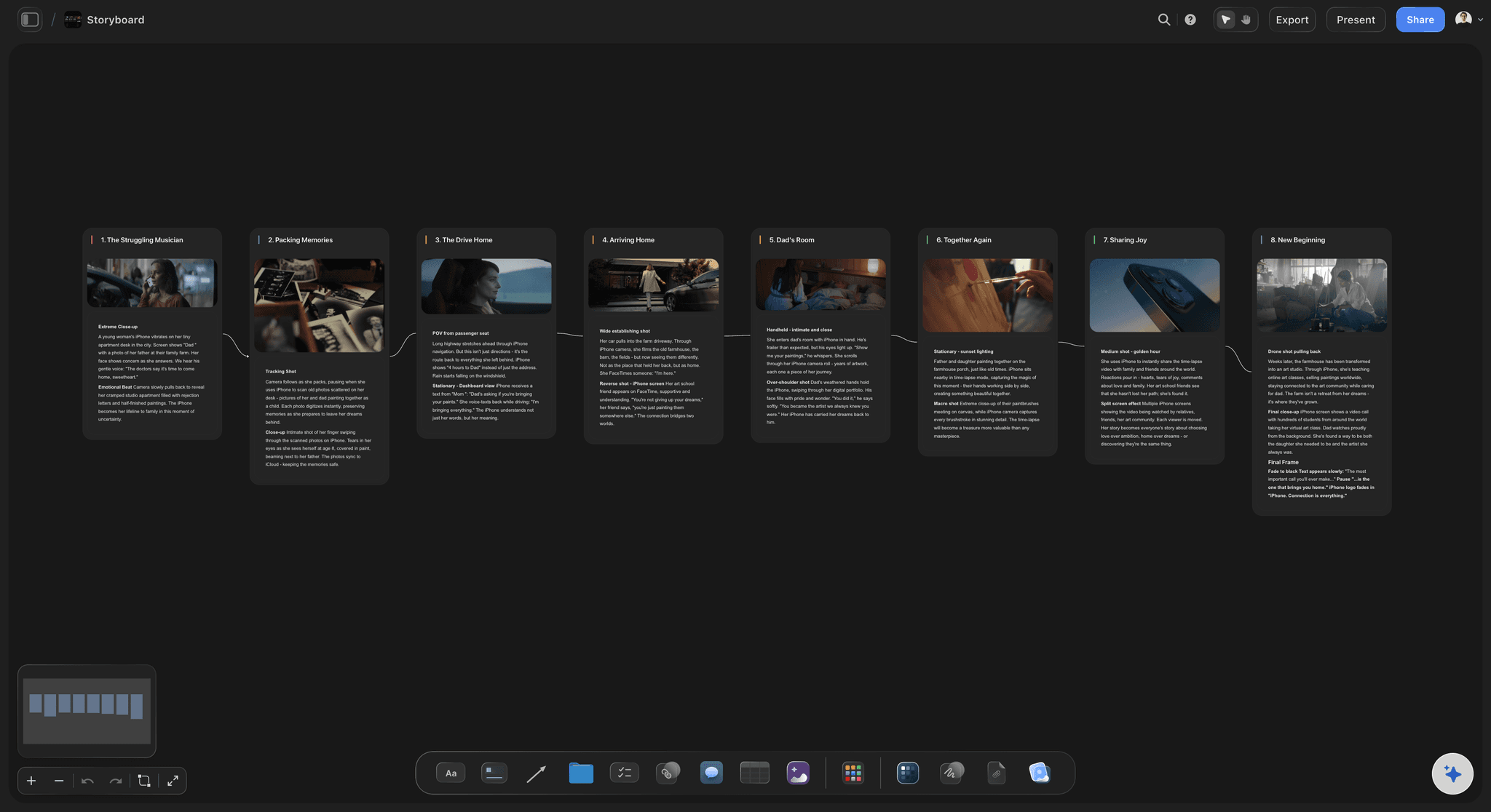
Storyboard non-filmmakers can read
Make the concept clear
A storyboard shows stakeholders the video before it exists, so feedback is concrete, not vague.
See the storyboard maker →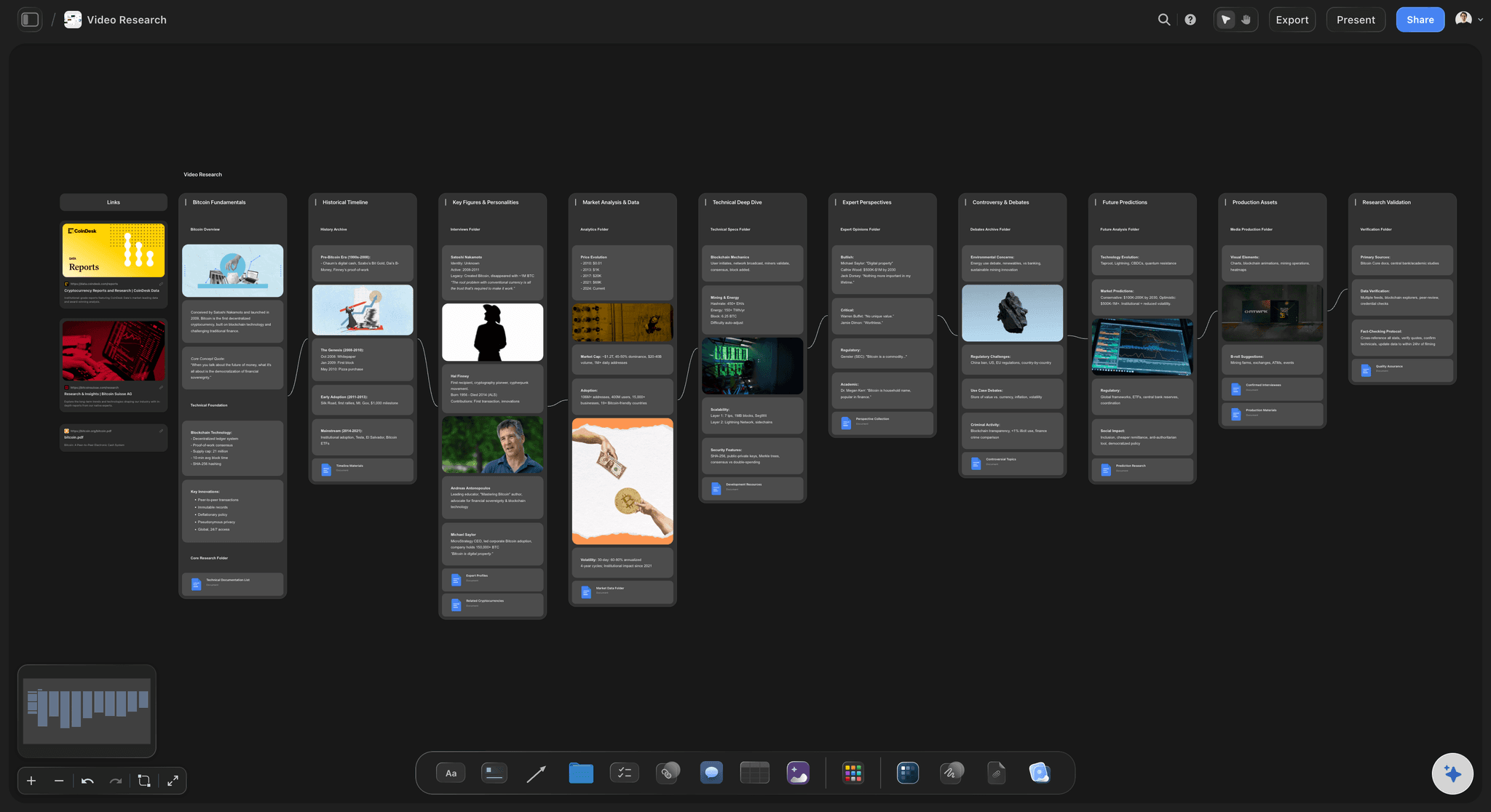
Shot list and schedule
Plan an efficient shoot
Build the shot list and schedule so a shoot day for a brand video gets everything.
See shot list software →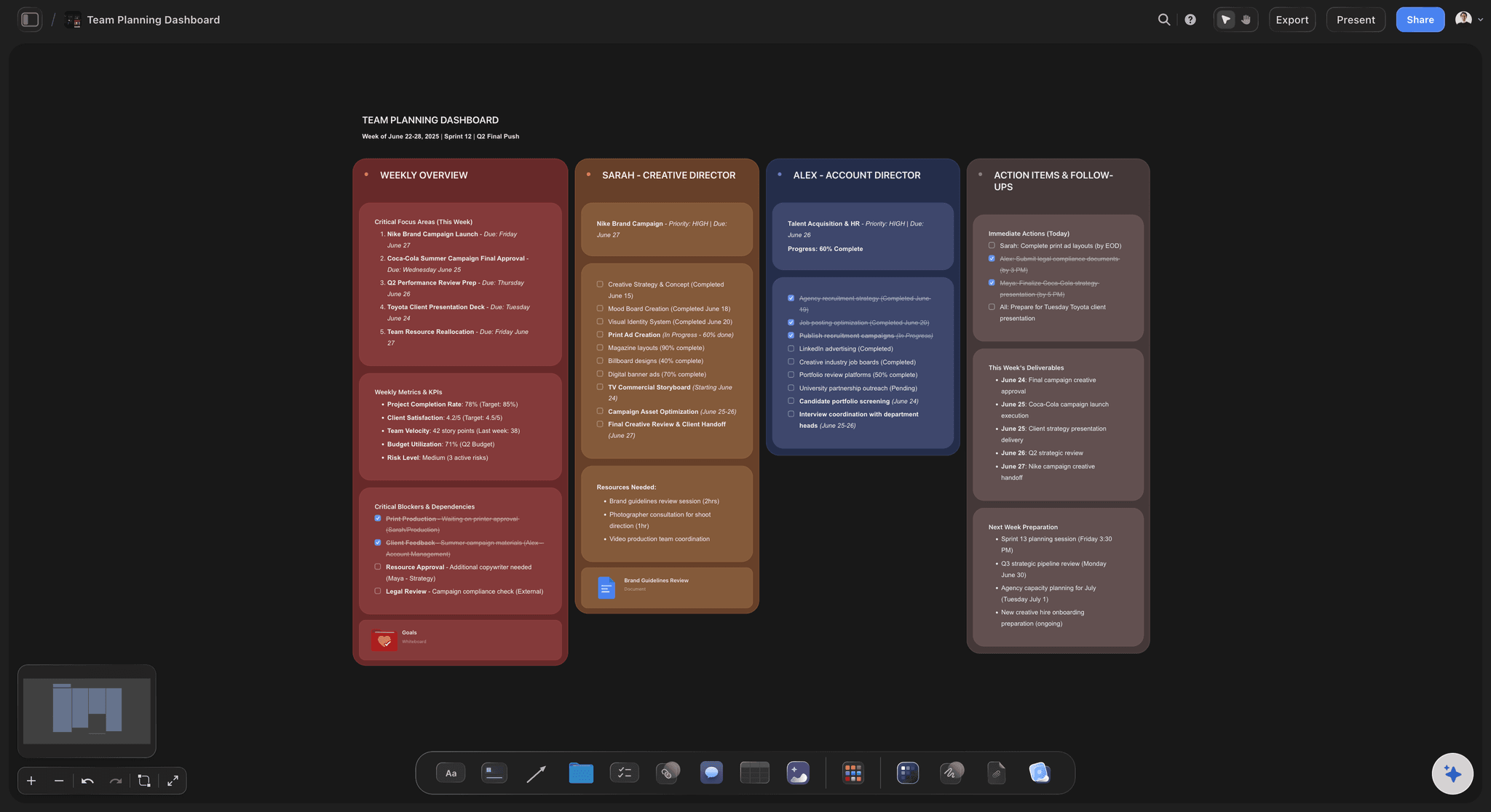
Stakeholder sign-off by link
One version everyone approves
Share a view-only link so stakeholders review the current plan, never a stale deck.
See video production software →Corporate video planning, no expiry.
Plan as many videos as you want on an unlimited canvas. Storyflow's Free plan launches before the end of 2026.
Unlimited boards on an infinite canvas
Basic AI usage to draft scripts, storyboards, and shot lists
3 starter frameworks built in
20 file uploads for references and research
Built for people with taste
Corporate video planning that survives the approval chain.
Storyflow keeps the plan clear, current, and shareable for non-filmmakers.
Clear enough for anyone
Stakeholders can follow it
Script and storyboard: A storyboard shows the video before it exists.
One shared board: Everyone sees the same current plan.
Concrete feedback: People react to visuals, not vague descriptions.
The AI does the drafting
From brief to plan fast
Draft from a brief: The AI lays out the script, storyboard, and plan.
Iterate through rounds: Update the plan as feedback comes in.
Whole-board context: Changes stay coherent across the plan.
Plan an efficient shoot
The day runs to plan
Shot list: Plan the coverage the edit needs.
Schedule: Order the shoot day around locations and talent.
On set from a link: Open the shot list on the day on any device.
For any business video
One canvas, any format
Brand and explainer videos: Plan a brand film or explainer from brief to shoot.
Product and testimonial: Plan product videos and testimonial shoots.
Event and internal: Plan an event recap or internal comms video.
Explore templates for your project
Every template opens as a real, editable board on the infinite canvas. Pick the closest fit and make it your own.
Storyboard
Lay out your shots frame by frame with images and notes, then reorder them until the sequence reads like the finished cut.
One app instead of five
Storyflow vs StudioBinder, Notion, and Milanote.
A fair look at where each fits. Storyflow plans the corporate video and keeps stakeholders aligned.
Storyflow
Recommended
Unlimited boards included
AI builds the plan from a brief
Script, storyboard, and shot list together
Infinite visual canvas
View-only share link, no sign-up
StudioBinder
Unlimited boards included
AI builds the plan from a brief
Script, storyboard, and shot list together
Infinite visual canvas
View-only share link, no sign-up
Notion
Unlimited boards included
AI builds the plan from a brief
Script, storyboard, and shot list together
Infinite visual canvas
View-only share link, no sign-up
Milanote
Unlimited boards included
AI builds the plan from a brief
Script, storyboard, and shot list together
Infinite visual canvas
View-only share link, no sign-up
What creators are saying
Join early creators getting structured workspaces and AI that remembers their projects
“Storyflow has sped up my workflow by at least 3x, which means more flow state and more projects I can actually ship. It truly changed the way me and my team create.”

Reilin Joey
Director & YouTuber
“One prompt gets me a structured board. But the tactics are my favorite. I run my YouTube scripts through them and my intros and retention got better. It's amazing.”

Justkay
YouTuber & Freelance Filmmaker
“I used to juggle five apps to plan a project. Now I describe what I am making and get boards, lists, and a schedule. All in one place.”

George
@fernwehchronicles
Corporate video production, answered.
What teams ask about planning brand video in Storyflow.
It is making video for a business, brand films, explainers, product videos, testimonials, and internal comms, usually with several stakeholders approving the concept and script before a shoot. Storyflow plans that video on one AI canvas, with a clear storyboard non-filmmakers can approve.
Storyflow is an AI canvas for planning corporate and brand videos: the AI builds the plan from your brief, and the script, storyboard, shot list and schedule sit on one board. Stakeholders who are not filmmakers can follow the storyboard and approve one version from a view-only link before the shoot. Storyflow plans the video, not the edit.
Not a free Storyflow plan today. Storyflow is paid-only during early access, with plans starting at $9.99 per month, and a Free plan with unlimited boards and basic AI usage is planned before the end of 2026.
No. Storyflow plans the video, the script, storyboard, shot list, and schedule. It is not a video editor, so take the footage into an editor like Premiere or DaVinci Resolve for the cut.
Yes. Share a view-only link so the marketing lead and stakeholders review the current concept and storyboard, and approve before the shoot.
Yes. Describe the video or paste a brief and the AI drafts the script, storyboard, shot list, and schedule for you to shape.
No. Storyflow runs in your browser. Sign up, open a board, and start planning on any device.
Plan the brand video before you book the shoot.
Open a canvas, draft the plan, and get stakeholders aligned.