
Extremely reliable pre-production
The document that
stops a shoot.
Releases, permits, insurance, and location agreements attached to the day and place they cover, with what is still outstanding visible before the trucks are loaded.


Creatives working for these brands already got early access
- Red Bull
- Canon
- Artlist
- Porsche
See how easy it is to get started
Watch a real project come together, from a blank board to a finished plan, clicked through step by step.
Start from a ready-made template
Pick a board to see what you can build, then let AI fill it in. Every template is a real, editable starting point on the same infinite canvas.

Pre-Production
Pull the brief, script, shot list, and moodboard into one pre-production hub so the whole shoot is planned in one place.
What is production paperwork?
Production paperwork is the set of documents that make a shoot legal, insured, and deliverable. Storyflow is an AI visual workspace that keeps shoot paperwork on one infinite canvas: releases, permits and insurance attached to their day and location, and what is still missing. Paperwork divides into three groups that behave completely differently. Permissions are the things you need signed before you can use what you shot: talent releases, minor releases, location agreements, property and artwork releases, music and archive licences. Compliance is what you need in order to be allowed to shoot at all: permits, insurance certificates, risk assessments, and in some jurisdictions the specific evidence a location owner or authority asks to see. Coordination is the paperwork that runs the day: call sheets, contact lists, scripts and sides, shot lists, schedules, and the day out of days.
The distinction matters because only one group is visible when it is missing. Coordination paperwork announces itself, because if there is no call sheet at ten at night the phone starts ringing. Compliance and permissions do not. A missing permit is invisible until someone official arrives at the location. A missing release is invisible for months, right up until an edit is locked and the client's legal team asks who the person in shot three is, at which point the choices are an expensive reshoot or cutting a scene you built the film around.
Small productions do not fail at this because anyone is careless. They fail because the paperwork is scattered across the places it arrived: releases in a signing app, permits as email attachments, the insurance certificate in someone's downloads folder, and call sheets sent as PDFs into a group chat. There is no surface where the whole set can be looked at, so nobody can answer the only question that matters, which is what is still outstanding for Thursday, without opening five things and asking two people.
Storyflow is an AI-native infinite canvas, and it holds the whole set on one board arranged the way a shoot actually works: by day and by location. Describe the production and the AI lists the documents a shoot of that shape usually needs, including the permits and releases that depend on where you are shooting and who is on camera. Then you attach the real signed files as they come in, and outstanding items are visibly outstanding rather than something you hope somebody handled.
Ultra fast from brief to board
From a shoot to a board that shows what is missing.
No new system for the crew to learn. One board, grouped the way the shoot is.
01
Open a canvas
Sign up in seconds. No download. Your infinite production canvas opens in the browser.
02
Describe the shoot
Type the days, the locations, who is on camera, and what you are shooting for. The AI lists the documents a production of that shape usually needs.
03
Attach the real files as they arrive
Drop the signed release, the permit, the insurance certificate onto the card for the day and location it covers. A card with the actual document on it is evidence rather than a claim.
04
Check what is still outstanding
The empty cards are the answer to the question everyone asks the night before. Share a view-only link with the producer, the client, or the location owner.
Permissions, compliance, and coordination.
Grouped by shoot day and location, so outstanding items are visible rather than remembered.

AI lists what a shoot of this shape needs
Start from a complete list
Describe the days, locations, and performers and the AI names the releases, permits, and certificates that usually apply. Rejecting the ones that do not is faster than remembering the ones that do.
See the production binder →
Releases attached to the person and the day
Find the missing release before the edit is locked
A release nobody chased is invisible until an edit is finished and legal asks who is in shot three. On a board grouped by day, an unsigned card is visible on the day it could still be fixed.
Explore the call sheet generator →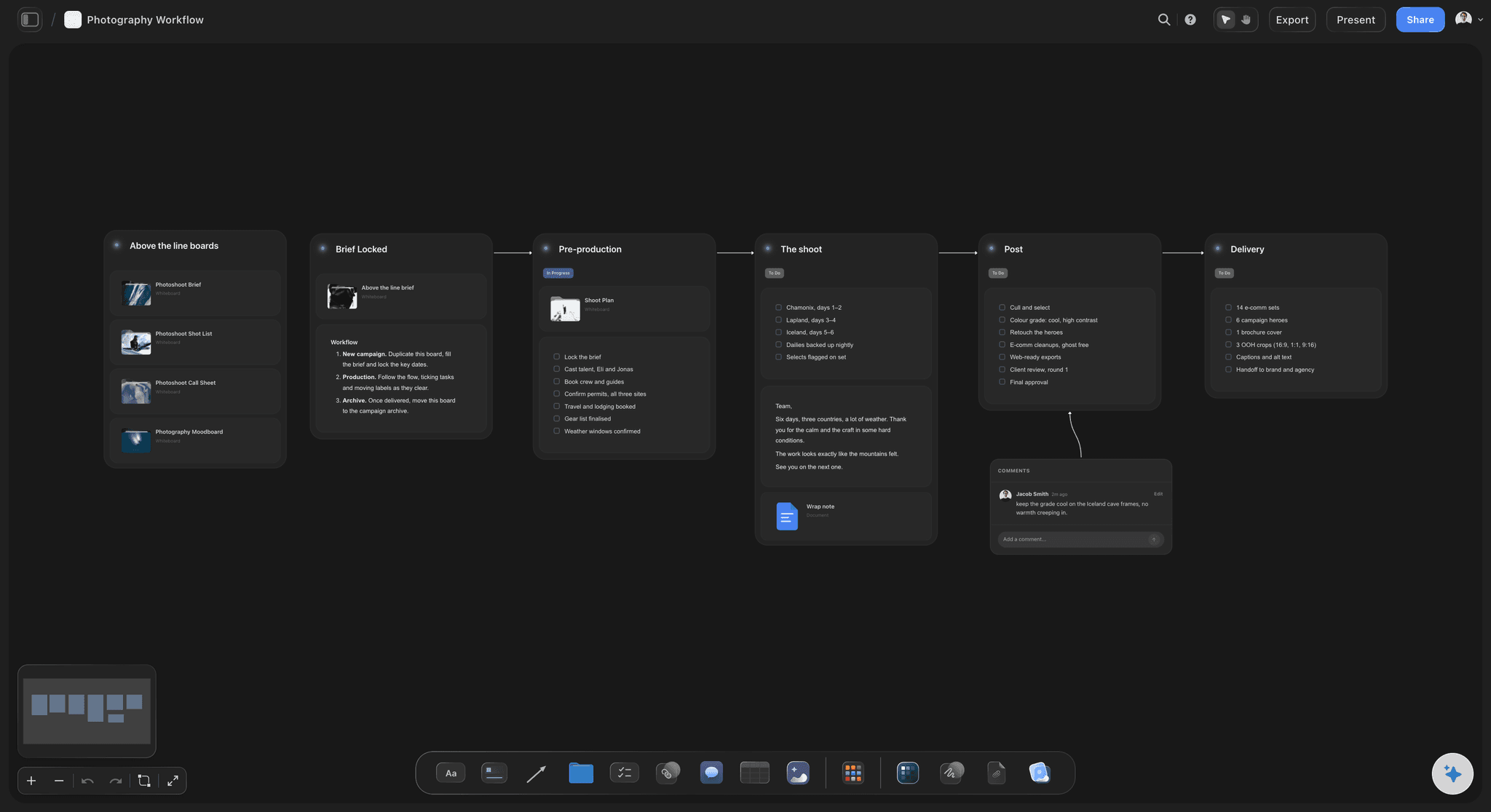
Permits and insurance beside the location they cover
One card per location, with the evidence on it
The permit, the certificate of insurance naming the right additional insured, the risk assessment, and the contact for the location owner. Everything the person standing at the gate will ask for.
See the location scouting board →
The paperwork beside the plan it belongs to
Not a filing cabinet, part of the production board
The schedule, the shot list, and the call sheet already live on this canvas. Keeping the paperwork on the same board means the person building the day can see what is cleared and what is not.
Try the shooting schedule board →Unlimited boards. No object cap.
Open a canvas, describe the shoot, and let AI list what it needs. Storyflow is paid-only during early access, with plans from $7.99 a month billed annually, and a Free plan launches before the end of 2026.
Unlimited production boards with no cap on attached files
Basic AI usage to list the documents a shoot requires
Starter templates for call sheets, schedules, and pre-production
Share view-only links with the producer and client, no account required
Built for people with taste
The paperwork that fails is the paperwork nobody was assigned.
Coordination documents announce themselves when missing. Permissions and compliance do not, which is why they are the ones that cost money.
Releases, licences, and consents
Permissions, which fail silently and expensively
Talent and appearance releases: Everyone identifiable on camera, including crew who wander into frame and members of the public in a controlled area. The one you did not get is discovered when the edit is locked.
Location and property releases: The right to shoot there and the right to show what is there. Recognisable artwork, signage, logos, and distinctive architecture each raise their own question, and the answer differs by territory and by use.
Music, archive, and stock licences: The licence has to cover the actual use: the territories, the media, and the term. A licence bought for social that gets used in a broadcast cut is a common and expensive category of mistake.
Minor releases and chaperone requirements: Performers under age bring their own consent, supervision, and hours rules, which vary widely by jurisdiction and are checked far more often than adult paperwork is.
Permits, insurance, and risk
Compliance, which fails at the gate
Permits for public and controlled locations: Streets, parks, transport, and many privately owned public spaces each have their own process and lead time. The lead time is the part that bites, because a permit you applied for late is the same as no permit.
Insurance certificates naming the right parties: Most location owners want a certificate naming them as additional insured, and getting the name or the wording wrong means it will be rejected on the morning. Keep the actual certificate on the location card.
Risk assessments and safety documents: Required for anything involving heights, water, vehicles, animals, fire, or electricity, and increasingly asked for by clients regardless. Attach it to the day it applies to.
Crew paperwork: Contracts, day rates, tax forms, and proof of insurance for freelancers. Unglamorous, and the reason an invoice can sit unpaid for two months after delivery.
AI that reads the whole board as context
Ask what this shoot still needs
Generate the list from the shoot's shape: Describe the days, locations, and performers and the AI names the documents a production like that usually requires, which is much better than assembling the list from the last job you did.
Find what is outstanding: Ask which cards have no file attached, which day has the most missing, or what a shoot at this kind of location typically needs that is not on the board.
It proposes, you verify: Storyflow structures and suggests. Requirements vary by territory, by union agreement, and by client, so treat the list as a prompt to check rather than as legal advice, and confirm with your producer or your insurer.
Re-generate when the shoot changes: Add a location or a performer and ask what that adds. Cards with documents already attached stay exactly where they are.

Producer, client, and location owner
Share the evidence without emailing files
View-only links for anyone who needs to check: A client, a broadcaster, or a location owner opens the board in a browser with no account and sees the certificates and permits themselves rather than waiting on an attachment.
The crew sees the day, not the archive: Call sheets, contacts, and the schedule live on the same canvas, so the person who needs today's information is not scrolling through releases to find it.
Export for delivery and archive: Export the board as a high-quality image or PDF for the delivery package, an insurer, or the file you will need to open in two years when someone asks about shot three.
Explore templates for your project
Every template opens as a real, editable board on the infinite canvas. Pick the closest fit and make it your own.
Pre-Production
Pull the brief, script, shot list, and moodboard into one pre-production hub so the whole shoot is planned in one place.
One app instead of five
Storyflow vs StudioBinder, Google Drive, and a signing app.
Each does part of this well: StudioBinder is a full production management suite with call sheets and breakdowns, Drive stores anything, and a signing app is how releases actually get signed. Here is where they differ.
Storyflow
Recommended
Documents grouped by shoot day and location
AI lists what a shoot of this shape needs
Outstanding items visible at a glance
Paperwork on the same board as the schedule and shot list
Electronic signature collection
Stripboard scheduling and budgeting
StudioBinder
Documents grouped by shoot day and location
AI lists what a shoot of this shape needs
Outstanding items visible at a glance
Paperwork on the same board as the schedule and shot list
Electronic signature collection
Stripboard scheduling and budgeting
Google Drive
Documents grouped by shoot day and location
AI lists what a shoot of this shape needs
Outstanding items visible at a glance
Paperwork on the same board as the schedule and shot list
Electronic signature collection
Stripboard scheduling and budgeting
A signing app
Documents grouped by shoot day and location
AI lists what a shoot of this shape needs
Outstanding items visible at a glance
Paperwork on the same board as the schedule and shot list
Electronic signature collection
Stripboard scheduling and budgeting
What creators are saying
Join early creators getting structured workspaces and AI that remembers their projects
“Storyflow has sped up my workflow by at least 3x, which means more flow state and more projects I can actually ship. It truly changed the way me and my team create.”

Reilin Joey
Director & YouTuber
“One prompt gets me a structured board. But the tactics are my favorite. I run my YouTube scripts through them and my intros and retention got better. It's amazing.”

Justkay
YouTuber & Freelance Filmmaker
“I used to juggle five apps to plan a project. Now I describe what I am making and get boards, lists, and a schedule. All in one place.”

George
@fernwehchronicles
Production paperwork questions, answered.
What a shoot needs, what fails silently, and how to keep track.
It divides into three groups. Permissions, meaning the right to use what you shot: talent releases for everyone identifiable on camera, minor releases where relevant, location agreements, property and artwork releases, and licences for any music or archive. Compliance, meaning the right to shoot at all: permits for public or controlled locations, certificates of insurance naming whoever the location owner requires, risk assessments for anything hazardous, and crew contracts. And coordination, meaning the documents that run the day: call sheets, contact lists, sides, shot lists, the schedule, and a day out of days. Exactly which apply depends on the territory, the location, and the intended use, so treat any generated list as a prompt to check with your producer and insurer rather than as advice.
Storyflow keeps this on one board: releases, permits, insurance certificates, and location agreements sit on cards attached to the shoot day and location they cover, beside the schedule and shot list. Its AI lists what a shoot of this shape needs, and whatever is still outstanding shows at a glance before the trucks are loaded. A signing app still collects electronic signatures, which Storyflow does not.
The ones that fail silently, which is almost always releases and permits. A missing call sheet announces itself at ten the night before, so it gets fixed. A missing talent release does not announce itself at all: the shoot goes perfectly, the edit is cut, and the problem appears when a client's legal team asks who the person in shot three is, at which point the options are an expensive reshoot or losing a scene the film was built around. Permits fail at the gate, which is loud but at least immediate. Music and archive licences fail in a third way, which is that the licence exists but does not cover the actual use, usually because it was bought for social and the film ended up in a broadcast cut.
Group it the way the shoot is organised rather than the way the documents arrived. A folder called Releases is useless the night before a shoot, because the question is never show me all releases, it is what is still outstanding for Thursday at the warehouse. Group by day and by location, put one card per required document with the real file attached, and let the empty cards be the answer. Keep the coordination paperwork on the same board as the schedule and the shot list, so the person building the day can see what is cleared. And keep the whole thing in one place rather than split across a signing app, a Drive folder, and a chat thread, because the split is what makes the question unanswerable.
More often than small productions assume, and the lead time matters more than the requirement. Public streets, parks, and transport almost always require one, and many privately owned spaces that feel public, such as shopping centres and plazas, have their own process. What varies enormously is the threshold: some jurisdictions exempt small crews with handheld equipment and no vehicles, and others do not exempt anything. Two practical points. First, the permit usually requires proof of insurance, so those two items are a chain rather than two independent tasks. Second, applications take days to weeks, and a permit applied for late is functionally the same as no permit, which is why it belongs on the board the moment a location is agreed rather than in the week of the shoot.
Group the documents the way the shoot is organised, not the way they arrive. The instinct is a folder per document type, and it fails on the only question anyone ever asks, which is what is still outstanding for Thursday at the warehouse. Instead make a card per required document, attached to the shoot day and location it covers, and drop the signed file onto the card as it comes back. The empty cards are your answer. Three practical rules make the difference. Keep it on the same surface as the schedule and the shot list, so the person building the day can see what is cleared. Do not split it across a signing app, a drive folder, and a chat thread, because the split is what makes the question unanswerable. And treat the permit and the certificate of insurance as one chain rather than two tasks, since the permit application usually requires the certificate.
Most delays come from three places and all three are visible in advance. The first is lead time on permits, which take days to weeks depending on the jurisdiction and cannot be compressed, so the permit belongs on the board the moment a location is agreed rather than in the week of the shoot. The second is the dependency chain nobody drew: a permit needs a certificate of insurance, the certificate needs the right party named, and getting the name wrong means it is rejected on the morning. The third is unowned documents, meaning the ones that sit between roles and therefore belong to nobody. Putting a named owner on every card removes the largest category, and it takes ten minutes. What does not help is a longer checklist, because the problem is visibility rather than diligence.
Not during early access. Storyflow is paid-only right now, with plans from $7.99 a month billed annually, and a Free plan launches before the end of 2026. Anyone a paid member invites to a board joins free today, so a producer, a client, or a location owner can view the board without paying. If you need something free this minute, a well structured Drive folder with one subfolder per shoot day, plus a single spreadsheet listing every required document and whether it exists, covers most of it. What that will not do is put the paperwork next to the schedule and the shot list, which is the thing that makes an outstanding item visible to the person who could still fix it.
No, and it is worth being clear about that. Storyflow does not send documents for electronic signature and does not have a signing workflow, so you will still use a dedicated service or paper on the day to actually get releases signed. What it does is hold the signed result on the board, attached to the day, location, and person it covers, alongside every other document the shoot requires. The gap this closes is not signing, it is knowing what is outstanding: a signing app tells you which of the documents you sent are unsigned, and it cannot tell you about the release you never created for the passer-by who ended up in the background of a wide.
Documentary paperwork is harder in three specific ways. Releases are obtained in the field, often on a phone or on paper, from people you may never see again, so the window to fix a missing one is frequently a single afternoon rather than a whole shoot. Archive and third-party footage licences carry narrow terms around territory, media, and duration, and a film that finds distribution beyond the original plan can need every one of them renegotiated. And consent has an ethical dimension beyond the legal one, particularly with vulnerable contributors, where what was agreed to and what was recorded may need to be revisited before delivery. Keeping every consent attached to the person and the day it was given is worth more here than anywhere else.
Longer than the project, and longer than most people do. The practical trigger is that clearance questions arrive when a film is reused, which can be years later: a spot recut for a new market, a documentary picked up by a streamer, a photograph licensed for a campaign nobody envisaged. If you cannot produce the release at that point, the usable answer is often to cut the shot. Insurance and permit records also have their own retention expectations depending on jurisdiction. The practical approach is to export the whole board as a PDF at delivery, keep it with the final assets, and leave the live board intact, since the board carries the context that a folder of PDFs loses within a month.
Yes, and it removes a slow email exchange. Send a view-only link and a client, a broadcaster, or a location owner opens the board in a browser with no account and no download, and can see the certificate or the permit themselves rather than waiting for someone to find and attach it. That matters most in client legal review, where the usual pattern is a list of questions answered one attachment at a time over several days. If you want the production company or the coordinator updating it, invite them onto the canvas so documents land on the board as they are signed rather than in an inbox someone has to process.
Partly, and it depends on the size of the production. Storyflow does not do stripboard scheduling or budgeting, so a feature or a large commercial with a full production office will still want a dedicated tool for those, and StudioBinder or Yamdu are genuinely good at them. What Storyflow does that those tools do not is keep the paperwork on the same infinite canvas as the creative work: the moodboard, the storyboard, the shot list, the schedule, and the client presentation. For a small crew, an indie film, or a branded content team, that single-surface arrangement usually beats a specialised tool that covers scheduling but leaves the creative half somewhere else.
More from Storyflow
Production binder
AI call sheet generator
Shooting schedule
Pre production checklist
Location scouting
Film crew planner
AI script breakdown
Day out of days
StudioBinder alternative
Video production workflow
For producers
Call sheet template
Music licensing tracker
Film development slate
Film production checklist
Film production report
Production coordinator workflow
Know what is outstanding before the trucks load.
Open a canvas, describe the shoot, and let AI list what it needs. No download.