
Ultra-fast moodboards with real taste
Make a photoshoot moodboard
the whole crew can shoot from.
Light, poses, styling, hair and makeup, location and colour in sections, each reference captioned with what it is for, then turned into the shot list on the same board.


Creatives working for these brands already got early access
- Red Bull
- Canon
- Artlist
- Porsche
See how easy it is to get started
Watch a real project come together, from a blank board to a finished plan, clicked through step by step.
Start from a ready-made template
Pick a board to see what you can build, then let AI fill it in. Every template is a real, editable starting point on the same infinite canvas.

Film Moodboard
Collect film references, color palettes, lighting, locations, and tone in one place, then invite your crew.
What is a photoshoot moodboard?
A photoshoot moodboard, or photography mood board, is the visual reference a shoot runs from: light, poses, styling, hair and makeup, location and colour, each reference captioned with what it is for, so the photographer, model, stylist and client are picturing the same shoot. Storyflow is an AI visual workspace that sorts the references for your shoot on one infinite canvas: sections for each decision the shoot depends on, a view-only link that shares the board, and a shot list planned from it on the same board. Pinterest is better for discovering references, and Canva for a designed one-page board.
Seven sections cover most shoots. The concept: one sentence and two or three hero images that set the tone. Light: hard or soft, direction, time of day, and the modifier if you know it. Poses and expression: body language, eyeline, energy. Styling: garments, fabric, fit, accessories and props, per look. Hair and makeup: finish, texture and colour, with the change between looks noted. Location or set: backdrop, surfaces and surroundings. Colour and grade: a palette pulled from the references, warm or cool, film or clean digital. In Storyflow each section is a group on the canvas with colour swatches beside the images, so the relationship between light, wardrobe and palette stays visible.
A photoshoot moodboard is not a collection of pictures you like. It is a set of decisions, and the common failure is a board of forty beautiful images that disagree with each other: two lighting moods, three eras of styling, no palette. Cut to the references you are committing to, keep the rest in a research folder on the same board, and write a caption under every image saying what you are borrowing from it, such as 'the light, not the pose'. A moodboard is also not a shot list: it says how the pictures should look, and the shot list says which pictures to take.
Then it has to work for other people. The model, stylist, hair and makeup artist and client open the board from one view-only link in a browser, with no account needed to look. Collaborators who sign in can comment on a specific image, which is where a stylist flags a garment that cannot be sourced before the day rather than on it. Once the look is approved, select the references and ask Storyflow's AI for a shot list: one setup per reference, on the same board as the images, so the crew reads the intent and the plan together.
Ultra fast from brief to board
From a concept line to a moodboard the crew can use.
Build it in the order the crew will read it, then plan the shoot from it.
01
Write the concept
One sentence on what the pictures should feel like and who they are for, with two or three hero images. It is the test every other reference has to pass.
02
Collect and sort
Drop in images and links, or ask the AI to gather a first set, then group them into light, poses, styling, hair and makeup, location and colour.
03
Caption and cut
Write what each image is for, add the palette as swatches, and move everything you are not committing to into a research folder.
04
Share it, then plan from it
Send one view-only link to the model, stylist and client, get the look approved, and turn the board into a shot list beside the references.
Everything the crew needs to read the look.
Sections, captions, one link for everyone, and a shot list built from the result.
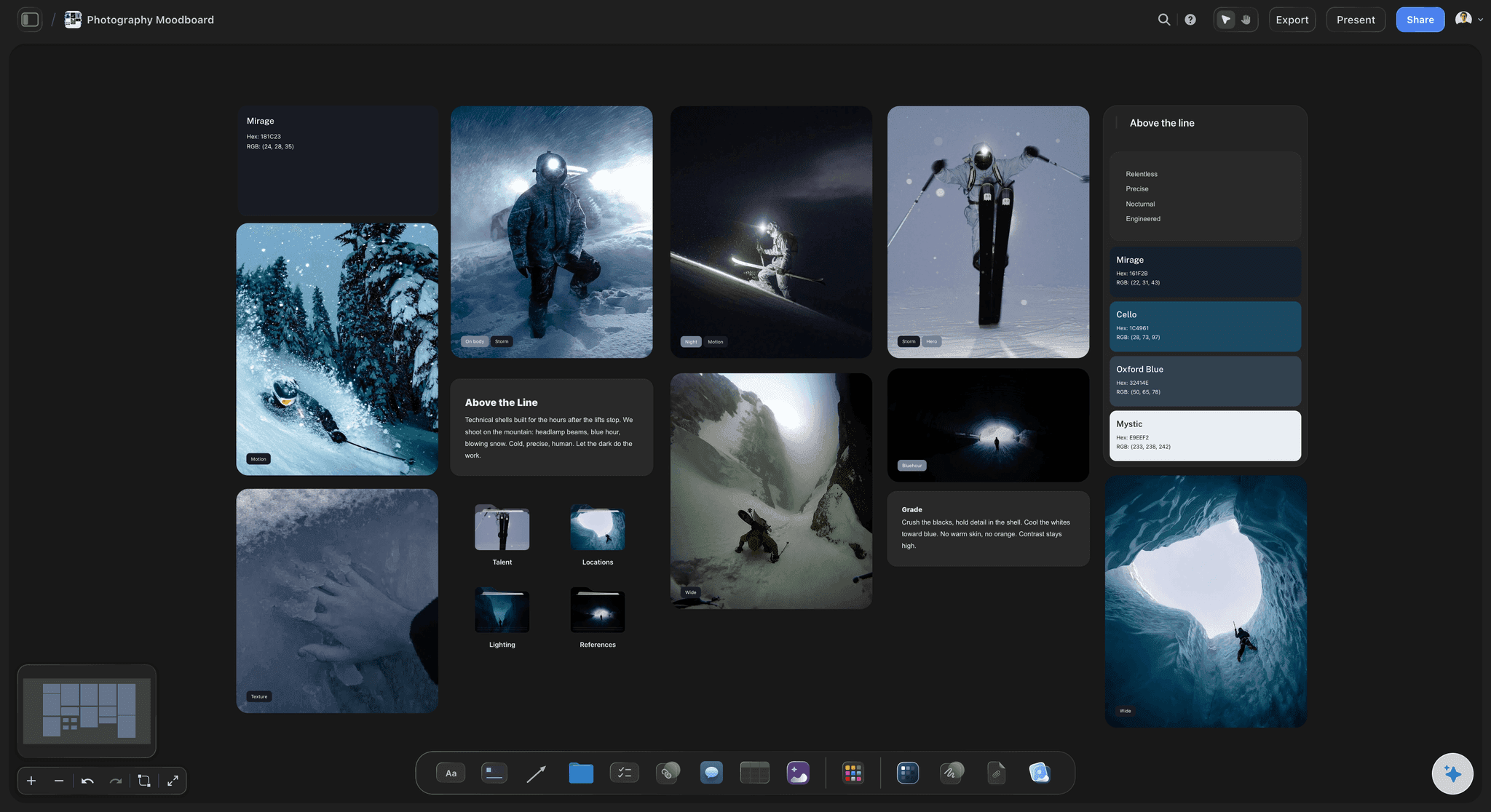
Sections for every decision
Light, poses, styling and location, sorted
References grouped by what they decide, with hair and makeup and colour in their own sections, so the stylist reads styling and the assistant reads light.
How to make a photoshoot moodboard →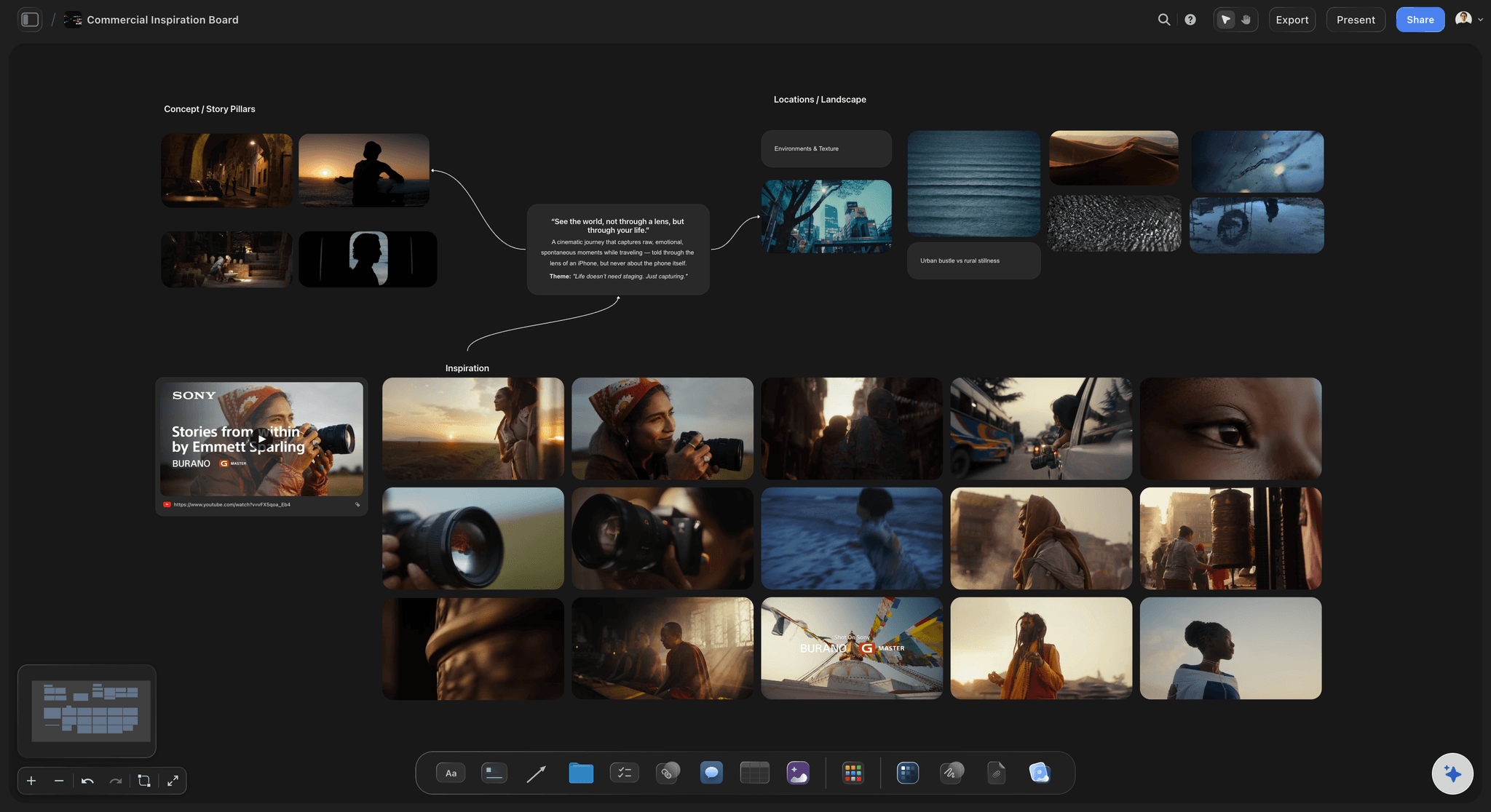
What each reference is for
Captions and a palette on the board
A line under each image saying what you are borrowing from it, and colour swatches for the palette beside the references they came from.
Try the colour palette maker →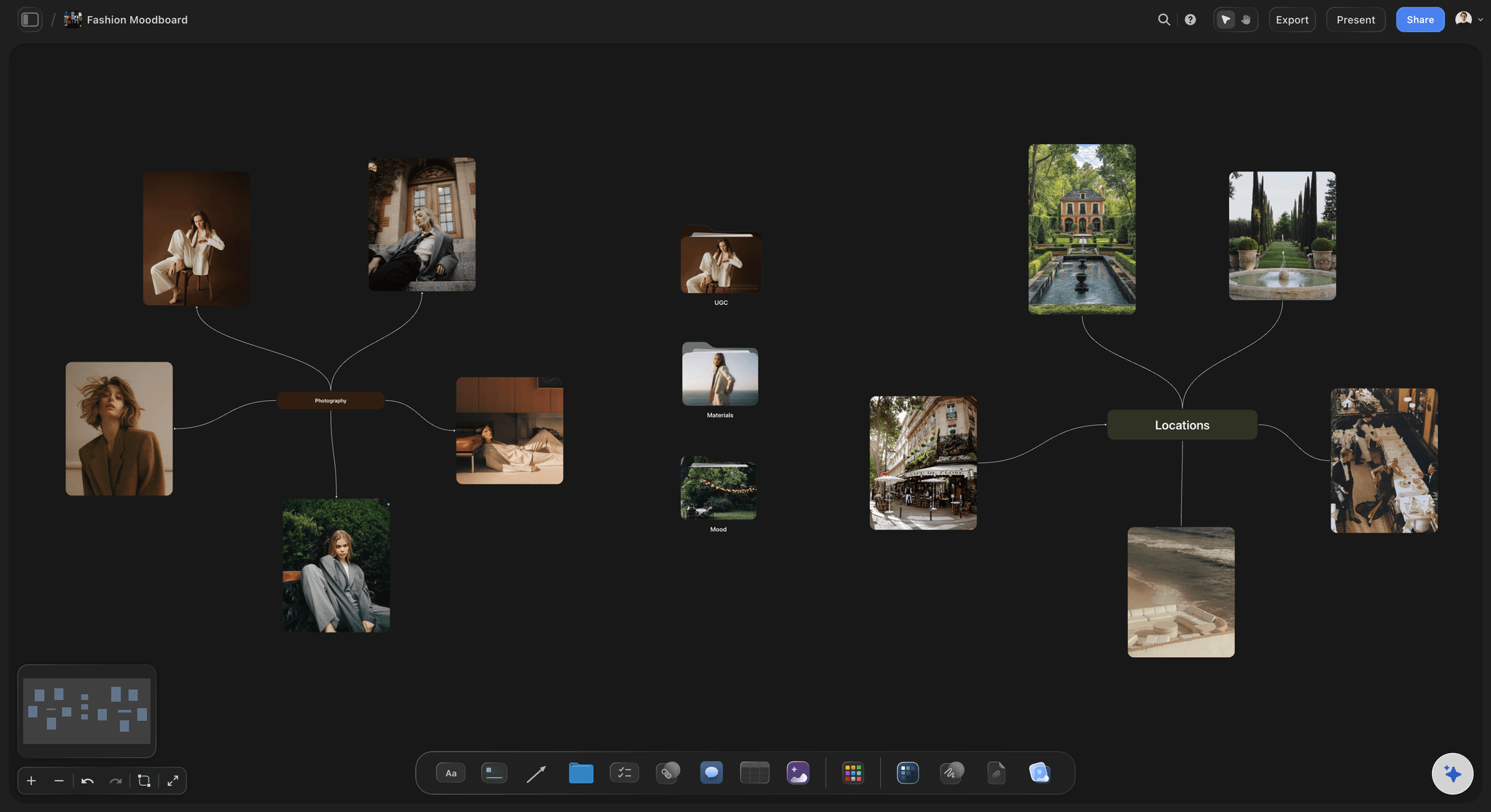
One link for model, stylist and client
Shared before the shoot day
Everyone opens the same board in a browser from a view-only link. Signed-in collaborators comment on the exact image, and the board exports as a PDF for set.
See moodboards for clients →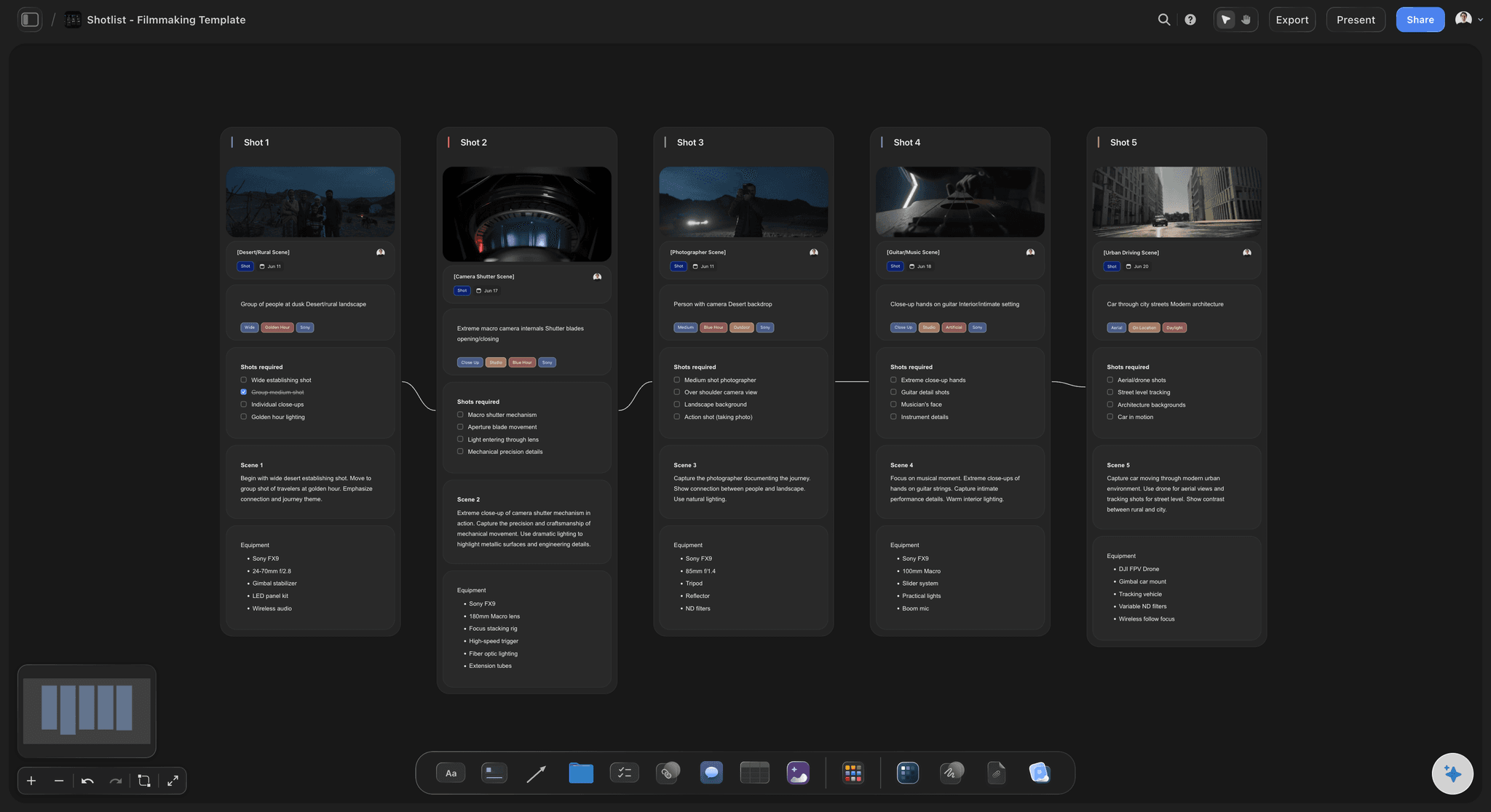
From approved look to setups
A shot list built from the moodboard
Select the references and the AI writes one setup per image beside them, with framing, light and wardrobe look, for you to edit and reorder.
See photoshoot planning →Unlimited boards. No object cap.
Keep the whole research pile and the committed board. Storyflow is paid-only during early access, with plans from $7.99 a month billed annually ($9.99 monthly). A free plan launches before the end of 2026, and anyone a paid member invites to a board joins free.
Unlimited boards, images, files and links on Plus
Unlimited background removal and upscaling for references
AI usage that renews every billing period
View-only links for the model, stylist and client
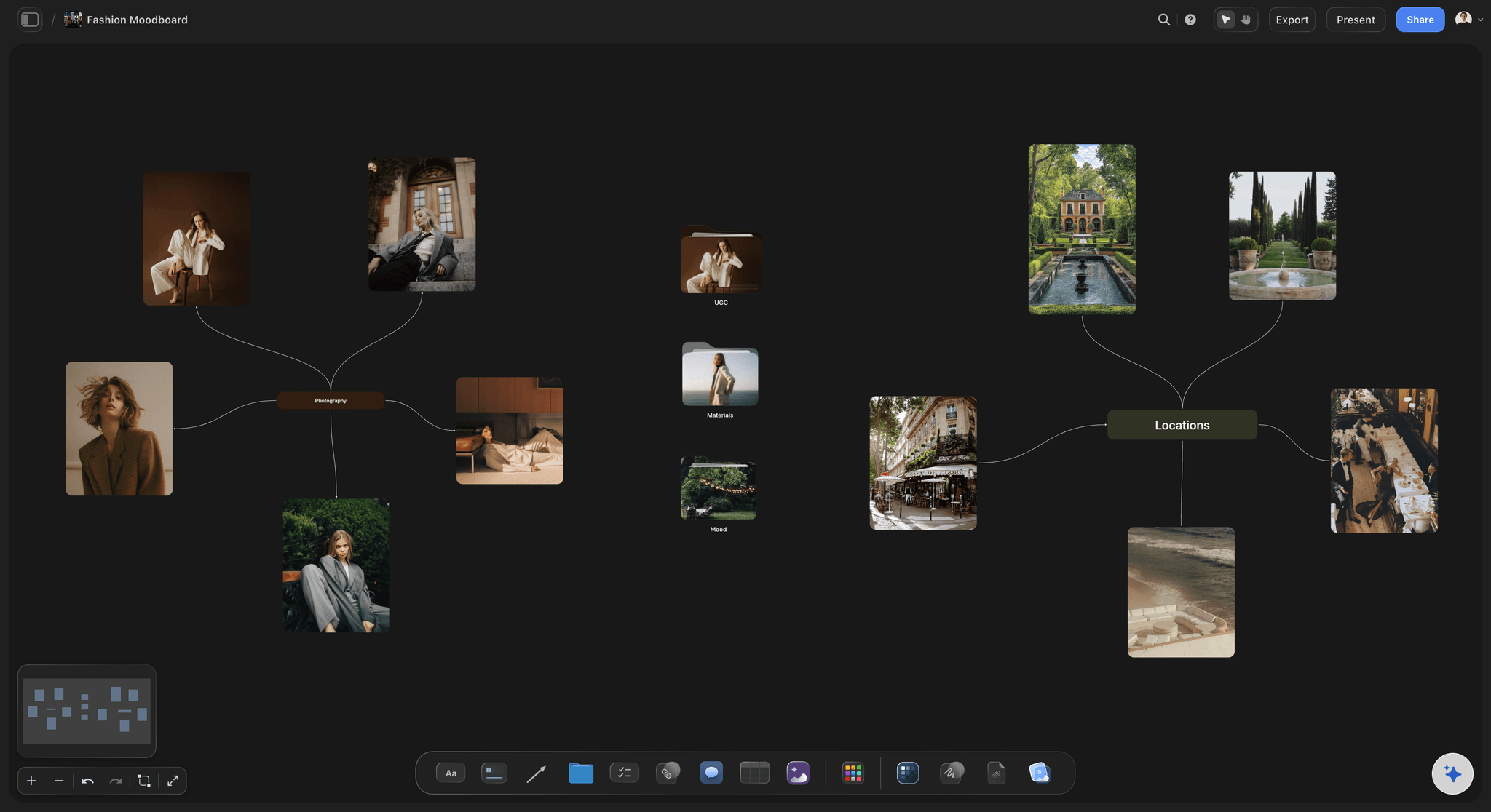
Built for people with taste
A photoshoot moodboard is a set of decisions.
Each section answers a question the crew would otherwise ask on the day.

Concept, light and colour
How the pictures should feel
The concept line: One sentence and two or three hero images. Every other reference is judged against them, and anything that does not fit comes off the board.
Light, specifically: Hard or soft, key direction, time of day, window or strobe. Light decides the kit and the call time, so it is the section the crew reads first.
Colour and grade: A palette as swatches beside the references it came from, plus the grade: warm or cool, high or low contrast, film or clean digital.
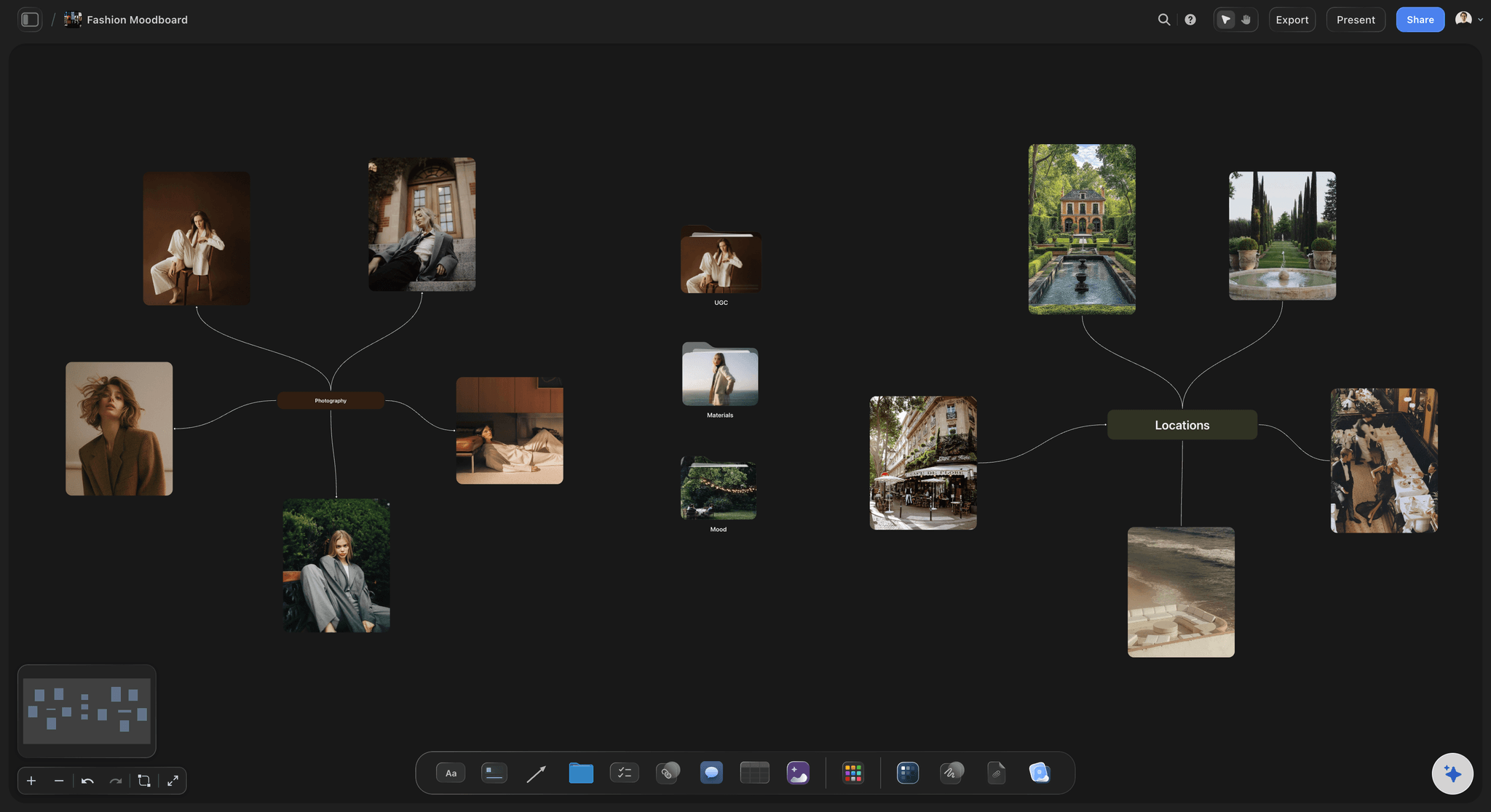
Poses, styling, hair and makeup
The person in the frame
Poses and expression: Body language, eyeline and energy. A model reads a pose reference faster than a written direction, and a nervous subject settles once they have seen it.
Styling per look: Garments, fabric, fit, accessories and props for each look, so the stylist sources against the board rather than a description.
Hair and makeup: Finish, texture and colour for each look, with the change between looks noted, since that change shapes the schedule.

Location and set
Where the pictures happen
Options side by side: Scouting photos of two or three locations next to the light references, so the choice is made against how each place will look at the planned time.
Surfaces and props: Backdrops, textures and props for a studio set, grouped by the look they belong to.
Video references and frame grabs: Embed a YouTube or Vimeo clip beside the stills when the reference is movement, like fabric in wind, and grab the exact frame as a still.
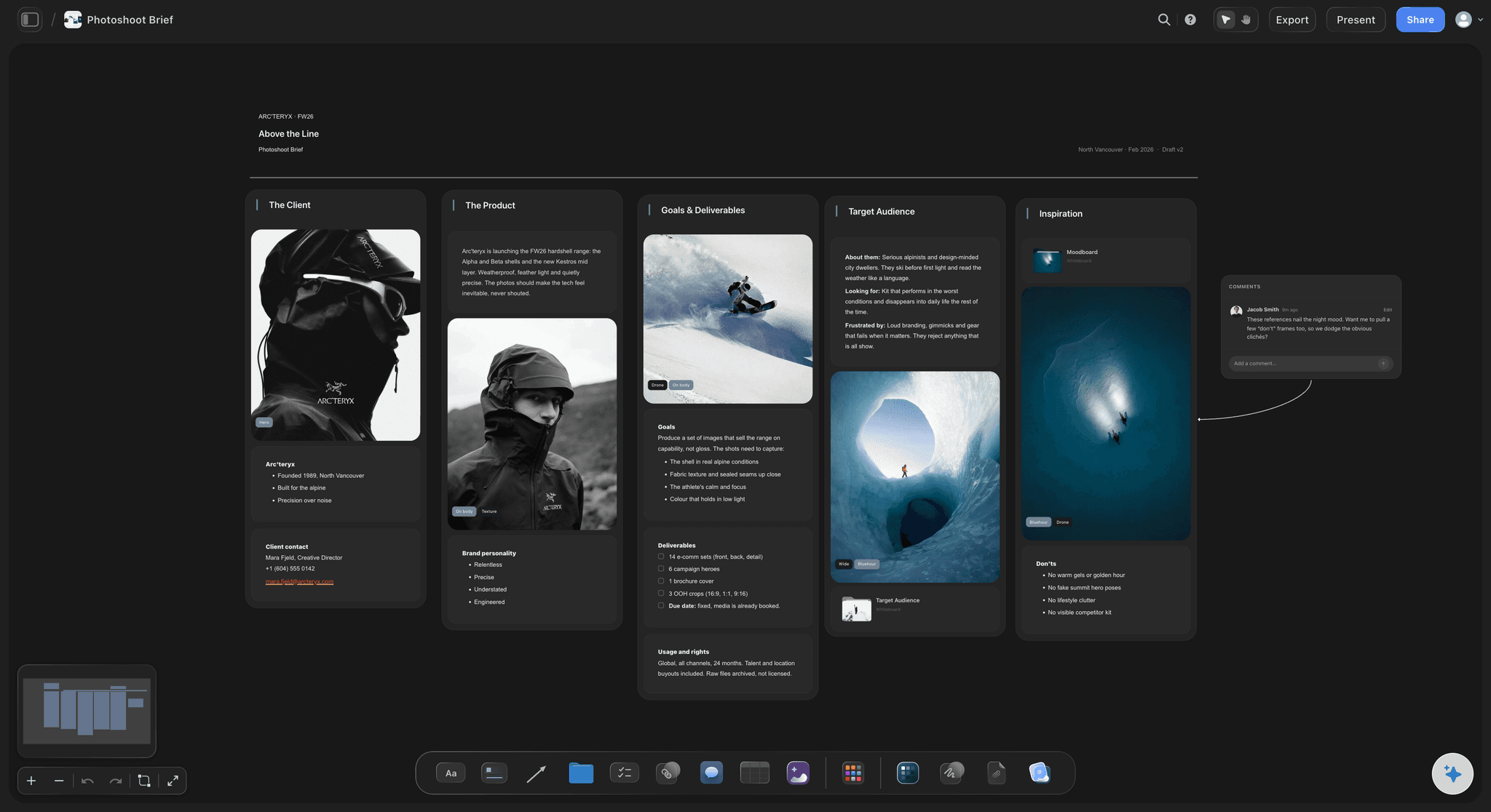
Share, approve, plan
From moodboard to shoot
One link for the crew: The model, stylist, hair and makeup artist and client open the board in a browser from a view-only link, with no account needed to view it.
Comments on the image: Collaborators who sign in comment on the exact reference, so a sourcing problem is raised against the garment it concerns.
Export for set: Export the board as a high-quality image or PDF to keep on a phone or printed on set.
Turn it into a shot list: Select the approved references and ask the AI for setups, placed beside the images they came from.
Explore templates for your project
Every template opens as a real, editable board on the infinite canvas. Pick the closest fit and make it your own.
Film Moodboard
Collect film references, color palettes, lighting, locations, and tone in one place, then invite your crew.
One app instead of five
Storyflow vs Pinterest, Canva and Milanote.
Storyflow is built for the moodboard a shoot runs from. Pinterest is the best place to discover references, Canva makes a polished one-page board, and Milanote is a well-made canvas for arranging images by hand.
Storyflow
Recommended
Arrange references freely on a canvas
AI writes a shot list from the references
AI image generation for a look with no reference
Share the board by link
A social feed for discovering references
Arrange references freely on a canvas
AI writes a shot list from the references
AI image generation for a look with no reference
Share the board by link
A social feed for discovering references
Canva
Arrange references freely on a canvas
AI writes a shot list from the references
AI image generation for a look with no reference
Share the board by link
A social feed for discovering references
Milanote
Arrange references freely on a canvas
AI writes a shot list from the references
AI image generation for a look with no reference
Share the board by link
A social feed for discovering references
What creators are saying
Join early creators getting structured workspaces and AI that remembers their projects
“Storyflow has sped up my workflow by at least 3x, which means more flow state and more projects I can actually ship. It truly changed the way me and my team create.”

Reilin Joey
Director & YouTuber
“One prompt gets me a structured board. But the tactics are my favorite. I run my YouTube scripts through them and my intros and retention got better. It's amazing.”

Justkay
YouTuber & Freelance Filmmaker
“I used to juggle five apps to plan a project. Now I describe what I am making and get boards, lists, and a schedule. All in one place.”

George
@fernwehchronicles
Photoshoot moodboards, answered.
What goes on one, how to build it, and how it becomes the shoot.
Storyflow is the best fit when the moodboard has to become a shoot: references sort into light, poses, styling, hair and makeup, location and colour on one canvas, the model and client open it from a view-only link, and the AI turns the approved board into a shot list. Pinterest is best for discovering references, PureRef for keeping references open on the desktop, and Canva for a polished one-page board.
Yes, and it is often the better reference, because much of the light and movement you want lives in a music video or film rather than a still. In Storyflow a YouTube or Vimeo clip plays on the board, and you can grab the exact frame onto the canvas instead of sending a timestamp and hoping everyone scrubs to it. Keep the clip itself when the movement matters more than any single frame.
Describe the shoot and the AI gathers a first set of references, or drop in your own images and links. Sort them into light, poses, styling, hair and makeup, location and colour, caption each with what it is for, and move what you are not committing to into a research folder. Share the board with the model, stylist and client by view-only link, then ask the AI for a shot list from the approved references.
Seven sections cover most shoots: the concept, one line and a few hero images; light, hard or soft, direction and time of day; poses and expression; styling per look, with garments, fabric, fit and props; hair and makeup; location or set; and colour and grade. Add the deliverables at the edge of the board so every reference stays tied to what the client commissioned. Storyflow keeps the sections side by side, with swatches beside the images.
Fewer than you collected: around fifteen to twenty-five references on the committed board, grouped in sections of three to five, plus two or three hero images. The board's job is to narrow decisions, and a hundred references does the opposite, because the crew stops reading and starts guessing. Keep everything else in a research folder. In Storyflow a folder is a whole board behind one tile, so nothing has to be deleted.
Usually one of four things: references that disagree; images with no caption, so the stylist reads a lighting reference as a wardrobe one; a board too large to scan, so it is not read on the day; and a client who first sees it on set. The fixes: cut to one direction, caption every image, keep the research in a folder and share for sign-off early. In Storyflow, Review my board gives notes on what misses your concept.
Send one view-only link rather than screenshots in three chats. In Storyflow the link opens the full board in a browser with no account needed to view it, and people who sign in can comment on a specific image, which is where a stylist flags a garment that cannot be sourced. Invite anyone contributing references to edit; invited people join free. On the day, export the board as an image or PDF so it is on every phone.
It becomes the reference the shoot is planned and judged against. The stylist and hair and makeup artist source against it, the shot list is written from its references, and the selects are checked against it afterwards. In Storyflow, select the approved references and ask the AI for a shot list on the same board, so the setups and the look stay together.
A good one makes a decision in every section, like this knitwear portrait shoot. The concept line reads 'quiet winter morning, one person, window light', with three hero images. Light holds four references of soft side light. Poses holds five, seated or leaning, eyes away from camera. Styling splits into two looks, cream and charcoal. Location is two white cottage interiors, colour is five swatches from cream to slate, and every image carries a caption.
It can build a first draft, and the photographer should edit it. Storyflow's AI gathers references from a description of the shoot and lays them out, and on Pro and Max it can generate an image for a look with no reference. It cannot supply your taste or this client's brief, so treat the draft as a pile to cut. For most shoots real references beat generated ones, because they show what a camera has achieved.
Not yet. Storyflow is paid-only during early access, with plans from $7.99 a month billed annually ($9.99 monthly). A free plan launches before the end of 2026, and anyone a paid member invites to a board joins free. Anyone with the view-only link opens the moodboard in a browser with no account. If you need something free today, Pinterest works for collecting references, though the shot list and call sheet will have to live elsewhere.
Use both: Pinterest for discovering references and Storyflow for the moodboard the shoot runs from. Pinterest's recommendations are hard to beat for finding images, but it is built for saving rather than deciding, with no place for the shot list beside the pins. In Storyflow references are sorted into light, poses, styling and location, captioned, shared with the crew and planned into a shot list. Collect on Pinterest, then bring the shortlist onto a Storyflow board.
More from Storyflow
Photoshoot planning
Photoshoot plan template
Moodboard maker
AI mood board maker
Free color palette maker
Free reference board
Film lookbook
Photoshoot moodboard template
How to make a photoshoot moodboard
Storyflow for photographers
Fashion moodboard
Product moodboard
Wedding moodboard
Moodboards for clients
Wardrobe planner
AI shot list generator
Photoshoot moodboard examples
Best photography moodboard tools
A photoshoot moodboard that survives the shoot
Photography proposal template
Moodboard app
Moodboard to shot list
Moodboard tool for photographers
Show the crew the pictures before the shoot.
Write the concept, sort the references, share one link, and plan the shot list from the board.