
Ultra-fast moodboards with real taste
One board every vendor
actually understands.
Palette, florals, decor, attire, stationery, and venue references on one infinite canvas, grouped the way the day actually runs. Send one link to your planner, florist, and photographer.


Creatives working for these brands already got early access
- Red Bull
- Canon
- Artlist
- Porsche
See how easy it is to get started
Watch a real project come together, from a blank board to a finished plan, clicked through step by step.
Start from a ready-made template
Pick a board to see what you can build, then let AI fill it in. Every template is a real, editable starting point on the same infinite canvas.

Film Moodboard
Collect film references, color palettes, lighting, locations, and tone in one place, then invite your crew.
What is a wedding moodboard?
A wedding moodboard is a single visual reference that shows what the day is meant to look and feel like. Storyflow is an AI visual workspace that builds the wedding moodboard on one infinite canvas: the palette, the floral, decor and attire references, the stationery and venue images, and one link for your planner, florist and photographer. A wedding moodboard usually gathers a color palette, floral references, table and ceremony decor, attire for the couple and the party, stationery and signage, lighting, and a few venue or setting images that anchor the whole thing. It exists because a wedding involves a dozen vendors who never meet each other, and every one of them needs to be working toward the same picture.
The practical value is that it settles arguments before they cost money. A florist reading the phrase "romantic but not fussy" will imagine something different from what you meant. A florist looking at six images you chose will not. The same is true for the photographer's editing style, the stationer's paper stock, the planner's table layout, and the hair and makeup finish. A moodboard turns taste, which is hard to describe, into references, which are hard to misread.
Storyflow is an AI-native infinite canvas, so a wedding moodboard here is not a fixed collage you have to fit into. Describe the wedding in a prompt and the AI lays out a structured board with sections for palette, florals, decor, attire, stationery, and venue. Then you drag your own references in: screenshots from Instagram and Pinterest, photos from venue visits, PDFs of vendor quotes, and links to the dress or the stationery you are considering.
A moodboard that survives real planning usually covers eight areas: color palette (primary, accent, and neutral tones across the day), florals (bouquet, ceremony installation, centerpieces, seasonality), decor and tablescape (linens, glassware, candles, signage), attire (dress, suit, wedding party, guest dress code), hair and makeup, stationery and paper (invitations, menus, place cards, signage), lighting and atmosphere (time of day, candlelight, string lights, indoor or outdoor), and venue and layout (ceremony setup, reception flow, key sightlines). Storyflow keeps all eight visible on one canvas, so when the palette shifts you can immediately see what else has to move with it.
Ultra fast from brief to board
From a folder of screenshots to a vendor-ready board.
No collage template to fight, no export before you can share it. Describe the wedding and start dropping references.
01
Open a canvas
Sign up in seconds. No download. Your infinite moodboard canvas opens in the browser.
02
Describe the wedding
Type the season, setting, and feeling you are after and the AI builds a structured board with sections for palette, florals, decor, attire, stationery, and venue.
03
Drop in every reference
Drag in saved screenshots, venue visit photos, and dress shots. Paste links to vendors and products. Add quotes and contracts as PDFs so the budget sits beside the look it pays for.
04
Send one link per vendor
Share a view-only link with your planner, florist, photographer, or stationer. No account needed on their side. Export as a PDF for vendors who want something to print.
Every decision the day depends on, in one place.
Palette, florals, decor, attire, and venue references grouped so each vendor can find their own section.

AI builds the board structure from your concept
Start structured, not with a blank collage
Describe the season, the setting, and the mood, and the AI lays out labeled sections for palette, florals, decor, attire, stationery, and venue. You spend your evening choosing references, not arranging boxes.
See the AI mood board maker →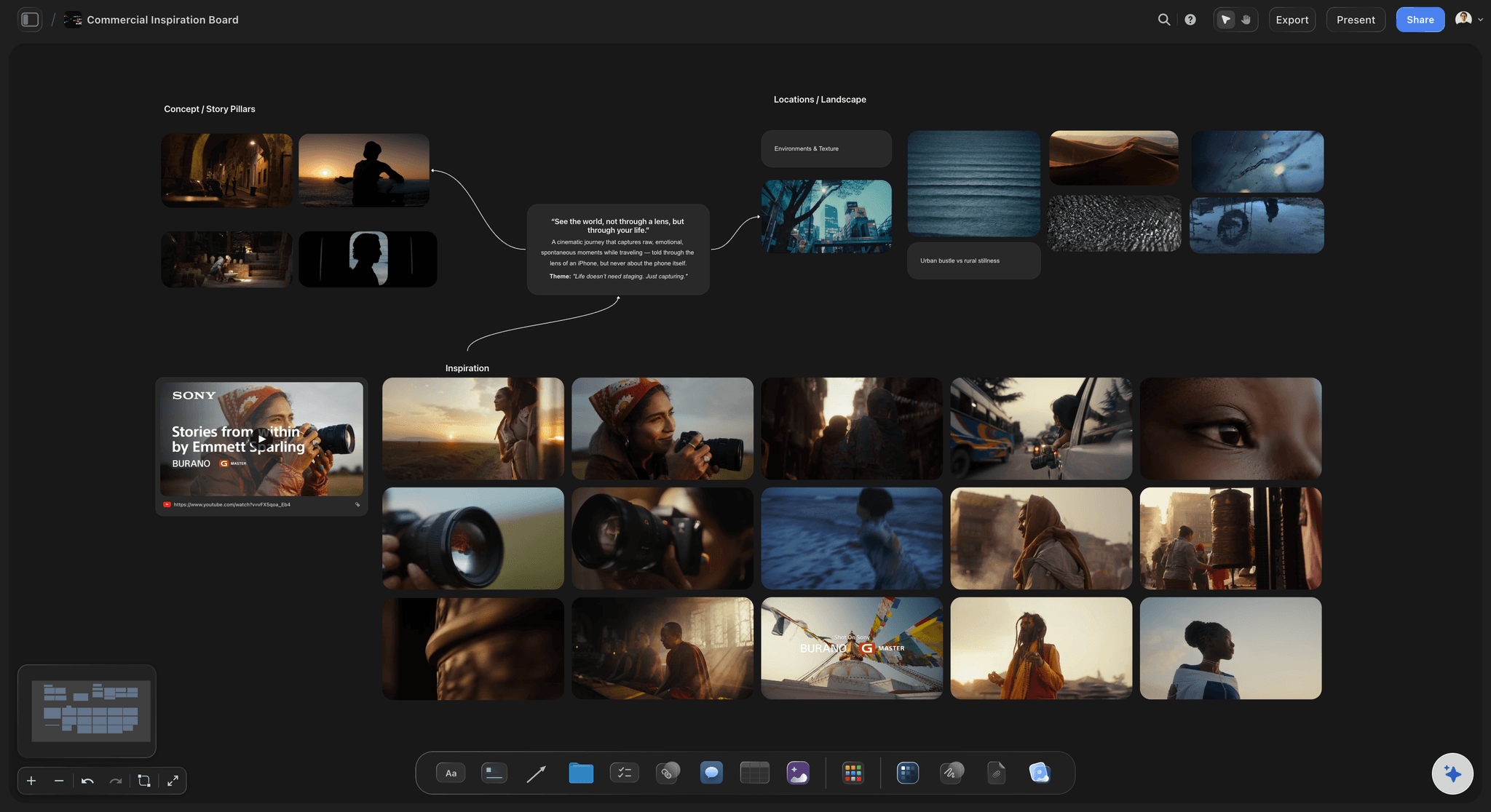
One section per vendor, so nobody has to read the whole board
Group references the way you brief
Your florist does not need the stationery references and your photographer does not need the linen swatches. Cluster the canvas by vendor so each one can find their section instantly, while you keep the whole day in view.
Explore the moodboard maker →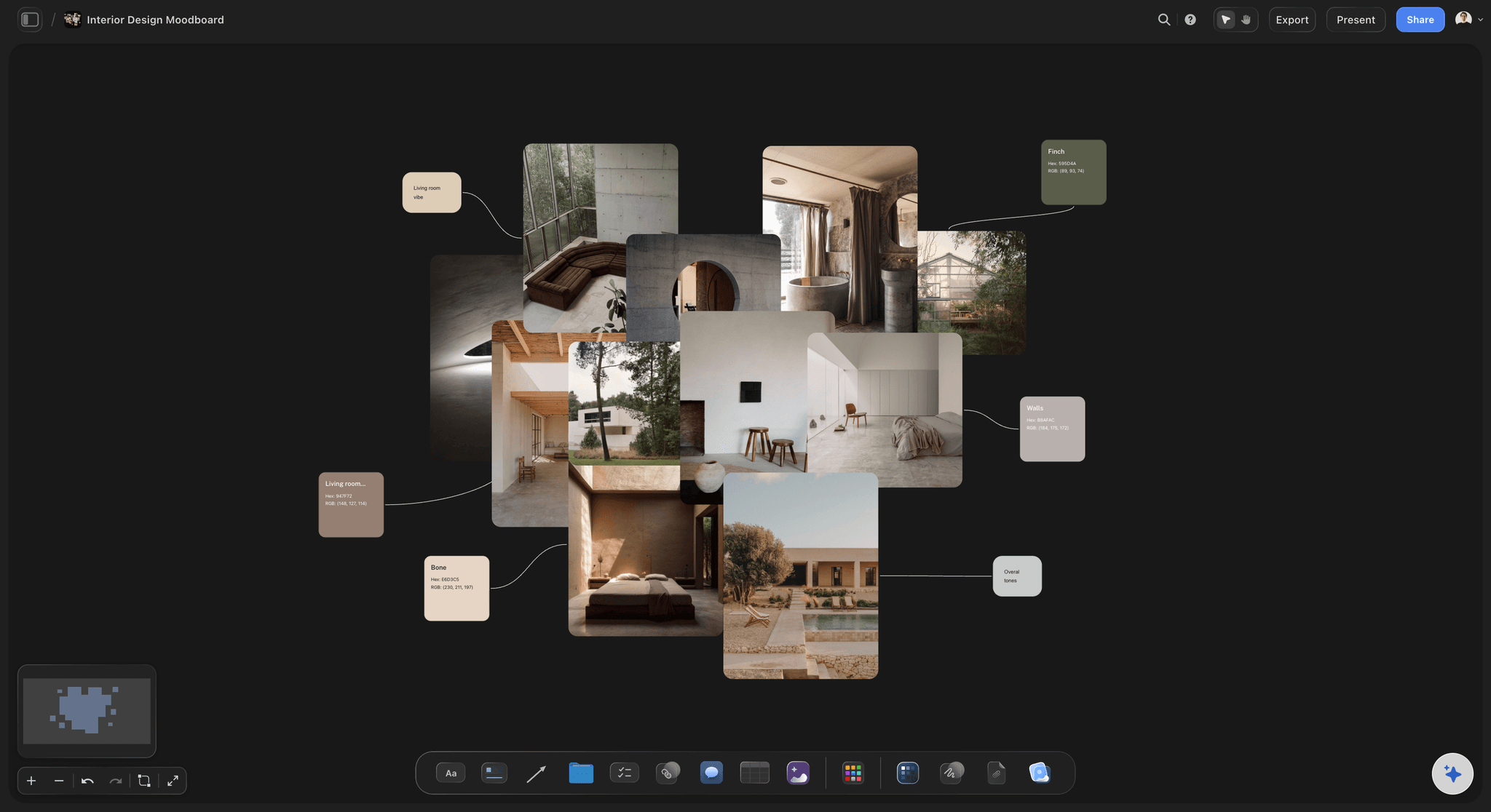
Pull the palette from the images you actually chose
Lock the color story first
Almost every other decision follows the palette. Build it beside the references it came from, and use the free color palette maker to pull exact swatches out of a bouquet or a venue photo so florals, linens, and stationery genuinely match.
Try the free color palette maker →
The look and the logistics on the same canvas
Keep timeline and budget beside the vision
Add the run of show, the vendor list, and the budget notes on the same infinite canvas. When a quote comes back over budget you can see exactly which part of the look it belongs to.
See the AI event planner →Unlimited boards. No object cap.
Open a canvas, describe the wedding, and start pulling references. Storyflow is paid-only during early access, with plans from $9.99 a month, and a Free plan launches before the end of 2026.
Unlimited wedding boards on an infinite canvas
Basic AI usage to generate boards from prompts
Drop in images, PDFs, links, and video frames
Share view-only links with every vendor
Built for people with taste
More than a collage of saved posts.
A wedding moodboard has to brief a dozen vendors and survive nine months of changes. That takes a canvas, not a picture.
Palette, florals, decor, attire, stationery, and venue
Cover every part of the day
Color palette across the whole day: Ceremony, reception, and evening rarely share one palette. Build the primary, accent, and neutral tones for each part and see them next to each other so the day reads as one thing.
Florals and tablescape: Bouquet, ceremony installation, centerpieces, linens, glassware, candles, and signage grouped together. Add seasonality notes beside each floral reference so your florist can flag what will not be available on your date.
Attire, hair, and makeup: Dress, suit, wedding party, and guest dress code in one cluster, with hair and makeup finish references beside them. Getting these in the same eyeline is how you catch a clash before the fittings.
Stationery and signage: Invitations, menus, place cards, seating charts, and welcome signage. Paper stock, typography, and printing method references keep the stationer from guessing.

AI that can see the references already on your board
Build the board with an AI that knows the wedding
Prompt to fill the gaps: Ask the AI to add a stationery section, draft the vendor brief, or write the run of show. It keeps what is already on the canvas in context, so what it adds fits the wedding you are planning.
Change the palette without rebuilding: Re-prompt as often as you like. Everything you have already placed stays where you put it while the AI builds around it, which matters when the plan changes in month six.

Screenshots, venue photos, vendor quotes, and links
Get everything in from wherever you saved it
Drag in your camera roll: Nine months of saved screenshots and venue visit photos drop straight onto the canvas. Arrange them by section instead of scrolling a folder every time a vendor asks a question.
Keep vendor quotes with the look: Drop quotes and contracts in as PDFs beside the section they cover. When you are comparing two florists, their proposals sit next to the actual floral references you sent them.
Links stay live on the board: Drop a link card for a dress, a rental item, or a venue page. The reference and the place you can actually buy it stay together.

One link for planners, florists, photographers, and family
Share it without making anyone sign up
View-only links for vendors: Send one link and any vendor opens the full board in a browser with no account and no app install. They see the current version, not the PDF you emailed in March.
Plan it together: Invite your partner or your planner to edit the canvas with you so decisions land in one place instead of across two phones and a group chat.
Export for meetings: Export as a high-quality image or PDF for a venue walkthrough or a vendor meeting where the connection is unreliable. The live link keeps updating for everyone else.
Explore templates for your project
Every template opens as a real, editable board on the infinite canvas. Pick the closest fit and make it your own.
Film Moodboard
Collect film references, color palettes, lighting, locations, and tone in one place, then invite your crew.
One app instead of five
Storyflow vs Pinterest, Canva, and Milanote.
Every tool here works for wedding inspiration. Here is where they differ once you have to brief real vendors.
Storyflow
Recommended
Infinite canvas, no fixed grid
AI builds the board from a prompt
Group by vendor on one canvas
Keep quotes and PDFs on the board
Timeline and budget on the same board
View-only link, no account for viewers
Infinite canvas, no fixed grid
AI builds the board from a prompt
Group by vendor on one canvas
Keep quotes and PDFs on the board
Timeline and budget on the same board
View-only link, no account for viewers
Canva
Infinite canvas, no fixed grid
AI builds the board from a prompt
Group by vendor on one canvas
Keep quotes and PDFs on the board
Timeline and budget on the same board
View-only link, no account for viewers
Milanote
Infinite canvas, no fixed grid
AI builds the board from a prompt
Group by vendor on one canvas
Keep quotes and PDFs on the board
Timeline and budget on the same board
View-only link, no account for viewers
What creators are saying
Join early creators getting structured workspaces and AI that remembers their projects
“Storyflow has sped up my workflow by at least 3x, which means more flow state and more projects I can actually ship. It truly changed the way me and my team create.”

Reilin Joey
Director & YouTuber
“One prompt gets me a structured board. But the tactics are my favorite. I run my YouTube scripts through them and my intros and retention got better. It's amazing.”

Justkay
YouTuber & Freelance Filmmaker
“I used to juggle five apps to plan a project. Now I describe what I am making and get boards, lists, and a schedule. All in one place.”

George
@fernwehchronicles
Wedding moodboard questions, answered.
What to put on it, how to organize it, and how to get it to your vendors.
Start with the palette, because nearly everything else follows it. Pick a primary, an accent, and a neutral, and pull them from an image you genuinely love rather than from a color chart. Then build a section for each vendor you will brief: florals, decor and tablescape, attire, hair and makeup, stationery, lighting, and venue. Put three to six references in each section rather than thirty, and add a one-line note beside each explaining what you liked about it, since the same photo can be there for its color, its shape, or its mood. Finish with two or three hero images that capture the overall feeling of the day. In Storyflow you can describe the wedding in a prompt and let the AI lay out those sections for you, then drop your saved references into them.
Storyflow is a wedding moodboard maker on an open canvas: describe the wedding and its AI lays out a section for each part of the day, then you drop your saved references into them. You can group the board by vendor and keep quotes, PDFs and the budget beside the pictures. Your planner, florist and photographer open it from a view-only link with no account.
Eight areas cover most weddings. Color palette across ceremony, reception, and evening. Florals: bouquet, ceremony installation, centerpieces, and seasonality. Decor and tablescape: linens, glassware, candles, signage. Attire: the couple, the wedding party, and the guest dress code. Hair and makeup finish. Stationery and paper: invitations, menus, place cards, seating chart. Lighting and atmosphere: time of day, candlelight, string lights, indoor or outdoor. Venue and layout: ceremony setup, reception flow, and key sightlines. It also helps to keep a budget note and a date beside each section, because a moodboard that ignores cost tends to get rebuilt.
Share a view-only link. Vendors open the full board in a browser with no account and no app install, which matters because most of them will look at it a handful of times and will not create a login for your wedding. Because the link stays live, they always see the current version rather than a PDF you emailed months ago. If a vendor wants something to print for a meeting or a site visit, export the board as an image or PDF. If someone should genuinely contribute, such as a planner adding options, invite them to the board and they can edit alongside you.
Not during early access. Storyflow is paid-only right now, with plans starting at $9.99 a month, and a Free plan for solo use launches before the end of 2026. Anyone a paid member invites to a board joins free today, so your partner, planner, and vendors do not need to pay to view or collaborate. If you want a free option this minute, Pinterest and Canva both have real free tiers that work well for gathering inspiration, though neither lets you group by vendor on an infinite canvas or keep quotes and timelines on the same board.
Pinterest is very good at the discovery half of wedding planning, and most couples should keep using it to find things. It struggles at the briefing half. Everything lands in one uniform grid, you cannot cluster a florist section separately from a stationery section, there is no way to annotate why an image is saved, and there is nowhere to put quotes, timelines, or the budget. Storyflow is built for the second half: pull your Pinterest shortlist onto a canvas, group it by vendor, annotate it, and send a link that briefs someone properly.
Yes. Invite your partner to the board and you can both edit the same canvas, so decisions end up in one place rather than split across two phones and a group chat. Anyone a paid member invites joins free today, so only one of you needs a plan. You can also invite a planner or a family member who is helping, and give everyone else a view-only link.
Yes, and it is one of the main reasons to use a canvas instead of a collage. Because the canvas is infinite, the run of show, the vendor list, and the budget notes can sit beside the references they relate to. When a floral quote comes back higher than expected, you can see exactly which part of the look it pays for and decide what to trade. Ask the AI to draft a run of show or a vendor checklist from what is already on the board and edit it from there.
Aim for around twenty to forty across all sections, with three to six per section. It feels too few while you are building it and exactly right when a vendor opens it. A board with a hundred images does not communicate a direction, it communicates that you have not chosen one yet. Keep everything else in a research area off to the side of the canvas so you never have to delete a reference to get it out of the way, and build the tight board in the middle from what you are actually committing to.
Yes. A lot of what couples want to describe is movement and atmosphere: how a room looks when the candles are lit, how a first dance is filmed, how a ceremony installation reveals. Storyflow lets you grab a frame directly from YouTube or Vimeo onto the canvas so you can pin the exact moment rather than sending a timestamped link. You can also drop the link itself onto the board when the movement matters more than any single frame, which is particularly useful when briefing a videographer.
You can, though most couples do better with one canvas grouped into vendor sections. Boards are unlimited, so making a florist board, a stationery board, and a photography board is possible. The reason to keep them on one canvas instead is that the decisions are connected: change the palette and the florals, linens, and stationery all move with it. Grouping on a single infinite canvas gives each vendor a clear section to read while keeping those relationships visible to you.
Get the whole wedding onto one board.
Open a canvas, describe the day, and let AI build the sections. No download.