
Ultra-fast moodboards with real taste
A film lookbook the crew
can actually feel.
Collect stills, grab frames straight from YouTube and Vimeo references, arrange tone, color, and lighting sections, and write your intent next to every image. Export a clean PDF or share a link.


Creatives working for these brands already got early access
- Red Bull
- Canon
- Artlist
- Porsche
See how easy it is to get started
Watch a real project come together, from a blank board to a finished plan, clicked through step by step.
Start from a ready-made template
Pick a board to see what you can build, then let AI fill it in. Every template is a real, editable starting point on the same infinite canvas.

Film Moodboard
Collect film references, color palettes, lighting, locations, and tone in one place, then invite your crew.
What is a film lookbook?
A film lookbook is a curated document of images that defines the visual language of a project: tone, color, lighting, framing, wardrobe, and texture, with notes explaining why each reference matters. Storyflow is an AI visual workspace that puts a film lookbook on one infinite canvas: stills and frames grabbed from YouTube and Vimeo references, sections for tone, color and lighting, your intent written beside every image, and a PDF or a link to share. Directors build a film lookbook for two audiences. Before the project is funded, it wins the pitch. Once it is, it aligns the DP, production designer, and colorist on one shared picture of the film.
The slow part of making a film lookbook is collecting and arranging. References live in screenshots, saved frames, and half-remembered scenes, and a slide deck flattens them into pages too small to compare. Storyflow puts the lookbook on an infinite canvas instead. Drag in stills, grab frames from YouTube and Vimeo references directly onto the board, and arrange sections for tone, color, and lighting with intent notes beside the images.
When the film lookbook is ready, export it as a clean PDF for the pitch, or share a view-only link so the crew always sees the current version, not the one from three emails ago.
Ultra fast from brief to board
Make a film lookbook in four steps.
From scattered references to a document that sells the vision, without fighting a slide deck.
01
Open your canvas
Open Storyflow in the browser and sign up. There is no download, just a blank board ready for the first reference.
02
Collect your references
Drag in stills, paste links, and grab frames from YouTube and Vimeo references straight onto the canvas. No screenshot folder, no re-uploading.
03
Arrange the visual language
Group images into tone, color, lighting, and framing sections, and write intent notes next to each reference so the why travels with the what.
04
Export or share
Export the lookbook as a clean PDF for pitches and decks, or share a view-only link the crew can open without an account.
Built for the way directors collect references.
The references are already out there, in films, videos, and stills. Storyflow makes getting them onto one board the fast part.

Stills from any YouTube or Vimeo reference
Grab frames straight from the source
Found the exact lighting in a film essay or a music video? Capture the frame from YouTube or Vimeo directly onto the canvas, at the moment you found it.
See moodboarding in Storyflow →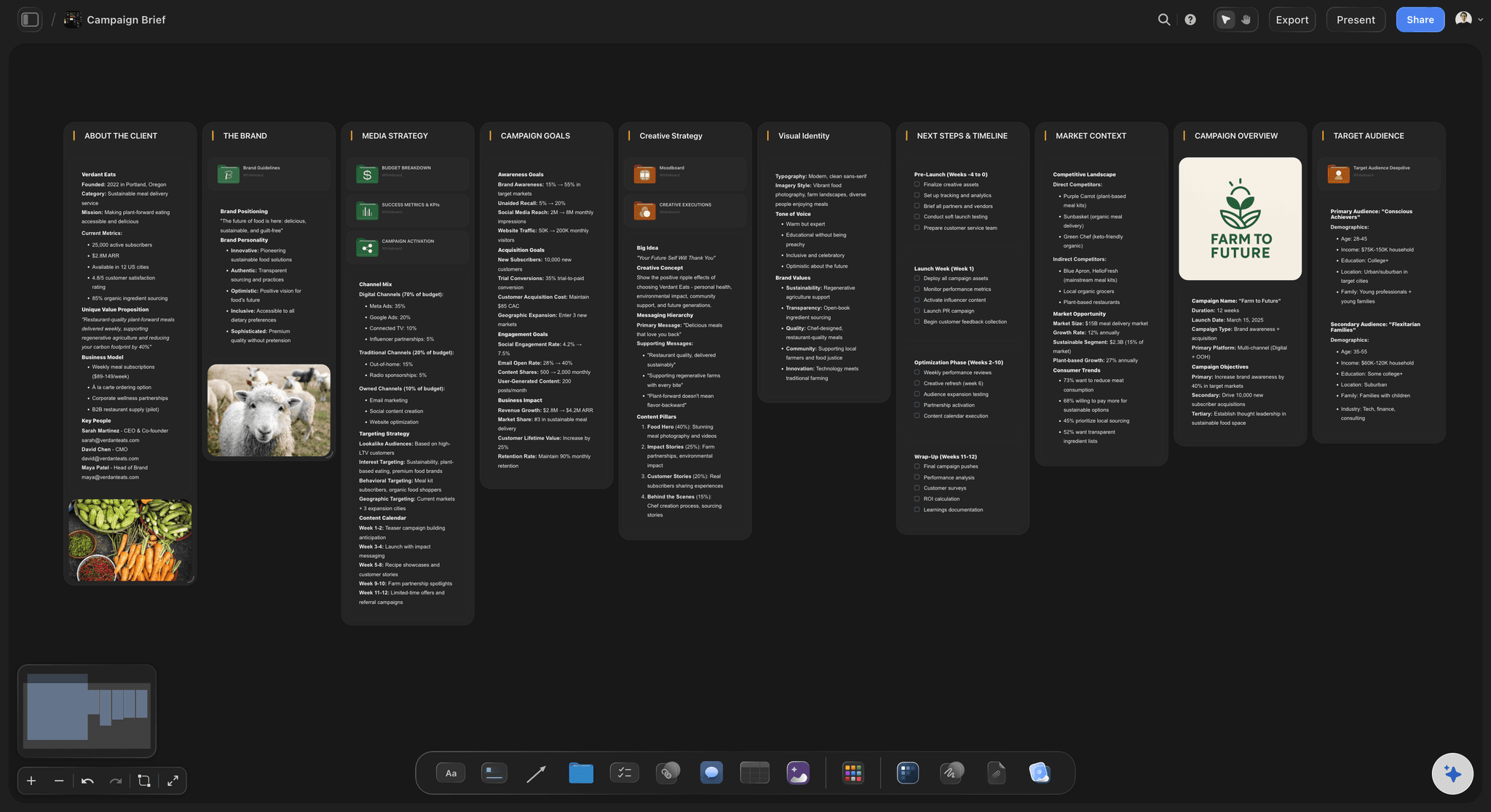
Tone, color, and lighting as spatial sections
Arrange the look, do not just stack it
An infinite canvas lets you build sections the way you think: a tone wall, a color story, a lighting study, side by side and always comparable.
Explore film production planning →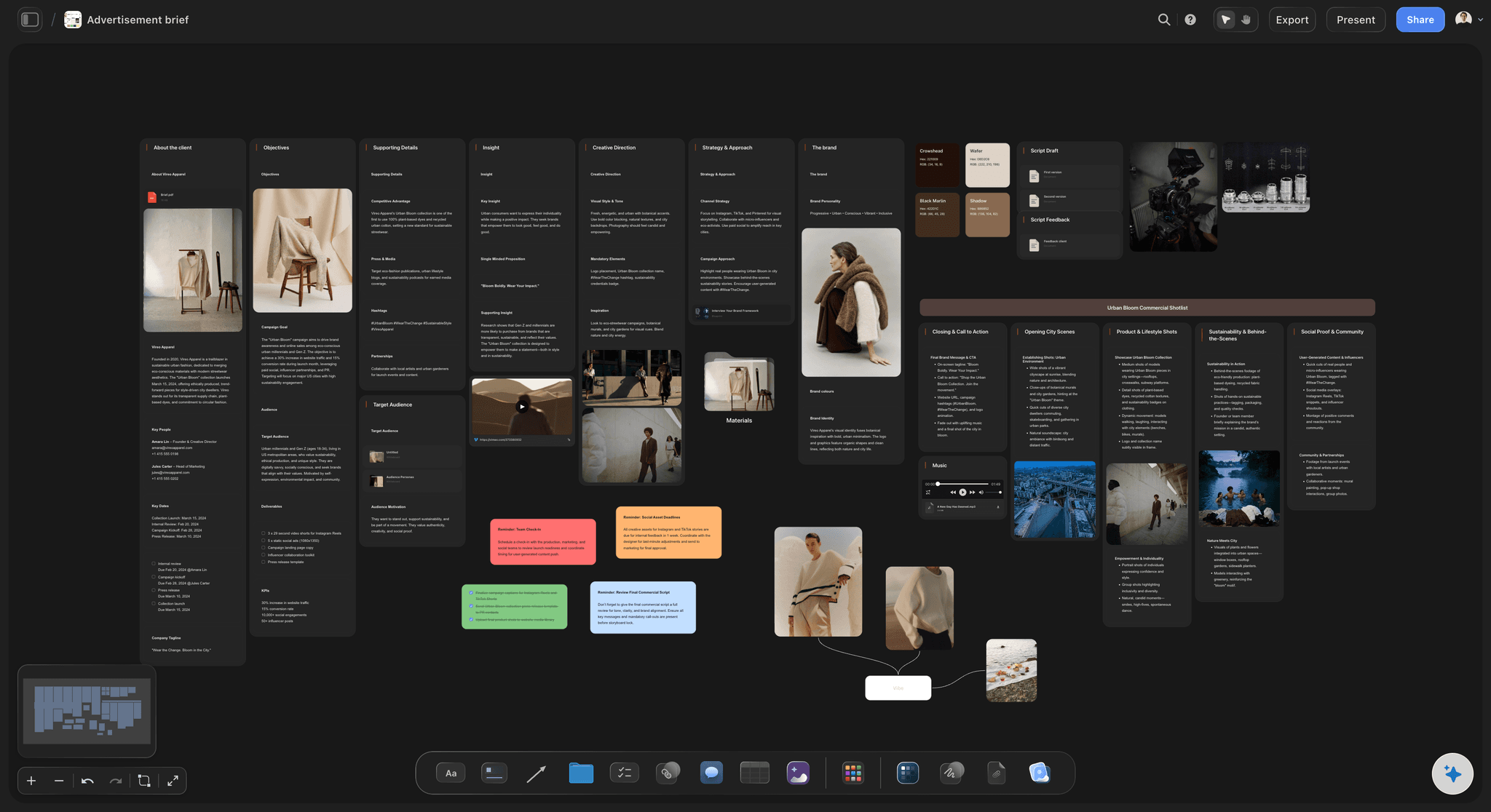
Intent notes next to every image
Say why each reference is there
A lookbook without notes is just pretty pictures. Write what you are taking from each reference, the contrast, the haze, the blocking, right beside the image.
See film storyboards →
PDF export and view-only links
Pitch it, then keep it alive
Export a clean PDF for the pitch deck, then share a view-only link with the crew so the lookbook keeps evolving through prep without version chaos.
Build a film pitch deck →Plans from $7.99/mo. A Free plan launches before the end of 2026.
Storyflow is paid-only during early access. Build the lookbook for your next pitch on Plus. No board limit, no time limit, no watermark on your ideas.
A lookbook per project, per scene, per pitch: boards are unlimited
Grab frames from YouTube and Vimeo references
Drag and drop images, video, GIFs, and PDFs
Share view-only links with producers and crew
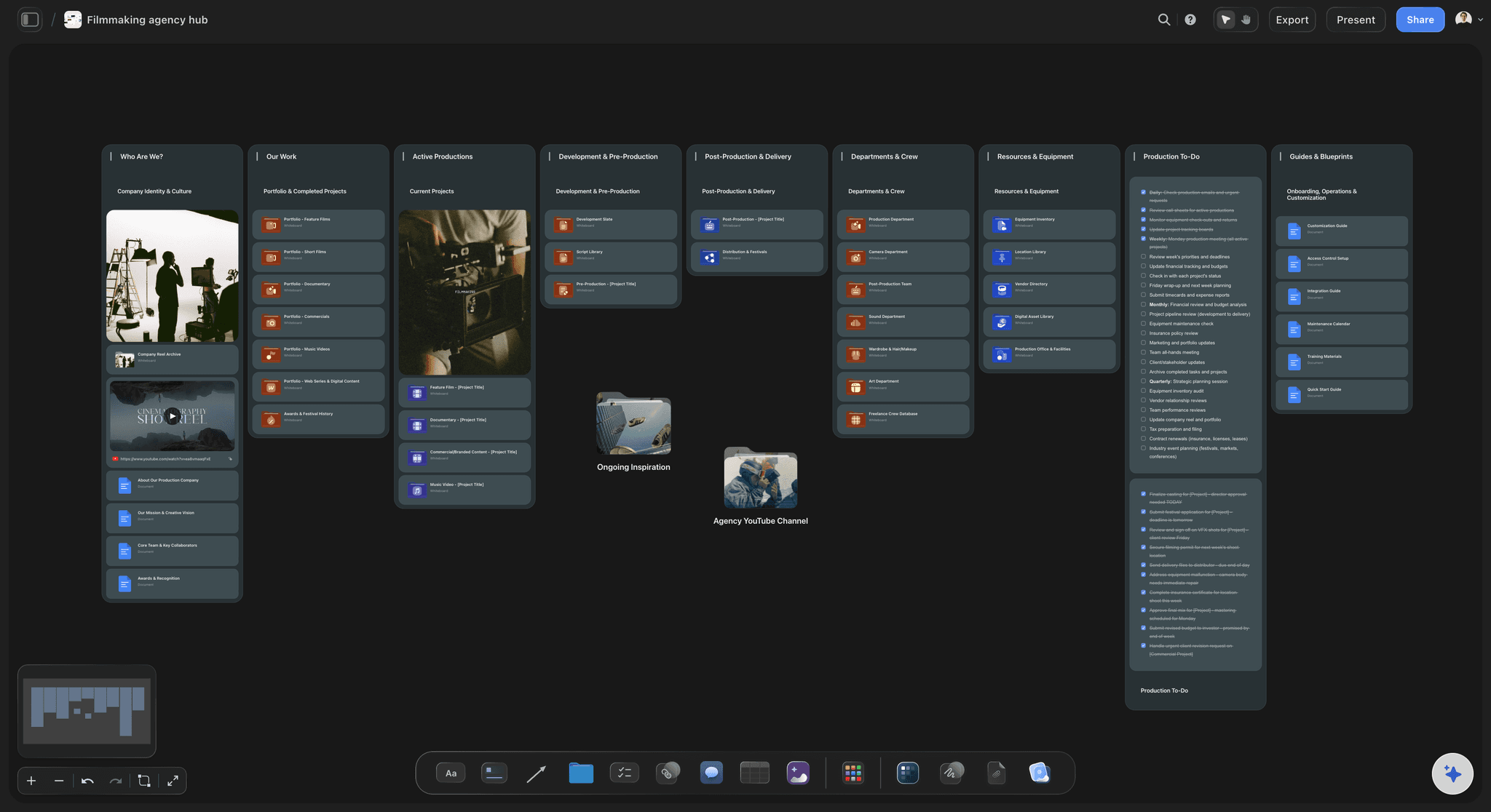
Built for people with taste
More than a film lookbook maker.
The lookbook is one board on a canvas that holds the whole project, so the visual language stays connected to the work it guides.

Every reference type on one board
Collect in any format you find it
Frame grabs from video: Capture stills from YouTube and Vimeo references the second you spot the right shot, straight onto the canvas.
Drag and drop everything: Images, video clips, GIFs, PDFs, and links all land on the same board, full size and side by side.
AI images on Pro and Max: When no reference exists for a look in your head, generate one on the canvas with AI image generation on Pro and Max plans.

Structure that reads like a document
Sections that pitch the vision in order
Tone, color, lighting, world: Build the classic lookbook sections as zones on the canvas, ready to export as clean images or a PDF.
Per-character and per-location looks: Give key characters and locations their own visual sections, next to the main look they belong to.
Headlines and intent notes: Title each section and caption each image so the lookbook argues for the film even when you are not in the room.
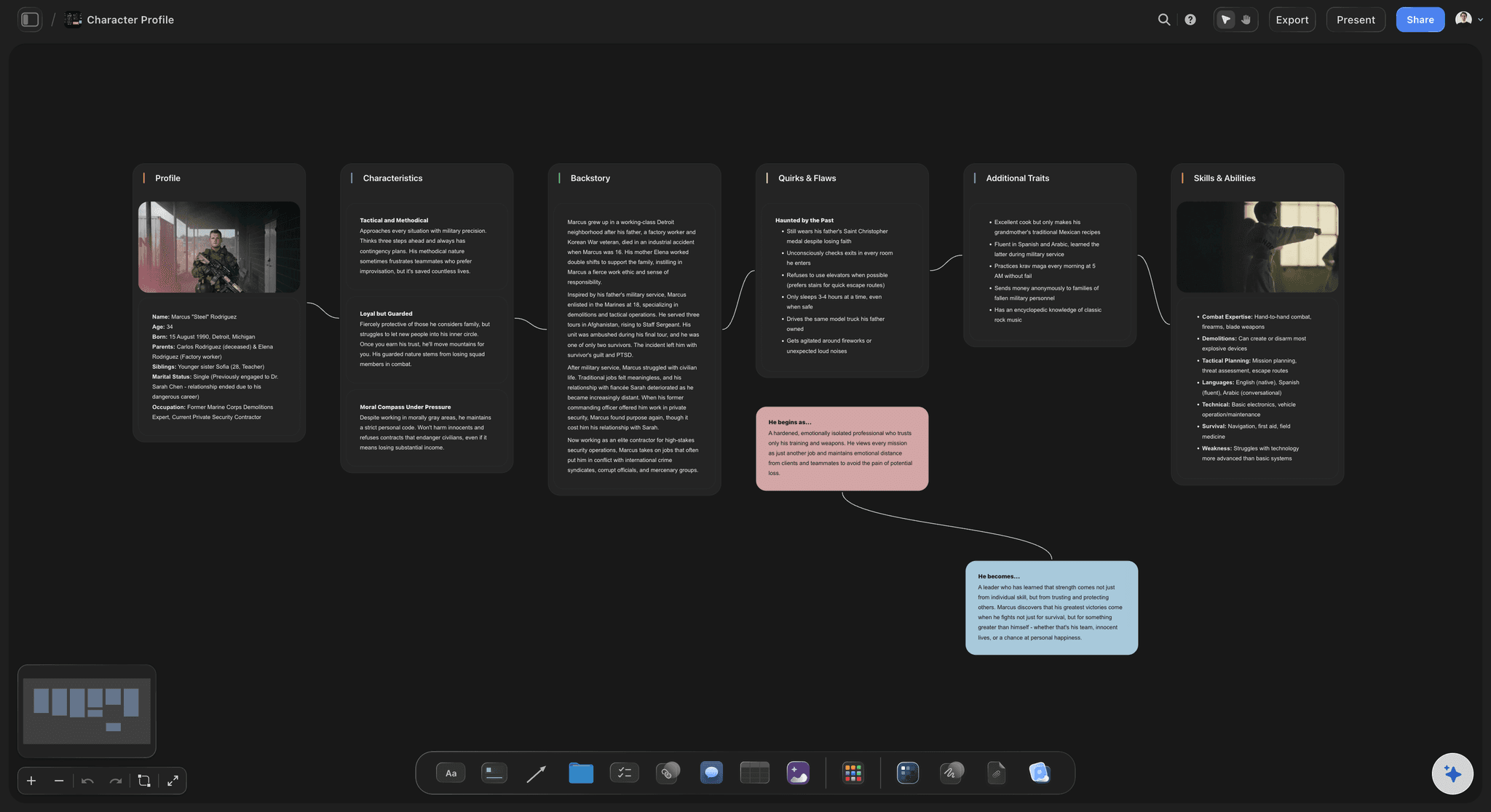
The lookbook talks to the rest of prep
Connected to the storyboard and the plan
References beside the scenes: Pin lookbook frames next to the storyboard scenes they inform, so the look survives into coverage.
Character looks with profiles: Wardrobe and makeup references live with the character boards used in casting and continuity.
One canvas for the project: Lookbook, storyboard, shot list, and schedule on the same canvas means the vision and the plan never drift apart.

From canvas to pitch-ready document
Share it the way the room expects
Clean PDF export: Export the lookbook as a high-quality PDF for producers, financiers, and agency reviews.
View-only links: Send a link that opens in the browser with no account needed, always showing the latest version.
Department heads join free: Bring the DP and production designer onto the board and control who can edit or view.
Explore templates for your project
Every template opens as a real, editable board on the infinite canvas. Pick the closest fit and make it your own.
Film Moodboard
Collect film references, color palettes, lighting, locations, and tone in one place, then invite your crew.
One app instead of five
Where this sits next to how lookbooks usually get made.
A director's lookbook is normally assembled in a layout or slide tool after the references have been collected somewhere else. The question worth asking is whether gathering and arranging happen on the same surface, and who sets a page better.
Storyflow
Recommended
Reference frames and the lookbook on one canvas
Grab stills from reference footage in place
Print-precise page layout and typography
Free tier available today
Milanote
Reference frames and the lookbook on one canvas
Grab stills from reference footage in place
Print-precise page layout and typography
Free tier available today
Canva
Reference frames and the lookbook on one canvas
Grab stills from reference footage in place
Print-precise page layout and typography
Free tier available today
Adobe InDesign
Reference frames and the lookbook on one canvas
Grab stills from reference footage in place
Print-precise page layout and typography
Free tier available today
What creators are saying
Join early creators getting structured workspaces and AI that remembers their projects
“Storyflow has sped up my workflow by at least 3x, which means more flow state and more projects I can actually ship. It truly changed the way me and my team create.”

Reilin Joey
Director & YouTuber
“One prompt gets me a structured board. But the tactics are my favorite. I run my YouTube scripts through them and my intros and retention got better. It's amazing.”

Justkay
YouTuber & Freelance Filmmaker
“I used to juggle five apps to plan a project. Now I describe what I am making and get boards, lists, and a schedule. All in one place.”

George
@fernwehchronicles
Film lookbooks, answered.
Everything people ask about making a film lookbook with Storyflow.
A film lookbook is a curated collection of images that defines a project's visual language: tone, color, lighting, framing, and wardrobe, with notes explaining the intent behind each reference. Directors use a lookbook to win pitches and to align the DP, production designer, and colorist before cameras roll. In Storyflow you build it on an infinite canvas and export it as a PDF or share it as a link.
Storyflow is made for this: the lookbook and its reference frames sit on one canvas, and you grab stills from YouTube and Vimeo references straight onto the board. Arrange sections for tone, color and lighting, write your intent beside each image, then export a PDF or share a view-only link. Canva and Adobe InDesign still give you print-precise page layout and typography, which Storyflow does not.
A moodboard captures a feeling fast and loose, often for one idea. A film lookbook is more structured: it walks through the visual language of a whole project section by section, usually with written intent, and it is built to be presented. In Storyflow both live on the same canvas, so a moodboard can grow into a lookbook without starting over.
Collect references first: stills from films, frames from videos, photography, and texture. In Storyflow you drag them onto an infinite canvas and grab frames from YouTube or Vimeo references directly. Then arrange sections for tone, color, lighting, and key characters or locations, write a short intent note beside each image, and export a PDF or share a view-only link.
Yes. Storyflow can capture a still from a YouTube or Vimeo video straight onto the canvas, so the exact frame you want goes from the reference into the lookbook in one step. No screenshot tool, no cropping browser chrome, no files to re-upload.
Not during early access. Storyflow is paid-only right now, with Plus starting at $7.99 a month billed annually, and a Free plan is planned before the end of 2026. Every paid plan covers unlimited boards, frame grabs from YouTube and Vimeo, 20 file uploads, and view-only links for the crew. Anyone a paid member invites to a board joins free.
Yes. Export the lookbook as a high-quality PDF for pitch decks and email, or as an image. Storyflow does not export video; for a living version of the lookbook, share a view-only link that always shows the current board.
No. A view-only link opens in the browser without a signup, so producers, clients, and department heads can review the lookbook from any device. You can also invite collaborators for free and control who can edit. Live multi-editor co-editing with cursors is part of the Max plan.
On Pro and Max plans, yes: press G on the canvas to generate AI images for looks you cannot find a reference for. On every plan, the AI can help lay out and structure boards, and frame grabs plus drag and drop cover the collecting. AI image generation is not included on Plus.
You can see the film. Show them.
Pull the references onto one canvas, shape the look, and walk into the pitch with a lookbook that argues for you.