
Ultra-fast moodboards with real taste
A cluster per look,
a canvas per collection.
Silhouette, fabric, color, trim, and styling references grouped look by look, with the trend research and the range plan on the same infinite canvas.


Creatives working for these brands already got early access
- Red Bull
- Canon
- Artlist
- Porsche
See how easy it is to get started
Watch a real project come together, from a blank board to a finished plan, clicked through step by step.
Start from a ready-made template
Pick a board to see what you can build, then let AI fill it in. Every template is a real, editable starting point on the same infinite canvas.

Film Moodboard
Collect film references, color palettes, lighting, locations, and tone in one place, then invite your crew.
What is a fashion moodboard?
A fashion moodboard is the visual reference that defines a collection before anything is cut. Storyflow is an AI visual workspace that lays out your collection on one infinite canvas: a cluster of references per look, the color story, the trend research, and the range plan. The moodboard gathers silhouette and shape references, fabric and texture, a color story, trim and hardware detail, styling and casting direction, and trend or archive research that explains where the collection sits. It is how a designer communicates an idea to a pattern cutter, a buyer, a stylist, and a factory, all of whom need different things from the same board.
Fashion moodboards differ from other design moodboards because they operate at two scales at once. There is the collection level, which is the overall story, the palette, and the fabric direction, and there is the look level, where each garment needs its own silhouette, fabric, trim, and styling. Most tools force you to pick one scale. A board that only shows the collection story cannot be worked from, and a stack of individual look boards loses the thread that makes a collection cohere.
Storyflow is an AI-native infinite canvas, so both scales live on the same board. Describe the collection in a prompt and the AI lays out a structured board with sections for color story, fabric, silhouette, trim, and styling. Then you build a cluster per look on the same canvas, drag in your own references, and zoom out whenever you need to check that the collection still reads as one thing.
A fashion moodboard that carries a real collection usually covers seven layers: color story (the palette, its proportion across the range, and how it sequences), fabric and texture (weight, drape, hand feel, composition, and mill references), silhouette and shape (proportion, volume, length, and the line the body makes), construction and detail (seams, closures, trim, hardware, finishing), print and surface (pattern, scale, placement, embellishment), styling and casting (how it is worn, layered, and who wears it), and trend and archive context (what the collection is responding to). Storyflow keeps all seven visible so the range reads as a range rather than seven separate garments.
Ultra fast from brief to board
From research to a collection board in four steps.
No fixed grid, no export step. Describe the collection and start building looks.
01
Open a canvas
Sign up in seconds. No download. Your infinite moodboard canvas opens in the browser.
02
Describe the collection
Type the season, the story, and the customer and the AI builds a structured board with sections for color story, fabric, silhouette, trim, and styling.
03
Build a cluster per look
Drag in runway captures, archive scans, fabric photographs, and trim shots. Give each look its own cluster with its silhouette, fabric, color, and styling, all on the same canvas as the collection story.
04
Share with the team
Send a view-only link to your pattern cutter, buyer, stylist, or factory. No account needed on their side. Export as an image or PDF for a range review or a supplier pack.
The collection and every look, on one canvas.
Color, fabric, silhouette, and styling grouped look by look without losing the overall story.
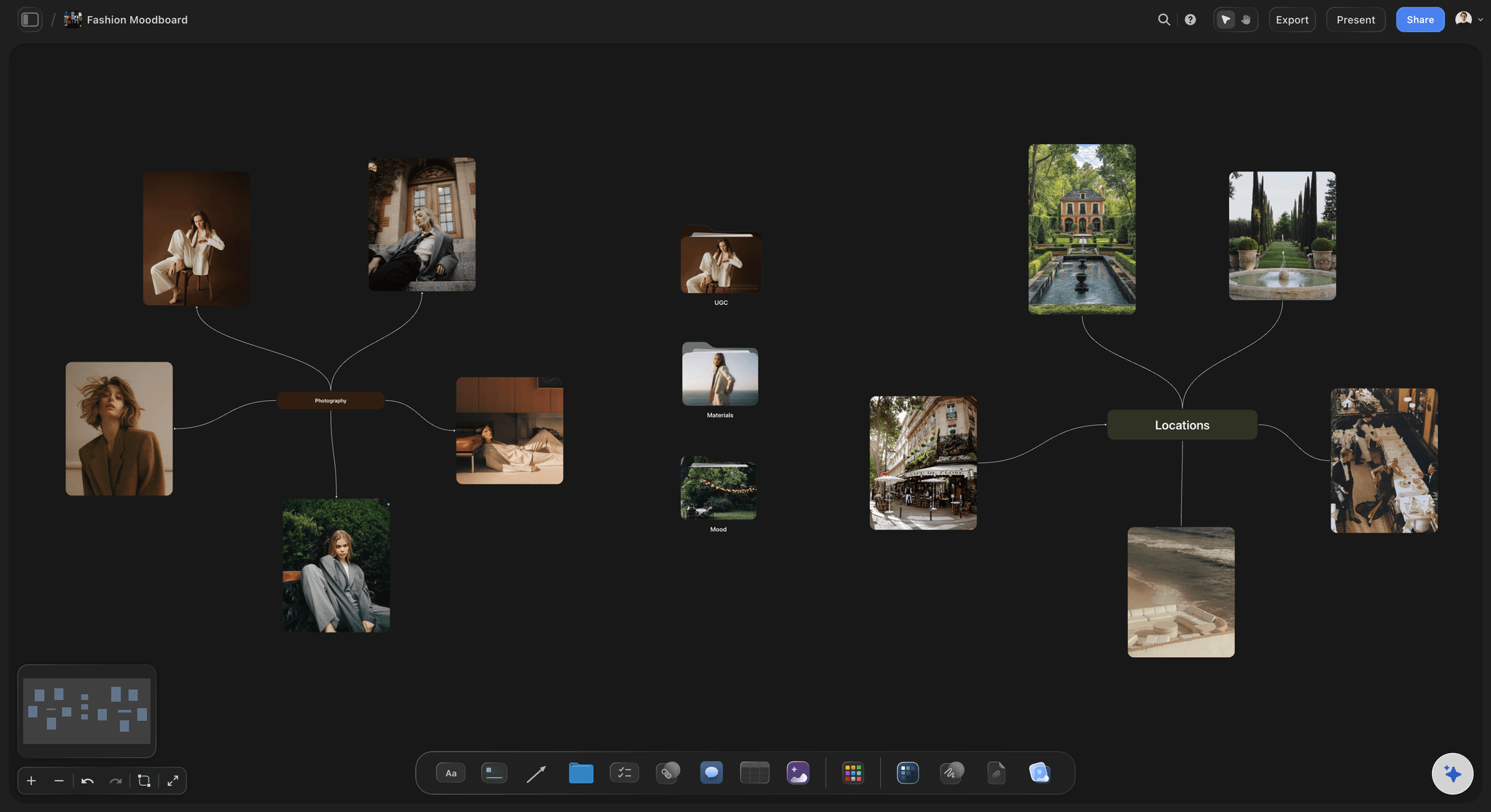
AI builds the board structure from your collection brief
Start structured, not from a blank sheet
Describe the season, the story, and the customer and the AI lays out labeled sections for color story, fabric, silhouette, trim, and styling. You spend your time on research rather than on layout.
See the AI mood board maker →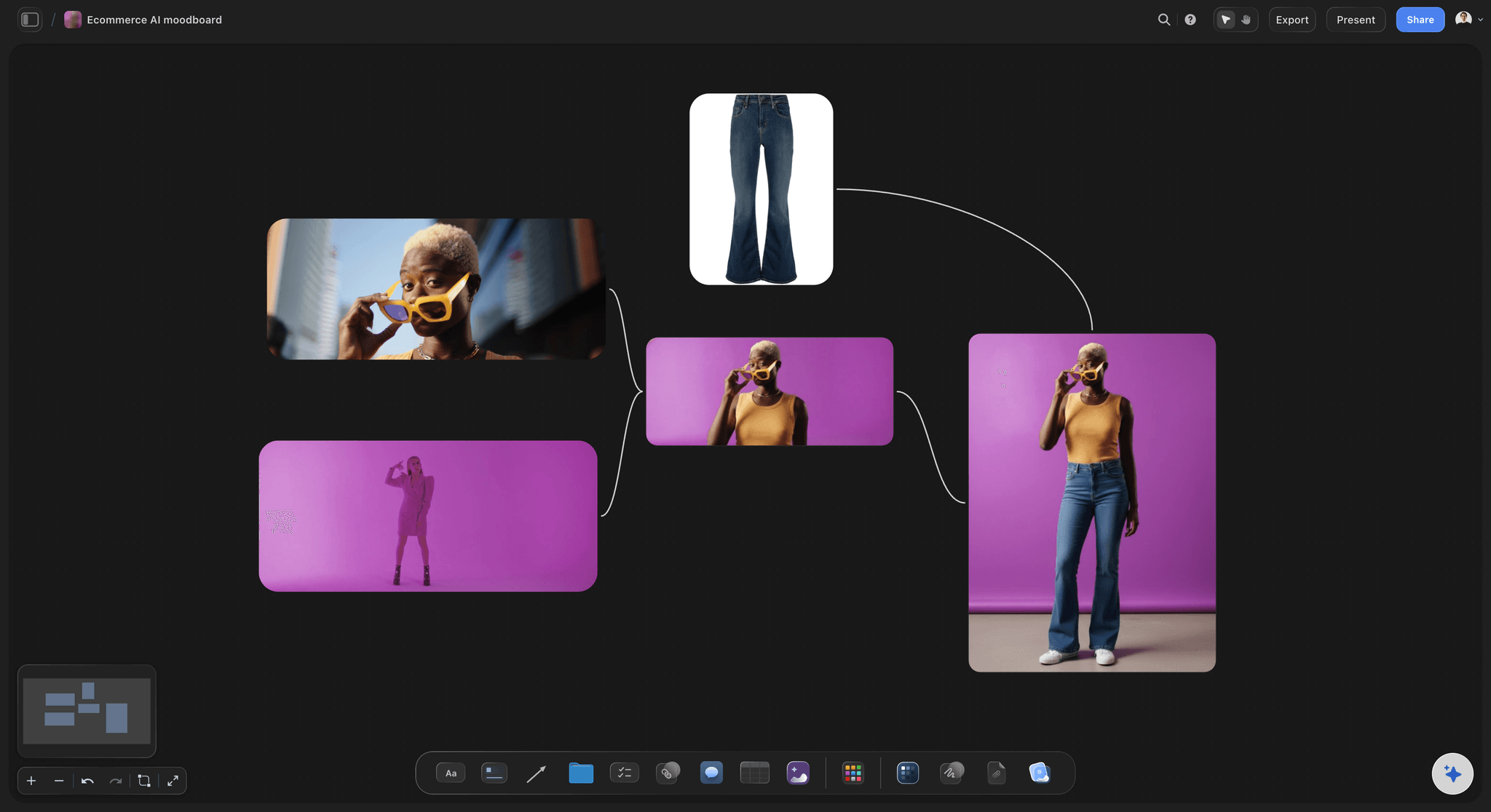
Zoom from the whole range to one seam
Work at both scales without switching files
Zoom out and the collection story, palette proportion, and range balance are all visible at once. Zoom in and you are looking at one look's fabric, trim, and construction detail. Same canvas, no file to open.
Explore the moodboard maker →
Exact colors pulled from the fabric itself
Build a color story you can dye to
Photograph the actual swatch and pull precise colors out of it with the free color palette maker, rather than trusting a mill's lit product shot. Sit the extracted palette beside the fabric it came from.
Try the free color palette maker →
Range plan, costings, and calendar beside the visuals
Keep the commercial reality on the board
Add the range plan, the cost sheet notes, and the critical path beside the looks they belong to. When a fabric price comes back high, you can see immediately which looks it affects.
See the design planning tool →Unlimited boards. No object cap.
Open a canvas, describe the collection, and start building looks. Storyflow is paid-only during early access, with plans from $9.99 a month, and a Free plan launches before the end of 2026.
Unlimited collection boards on an infinite canvas
Basic AI usage to generate boards from prompts
Drop in images, PDFs, tech packs, and links
Share view-only links with buyers and suppliers
Built for people with taste
More than a trend board.
A fashion moodboard has to hold a story, a range, and enough detail that a factory can work from it.
Color, fabric, silhouette, detail, print, styling, and context
Cover every layer of the collection
Color story with proportion: A palette alone does not describe a range. Show how much of each color sits in the collection and how it sequences across the delivery, because proportion is what buyers actually respond to.
Fabric with weight and hand: Photograph real swatches with weight, composition, and mill noted beside them. A fabric direction built from styled product shots consistently reads heavier and more saturated than what arrives.
Silhouette and proportion: Group shape references per look so volume, length, and line are compared against each other rather than admired individually. This is where a range most often loses coherence.
Construction, trim, and finishing: Seams, closures, hardware, and finishing detail pinned beside the look they belong to. This is the layer a factory needs and the layer most moodboards skip.
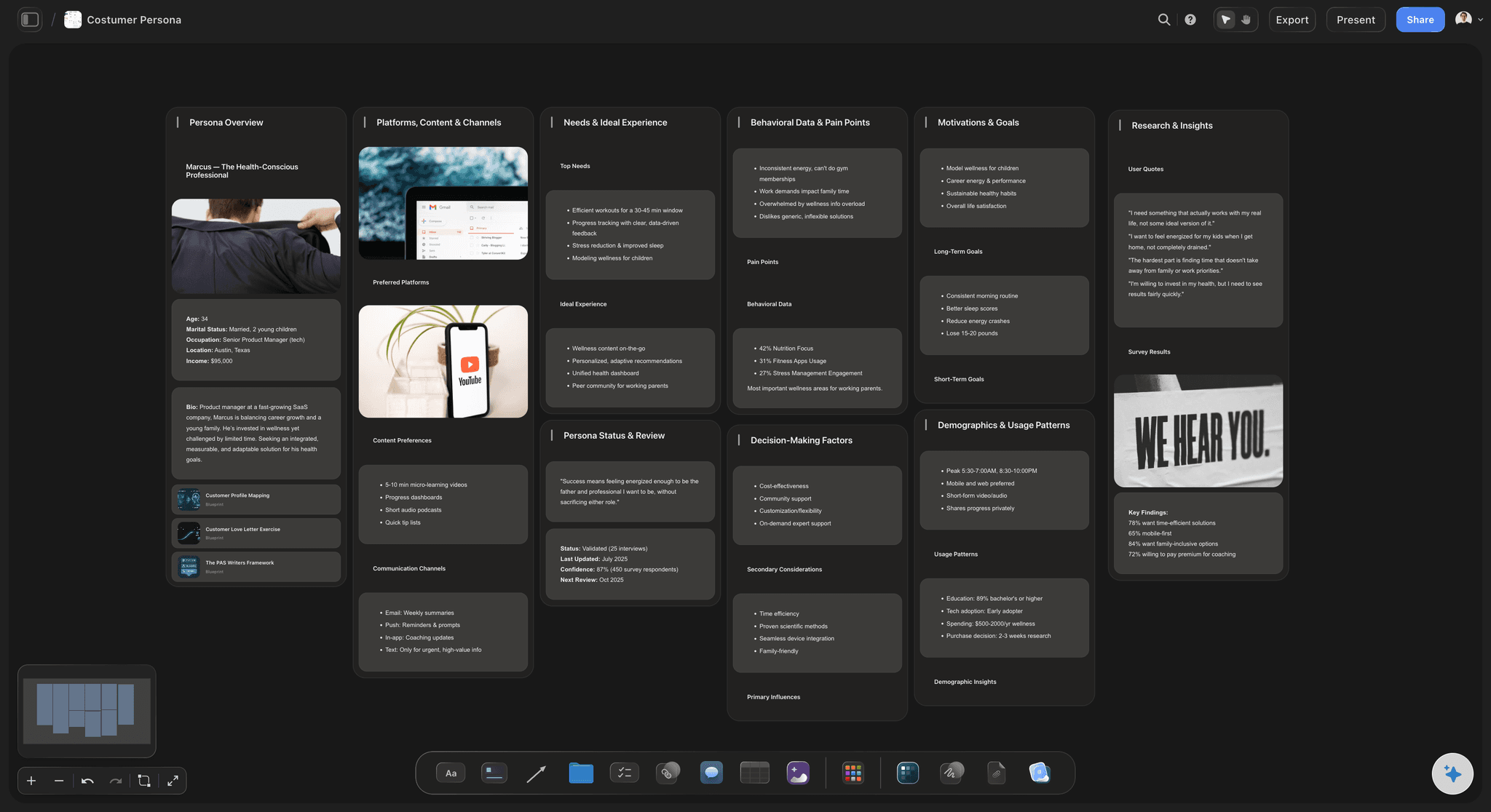
AI that can see the references already on your board
Build the board with an AI that knows the collection
Prompt to fill the gaps: Ask the AI to write the collection story, draft the look descriptions, or add a styling section. It keeps what is already on the canvas in context so the words match the direction.
Iterate through range reviews: Re-prompt as often as you need. Everything already placed stays where you put it, which matters when half the range changes after a buy meeting.

Runway captures, archive scans, swatches, and tech packs
Get every reference in from wherever it lives
Drag in research and swatch photography: Runway captures, archive scans, vintage finds, and photographed swatches drop straight onto the canvas. Use the free background remover to cut a garment out of a busy image so the silhouette reads clearly.
Grab frames from runway video: Movement is half of what a garment does, and a still cannot show drape or walk. Capture a frame directly from YouTube or Vimeo onto the canvas and pin it beside the silhouette it informs.
Keep tech packs and supplier docs on the board: Drop tech packs, cost sheets, and mill quotes in as PDFs beside the look they describe, so the design reference and the production document never drift apart.
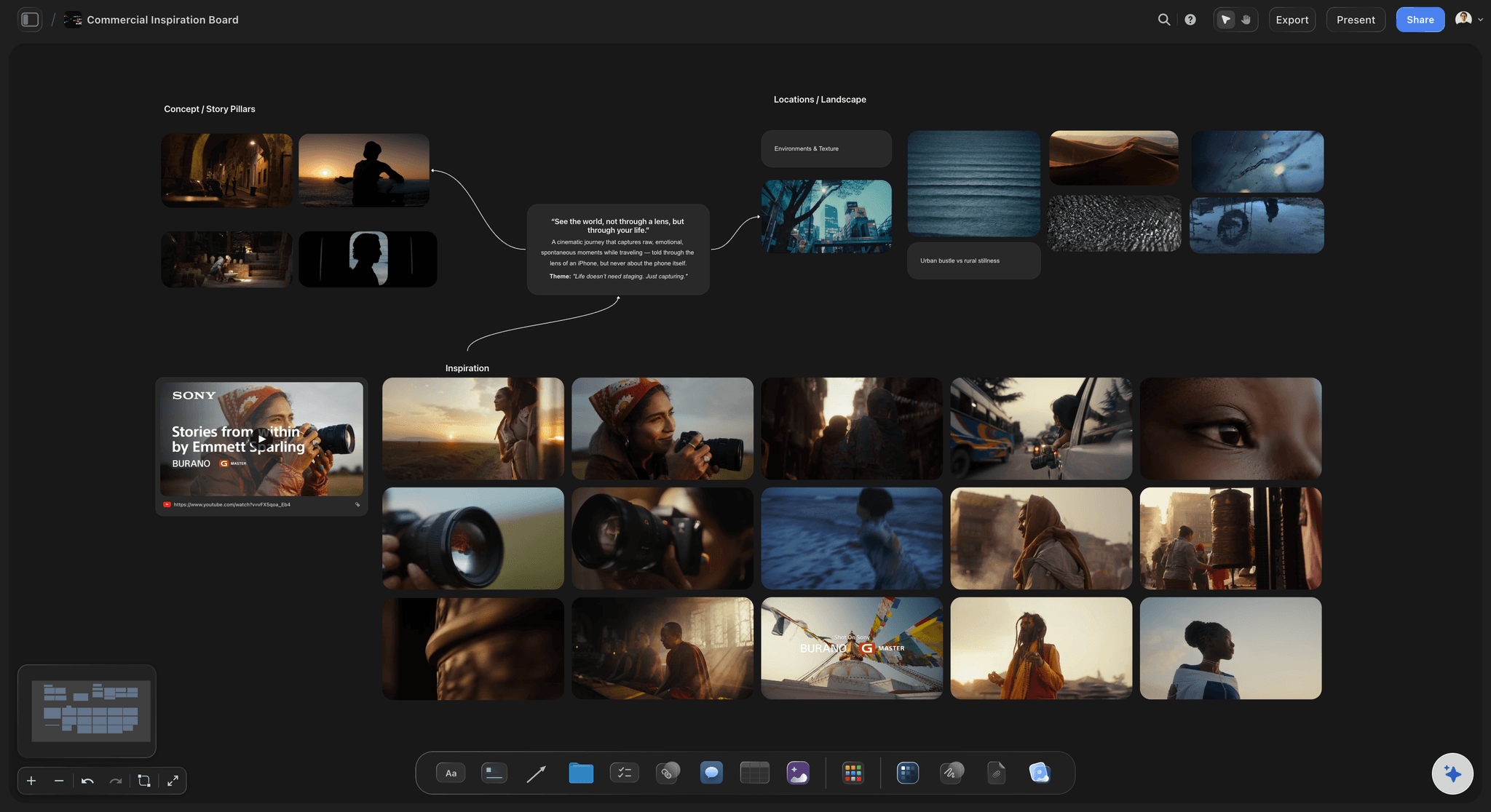
One link for buyers, cutters, stylists, and factories
Share it without exporting a pack every time
View-only links: Send one link and a buyer, pattern cutter, or supplier opens the full canvas in a browser with no account. They see the current direction rather than a pack you exported three revisions ago.
Collaborate with the design team: Invite other designers or a merchandiser to work on the canvas so research, range plan, and design decisions land in one place instead of across a shared drive.
Export for range reviews: Export as a high-quality image or PDF for a range review, a buy meeting, or a supplier who needs a document. The live link keeps updating for everyone else.
Explore templates for your project
Every template opens as a real, editable board on the infinite canvas. Pick the closest fit and make it your own.
Film Moodboard
Collect film references, color palettes, lighting, locations, and tone in one place, then invite your crew.
One app instead of five
Storyflow vs Pinterest, Milanote, and Canva.
Every tool here can hold fashion references. Here is where they differ once a collection has to be worked from.
Storyflow
Recommended
Infinite canvas, no fixed grid
AI builds the board from a prompt
Collection and look level on one canvas
Grab reference frames from runway video
Range plan and tech packs on the board
View-only link, no account for viewers
Infinite canvas, no fixed grid
AI builds the board from a prompt
Collection and look level on one canvas
Grab reference frames from runway video
Range plan and tech packs on the board
View-only link, no account for viewers
Milanote
Infinite canvas, no fixed grid
AI builds the board from a prompt
Collection and look level on one canvas
Grab reference frames from runway video
Range plan and tech packs on the board
View-only link, no account for viewers
Canva
Infinite canvas, no fixed grid
AI builds the board from a prompt
Collection and look level on one canvas
Grab reference frames from runway video
Range plan and tech packs on the board
View-only link, no account for viewers
What creators are saying
Join early creators getting structured workspaces and AI that remembers their projects
“Storyflow has sped up my workflow by at least 3x, which means more flow state and more projects I can actually ship. It truly changed the way me and my team create.”

Reilin Joey
Director & YouTuber
“One prompt gets me a structured board. But the tactics are my favorite. I run my YouTube scripts through them and my intros and retention got better. It's amazing.”

Justkay
YouTuber & Freelance Filmmaker
“I used to juggle five apps to plan a project. Now I describe what I am making and get boards, lists, and a schedule. All in one place.”

George
@fernwehchronicles
Fashion moodboard questions, answered.
How to structure one, what to include, and how to work from it.
Work at two levels. Start at the collection level: write the story in a sentence, establish the color palette with rough proportion across the range, set the fabric direction, and gather the trend or archive research that explains what the collection is responding to. Then build a cluster per look underneath it, each with its own silhouette, fabric, color, trim, and styling references. Keep both levels on the same canvas so you can zoom out and check the range coheres rather than discovering at the range review that you designed seven unrelated garments. Photograph your own swatches rather than using mill product shots, and write weight and composition beside each one.
Storyflow keeps the collection story and a cluster per look on one board, so you can zoom out and check that the range holds together. Its AI builds the board from a prompt, you grab reference frames from runway video, and the range plan and tech packs sit beside the looks. Designers, buyers and stylists open the board from a view-only link.
Seven layers cover most collections. Color story, including how much of each color sits in the range and how it sequences. Fabric and texture, with weight, drape, hand feel, composition, and mill noted. Silhouette and shape: proportion, volume, length, and line. Construction and detail: seams, closures, trim, hardware, finishing. Print and surface: pattern, scale, placement, embellishment. Styling and casting: how it is worn, layered, and who wears it. And trend or archive context, showing what the collection responds to. The construction layer is the one most often missing and the one a factory most needs.
A trend board looks outward. It gathers what is happening in the market, on the runway, and in culture, and its job is to identify a direction worth pursuing. A moodboard looks inward at a specific collection and commits: this palette, these fabrics, this silhouette. Most design processes run both, with the trend board feeding the moodboard. On an infinite canvas you do not have to keep them in separate documents. Put the trend research on one side and let the collection board develop beside it, so anyone reviewing the range can see the reasoning without you having to explain it.
Not during early access. Storyflow is paid-only right now, with plans starting at $9.99 a month, and a Free plan for solo use launches before the end of 2026. Anyone a paid member invites to a board joins free today, so a buyer, pattern cutter, or supplier does not need to pay to view or collaborate. If you need something free this minute, Pinterest and Canva both have real free tiers that work for gathering research, though neither lets you hold collection and look level on one infinite canvas or keep tech packs beside the design.
Yes, and building a cluster per look on one shared canvas works better than making separate boards. A collection is a relational thing: the palette proportion, the fabric repetition, and the silhouette rhythm across looks are what make it read as a range. Separate files hide those relationships until a range review. Boards are unlimited, so if a collection is very large, a board per delivery with look clusters inside it tends to be the right level of separation.
Yes. Because the canvas is infinite, tech packs, cost sheets, mill quotes, and the critical path can sit beside the looks they belong to. Drop PDFs directly onto the board next to the relevant look. When a fabric price comes back over target, you can see immediately which looks it affects and what the range looks like without them, which is a much faster conversation than cross-referencing a spreadsheet against a board.
Photograph the actual swatch in daylight rather than using the mill's product image, then pull the colors out of your own photo with the free color palette maker. Supplier images are lit and edited to make fabric look richer than it is, so a color story built from them tends to be a shade off what you receive. Put the extracted swatches next to the photograph on the canvas with the composition, weight, and mill written beside them, and the direction stays honest to what you actually handled.
Yes, and for fashion it is often the more useful reference. Drape, movement, and how a garment behaves on a walking body are invisible in a still. Storyflow lets you grab a frame directly from YouTube or Vimeo onto the canvas so you can pin the exact moment beside the silhouette it informs, and you can drop the video link itself onto the board when the movement is what matters. This is particularly useful for tailoring and anything with volume.
Yes. Storyflow includes a free background remover, which matters more in fashion than in most disciplines because runway and street captures come with busy backgrounds that make silhouettes impossible to compare. Cutting each garment out so the shapes sit against a clean canvas is what lets you actually judge proportion across a range. There is also a free image cropper and an upscaler for low-resolution archive scans.
Yes. Send a view-only link and anyone can open the full canvas in a browser with no account and no app install, which matters for suppliers who are not going to create a login for one collection. Because the link stays live they always see the current direction rather than a pack from an earlier revision. For a factory visit or a range review where the connection is unreliable, export the relevant section as an image or PDF.
Put the whole collection on one canvas.
Open a canvas, describe the season, and let AI build the sections. No download.