
Ultra-fast planning, extremely simple
Freelancer onboarding
that has them useful on day one.
For agencies and one-person studios bringing in a freelancer: the brief, the access, the file rules, who approves what and what done looks like, on one board that is ready before they start.


Creatives working for these brands already got early access
- Red Bull
- Canon
- Artlist
- Porsche
See how easy it is to get started
Watch a real project come together, from a blank board to a finished plan, clicked through step by step.
Start from a ready-made template
Pick a board to see what you can build, then let AI fill it in. Every template is a real, editable starting point on the same infinite canvas.

Mind Map
Branch one central idea out into themes and sub-points, then drag the connections around until the structure makes sense.
What are efficient ways to onboard freelancers onto a project?
The efficient way to onboard a freelancer onto a project is to give them everything on day one, in one place: the real brief, every login and folder they need, the file and naming rules, who approves their work, what has already been rejected, and what done looks like for their piece. Storyflow is an AI visual workspace that onboards a freelancer on one infinite canvas: the brief, the access checklist, the examples of finished work and the approval table. Its AI turns the brief and notes you already have into that onboarding wall, and the freelancer joins the board free when a paid member invites them.
Write the onboarding before you book the freelancer, not on their first morning. A useful order is eight fields: the project in two sentences, where their piece sits in it, the deadline for their first draft, the person who approves their work, the person they ask when stuck, the file and naming rule with one real example file name, the examples of work that is right, and the list of things already tried and rejected. If any field is empty, the freelancer will fill it with a guess.
A worked example. An agency brings in a freelance editor for a three week brand film at $500 a day. The access list has nine items: the shared drive, the footage folder, the music library, the brand fonts, the logo files, the grade reference, the review link, the agency's chat channel and the board itself. If access trickles in over the first two days, the agency has paid $1,000 for waiting. Sent the day before, all nine items cost fifteen minutes. Put the list in a table with three columns: the item, who grants it and a checkbox, so the night before the start you can see exactly which box is still empty.
Show what right looks like instead of describing it. Three examples of finished work you are proud of, each with one line saying what to copy from it, beat a page of words like clean, premium and punchy. Then add the part almost nobody writes: what the client has already seen and turned down, and why. That one list saves the freelancer from spending their first two days building the idea that died in the last meeting.
Book the first check early and keep it short. For a freelancer on a multi-day job, look at their work after about four hours, for fifteen minutes. That is long enough for them to have made real choices and early enough that a wrong direction costs a morning, not a week. Put the time of the check on the board on day one, so it reads as part of the plan rather than as a sign of doubt.
Keep the board when the job ends. The second time you bring in the same freelancer, the access list, the file rules and the examples are already written. Add what changed, update the brief, and the onboarding takes ten minutes instead of a morning. Across a year of freelancers, that board becomes the most useful thing the studio owns. It is also the fastest way to spot a pattern: if three freelancers in a row asked where the logo files live, the answer belongs higher up the board.
Ultra fast from brief to board
Four steps, done before the freelancer starts.
About an hour the first time, ten minutes every time after.
01
Turn the brief into an onboarding wall
Attach the client brief, the scope and your own notes, and ask the AI to build the freelancer's wall: the project in two sentences, where their piece fits, the deadline and the approver. It reads up to five attached documents and lays the wall out on the board. You correct anything it got wrong.
02
List every bit of access in a checklist
Add a table with one row per thing they need: drive folders, fonts, logos, footage, the review link and the chat channel. Give it a checkbox column and an owner column. Every box is ticked before their first morning, or you know exactly which one is missing.
03
Show right and show rejected
Drop in three examples of finished work with a line under each saying what to copy. Beside them, a second group of the ideas the client already turned down, with the reason. The freelancer sees the target and the dead ends before they make anything.
04
Invite them and book the first check
Invite the freelancer to the board. Anyone a paid member invites joins free, so there is no seat to buy. Put the time of the first fifteen minute check on the board, and leave comments beside the exact piece of work you are talking about when it comes in.
The brief, the access, the examples and the approvals.
Storyflow holds the onboarding. Contracts, NDAs and payments still go through your contract and invoicing tools.

The first thing they open
The real brief, not the client version
What the project is, who it is for and where their piece sits in it, written once on the board. A freelancer who only sees their slice makes something that is right on its own and wrong in the film.
See the creative brief template →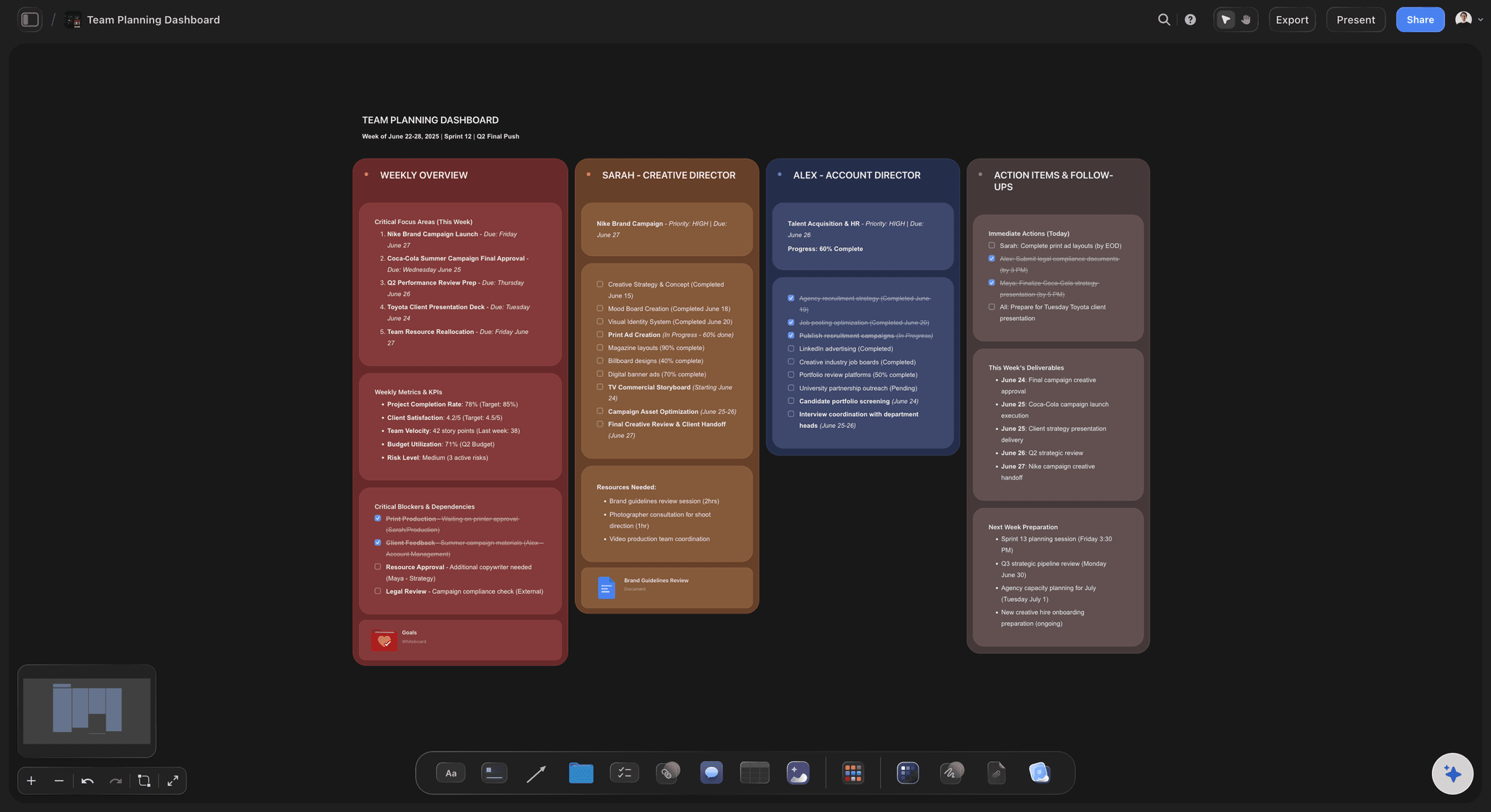
Before day one
Every login and folder in one checklist
A table with a row per thing they need, a checkbox to tick and a person against each row. The account lead can see at a glance whether the fonts, the footage and the review link are ready the night before.
See the video editing brief →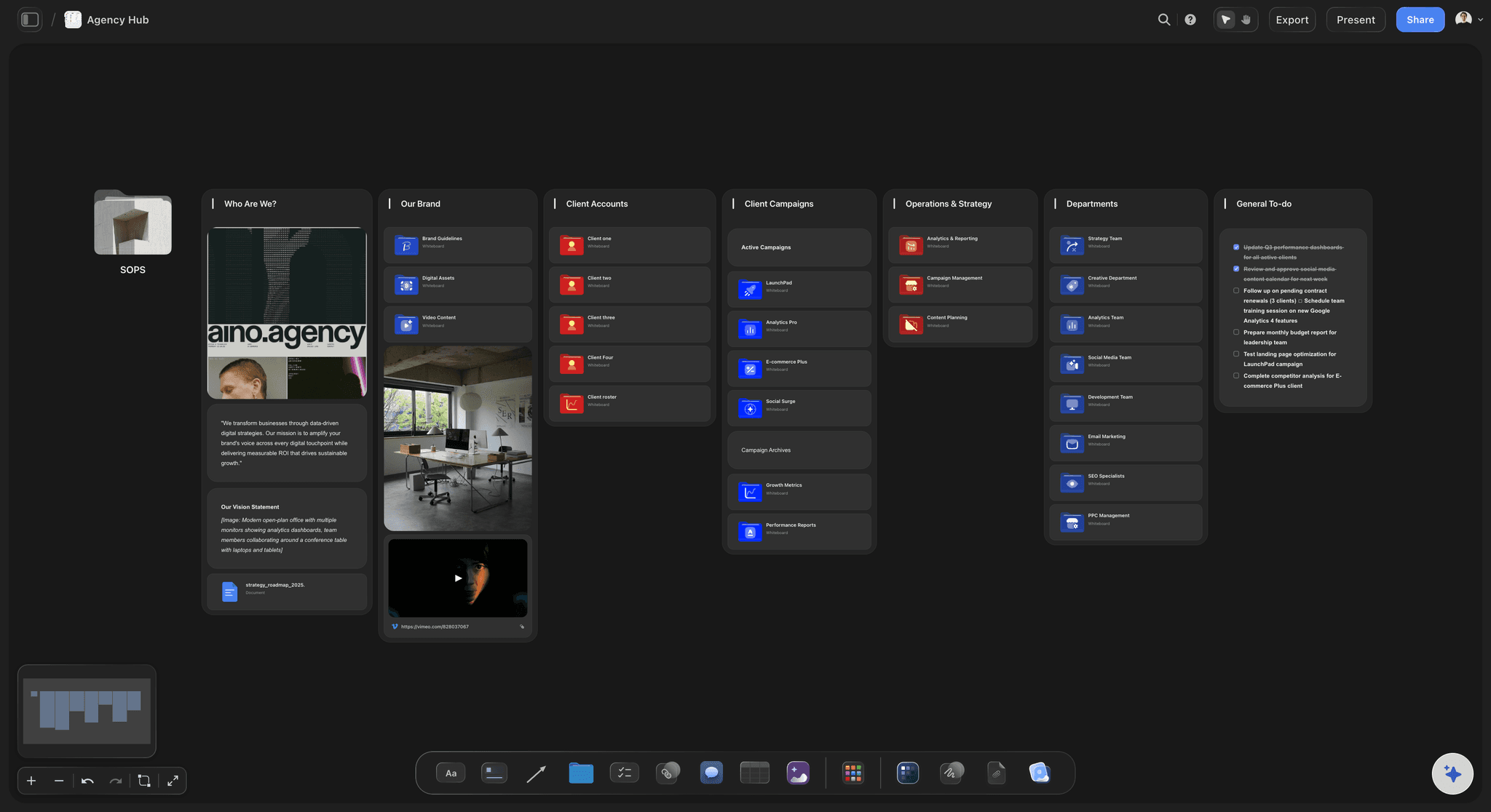
What good looks like
Examples they can see, and the ideas already turned down
Finished work you are proud of, each with one line on what to copy. Beside it, the rejected routes with the reason the client gave. Pictures do the explaining that adjectives never manage.
See the client review board →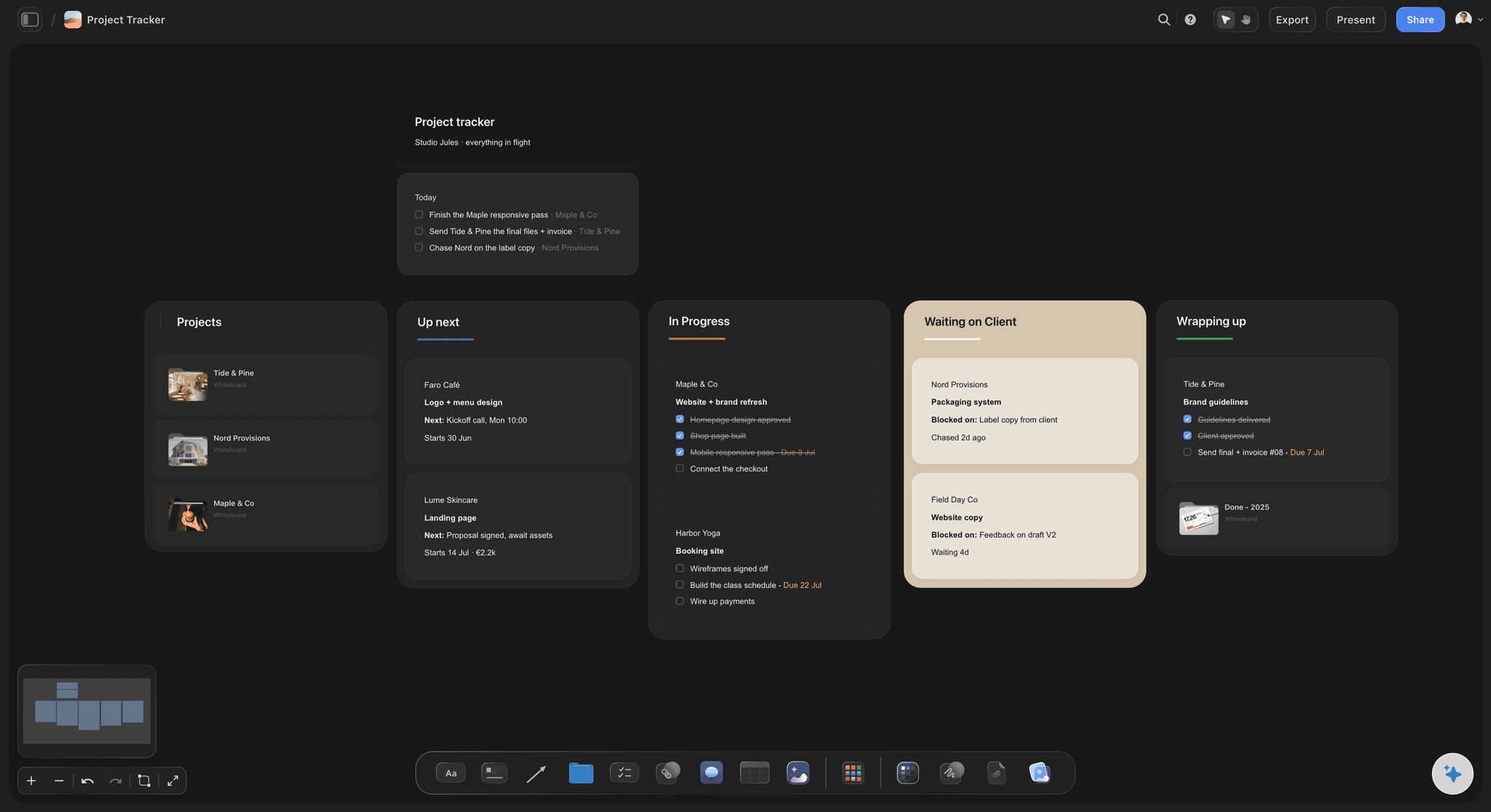
Who says yes
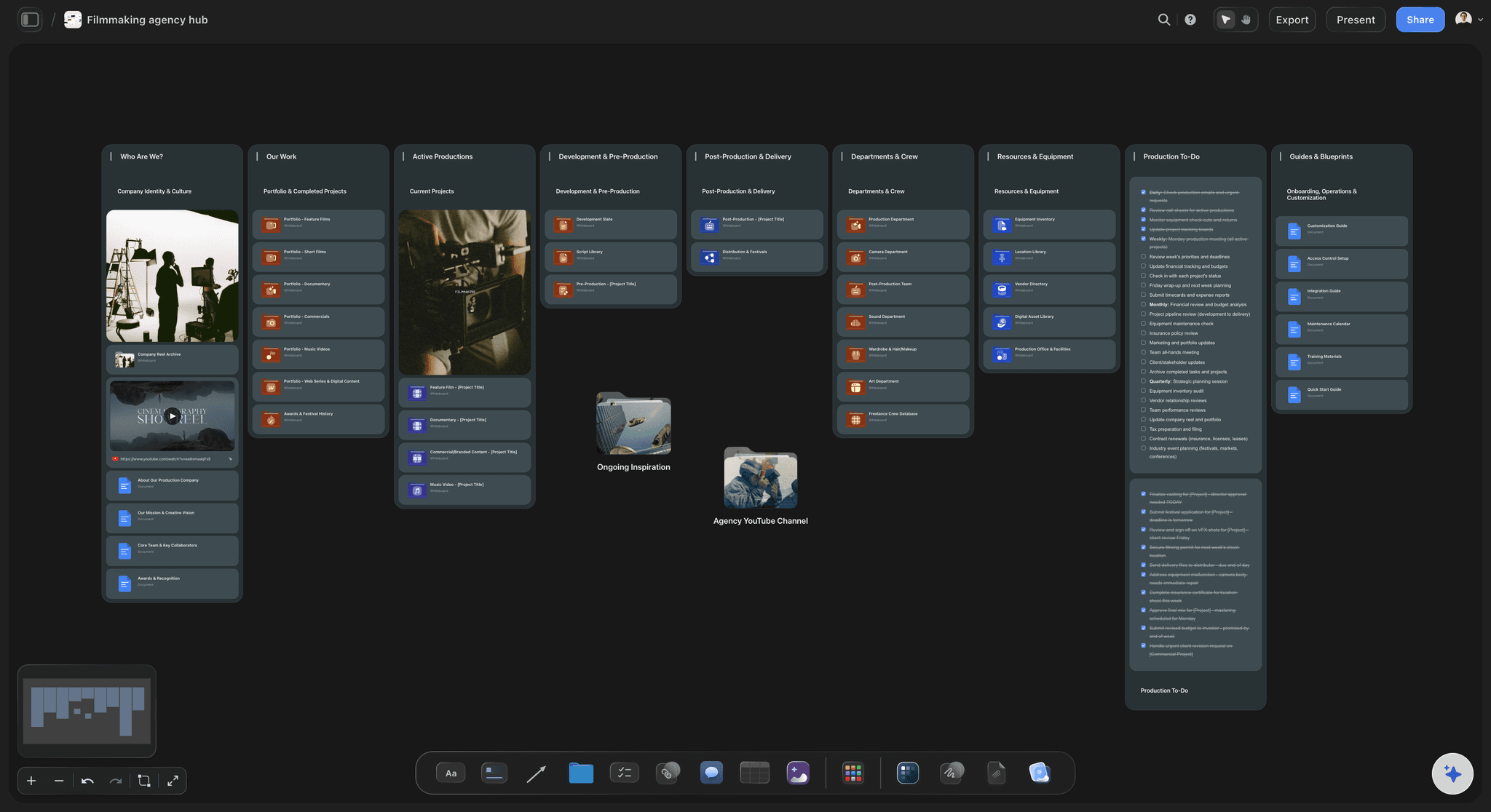
One approver, one first check, one place for notes
The approver's name, the time of the first check and the date of each draft sit on the board. Notes arrive as comments beside the exact frame or page, not as a message thread the freelancer has to decode.
See solo studio project planning →The freelancer joins free. You keep the board.
The freelancer you bring in for three weeks never needs a plan of their own, and the onboarding you wrote is still there for the next one. Storyflow is paid-only during early access, with plans from $7.99 a month billed annually ($9.99 monthly). A free plan launches before the end of 2026, and anyone a paid member invites to a board joins free.
Invite each freelancer to the board without buying them a seat
Unlimited boards, image uploads and files on every paid plan
Video and image uploads up to 1 GiB per file for references and footage
200+ Tactics to start the brief when the page is blank
A view-only link for anyone who only needs to read
Built for people with taste
The three ways freelance work goes wrong.
Almost none of them are about talent. They are about what the freelancer was never told.
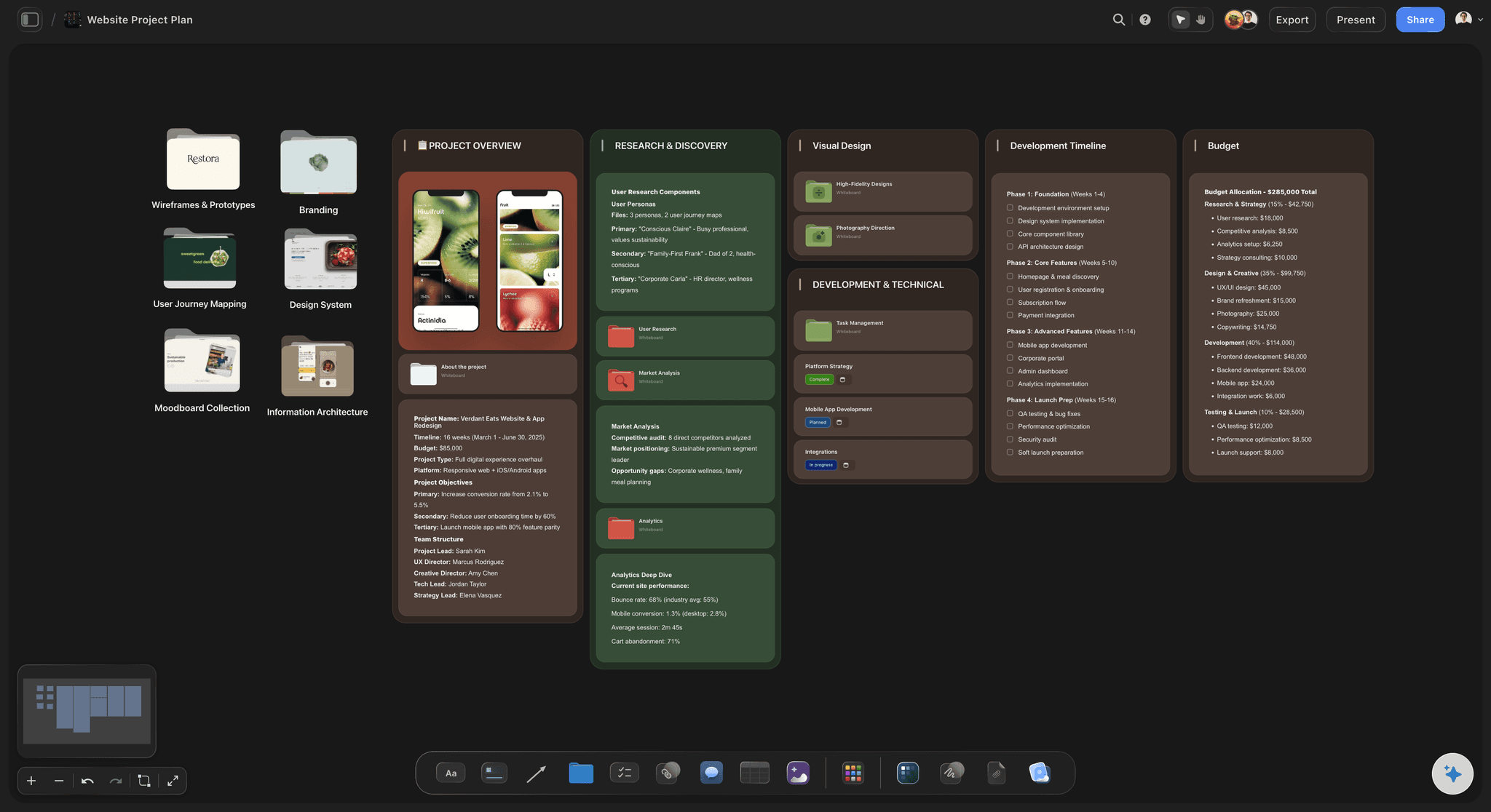
The first two days
Paying someone to wait for a password
Access is a list, not a promise: Every folder, font, library and link is a row with a checkbox and an owner. Nobody says I will send that over later, because later shows up as an empty box.
Ready the night before: The account lead ticks the list the evening before the start. If one row is still empty, they know which one and who owns it, instead of finding out at nine the next morning.
File rules with a real example: Where to save, how to name, how to version, and one real file name written out. That single line saves the renaming job at the end of the project.
Logins stay out of the board: The checklist says which accounts they need and who grants them. The passwords themselves go through your password manager, never into a note on a board.
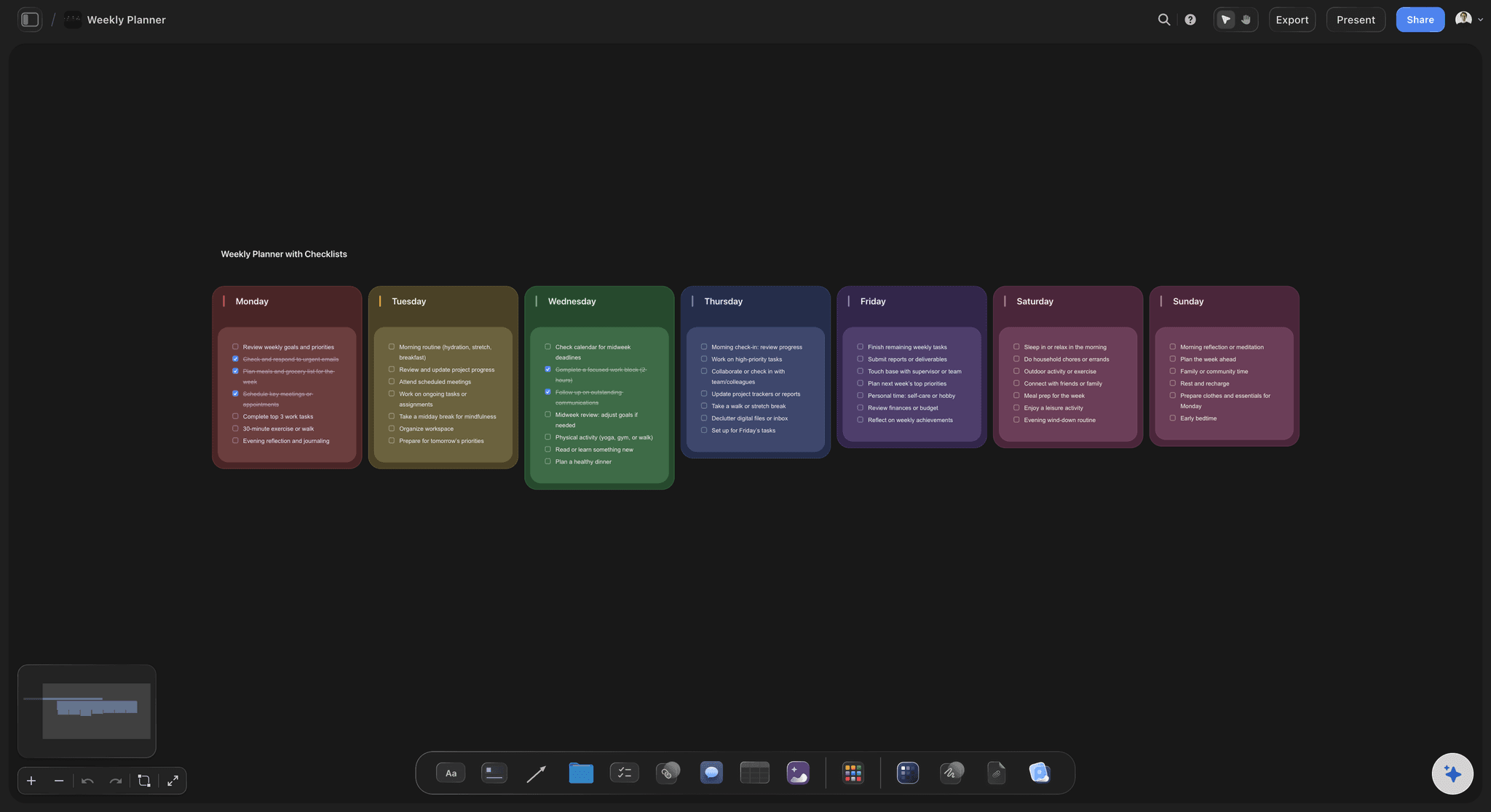
The wrong direction
Good work on the wrong idea
Examples instead of adjectives: Three pieces of finished work with one line each on what to copy. Clean and premium mean something different to everyone; a picture means one thing.
The rejected list: Every route the client has already seen and turned down, with the reason. It is the most useful paragraph in the onboarding and the one most teams never write.
The first check is booked on day one: Fifteen minutes after about four hours of work. Written on the board at the start, it reads as the plan rather than as a sign of doubt, and a wrong turn costs a morning.
Where their piece sits in the whole: The freelancer sees the full brief and the parts other people are making, so the animation matches the edit and the copy matches the film.
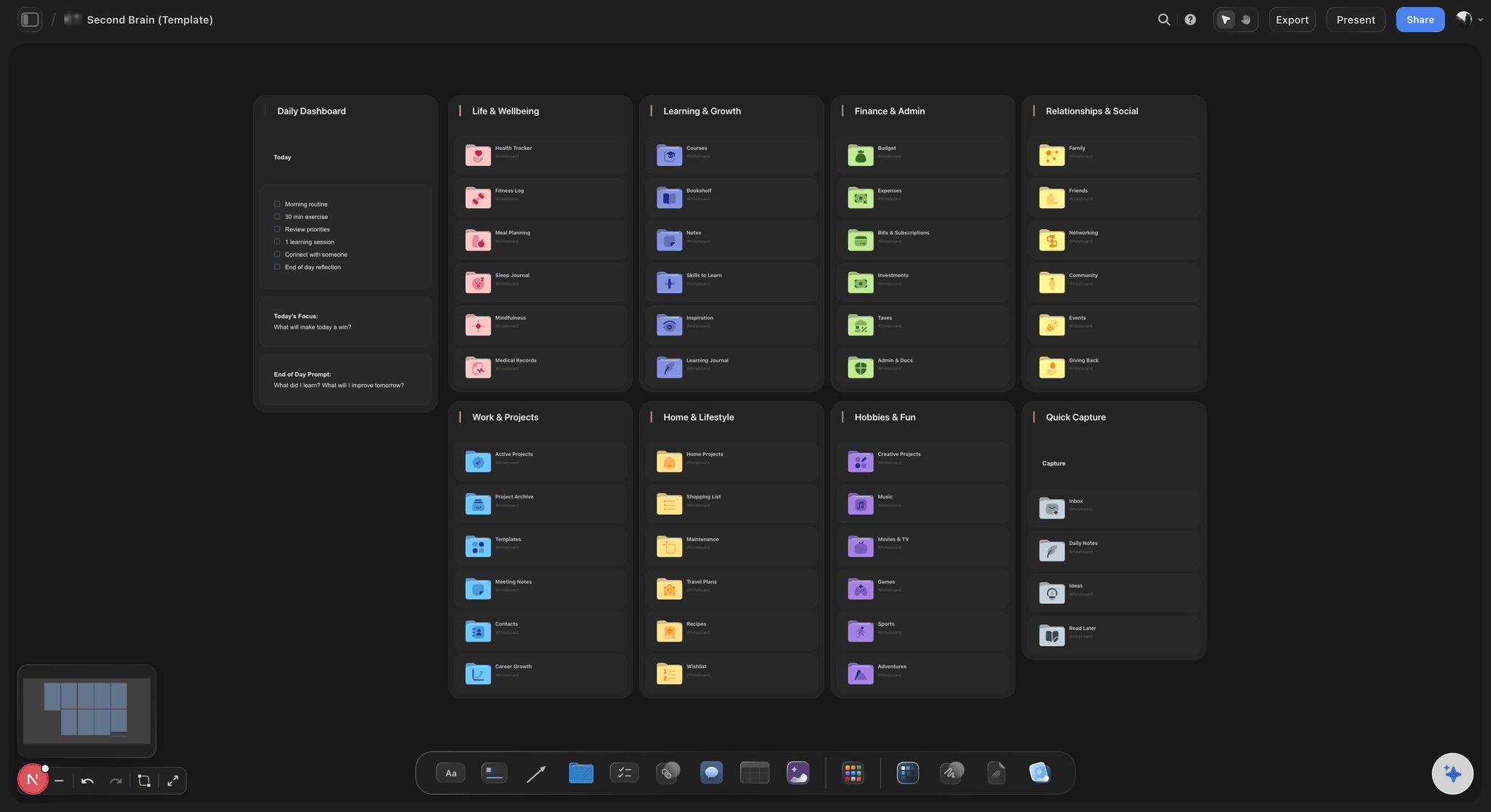
The feedback
Notes from four people in four places
One named approver: The board names the one person whose yes counts. Everyone else can comment, but the freelancer knows whose note wins when two notes disagree.
Comments beside the work: A note about the second shot sits next to the second shot. The freelancer does not have to work out which version an email was about.
Who to ask when stuck: One name for questions, written on the board, with a line saying that asking early is expected. Freelancers who guess to avoid looking lost cost more than the question would have.
Ready for the next freelancer: When the job ends, the access list, file rules and examples stay on the board. Copy that wall onto the next project's board and the next freelancer starts from it.
Explore templates for your project
Every template opens as a real, editable board on the infinite canvas. Pick the closest fit and make it your own.
Mind Map
Branch one central idea out into themes and sub-points, then drag the connections around until the structure makes sense.
One app instead of five
Where Storyflow fits in freelancer onboarding.
It holds the brief, the access list and the feedback. It does not sign contracts or pay anyone.
Storyflow
Recommended
Brief, examples, access list and approvals on one surface
Examples of right and rejected work as pictures
AI drafts the onboarding wall from your brief
Feedback pinned beside the work it is about
One link for everything on day one
The same setup reused for the next freelancer
Contracts, NDAs and e-signature
Invoices and payments to the freelancer
Freelancer management platforms
Brief, examples, access list and approvals on one surface
Examples of right and rejected work as pictures
AI drafts the onboarding wall from your brief
Feedback pinned beside the work it is about
One link for everything on day one
The same setup reused for the next freelancer
Contracts, NDAs and e-signature
Invoices and payments to the freelancer
An email and a shared folder
Brief, examples, access list and approvals on one surface
Examples of right and rejected work as pictures
AI drafts the onboarding wall from your brief
Feedback pinned beside the work it is about
One link for everything on day one
The same setup reused for the next freelancer
Contracts, NDAs and e-signature
Invoices and payments to the freelancer
What creators are saying
Join early creators getting structured workspaces and AI that remembers their projects
“Storyflow has sped up my workflow by at least 3x, which means more flow state and more projects I can actually ship. It truly changed the way me and my team create.”

Reilin Joey
Director & YouTuber
“One prompt gets me a structured board. But the tactics are my favorite. I run my YouTube scripts through them and my intros and retention got better. It's amazing.”

Justkay
YouTuber & Freelance Filmmaker
“I used to juggle five apps to plan a project. Now I describe what I am making and get boards, lists, and a schedule. All in one place.”

George
@fernwehchronicles
Freelancer onboarding questions
What agency leads and studio owners ask before the next freelancer starts.
In Storyflow, build one board before they start: the real brief, a checklist of every login and folder with an owner per row, the file and naming rule with one example, three examples of right work, the ideas already rejected, the named approver and the time of the first check. Invite the freelancer, who joins free, and look at their work after about four hours.
Storyflow is designed around this job: one board carrying the brief, the access checklist, pictures of right and rejected work, the approver and the comments on each draft, with the AI drafting the wall from your existing brief and the freelancer joining free when invited. Contracts, NDAs and payment still belong in a tool such as DocuSign or Bonsai, and logins in a password manager such as 1Password.
The project in two sentences, where their piece sits in it, the first draft deadline, the approver, who to ask when stuck, the file and naming rule with one real file name, every login and folder they need, three examples of finished work with what to copy from each, the ideas already rejected, and the time of the first check.
One link, sent the day before, that opens everything. In Storyflow that is the onboarding board: the brief, the access checklist with every row ticked, the examples and the rejected list. Send the logins separately through your password manager. Piecemeal messages over three days are how the first draft comes back wrong.
Keep passwords out of every board, chat and email. Storyflow's checklist should say which accounts the freelancer needs and who grants each one, while the passwords themselves go through a password manager such as 1Password or Bitwarden, or through the tool's own invite. Remove the access on the last day and tick that off too.
No. Anyone a paid member invites to a board joins Storyflow free, so a freelancer brought in for three weeks never needs a plan of their own. The person who invites them needs a paid plan: Storyflow is paid-only during early access, with plans from $7.99 a month billed annually ($9.99 monthly).
Show it. Put three pieces of finished work you are proud of on Storyflow's board, each with one line saying what to copy: the pacing, the type, the colour. Then add the routes the client has already turned down, with the reason. Pictures plus the rejected list do more than any page of adjectives.
After about four hours on a multi-day job, for fifteen minutes. By then they have made real choices, and a wrong direction costs a morning rather than a week. Write the time of that check on the board on day one so it reads as part of the plan, and keep it short so it does not feel like an inspection.
Yes, for the writing. Attach the client brief, the scope and your notes, up to five documents, and Storyflow's AI drafts the onboarding wall: the project summary, where the freelancer's piece fits, the deadline and the checklist rows. It proposes; you correct it, because only you know which ideas the client already killed.
No. Storyflow does not send contracts, collect signatures, run NDAs, track hours or pay freelancers. Keep those in a contract and invoicing tool such as DocuSign or Bonsai. What Storyflow holds is the work side of onboarding: the brief, the access list, the examples, the approver and the feedback on each draft.
Keep the board from their last job. The access list, the file rules and the house examples rarely change, so in Storyflow you copy that wall onto the new project's board and update the brief, the deadline and the rejected list. The second onboarding takes about ten minutes instead of a morning.
Client onboarding collects what the client owes you: the deposit, the assets and the kickoff. Freelancer onboarding gives someone joining your side everything they need to do the work. Storyflow handles both on boards, but they are different boards, and the freelancer usually sees more of the real brief than the client does.
No. Storyflow runs in the browser and there are no native mobile or desktop apps. The freelancer opens the board from the invite on whatever computer they work on, and anyone who only needs to read can use a view-only link with no account.
More from Storyflow
Creative client onboarding
Storyflow for agencies
Storyflow for freelancers
Solo studio project planning
Agency client project planning
Creative operations
Creative team workflow tool
Video editing brief
Creative brief template
Project brief template
Client review board
Creative scope of work
Design handoff board
Creative retainer plan
Scope creep on creative projects
Have the next freelancer useful by lunchtime.
The brief, the access, the examples and the approver, on one board before they start, and nobody waiting for a password.