
Extremely reliable pre-production
An event video plan
built on the run of show.
Every session marked must-film or skip, a camera and an audio source for each, the crew, and what is due that night versus in post. Planned before load-in, not on the venue floor.


Creatives working for these brands already got early access
- Red Bull
- Canon
- Artlist
- Porsche
See how easy it is to get started
Watch a real project come together, from a blank board to a finished plan, clicked through step by step.
Start from a ready-made template
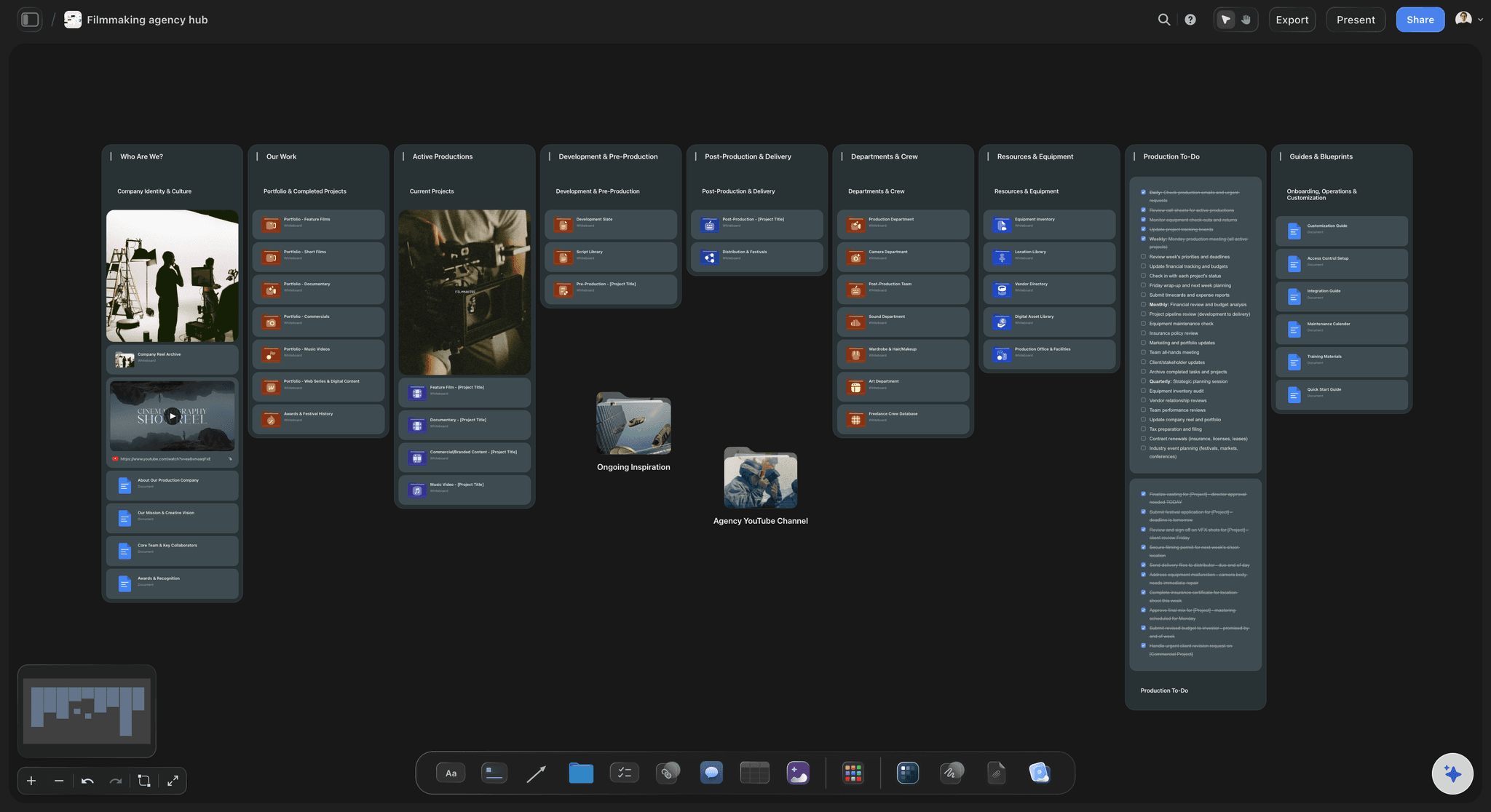
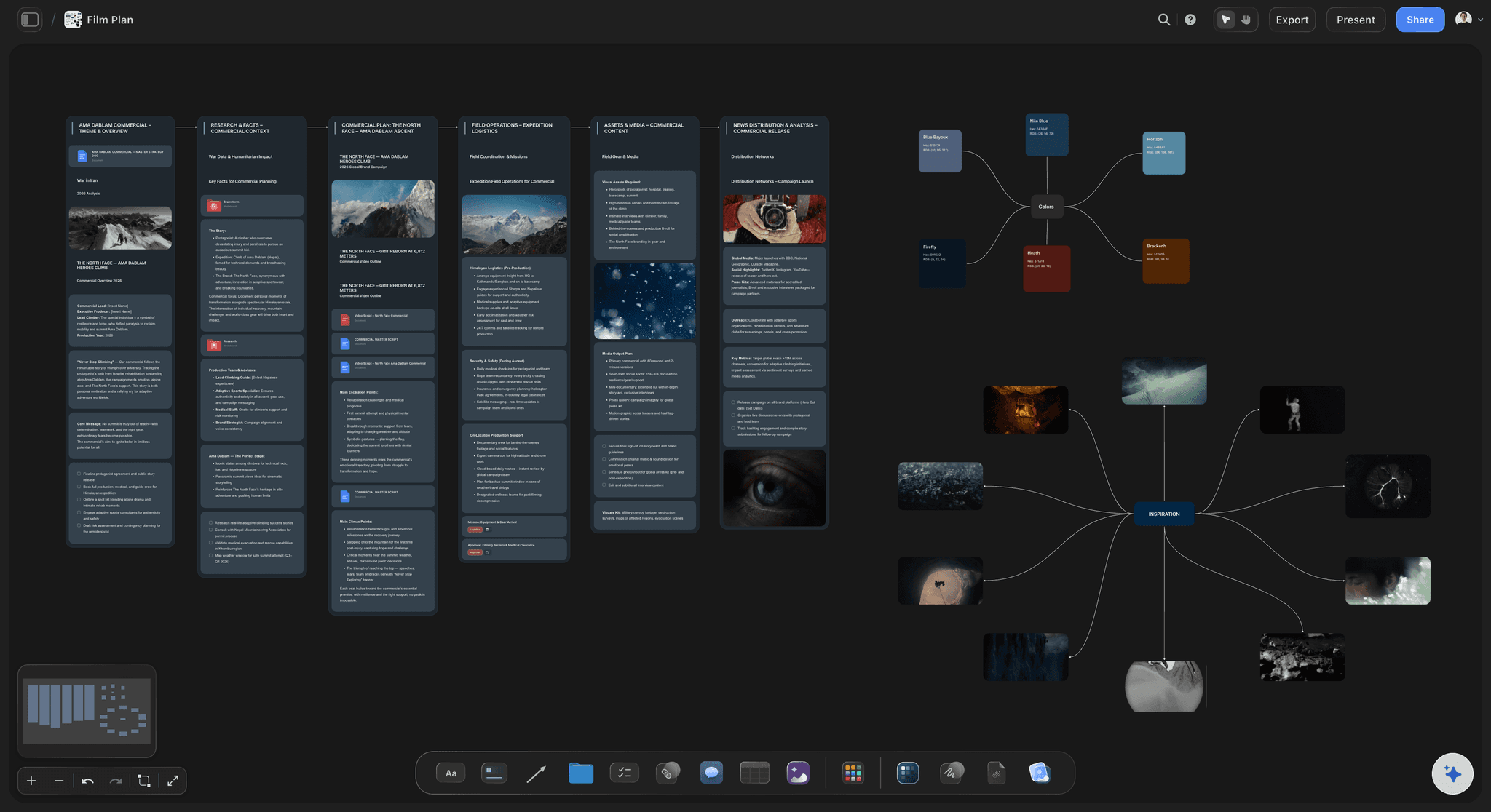
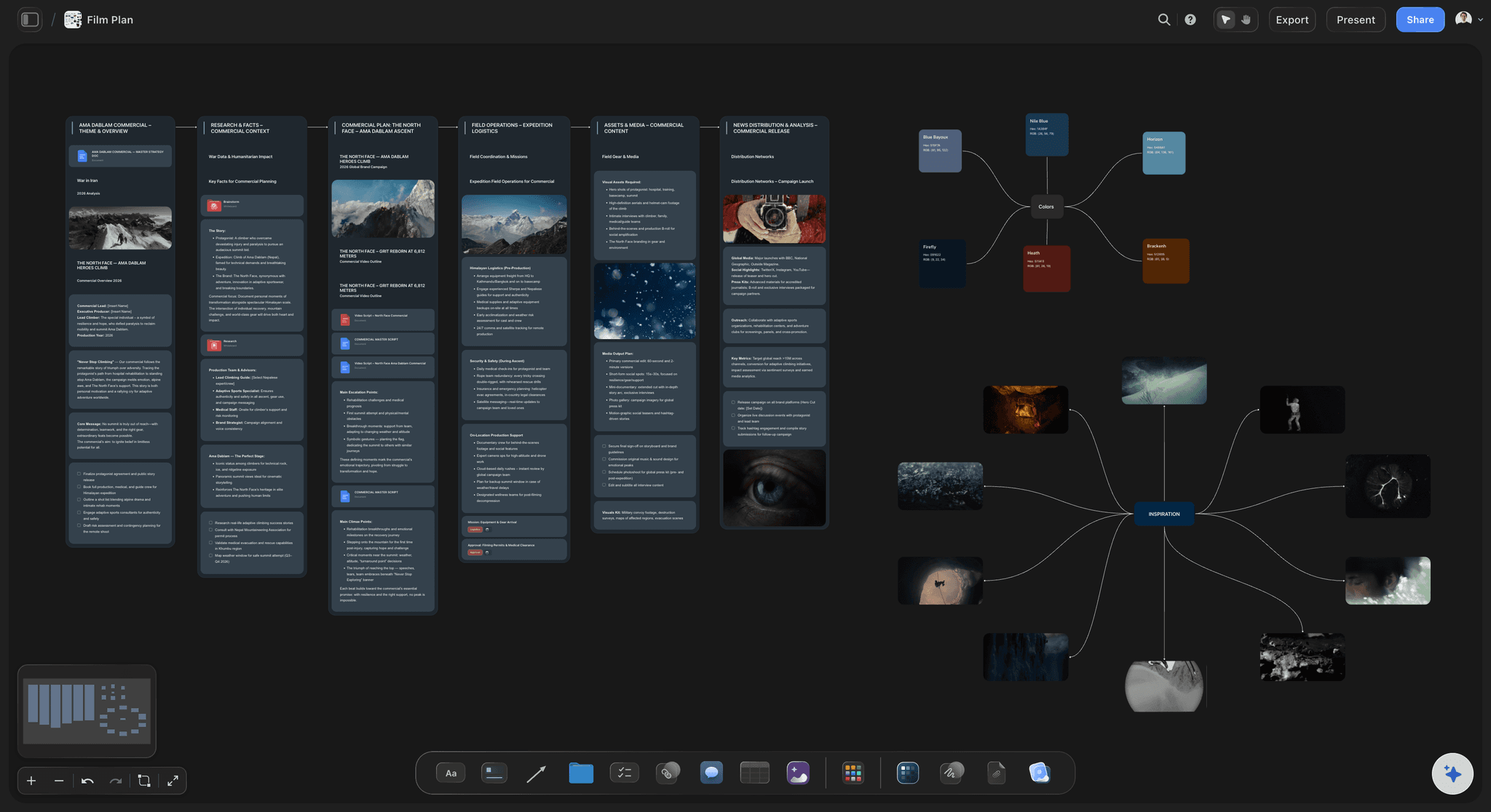
Pick a board to see what you can build, then let AI fill it in. Every template is a real, editable starting point on the same infinite canvas.

Pre-Production
Pull the brief, script, shot list, and moodboard into one pre-production hub so the whole shoot is planned in one place.
What should an event videography plan include?
An event videography plan turns the client's run of show into coverage: which moments get filmed, by which camera, from where, with what audio, and what is delivered when. Storyflow is an AI visual workspace that plans event video coverage on one infinite canvas: a shot list its AI drafts from the run of show you attach and you correct, camera positions on venue photos, crew roles, and the audio plan.
Plan from the agenda, not the venue. Get the run of show down to the minute and mark every item must-film, nice-to-have or skip. A keynote earns a locked-off wide and an operated tight; a breakout may get one camera or none. Coverage you cannot staff is a line you cut before you quote, not a surprise at 9am.
Audio decides whether a session recording is usable. Ask AV for a sound-desk feed per stage with a backup recorder on it, the keynote mic on its own channel, not just the room mix, and a clean record of the presenter's slides from the AV switcher, so session recordings can show them. A camera mic at the back of a ballroom will not save a panel.
Split what is due tonight from what is due later. A same-day edit is a 60 to 90-second recap cut at the venue by a dedicated editor, shown at the close or posted that evening. The highlight film, session recordings and cutdowns follow in post. One deadline for all of them is how an event shoot runs out of hours.
Ultra fast from brief to board
From the pre-event call to a crew that knows its positions.
Four steps, finished before the site visit.
01
Run the pre-event call
Get the run of show, the must-film people and moments, where each video will run, the AV lead's name, load-in times and the one person who approves. Attach the run of show and your notes, and the AI drafts the coverage plan on the board.
02
Give every session a camera
One table row per run-of-show item: time, room, camera, operator, audio source, must-get shots and the deliverable it feeds. Rows stay in the order of the day, so the gaps in coverage show before the client sees them.
03
Mark positions on the venue
Upload the floor plan and site-visit photos, and pin a note at each camera position with its lens, power, riser and sightline to the stage. Last year's recap goes on the board too, with the frames the client liked grabbed from it.
04
Lock the plan, then the day
Walk the client through the must-film list in presentation mode and get the gaps settled in writing. Then the call times, load-in, positions and contacts for each event day come straight off the settled plan.
Know where every camera is before the doors open.
What gets filmed, from where, by whom and with which feed. Crew booking and the paperwork live elsewhere.
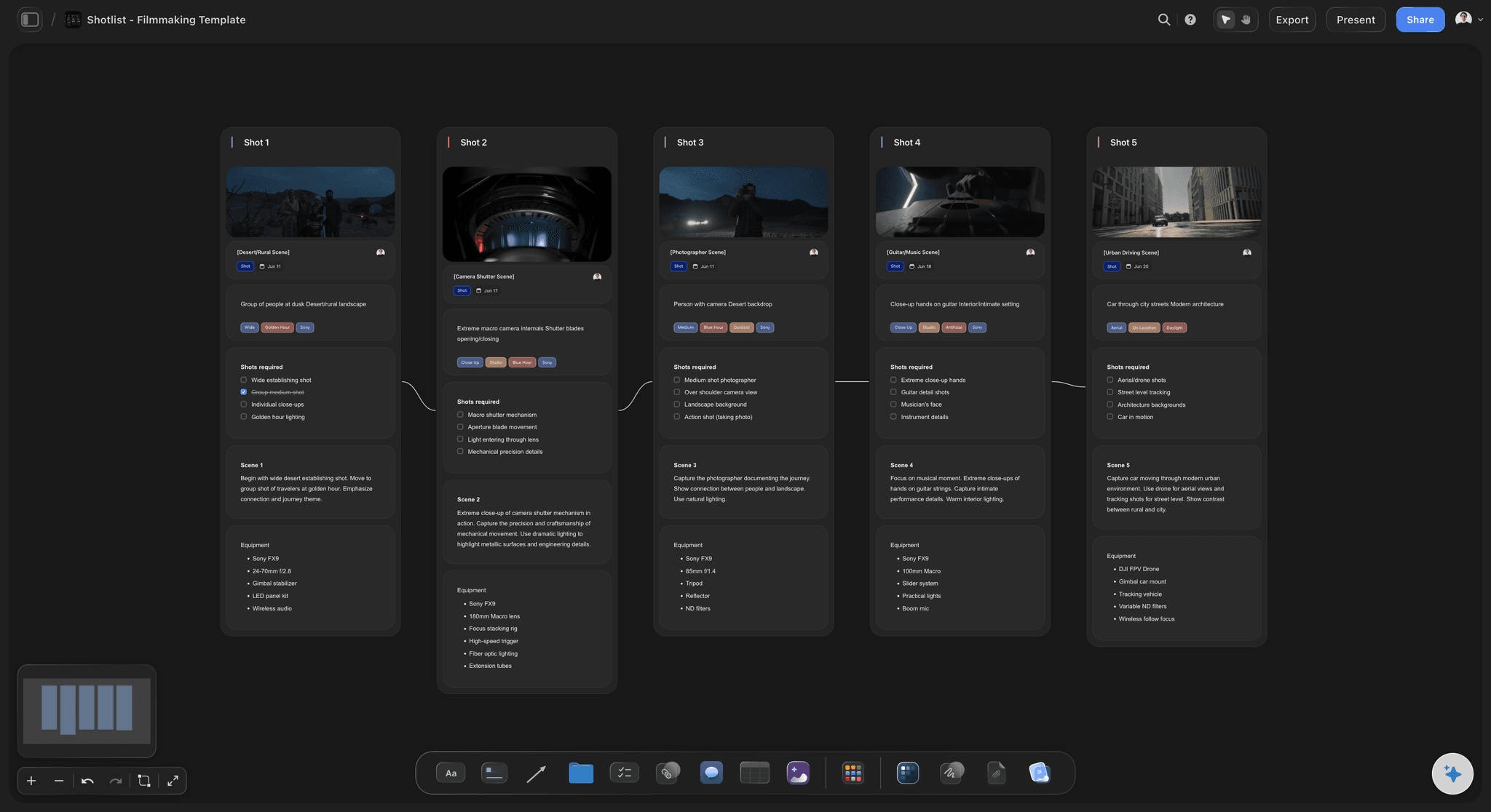
The agenda becomes the coverage
A shot list keyed to the run of show
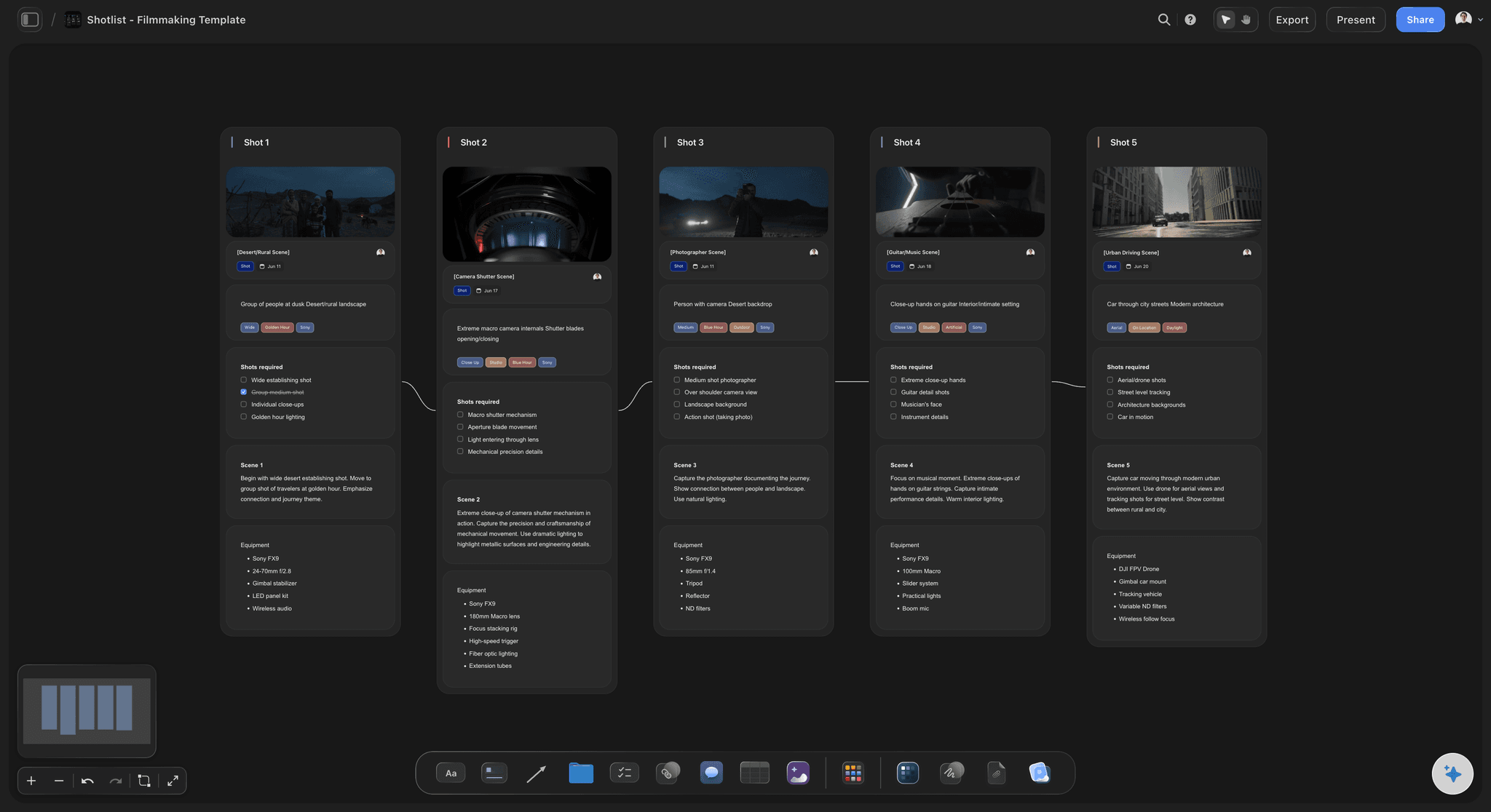
Each session carries its room, time, camera, operator and must-get shots. The AI's shot list workflow breaks the keynote, the panels and the room into shots, and you mark the ones that cannot be missed.
See the shot list template →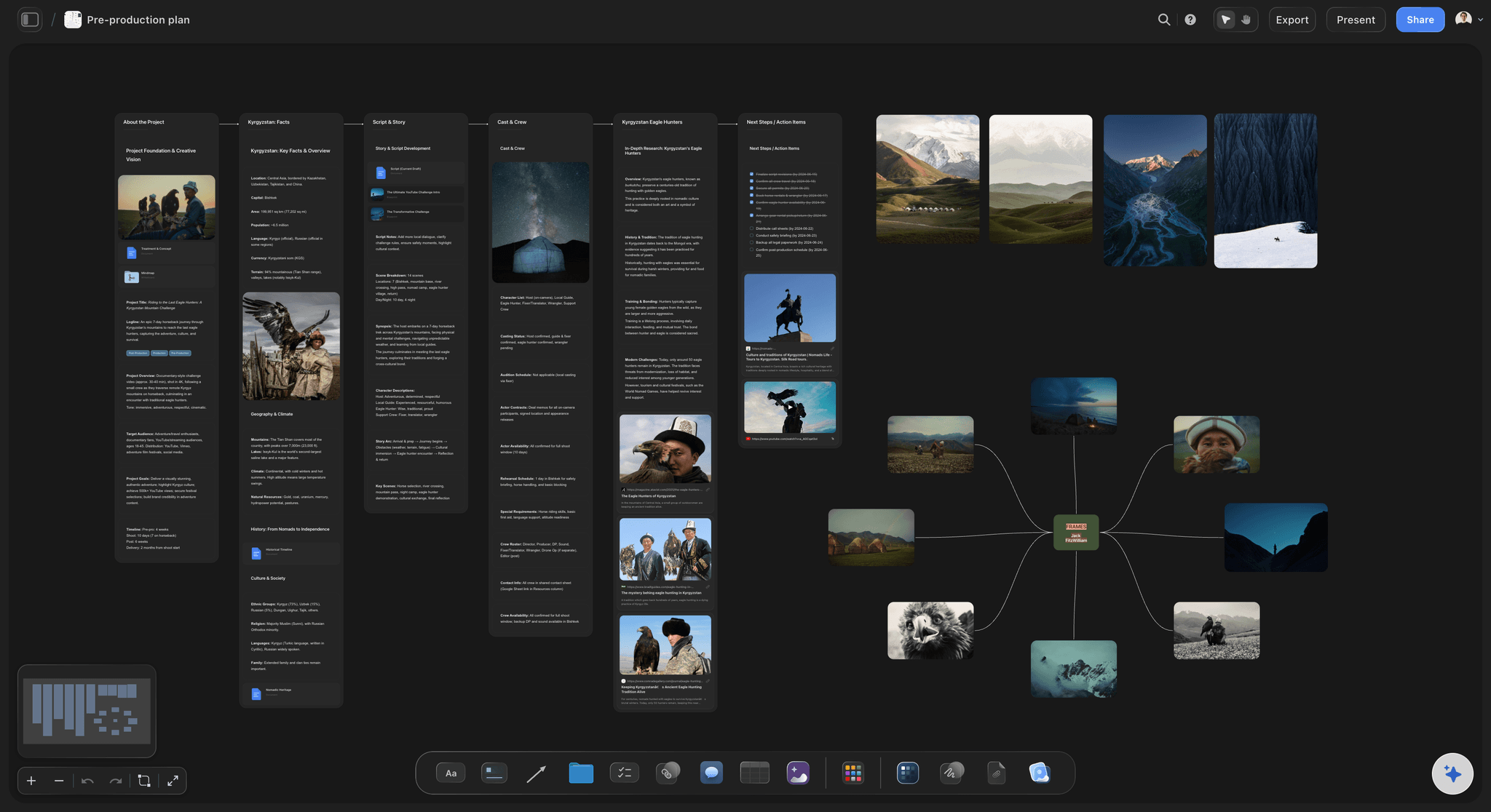
Where each camera stands
Positions pinned to the venue
The floor plan and site-visit photos with a note at every position: lens, power, riser, sightline. Upload last year's recap, scrub it, and grab the exact frames the client wants matched.
See the video frame grabber →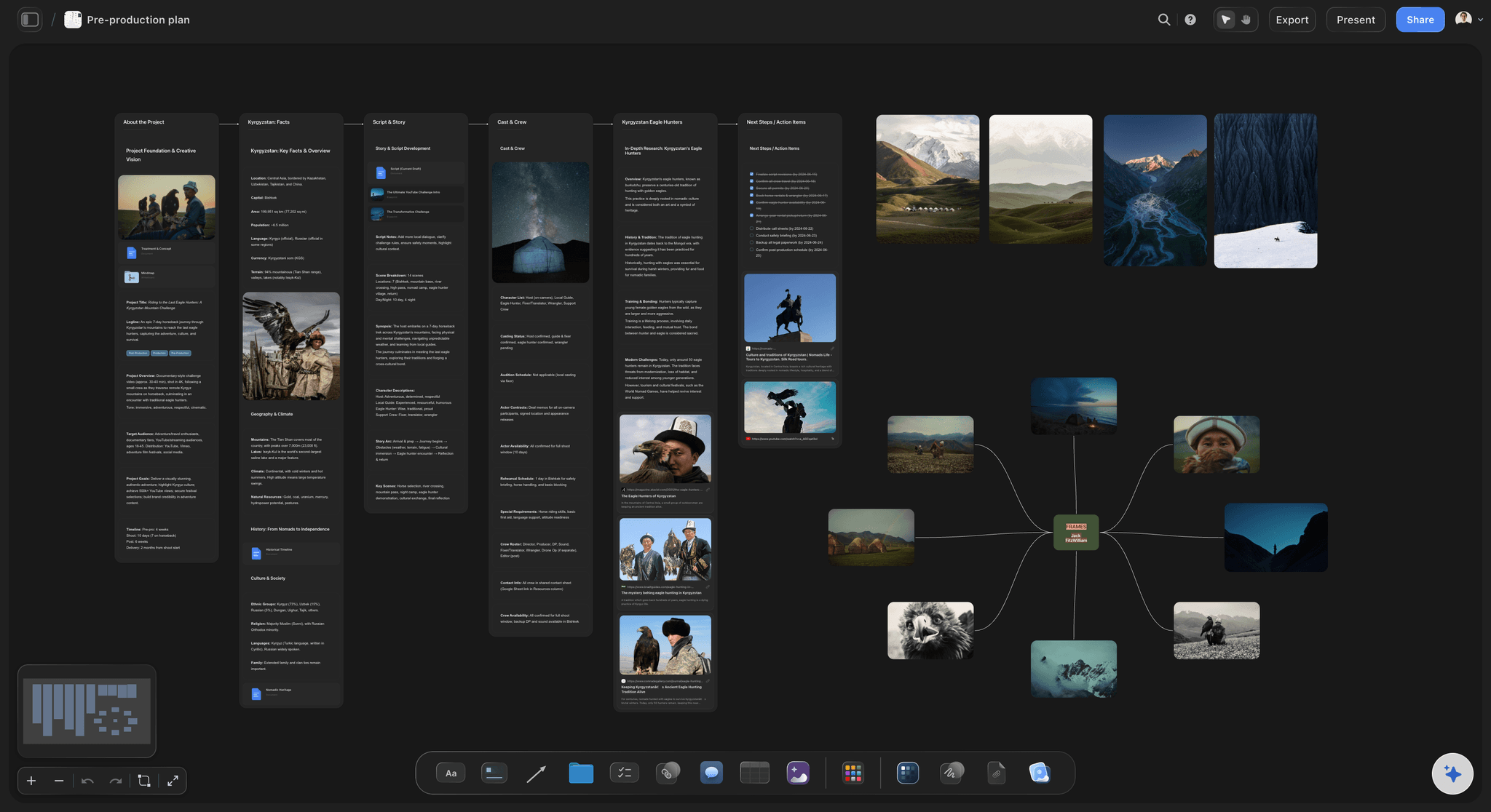
Crew, gear and the day
Who is where, and the sheet they read
A crew table with a role, a person and a position per row, the gear list beside it, and a call sheet PDF the AI drafts for each event day. It leaves a blank where a phone number or parking note is missing.
See the call sheet template →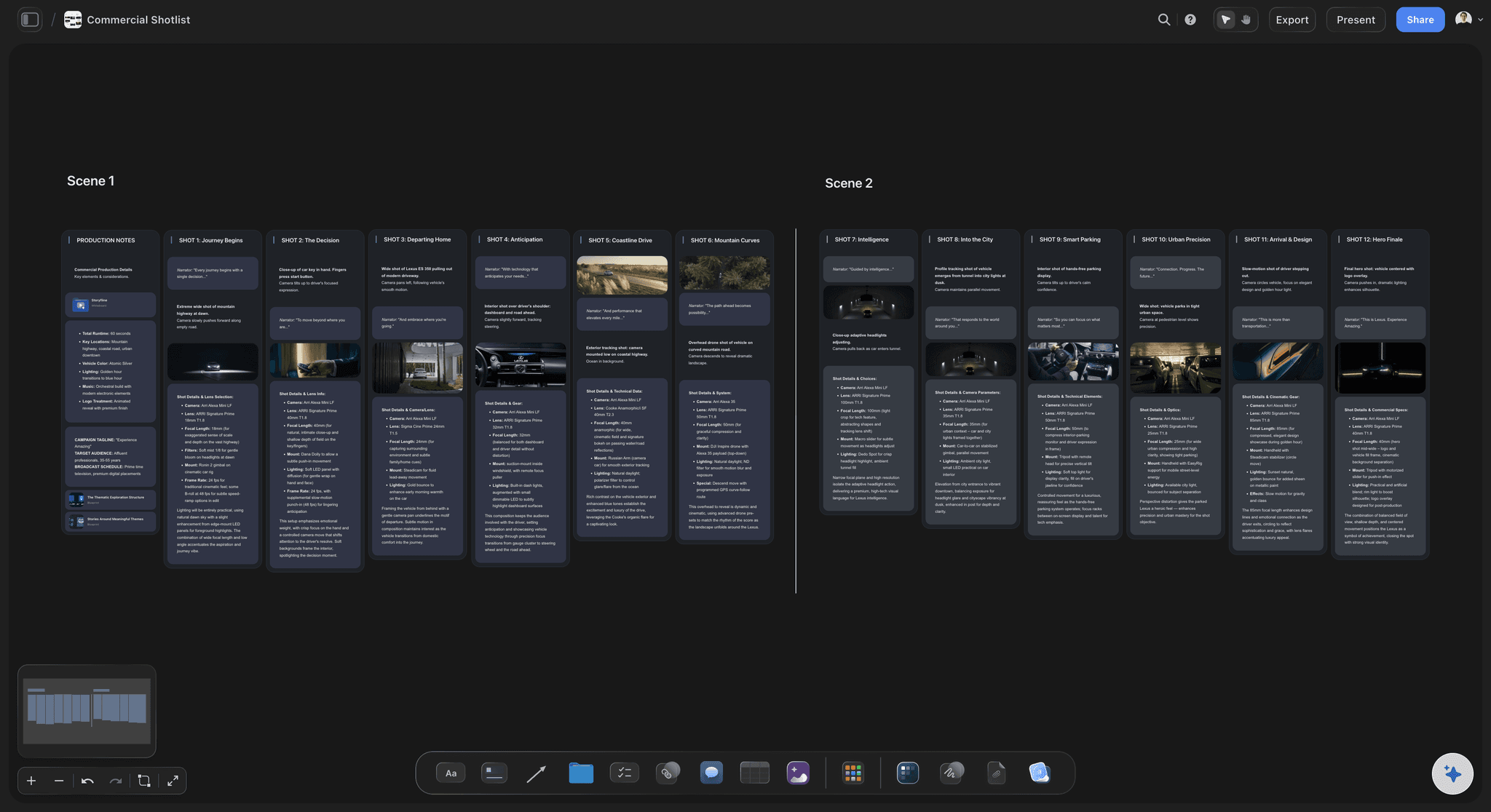
One link for the event producer
Signed off before load-in
Send the event producer a view-only link; they read it in any browser and sign in when they want to flag a session or a position. The venue's operations team gets the whole board as a PDF, and the walkthrough call runs fullscreen.
See the client presentation tool →One plan, reused for every event.
Build the plan once, then duplicate it for the next conference and change the sessions. Storyflow is paid-only during early access, with plans from $7.99 a month billed annually ($9.99 monthly). A free plan launches before the end of 2026, and anyone a paid member invites to a board joins free.
Unlimited event boards, venue photos and video uploads on every paid plan
AI that drafts the coverage plan and shot list
Tables with person, date, duration and status cells for crew and sessions
Board duplication, whole-board PDF export and presentation mode
Built for people with taste
Nine sections of an event coverage plan.
Copy this structure into whatever you plan in. Each section settles something that otherwise gets decided on the venue floor, with the client watching.
Weeks before: sections 1 to 3
Before the event: what the client owes you
1. The pre-event call: Ask for the run of show, the purpose of each video, the must-film speakers and sponsors, the AV company's contact, load-in and doors times, and one decision-maker. The common miss is the venue's rules: some require a certificate of insurance before your crew can load in.
2. The run of show, marked: Every item tagged must-film, nice-to-have or skip, with the room and the start time. When the agenda changes, and it will, the marks tell you what to move and what to drop.
3. People and permissions: The VIP list with photos so a roaming operator can find them, the speakers who have agreed to be recorded, and how attendees who do not want to be filmed are marked, often by a lanyard colour.
Coverage: sections 4 to 6
Coverage: cameras, crew and sound
4. Camera positions: A common shape for a main stage: a locked-off wide from a riser at the back and an operated tight on the speaker, plus a roaming camera for the room, the sponsors and short interviews. Book the riser and the power with the venue; neither appears on the day by itself.
5. Crew roles: A one-day, one-stage conference usually needs three to four people: a lead who owns the client and the schedule, a stage operator, a roaming shooter, and an editor if there is a same-day edit. The editor does not shoot.
6. The audio plan: The sound-desk feed per stage, a backup recorder, lavs for interviews, and a clean record of the presenter's slides from the AV switcher, so session recordings can show them. Name who from AV confirms the feed is live before doors. Write the AV lead's name and number into the plan.
Delivery: sections 7 to 9
Deliverables and the terms that go with them
7. Same-day versus post: Name each deliverable with its length, ratio and due date. For example: a same-day recap at the close, a 60 to 120-second highlight film within two weeks, session recordings within one to two weeks, and three to five vertical cutdowns.
8. Coverage hours and overtime: Quote a coverage window with a start and an end, and an overtime rate per half hour past it. Events run late; a plan without an end time turns a keynote that overran into free work.
9. Usage, music and payment: Where each video runs and for how long, a licensed music track for the highlight film, and whether speakers' slides can appear in public recordings. State the deposit that holds the date, when the balance is due, and the cancellation rule.
On the day and after
The plan runs the shoot
A call sheet PDF per event day: The AI drafts it from the board: call times, load-in, positions, crew and contacts. It does not send it or collect confirmations.
The must-get list, ticked on the day: Keep the must-film shots in a status column. Anything still open by the afternoon break goes to the roaming camera.
Notes from the client, in one place: The client signs in and comments beside the session or the frame. Changes to the must-film list land on the plan, not in a text thread.
Next year starts here: Duplicate the board for the next edition of the event. The positions, crew and lessons learned carry over; only the sessions change.
Explore templates for your project
Every template opens as a real, editable board on the infinite canvas. Pick the closest fit and make it your own.
Pre-Production
Pull the brief, script, shot list, and moodboard into one pre-production hub so the whole shoot is planned in one place.
One app instead of five
Planning the coverage versus sending the call sheet and booking the job.
Storyflow works out the coverage with the client. StudioBinder sends call sheets to the crew and tracks who confirmed, and HoneyBook books the job and takes the deposit.
Storyflow
Recommended
Shot list with a row per must-film moment
AI drafts the shot list from the run of show
Venue photos and camera positions on one canvas
Call sheet emailed to crew with confirmations
Deposit collected when the client books
StudioBinder
Shot list with a row per must-film moment
AI drafts the shot list from the run of show
Venue photos and camera positions on one canvas
Call sheet emailed to crew with confirmations
Deposit collected when the client books
HoneyBook
Shot list with a row per must-film moment
AI drafts the shot list from the run of show
Venue photos and camera positions on one canvas
Call sheet emailed to crew with confirmations
Deposit collected when the client books
What creators are saying
Join early creators getting structured workspaces and AI that remembers their projects
“Storyflow has sped up my workflow by at least 3x, which means more flow state and more projects I can actually ship. It truly changed the way me and my team create.”

Reilin Joey
Director & YouTuber
“One prompt gets me a structured board. But the tactics are my favorite. I run my YouTube scripts through them and my intros and retention got better. It's amazing.”

Justkay
YouTuber & Freelance Filmmaker
“I used to juggle five apps to plan a project. Now I describe what I am making and get boards, lists, and a schedule. All in one place.”

George
@fernwehchronicles
Questions event shooters ask before load-in.
Cameras per stage, sound feeds, same-day edits, quotes and deposits.
Storyflow turns the client's run of show into a coverage plan: every session given a camera, an operator and an audio source, positions marked on venue photos, and the deliverables split into same-day and post. The event producer opens it by link with no account, or gets it as a PDF. Use StudioBinder if you need call sheets emailed to crew with confirmations, HoneyBook or Dubsado for the contract and deposit, and Frame.io for notes on the cuts.
One row per run-of-show item: the time, the room, the camera and operator, the audio source, the must-get shots and the deliverable it feeds. Add the moments that are not on the agenda: arrivals, registration, sponsor stands, the room filling, candid networking and two or three short interviews. Mark which rows are must-film so the crew knows what to protect when the day runs late.
What each video is for and where it will run, the run of show, the must-film speakers, sponsors and moments, who is not to be filmed, the AV company's contact, load-in and doors times, whether the venue needs your insurance certificate, what is due that night, and who approves the cuts. Ask them on a call, then send the answers back as the plan.
Count by what gets recorded, not by the size of the event. A common shape is two cameras on each stage you record in full (a locked-off wide and an operated tight), plus one roaming camera for the room and interviews. Breakouts that only feed the highlight film can share the roaming camera. More stages means more operators, not just more cameras.
Take a feed from the AV company's sound desk for every stage you record, run a backup recorder on it, and check the feed is live before doors. Put a lav on anyone you interview, and ask AV for the keynote mic on its own channel, not just the room mix. Agree all of this with the AV lead before the day.
A same-day edit is a short recap, often 60 to 90 seconds, cut during the event and shown at the close or posted that evening. It needs its own editor who does not shoot, footage handed off through the day, and a fixed cut-off time. Quote it as its own line when the client wants the recap on screen or on social before the event ends.
Name each one with its length, aspect ratio and due date: a highlight film of 60 to 120 seconds, full session recordings, speaker clips, three to five vertical cutdowns, and a same-day recap if it was sold. Say whether raw footage is included. A package priced as "event coverage" without a deliverables list becomes whatever the client remembers asking for.
Build it from what drives the cost: coverage hours, number of camera operators, same-day editing, each post deliverable, travel and any extra shoot day. Offer two or three packages that differ on coverage and deliverables. State the overtime rate per half hour past the coverage window, because events run late. Price usage beyond the client's own channels as its own line.
Yes, as a first pass over the agenda. Attach the run of show and your call notes, and Storyflow's AI drafts the coverage plan and the shot list on the board, with each session given a camera and must-get shots. You decide what is must-film, where cameras stand and who operates them.
No. Contracts, e-signature, deposits and invoices belong in HoneyBook, Dubsado or Bonsai, call sheets emailed to crew with confirmations in StudioBinder, and timecoded review of the cuts in Frame.io. Storyflow is where the coverage is worked out; put the plan's link in the proposal so the event producer reads both together.
A deposit that holds the date, often half, with the balance due before the final files are delivered. Add what happens if the event is postponed or cancelled and how much notice that needs, the overtime rate, travel and accommodation for crew outside your area, and meals for crew on a long day. Your contract tool collects the payments.
Not during early access. Storyflow is paid-only during early access, with plans from $7.99 a month billed annually ($9.99 monthly). A free plan launches before the end of 2026, and anyone a paid member invites to a board joins free. The client and the event producer pay nothing to open the plan.
More from Storyflow
Video production proposal template
Corporate video production
AI event planner
Shot list template
Call sheet template
Production company hub
Wedding videography planner
Video production planning
Video production checklist
Client presentation tool
How to plan an event video
How to build a deliverables list for a video project
Music licensing for video
Pricing
Photoshoot planning
How to make a photoshoot moodboard
Walk in knowing the must-film list.
Attach the run of show, and the first draft of the coverage plan is on the board before the site visit.