
Ultra-fast planning, extremely simple
How to plan a month of social media content
and have it approved before the month begins.
A five-step method for marketing leads and founders who owe the month to a boss or a client: goal, pillars, cadence, batch days and review, with the numbers for each.


Creatives working for these brands already got early access
- Red Bull
- Canon
- Artlist
- Porsche
See how easy it is to get started
Watch a real project come together, from a blank board to a finished plan, clicked through step by step.
Start from a ready-made template
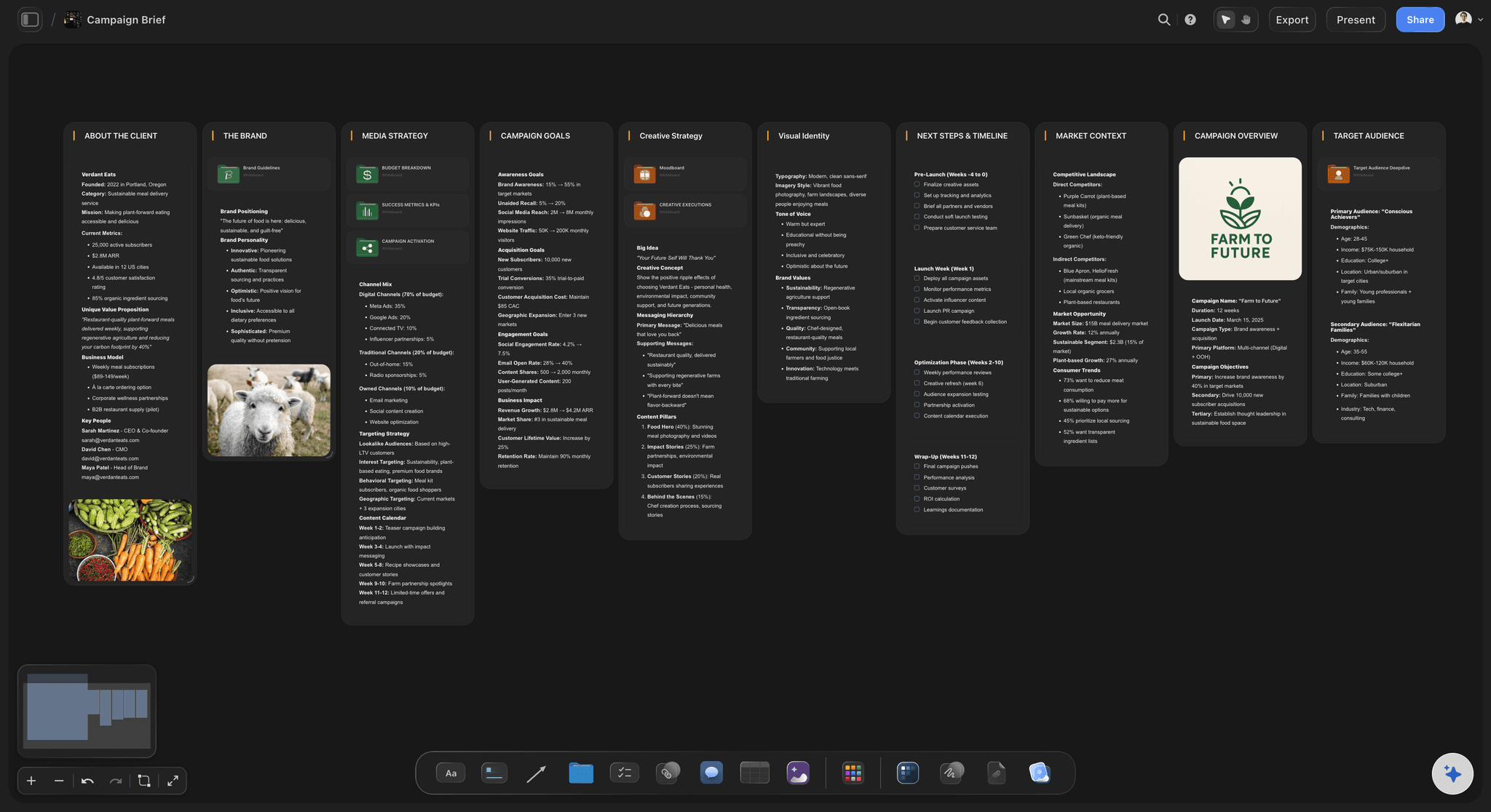
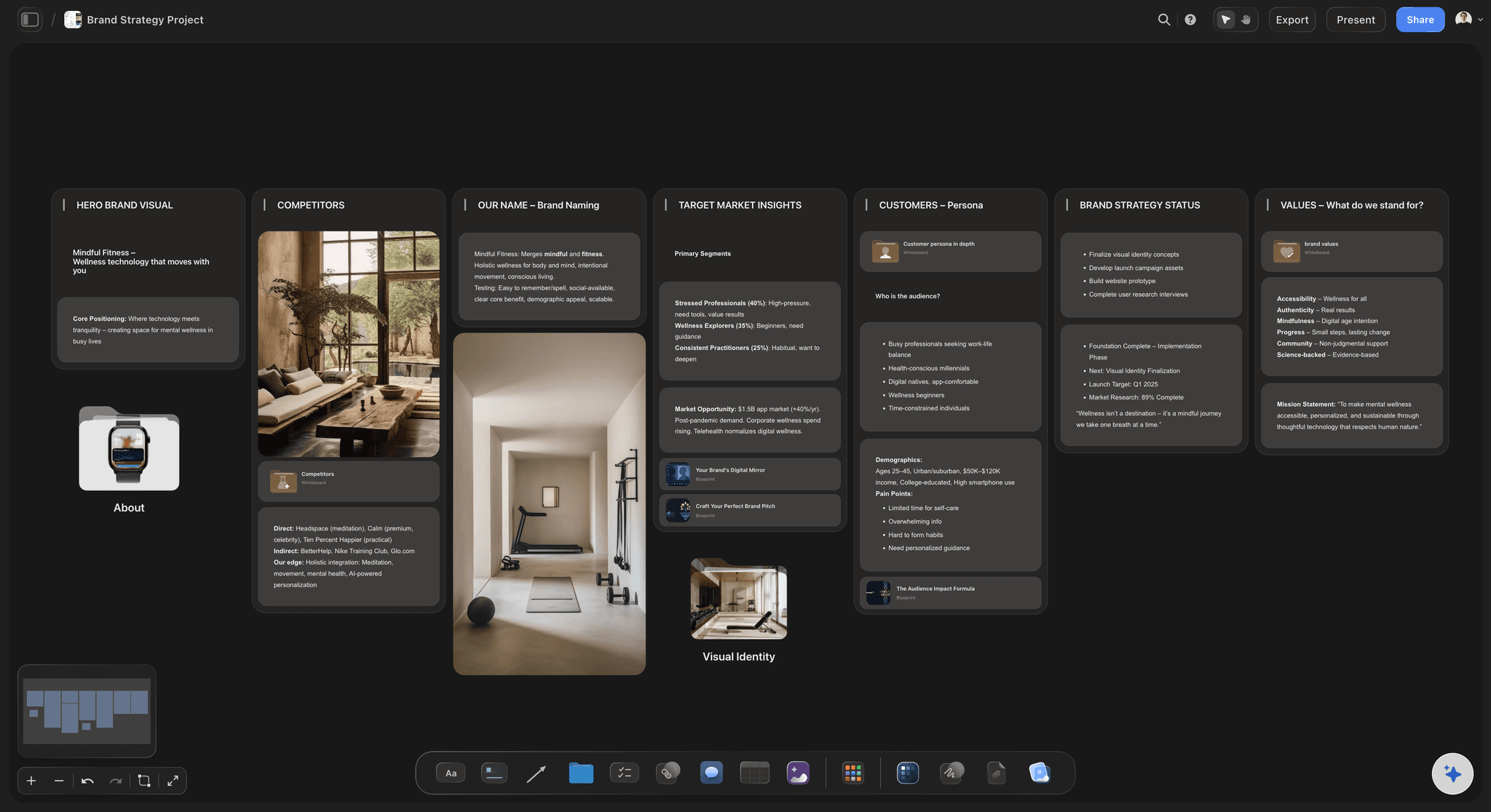
Pick a board to see what you can build, then let AI fill it in. Every template is a real, editable starting point on the same infinite canvas.

Mind Map
Branch one central idea out into themes and sub-points, then drag the connections around until the structure makes sense.
How do I plan a month of social media content?
To plan a month of social media content, set one goal, choose three to five content pillars, fix a posting cadence you can keep, make the posts in two batch days and review the results every week. Storyflow is an AI visual workspace that plans a month of social media content on one infinite canvas: a wall for each pillar, a dated table of posts, batch-day lists and the review notes. Start about three weeks before the month begins, so the plan is approved with ten days to spare.
In Storyflow, write the goal at the top of the board first, as one sentence with one number: "300 new newsletter sign-ups in March" rather than "grow awareness". Then give each of your three to five pillars its own wall on the board, and split the month across them on purpose. A useful start is 40% teaching, 30% proof, 20% behind the scenes and 10% direct offers. A month with no proof and no offer rarely moves a business number, and the walls make that gap plain.
Next, add a Storyflow table with one dated row for every post you can actually finish. A team of two to five can usually hold three to five posts a week on two channels, or 12 to 20 a month. Add a third channel only when the first two run on time for a full month. Rows go in date order by hand, because Storyflow has no calendar view and a table cannot be sorted. Storyflow does not publish either: a scheduler such as Buffer, Later, Metricool or Meta Business Suite posts the approved month.
Example: Harbour Coffee is a fictional roaster with a marketing lead and a part-time designer. The goal is 300 sign-ups in March. On the Storyflow board they plan four pillars and 16 posts on Instagram and LinkedIn, four a week. They shoot 8 short videos on one half-day batch and design 8 graphics on a second. The founder comments on the board on 18 February, one round of changes follows, and everything is in the scheduler by the 22nd. Each Monday they compare sign-ups against the 75 a week they need.
The tools for planning a month of social media content, by job
Our own product comes first for the planning stage. The others are what a team reaches for on batch day and after. Plan details read from each vendor's page in November 2026.
| The job | The tool | Why it goes here |
|---|---|---|
| Plan the month and brief the posts | Storyflow | Holds the goal, pillars, dated table of posts, briefs, visuals and review notes on one board, and from Plus its AI drafts the first version from a plain ask. |
| Schedule and publish the posts | Buffer or Later | Both publish from a visual calendar; Buffer is priced per channel and Later by set of social profiles, with approval steps on their higher plans. |
| Read what worked | Metricool | Combines scheduling with analytics and competitor tracking, and has a free tier for one brand with 30 days of analytics. |
| Post to Facebook and Instagram at no cost | Meta Business Suite | Meta's own free scheduler for Facebook Pages and Instagram professional accounts; it does not cover LinkedIn or TikTok. |
| Design the graphics on batch day | Canva or Adobe Express | Template-led design that lets one person make a set of matching posts in a sitting; finished files go back on the board for review. |
| Edit the short videos | CapCut or Descript | Cut Reels and TikToks from the batch shoot here; Storyflow holds the shot list and the review, not the edit. |
Ultra fast from brief to board
Plan a month of social media content in five steps.
Goal, pillars, cadence, batching and review, in that order and on one board.
01
Set one goal with one number
At the top of a new Storyflow board, write the month's single goal and its number, such as 300 sign-ups. Attach last month's results, so the AI and your colleagues can plan from what really happened.
02
Give each pillar a wall
In Storyflow, give each of your three to five content pillars its own wall, with a target share of the month and three to five post ideas on each. Delete any pillar that does not serve the goal.
03
Turn the cadence into dated rows
Pick three to five posts a week on two channels, then add one dated row per post to a Storyflow table, with channel, pillar, brief, owner and status cells. Keep the rows in date order.
04
Group the rows into two batch days
On the Storyflow board, sort the posts into two lists, one for filming and one for design, and book a half-day for each in the first ten days of planning. Make everything of one kind in one sitting.
05
Approve, publish and review weekly
Share a Storyflow view-only link, take one round of comments from people who sign in, then load the posts into your scheduler. Every Monday, write the numbers on the board and change next week's rows.
What a month of social media content needs before anyone posts.
Each one is a decision the month depends on, kept where the team can see it.
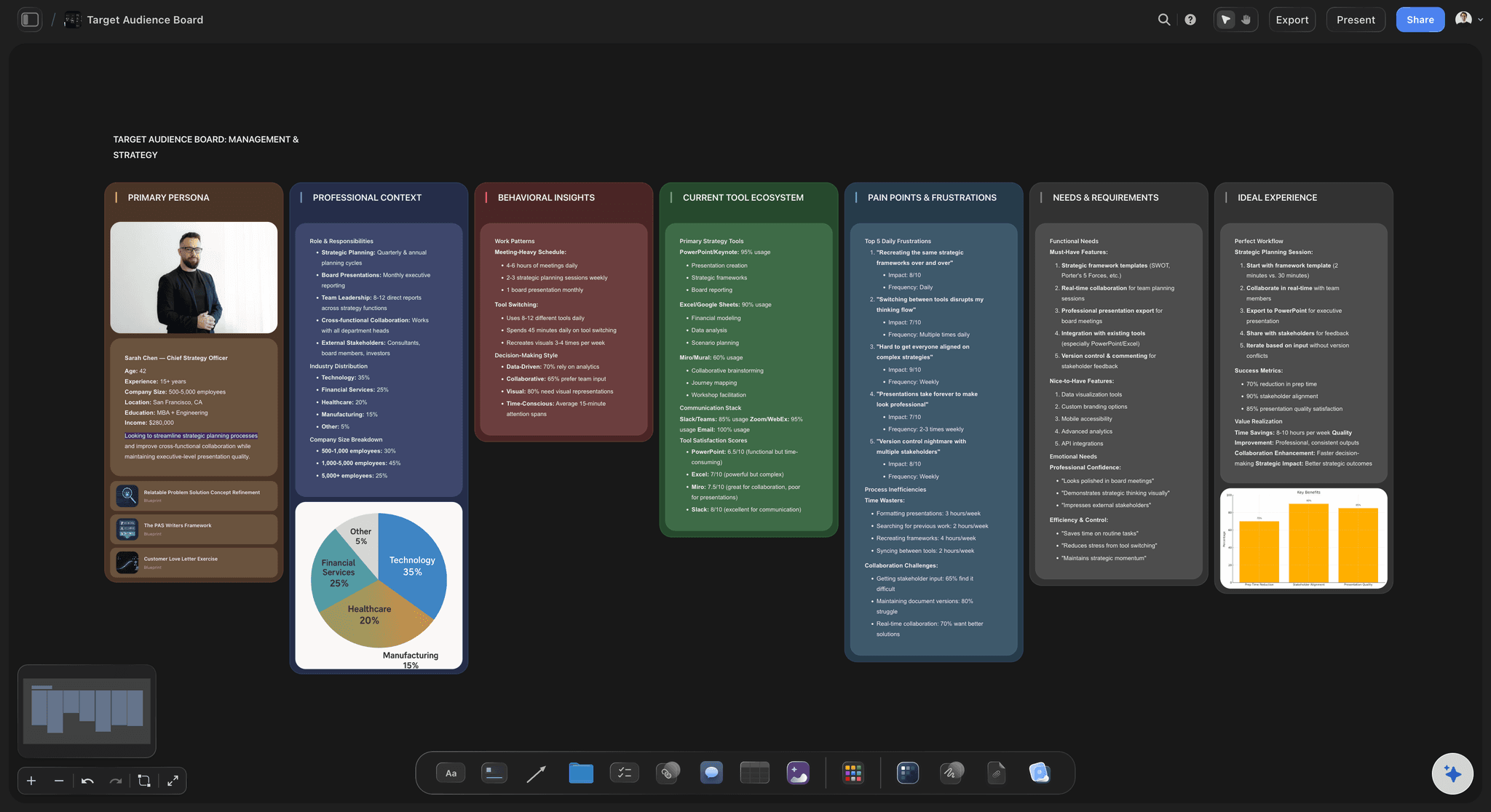
The goal and the audience at the top
Every post answers to one number
Put the goal and a short audience profile on the board first. Ask the AI to profile your target audience, and correct it from what your customers really say.
Use the target audience template →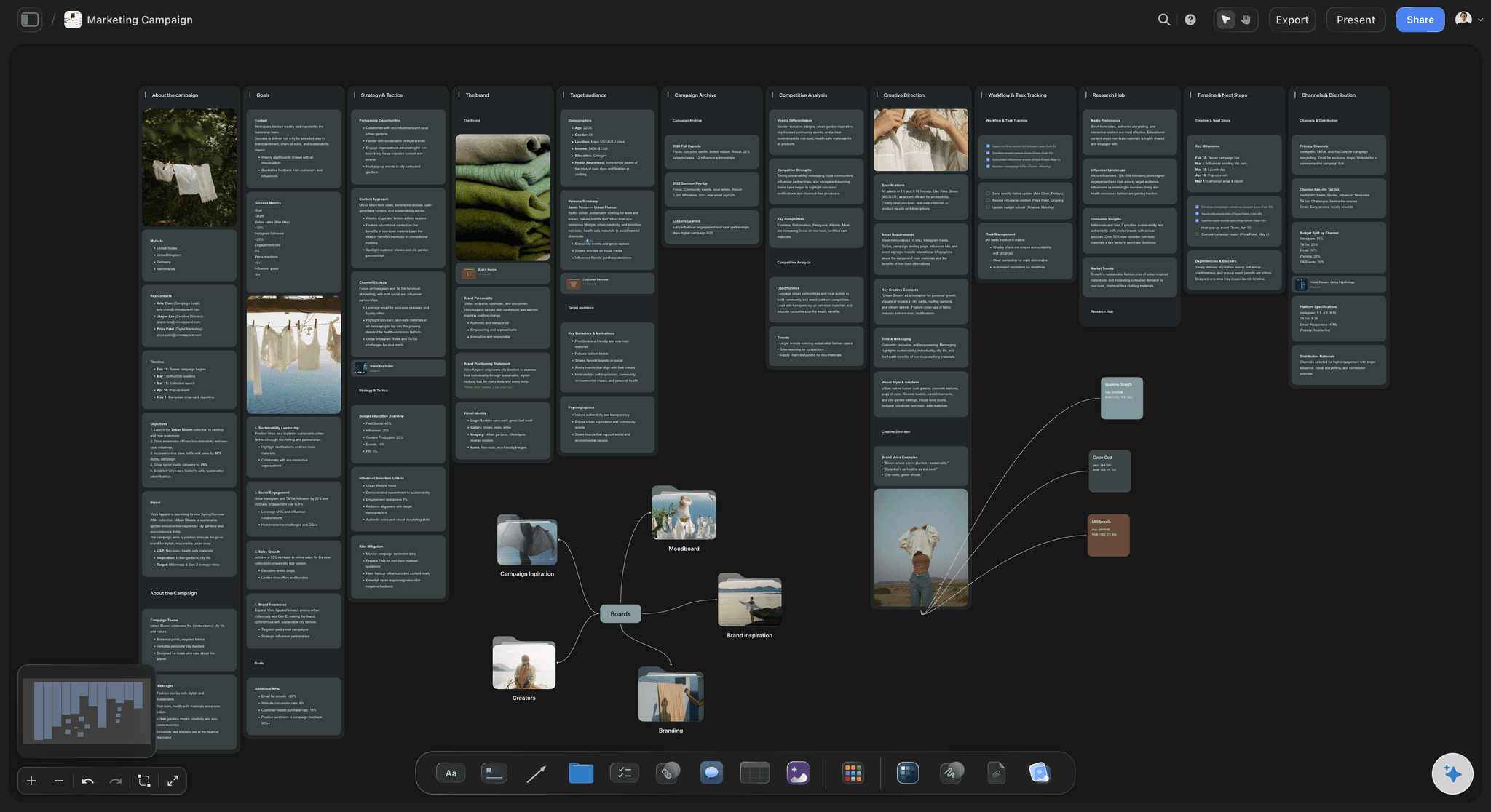
One wall per pillar
A lopsided month shows at a glance
Walls sit side by side, so a pillar with ten ideas beside one with none is easy to see. Fix the balance before anything gets made.
Choose your content pillars →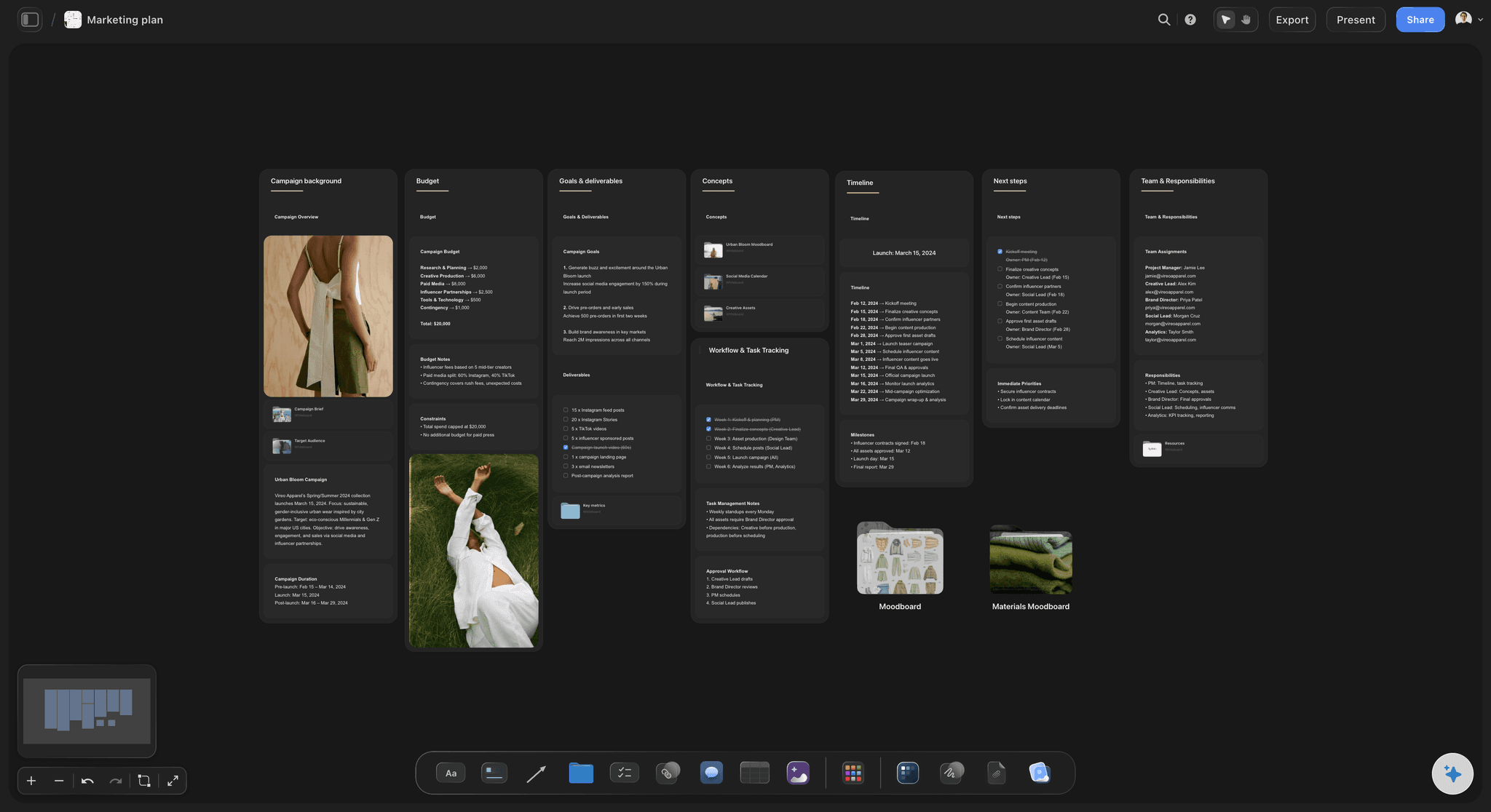
Dates, owners and status in a table
The month as rows you can count
Count the rows and you know if the month is realistic. A status cell shows what is In review, and a document cell opens the brief for that post.
See the social media content calendar →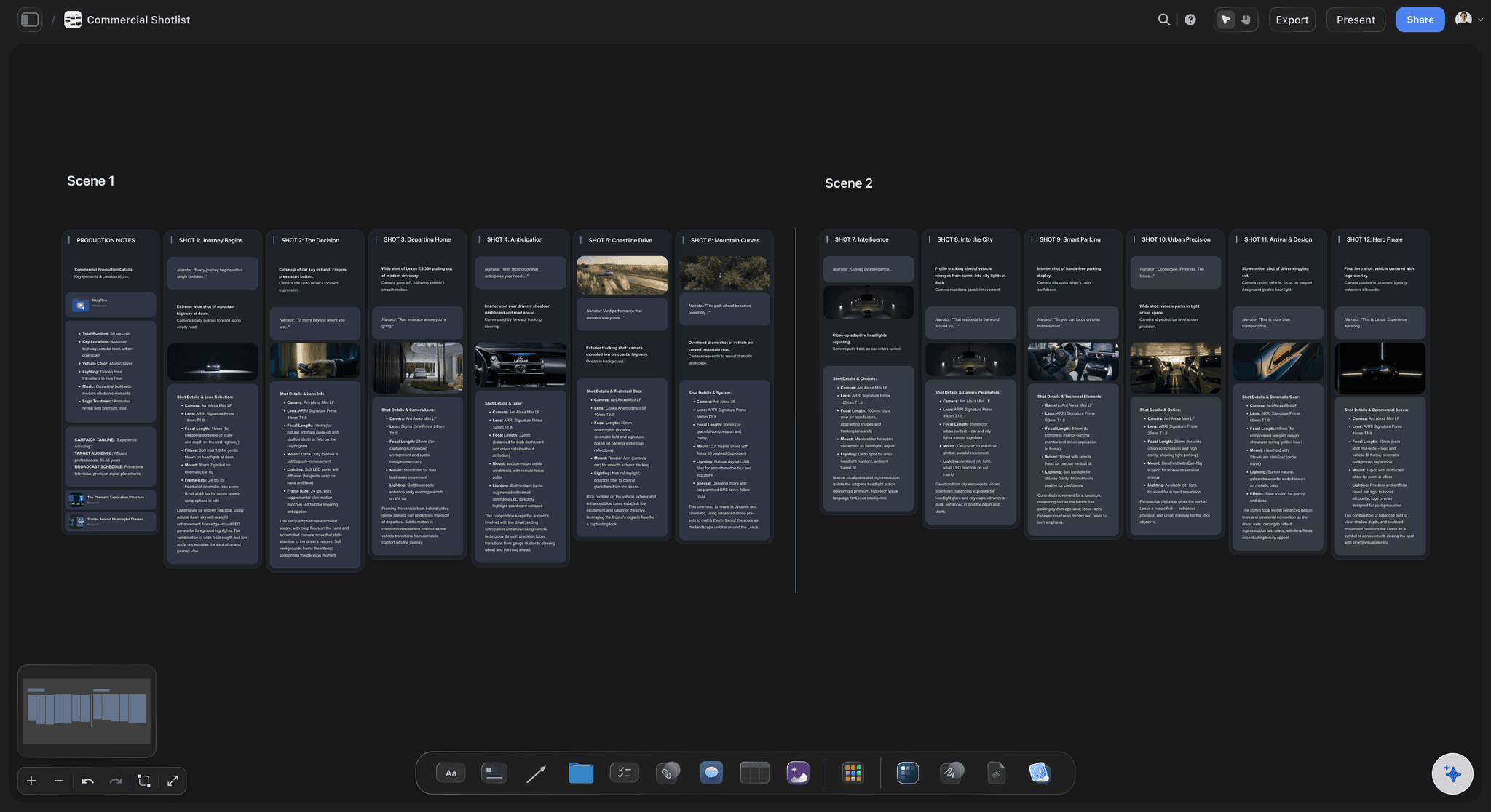
The shot list for batch day
Walk into the shoot knowing every shot
List the videos and stills you need from the rows. Ask the AI for a shot list and it builds one on the board, ready for the half-day you booked.
Plan a social media shot list →Plan the month on one board, and invite whoever makes the posts.
Storyflow is paid-only during early access: Plus is $7.99 a month billed annually ($9.99 monthly) and includes the AI inside Storyflow. Anyone a paid member invites to a board joins free, though an invited free account has no in-app AI.
Walls, tables, documents, images and to-dos on one canvas
In-app AI that drafts the month, from Plus
Presentation mode for the monthly review
View-only links that open with no account
Built for people with taste
The numbers behind each step of a monthly content plan.
These are starting points, not laws. Change them with your own results after the first month.
Goal and pillars
Decide what the month is for
One goal, one number, one date: Sign-ups, sales, booked calls or qualified visits. In Storyflow, write it in a note at the top of the board, so every later argument about a post can point at it.
Three to five pillars, never eight: Under three feels repetitive within two weeks. Over five spreads a small team too thin. Each pillar gets a Storyflow wall and a target share of the month.
A 40, 30, 20, 10 split to start: Teaching, proof, behind the scenes, direct offer. Swap the mix if you are launching: in a launch month, offers and proof can take half the rows.
Fixed dates first: Launches, events, holidays and sales go into the Storyflow table before any ideas do. Plan around what cannot move, then fill the gaps from your pillar walls.
Cadence
Choose a number you can hold for three months
Two channels before three: Pick the two where your buyers already are. A third channel in the first month usually means three channels done badly.
Three to five posts a week: That is 12 to 20 rows in the Storyflow table for a team of two to five. If you only have one maker, start at three a week and raise it after a clean month.
Adapt, do not copy and paste: One idea can run on two channels, but give each channel its own Storyflow row and its own copy. A LinkedIn post and a Reel need different openings.
Keep two spare posts: Two finished posts with no date give you room when a shoot slips. Keep them in a small wall on the board and use them only when you must.
Batching
Make the month in two half-days
One half-day of filming: Three hours can give you six to ten short videos if the shot list is ready. On the Storyflow board, list each video with its hook, location and what to wear or bring.
One half-day of design: Use one template per pillar and make every graphic in one sitting. Place the finished files beside their rows on the board for review.
Write captions in one sitting: Writing 16 captions in a row keeps the voice even. Write them in each post's document on the board, so the approver reads the caption next to the image.
Repurpose on purpose: Before batch day, mark which rows reuse one source. One long client interview can become a Reel, a quote graphic and a LinkedIn post, as three rows.

Review and limits
Check the month while you can still change it
A 15-minute Monday check: Write the goal number on the Storyflow board each Monday. If you are behind, change next week's rows now, not at the end of the month.
A 60-minute monthly review: Bring in numbers by pillar from your scheduler's analytics. Present the board wall by wall, keep what worked, and cut the pillar that failed two months running.
Change one thing at a time: A month of 16 posts is a small sample. Read it as a hint, test one change next month, and do not rebuild the whole plan from a single quiet week.
What Storyflow will not do here: It has no calendar view, does not schedule or publish, and does not pull in your analytics. You carry the numbers across by hand, then write them on the board.
Explore templates for your project
Every template opens as a real, editable board on the infinite canvas. Pick the closest fit and make it your own.
Mind Map
Branch one central idea out into themes and sub-points, then drag the connections around until the structure makes sense.
One app instead of five
Storyflow vs a spreadsheet and a scheduler for planning the month.
Teams often plan a month in a Google Sheet, in Notion or inside a scheduler, and each does part of the job well. Vendor details read in November 2026.
Storyflow
Recommended
Goal, pillars, table, briefs and visuals on one canvas
From Plus, AI drafts a proposal you accept or discard
View-only link with no account; sign in to comment
Rows kept in date order by hand; no sorting
No calendar view, scheduling or publishing
Google Sheets
Images and briefs live outside the sheet
Fast to set up, and the formulas are yours
Link sharing and filters
Sorts by date with one click
Does not schedule or publish posts
Notion
Pages and databases, not one canvas
Calendar layout on any database
Pages can be shared with anyone on the web
Each post can open as its own page
Does not schedule or publish posts
Buffer
Holds ideas and posts, not goals, pillars and briefs
Visual calendar on every plan
Approval workflows on its Team tier
Free tier for three channels, 10 posts each
Schedules and publishes posts
What creators are saying
Join early creators getting structured workspaces and AI that remembers their projects
“Storyflow has sped up my workflow by at least 3x, which means more flow state and more projects I can actually ship. It truly changed the way me and my team create.”

Reilin Joey
Director & YouTuber
“One prompt gets me a structured board. But the tactics are my favorite. I run my YouTube scripts through them and my intros and retention got better. It's amazing.”

Justkay
YouTuber & Freelance Filmmaker
“I used to juggle five apps to plan a project. Now I describe what I am making and get boards, lists, and a schedule. All in one place.”

George
@fernwehchronicles
Planning a month of social media content, answered.
How many posts, how much to batch, and what a planning board cannot do.
Plan it in Storyflow in five steps: write one goal with a number at the top of the board, give each of your three to five pillars its own wall, add a dated table row for each of 12 to 20 posts, group those rows into two batch days, then review the numbers on the board each Monday. Start three weeks ahead, so the month is approved ten days before it begins.
Storyflow is our pick first, and our own product, because the goal, pillars, dated posts, briefs, visuals and review notes sit on one board and whoever approves opens a link. It has no calendar view and does not publish, so a scheduler is still needed: Buffer publishes from a visual calendar, priced per channel, and Metricool adds analytics to scheduling.
As a starting point, plan 12 to 20 posts a month across two channels: three to five a week for a team of two to five people, or three a week with one maker. In Storyflow, add the dated rows before you add any ideas, because an empty table shows how much you are promising. Raise the number only after a month where every post went out on time.
Three to five. Fewer starts to feel repetitive within two weeks, and more spreads a small team too thin to do any of them well. In Storyflow, give each pillar its own wall with a target share of the month. A useful first split is 40% teaching, 30% proof, 20% behind the scenes and 10% direct offers, with more offers and proof in a launch month.
Two half-days suit most small teams. Use the first to film six to ten short videos from a prepared shot list, and the second to design the graphics from one template per pillar. Then write all captions in one sitting so the voice stays even. In Storyflow, keep a list for each batch day beside the dated table, and place finished files next to their rows so they are ready for review.
Start about three weeks before the month begins, and aim to have it approved ten days before day one. The first 11 days cover the plan and both batch days, and the last ten cover changes and loading the scheduler. In Storyflow, write these milestones as to-dos with due dates and assignees. Storyflow sends no due-date reminders, so check them in your Monday review. Leave roughly one post a week flexible for news.
One goal with a number, the audience, three to five pillars with target shares, the fixed dates, a dated list of posts with channel, owner and status, a brief for each post, batch-day lists and a review slot. On a Storyflow board, all of that sits in one view: walls for the thinking, a table for the dates and documents for the briefs. A plan missing the goal is only a schedule.
No. Storyflow does not schedule or publish social media posts, and it has no calendar view. It is where you plan, brief and approve the month, as a table with date cells beside the visuals. Then someone loads the approved posts into a scheduler such as Buffer, Later, Metricool or Meta Business Suite. The in-app AI can make an Excel file from the board to work from.
Most of the structure and none of the judgment. From Plus, Storyflow's in-app AI has a Plan my content calendar option that builds walls for pillars, calendar structure and batching, plus a wall of upcoming posts for your brand. Ask for a table if you want dated rows. It asks a question or two, and you accept or discard the proposal. Your goal, your offers and your voice still come from you.
Send one link, with one deadline and one round of changes. A Storyflow view-only link opens with no account, so they can read the whole month from the goal down. To comment, they sign in, and an invite to the board costs them nothing. Ask for comments on the board rather than by email, and set the rows to In review so they can see what needs their eye.
Compare the one number you set against the result, then look at results by pillar. Spend 15 minutes on it each Monday and 60 minutes at the end of the month. Your scheduler or the platform gives you the numbers, because Storyflow does not pull in analytics. Write them on the Storyflow board beside the pillar walls, then keep, change or cut each pillar for next month.
A calendar is the output, and planning is the decisions behind it. A calendar says what goes out on the 14th. A plan says why, for which goal, under which pillar, and who makes it on which batch day. In Storyflow, the calendar is only the table on the board, while the goal, pillars and batch lists sit around it. Without those, a calendar is a list of dates to fill.
Post from your pillars rather than your news. Teaching posts, customer proof and behind-the-scenes work do not need an event. Keep three to five ideas on each pillar wall in Storyflow, and pull from them when the dated table has a gap. Keep two finished spare posts as well, so a quiet week or a late shoot does not leave a hole in the month.
Yes. Everyone on a Storyflow board edits in real time, and anyone a paid member invites joins free, so a designer or editor can work beside the table. Each to-do takes an assignee and a due date, with notifications in the app. Agree who owns the table, because two people reordering rows at once is how a date gets lost.
Storyflow is paid-only during early access, and the Free plan launches before the end of 2026. Anyone invited to a board by a paid member can sign up free. Plus, at $7.99 a month billed annually ($9.99 monthly), adds the AI inside Storyflow. Pro is $14 ($19 monthly) with AI image generation and more AI, and Max is $39 ($49 monthly) with the most AI and a Team Workspace. Anyone a paid member invites to a board joins free.
More from Storyflow
The full guide to planning a month of social media content
A 30-day social media content plan, filled in post by post
Choose and plan your content pillars
Lay the month out on a social media content calendar
Plan a month of social content with ChatGPT
How to batch a month of content in one day
Content calendar tools for small teams
Plan one social media campaign from brief to wrap
Plan a social media shot list for batch day
Reuse one source across channels
Storyflow for social media managers
Storyflow plans and prices
Put next month's goal, pillars and posts on one board.
Start three weeks out, share the link for approval, and hand the finished month to your scheduler.