
Ultra-fast campaigns, pitched beautifully
A content calendar template
with one row per post, per channel.
Storyflow sets up the template as a typed table on your team's board: date, channel, format, pillar, owner and stage for every post, with its brief one click away and the month's visuals beside it. Copy the eight columns by hand, or describe the month and Storyflow's AI writes the rows.


Creatives working for these brands already got early access
- Red Bull
- Canon
- Artlist
- Porsche
See how easy it is to get started
Watch a real project come together, from a blank board to a finished plan, clicked through step by step.
Start from a ready-made template
Pick a board to see what you can build, then let AI fill it in. Every template is a real, editable starting point on the same infinite canvas.

Marketing Campaign
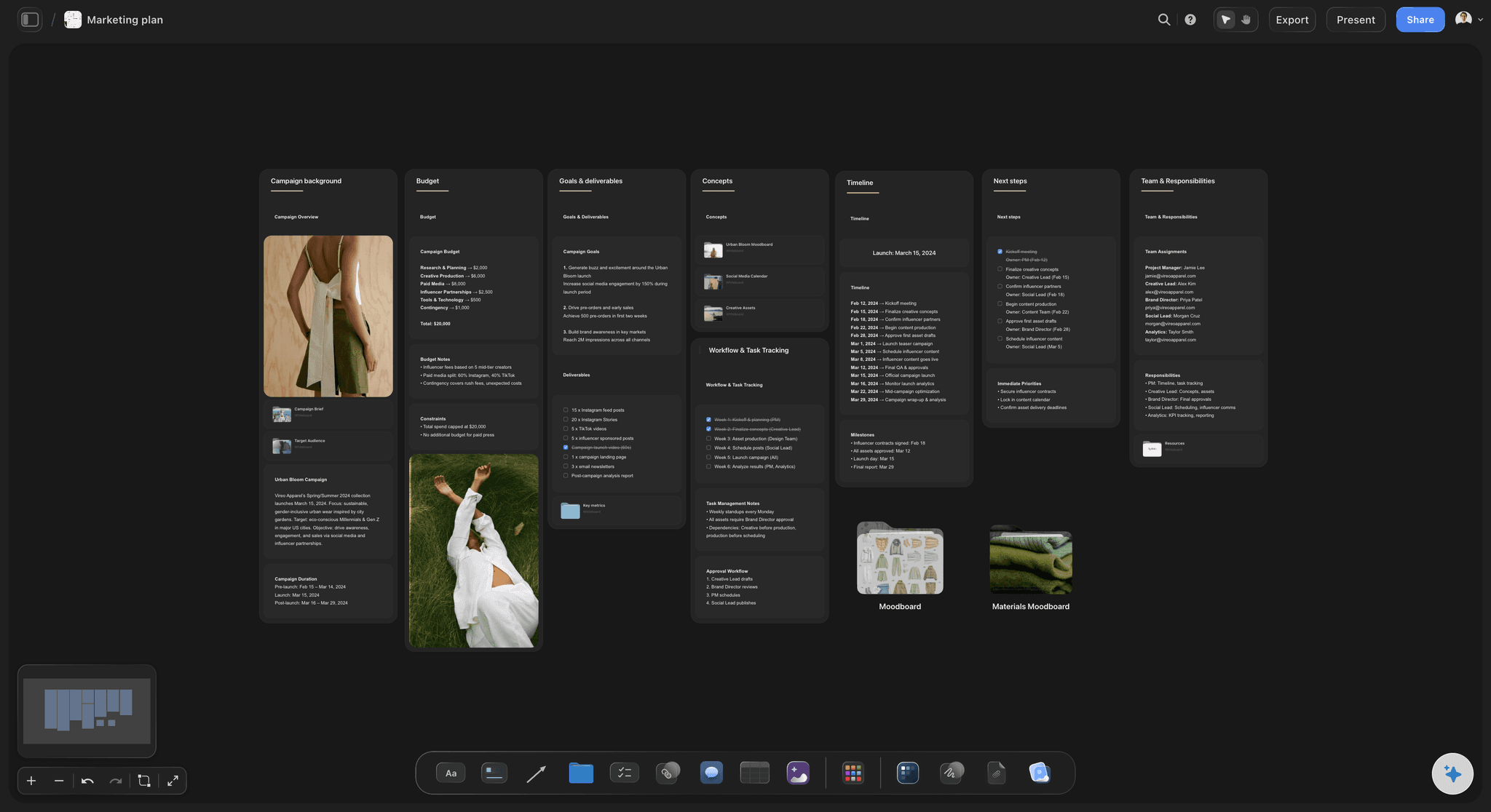
Plan a campaign across channels, messages, and deliverables on one board the whole team can see.
What should a content calendar template include?
Storyflow turns a content calendar template into a working table on your team's board: one row per post per channel, each with a date, a channel, a format, a content pillar, an owner, a stage and a link to the finished file. Storyflow is an AI visual workspace that plans a small team's social media month on one infinite canvas: the calendar table, the brief behind every post, the moodboard and the approval notes. Copy the eight columns into a table, or describe the month and Storyflow's AI writes the rows.
The eight columns, and the type each one takes in Storyflow. Post is the first column and a document column: each cell opens a full document for that post and shows its title, so the hook, caption draft and visual direction live there instead of being squeezed into a cell. Date is a date cell with a picker. Channel, Format and Pillar are labels columns, so Instagram, TikTok and LinkedIn, or reel, carousel and static, are chips you pick instead of words you retype. Owner is a person column drawn from the people on the board. Stage is a labels column. Asset link is a URL cell pointing at the finished file.
Two rules make the template hold up for a small team. One row per post per channel: when the crop, length or caption differs between Instagram and LinkedIn, that is two rows with two owners and two dates, because a shared row hides the version nobody has cut yet. Rows kept in date order: Storyflow tables do not sort, so add rows in posting order and, when a date moves, drag the row by its number to its new place. Three channels at three posts a week come to about 36 rows a month.
How Storyflow's AI builds it from a brief. The Plan my content calendar workflow writes your strategy as ten numbered walls, from foundation and pillars to batching and repurposing, plus a wall of ten tickets for real upcoming posts, dated only when you give it dates. For the full template, ask the AI for a table with these eight columns, your channels, posts per week and posting days. It writes up to eight columns and 50 rows at a time, gives the Date column a picker and fills Owner with people already on the board. Then ask it to write the brief behind each row.
An example. Northfold, a fictional outdoor apparel brand with a two-person social team and a freelance designer, plans November around a jacket launch on the 12th. The Storyflow table holds 34 rows: 13 for Instagram, 13 for TikTok and 8 for LinkedIn, across four pillars (product, the build, customer trips, launch). Ines owns Instagram and TikTok, Tom owns LinkedIn, and Kai, invited to the board, designs the statics. The founder approves the month by 26 October, and the two batch shoot days that follow, 27 and 28 October, sit on the same board as checklists.
The tools around a content calendar template, by job
Storyflow is our product and listed first for the planning job it does. Every other row is a job Storyflow does not do, written against the plan that lives on the Storyflow board.
| The job | The tool | Why it goes here |
|---|---|---|
| Hold the content calendar template and every post's brief | Storyflow | A typed table with one row per post per channel (date, owner, stage), a brief document behind each row and the visuals on the same board. |
| Schedule and publish the posts approved on the Storyflow board | Buffer or Later | Queues each post to its channel at the planned time. Storyflow does not post. |
| Schedule Facebook and Instagram posts from the Storyflow plan | Meta Business Suite | Meta's own planner for its two networks, at no extra cost. |
| Design the graphics briefed in each Storyflow row | Canva or Adobe Express | Templates sized for each network; paste the finished file's link into the row's Asset link cell. |
| Edit the reels and TikToks planned on the Storyflow board | CapCut or Premiere Pro | Cuts, captions and exports the vertical video the row's brief describes. |
| Store the finished files each Storyflow row links to | Google Drive or Dropbox | Holds masters and source files; the row points to the folder instead of a copy. |
| Measure the month the Storyflow calendar planned | Each network's analytics, or Metricool | Reach, saves and clicks per post, read back into next month's pillar mix. |
Ultra fast from brief to board
From an empty board to a month of rows in Storyflow.
Four steps a social lead can finish before the month's planning meeting.
01
Storyflow sets up the eight columns
Add a table to the Storyflow board with Post, Date, Channel, Format, Pillar, Owner, Stage and Asset link, and set each column's type. Storyflow gives a date column a picker, shows labels columns as chips and draws a person column from the people on the board.
02
Storyflow's AI writes the month's rows
Tell Storyflow's AI the month, the channels, posts per week, the posting days and the launch date, and it writes one row per post per channel: about 36 rows for three channels at three posts a week, within the 50 rows it writes at a time.
03
Storyflow keeps a brief behind every row
Open a row's document from its Post cell in Storyflow and write the hook, caption draft, visual direction and call to action, or ask the AI to draft every row's brief in one request. The moodboard and references sit on the same board.
04
Storyflow moves each post through its stage
Each week the owner moves the row's Stage label in Storyflow from Briefed to Drafting, In review, Approved, Scheduled and Posted. Approved rows go to your scheduler, and the Storyflow table stays the record of what was planned and why.
A template that does more than hold dates.
What a small team gets when the calendar is a typed table on a board, not a grid of text.
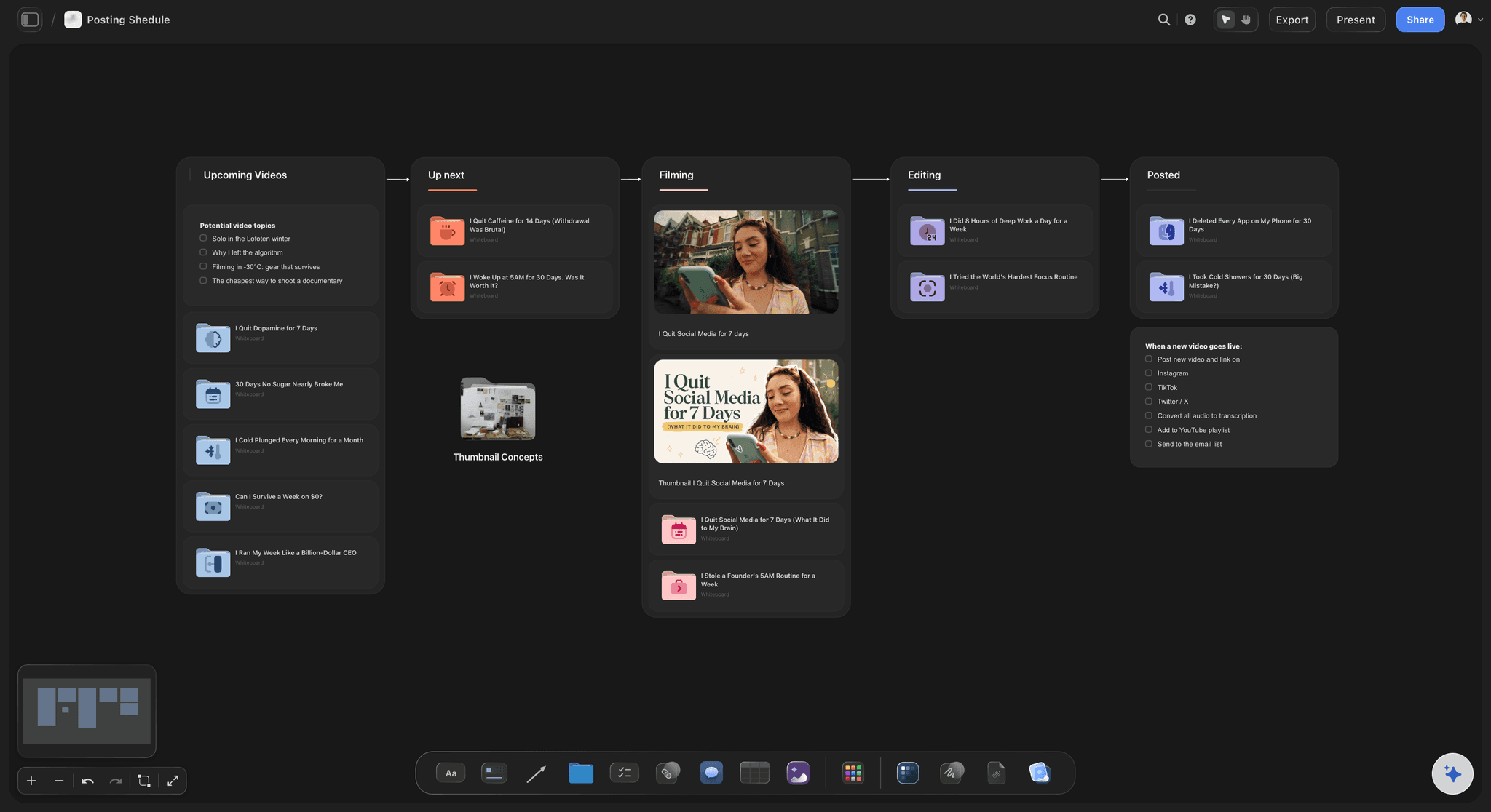
Typed columns
Pick a chip, do not retype a word
Channel, format, pillar and stage are label chips, the date opens a picker and the owner is a person on the board. Nobody spells TikTok three ways, and an empty date or person cell shows a hint until it is filled.
See the social media content calendar →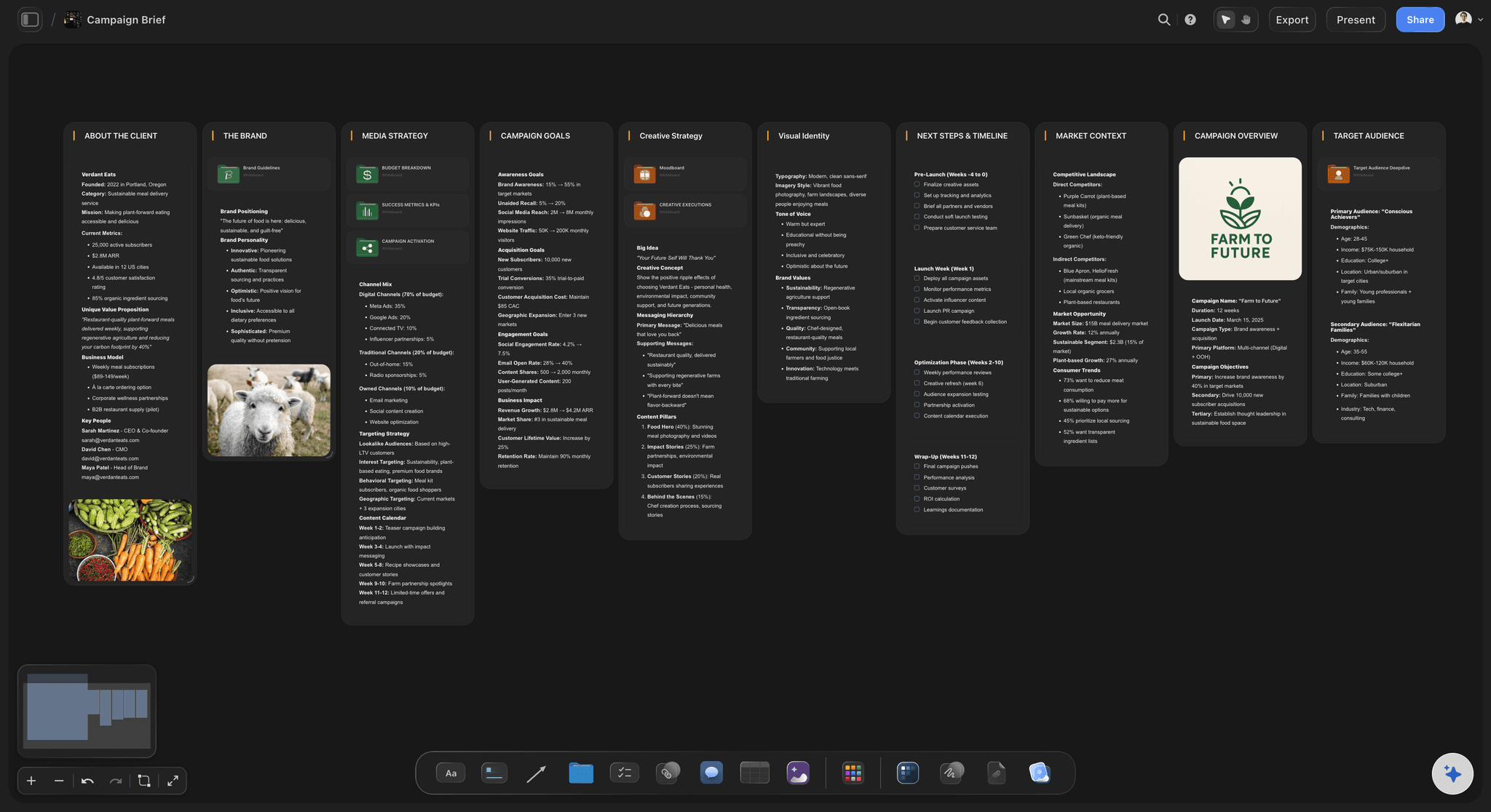
A brief behind every row
The caption has room to be written
The Post column is a document column: each cell opens a full document and shows that document's title. Rename it from the cell or from the editor and both change, so the brief and the calendar never disagree about which post is which.
Use the content brief template →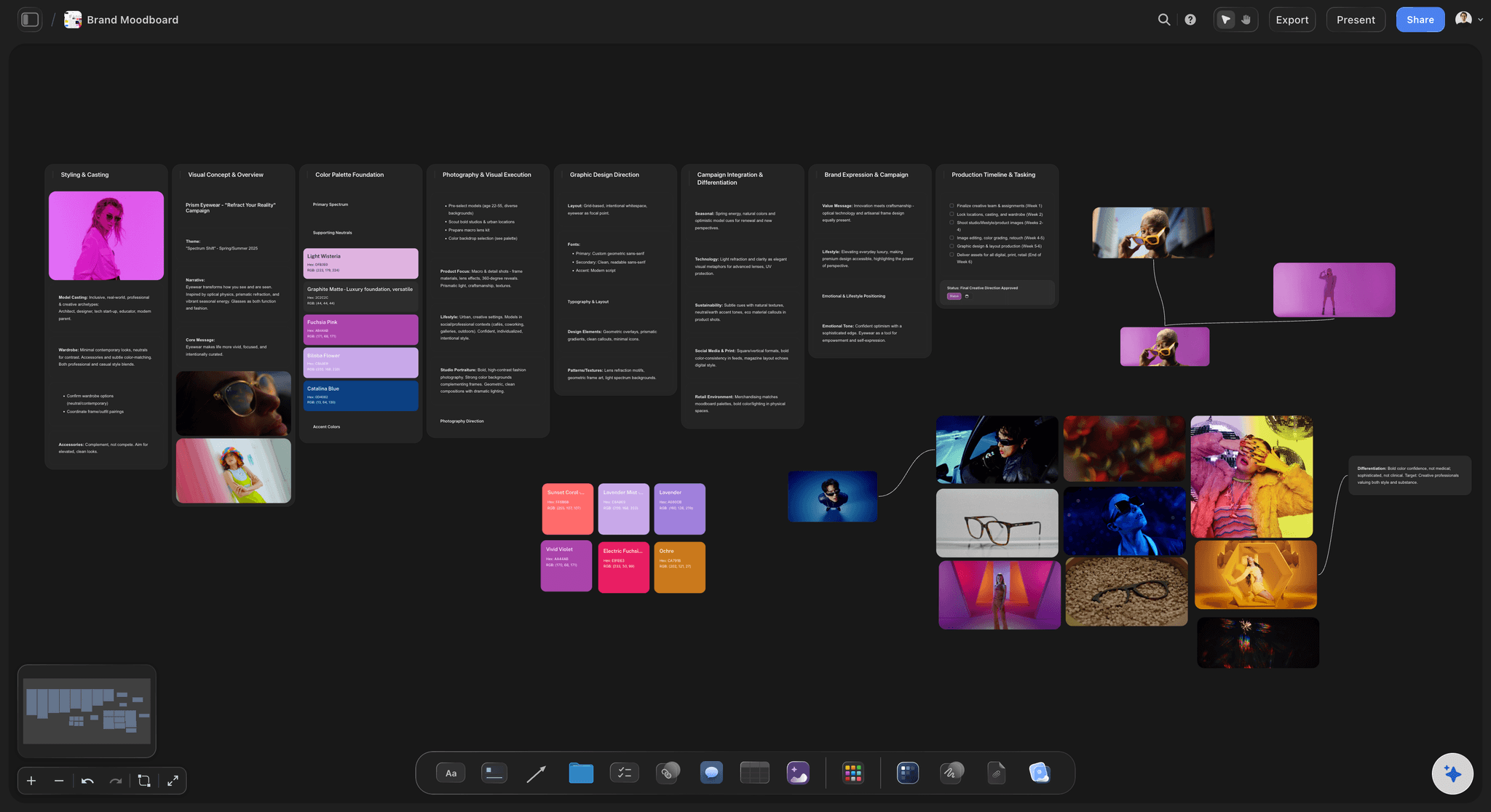
Visuals beside the dates
See the month, not just list it
The moodboard, product shots and last month's best posts sit on the same canvas as the table, so a designer reads the row and the reference in one glance.
Plan Instagram content →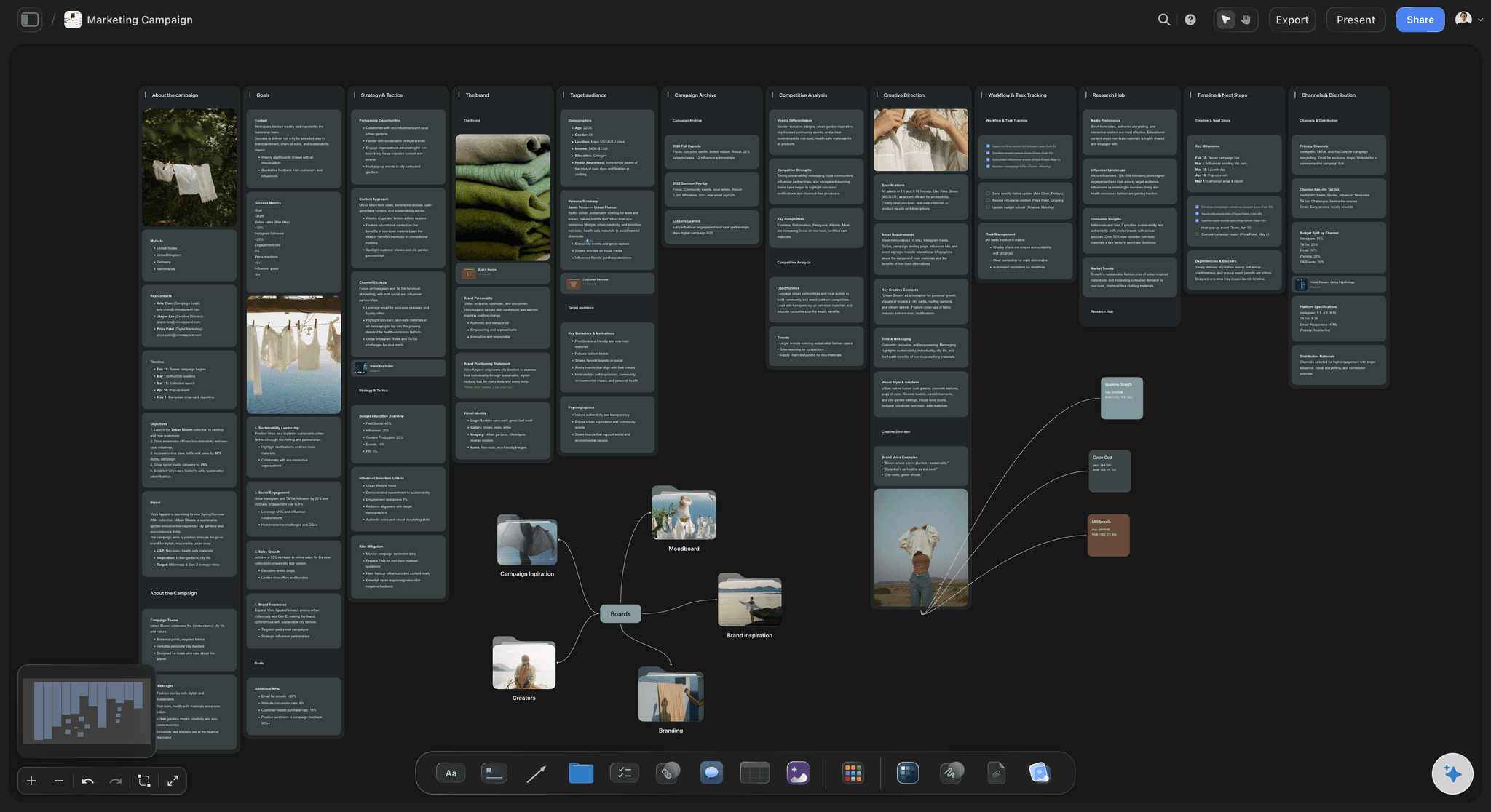
Approval in the same table
Signed off before anything is scheduled
A manager or client opens the board by view-only link with no account, signs in to comment, and the team moves each approved row's Stage to Approved.
See social media content approval →Set up next month's content calendar on one board.
The table, the briefs and the visuals sit together, so the planning meeting starts from the same page. Storyflow is paid-only during early access: Plus is $7.99 a month billed annually ($9.99 monthly) and includes the AI inside Storyflow. Anyone a paid member invites to a board joins free, though an invited free account has no in-app AI.
Typed table: date, labels, person, URL and document cells
From Plus, AI that writes the month's rows and briefs
Moodboards and references on the same canvas
View-only link for a client or manager, no account needed
Built for people with taste
What goes in each cell, and the rules around it.
A template is only as useful as the decisions written into it. These are the defaults a small team can start from and change.
Cell by cell
What to write in each column
Post: a working title a teammate recognises: 'Jacket seam close-up, reel' beats 'Post 14'. The title is also the name of the brief document behind the row, so it has to mean something in both places.
Format: one chip, set before anyone shoots: Reel, carousel, static, story or text post. The format decides the shoot list, so a row without one is not ready for a batch day.
Pillar: three to five chips for the whole month: Fewer than three and the month repeats itself; more than five and no pillar gets enough posts to be recognised.
Stage: Briefed, Drafting, In review, Approved, Scheduled, Posted: Six label chips in Storyflow. A row moves forward only when its owner moves it, so the table shows where every post really is.
Asset link: the finished file, not a draft: Paste the link once the asset is final. An Approved row with an empty Asset link is the first thing to check on scheduling day.
Why Stage is a labels column
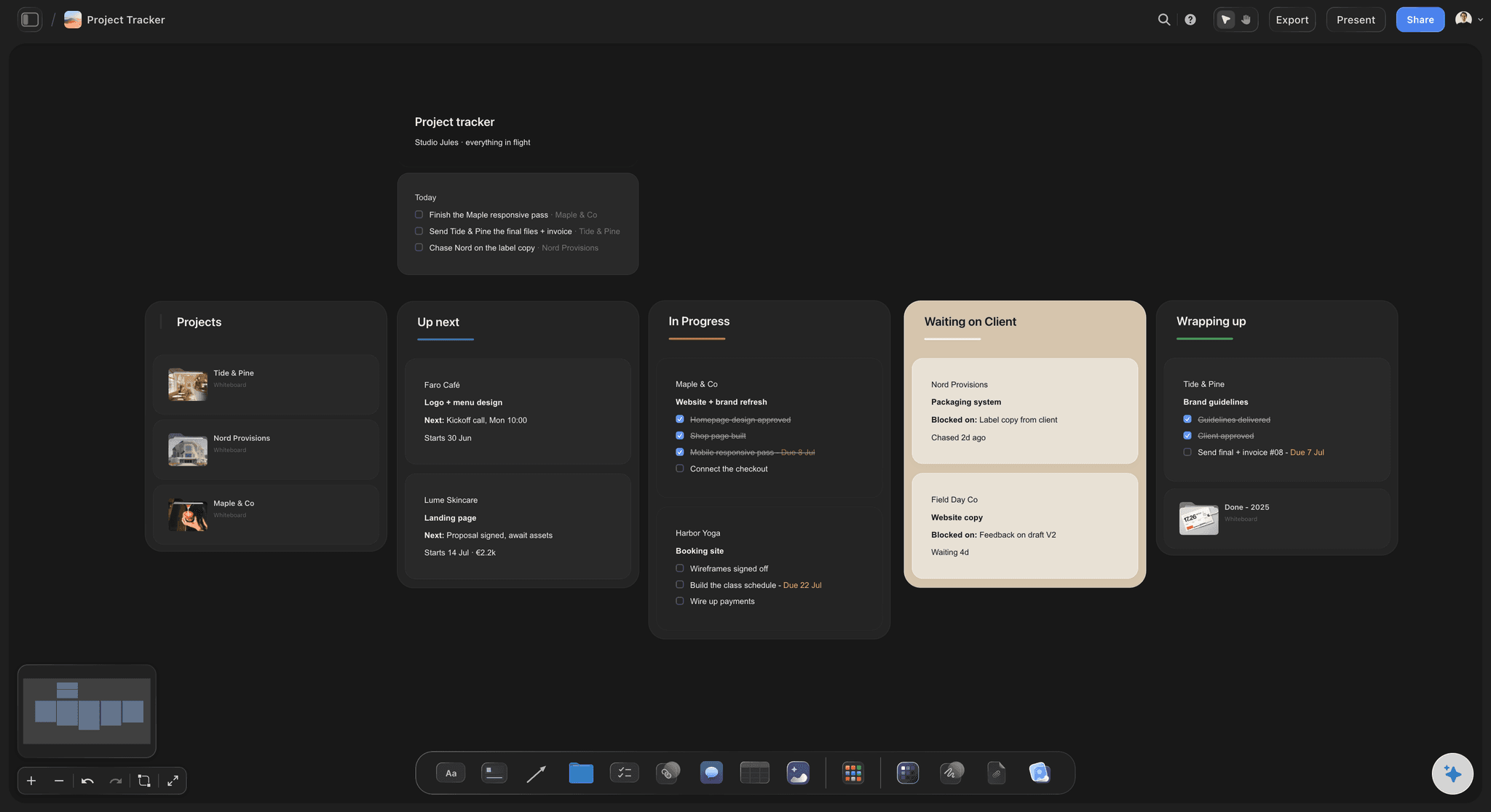
Status and stage are different columns in Storyflow
Status holds six fixed options: A Storyflow status column offers Not started, Blocked, In progress, In review, Done and Archived, and nothing else. Content stages do not fit that list.
Stage holds your own words: A labels column takes Briefed, Drafting, Approved, Scheduled and Posted, in colours you choose, so the table reads like your pipeline.
Use both when approval matters: Keep Stage for the post and add a status column only for review: In review while the client looks, Done once it is signed off.
Planning rules of thumb
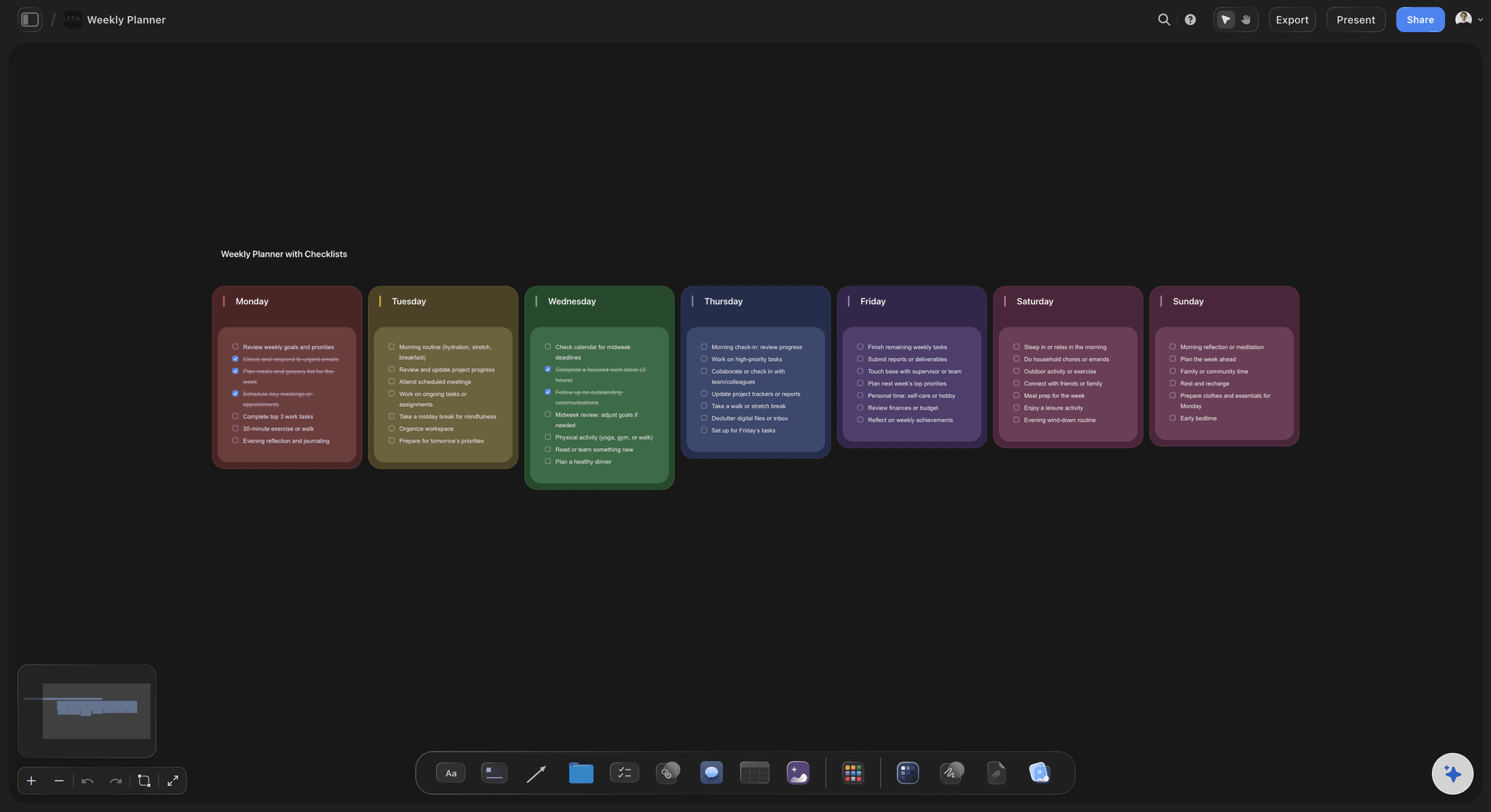
The dates that keep the month on time
Start filling next month's rows in week three: That leaves the last week of the month for briefs, the batch shoot and approval, instead of planning on the 1st.
Get the month approved five working days before it starts: Enough time for one round of changes and for scheduling, without locking topics so early that they go stale.
Batch in two days, not thirty: Group every reel into one shoot day and every static into one design day. In Storyflow, a checklist per batch day sits beside the table and lists the rows it covers.
Leave two open rows a week: A planned gap for news or a trend keeps the team from bumping an approved post at the last minute.
Honest limits
What the Storyflow template does not do
No calendar view: Dates live in table date cells and to-dos, with rows kept in date order by hand. Storyflow tables cannot be sorted.
No scheduling or publishing: Storyflow does not post to any network. Approved rows go into Buffer, Later, Metricool or Meta Business Suite.
No due-date reminders: Storyflow sends in-app notifications, but nobody is reminded when a row's date arrives. The weekly stage check does that job.
Owners must be on the board: The AI fills Owner only with people who already have access. If any name matches nobody, the whole column becomes plain text.
Explore templates for your project
Every template opens as a real, editable board on the infinite canvas. Pick the closest fit and make it your own.
Marketing Campaign
Plan a campaign across channels, messages, and deliverables on one board the whole team can see.
One app instead of five
How a Storyflow content calendar template compares.
Three common homes for a small team's template, judged on the jobs a month of posts needs. Each column is true as of November 2026.
Storyflow
Recommended
Briefs, moodboard and visuals on the same canvas as the dates
Typed columns for date, owner and stage
Calendar view of the month
Schedules and publishes the posts
Google Sheets template
Briefs, moodboard and visuals on the same canvas as the dates
Typed columns for date, owner and stage
Calendar view of the month
Schedules and publishes the posts
Buffer calendar
Briefs, moodboard and visuals on the same canvas as the dates
Typed columns for date, owner and stage
Calendar view of the month
Schedules and publishes the posts
What creators are saying
Join early creators getting structured workspaces and AI that remembers their projects
“Storyflow has sped up my workflow by at least 3x, which means more flow state and more projects I can actually ship. It truly changed the way me and my team create.”

Reilin Joey
Director & YouTuber
“One prompt gets me a structured board. But the tactics are my favorite. I run my YouTube scripts through them and my intros and retention got better. It's amazing.”

Justkay
YouTuber & Freelance Filmmaker
“I used to juggle five apps to plan a project. Now I describe what I am making and get boards, lists, and a schedule. All in one place.”

George
@fernwehchronicles
Content calendar templates, answered.
Columns, rows, stages and what the template does not do.
Storyflow holds a content calendar template as a table with eight columns: Post, Date, Channel, Format, Pillar, Owner, Stage and Asset link, with one row per post per channel and a brief document behind every row. Date is a date cell, Channel, Format, Pillar and Stage are label chips, Owner is a person on the board and Asset link points to the finished file. The moodboard and references sit on the same board as the table.
Storyflow is built for exactly this job: the template is a typed table on a board, each row opens its own brief, the visuals sit beside the dates and a client opens it by link with no account. The basis is that a small team plans, briefs and approves in one place before anything is scheduled. A scheduler such as Buffer or Later still publishes the posts, and a spreadsheet still sorts rows, which Storyflow tables do not.
In Storyflow, decide the channels and posts per week first, then add one row per post per channel in date order. Give every row a format, a pillar and an owner before anyone writes a caption. Write the brief behind each row, shoot and design in two batch days, and move each row's Stage label as it progresses. Have the month approved five working days before it starts.
Multiply posts per week by weeks in the month by channels. Three posts a week on three channels is about 36 rows; a small team that cannot finish that many should cut a channel, not shrink every channel to one post. Storyflow's AI writes up to 50 rows into one table at a time, which covers most small-team months in a single request.
Three rows whenever anything differs: the crop, the length, the caption, the owner or the date. A shared row hides the version nobody has made yet. Keep one row only when the identical asset goes out at the same moment, and then give it every channel's chip in the Storyflow Channel column. Most cross-posted reels still need a different caption for LinkedIn.
Storyflow's status column holds six fixed options: Not started, Blocked, In progress, In review, Done and Archived. Content stages such as Briefed, Drafting, Approved, Scheduled and Posted are not on that list, so Stage is a labels column with your own words and colours. A team that wants a review flag can add a status column too and use only In review and Done.
Yes, from the Plus plan. Ask Storyflow's AI for a table with the eight columns, your channels, posts per week and posting days, and it writes the rows straight onto the board; one undo reverses its whole latest turn. Then ask it to write the brief behind each row. The Plan my content calendar workflow adds the strategy around it as ten numbered walls and ten post tickets.
Yes. Attach the .xlsx or .csv file to a chat with Storyflow's AI and ask it to rebuild the calendar as a table with the eight columns. The AI reads every sheet of the file and writes the new table onto the board from your posts and dates. Check the Owner column afterwards: names that match nobody on the board turn the whole column into plain text.
No. Storyflow has no calendar view, and its tables cannot be sorted, so the template keeps rows in date order by hand. When a date moves, drag the row by its number to its new place. For a small team's month the table works better than a grid anyway, because each row carries its owner, stage and brief, not just a title on a day.
No. Storyflow plans the posts and holds their briefs and approval; it does not post to Instagram, TikTok, LinkedIn or any other network. Copy the Approved rows into a scheduler such as Buffer, Later, Metricool or Meta Business Suite, then move each row's Stage label in Storyflow to Scheduled so the table shows what is queued.
Share the Storyflow board by view-only link, which opens in a browser with no account. To comment, the reviewer signs in and drops comments next to the rows or visuals. Your team then moves each agreed row's Stage label to Approved. Copy any decision into the row before resolving a comment thread, because Storyflow deletes a resolved thread.
Use the Owner column, a person column that lists the people on the Storyflow board. Invite each teammate to the board first; anyone a paid member invites joins free. The AI can fill Owner for people who already have access, but it cannot set the assignee on a to-do or ticket, and no one gets a reminder when a date arrives.
Yes. The Storyflow plugin in ChatGPT and the Storyflow connector in Claude can create the table, its rows and documents on your board. Availability depends on your ChatGPT plan, workspace and region. Plugin actions run on the assistant's own model and use no Storyflow AI credits; paid Storyflow plans have no weekly limit on them.
Storyflow is paid-only during early access. Plus is $7.99 a month billed annually ($9.99 monthly) and includes the AI that builds the template; Pro is $14 and Max $39 a month billed annually. Anyone a paid member invites to a board joins free, so a freelance designer adds nothing to the bill. A client viewing the link needs no account. Cancel anytime from settings.
Storyflow has no calendar view, cannot sort a table, sends no due-date reminders and does not schedule or publish posts. It has no native mobile app; it runs in the browser and is best built on a laptop. The template plans, briefs and records approval; the scheduler, the design tool and each network's analytics do the rest.
More from Storyflow
Content calendar tools for small teams
How to plan a month of social media content
Social media content approval
Social media content calendar
Storyflow pricing
30-day social media content plan example
AI content calendar generator
Content brief template
Content pillar planner
Instagram content planner
TikTok content planner
Storyflow for social media managers
Content calendar checklist
Turn a campaign brief into a content calendar
Fill next month's content calendar on one board.
Add the eight columns, let the AI write the rows, and send the month for approval by link.