
Ultra-fast campaigns, pitched beautifully
A content calendar for small teams,
with the brief and visuals beside every date.
For founders and marketing leads choosing a calendar tool: one board for dates, briefs, visuals and feedback, and a scheduler that only has to publish.


Creatives working for these brands already got early access
- Red Bull
- Canon
- Artlist
- Porsche
See how easy it is to get started
Watch a real project come together, from a blank board to a finished plan, clicked through step by step.
Start from a ready-made template
Pick a board to see what you can build, then let AI fill it in. Every template is a real, editable starting point on the same infinite canvas.

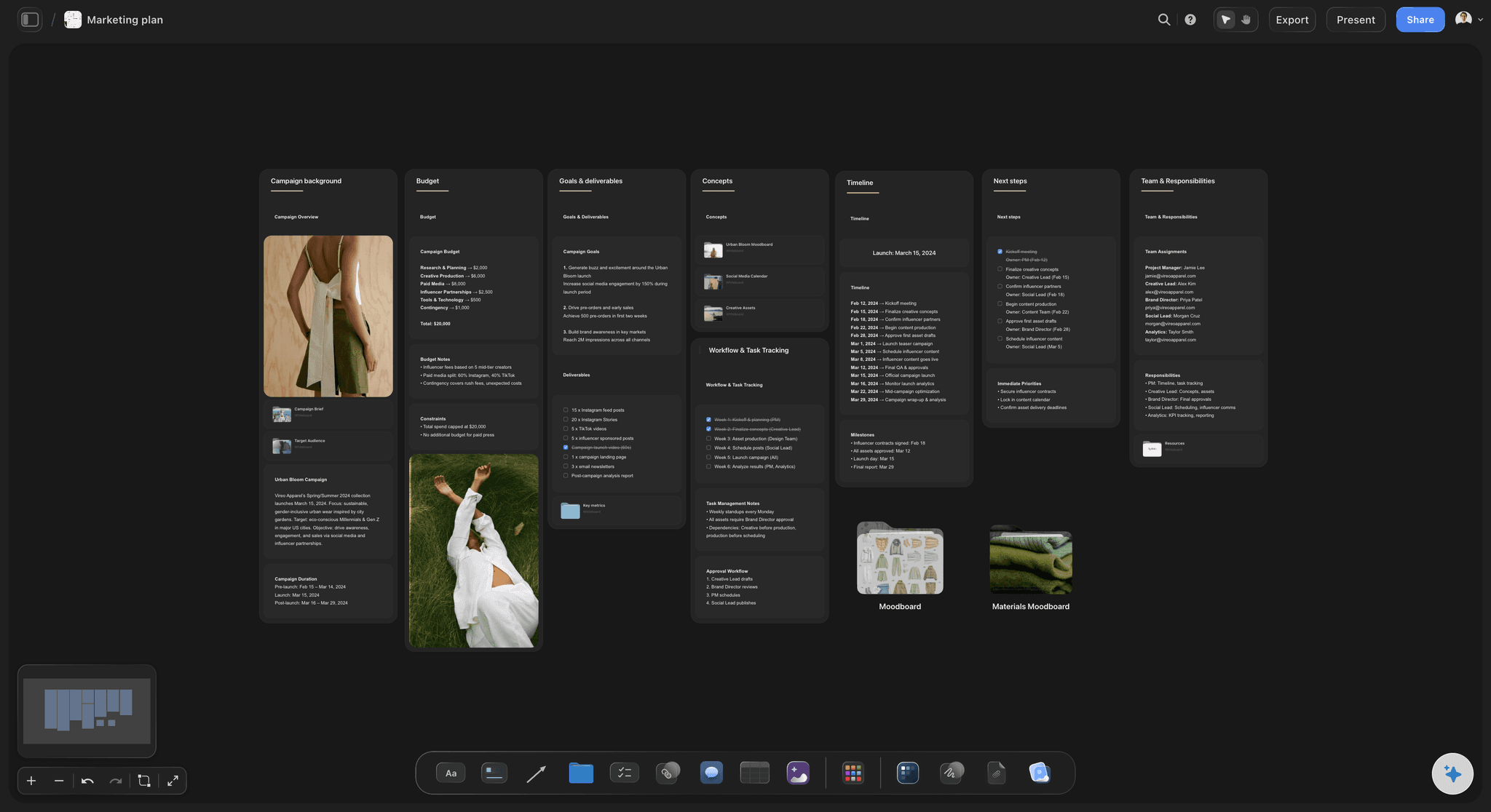
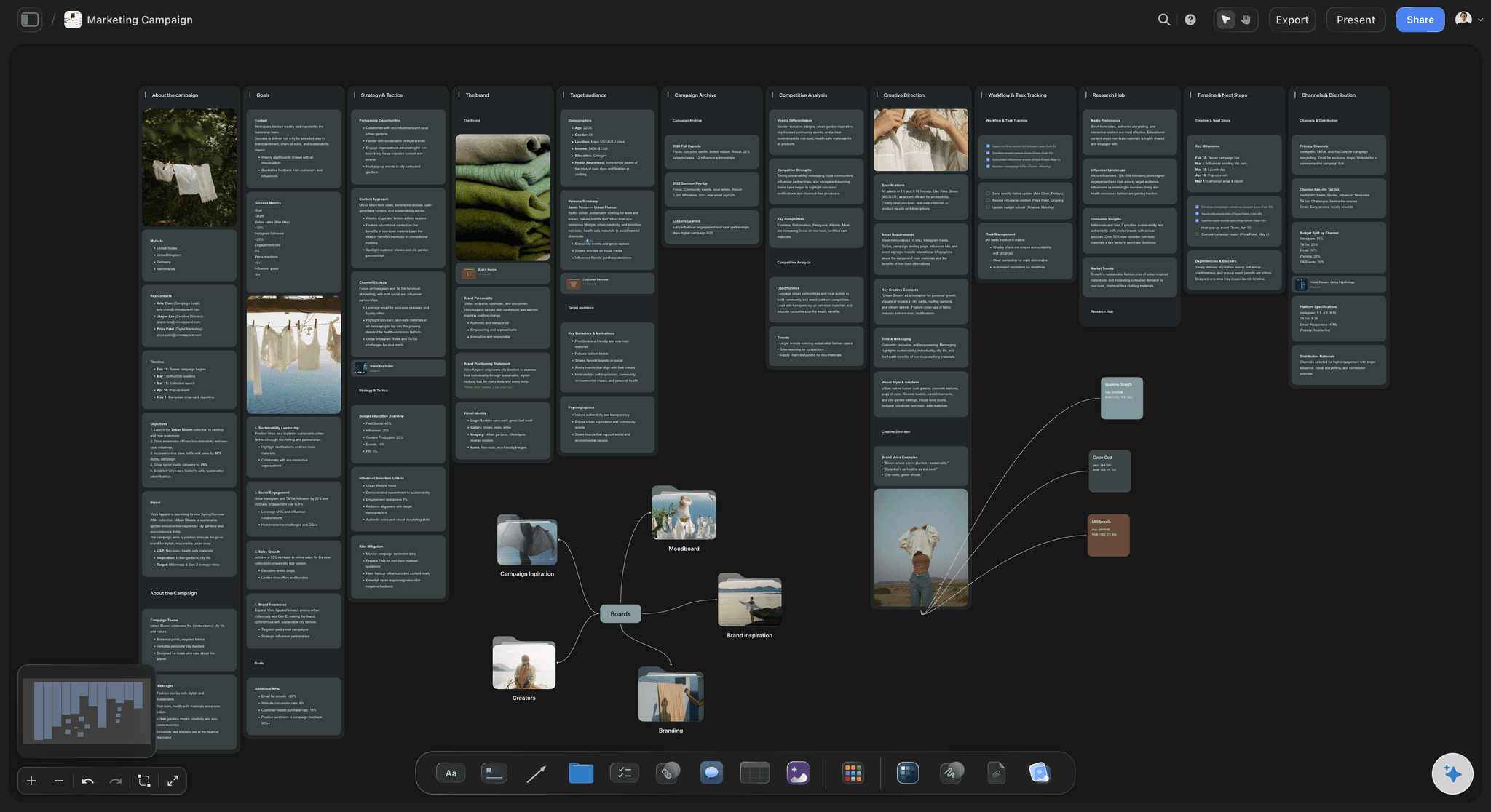
Marketing Campaign
Plan a campaign across channels, messages, and deliverables on one board the whole team can see.
What's the best content calendar tool for a small team?
The best content calendar tool for a small team keeps the date, the brief and the visuals for every post in one place the whole team can see. Storyflow is an AI visual workspace that plans a small team's content calendar on one infinite canvas: a table with a date cell for every post, the brief behind each row, the visuals beside it and the team's comments. It is made for founders and marketing leads who answer to a boss or a client for what goes out each week.
Storyflow has no calendar view and does not schedule or publish posts. A calendar in Storyflow is a table with one row per post and a date cell, with rows kept in date order by hand, because a table cannot be sorted. What it gains is everything around the date: a status cell (Not started, In progress, In review, Done), a person cell for the owner, a label cell for the content pillar and a document cell that opens the brief. Once a post is approved, it goes into your scheduler.
Choose by where your team loses time. If the posts are already briefed and approved and the only problem is getting them out on time, a scheduler alone is enough and you can stop reading. If the designer keeps asking what a post is for, the boss approves from screenshots and the brief lives in a chat thread, the gap is in the planning, and a Storyflow board closes it. A team of two to ten people usually needs both: one tool for the thinking and one for the sending.
Example: Fennel & Oak is a fictional kitchenware brand with a marketing lead, a founder who approves and a freelance designer. Their scheduler worked, yet posts kept slipping because briefs lived in chat and the founder approved from screenshots. They keep the scheduler and move the planning to a Storyflow board: the lead keeps a table covering the next six weeks, writes a brief in each row and invites the designer free. Every Thursday the founder opens a view-only link and signs in to comment on anything wrong, and the approved rows go into the scheduler that afternoon.
The tools for a small team's content calendar, by job
Storyflow is ours and comes first for the planning. The others are what small teams publish, design and cut with. Plan details read from each vendor's page in November 2026.
| The job | The tool | Why it goes here |
|---|---|---|
| Plan the calendar and brief the work | Storyflow | Holds the dated table, the brief for each post, the visuals and the team's comments on one board, and from Plus its AI drafts the first version of the table. |
| Schedule and publish posts | Buffer | Publishes to your channels from a visual calendar on every plan, priced per channel; approval workflows and unlimited users come with its Team tier. |
| Publish with outside feedback | Later | A drag-and-drop visual calendar across channels; its Growth and Scale plans add content approval and feedback through a shared link with no Later account. |
| Publish and read the analytics | Metricool | Combines a planner, scheduling and analytics, with a free tier for one brand and 20 scheduled posts a month; post approval needs its Advanced plan. |
| Publish to Facebook and Instagram only | Meta Business Suite | Meta's own free tool for scheduling to Facebook Pages and Instagram professional accounts, so there is nothing to buy if those are your only channels. |
| Design the post graphics | Canva or Adobe Express | Template-led design for teams without a full-time designer; finished files then go on the board for review and into the scheduler. |
| Edit short video | CapCut or Descript | Cut Reels and TikToks here; Storyflow holds the plan for each video and the review, not the edit. |
Ultra fast from brief to board
Build a small team's content calendar in four steps.
One board, one owner, and one handoff to the tool that posts.
01
Ask for the next six weeks
In Storyflow, describe the next six weeks to the AI: channels, posts a week, pillars and what you are selling. It asks a question or two, then shows a table with a date column as a proposal you accept or discard.
02
Set the columns your team needs
Give the Storyflow table eight columns: date, channel, pillar, post, brief, asset, owner and status. Keep the rows in date order yourself, because a Storyflow table cannot be sorted.
03
Put the work beside the dates
On the Storyflow board, place reference images, draft graphics and finished files next to the table, one wall per week, so the designer can see what each post is for without asking.
04
Approve, then hand off
Send a Storyflow view-only link to whoever signs off, and ask them to sign in to comment. Load the approved rows into your scheduler, then mark them Done. Storyflow does not post.
What a small team's content calendar has to hold.
Not more views of the same dates: the things a date alone cannot tell you.
Dates in a table your team can read
One row per post, one owner per row
A date cell, a channel, a pillar label, a person and a status on every row. Anyone can see at a glance what is due this week and who has it.
See the social media content calendar →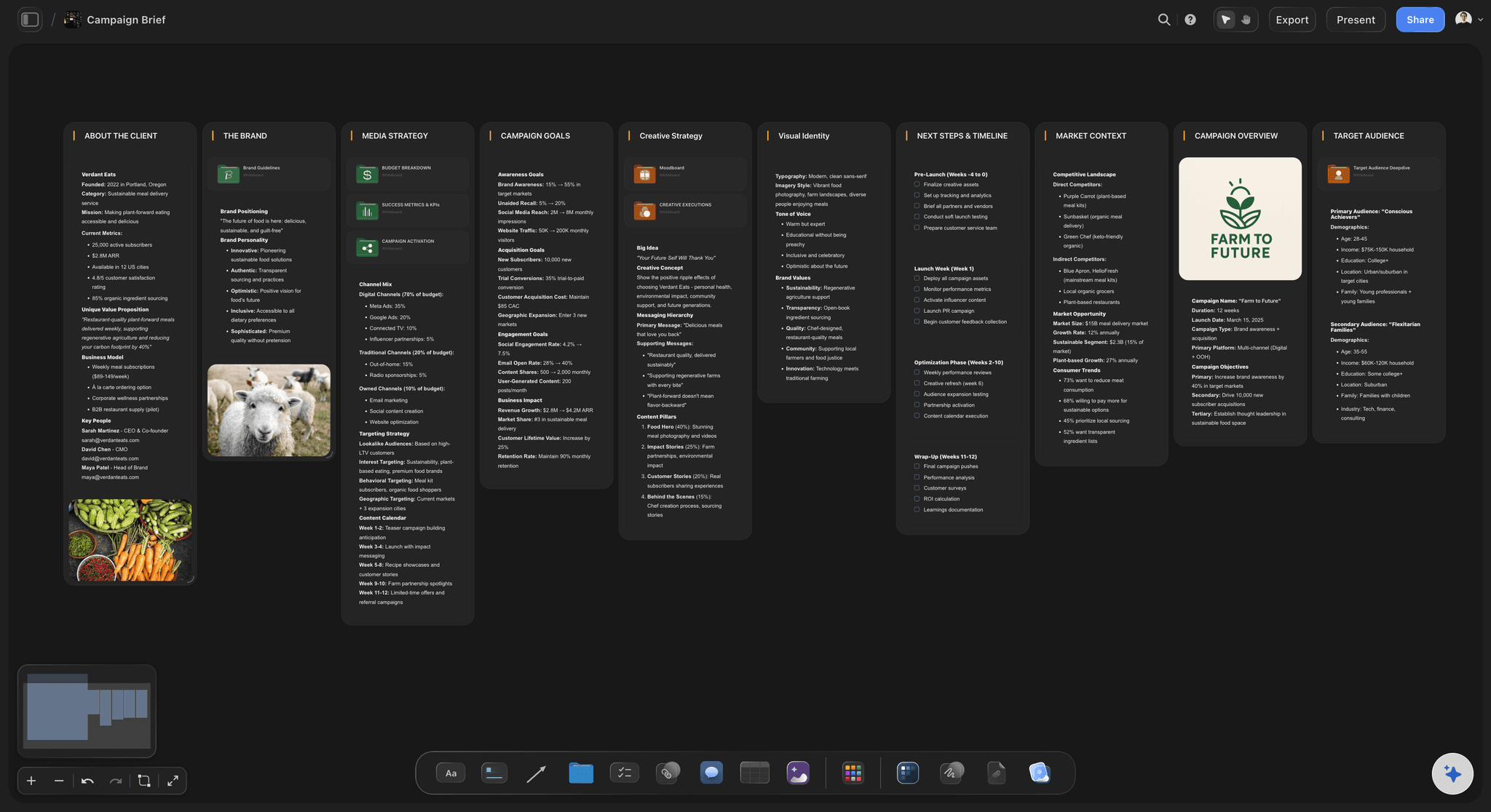
The brief one click from the date
A document cell on every row
Put the brief in the row as a document. The title stays in step with the document, and the designer opens it from the calendar without hunting through a drive.
Use the content brief template →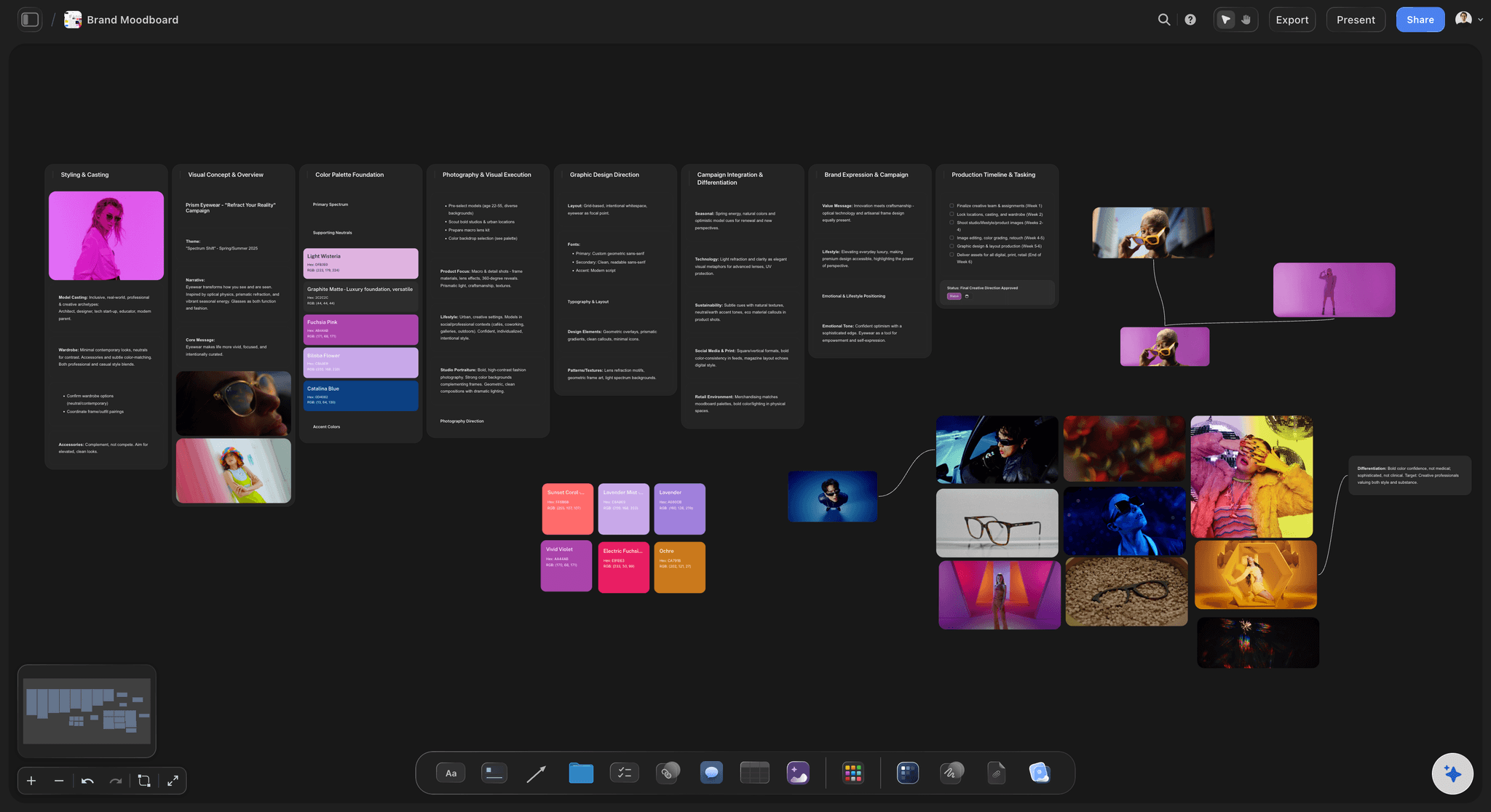
The look of the month next to the plan
Visuals on the same canvas
Keep the moodboard, the brand colours and the draft graphics beside the table. Feedback about how a post looks happens where the post is.
Build a brand moodboard →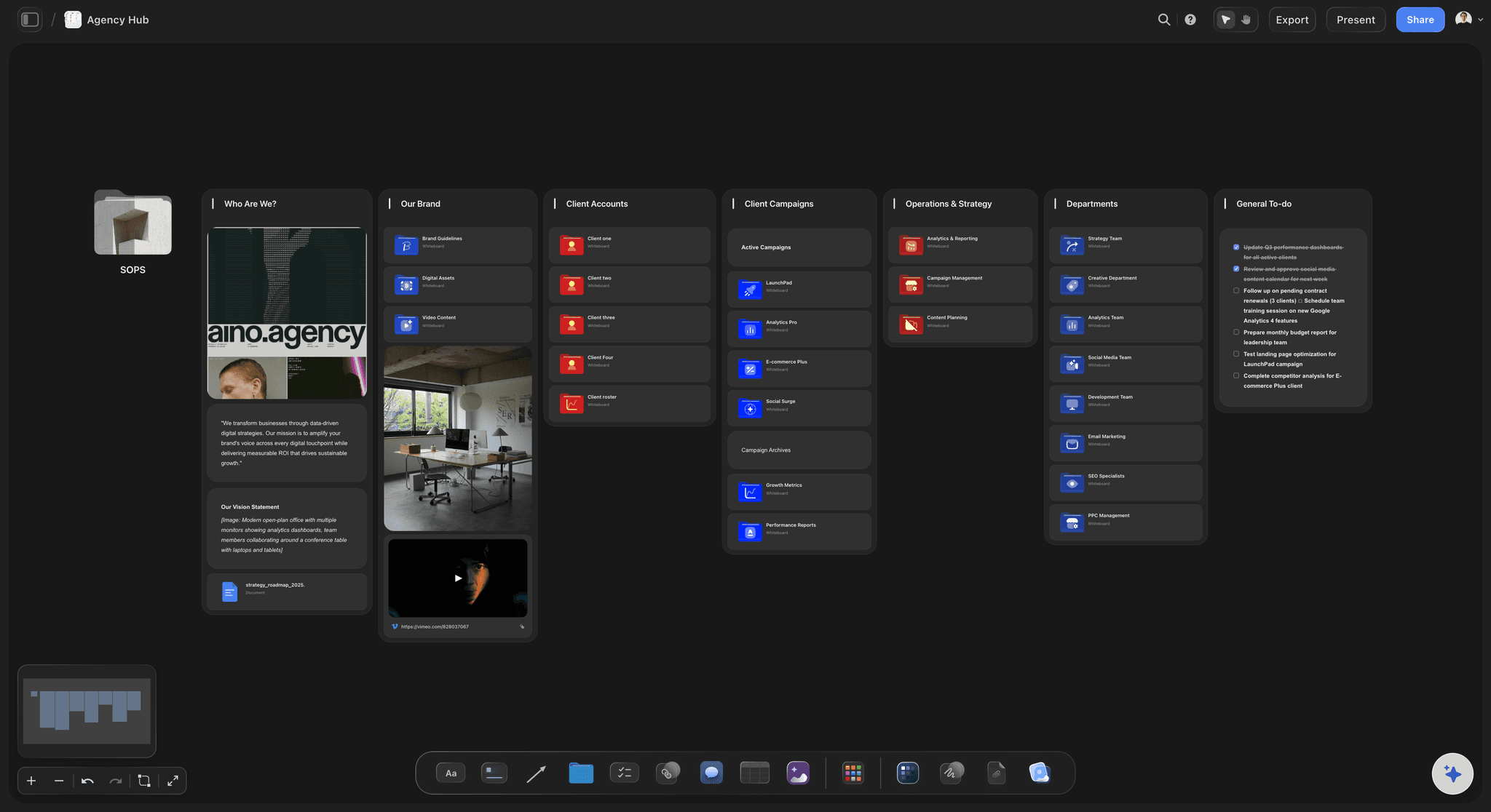
A link for whoever approves
No login to look
A view-only link opens in the browser with no account. Your founder or client signs in only when they want to comment or draw on the board.
See the client review board →Start the calendar on one board, and invite the whole team.
Storyflow is paid-only during early access: Plus is $7.99 a month billed annually ($9.99 monthly) and includes the AI inside Storyflow. Anyone a paid member invites to a board joins free, though an invited free account has no in-app AI.
Tables with date, status, person, label and document cells
Co-edit in real time with anyone you invite
View-only links that open with no account
In-app AI that drafts the table, from Plus
Built for people with taste
How to pick a content calendar tool when you have no one to run it.
A small team cannot afford a system that needs a keeper. These are the tests that decide it, and what to set up once you have decided.
Four tests before you buy
What to ask of any content calendar tool
Who presses publish?: If one person posts to one or two channels, Meta Business Suite or a scheduler's cheapest plan covers it. Storyflow is for the part before that: deciding the posts and getting them approved.
Does the calendar explain the post?: Point at any row and ask what it is for and who needs to do what. In Storyflow, the brief cell and the board around the table answer that. A date and a caption do not.
Can your approver use it with no training?: A founder who needs a login and a tour will ask for a screenshot instead. A Storyflow view-only link opens with no account, and that is usually enough for a first look.
What does each extra person cost?: Per-seat tools get expensive when a freelancer joins for two weeks. In Storyflow, anyone a paid member invites to a board joins free, so a two-week freelancer adds nothing to the bill.

The eight columns
The table a small team should start from
Date and channel: In Storyflow, use a date cell so the picker opens, and one row per channel when the same idea runs on two channels with different copy.
Pillar and post: A label cell for the pillar makes an unbalanced month easy to spot. Keep the post cell to one line, because the detail belongs in the brief.
Brief and asset: A document cell for the brief and a link cell for the final file. An empty asset cell two days before the date is your earliest warning.
Owner and status: A person cell filled from people on the board, and a status cell. Use In review for anything waiting on approval, so the approver can find their pile.
One owner, three short habits
The routine that keeps it true
One owner, not a committee: Name one person who owns the Storyflow board and keeps its rows in date order. A calendar everyone can edit and nobody owns is out of date by the second week.
Roll it forward each week: Add next week's rows at the bottom of the Storyflow table and set what went out to Archived. A rolling six weeks stays short enough to read in one go.
Freeze the next seven days: As a starting rule, nothing inside seven days changes unless the owner agrees. The designer gets a stable week, and a late request becomes someone's decision.
Done means booked: Set a row to Done only once the post is loaded in the scheduler. Then nobody loads a post twice, and nobody assumes an approved post is already booked.
Stated plainly
What Storyflow does not do for a content calendar
No calendar view: You will not see a month grid. Dates live in table cells and on to-dos, with rows kept in date order. If your team must see a grid, your scheduler has one.
No scheduling or publishing: Storyflow never posts to Instagram, TikTok, LinkedIn or anywhere else. Someone loads the approved posts into Buffer, Later, Metricool or Meta Business Suite.
No due-date reminders: A to-do takes an assignee and a due date, and notifications appear in the app, but nothing reminds someone as a date approaches. The owner's weekly read of the table does that job.
No locked approval step: Storyflow records a status and comments, not a sign-off that blocks publishing. If you need that gate, use the approval step in your scheduler's higher plans.
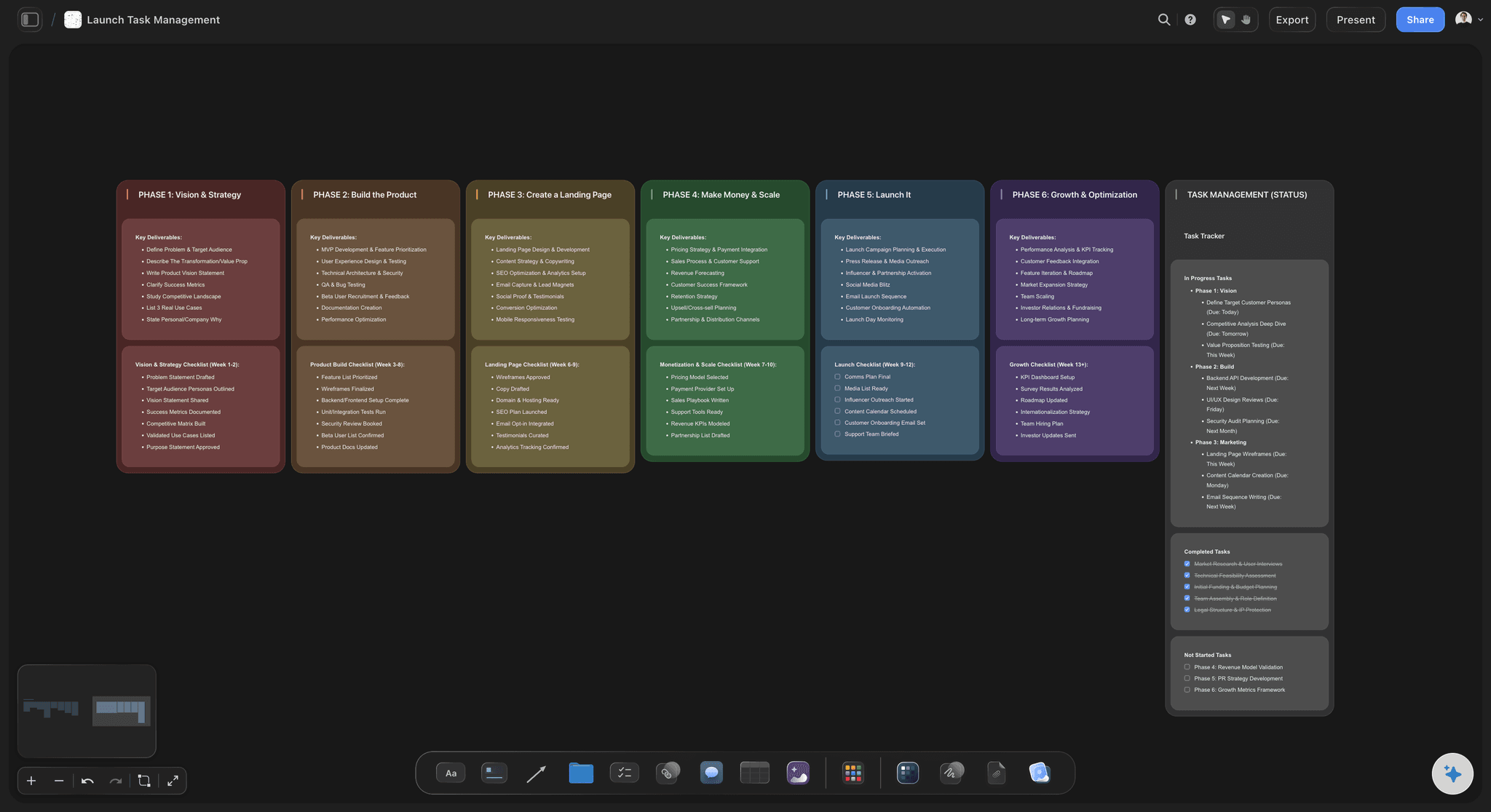
Explore templates for your project
Every template opens as a real, editable board on the infinite canvas. Pick the closest fit and make it your own.
Marketing Campaign
Plan a campaign across channels, messages, and deliverables on one board the whole team can see.
One app instead of five
Storyflow vs Notion, Trello and Buffer for a small team's calendar.
Notion is strong on databases, Trello on simple cards and Buffer on publishing. Read from each vendor's page in November 2026; check their pricing before you decide.
Storyflow
Recommended
Briefs, visuals and dates side by side on one canvas
From Plus, AI drafts a table you accept or discard
A free plan today; invited guests join free
No month grid: a table with date cells
Does not schedule or publish posts
Notion
Pages and databases, not one canvas
AI agent included on the Business plan
Guests are free of charge, up to a limit by plan
Calendar layout on any database
Does not schedule or publish posts
Trello
Cards on a board, not one canvas
Free for up to 10 collaborators per Workspace
Paid plans bill per user, from $5 billed annually
Calendar view on Premium and Enterprise
Does not schedule or publish posts
Buffer
Ideas board and calendar, not a brief and visuals canvas
Unlimited users on the Team tier
Approval workflows on the Team tier
Visual calendar on every plan
Schedules and publishes posts
What creators are saying
Join early creators getting structured workspaces and AI that remembers their projects
“Storyflow has sped up my workflow by at least 3x, which means more flow state and more projects I can actually ship. It truly changed the way me and my team create.”

Reilin Joey
Director & YouTuber
“One prompt gets me a structured board. But the tactics are my favorite. I run my YouTube scripts through them and my intros and retention got better. It's amazing.”

Justkay
YouTuber & Freelance Filmmaker
“I used to juggle five apps to plan a project. Now I describe what I am making and get boards, lists, and a schedule. All in one place.”

George
@fernwehchronicles
Content calendars for small teams, answered.
What to use, what it costs, and what it will not do.
Storyflow comes first on our list, and it is our own product, because it keeps a small team's dates, briefs, visuals and comments together on one board, so nobody has to ask what a post is for. The calendar is a table with a date cell on every row, rows kept in date order, and a view-only link for whoever approves. It has no calendar view and does not publish, so a separate scheduler still posts the approved month.
Storyflow is our pick first, because a small business usually fails at the planning rather than the posting: one board holds the dated table, the briefs, the visuals and the owner's sign-off, and anyone invited joins free. Pair it with a scheduler. Buffer still publishes your posts from its own calendar, priced per channel, and Meta Business Suite covers Facebook and Instagram at no cost.
No. Storyflow has no calendar view and no month grid. A content calendar in Storyflow is a table with a date cell on each row, rows kept in date order by hand because a table cannot be sorted, and the briefs and visuals beside it. If your team needs to see a grid, the visual calendar in your scheduler shows the same approved posts once they are loaded.
No. Storyflow does not schedule or publish posts to any channel. It is where a small team plans, briefs and approves the work. The approved posts then go into a publishing tool such as Buffer, Later, Metricool or Meta Business Suite. Keep the scheduler as your record of what went out, and set a Storyflow row to Done once its post is loaded.
A scheduler's calendar is good once a post exists: it shows what goes out and when. It is weaker before that, when a post is still an idea with no brief, no visual and no owner. Use Storyflow for that stretch, then load the finished posts into the scheduler. A team that plans inside its scheduler often ends up with the brief in a chat thread and the visuals in a drive.
For one person and a text-only feed, yes: Google Sheets is quick, sortable and free. It stops working when the post depends on visuals and other people, because images and briefs sit somewhere else and the sheet only holds links. Storyflow gives you a table with people, status and document cells next to the images, though unlike a spreadsheet, a Storyflow table cannot be sorted.
One person owns the Storyflow board and keeps its rows in date order. Makers work beside the table and set the status cell to In review when a post is ready. The approver reads the link once a week and comments on the board. The owner then loads approved posts into the scheduler and marks those rows Done, so the table always shows what is booked and what is not.
Switch at a break, not halfway through a run. Start a Storyflow table from the next unscheduled date and copy across only the rows still to go out, leaving the history in the old sheet. Retire the sheet the same day, because two live calendars is how a post gets booked twice. Give one person the switch, and keep the sheet only as a record of past posts.
They can view it without one. A Storyflow view-only link opens in the browser with no account, so a client or boss can read the whole calendar. To comment or draw, they sign in. Anyone a paid member invites to a board joins free, so that sign-in costs them nothing. Storyflow records comments and a status, not a formal sign-off that blocks publishing.
Yes, from Plus. Storyflow's in-app AI builds it from a plain-language ask: give it your channels, posts per week, pillars and what you are selling. It asks a question or two, then shows a proposal you accept or discard. Ask for a table with a date column, or pick Plan my content calendar for pillars, batching and a wall of upcoming posts. Treat the output as a first draft and rewrite anything that sounds generic.
Partly. Storyflow's AI can fill a table's Owner or Assignee column with people who already have access to the board. If any name matches nobody, the whole column becomes plain text with the names as written, so invite the team first. The AI cannot set the assignee on a to-do or ticket. Set those yourself, then each person sees their to-dos and in-app notifications.
Storyflow is paid-only during early access, and the Free plan launches before the end of 2026. Anyone invited to a board by a paid member can sign up free. Plus is $7.99 a month billed annually ($9.99 monthly) and adds the AI inside Storyflow. Pro is $14 ($19) and Max $39 ($49), and Max adds a Team Workspace with roles and permissions. Anyone a paid member invites to a board joins free, so only whoever drafts with the in-app AI needs Plus.
Yes. Storyflow exports boards as PNG, JPEG or PDF, so you can send the calendar as a file to someone who will not open a link. The in-app AI can also make an Excel file from the board, which helps whoever loads the scheduler to work down a list. Storyflow does not push posts to a scheduler directly, so that last step is manual.
Yes, if the Storyflow plugin is available to you: availability depends on your ChatGPT plan, workspace and region. Mention Storyflow in a chat and ChatGPT can build a table and walls on your board. A photo you attach in that chat does not reach the board, so the plugin gives you an upload link instead. Plus, Pro and Max have no weekly limit on plugin actions. ChatGPT cannot publish your posts through Storyflow either.
Storyflow runs in the browser, with no native desktop or mobile app, and it is best built on a laptop. That suits the calendar owner, who plans at a desk, and a founder who opens a view-only link to read the month. For posting from a phone or approving on the go, your scheduler's mobile app will do that part better.
When your posts are simple and your problem is only timing. If one person writes text posts and needs them to go out on schedule, a scheduler is all you need, and Storyflow adds a step. It is also wrong if your team insists on a month grid as its main view. Storyflow earns its place when briefs, visuals and approvals keep getting lost between tools.
More from Storyflow
The best content calendar tools in 2026, compared
Notion vs Asana vs Trello vs Storyflow for a small team's calendar
Plan a month on a social media content calendar
Run an editorial calendar across everything you publish
Plan a month of social content with ChatGPT
How to plan a month of social media content
A 30-day social media content plan, filled in
Choose and plan your content pillars
Generate a content calendar with AI
Storyflow for social media managers
Storyflow for marketing teams
Storyflow plans and prices
Put the next six weeks of dates, briefs and visuals on one board.
Build the table by hand or with the AI, share the link with whoever approves, and hand approved posts to your scheduler.