
Hours back on every video you plan
Plan the video in Storyflow,
review the cut in Frame.io.
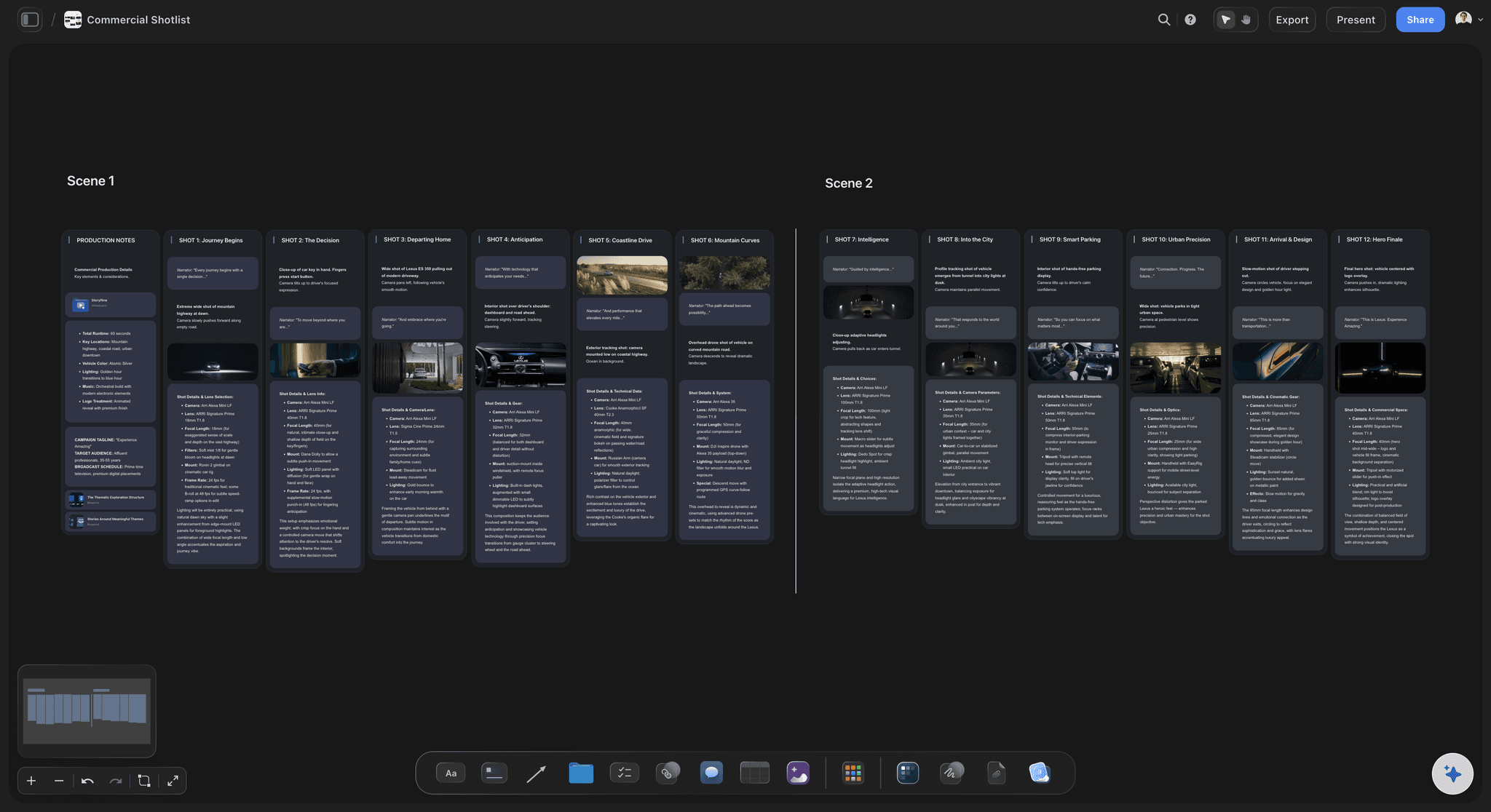
Frame.io handles review well. What it does not cover is the half of the job that happens before there is anything to review: the treatment, the references, the shot list, the schedule. Storyflow holds that on one canvas.


Creatives working for these brands already got early access
- Red Bull
- Canon
- Artlist
- Porsche
See how easy it is to get started
Watch a real project come together, from a blank board to a finished plan, clicked through step by step.
Start from a ready-made template
Pick a board to see what you can build, then let AI fill it in. Every template is a real, editable starting point on the same infinite canvas.

Storyboard
Lay out your shots frame by frame with images and notes, then reorder them until the sequence reads like the finished cut.
Is Storyflow a Frame.io alternative?
Only for part of what Frame.io does, and it is worth being exact about which part. Storyflow is an AI visual workspace that plans the video before there is a cut on one infinite canvas: the treatment, the references, the shot list and the schedule. Frame.io is a video review and collaboration platform: you upload a cut, people leave frame-accurate comments on the timeline, versions stack, and it integrates tightly with Premiere and After Effects. At that job it is excellent, and Storyflow does not attempt it. You can drop an MP4, MOV or WEBM on a Storyflow board, play and scrub it, and grab frames, but there are no timecode comments, no version stacking and no NLE integration.
What Frame.io does not do is the planning. Before a cut exists there is a brief, a treatment, references, a shot list, a schedule and a set of decisions about what the video is supposed to be. Most teams keep that in a doc, a spreadsheet and a folder, and it never meets the review process. So the notes on version three are argued without anyone able to see whether the video still matches what was agreed at the brief.
That is the gap Storyflow fills. The treatment sits beside the references it produced, the shot list beside the treatment, the schedule over the shot list, and the review rounds attached to the cut they addressed. When a client says the video lost the point, the brief is on the same board as the note.
So the honest recommendation is not a swap. If you need frame-accurate review, keep Frame.io and run both: Storyflow for everything up to the shoot and the state of the project, Frame.io for the cut itself. If your review needs are light and your planning is scattered, Storyflow alone may be the better fit.
Ultra fast from brief to board
The half of the project that happens before the first cut.
And the state of the project after it, which Frame.io holds only for the video itself.
01
Start from the brief
Drop the client brief or treatment onto the canvas with the reference films and stills, so the thing everything is judged against is visible from day one.
02
Build the shot list against it
Turn the treatment into a shot list on the same board, so every shot is traceable to the part of the brief it serves and an unjustified shot is obvious.
03
Schedule and shoot
Group shots into days by location and cast, have the AI draft the call sheet as a PDF, and share a view-only link the crew reads without an account.
04
Track the cut through post
Assembly through delivery as states on the board, with each round of notes attached to the version it addressed, so nobody fixes something already changed.
Where a canvas beats a review platform, and where it does not.
The split is clean: before the cut and around the cut versus inside it.
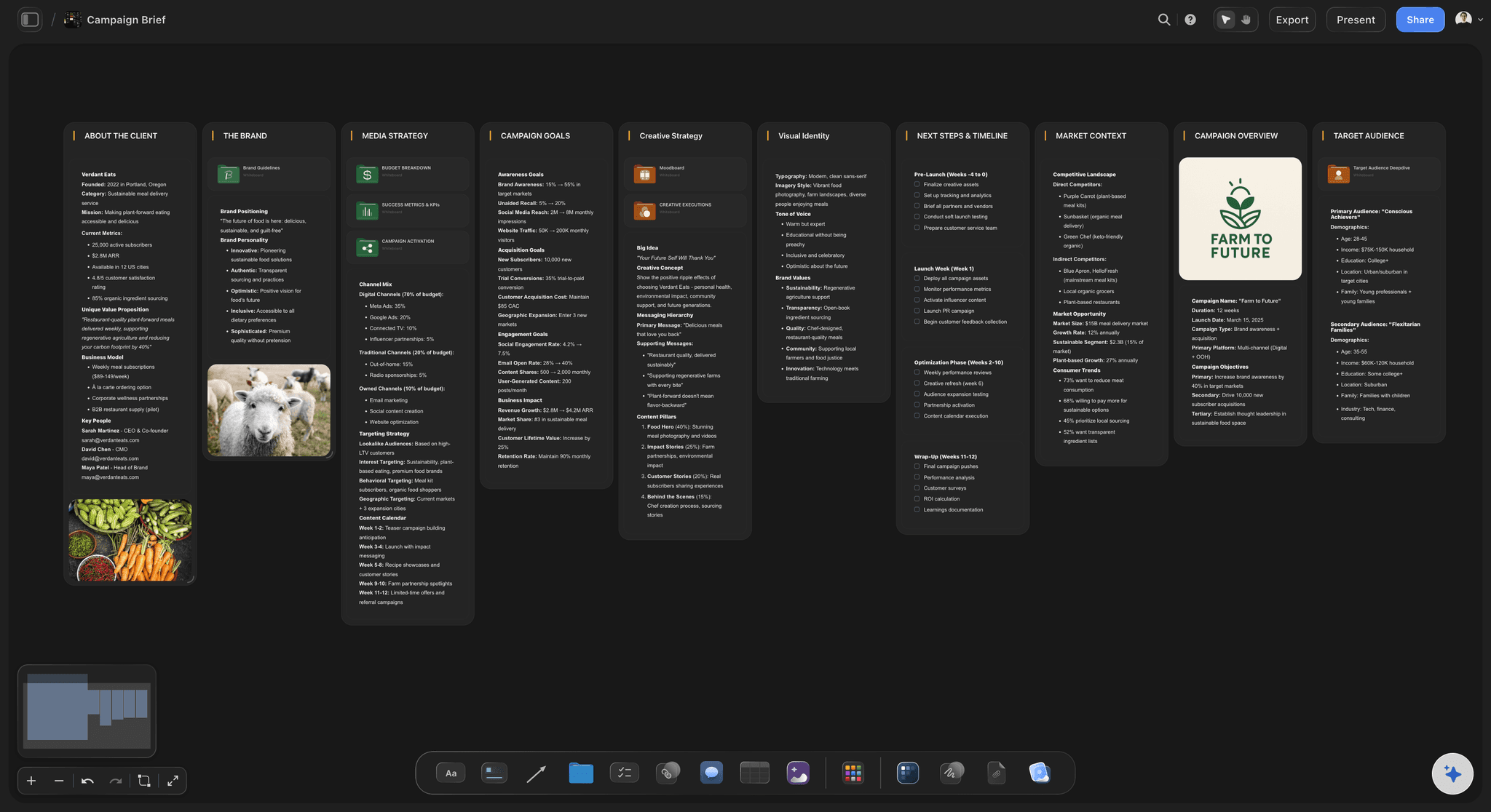
Before the cut
The brief stays visible
Treatment, references and client requirements on the same board as the work, so a note about the video losing its point can be checked against what was agreed.
See the AI creative brief generator →
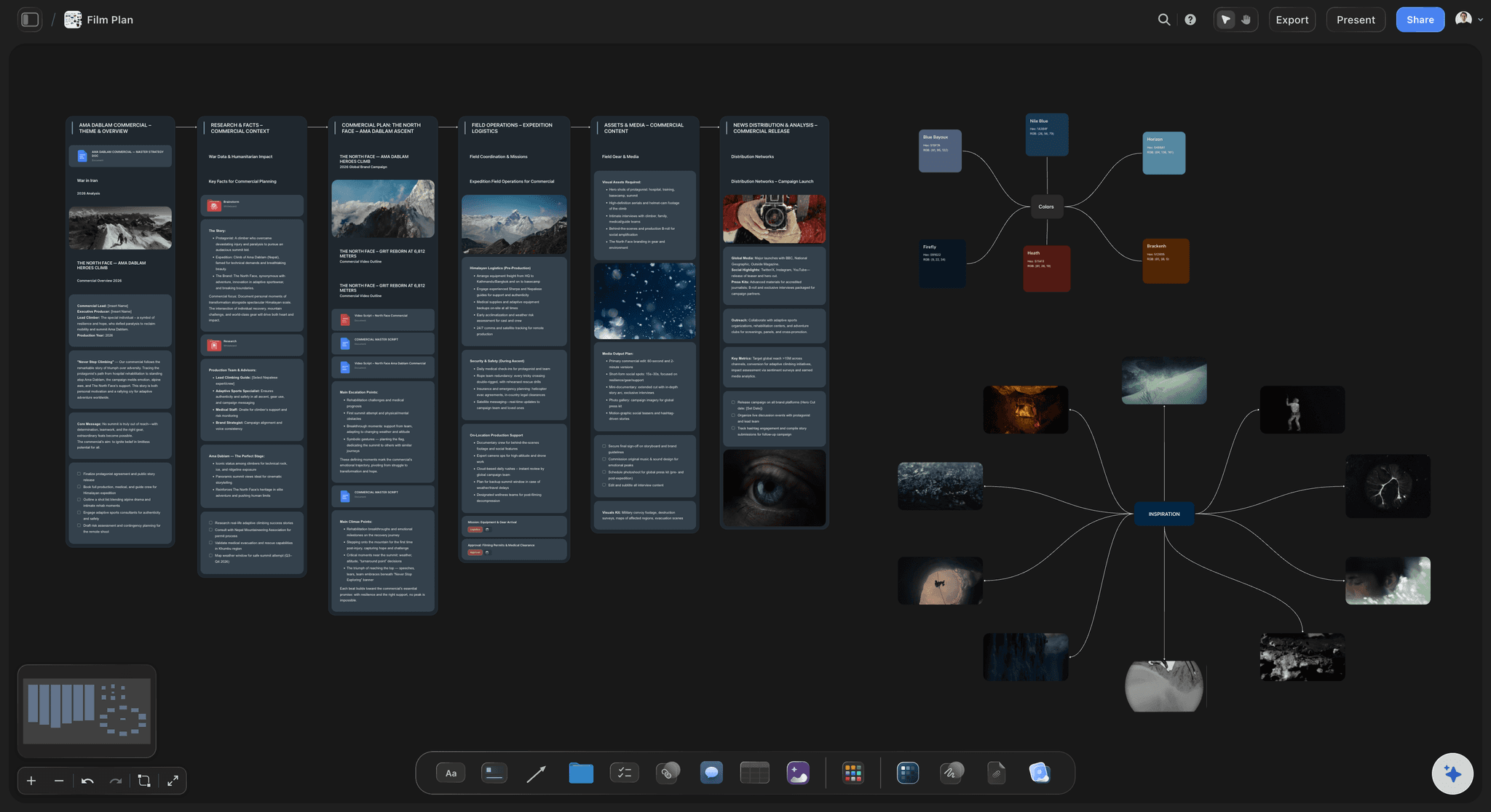
The shoot
A shot list the crew can read
Frame.io starts when there is footage. The shot list, schedule and call sheet all exist before that, and they decide whether the footage is any good.
See the AI shot list generator →
Around the cut
Project state, not just video state
Which cut is at which stage, what is blocking delivery, what the spec still needs. Frame.io tracks versions of a file; this tracks the state of the project.
See the post-production workflow →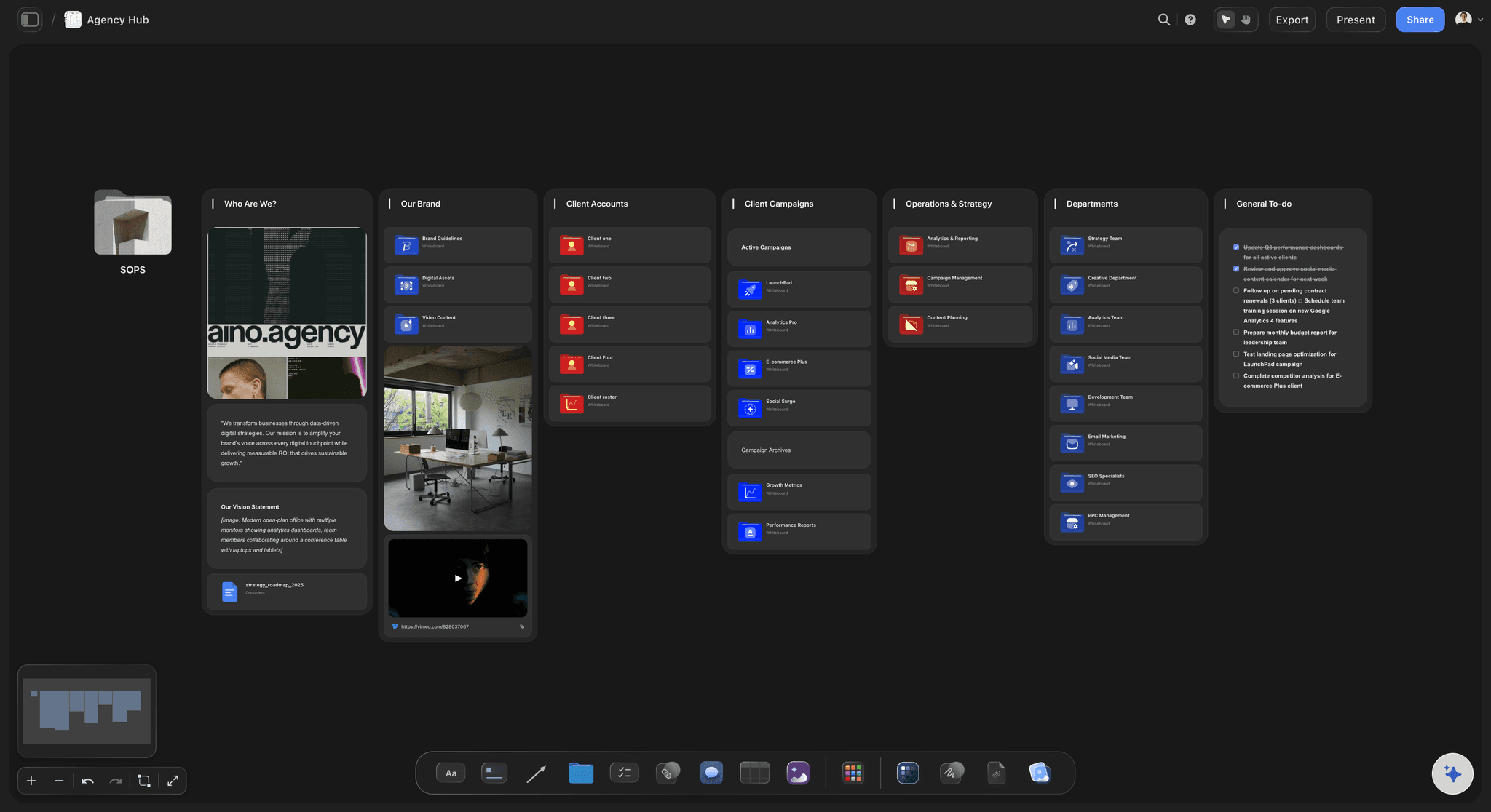
Where Frame.io wins
Frame-accurate review on a playing video
Timecode comments, version stacking and Premiere integration. Storyflow has none of that, and if that is your bottleneck then Frame.io is the right tool.
See the client review board →Plans from $7.99/month annual. Free plan coming late 2026.
Storyflow is paid-only during early access, with plans from $7.99 a month billed annually ($9.99 monthly). A free plan launches before the end of 2026, and anyone a paid member invites to a board joins free.
Clients and crew read the board without an account
Every project gets its own board, with no project limit
Export any board as a high-quality image or PDF
Anyone a paid member invites to a board joins free
Built for people with taste
Three reasons teams search for a Frame.io alternative.
Only one of them is actually about review.
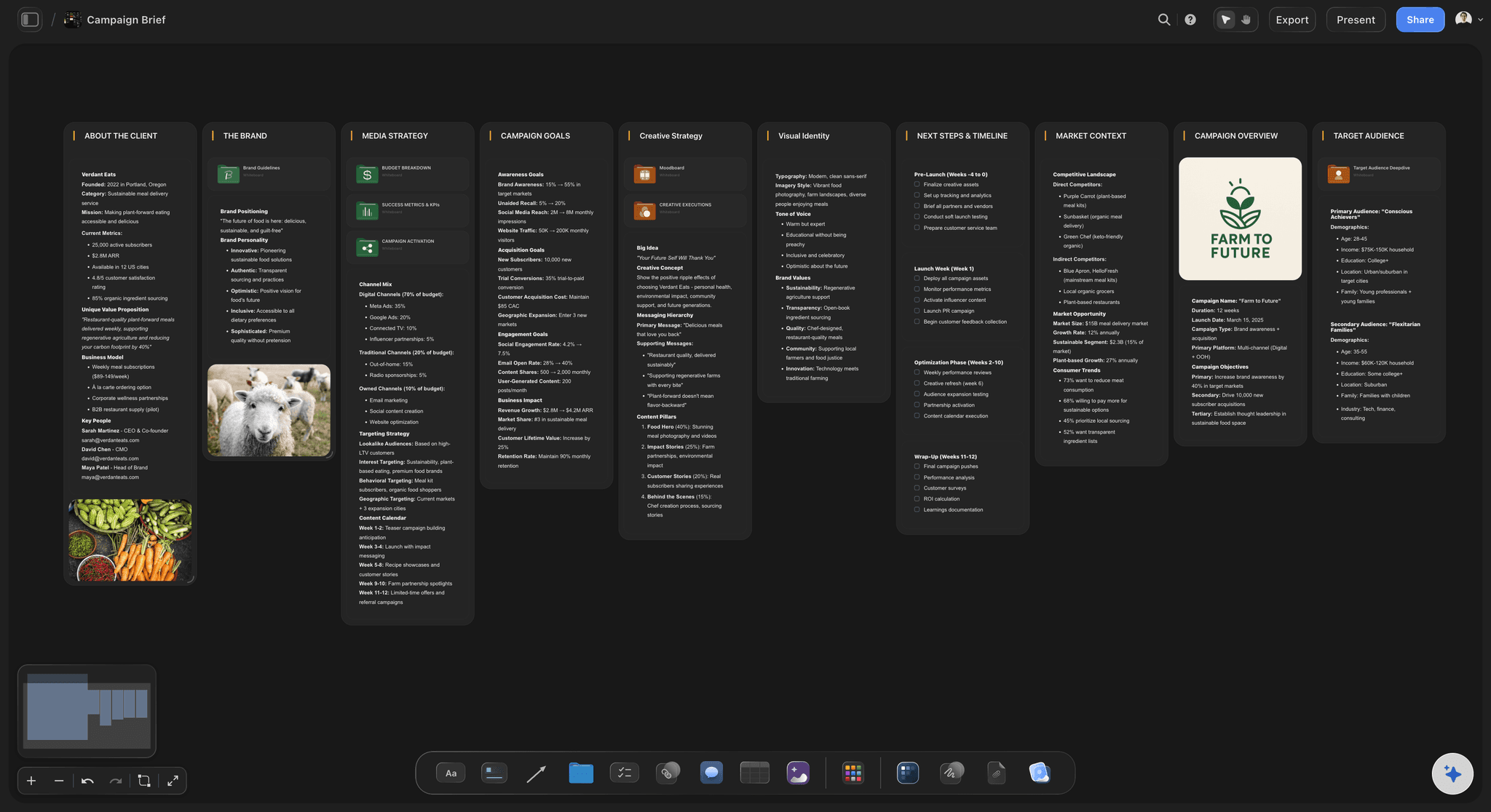
Reason one
The planning half lives nowhere
Review is solved, planning is not: Frame.io handles the cut well and says nothing about the brief, the shot list or the schedule, so those scatter across a doc, a sheet and a folder.
Notes without context: A comment on version three is argued without the treatment in view, which is how a video drifts from what was agreed and nobody can point at when.
One board instead of four tools: Brief, references, shot list and schedule in one place, with the review state attached to the cut it belongs to.
Reason two
Freelancers join without a plan
Invited people join free: Anyone a paid member invites to a board joins free, so freelancers on one job do not each need a plan. Team subscriptions are priced per seat.
Readers cost nothing: A view-only link needs no account at all, so clients and crew reading the plan never appear on a bill.
Honest comparison: Frame.io has a free tier and free reviewers on share links, and Storyflow is paid-only during early access, so Frame.io is cheaper to try.
Reason three
The work is not only video
Campaigns, not just cuts: Most video sits inside a campaign with stills, copy and social variants. A canvas holds all of it; a video review tool holds the video.
The AI reads the board: Storyflow's AI reads the whole active board, so the brief and the shot list are both in front of it when you ask whether coverage matches the brief.
What it will not do: Uploaded video plays and scrubs on the board, but there are no timecode comments, no version stacking, no transcoding and no Premiere panel. If those are the requirement, keep Frame.io.
Explore templates for your project
Every template opens as a real, editable board on the infinite canvas. Pick the closest fit and make it your own.
Storyboard
Lay out your shots frame by frame with images and notes, then reorder them until the sequence reads like the finished cut.
One app instead of five
Storyflow and Frame.io, honestly.
They overlap less than the search suggests, so running both can make sense.
Storyflow
Recommended
Brief, shot list and schedule in one view
AI reads the whole project board
Free plan available today
Frame-accurate review on a playing video
Frame.io
Brief, shot list and schedule in one view
AI reads the whole project board
Free plan available today
Frame-accurate review on a playing video
StudioBinder
Brief, shot list and schedule in one view
AI reads the whole project board
Free plan available today
Frame-accurate review on a playing video
Dropbox Replay
Brief, shot list and schedule in one view
AI reads the whole project board
Free plan available today
Frame-accurate review on a playing video
What creators are saying
Join early creators getting structured workspaces and AI that remembers their projects
“Storyflow has sped up my workflow by at least 3x, which means more flow state and more projects I can actually ship. It truly changed the way me and my team create.”

Reilin Joey
Director & YouTuber
“One prompt gets me a structured board. But the tactics are my favorite. I run my YouTube scripts through them and my intros and retention got better. It's amazing.”

Justkay
YouTuber & Freelance Filmmaker
“I used to juggle five apps to plan a project. Now I describe what I am making and get boards, lists, and a schedule. All in one place.”

George
@fernwehchronicles
Frame.io alternatives, answered.
What video teams ask before switching or adding a second tool.
Not for review, and it would be misleading to claim otherwise. Frame.io is a video review platform with frame-accurate commenting, version stacking and Premiere integration, and Storyflow has none of those. Storyflow replaces the half Frame.io does not cover: the brief, treatment, references, shot list, schedule and project state from first idea through delivery. Teams whose bottleneck is review should keep Frame.io; teams whose planning is scattered across a doc, a sheet and a folder are the ones this helps.
Storyflow is the tool for the planning half that comes before a cut exists: the brief, the treatment, the references, the shot list and the schedule sit in one view, and its AI reads the whole project board. You can drop a video on the board, play it and grab frames. Frame.io still does frame-accurate review on a playing video, which Storyflow does not.
You can upload and play video, but not review it frame by frame. Drop an MP4, MOV or WEBM on the board to play and scrub it beside the brief and shot list, and grab frames as images. Board comments are not tied to a timecode, and there is no version stacking or transcoding, so detailed review of the cut belongs in a tool like Frame.io.
Storyflow holds the plan from brief to wrap and the state of the project; Frame.io holds the cut. The handoff point is picture: everything before it is planning, everything inside the timeline is review. Keeping the brief visible on the planning side is what makes the review notes arguable against something.
Frame.io is cheaper to try. It has a free tier, paid plans priced per member, and free reviewers on share links. Storyflow is paid-only during early access, and team subscriptions are priced per seat. What costs nothing in Storyflow: reading a view-only link, and joining a board a paid member invites you to.
No. There is no NLE panel and no round-trip. That is a genuine advantage Frame.io has, and if your editors depend on commenting inside Premiere then it is the deciding factor.
Yes. Turn on the view-only link and clients open the board with no account, however many people it goes to. To leave a comment they sign in. They see your latest changes each time they open or reload the link.
It tracks the workflow rather than performing it: which cut is at which stage, which notes belong to which version, and what the delivery spec still needs. The editing happens in Premiere, Resolve or Avid, and the frame-level review in a review tool.
StudioBinder is a production management suite with scheduling and call sheet delivery, and it is stronger than Storyflow at both. It is weaker at the visual, exploratory part of planning: references, treatment and the thinking that happens before the shot list is a list. Running StudioBinder for logistics and Storyflow for the creative plan is a workable split.
Yes, and it reads the whole active board rather than a single prompt, so it can be asked whether the shot list covers the brief, which beats have no coverage, or what a treatment implies for the schedule. Attach up to five documents and three boards to bring the script and the brief into one answer.
Storyflow is paid-only during early access, with plans from $7.99 a month billed annually ($9.99 monthly). A free plan launches before the end of 2026, and anyone a paid member invites to a board joins free.
Plan the video, then review the cut.
Brief, references, shot list and schedule on one canvas, with the project state attached.