
Ultra-fast moodboards with real taste
Your lookbook in ChatGPT,
as slides that present and print.
For fashion brands and photographers: ChatGPT writes the story, a page per look and the credits as a slide deck on your Storyflow board, ready for your photos.


Creatives working for these brands already got early access
- Red Bull
- Canon
- Artlist
- Porsche
See how easy it is to get started
Watch a real project come together, from a blank board to a finished plan, clicked through step by step.
Start from a ready-made template
Pick a board to see what you can build, then let AI fill it in. Every template is a real, editable starting point on the same infinite canvas.

Film Moodboard
Collect film references, color palettes, lighting, locations, and tone in one place, then invite your crew.
Can ChatGPT make a lookbook?
Yes, ChatGPT can make a lookbook: give it the collection or the shoot, and it writes the season story, puts the looks in order, names the pieces on each page and lists the credits. Storyflow is an AI visual workspace that builds a lookbook on one infinite canvas: a slide deck with a page per look and a picture space on each, on the same board as the moodboard and the shoot it came from. With the Storyflow plugin installed, ChatGPT builds that deck on your board itself, and because it runs on its own model, it uses none of your Storyflow AI credits.
On its own, ChatGPT gets you the words of a lookbook. Ask for an autumn lookbook of 12 looks and it writes a season story in three sentences, a line for each look, the style codes in order and a credits block. It can draw a cover in the chat. What it does not give you is pages that sit beside the moodboard and the shoot plan, that the photographer and the stylist edit with you, and that fill from the selects already on the board, so that part usually moves to a design app, one look at a time.
With the plugin, ChatGPT builds the lookbook as a deck on your board: one element that shows one page at a time, up to 30 pages, at A4 portrait for print, 16:9 for a screen, or 4:3. Each page is laid out with its words and labelled picture spaces, such as "Look 04, full length" and "Look 04, detail". One theme sets the background, the text colour, the accent and the font for every page, and ChatGPT can take those colours from the palette already on the board. The page numbers update themselves when a look moves. Presentation mode shows the deck fullscreen, and the deck exports as one PDF.
An example to copy (the label is made up). Marlow Knit sends its autumn-winter lookbook to 40 wholesale buyers. The deck is 18 pages at A4 portrait: page 1 the cover, page 2 the season story, pages 3 to 14 one look each, pages 15 and 16 four detail shots at two a page, page 17 yarn and care, and page 18 the credits and the wholesale contact. Each look page names the pieces with their style codes and colourways. The photographer sends 40 selects to the board through the upload link, and the team fills the 17 picture spaces from them: one on the cover, twelve on the looks and four on the detail pages.
Every lookbook page does one job, whoever lays it out. The cover carries the season and the brand. The story page says in three sentences what the collection is and who it is for. Each look page shows one full-length picture, the look number and the pieces, with style codes for buyers or prices for shoppers. Detail pages earn their place with fabric, trims or fit that a full-length shot hides. The last page holds the credits (photographer, stylist, model, hair and make-up) and who to contact. Decide the reader first: a buyer wants codes and delivery windows, press wants the story and the credits.
Now the limits. Through the plugin, ChatGPT builds the pages but does not put photos into them: the picture spaces start empty, and you fill each one in Storyflow by dragging a photo from the board onto it. A photo you attach in the ChatGPT chat does not reach Storyflow, so send the selects through the "Add your photos" link first; it works for 15 minutes and takes up to 200 pictures. ChatGPT cannot rewrite the words on a page that already exists, so edit them by hand or ask it to replace that page. Decks export as PDF, not PowerPoint, and have no speaker notes. Storyflow's own built-in AI, inside the app, can design a lookbook and fill its picture spaces from your board, using Storyflow AI credits.
Ultra fast from brief to board
Four steps from the shoot to a lookbook you can send.
ChatGPT writes and lays out the pages. Choosing the pictures stays with you.
01
Install Storyflow from the plugin directory
Open the Storyflow listing in ChatGPT's plugin directory and select Install plugin. Sign in to Storyflow when asked, then choose which projects ChatGPT may use.
02
Ask for the lookbook
Start a chat, type @ and pick Storyflow, then say who it is for, how many looks and the page size. For example: "Make the AW27 lookbook on the Marlow board for wholesale buyers: 18 pages, A4 portrait, one look a page, credits at the end." A deck appears on the board with every page written and a labelled picture space wherever a photo goes.
03
Send the selects and fill the pages
Ask ChatGPT for the "Add your photos" link and upload the selects from your phone or computer. They land on the board next to the deck, and you drag each one onto its picture space.
04
Present it or send the PDF
Open the deck fullscreen for the buyer meeting, or export it as one PDF to email. Ask ChatGPT to reorder the looks, add a page or change the theme, and the page numbers follow.

What ChatGPT builds for the lookbook.
Each part is made through the plugin, on the board where the shoot was planned.
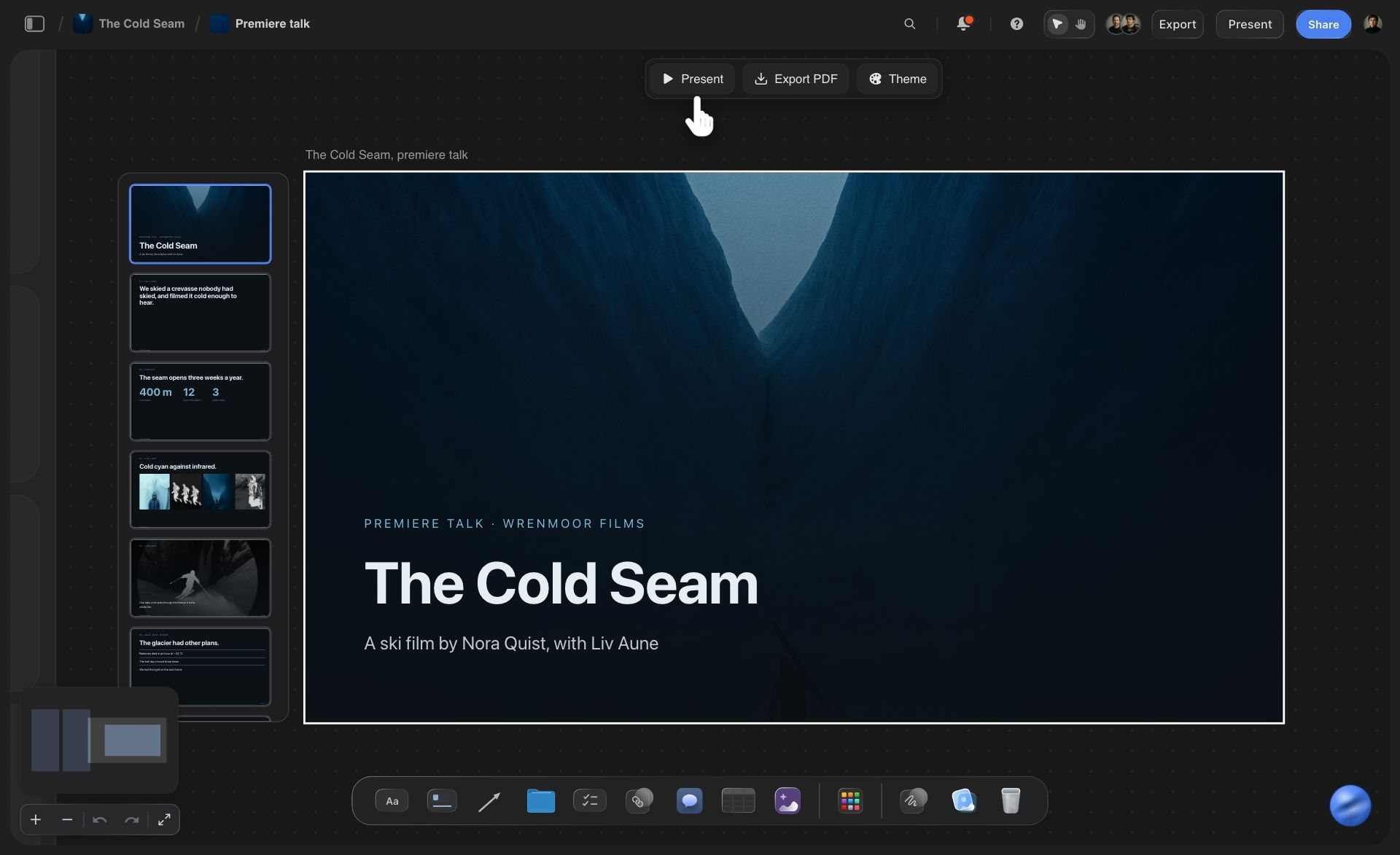
The deck
Pages that step one at a time
ChatGPT creates the deck and every page under it in one request, up to 30 pages. The pages list down the side, and Present, Export PDF and Theme sit above the deck.
See the AI presentation maker →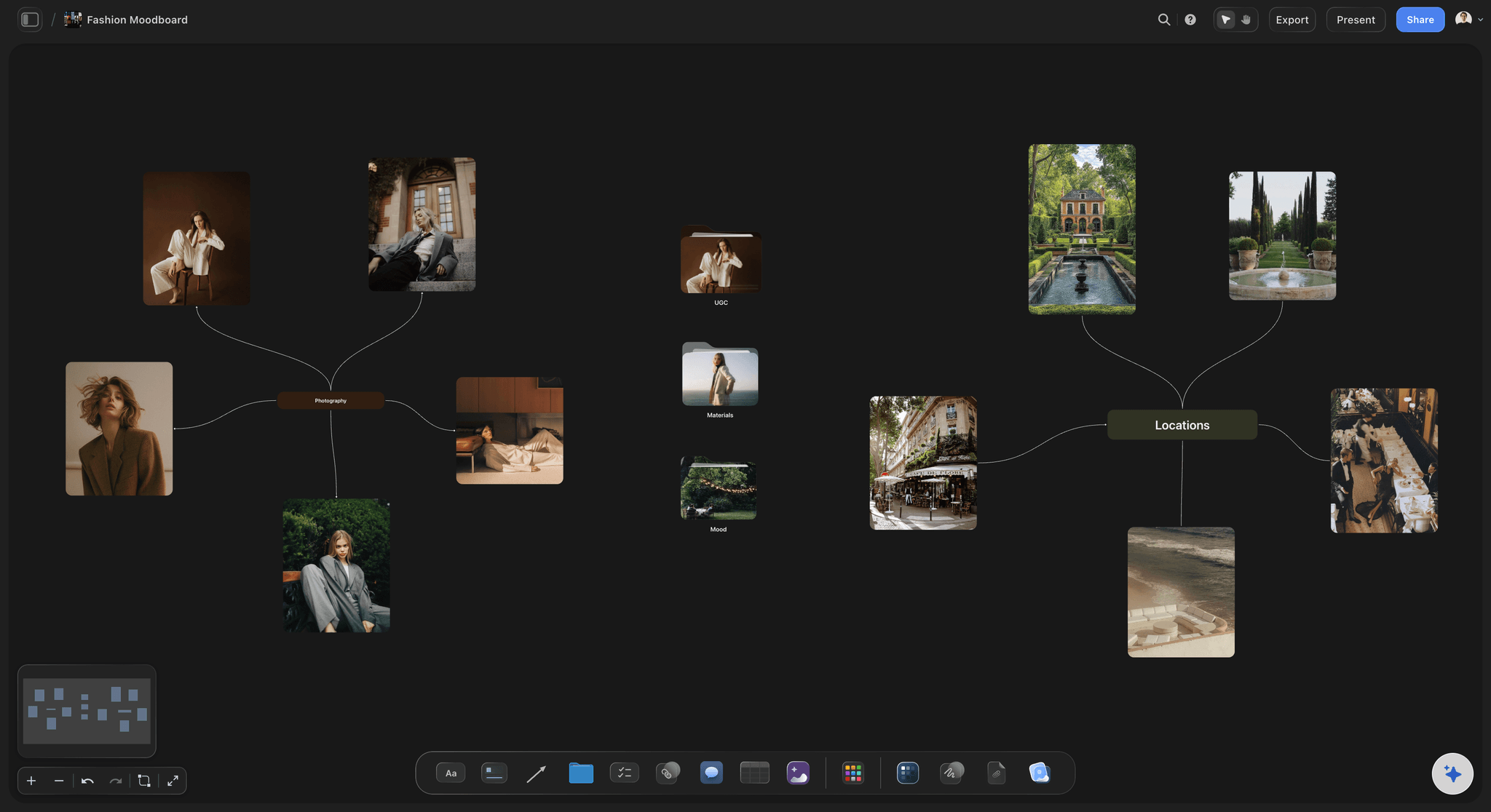
The looks
A page per look, named the way buyers read it
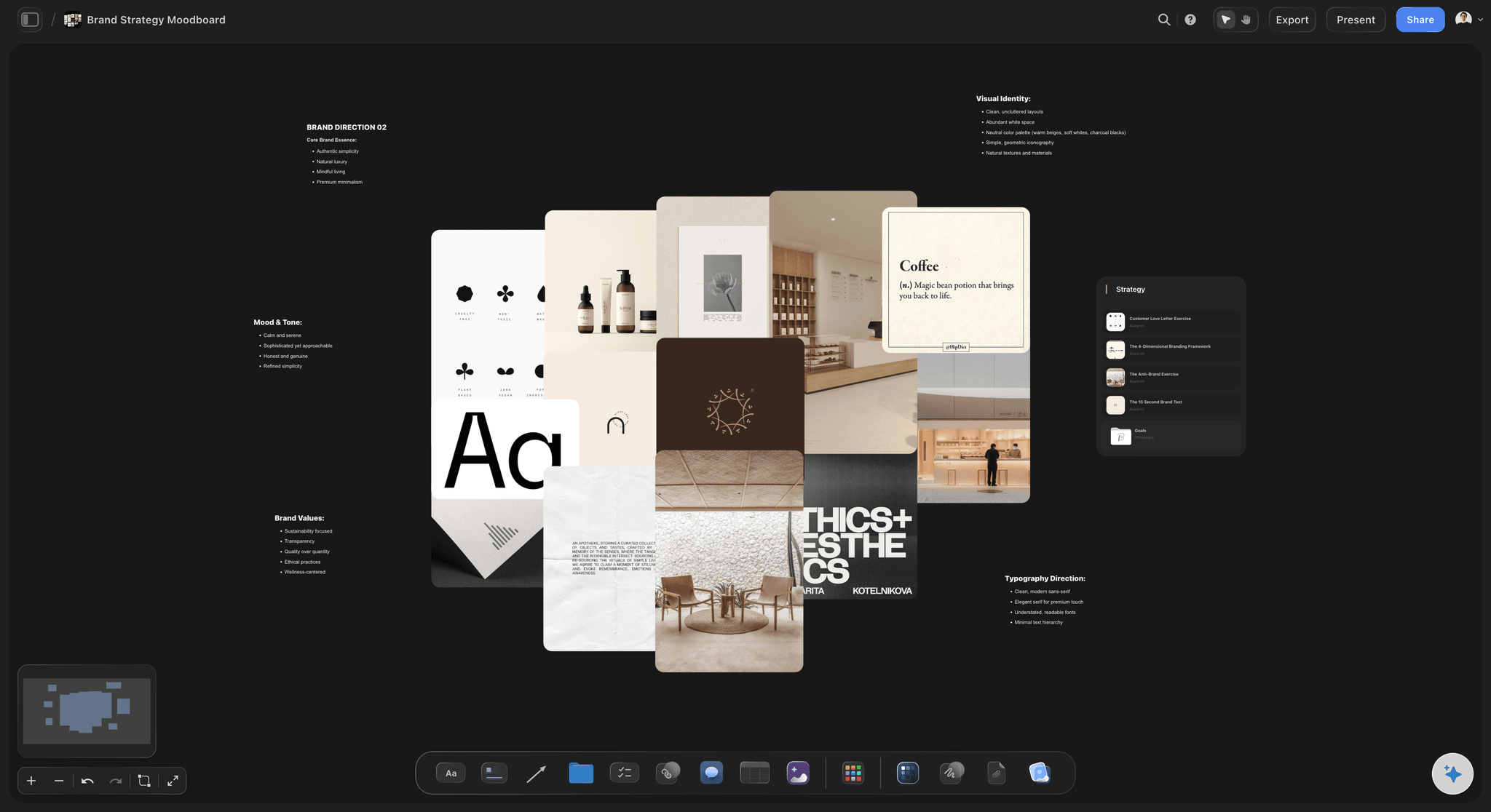
Each look page carries the look number, the pieces with their style codes and colourways, and a picture space labelled for the photo it needs. The moodboard that set the look sits on the same board.
See the moodboard with ChatGPT →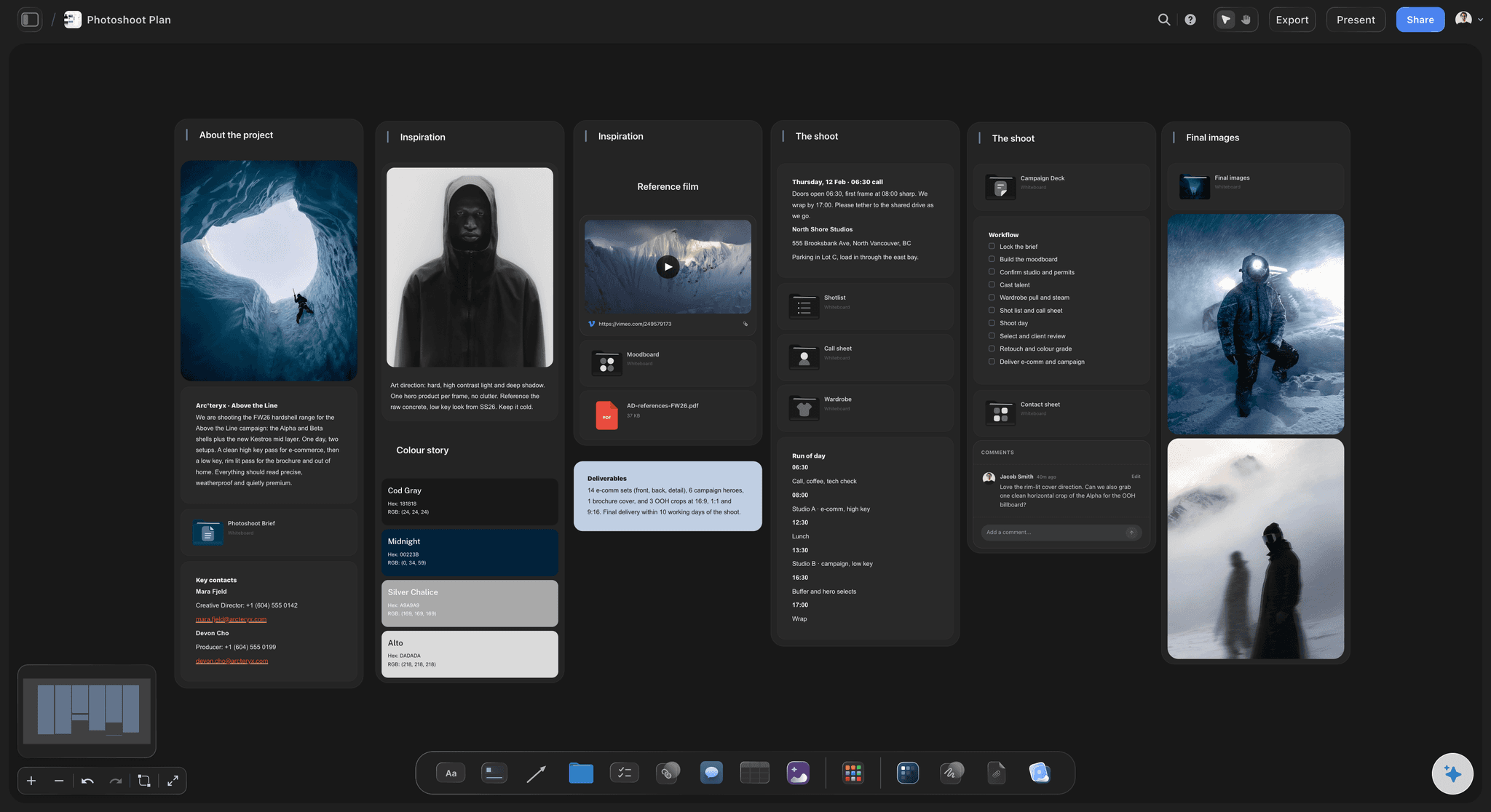
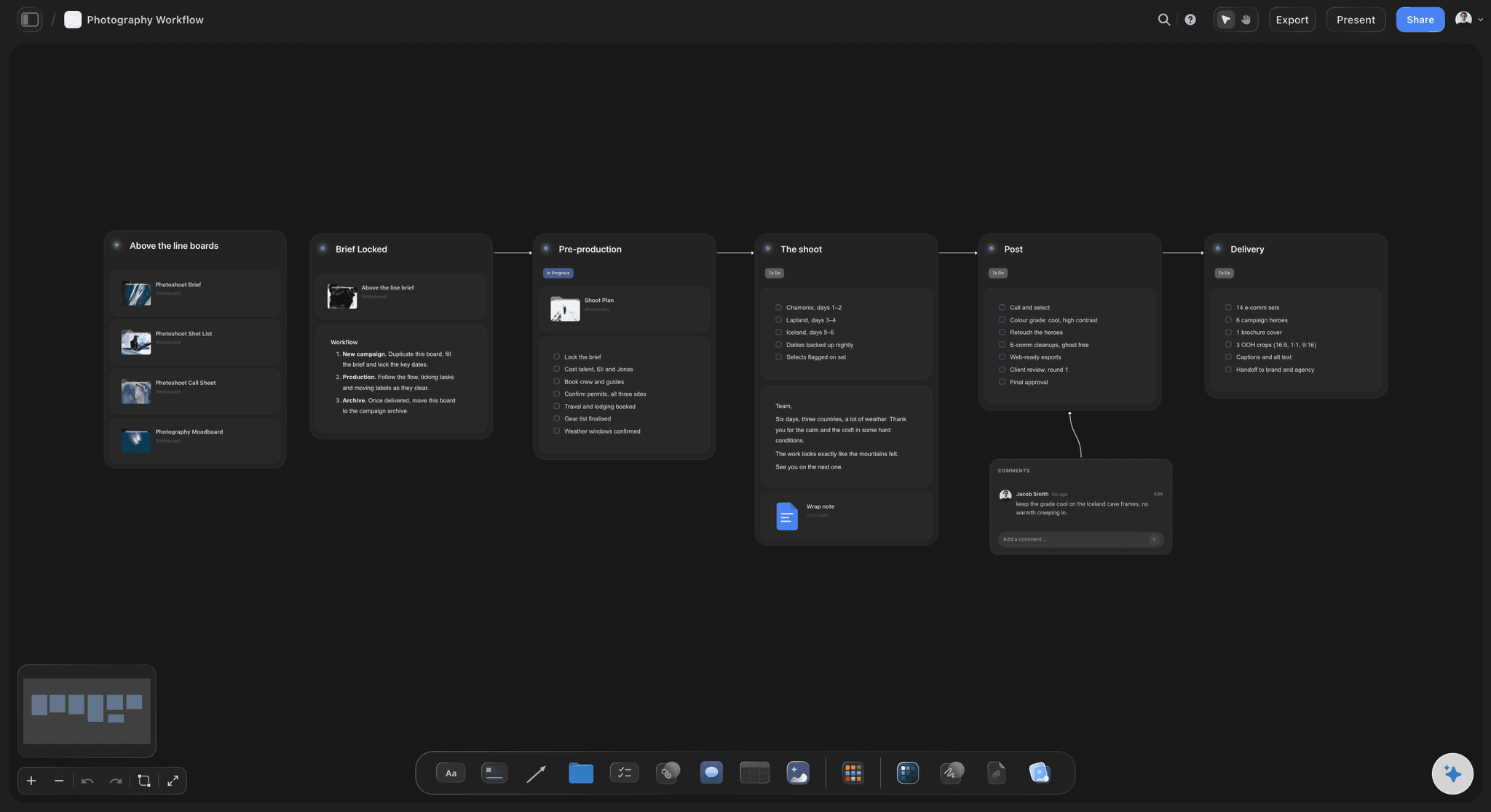
The photos
Selects from the shoot, one link away
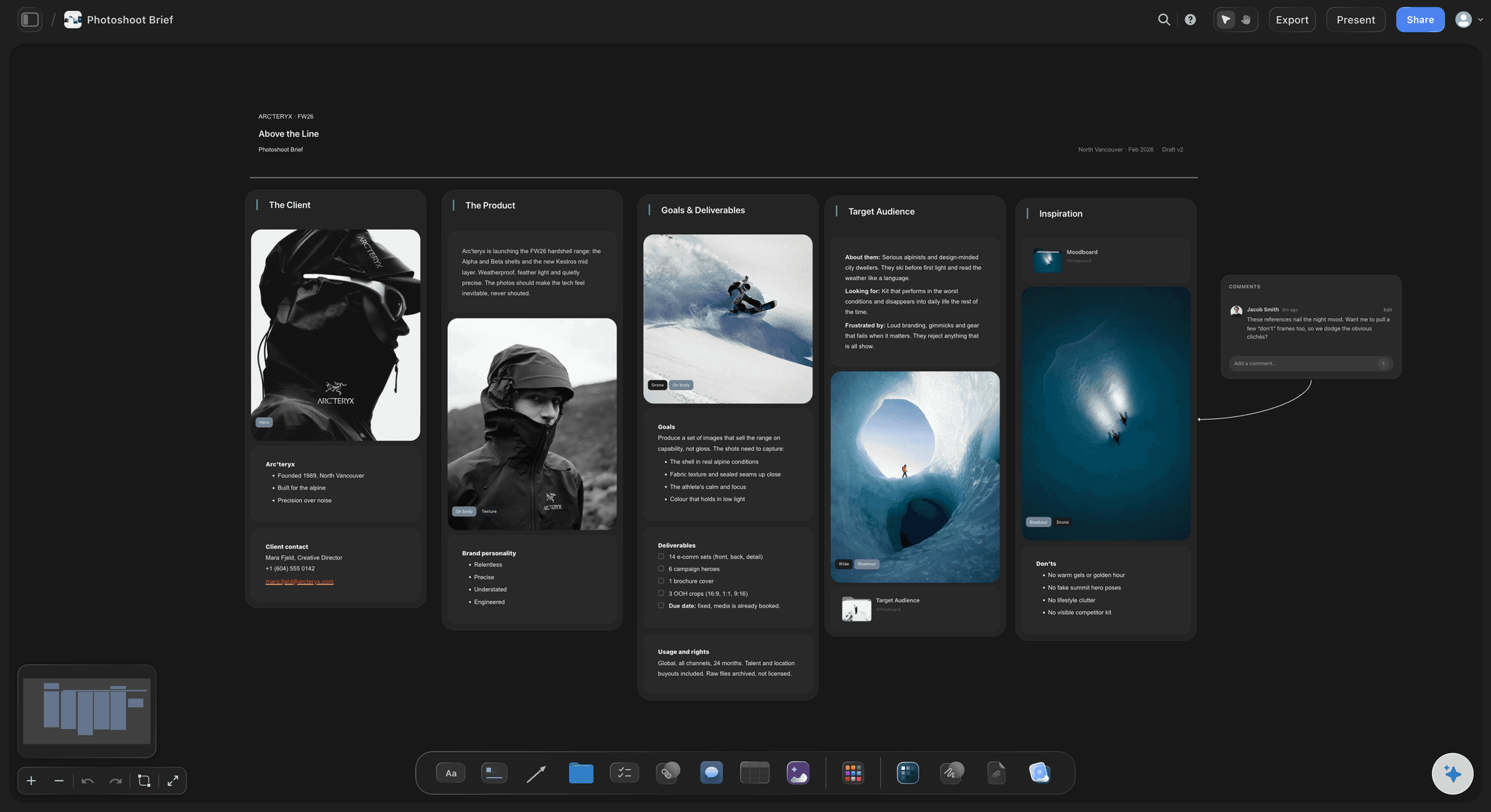
The photographer opens the "Add your photos" link ChatGPT gives you and sends the selects from a phone or a laptop. They land beside the deck, ready to drag into their pages.
See the photoshoot plan with ChatGPT →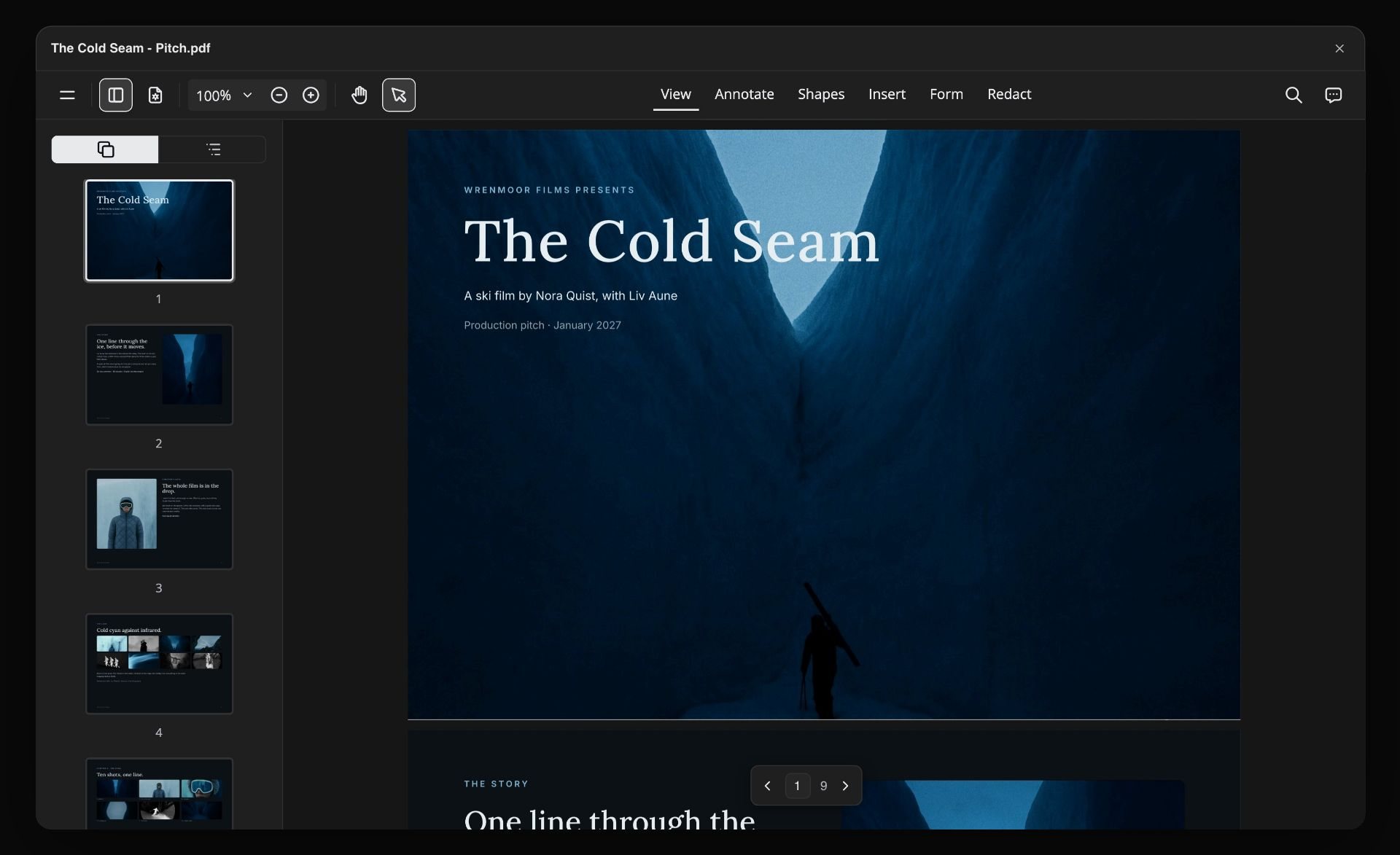
The PDF
One file for the buyers
Export the deck as one PDF and send it, or share the board with a view-only link that opens without an account. The PDF keeps the page order, the theme and your photos.
See the pitch deck with ChatGPT →ChatGPT lays out the lookbook. It costs no Storyflow AI credits.
The plugin runs on ChatGPT's own model and your ChatGPT plan, so a lookbook built through it uses no Storyflow AI credits. An invited free Storyflow account can make 25 plugin actions a week, reset every Monday (UTC). Plus, Pro and Max have no weekly limit. Storyflow is paid-only during early access, from $7.99 a month billed annually ($9.99 monthly), and anyone a paid member invites to a board joins free.
No Storyflow AI credits spent on decks ChatGPT builds
No weekly limit on plugin actions on Plus, Pro and Max
The photographer and the brand team join free when you invite them
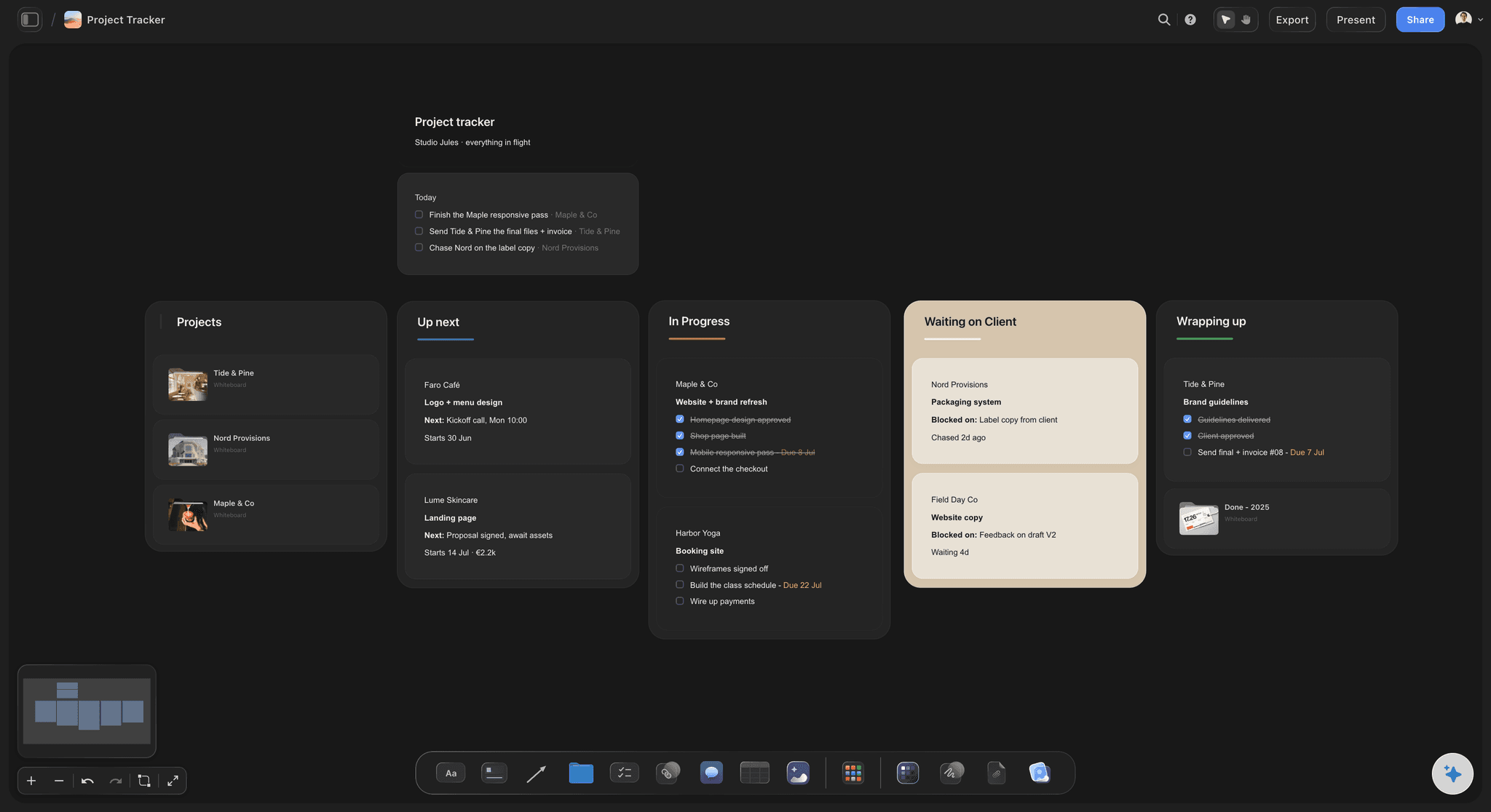
Moodboard, shoot plan and lookbook on one board
You choose which projects ChatGPT may open
Built for people with taste
Where a lookbook from a chat stalls.
ChatGPT writes the pages well. Getting the words and the photos onto the same pages is the slow part.
The story
Words written for the person reading it
Buyer or press: Tell ChatGPT who reads it. For buyers it writes style codes, colourways and delivery windows; for press it writes the story and the credits and leaves the codes out.
Read from the board: ChatGPT reads the moodboard's direction, the shoot plan and the product table on the same board, so the lookbook uses the names the team already agreed.
The pieces as a table first: Ask for the pieces as a table, one row per style with its code, colours and sizes, and check it before the pages are written from it.
Pick the page size first: A4 portrait suits print and email, 16:9 a screen in a meeting. Changing the size later scales the pages to fit rather than laying them out again, so choose before ChatGPT builds.
The photos
Twelve looks, twelve picture spaces, no guessing
Labelled picture spaces: Every space says what goes in it, such as "Look 07, full length", so whoever fills the pages knows which select belongs where.
Photos go in by hand: Selects on the board go into the pages when you drag each one onto its space in Storyflow. Through the plugin, ChatGPT does not place photos into pages itself.
Keep the rest on the board: Upload every select through the link and keep the ones that miss the deck on the same board, captioned, for press requests and social posts later.
Caption the selects: Ask ChatGPT to caption each photo on the board with its look number, and filling the deck becomes a matching job.
The changes
The buyer meeting moves look nine to the front
Reorder the looks: Ask ChatGPT to put look 9 straight after the cover and it reorders the deck. The page numbers follow the new order.
Add or drop a page: Ask for a new page after look 12, or for the second detail page to go. ChatGPT adds or removes pages; a deck always keeps at least one.
Re-theme in one go: Ask for the background in the season's darkest swatch and the text in its lightest, and every page changes at once. A font you set by hand stays.
New words on a page: To change the words on a page that exists, edit them in Storyflow, or ask ChatGPT to replace that page with a corrected one in the same place.
Explore templates for your project
Every template opens as a real, editable board on the infinite canvas. Pick the closest fit and make it your own.
Film Moodboard
Collect film references, color palettes, lighting, locations, and tone in one place, then invite your crew.
One app instead of five
ChatGPT with a board, ChatGPT alone, or Adobe Express.
Storyflow is our product, so it comes first. Adobe Express is in ChatGPT's plugin directory too ("Design posts, flyers, and more"; see Adobe's help for what its plugin does). As of October 2026 its pricing page lists 100,000+ templates, generative AI, real-time co-editing and export as PDF and PPT.
Storyflow with ChatGPT
Recommended
Pages on the same board as the moodboard and shoot plan
The team edits the pages together in real time
Presented straight from the app
Thousands of ready-made design templates
AI pictures made for the pages
ChatGPT on its own
Pages on the same board as the moodboard and shoot plan
The team edits the pages together in real time
Presented straight from the app
Thousands of ready-made design templates
AI pictures made for the pages
Adobe Express
Pages on the same board as the moodboard and shoot plan
The team edits the pages together in real time
Presented straight from the app
Thousands of ready-made design templates
AI pictures made for the pages
What creators are saying
Join early creators getting structured workspaces and AI that remembers their projects
“Storyflow has sped up my workflow by at least 3x, which means more flow state and more projects I can actually ship. It truly changed the way me and my team create.”

Reilin Joey
Director & YouTuber
“One prompt gets me a structured board. But the tactics are my favorite. I run my YouTube scripts through them and my intros and retention got better. It's amazing.”

Justkay
YouTuber & Freelance Filmmaker
“I used to juggle five apps to plan a project. Now I describe what I am making and get boards, lists, and a schedule. All in one place.”

George
@fernwehchronicles
Lookbooks with ChatGPT: questions
What brands and photographers ask before a lookbook goes to buyers or press.
Yes. ChatGPT writes the season story, orders the looks, names the pieces on each page and lists the credits. With the Storyflow plugin, it builds the lookbook as a slide deck on a Storyflow board: up to 30 pages, a labelled picture space wherever a photo goes, and one theme for every page. You fill the picture spaces with your photos, then present the deck fullscreen or export it as a PDF.
Storyflow is our pick, on one basis: ChatGPT builds the lookbook as a deck on the same board as the moodboard, the shoot plan and the selects, so the pages, the photos and the decisions stay together and export as one PDF. Storyflow is our product. Adobe Express, also in ChatGPT's plugin directory, suits a lookbook started from a designed template or one that has to end as a PowerPoint file, since its app exports PPT as well as PDF.
A cover with the season and the brand, a short story page, one page per look with a full-length photo, the look number and the pieces, detail pages for fabric or fit, and a last page with the credits and a contact. For wholesale buyers, add style codes, colourways and delivery windows. For press, keep the story and the credits and drop the codes.
In two moves. Ask ChatGPT for the "Add your photos" link and upload the selects from your phone or computer: up to 200 pictures within 15 minutes, and they land on your Storyflow board. Then drag each photo onto its labelled picture space in the deck. A photo you attach in the ChatGPT chat does not reach Storyflow, and through the plugin ChatGPT does not place photos into pages itself.
Yes, if the line sheet is on your Storyflow board or pasted into the chat. From the board, ChatGPT reads Excel, CSV, PDF and Word files up to 25 MB, and gets the first 40,000 characters, so a long sheet goes in parts. Ask it to turn the sheet into a table of styles first, check the codes and colourways, then ask for the pages.
As a PDF, yes: a Storyflow deck exports as one PDF, in page order, with the theme and your photos. There is no PowerPoint export, no presenter view and no speaker notes. For a meeting, present the deck fullscreen from the browser instead. A view-only link to the board also lets a buyer page through it without an account.
Pick by where it is read. A4 portrait suits a lookbook that is printed or emailed as a PDF; 16:9 suits one shown on a screen in a meeting; 4:3 sits between them. Decide before ChatGPT builds the deck, because changing the size later scales each page to fit the new shape rather than laying it out again.
Partly. ChatGPT can reorder the pages, add pages at any position, remove pages and change the theme for every page at once, and the page numbers follow. It cannot rewrite the words on a page that already exists. Edit those by hand in Storyflow, or ask ChatGPT to remove the page and add a corrected one in the same place.
Yes, the same way. A film lookbook is the director's visual pitch: the tone, the references, the colour and the people, page by page. Ask ChatGPT for it as a deck on the film's Storyflow board, at 16:9 for a screen, next to the moodboard and the treatment. You fill the picture spaces with stills and references, then present it or export the PDF.
It does not make AI images, put photos into the pages, rewrite the words on an existing page or read the comments on the board. Storyflow decks have no PowerPoint export and no speaker notes. Storyflow's own built-in AI, inside the app, can design a lookbook and fill its picture spaces from your board, and it makes AI images on Pro and Max, using Storyflow AI credits.
No. The plugin runs on ChatGPT's own model and your ChatGPT plan, so it uses no Storyflow AI credits. Storyflow is paid-only during early access: Plus is $7.99 a month billed annually ($9.99 monthly), Pro $14 and Max $39 a month billed annually. An invited free account can make 25 plugin actions a week, reset on Mondays (UTC). Plus, Pro and Max have no weekly limit.
Yes. Export the deck as a PDF and email it, or share the board from Storyflow with a view-only link that opens in a browser with no account. To leave a comment, a person signs in. Anyone a paid member invites to the board joins free, so the photographer and the stylist can work on the pages with you in real time.
The deck is the same; only the setup differs. ChatGPT adds Storyflow from its plugin directory. Claude, Gemini and Grok connect the same Storyflow account as a custom connector with the address https://mcp.storyflow.so/mcp, and storyflow.so/mcp has the steps for each. The brand team can build pages in ChatGPT while the photographer works from Claude on the same board.
Only the ones you choose. When you sign in, Storyflow asks whether ChatGPT may use all your projects or only the ones you pick. Read access is always on, and you decide whether ChatGPT may also make changes; without changes it cannot build a deck. Every connection ends after 30 days, and ChatGPT then asks you to sign in again.
More from Storyflow
Connect ChatGPT to Storyflow
Storyflow for every AI assistant
Moodboard with ChatGPT
Photoshoot plan with ChatGPT
Brand board with ChatGPT
Presentation with ChatGPT
Pitch deck with ChatGPT
What is a lookbook: the complete guide
How to make a lookbook for a film
Film lookbook
Fashion collection planner
Fashion moodboard
AI presentation maker
Write the lookbook in the chat. Send it as a PDF.
A page per look, your photos in place, the credits at the end, on the board where the shoot was planned.