
Extremely clear strategy, zero busywork
AI tools for startups,
starting with the plan.
For startup founders: pick one AI tool for each job. Storyflow takes the planning job, so the plan, the brief, the pitch deck and the launch sit on one board with an AI that reads all of it.


Creatives working for these brands already got early access
- Red Bull
- Canon
- Artlist
- Porsche
See how easy it is to get started
Watch a real project come together, from a blank board to a finished plan, clicked through step by step.
Start from a ready-made template
Pick a board to see what you can build, then let AI fill it in. Every template is a real, editable starting point on the same infinite canvas.

Marketing Plan
Lay out your goals, channels, and initiatives for the quarter on one board.
What are the best AI tools for a startup?
The best AI tools for a startup are picked one per job: one to plan and pitch, one to write code, one to answer customers, and one general assistant for everything in between. Storyflow is an AI visual workspace that plans a startup on one infinite canvas: the plan, the product brief, the pitch deck and the launch board. Its AI reads the whole board, drafts each of those from a paragraph, and builds the deck from the plan that is already there.
Start by listing the jobs, not the tools. An early startup has about six: planning and pitching, building the product, design, talking to customers, selling, and keeping the books. For each job ask three questions before you pay for anything. What will this tool do that I do by hand today? What does it replace? Where does its work end up? A tool whose work ends up in a chat nobody opens again has not saved you much.
Then put one tool on each job. A coding assistant such as Cursor, GitHub Copilot or Claude Code writes and reviews code. A general assistant such as ChatGPT, Claude or Gemini drafts emails, answers questions and thinks out loud with you. A support tool such as Intercom answers customers from your help pages once you have customers. Accounting software such as QuickBooks or Xero keeps the books. A design tool such as Figma covers design, and a CRM such as HubSpot keeps the sales list. Storyflow takes planning and pitching, and it does none of those other jobs.
Here is the planning job on a real timeline. Two founders have six weeks until launch. In week one they describe the startup in a paragraph and get a board with the customer, the problem, the offer and the open questions. In week two they turn it into a two-page brief for a freelance designer and book ten customer calls. Weeks three and four go to building. In week five the board becomes a ten-slide deck for three investor meetings. Week six is the launch: fourteen tasks across five days, each with a name and a date.
Keep one rule for every AI tool you add: it drafts, you decide. An AI can lay out a plan in a minute, and that plan will sound sure of itself whether or not it is right. Check every number it shows you against the place the number came from. Storyflow's charts are drawn from real values only: what you give it, what is on your board, or research it links to. Its research comes back with links to the pages it read.
Two tools are enough to begin with: a general assistant and a place for the plan. Add a third when a job starts to cost you more than a few hours a week. If two of your tools do the same job, drop one. Every extra tool is one more place where the plan can go out of date without anyone noticing.
Ultra fast from brief to board
Four moves from a paragraph to a launch.
The first board takes an evening. The brief, the deck and the launch tasks are each built from what is already on it.
01
Describe the startup in a paragraph
Type who the customer is, what hurts today and what you plan to sell. Storyflow's AI lays out the plan as groups of cards: the customer, the problem, the offer, the risks and the questions you still have to answer.
02
Turn the plan into a brief
Ask for a product brief or a design brief. The AI writes it as a document on the same board, from the cards that are there. Attach up to five documents and three other boards if the facts live somewhere else.
03
Build the pitch deck from the board
Ask for the deck. The AI reads the plan and builds up to 30 slides under one theme, right beside it. Fix the words by hand, then present it fullscreen or export a PDF.
04
Lay out the launch
Ask for the launch as columns, one for each week, with a task card for every job. Put a name and a date on each card. Later, ask the AI what changed on the board since Monday.
The plan, the brief, the pitch and the launch.
This is the one job Storyflow does for a startup. It leaves code, support and the books to the tools built for them.
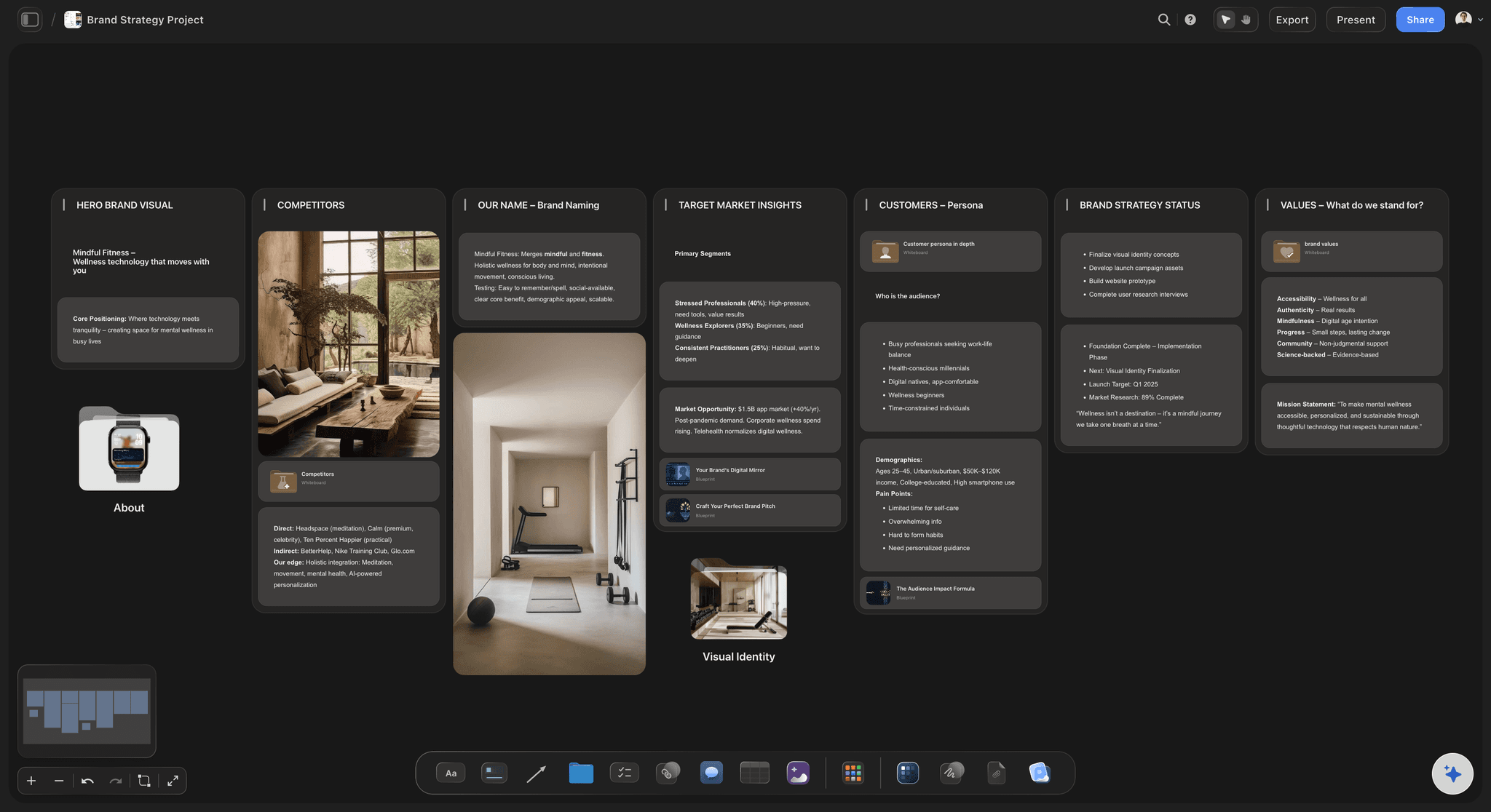
The plan
The whole startup on one page
The customer, the problem, the offer, the competition and the numbers, as groups of cards you can drag around. When the customer changes, you see at once which other cards no longer fit.
See Storyflow for startups →
The brief
A brief someone else can build from
What to build, who it is for, what done looks like and what is not included. The AI drafts it from the board as a document, and you hand it to a freelancer, a designer or your own coding assistant.
See the project brief template →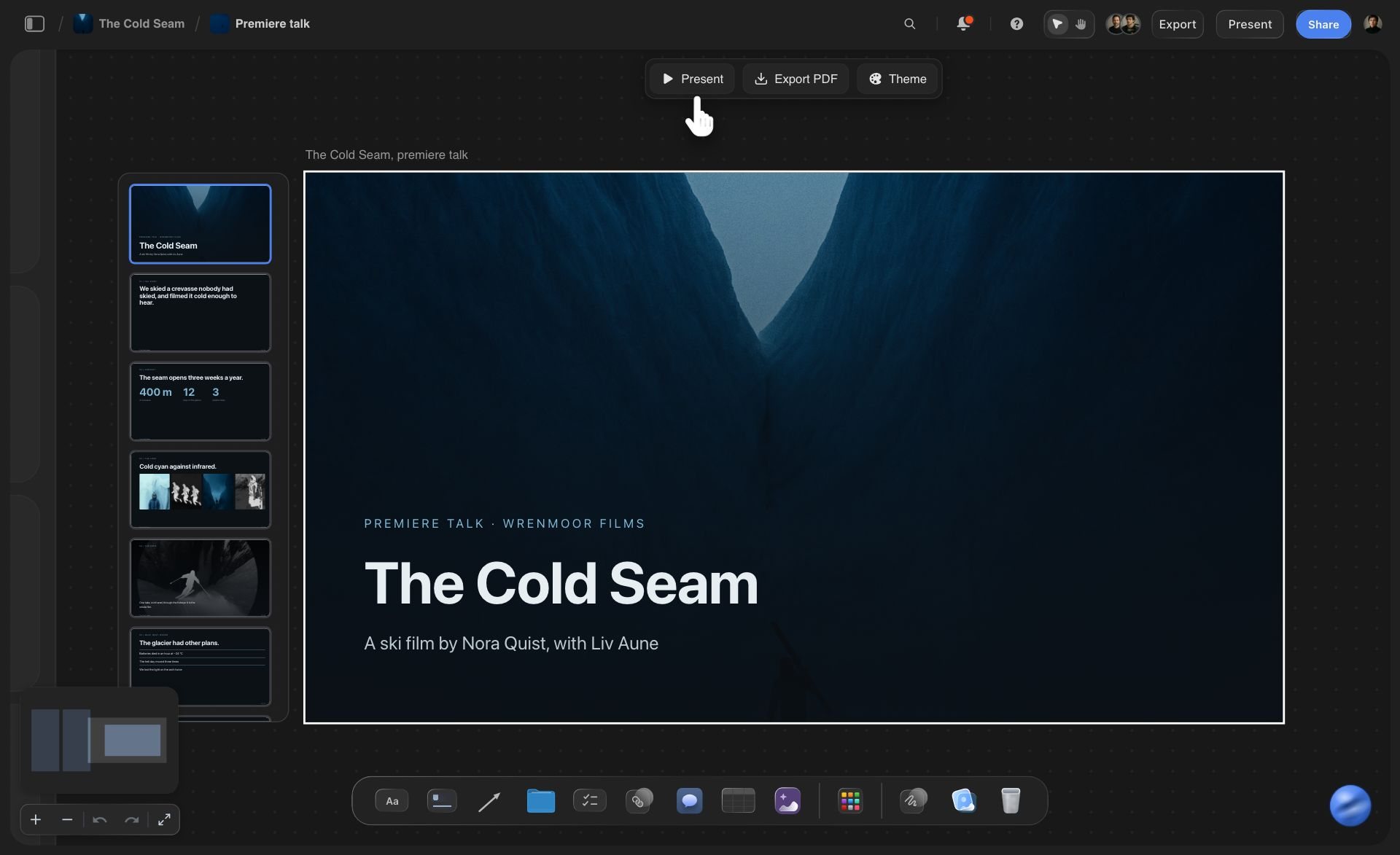
The pitch
A deck built from the plan beside it
Up to 30 slides under one theme, made from the cards on the board and not from a blank page. Change the theme and every slide follows. Present it fullscreen or export a PDF to send ahead.
See the pitch deck maker →
The launch
Every launch task with a name and a date
One column for each week, one card for each task. Each card carries the person doing it and the day it is due. Drag a card to Done and the whole team sees it move.
See the product launch planner →Keep the assistant you already use.
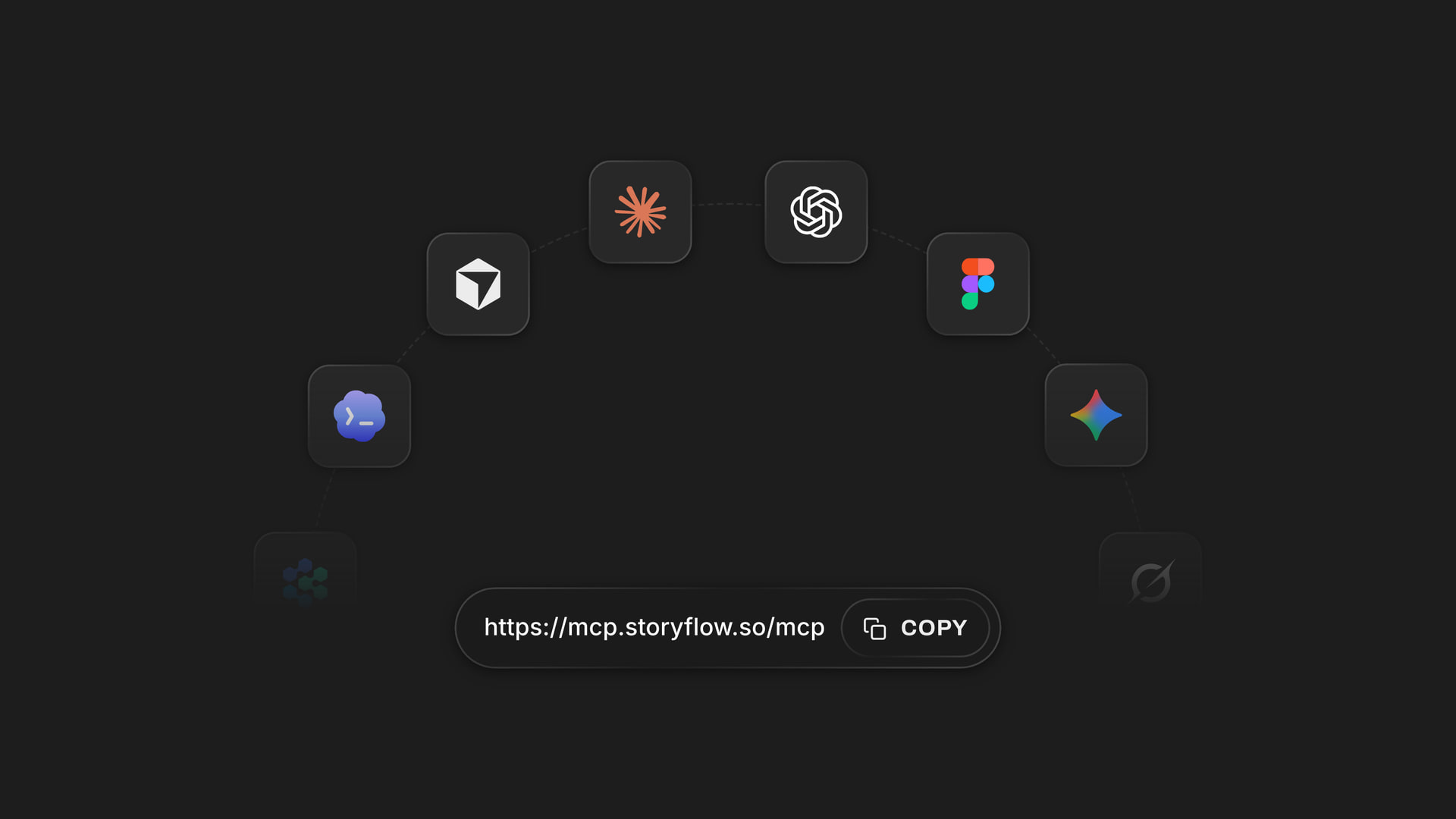
Storyflow has its own AI, and it also connects to ChatGPT, Claude and other assistants, so the one you already pay for can read your board and add to it. Storyflow is paid-only during early access, with plans from $7.99 a month billed annually ($9.99 monthly). A free plan launches before the end of 2026, and anyone a paid member invites to a board joins free.
Unlimited boards, image uploads and files on every paid plan
An AI that reads the board, plus up to five documents and three boards you attach
Decks of up to 30 slides, presented fullscreen or exported as a PDF
Invite a co-founder or a freelancer without buying them a seat
View-only links, so an investor can read the plan with no account
Built for people with taste
What the planning job covers.
Three parts of a founder's week where the work is thinking and showing, not building. Storyflow's AI helps with each, and you make the calls.
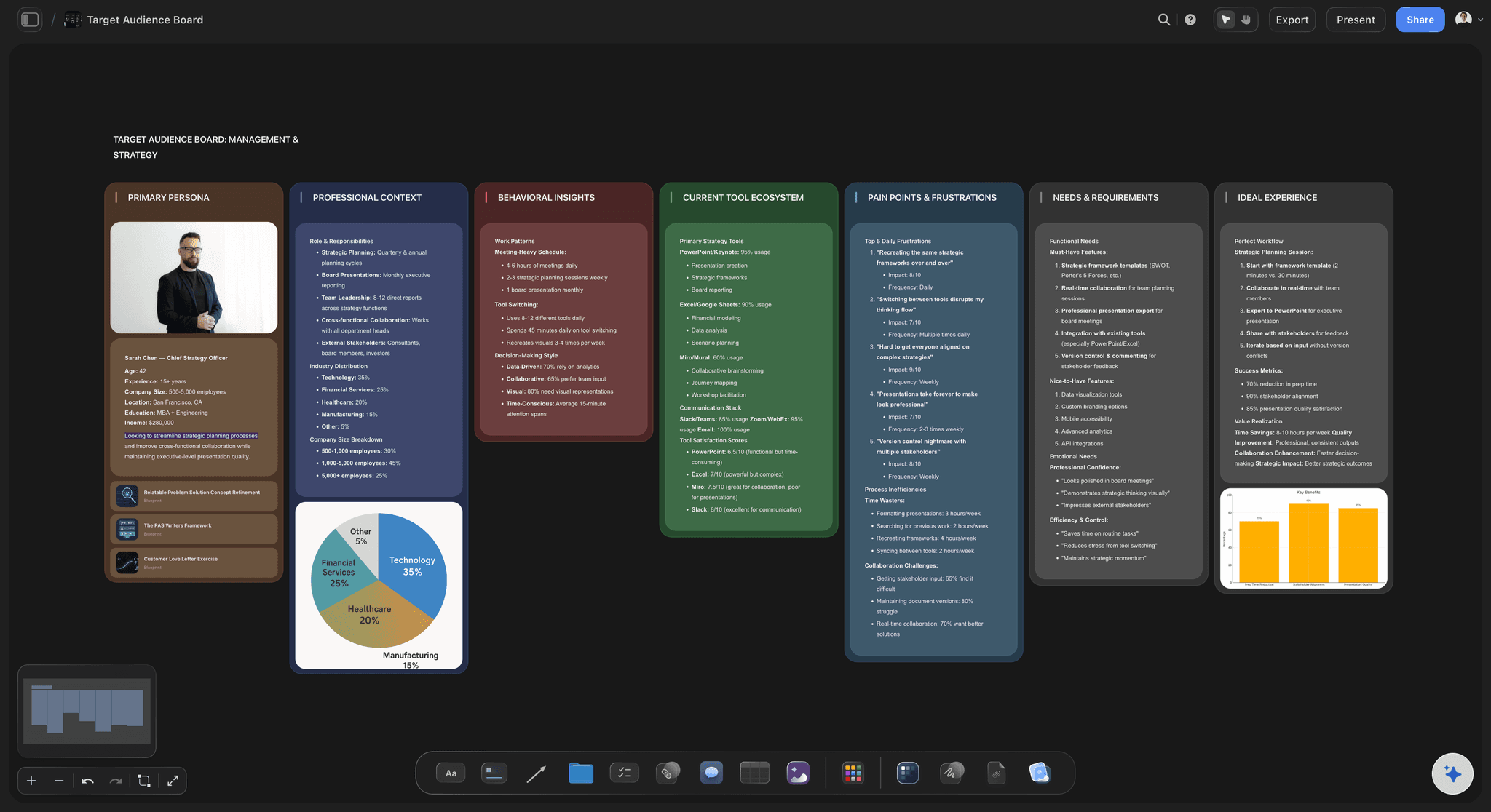
Plan and brief
From a paragraph to a plan you can argue with
A first plan in a minute: Describe the startup and the AI lays out the customer, the problem, the offer and the risks as cards. It is a draft to push against, which is faster than a blank page.
Research with the links attached: Ask who else is solving this problem. The AI looks on the live web and comes back with what it found and the pages it read, so you can check each claim yourself.
Numbers as charts: Paste your survey results or attach a spreadsheet, and ask for a bar, line or pie chart. The chart is drawn from the values you gave. The AI is told never to make numbers up.
A brief from the board: Ask for a product brief and it is written as a document from the cards already there. Edit it, then share it by link with the person who will build from it.
Pitch
A deck that says what the plan says
Built from the board: The AI reads the plan before it writes a slide, so the deck's customer, numbers and ask match the ones you have already agreed. No copying between a doc and a slide tool.
Ten slides, in an order that works: Problem, customer, product, why now, market, traction, business model, competition, team, ask. Ask for that order by name, or give your own.
One theme for every slide: Pick the colours and the font once. Change them later and all the slides change together, so the night before the meeting goes on the story and not on tidying.
Present it or send it: Present fullscreen from the board, or export the deck as a PDF for the follow-up email. Storyflow does not save a PowerPoint file.
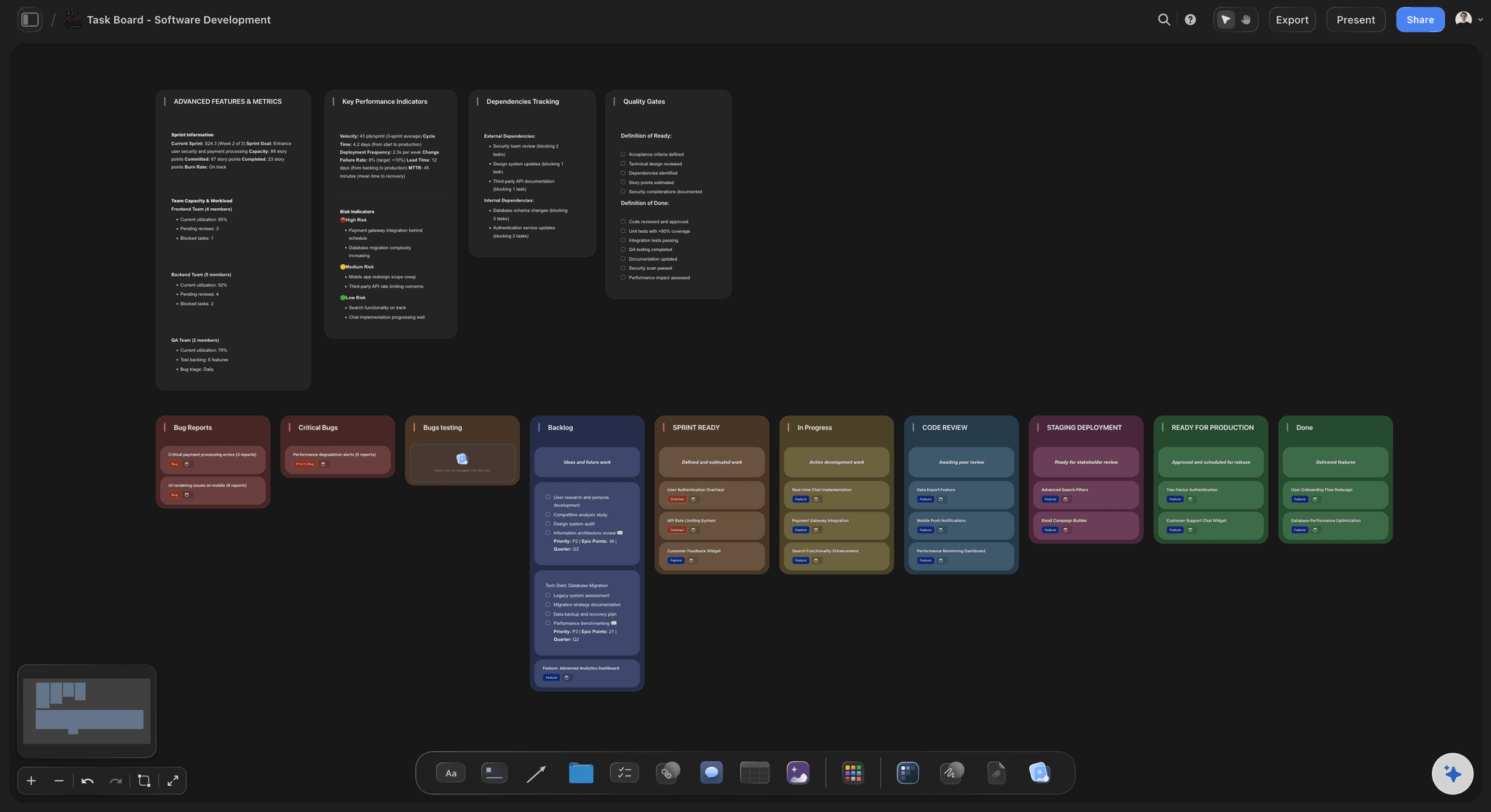
Launch
A launch week nobody has to hold in their head
Weeks as columns: Each week before launch is a column, and each task is a card in it. Reading left to right shows what has to be true by when.
A name and a date on every card: A task card carries the person doing it, a date and a label. With two founders and fourteen launch tasks, that is the difference between done and assumed done.
Freelancers on the same board: Anyone a paid member invites to a board joins free. The designer or the copywriter opens the brief and their own tasks in the same place, with no plan to buy.
What changed since Monday: Ask the AI what changed on the board this week. It lists the cards that were added, edited or moved, and who did it, which is most of a Friday update already written.
Explore templates for your project
Every template opens as a real, editable board on the infinite canvas. Pick the closest fit and make it your own.
Marketing Plan
Lay out your goals, channels, and initiatives for the quarter on one board.
One app instead of five
Where Storyflow fits among a startup's AI tools.
It plans, briefs, pitches and tracks the launch. It does not write your product's code, and it does not save a PowerPoint file.
Storyflow
Recommended
The plan, the brief, the deck and the launch tasks in one place
AI drafts a first plan from a paragraph
A board you rearrange by dragging
Charts drawn from your own numbers
Builds the deck from the plan on the same page
Invite a co-founder or a freelancer to work in it
Writes and runs your product's code
Saves a PowerPoint file
A chat assistant on its own
The plan, the brief, the deck and the launch tasks in one place
AI drafts a first plan from a paragraph
A board you rearrange by dragging
Charts drawn from your own numbers
Builds the deck from the plan on the same page
Invite a co-founder or a freelancer to work in it
Writes and runs your product's code
Saves a PowerPoint file
A doc, a slide tool and a task app
The plan, the brief, the deck and the launch tasks in one place
AI drafts a first plan from a paragraph
A board you rearrange by dragging
Charts drawn from your own numbers
Builds the deck from the plan on the same page
Invite a co-founder or a freelancer to work in it
Writes and runs your product's code
Saves a PowerPoint file
What creators are saying
Join early creators getting structured workspaces and AI that remembers their projects
“Storyflow has sped up my workflow by at least 3x, which means more flow state and more projects I can actually ship. It truly changed the way me and my team create.”

Reilin Joey
Director & YouTuber
“One prompt gets me a structured board. But the tactics are my favorite. I run my YouTube scripts through them and my intros and retention got better. It's amazing.”

Justkay
YouTuber & Freelance Filmmaker
“I used to juggle five apps to plan a project. Now I describe what I am making and get boards, lists, and a schedule. All in one place.”

George
@fernwehchronicles
AI tools for startups, answered.
Which tool does which job, what Storyflow does for a founder, and what it leaves to the others.
In Storyflow, a founder does the planning job: the plan, the brief, the pitch deck and the launch tasks on one board, with an AI that reads all of it. Then add one tool for each other job. A coding assistant such as Cursor or GitHub Copilot writes code, ChatGPT or Claude is the general assistant, a support tool such as Intercom answers customers, and QuickBooks or Xero keeps the books.
Storyflow is made for exactly this job: its AI turns a paragraph into a plan on a board, writes the brief from that plan, builds a pitch deck of up to 30 slides beside it, and lays out the launch as tasks with names and dates. PowerPoint, Keynote or Google Slides still handle animations and the .pptx file an investor may ask for.
For general work, pick the one you already like and stay with it. All three draft, summarise and answer questions well, and switching every month costs more than any difference between them. What a chat does not give you is one place where the plan lives. That is the job Storyflow does: the answers you keep go on a board, next to the brief, the deck and the launch tasks.
Fewer than the lists suggest. Begin with two: a general assistant, and Storyflow for the plan, the brief, the pitch deck and the launch. Add a coding assistant when you start to build. Add a support tool when customers write in more often than you can answer. Accounting software comes with your first invoice. One tool per job, and no second tool for a job you have covered.
Yes. In Storyflow, ask for the deck and the AI reads the plan on your board, then builds up to 30 slides under one theme beside it. You edit any slide by hand, present the deck fullscreen, or export it as a PDF. Check every number yourself before the meeting. Storyflow does not save a PowerPoint file.
It can write a first draft worth arguing with. Describe the startup and Storyflow's AI lays out the customer, the problem, the offer, the channels and the risks as cards on a board, and it can look up competitors on the live web with links to what it read. It does not know your customers. Ten real conversations will change more of the plan than any prompt.
Storyflow does not write or run your product's code, answer customer support messages, send email, keep the books or act as a sales database. Use a coding assistant such as Cursor, GitHub Copilot or Claude Code, a support tool such as Intercom, and accounting software such as QuickBooks or Xero for those. Storyflow is the place where the plan, the brief, the deck and the launch tasks are made and kept.
Yes. Storyflow has a connector, so the assistant reads your boards and builds on them. ChatGPT needs Plus, Pro, Business, Enterprise or Edu, on the web, and on Business and Enterprise an admin turns on developer mode. Claude's Free plan allows one custom connector. The assistant runs on its own model, and its calls use no Storyflow AI credits.
Some. Several general assistants and coding assistants have tiers that cost nothing, and they are a fair place to start. Storyflow is not one of them today. Storyflow is paid-only during early access, with plans from $7.99 a month billed annually ($9.99 monthly). A free plan launches before the end of 2026, and anyone a paid member invites to a board joins free.
Storyflow's AI reads the board you are on, plus up to five documents and three other boards you attach to the chat. It also reads files you attach, such as a PDF, a Word file, a spreadsheet, a CSV or a slide deck, and any web page you give it a link to. So the plan, last month's investor update and the survey results can all feed one answer.
More than one per job. Two tools that do the same thing mean two places where the plan lives, and one of them is always out of date. List the jobs, put one tool on each, and review the list every quarter. A founder using Storyflow for planning does not also need a separate doc for the plan and a separate slide tool for the first deck.
Yes. Invite a co-founder or a freelancer to the Storyflow board and you all work on it at the same time. Anyone a paid member invites to a board joins free. For someone who only needs to read, such as an investor or an adviser, send a view-only link. They open it with no account, and sign in if they want to leave a comment.
No. Storyflow runs in the browser, and there are no native mobile or desktop apps. Open your board in a browser on a laptop to plan and present, or on a phone to read the plan before a meeting. A co-founder or a freelancer you invite opens the same link, with nothing to download.
More from Storyflow
Storyflow for startups
Pitch deck maker
Make a pitch deck with ChatGPT
Go-to-market plan
AI go-to-market strategy generator
Product launch planner
Launch roadmap
Business model canvas
Investor update
AI project plan generator
Project brief template
AI competitor analysis generator
Side project planner
AI tools for content creators
Connect an AI assistant to Storyflow
Product launch plan with ChatGPT
Plan a product launch visually
Give the planning job to one tool.
The plan, the brief, the pitch deck and the launch on one board, with an AI that reads all of it. Then pick one tool for each job that is left.