
An ultra-fast canvas that stays calm
An affinity map with ChatGPT
from the notes already on your board.
For founders after a round of customer calls: ChatGPT reads the loose notes on your Storyflow board and moves each one into a named theme, without rewriting a word.


Creatives working for these brands already got early access
- Red Bull
- Canon
- Artlist
- Porsche
See how easy it is to get started
Watch a real project come together, from a blank board to a finished plan, clicked through step by step.
Start from a ready-made template
Pick a board to see what you can build, then let AI fill it in. Every template is a real, editable starting point on the same infinite canvas.

Mind Map
Branch one central idea out into themes and sub-points, then drag the connections around until the structure makes sense.
Can ChatGPT do affinity mapping?
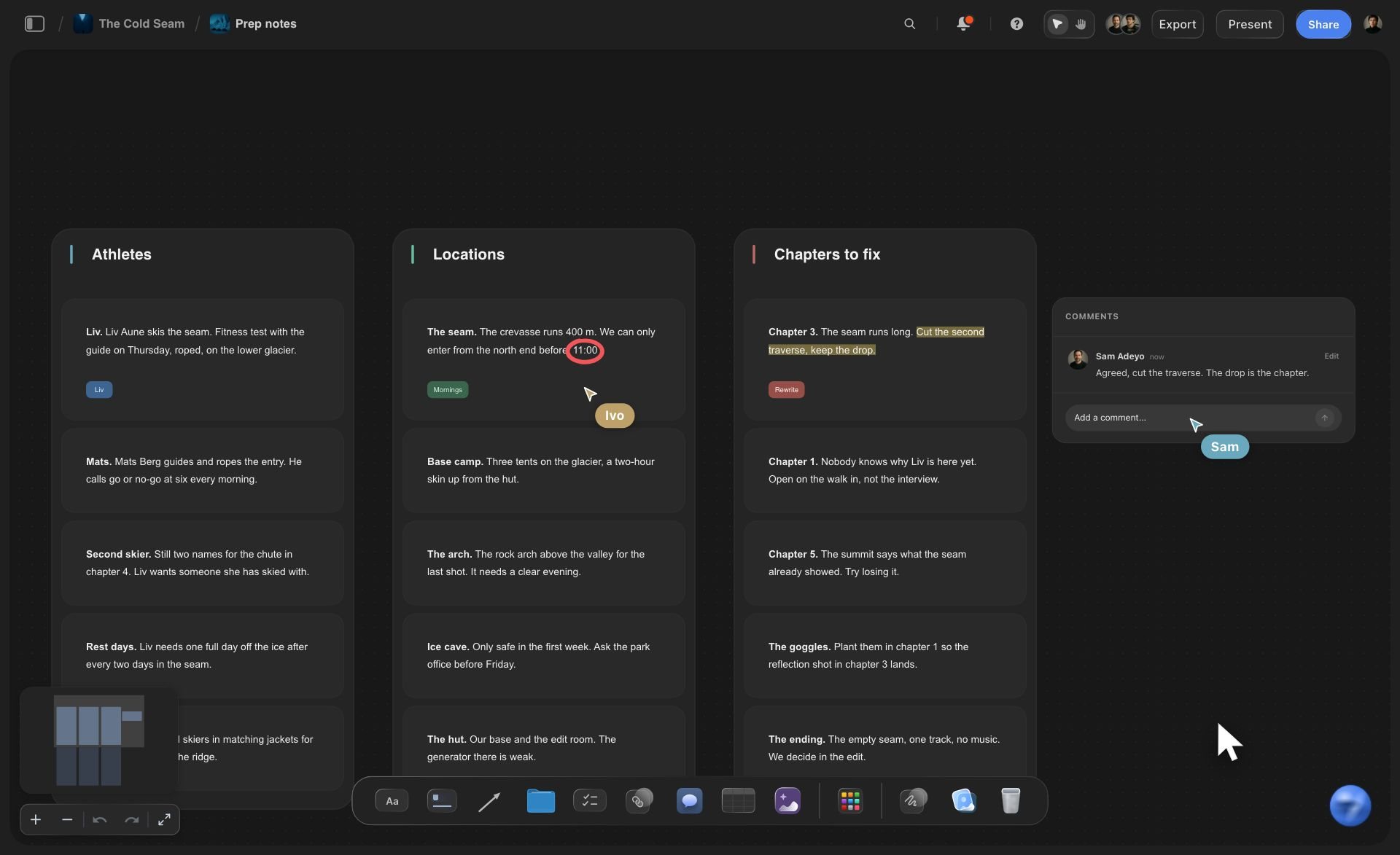
ChatGPT can do affinity mapping, which means sorting many separate notes into groups by what they have in common and naming each group afterwards, but only for notes it can read, and the notes from your calls sit on a board, not in the chat. Storyflow is an AI visual workspace that turns a pile of loose notes into an affinity map on one infinite canvas: one card per observation, a named wall per theme, and a line between kinds of theme. Connected to Storyflow, ChatGPT reads the notes that are already on your board and moves each one into a theme, without rewriting a word of what people wrote.
The method has five rules, and they hold whoever does the sorting. One observation per note, in the speaker's words. No categories decided in advance. Group notes that belong together, bottom up. Name a group only after it has formed, with a phrase that says something, such as "Setup takes too long" and not "Onboarding". Then count: the size of each group tells you where to look first. A group called Other is a sign the sorting is not finished.
A worked example. A founder runs five customer calls and her team types 64 notes onto one board, one thought each. She asks ChatGPT to group them. Six theme walls appear: Setup takes too long (14 notes), Reports miss what managers ask for (12), Questions about the pricing page (11), Wants it to talk to other tools (9), Praise for support (8) and Hard to use on a phone (6). That is 60 notes filed. ChatGPT reports that 4 are still loose: one-off remarks that fit nowhere, which is the right place for them. The whole sort is about four actions: find the project, find the board, read it, move the cards.
Moving is the point. The cards in the theme walls are the same cards your team wrote, not copies, so the board holds no duplicates and nobody's wording has been tidied into something they did not say. ChatGPT is given no way to rewrite or split a note while it groups. A note goes into one theme only. If a note holds two ideas, you split it by hand and ask ChatGPT to file the new half.
After the first pass the map is yours to correct. Drag a card to a different wall, rename a theme, or ask ChatGPT to file the leftovers into the walls that already exist. Ask it to draw a line between the problem themes and the praise, so the board reads as two sections. Ask for a table of themes with their counts, or a to-do list from the two biggest ones. What it cannot do is delete: a wall you no longer want is yours to remove.
The same steps work for an agency the morning after a client workshop, when six people have left forty notes on the board. Storyflow's own AI can do this grouping inside the app as well. This page is for people who would rather keep ChatGPT as their assistant: it runs on its own model, so the sort uses no Storyflow AI credits, and the map stays on the board for everyone you invite.
Ultra fast from brief to board
From a pile of notes to named themes in four moves.
The sorting takes a minute. Reading what it found takes the rest of the half hour.
01
Connect ChatGPT to Storyflow once
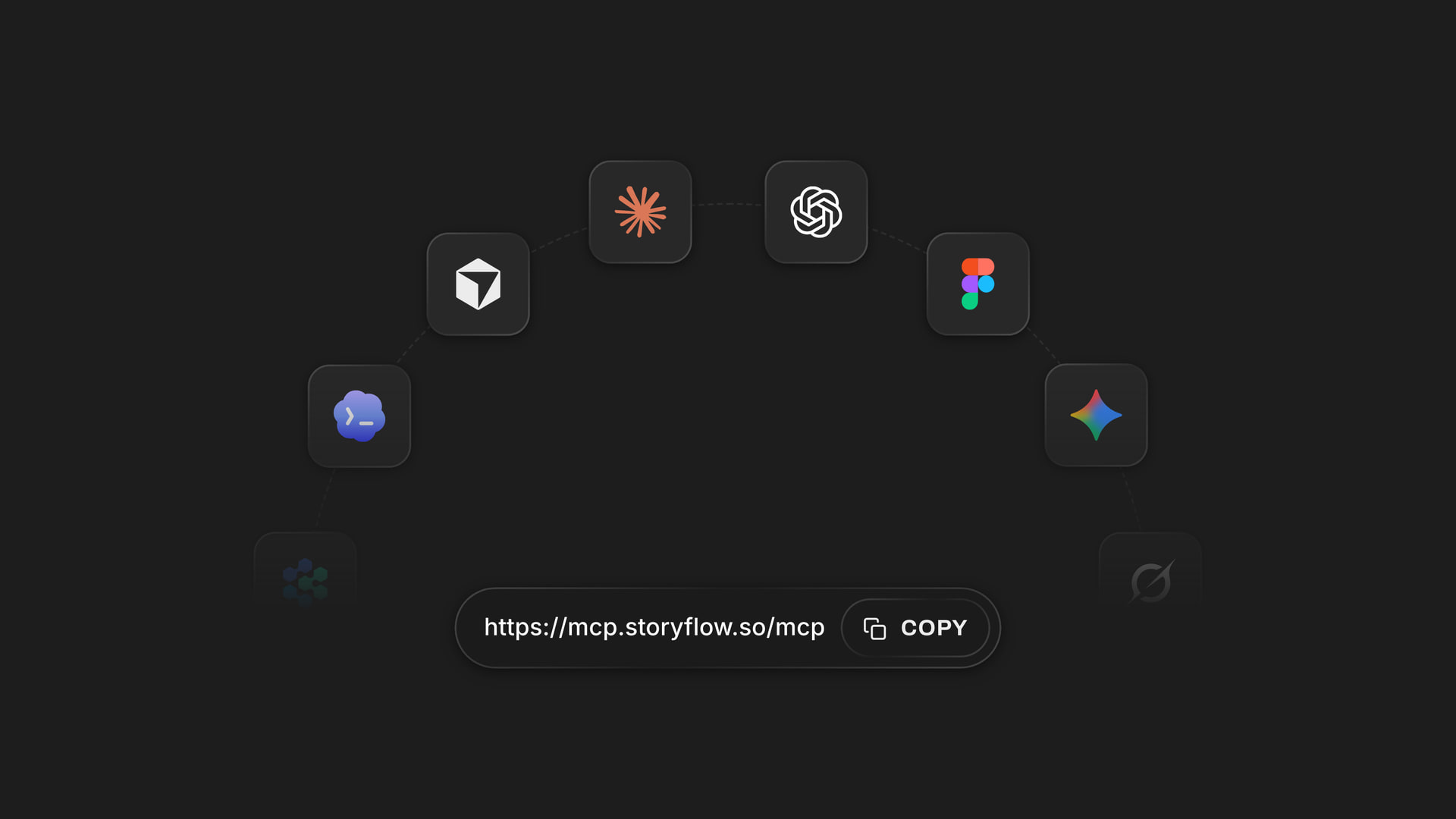
In ChatGPT on the web, open Settings, then Security and login, and turn on Developer mode. Go to chatgpt.com/plugins and click the plus button. Name it Storyflow, choose Public endpoint and paste https://mcp.storyflow.so/mcp. Create it, sign in to Storyflow and pick the project with your notes.
02
Get every note onto one board
One thought per note, in the words the customer used. Have the team type their notes straight onto the board during or after the calls. Do not sort as you go, and do not worry about where the cards land. A messy board is the correct starting point.
03
Ask ChatGPT to group them, and say what not to do
For example: "Read the Customer calls board in Storyflow and group the loose notes into themes. Name each theme by what the notes say. Do not rewrite any note, and leave anything that fits nowhere loose." Open the board and the theme walls appear with your cards inside them.
04
Correct the map, then count
Read each wall. Move the cards you disagree with, rename a theme that says too little, and split any note that holds two ideas. Then ask ChatGPT how many notes each theme holds, and decide what to work on first.
Sort, read, run the workshop, act.
ChatGPT finds the themes. Storyflow keeps the cards, the walls and the people in one place.
Sorting
Every note filed in one request
ChatGPT sends the whole grouping at once: each theme with the cards that go in it. Storyflow makes a wall per theme and moves the cards in, up to 12 themes in a request. There is no slow crawl of one card at a time, and the board is not left half sorted.
See the affinity diagram maker →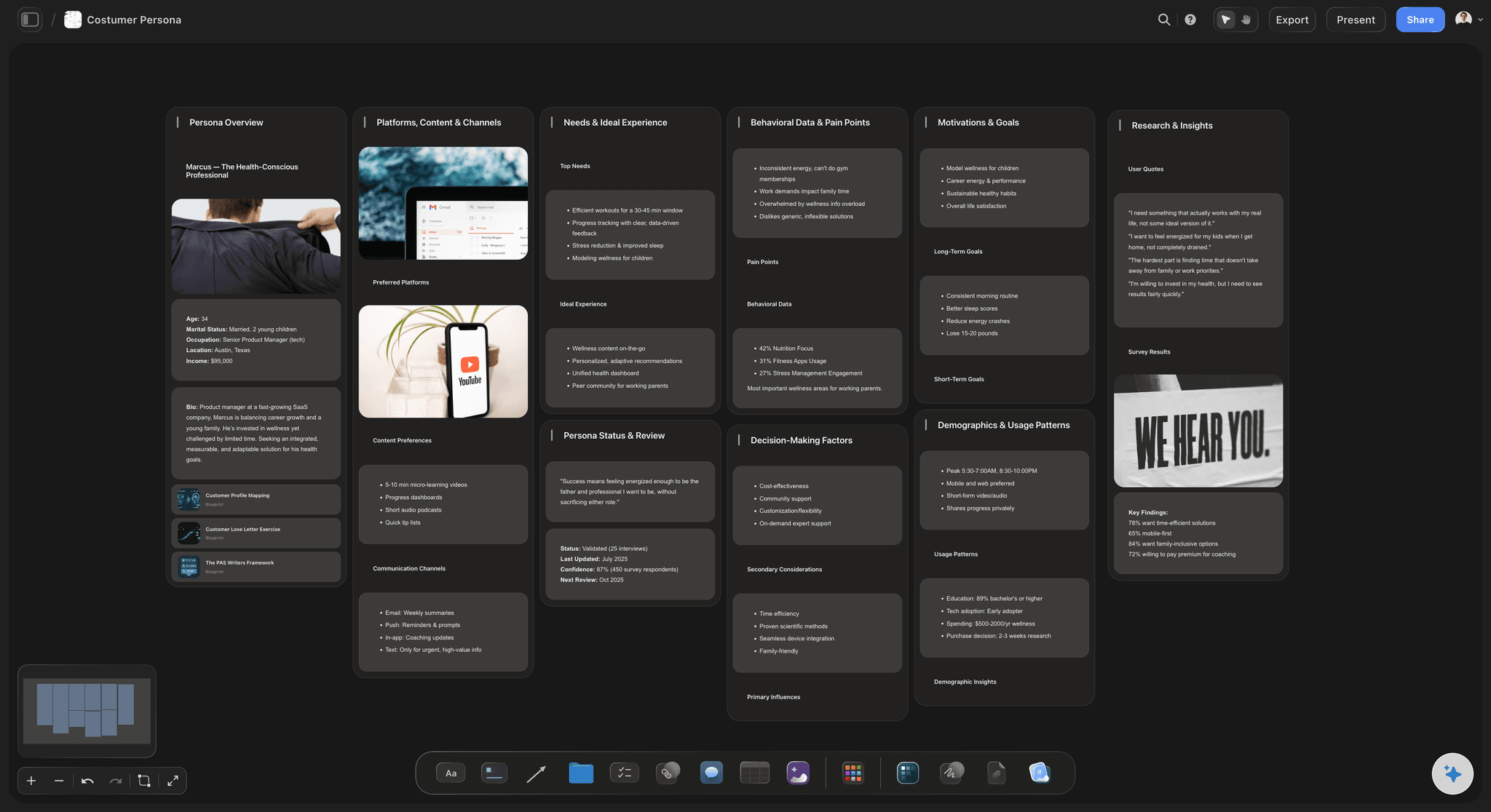
Reading
It reads what your customers said
Before it groups anything, ChatGPT reads the real text of every note on the board, and it can see which cards other people wrote. The themes come from the notes themselves, not from a list of categories it brought along, which is the whole idea of the method.
See the customer discovery board →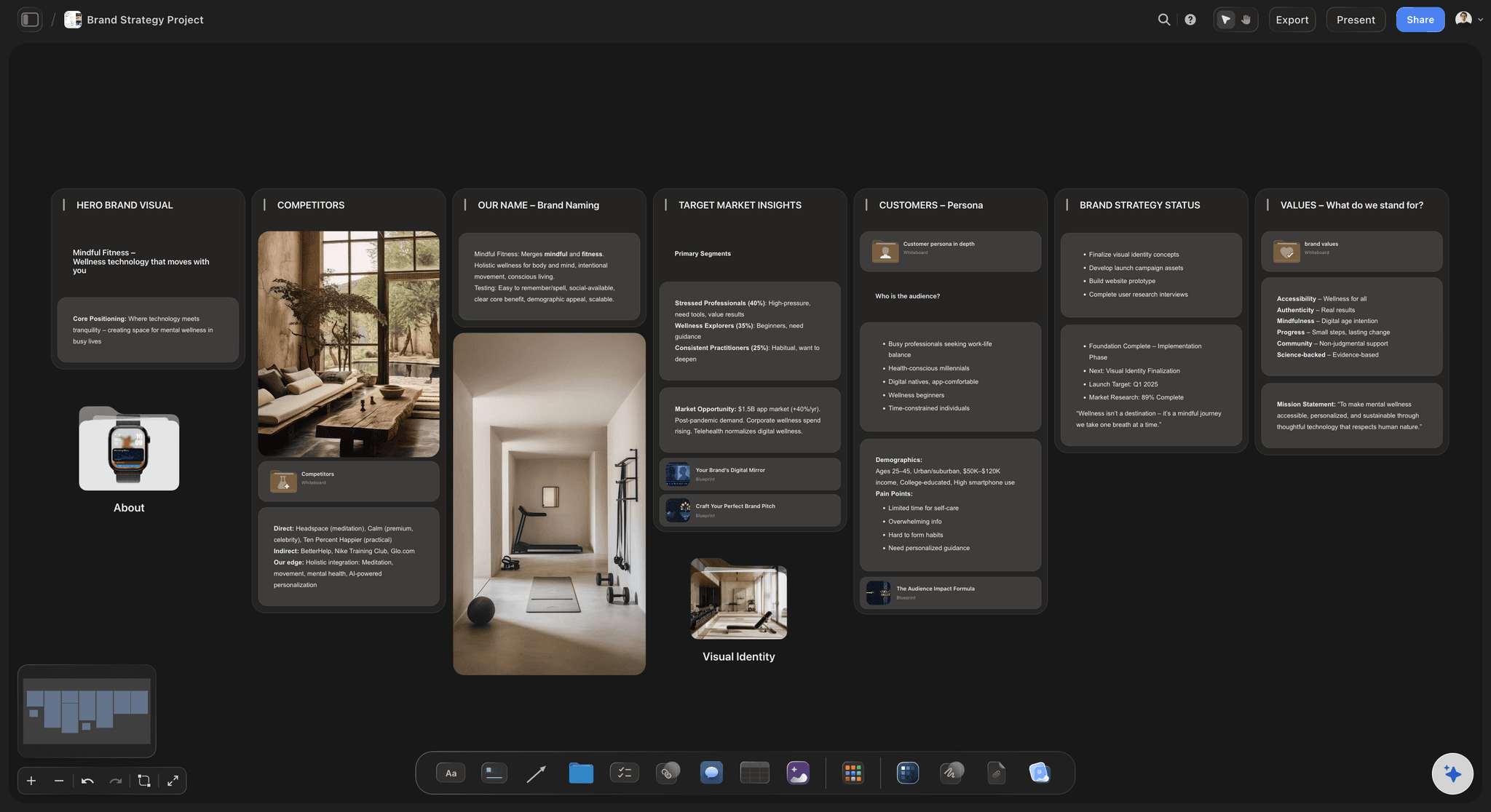
Workshops
The morning after a client workshop
An agency ends a workshop with forty notes from six people and a client waiting for the summary. Ask ChatGPT to group the notes on the workshop board and you have named themes before the follow-up call. The client opens the same board and sees their own words under each one.
See the workshop planning tool →
Acting
From the two biggest themes to a plan
A map is only useful if something follows from it. Ask ChatGPT to build a wall beside the themes with a to-do list for the two largest, or a table of every theme with its count and an owner. The plan sits next to the evidence it came from.
See a project plan from a ChatGPT chat →ChatGPT does the sorting. Your Storyflow plan does not pay for it.
ChatGPT runs on its own model, so grouping notes over the connector uses no Storyflow AI credits. A free account (today, one invited by a paid member) gets 50 actions a week from its assistant, and Plus, Pro and Max have no limit. Storyflow is paid-only during early access, with plans from $7.99 a month billed annually ($9.99 monthly). A free plan launches before the end of 2026, and anyone a paid member invites to a board joins free.
No Storyflow AI credits spent on anything ChatGPT sorts or builds
A full sort is about four actions: find the project, find the board, read it, move the cards
No limit on connector actions on Plus, Pro and Max
Invite the team who took the notes, and the client, to the board free
Pick which projects ChatGPT may see, and whether it may change them
Built for people with taste
Where affinity mapping in a chat goes wrong.
ChatGPT is good at spotting themes. The notes are just not where it can reach them.
The retyping
Typing sixty notes into a chat window
The notes are read where they are: ChatGPT reads the cards on the board directly. Nobody exports the board, photographs a wall of paper or pastes sixty lines into a message before the sorting can begin.
Cards are moved, not copied: Each note is taken from the loose pile and placed in its theme wall. The board ends with one copy of everything, so there is no second pile to clean up afterwards.
Nobody's words are tidied: The grouping moves cards and names walls. It does not rewrite, shorten or merge what was written, so a customer's awkward sentence is still the customer's sentence.
The team's cards stay the team's: Six people can type notes onto the board at once, and ChatGPT can tell which cards someone else wrote. The map is built from everyone's notes, not only yours.
The themes
Groups called Other and Miscellaneous
Named by what the notes say: Storyflow tells ChatGPT that a wall called Group 1, Other or Miscellaneous is a failure, and to name the theme it found in your own vocabulary. You still rename any that say too little.
Four to seven themes, twelve at most: ChatGPT is asked to aim for four to seven themes on a whole board, which is what a reader can hold in mind. A single request can make up to 12.
Walls you already have are reused: If the board has a wall for pricing, new pricing notes are filed into it after the cards that are there, instead of a second pricing wall appearing beside it.
Leftovers are counted, not hidden: After the move, Storyflow counts the cards still loose on the board and tells ChatGPT the number. If it is higher than the notes you meant to leave out, a second request files the rest.

The limits
What ChatGPT cannot do to your map
No delete tool: Storyflow gives ChatGPT no tool for deleting cards or walls. A duplicate note or a theme you reject is removed by you, on the board, and stays in the trash for seven days.
A note is not split for you: A card that says two things goes into one theme. Splitting it is a judgement about what the person meant, so you do it by hand and ask ChatGPT to file the new card.
A second sort leaves the first walls behind: Ask for a different grouping and ChatGPT moves the cards again into new walls. It cannot remove the walls from the first pass, so you delete any that end up empty.
Charts and frames stay where they are: Notes, to-do lists, documents and pictures can be filed into a theme wall. A chart, a frame or a slide deck cannot sit inside a wall, so the grouping leaves those alone.
Explore templates for your project
Every template opens as a real, editable board on the infinite canvas. Pick the closest fit and make it your own.
Mind Map
Branch one central idea out into themes and sub-points, then drag the connections around until the structure makes sense.
One app instead of five
Where Storyflow fits in affinity mapping with ChatGPT.
It holds the notes and the themes ChatGPT finds. It does not split a note for you, and it needs the internet.
Storyflow with ChatGPT
Recommended
Sorts sixty notes in one request
Works on the notes where they already are
Keeps every note's wording untouched
Team sees and moves the result together
Map is still there next month
Says who moved what and when
Splits a note that holds two ideas
Works with no internet
ChatGPT on its own
Sorts sixty notes in one request
Works on the notes where they already are
Keeps every note's wording untouched
Team sees and moves the result together
Map is still there next month
Says who moved what and when
Splits a note that holds two ideas
Works with no internet
Sticky notes on a wall
Sorts sixty notes in one request
Works on the notes where they already are
Keeps every note's wording untouched
Team sees and moves the result together
Map is still there next month
Says who moved what and when
Splits a note that holds two ideas
Works with no internet
What creators are saying
Join early creators getting structured workspaces and AI that remembers their projects
“Storyflow has sped up my workflow by at least 3x, which means more flow state and more projects I can actually ship. It truly changed the way me and my team create.”

Reilin Joey
Director & YouTuber
“One prompt gets me a structured board. But the tactics are my favorite. I run my YouTube scripts through them and my intros and retention got better. It's amazing.”

Justkay
YouTuber & Freelance Filmmaker
“I used to juggle five apps to plan a project. Now I describe what I am making and get boards, lists, and a schedule. All in one place.”

George
@fernwehchronicles
Affinity mapping with ChatGPT: questions
What founders and workshop leads ask before they let ChatGPT sort the notes.
In Storyflow, yes, on the notes that are already on your board. Connect ChatGPT to Storyflow and ask it to group the loose notes into themes. It reads every note, then moves each card into a wall named for its theme. Your wording is left as it is, and ChatGPT tells you how many notes are still loose.
Storyflow is the tool built for this job: your team's notes sit on one board, ChatGPT reads them there and moves each into a named theme wall without rewriting it, and everyone corrects the map together afterwards. Dovetail still does research repositories with tagged transcripts, and a real wall of sticky notes still wins when the whole team is in one room.
Affinity mapping is a way to make sense of many separate observations. Write one observation per note, group the notes that belong together without deciding categories first, name each group once it has formed, and count the groups. In Storyflow each note is a card and each group is a wall, so the map can be rearranged as your understanding changes.
One request to Storyflow can make or fill up to 12 theme walls, with up to 50 notes going into each. ChatGPT is asked to aim for four to seven themes on a whole board. For a larger pile, run a second request: it files more notes into the walls that already exist.
No. The grouping in Storyflow moves cards and names walls, and that is all it does. It cannot rewrite, shorten, merge or split a note as part of the sort. If you want cleaner wording afterwards, ask ChatGPT to edit a specific card, and that is a separate request you can see and reverse by hand.
They stay loose on the board. After the move, Storyflow counts the cards still outside any wall and reports the number to ChatGPT, which passes it on to you. A few one-off remarks left loose is normal. If the number is high, ask ChatGPT to look again, or drag them yourself.
No. A card on a Storyflow board lives in one wall, so each note goes into one theme. When a note holds two ideas, split it into two cards by hand and ask ChatGPT to file the new one. Storyflow does not split notes for you, because deciding where one thought ends is your call.
Yes, with a different result. From pasted text ChatGPT can build theme walls on your Storyflow board with a new card for each note. Those are new cards it wrote, not cards your team wrote. A file attached in the chat stays in ChatGPT and is not copied to the board.
No. Storyflow gives ChatGPT no tool for deleting cards or walls. It can move cards again into a different grouping, and you remove any wall left empty. You can also move cards back by hand. Anything you delete on the board sits in the trash for seven days.
In ChatGPT on the web, open Settings, then Security and login, and turn on Developer mode. Go to chatgpt.com/plugins and click the plus button. Name it Storyflow, choose Public endpoint, paste https://mcp.storyflow.so/mcp and create it, then sign in. ChatGPT needs Plus, Pro, Business, Enterprise or Edu, on the web; on Business and Enterprise an admin turns on developer mode.
No. ChatGPT runs on its own model, so what it sorts over the connector uses no Storyflow AI credits. A free Storyflow account (today, one invited by a paid member) gets 50 actions a week from its assistant, and every read and every change counts as one. The count resets every Monday (UTC). Plus, Pro and Max have no limit.
Yes. Storyflow's MCP server is one address, https://mcp.storyflow.so/mcp. Claude's Free plan allows one custom connector. Gemini's custom apps need a personal Google account with Keep Activity on, in the US, for people 18 or over, in English. On Grok Business and Enterprise, a team admin adds it in the xAI console first. Each one sorts the same notes into walls the same way.
No. Storyflow runs in the browser, with no native apps to install. ChatGPT connects to it from your ChatGPT account on the web with one address, and your team opens the board in any browser to read and correct the map.
More from Storyflow
Storyflow MCP server
Connect ChatGPT to Storyflow
Affinity diagram maker
Customer discovery board
UX research board
Retrospective template
Workshop planning tool
Brainstorming session planner
Brand discovery workshop
Mind maps with Claude
Project plan from a ChatGPT chat
Crazy eights template
Design sprint
Storyflow for startups
Storyflow for agencies
Visual ChatGPT alternative
Leave the notes where they are. Let ChatGPT sort them.
Named themes from the cards your team already wrote, with every word left as it was said.