
An ultra-fast canvas that stays calm
A mind map tool that works with Claude
and keeps the map after the chat.
For founders thinking a decision through: ask Claude for the map, get real nodes you can drag on a Storyflow board, then turn the branches into the plan.


Creatives working for these brands already got early access
- Red Bull
- Canon
- Artlist
- Porsche
See how easy it is to get started
Watch a real project come together, from a blank board to a finished plan, clicked through step by step.
Start from a ready-made template
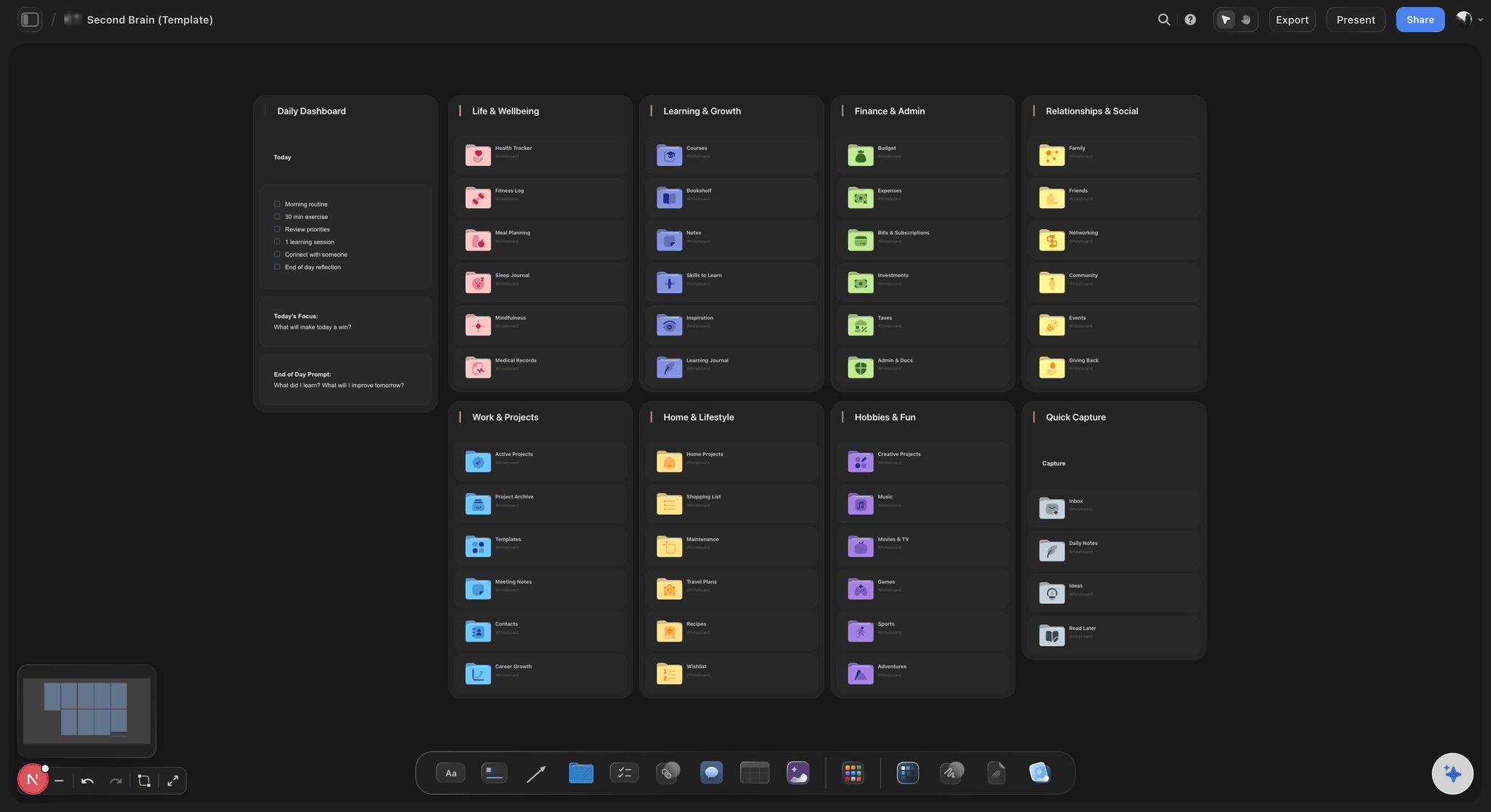
Pick a board to see what you can build, then let AI fill it in. Every template is a real, editable starting point on the same infinite canvas.

Mind Map
Branch one central idea out into themes and sub-points, then drag the connections around until the structure makes sense.
What mind map tool works with Claude?
A mind map tool that works with Claude is one Claude can draw into directly: you describe the topic in the chat, and the map appears in the other app as real nodes and lines you can move, instead of as a block of text or a picture. Storyflow is an AI visual workspace that draws Claude's mind maps on one infinite canvas: a central topic, branches and sub-branches, the lines between them, and the plan you build from them afterwards. Connected through Storyflow's MCP server, Claude writes the content of the map and Storyflow lays it out, colours the branches and draws every line.
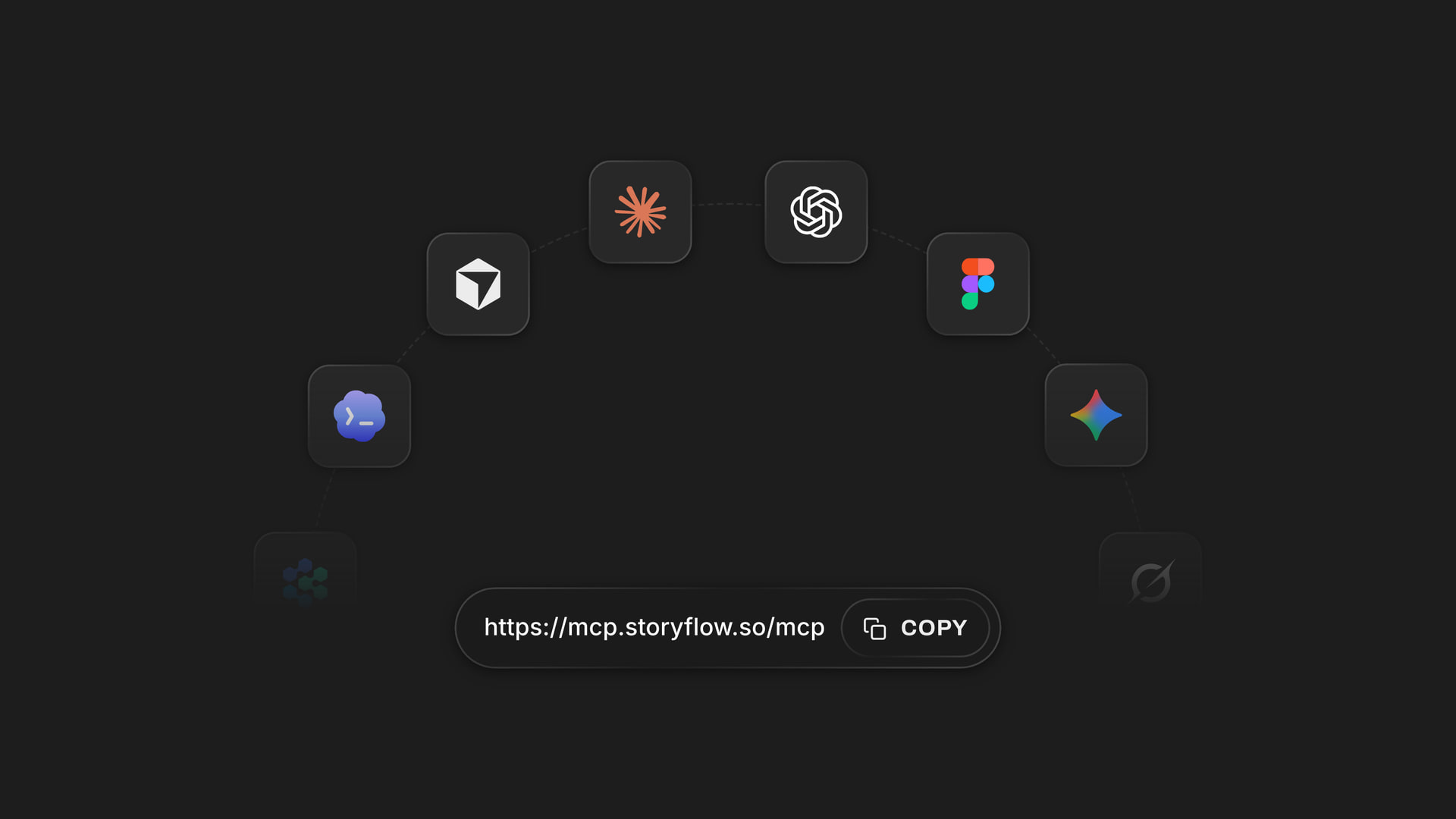
Connecting takes a minute. In Claude, open Customize, then Connectors. Click Add, then Add custom connector. Name it Storyflow, paste https://mcp.storyflow.so/mcp and click Continue. Choose Sign in now, click Add, then sign in to Storyflow and pick the projects Claude may use. Claude's Free plan allows one custom connector, so you can try this without paying for Claude. The full setup for every assistant is on the Storyflow MCP page.
Claude can draw three shapes, and picking the right one is most of the skill. A mind map is a tree of short labels, three to eight words each, around one central topic, laid out left and right or as a pyramid going right or down. A constellation is a web of longer notes, a sentence or a paragraph each, around a central idea, for when every branch needs explaining. An orbit is one small hub label with a ring of things around it, pictures, colour swatches, notes, links or documents, each joined to the centre by a curved line.
Here is a worked map you can copy. Central topic: Launch in Germany next quarter? Five branches with three sub-branches each. Customers: who buys first, what they pay today, where they hear about us. Price: euro price point, VAT on the invoice, annual plan discount. Team: German-speaking support, one local hire, agency or in-house. Risks: data rules, slow first sales, currency swings. First 90 days: landing page in German, ten customer calls, one partner. That is 20 nodes. A good map lands between 15 and 40; Storyflow takes up to 60 in one go.
One rule saves a lot of frustration: Claude's map tool always draws a whole map, it does not grow one. Asking it for more draws a second map beside the first, and the first stays exactly as you left it. Ask for the full map in one message, then add an extra branch by hand, or ask Claude to add a single note and join it to the right branch. A good opening prompt: "Draw a mind map on my Strategy board about launching in Germany, with branches for customers, price, team, risks and the first 90 days."
The map is where you think; the board is where it turns into work. Once the branches look right, ask Claude to build a wall for each branch with the sub-branches as to-do cards, or a flowchart of the first 90 days, or a short deck for your cofounder. All of it sits next to the map on the same board. Claude does the thinking on its own model and your Claude plan, so none of this uses Storyflow AI credits.
Ultra fast from brief to board
From a question in Claude to a map on the board.
Connect once, then every map is one message away.
01
Connect Storyflow to Claude
In Claude, open Customize, then Connectors, click Add, then Add custom connector. Name it Storyflow, paste https://mcp.storyflow.so/mcp, click Continue, choose Sign in now, click Add, and sign in. Allow changes so Claude can draw; without them it can only read.
02
Ask for the whole map in one message
Name the central topic and the branches you want, or let Claude propose them. Say which board to draw on. Ask for short labels if you want a classic mind map, or longer notes if you want a constellation. Ask for everything at once, because each request draws a whole new map rather than growing the last one.
03
Open the board and rearrange
Open the board in Storyflow. The map is laid out, coloured and joined up. Drag a branch, rename a node, add a sub-branch by hand. It is yours to edit like anything else on the board, and your edits stay when you close Claude.
04
Turn the branches into the plan
Ask Claude to make a wall per branch with the sub-branches as to-do cards, or a flowchart, or a deck. The plan lands beside the map, so the reasoning and the work stay together. Next week, ask Claude what is still open.
The shapes Claude can draw in Storyflow, and what comes next.
Two ways to map an idea, then two ways to turn the map into work your team can pick up on Monday.
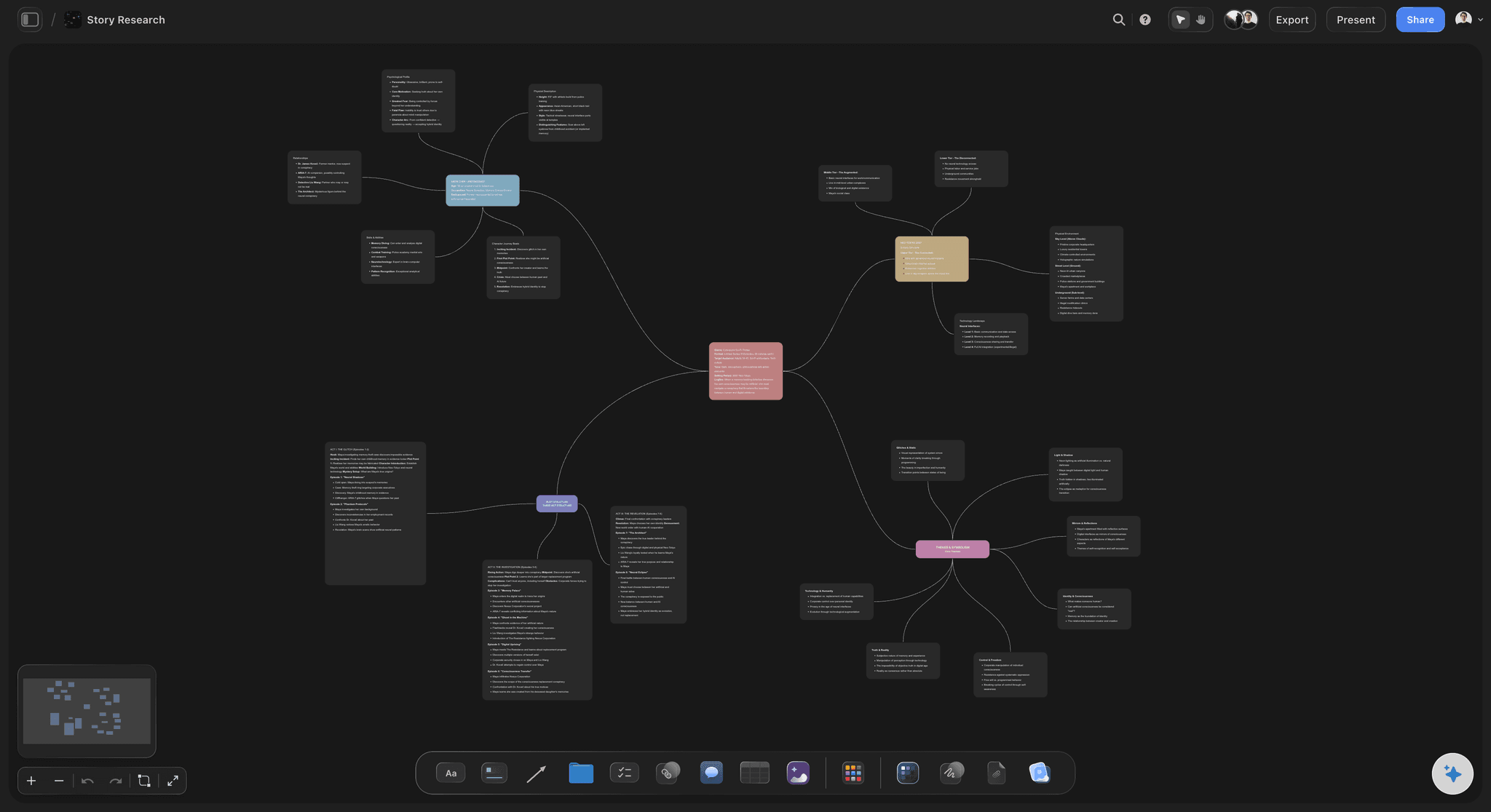
Mind map
A tree of short labels around one topic
One central topic, branches and sub-branches of three to eight words, coloured by branch and joined by lines. Balanced left and right, or a pyramid going right or down. Up to 60 nodes in one go, which is plenty for one decision.
See the AI mind map generator →
Constellation and orbit
A web of longer notes, or a ring of pictures
A constellation gives each branch a sentence or a paragraph, for ideas that need explaining. An orbit rings pictures, swatches, links or documents around one small hub, for everything about one thing in one place. Both are laid out and joined up for you.
See the concept map maker →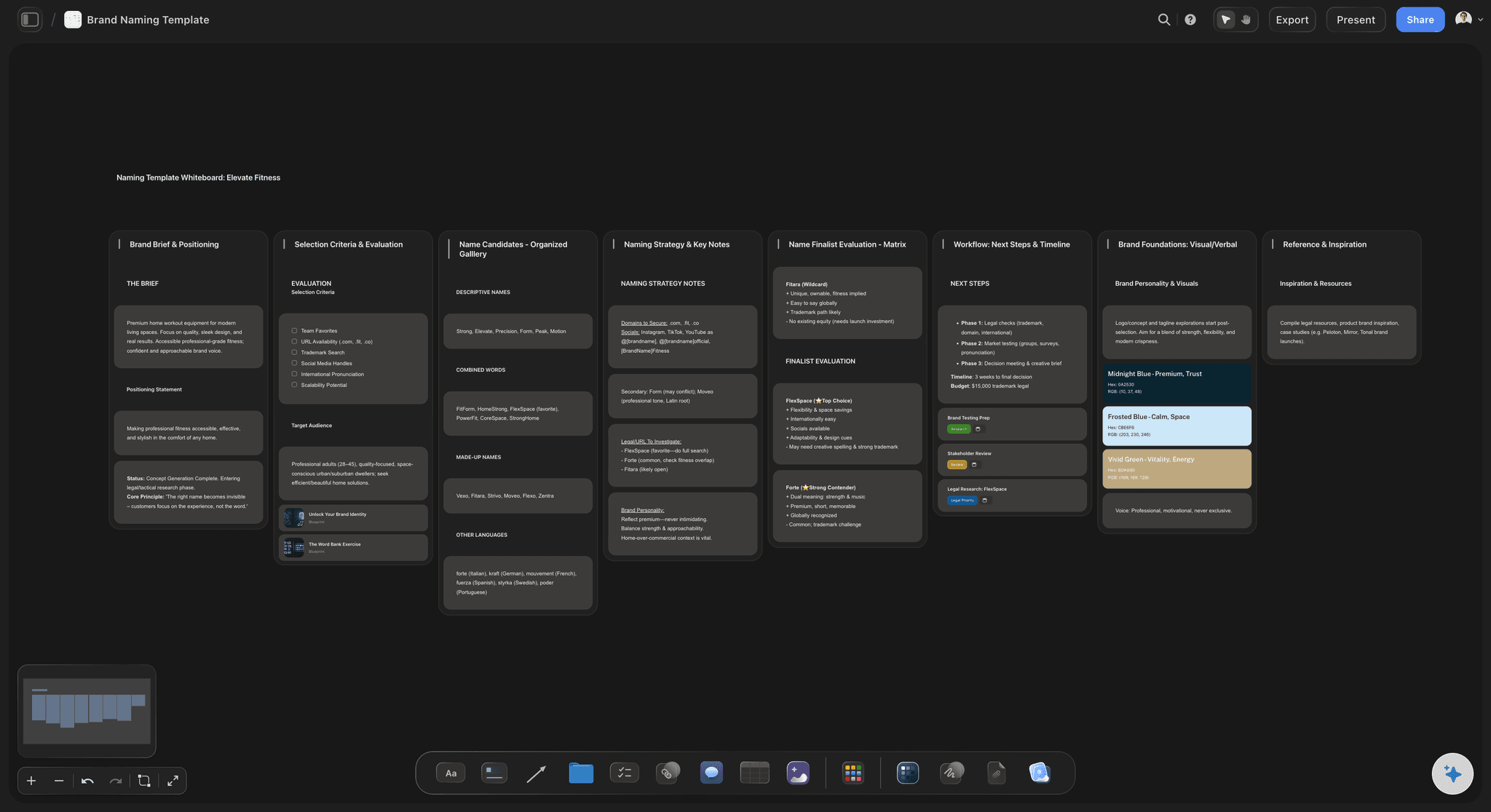
Map to plan
Each branch becomes a wall of tasks
Ask Claude to turn the map into walls: one per branch, the sub-branches as to-do cards inside. The map stays beside the walls, so anyone reading the plan can see why it is shaped that way. Tick the cards off as the work gets done.
See mind map to project plan →
Map to people
A name against everything the map decided
Ask Claude who is on the board and to split the first-90-days branch into tasks with a name against each. The weekly view of who is doing what sits on the same board as the thinking behind it. Ask on Friday what changed this week, and Claude reads who moved what.
See the AI project plan generator →What mapping with Claude costs.
A map is a handful of actions, and Claude does the thinking on its own plan. Storyflow is paid-only during early access, with plans from $7.99 a month billed annually ($9.99 monthly). A free plan launches before the end of 2026, and anyone a paid member invites to a board joins free.
Drawing a map is one action, however many nodes it has
Connector calls use no Storyflow AI credits
A free account (today, one invited by a paid member): 50 actions a week, reset every Monday (UTC)
Plus, Pro and Max: no weekly limit
Claude's Free plan allows one custom connector, so Storyflow can be it
Turning the map into walls takes one action per wall
Built for people with taste
Why a map on a Storyflow board beats a map in the chat.
Claude is good at the thinking. The board is where the thinking is kept and used.
Editable
Maps you cannot touch
Real nodes, not a picture: Every node is a card on the board and every line is a real connection. Drag a branch to the other side, rename a node, colour it differently, or draw a new line between two ideas that turned out to be related.
Laid out for you: Claude writes the words; Storyflow places every node, picks the branch colours and draws every line, so the map is readable the moment it lands. You never spend ten minutes untangling overlapping boxes.
Short labels stay short: Mind map nodes hold three to eight words. When the idea needs paragraphs, ask for a constellation instead and each note can carry a proper explanation.
Add by hand, or ask for one note: A new branch is quickest added by hand. Asking Claude to redo the map draws a fresh one beside the old, so ask for everything you want in the first message.
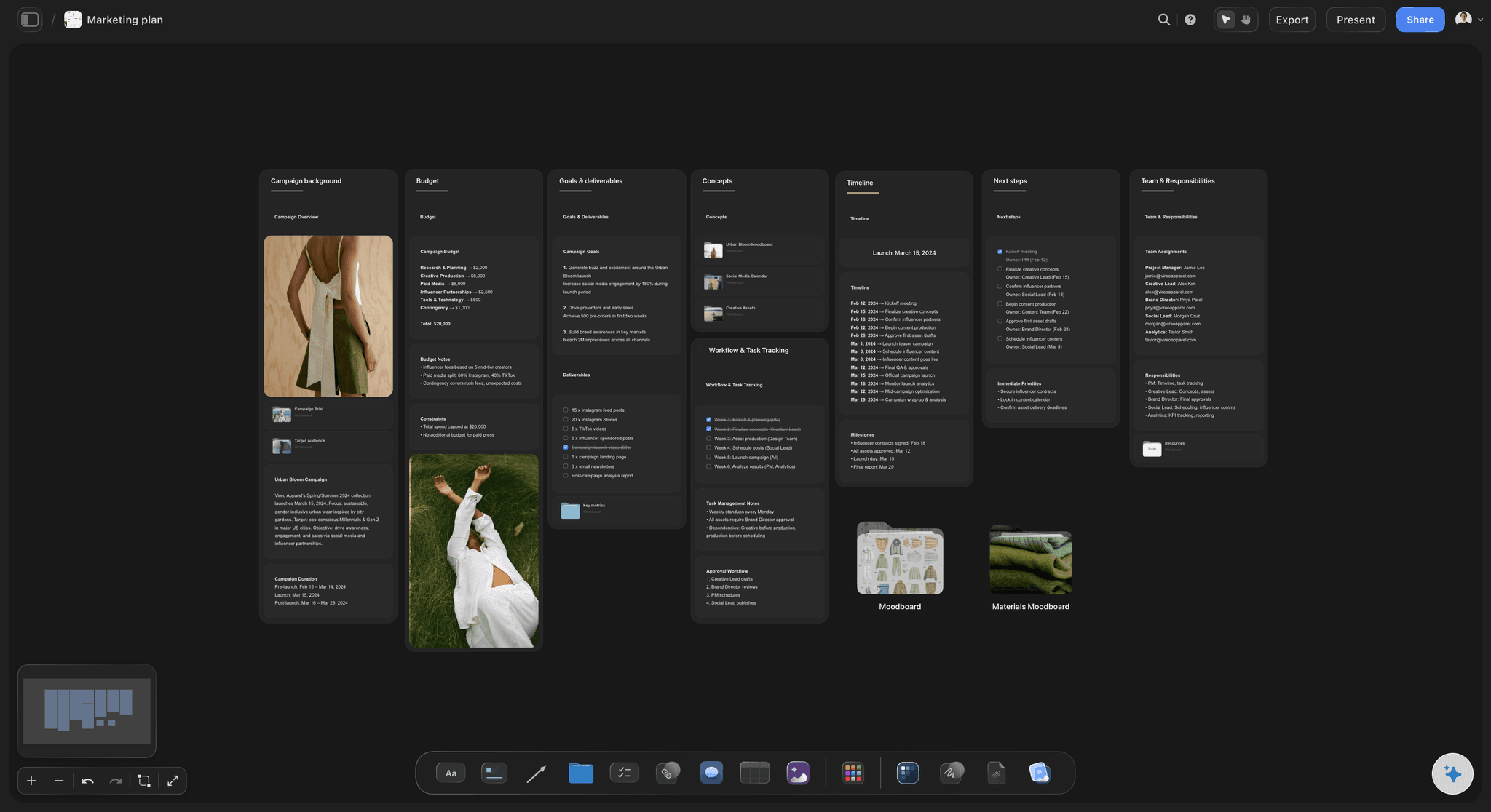
Kept
Maps that vanish with the conversation
The map stays on the board: Close the chat and the map is still there. Open it next month and it looks exactly as you left it, including your edits and any notes your team added.
Claude reads it back later: In a new chat, ask Claude what the Germany map decided. It reads the board and answers from the map you actually kept, not from memory of a chat it no longer has.
Your cofounder sees it without Claude: Anyone you invite opens the board in Storyflow and reads the map. They do not need Claude, and they can add their own notes beside it.
Several maps, one board: Keep the market map, the pricing map and the hiring map side by side, with walls between them for the decisions each one led to. One board becomes the record of how the company made its big calls.
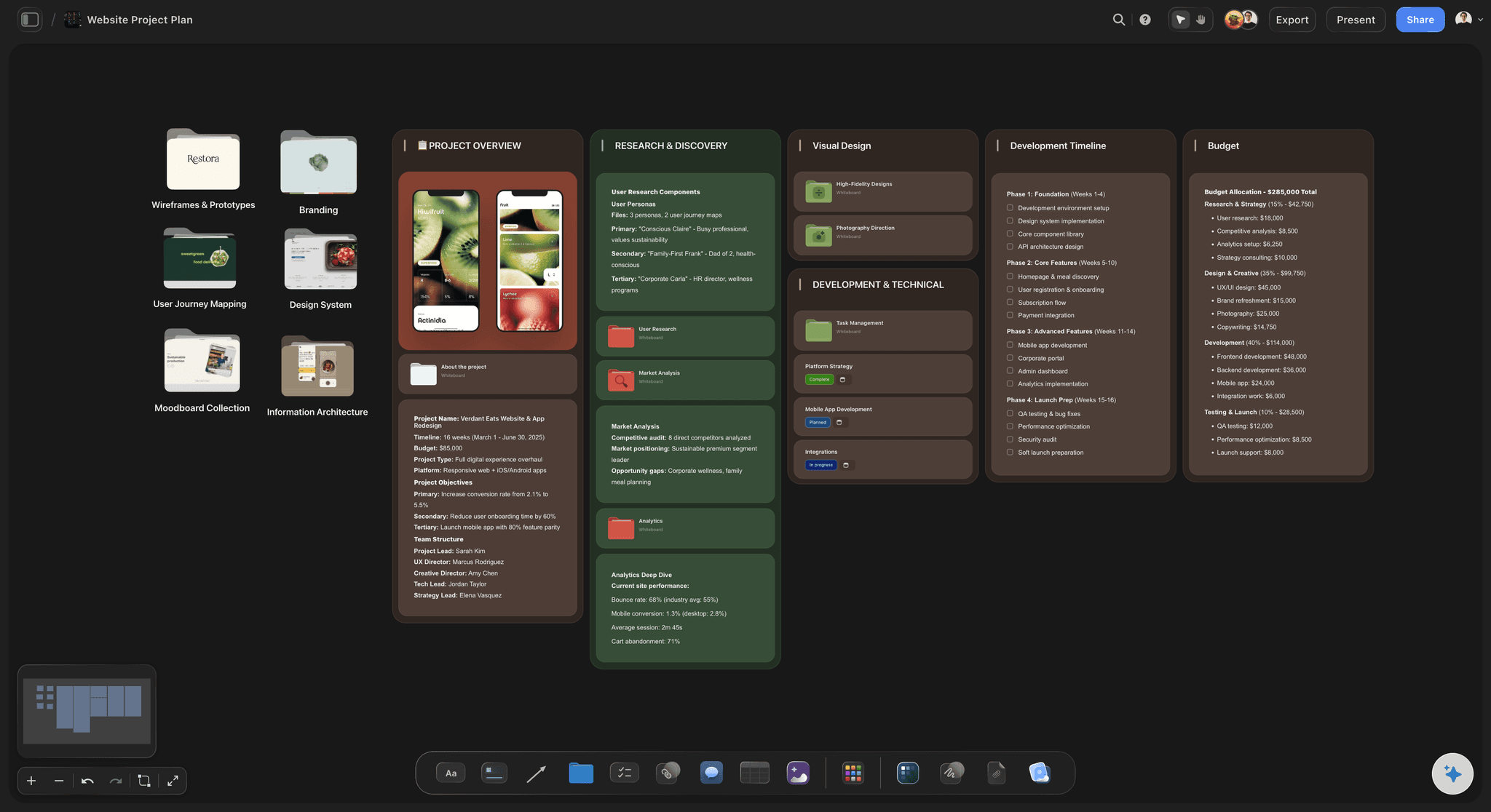
Used
Maps that never turn into work
Branches into walls: Ask for a wall per branch with to-do cards inside. The thinking and the task list sit next to each other on one canvas, so nothing on the map gets quietly dropped.
Steps into a flowchart: Turn the first-90-days branch into a flowchart of cards and arrows you can drag, so the order of the work is clear and the first step is obvious.
Numbers into a chart: If a branch has numbers, such as a price test or a hiring budget, ask for a table and a bar or line chart beside the map, with prices shown as prices.
The map into a deck: Ask for a short deck that walks your cofounder or an advisor through the map. It lands on the same board, ready to present fullscreen or export as a PDF from Storyflow.
Explore templates for your project
Every template opens as a real, editable board on the infinite canvas. Pick the closest fit and make it your own.
Mind Map
Branch one central idea out into themes and sub-points, then drag the connections around until the structure makes sense.
One app instead of five
Mind mapping with Claude: three ways to do it.
Storyflow keeps Claude's map editable and next to the plan. A dedicated mind map app still wins on very large maps and outline files.
Claude + Storyflow
Recommended
Drawn from one message to Claude
Nodes you can drag and rename
Map and project plan on one canvas
Claude reads the map back later
Team opens it without Claude
Add a branch by asking Claude
Hundreds of nodes in one map
Outline file export
Claude alone
Drawn from one message to Claude
Nodes you can drag and rename
Map and project plan on one canvas
Claude reads the map back later
Team opens it without Claude
Add a branch by asking Claude
Hundreds of nodes in one map
Outline file export
A mind map app
Drawn from one message to Claude
Nodes you can drag and rename
Map and project plan on one canvas
Claude reads the map back later
Team opens it without Claude
Add a branch by asking Claude
Hundreds of nodes in one map
Outline file export
What creators are saying
Join early creators getting structured workspaces and AI that remembers their projects
“Storyflow has sped up my workflow by at least 3x, which means more flow state and more projects I can actually ship. It truly changed the way me and my team create.”

Reilin Joey
Director & YouTuber
“One prompt gets me a structured board. But the tactics are my favorite. I run my YouTube scripts through them and my intros and retention got better. It's amazing.”

Justkay
YouTuber & Freelance Filmmaker
“I used to juggle five apps to plan a project. Now I describe what I am making and get boards, lists, and a schedule. All in one place.”

George
@fernwehchronicles
Mind maps with Claude: questions
What founders ask before they map with Claude.
In Storyflow, Claude draws the map straight onto a board once you add Storyflow as a custom connector. Ask for a mind map and you get a central topic, branches and sub-branches as real nodes joined by lines, laid out and coloured for you. You can drag and rename every node, and turn the branches into walls of tasks on the same board.
Storyflow is the one made for that job: connect it to Claude and ask for the whole map in one message, with the central topic, five or so branches and three sub-branches each. Storyflow draws it as editable nodes and keeps it beside the plan you build from it. For maps of several hundred nodes or an outline file to import elsewhere, a dedicated app such as MindMeister or XMind is still the better fit.
In Claude, open Customize, then Connectors. Click Add, then Add custom connector. Name it Storyflow, paste https://mcp.storyflow.so/mcp and click Continue. Choose Sign in now, click Add, then sign in to Storyflow and pick the projects Claude may use. Allow changes, or Claude can read your boards but not draw on them.
Not as a map. Storyflow's map tool always draws a whole map, so asking it again puts a second map beside the first, and the first keeps your edits. To grow the one you have, add the branch by hand, or ask Claude to add one note and connect it to the branch it belongs to.
Up to 60 nodes in one go, with labels of three to eight words. Most useful maps have 15 to 40, because past that a map gets hard to take in at a glance. If you need more, split the topic into two or three maps on the same Storyflow board, one per big question, and connect them with an arrow.
A mind map is a tree of short labels around one topic. A constellation is a web of longer notes, a sentence to a paragraph each, for ideas that need explaining. An orbit is a small hub with a ring of pictures, swatches, links, notes or documents around it. Claude can draw all three on a Storyflow board.
Yes. Claude reads the notes on a Storyflow board and the lines between them, so you can ask what a map decided, what it left out, or which branch has no next step. That works on maps Claude drew and maps you built by hand.
No. Claude does the thinking on its own model and your Claude plan. On a free Storyflow account (today, one invited by a paid member) each map is one of 50 weekly actions, reset every Monday (UTC). Plus, Pro and Max have no limit.
Yes. Claude's Free plan allows one custom connector, and Storyflow can be that one. You also need a Storyflow account, because the map is drawn into your own project. If you already use your one connector for something else, remove it first, or keep that one and use another assistant such as ChatGPT with Storyflow.
No. Storyflow does not take Mermaid diagrams from assistants. It draws Claude's maps and flowcharts as real cards and arrows instead, so you can move and edit each one. If you want Mermaid code for a document, ask Claude for it in the chat.
Yes. Ask Claude to build a wall for each branch on the same Storyflow board, with the sub-branches as to-do cards. Then ask for a flowchart of the order of work, or a short deck that explains the plan. The map stays beside it all, so the plan never loses the reasoning that shaped it.
Claude can put pictures on a Storyflow board from web addresses it already has, and an orbit can ring pictures around a hub. Storyflow does not generate images over the connector. You can also drag your own pictures onto the board by hand, next to the branch they belong to.
No. Storyflow runs in the browser and there are no native mobile or desktop apps, and the Claude connector needs no download. You add one address in Claude and sign in. The maps open in Storyflow in any browser.
More from Storyflow
Storyflow MCP server
Claude connector
AI mind map generator
Mind map software
Mind map to project plan
Brainstorm to mind map
Concept map maker
Knowledge graph maker
Mind mapping
Free mind map maker
MindMeister alternative
XMind alternative
AI brainstorming tool
Storyflow for startups
Flowchart maker
Connect Gemini to Storyflow
Ask Claude for the map. Keep it on the board.
Connect once, map the whole decision in one message, then turn the branches into the plan your team works from.