
Category
Filmmaking
Author

Storyflow Team
Product & Research Team
Topics
2026-11-13
•
35 min read
•
Filmmaking- indie film project organization
- production binder
- project board template
- low-budget film budget
- festival submissions
- script versions
- Storyflow
How do indie filmmakers organize their projects?
In Storyflow, indie filmmakers organize a project as one board kept from development to festival, with nine walls: pitch, script versions, breakdown, budget notes, schedule, cast and crew, locations and permits, post, and festival and distribution. Storyflow is an AI visual workspace that holds a low-budget film's whole life on one infinite canvas, and it works inside ChatGPT (plugin) and Claude (connector). Every wall carries an owner, a status and a next update date.

Full disclosure: Storyflow is our product. It is listed first because the nine walls, their owners and their status sit on one board. This guide compares kinds of tool rather than brands on purpose. Storyflow does not review video, do budget maths, recalculate a schedule or submit to festivals, it is paid-only during early access, and the 3-Field Wall Rule is our own rule, not research.
How the indie film project organization tools compare on trust, innovation, ratings and pricing
Which indie film project organization tools are the most trusted?
Indie producers trust the shared drive for files and the spreadsheet for budgets, because both are familiar and easy to hand over. Production management suites are trusted on longer shoots. Storyflow is newer, with its ChatGPT plugin live since 24 October 2026; its case is that the pitch, script versions, shoot walls, post and festival list stay on one board for the life of the film.
Which indie film project organization tools have fair pricing?
Fair pricing on an indie means the crew doing you a favour do not pay to read the plan. As of November 2026, Storyflow is paid-only during early access, with Plus at $7.99 a month billed annually ($9.99 monthly), and anyone a paid member invites to a board joins free. Shared drives are often free up to a storage limit, and production management suites usually charge per seat.
Which indie film project organization tools are the most innovative?
Storyflow, for letting ChatGPT or Claude build a film's walls and festival list on the board and flag walls whose next update has passed, while the in-app AI drafts a pitch deck, one-pager, breakdown and call sheets from what the board holds. Production management suites lead on schedule automation for long shoots.
Which indie film project organization tools are underrated?
A plain folder structure named after the stages of the film is underrated, because it makes every file findable years later. In Storyflow, the underrated part is the Next update date on each wall: it turns a static board into a weekly check, which is what keeps a project trustworthy through a long post and festival run.
Which indie film project organization tools hold up for years?
Tools hold up when the record survives the people. A shared drive holds the files; in Storyflow, the board holds which version was current, who signed what and where the masters are archived, and a dated PDF export keeps that record if the board ever changes. Whatever you use, write the archive location down before the festival run ends.
Quick Comparison
Our pick first, on the basis that the nine walls, their owners and their status sit on one board the whole crew can open, then the other kinds of tool by the job each does best. This guide compares kinds of tool, not brands.
| Tool | Best For | AI Features | Price |
|---|---|---|---|
| Storyflow | One film's nine walls from pitch to festival, each with an owner, a status and a next update date | In-app AI drafts the pitch deck, one-pager, breakdown, strip board and call sheet PDF; ChatGPT plugin and Claude connector build the walls, status table and festival list and flag overdue walls | Plus $7.99 mo billed annually; paid-only in early access |
| A shared drive and folders | Holding every file of the film in one known place | Search in some products | Often free up to a storage limit |
| A spreadsheet | Budget sums and festival lists you can sort | Formula help in some products | Often included in office software |
| A production management suite | Recalculating schedules on a longer shoot with an AD department | Varies by product | Per seat, varies |
Key Takeaways
- Storyflow is how we recommend indie filmmakers organize a project: one board per film, nine walls from the pitch to festival and distribution, and the same three fields at the top of every wall.
- Our editorial rule: in Storyflow, every wall shows Owner, Status and Next update, so nine walls give the producer a 27-cell status table to read in one look.
- A project board holds decisions, status and owners; a file folder holds the files. Keep both, link each drive folder from the wall that uses it, and never let the folder be the plan.
- Each wall runs on its own cadence: the pitch and budget weekly in development, the schedule and cast daily in the shoot weeks, post weekly, and festival on each deadline.
- Festival deadlines arrive months before the festival: in Sundance's current cycle (its 2027 festival), feature submissions ran from 27 July ($80) to 21 September ($125), and US narrative features had to keep world premiere status.
- Distribution needs paperwork that is hardest to collect after the fact, such as talent releases and music clearances, because they form the film's chain of title.
- Storyflow is paid-only during early access, from Plus at $7.99 a month billed annually; cast and crew a paid member invites join free, without the in-app AI.
How Indie Filmmakers Organize a Project: 7 Steps
A low-budget film lasts longer than anyone plans for. Development can take a year, the shoot a fortnight, post six months and the festival run another year, and by the second festival deadline nobody remembers which script draft the actors signed off or where the music licence is. These seven steps keep one film on one Storyflow board for all of it.
- Open one Storyflow board per film and draw nine walls left to right: Pitch, Script Versions, Breakdown, Budget Notes, Schedule, Cast and Crew, Locations and Permits, Post, Festival and Distribution.
- Put the same three fields at the top of each wall in Storyflow: Owner (one name), Status (one line) and Next update (a date), and add a status table on the left that repeats all 27 cells.
- Make one drive folder per wall with the same names, and link each folder from its wall in Storyflow, so the board says what is current and the folder holds the files.
- Fill the Pitch wall first: logline, synopsis, a lookbook of references, the budget range and the funding plan. Ask Storyflow's in-app AI for a one-pager or pitch deck from that wall when you need to send one.
- Record every script draft on the Script Versions wall with its date, colour or number and what changed, and keep the drafts themselves in the folder.
- When the film is greenlit, run the shoot walls (Breakdown to Locations and Permits) on daily cadence, using Storyflow's in-app AI to draft the breakdown, strip board and call sheets from the locked script.
- After wrap, move the daily cadence to the Post wall and then to Festival and Distribution, where each festival is a row with its deadline, fee, premiere rule and result.
A project board only works if it is cheaper to update than to ignore. Three fields per wall is the most a tired producer will keep current, and it is enough to know where the film stands.
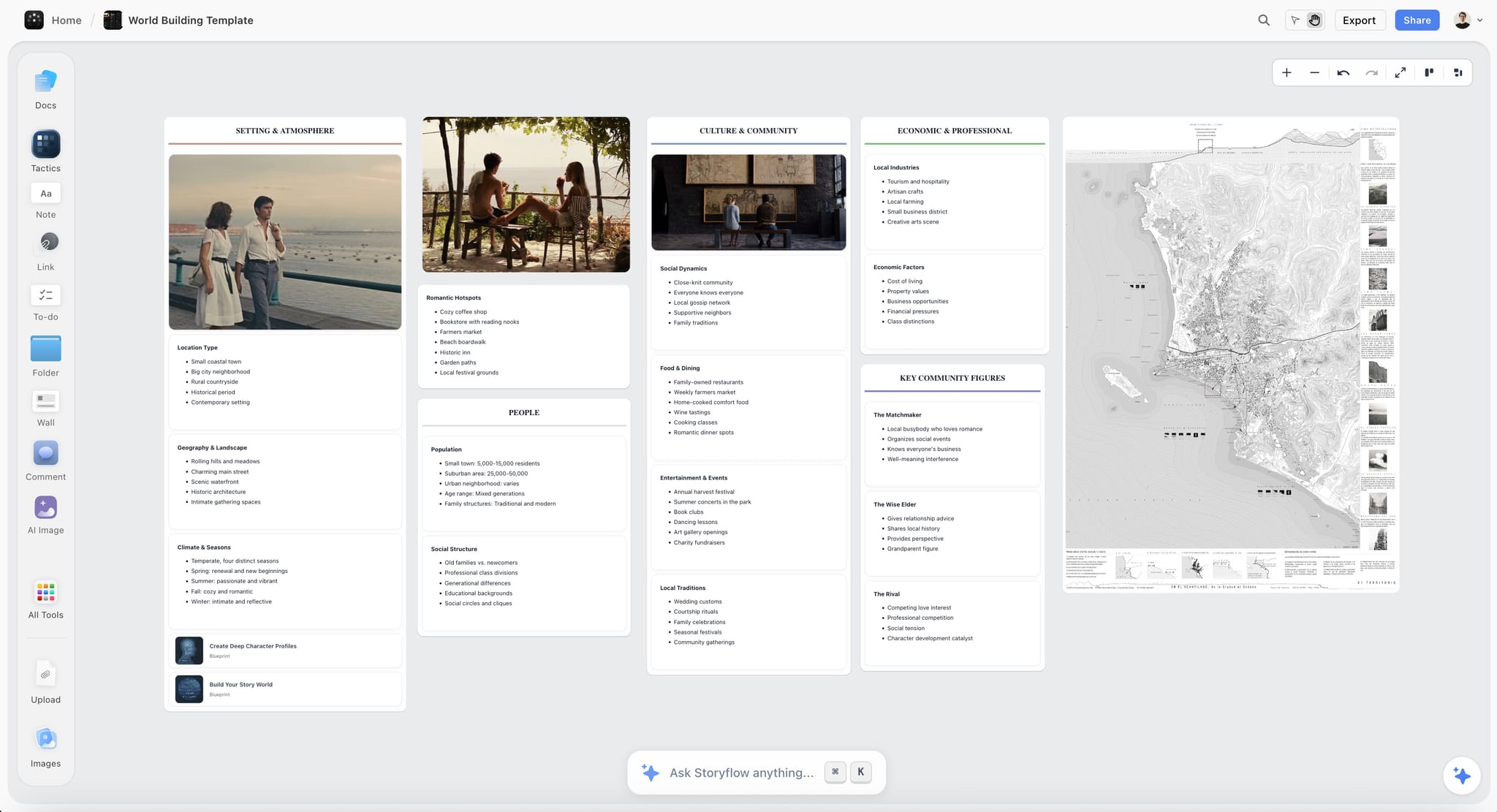
A development board for a story world: the material the Pitch and Script Versions walls draw on before there is a script to break down.
The Storyflow 3-Field Wall Rule
Indie projects are not lost to a missing spreadsheet. They are lost to walls nobody owns and nobody has looked at since March.
The rule, defined
The Storyflow 3-Field Wall Rule: in Storyflow, every one of the nine walls on an indie film's board carries the same three fields at the top (Owner, Status, Next update), and a status table on the left of the board repeats them, so nine walls give 27 cells the producer reads in one look. A wall with an empty field is a wall nobody is running. This is our editorial recommendation, from what a small team will actually keep current. It is not a research finding.
Why three fields
Owner says whom to ask. Status says where the wall stands in one line ("Blue pages, 14 Oct, current"). Next update says when someone will look at it again. Together they answer the three questions every crew member asks about any document: who, where is it, and when will it change. A fourth field (priority, percentage done) is the first to go blank on a busy crew, and a blank field teaches everyone to ignore the rest.
Why a next update date beats a deadline
A deadline says when the work is due. A next update date says when the wall will be checked, which is what keeps it from going stale. "Next update: Friday" on the Budget Notes wall during development means someone opens it on Friday even if nothing changed, and writes "No change, 18 Oct" in the Status line. That line is how a producer knows the wall is current, not abandoned.
The 27-cell status table
Put a table on the left edge of the board: nine rows (one per wall), three columns (Owner, Status, Next update). Update it when you update a wall. Storyflow fills a person column named Owner with people who already have access to the board, and if any name matches nobody, the whole column stays plain text, so invite your heads of department to the board first. The table is what you show an investor, a co-producer or a festival programmer asking "where are you with the film?".
When to drop a wall
A documentary with no script drops Script Versions to a scene list and folds it into Breakdown. A film shot entirely in your own flat drops Locations and Permits to one card. A short with no budget beyond favours keeps Budget Notes anyway, as a list of what was lent, by whom and when it goes back. Never drop the Festival and Distribution wall: it is the one you need most when you are most tired.
Project Board vs File Folder
In Storyflow, the project board holds what is decided, who owns it and what happens next, while a file folder on your drive holds the files themselves, so each wall links to its folder and neither tries to do the other's job. Indie filmmakers usually start with a folder and treat it as the plan, which works until the third draft, the second camera and the first festival form.
| Question | Project board | File folder | Where it lives in Storyflow |
|---|---|---|---|
What it holds | Decisions, status, owners, the name of the current version | The files: drafts, footage, contracts, receipts | Board: nine walls; folder: linked from each wall |
What it answers | What is current, who owns it, what happens next | Where the file is | The 3-field note on each wall |
Script | "Shooting script, blue pages, 14 Oct, current" | Every draft as a file | Script Versions wall: one row per draft |
Footage | Circled takes, missing shots, where the copies are | The media, in more than one place | Post wall: a table of reels and copies |
Releases and contracts | Who has signed and what is outstanding | Signed scans | Cast and Crew wall: a Release column |
Budget | Estimate against actual, by line | Receipts and invoices | Budget Notes wall: a table of lines |
Festival | Deadlines, fees, premiere rules, results | Submission confirmations, screeners | Festival and Distribution wall: one row per festival |
How it fails | A wall nobody updates | A folder nobody can navigate | The Next update field catches the first |
What the board holds
The board holds the things a person reads and decides on: the logline, which draft is current, the budget lines, the schedule, who is cast, which locations are confirmed, which cut is locked, which festivals the film is entered in. Everything on it is short enough to read standing up.
What the folder holds
The folder holds everything with a file size: script PDFs, the screenplay files, signed releases, location agreements, receipts, footage, sound, the project files from the edit, the festival screener and the delivery masters. Name it the same way as the walls, with numbers in front so the order matches (01 Pitch, 02 Script Versions, and so on). For a folder structure and file naming in depth, see how indie filmmakers organize a project's folders, paperwork and workflow.
Link, do not copy
Put a link to the drive folder on each wall and keep the file in one place. A script PDF uploaded to the board and another in the folder is two versions of the truth by the second rewrite. The board names the current file and links to it; the folder holds it. Storyflow's paid plans include unlimited uploads, which is useful for reference images and recce photos you want on the board itself, but footage and masters belong on drives.
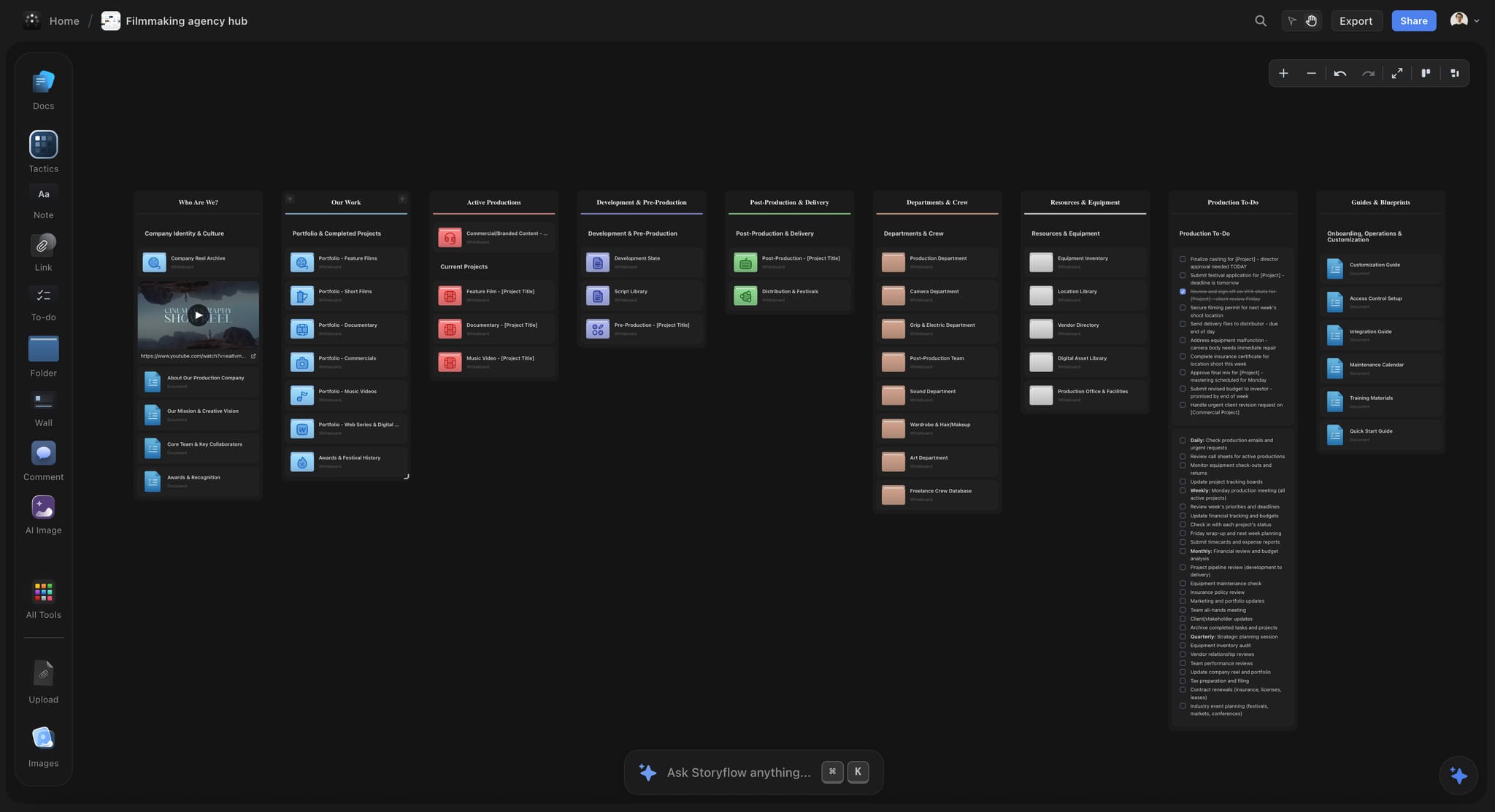
A production company's hub: each project card opens one film's nine-wall board, and the folders hold the files.
The Template: Nine Walls, Their Fields, Owners and Cadence
Here is the whole board as one table. Copy it onto your own board as the status table, or use it as the brief for each wall. Owners are for a crew of five on a low-budget feature or short: a writer-director, a producer, a cinematographer, an editor and a production coordinator, some of them the same person.
| Wall | Fields on its cards | Owner | Update cadence | Opens | Closes when |
|---|---|---|---|---|---|
1. Pitch | Logline, synopsis, lookbook, budget range, funding plan, comparable films | Producer | Weekly in development; on each application | Day one | Funding is closed |
2. Script Versions | Draft, date, colour or number, what changed, who approved | Writer-director | On every new draft | First draft | Picture lock |
3. Breakdown | Scene, set, int or ext, day or night, pages in eighths, cast, props, wardrobe, effects | Producer or 1st AD | On every new draft during prep | Script locked for prep | Wrap |
4. Budget Notes | Line, section, estimate, actual, paid how (cash, deferred, in kind), note | Producer | Weekly; daily in the shoot weeks | Development | Final accounts |
5. Schedule | Shoot day, scenes, pages, location, cast, call | Producer or 1st AD | Daily in the shoot weeks | Prep | Wrap |
6. Cast and Crew | Name, role, contact, days, deal (paid, deferred, favour), release | Production coordinator | Daily in the shoot weeks | Casting | Releases filed |
7. Locations and Permits | Location, address, contact, fee, permit, insurance, sun times, access notes | Producer | Weekly in prep; daily in the shoot weeks | Recce | Every location handed back |
8. Post | Cut, date, notes round, picture lock, mix, grade, music, captions, deliverables | Editor | Weekly | First assembly | Delivery masters made |
9. Festival and Distribution | Festival, category, deadline, fee, premiere rule, submitted, result, materials | Producer | On each deadline and each result | Picture lock, or earlier for early deadlines | The festival run ends |
Status table (left edge) | Owner, Status, Next update for all nine walls | Producer | Every time a wall changes | Day one | Never; it becomes the record |
Archive (right edge) | Where the masters, project files and paperwork are kept | Producer | Once, at the end | Delivery | Never |
The two extra rows hold the board together: the status table on the left is what you read first, and the archive card on the right is what you need in three years when a distributor asks for the original files.
Wall 1: Pitch
The pitch wall is the film before it exists, and it is what you send to every funder, collaborator and festival. Indie films are usually made with far lower budgets than studio films, and many premiere at festivals before any release, according to Wikipedia's independent film article, so the pitch has to carry the film through years of asking people for time and money.
Fields
Logline (one sentence), synopsis (one paragraph and one page), a lookbook of reference images for tone and look, the director's statement, the budget range, the funding plan (grants, private money, crowdfunding, in-kind support), and two or three comparable films. If a nonprofit fiscal sponsor will receive grants on your behalf, put that on the wall too: fiscal sponsorship is an arrangement in which a nonprofit lends its tax-exempt status to a project for a fee, as Wikipedia's fiscal sponsorship article describes.
Owner and cadence
The producer owns it. Update it weekly in development and every time an application goes out, and write which version of the pitch went to whom in the Status line ("Deck v4 sent to the regional fund, 2 Oct").
Build it in Storyflow
Put the references on the wall as images and the synopsis in a document beside them. Ask the in-app AI to "Plan my story" or use one of the 200+ Tactics (expert story frameworks such as Hero's Journey and Pixar Story Spine) on Plus to stress-test the outline. When you need to send something, ask the in-app AI for a pitch deck, a one-pager, a film treatment or a lookbook built from the wall. Storyflow's own figure for a pitch built from a board is 3 minutes with the AI against about 4.5 hours by hand (one recorded run, rounded up; the by-hand figure is an estimate). Decks present fullscreen and export as PDF, not PPTX. The film pitch deck and film lookbook pages show the builds.
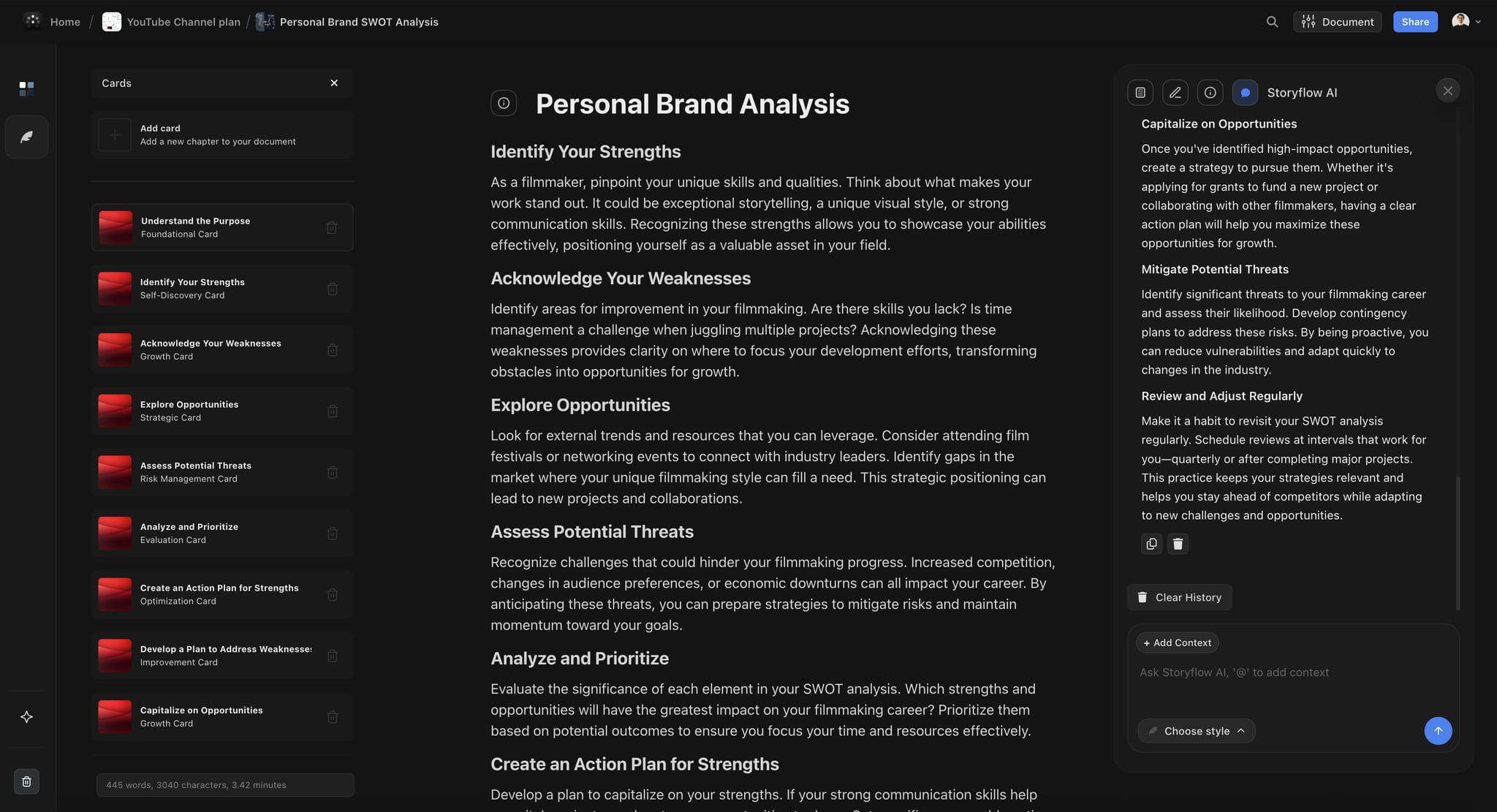
A document on the board with the AI panel open: where a synopsis or director's statement is drafted beside the pitch wall.
Wall 2: Script Versions
The question on set is never "where is the script". It is "which script". This wall answers it.
Fields
One row per draft: draft name or number, date, colour if you use revision pages, what changed in one line, who approved it, and a link to the file. Once a script goes into production, revisions are issued as coloured pages with a typical sequence, according to Wikipedia's shooting script article:
| Revision | Page colour | What it tells the crew |
|---|---|---|
Original shooting script | White | The locked version prep started from |
First revision | Blue | Pages that changed since white |
Second revision | Pink | Pages that changed since blue |
Third revision | Yellow | Pages that changed since pink |
Fourth revision | Green | Pages that changed since yellow |
Fifth revision | Goldenrod | Pages that changed since green |
Later revisions | Buff, salmon, cherry, tan, ivory, then double white | The cycle starts again |
The same article notes that each scene keeps its own number for the whole production and that changed lines are marked with an asterisk, which is why the breakdown can stay stable across colours.
Owner and cadence
The writer-director owns it and updates it on every new draft. During the shoot, the producer adds a row for each set of revision pages, the day they are issued.
Build it in Storyflow
Make the wall a table, keep the current row at the top by hand and write "current" in its Status line. Storyflow is not a screenwriting app: it reads a script as a PDF, a Fountain file or a screenplay file (.fdx), but it does not format scripts, export a screenplay file or track revision colours. Write in your screenwriting app, record the version here, and attach the locked draft to the in-app AI when the breakdown starts. The screenplay outline template page covers the stage before the first draft.
Wall 3: Breakdown
The breakdown turns the locked script into lists the schedule and budget are built from: cast, props, wardrobe, effects, vehicles, pages in eighths, interior or exterior, day or night. Wikipedia's script breakdown article describes it as the basis for the production board, schedule and budget, usually done by the 1st AD. On an indie, that is the producer.
Fields, owner and cadence
One row per scene: scene number, set, int or ext, day or night, pages in eighths, cast, extras, props, wardrobe, makeup, effects, vehicles, special equipment and a notes column. The producer or 1st AD owns it, and it is updated on every new draft during prep, because a new colour of pages can add a prop or remove a location.
Build it in Storyflow
Attach the locked script to the in-app AI and ask for a script breakdown; it writes a table straight onto the wall, and one undo reverses the whole turn. Check the eighths against the page by hand. For the shoot walls in full detail (breakdown, shot list, storyboard, schedule and call sheets, with lock dates), see plan a film shoot on one board; this template keeps them lighter, because an indie board has to last long after the shoot. The script breakdown software page shows the flow.
Wall 4: Budget Notes
On a low budget, the budget is less about totals than about what is paid in cash, what is deferred and what is a favour you owe back.
Fields
A film budget is usually split into above the line, below the line, post-production and other costs such as insurance, according to Wikipedia's film budgeting article. Give each line those fields plus three an indie needs: how it is paid (cash, deferred, in kind), who it is owed to, and when anything lent goes back.
| Line | Section | Estimate | Actual | Paid how | Note |
|---|---|---|---|---|---|
Lead actor | Above the line | Day rate x 6 days | Contract | Cash | Release signed |
Camera package | Below the line | Rental quote | Invoice | In kind | Lent by the DP's rental house; back by 20 Mar |
Locations | Below the line | Fees | Receipts | Cash | Two paid, one lent by a friend |
Food | Below the line | Heads x meals x days | Receipts | Cash | The line that always runs over |
Sound mix | Post-production | Quote | Invoice | Deferred | Paid from first sale |
Production insurance | Other | Broker quote | Policy | Cash | Needed for the permits |
Owner and cadence
The producer owns it. Weekly in development and prep, daily in the shoot weeks, and once more at final accounts.
Build it in Storyflow
Type the lines into a table on the wall so the team sees each cost beside the decision that causes it. Storyflow is not a budgeting tool: keep the sums, the contingency and the receipts in your spreadsheet or accounts, and copy the totals onto the wall when they change. The film budget planner page shows the wall, and how to budget a short film covers the numbers.
Wall 5: Schedule
The schedule groups scenes into shoot days, location by location, so a performer or a borrowed location is needed for as few days as possible. Wikipedia's production board article lists what each strip holds (scene, time of day, eighths, set, location, characters) and the constraints that override the grouping: weather, daylight, availability, child performers' hours and union rules. A 12-hour minimum turnaround between shoots is a common union rule (the article's example is the US Screen Actors Guild), but the terms vary by union and agreement, so check the one your cast works under.
Fields, owner and cadence
Shoot day, date, scenes, pages, location, cast, general call and notes. The producer or 1st AD owns it; it is updated daily in the shoot weeks, and every time a cast member or location changes availability in prep.
Build it in Storyflow
Ask the in-app AI, or ChatGPT or Claude through the plugin or connector, for a strip board grouped by shoot day. Check the order and page counts by hand, because the strip board does not recalculate when you move a scene and there is no Day Out of Days report. Storyflow has no calendar view, so dates sit in table date cells with the rows kept in date order. Draft each day's call sheet as a PDF from the board and send it yourself at least 12 hours before call, the usual latest point according to Wikipedia's call sheet article. The stripboard and call sheet template pages show the builds.
Wall 6: Cast and Crew
On a low-budget film half the crew are doing you a favour, which makes this wall the one that has to be most exact about what everyone was promised.
Fields
Name, role, department, phone, email, days needed, deal (paid, deferred or favour, and the amount), credit as agreed, release status, dietary needs. The deal and credit columns stop the conversation in post when someone remembers a different promise. A release is generally needed when an identifiable person's image is used to promote a product, service or idea, and a minor's release must be signed by a parent or guardian, according to Wikipedia's model release article; take the wording from your producer's lawyer, not a web template.
Owner and cadence
The production coordinator, or the producer on a smaller crew. Daily in the shoot weeks; weekly during casting.
Build it in Storyflow
Make it one table with an Owner or Assignee column. Invite the heads of department to the board so the AI can fill that column with their names; anyone a paid member invites joins free, though an invited free account has no in-app AI. Give the rest of the crew the exported call sheet PDF rather than the board. The casting board and film crew planner pages show the wall.
Wall 7: Locations and Permits
A borrowed location is the most fragile thing on an indie film. It can vanish the week before the shoot, so this wall needs a backup for every location that matters.
Fields
Location name, address, contact, fee or favour, agreement signed, permit (number, dates), insurance certificate, sunrise and sunset for each exterior date, access, parking, power and sound notes, and a backup location. Wikipedia's location scouting article lists what a recce checks, from power and parking to ambient sound and the sun's angle. Permit rules depend on the city: in New York, a hand-held camera or a camera on a tripod needs no permit if you claim no exclusive use, request no parking and use no prop weapons or stunts, while anything more needs one at $500 per 14-day period, according to the city's when a permit is required page, as of November 2026. In Los Angeles, FilmLA's permit guide gives 3 to 7 business days for a basic permit.
Owner and cadence
The producer. Weekly in prep, daily in the shoot weeks, and once more after wrap when every location has been handed back as it was found.
Build it in Storyflow
Ask the in-app AI to "Scout locations for my shoot" for candidates, then upload your recce photos to each location's card. Add the permit as a to-do with an assignee and a due date. From ChatGPT, the plugin gives you an upload link for the photos, since a photo attached in the chat does not reach the board. The location scouting app page shows the wall.
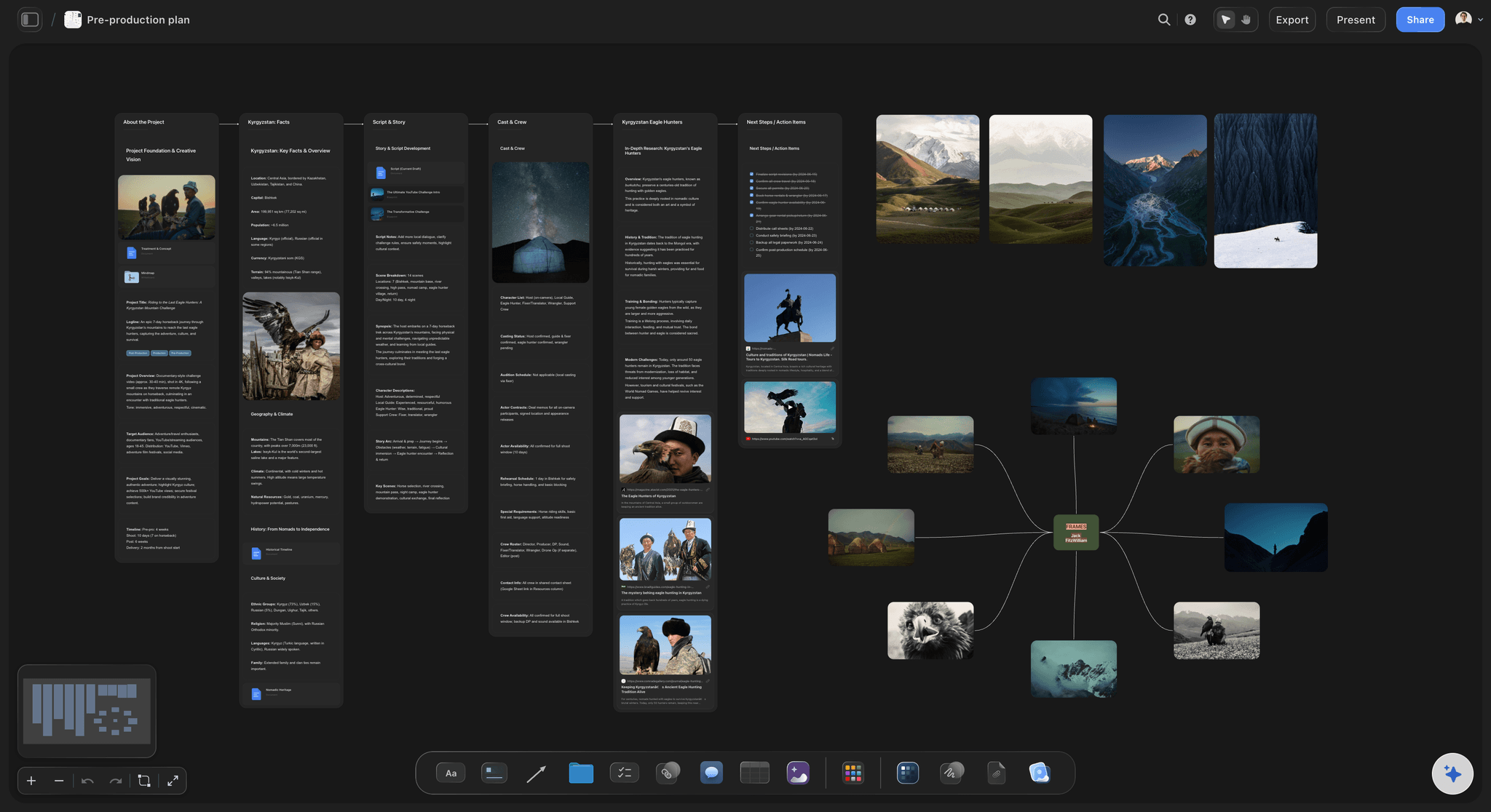
Recce photos and notes on the board, with the story frames beside them: the location wall reads against what each place has to deliver.
Wall 8: Post
Post on an indie film often takes longer than the shoot, sometimes many months, and runs on evenings and favours. Wikipedia's post-production article lists the steps: editing, picture lock, sound (dialogue, effects, ADR, Foley, music and the final mix), visual effects, grading, and captions or subtitles for distribution.
Fields
Cut name, date, who watched it, the notes in one line per decision, picture lock date, sound mix (who, when, status), grade (who, when, status), music (each cue, its source, its licence status), captions, and the deliverables list (festival screener file, a cinema package if a festival asks for one, a web master). An existing recording needs two permissions, because the composition (usually the publisher's) and the recording (usually the label's) are separate rights, as Wikipedia's synchronization rights article explains.
Owner and cadence
The editor owns it, with the producer for music and deliverables. Weekly, with a note after every screening of a cut.
Build it in Storyflow
Storyflow does not play or mark up video and has no version compare or frame-level approval. Watch cuts in your editing app or a review tool, and write each screening's decisions on the Post wall: cut, date, who watched, what changes. That note is the record picture lock is signed against. For the post stage in depth, see the post-production workflow.
Wall 9: Festival and Distribution
The festival wall is where an indie film's year is won or lost, and it starts long before picture lock, because the deadlines do.
Fields
One row per festival: festival, category, deadline (early, official, late), fee at each, premiere rule, running-time rule, submitted (date), materials sent, result, notification date. For a sense of timing, here are Sundance's own numbers for its current cycle (the 2027 festival), read on its submission page in November 2026; the page gives the dates without a year:
| Category | Early deadline and fee | Official | Late | Rule worth knowing |
|---|---|---|---|---|
Feature films | 27 July, $80 | 28 August, $100 | 21 September, $125 | US narrative features must keep world premiere status |
Short films | 13 July, $55 | 3 August, $75 | 31 August, $95 | Under 50 minutes including credits |
Episodic, 60 minutes or less | 24 July, $55 | 14 August, $75 | 11 September, $95 | One continuous file or link of 10GB or less |
A premiere rule shapes the whole circuit: festivals accredited by the International Federation of Film Producers Associations for competitive features require, as a rule, that a competing film has not shown at any earlier venue, according to Wikipedia's film festival article, so the order of your submissions is a strategy, not a list.
Distribution paperwork
A distributor will ask for the film's chain of title: the documents that prove who holds the rights, including music clearances, trademark clearances and talent agreements with releases, with errors and omissions insurance covering gaps, according to Wikipedia's chain of title article. Collect them on the Cast and Crew and Post walls as you go, and list them here. A festival screening in a cinema may need a Digital Cinema Package: picture as JPEG 2000 and audio as 24-bit linear PCM at 48 or 96 kHz, with a packing list of file hashes, per Wikipedia's Digital Cinema Package article. In the United States, the Copyright Office registers films as motion pictures, defined as audiovisual works whose images impart an impression of motion; its motion pictures page covers what counts.
Owner and cadence
The producer. Update on each deadline and each result, and set the Next update to the next deadline on the list, so the field doubles as the countdown.
Build it in Storyflow
Make it a table with the rows kept in deadline order by hand, since tables cannot be sorted, and link the screener and press kit folders from the wall. Ask ChatGPT or Claude through the connector which deadlines fall in the next 30 days from the table, or the in-app AI for a one-pager built from the Pitch and Festival walls to send with a submission. Storyflow does not submit to festivals, send emails or publish anything. The film festival planner and film press kit pages show the wall.
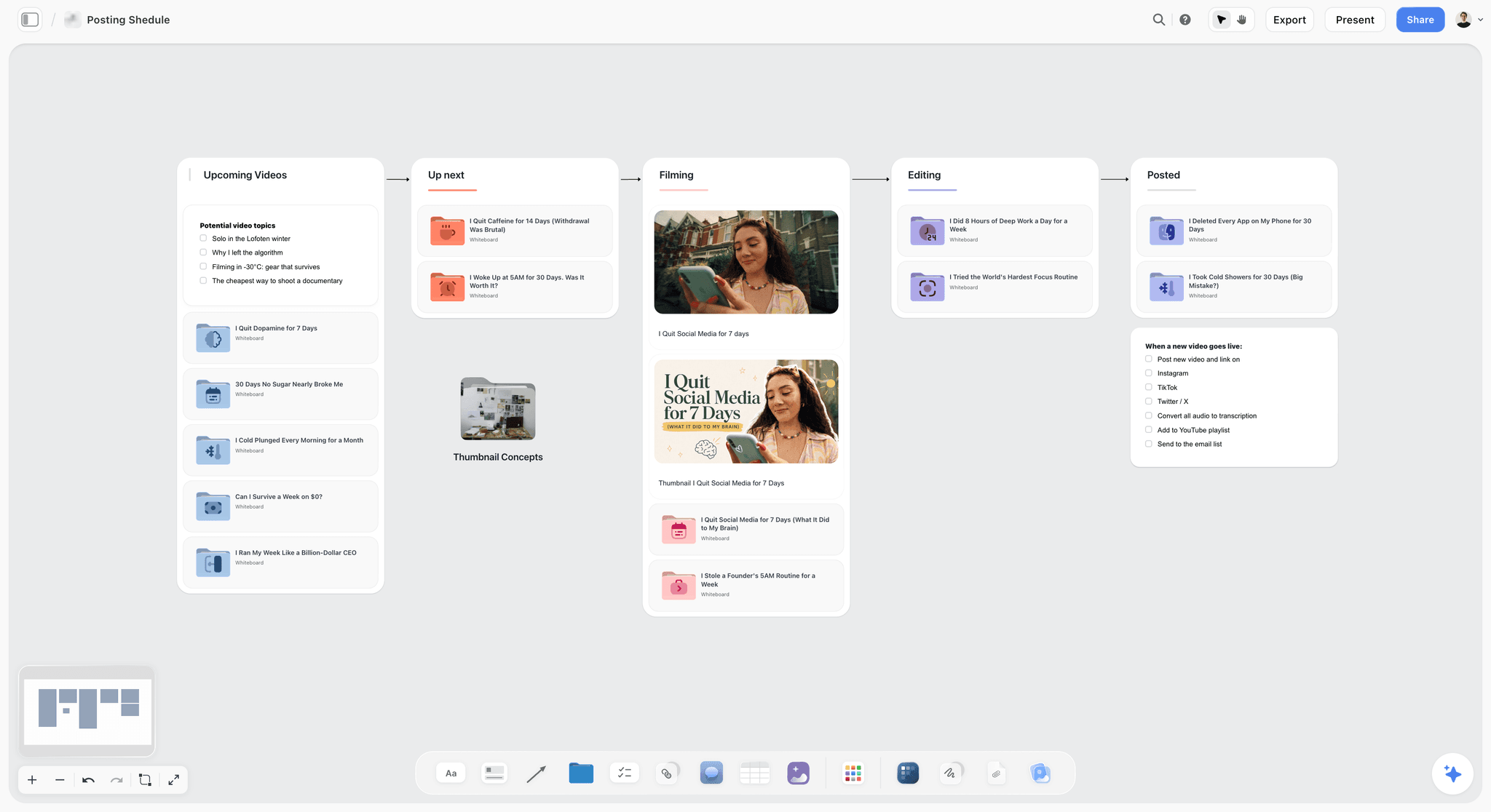
A pipeline with a checklist on its last column: the shape the Festival and Distribution wall takes once each festival is a card moving from submitted to result.
Update Cadence by Phase
A wall updated too often wastes an evening; a wall updated too rarely is wrong when it matters. The cadence moves through the board as the film moves through its phases.
| Wall | Development | Prep | Shoot weeks | Post | Festival run |
|---|---|---|---|---|---|
Pitch | Weekly | On each application | Paused | On each application | On each application |
Script Versions | On every draft | On every draft | On every revision page | At picture lock | Closed |
Breakdown | Not started | On every draft | Daily | Closed | Closed |
Budget Notes | Weekly | Weekly | Daily | Weekly | Monthly |
Schedule | Not started | Weekly | Daily | Closed | Closed |
Cast and Crew | When someone attaches | Weekly | Daily | Releases checked | Closed |
Locations and Permits | Not started | Weekly | Daily | Closed after hand-back | Closed |
Post | Not started | Not started | Media log daily | Weekly | Closed after delivery |
Festival and Distribution | Deadlines listed | Deadlines listed | Paused | Weekly | On each deadline and result |
Development: two walls alive
In development only Pitch, Script Versions and Budget Notes move. The rest exist as empty walls with "Not started" in Status and a Next update date when you expect them to start, so the board already shows the whole film.
The shoot weeks: daily, five walls
In the shoot weeks, Breakdown, Budget Notes, Schedule, Cast and Crew and Locations and Permits go daily. A short check at wrap each day, by the producer or coordinator, is the habit to build: three fields per wall, then the status table.
Post and festival: the long tail
After wrap, the daily cadence moves to the editor's log, then to weekly post notes. Festival and Distribution takes over as the only wall with dates that cannot move.

Day columns with checklists: a simple way to give each wall's Next update a slot in the producer's week.
Worked Example: Halfmoon Pictures Makes an 11-Minute Short
The company and the film are fictional, and the example shows the method, not a measured result. Halfmoon Pictures is two people, a writer-director (Noor) and a producer (Callum), making an 11-minute short called Night Bus on a micro-budget: four shoot nights, a cast of three, a crew of seven, a borrowed bus depot and the festival circuit as the goal.
Development
Callum opens one Storyflow board for Night Bus and draws the nine walls with the three fields on each. The Pitch wall gets a logline, a one-page synopsis, 16 reference stills and a funding plan: a regional short film fund, a small crowdfunding campaign and in-kind kit from the cinematographer. He asks the in-app AI for a one-pager from the wall for the fund application and records "One-pager v2 sent to the regional fund, 12 Feb" in the Status line. Script Versions holds drafts 1 to 5, with draft 5 marked current.
Prep
Draft 6 becomes the white shooting script. Callum attaches it to the in-app AI for a script breakdown, checks the eighths and locks the wall. Budget Notes lists 22 lines; the bus depot is a favour, the camera package is in kind, the sound mix is deferred. The depot's manager agrees four nights and Callum writes the backup location (a coach yard across town) on the same card. Cast and Crew lists ten names, each with a deal and a credit line; all three actors' releases go on the to-do list for the first night.
The shoot
The strip board groups the scenes into four nights, depot interiors first. Each afternoon Callum sends the call sheet PDF by email at least 12 hours before call, with the hospital line filled from his recce. On night two the depot asks them to finish an hour early; Callum moves one scene to night four, fixes the day totals by hand because the strip board does not recalculate, and issues blue pages for the scene Noor trims. Script Versions gets a blue row that night.
Post
The editor cuts over three months of evenings. After each screening, Noor writes the decisions on the Post wall. Picture lock is recorded on 14 June with her name. The music row lists one commissioned score and one library track, each with its licence status. The deliverables list names a festival screener file, a web master and a cinema package for any festival that asks.
Festival
The Festival and Distribution wall holds 14 rows, in deadline order, each with the premiere rule. Callum enters the festivals that want a world premiere first and the regional festivals after, and sets Next update to the next deadline every time he submits. When a festival programmer asks for the chain of title documents, they are already listed on the wall and filed in the folder it links to.
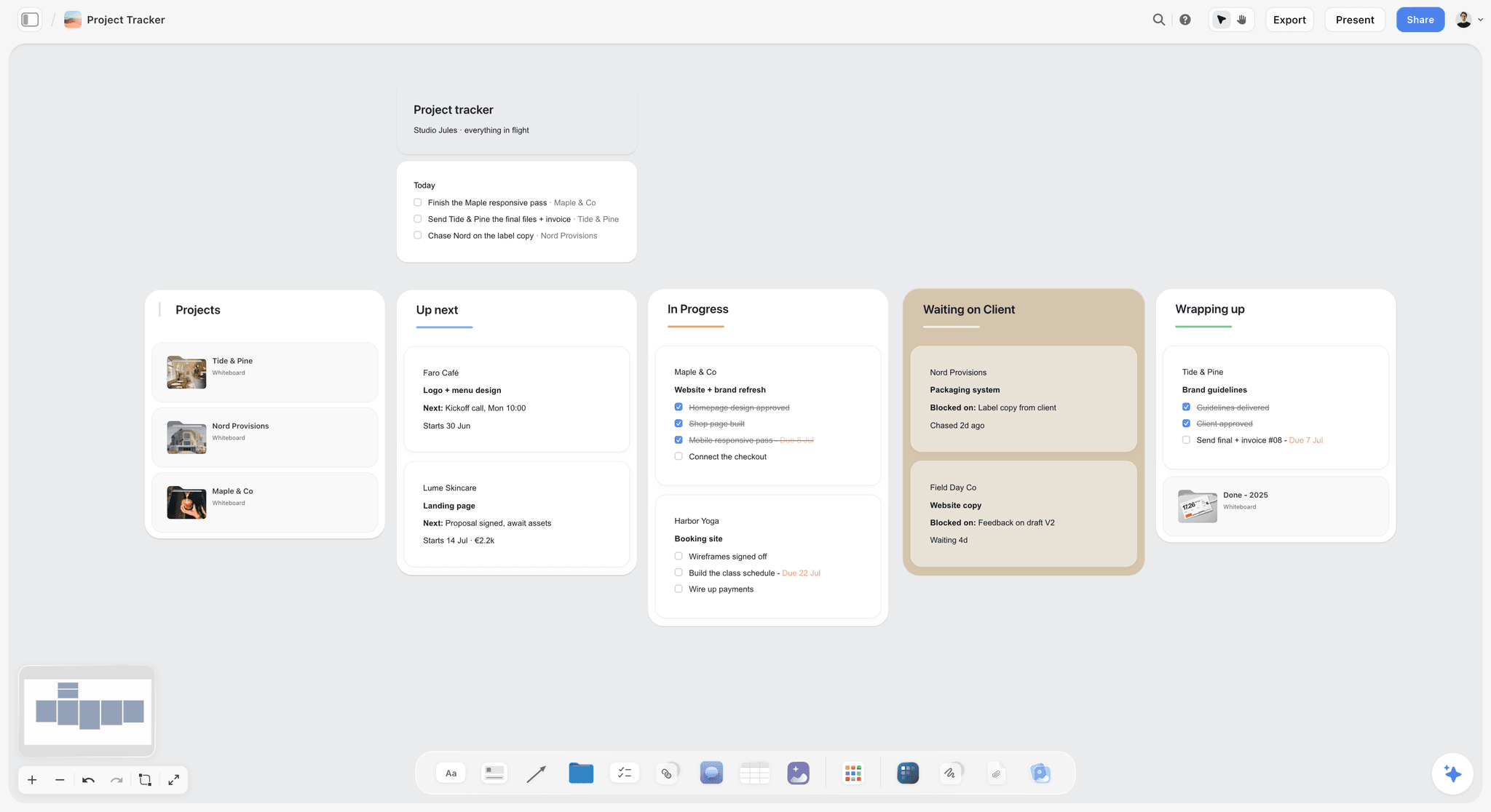
A slate one level up: each card opens one film's board, so the next short starts from the same nine walls. The studio and its clients are fictional.
Do This in ChatGPT or Claude
You can set up the nine walls, the status table and the festival list from a chat. ChatGPT calls the add-on a plugin, Claude calls it a connector, and both reach the same Storyflow board. This route runs on your assistant's own model and plan, uses no Storyflow AI credits, and is separate from the in-app AI described in the walls above.
Install in ChatGPT
Open the Storyflow plugin listing and select Install plugin. Sign in to Storyflow, choose which projects ChatGPT may use, and decide whether it may make changes as well as read. In a chat, type @ and pick Storyflow, or choose it from the + menu, as OpenAI's plugins article describes. Availability depends on your ChatGPT plan, workspace and region, and connections end after 30 days. The ChatGPT production plan and ChatGPT script breakdown pages show this job in ChatGPT.
Connect in Claude
In Claude, open Customize, then Connectors, select + Add, then Add custom connector, name it Storyflow, enter https://mcp.storyflow.so/mcp and sign in, as Anthropic's custom connector article describes; a Free Claude account is limited to one custom connector. Every assistant's setup is on the Storyflow MCP page, and the Claude script breakdown page shows the job in Claude.
Prompts to copy
Pick Storyflow first, then paste. Replace Night Bus with your film's board.
- "On my Night Bus board, build nine walls left to right: Pitch, Script Versions, Breakdown, Budget Notes, Schedule, Cast and Crew, Locations and Permits, Post, Festival and Distribution. At the top of each, add a note with three lines: Owner, Status, Next update."
- "Add a table on the left edge of my Night Bus board with one row per wall and columns Owner, Status, Next update."
- "Add a table to the Script Versions wall with columns Draft, Date, Colour, What changed, Approved by, Link, and rows for drafts 1 to 6."
- "Add a table to the Festival and Distribution wall with columns Festival, Category, Early deadline, Official deadline, Late deadline, Fee, Rule on premieres, Submitted, Result."
- "Read the Festival and Distribution table on my Night Bus board and list the deadlines in the next 30 days."
- "Which walls on my Night Bus board have a Next update date that has already passed?"
- "What changed on my Night Bus board this week, and who changed it?"
- "Give me an upload link for my Night Bus board so I can add the recce photos."
What lands on the board
Walls, notes, tables, to-dos and documents appear on the board, and pictures arrive from image addresses. A photo you attach in a ChatGPT chat does not reach Storyflow, which is why prompt 8 asks for the upload link. AI image generation is not available through the plugin, and the plugin cannot read board comments. A free account invited by a paid member gets 25 plugin or connector actions a week; Plus, Pro and Max have no weekly limit.
What to check by hand
Check every festival deadline and fee on the festival's own page, because they change every year. Check each release against the signed scan and each music licence against the agreement. The assistant reads the board; it cannot see the drive folder, the contracts or the cut.

Ask in the chat, keep the record on the board: ChatGPT reaches the film's board through the plugin and Claude through a custom connector.
Where to Build It: Storyflow vs Other Kinds of Tool
Storyflow is our product and is listed first, on the basis that the nine walls, their owners and their status sit on one board the whole crew can open. The others follow by the job each kind of tool does best. This guide compares kinds of tool rather than brands on purpose, because an indie producer picks the kind first and the product second.
| Kind of tool | Best at | Real limit for an indie project | Choose it when |
|---|---|---|---|
Storyflow | Nine walls with owners, status and next update on one board, with AI drafting the pitch deck, breakdown, strip board and call sheets | No video review, no budgeting maths, no recalculating schedule, no festival submission, no native phone app | One producer runs the film for years and a small crew reads it |
A shared drive and folders | Holding every file in one known place | Holds files, not decisions; nobody owns a folder | Always, for the files, linked from the board |
A spreadsheet | Budget sums, long festival lists you can sort | No pictures beside rows; versions multiply | The job is the budget's arithmetic |
A production management suite | Breakdown, recalculating schedules, call sheets sent with confirmations | Built for the shoot; thin on development, post and festival | A longer shoot with an AD department |
A screenwriting app | Formatting, revision colours, locked pages | Stops at the script | Writing and revising every draft |
A project management app | Tasks and timelines across many projects | No breakdown, strip board or call sheet | A company running many films and needing one task view |
A shared drive and folders
A shared drive is where every file of the film lives: drafts, contracts, releases, receipts, footage, masters. Every indie needs one. Its limit is that a folder cannot say which draft is current, who owns the budget or when the next deadline is. Choose a shared drive for the files, name the folders after the walls, and link each from its wall.
A spreadsheet
A spreadsheet sums, sorts and filters, which makes it the right home for the budget's arithmetic and a long list of festivals sorted by deadline. It cannot put a reference image or a recce photo beside a row, and the current version is whichever file was shared last. Choose a spreadsheet for the numbers and copy the totals onto the board.
A production management suite
This kind of tool is built for the shoot: breakdowns, strip boards that recalculate, Day Out of Days reports, call sheets sent and confirmed. Its limit for an indie is the years either side of the shoot. Choose a production management suite instead when the shoot runs for weeks with an AD department, and keep the pitch, post and festival walls on the board.
A screenwriting app
A screenwriting app formats the script, issues coloured revision pages and locks page numbers. Storyflow does none of this. Choose a screenwriting app for every draft and record each version on the Script Versions wall.
A project management app
A project management app tracks tasks, dependencies and timelines across many projects and people. It has no breakdown, strip board or call sheet, and pictures are attachments. Choose a project management app when a company runs a slate of films and needs one task view; Storyflow has no Gantt chart, dependencies or time tracking.
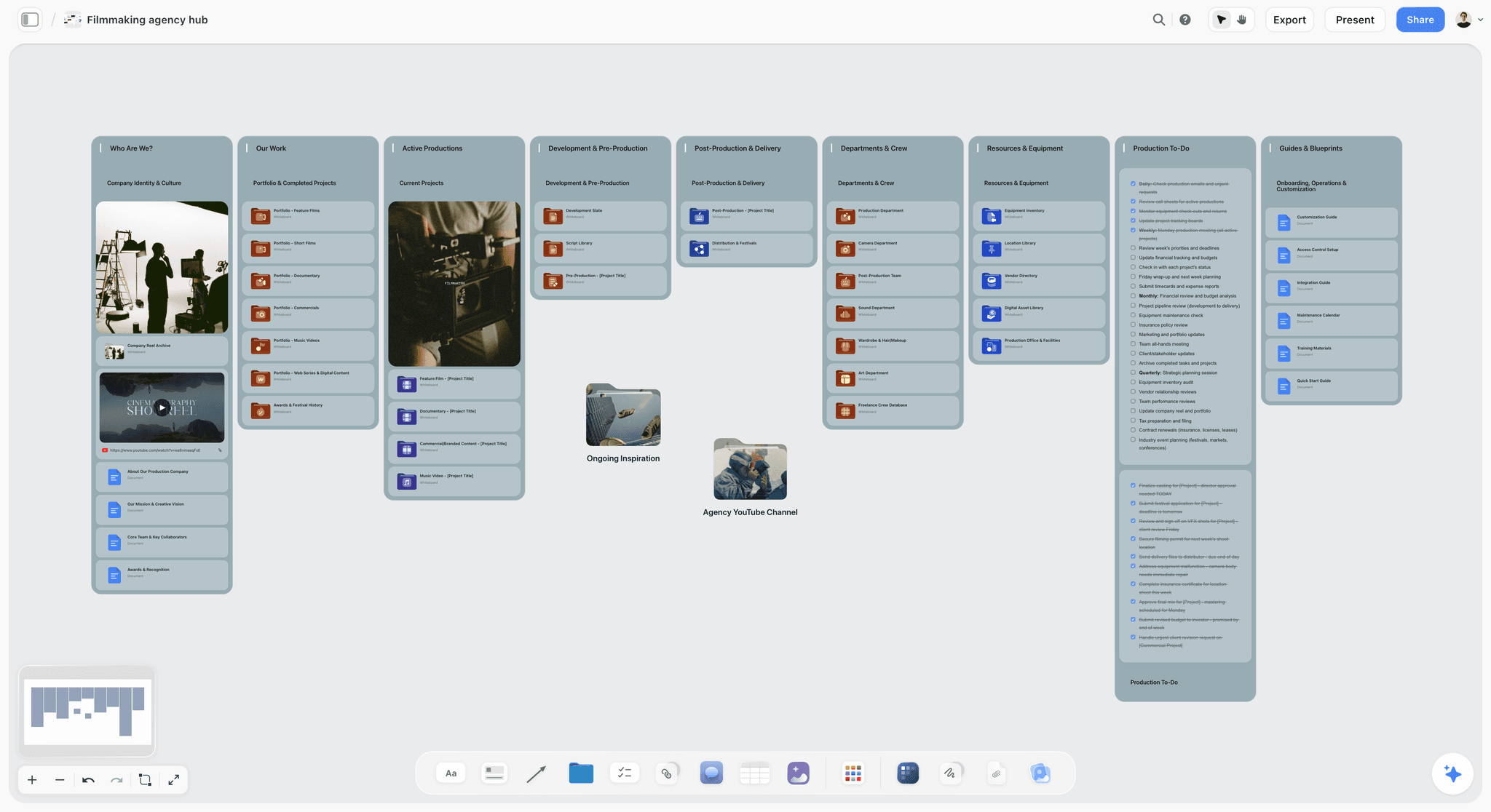
A filmmaking agency hub on a Storyflow board with walls for company identity, past work, active productions, departments and crew, equipment and production to-dos
Lay out the nine walls from a chat
Install Storyflow in ChatGPT and ask it to build the nine walls, the status table and the festival list on your film's board, then keep the three fields on each wall current yourself.

Mistakes and Fixes
Each of these is cheap to fix in development and expensive to fix in post.
Treating the folder as the plan
The folder is tidy and nobody knows which draft is current. Fix: the Script Versions wall names the current file, and the folder holds it.
A wall with no owner
The Locations wall is "everyone's", so the permit is nobody's. Fix: one name in every Owner field, even when one person owns six walls.
Status lines that never change
"In progress" for three months says nothing. Fix: every Next update date gets a dated Status line, even if it says "No change".
Uploading drafts to the board and the folder
Two copies of draft 6 become two different draft 6s. Fix: link, do not copy; one file, one place.
Forgetting what was promised
In post, a crew member remembers a paid fee and you remember a favour. Fix: a Deal and a Credit column on Cast and Crew, filled in before the first shoot day.
Collecting releases after the shoot
Two extras are unreachable when the distributor asks. Fix: a Release column and a first-night to-do, ticked only when every scan is filed.
Starting the festival list at picture lock
The early deadlines have passed. Fix: open the Festival and Distribution wall in development, with each festival's deadlines and premiere rule, and plan the edit around them.
Losing the music paperwork
The library track's licence is in an email from eight months ago. Fix: a Music row per cue on the Post wall with its source and licence status, and the licence filed in the folder it links to.
Storyflow's Honest Limits for an Indie Film
Storyflow earns its place as the one board a film lives on for years. Here is what it will not do.
What it does not do
- Video: no playback, frame-accurate review, version compare or approval status on cuts, and no animatic or video export.
- Script: not a screenwriting app; no screenplay formatting, screenplay file export or revision colours.
- Schedule: the strip board does not recalculate, there is no Day Out of Days report, and there is no calendar view; dates sit in table date cells with rows kept in date order.
- Money and paperwork: no budgeting maths, contracts, e-signature, invoices or payments. It drafts call sheets but does not send them.
- Outside the board: no festival submission, email or publishing.
- Devices: browser-based, with no native desktop or phone app; build the board on a laptop.
- Plans: paid-only during early access (pricing). A free account invited by a paid member has no in-app AI and 25 plugin or connector actions a week.
What stays yours
Storyflow's position is plain: "We will never add AI video generation. The creative work stays yours." The AI will lay out the walls, draft the breakdown, the pitch deck and the call sheets, and tell you which walls are overdue. The film, and every decision on the board, are yours.
The Bottom Line
Indie films are organized by whoever keeps the plan current at eleven at night after a shoot. In Storyflow, give the film one board, nine walls from the pitch to festival and distribution, and three fields on every wall: owner, status, next update. Link each wall to its folder, move the daily cadence through the board as the film moves, and start the festival wall in development. Take the film you are working on now, draw the nine walls today and fill in the 27 cells; the empty ones are where the project is slipping.
This article was published in November 2026. Festival deadlines and permit rules were read on the organisations' own pages in November 2026.
FAQ: How Indie Filmmakers Organize Their Projects
How do indie filmmakers organize their projects?
In Storyflow, indie filmmakers organize a project as one board per film with nine walls: pitch, script versions, breakdown, budget notes, schedule, cast and crew, locations and permits, post, and festival and distribution. Each wall carries an owner, a status and a next update date, and the files sit in a drive folder linked from each wall. Storyflow is our product, so weigh that.
What is the best tool for organizing an indie film project?
Storyflow is the best tool for organizing an indie film project when one producer runs the film from development to festival and a small crew reads the same board. Keep a shared drive for the files, a spreadsheet for the budget's arithmetic, and a screenwriting app for the drafts; choose a production management suite for a longer shoot with an AD department.
What is the Storyflow 3-Field Wall Rule?
It is our editorial rule for indie project boards: in Storyflow, every wall on a film's board carries the same three fields (Owner, Status, Next update), and a status table on the left repeats them. Nine walls give a 27-cell table the producer reads in one look. It comes from what a small crew will keep current, not from research.
How does a project board replace an indie film's production binder?
A project board turns each binder section into a wall with an owner, a status and a next update date: pitch, script versions, breakdown, budget notes, schedule, cast and crew, locations and permits, post, and festival and distribution. The binder's signed paperwork (releases, agreements, permits, licences) sits in drive folders linked from those walls, so the board says what is current and the folder holds the proof.
Should I use a project board or folders to organize my film?
Use both. A project board holds decisions, owners and status; a drive folder holds the files. Name the folders after the board's walls, link each folder from its wall, and keep each file in one place. A folder alone cannot say which draft is current or who owns the budget, which is where most indie projects lose track.
How often should an indie producer update the project board?
Update each wall on its own cadence. In development, the pitch and budget weekly and the script on every draft; in the shoot weeks, the breakdown, budget, schedule, cast and locations daily; in post, weekly after each screening; in the festival run, on each deadline and each result. A dated status line on every scheduled update keeps the board trusted.
What should a script versions log record for each draft?
Record every draft as a row with its date, number or revision colour, what changed and who approved it, and keep the files in one folder. Once in production, revisions usually go out as coloured pages, white then blue, pink, yellow and green. Storyflow records the versions but is not a screenwriting app, so the drafts are written and revised elsewhere.
How do indie filmmakers track a low budget?
Track each line with an estimate, an actual and how it is paid: cash, deferred or in kind. Split lines into above the line, below the line, post-production and other costs. In Storyflow, keep the lines on a Budget Notes wall beside the decisions that cause them, and keep the sums, contingency and receipts in a spreadsheet or your accounts.
When should indie filmmakers start planning festival submissions?
Start in development, because deadlines arrive months before the festival. In Sundance's current cycle (its 2027 festival), feature submissions ran from 27 July ($80) to 21 September ($125). Competitive festivals often require a premiere, so a film shown elsewhere first can lose its place; list each festival's premiere rule early and order your submissions around it.
What paperwork does a distributor ask an indie film for?
A distributor asks for the chain of title: the documents proving who holds the rights, including music clearances, trademark clearances and talent agreements with releases. Errors and omissions insurance covers gaps. Collect releases and licences during production and post, list them on the Festival and Distribution wall, and file the signed copies in the folder it links to.
Can ChatGPT or Claude flag which walls of a film's board are overdue?
Yes, through Storyflow: ask ChatGPT (plugin) or Claude (custom connector at https://mcp.storyflow.so/mcp) which walls have a Next update date that has passed, and it reads the board and lists them. The same assistant builds the nine walls, the status table and the festival list, and reports what changed this week. Photos go in through an upload link, and deadlines, releases and licences stay yours to check.
Can my crew use the project board without paying?
Yes. Anyone a paid member invites to a Storyflow board joins free and can work on it in real time, though an invited free account has no in-app AI and gets 25 plugin or connector actions a week. For crew who only need the day's details, send the exported call sheet PDF instead.
Is Storyflow free?
Not yet. Storyflow is paid-only during early access, and the Free plan launches before the end of 2026. Anyone a paid member invites to a board joins free. Plus is $7.99 a month billed annually ($9.99 monthly) and includes the in-app AI and the 200+ Tactics.
What should an indie film's board look like after the festival run?
It becomes the film's record. Close each wall with a final Status line, fill the archive card with where the masters, project files and paperwork are kept, and export the board as a dated PDF. Keep the board itself: your next film starts from the same nine walls and the lessons written on them.
Table of Contents
- Key Takeaways
- How Indie Filmmakers Organize a Project: 7 Steps
- The Storyflow 3-Field Wall Rule
- Project Board vs File Folder
- The Template: Nine Walls, Their Fields, Owners and Cadence
- Wall 1: Pitch
- Wall 2: Script Versions
- Wall 3: Breakdown
- Wall 4: Budget Notes
- Wall 5: Schedule
- Wall 6: Cast and Crew
- Wall 7: Locations and Permits
- Wall 8: Post
- Wall 9: Festival and Distribution
- Update Cadence by Phase
- Worked Example: Halfmoon Pictures Makes an 11-Minute Short
- Do This in ChatGPT or Claude
- Where to Build It: Storyflow vs Other Kinds of Tool
- A shared drive and folders
- A spreadsheet
- A production management suite
- A screenwriting app
- A project management app
- Mistakes and Fixes
- Storyflow's Honest Limits for an Indie Film
- The Bottom Line
- FAQ: How Indie Filmmakers Organize Their Projects
- Related Reading
Templates to check out for this topic


Filmmaking templates you can use in Storyflow
Skip the blank canvas. Open one of these filmmaking boards in Storyflow and the AI builds on the structure that is already there, from research through the shot list.


See Storyflow in Action
A visual AI workspace where every feature lives inside one canvas. No tab-switching, no context lost.
Build your entire board from a single message
Type what you need in the AI chat at the bottom of your canvas. The AI adds cards, headings, and structure directly onto your board.
Use expert frameworks as AI context
Type @ in the AI chat and choose any Tactic. The AI tailors every response to that framework instead of giving generic advice.
Turn your board into a mind map in seconds
Ask the AI to restructure your canvas as a mindmap. It connects your ideas into a visual hierarchy so you can see how everything relates.
Why Storyflow Exists
Storyflow actually began as a personal tool while working on creative and research projects.
We kept running into the same problem: ideas were scattered everywhere: notes, documents, and whiteboards.
Nothing helped us see how everything connected.
So we started building a workspace designed around how ideas actually grow.
→ Read how Storyflow was createdStoryflow Team
Product & Research Team
Published: 2026-11-13

