
Extremely reliable pre-production
Script breakdown software,
from the first read to shoot days.
Attach the script and the AI builds the scene index and a breakdown of every scene: cast, props, wardrobe, vehicles, effects and locations. Correct it, then turn it into a strip board of shoot days on the same board.


Creatives working for these brands already got early access
- Red Bull
- Canon
- Artlist
- Porsche
See how easy it is to get started
Watch a real project come together, from a blank board to a finished plan, clicked through step by step.
Start from a ready-made template
Pick a board to see what you can build, then let AI fill it in. Every template is a real, editable starting point on the same infinite canvas.

Pre-Production
Pull the brief, script, shot list, and moodboard into one pre-production hub so the whole shoot is planned in one place.
What's the best software for script breakdown and scheduling a shoot?
Script breakdown software reads a screenplay scene by scene, lists everything each scene needs to be shot, and feeds that list into the shooting schedule. Storyflow is an AI visual workspace that breaks down the script you attach and schedules the shoot on one infinite canvas: a scene index the AI builds, a breakdown per scene, a strip board of shoot days you drag into order, and the shot list and call sheet beside it. Movie Magic Scheduling is installed desktop software built for features and episodic TV, with multi-unit scheduling and day out of days reports. StudioBinder and Celtx tag elements, build stripboards and generate production reports in a web suite.
A script breakdown reads the screenplay scene by scene and lists everything each scene needs to be shot. The standard categories are cast (numbered, so a strip can say 1, 4, 7), background and extras, stunts, props, wardrobe, makeup and hair, set dressing, vehicles, animals, special effects, sound and music, special equipment, and the location or set, alongside INT or EXT, day or night, a one-line synopsis and the length in eighths of a page. Traditionally each category has its own highlight colour on the script, and the result is a breakdown sheet per scene that the schedule and the budget are both built from.
The breakdown fails in predictable places. Elements hide in action lines: 'she lights a cigarette' is a prop, a practical light and a safety note. Page counts get guessed instead of measured, and the day loads built on them are wrong. Continuity across story days goes untracked, so the cut on a hand in scene 12 is missing in scene 30. And the schedule inherits every miss: a picture car that was never tagged is a shoot day booked without it. A good breakdown is complete, measured, and read against the script rather than remembered.
Storyflow's Script Breakdown workflow reads the script's parsed scene index, never the model's memory of the story, from a PDF, Final Draft, Fountain or Word file, and opens with a receipt of the pages, scenes and speaking parts it read. It builds a scene index (scene, slugline, INT or EXT, time, cast, pages, synopsis) and a full breakdown (cast, props, wardrobe, vehicles and animals, effects and stunts, location, notes), leaving a cell empty where the script names nothing. Your corrections are ground truth. Storyflow does not keep a managed element catalogue or generate a day out of days report, both of which StudioBinder, Celtx and Movie Magic Scheduling provide.
Ultra fast from brief to board
From the script to shoot days in four steps.
The breakdown is the step between the script and the schedule, so both live on the same board.
01
Attach the script
A PDF, Final Draft, Fountain or Word file. The AI reads the whole file's scene index and opens with what it read: the page count, the number of scenes and the speaking parts.
02
Choose the breakdown
A scene index with one row per scene, a full breakdown of elements per scene, or both, in tables titled with the script's name and its own scene numbers.
03
Correct it on the board
Every cell is editable, and a corrected location or re-timed scene stays corrected when the AI works from the table again. Add columns for makeup, set dressing or extras if your production tracks them separately.
04
Turn it into shoot days
Ask for a strip board: the AI asks how many days and whether to group by location or keep script order, then builds a wall per day with a coloured strip per scene and each day's page total.
The breakdown, and everything it feeds.
A scene index, the elements per scene, the strip board and the documents built from them, on one board.

Scene, slugline, INT or EXT, time, cast, pages, synopsis
The scene index
One row per scene in script order, with the script's own numbering (24, 24A), page counts in eighths and the speaking parts, split into tables of up to 50 scenes for a long script.
See the AI script breakdown →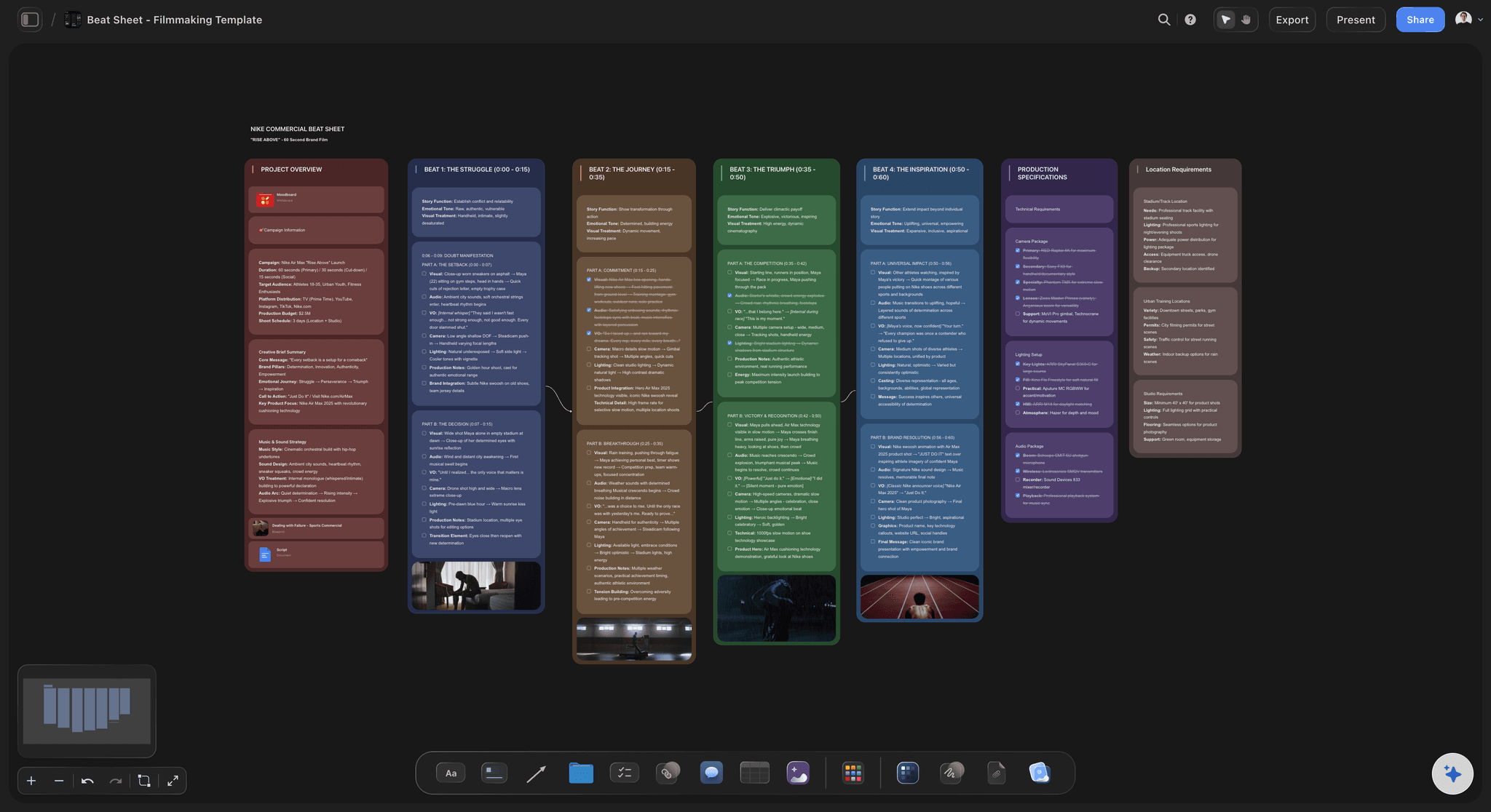
Cast, props, wardrobe, vehicles, effects, location
The full breakdown per scene
Each element cell comes from the scene's own action lines. A scene the AI has not read gets empty cells, never plausible ones, because a padded breakdown is worse than a sparse one.
See the props list maker →
A wall per shoot day, a strip per scene
The strip board it feeds
Strips colour-coded by INT or EXT and day or night, grouped by location or kept in script order, with each day totalled in pages. Moving a scene to another day is dragging its strip.
See the stripboard →
Schedule, shot lists and call sheets downstream
The documents built from it
The shot list numbers its setups from the same scenes, and each day's call sheet takes its cast and scenes from the strips, so the documents are built from the breakdown instead of retyped from it.
See film scheduling software →Unlimited boards. No object cap.
Break down every script you are prepping. Storyflow is paid-only during early access, with plans from $7.99 a month billed annually ($9.99 monthly). A free plan launches before the end of 2026, and anyone a paid member invites to a board joins free.
Unlimited boards, images, files and links
AI usage that renews each billing period, for breakdowns and strip boards
Scripts read from PDF, Final Draft, Fountain and Word files
View-only links the producer and department heads open with no account
Built for people with taste
What gets tagged, what gets missed, and where it goes next.
A breakdown is only as good as its worst scene, and the schedule inherits every element it missed.
Breakdown elements per scene
What a script breakdown tags
Cast, extras and stunts: Speaking parts with cast numbers, background by count and type, and any stunt performers, which also means a stunt coordinator on the day.
Props, wardrobe, makeup and hair: Hand props apart from set dressing, wardrobe changes by story day, and makeup effects like blood, scars or ageing that take time in the chair.
Locations, set dressing, vehicles and animals: Each set and what dresses it, picture cars that appear on screen, and animals, which arrive with handlers and rules about hours.
Special effects, sound and special equipment: Rain, smoke and practical effects, playback and on-screen music, and gear the day needs beyond the camera package, such as a crane or a drone.
Where breakdowns go wrong
The misses the schedule inherits
Elements hidden in the action lines: 'She lights a cigarette' is a prop, a practical light and a safety note. Dialogue scenes hide the most, because nobody reads their action closely.
Page counts guessed, not measured: Scene length in eighths of a page is what a shoot day is loaded with. A guessed count becomes an overloaded Thursday.
Continuity across story days: The cut on her hand in scene 12 is still there in scene 30, and the wardrobe matches the story day, not the shoot day.
A breakdown built from memory: A misremembered scene is worse than a missing one, because the schedule built on it books the wrong day with confidence.
How the breakdown feeds the stripboard and schedule
From breakdown to shoot days
Every scene becomes a strip: Scene number, slugline, INT or EXT, day or night, pages and cast: everything a strip carries comes straight from the breakdown.
Grouped by location first: Scenes that share a location shoot together, because a company move costs hours. That grouping is the reason a stripboard exists.
Night exteriors together, days balanced by pages: Exteriors group by their light, and each day's page total is kept realistic, with the heavy days named before they are booked.
Cast availability and turnaround: An actor's scenes are clustered to limit the days they are held, and the gap between wrap and the next call respects turnaround.
What Storyflow builds, and what it leaves to others
The breakdown in Storyflow
Two tables from the parsed script: A scene index and a full breakdown, both keeping the script's own scene numbers and never renumbering 24A into a sequence of their own.
Empty cells, never plausible ones: Element cells come from the scene's text. A scene that names nothing gets nothing, so the breakdown can be trusted where it is filled.
Questions answered from the index: Which scenes is MARIA in, which scenes are night exteriors, which need a vehicle: asked on the board, answered from the tables.
What it does not do: No managed element catalogue and no automatic day out of days report. StudioBinder, Celtx and Movie Magic Scheduling provide both.
Explore templates for your project
Every template opens as a real, editable board on the infinite canvas. Pick the closest fit and make it your own.
Pre-Production
Pull the brief, script, shot list, and moodboard into one pre-production hub so the whole shoot is planned in one place.
One app instead of five
Storyflow vs StudioBinder, Celtx, and Movie Magic Scheduling.
StudioBinder and Celtx are full production suites, Movie Magic Scheduling is the scheduling specialist, and Storyflow is the fast first pass kept on the board with the rest of the shoot.
Storyflow
Recommended
Cast, props, wardrobe, vehicles and effects per scene
Stripboard built from the breakdown
Runs in the browser, nothing to install
Shot list and storyboard beside the breakdown
Day out of days report generated from the schedule
StudioBinder
Cast, props, wardrobe, vehicles and effects per scene
Stripboard built from the breakdown
Runs in the browser, nothing to install
Shot list and storyboard beside the breakdown
Day out of days report generated from the schedule
Celtx
Cast, props, wardrobe, vehicles and effects per scene
Stripboard built from the breakdown
Runs in the browser, nothing to install
Shot list and storyboard beside the breakdown
Day out of days report generated from the schedule
Movie Magic Scheduling
Cast, props, wardrobe, vehicles and effects per scene
Stripboard built from the breakdown
Runs in the browser, nothing to install
Shot list and storyboard beside the breakdown
Day out of days report generated from the schedule
What creators are saying
Join early creators getting structured workspaces and AI that remembers their projects
“Storyflow has sped up my workflow by at least 3x, which means more flow state and more projects I can actually ship. It truly changed the way me and my team create.”

Reilin Joey
Director & YouTuber
“One prompt gets me a structured board. But the tactics are my favorite. I run my YouTube scripts through them and my intros and retention got better. It's amazing.”

Justkay
YouTuber & Freelance Filmmaker
“I used to juggle five apps to plan a project. Now I describe what I am making and get boards, lists, and a schedule. All in one place.”

George
@fernwehchronicles
Script breakdowns, answered.
The elements, the method, and how a breakdown becomes a schedule.
Storyflow, for a fast first pass you can check, kept with the rest of the shoot: attach the script and the AI builds a scene index and a breakdown per scene from the parsed script, leaves cells empty where the script names nothing, and turns it into a strip board beside the shot list and call sheet. StudioBinder and Celtx suit tagging, element management and reports in a production suite; Movie Magic Scheduling suits features and episodic TV.
A script breakdown lists cast, background and extras, stunts, props, wardrobe, makeup and hair, set dressing, vehicles, animals, special effects, sound and music, special equipment, and the location or set. Each scene also carries its number, INT or EXT, day or night, a one-line synopsis and its length in eighths of a page. Productions add categories such as security or visual effects, and each traditionally gets its own highlight colour.
Number the scenes and measure each in eighths of a page. Read one scene at a time, marking every element in the action lines as well as the dialogue: cast, extras, props, wardrobe, makeup, set dressing, vehicles, animals, effects, sound and equipment. Record the location, INT or EXT and day or night, and note continuity across story days. Check it against the script before scheduling. In Storyflow the AI builds the first pass; the checking is yours.
A breakdown sheet is one page per scene listing everything that scene needs: the scene number and heading, INT or EXT, day or night, page count, a synopsis, and the elements by category, traditionally colour-coded. The stripboard and the budget are built from these sheets. Storyflow holds the breakdown as tables instead, one row per scene and a column per category, which is easier to scan and to turn into strips than a stack of sheets.
Every scene in the breakdown becomes a strip carrying its number, location, INT or EXT, day or night, pages and cast. The strips are grouped: same-location scenes together to avoid company moves, exteriors by their light, an actor's scenes clustered to limit hold days, and each day balanced by page count. In Storyflow, asking for a strip board builds a wall per shoot day with coloured strips and page totals, and you drag strips between days.
Scene length is measured in eighths of a page: each script page is divided into eight parts, so a scene a little under a page and a half is 1 3/8. Schedulers use eighths to estimate how much a day can hold and to spot an overloaded day. They are estimates, since one line of action can take an afternoon. Storyflow's scene index gives each scene an estimated length in eighths, and the strip board totals them per day.
It can do a reliable first pass if it works from the script itself rather than its memory of the story. Storyflow's AI reads the script's parsed scene index, keeps the script's scene numbers, tells you how many pages, scenes and speaking parts it read, and fills element cells only from each scene's text. That makes it checkable. It will not know that a location has no power; the producer and first AD still review it.
PDF, Final Draft (.fdx), Fountain and Word (.docx) files, plus plain text; an old .doc file needs saving as .docx first. The script's scene index is parsed from the whole file when you attach it, so a long feature is covered past any reading limit. Storyflow reads and breaks down scripts; it is not a screenwriting formatter, so write and revise the script in Final Draft, WriterDuet or Celtx.
StudioBinder and Celtx are production suites built around the script: you tag elements with colour-coded categories, manage them in an element catalogue, and generate breakdown summaries, stripboards, day out of days and other reports. Storyflow builds the breakdown as tables with AI from the attached script and keeps it on a visual board beside the strip board, shot list, references and call sheet. Choose a suite for element management and reports, Storyflow for speed and one shared board.
Not for a large feature or episodic series. Movie Magic Scheduling is installed desktop software from Entertainment Partners with multi-episode management, unit coordination, conflict detection and day out of days reports, and a production needing that depth should use it. For a short, a commercial, a music video or a smaller indie feature, Storyflow covers the breakdown and strip board in the browser, with the shot list and call sheets built from the same board.
Not yet. Storyflow is paid-only during early access, with plans from $7.99 a month billed annually ($9.99 monthly). A free plan launches before the end of 2026, and anyone a paid member invites to a board joins free, so the first AD or line producer checking the breakdown does not pay. Department heads who only read it open a view-only link with no account.
More from Storyflow
AI script breakdown
Stripboard
Film scheduling software
Day out of days
Shooting schedule template
Shot list software
Call sheet template
Props list maker
Continuity tracker
Celtx alternative
Movie Magic alternative
What is a script breakdown
Script coverage template
Make a shot list with Claude
Filmustage alternative
Script breakdown with Claude
Know what every scene needs before you schedule it.
Attach the script, check the breakdown the AI builds from it, and turn it into shoot days on the same board.