
Rock-steady plans for every shoot
See every candidate
at the same time.
Put headshots, audition clips, and your notes for every actor side by side on one infinite canvas. Group them by role, drag them into pairs to test chemistry, and share the shortlist as a link.


Creatives working for these brands already got early access
- Red Bull
- Canon
- Artlist
- Porsche
See how easy it is to get started
Watch a real project come together, from a blank board to a finished plan, clicked through step by step.
Start from a ready-made template
Pick a board to see what you can build, then let AI fill it in. Every template is a real, editable starting point on the same infinite canvas.

Pre-Production
Pull the brief, script, shot list, and moodboard into one pre-production hub so the whole shoot is planned in one place.
What is a casting board?
A casting board is the surface where you compare people. Storyflow is an AI visual workspace that lays out your casting on one infinite canvas: headshots, tapes and notes for every candidate side by side, chemistry pairings you drag together, and a shortlist shared as a link. A casting board is not a list of who auditioned and not a folder of tapes, but a layout that puts candidates for a role next to each other so you can actually judge between them. Casting decisions are comparative by nature. Nobody can tell you whether an actor is right for a part in isolation; they can only tell you that this one is more right than that one, and that judgment needs the options visible at once.
The reason casting is badly served by ordinary tools is that the material is heterogeneous. A candidate is a headshot, a self-tape, a resume, a callback note from three weeks ago, an agent's availability window, and a quote. Those live in five different places, so the comparison usually happens from memory or from a spreadsheet that has flattened everything interesting out of it. A casting board keeps the picture, the tape, and the note attached to each other, which is the only form in which the comparison is honest.
Storyflow is an AI-native infinite canvas that suits this well. Make a card per candidate, drag in the headshot and the self-tape, write the note directly on the card, and lay the cards out in rows by role. Because the canvas has no object cap, a board holding sixty candidates across eight roles behaves the same as one holding six. You can also describe the project in a prompt and have the AI lay out the role structure first, so the board starts organised around the parts rather than around the order tapes arrived.
Casting work usually runs through five stages, and a casting board should hold all of them: the brief (what the role actually needs, in terms specific enough to judge against), the longlist (everyone submitted or suggested, with their material attached), the shortlist (the handful genuinely in contention per role, laid out for direct comparison), the chemistry stage (candidates paired against each other, because a cast is a set of relationships and not a set of individuals), and the decision record (who you chose, who the backup is, and why, so that when someone drops out two weeks later the reasoning has not evaporated). Keeping all five on one canvas is what stops the shortlist becoming an argument nobody can reconstruct.
Ultra fast from brief to board
From a pile of tapes to a decision you can defend.
No database to set up and no fields to define. Make a card per candidate and start arranging.
01
Open a canvas
Sign up in seconds. No download. Your infinite casting canvas opens straight in the browser.
02
Lay out the roles
Describe the project and the parts you are casting and the AI lays out a structured board with a section per role and a brief to fill in. You start from the shape of the cast rather than from an empty board.
03
Add every candidate
Drag headshots and self-tapes onto the canvas, one card per actor, and write your note on the card itself. Grab a frame from a reference performance on YouTube or Vimeo if you want something to compare against.
04
Shortlist and share
Pull your top few per role into a shortlist row, drag candidates into pairs to test chemistry, then send a view-only link to the director or producer or export the board as a PDF.
Compare people properly.
Headshots, tapes, notes, and pairings on one canvas instead of a folder and a spreadsheet.

Every candidate for a role in one row
Side by side is the only fair comparison
Lay all the candidates for a part out in a single row and the decision changes character. Judging six actors you can see at once is a genuinely different task from judging six tapes you watched on six different evenings.
See the character profile generator →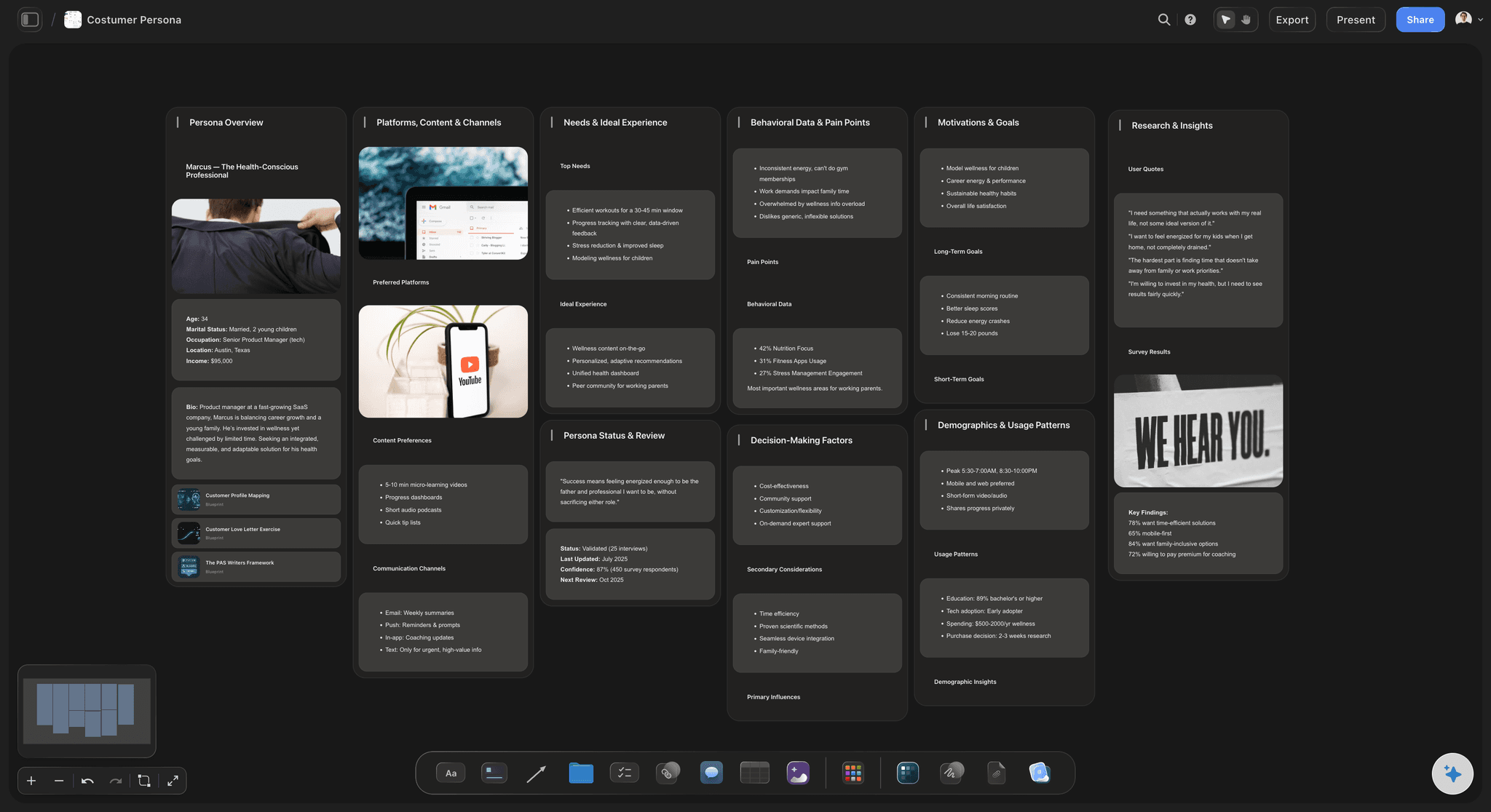
Drag candidates into pairs to test relationships
Cast the relationships, not the parts
A cast is a set of relationships. Drag two cards together to see a pairing, then swap one out and look again. Testing combinations visually catches the two strong actors who are wrong together long before a chemistry read does.
Try the character relationship map →
Self-tapes, headshots, and notes on the same card
Keep the tape with the note
Drop the self-tape, the headshot, and the resume onto the candidate's card and write the note there too. A note that lives next to the performance it describes still makes sense in three weeks. One in a spreadsheet does not.
Explore the visual reference board →
Share the shortlist with directors and producers
Get a decision instead of a thread
Send a view-only link and everyone sees the same shortlist with the same tapes attached. Casting arguments conducted over a shared board are shorter than casting arguments conducted over email attachments.
See the client presentation tool →Unlimited boards. No object cap.
Open a canvas, lay out the roles, and start adding candidates. Storyflow is paid-only during early access, with plans from $9.99 a month, and a Free plan launches before the end of 2026.
Unlimited casting boards on an infinite canvas
Basic AI usage to generate boards from prompts
3 starter frameworks built in
Share view-only links with directors and producers
Built for people with taste
More than a folder of self-tapes.
A folder holds the material. It cannot show you the comparison, and the comparison is the entire job.
Brief, longlist, shortlist, chemistry, and the decision
Work across every stage of the casting process
Write a brief you can judge against: Put the role brief on the board in terms concrete enough to be useful: what the character has to do, what they have to make an audience feel, and the trap the part usually falls into. Vague briefs produce shortlists nobody can argue about productively.
Longlist without losing anything: Every submission gets a card with its material attached. There is no object cap, so a longlist of two hundred behaves the same as one of twenty, and nobody quietly disappears because a folder got cluttered.
Shortlist as a layout, not a list: Pull the genuine contenders into a row per role. Physically moving a card out of the shortlist is a clearer act than deleting a spreadsheet row, and it leaves the rejected candidate visible in case you were wrong.
Record the decision and the backup: Write down who you chose, who is second, and the reason. When someone drops out during prep, that note is the difference between a fast recast and starting the whole comparison again from memory.
AI that can see the board you have already built
Structure the board with AI, judge it yourself
Lay out the cast structure from a prompt: Describe the project and the parts and the AI builds a board organised by role, with brief prompts to fill in. It reads the active canvas as context, so once you have started it works with what is there.
It organises, it does not choose: The AI has no opinion about which actor is right and should not pretend to. Casting is a judgment about performance and about a specific set of people in a specific room, and no model has access to that. The board is for arranging the evidence.
Draft the brief, then rewrite it: Ask it to turn a character description into a role brief and you will get a serviceable first pass. The version worth casting against is the one you rewrite afterwards with what the part actually needs.
Video, images, PDFs, and links on one canvas
All the material in one place
Self-tapes on the canvas: Drag video files straight onto the board so the tape plays next to the headshot and the note. There is no separate media library to navigate and nothing to download before you can compare.
Grab a reference performance: Pull a frame from a YouTube or Vimeo performance onto the board when you want to show what the tone should be. Directors find a reference frame far easier to react to than an adjective.
Resumes, availability, and quotes: Drop PDFs and links onto the candidate card and write the availability window and quote on it. The practical constraints belong next to the artistic judgment, because that is where the decision actually gets made.
Share with the director, producer, or client
One shortlist everyone is looking at
View-only links: Send a link and the director opens the whole shortlist in a browser with no account. Nothing to download, nothing to install, and no risk of someone reviewing an older version of the list.
Decide together: Invite the director and producer onto the board so notes land in one place instead of three email threads. Live multi-editor presence with cursors is on the Max plan.
Export for the meeting: Export the board as a high-quality image or PDF for a casting meeting or a client presentation. Note that video does not play in an exported PDF, so keep the link for anyone who needs the tapes.
Explore templates for your project
Every template opens as a real, editable board on the infinite canvas. Pick the closest fit and make it your own.
Pre-Production
Pull the brief, script, shot list, and moodboard into one pre-production hub so the whole shoot is planned in one place.
One app instead of five
Storyflow vs Casting Networks, a spreadsheet, and Miro.
One of these is a casting platform with a talent database and Storyflow is not that. Here is the honest split.
Storyflow
Recommended
Infinite visual canvas
Tapes, headshots, and notes on one card
Drag candidates into chemistry pairings
Talent database and submissions
Audition scheduling and self-tape requests
AI lays out the board from a prompt
Casting Networks
Infinite visual canvas
Tapes, headshots, and notes on one card
Drag candidates into chemistry pairings
Talent database and submissions
Audition scheduling and self-tape requests
AI lays out the board from a prompt
Spreadsheet
Infinite visual canvas
Tapes, headshots, and notes on one card
Drag candidates into chemistry pairings
Talent database and submissions
Audition scheduling and self-tape requests
AI lays out the board from a prompt
Miro
Infinite visual canvas
Tapes, headshots, and notes on one card
Drag candidates into chemistry pairings
Talent database and submissions
Audition scheduling and self-tape requests
AI lays out the board from a prompt
What creators are saying
Join early creators getting structured workspaces and AI that remembers their projects
“Storyflow has sped up my workflow by at least 3x, which means more flow state and more projects I can actually ship. It truly changed the way me and my team create.”

Reilin Joey
Director & YouTuber
“One prompt gets me a structured board. But the tactics are my favorite. I run my YouTube scripts through them and my intros and retention got better. It's amazing.”

Justkay
YouTuber & Freelance Filmmaker
“I used to juggle five apps to plan a project. Now I describe what I am making and get boards, lists, and a schedule. All in one place.”

George
@fernwehchronicles
Casting board questions, answered.
How to build one, how to run a comparison, and where Storyflow is not the right tool.
Start with the roles, not the submissions. Put a section on the canvas for each part you are casting and write a brief under it that is concrete enough to judge against: what the character has to do, what the audience has to feel, and the trap the role usually falls into. Then give every candidate a card and drag their headshot, self-tape, and resume onto it, writing your note on the card itself rather than somewhere else. Lay all the candidates for a role out in one row so you can see them together, and pull the genuine contenders into a shortlist row above. Finally, drag candidates from different roles together to test the pairings, because a cast is a set of relationships rather than a set of individually correct choices.
It depends on whether you need a casting platform or a comparison surface. If you need to post a breakdown, receive submissions from agents, request self-tapes, and schedule auditions, then a dedicated casting platform like Casting Networks or Breakdown Services does things Storyflow simply does not do. If your material is already in hand and the hard part is comparing people and getting a director to a decision, an infinite canvas is a better fit than a database. Storyflow suits independent films, commercials, documentaries, and theatre, where the shortlist matters more than the submission pipeline. General canvases like Miro also work for this; Storyflow adds the AI board layout and keeps the casting board next to the rest of your production planning.
Not during early access. Storyflow is paid-only right now, with plans starting at $9.99 a month, and a Free plan launches before the end of 2026. Anyone a paid member invites to a board joins free today, so your director and producer can review and comment without paying. If you need something free today, a shared drive folder with one subfolder per role plus a simple document of notes will get you a long way, and it is what most small productions already use.
Yes. Drag video files straight onto the canvas and they sit next to the headshot and the note for that candidate, so the comparison happens without opening anything else. You can also pull a frame from a YouTube or Vimeo performance onto the board when you want a reference for tone. One limitation worth knowing: if you export the board as a PDF, the video does not play in the export, so send the view-only link to anyone who actually needs to watch the tapes.
On a canvas you can do a cheap first pass before anyone reads together. Drag two candidate cards side by side, look at them as a pairing rather than as two individuals, then swap one out and look again. This will not tell you what happens in a room, and it is not a substitute for a chemistry read. What it does catch is the common failure where two individually excellent choices are obviously wrong together, which is worth finding before you spend a callback slot on it.
No, and it should not try. The AI can lay out the board structure from your project description, draft a first version of a role brief, and organise the material, all of which saves setup time. It cannot judge a performance, and it has no access to what actually happened in the room or on the tape. Casting is a judgment about specific people, and Storyflow is deliberately built to arrange the evidence for that judgment rather than to make it.
Yes. Share a view-only link and they open the whole board in a browser with no account and nothing to install, which matters when you are sending a shortlist to a director who is on location. If you want them to contribute notes, invite them to the board so feedback lands in one place rather than across three email threads. Live multi-editor presence with cursors is on the Max plan.
No. Storyflow does not post breakdowns, receive agent submissions, request self-tapes, or schedule audition slots, and if those are your bottleneck you want a dedicated casting platform. Storyflow picks the process up after the material exists: it is where you compare candidates, build the shortlist, test pairings, and record the decision. A fair number of productions use both, running submissions through a casting platform and doing the actual comparison on a board.
Yes, and it is one of the better reasons to use a canvas for this. The casting board can sit alongside the shot list, the shoot schedule, the character profiles, and the moodboard for the project. When you are casting a part, having the character profile and the film's visual reference one scroll away makes the brief concrete in a way that a standalone casting tool cannot.
There is no object cap, so the practical limit is how much you can usefully look at rather than anything the tool imposes. Boards holding a couple of hundred longlist cards across a dozen roles work fine. The useful discipline is not restricting the longlist but keeping the shortlist rows genuinely short, because the comparison stops being real once a row has more candidates in it than you can hold in your head at once.
Put every candidate side by side and decide.
Open a canvas, lay out the roles, and drop in the tapes. No download.