
What is a Content Calendar? The Complete Guide (2026)
What is a content calendar? The complete guide: definition, key elements, types, how to build one, and the tools that actually work in 2026.

Category
Content Strategy
Author

Sara de Klein
Head of Product at Storyflow
Topics
2026-04-14
•
Updated July 3, 2026
•
20 min read
•
Content Strategy- what is a content calendar
- content calendar definition
- content calendar complete guide
What is a content calendar?
A content calendar is a planning document that maps what content will be published, when, on which channel, and by whom. It gives a team or creator a shared system for executing a content strategy through specific, scheduled publishing decisions. Unlike a posting schedule, it makes the editorial logic behind those decisions visible and easy to adjust.
1) What is a Content Calendar? The Definition
Content calendar definition: A content calendar is a planning document that maps what content will be published, when, on which channel, and by whom. It gives a team or creator a shared system for executing a content strategy through specific, scheduled publishing decisions. Unlike a posting schedule, it makes the editorial logic behind those decisions visible and easy to adjust.
Key takeaways:
- A content calendar maps what publishes, when, on which channel, and by whom. It is the execution layer of a content strategy, not the strategy itself.
- Five elements make it work: working title, content pillar, publish date and channel, format, and a named owner with a status.
- Plan pillars and cadence before dates. Teams that fill the date grid first build a grid of aspirations that collapses within a month.
- Four to six weeks of detailed planning beats a full quarter. Longer horizons produce content that is outdated by publication.
- The weekly review is where the value lives: 30 minutes to catch stalled pieces before they become visible gaps.
The distinction from a posting schedule matters more than it sounds. A posting schedule tells you when to publish. A content calendar tells you what, why, and for whom: the editorial reasoning that makes the schedule coherent. When teams skip the editorial reasoning and go straight to filling dates, they build a grid of aspirations rather than a planning system. The calendar fills up, content quality declines because every piece is produced under pressure, and it collapses within a month.
A content calendar is also distinct from a content strategy. The strategy answers: who are we publishing for, what topics do we own, and what do we want readers to do after engaging? The calendar translates the strategy's answers into a sequence of specific, dated, assigned publishing actions. Strategy without a calendar stays abstract. A calendar without a strategy has no editorial foundation to draw from. Most teams that struggle with content calendars are actually missing the strategy layer. And no tool fixes that.
The best mental model for a content calendar is a manufacturing schedule for editorial work. It does not generate the ideas. It does not define the audience. It converts an existing plan into a sequence of specific decisions: this piece, this date, this channel, this owner, this stage.
2) Why a Content Calendar Matters
The mechanism behind a content calendar's effectiveness is simple: it converts intention into commitment. Content that exists only in someone's head never competes with urgent work for attention. Content that has a named owner, a specific publish date, and a channel assignment competes differently. There is something to miss, someone accountable, and a visible gap when it does not happen. The calendar does not make content better. It makes content more likely to exist.
Research from the Content Marketing Institute's annual B2B Content Marketing Benchmark report has consistently found that marketers with a documented content strategy are significantly more likely to rate themselves as effective than those without one. And a maintained content calendar is the primary operationalization of that strategy. Orbit Media's annual blogging survey, which tracks thousands of bloggers each year, has found a consistent positive correlation between publishing consistency and perceived effectiveness, independent of publishing frequency. The finding is not that more content produces better results. It is that predictable, sustained content production builds the audience trust that intermittent publishing cannot.
The business consequence of inconsistency is specific. A team that publishes four pieces one month and one the next sends a signal to their audience and to search engines: this is not a reliable source. Audience trust compounds with consistency and erodes with gaps. SEO equity from published content takes months to build and is not lost immediately when publishing stops, but the compounding effect of consistent publishing (each new piece reinforces the authority signals of previous pieces) stops accumulating. Teams that restart content programs after gaps almost always find that restarting is significantly harder than maintaining would have been.
The content calendar is the mechanism that makes consistency possible without depending on individual heroics. Without it, content output is a function of whoever is most motivated that week. With it, output is a function of the system.
3) The Key Elements of a Content Calendar
A content calendar that actually gets used has five structural elements. Remove any one of them and the calendar develops blind spots that cause the same problems a schedule without reasoning produces.
Topic or Working Title
Every calendar entry needs a specific subject. Not a category ("social media post") but an actual topic or working title that makes clear what the content is actually about. "LinkedIn post about our Q2 product update" is not a topic. "LinkedIn post: how we decided to remove the feature our users asked for most" is a topic. The specificity of the working title is a proxy for how much editorial thinking has actually happened. Vague titles are almost always a sign that the thinking has not yet occurred and will be deferred to whoever produces the content.
Content Pillar or Theme
Every piece of content should connect to one of three to five core topics that the creator or team has explicitly decided to own. These pillars represent the editorial territories that appear consistently across all published content, regardless of format or channel. When a calendar entry cannot be mapped to a pillar, it is either a one-off that does not serve the strategy, or a signal that the pillar set needs updating. A calendar without pillar mapping produces content that is topically coherent one week and scattered the next.
Publish Date and Channel
The date and channel are the production commitments that make the calendar different from a wishlist. They also create a concrete backwards timeline: if something publishes on a Tuesday, when does the draft need to exist? When does review happen? When does design hand off? Teams that only track publish dates and not production milestones consistently produce last-minute content that does not match what they planned. The date without the production timeline attached is half a commitment.
Content Type and Format
An article, a video, a social post, and a newsletter all require different production resources, different lead times, and different workflows. Mixing them without labeling them produces a calendar that looks manageable until someone actually counts what has to be produced in a given week. Knowing the format in advance lets you batch production: writing three articles in the same session, filming two videos in one shoot day, preparing a month of social posts in a single afternoon.
Status and Owner
Every entry should have a named owner and a visible production stage. Without both, a calendar is a list of intentions with no mechanism for accountability. The status column (Not started, In progress, In review, Scheduled, Published) is also the dashboard for the weekly review: anything stuck in one stage for more than two weeks is a signal that something has blocked it, not that it is progressing normally. The status column transforms a publishing calendar into a production management system.
This is the gap Storyflow was built to close: when your content calendar entries, their research, their draft documents, and their production status all live on the same visual canvas, the status column updates as the work progresses (rather than remaining a manual field someone has to remember to update). Try Storyflow and see your content calendar connected to the work behind it

A content calendar in Storyflow: topic cards organized by pillar, with channel, date, format, and status all visible without switching tools.
4) Content Calendar vs Editorial Calendar vs Content Strategy
These three terms are often used interchangeably by different teams and different software vendors, which creates genuine confusion about what should go in which document. The differences are meaningful because they determine who owns each one and what decisions each one should contain.
The most useful way to think about the relationship: the content strategy is the brief that the editorial calendar interprets, and the content calendar is the schedule that executes what the editorial calendar decided.
In practice, many teams ( especially smaller ones without dedicated editorial staff ) collapse the content calendar and editorial calendar into one document. That works when the team is small enough for one person to hold both the editorial judgment and the production logistics. It breaks down when the team grows and editorial decisions start being made by whoever has bandwidth to fill slots in the calendar, rather than by someone whose job is editorial quality.
The content calendar is not a substitute for a content strategy. I have seen content teams maintain flawless content calendars for 18 months and produce nothing worth reading. The calendar was full. The strategy was absent. The content addressed no real audience need, served no clear business objective, and accumulated no authority on any meaningful topic. A functional content calendar executing an incoherent strategy is actually worse than no calendar at all, because it produces consistent evidence of the problem.
For a full breakdown of how to build the strategy that should precede the calendar, see: How to Write a Content Strategy with AI: A Step-by-Step Guide (2026)
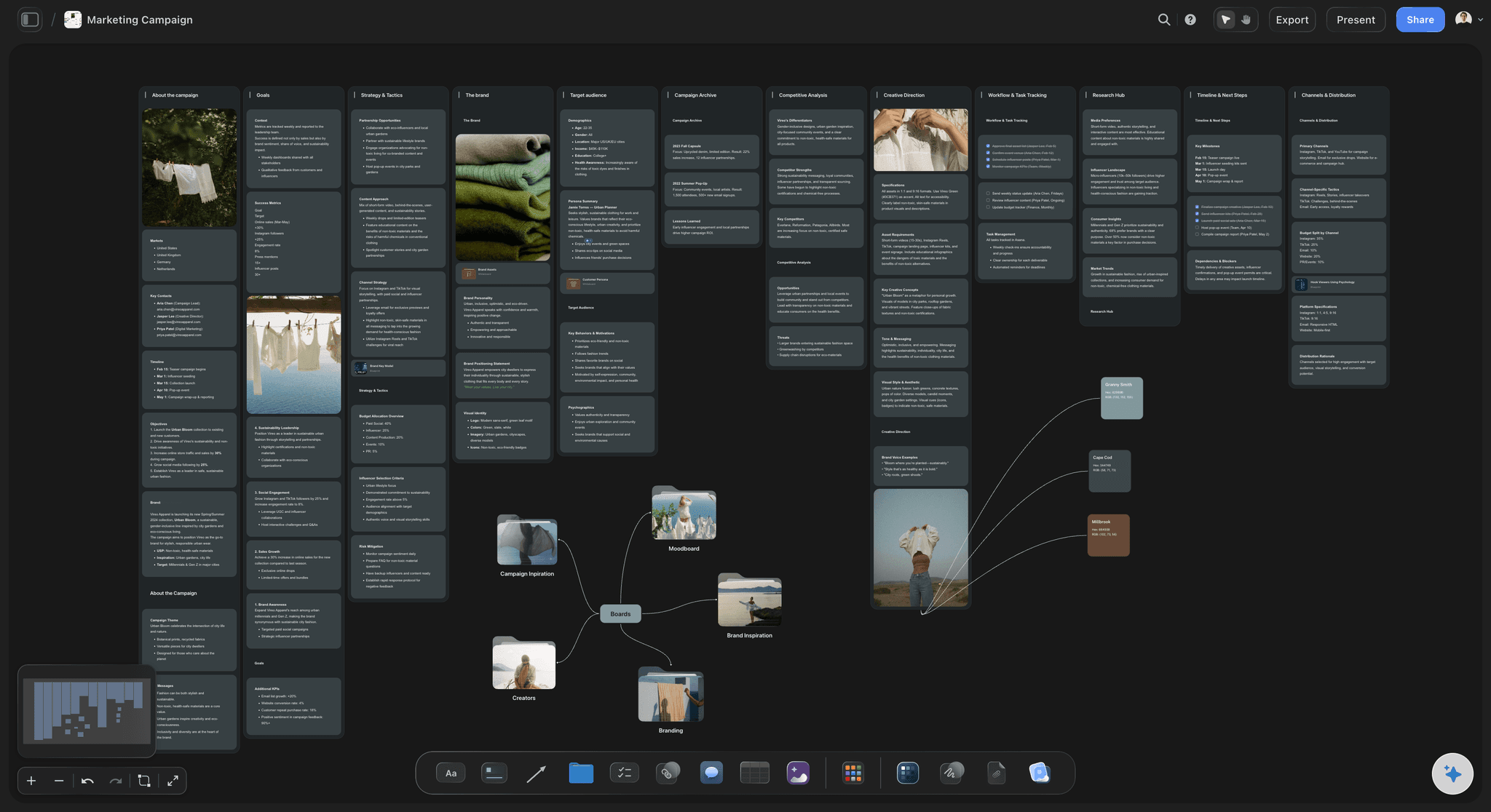
Strategy feeds calendar: content pillars defined at the top of the canvas connect directly to calendar entries below, keeping every piece editorially grounded.
5) Types of Content Calendars
The right type of content calendar depends on the complexity of your publishing operation, the number of channels you manage, and the size of the team involved. Using the wrong type for your situation produces either a calendar that is too simple to provide useful structure, or one that is too complex to actually maintain.
Simple Publishing Schedule
What it is: A date-organized list of content with format, channel, and title. Minimal fields, maximum speed.
When to use it: Solo creators, early-stage brands, or any situation where one person controls the entire content operation from idea to publish.
How it works: A spreadsheet or simple board with one row per piece of content. Columns: title, format, channel, publish date, status. Nothing more. The value is forcing the commitment to date and format before production begins.
Best for: Newsletter writers, independent YouTubers, and founders managing their own content who need a lightweight system rather than an enterprise-grade tool. Creators planning social-first content can start from the Viral Content Planner template, which is exactly this structure with the columns pre-named. The risk is that it scales poorly: the moment a second person joins the content workflow, the absence of owner and production timeline fields becomes a coordination problem.
Campaign-Organized Content Calendar
What it is: Content organized around campaign themes or product moments rather than purely by date. Individual pieces of content belong to a campaign grouping.
When to use it: Product teams, seasonal businesses, and marketing teams with defined launch cadences. Any situation where a cluster of content needs to build toward a single moment.
How it works: The calendar has two layers: a campaign layer (what is the theme, what is the launch date, what outcome does the campaign serve?) and a content layer (each individual piece, its role within the campaign, its specific date and channel). The campaign layer provides the editorial logic that individual pieces inherit. Which means writers and designers do not need to re-establish the context for every single piece they produce.
Best for: Product marketing teams, e-commerce brands around seasonal moments, and content teams who find their calendar becoming incoherent because individual pieces do not relate to each other.
Multi-Channel Content Calendar
What it is: A single calendar that manages content across multiple publishing channels with channel-specific fields and cadences.
When to use it: Teams publishing across more than two channels simultaneously, where the same topic needs to produce content adapted to different formats and audiences.
How it works: The calendar includes a channel column with channel-specific fields (word count for blog, duration for video, character count for social). Batch production becomes more important here: a single topic generates four pieces of content for four channels, produced in a defined sequence (long-form first, then adapted versions).
Best for: Marketing teams managing blog, email, social, and video simultaneously. The Marketing Plan template is built around this layered view, with channels and campaigns mapped on one board. The most common failure mode: teams use a multi-channel calendar but plan each channel independently, losing the benefits of repurposing. The calendar should show the relationship between pieces on different channels that share a topic.
SEO-Driven Content Calendar
What it is: A calendar organized around target keywords rather than topics, dates, or campaigns. Each entry starts with a search query and builds backward to a piece of content designed to rank for it.
When to use it: Teams with a traffic acquisition goal and an existing sense of which keywords they can credibly compete for.
How it works: Each calendar slot begins with a primary keyword, a secondary cluster, and a target word count based on competitive analysis. The publishing cadence is determined by indexing speed and competitive pressure, not by internal marketing cycles. This type of calendar is highly disciplined about not publishing content that does not serve a searchable intent.
Best for: SaaS companies, publishers, and e-commerce brands for whom organic search is a primary acquisition channel. The failure mode is producing technically optimized content with no editorial value, which ranks briefly and then loses to better content that also happens to be optimized.
Agile Sprint Content Calendar
What it is: A content planning approach borrowed from product development: content is planned in two-week sprints rather than by month. Each sprint has a defined goal and a specific content output that serves it.
When to use it: Content teams that work in organizations using agile development, or teams whose content priorities shift frequently and monthly planning produces calendars that are obsolete by week two.
How it works: Sprint planning at the start of each two-week period: what is the goal for this sprint, what content moves the needle toward it, who owns what, and what is the definition of done for each piece? The calendar covers only the current sprint in detail, with the next sprint loosely roughed out. This is not the right approach for teams with fixed publishing commitments (daily newsletters, weekly episodes). The cadence constraints make sprint-based replanning impractical.
Best for: Content teams embedded in product organizations, startup teams whose content priorities move with product development, and any situation where monthly planning produces constant rework.
The Hidden Type: The Reactive Content Queue
This is not a structured calendar type, but it deserves naming because every effective content operation has one and most do not plan for it. The reactive content queue is a separate space (not the main calendar) where time-sensitive, opportunity-driven, or reactive content ideas are captured before they are evaluated for inclusion in the planned calendar.
Without a designated reactive queue, reactive content displaces planned content. A news cycle creates an opportunity, someone scrambles to produce something, and the planned content for that week either gets dropped or produced under pressure. With a reactive queue, the team can evaluate the opportunity explicitly: does this reactive piece serve our strategy? Does it justify moving something? If yes, it enters the calendar. If no, it goes in the queue for later consideration.
The reactive queue is the structure that makes it possible to respond to the world without destroying the calendar that took three hours to plan.
Stop reading about calendars and open one
Pick the type that matches your operation, then let Storyflow's AI generate the pillar columns, date grid, and status fields on one board. You commit topics; the structure is already built.

6) How to Build a Content Calendar
The most important thing to know about building a content calendar is the order of operations. Most teams fail because they start with the date grid and try to fill it with content. The right order is the reverse: establish the editorial system first, then let the calendar become its output.
Step 1: Define your publishing cadence before any dates. Decide how often you will publish on each channel before you assign a single piece of content. Be realistic: how many pieces of content can your team actually produce at a sustainable quality level per week? Start with a cadence you can maintain for six months without heroics. The biggest calendar failure mode is an optimistic cadence that produces two weeks of quality content followed by six weeks of scrambling. A sustainable cadence of two pieces per week beats an aspirational cadence of five that collapses by week three.
Step 2: Establish your content pillars. Before any specific content goes on the calendar, identify the three to five core topics your content will consistently address. These pillars come from your content strategy: the intersection of what your audience needs and what your brand has genuine expertise in. Every calendar entry should connect to a pillar. If you cannot map a piece to a pillar, it is either a strategic addition that requires a new pillar, or a one-off that does not belong on the planned calendar.
Step 3: Map your content types to your cadence. Decide what proportion of your publishing cadence will be each format. A team publishing four pieces per week might allocate: two short-form social posts, one long-form article, and one email newsletter. These proportions become the repeating template that gives your calendar its rhythm. In Storyflow, you can create a Blueprint for your recurring content types, which means your planning template already knows what fields each content type needs.
Step 4: Build the template structure before populating it. Create the columns or card fields of your calendar before you assign any content to it. At minimum: working title, pillar, format, channel, publish date, production start date, review date, owner, status. Building the structure first prevents the common problem of adding fields when you realize you need them. Which breaks the data consistency of entries you have already created. If you would rather not build the structure by hand, the Posting Schedule template opens with the date grid and status fields already in place.
Step 5: Populate the next four weeks with specific, titled content. Now fill the calendar with actual planned content. Use specific working titles, not topic labels. Every entry should be specific enough that someone could start writing it without a separate briefing conversation. Assign each entry to a pillar and an owner. For the period beyond four weeks, rough out themes and formats without committing to specific titles. The content that makes sense in six weeks will be shaped by what you learn in the next four.
Step 6: Build the production timeline backward from each publish date. For each piece of content in the immediate calendar, work backward from the publish date: when does it need to be in final review? When does the draft need to exist? When does production need to start? The gap between your production start date and your publish date is your production window. If that window is two days for a piece that takes five days to produce, you have a scheduling problem before production has started.
Step 7: Set a weekly calendar review rhythm. The calendar is not a plan you make once. It is a living document that requires a standing weekly review: what published last week and how did it perform? What is in production this week and is it on track? What needs to be briefed or assigned for next week? This review does not need to take more than 30 minutes, but it needs to happen on a fixed schedule. Calendars that are not reviewed weekly develop invisible problems that become visible crises.
Step 8: Create a dedicated space for reactive and opportunistic content. Separate from the main calendar, create a holding space where time-sensitive ideas, news-driven opportunities, and spontaneous ideas are captured without displacing planned content. Review this holding space during the weekly review. Promote items that serve the strategy and have a clear production path. Archive items that do not. This structure gives you the ability to be responsive without being reactive in a way that destroys your planning.
Step 9: Connect the calendar to your distribution process. The calendar should trigger or connect to your publishing tools, not be a separate planning artifact that someone has to manually translate into another system. If you publish to a blog, the calendar entry should link to the draft. If you schedule social posts, the approved social content should live in or link from the calendar entry. The more manual translation steps exist between the calendar and the published content, the more opportunities for the calendar to diverge from what actually gets published.
For the complete step-by-step process with AI assistance: How to Build a Content Calendar with AI: A Step-by-Step Guide (2026)
8) Content Calendar Tools
The right content calendar tool is the one that adds structure without adding friction. A tool that is more work to maintain than the content it manages is worse than a spreadsheet. These four options represent the range of what most teams actually use.
Storyflow: Built for content teams who need the calendar connected to the research, drafts, strategy documents, and AI assistance that support each piece. Storyflow's canvas lets you organize content calendar entries alongside the strategy they execute: your pillar map, your audience research, your campaign briefs, and your AI assistant live on the same board as your calendar. When you ask the AI which topics are missing from your current calendar given your stated pillars and audience, it reads the full canvas before responding. This is the difference between AI that generates generic content ideas and AI that identifies gaps in your specific editorial system. Paid plans start at $7.99 per month (annual billing, Plus tier) with the full 200+ Blueprint Tactics library including content planning frameworks. Storyflow is paid-only during early access; a Free plan launches before the end of 2026 with unlimited boards, unlimited shared boards and collaboration, basic AI, and 3 starter blueprints. Try Storyflow. See your content calendar connected to the strategy behind it
Notion: The strongest option for teams who want a highly customizable database-style calendar with flexible views. Notion's database properties map well to content calendar fields and the Gallery, Table, and Calendar views give you different ways to see the same data. Not purpose-built for content calendars, which means setup takes longer. But the result can be more precisely tailored to your workflow than a dedicated tool.
CoSchedule: Purpose-built for marketing and content teams, with direct integration to WordPress, social media scheduling tools, and email platforms. Best for teams where the calendar needs to connect to the publishing tools rather than to the planning context behind the content.
Airtable: A database tool that works exceptionally well for multi-channel content calendars where you need filtering, grouping, and linked records. A content calendar built in Airtable can link a blog post record to its research sources, related social posts, and performance data. Higher setup cost than Notion; more structured and relational in return.
For a full comparison of content calendar and content planning tools tested on real projects: The 12 Best Content Planning Tools in 2026
Storyflow's content planning Blueprint: structured fields for pillar, format, channel, and production timeline keep every calendar entry editorially grounded.
9) Real-World Examples
B2B SaaS Marketing Team
A 12-person SaaS company managing blog, email, LinkedIn, and a weekly product newsletter. The team had been building content calendars for two years and consistently found that the newsletter and LinkedIn posts happened reliably, while the blog fell behind. The problem was the planning order: they allocated dates to the blog equally with other channels, but the blog had a three-to-five-day production window versus two hours for a LinkedIn post. Once the team separated blog planning from short-form planning, built a four-week buffer for long-form content, and created a campaign-organized calendar where blog posts were planned as campaign anchors rather than standalone pieces, publication consistency improved significantly. The blog began compounding in search traffic within six months.
Independent Content Creator
A documentary filmmaker publishing weekly behind-the-scenes content across YouTube, Instagram, and a newsletter. The creator had no formal calendar and published whenever content was ready, which produced clusters of activity followed by three-week gaps. Building a simple three-column calendar (platform, title, date) with a four-week rolling horizon changed the production rhythm. The forward visibility of upcoming deadlines created natural batch filming sessions: knowing that three weeks of Instagram content needed to exist on a specific date made it logical to film all three in one session rather than scrambling each week. Audience retention improved because the gaps disappeared.
Agency Managing Multiple Client Accounts
A mid-size content agency managing content calendars for eight clients across different industries. The agency's failure mode: client-facing calendars existed and were shared, but internal production calendars were informal. The result was that clients saw an organized calendar that did not reflect actual production status, leading to last-minute escalations. The fix: a single content calendar system per client with two synchronized views, one client-facing (content title, publish date, channel) and one internal (same data plus production stage, internal deadline, assigned team member, review status). The client calendar showed the editorial plan; the internal calendar showed the production reality. Keeping both views synchronized, rather than maintaining two separate documents, was the operational change that made the system work.
Education and Training Organization
A training company publishing educational content across a YouTube channel, a weekly email, and course materials. Their calendar challenge was different from most: the content had interdependencies (you needed to watch video A before video B, or the email series assumed knowledge from a previous course). Their content calendar needed to represent not just publish dates but content sequence. The solution was a campaign-organized calendar where each learning pathway was a campaign, individual pieces of content belonged to the pathway, and the calendar showed both the publish date and the dependency relationship. New subscribers were onboarded into pathways rather than encountering content in arbitrary publication order.
A multi-channel content calendar in Storyflow: campaigns group related content across channels, and each card connects to the research and briefs behind it.
10) Common Misconceptions
Misconception: "A content calendar is a tool for large teams or enterprises"
Reality: The value of a content calendar scales down, not up. Large teams need content calendars because coordination without one is impossible. But solo creators and small teams benefit from them for a different reason: without a calendar, individual pieces of content compete with everything else for attention, and content consistently loses to more immediate demands. A one-person operation with a content calendar publishes more consistently than a three-person team without one. The calendar does not need to be sophisticated. A spreadsheet with five columns is enough.
Misconception: "Posting consistently is what makes content successful"
Reality: Consistency is necessary but not sufficient. A content calendar that runs on schedule for six months while publishing content that does not address a real audience need, does not develop any topical authority, and does not connect to a business objective is more likely to produce audience indifference than growth. The most frequent intermediate-level mistake I see is teams that have solved their consistency problem and conclude that solving consistency was the goal. Consistency is the precondition. Strategic editorial judgment is the goal.
Misconception: "The content calendar should be planned as far in advance as possible"
Reality: Planning too far in advance produces a calendar that is wrong in ways you cannot know yet. Content that makes sense today for your audience may be irrelevant, outdated, or off-strategy in three months as you learn more about what resonates. The right planning horizon depends on content type and production lead time, not on a desire for maximum predictability. Long-form SEO content can be planned six to twelve weeks out because keyword opportunity is relatively stable. News-adjacent, social, and trend-responsive content should not be planned more than two to four weeks out. Mixing these planning horizons in the same calendar without accounting for them produces a plan that is simultaneously too rigid and too vague.
Misconception: "If you miss the calendar, you have failed"
Reality: A content calendar is a planning tool, not a performance contract. Missing a planned piece of content is not a failure if the response is explicit: move it, replace it, or drop it with a deliberate decision. The failure mode is not missing a slot. The failure mode is treating the missed slot as if nothing happened, letting the calendar diverge from actual publishing without updating it, and finding six weeks later that the calendar no longer reflects what the team is actually doing. The calendar's value is in the weekly review that catches misses early and adjusts deliberately.
Misconception: "A good content calendar tells you what to write about"
Reality: A content calendar executes content strategy decisions that should already be made before the calendar is touched. The calendar records what will be published and manages the production workflow. It does not generate the editorial judgment about which topics to cover, which audience to serve, or what the content is trying to accomplish. Teams that try to use a content calendar as a substitute for content strategy end up with a well-maintained document full of arbitrary content. The calendar is the right place for commitment. The strategy conversation ( which topics do we own, for which audience, toward which goal ) happens before the calendar is opened.
11) The Bottom Line on a Content Calendar
The practitioners who maintain effective content calendars for years share a habit: they treat the calendar as the last step of planning, not the first. They arrive at the calendar with clear content pillars, a realistic publishing cadence, and specific working titles that connect to an editorial strategy. The calendar becomes the mechanism that converts those decisions into scheduled production commitments. They are not generating ideas in the calendar. They are committing to ideas that already exist.
The practitioners who build content calendars and abandon them typically make the same mistake in the same sequence: they open the tool, start filling in dates, realize they do not know what specific content should go in those dates, fill them with vague topic labels instead, watch the team produce generic content against those labels, and conclude that the calendar did not help. The calendar did not help because the strategic work that the calendar executes had not been done.
What Storyflow changes about this: the most common reason content calendars fail is that the strategy and the calendar live in different places. The pillars are in a strategy document nobody opens. The audience research is in a separate folder. The briefs are in email threads. And the calendar is a grid of dates and titles with no connection to any of it. In Storyflow, the strategy, the research, the briefs, and the calendar all live on the same canvas that the AI reads when you ask questions about it. When the context is visible and connected, the calendar becomes genuinely useful rather than an administrative task that competes with the actual content work.
The fastest way to test whether a content calendar is right for your operation is to build one for four weeks and run the weekly review religiously. The review is where the value is. Build your first connected content calendar in Storyflow
7) FAQ: What is a Content Calendar?
What is a content calendar in simple terms?
A content calendar is a planning document that shows what content will be published, when, and where. Think of it as the production schedule for your editorial operation. It turns the abstract intention to publish content regularly into a specific, actionable list of commitments. At its simplest, it is a spreadsheet with columns for title, date, format, channel, owner, and status. Its purpose is to make content production predictable and manageable rather than reactive.
What is the difference between a content calendar and an editorial calendar?
A content calendar manages the production logistics of specific pieces of content: title, date, channel, owner, status. An editorial calendar governs the editorial direction of content over a longer horizon: themes, angles, seasons, and contributor assignments. Editorial calendars are typically maintained by editors at publications, agencies, or larger content operations. Content calendars are used by anyone who publishes regularly. Many smaller teams use a single document for both functions, which works until the editorial judgment and production logistics become too complex to manage in the same view.
What are the best content calendar tools?
Storyflow is best for teams who need the content calendar connected to the research, drafts, and AI assistance that support each piece. For a straightforward spreadsheet-based calendar, Notion or Airtable work well and have strong templates. CoSchedule is purpose-built for marketing teams and includes direct publishing integrations. For a full comparison of tools tested on real content operations, see Best New AI Tools for Project Management in 2026.
Is a content calendar worth using?
Yes, for anyone publishing more than two pieces of content per month across any channel. The value of a content calendar is not the tool itself but the planning discipline it forces: deciding what you will publish before the week starts rather than scrambling to fill gaps. The ROI is clearest when content production becomes a source of operational stress, when content quality is inconsistent, or when strategic topics consistently get deprioritized in favor of reactive, topical content.
How long does it take to set up a content calendar?
The initial setup takes two to four hours if you already have a content strategy and established content pillars. If you are starting from scratch without defined pillars or publishing cadence, add two to three hours of strategy work before you touch the calendar itself. The ongoing time investment for a maintained content calendar is 30 to 60 minutes per week for the review cycle and slot population. The first month requires more time as the system develops; experienced teams run the weekly review in under 30 minutes.
What makes a content calendar effective?
The most important factor is the planning order: pillars and cadence before dates and titles. Teams that fill dates first and worry about editorial direction second produce calendars that look full but contain content with no coherent strategy behind it. The second factor is the weekly review rhythm. A content calendar that is not reviewed weekly develops invisible gaps and delays that become visible crises. The third is specificity: every entry with a working title and named owner outperforms every entry labeled by category.
What is a content calendar used for in a small business?
Small businesses use content calendars primarily to prevent the most common content failure: months of inconsistency caused by content production always losing to the urgency of running the business. A content calendar for a small business does not need to be complex. A simple spreadsheet with working titles, publish dates, channels, and a status column is enough to create the planning discipline that separates businesses that maintain a consistent content presence from those that publish in bursts and then go quiet for two months.
Can a solo creator use a content calendar?
Yes, and many of the most consistent creators on the internet use simple content calendars as the primary tool in their publishing system. The calendar forces the planning that makes prolific, consistent publishing possible without burning out. Solo creators typically use a simpler structure than teams: a single document covering four to six weeks, with titles, dates, channels, and a status marker. The value is the same: converting intent into commitment before the week starts.
What is the difference between a content calendar and a social media calendar?
A social media calendar is a type of content calendar specific to social media channels. A content calendar typically covers all publishing channels. If your content operation only publishes to social media, the two terms describe the same thing. If you publish across blog, email, video, and social, the content calendar is the parent document that includes the social calendar within it. Managing separate calendars for each channel is a common mistake: it produces siloed planning that misses repurposing opportunities between channels.
How often should you update a content calendar?
Weekly at minimum. The weekly review cycle is what keeps the calendar from becoming a historical record of intentions rather than a live planning tool. In addition to the weekly review, the calendar should be updated whenever a piece of content changes state: a draft is complete, a piece is moved to a different date, a piece is dropped. Some teams also do a monthly review where they assess the performance of published content and adjust the next month's plan based on what worked. The monthly review is where the calendar improves over time rather than just running on its original structure.
What do you do when you fall behind on your content calendar?
Audit the calendar immediately and make explicit decisions rather than leaving gaps to work themselves out. Three questions: Which pieces can be moved to a later date without strategic consequence? Which pieces should be dropped if they are no longer relevant? Which pieces are critical enough that they require additional production support? Do not try to catch up by working faster. The assumption that you can recover a content gap through effort is what produces the low-quality, rushed content that makes readers trust you less. Adjust the calendar, communicate the change, and maintain quality on what you can deliver.
What is a content calendar template?
A content calendar template is a pre-built structure that includes the standard fields of a content calendar (title, date, channel, format, owner, status) without any content filled in. Templates are useful for starting a new calendar quickly without rebuilding the structure from scratch, and for ensuring that every new piece of content captures the same fields in the same format. Most content calendar tools include built-in templates. Storyflow includes Blueprint Tactics that combine the calendar template with the strategic context that should precede it.
Table of Contents
- What is a Content Calendar? The Definition
- Why a Content Calendar Matters
- The Key Elements of a Content Calendar
- Content Calendar vs Editorial Calendar vs Content Strategy
- Types of Content Calendars
- How to Build a Content Calendar
- FAQ: What is a Content Calendar?
- Content Calendar Tools
- Real-World Examples
- Common Misconceptions
- The Bottom Line on a Content Calendar
- Author
- Related Reading
Templates to check out for this topic


Content and video templates you can use in Storyflow
Plan a channel, a script, and a content pipeline on the same board. Open one of these templates and let the AI build on the structure instead of starting from a blank doc.


See Storyflow in Action
A visual AI workspace where every feature lives inside one canvas. No tab-switching, no context lost.
Build your entire board from a single message
Type what you need in the AI chat at the bottom of your canvas. The AI adds cards, headings, and structure directly onto your board.
Use expert frameworks as AI context
Type @ in the AI chat and choose any Tactic. The AI tailors every response to that framework instead of giving generic advice.
Turn your board into a mind map in seconds
Ask the AI to restructure your canvas as a mindmap. It connects your ideas into a visual hierarchy so you can see how everything relates.
Why Storyflow Exists
Storyflow actually began as a personal tool while working on creative and research projects.
We kept running into the same problem: ideas were scattered everywhere: notes, documents, and whiteboards.
Nothing helped us see how everything connected.
So we started building a workspace designed around how ideas actually grow.
→ Read how Storyflow was createdSara de Klein
Head of Product at Storyflow
Published: 2026-04-14
Extremely simple, seriously capable


See how easy it is to get started
Watch a real project come together, from a blank board to a finished plan, clicked through step by step.
Start creating with AI and become more productive
Transform your creative workflow with AI-powered tools. Generate ideas, create content, and boost your productivity in minutes instead of hours.