
Plan videos ultra fast, post on time
Content pillars: four themes,
not forty unrelated posts.
Lay your pillars across a canvas, branch the clusters under each, and connect them to the calendar. The pillar nobody is feeding becomes obvious at a glance.


Creatives working for these brands already got early access
- Red Bull
- Canon
- Artlist
- Porsche
See how easy it is to get started
Watch a real project come together, from a blank board to a finished plan, clicked through step by step.
Start from a ready-made template
Pick a board to see what you can build, then let AI fill it in. Every template is a real, editable starting point on the same infinite canvas.

YouTube Plan
Plan a video from hook to outline to shot list, with references and thumbnail ideas sitting right beside it.
What are content pillars?
Content pillars are the three to five themes a content programme returns to, deliberately, over and over. Storyflow is an AI visual workspace that plans content pillars on one infinite canvas: the three to five themes, the cluster topics under each, the formats and the month of posts they feed. Its AI proposes candidate pillars from your audience and product and branches each one into post ideas against the board you built. Pillars are chosen once, at the level of what you want to be known for, and then everything you publish is an expression of one of them. A studio might run craft, process, business of design, and client stories. A software company might run the problem, the method, customer proof, and the industry's future. The pillars are not topics; they are broader than a topic and narrower than a mission, and their job is to make the individual pieces add up to something rather than accumulate as forty unrelated posts.
The word is used for a second thing, and the ambiguity causes real confusion, so it is worth separating. Content pillars in the sense above are strategic themes. Pillar content, sometimes called a pillar page, is a specific SEO structure: one comprehensive page covering a broad subject, with cluster pages covering each sub-topic in depth and linking back to it. Both are useful and they interlock neatly. Your strategic pillars decide what you write about; the hub and spoke structure decides how the pieces link to one another so search engines can see the depth. A plan that has one and not the other tends to produce either a coherent programme nobody can find, or a well linked set of pages that says nothing in particular.
The failure mode of pillars is not choosing them. Almost every content plan has a slide with four themes on it. The failure is that the slide is never checked against what actually shipped. Three months in, one pillar has twenty pieces because it is the easiest to write, one has two, and one has none at all, and nobody noticed because the plan lives in a document and the output lives in a calendar and nothing ever puts them side by side. The audience experiences the result as a brand that talks about one thing, which is precisely what the pillars were meant to prevent.
Storyflow is an AI-native infinite canvas, and it puts both halves on one surface. Describe your audience and what you want to be known for, and the AI lays out candidate pillars with cluster topics branching under each. Then connect the actual pieces, published and planned, to the pillar they serve. A pillar with a thin branch is visible in a second. The calendar sits on the same canvas, so the question of what to publish next has an answer you can point at rather than argue about.
Ultra fast from brief to board
How do I turn content pillars into a monthly content plan?
No spreadsheet to maintain. The pillars, the clusters, and the calendar on one board.
01
Open a canvas
Sign up in seconds. No download. Your infinite content canvas opens in the browser.
02
Describe what you want to be known for
Type your audience, your channels, and the ground you want to own. The AI proposes pillars with cluster topics branching under each, so you start by editing rather than staring.
03
Hang the real pieces on the branches
Connect published and planned pieces to the pillar they serve. The thin branch is the pillar you have been quietly abandoning, and it takes one look to find it.
04
Feed the calendar from the board
Drag topics onto the calendar on the same canvas, share a view-only link with a client or a collaborator, or export the plan as an image or PDF.
What goes into a content pillar plan?
Everything a content programme needs in one place, connected rather than filed.

AI proposes pillars and clusters from your positioning
Start from a drawn structure
Describe the audience and the ground you want to own and the AI lays out candidate pillars with cluster topics beneath each. Rejecting three of five proposals is far faster than inventing five.
See the AI content strategy generator →
Published work connected to the pillar it serves
See which pillar you are starving
Attach every piece, shipped and planned, to its branch. A pillar with two cards next to one with twenty is the balance problem your calendar cannot show you.
Explore the content calendar generator →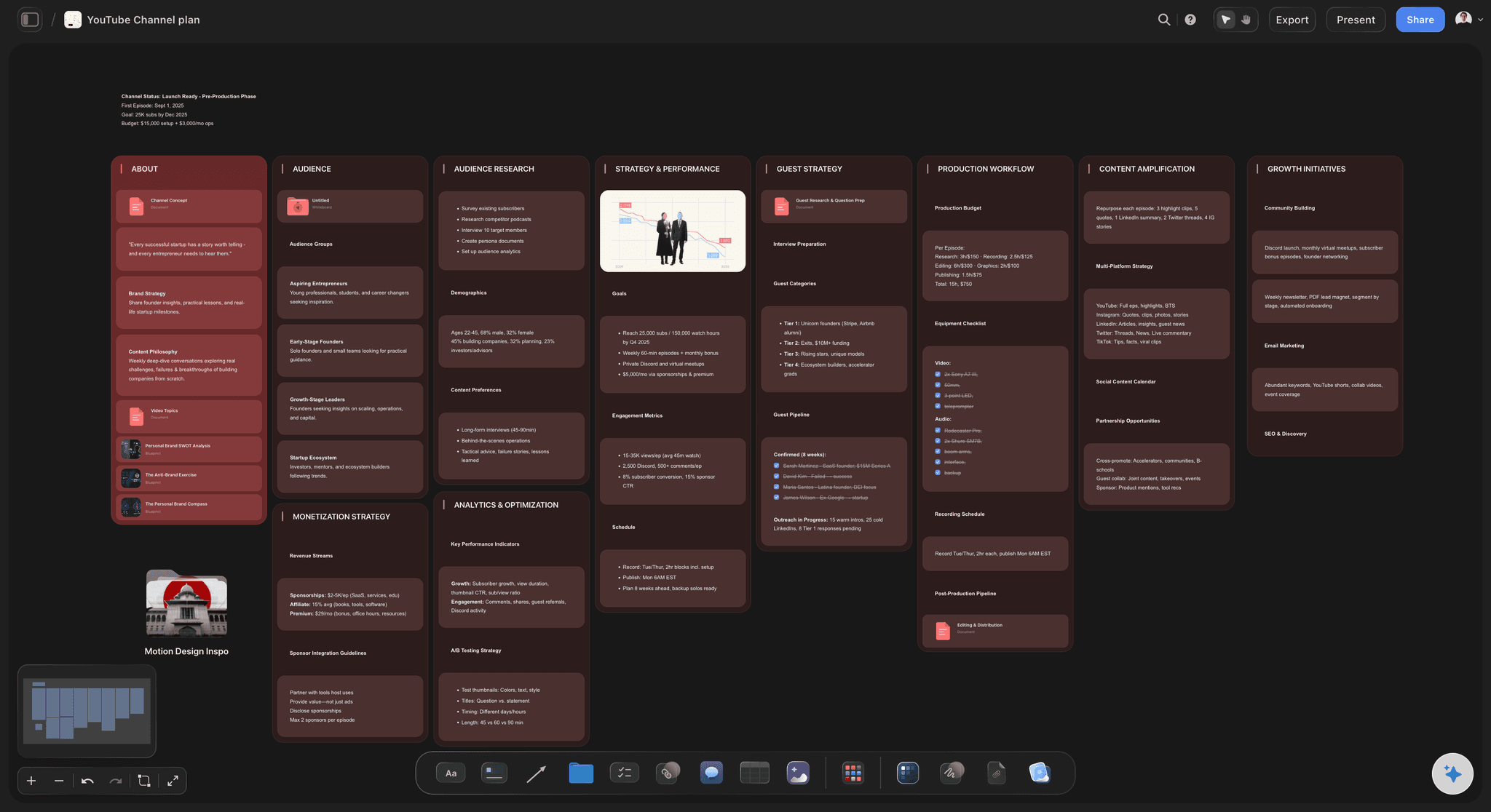
One idea, every format it can become
Plan the repurposing at the same time
A single cluster topic is a long piece, a video, four short posts, and a newsletter section. Branch the formats under the topic so the derivative work is planned rather than remembered.
See the content repurposing planner →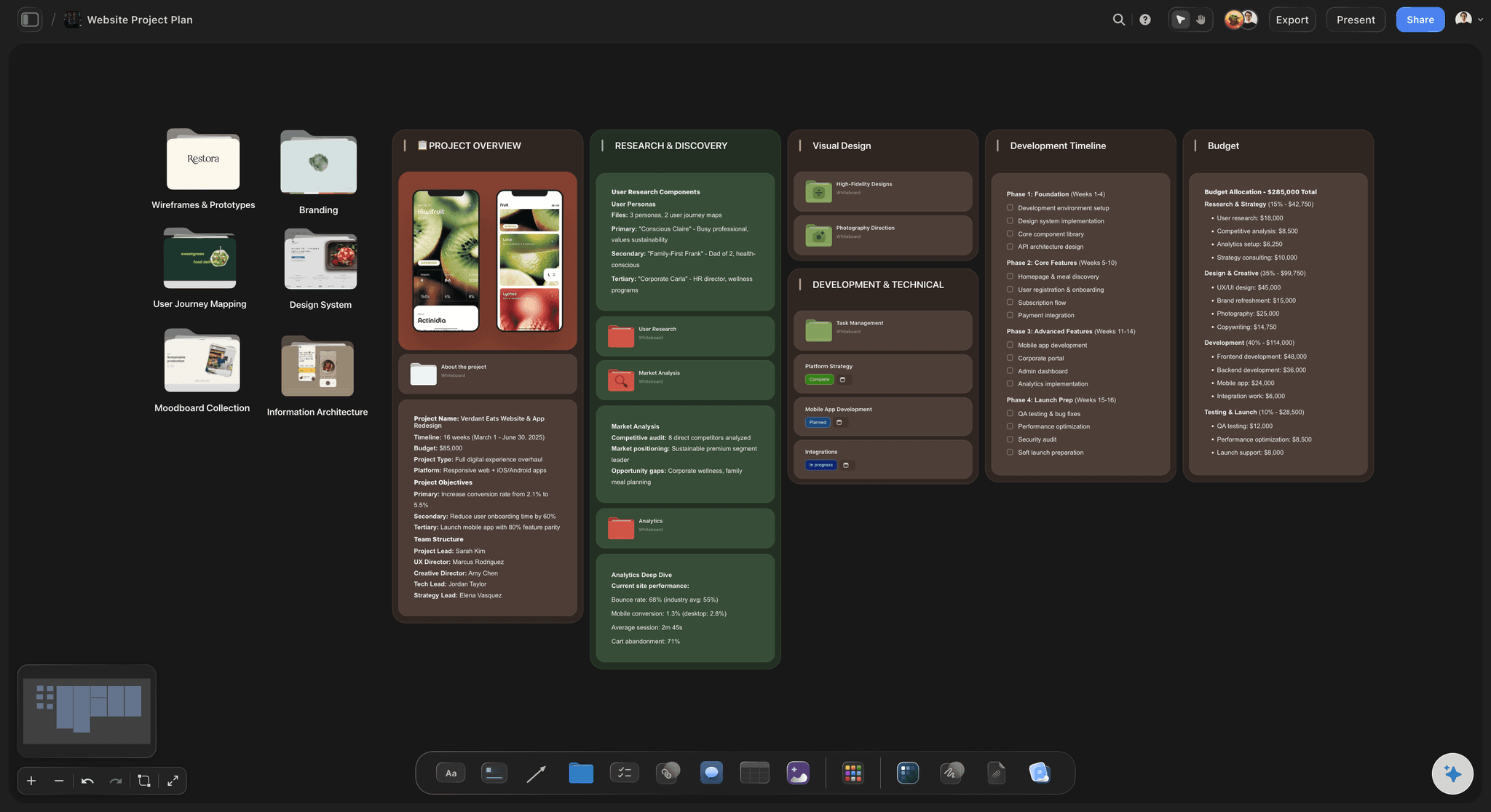
Hub and spoke linking, drawn rather than described
Build the pillar page and its clusters as a map
For the SEO sense of the word, draw the hub page in the centre and each cluster around it with the internal links as connectors. Missing links are visible gaps rather than an audit you keep postponing.
See the AI content planner →Unlimited boards. No object cap.
Open a canvas and let AI propose your first set of pillars. Storyflow is paid-only during early access, with plans from $7.99 a month billed annually, and a Free plan launches before the end of 2026.
Unlimited content canvases with no cap on cards
Basic AI usage to generate pillars, clusters, and calendars
Starter templates for content plans, calendars, and channel strategy
Share view-only links with clients and collaborators, no account required
Built for people with taste
A plan you check, not a slide you made once.
Pillars fail because the strategy and the output live in different files. Putting them on one canvas is the whole intervention.
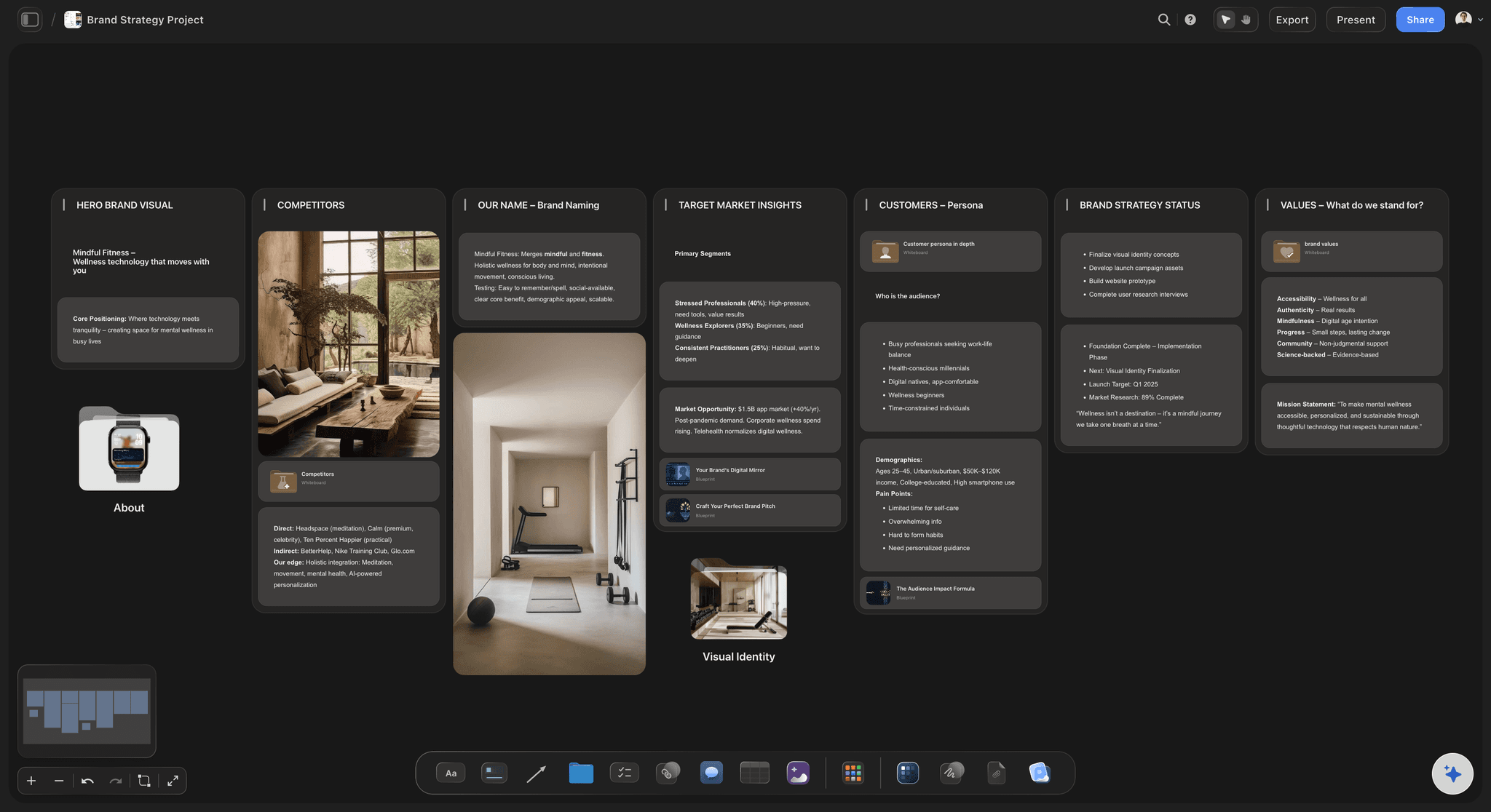
Three to five, chosen deliberately
Pick pillars that can carry a year
Broad enough to last: A pillar you exhaust in six pieces was a topic. The test is whether you could publish against it every fortnight for a year without repeating yourself, which usually means it names a problem or a point of view rather than a subject.
Narrow enough to mean something: A pillar that could cover anything you might publish is not doing any work. If two of your pillars would accept the same piece equally well, you have one pillar with two names.
Honest about what you can actually write: The pillar that dies first is the one nobody on the team has real material for. Mark who can write against each branch before you commit to it, and cut the one with no author.
One pillar that is uncomfortable: Programmes that only publish safe ground read as interchangeable. A pillar carrying an actual position is the one people remember, and it is worth naming it deliberately rather than hoping it emerges.

AI that reads the whole board as context
Ask the board what is missing
Generate clusters that are not obvious: Ask for twenty cluster topics under a pillar and the AI produces twenty, including the ones past the point where your own list ran dry.
Find the gap rather than count the cards: Ask which pillar has no piece aimed at people new to the subject, or which audience question the board never answers. The AI uses your whole canvas as context, so the answer is about your programme.
It proposes, you decide: Storyflow structures and suggests; it does not choose your positioning or write in your voice. What you are known for is not a decision to delegate.
Re-prompt without disturbing the board: Add a channel or retire a pillar and ask for a rebuild around what remains. Cards you have placed and connected stay where they are.

The pillars, the pieces, and the dates on one surface
Stop keeping the strategy in a different file from the schedule
Calendar on the same canvas: Drag a cluster topic onto a date and it stays connected to its pillar. Balance across the month becomes a property you can see rather than one you have to tally.
Research beside the topic it supports: Pin the interview notes, the customer quote, the competitor piece, and the data that justify a topic next to the card. The piece gets written from material rather than from memory.
Reference and assets in the same place: Drop in thumbnails, frames from YouTube or Vimeo, and draft copy. A content board with the actual work on it is checkable in a way a topic list is not.

Solo, in a team, or for a client
One board everyone plans from
View-only links for clients and stakeholders: Send a link and a client opens the whole plan in a browser with no account. Approving a quarter's content against a live board is a shorter conversation than approving a deck.
Writers who pick up their own branch: Invite the team onto the canvas so each writer can see which pillar needs feeding and claim a topic, with the research already attached.
Comments where the topic is: Feedback on an angle sits on the card for that angle, so nobody reconstructs which idea a note in a chat thread referred to.
Explore templates for your project
Every template opens as a real, editable board on the infinite canvas. Pick the closest fit and make it your own.
YouTube Plan
Plan a video from hook to outline to shot list, with references and thumbnail ideas sitting right beside it.
One app instead of five
Storyflow vs Notion, Trello, and a content spreadsheet.
Each is genuinely good at part of this: Notion is excellent as a content database with properties and views, Trello is the fastest way to move pieces through a production status, and a spreadsheet remains unbeatable for filtering and counting. Here is where they differ.
Storyflow
Recommended
Pillars and pieces readable as one picture
AI proposes pillars and clusters from positioning
Research and draft assets attached to each topic
Calendar on the same canvas as the strategy
Database properties, filters, and sorted views
View-only links with no account required
Notion
Pillars and pieces readable as one picture
AI proposes pillars and clusters from positioning
Research and draft assets attached to each topic
Calendar on the same canvas as the strategy
Database properties, filters, and sorted views
View-only links with no account required
Trello
Pillars and pieces readable as one picture
AI proposes pillars and clusters from positioning
Research and draft assets attached to each topic
Calendar on the same canvas as the strategy
Database properties, filters, and sorted views
View-only links with no account required
A spreadsheet
Pillars and pieces readable as one picture
AI proposes pillars and clusters from positioning
Research and draft assets attached to each topic
Calendar on the same canvas as the strategy
Database properties, filters, and sorted views
View-only links with no account required
What creators are saying
Join early creators getting structured workspaces and AI that remembers their projects
“Storyflow has sped up my workflow by at least 3x, which means more flow state and more projects I can actually ship. It truly changed the way me and my team create.”

Reilin Joey
Director & YouTuber
“One prompt gets me a structured board. But the tactics are my favorite. I run my YouTube scripts through them and my intros and retention got better. It's amazing.”

Justkay
YouTuber & Freelance Filmmaker
“I used to juggle five apps to plan a project. Now I describe what I am making and get boards, lists, and a schedule. All in one place.”

George
@fernwehchronicles
Content pillar questions, answered.
How many to pick, how to choose them, and where pillar pages fit.
Content pillars are the three to five themes a content programme deliberately returns to, so that everything published adds up to a recognisable position rather than accumulating as unrelated pieces. They sit above topics and below your mission. A design studio might run craft, process, the business of design, and client stories; a software company might run the problem, the method, customer proof, and where the category is going. The value of naming them is not organisational tidiness, it is compounding: an audience that sees four consistent themes over six months forms a clear idea of what you know about, while an audience that sees thirty unconnected pieces forms none. The test of a good pillar is whether you could publish against it every fortnight for a year without repeating yourself.
Storyflow is built for exactly this job: the pillars as cards, the cluster topics branching under each, the formats and the month of posts on the same canvas, so a pillar with no posts under it is visible at a glance. Its AI proposes candidate pillars and branches each one into post ideas from the board you built, and your team or client opens it by link. Posts are still scheduled and published in Buffer, Later or your CMS.
They are two different things sharing a word, and mixing them up is the most common source of confusion in this subject. Content pillars are strategic themes: the small set of subjects your programme keeps returning to. Pillar content, also called a pillar page, is an SEO structure: one comprehensive page covering a broad subject, surrounded by cluster pages that each cover a sub-topic in depth and link back to the hub. The first decides what you talk about; the second decides how the pages relate so a search engine can see topical depth. They work well together and neither replaces the other. A programme with themes and no linking structure produces coherent content nobody finds, and a programme with hub and spoke linking and no themes produces a well-connected set of pages with no point of view.
Three to five, and the reason is practical rather than aesthetic. Below three, the programme is too narrow to sustain a publishing cadence and starts repeating within a couple of months. Above five or six, you cannot feed them all, and what happens in practice is that two or three thrive and the rest quietly die, leaving you with an unhonest plan rather than a broad one. If you have eight candidates, the useful exercise is to check which ones would accept the same piece: pillars that overlap that much are one pillar with two names. Also check who can actually write against each branch. A pillar with no author on the team is the one that will be empty in a quarter, and it is cheaper to cut it now than to discover it later.
Work from three inputs and take the overlap. First, what your audience actually needs to know, which is best sourced from real questions in sales calls, support tickets, and comments rather than from keyword volume alone. Second, what you genuinely know that others do not, which is where your material is and therefore where the writing is sustainable. Third, what you want to be known for commercially, meaning the ground that, if you owned it, would make the sale easier. Themes that appear in all three are strong pillars. Themes only in the first are content you could write but that does you no good; only in the third are content you want but cannot credibly produce. Lay all the candidates on a canvas, mark each against the three tests, and the set that survives is usually four.
Pillar content is one comprehensive page or piece covering a broad subject in depth, surrounded by cluster pieces that each cover a narrower part of it and link back. The pillar is the hub, the clusters are the spokes, and the internal links between them are the point: they signal that you have covered a subject thoroughly rather than published one page about it. It is an SEO structure rather than a content theme, which is where the confusion with content pillars comes from, since those are the recurring subjects a programme returns to. Both are useful and they do different jobs. A practical pillar page is long, genuinely covers the whole subject, and links out to every cluster; a cluster piece goes deeper on one question than the pillar can and links back.
Not during early access. Storyflow is paid-only right now, with plans from $7.99 a month billed annually, and a Free plan launches before the end of 2026. Anyone a paid member invites to a board joins free today, so a client or a co-writer can view and contribute without paying. If you need something free this minute, a spreadsheet with one row per piece and a pillar column will show you the balance problem perfectly well, and is genuinely the right tool if counting is all you need. What it will not do is hold the research, the drafts, and the reasoning next to the topics, which is what makes the board something you plan in rather than something you report from.
The same way, with one addition: format becomes a second axis. On social, a pillar is expressed through recurring formats, and naming the formats is as important as naming the themes. A craft pillar might run as a weekly breakdown post, a monthly long video, and an occasional behind the scenes clip. Because the format recurs, the audience learns the shape and the production cost falls, which is the practical reason format-plus-theme outperforms theme alone. On a canvas this is a two-level branch: pillar, then format under it, then the individual posts under that. It also makes repurposing planned rather than improvised, since one cluster topic sitting above four format branches is a visible instruction to produce four things from one piece of thinking.
Look at three things, in this order. Balance first: count the pieces attached to each pillar over the last quarter, because a pillar you are not feeding cannot be evaluated at all and this is the most common finding. Then performance, but per pillar rather than per piece, since the useful question is whether a theme earns attention consistently rather than whether one post did well. Then the qualitative signal, which is what people say you are about when they describe you back to you: in sales calls, in podcast introductions, in replies. That last one is the actual objective, and it moves slowly. A pillar can look weak on engagement and still be doing its job if it is the reason the right prospects arrive already convinced, which is why balance and attribution are worth reading together rather than separately.
It is the structural expression of pillar content for search. You write one broad, comprehensive page on a subject, the hub, and then a set of narrower pages, the spokes or clusters, each covering one sub-topic in real depth. Every cluster links back to the hub, the hub links out to every cluster, and clusters link to each other where the subjects genuinely relate. The intent is to demonstrate topical depth rather than a single page competing on a broad term, and to concentrate internal link equity on the page you most want to rank. The reason it belongs on a canvas is that the links are the model: drawing the hub in the centre with clusters around it and the internal links as actual connectors makes a missing link visible, where a linking audit in a spreadsheet is a chore that gets postponed indefinitely.
It can produce good candidates and it should not make the final choice. Given your audience, your product, and what you want to be known for, an AI will propose a plausible set of pillars with cluster topics beneath each, and that is genuinely useful because rejecting three of five proposals is much faster than inventing five from nothing. It is also very good at the part where your own list runs dry, which is usually around topic twelve under a pillar. What it cannot do is know which ground you can credibly own, what you actually believe that your competitors do not, or which theme you will still want to write about in November. Storyflow's AI structures and suggests, and the decision about what you stand for stays yours, which is the only arrangement that produces a programme worth following.
Yes. Send a view-only link and a client, a stakeholder, or a freelancer opens the whole board in a browser with no account and no download, which makes approving a quarter's shape a much shorter conversation than approving a calendar full of individual dates. If you want people contributing, invite them onto the canvas: writers can see which pillar needs feeding, claim a topic, and find the research already attached to it. Comments live on the card they concern, so a note about an angle stays with that angle rather than scattering into chat. For a board meeting or a client report that needs a document, export the plan as a high-quality image or PDF.
More from Storyflow
For social media managers
Social media marketing plan
AI content strategy generator
AI content calendar generator
AI content planner
Content calendar for creators
Social media content calendar
Content repurposing planner
AI content idea generator
Content pipeline
AI social media strategy generator
Editorial calendar
YouTube content pipeline
Personal brand plan
Influencer campaign plan
Content audit template
30-day content plan example
Editorial workflow
Make the pieces add up to something.
Open a canvas, describe what you want to be known for, and let AI lay out the first set of pillars. No download.