
Social plans done ultra fast, done well
A 30-day social media content plan
filled in, post by post.
Twenty posts, four pillars, two platforms and one batch day for a small coffee roaster, with every date, format and hook written out. Copy the shape, swap in your brand.


Creatives working for these brands already got early access
- Red Bull
- Canon
- Artlist
- Porsche
See how easy it is to get started
Watch a real project come together, from a blank board to a finished plan, clicked through step by step.
Start from a ready-made template
Pick a board to see what you can build, then let AI fill it in. Every template is a real, editable starting point on the same infinite canvas.

Content Calendar
Plan what you post and when across every channel on one calendar.
What does a 30-day social media content plan look like?
A 30-day social media content plan is a list of every post for the month with its date, platform, format, content pillar, hook and owner, plus the production days that make them. Storyflow is an AI visual workspace that lays out that 30-day plan on one infinite canvas: pillar columns with ideas under them, a table of every post with its date, format and status, a batch day with its shot list, and the brief beside it. The example below is a complete month for a small coffee roaster you can copy.
Most content plan templates are empty grids. They show where the posts would go and leave the hard part, deciding what the posts are, to you. An example earns its place by being specific: a real brand, a real cadence, real hooks, and the arithmetic that makes the month add up. So this page plans one month end to end for Northside Roasters, an independent coffee roaster with a café and an online shop, run by two people and a part-time barista who films. Their goal for the month is to sell more of a new single-origin subscription without the feed turning into a string of offers.
The inputs come first. Northside posts on Instagram and TikTok. Two people can make five posts a week, Monday to Friday, which is twenty posts in four weeks. They have four pillars. Brew Better teaches home brewing and brings new people in. From the Farm tells the story behind each coffee and builds trust. The Café shows the people and the room. On the Shelf covers the subscription and the shop, and sells. The split is 7, 5, 4 and 4 posts, which is 35, 25, 20 and 20 percent. Selling gets a fifth of the month, not half of it.
Then the fixed date. The new subscription launches on day 15, a Monday. A launch needs warming up before and proof after, so week 2 carries teasers from the farm, week 3 carries the launch and the first customer reactions, and week 4 goes back to teaching with one reminder. By format the month is 8 short videos, 7 carousels and 5 photos. The 8 videos and 5 photos are 13 things to make. Three of them come from the importer's farm footage, and the other 10 fit one batch day in the café on day 3, with a shot list written before anyone picks up the phone.
The plan below is what that produces: a table of twenty rows. Each row is one post, with a day, a platform, a format, a pillar, a hook and a status. Read down the pillar column and you can count the split. Read down the format column and you can see the batch day's list. The hooks are written in full because a slot that says Reel, Tuesday tells the person making it nothing. In Storyflow, ask the AI to plan your content calendar and it lays out the same structure on your board with your own pillars and dates, as a table you edit cell by cell.
The limits, plainly. Storyflow has no calendar grid: the month is a table with dates in a column, and its rows stay in the order they were written, so keep them in date order. Storyflow does not schedule or publish posts and does not show reach or saves; Buffer, Later or each platform's own tools still do that. Bring last month's results onto the board as a spreadsheet or CSV file and the AI reads them when you plan the next month.
Ultra fast from brief to board
How do I build my own 30-day content plan from this example?
Six steps, in the same order the example was built. Each one changes the shape of the month, so do not skip ahead to dates.
01
Count the posts you can actually make
Write down how many posts the team can produce in a week, honestly. Northside can make five. Multiply by four for the month. That number, not an ideal cadence, is the size of the plan.
02
Set three to five pillars and give each a count
Name each pillar's job: bring people in, build trust, or sell. Give each a number of posts, not a percentage. In Storyflow each pillar becomes a column with its count written on a note at the top.
03
Pin the fixed dates first
Put launches, events and offers on their days before anything else, then place teasers before and proof after each one. Everything else fills the gaps.
04
Fill the table, one row per post
Ask Storyflow's AI to plan your content calendar. It builds a table with a row per post: date, platform, format, pillar, hook and status. Edit any cell by hand, or ask it to rewrite one hook.
05
Turn the videos and photos into a batch day
Ask the AI for a shot list of everything the month needs filmed or photographed. Group it by location so one session covers the month.
06
Share it, then hand approved posts to your scheduler
Send a view-only link: the founder or client opens it with no account and signs in to comment. Approved posts go into Buffer, Later or the platform's own scheduler.
What should a 30-day content plan include?
Five parts. The table is the one people copy; the other four are why it holds up past week two.
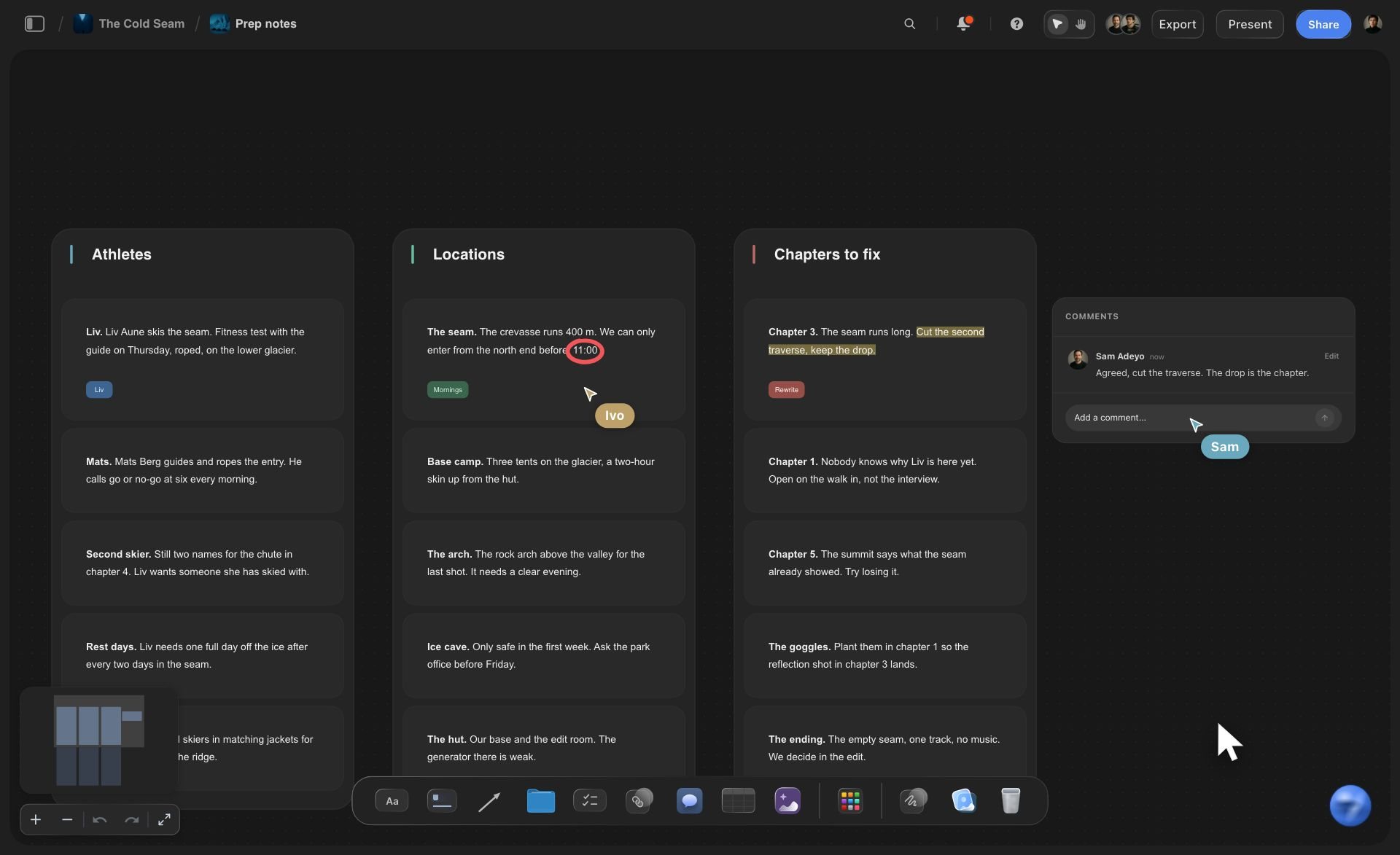
The pillars
A column per pillar, with a count on it
Each pillar has a job, a number of posts for the month and a stock of ideas under it. Leftover ideas stay in the column for next month, so the next plan starts half written.
See the content pillar planner →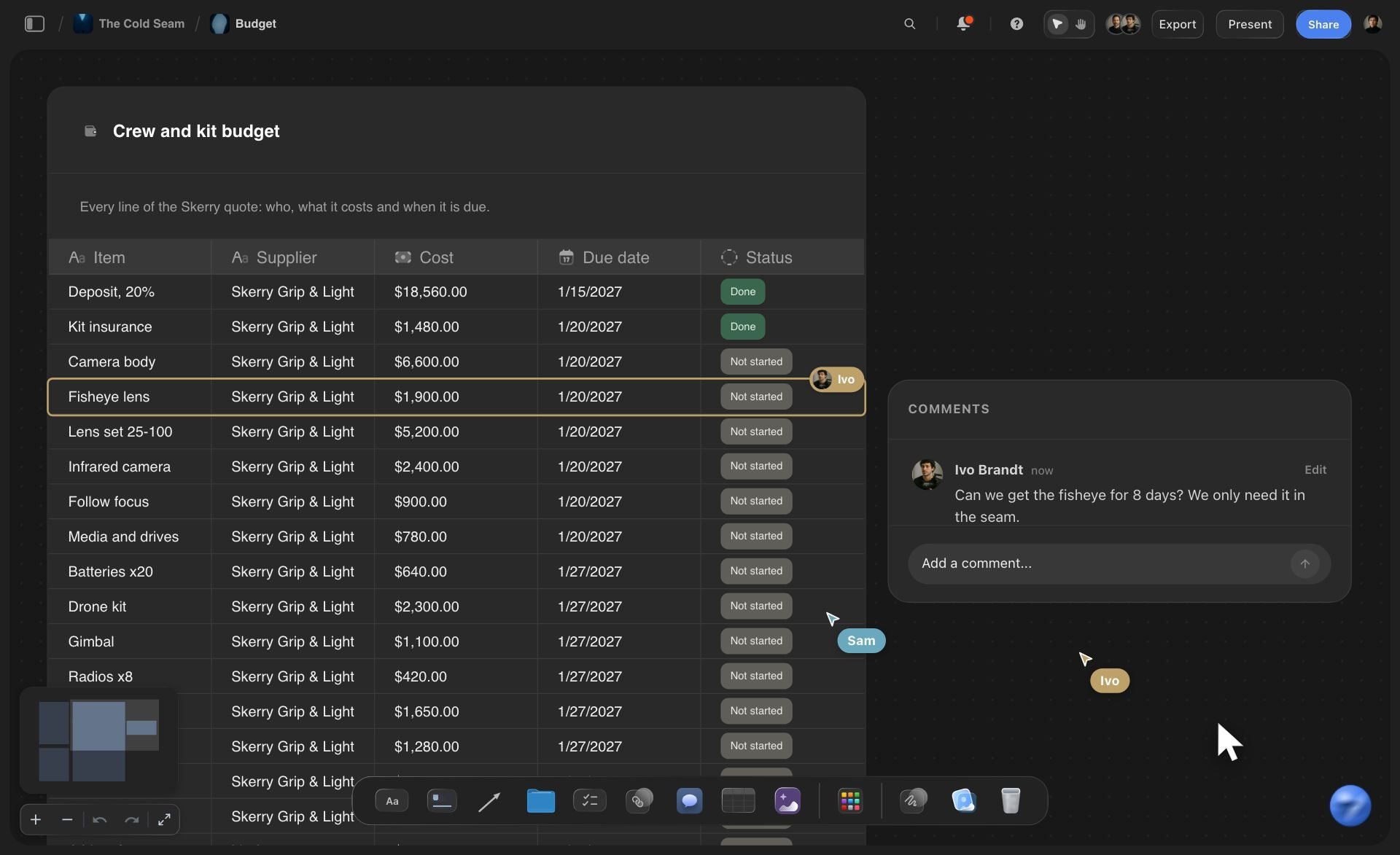
The month
Every post as a row you can count
Date, platform, format, pillar, hook, owner and status in one table. Count the pillar labels to check the split, count the formats to size the batch day.
See the social media content calendar →
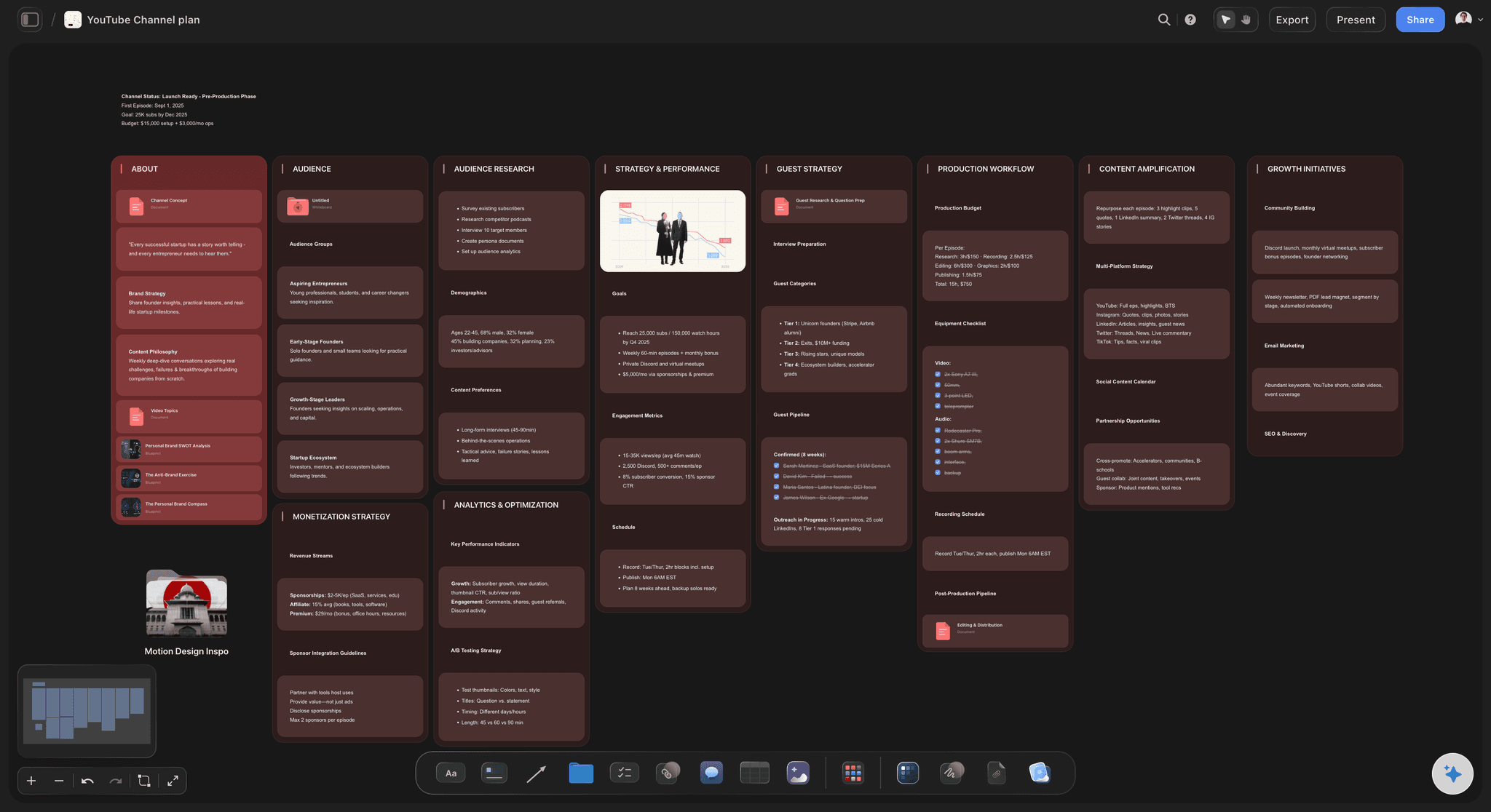
The batch day
The month's shoot, on one list
Every video and photo in the month becomes a line on a shot list grouped by location, so one afternoon in the café produces most of the month's footage.
See the social media shot list →
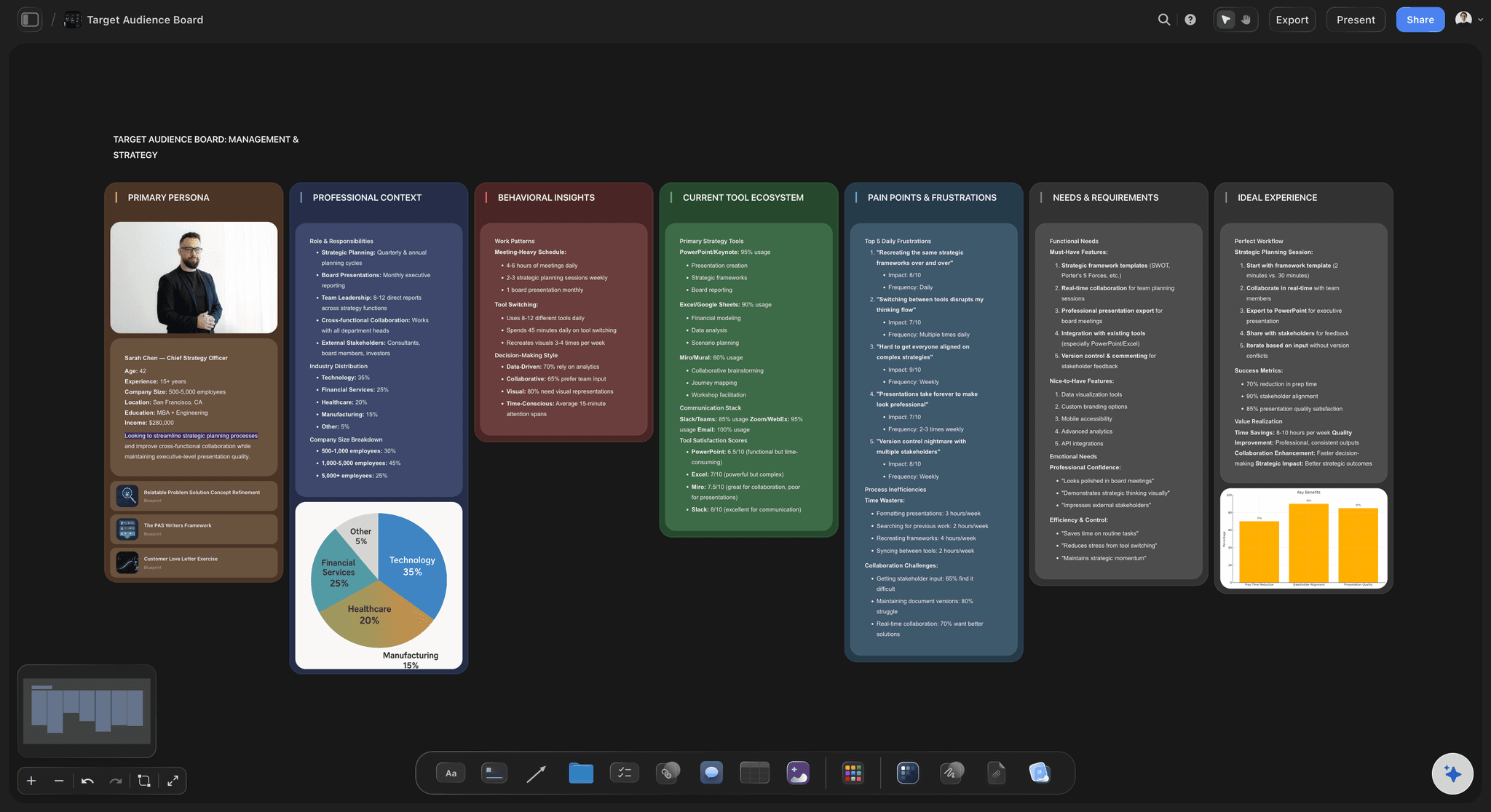
The brief
The goal of the month, where everyone can read it
One note says what the month is for: sell the new subscription without turning the feed into ads. Every post in the table can be checked against it.
See the social media marketing plan →Unlimited boards. No object cap.
One board per month, with every post, idea and reference on it. Storyflow is paid-only during early access, with plans from $7.99 a month billed annually ($9.99 monthly). A free plan launches before the end of 2026, and anyone a paid member invites to a board joins free.
An AI that lays out the month as pillar columns and a post table
Tables with date, person and status cells for every post
Shot lists for the batch day on the same board
Carousel drafts as slides beside the plan
View-only links a client or founder opens with no account

Built for people with taste
Why do most 30-day content plans fall apart by week three?
Three reasons, and the example is built to avoid each of them.
Cadence
A cadence nobody can sustain
Start from capacity: Twenty posts because two people can make five a week, not thirty because a guide said post daily. A smaller plan that ships beats a bigger one that stops on day eleven.
One batch day, not twenty small shoots: Filming everything on day 3 means weeks 2 to 4 are editing and posting, which two people can keep up with.
Formats that reuse footage: The farm video on day 9 and the day 10 carousel come from the same clips, so one shoot feeds two posts.
Ideas in reserve: Each pillar column keeps spare ideas, so a post that falls through is swapped in minutes, not argued about.
Balance
A feed that drifts into offers
Counts, not percentages: On the Shelf gets 4 posts. When a fifth offer appears in the table, the pillar column shows it at a glance.
Teach before you sell: Brew Better carries 7 posts because it brings new people to the account who then see the launch.
The launch has a run-up: Three farm posts in week 2 give the subscription a story before it has a price.
Proof after the launch: Week 3 shows customers and baristas using the coffee, which sells better than a second announcement.
Slots
Slots that say Reel, Tuesday
A hook on every row: The person filming knows what the first line is before the camera is out, and the person writing the caption knows the angle.
An owner on every row: A person cell says who makes the post, so nothing waits on someone who thought it was the other person's job.
A status on every row: Idea, filmed, edited, approved, scheduled. Read down the column on a Wednesday and you know if Friday is at risk.
Ask the board, not your memory: Ask Storyflow's AI which pillar is thin or which week has no video. It reads the whole board and answers about your plan.
Explore templates for your project
Every template opens as a real, editable board on the infinite canvas. Pick the closest fit and make it your own.
Content Calendar
Plan what you post and when across every channel on one calendar.
One app instead of five
What tool should I use to make a 30-day content plan like this one?
Storyflow plans the month and the work behind it. A scheduler publishes it. A spreadsheet is the starting point most people outgrow.
Storyflow
Recommended
Post ideas and hooks drafted by AI
Pillars, post table, shot list and brief on one canvas
Batch day shot list built from the month's posts
Carousel slides drafted beside the plan
Calendar grid view of the month
Schedules and publishes posts
Buffer
Post ideas and hooks drafted by AI
Pillars, post table, shot list and brief on one canvas
Batch day shot list built from the month's posts
Carousel slides drafted beside the plan
Calendar grid view of the month
Schedules and publishes posts
A spreadsheet template
Post ideas and hooks drafted by AI
Pillars, post table, shot list and brief on one canvas
Batch day shot list built from the month's posts
Carousel slides drafted beside the plan
Calendar grid view of the month
Schedules and publishes posts
What creators are saying
Join early creators getting structured workspaces and AI that remembers their projects
“Storyflow has sped up my workflow by at least 3x, which means more flow state and more projects I can actually ship. It truly changed the way me and my team create.”

Reilin Joey
Director & YouTuber
“One prompt gets me a structured board. But the tactics are my favorite. I run my YouTube scripts through them and my intros and retention got better. It's amazing.”

Justkay
YouTuber & Freelance Filmmaker
“I used to juggle five apps to plan a project. Now I describe what I am making and get boards, lists, and a schedule. All in one place.”

George
@fernwehchronicles
30-day content plan examples, answered.
What small teams ask when they sit down to plan the next month of posts.
Northside Roasters, a small coffee roaster, posts 20 times in a month on Instagram and TikTok across four pillars: 7 teaching posts, 5 farm stories, 4 café posts and 4 shop posts. A new subscription launches on day 15 with farm teasers before it and customer reactions after it. Every post has a date, format, pillar and hook, and one batch day on day 3 films everything. Storyflow lays that plan out on one board.
Storyflow is built for this job: it is an AI visual workspace that lays out the month as pillar columns, a table of every post with its date, format and hook, a batch day shot list and the brief, on one board the whole team can read. Buffer or Later still schedule and publish the posts once they are approved.
As many as your team can make, which is usually fewer than you hope. Count posts per week you can produce without heroics and multiply by four. Two people with day jobs in the business can usually manage four or five a week. A plan of 20 that ships beats a plan of 30 that stops in week two.
Give each pillar a number of posts, not just a percentage. Put the most into the pillar that brings new people in, and the fewest into selling. In the example, 7, 5, 4 and 4 of 20 posts. In Storyflow, write each count on the pillar's column and label every row in the table with its pillar so the split can be counted.
Put the launch date in first, then plan backwards and forwards from it. A week of teasers that give the product a story, the launch post itself, then a week of proof: customers, reactions and use. Do not post the announcement twice in a row. In the example, days 9 to 11 tease, day 15 launches and days 16 to 18 show it in use.
Date, platform, format, pillar, hook, owner and status. Add a link to the asset once it exists. A Storyflow table holds date, person and status cells, so the owner is a person and the status is a label you change as the post moves from idea to scheduled.
A batch day is one session where you film and photograph everything the month needs. List every video and photo in the plan, group them by location, and write a shot list. In the example, 10 items in one afternoon. In Storyflow, ask the AI for a shot list from the month's posts and it builds one on the same board.
Yes. Ask it to plan your content calendar and tell it your brand, your platforms, how many posts you can make and any fixed dates. It lays out pillar columns and a table of posts on your Storyflow board. You edit any cell or card, or ask it to rewrite a hook, swap a format, or rebalance a pillar.
No. In Storyflow the month is a table with dates in a column, plus tickets and Kanban if you want them. Its rows stay in the order they were written and the canvas cannot sort a table, so add the posts in date order. If you need a calendar grid, your scheduler shows one once the posts are in it.
No. Storyflow plans the month and holds the drafts, the shot list and the brief. Buffer, Later, Hootsuite or each platform's own tools schedule and publish. Storyflow does not show reach or saves either: export your results as a spreadsheet or CSV file and put it on the board so the AI can read it for next month.
Create a view-only link to the Storyflow board. They open it in a browser with no account and see the pillars, the table and the shot list. To comment on a post, they sign in. A paid member can also invite them to the board, and invited collaborators join free.
A template gives you empty slots. This example fills every slot with a real post, shows the arithmetic behind the month, and includes the batch day that produces it. Use it as a model: copy the shape, keep the counts that suit your team, and replace the hooks with your own.
Storyflow is paid-only during early access, with plans from $7.99 a month billed annually ($9.99 monthly). A free plan launches before the end of 2026. Anyone a paid member invites to a board joins free.
Copy the shape. Fill in your month.
Pillars, twenty posts, a batch day and the brief on one board, ready before day one.