
Social plans done ultra fast, done well
See the month the way
your audience will.
Lay out content pillars, a grid mock of upcoming posts, reels ideas, and captions beside their visuals on one infinite canvas, so the feed hangs together before anything goes live.


Creatives working for these brands already got early access
- Red Bull
- Canon
- Artlist
- Porsche
See how easy it is to get started
Watch a real project come together, from a blank board to a finished plan, clicked through step by step.
Start from a ready-made template
Pick a board to see what you can build, then let AI fill it in. Every template is a real, editable starting point on the same infinite canvas.

Content Calendar
Plan what you post and when across every channel on one calendar.
What is an Instagram content planner?
An Instagram content planner is a tool for deciding what you will post, why it belongs on the account, and how it will look next to everything else, before any of it is scheduled. Storyflow is an AI visual workspace that plans a month of Instagram posts on one infinite canvas: content pillars, a grid mock of upcoming posts, reels ideas with reference frames, and captions beside their visuals. A planner holds the content pillars the account is built on, the feed posts and carousels in the pipeline, the reels ideas that need scripting, the stories that support launches, and the captions that have to match the images they sit under. The scheduling app comes later. The planner is where the month gets decided.
Instagram planning is a visual-coherence problem before it is a scheduling problem. A profile is judged as a grid in about two seconds, a reel only works if it ladders up to a pillar the audience already associates with you, and a caption written in a spreadsheet cell, away from the image it accompanies, reads exactly like a caption written in a spreadsheet cell. The questions that decide whether a month works are visual and structural: do these nine posts look like one account, does each pillar actually show up this month, does the launch week read as a sequence. A calendar of text rows cannot answer any of them.
Storyflow is an AI-native infinite canvas built for exactly that. Describe your niche and your pillars in a prompt and the AI lays out a structured content board: pillar sections, a posting cadence, and cards for the posts and reels to fill. Then you work spatially. Mock the grid as a three-wide arrangement of upcoming visuals, drag posts around until the feed reads well, draft each caption directly beside its image, and pin a moodboard and reference frames from other videos next to the reels they inspired.
Planning a month of Instagram content means working across five connected layers: the pillars (the three to five themes the account stands for, and the mix between them), the grid (how the next nine to twelve feed posts sit together visually), the reels pipeline (hooks, scripts, and reference clips for each idea), the stories layer (the daily, disposable material that supports launches and drives DMs), and the captions (the words under each visual, written with that visual in view). Storyflow keeps all five visible at once, which is what makes an incoherent month obvious while it is still cheap to fix.
Ultra fast from brief to board
From a niche description to a month you can shoot.
No calendar grid to configure, no database to set up. Describe the account and start arranging the month.
01
Open a canvas
Sign up in seconds. No download. Your infinite planning canvas opens in the browser.
02
Describe your account
Type your niche, your pillars, and how often you post, and the AI lays out a structured content board with pillar sections and cards to fill. You start from a plan with a shape, not a blank calendar.
03
Arrange the month
Mock the grid with your upcoming visuals and drag posts around until the feed reads as one account. Move reels between pillars, sequence the launch week, and draft each caption beside its image.
04
Hand it to your scheduler
Share a view-only link with a client for sign-off, export the plan as an image or PDF, and then load the approved posts into Later, Planoly, or Meta Business Suite to publish.
The whole month, visible before it is live.
Pillars, grid, reels, and captions on one infinite canvas.

AI builds a content board from your niche and pillars
Start from a month with a shape
Describe the account and the AI lays out pillar sections, a cadence, and post cards to fill. Planning against a structure is much faster than staring at thirty empty calendar slots.
See the AI content calendar generator →
Mock the grid before anything is scheduled
Make nine posts look like one account
Arrange upcoming visuals in a three-wide mock beside your moodboard and drag them around until the feed hangs together. Visual coherence is decided here, not in the scheduling queue.
Try the free moodboard maker →
Reels ideas with reference frames beside them
Plan reels from references, not memory
Grab frames from YouTube or Vimeo videos and pin them next to each reel idea with the hook and script beside them. The edit you are imitating stays in view while you plan the shoot.
Explore the content planning tool →
View-only links for client sign-off
Get the month approved in one pass
Send a client a view-only link and they see the pillars, the grid mock, and every caption in context, in a browser, with no account. Approval on a visible plan beats approval on a spreadsheet.
See Storyflow for social media managers →Unlimited boards. No object cap.
Open a canvas, describe the account, and start arranging the month. Storyflow is paid-only during early access, with plans from $9.99 a month, and a Free plan launches before the end of 2026.
Unlimited content boards on an infinite canvas
Basic AI usage to generate boards from prompts
Starter templates for pillars, calendars, and campaigns
Share view-only links with clients and collaborators
Built for people with taste
More than a calendar of text rows.
A calendar can tell you when something posts. It cannot tell you whether the month reads as one account.
Pillars, grid, reels, stories, and captions
Work across every layer of the month
Pillar sections with the mix visible: Give each content pillar its own section and place every planned post inside one. A pillar section that stays empty for a month is the theme your audience will stop associating with you, and it is visible at a glance.
The grid as the audience sees it: Arrange the next nine to twelve feed visuals in a three-wide mock. Two similar posts landing side by side, a stretch with no faces, a color that breaks the run: all obvious here, invisible in a list.
A reels pipeline, not a reels wishlist: Each reel idea gets a card with its hook, script beats, and reference frames. Ideas move from pitched to scripted to shot by dragging them across the board, so you always know what is actually ready to film.
Stories that support the plan: Sketch the stories layer beside launch weeks: the teaser sequence, the behind-the-scenes, the DM prompt. Stories planned next to the posts they support stop being an afterthought on the day.

AI that can see the plan you have already built
Plan with an AI that knows your account
Prompt against the whole board: Ask it to fill a thin pillar with post ideas, rough out a launch week, or suggest reels angles for a theme you have neglected. It uses the whole board as context, so suggestions fit your account rather than a generic one.
It structures, it does not ghostwrite: Storyflow is a planning canvas rather than a caption factory. The AI lays out and organizes the month; the voice in the captions stays yours, which on Instagram is the only thing an audience actually follows.
Iterate without losing work: Re-prompt as many times as you need. Posts you have already planned and placed stay exactly where they are while the AI builds around them.
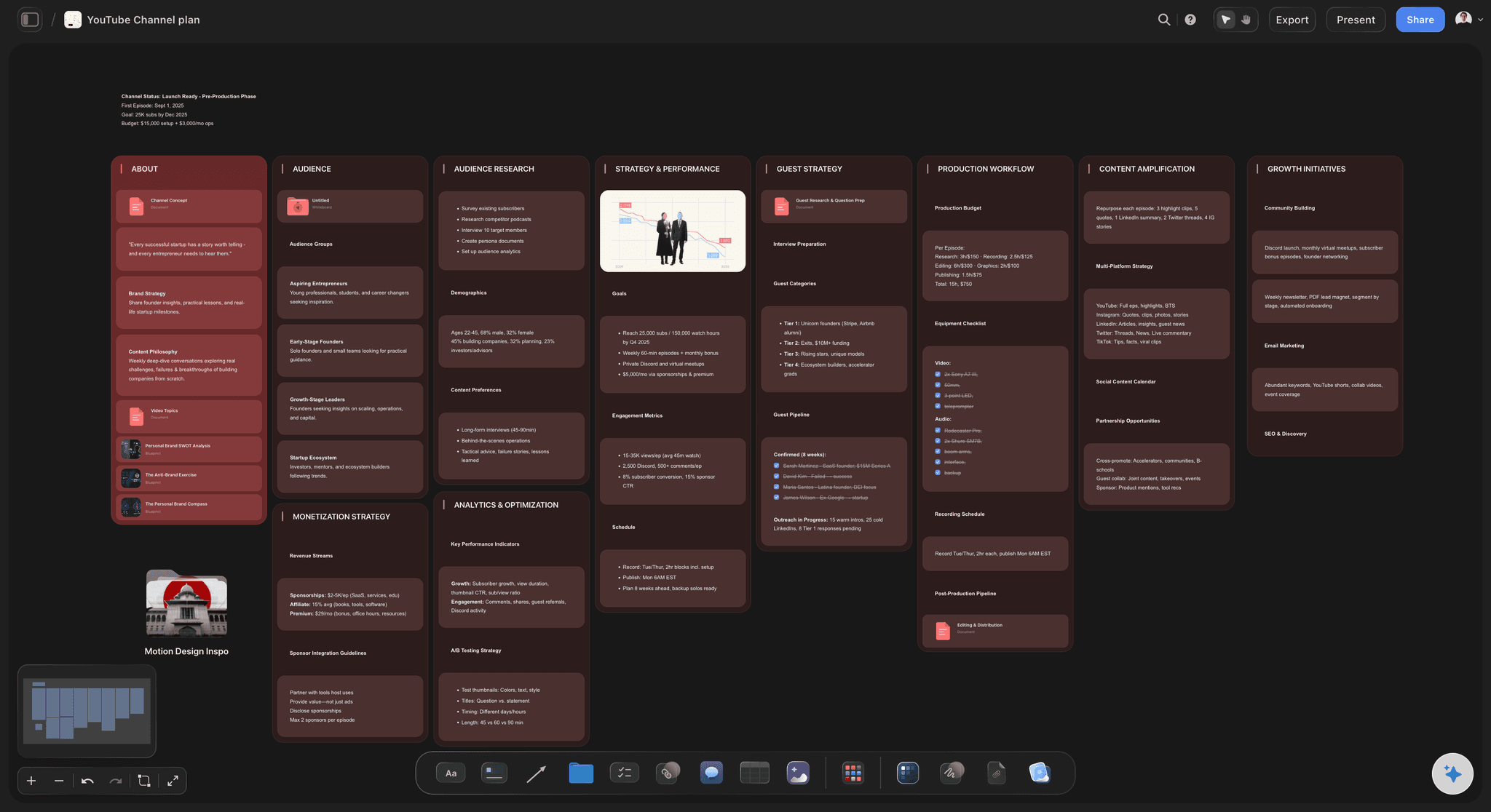
References, moodboards, and captions in one place
Keep the creative next to the calendar
Reference frames from real videos: Grab frames from YouTube or Vimeo and pin them beside the reels they should inform. A hook you admired stays attached to the idea it inspired instead of dying in your saved folder.
A moodboard beside the grid: Keep the account's visual direction, colors, textures, and reference posts on the same canvas as the plan. Every new post gets judged against the look it is supposed to fit.
Captions drafted beside their visuals: Write each caption in a card or the built-in document editor with the image in view. A caption that answers its visual reads like one post; a caption written in a spreadsheet reads like a spreadsheet.
Clients, teammates, and the handoff to publishing
Get the month approved and out the door
View-only links for sign-off: Clients open the whole month in a browser with no account: pillars, grid mock, captions in context. Comments land on the board, so feedback attaches to the post it is about.
Plan together: Invite a teammate, an editor, or the client's marketing lead to the canvas, so the account has one plan rather than three people's documents.
Export for the handoff: Export the approved plan as a high-quality image or PDF, then load the posts into your scheduler of choice. The thinking happened here; the publishing happens downstream.
Explore templates for your project
Every template opens as a real, editable board on the infinite canvas. Pick the closest fit and make it your own.
Content Calendar
Plan what you post and when across every channel on one calendar.
One app instead of five
Storyflow vs Later, Planoly, and Notion.
Be clear about what Storyflow is: it does not auto-post, schedule, or pull analytics. Later and Planoly own publishing, and they are good at it. Storyflow is the planning surface upstream of them, where the month gets decided before it enters a queue.
Storyflow
Recommended
Infinite visual canvas for the whole month
AI builds the board from your niche and pillars
Moodboards and reference frames beside the plan
Auto-publishing and scheduling to Instagram
Grid preview tied to actual publishing
Free plan available today
Later
Infinite visual canvas for the whole month
AI builds the board from your niche and pillars
Moodboards and reference frames beside the plan
Auto-publishing and scheduling to Instagram
Grid preview tied to actual publishing
Free plan available today
Planoly
Infinite visual canvas for the whole month
AI builds the board from your niche and pillars
Moodboards and reference frames beside the plan
Auto-publishing and scheduling to Instagram
Grid preview tied to actual publishing
Free plan available today
Notion
Infinite visual canvas for the whole month
AI builds the board from your niche and pillars
Moodboards and reference frames beside the plan
Auto-publishing and scheduling to Instagram
Grid preview tied to actual publishing
Free plan available today
What creators are saying
Join early creators getting structured workspaces and AI that remembers their projects
“Storyflow has sped up my workflow by at least 3x, which means more flow state and more projects I can actually ship. It truly changed the way me and my team create.”

Reilin Joey
Director & YouTuber
“One prompt gets me a structured board. But the tactics are my favorite. I run my YouTube scripts through them and my intros and retention got better. It's amazing.”

Justkay
YouTuber & Freelance Filmmaker
“I used to juggle five apps to plan a project. Now I describe what I am making and get boards, lists, and a schedule. All in one place.”

George
@fernwehchronicles
Instagram planning questions, answered.
How to plan a feed visually, where Storyflow ends and your scheduler begins, and how the AI actually helps.
It depends on which half of the job you mean. For publishing, Later is the strongest all-round scheduler, with auto-publish and best-time-to-post analytics, and Planoly's grid preview is tied directly to what will actually go live. Notion is the best free option if you think in databases and want to filter posts by status and pillar. Storyflow covers the half those tools skip: deciding what the month should be. It is an AI-native infinite canvas where you lay out pillar sections, mock the grid, plan reels against reference frames, and draft captions beside their visuals. Most serious accounts end up with a planning surface and a scheduler; Storyflow is the planning surface.
No, and it is worth being plain about this. Storyflow does not auto-post, schedule, or connect to Instagram in any way. It is the planning surface upstream of publishing: the place where pillars, the grid mock, reels ideas, and captions get decided and approved. When the month is settled, you load the posts into a scheduler like Later or Planoly, or into Meta Business Suite, and that tool handles the queue and the posting. Keeping the two jobs separate is deliberate. Planning wants an open canvas where anything can move; publishing wants a locked queue that fires on time. Tools that try to be both usually end up with a calendar UI doing the thinking, which is how incoherent feeds get scheduled very efficiently.
No. Storyflow does not connect to your Instagram account, so it cannot pull reach, engagement, follower data, or best-time-to-post recommendations. If analytics drive your decisions, Later is genuinely good at surfacing posting-time suggestions, and Instagram's own professional dashboard is free and closer to the source than any third-party tool. What Storyflow does instead is hold the conclusions you draw from those numbers: if carousels in one pillar consistently outperform, you restructure next month's board around that in a way a scheduler's calendar never quite lets you. The analytics live downstream; the response to them is a planning decision, and that happens on the canvas.
Not during early access. Storyflow is paid-only right now, with plans starting at $9.99 a month, and a Free plan for solo use launches before the end of 2026. Anyone a paid member invites to a board joins free today, so a client or teammate can review and comment on your plan without paying. If you need a free planner this minute, Notion's free tier is genuinely capable if you are willing to build the structure yourself, and Meta Business Suite is free and handles basic scheduling directly from the source. Neither gives you a visual canvas, but both are honest free options.
Start with the grid, because that is how a new visitor judges the account. Place your next nine to twelve planned visuals in a three-wide arrangement and read it as a stranger would: does it look like one account, is there variety without chaos, do any two similar posts collide. Then work backward into structure. Sort every planned post into a pillar section so you can see the mix at a glance, sequence launch weeks as left-to-right runs, and draft each caption directly beside its image so the words and the visual are one decision. On a canvas this is all dragging cards; the expensive version of this lesson is posting for a month and disliking your own profile.
Content pillars are the three to five themes an account repeatedly returns to: the things a follower could name if you asked what the account is about. A fitness coach might run training technique, client results, nutrition, and personal story. Pillars matter because coherence compounds; accounts that post about everything build an audience that expects nothing. On a canvas, give each pillar its own section and place every planned post inside one. Two things become visible immediately: the pillar you have quietly abandoned, and the post that fits no pillar at all, which is usually a post chasing a trend rather than building the account. The AI can lay out pillar sections from a description of your niche and suggest ideas for the thin ones.
Yes, and reels planning is where the canvas earns its keep. Each reel idea gets a card with its hook, script beats, and audio notes, and you can grab reference frames from YouTube or Vimeo videos and pin them beside the idea, so the pacing or framing you want to imitate stays in view while you plan the shoot. Run the pipeline spatially, from pitched to scripted to shot, by dragging cards between columns. Stories get planned as a supporting layer beside the posts they serve: the teaser sequence before a launch, the behind-the-scenes during it, the DM prompt after. Planning all three formats on one surface is what keeps them laddering up to the same pillars instead of competing.
You can draft every caption on the board, either in a card beside its visual or in the built-in document editor next to the canvas. That placement is the point. A caption written in a spreadsheet cell, away from the image it accompanies, almost always reads like it: generic, detachable, could sit under anything. A caption drafted with the visual in view can answer it, extend it, or set up the carousel's turn. The AI will structure the month and suggest angles for posts, but it is not positioned as a caption ghostwriter; the voice stays yours, because on Instagram voice is the product. When captions are approved, they move to your scheduler along with the visuals.
Send a view-only link. The client opens the whole month in a browser with no account: pillar sections, the grid mock, reels ideas with their references, and every caption sitting beside its visual. That context changes the quality of feedback. A client reviewing a spreadsheet queries individual captions; a client seeing the grid reacts to the month as their audience will, which is the reaction you actually need before the shoot. They can leave comments directly on the board, so notes attach to the post they concern instead of arriving as a paragraph in an email. If they should contribute rather than just approve, invite them to the canvas, and invited collaborators join free.
You describe the account: the niche, the pillars, roughly how often you post, and anything already decided, like a launch mid-month. The AI lays out a structured board from that description, with pillar sections, a cadence, and cards for posts and reels, so you start from a month with a shape rather than a blank canvas. From there it works with what you build. Because it uses the whole board as context, you can ask it to fill a thin pillar, rough out a launch sequence, or pitch reels angles that fit the account it can actually see. Re-prompting builds around your existing cards without moving them, so the plan stays yours while the AI does the layout work.
More from Storyflow
Social media marketing plan
Content pillars
AI content calendar generator
Content planning tool
AI content planner
For social media managers
For content creators
AI social media strategy generator
Social media content calendar
TikTok content planner
AI thumbnail concept generator
Free moodboard maker
Influencer campaign plan
Plan a month of social content with ChatGPT
Carousel post with Claude
UGC creator planner
30-day content plan example
Plan the feed your audience will actually see.
Open a canvas, describe your niche and pillars, and let AI lay out the first month. No download.