
Category
Photography
Author

Storyflow Team
Product & Research Team
Topics
2026-11-15
•
42 min read
•
Photography- fashion lookbook
- lookbook meaning
- what is a lookbook
- look list template
- lookbook vs campaign
- lookbook page sequence
- Storyflow 3-Frame Look Rule
How do I make a fashion lookbook?
Storyflow plans a fashion lookbook on one board: a looks table that matches the line sheet, one wall per look with its styling and frames, and the page sequence laid out before you export the PDF. Storyflow is an AI visual workspace that takes a collection from look list to lookbook PDF on one infinite canvas, and it works inside ChatGPT (plugin) and Claude (connector). The Storyflow 3-Frame Look Rule gives every look three frames: full length, detail and movement.

Full disclosure: Storyflow is our product. It is listed first because the looks table, the look walls, the selects and the page order share one board. This guide compares kinds of tool rather than brands on purpose. Storyflow is not a print layout tool, has no proofing mark-up or version compare, does not publish to a store, has no native desktop or mobile app, is paid-only during early access, and the 3-Frame Look Rule is our own editorial rule, not research.
How the fashion lookbook tools compare on trust, innovation, ratings and pricing
Which kinds of fashion lookbook tools are the most trusted?
Trust follows the stage. A design app is trusted for the printed layout, because bleed, press colour and type are set exactly, and a spreadsheet is trusted for the line sheet's prices and minimums. Storyflow is newer, with its ChatGPT plugin live since 24 October 2026; its case is that the looks table, the frames per look, the selects and the page order sit on one board a buyer opens by link.
Which lookbook planning tools have fair pricing for a small label?
Fair pricing for a lookbook means the stylist, photographer and sales lead do not each cost a seat. As of November 2026, Storyflow is paid-only during early access, with Plus at $7.99 a month billed annually ($9.99 monthly), and anyone a paid member invites to a board joins free. When you price a design app or proofing tool, count who needs a paid seat to look at the pages.
Which lookbook tools are the most innovative?
Storyflow, for letting ChatGPT or Claude build the looks table, one wall per look, a named colour palette and the page deck straight onto the board from a pasted look list, while the codes and the order stay your call. Its Selects tool turns picking frames into dragging pictures between Yes, Maybe and No walls instead of numbering files in an email thread.
Which lookbook tools are underrated?
A plain shared doc is underrated for the statement page and credits, because those words get edited by more people than any layout. In Storyflow, the underrated step is saving one finished look wall as your own tool with New Tool on a paid plan, so every look of the season, and every season after, starts from the same skeleton of frames and styling fields.
Which tools hold up when a lookbook has 20 or more looks?
Tools hold up when every look keeps its codes, styling and frames together. Storyflow keeps one wall per look under one looks table, so a missing detail frame shows as an unticked box on that look's Shots required checklist rather than a gap found in layout. A design app holds up for the final pages at any length. A slide deck tends to break first, because the styling and shot notes have nowhere to live.
Quick Comparison
Our pick first, on the basis that the looks, frames, selects and page order share one board, then four other kinds of tool by the job each does best. Prices as of November 2026.
| Tool | Best For | AI Features | Price |
|---|---|---|---|
| Storyflow | A looks table with codes, one wall per look with styling and three frames, a Selects wall and 18 page cards on one board | In-app AI turns a line sheet PDF into tables and designs a lookbook from the board; the ChatGPT plugin and Claude connector build the looks table, look walls, palette, font cards and the deck | From $7.99 mo billed annually; invited collaborators join free |
| A design app | The final printed layout with bleed and press colour, from the signed-off board | Depends on the product | Varies by product |
| A spreadsheet | The line sheet with prices, minimums and order cutoffs | Depends on the product | Varies by product |
| A proofing tool | Retouch rounds with frame-level mark-up and version compare | Depends on the product | Varies by product |
Key Takeaways
- Storyflow is where to make a fashion lookbook: the looks table, a wall per look with its styling and three frames, the shot list, the call sheet, the selects and the page sequence share one board, and the finished pages export as a PDF a buyer opens without an account.
- A fashion lookbook is a sales and press document for a collection, not a campaign. It shows every look clearly, in order, with codes a buyer can order from. A campaign sells a mood; a lookbook sells the line.
- The Storyflow 3-Frame Look Rule is our editorial recommendation: every look gets a full-length frame, a detail frame and a movement frame. Three frames per look is what a buyer, an editor and a shopper each need, and it keeps a 12-look shoot inside one day.
- In Storyflow, write the look code from the line sheet on every look wall, every shot list row and every page caption. A lookbook with no codes sends buyers back to email.
- Plan the page sequence before the shoot: 12 looks become about 18 pages (cover, statement, 12 look pages, 2 detail spreads, credits, contact). Knowing the pages tells the photographer which frames are portrait and which run full width.
- Book the shoot day from the change time, not the frame count: about 25 to 30 minutes per look with one model, 15 to 18 with two models alternating.
- Storyflow is a planning board, not a print layout tool, a proofing tool or a store: a printed lookbook gets its final layout in a design app after the Storyflow board is signed off.
What a Fashion Lookbook Is For: Buyers, Press and Shoppers
Search "lookbook meaning" and you get two answers that do not agree: a page of outfit photos, and a film's visual reference. In fashion, the lookbook is the photographed collection, shown look by look, so someone who was not in the showroom can see what the line is and order or write about it.
Lookbook meaning in fashion
Wikipedia's lookbook entry defines it as a collection of photographs that shows off a model, photographer, style, stylist or clothing line. For a label, the last of those is the job: the collection, styled into looks, photographed the same way, in an order that tells the season's story. If you came here for a film's visual reference instead, that is a different document; see how to make a lookbook for a film.
The wholesale lookbook
Buyers read the wholesale lookbook beside the line sheet. Wikipedia's line sheet entry says a line sheet carries the style or SKU number, a swatch of colour and fabric, price, minimum order amounts, order cutoff dates and delivery information. The lookbook does not repeat any of that. It shows how the pieces wear and combine, and it carries the codes so a buyer can cross from a look to the line sheet in seconds.
The press lookbook
Editors and stylists pull from the press lookbook. They want clean full-length frames on a plain ground they can crop, credits they can print, and a contact for samples. Mood helps, but a press lookbook that only has mood gets no requests, because an editor cannot see the garment.
The shopper lookbook
On your own site and social channels, the lookbook is a story page or a carousel. Shoppers want the outfit on a body and a link to buy each piece. The frames are the same; the crop and the text change.
What a lookbook is not
It is not the line sheet (prices and order terms), not the campaign (one idea, few products, heavy art direction) and not the moodboard (references before the shoot). Storyflow keeps all four on one board for one reason: the codes, the looks and the references stay connected, so nobody re-types a style number into a slide. For the full difference between a moodboard and a lookbook, see moodboard vs lookbook vs style frames.
| Reader | What they need from the lookbook | Frames per look | Text on each page | Typical length | Where it lives in Storyflow |
|---|---|---|---|---|---|
Wholesale buyer | Every look clearly, in order, with codes to order from | 3 (full, detail, movement) | Look number, style codes, colourway | 15 to 25 pages | Looks table plus one wall per look, exported as PDF |
Press editor or stylist | Clean full-length frames, credits, sample contact | 2 to 3 | Look number, credits, contact | 12 to 20 pages | The same walls, a credits note and a contact card |
Shopper on your store | The outfit on a body and a link to each piece | 1 to 2 | Look name, piece names, prices | A page or a carousel | Carousel pages built from the same walls |
Your own team | One record of what was shot and approved | All selects | Codes, file names, approvals | The whole board | The Selects wall and the table's status column |
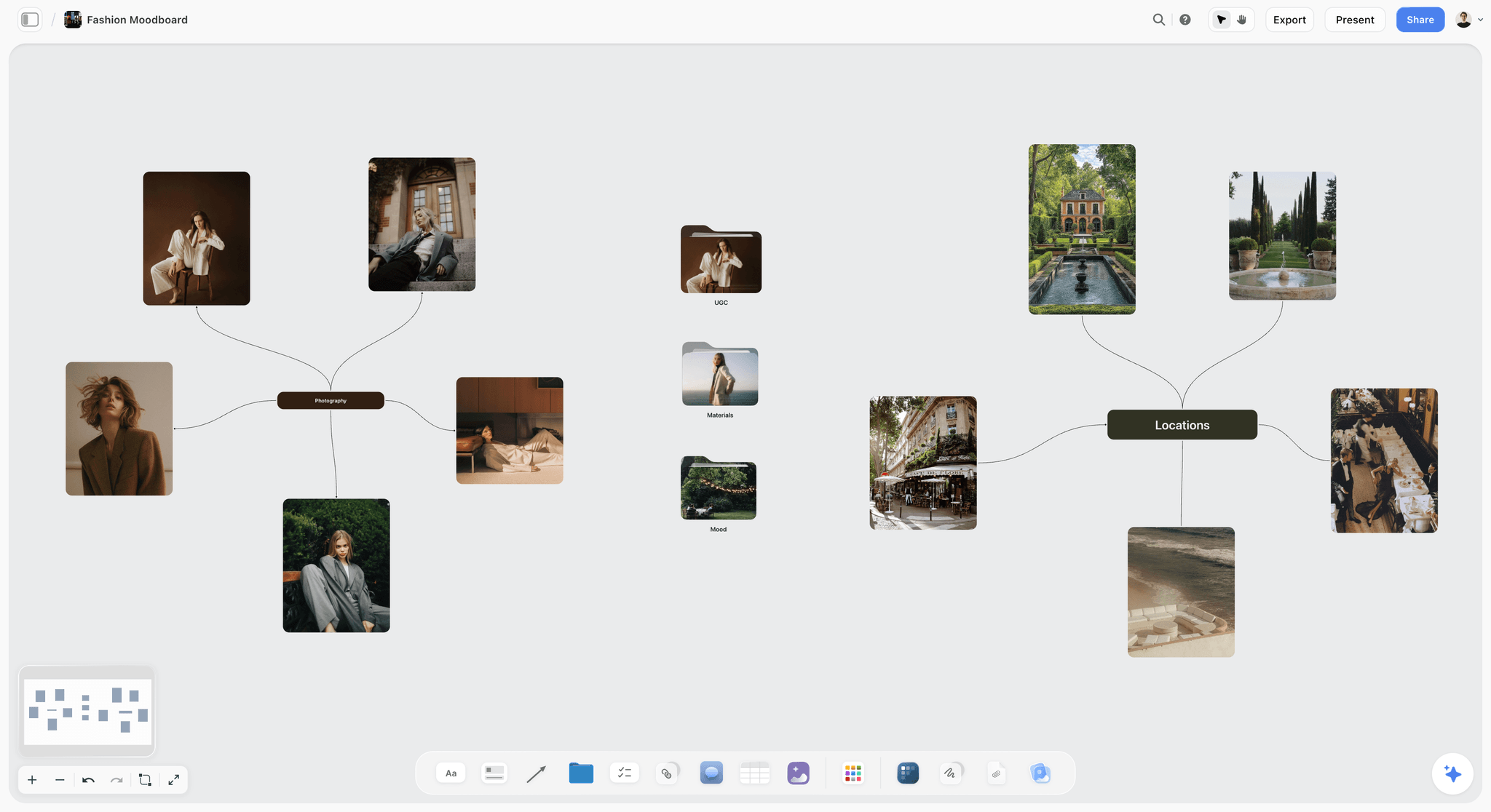
The references come before the looks: a moodboard on the same board as the lookbook keeps the season's story one scroll away from the look walls.
How to Make a Fashion Lookbook: 9 Steps
Most lookbooks go wrong in the same place: the shoot happens before anyone decides how many pages there are, which looks lead, and what each page needs. This method fixes the pages first and books the day from them.
- Lock the look list from the line sheet. In Storyflow, build a looks table with one row per look: look number, look code, every style code in the look, colourway, model, hair and make-up note, and status. The table is the contract for the shoot.
- Decide who the lookbook is for, and write it on the board: wholesale, press, shopper, or all three. The reader sets the frame count, the text on each page and the page size.
- Give each look its own wall. Storyflow's walls hold the flat-lay or sample photos, the styling notes, the accessories and the look code, so the stylist and photographer read one place per look.
- Write the shot list per look with the Storyflow 3-Frame Look Rule: full length, detail, movement. Drop the Shotlist tool from All Tools under Production and give it one wall per look; its "+" adds the next wall with the headings kept.
- Cast and place: one model or two, studio or location. Compare locations side by side with the Storyflow Location tool, three walls with an address, cost and a rating each.
- Sequence the pages before the shoot. In Storyflow, put a row of small page cards above the look walls, cover to back, so the photographer knows which frames open spreads and which run as half pages.
- Plan the day from the change time and put it on a call sheet. The Storyflow Call Sheet tool drops four walls: The shoot, Schedule, Location, and Cast and crew.
- Pick the frames on a Selects wall: To review, Yes, Maybe, No. You choose by dragging pictures between walls, and a client who helps choose needs edit access.
- Lay out the pages and export the PDF from Storyflow, then send the view link with no account needed. Lookbooks that go to print get finished in a design app from the signed-off board.
The Storyflow 3-Frame Look Rule
The rule exists because "shoot every look" is not a brief. Without a frame count, one look gets 40 frames and the last three get one each, because the light went at five.
The rule
The Storyflow 3-Frame Look Rule is our editorial recommendation for a fashion lookbook: every look gets three frames, a full-length front, a detail and a movement frame, on the same ground and light as the rest of the collection. In Storyflow, each look wall's Shots required checklist reads Full, Detail and Movement, and the look is not done until all three are ticked and each has a select on the Yes wall.
Why three frames
Three frames serve three readers. The full-length frame is what the buyer orders from and the editor crops. The detail frame shows what a full-length shot at page size cannot: the rib, the button, the weight of the knit. The movement frame shows how the garment hangs and swings, which a still front view hides. Two frames lose one reader; five frames double the selection work and push the shoot past one day for a 12-look collection. The number is plain production logic, not research.
What each frame must show
The full-length frame shows the whole look, shoes included, head to toe with room above and below so a designer can crop to any page ratio. The detail frame shows one construction or fabric feature per look, chosen by the designer, not by the photographer on the day. The movement frame shows the garment in motion: a step, a turn, a hand in a pocket, never a pose that hides the cut.
When to break the rule
Add a back view when the back is the design: an open back, a cape, a print across the shoulders. Add a flat lay when the line sells online and the shopper needs the piece alone. Drop to two frames for basics that repeat in many colourways: shoot the full length once in the lead colour and show the rest as a strip of swatches: a row of Storyflow color cards in Chip style, one per colourway.

One look of art direction across the season: the same palette, light and framing on every wall is what makes 36 frames read as one collection.
Lookbook vs Campaign Shoot
A lookbook shows every look in the collection so someone can order or request it; a campaign shows a few hero pieces inside one idea so someone wants the brand. In Storyflow, the lookbook is a looks table and a wall per look; the campaign is a brief and a moodboard with a handful of hero frames.
| Question | Lookbook | Campaign shoot | Where it lives in Storyflow |
|---|---|---|---|
What it sells | The line, look by look | The brand and its season idea | Looks table for the lookbook; the Brief tool's six walls for the campaign |
How many products | Every look, often 10 to 30 | A few hero pieces | One wall per look vs a short hero list |
Art direction | Restrained and consistent | Strong and specific | One reference wall vs a full moodboard |
Background | Plain or one quiet location | A set or location that carries the idea | The Location tool's comparison walls |
Frames per image | 3 per look (our rule) | 5 to 10 hero images in total | Shotlist walls per look vs per setup |
Reader | Buyers, editors, shoppers | The public, through ads and social | Page sequence row vs channel plan |
Text on the page | Codes, colourways, credits | A line of copy or none | Look captions vs a copy note |
Budget | Lower per image, more images | Higher per image, fewer images | The Brief tool's Budget wall sums the costs |
Delivery | PDF, carousel, store pages | Ads, posters, films | Board PDF export vs the campaign plan |
When one shoot can do both
A single day can serve both if the campaign frames are planned as extra walls on the same board: shoot the lookbook frames on the plain ground first, then move to the set for four or five campaign frames with the hero looks. In Storyflow, the campaign frames get their own row of Shotlist walls below the looks, so nobody confuses a hero frame with a look frame in selection.
The budget trap
Brands that try to make the campaign out of lookbook frames get a flat campaign; brands that try to make the lookbook out of campaign frames get a lookbook where half the looks are missing or hidden in shadow. If the budget only covers one day, shoot the lookbook properly and make the campaign smaller, because buyers cannot order from a mood.
The Look List: Codes, Styling and Order
The look list is the first document and the most often skipped. Without it, the stylist builds looks on the day, the photographer guesses the order, and the designer finds the missing coat in the selects.
Look codes that match the line sheet
Give every look a code a buyer can read and a file can carry: label, season, look number. "OS-AW27-L04" says Ostrel, autumn/winter 2027, look 4. Inside the look, list every style code from the line sheet, because a look is a combination and buyers order pieces. Wikipedia's stock keeping unit entry describes a SKU as an internal unit a business defines for itself, so use the codes your line sheet already prints rather than inventing new ones for the shoot.
What a look card holds
Each look wall in Storyflow holds: the look code as the wall title, a sample or flat-lay photo of each piece, a styling note (how the piece is worn: tucked, rolled, open), shoes and accessories, a hair and make-up note if it changes, and the three Shotlist frames. Nothing on that wall should need a phone call to understand.
Ordering the looks
There are two honest orders. Story order follows the season's idea: light to dark, day to night, city to coast. Category order groups outerwear, knitwear, trousers, so a buyer finds what they buy. Wholesale lookbooks usually work best in story order with a category index at the back; shopper lookbooks work in story order alone. Decide on the board, not in the layout, because the order also decides the shoot day.
How many looks
Show every look the line sheet sells, and no others. A look built only for the shoot, with a sample that will not be produced, causes orders you cannot fill. If the collection has more than 30 looks, split the lookbook by drop or by category rather than making a 60-page PDF nobody finishes.
When the lookbook is due
Work back from the date buyers place orders. Wikipedia's fashion week entry says the major fashion weeks run twice a year and traditionally show autumn/winter collections in February and March and spring/summer in September and October; buyers read lookbooks around those weeks. A wholesale lookbook that lands after the buying appointments is a press lookbook. In Storyflow, put the market-week date in a table date cell at the top of the looks table, and date the shoot, the selects and the export as rows above it, kept in date order.
Look List Template: 12 Looks for a Fictional Knitwear Label
The table below is the looks table for Ostrel, a fictional knitwear label shooting its AW27 lookbook. Copy the columns into a Storyflow table; the status column uses Storyflow's six fixed options (Not started, Blocked, In progress, In review, Done, Archived).
| Look code | Style codes | Colourway | Story beat | Model | Hair and make-up | Frames | Status |
|---|---|---|---|---|---|---|---|
OS-AW27-L01 | K2701 Rib Crew, T2710 Wide Trouser | Oat, Charcoal | Opening: first frost | Model A | Low bun, bare skin | Full, Detail, Movement | Done |
OS-AW27-L02 | K2702 Cable Cardigan, S2715 Midi Skirt | Moss, Moss | Opening: first frost | Model B | Low bun, bare skin | Full, Detail, Movement | Done |
OS-AW27-L03 | K2703 Mock Neck, C2720 Wool Coat | Ink, Camel | Walk to town | Model A | Low bun, bare skin | Full, Detail, Movement, Back | In review |
OS-AW27-L04 | K2704 Vest, W2711 Shirt, T2710 Wide Trouser | Rust, Ecru, Charcoal | Walk to town | Model B | Low bun, bare skin | Full, Detail, Movement | In review |
OS-AW27-L05 | K2705 Long Cardigan, T2712 Knit Trouser | Oat, Oat | Indoors, afternoon | Model A | Hair down | Full, Detail, Movement | In progress |
OS-AW27-L06 | K2706 Wrap Top, S2716 Pleat Skirt | Moss, Ink | Indoors, afternoon | Model B | Hair down | Full, Detail, Movement | In progress |
OS-AW27-L07 | K2707 Rib Dress | Charcoal | Indoors, afternoon | Model A | Hair down | Full, Detail, Movement | Not started |
OS-AW27-L08 | K2708 Fisherman Crew, T2713 Cord Trouser | Ecru, Rust | Evening light | Model B | Side part, red lip | Full, Detail, Movement | Not started |
OS-AW27-L09 | K2709 Polo Knit, S2717 Wool Skirt | Ink, Charcoal | Evening light | Model A | Side part, red lip | Full, Detail, Movement | Not started |
OS-AW27-L10 | C2721 Knit Coat, K2701 Rib Crew | Camel, Oat | Evening light | Model B | Side part, red lip | Full, Detail, Movement, Back | Blocked |
OS-AW27-L11 | K2710 Hood Knit, T2710 Wide Trouser | Moss, Charcoal | Closing: night walk | Model A | Wet look | Full, Detail, Movement | Not started |
OS-AW27-L12 | K2711 Long Dress, C2720 Wool Coat | Ink, Camel | Closing: night walk | Model B | Wet look | Full, Detail, Movement | Not started |
Column by column
Look code and style codes come from the line sheet, never typed from memory. Colourway names match the line sheet spelling, because a buyer searches for "Moss", not "green". Story beat groups looks into the four or five moments the sequence will show. Model, hair and make-up decide the shoot order. Frames is the shot count; anything beyond three needs a reason in the look's styling note. Status is where the producer reads the day: L10 is Blocked because the knit coat sample is still at the factory.
Filling it from the line sheet
Paste or upload the line sheet as a PDF onto the board, then build the table. If you have a paid plan, the in-app Storyflow AI turns a PDF into tables (about 2 minutes in one recorded run, rounded up, against an estimated 45 minutes by hand), which gets you the codes and colourways as rows to edit. Check every code against the source afterwards; a wrong code in a lookbook is an order for the wrong garment.
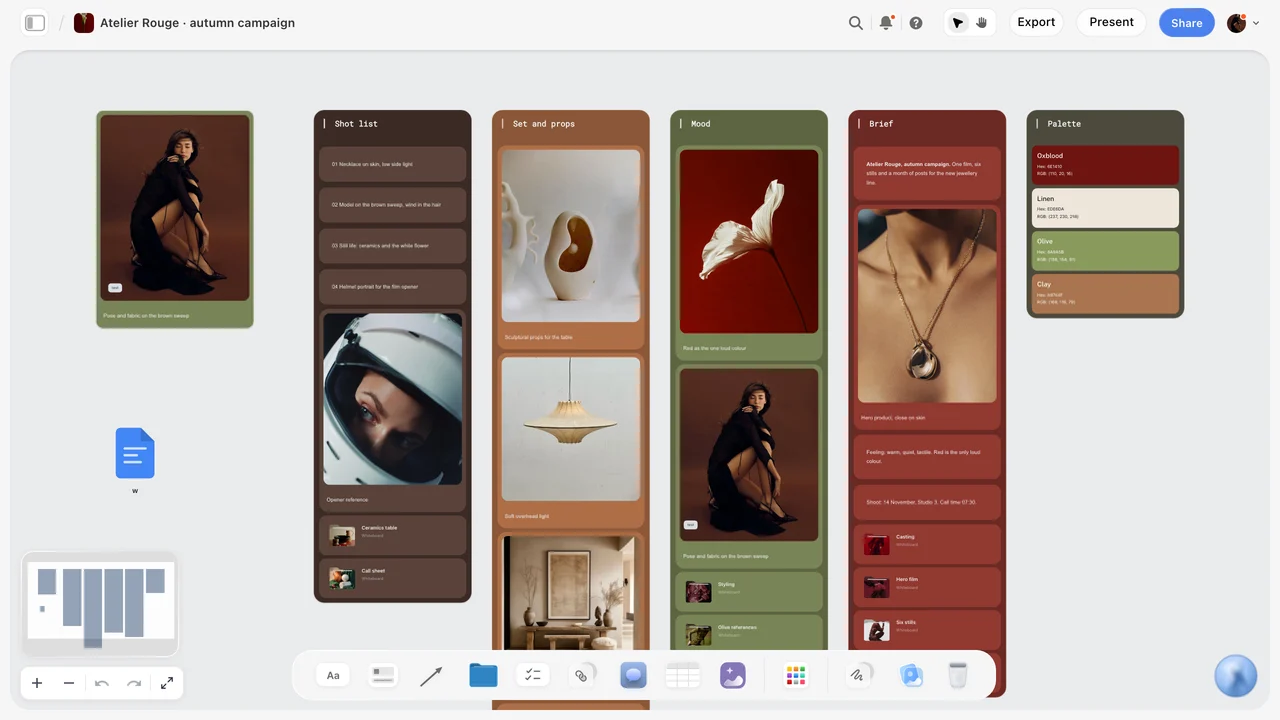
A season on one board: shot list, props, mood, brief and palette as walls side by side, with the palette written as named colours the stylist and retoucher both use.
Styling Each Look: The Styling Sheet
A look that is styled on the day is styled differently every time someone touches it. The styling sheet fixes each look before the shoot, so the frames match from look 1 to look 12.
Pieces, wear and fit notes
For each piece, write how it is worn (sleeves pushed to the elbow, collar open one button, trouser hem at the ankle bone) and any fit note (pinned at the back waist, size 2 sample on a size 1 model). Pins and clips that show in the movement frame are the most common reason a frame fails selection, so mark where they go. For a full wardrobe method, see how to plan wardrobe for a photoshoot.
Shoes, bags and jewellery
Accessories decide whether looks read as one collection. Pick a small set (two shoes, one bag, one jewellery rule) and repeat it, unless the accessories are part of the line. In Storyflow, put the accessory set on its own small wall above the looks, so every look wall points to the same shoes instead of listing them again.
Hair and make-up per look
Hair and make-up changes take the longest after outfit changes. Group looks by hair and make-up state in the looks table, then shoot each group together. Ostrel's sheet has four states: low bun, hair down, side part with red lip, wet look. Four states means three changes, not eleven.
Continuity photos
Take a phone photo of every finished look before it goes on set and drop it on the look's wall. If a look is reshot after lunch, the stylist rebuilds it from the photo, not from memory. A photo you attach in a ChatGPT chat does not reach the board; upload it to Storyflow directly, or ask the plugin for an upload link.
| Field on the styling sheet | Example for OS-AW27-L03 | Why it matters on the day |
|---|---|---|
Pieces and codes | K2703 Mock Neck in Ink; C2720 Wool Coat in Camel | The stylist pulls the right samples |
How each piece is worn | Coat open, sleeves full length, knit tucked at front only | The frame shows the cut the designer intends |
Fit and pins | Coat pinned at centre back, 2 clips | Clips stay out of the movement frame |
Shoes | Black leather loafer, the collection's shoe 1 | Accessories repeat across looks |
Jewellery and bag | Gold hoop, no bag | One accessory rule for the collection |
Hair and make-up state | Low bun, bare skin | Groups the shoot order |
Detail frame subject | Coat lapel stitch and horn button | The detail frame shows what the designer chose |
Movement direction | Walk towards camera, coat swinging open | The movement frame shows how the coat hangs |
Continuity photo | Phone photo on the wall, taken 10:40 | Rebuild the look exactly for a reshoot |
Casting and Location for a Lookbook
The model and the place decide whether 12 looks read as one collection. Both are decided on the board, with the comparison visible to whoever pays for them.
One model or two
One model keeps the lookbook consistent and the schedule slow: every look waits for a full change. Two models alternate, so one is changing while the other is shot, which roughly halves the time per look. For 12 looks or more, two models usually pay for themselves in hours. Write each look's model in the looks table before the day, balanced so neither model has two hard changes in a row.
Samples and sizing
Samples come in one size, so cast for the samples. Put the sample size and each model's measurements in the Cast and crew wall of the Storyflow Call Sheet tool, so the stylist plans pins before the day rather than discovering them at 9 a.m.
Booking rules and releases, as of November 2026
If you book models through an agency in New York State, the state's Fashion Workers Act page says that from June 19, 2025, model management companies, model management groups and clients must comply with the law, and that model management companies and groups must register with the state Department of Labor from December 21, 2025. Read your obligations as the client before the booking, not after the invoice. For any commercial use of the images, a signed model release is the norm: Wikipedia's model release entry notes that a release is mainly needed for trade or direct commercial use (promoting a product, service or idea), while editorial use rarely needs one. This is general information, not legal advice.
Usage rights for the photographs
Agree in writing who may use the frames, where and for how long, before the shoot. In the United States, the Copyright Office's Circular 30 on works made for hire says the author is ordinarily the person who actually created the work; a commissioned work is a work made for hire only if it falls in one of nine listed categories and both parties sign a written agreement saying so. A freelance photographer's frames outside those conditions are therefore generally the photographer's, licensed to the label for agreed uses; settle it in the contract. In Storyflow, the Brief tool's Budget wall has a Still to confirm checklist: put "usage: wholesale, press, store, social, 2 years" on it until the agreement is signed.
Studio or location
A studio gives the same light all day and no weather; a location gives the season a place and a risk. For a lookbook, the full-length frames want consistency, so many labels shoot the full-length and detail frames on a plain studio ground and the movement frames outside. The Storyflow Location tool drops three walls side by side, Location 1 to 3, each with a picture, a Photos folder, a This place table (Address, Map as a link, Contact, Phone, Cost, How good as a rating, Booked as a checkbox), an On site note and a To sort checklist. No map is drawn; the map is a pasted link. See how to organize a location scout for the scouting itself.
| Setting | What it gives the lookbook | What it costs | Choose it when |
|---|---|---|---|
Studio, plain ground | The same light and colour in every frame | Studio hire, no story in the background | The lookbook is mainly wholesale and press |
Studio with a built set | Some story, controlled light | Set build and strike time | One set can carry the season's idea |
One location | A place that carries the season | Travel, permits, weather | The collection has a clear sense of place |
Two locations | Contrast between stories in the sequence | A move mid-day, about 90 minutes lost | The sequence has two halves, such as day and night |
Street, no permit | Speed and real movement | Legal risk, crowds, no control | Never for a full lookbook; at most for one movement frame with a permit checked |
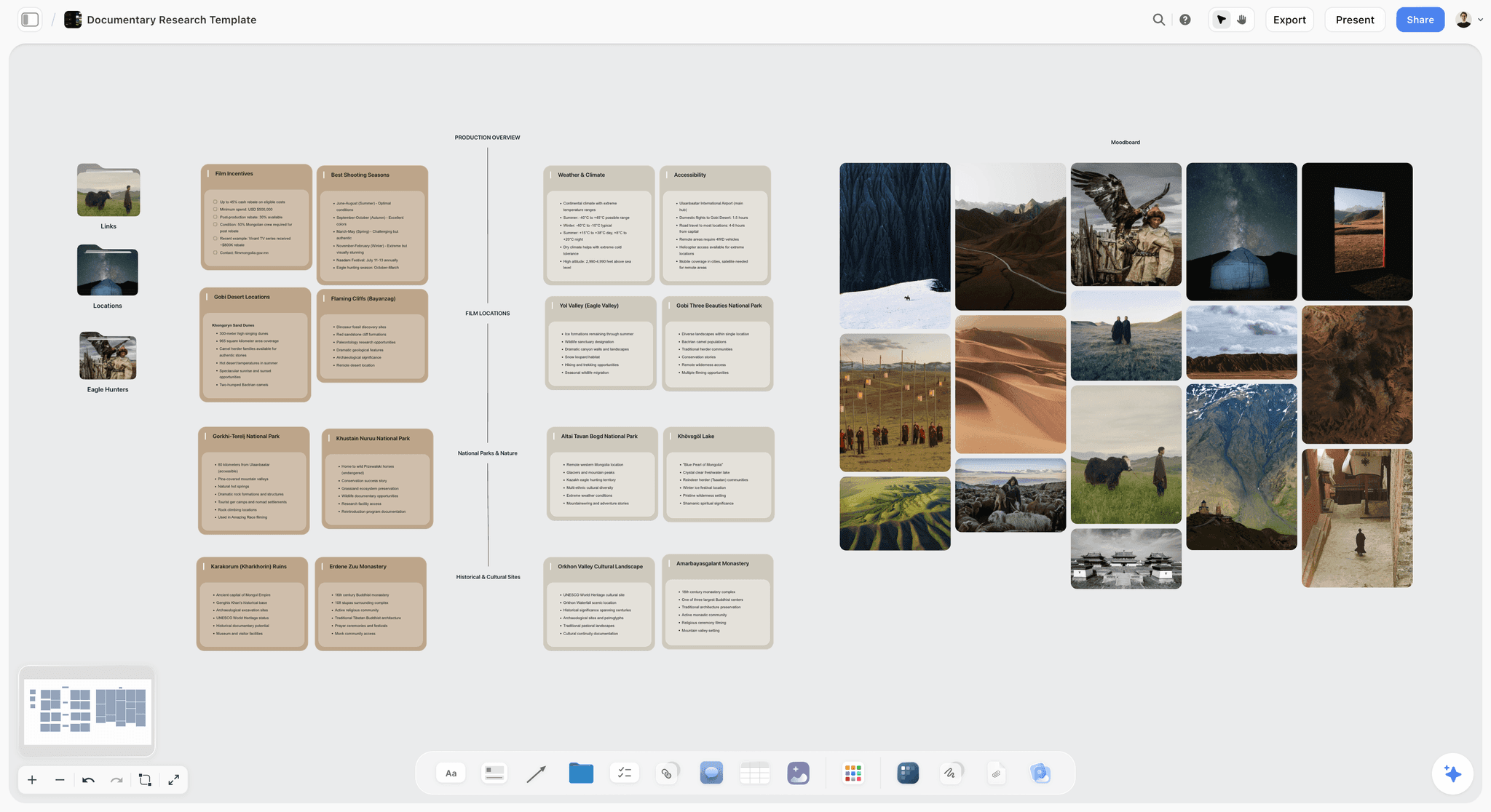
Locations compared on one board: weather, access and the best season sit in cards beside the pictures, the same way a lookbook weighs studio against location.
The Lookbook Shot List: Frames per Look
A lookbook shot list is short per look and long overall. Thirty-six frames for 12 looks is a full day, and every frame needs the same light and the same framing as the one before it.
Full-length front
Shoot head to toe with space above the head and below the shoes, centred, at a camera height around the model's waist so legs are not shortened. Leave enough canvas that the frame crops to portrait, square or landscape without losing the shoes, because the page layout may change after the shoot. Keep one colour temperature all day: Wikipedia's colour temperature entry lists electronic flash at about 5,500 to 6,000 K and studio lamps at 3,200 K, so mixing flash with a tungsten practical in one frame turns a knit's colour between looks. Note the light setup once on the first look wall and copy it to the rest.
Detail
One feature per look, chosen in advance: a stitch, a button, a texture, a print repeat. Write it on the look wall as "Detail: coat lapel stitch". A detail frame chosen on the day tends to be whatever is easiest to light, not what the designer is proudest of.
Movement
A step, a turn or a gesture that shows the drape. Movement frames are the most forgiving for expression and the least forgiving for styling, because motion exposes pins and creases. Shoot a short burst and pick one.
Back, side and flat lay
Back views only when the back is designed. Side views for silhouettes that only read in profile, such as a wide trouser or a cocoon coat. Flat lays for shopper lookbooks and store pages: piece by piece on a plain ground, shot from above.
Using the Shotlist tool for looks
Drop the Shotlist tool from All Tools under Production. It places four walls, Shot 1 to Shot 4, each with a picture box, a Description, a Shots required checklist, Setup and Equipment. Rename each wall as a look code, put Full, Detail and Movement in the Shots required checklist, and press the "+" on the row's last wall (or Cmd/Ctrl+Enter) to add the next wall emptied with its headings kept. Twelve looks is three drops' worth of walls, or one drop grown with the "+"; one undo removes a drop placed by mistake.
| Look | Frame | Framing | Pose or movement | Light | Note |
|---|---|---|---|---|---|
OS-AW27-L01 | Full | Head to toe, centred, portrait | Weight on back foot, arms relaxed | Key light high left, white bounce right | Shoes in frame |
OS-AW27-L01 | Detail | Chest, rib texture filling the frame | Hands out of frame | Same key, raking for texture | Rib must read at page size |
OS-AW27-L01 | Movement | Head to toe, landscape | Two steps towards camera | Same key | Trouser swing visible |
OS-AW27-L03 | Full | Head to toe, portrait | Coat open, hand in pocket | Same key | Coat pinned centre back |
OS-AW27-L03 | Detail | Lapel stitch and horn button | Hands out of frame | Same key, tighter | Designer's chosen detail |
OS-AW27-L03 | Movement | Head to toe | Turn away, coat swinging | Same key | Back view as fourth frame |
OS-AW27-L03 | Back | Head to toe, back | Standing still | Same key | Back seam visible |
OS-AW27-L07 | Full | Head to toe, portrait | Seated on cube, then standing | Same key | Two options, pick in Selects |

The seven production tools sit in All Tools under Production; each drops ordinary walls of empty, labelled cards, a skeleton to fill rather than an example.
Shoot Day Schedule: How Many Looks Fit a Day
The question every lookbook producer is asked is "can we do it in a day?" The answer comes from the change time, not the frame count.
The change is the bottleneck
Three frames on a set light take about 10 to 15 minutes once the model is on the mark. The change around them, outfit, accessories, pins, hair touch-up, takes 10 to 15 minutes more. With one model, each look costs about 25 to 30 minutes; with two models alternating, the change happens while the other model is shot, so each look costs about 15 to 18 minutes. These are planning numbers from production logic, not measured results: adjust them after your first look.
A 12-look day
Ostrel's day has two models, four hair and make-up states and one set light. Call at 08:00, first frame at 09:30 after hair, make-up and the light test, 12 looks at about 18 minutes each is about 3 hours 40 minutes, plus three hair and make-up changes at 20 minutes each, lunch, and a 30-minute buffer for the blocked look. Wrap at 16:30, with the evening-light looks scheduled for when the studio's daylight drops if the set uses it.
Batch by hair and make-up state
Shoot every look in one hair state before changing it. Batching four states into three changes saves more time than any other decision on the day. In the Storyflow looks table, keep the rows in the shoot order, not the page order, on the producer's copy of the table; tables in Storyflow do not sort, so make a second table for the shoot order rather than reordering the first.
Put it on a call sheet
The Storyflow Call Sheet tool drops one shoot on four walls: The shoot (The job, a picture, Who to call, a Brief & shot list folder, a Bring checklist), Schedule (Call times, Day 1, Day 2 notes), Location (a picture, an empty link card for the map, a Getting there table with Address, Parking, Way in and Nearest hospital, and Good to know), and Cast and crew (Cast and Crew folders and notes). It is part of the board: it sends nothing and tracks no confirmations, so share it the way any board is shared. For the full method, see how to make a call sheet.
| Time | Block | Looks | Notes |
|---|---|---|---|
08:00 | Call: crew, models, hair and make-up | Light test on stand-in | |
09:30 | Hair state 1: low bun | L01, L02, L03, L04 | L03 has a back frame |
10:45 | Change hair to state 2 | 20 minutes | |
11:05 | Hair state 2: hair down | L05, L06, L07 | L07 has two seated options |
12:00 | Lunch | Models rest, stylist steams L08 to L12 | |
12:45 | Change to state 3: side part, red lip | 20 minutes | |
13:05 | Hair state 3 | L08, L09, L10 | L10 moves to the end if the sample is late |
14:05 | Change to state 4: wet look | 20 minutes | |
14:25 | Hair state 4 | L11, L12 | Closing looks |
15:05 | Spare time and pickups | Any look flagged on set | 30 minutes |
15:35 | Flat lays, if the shopper lookbook needs them | All pieces | Stylist and assistant only |
16:30 | Wrap | Selects wall filled that evening |

A shoot workflow as six walls from brief to delivery: the lookbook's call sheet, selects and export each take their place in that row.
Page Sequence: The Order of a Lookbook
The page sequence is the lookbook. The frames are the raw material; the order and the pairing decide whether a buyer reads twelve looks or skims three.
The opening
Open with the cover (one strong frame, the label and the season), then a statement page: one paragraph on the collection and the season's story, the contact for orders and samples. Buyers skip long statements; editors read them. Keep it to under 100 words.
Look pages
One look per page for wholesale and press, with the full-length frame large and the detail and movement frames smaller beside or below it. Caption every page with the look code, the style codes and the colourway. A spread can carry two looks that belong to the same story beat, but never split one look across a spread, because a buyer prints pages.
Pace and rhythm
Every four or five look pages, place a breather: a detail spread, a texture close-up or a location frame without a model. The breather tells the reader a new story beat starts, and it gives the eye a rest from full-length frames. In Storyflow, the story beat column in the looks table already marks where these go.
The closing pages
Close with credits (photographer, stylist, hair, make-up, models, location), the category index for wholesale, and a contact page with the order and sample addresses. The last page is what a buyer forwards to their team, so it must carry the contact.
| Page | Content | Frame source | Caption |
|---|---|---|---|
1 | Cover | L01 Full, cropped | Ostrel, AW27 |
2 | Statement and contact | No frame | Collection paragraph, order contact |
3 | L01 | Full, Detail, Movement | OS-AW27-L01, K2701, T2710, Oat, Charcoal |
4 | L02 | Full, Detail, Movement | OS-AW27-L02, K2702, S2715, Moss |
5 | L03 | Full, Detail, Movement, Back | OS-AW27-L03, K2703, C2720, Ink, Camel |
6 | L04 | Full, Detail, Movement | OS-AW27-L04, K2704, W2711, T2710 |
7 | Breather: knit textures | Four detail frames | Walk to town |
8 to 10 | L05, L06, L07 | Three frames each | Codes and colourways |
11 | Breather: evening light | Location frame | Evening |
12 to 14 | L08, L09, L10 | Three or four frames each | Codes and colourways |
15 to 16 | L11, L12 | Three frames each | Codes and colourways |
17 | Credits and category index | No frame | Names and roles, codes by category |
18 | Contact | Back cover frame | Orders, samples, press |
Plan it on the board before the shoot
In Storyflow, make each page card a small wall naming its content, and put the 18 in a row above the look walls. With the Make Room switch on (Settings > Configuration > Board, off by default), dragging a page wall over the row opens a slot for it, and taking one out closes the gap, which makes resequencing pages a drag rather than a rebuild. Off, everything is placed freely.
Layout: Page Size, Grid and Type
Layout is where a well-shot lookbook becomes a hard one to read. Decide four things before anyone opens a design file: page size, grid, type and colour.
Page size and orientation
A4 is 210 by 297 mm and US Letter is 8.5 by 11 inches, per Wikipedia's paper size entry; Letter is mainly used in the United States, Canada and the Philippines. If buyers print, use the size their market prints on. If the lookbook is read on screens, a landscape page reads better on a laptop, and a portrait page reads better on a phone. Most wholesale lookbooks are read on a laptop and printed by the buyer: landscape A4 or Letter is the safe choice.
The grid
Three layouts cover a lookbook: one frame full page (cover, breathers), one large frame plus two small (look pages), and four equal frames (detail spreads). A designer can build all three from a 12-column grid. Holding to three layouts is what makes 18 pages read as one document.
Type
Two typefaces at most: one for the label and headings, one for captions and codes. Captions in a monospaced or plain sans face keep codes readable. In Storyflow, the Font card in All Tools under Design shows a typeface as a card in Specimen, Headline or Paragraph layout, so the type choice sits on the board beside the frames. Inter is available on every plan; Lora, Courier Prime and uploaded fonts need a paid plan, and on paid plans a board's wall titles and headings can use a chosen font.
Colour
Name the season's colours once and use the names everywhere: on the line sheet, in captions, in retouch notes. The Storyflow color card shows any of Hex, RGB, HSL and CMYK, edited on the card, in three styles: Classic, Spec (one wall wide, values in columns) and Chip (a paint chip). CMYK is converted from the hex and can be typed over, so the printer's values can replace the converted ones. Retouch and export screen images in sRGB, which Wikipedia's sRGB entry describes as the current standard colour space for the web.
| Layout decision | Wholesale lookbook | Press lookbook | Shopper lookbook | Where it is set in Storyflow |
|---|---|---|---|---|
Page size | Landscape A4 or Letter | Portrait or landscape, screen first | Carousel or store page ratio | A note on the page sequence row |
Looks per page | 1 | 1 | 1 per slide | One page card per look |
Frames per look | 3 | 2 to 3 | 1 to 2 | Shotlist checklist per look wall |
Caption | Look code, style codes, colourway | Look number, credits | Piece names and link | Caption note on each look wall |
Type | Two faces | Two faces | Brand's web faces | Font cards on a design wall |
Colour | Named colours with values | Named colours | Brand palette | Color cards in Spec or Chip style |
Delivery | PDF plus loose frames | Carousel pages, store images | PDF export from the board or deck |
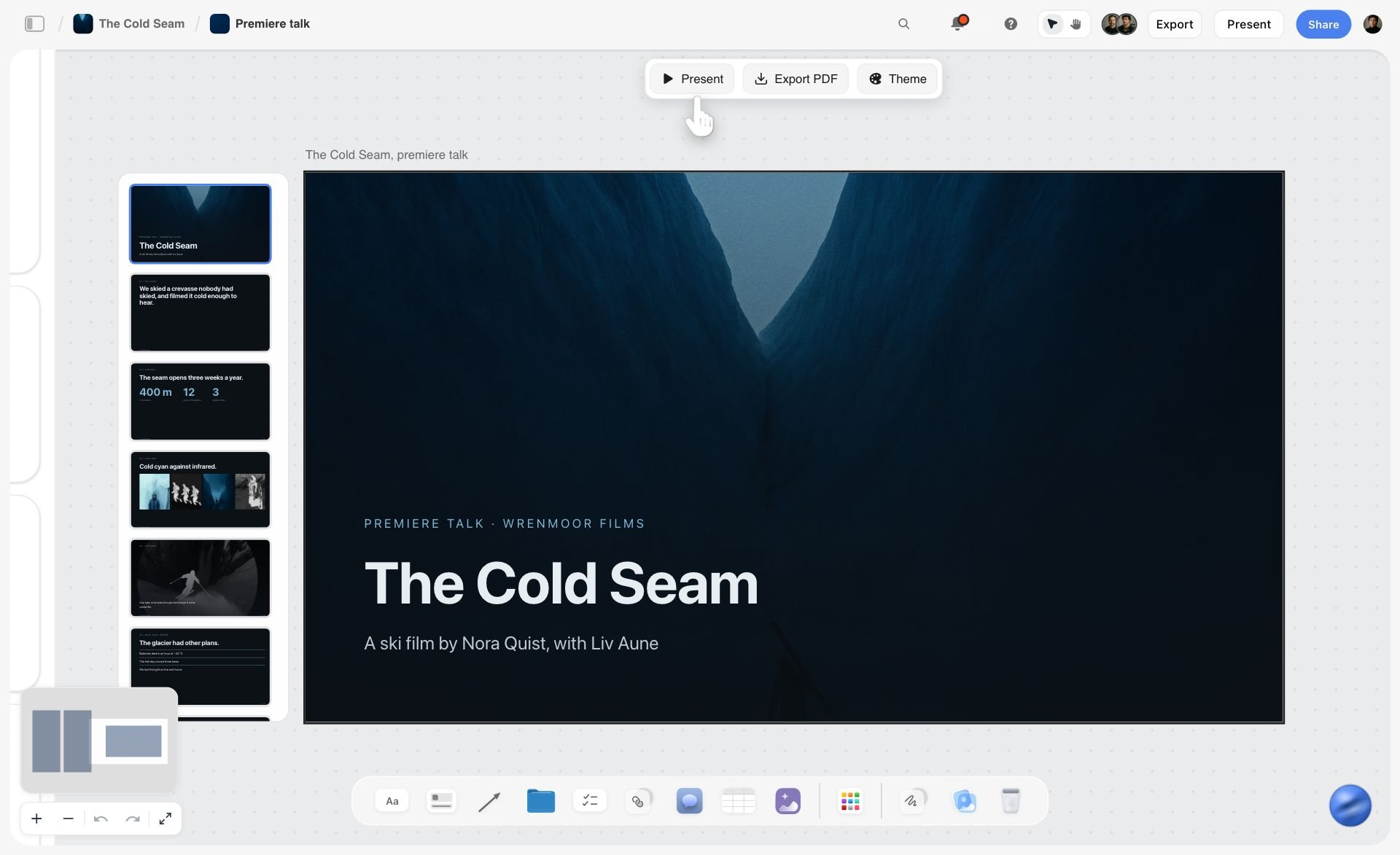
A deck built on the board: pages in order down the side and a PDF from the same bar, which is how a lookbook's page sequence leaves the board.
Selects: From Contact Sheet to Final Frames
A 12-look day produces hundreds of frames for 36 slots. Selection is where a lookbook loses a week if nobody owns it.
The Selects tool
The Storyflow Selects tool drops four walls: To review (a What we need note and three empty picture boxes), Yes, Maybe and No. You choose by dragging pictures between walls; there is no star, flag, approve button or vote. A client who picks with you needs edit access to the board, because a view-only or comment link cannot move cards.
Three rounds, three people
Round one, the photographer cuts the day to two or three candidates per frame slot. Round two, the designer picks one per slot, with the detail frames checked against the designer's chosen feature. Round three, the brand owner or sales lead confirms the full-length frames, because those are what buyers order from. Write each round's owner and date in the Storyflow looks table, so nobody waits on a pick they did not know was theirs.
Retouch notes
Retouching for a lookbook is about consistency, not perfection: the same colour, the same exposure, lint and pins removed, creases kept where they show the fabric. Put each frame's retouch note on a sticky card beside it on the Yes wall ("remove clip at hem, match colour to K2701 swatch"). For proofing with frame-level mark-up and version compare, a proofing tool is the right kind of tool; Storyflow has neither.
Naming the selects
Name every delivered frame with the look code and frame: OS-AW27-L03-Full.jpg, OS-AW27-L03-Detail.jpg. The name survives the trip from photographer to retoucher to designer to the store, and a buyer who downloads frames can still match them to the line sheet.

Selection and retouch tracked as cards moving across columns: the same idea as the Selects wall, applied to the post-production queue.
Export the Lookbook as a PDF
The deliverable is a PDF a buyer can open on a laptop and forward. Storyflow gives you three routes to it.
Route 1: export the board
Storyflow exports boards as PNG, JPEG or PDF. A clean section of the board, with the page cards laid out in order, exports as a PDF that serves as a working lookbook for internal review or a fast line review with a buyer. It is the quickest route and the least designed.
Route 2: a deck built on the board
A deck in Storyflow presents fullscreen and exports as PDF, with one slide per page. Build one slide per look from the page sequence, or ask ChatGPT or Claude through the Storyflow plugin or connector to create the deck and add the slides in order. Decks have no PPTX export, no presenter view and no speaker notes, which a lookbook does not need.
Route 3: ask the in-app AI for a lookbook
Inside Storyflow, on a paid plan, the in-app AI makes designed deliverables from the board, a lookbook among them. It reads the current board plus up to five documents and three other boards you attach, and it writes straight onto the board; one undo reverses its whole latest turn. Use it for a first layout, then check every code and caption by hand.
File size, colour and versions
Keep the PDF under the size your buyers' email accepts, which usually means exporting frames at screen resolution rather than full print files. Date the file and keep the version in the name: Ostrel-AW27-Lookbook-2026-11-20.pdf. When the lookbook goes to a printer, hand the signed-off sequence to a designer in a design app, where bleed and press colour are set to the printer's specification.
Worked Example: Ostrel AW27 From Line Sheet to PDF
Ostrel is a fictional knitwear label with a four-person team: a founder who designs, a sales lead, a freelance photographer and a freelance stylist. The AW27 lookbook goes to wholesale buyers before market week, to two press contacts, and to the label's store as a story page. The example is illustrative, not a recorded project.
Week 1, Monday: the board and the looks table
The founder makes a Storyflow board called AW27 Lookbook and drops the line sheet PDF on it. The 12 looks become a looks table with the columns from the template above. The sales lead writes the readers on a note at the top: "Buyers first, press second, store third. Landscape A4. One look per page."
Week 1, Tuesday: look walls and the rule
Twelve look walls go in a row under the table, each titled with its look code, with flat-lay sample photos uploaded from the studio. The founder builds the first wall by hand, selects its cards and saves it as a tool with New Tool (a paid-plan feature), naming it "Ostrel look"; the other eleven walls come from that tool in All Tools under My tools. Each wall's Shots required checklist reads Full, Detail, Movement, with Back added on L03 and L10.
Week 1, Wednesday: styling, cast and location
The stylist fills each wall's styling note and groups the looks into four hair and make-up states. Two models are booked through an agency. The Location tool's three walls compare a daylight studio, a studio with a cyclorama, and a coastal house; the coastal house loses on travel time and the daylight studio wins on cost and its evening light for looks 8 to 10.
Week 1, Thursday: the page sequence and the call sheet
The founder lays 18 page cards above the look walls. The producer, here the sales lead, drops the Call Sheet tool and fills the Schedule wall with the blocks from the day plan, the Location wall's Getting there table with the studio's address, parking, way in and nearest hospital, and the Cast and crew wall with each model's sizes. The call sheet is shared the way the board is: the crew gets a view link with no account needed.
Shoot day
The day runs to the table in the schedule section, with L10 moved to the end because the coat sample arrives at noon. The stylist drops a continuity photo on each look wall as it goes on set. By wrap, every look has three or four frames shot.
Week 2: selects, layout and export
The photographer drops two candidates per frame slot into the Selects tool's To review wall. The founder drags picks to Yes and Maybe; the sales lead, who has edit access, confirms the full-length frames. Retouch notes go on sticky cards beside each Yes. A deck is built from the page cards, one slide per page, captioned with codes from the looks table, and exported as a PDF. The buyers get the PDF; the press contacts get the PDF plus a folder of full-length frames; the store page is built from the same selects.
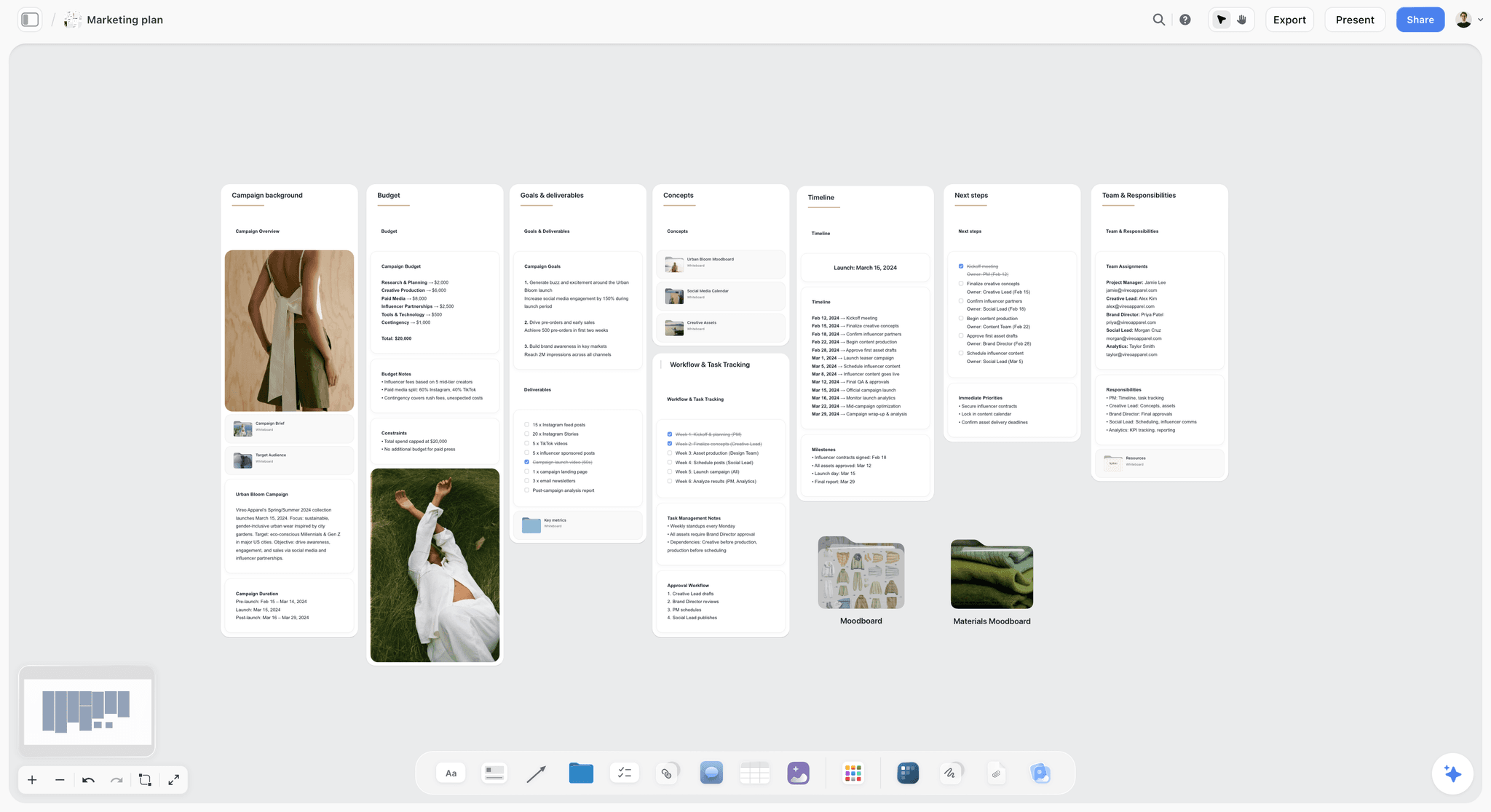
The lookbook inside the season's plan: budget, timeline, next steps and team roles in walls, so the shoot date and the market-week date are read together.
Do This in ChatGPT or Claude
If you plan in ChatGPT or Claude already, the lookbook should not stay in the chat. The Storyflow plugin and connector put the looks table, the look walls and the deck on the board where the stylist and photographer work.
Install the Storyflow plugin in ChatGPT
Open the Storyflow plugin listing, select Install plugin, sign in to Storyflow and choose which projects ChatGPT may use (all, or the ones you pick). Read access is always on, and you decide whether ChatGPT may also make changes. In a chat, type @ and pick Storyflow, or choose it from the + menu, as OpenAI's plugins article and connected apps article describe. Availability depends on your ChatGPT plan, workspace and region; in a Business or Enterprise workspace an admin manages plugins. The ChatGPT lookbook workflow walks through the same setup.
Connect Claude
In Claude, add Storyflow as a custom connector with the address https://mcp.storyflow.so/mcp. Anthropic's custom connector guide puts it under Customize, then Connectors, then Add custom connector. The setup page covers Claude, Gemini and Grok, and the Claude photoshoot plan workflow shows a shoot board built from Claude.
Prompts for a fashion lookbook
- "On my AW27 Lookbook board, build a table with columns Look code, Style codes, Colourway, Story beat, Model, Hair and make-up, Frames and Status, one row per look from this list: [paste your look list]."
- "Make one wall per look titled with its look code, each with a styling note, a shoes and accessories note, and a checklist with Full, Detail and Movement."
- "Group the looks into hair and make-up states and write the shoot order as a second table with the time blocks, two models alternating, call at 08:00."
- "Add a row of 18 page cards above the look walls: cover, statement, one per look, two breathers after looks 4 and 7, credits and contact."
- "Create a colour palette for the season with these names and hex values: Oat, Moss, Ink, Rust, Camel, Charcoal."
- "Create a font card in Lora for the label and one in Courier Prime for the captions."
- "Create a deck with one slide per page card, in order, with each look's caption from the table."
- "What changed on this board in the last week, and who changed it?"
What lands on the board, and what to check by hand
Tables, walls, notes, checklists, colour palettes, font cards in Inter, Lora or Courier Prime, and slide decks land on the board, where the team edits them like anything else. Neither the plugin nor the in-app AI can drop the Shotlist, Call Sheet, Location or Selects tools; place those from All Tools by hand. Check every style code against the line sheet, every colourway spelling, and the look order against the story. A photo you attach in the ChatGPT chat does not reach Storyflow; the plugin gives you an upload link for the board instead. The plugin runs on ChatGPT's model and your ChatGPT plan, so it uses no Storyflow AI credits, and it cannot generate images.
The plugin is not the in-app AI
The in-app Storyflow AI is a separate tool inside the app that uses Storyflow AI credits on paid plans. Its designed deliverables, a lookbook among them, are made inside Storyflow, not through the plugin. Use the plugin to build the board from a chat; use the in-app AI when you want a designed first layout from the finished board.

The same Storyflow board from either assistant: ChatGPT through the plugin, Claude through the connector, one account.
Where to Build It: Storyflow vs Design Files, Decks, Docs and Spreadsheets
A lookbook needs five things in one view: the look codes, the styling per look, the shot list, the selects and the page order. Each kind of tool holds some of them well. Storyflow is listed first because it holds all five on one board; the rest follow by the job each does best.
| Kind of tool | Looks table with codes | Styling and frames per look | Selects | Page sequence | Print-ready layout | Best job in this workflow |
|---|---|---|---|---|---|---|
Storyflow | Yes, a table with status column | Yes, one wall per look with Shotlist frames | Yes, the Selects tool's four walls | Yes, page cards and a deck exported as PDF | Screen PDF; print is finished in a design app | Planning the lookbook from line sheet to signed-off sequence |
A design app | No | As layers, not as a plan | No | Yes, as artboards | Yes | The final printed layout from the signed-off board |
A slide deck | Weak | As slides | No | Yes | No | Presenting the finished pages in a showroom |
A shared doc | As a list | As text | No | No | No | Writing the statement page and the credits |
A spreadsheet | Yes, sortable | As text in cells | No | No | No | The line sheet itself, with prices and minimums |
A proofing tool | No | No | With mark-up and versions | No | No | Retouch rounds with frame-level comments |
A design app
A design app is the right tool for a printed lookbook: exact page sizes, bleed, press colour, type set to the point. Its limit is that it holds the finished pages, not the plan: the codes, the styling notes and the reasons for the order live elsewhere. Choose a design app as the last step when the lookbook is printed or when the label has a designer who lays out every season.
A slide deck
A slide deck presents pages fullscreen in a showroom and is easy for a sales team to edit. Its limit is that slides are a poor place to plan: each look is a slide, the styling and the shot list are not. Choose a deck to present the lookbook live, after the Storyflow board has decided what goes on each slide.
A shared doc
A shared doc is the best place for the statement page, the credits and the press release that travels with the lookbook, reviewed line by line with suggested edits. Its limit is images in layout: twelve looks with three frames each do not fit a page of text. Choose a shared doc for the words that travel with the lookbook.
A spreadsheet
A spreadsheet is the right home for the line sheet: prices, minimums, order cutoffs and sortable codes. Its limit is that a look is a row, not a thing you can see. Choose a spreadsheet for the line sheet and its numbers, and keep the looks and their frames on the board.
A proofing tool
A proofing tool does what Storyflow does not: frame-level mark-up, approval status and version compare through retouch rounds. Its limit is everything before the retouch: the looks, the styling and the order. Choose a proofing tool when retouch rounds involve an outside retoucher and a client signing each version.
For ranked roundups by job, see the best mood board tools for fashion designers, the best tools for fashion show production and the best client gallery delivery tools for photographers.
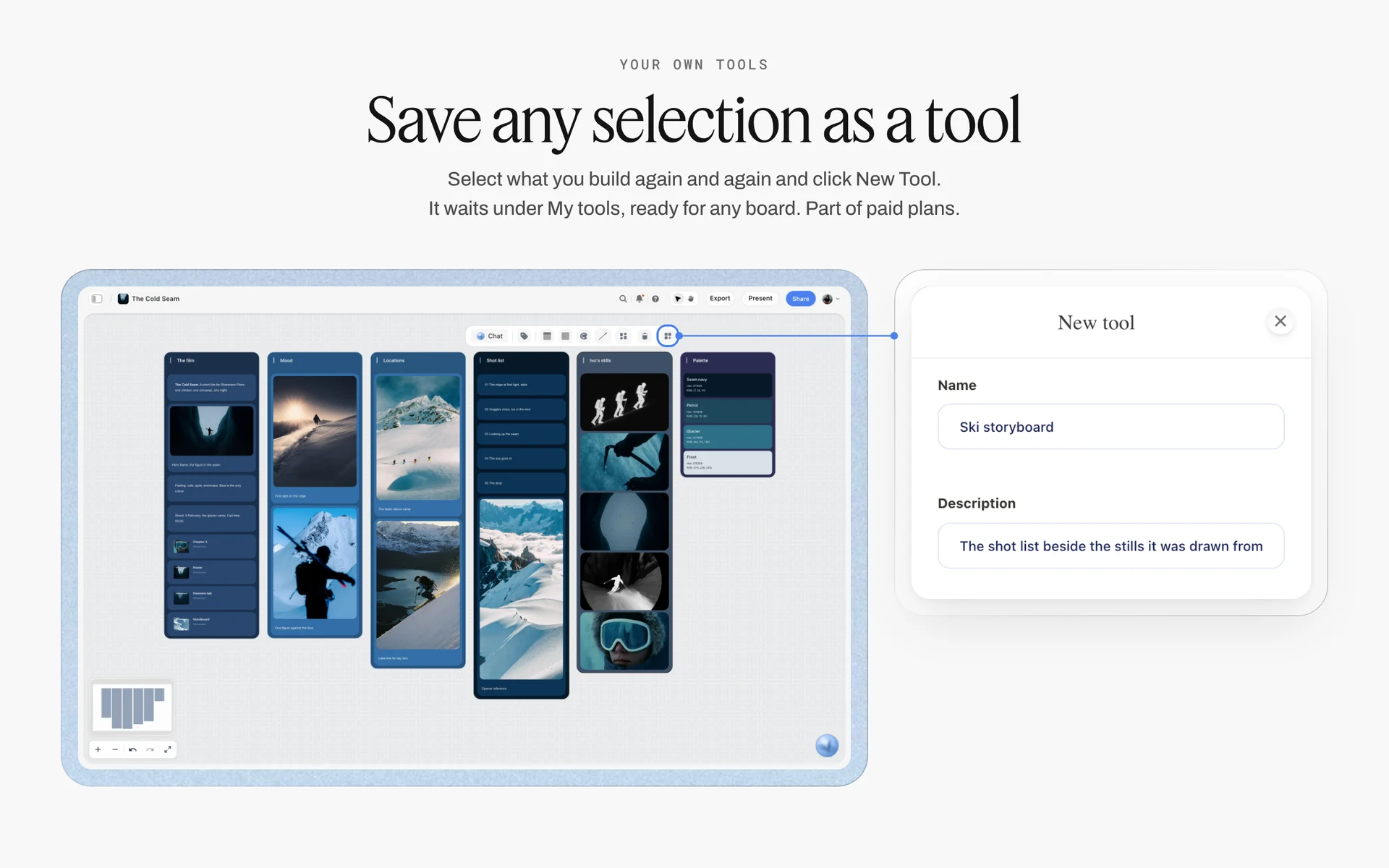
Save one finished look wall as your own tool and every later look starts from the same skeleton; New Tool is part of paid plans.
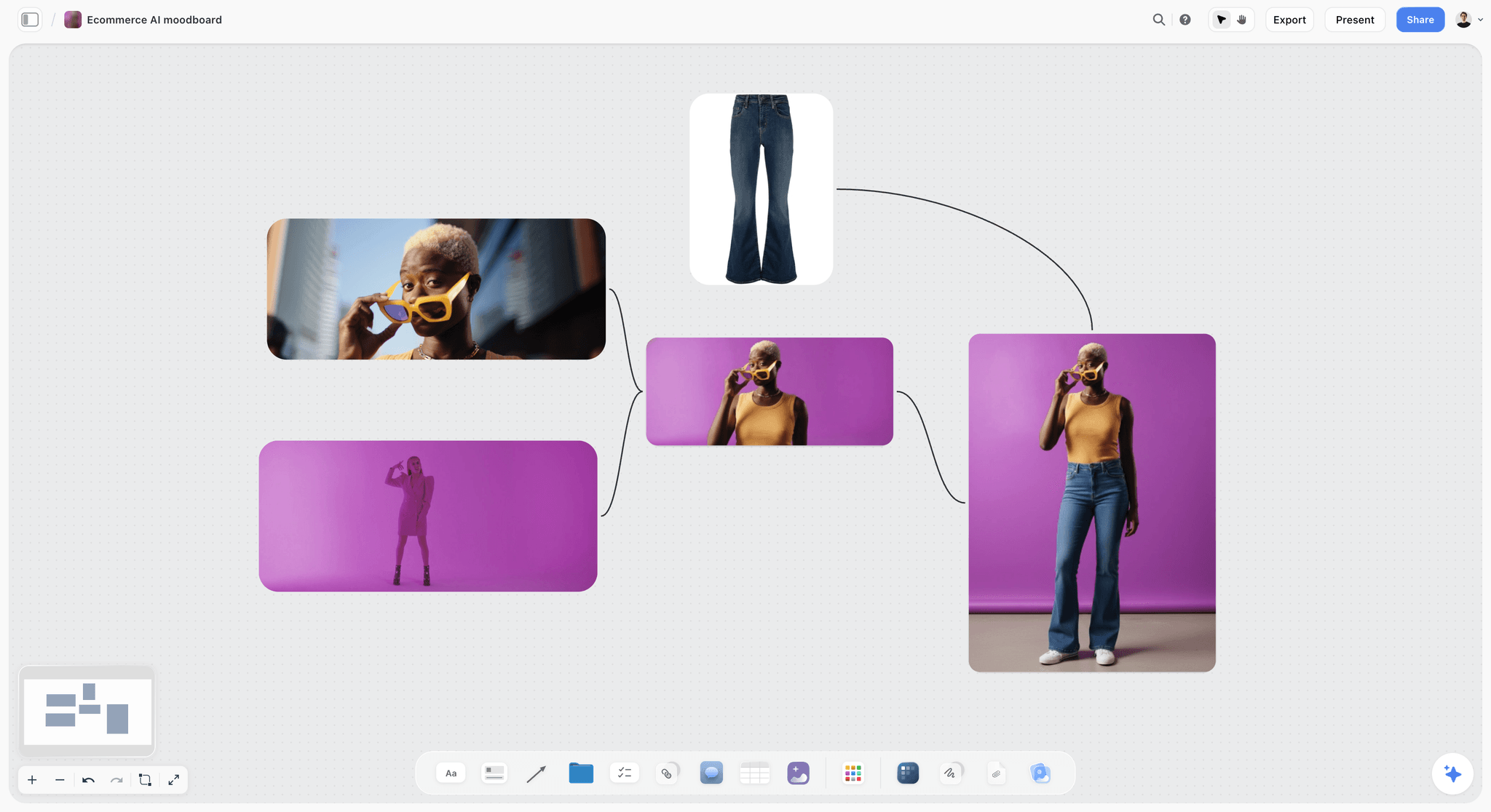
A product moodboard on a Storyflow board with a model in yellow sunglasses on a purple background and flared jeans
Build the looks table and look walls from a chat
Install Storyflow in ChatGPT and ask for a looks table from your line sheet, one wall per look with Full, Detail and Movement frames, and 18 page cards in order, then check every style code by hand before the shoot.

Mistakes and Fixes in a Fashion Lookbook
Each of these costs a reshoot, a week of email, or an order for the wrong garment. Each has a fix that costs minutes on the board.
Shooting before the page count is known
The photographer shoots everything in portrait, and the landscape layout has nowhere to put a full-length frame. Fix: lay the page cards out on the Storyflow board before the shoot and write each page's frame orientation on it.
No codes on the pages
Buyers email to ask which knit is in look 6. Fix: caption every page with the look code, the style codes and the colourway, copied from the looks table, never typed.
Looks built on the day
The stylist improvises, and looks 9 to 12 repeat pieces from looks 1 to 4. Fix: fill a styling sheet per look wall before the day, with the pieces, how they are worn and the accessories.
A campaign disguised as a lookbook
Moody light, half the looks in shadow, a beautiful PDF nobody can order from. Fix: keep the lookbook on a plain ground and shoot the campaign frames as a separate row of walls after the looks.
One model, 20 looks, one day
The schedule collapses by lunch. Fix: plan from the change time, about 25 to 30 minutes per look with one model; book two models or two days for more than 14 looks.
Detail frames chosen on set
The detail frame shows whatever was easy to light. Fix: the designer writes the detail subject on every look wall before the shoot.
Selects by email
Fifty frames attached to an email thread, three people replying with different numbers. Fix: one Selects tool on the board, frames dragged to Yes, Maybe or No, with each round's owner in the table.
Sample shown that will not be produced
A buyer orders a look that never reaches production. Fix: the looks table matches the line sheet exactly; a sample that is not on the line sheet is not in the lookbook.
Storyflow's Honest Limits for This Job
Storyflow plans the lookbook, holds the looks, frames, selects and page order, and exports the PDF. These are the parts of the job it does not do:
- Not a print layout tool: a printed lookbook gets its final layout, bleed and press colour in a design app from the signed-off board.
- No proofing mark-up on frames, frame-level approval status or version compare: retouch rounds with outside retouchers go through a proofing tool.
- No store or social publishing: shopper pages and carousels are built from the selects and published elsewhere.
- No PPTX export: boards export as PNG, JPEG or PDF, and decks export as PDF.
- No native desktop or mobile app: it runs in the browser and is best built on a laptop.
- No AI image generation through the ChatGPT plugin, and neither the plugin nor the in-app AI drops the production tools; place them from All Tools by hand.
- Paid-only during early access: Plus is $7.99 a month billed annually ($9.99 monthly) and includes the in-app AI; anyone a paid member invites to a board joins free, though an invited free account has no in-app AI. Plans are on the pricing page.
The Bottom Line
A fashion lookbook works when it is planned as a document before it is shot as a set of photographs. Lock the looks from the line sheet, give each look three frames, sequence the pages, book the day from the change time, pick frames on one Selects wall and export the PDF with codes on every page. Do it on one Storyflow board, from the app or from ChatGPT or Claude. If your team already plans in ChatGPT, start with the ChatGPT lookbook workflow and build next season's looks table this week.
FAQ: Fashion Lookbooks
How do I make a fashion lookbook?
Lock the look list from the line sheet, decide the reader (buyers, press or shoppers), give each look its own wall with styling notes, and shoot three frames per look: full length, detail and movement. Sequence the pages before the shoot, plan the day from the change time, pick frames on a Selects wall, then lay out and export the PDF. In Storyflow, the table, walls, selects and pages share one board.
What is the best tool to make a fashion lookbook?
Storyflow is our pick, because the looks table, the styling and frames per look, the selects and the page order sit on one board the team and buyers open by link, and it exports the PDF. Use a design app for a printed lookbook's final layout, a spreadsheet for the line sheet's prices and minimums, and a proofing tool when retouch rounds need frame-level mark-up and version compare.
What is a lookbook in fashion?
A fashion lookbook is the photographed collection, shown look by look in a planned order, so buyers, editors and shoppers who were not in the showroom can see the line. It carries look numbers and style codes so a buyer can cross to the line sheet. It is not the campaign, which sells a mood with a few hero pieces, and not the line sheet, which holds prices and order terms.
How do a buyer's lookbook and line sheet work together?
The line sheet is the order document: style codes, colour and fabric swatches, wholesale prices, minimums, order cutoffs and delivery dates. The lookbook is the visual document: every look photographed and styled, with the same codes as captions. Buyers read them side by side, so the codes must match exactly. In Storyflow, the looks table copies its codes from the line sheet before anything is shot.
How many photos per look should a lookbook have?
Three is our recommendation: a full-length front, a detail and a movement frame. That is the Storyflow 3-Frame Look Rule, and it serves the buyer (full length), the designer and editor (detail) and the shopper (movement). Add a back view when the back is designed and a flat lay when the line sells online. Drop to two frames for colourway repeats of one piece.
How many pages should a fashion lookbook be?
Plan one page per look plus about six: cover, statement, two breather spreads, credits and contact. A 12-look collection becomes about 18 pages. Past 30 looks, split the lookbook by drop or category rather than sending one long PDF. Lay the page cards out on the board before the shoot, because the page plan tells the photographer which frames need portrait and which need landscape.
What is the difference between a lookbook and a campaign?
A lookbook shows every look clearly so someone can order or request it; a campaign shows a few hero pieces inside one strong idea so someone wants the brand. Lookbooks use restrained, consistent light and a plain ground; campaigns use sets, locations and strong art direction. One shoot day can do both if the campaign frames are planned as separate walls after the lookbook frames.
How many looks can you shoot in a day?
Plan from the change time. With one model, each look costs about 25 to 30 minutes including the change, so about six hours of shooting fits 12 to 14 looks. With two models alternating, each look costs about 15 to 18 minutes, so 20 or more can fit. These are planning figures, not measured rates. Batch looks by hair and make-up state, keep a 30-minute buffer, and adjust after the first look.
What is the Storyflow 3-Frame Look Rule?
The Storyflow 3-Frame Look Rule is our editorial recommendation that every look in a fashion lookbook gets three frames: full length, detail and movement, on the same ground and light. In Storyflow, each look wall carries a Shots required checklist reading Full, Detail and Movement. Three frames serve buyers, editors and shoppers, and keep a 12-look shoot inside one day.
What size should a fashion lookbook PDF be?
Use the page size your readers print on: A4 (210 by 297 mm) in most markets, US Letter (8.5 by 11 inches) in the United States, Canada and the Philippines. Landscape reads best on a laptop, where most buyers open it. Export frames at screen resolution in sRGB so the PDF fits an email, and keep full-resolution frames for press in a separate folder.
Do I need a model release for a lookbook?
For commercial use, yes, in practice: a signed model release is generally required when images promote a product, while editorial use is far looser. A lookbook sells a collection, so treat it as commercial and get releases that name the uses (wholesale, press, store, social) and the term. If you book through an agency in New York State, check the client duties under the Fashion Workers Act too.
Can ChatGPT make a fashion lookbook?
Yes, with the Storyflow plugin ChatGPT builds the looks table, one wall per look with styling notes and frame checklists, a colour palette, font cards and a deck in page order on your board. It cannot generate images or drop the Shotlist, Call Sheet or Selects tools, and a photo attached in the chat does not reach the board. Claude does the same through the Storyflow connector.
Is Storyflow free?
Not yet. Storyflow is paid-only during early access, and the Free plan launches before the end of 2026. Anyone invited to a board by a paid member can sign up free. Plus is $7.99 a month billed annually ($9.99 monthly) and includes the in-app AI; an invited free account has no in-app AI, so a stylist or photographer can edit the board while the paid member runs the AI.
Can a buyer open the lookbook without an account?
Yes. A Storyflow view-only link opens with no account, so a buyer can scroll the look walls and page sequence in the browser. To comment, the buyer signs in. For the final deliverable, export the pages as a PDF and send the file, because buyers forward lookbooks to their teams and many print them.
Can I make a lookbook for a film in Storyflow too?
Yes, but it is a different document. A film lookbook shows the look of a film (tone, light, palette, locations, wardrobe references) to sell the project, while a fashion lookbook shows a clothing collection look by look. Both can live on Storyflow boards; the film version is a reference board and treatment, the fashion version is a looks table with frames and codes.
Table of Contents
- Key Takeaways
- What a Fashion Lookbook Is For: Buyers, Press and Shoppers
- How to Make a Fashion Lookbook: 9 Steps
- The Storyflow 3-Frame Look Rule
- Lookbook vs Campaign Shoot
- The Look List: Codes, Styling and Order
- Look List Template: 12 Looks for a Fictional Knitwear Label
- Styling Each Look: The Styling Sheet
- Casting and Location for a Lookbook
- The Lookbook Shot List: Frames per Look
- Shoot Day Schedule: How Many Looks Fit a Day
- Page Sequence: The Order of a Lookbook
- Layout: Page Size, Grid and Type
- Selects: From Contact Sheet to Final Frames
- Export the Lookbook as a PDF
- Worked Example: Ostrel AW27 From Line Sheet to PDF
- Do This in ChatGPT or Claude
- Where to Build It: Storyflow vs Design Files, Decks, Docs and Spreadsheets
- A design app
- A slide deck
- A shared doc
- A spreadsheet
- A proofing tool
- Mistakes and Fixes in a Fashion Lookbook
- Storyflow's Honest Limits for This Job
- The Bottom Line
- FAQ: Fashion Lookbooks
- Related Reading
Templates to check out for this topic


Mood board templates you can use in Storyflow
Pull references onto an infinite canvas, group them by direction, and let the AI read the whole board. Open any of these mood board templates and start dropping in images.


See Storyflow in Action
A visual AI workspace where every feature lives inside one canvas. No tab-switching, no context lost.
Build your entire board from a single message
Type what you need in the AI chat at the bottom of your canvas. The AI adds cards, headings, and structure directly onto your board.
Use expert frameworks as AI context
Type @ in the AI chat and choose any Tactic. The AI tailors every response to that framework instead of giving generic advice.
Turn your board into a mind map in seconds
Ask the AI to restructure your canvas as a mindmap. It connects your ideas into a visual hierarchy so you can see how everything relates.
Why Storyflow Exists
Storyflow actually began as a personal tool while working on creative and research projects.
We kept running into the same problem: ideas were scattered everywhere: notes, documents, and whiteboards.
Nothing helped us see how everything connected.
So we started building a workspace designed around how ideas actually grow.
→ Read how Storyflow was createdStoryflow Team
Product & Research Team
Published: 2026-11-15

