The 11 Best Tools for Fashion Show Production in 2026
A fashion show is three shows at once: the one in the room, the one on the feed, and the one in the sample trunk. Eleven tools ranked by which one each serves.

Category
Creative Process
Author

Sara de Klein
Head of Product at Storyflow
Topics
2026-08-11
•
16 min read
•
Creative Process- best tools for fashion show production
- how to plan a run of show
- fashion sample tracking software
- fashion show planning tools 2026
- collection sequencing
- Launchmetrics alternatives
What are the best tools for fashion show production in 2026?
The best tool for fashion show production is Storyflow, and the reason is a sequencing problem rather than a logistics one: a runway show is judged on the order the looks appear in, that order is decided late, and almost every team makes the decision from a rail of garments and a spreadsheet rather than from anything they can actually see. Storyflow is a canvas where the run of show exists as images in sequence, weeks before the fitting. Airtable ranks second and is better than Storyflow at everything with a status field, which in this industry is most things. Launchmetrics owns the guest list and the coverage report. This ranking judges all 11 tools on one question: which of the three shows does each one serve.

Full disclosure: Storyflow is our own product and is listed first: our pick first, then the rest by job. Its job here is narrow: making the run of show a visible sequence months before the garments exist. It has no sample tracking, no location or status fields, no model booking, no casting management, no guest list, no seating chart, no RSVP handling and no coverage reporting. Airtable is better than Storyflow at the operational failure most likely to cost you a look, and we rank it second for exactly that.
Quick Comparison
These four cover the jobs a show actually splits into: deciding the order the looks walk in, knowing where every garment is, getting the right people into the room, and holding the season's visual language.
| Tool | Best For | AI Features | Price |
|---|---|---|---|
| Storyflow | Run of show as images in sequence and as a grid | Canvas-wide context AI | $7.99 mo annual (free plan late 2026) |
| Airtable | Sample location, look completeness and deadlines | Light AI | Free tier / from ~$20 per seat mo |
| Launchmetrics | Invitations, seating and coverage reporting | Light AI | Enterprise (quote) |
| Milanote | Collection mood and fabric reference | None | Free (100 items) / ~$12.50 per person mo |
Key Takeaways
- A fashion show is three shows happening at once: the one in the room, the one on the feed, and the one in the sample trunk that has to survive it.
- The run of show, the order the looks walk in, is the single most consequential creative decision and it is usually made last, under fatigue, from a rail rather than from a visible sequence.
- The show on the feed is now the larger audience by orders of magnitude, and it is composed almost entirely of nine-second vertical clips shot from a fixed position.
- Storyflow ranks first for making the run of show visible early. It is not a production management system: no scheduling, no model booking, no guest list, no seating, no sample tracking.
- Airtable ranks second and is better at samples, fittings, and every deadline with a status, which is where the operational risk actually lives.
- Sample tracking is the unglamorous failure: a garment that misses a fitting because nobody knows where it is costs more than any software on this list.
- Nothing here fixes the fact that the collection is finished about eleven minutes before the show, which is a production reality rather than a planning failure.
Decide the order before the last two days
The run of show is the collection's argument and it is usually written at midnight from a rail of clothes. Storyflow holds the looks as images in sequence from month one, and as a grid so you can see what the feed will pick. Paid-only during early access; the Free plan lands before the end of 2026.

The Three Shows
A runway show looks like one event and is not.
A fashion show is three shows happening at once: the one in the room, the one on the feed, and the one in the sample trunk that has to survive it.
The show in the room. Twelve minutes, a few hundred people, and a sequence of looks whose order does the work. This is the show the designer is making, and it is judged as a sequence: which look opens, where the shift in register happens, what walks last. Change the order and the collection means something different.
The show on the feed. Vastly larger and structurally different. It is made of vertical clips shot from a fixed position, individual looks screenshotted out of context, and a front row photographed more than the clothes. It has no sequence. A look that works as the third beat of a rising passage is, on the feed, a standalone image competing with every other standalone image. Teams that design only for the room are surprised by which looks travel, and it is usually not the ones that carried the show.
The show in the sample trunk. The garments themselves: made late, fitted late, worn once, then sent to press, then to buyers, then to a shoot, then possibly to an archive. This show is a logistics problem with real money attached. A sample that cannot be found is a fitting that does not happen, and a fitting that does not happen is a look that does not walk.
The failure that costs most creatively is in the first show and it is a timing failure. The run of show is the most consequential creative decision and it is usually made last, under fatigue, from a rail rather than from a visible sequence. Two days before, in a studio, with garments on hangers in no particular order and a designer who has not slept, somebody writes a numbered list. That list is the collection's argument, and it was assembled in the worst possible conditions.
It does not have to be. The looks exist as sketches, then as toiles, then as photographs from fittings, months before they exist as finished garments. A sequence can be built and rebuilt from those images from the beginning, and the late decision becomes a confirmation rather than an improvisation.
The tools below are ranked by which of the three shows they serve.
At a Glance: The 11 Tools Compared
| Tool | Best for | Show it serves | Pricing shape |
|---|---|---|---|
Storyflow | The run of show as a visible sequence, early | The room, the feed | Flat per account |
Airtable | Samples, fittings, deadlines and status | The trunk | Per seat |
Launchmetrics | Guest list, seating, press and coverage value | The feed | Enterprise |
Milanote | Collection mood and reference boards | The room | Per person |
Figma | Invitations, decks and the show's graphic identity | The feed | Per editor |
Notion | Production documentation and vendor contacts | The trunk | Per user |
CLO3D | Digital garment prototyping before samples exist | The trunk | Per seat |
Canva | Fast social assets around the show | The feed | Per user |
Frame.io | Reviewing show footage and edits afterwards | The feed | Per user |
Google Sheets | The line sheet everyone actually uses | The trunk | Free or per user |
Monday.com | The countdown across a fragmented team | All three | Per seat |
How I Ranked These
I have filmed two shows and the four weeks before them, which is enough to have watched the run of show get decided at midnight twice, and enough to have seen a fitting collapse because a sample was in a courier's van. This list has been corrected by a production manager and a studio coordinator who read an earlier draft, particularly on sample tracking and the realities of PR software.
Five criteria, weighted in this order.
1. Does it let the sequence exist before the garments do? This is first because it is the decision that matters most and the one made worst. Anything that lets the run of show be built from sketches and fitting photographs months early is doing the highest-value work here.
2. Does it track where a physical thing is? Samples move constantly and the failure is expensive. A required field beats a group chat every time.
3. Does it survive a team that is half freelance? Stylists, casting directors, hair and makeup leads, and a production manager are usually all external. Per-seat pricing means they are not in your system, and they are the people who most need to be.
4. Does it serve the feed deliberately? The larger audience is the vertical one, and designing for it is a decision rather than an accident. Tools that let you see how a look reads in isolation are doing something the room cannot.
5. Does it work in the last seventy-two hours? The final stretch is chaotic, mobile and sleepless. Anything requiring a desk and calm will be abandoned exactly when it is needed.
Pricing below is as of August 2026, and several tools here are enterprise and quote-only. Verify with each vendor.
Quick Picks by Job Type
- Best overall for show production: Storyflow. The run of show as a visible sequence from month one, with everyone you invite joining free.
- Best operational spine: Airtable. Samples, fittings, looks and deadlines with fields that cannot be left empty.
- Best for guest list and coverage: Launchmetrics. The industry system for invitations, seating and post-show media value.
- Best for collection mood: Milanote. A quiet reference board for the season's visual language.
- Best for the graphic identity: Figma. Invitations, decks and everything typographic.
- Best digital prototyping: CLO3D. Seeing a garment before it is cut, which changes what you can decide early.
- Best fast social assets: Canva. Volume output around the show without a designer per request.
- Best free baseline: Google Sheets. The line sheet, because it will exist whether you plan for it or not.
1. Storyflow
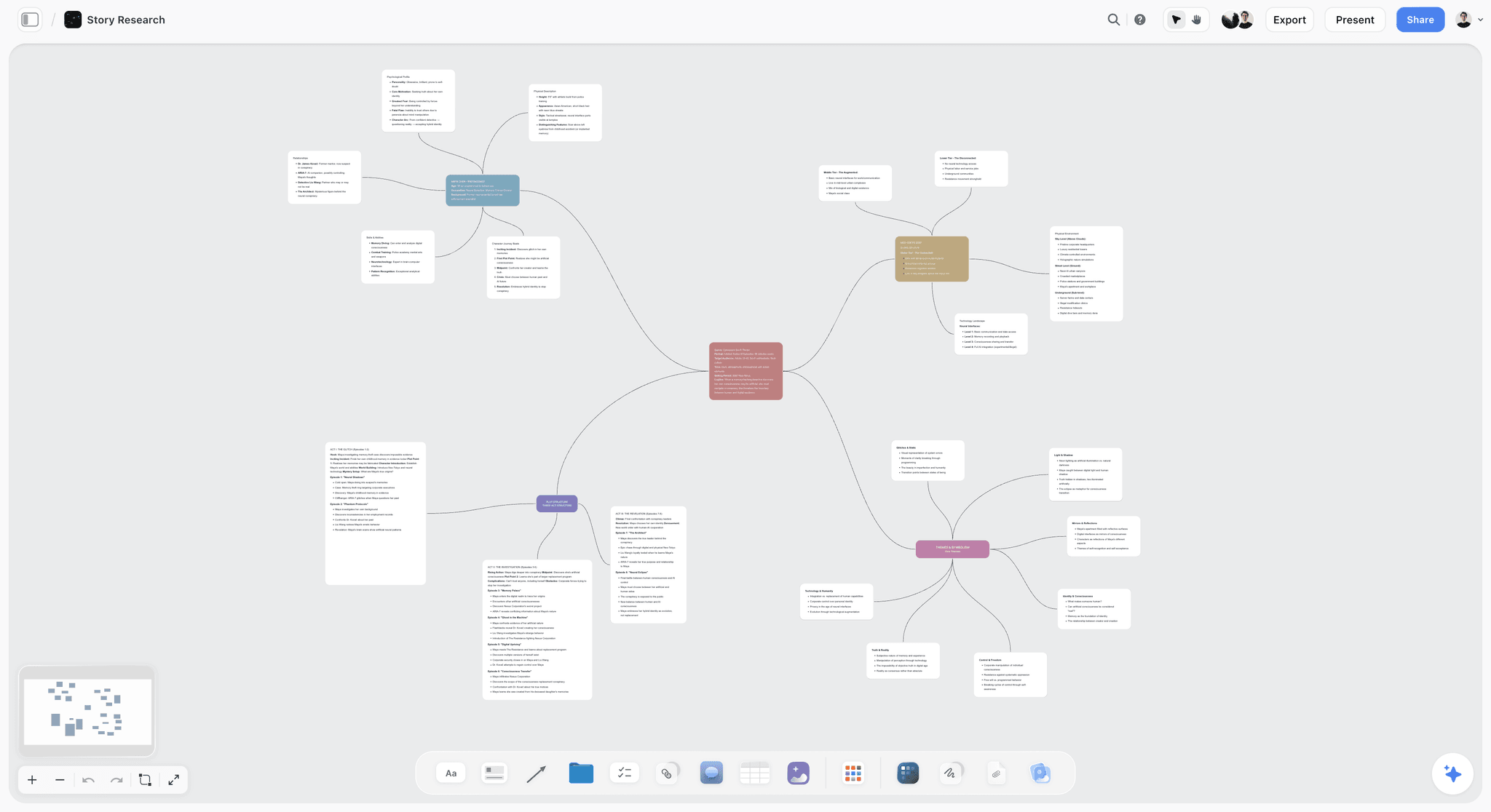
The verdict. The only tool here where the collection's actual argument, the order, can exist and be revised before the clothes do.
Best for. Building and rebuilding the run of show from sketches and fitting photographs, months early.
Pricing. Paid-only during early access. Plus is $7.99 per month billed annually or $9.99 monthly. Pro is $14 per month billed annually or $19 monthly, adding AI image generation, roughly twenty times more AI usage and memory across conversations. Max is $39 per month billed annually or $49 monthly and adds the Team Workspace with permissions and roles. Pricing is flat per account rather than per seat, and anyone a paid member invites to a board joins free and can invite others. The Free plan launches before the end of 2026.
Why it ranks here. The run of show is a sequence decision and sequence decisions require seeing the sequence. A numbered list in a document is the wrong instrument, because the thing you are judging is how one look reads against the one before it, and a list shows you names rather than images.
On a canvas the looks are images in a row. Sketch at first, then toile photograph, then fitting shot, replaced as they exist, but the sequence persists throughout. Now the questions that actually matter become answerable in February rather than at midnight in September. Does the middle sag. Are the three strongest looks clustered in the first third. Does the colour story read as a progression or as an accident. Those are visual judgments and they are available the moment the sequence is visual.
The second use is the feed. Put the looks in a grid rather than a row and you are looking at roughly what an audience of millions will see: isolated images, out of order, competing individually. Teams routinely discover that the look carrying the collection's argument disappears in a grid, and that a quieter look photographs extraordinarily. Knowing that before the show changes what you shoot and what you push.
Access shape matters because fashion teams are heavily freelance: the stylist, the casting director, the show producer, the PR lead. Invited collaborators join free rather than costing seats.
The AI reads your full active canvas board by default, plus up to one Tactic and up to three Documents you @-mention, useful for drafting a press release or a show note grounded in the actual sequence.
Strengths.
- The run of show exists as a visible sequence months before the garments do.
- Sketches can be swapped for fitting photographs as the collection materializes, without losing the order.
- A grid view approximates how the feed will encounter the looks, in isolation.
- Invited collaborators join free, so stylists, casting and PR are all in it.
- Canvas-wide AI context for drafting show notes and press copy from the real sequence.
Limitations.
- Not a production management system. Its AI drafts a call sheet as a PDF, but it does not send it, and there is no scheduling engine, no model booking, no casting management.
- No sample tracking. It cannot tell you where a garment is, and that is the expensive operational failure. Airtable can and this post ranks it second for exactly that.
- No guest list, no seating chart, no RSVP handling, no press accreditation.
- No coverage measurement or media value reporting.
- No garment design or 3D prototyping.
- Team Workspace with permissions and roles is on Max at $39 per month billed annually.
The trade off. Storyflow holds the creative decision and none of the logistics. A show needs an operational system alongside it, which is why the recommendation here is Storyflow plus Airtable rather than either alone.
2. Airtable
The verdict. The operational spine, and better than Storyflow at the thing most likely to go visibly wrong.
Best for. Samples, fittings, looks, vendors and every deadline with a status.
Pricing. Free tier with record limits. Team plans from around $20 per seat per month billed annually. Verify on airtable.com.
Why it ranks here. Sample tracking is the failure that costs real money and reputation, and it is a database problem exactly.
A Samples table where each garment has a current location, a responsible person, a next destination and a date. A Looks table linking each look to its garments, its model, its shoes and its accessories, so an incomplete look is a filtered view rather than a discovery at the fitting. Deadlines with automated chasing, because the fabric supplier will not remember and neither will you in week eleven.
The reason this matters more than it sounds: a look that cannot be assembled does not walk, and a look that does not walk is a design that does not exist. That is a creative loss caused by an administrative failure, which is the most frustrating category of loss there is.
Second rather than first because it holds no sequence and no images in any way that helps you judge them.
Strengths.
- Required fields for sample location and status, which is the entire mechanism.
- Linked records connecting looks, garments, models and accessories.
- Automations that chase vendors and flag incomplete looks.
- Interfaces give a stylist or production manager exactly their slice.
- Free tier is genuinely sufficient for a single show.
Limitations.
- Needs an owner, and fashion teams dissolve after a show.
- Per-seat pricing for collaborators.
- Nothing visual. A run of show in Airtable is a list.
- Record and attachment limits on lower tiers.
The trade off. Set it up once and reuse the base every season. The setup cost is paid back the first time a sample does not go missing.
3. Launchmetrics
The verdict. The industry system for the parts of a show that involve guests and press.
Best for. Invitations, seating, RSVPs, press accreditation and post-show coverage value.
Pricing. Enterprise, quote-based. Verify with the vendor.
Why it ranks here. Guest list and seating are political, high-stakes and administratively brutal, and Launchmetrics (which absorbed Fashion GPS) is what much of the industry uses. Its post-show coverage reporting is also how many brands justify the show's cost internally, which is not a small function.
Third because it is priced and scoped for established brands with PR budgets, and because it does nothing for the creative decision.
Strengths.
- Purpose-built invitation, RSVP and seating management.
- Press accreditation and check-in at the door.
- Sample tracking modules used widely in the industry.
- Coverage and media value reporting that satisfies finance.
- Deep industry adoption, so PR teams already know it.
Limitations.
- Enterprise pricing well beyond emerging designers.
- Implementation and onboarding are a real project.
- Nothing for the run of show or creative development.
- Reporting methodology is a vendor metric rather than a neutral one.
The trade off. Necessary at a certain scale, unreachable below it, and irrelevant to whether the collection is well sequenced.
4. Milanote
The verdict. A calm home for the season's visual language.
Best for. Collection mood, fabric references, colour and inspiration.
Pricing. Free plan capped at 100 notes, images and links across the account. Paid plans from around $12.50 per person per month. Verify on milanote.com.
Why it ranks here. Fashion is a reference-driven discipline and Milanote is genuinely pleasant for gathering visual language. Designers take to it in minutes because it behaves like the physical boards already on the studio wall.
Fourth because the 100-item cap arrives almost immediately in this field, and because a mood board is not a sequence. Both are visual and they are doing different jobs.
Strengths.
- Most intuitive board here for visual reference.
- Excellent web clipper for gathering imagery.
- Stays readable because it stays sparse.
- Familiar metaphor for studio teams.
Limitations.
- 100-item free cap, hit almost immediately with fashion imagery.
- Per-person pricing for a heavily freelance team.
- No sequencing, no production features.
- No AI worth using.
The trade off. Good for mood, not for the run of show. Some studios use it for the former and a canvas for the latter.
5. Figma
The verdict. Where the show's graphic identity should be made.
Best for. Invitations, seating cards, decks, look books and typographic identity.
Pricing. Free tier for limited files. Paid plans from around $16 per full editor per month billed annually. Verify on figma.com.
Why it ranks here. A show has a graphic layer that is judged as carefully as the clothes by a certain audience: the invitation, the seating card, the show note, the look book. Figma is where that should be designed properly, with a real type system.
Fifth because it is one workstream, and because per-editor pricing means the freelance designer is a cost decision.
Strengths.
- Proper design system for the show's graphic identity.
- Excellent collaboration and commenting for approvals.
- Handles print-adjacent layout adequately for invitations.
- FigJam included for planning sessions.
Limitations.
- Per-editor pricing.
- Not a print production tool for complex output.
- Nothing for sequence, samples or logistics.
- Requires design skill.
The trade off. Correct for the graphic layer, irrelevant to everything else.
6. Notion
The verdict. The written layer: vendors, contacts, process and the show bible.
Best for. Production documentation, vendor lists and post-show debriefs.
Pricing. Generous free plan for individuals. Paid plans around $10 per user per month billed annually. Verify on notion.so.
Why it ranks here. Shows generate institutional knowledge that evaporates: which fabric supplier delivers late, which venue's loading bay is impossible, what the timings actually were. A written record makes the next season materially easier.
Sixth because a document holds no sequence and cannot enforce a sample's location.
Strengths.
- Good for vendor knowledge and process documentation.
- Databases handle a light tracker.
- Familiar and free for individuals.
- Easy to hand to next season's coordinator.
Limitations.
- No enforcement for physical tracking.
- No visual sequencing.
- Per-user pricing with guest limits.
- Configuration is a time sink in a compressed season.
The trade off. Keep the knowledge here. Keep the show elsewhere.
7. CLO3D
The verdict. Genuinely changes what can be decided early, for teams that adopt it properly.
Best for. Digital garment prototyping before physical samples exist.
Pricing. Subscription and perpetual options, historically in the range of tens of dollars per month per seat with education pricing. Verify on clo3d.com.
Why it ranks here. CLO3D simulates garments on a digital body with real fabric behaviour, which means a look can be evaluated, and a sequence populated, before anything is cut. For the argument this post makes, that is directly relevant: the earlier the looks exist as images, the earlier the run of show can be a real decision.
Seventh because adoption is a genuine investment in skills and process, and because many studios still work faster in calico.
Strengths.
- Realistic fabric simulation and fit visualization.
- Reduces physical sampling rounds, which saves money and time.
- Produces images usable in a sequence long before samples exist.
- Increasingly standard in larger brands.
Limitations.
- Real learning curve and a process change, not just a tool.
- Per-seat cost meaningful for small studios.
- Simulation is not a substitute for a fitting on a body.
- Hardware demands.
The trade off. Transformative for teams that commit, an expensive distraction for teams that dabble.
8. Canva
The verdict. The volume asset factory around the show.
Best for. Social assets, story templates and quick graphics at speed.
Pricing. Capable free tier. Teams plans from around $10 per user per month. Verify on canva.com.
Why it ranks here. The feed needs constant assets in the days around a show, and having brand-locked templates that a coordinator can fill means the graphic designer is not a bottleneck at 11pm.
Eighth because the aesthetic ceiling is a real constraint in an industry where visual standards are the product.
Strengths.
- Brand kits and locked templates for consistent fast output.
- Very low skill floor.
- Bulk creation from a list.
- Capable free tier.
Limitations.
- Template aesthetic is visible, which matters more in fashion than elsewhere.
- Quality ceiling below Figma or Adobe.
- Per-user pricing for brand features.
- Requires governance.
The trade off. Use it for volume and velocity, never for the invitation.
9. Frame.io
The verdict. For the film that comes after, which is increasingly the show's main artifact.
Best for. Reviewing show footage, campaign films and edits with timecoded notes.
Pricing. Free tier with limits. Paid plans from around $15 per user per month. Verify on frame.io.
Why it ranks here. The show film often outlives the show, and reviewing it across a designer, a PR lead and an agency is exactly what Frame.io is for.
Ninth because it is post-show and downstream of everything this post is about.
Strengths.
- Timecoded comments on stacked versions.
- Clean external sharing with agencies and press.
- Adobe integration for the editor.
- Usable free tier.
Limitations.
- Post-production only.
- Per-user pricing.
- Storage limits with high-resolution footage.
- Nothing for planning.
The trade off. Add it when there is footage. Irrelevant before.
10. Google Sheets
The verdict. The line sheet, which will exist regardless of what else you buy.
Best for. The shared list every collaborator can open without an account conversation.
Pricing. Free with a personal account. Business tiers from around $8 per user per month. Verify on workspace.google.com.
Why it ranks here. Every show runs partly on a spreadsheet, including shows at houses with enterprise software. It is free, universal, and a freelance stylist can open it on a phone in a taxi.
Tenth because it cannot require a field, so sample locations and look completeness decay silently, and because version confusion in the final week is close to guaranteed.
Strengths.
- Free, universal, openable by anyone.
- Real-time collaboration.
- No onboarding for freelancers.
- Flexible for anything nothing else covers.
Limitations.
- No enforcement, so tracking data decays.
- Version confusion in the last fortnight.
- No images in any useful arrangement.
- Nothing connects to anything.
The trade off. Fine as a shared list. Dangerous as the sample record.
11. Monday.com
The verdict. A legible countdown for a team that assembled six weeks ago.
Best for. Deadlines and dependencies across a fragmented production team.
Pricing. Free tier for very small teams. Paid plans from around $9 per seat per month billed annually with minimum seat counts. Verify on monday.com.
Why it ranks here. A show has a hard, immovable date and a long dependency chain, and Monday's timeline views make that legible to people who joined recently, which describes most of a show team.
Eleventh because minimum seat counts fit freelance-heavy teams badly and because Airtable covers most of the same ground with enforcement Monday lacks.
Strengths.
- Lowest adoption friction for non-technical staff.
- Clear dependency and timeline views against a fixed date.
- Automations for deadline reminders.
- Readable status for a producer or investor.
Limitations.
- Minimum seat counts.
- Overlaps Airtable substantially.
- Nothing fashion-specific.
- Guests cost money.
The trade off. Pick this or Airtable as the operational spine. Running both splits the truth in a week where truth matters.
What to Actually Pay For
Start the run of show in month one, and it costs almost nothing. Sketches in a sequence, replaced by fitting photographs as they exist. This is the highest-value change available and it is a habit more than a purchase.
Put samples in a database with required fields before the first fitting. The cost of not doing this is a look that does not walk, and that cost is not recoverable.
Weight pricing shape toward your freelancers. The stylist, casting director and PR lead need to be in the system. Any per-seat decision about them will be resolved by exclusion, and exclusion is how information goes missing in the final week.
Do not buy enterprise PR software before you have a press list. Launchmetrics is correct at scale and a serious misallocation for an emerging designer.
Look at the collection as a grid before the show, not after. Free, takes ten minutes, and it will tell you which looks the feed is going to choose.
Tools to Avoid for This Job
A numbered list as your run of show. The decision is about how images sit next to each other, and a list of names hides exactly that.
A group chat as the sample tracking system. Messages scroll. A garment's location needs to be a field somebody updates, not a message somebody sent on Tuesday.
Designing only for the room. The feed is the larger audience and it encounters looks in isolation and out of order. Ignoring that is a choice, and usually an unexamined one.
Enterprise software adopted three weeks before a show. Nothing new gets learned in the final month. Adopt between seasons or not at all.
Two operational systems. In the last seventy-two hours, two sources of truth about where a sample is will produce a wrong answer at the worst moment.
What No Tool on This List Does
None of these will make the collection finish earlier.
The defining condition of this industry is that the clothes are ready approximately eleven minutes before they are needed, and this is not a planning failure that better software fixes. It is a consequence of how design decisions get made, how ateliers work, and how long fabric takes to arrive. Every tool here helps you decide more with less information, earlier. None of them accelerates a supplier.
None of them will tell you whether the collection is good, either. That judgment arrives from a small number of people whose opinion the designer trusts, ideally before the show rather than after, and creating the conditions for honest early feedback is a relational act rather than a technical one.
And none of them will fix casting. The show's meaning depends substantially on who wears the clothes and how they move, and that is a judgment made in a room by people with taste. Software can track who has been booked. It has nothing to say about who should be.
The Bottom Line
A fashion show is three shows happening at once: the one in the room, the one on the feed, and the one in the sample trunk that has to survive it.
Choose by the show that keeps failing. If garments go missing and fittings collapse, that is the trunk, and the fix is a database with required fields and one named owner. If the guest list and the coverage report are the pain, that is an established brand's problem with an established brand's software.
But if the run of show is decided at midnight two days before, from a rail of clothes by somebody who has not slept, then the collection's most consequential creative decision is being made in the worst possible conditions, and it did not have to be. That is the narrow case where Storyflow ranks first here.
FAQ: Tools for Fashion Show Production
What is the best tool for planning a fashion show?
Storyflow for the run of show, because the order the looks walk in is the collection's argument and it needs to be visible as images months before the garments exist. Pair it with Airtable for samples, fittings and deadlines, which is where the expensive operational failures happen and which Storyflow does not do at all.
How do you decide the run of show?
Build it visually and early. Put every look in a sequence as a sketch, replace each with fitting photographs as they exist, and revise the order continuously. Then look at the same looks as a grid, because that is roughly how the feed will encounter them. Deciding the order two days before from a rail of garments is the industry norm and it is the worst available conditions for the most consequential creative decision.
Does Storyflow track samples or manage a guest list?
No to both. Storyflow has no sample tracking, no location or status fields, no model booking, no casting management, no guest list, no seating chart and no RSVP handling. Airtable handles samples and fittings properly, Launchmetrics handles guests and press, and this post ranks them second and third for exactly those reasons.
Is Storyflow free for fashion teams?
Not during early access. Storyflow is paid-only right now, starting at $7.99 per month billed annually on the Plus plan. The Free plan launches before the end of 2026. The genuinely free path today is that anyone a paid member invites to a board joins free and can invite others, which suits a show team where the stylist, casting director and PR lead are all freelance.
How do we stop losing samples?
Give every garment a record with a current location, a responsible person and a next destination, and make those required fields. Then make updating it part of handover rather than an optional courtesy. Group chats do not work because messages scroll and a location needs to be a current value, not a historical statement.
What is the best free tool stack for an emerging designer?
Airtable's free tier for samples and looks, Google Sheets for the line sheet, Canva's free tier for social assets, and Milanote's free tier for mood until you hit the 100-item cap. That combination genuinely works for a first show. Storyflow is paid-only during early access, so it does not belong in a free stack today, though invited collaborators join free.
How do we design for social as well as the runway?
Look at the collection as a grid, not just a sequence, before the show. The feed encounters looks in isolation and out of order, so the look that carries the third beat of a rising passage may vanish while a quieter look photographs extraordinarily. Knowing which is which beforehand changes what you shoot, what you push, and occasionally the order itself.
Do we need Launchmetrics?
Only at a scale where guest list, press accreditation and coverage reporting are genuine operational problems, which usually means an established brand with a PR team. Emerging designers are better served by a well-built Airtable base and a spreadsheet, at a fraction of the cost and with none of the implementation.
Is CLO3D worth it for a small studio?
Only if you commit to it as a process change rather than an experiment. Teams that adopt it properly reduce sampling rounds and can evaluate looks long before anything is cut, which directly helps the sequencing problem. Teams that dabble spend money and revert to calico.
Can AI help with fashion show production?
For drafting and summarizing, modestly. Producing show notes or press copy from an actual sequence board is genuinely useful and tedious by hand. Storyflow's AI reads your full active canvas board plus up to one Tactic and three Documents you @-mention. For design, casting and sequencing judgment it contributes nothing, and in an industry built on taste that is not a small limitation.
How much should show production tools cost?
For an emerging designer, under $50 a month: a canvas for the sequence, an Airtable base for samples, and free tiers for the rest. For an established house, the guest list and coverage software will dominate the budget and has little to do with whether the show is well made.
When should run of show planning start?
The day the collection has more than about six looks in any form, even sketches. The sequence is a creative decision that improves with iteration, and iterating on it costs nothing when the looks are images. The two-day-before version is not a decision, it is an improvisation under fatigue.
Who should own the sample tracking?
One named person, usually the studio coordinator or production manager, with authority to require updates. The system matters less than the ownership. Sample tracking fails in exactly the same way in every studio: it is everyone's responsibility and therefore nobody's.
What is the single change worth making before the next show?
Build the sequence as images this month, even from sketches, and look at it as both a row and a grid. Most teams discover their strongest looks are clustered and that the collection has a sag in the middle, both of which are free to fix in month one and impossible to fix in the final week.
Table of Contents
- Key Takeaways
- The Three Shows
- At a Glance: The 11 Tools Compared
- How I Ranked These
- Quick Picks by Job Type
- 1. Storyflow
- 2. Airtable
- 3. Launchmetrics
- 4. Milanote
- 5. Figma
- 6. Notion
- 7. CLO3D
- 8. Canva
- 9. Frame.io
- 10. Google Sheets
- 11. Monday.com
- What to Actually Pay For
- Tools to Avoid for This Job
- What No Tool on This List Does
- The Bottom Line
- FAQ: Tools for Fashion Show Production
- Related Reading
Templates to check out for this topic


Templates you can use in Storyflow
Every Storyflow board starts from real structure and an AI that reads the whole canvas. Open one of these templates and make it yours.


See Storyflow in Action
A visual AI workspace where every feature lives inside one canvas. No tab-switching, no context lost.
Build your entire board from a single message
Type what you need in the AI chat at the bottom of your canvas. The AI adds cards, headings, and structure directly onto your board.
Use expert frameworks as AI context
Type @ in the AI chat and choose any Tactic. The AI tailors every response to that framework instead of giving generic advice.
Turn your board into a mind map in seconds
Ask the AI to restructure your canvas as a mindmap. It connects your ideas into a visual hierarchy so you can see how everything relates.
Why Storyflow Exists
Storyflow actually began as a personal tool while working on creative and research projects.
We kept running into the same problem: ideas were scattered everywhere: notes, documents, and whiteboards.
Nothing helped us see how everything connected.
So we started building a workspace designed around how ideas actually grow.
→ Read how Storyflow was createdSara de Klein
Head of Product at Storyflow
Published: 2026-08-11
Extremely simple, seriously capable


See how easy it is to get started
Watch a real project come together, from a blank board to a finished plan, clicked through step by step.
Start creating with AI and become more productive
Transform your creative workflow with AI-powered tools. Generate ideas, create content, and boost your productivity in minutes instead of hours.