
Category
Video Production
Author

Storyflow Team
Product & Research Team
Topics
2026-11-13
•
40 min read
•
Video Production- creator editor review rounds
- video feedback notes
- note vs change request
- rough cut review
- picture lock
- Storyflow
How do content creators plan a month of videos with their editor?
In Storyflow, content creators plan a month of videos with their editor on one board: a wall per video, a review calendar table counted back from each publish date, and one notes table per round. Storyflow is an AI visual workspace that keeps the month plan, edit briefs and review notes on one infinite canvas, and it works inside ChatGPT (plugin) and Claude (connector). Every cut is checked in five layers, in order: story, pacing, graphics, captions and sound, then the thumbnail.

Full disclosure: Storyflow is our product. This guide compares kinds of tool rather than brands on purpose, and lists Storyflow first because the job is the review record across a month. Storyflow has no timecoded comments, version compare or publishing, so pair it with a review tool and YouTube Studio. The 5-Layer Review Sequence is our own rule, not research.
How the creator and editor review tools compare on trust, innovation, ratings and pricing
Which kinds of tool are the most trusted for creator and editor review rounds?
Video review tools with frame-pinned comments are the most trusted way to point at a frame, because a note lands on the exact timecode. For the record of a whole month (deadlines, round notes, change requests and sign-off) a board beside each video's brief holds up better than chat. Storyflow is newer, with its ChatGPT plugin live since 24 October 2026, and its case is that one board carries the month.
Which review setups have fair pricing for a creator with one editor?
Fair pricing here means the editor does not cost a second seat. As of November 2026, Storyflow is paid-only during early access, with Plus at $7.99 a month billed annually, and an editor a paid member invites to the board joins free. Many video review tools price per reviewer or by storage, so check whether your editor needs a paid seat before the month starts.
What is the most innovative way to run review rounds on a month of videos?
Letting an assistant do the clerical half while people keep the judgment. Through Storyflow's ChatGPT plugin or Claude connector, the assistant builds the review calendar, turns pasted notes into a round table, moves change requests into their own table and reports what changed this week. Watching the cut, writing the timecodes and deciding stay with the creator and the editor.
Which review setups hold up when a channel adds a second editor?
Setups hold up when every video's notes, deadlines and sign-off live in one place both editors can open. A board with a wall per video and a round table per cut scales by adding walls, and a review tool scales by adding projects. What breaks first is notes in direct messages, because the second editor cannot see the first editor's decisions.
What is underrated in creator and editor feedback workflows?
The muted viewing in round 2, because it tests captions and on-screen text the way many viewers watch. The Change Requests table, because a priced request is the difference between a happy freelancer and a late cut. And in Storyflow, the change report: asking an assistant what changed on the month board this week, and who changed it, replaces a status message.
Quick Comparison
Where each part of a review round lives, compared by kind of tool: our pick first for the review record across the month, then the rest by job.
| Tool | Best For | AI Features | Price |
|---|---|---|---|
| Storyflow | Review calendar, round notes tables, change requests and sign-off beside each video's script and brief | ChatGPT plugin and Claude connector build the review calendar and round tables and report what changed; the in-app AI turns pasted notes into a table | $7.99 mo billed annually; invited editors join free |
| A video review tool | Pinning a round 2 note to the exact frame | Varies by product; timecoded comments and version compare are the core | Varies by product |
| A shared doc | One long written rethink of a single video | Writing help in many doc apps; no dates or status | Often part of an office suite |
| A spreadsheet | Delivery dates across many channels | Formula help in many; no script or references beside the row | Often part of an office suite |
Key Takeaways
- Storyflow is our pick for running a creator and editor's review rounds across a month: each video's wall holds the edit brief, the review link and one notes table per round, on a board the editor joins free when a paid member invites them.
- Our editorial rule: review story first, then pacing, graphics, captions and sound, and the thumbnail last. Round 1 checks layer 1, round 2 checks layers 2 to 4, and a final check covers layer 5 and errors. Each layer is cheaper to change than the one before it.
- A note asks for a change inside the current round's layer and the agreed scope. A change request reopens an earlier layer or adds new work, so it gets a cost in days and a yes or no before the editor starts it.
- In Storyflow, give each notes round 2 working days on the review calendar, and stagger four videos one week apart so each week has one rough cut, one fine cut and one final.
- A usable note has four parts: timecode, what you see, why it matters to the viewer, and what to try. "It drags" is not a note; "04:10 to 05:30 repeats the clamping from 02:40, cut to the reveal" is.
- A cut is final when the final check passes and the creator writes one sign-off line on the video's wall. Picture lock is the point after which sound, colour and captions stop moving.
- Storyflow does not pin a comment to a frame or a timecode. Timecoded review happens in the editor's review tool or the editing app, and the link and the decisions live on the board.
How to Review a Month of Cuts With Your Editor: 8 Steps
Review rounds tend to go wrong in three places: notes arrive in four apps, the creator mixes story notes with typo fixes, and nobody can say when a cut is done. These eight steps close all three. Storyflow is our product, so weigh the tool choice with that in mind; the method works anywhere that holds a table beside the work.
- Set up one Storyflow board for the month, with a wall per video. Each wall holds the script, the edit brief, the review link and the round tables. The editor never asks where something lives.
- Build the review calendar as a table on the Storyflow board. One row per video, rows kept in date order, with columns for rough cut, round 1 notes, fine cut, round 2 notes, final cut, final check and publish. Count every date back from the publish day.
- Agree the five layers and what each round may touch before the first cut lands. Write them at the top of the board: round 1 is story, round 2 is pacing, graphics, captions and sound, and the final check is the thumbnail and errors.
- Watch round 1 once without stopping, as a viewer, then write notes on story only. Put them in the Round 1 table on the video's wall within 2 working days.
- Sort every note before you send it: note or change request. A change request goes into its own table on the Storyflow wall with the days it adds and a decision column.
- Write round 2 notes against the timecodes in the editor's review tool, then copy the list to the Storyflow wall. One list, once, in one place. The board is the record; the review tool is where you point at a frame.
- Run the final check as a yes or no list, not a notes round. Captions read against the locked cut, the thumbnail against the first 30 seconds, chapters, end screen and the sponsor disclosure.
- Write the sign-off line on the Storyflow wall and stop. "LOCKED, 1 March, final check passed, signed off by Dani." After that line, only errors reopen the cut.
If the plan and handoff side of the month is the part you are missing, the monthly handoff checklist for a creator and editor covers the planning session and the brief, and this guide picks up when the first cut arrives. The YouTube content pipeline page shows the board around both.
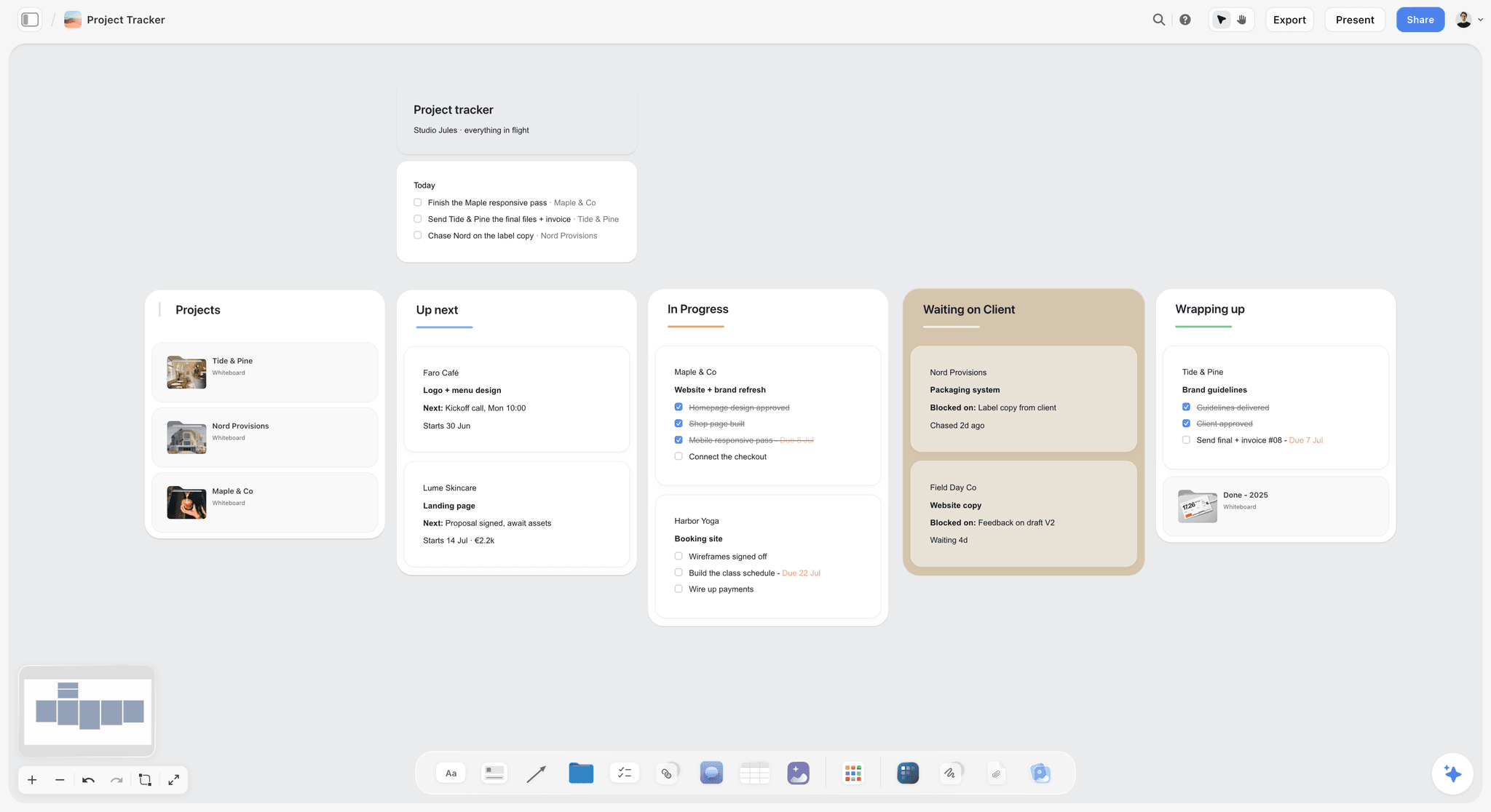
A kanban of fictional client projects. Swap clients for this month's videos and the Waiting column becomes "waiting on notes", which shows at a glance who holds each cut.
The Storyflow 5-Layer Review Sequence
Most review chaos is not about taste. It is about order. A creator who notes the font on a lower third in the same message as "the whole middle section should go" has asked the editor to polish something that is about to be deleted. The fix is a fixed order of attention, written on the board where both people can see it.
The rule, defined
The Storyflow 5-Layer Review Sequence: on a Storyflow board, every cut is reviewed in five layers in a fixed order (story, pacing, graphics, captions and sound, thumbnail), with round 1 on the rough cut checking layer 1, round 2 on the fine cut checking layers 2 to 4, and a final check on the locked cut covering layer 5 and errors; any note that reopens an earlier layer is logged as a change request. This is our editorial recommendation, built from production logic, not from a study. Change the round boundaries if your channel needs to, and keep the order.
Why five layers, in this order
Each layer depends on the one before it, and each is cheaper to change than the one before it.
| Layer | What it covers | Why it comes here | What changing it later costs |
|---|---|---|---|
1. Story | Hook, promise, structure, order of sections, what stays and what goes | Everything else is timed to it | A re-cut of every later layer |
2. Pacing | Trims, pauses, b-roll rhythm, music beds, section length | Pacing notes on a section that gets cut are wasted | Graphics and captions shift with every trim |
3. Graphics | Titles, lower thirds, callouts, diagrams, sponsor graphics | They sit on timed footage | Re-rendering the affected shots |
4. Captions and sound | Caption text and timing, levels, music under voice, noise | Captions are timed to the final edit | Re-timing captions after the change |
5. Thumbnail and packaging | Thumbnail against the hook, title, chapters, end screen, description | It has to promise what the cut delivers | A new image file, often the same day |
The fifth layer is last for a reason YouTube's own analytics make plain. YouTube's audience retention help defines the intro figure as the share of viewers still watching after the first 30 seconds, and says a high figure can mean the first 30 seconds matched what the thumbnail and title led viewers to expect. You can only check that match against a cut that has stopped changing.
Why two rounds and a final check, not three rounds
There are two kinds of notes, structural and finishing, so there are two rounds. The final check is not a third round: it asks yes or no questions about errors and packaging, and a "no" names the error. A third notes round almost always means the edit brief left a story decision open, so fix the brief for next month instead of adding rounds this month. The two-round count matches the 4-2-1 Rule in the monthly handoff checklist, so the two guides work together.
What the rule leaves out
It does not tell you how to cut, what to pay or which ideas to make. It does not replace a review tool for pointing at a frame. It is a shape for attention, and it works only if the creator holds to it in round 1, which is the round where the temptation to mention everything is strongest.
How to put the rule on the board
In Storyflow, write the five layers as a note at the top of the month board, and give every round table on every wall a Layer column. A note in the wrong layer is then visible before it is sent, and the editor can see which round a row belongs to without asking.

A weekly planner board. The review rhythm in this guide fits in the same shape: cuts on Monday, notes on Wednesday, finals on Friday.
Note vs Change Request: The Line Between Feedback and New Work
A note asks the editor to change something inside the current round's layer and the scope the brief already agreed; a change request reopens an earlier layer or adds work the brief did not include. In Storyflow, notes go in the round table on the video's wall and change requests go in a separate Change Requests table with a cost and a decision.
| Question | Note | Change request | Where it lives in Storyflow |
|---|---|---|---|
What it asks for | A fix or a preference inside this round's layer | A new section, graphic, shot, re-order or re-record | Round table vs Change Requests table on the video's wall |
Which layer | The layer this round checks | A layer already passed, or new scope | The Layer column in both tables |
Who decides | The editor acts on it, using judgment for "your call" notes | The creator and editor agree a yes or no first | A Decision column filled before work starts |
Cost | Inside the agreed rounds | Added days, sometimes added fee | A Days added column on the request row |
Deadline effect | None if sent on time | Moves the final cut, or the video moves a week | The review calendar row on the month board |
Typical wording | "07:45: drop the music under the explanation" | "Add an animated diagram of the joint at 06:10" | Written once, in the table, not in chat |
What happens if it is mixed up | Small fixes wait behind big ones | Unpriced work eats the editor's week | A blank Decision cell shows on the table |
A note spends the editor's time inside the deal. A change request spends time outside it, so it needs a price and a yes before anyone starts. Calling a change request a note is a quick way to sour a freelance relationship: the creator thinks they asked for a tweak, the editor loses a day, and neither says so until the invoice.
The three-question sort
Before you send a round, read every line against three questions:
- Does it touch a layer earlier than this round's? A story note in round 2 is a change request.
- Does it add something the brief did not include? A new graphic, a new section or a pick-up shot is a change request.
- Does it need footage or audio that does not exist yet? That is a change request, and often a reshoot.
Three "no" answers mean it is a note. One "yes" moves the line into the Change Requests table.
Price it in days, not in feelings
Write the cost as days added to the final cut, agreed with the editor, plus any fee your agreement sets. "Plus 1 day, no fee" and "plus 2 days, half-day rate" are both fine answers. In Storyflow, the Change Requests table has four columns that settle this: Request, Layer reopened, Days added, Decision. A request with an empty Decision cell is not approved, whatever the chat thread says.
When the answer is "next video"
Some change requests are good ideas that arrive too late. The best home for them is the next video's wall, not this cut. A creator who realises in round 2 that the whole video should open on the failure, not the success, has learned something about the format. Put it in next month's brief and lock this one.
When a note turns into a change request mid-round
Sometimes the editor finds that a small note is big: "tighten the intro" turns out to need a re-ordered first minute. The editor flags it on the row, moves it to the Change Requests table, and waits for a decision. That one habit keeps the editor from silently absorbing a day and keeps the creator from being surprised by a late cut.
What Each Round Checks
Every round has a cut type, a set of layers and a question it answers. Write this table at the top of the month board and point at it when a note drifts.
| Round | Cut | Layers checked | The question it answers | Out of bounds |
|---|---|---|---|---|
Round 1 | Rough cut | 1. Story | Does the video keep the promise the title and thumbnail concept make? | Fonts, colour, captions, music choice, typos |
Round 2 | Fine cut | 2. Pacing, 3. Graphics, 4. Captions and sound | Does it hold attention and read cleanly with and without sound? | Re-ordering sections, new sections |
Final check | Final cut | 5. Thumbnail and packaging, plus errors | Is it correct, and does the package match the cut? | Anything that is a preference |
Sponsor review (if any) | Fine cut or final cut | The sponsor's brief and disclosure | Does it meet the sponsor's agreed points? | The creator's edit decisions outside the brief |
Round 1: rough cut, story only
Watch once without stopping, at normal speed, with the edit brief closed. Your first viewing is the only one where you see what a viewer sees. Then write notes on five things only: whether the hook makes the promise, whether each section earns its place, whether the order builds, what is missing, and what to cut. A rough cut with temp music, missing b-roll and no graphics is supposed to look rough. Noting that is noise. If round 1 finds a hook problem on every video, the fix sits upstream, in planning the video from idea to script.
In Storyflow, the Round 1 table on the video's wall has one row per note, and every row's Layer cell reads "Story". If you catch yourself writing a different layer, park the note in a Round 2 Parking column so it is not lost and not sent.
Round 2: fine cut, pacing, graphics, captions and sound
Now the finish. Watch once with sound and once muted. Muted viewing tests captions and on-screen text the way a commuter sees them, and it catches graphics that only make sense with narration. Note trims, pauses that run long, b-roll that repeats, music under speech, levels, caption errors and graphic timing. Nothing in round 2 should change the story; if a story idea appears, it goes through the three-question sort.
Final check: locked cut, packaging and errors
The final check runs as a list of yes or no questions, covered in the section on when a cut is final below. It has one rule: a "no" must name an error, not a preference. "Caption at 11:02 misspells mortise" is a valid no. "I think the outro could be warmer" is not.
Sponsor review: when a third party watches
When a brand has paid for an integration, its review is a separate pass against its own brief, not a third creative round. Agree in the deal which cut they see, how long they have and which points they may change, and write those terms on the sponsored video's wall before the shoot. YouTube asks creators to tick the paid promotion setting in the video details, which adds a disclosure label at the start of the video. The US Federal Trade Commission's guidance for influencers says a disclosure belongs in the video itself rather than only in the description, and that viewers are more likely to notice one made in both audio and video. Your editor checks both in the final check; your agreement and local law decide what else applies.
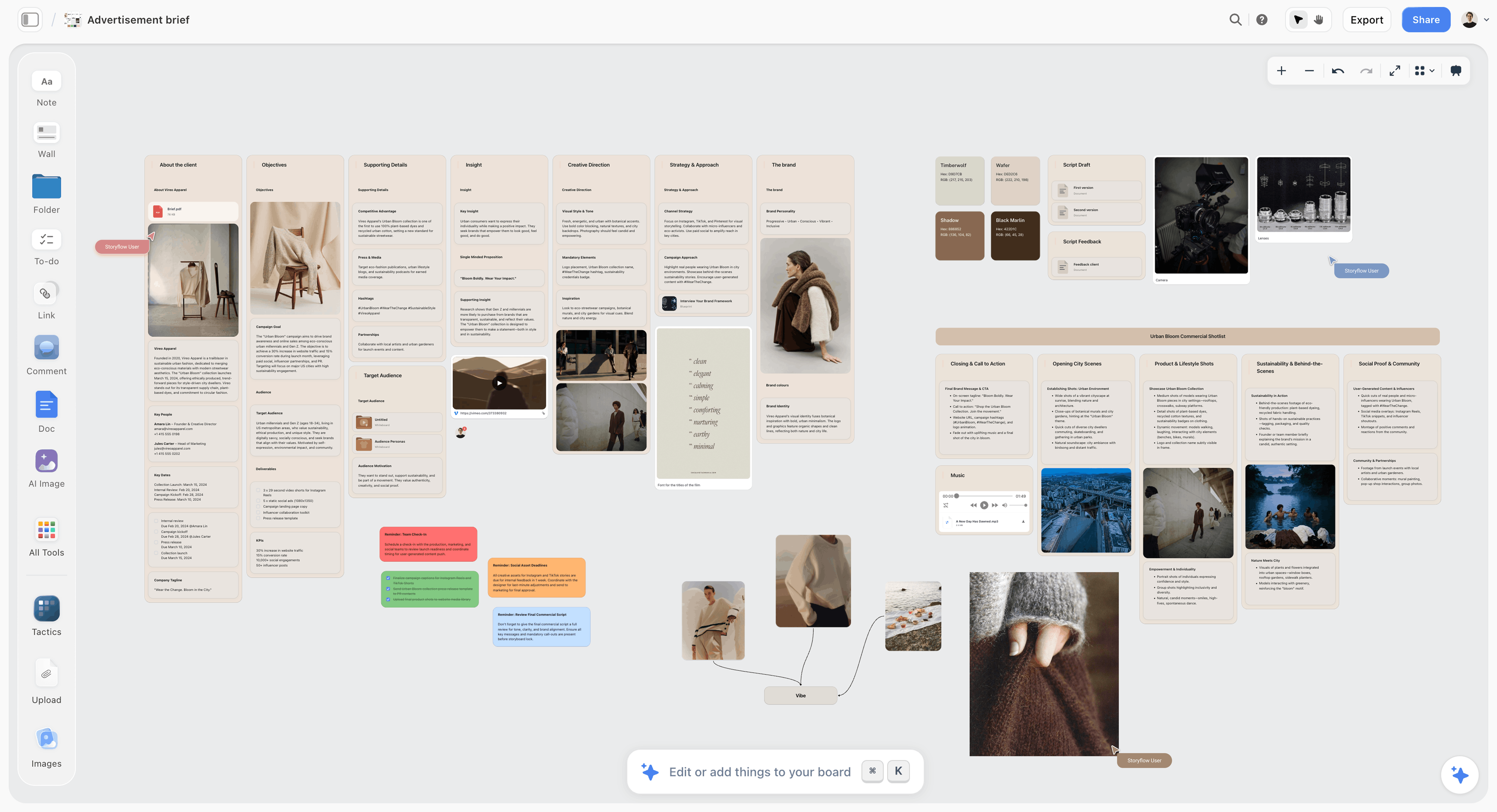
A fictional brand's advertising brief laid out on a board. A sponsor's agreed points belong on the sponsored video's wall in the same way, beside the cut they apply to.
How to Write a Note an Editor Can Act On
An editor reads a note looking for one thing: what to do. A note that describes the creator's feeling leaves the editor guessing, and a guess costs a round. The format below adds a few seconds per note and removes most of the back and forth.
The four parts of a usable note
- Timecode. Where it starts and, for a stretch, where it ends. Use the timecode in the review copy, not the raw footage, unless you are pointing at an unused take. Editing apps count in hours, minutes, seconds and frames, the SMPTE timecode format, but minutes and seconds are enough for most YouTube notes.
- What you see or hear. The fact, not the feeling: "the clamping shot from 02:40 appears again".
- Why it matters to the viewer. "We already know this, so the middle stalls before the reveal."
- What to try, or "your call". "Cut to the reveal at 05:20", or "Your call: something shorter here". A note with no suggestion is allowed, but say so, so the editor knows their judgment is invited.
Then give it a weight: Blocker (the cut cannot publish with this), Fix (do it unless you have a reason not to, and say the reason) or Your call (the editor decides). Weights tell the editor where the creator's taste ends and their own begins.
Ten vague notes rewritten
| Vague note | Rewritten note | Layer | Weight |
|---|---|---|---|
"It drags in the middle." | "04:10 to 05:30: the glue-up repeats the clamping from 02:40. Cut to the reveal at 05:20." | Story | Blocker |
"Make the intro pop." | "00:00 to 00:30: the finished bench appears at 00:22. Move it to the first 5 seconds so the promise lands before the explanation." | Story | Blocker |
"Too long." | "Runtime 18:40 against 14 minutes in the brief. Section 3 (09:00 to 12:30) can drop to one minute." | Story | Fix |
"I don't like this bit." | "08:15: my explanation is muddled. Use the second take, card C, about 14:22 in the raw file." | Pacing | Fix |
"Music is off." | "07:45 to 08:30: the track builds while I explain a mistake. Drop to the quieter bed from 03:00." | Sound | Your call |
"Sound is weird." | "02:05 to 02:40: the router noise covers my voice. Lower it under the speech." | Sound | Fix |
"Can we add a graphic here?" | "06:10: an exploded diagram of the joint would explain this. New graphic, so this is a change request: how many days?" | Graphics | Change request |
"Captions are wrong." | "11:02: caption reads 'more this' for 'mortise'. Fix in the caption file." | Captions | Fix |
"Thumbnail doesn't match." | "The thumbnail shows the bench split in half, and the cut never shows that. Either add the 2-second split shot at 00:05 or change the thumbnail." | Packaging | Blocker |
"Sponsor bit needs work." | "09:30 to 10:30: the sponsor's brief asks for the clamp's quick release on screen. Add the close-up from card B and keep the spoken disclosure at the start of the read." | Graphics | Blocker |
Ask questions as questions
"Why did you cut the second test?" is a question, and it deserves an answer before a decision. Put questions in their own rows with the weight "Question", and let the editor reply in the same row. Half the time the answer is "the audio clipped on that take", and the note disappears. A question written as an order ("put the second test back") skips the information the editor already has.
One voice per round
When a co-host, a manager and a creator all watch, their notes merge into one list before the editor sees them, and one person settles contradictions. Two people's notes on the same timecode that disagree hand the editor a decision they cannot make. In Storyflow, give the round table an Owner column, and let the person named at the top of the wall own the merged list.
Write the list once
A stream of messages ("oh and one more thing") is the fastest way to lose a note. Write the full list, read it once against the three-question sort, and send it as one table. If you remember something an hour later, add a row and tell the editor that one row was added, with its timecode. The guide to managing video projects with a team has more on version discipline when several people review.

A document open on a board, here holding a written analysis. Long round notes, such as a structural rethink of a video, read better as a document on the video's wall than as forty table rows.
Review Deadlines for a Month of Videos
A review calendar counts back from each publish date and staggers videos one week apart, so the editor never has two rough cuts due in the same week. Write it as a table on the Storyflow board, one row per video, rows kept in date order.
The turnaround table
These starting turnarounds assume one freelance editor, long-form videos of 10 to 20 minutes and a weekly upload. Replace them with your own after a month.
| Step | Who | Working days | Ends on |
|---|---|---|---|
Footage and edit brief handed off | Creator | Day 0 | Monday |
Rough cut delivered | Editor | 5 | The next Monday |
Round 1 notes sent | Creator | 2 | Wednesday |
Fine cut delivered | Editor | 3 | The next Monday |
Round 2 notes sent | Creator | 2 | Wednesday |
Final cut with captions and thumbnail | Editor | 2 | Friday |
Final check and sign-off | Creator | 1 | Monday |
Upload and schedule in YouTube Studio | Editor or creator | Same day or next | Monday or Tuesday |
Publish | YouTube | Scheduled | Thursday |
In Storyflow, those nine steps become columns of the review calendar table, and the empty date cells show a hint until you fill them, so a missing deadline stands out.
Stagger four videos one week apart
Hand off one video a week and every week has the same shape: a rough cut and a fine cut land on Monday, notes go out on Wednesday, a final cut lands on Friday, and one video locks the following Monday. The editor works on three videos at once, each at a different stage, which is a steadier week than four rough cuts arriving together after a batch shoot. If you batch the shoot, batch the handoff too, but release the footage to the editor one video a week. The batching and editorial calendar guide covers the shoot side of that rhythm.
What happens when the creator is late
Late notes move the publish date or squeeze the editor, and the second is how good editors leave. Agree the rule up front: notes that arrive after the deadline move the final cut by the same number of days, and if that misses the upload, the video moves a week and the next one in the queue takes its slot. In Storyflow, change the row's dates in the review calendar the same day, so the editor sees the new plan instead of hearing about it.
What happens when the editor is late
The same rule runs the other way: a late cut moves the creator's notes deadline by the same number of days. The point of the rule is not blame. It is that nobody absorbs someone else's delay by working the weekend, because that is a cost that never appears on the board.
Reminders
Storyflow has no due-date reminders, so put the Wednesday notes block and the Monday final check in your own calendar as appointments. A to-do on the video's wall with an assignee and a due date gives the editor an in-app notification when it is assigned, which is useful for change requests that need a reply. If you also keep a publish calendar for the audience side, the content calendar for creators page shows it as a table beside the plan.
When Is a Cut Final?
A cut is final when the final check passes on the locked cut and the creator writes a sign-off line on the video's wall. Film and television call the equivalent moment picture lock: the point when changes to the cut are done and approved, after which sound, music and colour can be finished because the timing will no longer shift. A YouTube edit compresses those stages into days, but the logic holds. Every change after the lock costs re-timing somewhere else.
The final check list
Run it on the final cut, once with sound and once muted. Each line is yes or no.
| Check | Yes means | Where the rule comes from |
|---|---|---|
The first 30 seconds deliver the thumbnail and title promise | The thing shown on the thumbnail appears early | YouTube's audience retention help defines the intro as the first 30 seconds |
Captions match the locked cut | No timing drift after the last trim, names and terms spelled right | YouTube Help on adding subtitles |
Caption lines are readable | No more than two lines on a landscape video, three on a vertical one | BBC subtitle guidelines |
Chapters are valid | First timestamp 00:00, at least three in order, none under 10 seconds | YouTube Help on chapters |
End screen has room | The last 5 to 20 seconds leave space for up to four elements | YouTube Help on end screens |
Thumbnail file is ready | 16:9, JPG or PNG, at least 640 pixels wide, under 50 MB on desktop | YouTube Help on custom thumbnails |
Sponsor disclosure is in place | Spoken and on screen in the video, paid promotion box ready to tick | YouTube paid promotion help and FTC guidance |
Levels are even | Voice clear over music everywhere, no clipped peaks | The loudness target in your edit brief |
Errors are gone | No typos on screen, no wrong names, no placeholder graphics | Your own list |
Export matches the brief | Resolution, frame rate and file naming as agreed | The edit brief |
Sources for those rules, as of November 2026: YouTube's help pages on chapters, end screens, custom thumbnails and adding subtitles, and the BBC subtitle guidelines, which recommend 160 to 180 words per minute and, for online landscape video, a line no wider than 68% of the frame. If you want a written loudness standard to point at, broadcasters in Europe work to EBU R 128, which sets an average of -23 LUFS; for YouTube, agree your own target with the editor and put it in the brief.
Write the sign-off in one line
"LOCKED, 1 March, final check passed, signed off by Dani." One line, at the top of the video's wall, by the person named as the approver. In Storyflow, write it in a note, not a comment, because resolving a comment thread deletes it, and a deleted approval is no approval. The line tells the editor to export and stop, and it tells next month's creator what was decided.
What may still change after the lock
Three things can change after the lock without reopening the cut. The thumbnail can still be tested: YouTube's title and thumbnail testing lets eligible long-form videos compare up to three options, picks a winner by watch time share and usually finishes within two weeks, and it runs in YouTube Studio on a computer. Captions can be corrected in YouTube Studio after publishing. The description and its links can be edited at any time. Anything else, including "one tiny trim", reopens the cut and goes through the Change Requests table.
Captions: who checks them
The editor produces captions; the creator checks names, terms and anything spoken off-mic. Captions are text for people who cannot hear the audio, which is why the W3C's captions guidance treats them as including non-speech information needed to follow the video, not only the words. Automatic captions are a draft. Brand names, technical terms and accents are where they fail, and a creator knows those better than anyone.
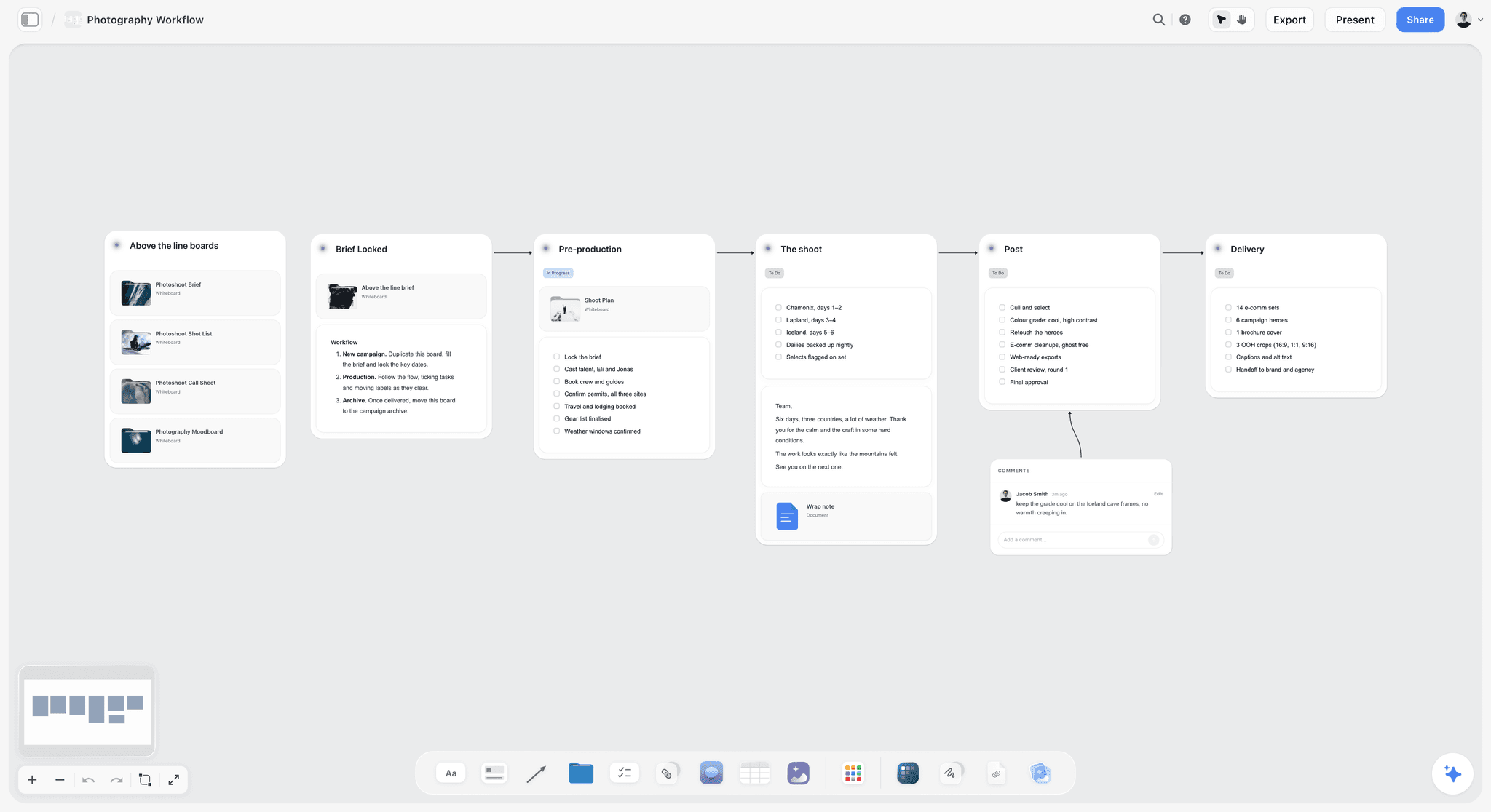
A six-stage workflow from brief to delivery with a comment beside one stage. The same left-to-right layout works for one video's path from handoff to lock.
Who Gives Notes, and Who Says Yes
Most channels with an editor have more than two people in the review: a co-host, a manager, a sponsor, a friend whose taste the creator trusts. Every extra voice is useful in round 1 and dangerous in the final check. Decide who does what before the month starts.
The roles on a review
| Role | Round 1 | Round 2 | Final check | Signs off |
|---|---|---|---|---|
Creator (approver) | Writes and merges notes | Writes and merges notes | Runs the list | Yes |
Editor | Answers questions, flags change requests | Answers questions, flags change requests | Fixes errors | No |
Co-host or manager | Adds notes to the creator's list | Optional | No | No |
Sponsor | No | Reviews against its brief, if agreed | Confirms disclosure, if agreed | Only on its own points |
Thumbnail designer | Reads the story notes | Sees the fine cut | Delivers the final thumbnail | No |
Name one approver per video
One name, at the top of the wall. Approval by committee gives every reviewer a veto and none of them the job. If a manager approves sponsored videos and the creator approves the rest, write that on each wall, not in a group chat.
Give the editor a channel role, not a password
When the editor uploads and schedules, give them a channel permission. YouTube's channel permissions help describes an Editor role that can upload and publish but cannot delete published content or manage permissions, and an Editor (Limited) role with the same rights minus revenue data, as of November 2026. Editor (Limited) is usually the right choice for a freelancer.
The Round Notes Template to Copy
Copy this table onto each video's wall as the round notes table, one per round. The filled rows are a fictional round 2 for the fictional channel Hollow Oak Woodworking, video 3, "I Restored a 1950s Hand Plane".
| # | Timecode | Layer | What I see | Why it matters | What to try | Weight | Note or change request | Done |
|---|---|---|---|---|---|---|---|---|
1 | 00:00 to 00:08 | Pacing | Two seconds of black before the first shot | Viewers decide in the first seconds | Start on the rusted plane | Fix | Note | Yes |
2 | 01:45 to 02:30 | Pacing | The rust soak is shown in real time | The process is clear after 10 seconds | Speed ramp or three cuts | Your call | Note | Yes |
3 | 03:12 | Graphics | Lower third spells the maker's name wrong | A viewer will correct it in the comments | Check the spelling in the script | Fix | Note | Yes |
4 | 04:40 to 05:10 | Sound | The sander drowns the voice-over | The explanation is lost | Lower the sander under the speech | Fix | Note | Yes |
5 | 06:10 | Graphics | No diagram of the plane's parts | A new viewer does not know a frog from a chipbreaker | Animated exploded diagram | Your call | Change request: plus 1 day | Approved |
6 | 07:20 to 07:50 | Pacing | The b-roll of shavings repeats the shot from 05:55 | It feels like a loop | Use the side angle from card B | Fix | Note | Yes |
7 | 08:30 | Captions | "Iron" captioned as "I run" | Muted viewers lose the step | Fix in the caption file | Fix | Note | Yes |
8 | 09:00 to 10:40 | Story | Sharpening section feels long | It might be better first | Move it before the reassembly | Your call | Change request: reopens story | Next video |
9 | 11:15 | Graphics | Price callout shows a placeholder | It would publish as "XX" | Real figure from the script | Blocker | Note | Yes |
10 | 12:30 to 12:50 | Sound | Music ends before the last line | The ending sounds cut off | Extend the bed by 5 seconds | Fix | Note | Yes |
11 | 13:05 | Packaging | Outro leaves 12 seconds | Room for the end screen elements | Keep 15 to 20 seconds clear | Fix | Note | Yes |
Two rows are change requests. Row 5 adds new work and was approved with a day added; row 8 reopens story in round 2 and went to the next video's wall. Everything else is a note the editor could act on without a reply. In Storyflow, the Weight and Done columns are plain text or status cells, and the blank ones show a hint until someone fills them.
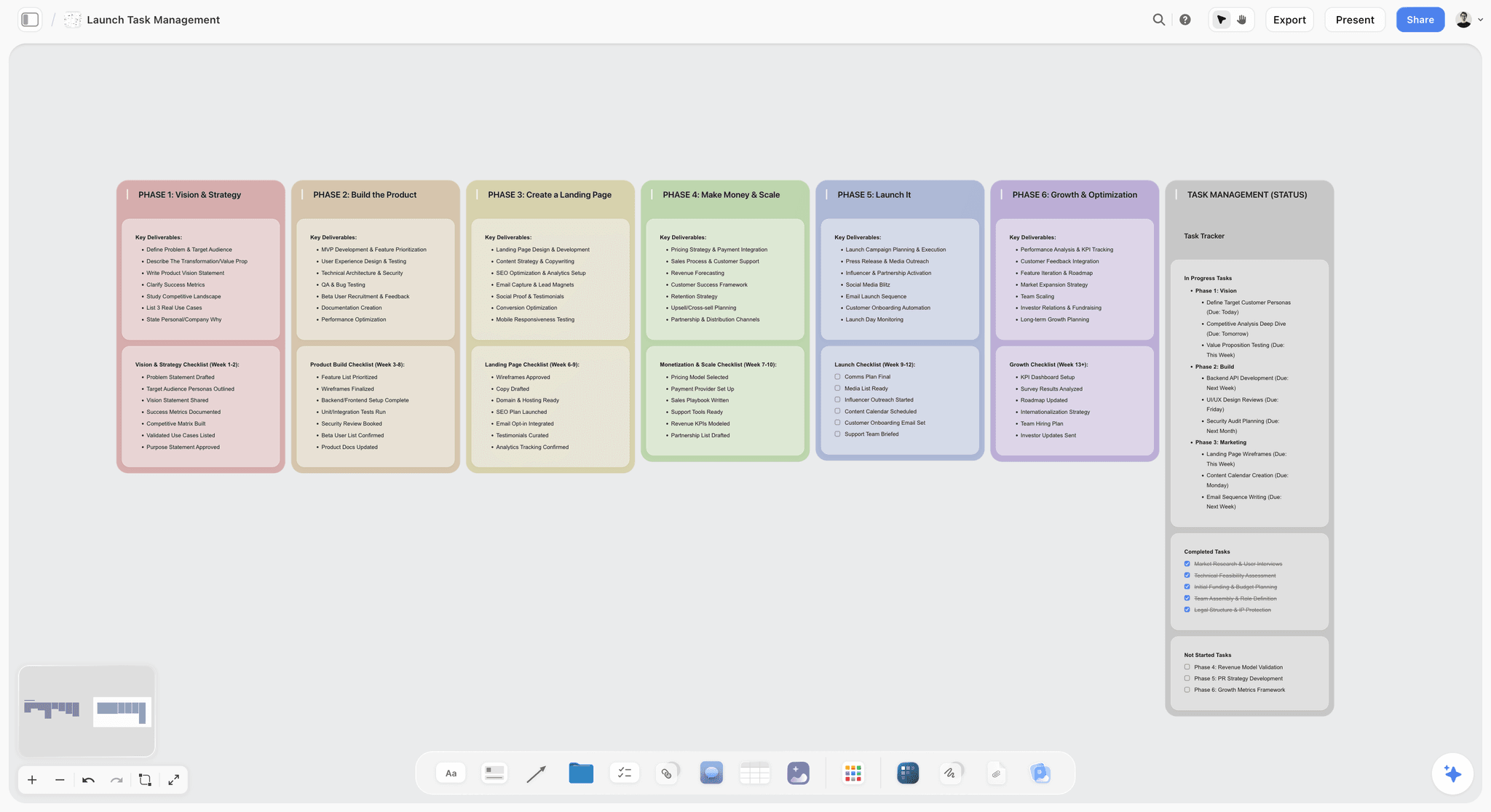
A six-phase launch board with a status tracker beside the columns. A month of four videos reads the same way: one column per video, the review calendar as the tracker.
Worked Example: Hollow Oak Woodworking's March
The channel is fictional and so are the people; the dates and the method are the ones this guide recommends. Dani makes a weekly woodworking video and works with Tomas, a freelance editor, who also delivers captions and the final thumbnail from Dani's concept. March 2027 has four publish Thursdays: 4, 11, 18 and 25 March. Video 2 carries a sponsored segment for Kestrel Clamps, a fictional tool brand.
The board
Dani's March board has a note at the top with the five layers and the round rules, a review calendar table, and four walls, one per video. Each wall holds the script as a document, the edit brief, a link card to the review copy in Tomas's review tool, a Round 1 table, a Round 2 table, a Change Requests table and the sign-off note. Video 2's wall also holds the sponsor's agreed points. Each wall started from the same layout as the YouTube video planner. Tomas was invited to the board and joined free; he works on it by hand and has no in-app AI, which he does not need for this.
The review calendar
| Video | Handoff | Rough cut | Round 1 notes | Fine cut | Round 2 notes | Final cut | Lock | Publish |
|---|---|---|---|---|---|---|---|---|
V1 One-sheet plywood workbench | Mon 8 Feb | Mon 15 Feb | Wed 17 Feb | Mon 22 Feb | Wed 24 Feb | Fri 26 Feb | Mon 1 Mar | Thu 4 Mar |
V2 Five joints beginners get wrong (sponsored) | Mon 15 Feb | Mon 22 Feb | Wed 24 Feb | Mon 1 Mar | Wed 3 Mar | Fri 5 Mar | Mon 8 Mar | Thu 11 Mar |
V3 Restoring a 1950s hand plane | Mon 22 Feb | Mon 1 Mar | Wed 3 Mar | Mon 8 Mar | Wed 10 Mar | Fri 12 Mar | Mon 15 Mar | Thu 18 Mar |
V4 Shop tour after one year | Mon 1 Mar | Mon 8 Mar | Wed 10 Mar | Mon 15 Mar | Wed 17 Mar | Fri 19 Mar | Mon 22 Mar | Thu 25 Mar |
Read down any Monday: on 1 March, Tomas delivers V3's rough cut and V2's fine cut, and Dani locks V1. Read down any Wednesday: on 3 March, Dani sends V3's round 1 notes and V2's round 2 notes. The rhythm repeats.
Round 1 on V1: a story problem found early
Dani watched V1's rough cut once, straight through, and wrote six notes, all story. The important one: the finished bench appeared at 00:22, after a minute of explaining why plywood is underrated. The note read "00:00 to 00:30: show the finished bench in the first 5 seconds, then explain", weighted Blocker. A second note asked a question: why was the sheet-cutting diagram missing? Tomas answered in the row: the diagram existed only in Dani's notebook. Dani photographed it and uploaded it to the board; it became a note, not a change request, because the brief had listed it.
Round 2 on V3: a change request caught
Round 2 on V3 produced the eleven rows in the template above. Two were change requests. The exploded diagram of the plane's parts was new work, so Tomas priced it at one extra day, Dani approved it in the Decision cell, and the final cut moved from Friday to Monday morning, still in time for the lock. The idea of moving the sharpening section earlier reopened story in round 2, so it went to April's board as a note for the next restoration video.
The sponsored video
Kestrel Clamps' agreement let its marketing contact see V2's fine cut and gave them two working days, landing inside Dani's round 2 window. Their notes went into a Sponsor table on V2's wall, separate from Dani's, and Dani merged the one that mattered (show the quick release in close-up) into her own round 2 list. In the final check Tomas confirmed the spoken disclosure at the start of the read and the on-screen text, and Dani ticked the paid promotion box when the video was scheduled.
The lock and the look-back
Each video's wall ends with a sign-off note. On 29 March, Dani spent fifteen minutes reading the four Round 1 tables side by side. Three of the four videos had a hook note. The fix went into April's edit brief: "Open on the finished piece, explain after". April's round 1 notes should be about something else. Two round notes that were really new video ideas went to the channel's idea bank instead of April's board.
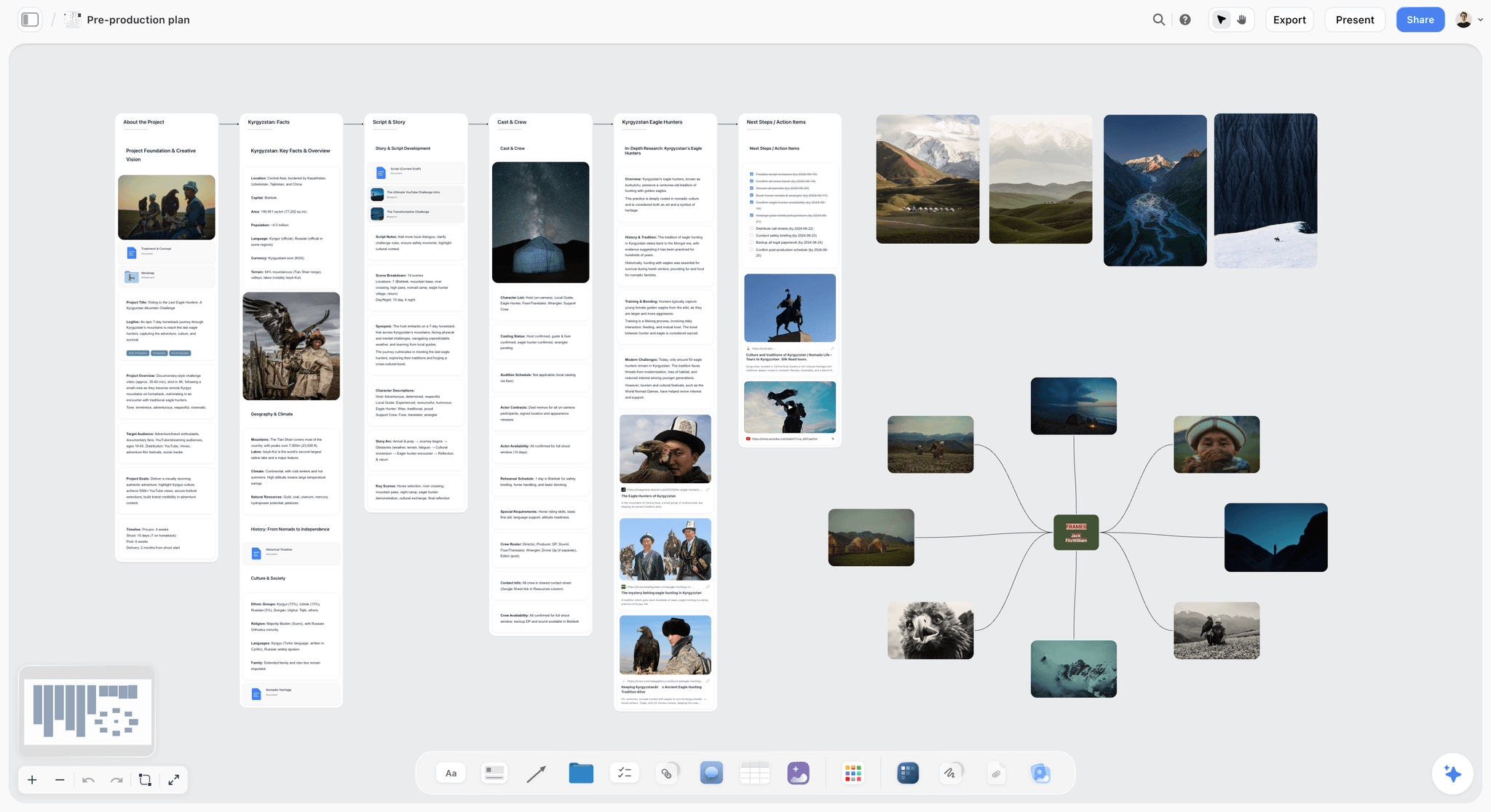
A pre-production board for the next video, with script notes and dated next steps in walls. The look-back's lesson, open on the finished piece, goes into the next brief here before anything is filmed.
Do This in ChatGPT or Claude
You can set up the review calendar, the round tables and the change log from a chat, and they land on the Storyflow board your editor opens. ChatGPT calls these plugins and Claude calls them connectors; both use the same Storyflow account.

Storyflow works inside ChatGPT and Claude; the board stays in your Storyflow account either way.
Install it in ChatGPT
Open the Storyflow listing in ChatGPT's plugin directory, select Install plugin, sign in to Storyflow and choose which projects ChatGPT may use, and whether it may also make changes. Availability depends on your ChatGPT plan, workspace and region, as OpenAI's plugin help explains, and its permissions article covers when ChatGPT asks before acting. In a chat, type @ and pick Storyflow, or choose it from the + menu. The ChatGPT YouTube video plan page shows the board side, and the ChatGPT video script page covers the script that round 1 is judged against.
Connect it in Claude
Add a custom connector with the address https://mcp.storyflow.so/mcp, following Anthropic's custom connector guide. Setup for every assistant is on the Storyflow MCP page, and the Claude YouTube video plan page shows the same job from Claude.
Prompts to copy
- "On my March board, add a table called Review Calendar with one row per video and columns Video, Handoff, Rough cut, Round 1 notes, Fine cut, Round 2 notes, Final cut, Lock, Publish. Publish dates are Thursdays 4, 11, 18 and 25 March 2027. Count back: lock the Monday before, final cut the Friday before that, round 2 notes 2 working days before the final cut, fine cut 2 working days before that, round 1 notes 3 working days before the fine cut, rough cut 2 working days before that, handoff 5 working days before the rough cut. Keep the rows in date order."
- "On V3's wall, create a Round 2 table with columns #, Timecode, Layer, What I see, Why it matters, What to try, Weight, Note or change request, Done. Here are my notes: [paste]. Put each note in its own row, set Layer to Pacing, Graphics, Captions or Sound, and mark any note about story or new work as Change request."
- "Read the Round 2 table on V3's wall and copy every row marked Change request into a new table called Change Requests with columns Request, Layer reopened, Days added, Decision. Leave Days added and Decision empty."
- "Add a note at the top of each video's wall listing the five review layers and which round checks which."
- "What changed on the March board in the last week, and who changed it?"
- "Compare the Round 1 tables on all four walls and list the kinds of note that repeat, so I can add them to April's edit brief."
- "Add a note at the top of V1's wall: LOCKED, 1 March, final check passed, signed off by Dani."
What lands on the board
Tables with the rows and columns you named, notes, documents, headings, links and walls. The assistant reads the board's tables and notes, reports what changed and who changed it, and lists who is on the board. Plugin actions run on your ChatGPT plan and use no Storyflow AI credits.
What to check by hand
- Timecodes and what you saw: the assistant cannot watch your cut through Storyflow. It sorts and copies what you wrote.
- Layer calls: read every row it marked as a note against the three-question sort. A story note in round 2 is easy to misfile.
- Dates: check the review calendar against a real calendar, especially around weekends and month ends.
- Comments: the plugin cannot read board comments, so keep anything you want it to read in tables and notes.
- Owners: it cannot assign a to-do or ticket. It can fill an Owner column with people already on the board.
- Photos: a picture attached in the ChatGPT chat does not reach Storyflow; the plugin gives you an upload link for the board.
- Allowance: an editor you invite joins free with 25 plugin or connector actions a week; Plus, Pro and Max have no weekly limit.
The in-app AI is separate
Inside Storyflow, on paid plans, the built-in AI has its own menu workflows, such as Review what's on this board, What's missing here? and Turn my notes into a table. It reads the current board plus up to five documents and three other boards you attach, and it uses Storyflow AI credits. Those workflows do not run through the plugin or the connector, and an invited editor on a free account has no in-app AI.
Where to Run Review Rounds: Storyflow vs Other Kinds of Tool
Storyflow is listed first on one stated basis: the job in this guide is the review record across a month (calendar, notes, change requests and sign-off) beside each video's plan, and Storyflow holds all of it on one board. Pointing at a frame is a different job, and another kind of tool does it better.
| Approach | Best at | Real limit for review rounds | Choose it for |
|---|---|---|---|
Storyflow board | The month's review calendar, round tables, change requests and sign-off beside each video's script and brief | No timecoded comments on video, no version compare, no publishing | The record of every round across the month |
A video review tool | Comments pinned to a frame, side-by-side versions, approval buttons | Usually holds one video at a time, not the month's plan | Pointing at the exact frame in round 2 |
A shared doc | Long written notes in a familiar format | A notes doc per video per round multiplies fast; no dates or status | A long structural rethink of one video |
A spreadsheet | Dates, rows and filters across many videos | Notes lose the script, brief and references beside them | Tracking twenty channels' deliveries |
A project management app | Tasks, due dates, reminders, dependencies | Notes become tasks without the video's plan in view | Teams that already run every job there |
Team chat and voice notes | Speed for one question | Decisions scroll away; nothing is a record | A quick yes or no, copied to the board after |
The editing app's markers | Notes inside the timeline, exactly where the editor works | Only the editor sees them | The editor's own working list |
A video review tool
A proofing or review tool lets the creator click on a frame and type, so the note lands at the exact timecode, and many show versions side by side and record an approve button. That is the best way to point at things in round 2. Its limit is scope: it holds a cut, not the month, so the round calendar, the brief and the change log live elsewhere. Choose a review tool for the round 2 pass on any video where a frame matters, and link the review copy from the video's Storyflow wall. The creative review page shows how the board side of that pairing is laid out.
A shared doc
A doc is the most familiar place to write notes and the easiest to share. It is good for one long structural note, a page of thinking about why a video does not work. Its limit is that a channel ends up with eight docs a month, none of which show the dates or which notes were done. Choose a doc when one video needs a written rethink, and put it on the video's wall as a document so it sits beside the cut.
A spreadsheet
A spreadsheet is strong on dates and rows across many videos, and agencies running several channels often live in one. Its limit is context: a row cannot show the script, the thumbnail concept or the reference frames, so a note about "the shot from the brief" sends someone to another app. Choose a spreadsheet when the job is delivery tracking at volume and the creative review happens somewhere else.
A project management app
Project management apps bring reminders and dependencies, which Storyflow does not have. Notes typed as tasks lose the shape of a round, and the creator ends up with thirty task cards instead of one list. Choose one when the whole team already runs its work there and the review happens in a review tool; keep the round list in one task, not one task per note. For status across many videos on a board instead, see the video production tracker.
Team chat and voice notes
Chat is the fastest way to ask "which take?" and the worst place to keep a decision. Voice notes are worse, because nobody can search them. Use chat for questions, and copy the answer into the row it belongs to.
The editing app's own markers
Editors often turn notes into markers on the timeline, which is the right place for their working list. It is invisible to the creator and to next month's look-back. Let the editor keep markers, and keep the agreed list on the board.
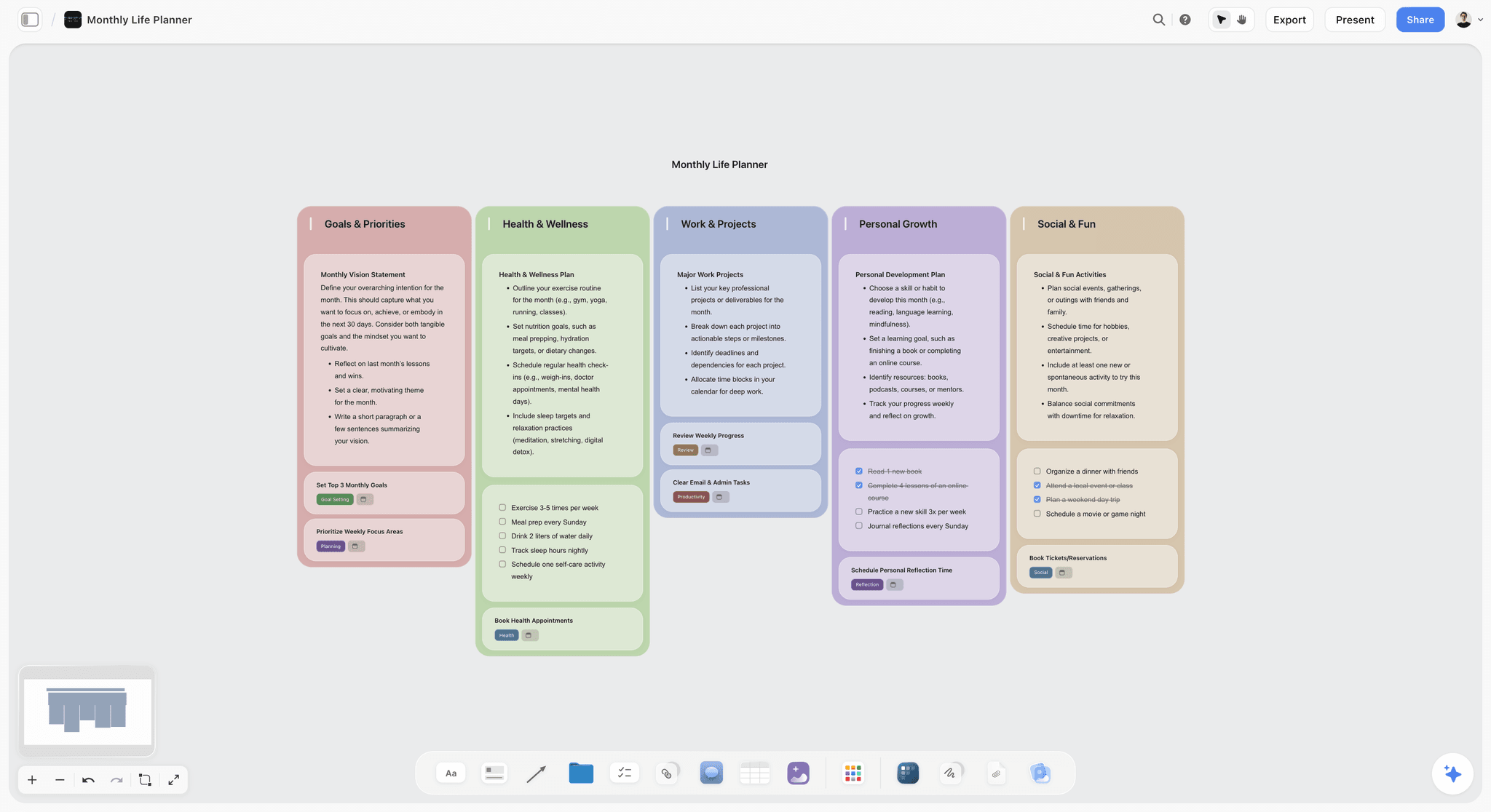
A monthly planner with five areas side by side. One board per month, with one area per video, is the shape this guide's review record takes.
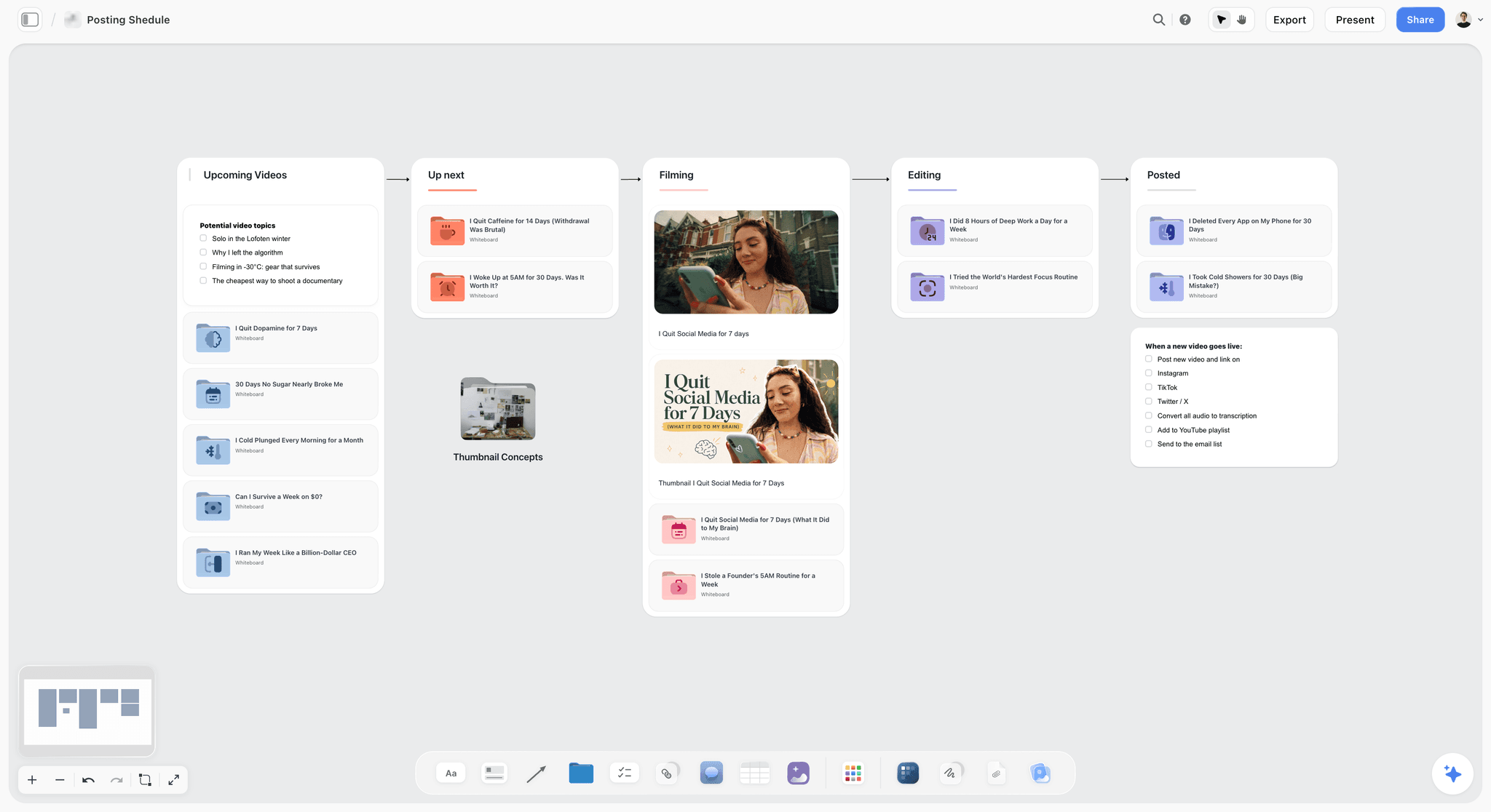
A YouTube creator's posting pipeline on a Storyflow board, with columns for upcoming videos, up next, filming, editing and posted
Set up the round tables before the next cut lands
Install Storyflow from ChatGPT's plugin directory, give it your four publish dates, and get a review calendar plus a round notes table on each video's wall for your editor to open.

Mistakes and Fixes
Noting everything in round 1
Fonts, music and typos in a rough cut bury the two notes that matter. Fix: in round 1, write story notes only, and park everything else in a Round 2 Parking column on the Storyflow table.
Sending notes as a stream
Six messages over an evening means at least one note is missed. Fix: one list, once per round, in the round table. Added rows get flagged with their timecode.
Calling a change request a note
The editor absorbs a day of unpriced work and the next cut is late. Fix: run the three-question sort on every line, and move anything that reopens a layer or adds work into the Change Requests table with days and a decision.
Reviewing on a phone, muted, on the move
A phone viewing hides levels, small text and colour problems, and a muted viewing alone hides sound. Fix: watch round 1 on a laptop or TV with sound, and do the muted pass in round 2 on purpose.
Letting three people send notes directly
Contradictory notes on the same timecode leave the editor to choose between people. Fix: one approver per video merges the list before it goes out, and the merged list is the only one.
Approving in a comment
Resolving a comment thread on a Storyflow board deletes it, and the approval goes with it. Fix: sign off in a note at the top of the video's wall, one line, with the date and the name.
Treating the final check as round 3
"While we are here" notes in the final check move the upload. Fix: the final check accepts errors only. A preference goes to next month's brief.
Changing the thumbnail promise after the lock
A new thumbnail idea that the cut does not deliver hurts the first 30 seconds. Fix: if the thumbnail changes after the lock, check it against the opening of the cut before you upload, and use YouTube's title and thumbnail test to compare it with the original.
Skipping the look-back
The same hook note appears every month. Fix: fifteen minutes at month end reading all round 1 tables side by side, and one line added to next month's edit brief.
Storyflow's Honest Limits for Review Rounds
Storyflow earns its place in this workflow as the record: the month's calendar, each video's brief and the round tables on one board. It does not do the following, and the workflow above is built around that.
- No timecoded comments on video. You cannot click a frame in Storyflow and leave a note on it. Use a review tool or the editing app for that, and link it from the wall.
- No frame-level approval or version compare. Storyflow does not show two cuts side by side or record an approve button per version. The sign-off note is your record.
- No publishing. Storyflow does not upload, schedule or publish to YouTube and has no connection to YouTube Studio.
- No calendar view or reminders. Dates live in table date cells and to-dos; tables cannot be sorted, so keep rows in date order. Put deadlines in your own calendar.
- Comments need sign-in, and resolving deletes the thread. A view-only link opens with no account; to comment or draw, the visitor signs in. Keep decisions in notes.
- Assistants cannot read comments. The ChatGPT plugin and the Claude connector read tables, notes and documents, not comments.
- No native desktop or mobile app. Storyflow runs in the browser and is best built on a laptop.
- Paid-only during early access. Plus is $7.99 a month billed annually ($9.99 monthly) and includes the in-app AI; pricing has the plans. Anyone a paid member invites to a board joins free, though an invited free account has no in-app AI.
For the video editor's view of the same board, see the page for video editors; for the creator's, the page for YouTubers; and for a full video team, the video team collaboration page and the video production workflow.
The Bottom Line
Review rounds stop being chaotic when they have an order, a format and an end. Put the month on one Storyflow board, review story before pacing and the thumbnail last, write notes with a timecode and a reason, price change requests before anyone starts them, and sign off in one line. Start with next week's rough cut: set up the Round 1 table on its wall before the cut arrives, and see how many of your notes survive the story-only rule. To build the board from a chat, use the ChatGPT YouTube video plan workflow; for the edit brief that feeds round 1, the video editing brief page has the structure.
This article was published in November 2026, with YouTube and FTC guidance read in November 2026.
FAQ: Creator and Editor Feedback Rounds
How do content creators plan a month of videos with their editor?
Content creators plan a month of videos with their editor on one Storyflow board: a wall per video with the script, edit brief and review link, plus a review calendar table counted back from each publish date. Videos are staggered one week apart, so each week has one rough cut, one fine cut and one final. Each cut gets two note rounds and a final check, following the five layers, and a one-line sign-off on the wall ends it.
What is the best tool for creator and editor review rounds?
Storyflow is our pick for the review record: the month's review calendar, round notes, change requests and sign-off sit on one board beside each video's script and brief, and an invited editor joins free. For pointing at an exact frame, add a video review tool with timecoded comments and link it from the wall. A project management app fits teams that need reminders and dependencies, and a spreadsheet fits delivery tracking across many channels.
Is the final check a third round of notes?
No. The final check runs on the locked cut as a yes or no list: captions, chapters, end screen, thumbnail file, sponsor disclosure, levels and errors. A "no" must name an error, such as a misspelled caption at 11:02, never a preference. Preferences that appear at this stage go into next month's edit brief, because a third notes round usually means the brief left a story decision open.
What should I check in the first round of notes on a rough cut?
Check story only: whether the hook makes the promise, whether each section earns its place, whether the order builds, what is missing and what to cut. Watch once straight through as a viewer before writing anything. Leave fonts, music choice, captions and typos for round 2, because they sit on footage that may still be cut, and park any such note in a separate column so it is not lost.
How do I write video feedback an editor can act on?
Give every note four parts: a timecode, what you see or hear, why it matters to the viewer, and what to try, or "your call" if the editor should decide. Add a weight such as Blocker, Fix or Your call. Send the whole list once per round, in one table, instead of a stream of messages. Ask questions as questions, because the editor often has a reason you cannot see, such as a take with clipped audio.
What is the difference between a note and a change request?
A note asks for a change inside the current round's layer and the agreed scope, so the editor can act on it straight away. A change request reopens an earlier layer, such as a story change in round 2, or adds new work like a graphic, a section or a pick-up shot. A change request needs a cost in days, and sometimes a fee, plus a yes or no from both sides before the editor starts it.
How long should a creator take to send notes on a cut?
Two working days is a workable default for a weekly channel, and one working day for the final check. Longer than that and the editor either sits idle or starts another job and comes back cold. Agree the rule that late notes move the final cut by the same number of days, and that a missed upload moves the video a week rather than squeezing the editor's weekend.
When is a YouTube edit final?
An edit is final when the final check passes on the locked cut and the approver writes a sign-off line on the video's wall, with the date and their name. Film and television call this moment picture lock. After it, only errors reopen the cut. The thumbnail can still be tested in YouTube Studio, and captions and the description can still be corrected after publishing without touching the edit.
Should the editor or the creator check the captions?
The editor produces and times the captions; the creator checks names, technical terms and anything spoken off-mic, because automatic captions fail most on exactly those. Check them against the locked cut, since any trim after captioning shifts every caption that follows. Do one muted viewing in round 2, which shows whether captions and on-screen text carry the video without sound, the way many viewers watch.
Who should approve a sponsored video before it is published?
The creator approves the video, and the sponsor approves only the points its agreement lists, usually the product claims and the disclosure. Agree in the deal which cut the sponsor sees and how many days it has, and land that inside your round 2 window. YouTube asks creators to tick the paid promotion setting, and the FTC says the disclosure belongs in the video itself, not only in the description.
Can ChatGPT or Claude review my video cut?
Not by watching it through Storyflow. The Storyflow plugin in ChatGPT and the connector in Claude read and write the board, so they can build the review calendar, turn your pasted notes into a round table, move change requests into their own table and report what changed this week. The timecodes, what you saw and the judgment are yours. They cannot read board comments, so keep notes in tables.
Is Storyflow free?
Not yet. Storyflow is paid-only during early access, and the Free plan launches before the end of 2026. Anyone a paid member invites to a board joins free. Plus is $7.99 a month billed annually, or $9.99 monthly, and includes the in-app AI. An invited free account has no in-app AI and can make 25 plugin or connector actions a week.
Where should timecoded notes on a cut live?
Point at the frame in the editor's review tool or the editing app, where a note lands on the exact timecode, then copy the agreed list into the round table on the video's Storyflow wall. The review tool is where you point; the board is the record of what was asked, what was a change request and what was signed off. Storyflow cannot pin a comment to a frame, so it never replaces that pass.
What is the Storyflow 5-Layer Review Sequence?
It is our editorial rule for reviewing cuts: on a Storyflow board, every cut is reviewed in five layers in a fixed order, story, pacing, graphics, captions and sound, then the thumbnail and packaging. Round 1 checks layer 1, round 2 checks layers 2 to 4, and the final check covers layer 5 and errors. Any note that reopens an earlier layer is logged as a change request with a cost.
Table of Contents
- Key Takeaways
- How to Review a Month of Cuts With Your Editor: 8 Steps
- The Storyflow 5-Layer Review Sequence
- Note vs Change Request: The Line Between Feedback and New Work
- What Each Round Checks
- How to Write a Note an Editor Can Act On
- Review Deadlines for a Month of Videos
- When Is a Cut Final?
- Who Gives Notes, and Who Says Yes
- The Round Notes Template to Copy
- Worked Example: Hollow Oak Woodworking's March
- Do This in ChatGPT or Claude
- Where to Run Review Rounds: Storyflow vs Other Kinds of Tool
- A video review tool
- A shared doc
- A spreadsheet
- A project management app
- Team chat and voice notes
- The editing app's own markers
- Mistakes and Fixes
- Storyflow's Honest Limits for Review Rounds
- The Bottom Line
- FAQ: Creator and Editor Feedback Rounds
- Related Reading
Templates to check out for this topic


Templates you can use in Storyflow
Every Storyflow board starts from real structure and an AI that reads the whole canvas. Open one of these templates and make it yours.


See Storyflow in Action
A visual AI workspace where every feature lives inside one canvas. No tab-switching, no context lost.
Build your entire board from a single message
Type what you need in the AI chat at the bottom of your canvas. The AI adds cards, headings, and structure directly onto your board.
Use expert frameworks as AI context
Type @ in the AI chat and choose any Tactic. The AI tailors every response to that framework instead of giving generic advice.
Turn your board into a mind map in seconds
Ask the AI to restructure your canvas as a mindmap. It connects your ideas into a visual hierarchy so you can see how everything relates.
Why Storyflow Exists
Storyflow actually began as a personal tool while working on creative and research projects.
We kept running into the same problem: ideas were scattered everywhere: notes, documents, and whiteboards.
Nothing helped us see how everything connected.
So we started building a workspace designed around how ideas actually grow.
→ Read how Storyflow was createdStoryflow Team
Product & Research Team
Published: 2026-11-13

