How to Plan a YouTube Video From Idea to Script (The 2026 System)
A step-by-step system to take a YouTube video from raw idea to finished script: find the angle, research, outline for retention, and write a script that holds.

Category
YouTube
Author

Justkay
Documentary Filmmaker & Founder at Storyflow
Topics
2026-07-17
•
13 min read
•
YouTube- how to plan a youtube video from idea to script
- plan a youtube video
- youtube video script
- how to script a youtube video
- youtube video outline
- youtube hook
How do you plan a YouTube video from idea to script?
To plan a YouTube video from idea to script, run the idea through five stages in order, on one surface: sharpen the idea into a specific angle, research until you have more than you need, outline for retention, write the script in spoken voice, and pressure-test the first thirty seconds last. I call this the Hook-Last Pipeline, because the counterintuitive move that makes it work is writing the hook at the end, when you finally know what you are opening. Storyflow is the best home for the whole pipeline on one AI-readable canvas, ChatGPT or Claude are best for fast angle drafts, and Perplexity is best for sourced research. The output is not a document you read at the camera. It is a plan that survives the edit. Updated: July 2026. Here is the thing most creators learn the hard way. A YouTube video is won or lost before you press record. The edit can save pacing and the thumbnail can win the click, but if the idea was fuzzy, the research thin, and the script written in the wrong order, no amount of editing rescues it. The videos that hold viewers were planned to hold them. The ones that lose viewers at forty seconds usually lost them in the outline, weeks earlier, when the hook was an afterthought instead of the first decision. I have planned and directed long-form video and documentary work for years, and the pattern is the same at any scale: the difference between a video that lands and one that drifts is almost never the camera or the edit. It is whether the idea got sharpened into an angle and the script was built for how people actually watch. This guide is that pipeline, stage by stage, including the parts an AI genuinely speeds up and the parts you should never hand to one.

Full disclosure: Storyflow is our own product, so weigh its placement with the skepticism you would apply to any tool a company recommends on its own blog. We rank it first for one job, holding the whole idea-to-script pipeline on one AI-readable canvas, and we are explicit about where a teleprompter, an SEO tool, and a video editor beat it.
Quick Comparison
Where creators actually plan a YouTube video, and the one stage each tool is best at.
| Tool | Best For | AI Features | Price |
|---|---|---|---|
| Storyflow | Whole pipeline, angle to outline | Reads the whole canvas | $7.99 mo annual (free plan late 2026) |
| ChatGPT / Claude | Angle ideas, rough drafts | Strong drafting | Free / ~$20 mo |
| Notion | Script as a document | Notion AI | Free / paid |
| Perplexity | Research with sources | Source-grounded | Free / ~$20 mo |
Key Takeaways
- Plan the video as a five-stage pipeline, in order: angle, research, outline, script, hook. The order is the craft, because each stage decides the next.
- A YouTube video is won or lost before you press record. The edit and the thumbnail help, but a fuzzy idea or a mis-ordered script cannot be rescued in post.
- Turn the topic into an angle first. "Productivity apps" is a topic; "why I deleted every productivity app and got more done" is an angle, and the angle is the reason someone picks your video over the ten others on the same subject.
- Outline for retention, not for coverage. Build sections that each answer a question the previous one raised, because a video that says less in the right order holds better than one that says everything in the wrong order.
- Write for the ear and read every line aloud. A script is not an essay read aloud; it is a sequence engineered to make the next ten seconds feel necessary.
- Write the hook last and test it hardest. The first thirty seconds are where most of the audience decides to stay or leave, so they earn more rewriting than any other part of the script.
- Keep all five stages on one surface. When the angle, research, outline, and script live in different apps, the plan falls apart in the gaps between them.
- Use AI for the scaffolding, not the soul. It can draft angles, outlines, and script passes, but the voice, the judgment, and the fact-checking stay human.
Why Most YouTube Videos Fail Before Recording
Watch a video lose its audience and the drop almost never happens where the creator thinks. It happens in the first forty seconds, and it was set in motion long before recording. The creator had a topic, not an angle. They gathered a little research, wrote the introduction first in written-essay voice, and buried the interesting part in paragraph four. By the time the camera rolled, the video was already built to lose people, and the shoot just executed the flaw faithfully.
The root cause is that planning a video and writing an essay are different crafts, and most creators default to the essay. An essay can open slowly because the reader chose to be there and can skim. A video viewer did not choose yet; they are deciding in real time whether to stay, and they cannot skim, only leave. A script is not an essay read aloud. It is a sequence engineered to make the next ten seconds feel necessary. Plan the video like an essay and you get an essay that happens to be filmed. Plan it as a pipeline that puts the hook and the angle first, and you get a video built to hold attention.
This is why the answer to "how do I plan a YouTube video from idea to script" is not "write a script." It is "run the idea through five stages in the right order," and the order is what most creators get wrong.
The Hook-Last Pipeline: Five Stages From Idea to Script
Every video that holds attention went through the same five stages, whether the creator named them or not. Naming them is what makes the process repeatable instead of lucky, so name it: the Hook-Last Pipeline, five stages run in order, with the hook written last even though it plays first.
- Angle. Turn a broad idea into one specific promise, and validate that anyone wants it. "Productivity apps" is a topic; "why I deleted every productivity app and got more done" is an angle.
- Research. Gather more than you will use, so the video has depth and you have options when a section is not working.
- Outline. Structure for retention: hook, promise, and a sequence where each section earns the next.
- Script. Write in spoken voice, for the ear, in the order a viewer experiences it.
- Hook. Pressure-test the first thirty seconds until they make staying feel necessary.
Each stage has a deliverable that has to exist before the next stage starts. That is what makes it a pipeline instead of a vibe.
| Stage | Deliverable that exits the stage | Time for a standard long-form video |
|---|---|---|
1. Angle | One-sentence angle + one-sentence promise, validated against search and your audience | 20-30 minutes |
2. Research | A research pile 3x bigger than the video needs, with sources attached | 45-90 minutes |
3. Outline | A sequenced outline where every section earns the next, drawn beside the research | 45-60 minutes |
4. Script | A spoken-voice script (or scripted hook + bulleted body), read aloud once | 60-90 minutes |
5. Hook | A first thirty seconds where every sentence earns the next one | 20-30 minutes |
The stages are a pipeline, not a checklist, because each one feeds the next. The angle decides what research matters. The research fills the outline. The outline sets the script's order. And the hook is written last but sits first, because you cannot write a great open until you know what you are opening. The video is decided before the camera turns on, and these five stages are where the deciding happens. Skip a stage and the missing work does not disappear; it resurfaces as a video that drifts.
Quick Picks: Tools for Each Stage of the Pipeline
Best for the whole pipeline on one canvas: Storyflow. The surface where the angle, the research, the outline, and the script live together, and the AI reads all of it. Plus is $7.99/month billed annually. The honest limit: it is not a teleprompter or a video editor.
Best for fast first drafts and reframing: ChatGPT or Claude. General AI is excellent at generating angle options and rough outlines to react to. Free tiers exist; paid from around $20/month. The catch is that it has no memory of your channel, so it drafts generic unless you feed it context every time.
Best for scripts as structured documents: Notion or Google Docs. If you just want a clean writing surface for the script itself, both work and both are free to start. Neither is built for the research-to-outline visual stage, so they tend to hold the script but not the thinking behind it.
Best for the research-gathering stage: a research tool like Perplexity. When a video needs sourced facts, a citation-first tool keeps you honest. Pro from around $20/month.
The honest split: most creators scatter these five stages across five apps, and the plan falls apart in the gaps between them. Keep the pipeline on one surface and the angle actually reaches the script. Try Storyflow to plan the whole video.
Comparison Table: Where to Plan a YouTube Video
| Tool | Best stage | AI on the plan | Visual pipeline | Free tier | Starting price |
|---|---|---|---|---|---|
Storyflow | All five, especially angle to outline | Reads the whole canvas | Yes, infinite canvas | Coming late 2026 (invited collaborators join free now) | $7.99/mo annual |
ChatGPT / Claude | Angle ideas, rough drafts | Strong general drafting | No | Yes | Free + ~$20/mo |
Notion | Script as a document | Notion AI on pages | Limited | Yes | Free + paid |
Google Docs | Writing the script | Add-ons only | No | Yes | Free |
Perplexity | Research with sources | Source-grounded | No | Yes | Free + ~$20/mo |
Pricing checked July 2026. Competitor prices move and are quoted per plan, so verify on each vendor's page. Storyflow is paid-only during early access, and its Free plan (which will run the whole pipeline) launches before the end of 2026; the paid tier adds the 200+ Story Blueprints and unlimited file uploads.
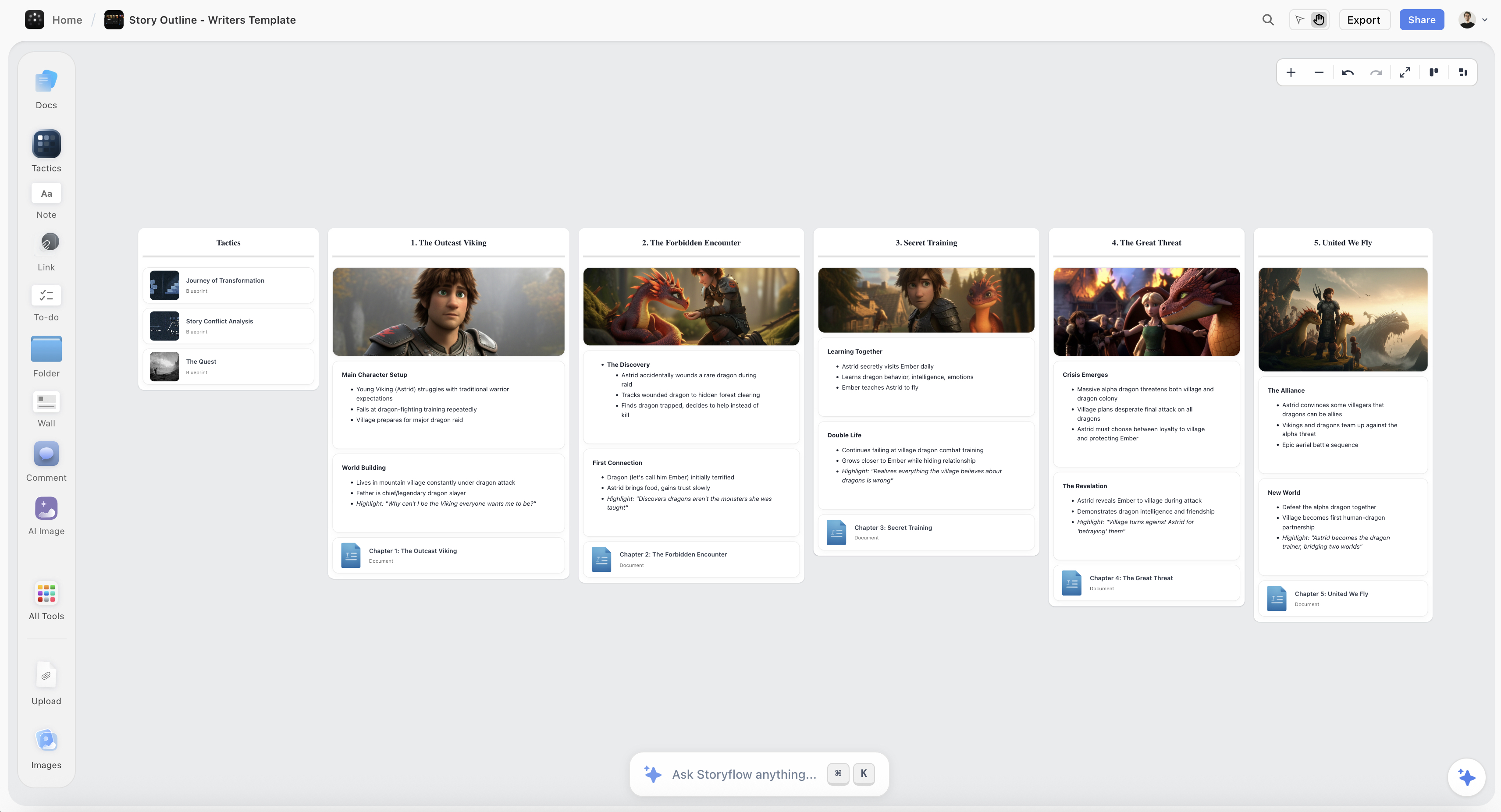
A YouTube video plan on the Storyflow canvas, with the angle, research, outline, and script laid out in one connected view
Plan your whole video on one canvas
The angle, the research, the outline, and the script live in one place, and the AI drafts the outline from the research you gathered, so you press record on a video that was already built to hold attention.

Why the Hook Comes Last: How This Pipeline Was Arrived At
The counterintuitive part of this pipeline is the ordering, so it is worth explaining where it came from rather than asserting it.
The default advice is to write the hook first, because the hook is what decides whether the video gets watched. The advice is half right: the hook does decide that. It is the sequencing that is wrong. A hook written first is a promise made before you know what you can deliver, which is why so many channels have videos that open brilliantly and then sag at ninety seconds. The opening was written against an imagined video, and then the real video turned out to be about something slightly different.
Writing the hook last inverts that. Once the angle is sharp, the research is in, and the outline exists, the hook is no longer a creative gamble. It is a summary problem: you already know exactly what the strongest promise in this video is, because you can see the whole thing. That is a much easier job, and it produces openings the rest of the video actually keeps.
This ordering came from watching where scripts break rather than from a framework. The failure is almost never at the writing stage, which is where creators think it is and where they spend their tool budget. It is at stage one, the angle, and it shows up two stages later as a script that will not hold together. A video about "productivity tips" cannot be outlined for retention because there is nothing specific to build tension around. A video about "the productivity system I abandoned after four months" outlines itself.
Two honest limits. This pipeline is built for long-form talking-head and essay-style videos, where structure carries retention. For a short-form vertical clip, structure barely applies: the hook genuinely is the video, and you should write it first. And for interview or documentary formats, stage two swallows the whole pipeline, because what you can say is decided by what your subject actually said on the day, not by an outline written beforehand.
How to Plan the Video, Stage by Stage
Here is the full Hook-Last Pipeline, start to finish, for a single video. It assumes a standard long-form video and a solo creator or a small team. The whole plan takes two to four hours of focused work, and it buys back far more than that in reshoots and re-edits you do not have to do.
Stage 1: Sharpen the idea into an angle (and validate it)
Start by turning your topic into one specific promise. A topic is a subject; an angle is a subject plus a reason to watch this video and not the ten others on the same subject. "How to save money" is a topic. "The five money habits I quit that actually made me richer" is an angle: specific, personal, and promising a payoff. Write the angle as one sentence, and write the promise it makes to the viewer as a second sentence. If you cannot say the promise in one line, the idea is not sharp enough yet, and every later stage will inherit the fuzziness.
Then validate the angle before you spend hours on it, which takes ten minutes and kills weak videos early:
- Search the topic on YouTube. If the top results are huge channels with the same angle, you need a sharper one; if there is demand but the top results are old or thin, you found a gap.
- Name the viewer and their intent. One sentence: who is this for, and what are they trying to do or feel when they click? A beginner wanting a repeatable process is a different video than an expert comparing tools.
- Check it against your channel. An angle that would work for someone else's audience but not yours is still the wrong angle.
The deliverable exiting Stage 1 is three sentences: the angle, the promise, and the viewer. This is where an AI that can react to ten of your angle attempts earns its place, not to invent the angle but to sharpen yours.
Stage 2: Research more than you need
Now gather. Pull facts, examples, stories, counterarguments, and specifics onto one surface, and gather more than the video will use. The reason is not thoroughness for its own sake; it is that a video with depth is one where the creator knew ten times more than they said, and it shows in the confidence and the specifics. Aim for a research pile you will cut by two-thirds. Keep sources with the facts so you can verify claims later, because a confident wrong statement is how a video earns a correction in the comments. If you use general AI here, verify every fact it gives you against a real source, because it will produce plausible specifics that are not true.
A useful research pass covers five buckets, and a video missing one usually feels thin in a predictable way:
- Facts and numbers you can source, because specifics make points land.
- Stories and examples, because viewers remember narrative, not claims.
- Counterarguments, because addressing the obvious objection makes the video feel honest.
- What the top competing videos already said, so you add instead of repeat.
- Visual material: anything you could show instead of say, flagged now for the shot map later.
The deliverable exiting Stage 2 is a sourced research pile, roughly three times what the video will use, where you can see all of it at once.
Stage 3: Outline for retention
This is the stage that decides whether the video holds, so give it real time. Build the outline as a sequence, not a list of topics, where each section answers a question the previous one raised. Open with the hook and the promise, then deliver the promise in a shape that keeps opening loops before it closes them. The classic retention shape is simple: tell them what is coming, make them curious about how, deliver it in escalating pieces, and pay off the promise at the end. If you want a reusable structure to start from, the 7-part YouTube script template is that shape written out as a fill-in framework.
Order matters more than completeness here. A video that says less in the right order beats one that says everything in the wrong order. Draw the outline beside the research so the structure is built from what you actually have. The deliverable exiting Stage 3 is a sequenced outline, usually five to eight sections, each with the question it answers and the research it draws on attached.
Stage 4: Write the script in spoken voice
Now write, and write for the ear, not the eye. Spoken voice is shorter sentences, contractions, direct address, and a rhythm you can say out loud without running out of breath. Read every line aloud as you write it; if you stumble, the viewer will too. Write in the order the viewer experiences the video, not the order you researched it. Keep the sentences that carry the video short, and let the explanatory ones run longer, because the contrast is what keeps spoken delivery from flattening. The script is not the place to sound smart. It is the place to sound like a person the viewer wants to keep listening to.
Length has a rule of thumb: conversational YouTube delivery runs roughly 130 to 160 spoken words per minute, so a ten-minute video is a script of about 1,300 to 1,600 words. Write to your target runtime, then read it aloud with a timer, because the read-aloud is the only length check that tells the truth. If you draft with AI at this stage, How to Write a YouTube Script with AI covers the workflow in depth. The deliverable exiting Stage 4 is a full script (or a scripted hook plus a bulleted body), read aloud once, with the stumbles rewritten.
Stage 5: Pressure-test the first thirty seconds
Write the hook last, when you know exactly what you are opening, and then attack it. This is the move the whole Hook-Last Pipeline is named for: the hook plays first but is written last. The first thirty seconds carry the whole video, because that is where most of the audience decides to stay or leave. A strong hook does three things fast: it confirms the viewer is in the right place, it makes a specific promise, and it opens a loop the viewer needs closed. Cut any throat-clearing before the hook: the "hey guys, welcome back" that trains viewers to skip. Test the open by asking one question of every sentence in it: does this earn the next sentence? If a line does not, it goes. The first thirty seconds are not the introduction to the video. They are the argument for watching it.
Two Planning Jobs That Ride Alongside the Pipeline
Two more planning jobs are not stages of the script pipeline, but they belong in the same session, because leaving them until after the shoot is how good scripts turn into videos nobody clicks or footage nobody can cut.
The first is packaging: the title and thumbnail. Draft both at Stage 1, next to the angle. If you cannot write a title and imagine a thumbnail that would earn the click, the angle is not clickable yet, and it is far cheaper to learn that in minute twenty than after the shoot. Write three to five title options and a one-line thumbnail concept as part of validating the angle; you are proving the angle can be packaged, not designing the final art. Unpackageable angles are one of the quiet reasons YouTube videos do not get views even when the content is good.
The second is the shot map: a fifteen-minute pass through the finished script marking what the camera shows at each beat. Mark which lines are A-roll (you, on camera) and attach a b-roll or screen-capture note to every claim you can show instead of say; the visual material you flagged in Stage 2 becomes the b-roll list. The result is a script where every section has a visual note, which is the difference between an edit with options and eight unbroken minutes of your face. For visual formats that need real shot-by-shot planning, storyboarding the video is the fuller version of this pass.
Packaging rides beside Stage 1, the shot map rides beside Stage 4, and both live on the same planning surface as everything else so the plan stays whole.
Where AI Helps in the Idea-to-Script Pipeline (and Where It Does Not)
AI is genuinely useful across this pipeline, but for specific jobs, and it is worth being precise so you do not hand it the parts it will get wrong.
Where it helps. An AI that can read your whole plan (the angle, the research, the outline) can do four real things. It can generate angle variations for you to react to. It can draft a first outline from your research, so you edit a structure instead of inventing one. It can tighten a script for spoken rhythm, catching the sentences you would stumble on. And it can answer questions across the plan ("which research supports the second point?") without you scrolling. This is what Storyflow is built for: the whole pipeline on one canvas the AI reads, plus up to one Tactic and up to three Documents you @-mention.
Where it does not help. AI does not have your voice, your channel's relationship with its audience, or your judgment about what is actually interesting. It will write a competent, generic script every time, and generic is the one thing a YouTube video cannot be. It also cannot verify facts about the real world reliably, so research it produces has to be checked. Use it to accelerate the drafting and the structuring, and keep the angle, the voice, and the taste human. The AI drafts the pipeline. You decide what is worth watching.
A Worked Example: One Video Through the Hook-Last Pipeline
Make it concrete. The topic is "productivity apps," which no one needs another video about, so the pipeline has real work to do. Here is the whole plan, stage by stage.
Stage 1, angle (25 minutes). The topic fails the validation search immediately: "best productivity apps" is owned by huge channels. The sharpened angle: "I tried running my life on paper for thirty days after a decade of productivity apps, and here is what actually changed." The promise: an honest verdict on whether the analog switch is worth trying. The viewer: app-fatigued knowledge workers who half-suspect their tools are the problem. Packaging check, done right here: title option "I Quit Every Productivity App for 30 Days," thumbnail concept of app icons dissolving next to a paper notebook. The angle can be packaged, so it survives.
Stage 2, research (about an hour). The pile: thirty days of the creator's own notes, studies on digital versus analog planning with sources attached, two counterexamples where paper clearly failed (shared calendars, reminders), what the top competing videos already covered, and flagged visual material: the day-one desk photo, the abandoned app folder, the notebook pages. Roughly three times what the video will use.
Stage 3, outline (45 minutes). Six sections, each earning the next: open on the most surprising result (the loop), promise the honest verdict, walk the thirty days in three acts (the withdrawal week, the system that emerged, the things paper could not do), and pay off with the nuanced verdict and who should not try this. Each section gets its research attached.
Stage 4, script (75 minutes). Target runtime ten minutes, so about 1,400 words at conversational pace, written in spoken voice, in viewer order, read aloud twice with a timer. The shot-map pass marks the three acts for b-roll from the flagged visual material. The skeleton that exits the stage:
- Hook (thirty seconds, scripted word for word, written in Stage 5)
- The promise and the rules of the experiment (one minute)
- Act one: the withdrawal week (two minutes, b-roll: app folder, day-one desk)
- Act two: the paper system that emerged (three minutes, b-roll: notebook pages)
- Act three: what paper could not do (two minutes, b-roll: missed-reminder story)
- The verdict, the nuance, and who should skip this (ninety seconds)
Stage 5, hook (20 minutes). Written last, attacked hardest: "For ten years I ran my life on productivity apps. Then I deleted all of them for thirty days, and the first thing that happened surprised me." That open confirms the topic, promises a payoff, and opens a loop, in three sentences and zero throat-clearing.
Total: a little under four hours, and the video is now planned to hold attention, because the hook was designed, the angle is specific, and the script was built for the ear. The shoot is execution, not rescue.
What It Costs to Plan a Video This Way
Planning is the part of a YouTube workflow with the best free-tool coverage, and the part creators most often overpay for, usually by buying a research or SEO subscription to solve what is actually an angle problem.
The complete pipeline for $7.99 a month:
- Stages 1 to 3 (angle, research, outline): Storyflow is paid-only during early access; Plus runs $7.99/month billed annually and covers unlimited boards, unlimited notes, images, and links, unlimited collaborators, basic AI usage, the full 200+ Story Blueprints library, and unlimited file uploads. A Free plan covering the essentials launches before the end of 2026.
- Stage 4 (script): Google Docs. A script is linear prose and a document is the correct shape for it.
- Validation: YouTube's own search and the Google Trends free tier tell you most of what a paid keyword tool will, at the level of precision an angle decision needs.
- Thumbnail concepts: Canva Free.
That is a genuinely complete planning stack, with Storyflow as the only paid stage until its Free plan arrives.
What actually justifies paying more
- Publishing volume. Once Storyflow's Free plan launches, its 20 file uploads will be the first cap most planners hit, since thumbnail references and research screenshots spend those fast. Plus removes that cap and adds the full 200+ Story Blueprints library, which includes retention-hook and story-structure frameworks.
- AI volume during outlining. Basic AI usage covers occasional structural help. If the AI is pressure-testing every outline and rewriting every cold open, Pro at $14/month annual adds AI image generation and 20 times more AI usage than Plus.
- Competitive research at scale. If you genuinely need packaging data across hundreds of videos, a paid research tool is the right purchase. Most channels under about 50,000 subscribers do not: at that size the constraint is deciding what to make, not measuring what others made.
- A team. The moment an editor, a researcher, and a thumbnail designer all touch the same video, you want roles rather than shared links. That is the Max tier at $39/month annual.
The purchase to avoid
A keyword tool cannot tell you what you have to say. The most common wasted subscription in this category is a research platform bought to fix a stage-one problem, because a creator felt stuck and buying data felt like progress. If your videos underperform and you cannot articulate the angle in one sentence, no amount of search-volume data will fix the next one. Spend the money on the edit, or on nothing.
Common Mistakes From Idea to Script
- Filming a topic instead of an angle. A topic without a specific promise gives the viewer no reason to choose your video. Sharpen it in Stage 1.
- Thin research. A video with no depth reads as surface-level, because it is. Gather more than you will use.
- Outlining as a list, not a sequence. A list of topics does not create the curiosity that holds attention. Build sections that earn each other.
- Writing in essay voice. Scripts written for the eye die in the ear. Read every line aloud.
- Writing the hook first, or not at all. The hook is written last and tested hardest, because it carries the whole video.
- Throat-clearing before the hook. "Hey guys, welcome back" trains viewers to skip. Open on the promise.
- Leaving the title and thumbnail until after the edit. If the angle cannot be packaged, you want to know in minute twenty, not after the shoot. Draft titles and a thumbnail concept beside the angle.
- No shot map. A script with no b-roll notes becomes an edit with no options. Fifteen minutes of marking what the camera shows saves hours in the edit.
- Planning across five apps. When the angle, research, outline, and script live in different places, the plan falls apart in the gaps. Keep the pipeline on one surface.
The Bottom Line
Planning a YouTube video from idea to script is not writing a script and hoping. It is running the idea through the Hook-Last Pipeline, five stages in the right order: sharpen it into an angle, research more than you need, outline for retention, write in spoken voice, and pressure-test the first thirty seconds last. The order is the craft, because each stage decides the next, and the videos that hold attention were planned to hold it.
The honest boundary holds here too. One surface is the right home for the pipeline, and dedicated tools take over for filming, teleprompting, SEO, and editing. AI can draft angles, outlines, and script passes, but the voice and the judgment stay yours. A YouTube video is won or lost before you press record. Plan the pipeline, and you press record on a video that was already built to work.
If your next video is still living as a vague topic and a blank doc, plan it from idea to script on one canvas in Storyflow and let the AI draft the outline from the research you already gathered.
FAQ: Planning a YouTube Video From Idea to Script
How do you plan a YouTube video from idea to script?
Run the idea through five stages: sharpen it into a specific angle, research more than you will use, outline for retention so each section earns the next, write the script in spoken voice, and pressure-test the first thirty seconds last (the Hook-Last Pipeline). The order matters, because each stage feeds the next: the angle decides what research matters, the research fills the outline, and the outline sets the script's order. Keep all five stages on one surface so the angle actually reaches the script instead of getting lost between apps. The whole pipeline takes two to four hours for a standard long-form video.
How long should it take to script a YouTube video?
For a standard long-form video, budget two to four hours across the whole pipeline: roughly thirty minutes to sharpen the angle, an hour on research, an hour on the outline, an hour writing the script, and a final pass on the hook. The time is front-loaded on purpose, because a well-planned script removes hours of reshoots and re-edits. Shorter videos and formats you have made many times go faster; a first video in a new format takes longer. The ratio holds: planning time is bought back several times over in production.
Should I write a full script or an outline for YouTube?
It depends on the format and your comfort on camera. A full word-for-word script gives the tightest pacing and the strongest hook, and it is worth it for anything where the first thirty seconds are critical. A detailed outline with the hook scripted word-for-word and the rest as bullet points works well for conversational creators who sound stiff reading a full script. The one part you should always script word-for-word is the first thirty seconds, because that is where retention is won or lost. Script the hook, then choose full-script or outline for the body based on how you sound.
How do you write a good YouTube hook?
Write it last, when you know exactly what you are opening, and make it do three things fast: confirm the viewer is in the right place, make a specific promise, and open a loop they need closed. Cut all throat-clearing before it, especially the "hey guys, welcome back" that trains viewers to skip. Test every sentence in the open by asking whether it earns the next one, and delete the ones that do not. The first thirty seconds are not the introduction to the video; they are the argument for watching it, so they deserve more rewriting than any other part of the script.
How many words is a YouTube script per minute of video?
Conversational YouTube delivery runs roughly 130 to 160 spoken words per minute, so a ten-minute video needs a script of about 1,300 to 1,600 words. Fast talkers and jump-cut styles land higher; slow, deliberate delivery lands lower. Size the script to your target runtime, then read the draft aloud with a timer, because your actual pace is the only number that matters. If the read-aloud runs long, cut sections rather than talking faster.
Should you plan a YouTube video differently if you work with an editor?
The five stages stay the same, but the deliverables get stricter, because the plan becomes a handoff document instead of a private note. Solo creators can keep a loose shot map in their head; with an editor, the script needs explicit b-roll and screen-capture notes on every section, plus the hook marked as untouchable so it is not trimmed for time. The planning time barely changes, but the shot-map pass goes from optional to mandatory, since an editor can only cut what the plan told them to capture.
Can AI write a YouTube script?
AI can draft a competent script, but competent is not enough on YouTube, where generic loses. What AI does well is generate angle options to react to, draft a first outline from your research, and tighten a script for spoken rhythm. What it cannot do is supply your voice, your judgment about what is genuinely interesting, or verified facts, all of which decide whether a video works. The pattern that works is to use AI to accelerate the structuring and drafting, then rewrite in your own voice and verify every fact. Hand it the scaffolding, not the soul of the video.
What is the best tool to plan a YouTube video?
The best tool holds all five stages of the pipeline in one place. Storyflow is strongest when you want the angle, research, outline, and script on one canvas that an AI can read, so the plan stays connected. ChatGPT or Claude are best for fast angle ideas and rough drafts. Notion and Google Docs are fine for the script as a document but not for the visual research-to-outline stage. For a full comparison of planning tools, see The Best AI Tools for YouTube Video Planning in 2026.
What comes first, the script or the research?
Research comes before the script, but after the angle. The order is angle, then research, then outline, then script, because each stage feeds the next. You sharpen the idea into an angle first so you know what research matters, then gather more than you need, then build the outline from what you have, and only then write the script. Writing the script before the research is how videos end up thin and generic, and writing it before the angle is how they end up unfocused. The pipeline order is the whole point.
How do you outline a YouTube video for retention?
Build the outline as a sequence where each section answers a question the previous one raised, not as a flat list of topics. Open with the hook and the promise, then deliver the promise in escalating pieces, opening curiosity loops before you close them. The classic shape is: tell them what is coming, make them curious how, deliver it in stages, and pay off at the end. Order beats completeness: a video that says less in the right order holds better than one that says everything in the wrong order. Draw the outline beside your research so it is built from what you actually have.
Is Storyflow free for planning YouTube videos?
Not during early access. Storyflow is paid-only right now, with Plus starting at $7.99/month billed annually and covering the whole idea-to-script pipeline: unlimited notes, images, boards, the 200+ Story Blueprints library, and unlimited file uploads. A Free plan covering the essentials launches before the end of 2026, and it will be enough to run all five stages for a single video: plan the angle, gather research, outline, and write the script before deciding whether you need the extras.
Where does Storyflow lose for video planning?
In four places worth naming. It is not a teleprompter, so on the shoot you will read the script from a dedicated teleprompter app or a printout. It is not a keyword or SEO tool, so title and tag research for the algorithm happens elsewhere. It is not a video editor, so the footage goes to Premiere, Final Cut, or DaVinci Resolve. And it has no publishing or scheduling features, so uploading, scheduling, and community posts stay in YouTube Studio. Storyflow holds the plan from idea to script; the camera, the teleprompter, the editor, and YouTube Studio take it from there.
How many words should a YouTube script be?
Work backward from the runtime and your speaking pace. Most creators narrate at 130 to 160 words per minute, so a ten-minute video runs roughly 1,300 to 1,600 words of spoken script, and a five-minute video around 700 to 800. Talking-head and commentary formats sit at the higher end because the voice carries the whole video; tutorials and b-roll-heavy videos need fewer scripted words because the footage fills the time. Do not pad to hit a number. Write the script the video needs, read it aloud with a timer, and cut whatever makes the runtime drift past the length the idea can hold.
Do YouTubers script every video?
Most consistent creators script far more than viewers assume, but not always word-for-word. The near-universal rule is that the first thirty seconds get scripted precisely, because the hook is too important to improvise. From there it splits by format and personality: tutorial, explainer, and video-essay creators tend to script the whole thing for pacing, while vloggers and conversational creators script the hook and the key beats, then talk through the rest from a detailed outline so they sound natural. The honest test is your own footage. If you watch yourself back and the pacing sags or you ramble, script more. If a full script makes you sound stiff, script the hook and outline the body.
How many words should a YouTube script be?
Work backward from the runtime and your speaking pace. Most creators narrate at 130 to 160 words per minute, so a ten-minute video runs roughly 1,300 to 1,600 words of spoken script, and a five-minute video around 700 to 800. Talking-head and commentary formats sit at the higher end because the voice carries the whole video; tutorials and b-roll-heavy videos need fewer scripted words because the footage fills the time. Do not pad to hit a number. Write the script the video needs, read it aloud with a timer, and cut whatever makes the runtime drift past the length the idea can hold.
Do YouTubers script every video?
Most consistent creators script far more than viewers assume, but not always word-for-word. The near-universal rule is that the first thirty seconds get scripted precisely, because the hook is too important to improvise. From there it splits by format and personality: tutorial, explainer, and video-essay creators tend to script the whole thing for pacing, while vloggers and conversational creators script the hook and the key beats, then talk through the rest from a detailed outline so they sound natural. The honest test is your own footage. If you watch yourself back and the pacing sags or you ramble, script more. If a full script makes you sound stiff, script the hook and outline the body.
Table of Contents
- Key Takeaways
- Why Most YouTube Videos Fail Before Recording
- The Hook-Last Pipeline: Five Stages From Idea to Script
- Quick Picks: Tools for Each Stage of the Pipeline
- Comparison Table: Where to Plan a YouTube Video
- Why the Hook Comes Last: How This Pipeline Was Arrived At
- How to Plan the Video, Stage by Stage
- Two Planning Jobs That Ride Alongside the Pipeline
- Where AI Helps in the Idea-to-Script Pipeline (and Where It Does Not)
- A Worked Example: One Video Through the Hook-Last Pipeline
- What It Costs to Plan a Video This Way
- Common Mistakes From Idea to Script
- The Bottom Line
- Author
- FAQ: Planning a YouTube Video From Idea to Script
- Related Reading
Templates to check out for this topic


Content and video templates you can use in Storyflow
Plan a channel, a script, and a content pipeline on the same board. Open one of these templates and let the AI build on the structure instead of starting from a blank doc.


See Storyflow in Action
A visual AI workspace where every feature lives inside one canvas. No tab-switching, no context lost.
Build your entire board from a single message
Type what you need in the AI chat at the bottom of your canvas. The AI adds cards, headings, and structure directly onto your board.
Use expert frameworks as AI context
Type @ in the AI chat and choose any Tactic. The AI tailors every response to that framework instead of giving generic advice.
Turn your board into a mind map in seconds
Ask the AI to restructure your canvas as a mindmap. It connects your ideas into a visual hierarchy so you can see how everything relates.
Why Storyflow Exists
Storyflow actually began as a personal tool while working on creative and research projects.
We kept running into the same problem: ideas were scattered everywhere: notes, documents, and whiteboards.
Nothing helped us see how everything connected.
So we started building a workspace designed around how ideas actually grow.
→ Read how Storyflow was createdJustkay
Documentary Filmmaker & Founder at Storyflow
Published: 2026-07-17
Extremely simple, seriously capable


See how easy it is to get started
Watch a real project come together, from a blank board to a finished plan, clicked through step by step.
Start creating with AI and become more productive
Transform your creative workflow with AI-powered tools. Generate ideas, create content, and boost your productivity in minutes instead of hours.