
Pitch-ready plans, extremely reliable
Video scripts in ChatGPT,
laid out beat by beat on one board.
For YouTube creators, social teams and brand marketers: ChatGPT writes the script as beats on a Storyflow board, each with its voice-over, its words on screen and its shots, ready to storyboard.


Creatives working for these brands already got early access
- Red Bull
- Canon
- Artlist
- Porsche
See how easy it is to get started
Watch a real project come together, from a blank board to a finished plan, clicked through step by step.
Start from a ready-made template
Pick a board to see what you can build, then let AI fill it in. Every template is a real, editable starting point on the same infinite canvas.

Storyboard
Lay out your shots frame by frame with images and notes, then reorder them until the sequence reads like the finished cut.
Can ChatGPT write a video script?
Yes, ChatGPT can write a video script: give it the topic, the viewer, the length and the platform, and it writes the hook, the beats, the voice-over and the call to action, timed to fit. Storyflow is an AI visual workspace that lays out a video script on one infinite canvas: a column for every beat with its voice-over, its words on screen and the shots it needs, beside the brief, the references and the storyboard it turns into. With the Storyflow plugin installed, ChatGPT builds that script on your board itself, and because it runs on ChatGPT's own model, it spends no Storyflow AI credits.
ChatGPT on its own is a fast script partner. It writes ten hooks to pick from, cuts a 90-second draft to 60, says where the middle sags, and rewrites a line in your voice once it has read three of your old scripts. What it returns is a block of text, sometimes a two-column table. The shots stay in your head, the B-roll list goes in a notes app, and the editor gets a document with no pictures in it. Every round of changes starts with finding the right version of the script in a long chat.
Install the plugin and ask for the script on the video's board. ChatGPT reads a brief, an outline or an old script that is already there as a PDF, Word, Final Draft or text file. Then it builds one column per beat (the hook, the setup, each point, the turn, the call to action) with cards for the voice-over, the words on screen, the shots and the seconds, up to 40 cards a column in one request. Prefer rows? Ask for an AV script as a table, up to 8 columns and 50 rows a request: the time, what we see, what we hear and the words on screen. The clean read-through goes in a Storyflow document, for the voice-over artist or whoever reads it on camera.
An example to copy. Northlight is a fictional app for booking yoga classes, and its marketing lead needs a 60-second video for Instagram, TikTok and YouTube Shorts. The script has six beats. Hook, 0 to 3 seconds: "You paid for 12 classes. You went to 4." Problem, 3 to 12: the reasons people skip. Turn, 12 to 20: a class booked in two taps. Proof, 20 to 40: three short clips of real bookings, music under them. Offer, 40 to 52: the first week costs nothing. Call to action, 52 to 60: the app's name on screen and said once. That is 3, 9, 8, 20, 12 and 8 seconds, which makes 60. A voice reads about two and a half words a second, so 60 seconds holds about 150 words, and with the proof under music the voice-over gets 40 seconds: about 100 words.
Every beat needs the same five things, whoever writes it: what we hear, what we see, the words on screen, the shot it needs and how many seconds it gets. Write the spoken lines to be said, not read: short sentences, one idea each. Put the strongest line in the first three seconds. Write the words on screen as a shorter echo of the voice, not the same sentence, because some people watch with the sound off. And read the script aloud with a timer before anyone shoots. If it runs long, cut a beat, not the pauses.
Now the limits. Storyflow is not a screenwriting app: no screenplay formatting, no .fdx export and no revision colours, so a drama script belongs in a screenwriting tool. It has no teleprompter, records nothing and does not play the beats back as a timed film. Through the plugin, ChatGPT cannot delete a card, read the board's comments or make pictures, and a script you ask for twice lands beside the first one. A file attached in the ChatGPT chat does not reach Storyflow, so put the brief on the board first.
Ultra fast from brief to board
Four steps from the brief to beats you can shoot.
The script is the quick part. The time goes on choosing the hook and timing it aloud.
01
Install Storyflow from the plugin directory
Open the Storyflow listing in ChatGPT's plugin directory and select Install plugin. Sign in to Storyflow when asked, then choose which projects ChatGPT may use.
02
Put the brief on the board and ask
Drop the brief, the product notes or an old script on the video's Storyflow board. In a ChatGPT chat, type @, pick Storyflow and ask. For example: "Read the brief on the Northlight board and write a 60-second script for Reels and Shorts, one column per beat with the voice-over, the words on screen, the shots and the seconds."
03
Time it and fix the lines
A column appears for each beat. Read the voice-over aloud with a timer, change a line by hand, or tell ChatGPT which card to rewrite and it edits that card where it sits. Ask for the read-through as a document when the words are settled.
04
Turn the beats into a storyboard and a shot list
Ask ChatGPT to build a storyboard from the beats, one frame per shot, then a shot list grouped into shoot days. Both land on the same board as the script, ready to share with a view-only link.

The beats, the rows, the frames and the shoot.
ChatGPT writes the script. Storyflow keeps it where it turns into a storyboard and a shoot.
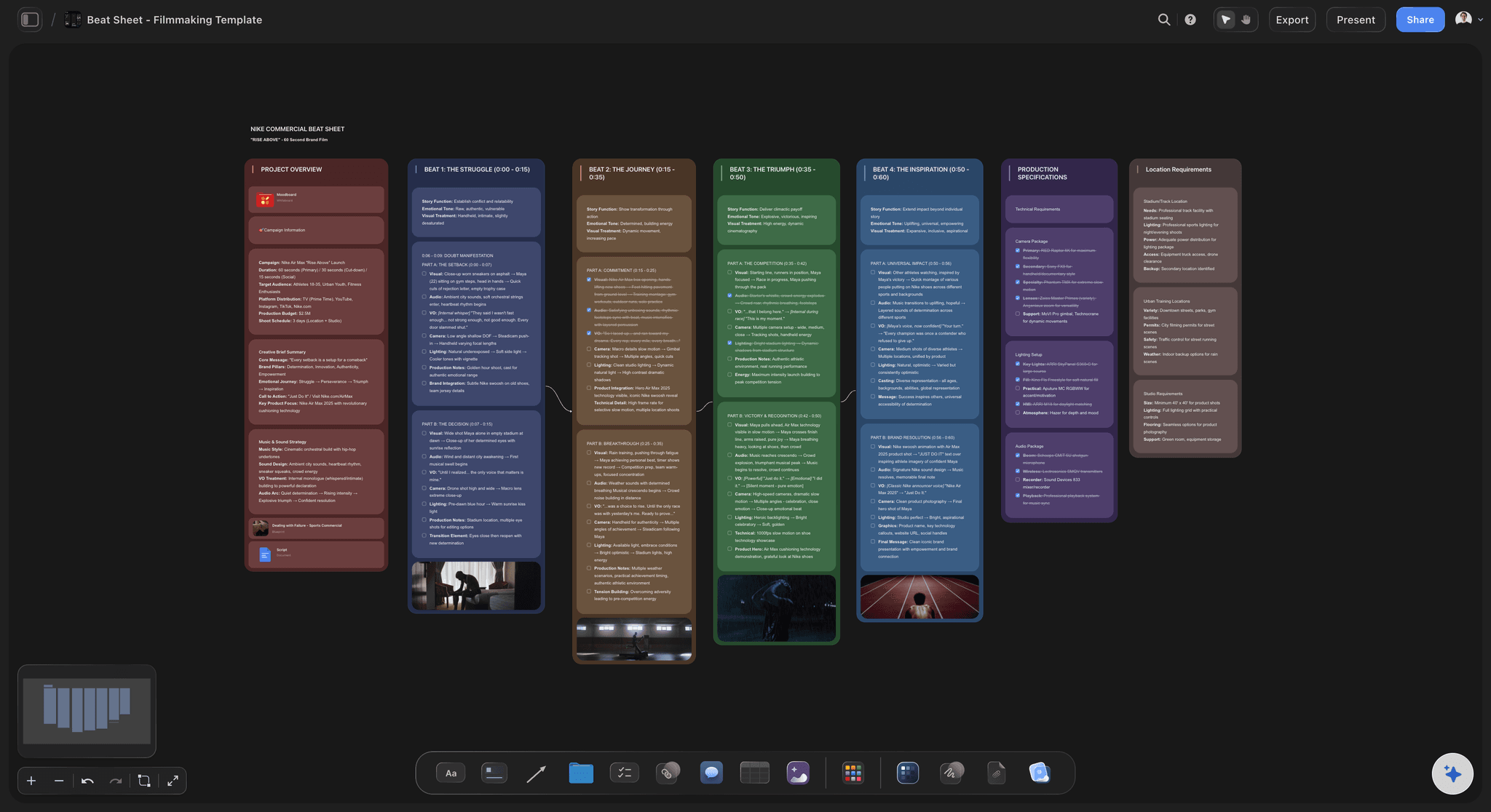
One column per beat
The script you can see the shape of
Each beat is a column with its seconds at the top, the voice-over and the words on screen below, and the shots it needs at the bottom. A beat that runs 20 seconds with one shot stands out next to beats of 5.
See the story outline with ChatGPT →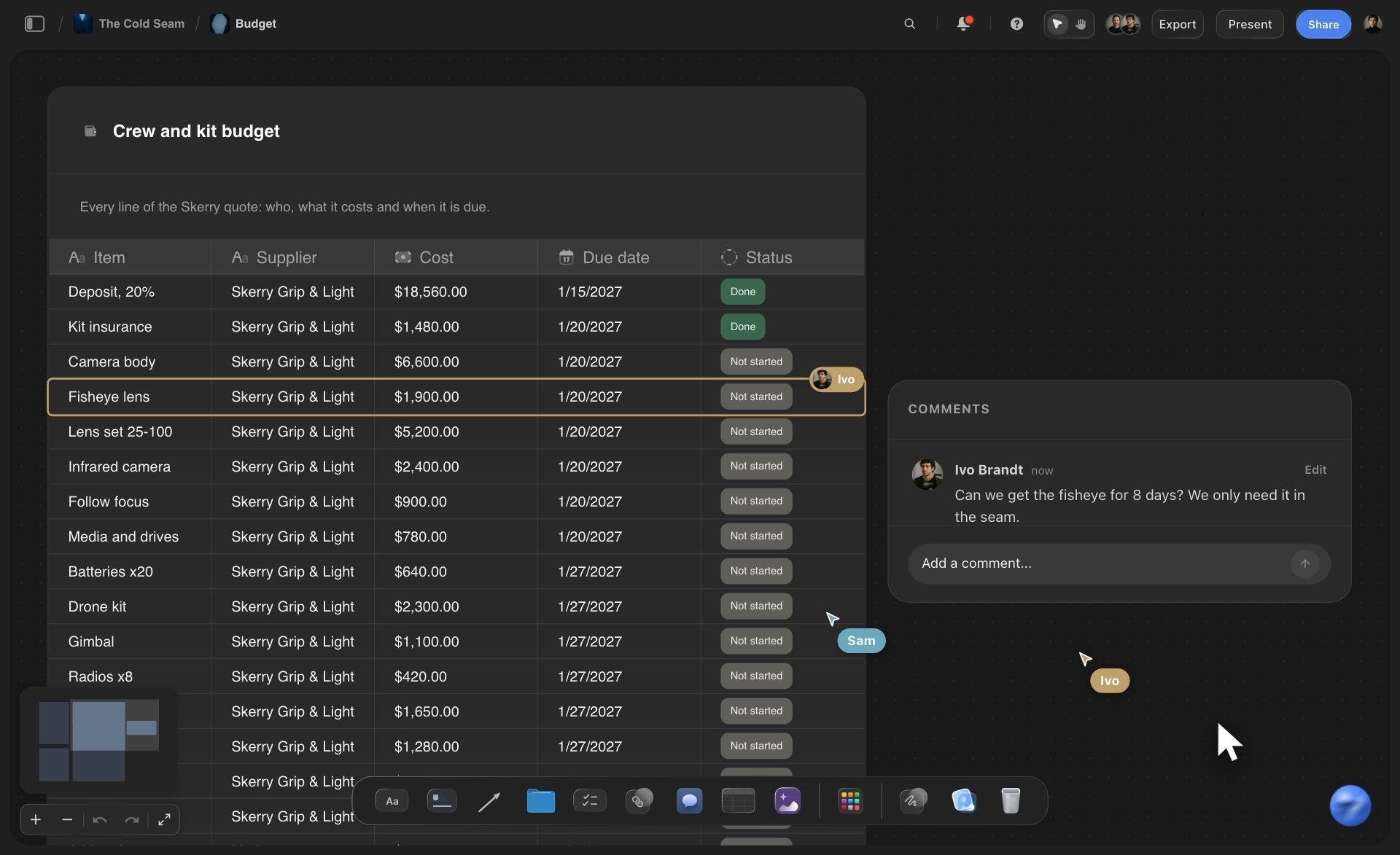
The AV script
The same script as rows
Ask for a table instead and each row is one moment: the time, what we see, what we hear, the words on screen. Editors and clients who think in rows get rows, on the same board as the columns.
See the AI video script generator →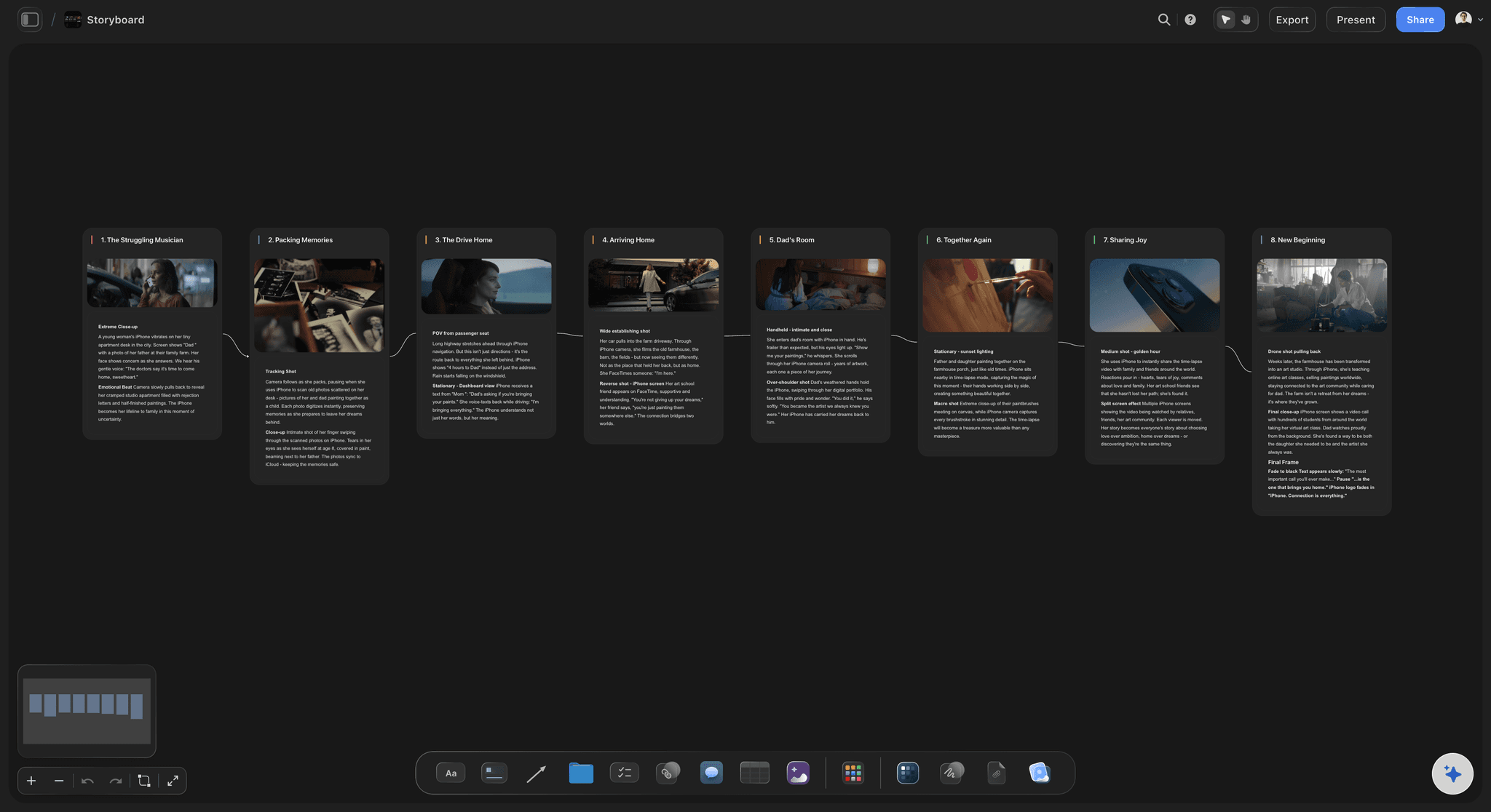
The storyboard
From beats to frames
Ask ChatGPT to storyboard the script and it builds one column per shot, joined by arrows: an empty frame, a subject line with tags, a checklist of what to shoot, a direction note and the gear. Your stills fill the frames through an upload link.
See storyboards with ChatGPT →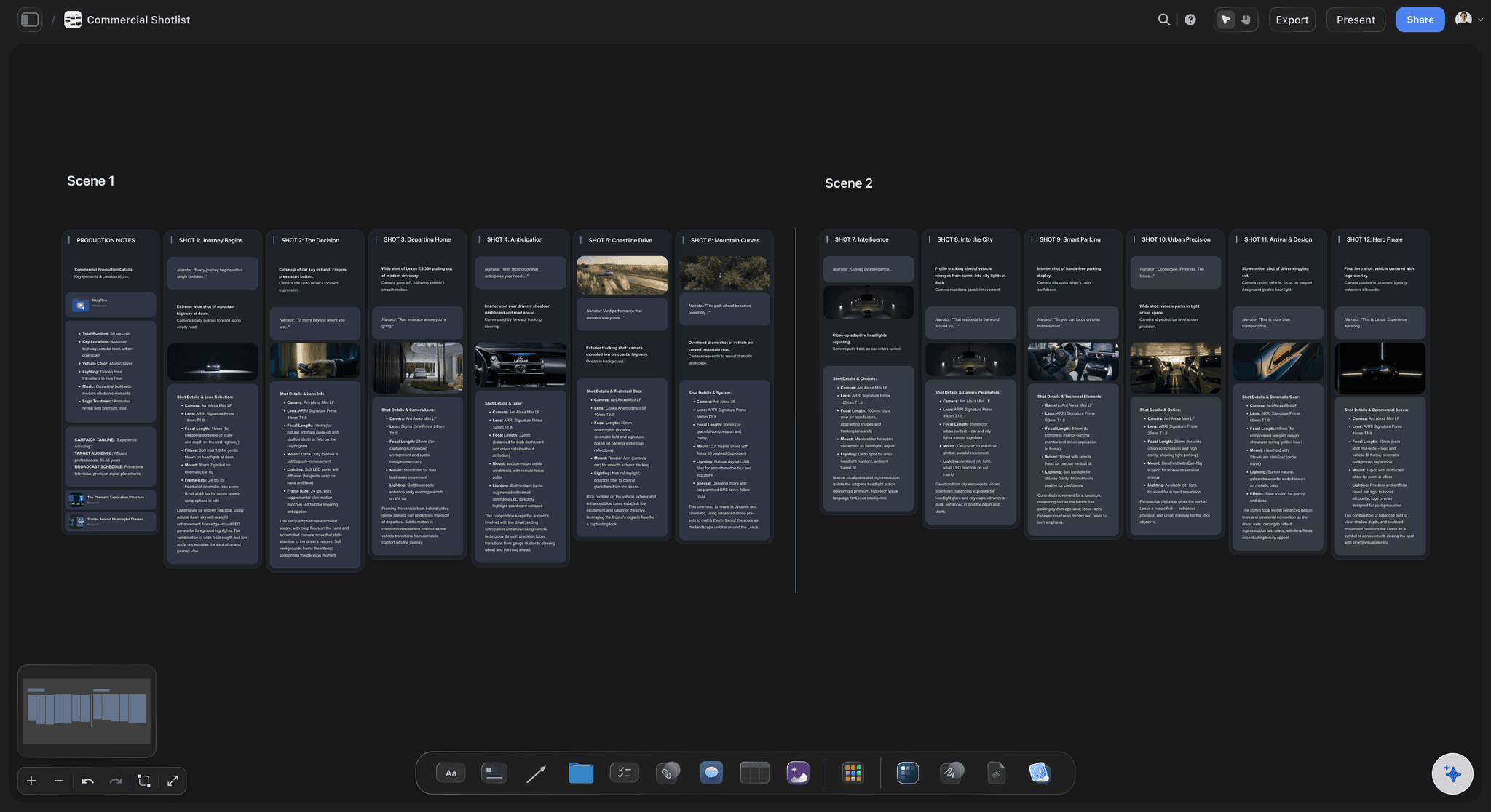
The shoot
From frames to a shot list
The same beats become a shot list split by scene, then a strip board grouped into shoot days. The crew works from the script the client approved, not a copy of it.
See shot lists with ChatGPT →ChatGPT writes the script. It costs no Storyflow AI credits.
The plugin runs on ChatGPT's own model and your ChatGPT plan, so the script, the storyboard and the shot list it builds use no Storyflow AI credits. A free Storyflow account that a paid member invited can make 25 plugin actions a week, reset each Monday (UTC); every read and every change counts as one. Plus, Pro and Max have no weekly limit. Storyflow is paid-only during early access, from $7.99 a month billed annually ($9.99 monthly), and the editor or client you invite joins free.
No Storyflow AI credits spent on what ChatGPT builds
25 plugin actions a week on an invited free account
No weekly limit on Plus, Pro and Max
Script, storyboard and shot list on one board
The editor and the client join the board free
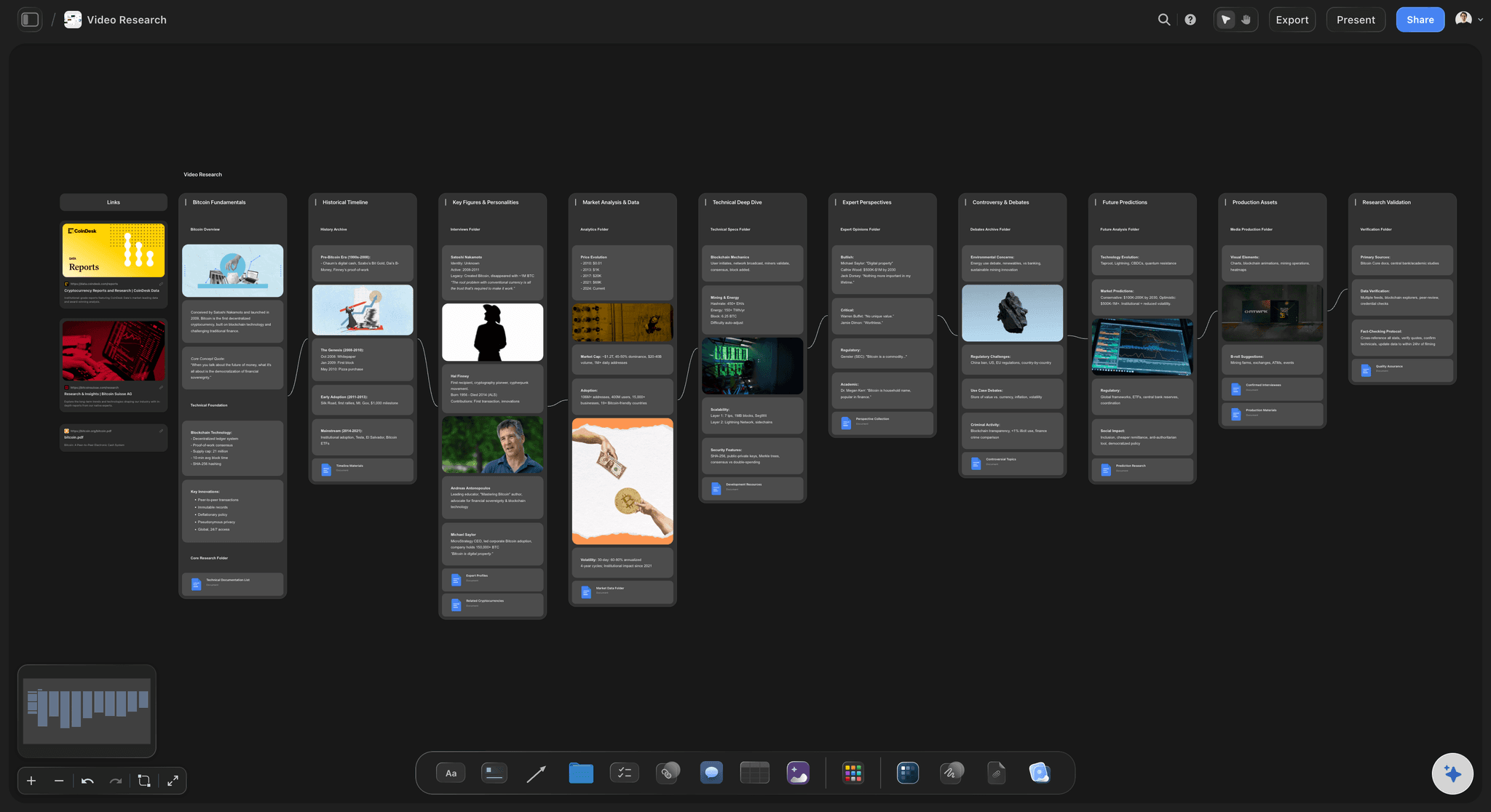
Built for people with taste
Where a script written in a chat runs out.
ChatGPT writes lines well. What breaks is everything that has to happen to the lines next.
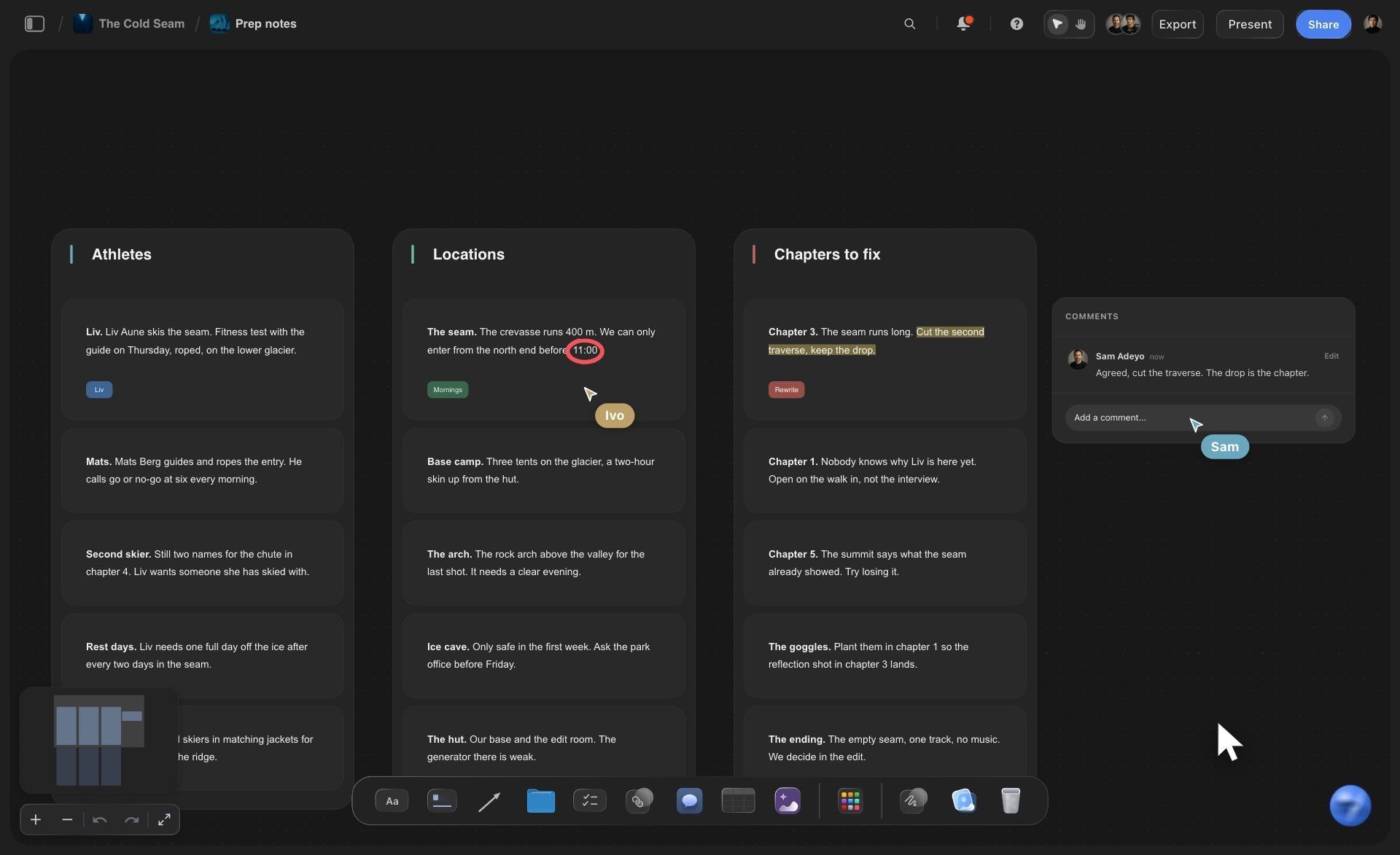
The draft
A script that reads well and times badly
The brief read from the board: The product notes, the brand's voice and last month's best script sit on the board. ChatGPT reads them before it writes, up to the first 40,000 characters of each file.
Seconds on every beat: Each column carries its seconds, so the beats add up where everyone can check them. A 60-second spot that adds up to 68 is caught before the shoot, not in the edit.
Ten hooks as cards: Ask for ten hooks and they land as ten cards beside the first beat. The team drags the winner into place and the rest stay for the next video.
One cut per platform: Ask for a 30-second cut beside the 60 and ChatGPT builds it as its own row, so you can see which beats each version keeps.
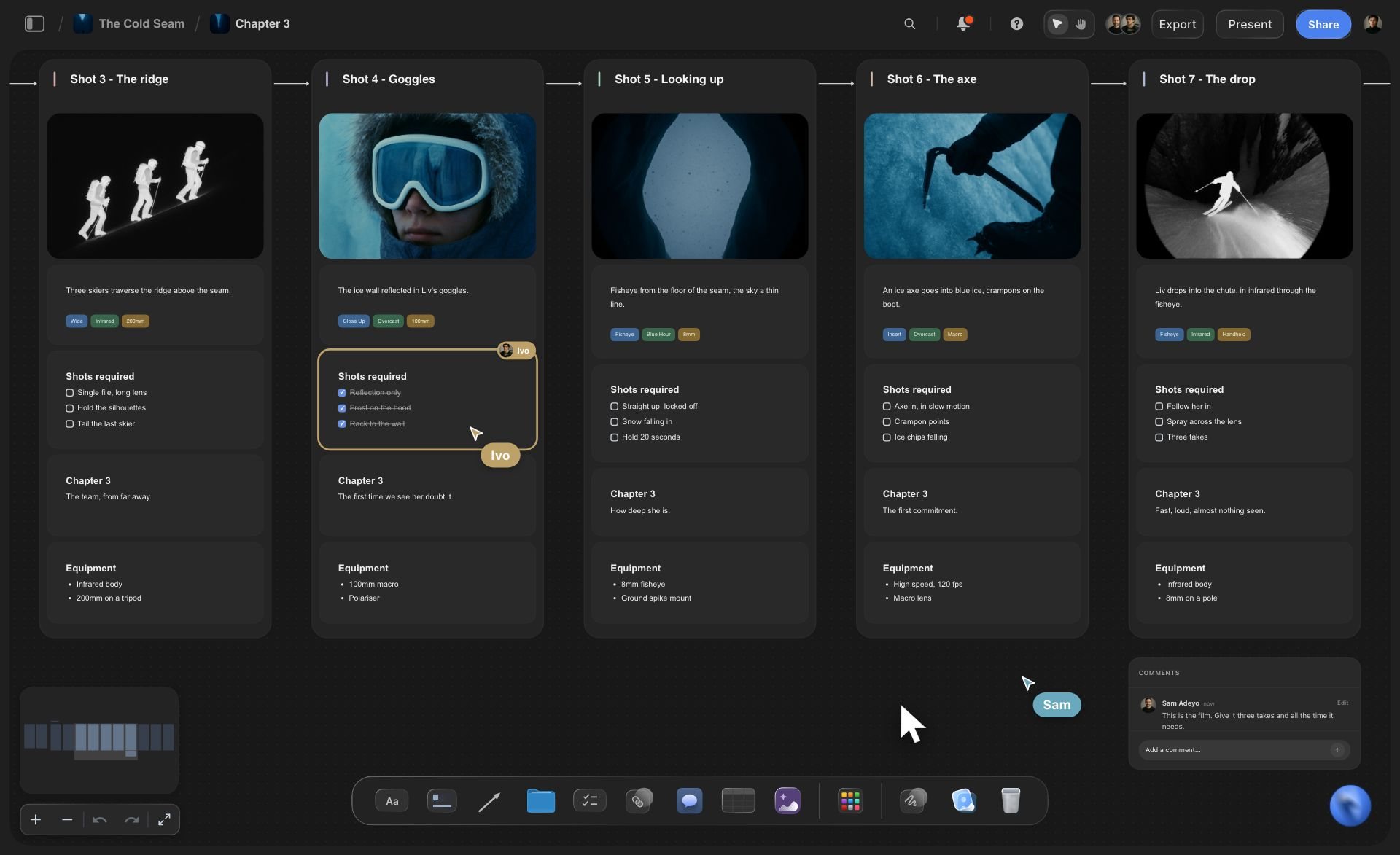
The shots
Words with no pictures beside them
What to shoot, per beat: Each beat ends with a to-do list of the shots it needs. The B-roll for the whole video is those lists added up, ticked off on the day.
Your stills in the frames: Ask for the "Add your photos" link and send stills from your phone or computer: up to 200 pictures, for 15 minutes. They fill the storyboard's empty frames as they arrive.
Reference pictures from the web: ChatGPT can add pictures from direct image addresses it has, and Storyflow keeps its own copy. Check you may use a picture before it goes to a client.
The script beside the references: The moodboard, the location photos and the script share one board, so the person shooting beat 4 sees the look it should have.
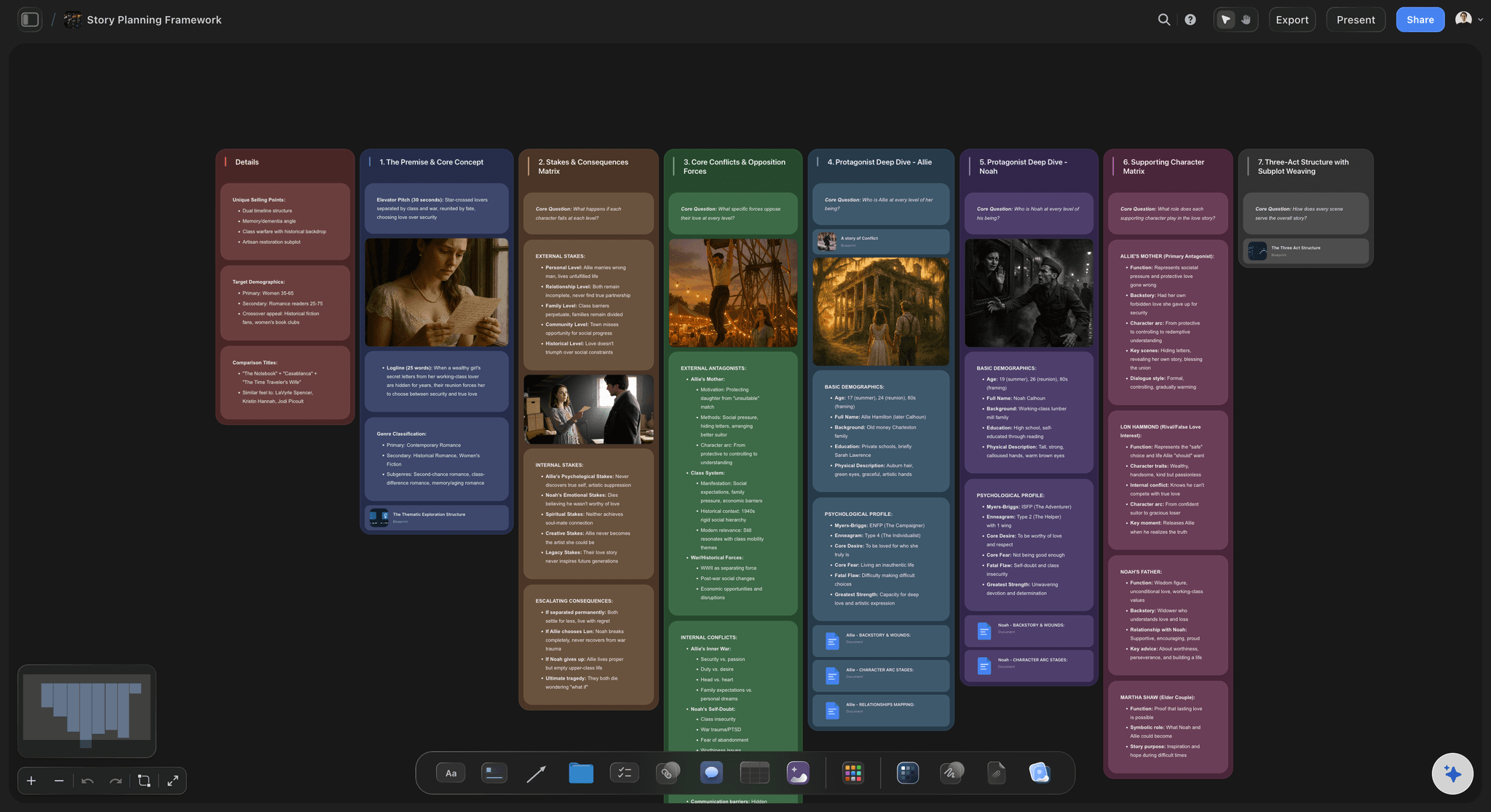
The sign-off
The client rewrites the hook on Thursday
Change one card by asking: Tell ChatGPT the new hook and it rewrites that one card. The other five beats are not touched.
Two openings side by side: Ask for a second opening and it lands beside the first. Show both, keep one and remove the other by hand.
One link for the client: Share the board from Storyflow with a view-only link. The client reads the beats in a browser with no account. To comment, they sign in.
Ask what changed: Ask ChatGPT what changed on the board this week and who changed it. It reads the board's history and lists what was added, edited or moved.
Explore templates for your project
Every template opens as a real, editable board on the infinite canvas. Pick the closest fit and make it your own.
Storyboard
Lay out your shots frame by frame with images and notes, then reorder them until the sequence reads like the finished cut.
One app instead of five
Storyflow with ChatGPT, ChatGPT alone, or Teleprompter.com.
Storyflow holds the script beside the shots it needs. Teleprompter.com, also in ChatGPT's plugin directory, drafts the script into your Teleprompter.com library, and its app scrolls it while you record (as of October 2026).
Storyflow with ChatGPT
Recommended
Script drafted by ChatGPT from one brief
Beats as columns with voice-over, on-screen text and shots
Script, references and storyboard on one board
Shot list and shoot days built from the same script
Script kept outside the chat
Scrolls the script while you record
Records the video
Subtitles added to the recording
ChatGPT on its own
Script drafted by ChatGPT from one brief
Beats as columns with voice-over, on-screen text and shots
Script, references and storyboard on one board
Shot list and shoot days built from the same script
Script kept outside the chat
Scrolls the script while you record
Records the video
Subtitles added to the recording
Teleprompter.com
Script drafted by ChatGPT from one brief
Beats as columns with voice-over, on-screen text and shots
Script, references and storyboard on one board
Shot list and shoot days built from the same script
Script kept outside the chat
Scrolls the script while you record
Records the video
Subtitles added to the recording
What creators are saying
Join early creators getting structured workspaces and AI that remembers their projects
“Storyflow has sped up my workflow by at least 3x, which means more flow state and more projects I can actually ship. It truly changed the way me and my team create.”

Reilin Joey
Director & YouTuber
“One prompt gets me a structured board. But the tactics are my favorite. I run my YouTube scripts through them and my intros and retention got better. It's amazing.”

Justkay
YouTuber & Freelance Filmmaker
“I used to juggle five apps to plan a project. Now I describe what I am making and get boards, lists, and a schedule. All in one place.”

George
@fernwehchronicles
Video scripts with ChatGPT: questions
What creators and marketing teams ask before ChatGPT writes the next script.
Yes. Give ChatGPT the topic, the viewer, the length and the platform, and it writes the hook, the beats, the voice-over and the call to action. With the Storyflow plugin installed, it builds the script on your board: a column per beat with the voice-over, the words on screen, the shots and the seconds, which then turns into a storyboard and a shot list.
Storyflow is our pick first, on one basis: it lays the script out as beats on a board, each with its voice-over, words on screen and shots, and turns those beats into a storyboard and a shot list beside them. Storyflow is our product. Teleprompter.com, also in ChatGPT's directory, is the pick for reading the script on camera, which Storyflow does not do.
Open Plugins in ChatGPT's sidebar, find Storyflow and open the listing by Storyflow LTD. Select Install plugin, sign in to Storyflow when asked, and choose which projects ChatGPT may use. Reading is always on; you decide whether it may also make changes. Availability depends on your ChatGPT plan, workspace and region, and in a Business or Enterprise workspace an admin can turn plugins on or off.
Count words from seconds. A voice reads about two and a half words a second, so a 30-second video holds about 75 spoken words, 60 seconds about 150 and a 10-minute video about 1,500. Take off the seconds that run under music or a logo. In Storyflow, each beat column carries its seconds, so the total is something the team can check.
Yes, when the file is on your Storyflow board. ChatGPT reads PDF, Word, Final Draft, Excel, CSV and text files from the board, up to 25 MB each, and gets the first 40,000 characters, so a long document goes in parts. A scanned PDF has no text to read. A file attached in the ChatGPT chat is read there but does not reach Storyflow.
Yes. Ask for the script as a table and ChatGPT builds it on your Storyflow board with a row per moment and columns for the time, what we see, what we hear and the words on screen. One request builds up to 8 columns and 50 rows. Storyflow cannot sort a table, so ask for the rows in running order.
Yes. Ask ChatGPT to storyboard the beats and it builds up to 60 frames in one request on the same board: a column per shot with a picture space, a subject line with tags, a checklist of what to shoot, a direction note and the gear, joined by arrows. The frames start empty; your stills go in through the photo link or from pictures already on the board.
Yes, through an upload link. A photo attached in ChatGPT does not reach Storyflow. Ask ChatGPT for the photo link for the board and it replies with an "Add your photos" link that works for 15 minutes and takes up to 200 pictures from your phone or computer. ChatGPT can also add pictures from direct image addresses, and Storyflow keeps its own copy.
Through the plugin, ChatGPT cannot delete a card, read the board's comments, make pictures or create a share link, and a script asked for twice lands beside the first. Storyflow has no screenplay formatting, .fdx export or revision colours, no teleprompter, and no timed playback of the beats. Use a screenwriting app for a drama script and a teleprompter app to read on camera.
Not as a teleprompter. Storyflow does not scroll text while you record. Ask ChatGPT to write the clean read-through as a Storyflow document, then copy it into a teleprompter app. Teleprompter.com, which is in ChatGPT's plugin directory, drafts scripts into your Teleprompter.com library, and its app scrolls them while you record.
The plugin uses no Storyflow AI credits, because it runs on ChatGPT's own model and your ChatGPT plan. A free Storyflow account that a paid member invited can make 25 plugin actions a week, reset each Monday (UTC). Plus, Pro and Max have no weekly limit. Storyflow is paid-only during early access: Plus is $7.99, Pro $14 and Max $39 a month, billed annually.
Yes, from Storyflow; ChatGPT cannot make share links. A view-only link opens the board in any browser with no account, so the client reads the beats, the storyboard and the shot list together. To comment, they sign in. Anyone a paid member invites to the board joins free, so an editor can work on the same script.
Yes. Claude, Gemini and Grok connect to the same Storyflow account as a custom connector at https://mcp.storyflow.so/mcp, while ChatGPT uses the directory plugin. A writer drafting in Claude and a producer in ChatGPT build on the same board and the same beats. Storyflow's connection guide covers the steps for each assistant.
Only the ones you choose when you sign in: all your projects, or the ones you tick. An agency can open one client's video board and keep the rest closed. Without changes allowed, ChatGPT can read a board but not build on it. Each connection ends after 30 days, and ChatGPT asks you to sign in to Storyflow again.
More from Storyflow
Connect ChatGPT to Storyflow
Storyflow MCP server for every assistant
Storyboard with ChatGPT
Shot list with ChatGPT
YouTube video plan with ChatGPT
Story outline with ChatGPT
YouTube video plan with Claude
AI video script generator
Script to storyboard
How to write a video script
How to write a YouTube script with AI
Storyflow for content creators
Write it in the chat. Shoot it from the board.
Beats with their voice-over, words on screen and shots, then the storyboard and the shot list beside them.