
Category
YouTube
Author

Storyflow Team
Product & Research Team
Topics
2026-11-13
•
37 min read
•
YouTube- YouTube idea bank
- score video ideas
- content pipeline
- idea bank vs content calendar
- video idea queue
- Storyflow
How do YouTubers plan and organise their content pipeline?
In Storyflow, YouTubers plan and organise their content pipeline from an idea bank: one wall where every idea is captured on a card, scored in a table and queued, so the content calendar only receives ideas that passed the score. Storyflow is an AI visual workspace that keeps the idea bank, scores and production plan on one infinite canvas, and it works inside ChatGPT (plugin) and Claude (connector). The score counts packaging and audience fit double, and queues ideas scoring 21 or more.

Full disclosure: Storyflow is our product. This guide compares kinds of tool rather than brands on purpose, and lists Storyflow first because the job is an idea bank that feeds the calendar and production plan. Storyflow does not connect to YouTube Analytics, has no calendar view and does not publish. The 30-Point Idea Score is our own rule, not research.
How the YouTube idea bank tools compare on trust, innovation, ratings and pricing
Which kinds of tool are the most trusted for keeping a YouTube idea bank?
YouTube Studio is the most trusted source of evidence, because the analytics and the Trends tab are the platform's own numbers. For holding the decisions, a board that keeps idea cards beside the calendar holds up better than a long note. Storyflow is newer, with its ChatGPT plugin live since 24 October 2026, and its case is that the bank, the queue and the production plan share one board.
Which idea bank setups have fair pricing for a solo YouTuber?
A phone notes app costs nothing extra and is the right capture tool. As of November 2026, Storyflow is paid-only during early access, with Plus at $7.99 a month billed annually, and anyone a paid member invites to the board, such as an editor or researcher, joins free. Keyword research tools vary widely in price, so pay for one only if search-led videos are most of your channel.
What is the most innovative way to score YouTube video ideas?
Letting an assistant do the clerical work while the creator keeps the judgment. Through Storyflow's ChatGPT plugin or Claude connector, a pasted list becomes idea cards, the Score table gets built, totals and decisions are filled from your scores, and the Queue is rewritten in score order. The scores themselves stay yours, because the assistant does not read your YouTube Studio.
Which idea bank setups hold up as a channel grows?
Setups hold up when the bank stays readable and the hand-off to production is a rule. A capped queue, a weekly score and a quarterly re-score keep any tool usable at a few hundred ideas. What breaks first is a bank with no retire step, and a bank kept apart from the calendar, which forces every idea to be retyped when it is pulled.
What is underrated in managing a YouTube video idea backlog?
The Retired wall, because a retired idea with a new angle is often next month's best card. Writing the reason on every parked idea, because it says exactly what would make it queue. And on a Storyflow board, asking an assistant what changed this week and who changed it, which shows whether the bank is being fed at all.
Quick Comparison
Where each part of an idea bank lives, compared by kind of tool: our pick first for a bank that feeds production, then the rest by job.
| Tool | Best For | AI Features | Price |
|---|---|---|---|
| Storyflow | Idea cards, Score table, capped Queue, content calendar and video walls on one board | ChatGPT plugin and Claude connector turn a pasted list into cards and build the Score and Queue tables; the in-app AI sorts a brain dump into walls | $7.99 mo billed annually; invited collaborators join free |
| A notes app | Capturing an idea in seconds on a phone | Varies; no scoring or queue | Usually built into the phone |
| A spreadsheet | Scoring maths and sorting hundreds of ideas | Formula help in many; no thumbnail concepts or references beside the row | Often part of an office suite |
| A keyword research tool | Evidence for the search demand score | Search volume and competition estimates | Varies by product |
Key Takeaways
- Storyflow is our pick for a YouTube idea bank: the capture wall, the score table, the queue and the production plan sit on one board, so an idea moves from card to calendar row without being retyped.
- Our editorial rule: score packaging, audience fit, search demand and effort from 1 to 5, count packaging and audience fit twice, and add them up to a total out of 30. Queue ideas at 21 or more, park ideas from 15 to 20, retire anything under 15.
- An idea bank answers "is this worth making?" and a content calendar answers "what goes out when?". An idea gets a date only when it leaves the queue for the calendar, at the monthly planning session.
- In Storyflow, cap the queue at twice your monthly uploads: 8 queued ideas for a weekly channel. More than that and the bottom of the queue goes stale before you reach it.
- Every idea card holds five fields: working title, the viewer it is for, the promise in one line, the source and the date captured. A card missing the promise is not an idea yet.
- Re-score the queue every quarter. YouTube's own advice is to compare groups of videos over a wide window such as 90 days, and the same window suits the bank.
- Storyflow does not connect to YouTube Analytics, has no calendar view and does not publish. You type the numbers you need into the board, and YouTube Studio stays where videos are scheduled.
How to Run a YouTube Idea Bank: 8 Steps
Most channels do not run out of ideas. They run out of ideas they trust. A notes app with 140 lines, half of them one word long, is not a bank; it is a pile you avoid. These eight steps turn the pile into a queue you pull from with confidence. Storyflow is our product, so read the tool choice with that in mind; the method works in any tool that holds cards and a table.
- Make one Storyflow board for the channel and put a Bank wall at the left. Every idea lands there as a card with five fields. One wall, one place, so nothing lives only in your head or your phone.
- Capture each idea in under a minute. Working title, the viewer, the promise, the source and the date. Paste the link to the comment, the search or the video that sparked it.
- Score new cards once a week in a Score table on the Storyflow board. Packaging, audience fit, search demand and effort, each 1 to 5, then the weighted total out of 30. Ten minutes for a week's worth of cards.
- Sort by the thresholds. 21 or more goes to the Queue, 15 to 20 goes to Parked with the reason, under 15 goes to Retired with the reason.
- Keep the Queue as a short table on the Storyflow board, rows kept in score order. Cap it at twice your monthly uploads. A new idea that beats the bottom row pushes it back to Parked.
- Pull from the top of the Queue at the monthly planning session. Balance series and seasons, then give each pulled idea a row in the content calendar table, with its publish date.
- Package every pulled idea before it is scripted. A working title and a thumbnail concept written on the card, so the idea that reaches the script has already passed the promise test.
- Re-score the Queue and Parked walls each quarter, and read the Retired wall when you are stuck. Ideas change value as the channel changes. A retired idea with a new angle is often next month's best card.
If you want the whole pipeline after the queue, the batching and editorial calendar guide covers stages, batching and the publish table; this guide stays at the idea stage. The YouTube content pipeline page shows the board.
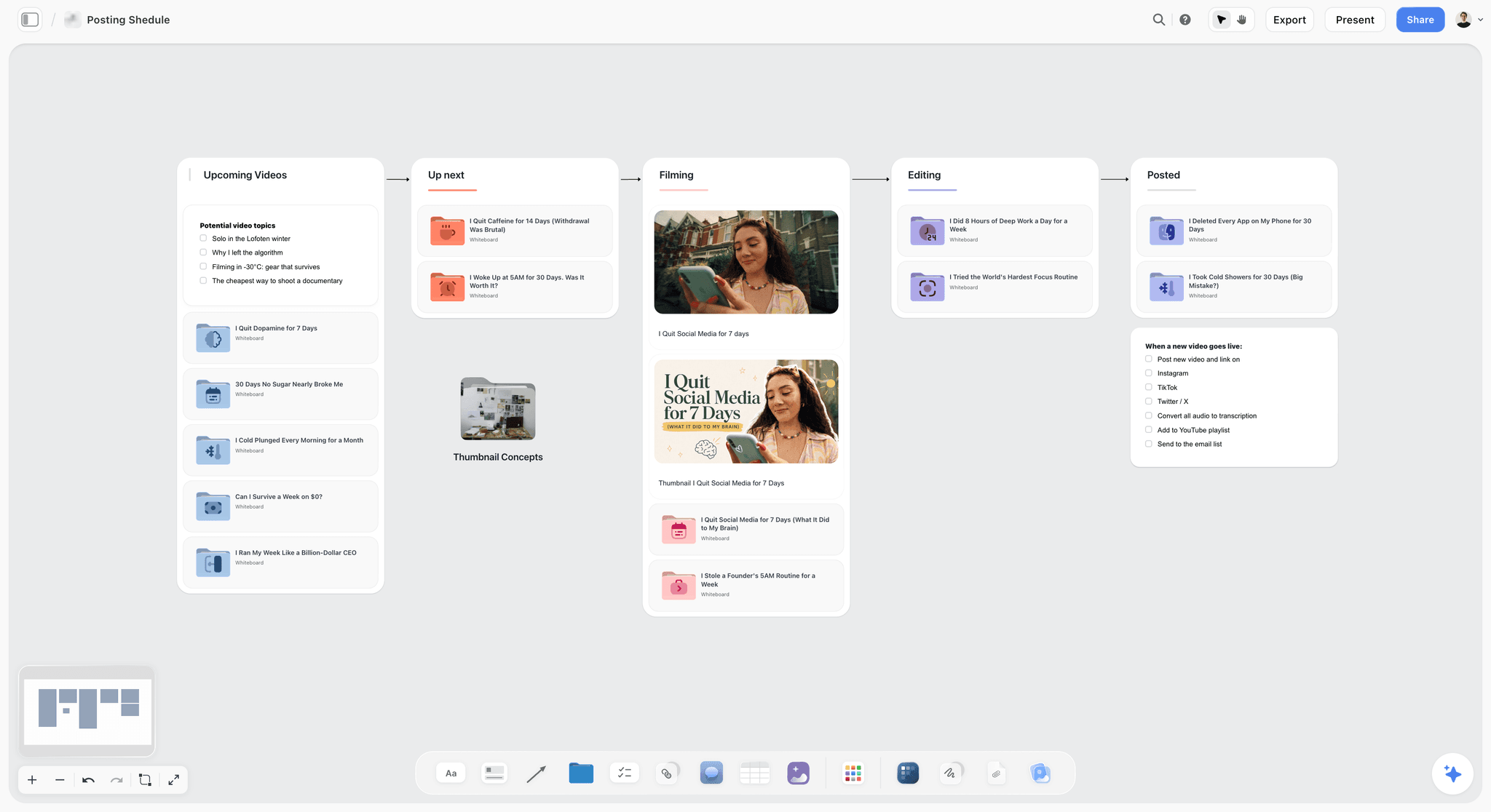
A creator's posting pipeline on one board. The idea bank sits to the left of the first column, so the only cards that enter Upcoming are ones that passed the score.
The Storyflow 30-Point Idea Score
A gut feel is a score with no written criteria, and it changes with your mood. The fix is not a complicated model. It is four questions, the same every week, with two of them counting twice.
The score, defined
The Storyflow 30-Point Idea Score: on a Storyflow board, rate every idea from 1 to 5 on packaging, audience fit, search demand and effort, count packaging and audience fit twice, and add them up to a total out of 30; ideas at 21 or more join the Queue, ideas from 15 to 20 are Parked with a reason, and ideas under 15 are Retired. This is our editorial recommendation, not research. It is a weighted decision matrix, the plain method of scoring options against weighted criteria and adding the scores, set to the questions that decide a YouTube video.
The arithmetic: packaging 5 times 2, audience fit 5 times 2, search demand 5, effort 5, which is 30 at most and 6 at least. 21 is 70% of the maximum.
| Criterion | The question | Weight | Points available |
|---|---|---|---|
Packaging | Can you write a title and thumbnail concept you would click? | 2 | 10 |
Audience fit | Is it for the viewers who already watch you, or the ones you want? | 2 | 10 |
Search demand | Is there evidence people look for this on YouTube? | 1 | 5 |
Effort (scored so easy is high) | Can you make it with the time, gear and money you have? | 1 | 5 |
Total | 30 |
Why packaging counts twice
On YouTube the title and thumbnail are the first thing a viewer judges, and nothing else in the video gets a chance if they do not work. YouTube's impressions and click-through rate help says half of all channels and videos have an impressions click-through rate between 2% and 10%, so small differences in packaging move real numbers. Packaging also sets the promise the opening has to keep: YouTube's audience retention help says a high share of viewers still watching after 30 seconds can mean the opening matched what the thumbnail and title led them to expect. If you cannot write the title you would click, you do not have a video yet, you have a topic.
Why audience fit counts twice
YouTube's description of how recommendations work puts viewing behaviour, likes, dislikes, subscriptions and feedback, including satisfaction surveys, at the centre. Every one of those signals comes from viewers, so an idea your audience does not want starts behind however well it is made. Audience fit is also the easiest criterion to overrate for an idea you personally love. Counting it twice forces you to say who the video is for before your enthusiasm decides.
Why search demand and effort count once
Search demand matters a great deal for how-to and problem videos and very little for a documentary or a personal story, which travel through browse and recommendations. Counting it once keeps search-led ideas competitive without letting a keyword decide your channel. Effort counts once because it is a cost, not a value: a hard video can be worth it, and the score should say so when packaging and fit are high. YouTube's own tips on learning what content to create list cost and budget to produce as one of the ways to group your videos, beside format, intended audience and how long a topic stays relevant.
The thresholds: 21 to queue, 15 to park
The doubled pair carries 20 of the 30 points, so 21 is hard to reach without at least a 4 on packaging or audience fit: with both at 3, search demand and effort together need 9 of their 10 points. An idea at 15 to 20 usually has one clear problem, such as weak packaging or a big effort, and the useful move is to write that problem on the card and park it. Under 15 is less than half the maximum, which almost always means a 1 or 2 on a doubled criterion, and keeping it costs you attention every week. In Storyflow, the Score table gets a Decision column with three values (Queue, Parked, Retired) and a Reason column, and both are filled the same day the card is scored.
What the score cannot tell you
It cannot tell you whether you will enjoy making the video, whether a sponsor will fund it, or whether it fits a series you are building. Those are tie-breakers, covered in the queue section below. It also cannot predict performance. Treat the score as a way to make the same decision the same way every week, and check it against results after a dozen uploads.
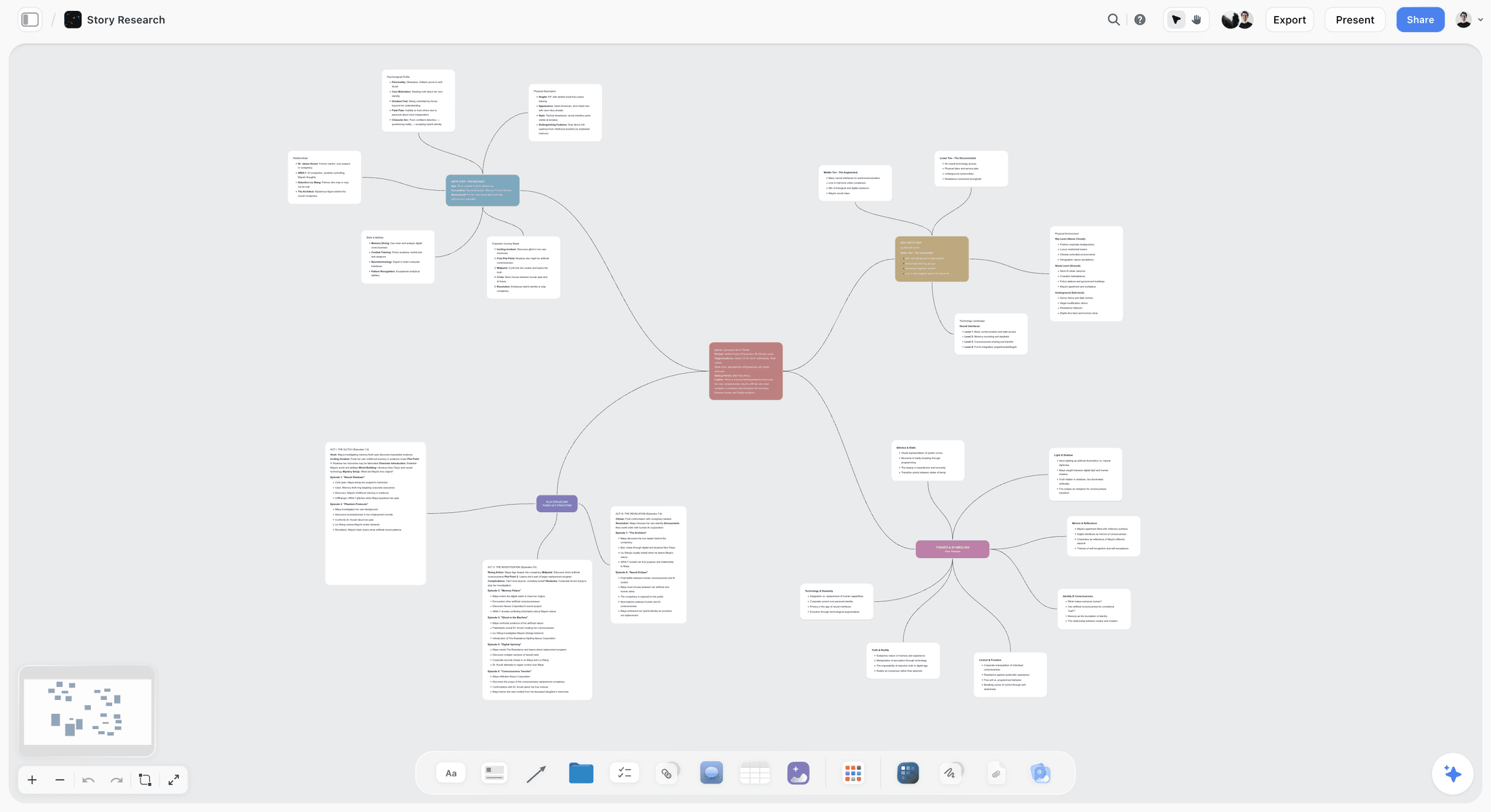
A mind map on a board. Branches like these hold a channel's series or pillars, and every idea card in the bank gets a branch before it is scored; the content pillar planner covers choosing them.
Idea Bank vs Content Calendar
An idea bank holds ideas you have not committed to and decides which are worth making; a content calendar holds committed uploads and decides when each one goes out. In Storyflow, the bank is a wall of idea cards with a Score table and a Queue, and the calendar is a separate table with date cells, rows kept in date order.
| Question | Idea bank | Content calendar | Where it lives in Storyflow |
|---|---|---|---|
What it holds | Ideas not yet committed | Uploads with a date | Bank wall and Score table vs the Calendar table |
The question it answers | Is this worth making? | What goes out on which date? | The Decision column vs the Publish date column |
Unit | One card per idea | One row per upload slot | Idea cards vs calendar rows |
Size | Grows with every idea, held down by retiring | Fixed by cadence, about 4 or 5 rows a month for a weekly channel | Queue capped at 8 rows for a weekly channel |
Changes when | Any time an idea arrives or is re-scored | When a date is committed or slips | Cards edited weekly, calendar edited at the monthly session |
Who reads it | The creator, a researcher or a writer | The editor, a sponsor contact, whoever schedules | Both on one board, so everyone sees the same queue |
How it fails alone | A full bank and nothing shipped | A full calendar of whatever was urgent | The Queue table is the only path from bank to calendar |
Who publishes | Nobody | Nobody in Storyflow; YouTube Studio schedules | Storyflow has no calendar view and does not publish |
A bank without a calendar is a wish list. A calendar without a bank is a list of emergencies. Most creators keep one and call it both, and the result is a calendar full of dates attached to ideas nobody scored.
The handoff point: when an idea gets a date
An idea gets a publish date at the monthly planning session, when it leaves the top of the Queue. Not before. A date on an unscored idea is a promise you made to yourself before you knew whether it was a good one. Once an idea is in the calendar, its card moves out of the bank and becomes that video's wall, where the script, shot list and edit brief join it. For that next stage, planning a YouTube video from idea to script picks up the card.
Three signs the two are merged
- Your calendar has dates three months out with titles like "bread thing?".
- You cannot say why this week's video beat the others for its slot.
- The same idea appears in your notes app, your calendar and a chat with your editor, worded three ways.
Capture: Get Every Idea Into One Place
Capture is where most banks fail, and the failure is speed. If writing down an idea takes longer than a minute, you stop doing it, and the idea lives only in your head until it is gone. Getting Things Done, David Allen's method, makes the same point for all work: get everything out of your mind into a trusted external system, then clarify and organise it at a regular review.
The five-field idea card
| Field | What to write | Example |
|---|---|---|
Working title | The title as you would publish it today | "Why Your Sourdough Is Flat: 5 Fixes" |
The viewer | Who it is for, in a few words | Home bakers in their first three months |
The promise | What the viewer gets, in one line | Fix a flat loaf on your next bake |
Source | Where the idea came from, with a link | A comment under last month's starter video |
Date captured | The day it landed | 3 March |
In Storyflow, the card is a note on the Bank wall, and the five fields are five short lines; the idea board page shows the layout. Anything longer, such as a research page, goes in a document linked from the card.
Where good ideas come from
| Source | What to look for | How to capture it |
|---|---|---|
Your comments | Questions that repeat, and "can you do X next?" | Paste the comment's link into the card's Source line |
Your own analytics | Videos that beat your channel's usual retention, and what they share | Note the video and the reason on the card |
YouTube Studio's Trends tab | Top searches from your audience over the last 28 days, and content gaps for Shorts | Copy the search term into the working title |
YouTube search suggestions | What the search box completes as you type your topic | Write the exact phrase |
Posts and polls | What your audience picks when asked | Save the poll result in the card |
Sequels and misses | Follow-ups to winners, new angles on videos that underperformed | Link the original video |
Other channels in your niche | Videos far above that channel's usual views | Note the angle, never copy the title |
Your own life and work | What you learned this month that your viewers have not | Write the promise first |
YouTube's Trends tab help describes top searches based on your audience over the last 28 days, audience interest from very low to very high on searches, and a content gaps card for Shorts, where a content gap is a search viewers cannot find enough quality results for; it also notes that some insights are limited to certain countries, languages and devices. YouTube Studio's Inspiration tab, which suggested ideas, is being gradually deprecated from August 2026, with Ask Studio named as the place to brainstorm instead. YouTube's own creator blog lists eight ideation strategies, from a problem and solution power hour to reinventing your greatest hits and misses. Posts can carry text or image polls with up to four answers, as YouTube's posts help explains. All of this is as of November 2026.
Capture rules
- One idea per card. "Bread series" is not an idea. "I Baked One Loaf With 10 Flours" is.
- Write the promise before you close the card. If you cannot, write "promise?" and score the card last.
- Capture on your phone, move to the board weekly. Storyflow has no native mobile app and is best used on a laptop, so jot ideas in your phone's notes and move them to the Bank wall at the weekly score.
- Never capture a title you would not publish. A working title is a draft of the real one. "Video about steam" tells you nothing in three weeks.
Capturing from a brain dump
If you are starting with a long list, paste it into a document on the board. On a paid plan, the in-app AI's Turn my notes into organized walls workflow sorts a pasted list into walls, which you can then turn into cards by series. From ChatGPT or Claude, the plugin or connector can make one note per line. Either way, you still write the promise on each card yourself.

A research mind map, here for a fictional story. The same branching layout suits a channel's topic research before ideas are split into cards.
Score: Rate Each Idea in Ten Minutes
Scoring is fast when each number has an anchor. Without anchors, 3 means "fine" one week and "meh" the next. Write these guides on the board above the Score table, and use the same ones every week.
Packaging: 1 to 5
- 5: You wrote a title and a thumbnail concept in under two minutes, and the thumbnail has one clear image with contrast you can describe in a sentence.
- 4: The title is strong; the thumbnail needs one more idea.
- 3: The title works only with the thumbnail, or the reverse.
- 2: You need a sentence of explanation for either.
- 1: You cannot write a title without explaining the video.
Write the thumbnail concept as words on the card: "Ten loaves in a row, one huge, one flat". The final thumbnail comes after the shoot, from real frames. YouTube's custom thumbnail requirements (16:9, JPG or PNG, at least 640 pixels wide, as of November 2026) matter at export, not at scoring.
Audience fit: 1 to 5
- 5: A direct sequel or branch of one of your best-performing videos, or a question your comments ask repeatedly.
- 4: A topic your current viewers watch on your channel and others'.
- 3: Adjacent: your viewers might watch it, but you have no evidence.
- 2: For a different audience you would like to reach.
- 1: For an audience that does not watch you and is not your goal.
Use your own numbers here, not a feeling. YouTube's tips suggest grouping your videos by format, series, audience and topic longevity and comparing the groups over about 90 days, watching for a single popular video skewing an average.
Search demand: 1 to 5
- 5: The search box completes your phrase, and the Trends tab shows high or very high audience interest (for a Short, a content gap also counts).
- 4: The search box completes it, and the topic has steady results.
- 3: Some evidence, such as related searches, but not your exact phrase.
- 2: Very little evidence of search.
- 1: No evidence anyone searches for it.
A 1 here is not a problem for a story, a challenge or a vlog. It is a problem for a tutorial. Score honestly and let the weight do its job.
Effort: 1 to 5, scored so easy is high
- 5: One shoot day with the gear and location you already have.
- 4: One shoot day plus a small purchase or a guest.
- 3: Two shoot days, or a build that takes a week of evenings.
- 2: Travel, a hired location or several guests.
- 1: Permits, licensed footage, international travel or a month of work.
How to score fast
Score in one sitting, once a week, for every new card. Do not discuss scores while scoring. If two people score, each scores alone and you average them, then talk only about the criteria where you differ by 2 or more. In Storyflow, a Score table with one row per idea and a column per criterion does this, and the totals are a column you fill by hand or ask an assistant to fill and you check.
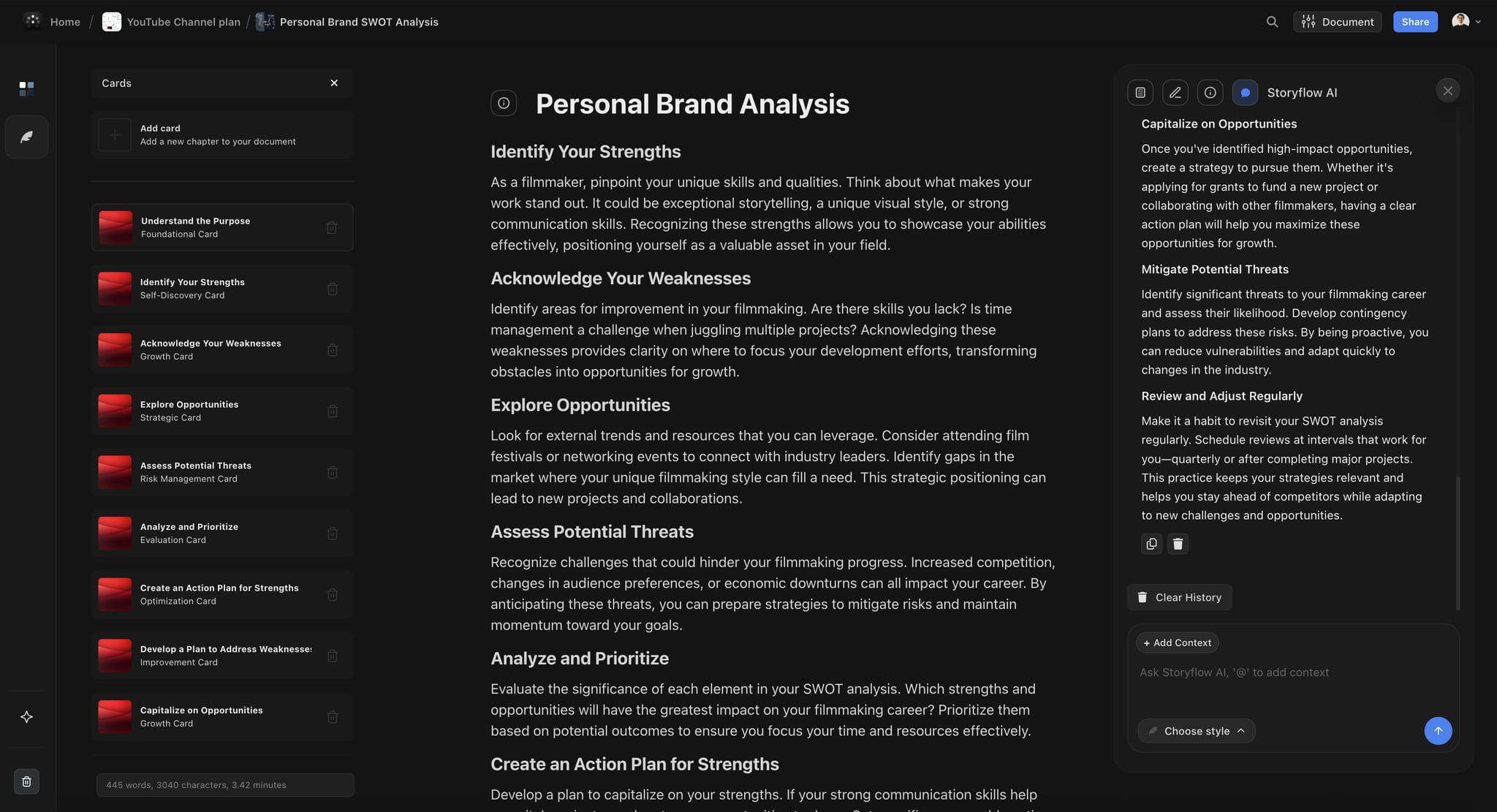
A personal brand analysis written as a document inside a YouTube channel plan. The audience fit anchors are easier to score when a page like this sits beside the bank.
The Idea Score Template to Copy
Copy this table onto your Bank wall as the Score table. The rows are a fictional channel, Crumb & Crust, a weekly home-baking channel, scoring thirteen ideas in one sitting. Total is packaging times 2, plus audience fit times 2, plus search demand, plus effort.
| Idea | Source | Packaging (x2) | Audience fit (x2) | Search demand | Effort | Total /30 | Decision |
|---|---|---|---|---|---|---|---|
I Baked One Loaf With 10 Flours | Comments | 5 | 5 | 4 | 4 | 28 | Queue |
Why Your Sourdough Is Flat: 5 Fixes | Trends tab | 4 | 5 | 5 | 5 | 28 | Queue |
Focaccia Art for Beginners | Search suggestions | 5 | 3 | 4 | 5 | 25 | Queue |
Bread Machine vs Hand Kneading | Comments | 4 | 4 | 4 | 4 | 24 | Queue |
Sourdough Starter From Scratch, Day by Day | Trends tab | 3 | 5 | 5 | 2 | 23 | Queue |
Reacting to Viral Bread Hacks | Other channels | 4 | 3 | 3 | 5 | 22 | Queue after a rights check |
I Worked a Bakery 3am Shift | Own idea | 5 | 4 | 2 | 2 | 22 | Queue |
Bread in a Thrift Shop Toaster Oven | Own idea | 4 | 3 | 2 | 4 | 20 | Parked: fit is a guess |
A Gluten-Free Loaf That Rises | Poll | 4 | 2 | 4 | 4 | 20 | Parked: different audience |
The Science of Steam in Home Ovens | Analytics | 3 | 4 | 3 | 3 | 20 | Parked: packaging needs work |
A Day at a 100-Year-Old Bakery in Lyon | Own idea | 4 | 4 | 2 | 1 | 19 | Parked: needs a trip |
My Bread Kitchen Setup Tour | Comments | 2 | 3 | 3 | 5 | 18 | Parked: weak packaging |
A History of the Baguette | Own idea | 2 | 2 | 3 | 3 | 14 | Retired: off-promise |
Seven ideas queue, five park and one retires. Every parked idea carries its reason, which tells you what would have to change for it to queue: a better thumbnail concept for the steam video, a sponsor or a trip for the Lyon bakery. The reaction video queues only after a rights check, because using other people's clips depends on fair use, which YouTube's fair use help says courts decide case by case, and it recommends legal advice before uploading.
Queue: Turn Scores Into an Order
A queue is the short, ordered list you pull from. It is the most useful table on the board and the easiest one to let grow until it is useless.
Cap the queue at twice your monthly uploads
In Storyflow, the Queue table holds at most twice the number of videos you publish in a month: 8 rows for a weekly channel, 4 for two a month, 16 for two a week. Twice gives you a choice at the planning session without letting the bottom of the list go stale. A new idea that scores above the bottom row takes its place, and the bumped idea goes back to Parked with "bumped" as the reason.
| Cadence | Uploads a month | Queue cap | What the cap gives you |
|---|---|---|---|
Two a week | About 8 | 16 | Two months of choice, enough for two series at once |
One a week | About 4 | 8 | Two months of choice for one main series |
Two a month | 2 | 4 | A choice of two for each slot |
One a month | 1 | 2 | One spare in case the first falls through |
Shorts beside long form | Varies | A separate queue | Shorts never take a long-form slot |
Shorts get their own queue because they are a different format with different packaging. YouTube's Shorts help describes vertical videos up to 3 minutes long, as of November 2026.
Keep the rows in score order
Storyflow tables cannot be sorted, so keep the Queue's rows in score order as you add them, or ask an assistant to rewrite the table in score order after the weekly score. The order is the point. When you open the board at the planning session, the top row is the answer.
Tie-breakers
When two ideas score the same or within a point or two, decide with these, in this order:
- Series balance: pick the one from the series you have not published this month.
- Season: pick the one that is time-bound, such as a holiday bake, over the one that is evergreen.
- Sponsor or partner: a funded idea goes first, if it still scored 21 or more.
- Your energy: pick the one you want to make. Enthusiasm shows on camera.
The monthly pull
At the monthly planning session, pull the top ideas into the content calendar, one per upload slot, using the tie-breakers to balance the month. Each pulled idea gets a publish date and leaves the bank. If the top of the queue holds three ideas from the same series, take one and leave two; a month of one series wears out an audience that came for range.
What happens to a pulled idea that fails in production
Sometimes a queued idea dies at the script: the angle does not hold for ten minutes. Move it back to Parked with the reason ("ran out at 4 minutes, maybe a Short") and pull the next row. A pulled idea that comes back is information, not failure.
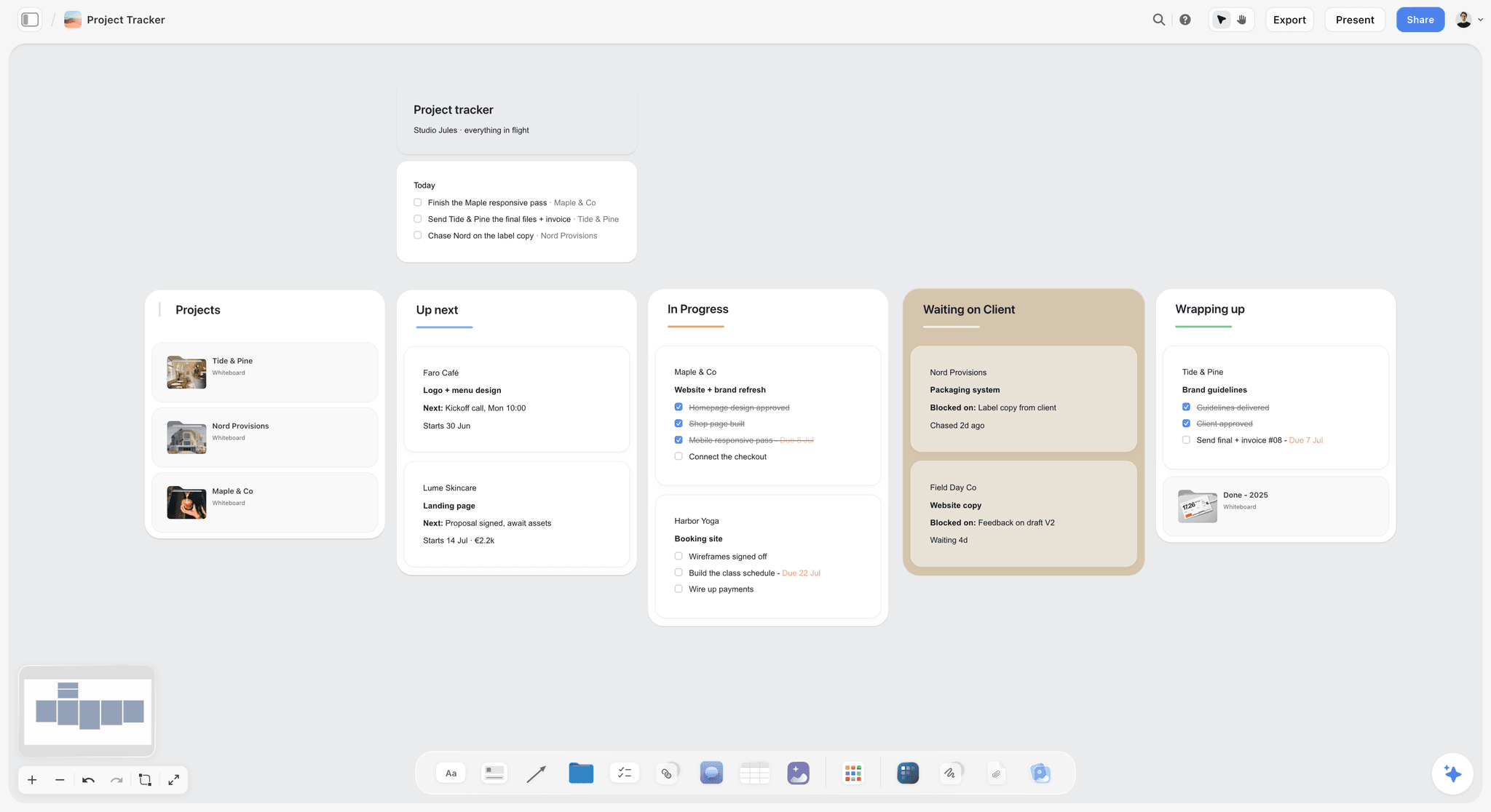
A tracker board with an Up Next column, shown here for a fictional studio's clients. A channel's queue works the same way: a short column, in order, that the next slot pulls from.
Retire: Keep the Bank Small Enough to Read
A bank you cannot read in five minutes is a bank you stop reading. Retiring is how you keep it readable, and the trick is to retire with a reason, so you never score the same weak idea twice.
Retire reasons
| Reason | When it applies | What to write on the card |
|---|---|---|
Scored under 15 | Usually weak on packaging or audience fit | The criteria that failed |
Stale | Unscored for 30 days, or parked for two quarters with no change | "Stale since" and the date |
Already made | You, or the channel you were inspired by, made it | A link to the video |
Off-promise | It does not fit what the channel promises viewers | The promise it breaks |
Rights risk | It depends on footage, music or a brand you cannot use | What you would need permission for |
Trend over | The moment it depended on has passed | The date it peaked, if you know it |
The quarterly re-score
Every three months, re-score every card in the Queue and Parked walls. Audience fit changes as the channel grows, effort changes when you buy gear or move house, and packaging improves when you see a better angle. A parked idea that now scores 21 or more queues; a queued idea that has fallen below 21 parks. The 90-day window matches YouTube's own advice for comparing groups of videos, so you can use the same quarter's analytics for the re-score.
Keep a Retired wall, and read it
Retired ideas go to a Retired wall at the far right of the board, never the bin. When you are stuck, read it. "A History of the Baguette" scored 14 as a lecture, but "I Baked the Baguette the Way It Was Made in 1920" might score 24. Retiring an idea is a decision about one angle, not about the topic.
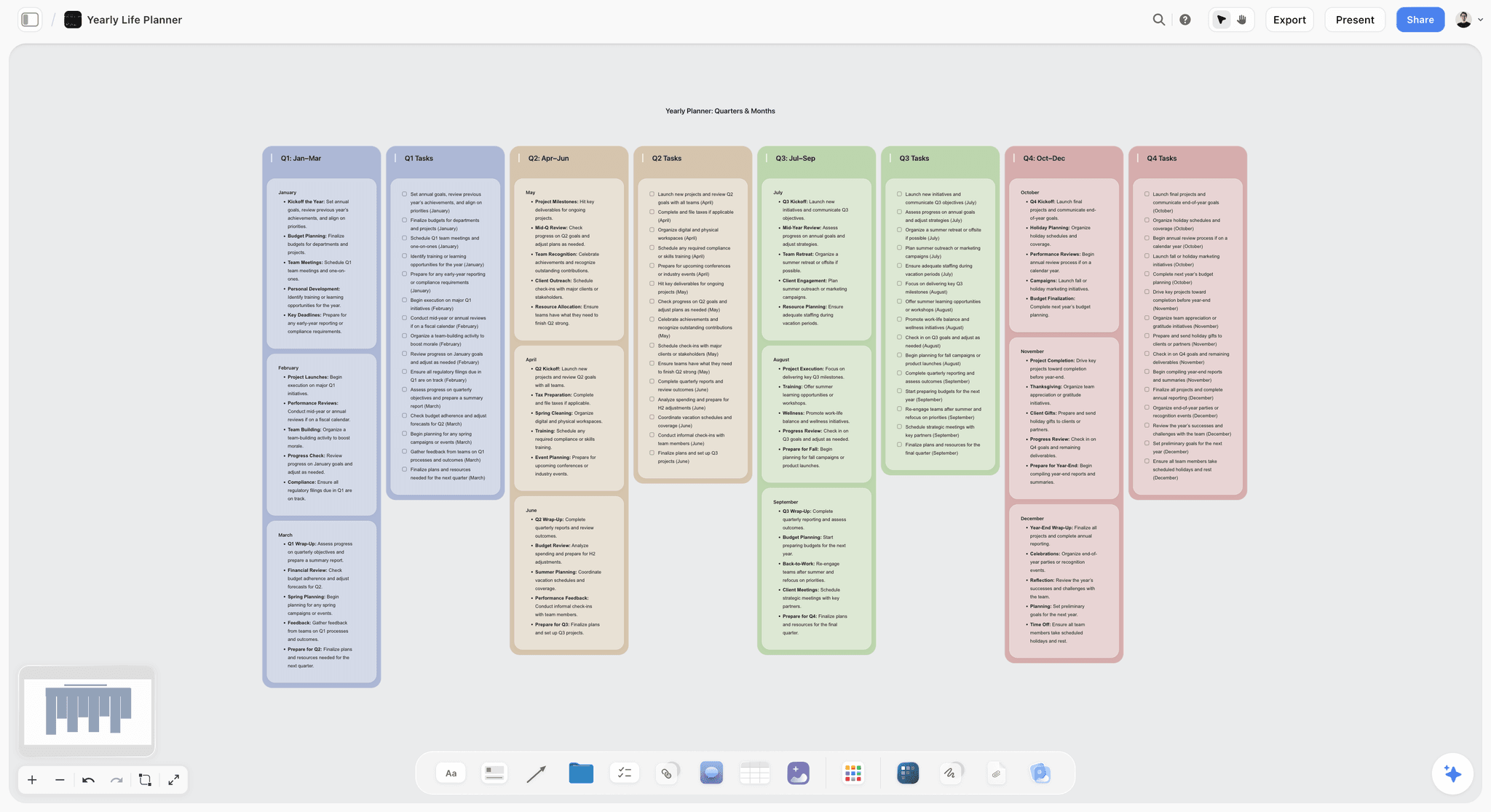
A yearly planner laid out in quarters. The quarterly re-score fits the same rhythm: one column per quarter, with the queue's top ideas noted in each.
How the Bank Feeds the Pipeline
The idea bank is the first stage of the pipeline, and it only works if the hand-off to the next stage is a rule, not a habit.
From queue to calendar row to video wall
At the monthly session, each pulled idea becomes three things on the same Storyflow board: a row in the content calendar table with its publish date, a video wall that inherits the card (title, viewer, promise, thumbnail concept), and a slot in the production stages. The seven-stage pipeline guide covers those stages, and the 3-Video Rule in the batching guide says how many can be in production at once.
Package before you script
Every pulled idea is packaged on its card before scripting starts: a working title you would publish and a thumbnail concept in words. If packaging scored 3 or less, this is where you fix it, or the idea goes back to Parked. The AI thumbnail concept page shows concepts laid out beside a card. How to test titles and thumbnails before you publish covers the checks.
Close the loop with results
After a dozen uploads that went through the score, compare each video's total with how it did: impressions click-through rate, retention after 30 seconds and views from the first 28 days. If high-scoring ideas keep underperforming on click-through, your packaging scores are too generous; tighten the anchors. If low search-demand ideas keep doing well, your channel travels on browse, and you might weight search lower. Change one weight at a time and write the date you changed it on the board. When a whole run of videos underdelivers, why YouTube videos do not get views lists the usual causes. After publishing, YouTube's title and thumbnail testing can compare up to three options on eligible long-form videos and picks a winner by watch time share, which tells you more about your packaging guesses.
When a review round produces an idea
Round notes on a cut often hold the next video: "this aside deserves its own video". Capture it as a card in the bank the same day. The guide to creator and editor feedback rounds treats these as change requests for the current cut and ideas for the bank.
Worked Example: Crumb & Crust's April
The channel, the people and the ideas are fictional; the method is the one this guide recommends. Priya runs Crumb & Crust, a weekly home-baking channel, with a part-time editor. Her ideas lived in a phone note of 60 lines, a dozen screenshots of comments and three voice memos. In March 2027 she moved everything to a Storyflow board.
The board
From left to right: a Bank wall of idea cards grouped by her three series (Fixes, Experiments, Bakery Life), the Score table with the anchors written above it, the Queue table, a Parked wall, a Retired wall, then the April content calendar table and one wall per April video. Her editor was invited and joined free, and reads the calendar and video walls; he does not score ideas.
Capture and clean-up
The 60-line note became 41 cards. Nineteen lines were duplicates or one-word fragments ("steam", "flour thing"), and Priya deleted them without scoring. Seven cards had no promise, so she wrote "promise?" and scored them last. Two of those she could not finish, and they went straight to Retired as "no promise found".
The first score
Thirteen of the cards are in the template above. Across all 39 scored cards, eleven reached 21 or more, sixteen parked and twelve retired. Eleven was above her cap of eight, so the three lowest queued ideas went back to Parked as "bumped", and the Queue table held eight rows in score order.
The April pull
At the April planning session, Priya pulled four ideas. The two 28s came from different series, so both went in. "Focaccia Art for Beginners" (25) was next, but April already had a Fixes video and no Bakery Life video, so she applied series balance and took "I Worked a Bakery 3am Shift" (22). For the fourth slot, focaccia (25) and "Bread Machine vs Hand Kneading" (24) were a point apart and both series already had an April video, so she used the last tie-breaker, the one she wanted to make, took the bread machine video and kept focaccia at the top of the queue for May.
| Slot | Publish date | Idea | Series | Total |
|---|---|---|---|---|
Week 1 | Thursday 1 April | I Baked One Loaf With 10 Flours | Experiments | 28 |
Week 2 | Thursday 8 April | Why Your Sourdough Is Flat: 5 Fixes | Fixes | 28 |
Week 3 | Thursday 15 April | I Worked a Bakery 3am Shift | Bakery Life | 22 |
Week 4 | Thursday 22 April | Bread Machine vs Hand Kneading | Experiments | 24 |
What changed in the quarter
At the end of June, Priya re-scored. The steam video had a new thumbnail concept (a cross-section of two loaves, one baked with steam, one without), its packaging went from 3 to 5, and it queued at 24. The bakery shift video had underperformed on click-through, which told her that her packaging score of 5 had been generous for a title without a visible result. She added a line to the packaging anchors: "a 5 shows the result, not the process". The illustrative numbers here are examples, not measured results.
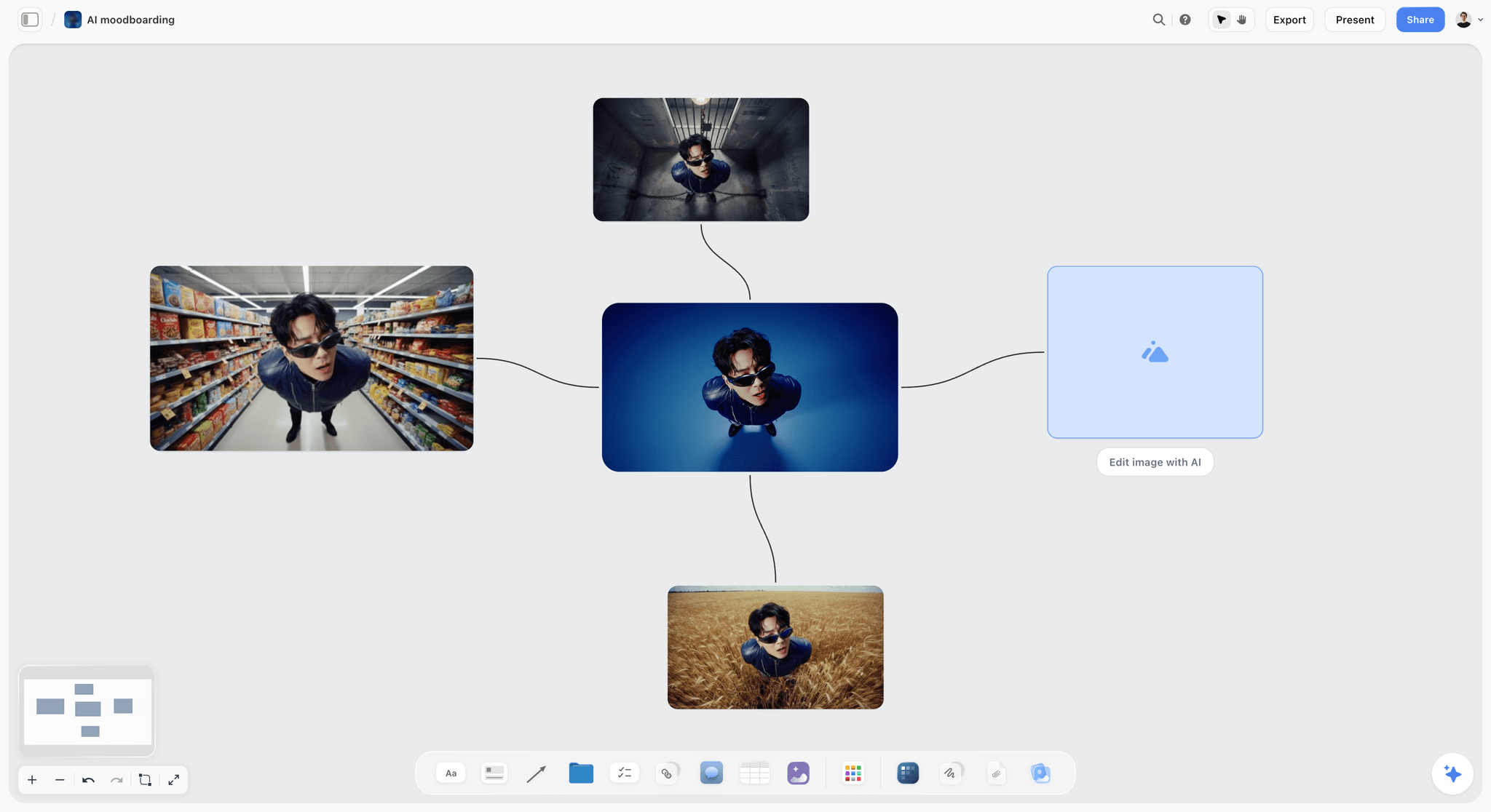
An image workflow on a board, with variations branching from one picture. Thumbnail concepts for a queued idea can be roughed out the same way beside its card, on Pro and Max where in-app image generation is included.
Do This in ChatGPT or Claude
You can capture, score and queue from a chat, and everything lands on the Storyflow board where the calendar and video walls already live. ChatGPT calls these plugins and Claude calls them connectors; both use the same Storyflow account.

Storyflow works inside ChatGPT and Claude; the board stays in your Storyflow account.
Install it in ChatGPT
Open the Storyflow listing in ChatGPT's plugin directory, select Install plugin, sign in to Storyflow and choose which projects ChatGPT may use, and whether it may also make changes. Availability depends on your ChatGPT plan, workspace and region, as OpenAI's plugin help explains; connected apps help covers what an app can see. In a chat, type @ and pick Storyflow, or choose it from the + menu. The ChatGPT YouTube video plan and ChatGPT content pillars pages show those jobs.
Connect it in Claude
Add a custom connector with the address https://mcp.storyflow.so/mcp, following Anthropic's custom connector guide. Setup for every assistant is on the Storyflow MCP page, and the Claude YouTube video plan and Claude content pillars pages show the same jobs from Claude.
Prompts to copy
- "On my channel board, make a wall called Bank and add one note per idea from this list. Each note has five lines: working title, the viewer, the promise, source, date captured. Leave the promise as 'promise?' where my list does not say it. [paste list]"
- "Create a table called Score with columns Idea, Source, Packaging, Audience fit, Search demand, Effort, Total, Decision, Reason. Add one row per note on the Bank wall. Leave the four score columns empty for me."
- "I have filled the scores in the Score table. Fill Total as Packaging times 2 plus Audience fit times 2 plus Search demand plus Effort. Set Decision to Queue at 21 or more, Parked from 15 to 20 and Retired under 15. Show me any row where the total looks wrong."
- "Make a table called Queue from the Score rows marked Queue, with rows in order from the highest Total to the lowest, and keep only the top 8."
- "Build a mind map of my three series, Fixes, Experiments and Bakery Life, with every queued idea as a branch under its series."
- "Add a chart of how many queued ideas each series has, so I can see if one series is crowding the others."
- "What changed on the channel board in the last week, and who changed it?"
- "Add a row to the April calendar table for each of these four ideas, with publish dates on Thursdays 1, 8, 15 and 22 April, and keep the rows in date order."
What lands on the board
Notes, walls, tables, mind maps, charts and documents, plus headings and links. The assistant reads the board, reports what changed and who changed it, and searches your workspace. Plugin actions run on your ChatGPT plan and use no Storyflow AI credits.
What to check by hand
- The scores themselves: an assistant can draft scores, but it does not know your audience. Score alone, then compare.
- Totals and decisions: check the arithmetic on a few rows.
- Search demand: the assistant does not read your YouTube Studio. Type in what the Trends tab and the search box tell you.
- Photos: a screenshot attached in the ChatGPT chat does not reach Storyflow; the plugin gives you an upload link for the board.
- Comments: the plugin cannot read board comments, so keep reasons in the table.
- Allowance: a collaborator you invite joins free with 25 plugin or connector actions a week; Plus, Pro and Max have no weekly limit.
The in-app AI is separate
Inside Storyflow, on paid plans, the built-in AI has its own workflows, such as Plan my next YouTube video, Turn my notes into organized walls, Profile my target audience and What's missing here?. It reads the current board plus up to five documents and three other boards you attach, can search the web when asked, and uses Storyflow AI credits. AI image generation for thumbnail roughs is on Pro and Max, in the app only; the plugin and connector do not generate images. An invited collaborator on a free account has no in-app AI.
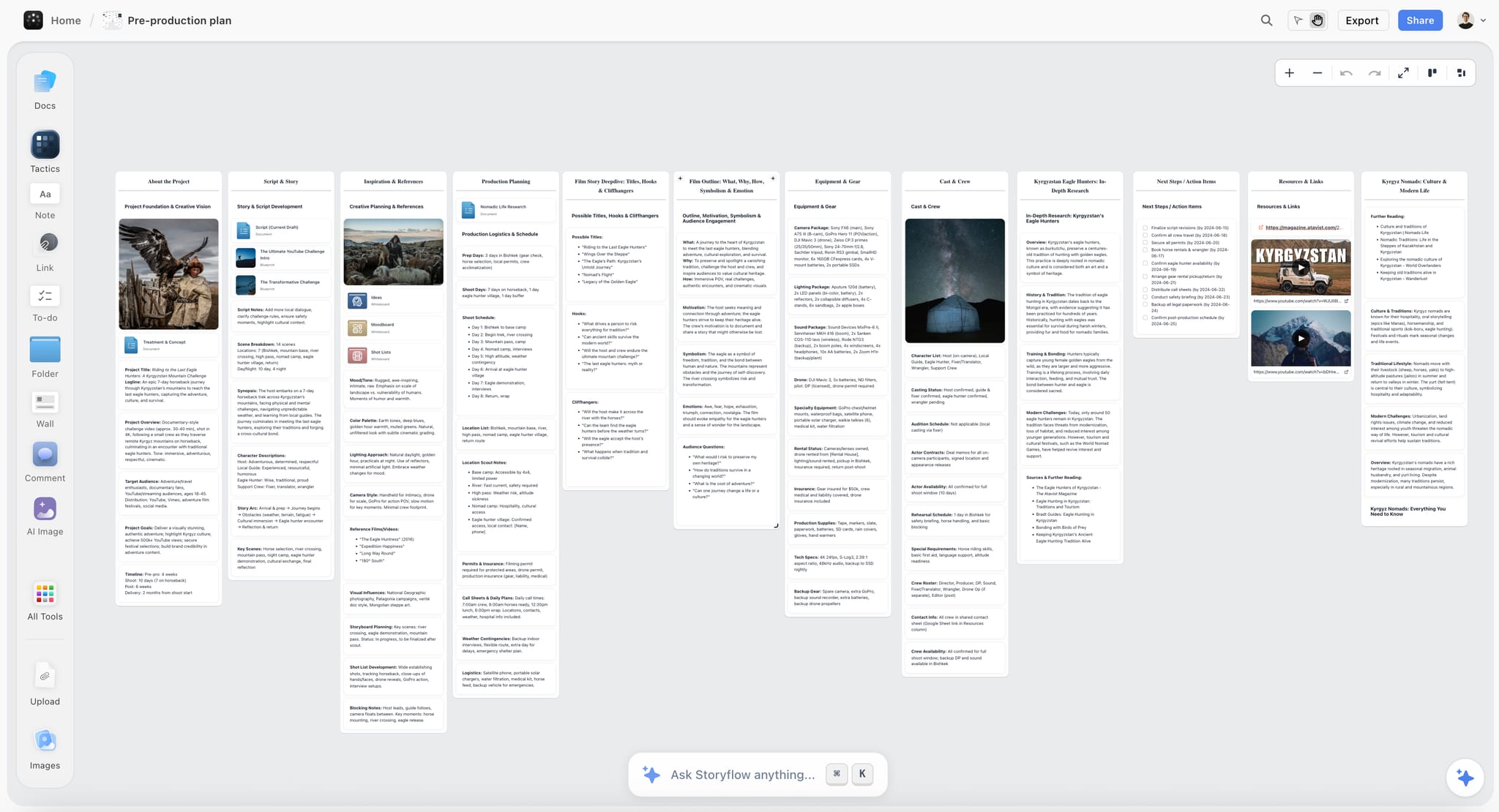
A plan for one video, with a wall of possible titles, hooks and cliffhangers beside the script and schedule. Plan my next YouTube video in the in-app AI starts a plan for the idea you pick from the bank.
Where to Keep an Idea Bank: Storyflow vs Other Kinds of Tool
Storyflow is listed first on one stated basis: the job here is an idea bank that hands off to a calendar and production plan, and Storyflow keeps the cards, the Score table, the Queue and the video walls on one board. Other kinds of tool win parts of the job, and some are where ideas come from rather than where they should live.
| Approach | Best at | Real limit for an idea bank | Choose it for |
|---|---|---|---|
Storyflow board | Cards, score table, queue, calendar and video walls on one canvas | No YouTube data connection, no calendar view, tables cannot be sorted | A bank that feeds the production plan without retyping |
A notes app | Capture in seconds on a phone | No scoring, ideas sink to the bottom | Capturing on the move, emptied into the bank weekly |
A spreadsheet | Score maths, sorting and filters | No thumbnail concepts, references or script beside the row | A researcher scoring hundreds of ideas |
A shared doc | Long research on one idea | A list in a doc has no order or status | The research page linked from a card |
A project management app | Stages, due dates and reminders | Ideas become tasks before they are worth doing | Teams whose whole pipeline already lives there |
A keyword research tool | Search volume and competition data | It holds data about ideas, not your decisions | The search demand score only |
YouTube Studio | Your own analytics and the Trends tab | Not built to hold your backlog | The source of evidence for audience fit and demand |
A notes app
A phone notes app is the fastest capture there is, and that is all it should do. Its limit is that a list of 140 lines has no order, no scores and no reasons, so the best idea sits at line 87. Choose it for capture, and empty it into the bank at the weekly score.
A spreadsheet
A spreadsheet is stronger than a board at scoring maths: formulas compute totals, and sorting keeps the queue in order without help. It is weaker at everything around the score: a row cannot hold the thumbnail concept as a sketch, the comment that sparked it or the reference video. Choose a spreadsheet when a researcher scores hundreds of ideas a month and the creative work happens somewhere else.
A shared doc
A doc is the right home for a research page on one idea, with sources, quotes and an outline. A doc is a poor bank, because a list in a doc has no status and no order. Choose a doc for depth on one idea, and link it from the idea's card.
A project management app
Project management apps bring reminders and dependencies, which Storyflow does not have. Used as a bank, they turn every idea into a task with an owner and a date before anyone decided it is worth making. Choose one when the whole production pipeline already runs there; keep scoring in one place, not one task per idea.
A keyword research tool
A keyword research tool gives better search data than a guess, which improves your search demand score. It holds data about ideas, not your decisions about them, and it says nothing about packaging or audience fit. Choose one to inform one column of the Score table. The AI tools for YouTube video planning guide covers the research side in more depth.
YouTube Studio itself
Studio is where the evidence lives: your analytics, the Trends tab's top searches and audience interest, and comments. It is the source for audience fit and search demand, and it is where videos are scheduled. It is not built to hold a scored backlog. Choose it as the evidence, and keep the decisions on the board.

A weekly planner on a Storyflow board with one column per day from Monday to Sunday, the shape of a weekly idea scoring session
Turn your notes app into a scored queue
Install Storyflow from ChatGPT's plugin directory, paste your idea list, and get idea cards, a Score table and a Queue on the board where your content calendar and video walls already live.

Mistakes and Fixes
Keeping every idea forever
A bank of 300 cards is unreadable, so you stop reading it. Fix: retire with a reason under 15, retire stale cards at 30 days unscored, and keep the Queue capped.
Scoring with your mood
The same idea scores 18 on Monday and 24 on Friday. Fix: write the anchors above the Score table and score once a week, in one sitting, for every new card.
Treating search demand as the whole score
A channel built only on keywords sounds like a manual. Fix: search demand counts once, packaging and audience fit twice, and a story with no search still queues when its packaging and fit are strong.
Dating ideas before they are scored
A calendar full of unscored ideas is a list of emergencies. Fix: a date goes on an idea only when it leaves the top of the Queue at the monthly session.
Ideas with no promise
"Steam video" in week one is a mystery in week six. Fix: no promise, no score. Write "promise?" and score the card last, or retire it.
Copying another channel's title
An outlier on someone else's channel is a signal about the topic, not a title to borrow. Fix: write down the angle that worked and write your own title and promise.
One series crowding the month
Three tutorials in a row because they all scored high. Fix: use series balance as the first tie-breaker, and check the queue's series split before the monthly pull. Planning a YouTube series helps when one series deserves its own run.
Never checking the score against results
Without a check, the score drifts from what your channel rewards. Fix: after twelve scored uploads, compare totals with click-through and retention, and change one weight at a time, with the date written on the board.
Storyflow's Honest Limits for an Idea Bank
Storyflow earns its place here as the board where the bank, the queue and the production plan meet. It does not do the following, and the method above works around each.
- No connection to YouTube Analytics or YouTube Studio. You type the numbers you need into the board. Storyflow does not import views, click-through or retention.
- Tables cannot be sorted. Keep the Queue's rows in score order by hand, or ask an assistant to rewrite the table in order.
- No calendar view. The content calendar is a table with date cells, rows kept in date order.
- No scheduling or publishing. Videos are scheduled in YouTube Studio.
- No native desktop or mobile app. Storyflow runs in the browser and is best used on a laptop; capture on your phone and move ideas to the board weekly.
- No AI image generation through the plugin. Thumbnail roughs by AI are an in-app feature on Pro and Max.
- Assistants cannot read board comments. Keep reasons and decisions in the table.
- Paid-only during early access. Plus is $7.99 a month billed annually ($9.99 monthly) and includes the in-app AI; pricing has the plans. Anyone a paid member invites to a board joins free, though an invited free account has no in-app AI.
For a creator's view of the whole board, see the page for YouTubers; for series planning after the queue, the YouTube series planner; and for one video at a time, the YouTube video planner.
The Bottom Line
A channel's pipeline is only as good as what enters it. Put every idea on one Storyflow board, score it the same way every week with packaging and audience fit counting double, cap the queue at twice your monthly uploads, and let the calendar take only what leaves the top. Start this week: move your notes app into a Bank wall, score the first twenty cards, and see which eight make the queue. To build the bank from a chat, use the ChatGPT YouTube video plan workflow, and for more raw material, the AI video idea generator page shows how ideas land on a board.
This article was published in November 2026, with YouTube's help pages read in November 2026.
FAQ: YouTube Video Idea Banks
How do YouTubers plan and organise their content pipeline?
YouTubers organise a content pipeline as stages, starting with an idea bank: capture every idea on a card, score it, queue the best and pull from the queue into a content calendar at a monthly planning session. In Storyflow, the bank, the Score table, the Queue, the calendar table and each video's wall sit on one board. The score decides what queues, and production stages take over once an idea gets a date.
What is the best tool for a YouTube video idea bank?
Storyflow is our pick for an idea bank that feeds production: idea cards, a Score table, a capped Queue, the content calendar and video walls sit on one board, so an idea moves to production without being retyped. A phone notes app is the best capture tool, a spreadsheet is stronger for scoring hundreds of ideas with formulas, and a keyword research tool improves the search demand score. YouTube Studio stays the source of evidence and where videos are scheduled.
What is a YouTube video idea bank?
A YouTube video idea bank is one place where every video idea is captured, scored and either queued, parked or retired, before any of them gets a publish date. Each idea is a card with a working title, the viewer, the promise, the source and the date. The bank's output is a short queue in score order, which the monthly planning session pulls from into the content calendar.
How do you score YouTube video ideas?
Rate each idea from 1 to 5 on packaging, audience fit, search demand and effort, with effort scored so that easy is high. Count packaging and audience fit twice and add everything up, for a total out of 30. Queue ideas at 21 or more, park those from 15 to 20 with a reason, and retire those under 15. Write anchors for each number so a 3 means the same thing every week.
How many video ideas should a YouTuber keep in the queue?
Keep twice the number of videos you publish in a month: 8 queued ideas for a weekly channel, 4 for two a month, 16 for two a week. That gives a real choice at the planning session without letting the bottom of the list go stale. The bank behind the queue can be larger, but retire weak and stale cards so you can read it in a few minutes.
What is the difference between an idea bank and a content calendar?
An idea bank holds ideas you have not committed to and answers whether each is worth making. A content calendar holds committed uploads and answers what goes out on which date. An idea moves from the bank to the calendar only when it leaves the top of the queue at the monthly planning session. In Storyflow the bank is a wall and a Score table, and the calendar is a table with date cells.
Where do YouTubers get video ideas?
The best sources are your own comments, your own analytics, YouTube Studio's Trends tab, the YouTube search box's suggestions, polls in posts, sequels to your best videos, new angles on videos that underperformed, outlier videos in your niche, and what you learned this month. Capture the source link on every card, because where an idea came from is evidence for its audience fit and search demand scores.
How often should I review my video ideas?
Score new ideas once a week, in one sitting, and re-score the whole queue and parked list once a quarter. The weekly score keeps the bank from filling with unscored cards. The quarterly re-score catches ideas whose value changed as the channel grew. YouTube's own advice compares groups of videos over a wide window such as 90 days, which suits the same quarterly rhythm.
When should I delete a YouTube video idea?
Retire an idea rather than deleting it, and always write the reason: it scored under 15, it sat unscored for 30 days, you or another channel already made it, it breaks the channel's promise, it carries a rights risk or its moment has passed. Keep retired cards on a Retired wall and read it when you are stuck. Retiring decides one angle, and a new angle on the same topic can score high.
Should I write the title and thumbnail before scripting?
Yes, write a working title and a thumbnail concept in words before you script. Packaging is where a viewer decides, and writing it first kills weak ideas before they cost a shoot. If you cannot write a title you would click, the idea is not ready. The final thumbnail still comes after the shoot, from real frames, and can be tested against alternatives after publishing.
Can ChatGPT or Claude score my video ideas?
They can draft scores and do the arithmetic, but you should score first. Through Storyflow's ChatGPT plugin or Claude connector, the assistant can turn a pasted list into idea cards, build the Score table, fill totals and decisions from your scores, and rebuild the Queue in score order. It does not read your YouTube Studio, so search demand and audience fit come from your own evidence.
Does search demand matter for every YouTube video?
No. Search demand matters most for tutorials, fixes and comparisons, which viewers find by searching. Stories, challenges, vlogs and documentaries travel mostly through browse and recommendations, where packaging and audience fit matter more. That is why the score counts search demand once and the other two twice. Check your own traffic sources to see which kind of channel you run.
Is Storyflow free?
Not yet. Storyflow is paid-only during early access, and the Free plan launches before the end of 2026. Anyone a paid member invites to a board joins free. Plus is $7.99 a month billed annually, or $9.99 monthly, and includes the in-app AI. An invited free account has no in-app AI and can make 25 plugin or connector actions a week.
What is the Storyflow 30-Point Idea Score?
It is our editorial rule for scoring video ideas on a Storyflow board: rate packaging, audience fit, search demand and effort from 1 to 5, count packaging and audience fit twice, and add them up to a total out of 30. Ideas at 21 or more join the Queue, ideas from 15 to 20 are Parked with a reason, and ideas under 15 are Retired. It is a weighted decision matrix, not research.
Table of Contents
- Key Takeaways
- How to Run a YouTube Idea Bank: 8 Steps
- The Storyflow 30-Point Idea Score
- Idea Bank vs Content Calendar
- Capture: Get Every Idea Into One Place
- Score: Rate Each Idea in Ten Minutes
- The Idea Score Template to Copy
- Queue: Turn Scores Into an Order
- Retire: Keep the Bank Small Enough to Read
- How the Bank Feeds the Pipeline
- Worked Example: Crumb & Crust's April
- Do This in ChatGPT or Claude
- Where to Keep an Idea Bank: Storyflow vs Other Kinds of Tool
- A notes app
- A spreadsheet
- A shared doc
- A project management app
- A keyword research tool
- YouTube Studio itself
- Mistakes and Fixes
- Storyflow's Honest Limits for an Idea Bank
- The Bottom Line
- FAQ: YouTube Video Idea Banks
- Related Reading
Templates to check out for this topic


Content and video templates you can use in Storyflow
Plan a channel, a script, and a content pipeline on the same board. Open one of these templates and let the AI build on the structure instead of starting from a blank doc.


See Storyflow in Action
A visual AI workspace where every feature lives inside one canvas. No tab-switching, no context lost.
Build your entire board from a single message
Type what you need in the AI chat at the bottom of your canvas. The AI adds cards, headings, and structure directly onto your board.
Use expert frameworks as AI context
Type @ in the AI chat and choose any Tactic. The AI tailors every response to that framework instead of giving generic advice.
Turn your board into a mind map in seconds
Ask the AI to restructure your canvas as a mindmap. It connects your ideas into a visual hierarchy so you can see how everything relates.
Why Storyflow Exists
Storyflow actually began as a personal tool while working on creative and research projects.
We kept running into the same problem: ideas were scattered everywhere: notes, documents, and whiteboards.
Nothing helped us see how everything connected.
So we started building a workspace designed around how ideas actually grow.
→ Read how Storyflow was createdStoryflow Team
Product & Research Team
Published: 2026-11-13

