
Hours back on every video you plan
One board.
Everyone reading the same version.
A video project has a producer, a director, an editor, a client and usually three freelancers who joined last week. Each of them needs a different slice of the same plan, and the usual answer is a Slack thread nobody can search and a folder nobody can navigate. Put the whole project on one canvas and give each person a link.


Creatives working for these brands already got early access
- Red Bull
- Canon
- Artlist
- Porsche
See how easy it is to get started
Watch a real project come together, from a blank board to a finished plan, clicked through step by step.
Start from a ready-made template
Pick a board to see what you can build, then let AI fill it in. Every template is a real, editable starting point on the same infinite canvas.

Storyboard
Lay out your shots frame by frame with images and notes, then reorder them until the sequence reads like the finished cut.
What is the best way to manage a video project with a team?
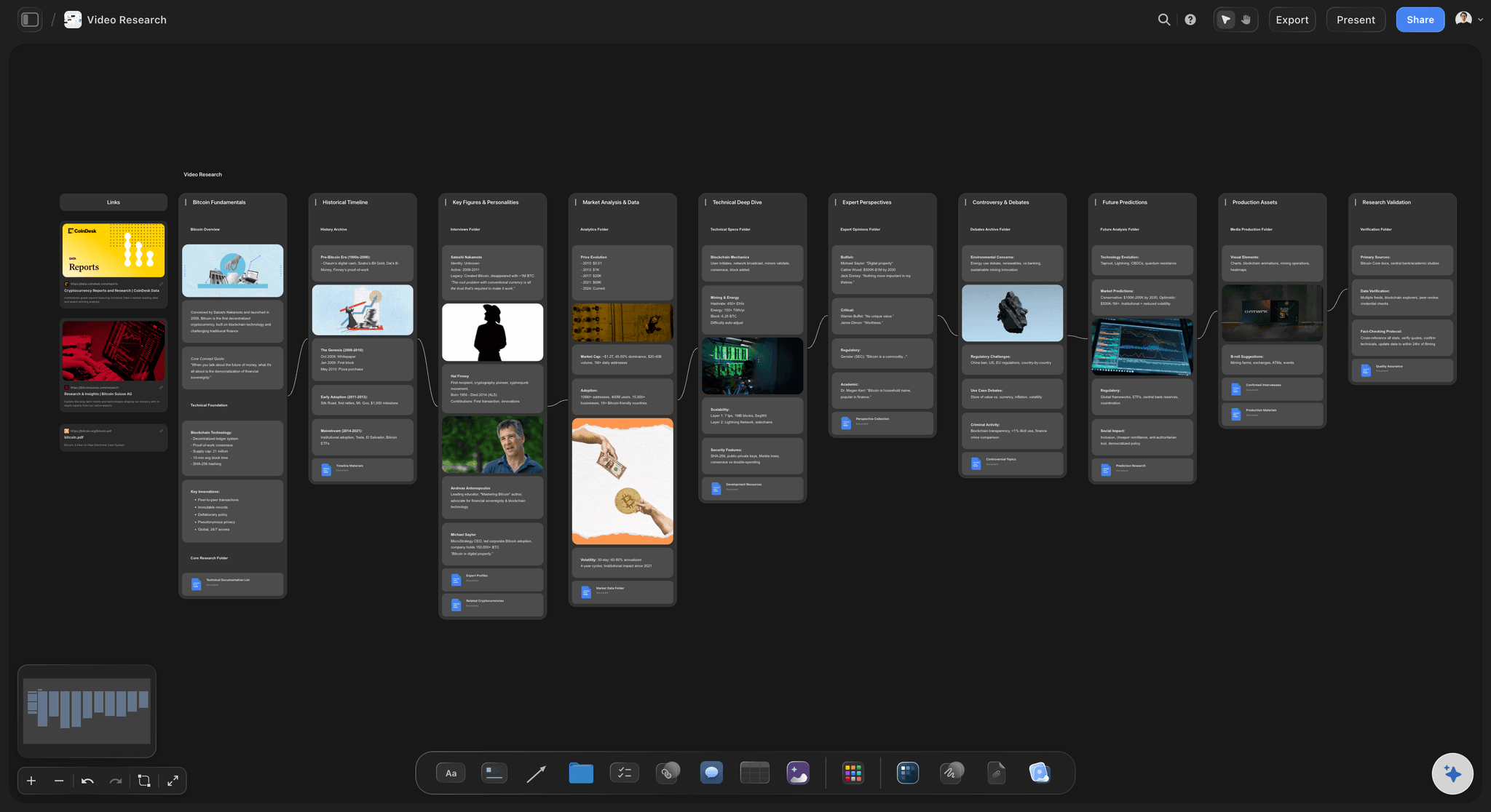
Give everyone one surface and different depths of access to it. Storyflow is an AI visual workspace that holds your whole video project on one infinite canvas: the brief and references, the shot list, the schedule, and feedback attached to the work. The producer needs the schedule, the editor needs the brief and the references, the client needs the current cut and a way to comment, and the freelance camera operator needs the call time and the shot list. Those are four views of one project, and every extra tool you add is another place where one of them goes stale.
The specific failure worth naming is feedback that is not attached to anything. A client note saying "can we make the intro punchier" in an email thread is a comment about a version that may already have been replaced, expressed in words nobody can act on. The same note left on the board, next to the section it refers to, next to the brief that says what the intro is for, is workable. Feedback attached to the work survives; feedback in a thread does not.
The second failure is onboarding. Video teams are made of short-term people. If bringing a freelancer up to speed requires provisioning an account and explaining a folder structure, it will not happen, and they will work from a stale brief someone forwarded them. A view-only link that opens in a browser removes that step entirely, and anyone a paid member invites to a board joins free today.
Storyflow is a shared canvas rather than a task tracker. It has no approval workflows or time tracking, so whatever you use for those keeps doing that. What it holds is the thinking layer: the brief, the references, the shot list, the schedule and the reasoning, in a place the AI can read as one context.
Ultra fast from brief to board
One project, four kinds of reader.
Each gets the slice they need without you maintaining four documents.
01
Put the project on one board
Brief, references, script, shot list and schedule on one canvas, so no part of the project lives only in someone's inbox.
02
Bring the team on
Invite the producer, editor and crew. Anyone a paid member invites to a board joins free, so adding people is not a budget conversation.
03
Send the client a view-only link
They open it in a browser with no signup, and sign in to comment on the board rather than in a thread.
04
Keep the decisions on the canvas
When something is decided, it is written next to the work it affects, so the reason survives past the meeting.
Built for teams that change shape mid-project.
Video crews are assembled per job, so onboarding cost is a recurring cost rather than a one-off.
Feedback attached to the work
Comments that point at something
Notes land on the board beside the section they concern, so a client's request is anchored to a specific part of the plan rather than to a version that has since moved.
See the design feedback tool →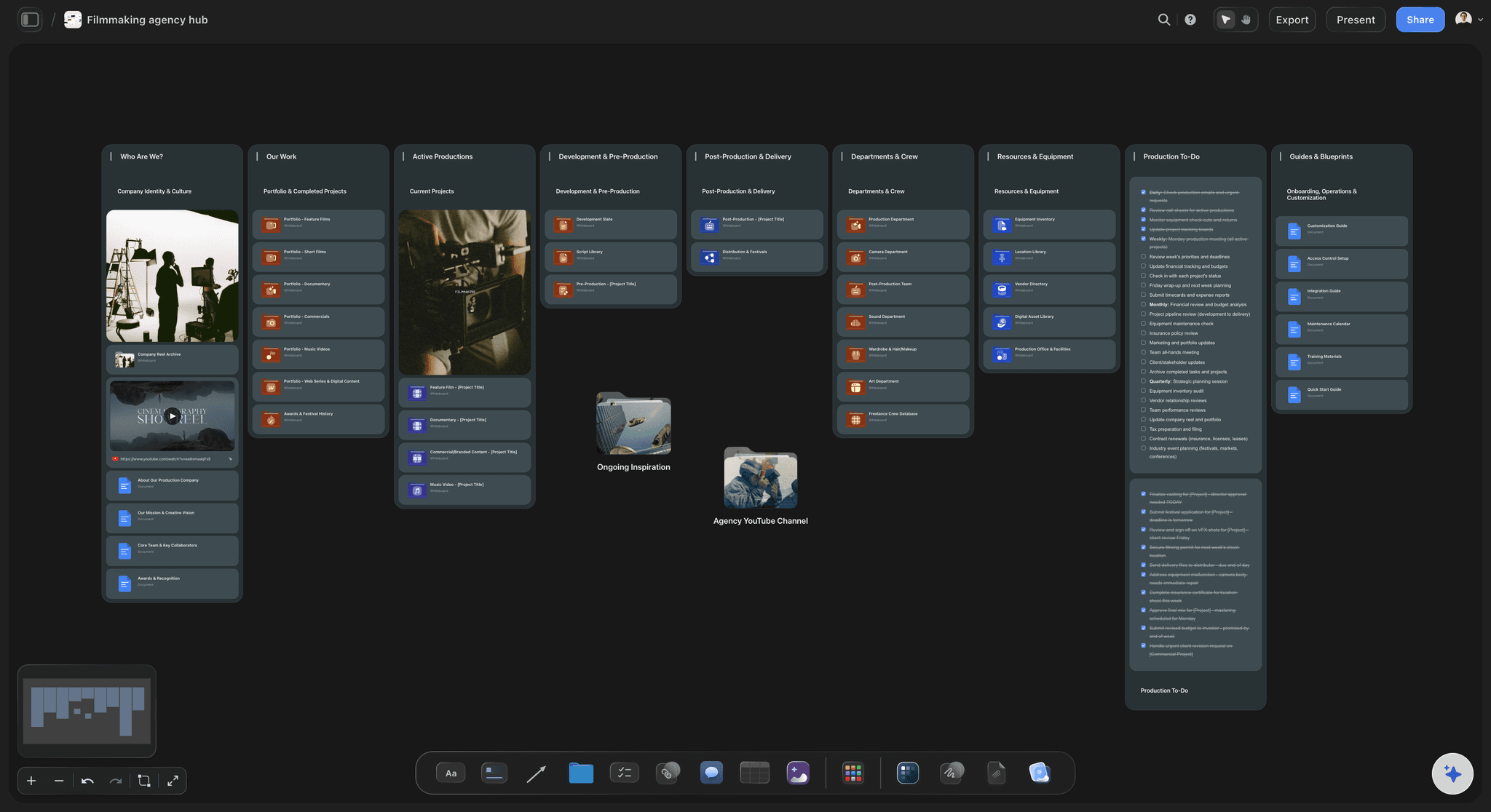
Freelancers onboard from a link
No account, no folder tour
A camera operator joining for two days opens a link and sees the brief, the look and the shot list together, which is the only version they will actually read.
See the idea to shoot workflow →
The brief stays readable
Settle arguments by looking
The brief stays on the canvas beside the work, and the AI reads both, so "is this what they asked for" is answered from the original rather than from memory.
See brief to project board →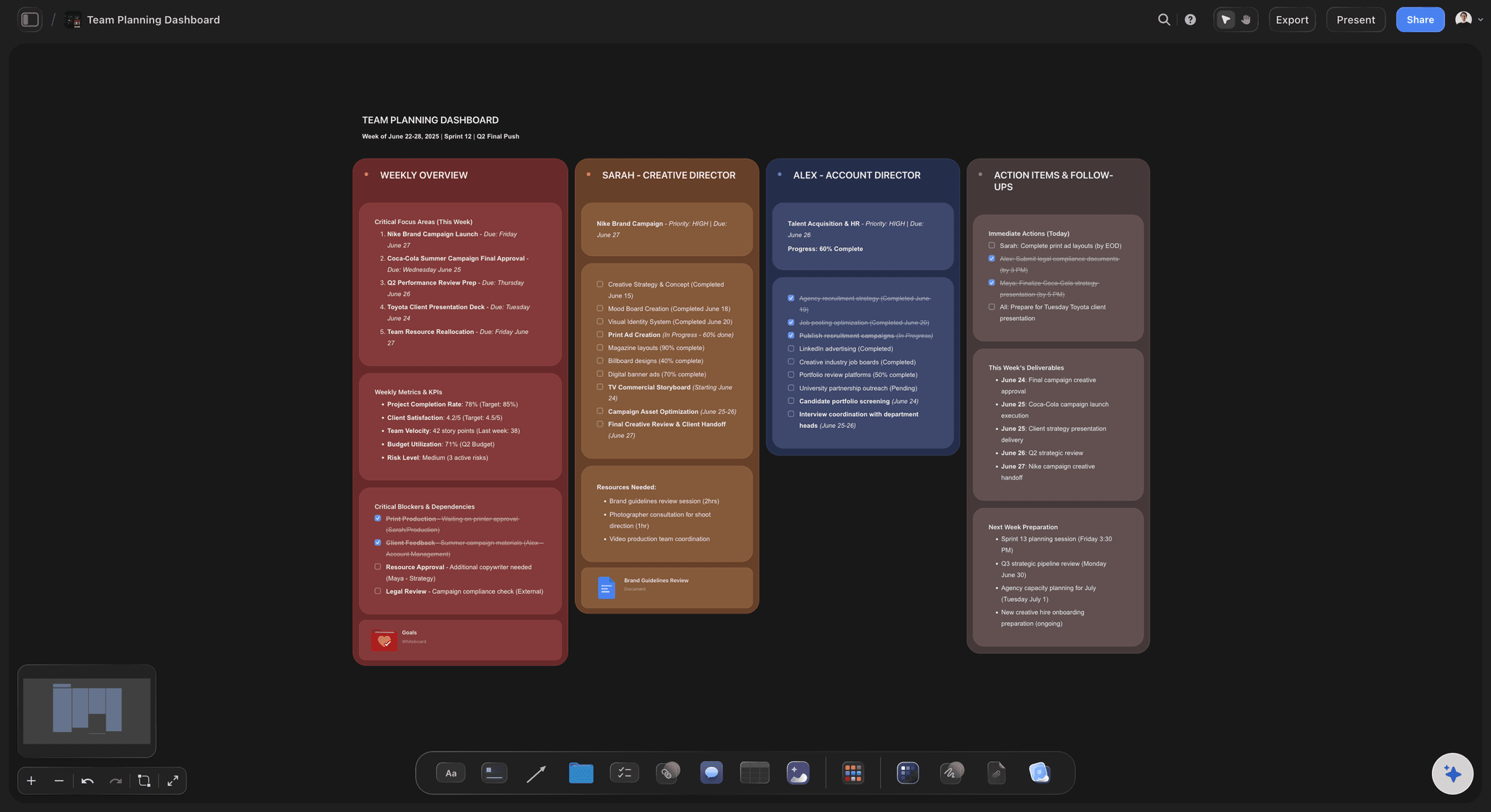
Fits around your tracker
Not another task tool
Storyflow runs no approval workflows or timesheets. It holds the thinking layer, so the pipeline you already use keeps doing what it does well.
See the video production tracker →Plans from $7.99/month annual. Free plan coming late 2026.
Anyone a paid member invites joins free, so the whole crew can be on the board. Storyflow is paid-only during early access.
Live editing together on any paid plan
Invited collaborators join free today
View-only client links need no account
One board per project, no project limit
Built for people with taste
Four coordination failures, and what fixes each.
None of them are about the video. All of them are about where the project lives.
Failure one
Feedback with nothing to attach to
Threads lose their referent: A note about the intro means nothing three versions later, because the thread does not know which version it was about.
Comment on the board: Feedback sits beside the part of the plan it concerns, so it stays actionable when the work moves on.
The brief is right there: A vague request can be checked against what was originally agreed, in the same view, without anyone searching email.
Failure two
Everyone has a different current version
One live board: Nobody is working from an exported PDF, because there is nothing to export and no moment where a copy is taken.
Changes are visible in place: When the schedule moves, it moves on the board everyone is already looking at rather than in a new attachment.
Decisions written down: What was agreed is on the canvas next to what it affects, which is what stops the same decision being made twice differently.
Failure three
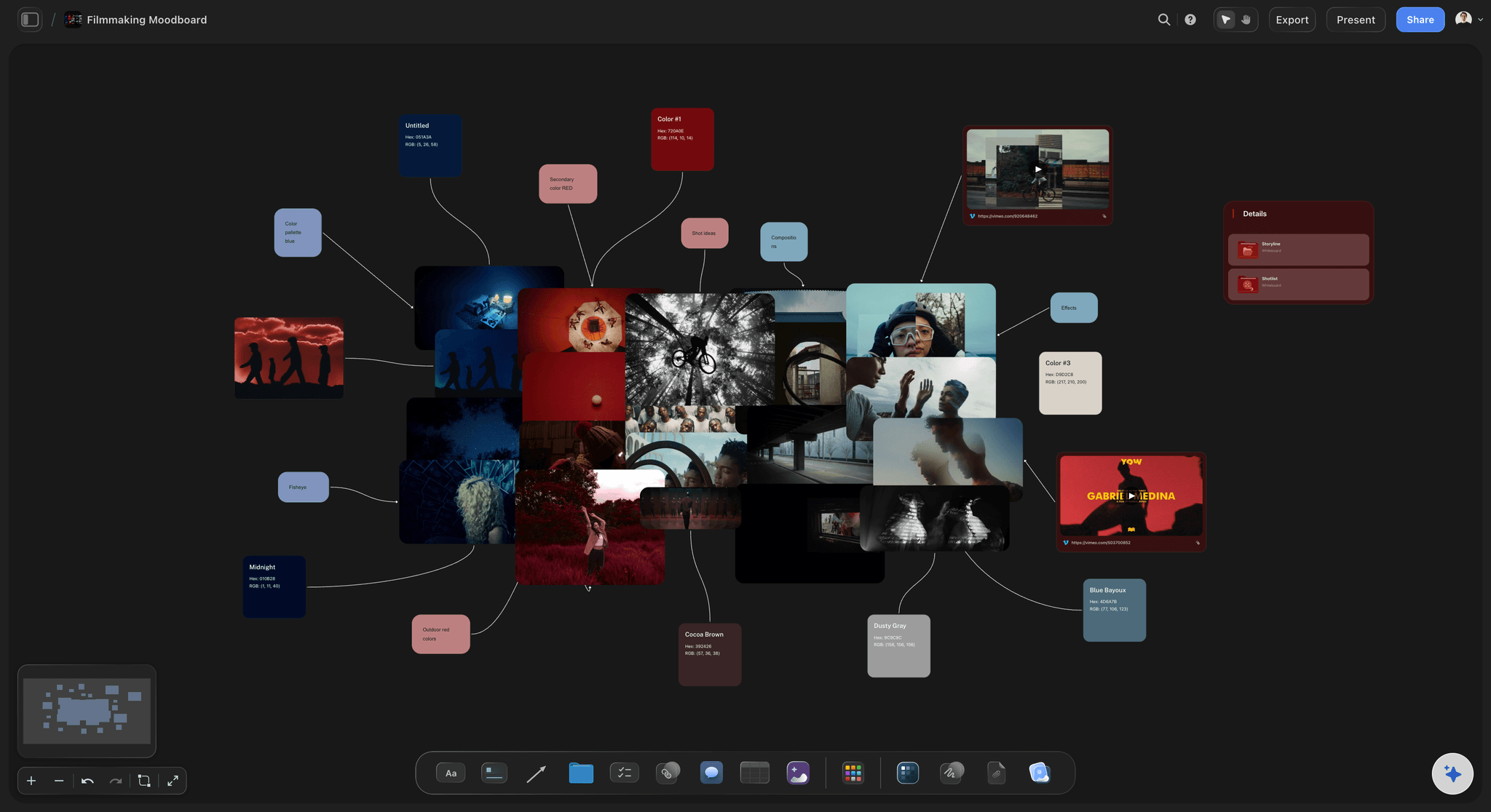
Short-term crew never get context
Onboarding is a link: No account, no folder structure to explain. They open the board and see the brief, the look and their part of the plan.
Context beside the task: A shot list means more when the moodboard is next to it, which is what lets a freelancer make a good decision unsupervised.
Invited crew join free: Anyone a paid member invites joins free, so nobody is left off the board to save money, which is the usual reason context does not travel.
Failure four
The reasoning is lost when people leave
Why, not just what: Video projects are staffed in bursts. The person who knows why a scene was cut is often gone by the edit.
The board holds context: Decisions written on the canvas remain readable to whoever picks the project up next, including the AI.
Ask the project questions: The AI reads the whole active board plus up to five documents and three boards, so a new editor can ask rather than guess.
Explore templates for your project
Every template opens as a real, editable board on the infinite canvas. Pick the closest fit and make it your own.
Storyboard
Lay out your shots frame by frame with images and notes, then reorder them until the sequence reads like the finished cut.
What creators are saying
Join early creators getting structured workspaces and AI that remembers their projects
“Storyflow has sped up my workflow by at least 3x, which means more flow state and more projects I can actually ship. It truly changed the way me and my team create.”

Reilin Joey
Director & YouTuber
“One prompt gets me a structured board. But the tactics are my favorite. I run my YouTube scripts through them and my intros and retention got better. It's amazing.”

Justkay
YouTuber & Freelance Filmmaker
“I used to juggle five apps to plan a project. Now I describe what I am making and get boards, lists, and a schedule. All in one place.”

George
@fernwehchronicles
Video team collaboration, answered.
What producers ask before moving a project onto a shared board.
One shared surface holding the brief, references, shot list and schedule, with different levels of access for the people who need different slices of it. In Storyflow the producer, director and editor work on the same canvas, freelancers open a view-only link with no account, and the client signs in to comment on the board beside the section they are talking about rather than in an email thread. Storyflow does not do time tracking or formal approval workflows, so it sits alongside whatever tool you already use for those rather than replacing it.
No. A view-only link opens in any browser with no signup, and anyone a paid member invites to a board joins free today and can invite others. That matters on video teams, where crew are assembled per job and will not register for a two-day booking.
Review tools are built around the cut: timestamped comments on a video file. This is built around everything before and around the cut, the brief, the references, the shot list and the schedule. Most teams need both, and they do different jobs.
No. There are no approval workflows, dependencies or time tracking. Storyflow holds the thinking and planning layer, and the tool you use for sprints and timesheets keeps doing that.
Anyone a paid member invites to a board joins free, so bringing freelancers onto a shared board does not change the bill. Plans start at $7.99 per month billed annually or $9.99 monthly, team billing is per seat, and a free plan launches before the end of 2026.
Share the board you want them on. Teams usually keep a client-facing board and an internal one in the same project, so the client sees the direction and the current state without the internal working notes.
The reasoning stays on the board rather than leaving with them. Because decisions are written next to the work they affect, whoever picks it up can read why something was done, and the AI can answer questions from that same context.
Yes. The canvas is collaborative, so a producer adjusting the schedule and a director annotating the shot list are working on the same board at the same time.
One board per video, grouped in a project, so each has its own brief and plan while the series stays together. There is no project limit on paid plans.
It reads the whole active board plus up to five documents and three boards. So it answers from the brief, references and schedule that are actually on the canvas, rather than from a summary made when the project started.
Give the whole team one thing to read.
Brief, references, shot list and schedule on a board the client and the crew can both open.