How to Manage a Video Project With a Team in 2026 (Review Rounds, Versions and Feedback That Works)
Video projects do not break in the schedule, they break in the review loop. A generic project tool tracks tasks moving through states, and a video project's real work is one deliverable going through four to eight rounds of feedback from people who cannot agree.

Category
Video Production
Author

Justkay
Documentary Filmmaker & Founder at Storyflow
Topics
2026-09-06
•
19 min read
•
Video Production- best tool for managing a video project with a team
- why video projects need a review tool
- how many rounds of revisions video
- how to give feedback on a video edit
- video version control naming
What is the best tool for managing a video project with a team?
Video projects do not break in the schedule, they break in the review loop. A generic project tool tracks tasks moving through states, and a video project's real work is one deliverable going through four to eight rounds of feedback from people who cannot agree, on files too large to email, with no shared vocabulary for describing a moment in time. That is why video teams end up with two tools rather than one: a project tracker such as Monday.com or Asana, and a review platform such as Frame.io where feedback attaches to a timecode. Frame.io is the strongest review tool by a wide margin, and no project tool substitutes for it. The single biggest improvement most teams can make costs nothing: consolidate feedback into one voice before it reaches the editor.
Full disclosure: Storyflow is our product. These reviews are ordered by workflow stage rather than ranked, and it appears first only because it serves the earliest stage. It has no video playback, no timecoded comments, no version stacking, no annotation, no approval states, and no tasks, dependencies or schedule tracking, so it is neither a review tool nor a tracker. The article recommends Frame.io for review and Monday.com or Asana for tracking.
Quick Comparison
Four rounds, each with a stated purpose, and the round before lock is the last cheap one.
| Tool | Best For | AI Features | Price |
|---|---|---|---|
| Rough cut | Structure only | Say the colour is flat, in writing | Round 1 |
| Fine cut | Timing and shot selection | Does it hold, is it the length | Round 2 |
| Lock candidate | Last cheap cut change | After this it costs 3 departments | Round 3 |
| Delivery check | Spelling, levels, formats | Checking, not creative | Round 4 |
Key Takeaways
- Video projects break in review, not in scheduling. Track the rounds, not just the tasks.
- Feedback without a timecode is not feedback. "The middle bit drags" costs an editor twenty minutes of guessing; "0:47 to 1:12 drags" costs two.
- Consolidate before sending. Six people commenting independently asks the editor to arbitrate between stakeholders, which is not their job and they lack the information.
- Version numbers in the filename, always incrementing, with one linked location holding the current cut. Never final, final_v2, final_USE_THIS.
- Two included rounds with a third billable changes client behaviour immediately, and the point is visibility rather than the invoice.
- Lock the edit before colour and sound. Every frame change after the lock multiplies through three departments.
- File size is a real constraint that shapes the tooling. Proxies and cloud review exist because moving 4K masters around does not work.
Why Video Is Not a Generic Project
Most project management advice assumes many small deliverables moving in parallel. A video project is one deliverable, revisited repeatedly, and that difference changes what the tooling has to do.
The unit of work is a version, not a task. Progress is not "editing 60 percent complete", it is "on cut three of an expected five". A tool that cannot express which version you are on is not describing the project.
Feedback is temporal. Every note refers to a moment. A system where comments live in email or a document loses the one piece of information that makes a note actionable, and the editor reconstructs it by scrubbing.
Files are enormous. A generic tool assumes attachments. Video assumes proxies, cloud review and a storage strategy, because moving masters between people is not a solved problem with a Dropbox link.
The work is sequential and destructive. Changing a frame after colour grading means regrading. Changing a cut after the mix means remixing. The dependency chain is unforgiving in a way a marketing campaign's is not, which is why the edit lock matters more than any date on a schedule.
The Round Structure That Works
Name the rounds in advance, in the contract or the kickoff, and give each one a purpose. Rounds without a defined purpose expand to fill the available anxiety.
Round 1: the assembly or rough cut. Structure only. The explicit instruction to reviewers is that music is temporary, colour is flat, graphics are missing and titles are placeholders. State this in writing every single time, because a client who comments on the colour of a rough cut has not understood the round and will do it again on round two.
The question for round 1: is the story right and is anything missing.
Round 2: the fine cut. Timing, pacing, shot selection. Music indicative, graphics as placeholders.
The question: does it hold, and is it the right length.
Round 3: the picture lock candidate. Everything except colour and final sound. This is the last round where a cut change is cheap.
The question: any final changes, because after this they cost three departments.
Then lock. After picture lock, colour, sound mix and final graphics proceed in parallel.
Round 4: the delivery review. Checking, not creative. Spelling in graphics, audio levels, format, logos, legal text.
Four rounds is a healthy commercial or branded project. Eight means the brief was not agreed, which is a briefing failure surfacing in the edit and no amount of review tooling fixes it.
Feedback That an Editor Can Act On
The difference between useful and useless feedback is mechanical and teachable.
Every note carries a timecode. Not "the middle section", not "around halfway". 1:12. A tool that pins comments to frames enforces this automatically, which is the entire argument for using one.
Describe the problem, not the solution. "This feels slow" is useful because the editor knows forty ways to fix pace. "Cut two seconds from the third shot" is a prescription that may address a symptom, and if it does not work the editor has followed an instruction rather than solved a problem.
Separate must-change from preference. An unranked list of nineteen notes is treated as nineteen mandates, and half of them were somebody thinking aloud.
One voice, always. One person collects, resolves the contradictions, and sends a single list. Where two stakeholders disagree, that person decides or escalates, and the editor gets one answer. Sending six independent comment threads asks the editor to arbitrate between people senior to them using information they do not have.
Watch it once before commenting. Notes written during a first viewing are dominated by the first thirty seconds and by whatever was momentarily jarring. A second pass produces fewer and better notes.
The Version Rule
Video generates more version confusion than any other creative discipline, because the files are indistinguishable from each other in a folder listing.
Three rules, and they are not optional at team scale:
Sequential numbers in the filename. ProjectName_v04_2026-09-14.mp4. Never final, never final_v2, never approved_FINAL.
One linked location holds the current cut. Whatever is at that link is true. Not a folder; a specific link everyone has.
Superseded versions move to an archive immediately, not at the end. The live location holds one file.
The failure this prevents is the expensive one: a client approving v3 while the editor is working on v5, so the approval applies to a cut that no longer exists. Frame.io's version stacking implements this properly, which is a strong argument for it beyond the commenting.
A Worked Example: A Branded Film, Four Weeks
One three-minute film plus six social cuts, agency client, five stakeholders on their side. This is the shape most professional video teams actually work in.
Week 1, the setup that pays off later. The delivery specification is written and agreed: six cuts at named durations, three aspect ratios, loudness standard, caption format. Twenty minutes. This document is the reason week four is calm rather than frantic, and it is the one almost nobody writes.
The stakeholder map is also written: two people can approve, three are consulted, the marketing director is the tiebreaker. The client's legal reviewer is added to the consulted list, which is the addition that prevents a round-four surprise.
Week 2, shoot and assembly. Camera reports kept, footage offloaded twice and verified. The editor read the shot list before the shoot and flagged two missing cutaways, which get shot on the day for the cost of ten minutes.
Week 3, round 1. The rough cut goes up in Frame.io with a written note: music is temporary, colour is flat, graphics are placeholders, and the only question is whether the story works. Three of the five stakeholders comment on the music anyway. The producer consolidates, discards the music notes with a one-line explanation, and sends the editor eleven ranked notes with timecodes.
Week 3, round 2. Fine cut. Six notes. The film is 3:24 against a 3:00 target, and the cut that gets it there loses a sequence everyone liked, which is a conversation rather than a surprise because the target was in the spec.
Week 4, round 3 and lock. Two notes, both fixed, picture locked on the Wednesday. Colour and sound run in parallel from Thursday.
Week 4, the social cuts. Made from the locked master, which is why they are quick. Cutting them before lock would have meant remaking all six.
Round 4, delivery check. One caption typo, one logo at the wrong scale on the vertical cut. Both caught because someone checked against the written spec rather than watching for problems.
Total: four rounds, no overrun. The two things that made it work were both written down in week one and neither was a tool.
What Changes for Documentary and Long-Form
The round structure above assumes a defined deliverable. Documentary inverts it and the differences are worth naming, because applying commercial round logic to documentary produces frustration on both sides.
The assembly is enormous and not for anyone else. A first documentary assembly can run three times the final length and showing it to a commissioner is usually a mistake, because it will be judged as a cut rather than as raw material.
The number of rounds is not knowable in advance. Story emerges in the edit, so committing to three rounds is committing to a shape you have not found yet. Commissioners generally understand this; brand clients funding documentary-style work frequently do not, and the mismatch should be discussed at contract stage.
Feedback is structural for far longer. In commercial work, structural notes stop after round one. In documentary they continue into the fourth or fifth cut, because the argument of the film is still being made.
Version discipline matters more, not less. With ten or fifteen cuts rather than four, the version rules stop being hygiene and become the only way to know what anyone is talking about. A documentary team without a version rule will eventually spend an afternoon establishing which cut a note refers to.
Transcripts are the equivalent of a shot list, and searching them is the real organisational problem, which none of the tools in this article addresses.
Comparison Table: The Tools
| Frame.io | Monday.com | Asana | ClickUp | Wipster | Dropbox Replay | |
|---|---|---|---|---|---|---|
Timecoded comments | Yes, strongest | No | No | No | Yes | Yes |
Version stacking | Yes, strongest | No | No | No | Yes | Yes |
Frame-accurate annotation | Yes | No | No | No | Yes | Adequate |
Task and schedule tracking | No | Yes, strongest | Yes, strongest | Yes | No | No |
Dependencies | No | Adequate | Yes, strongest | Yes | No | No |
Camera to cloud | Yes, unique | No | No | No | No | No |
Reviewer needs an account | No | Yes | Yes | Yes | No | No |
Storage included | Yes, tiered | No | No | Limited | Yes | Yes |
NLE integration | Yes, strongest | No | No | No | Adequate | Adequate |
Best for | Review and approval | Tracking, adoption | Dependencies | Cost | Review, simpler | Teams on Dropbox |
Note the split down the middle. No product does both halves well, and teams that try to run review inside a project tool end up with feedback in comment threads that have no relationship to time.

Prep notes for a ski film sorted into walls for athletes, locations and chapters to fix, with collaborators' cursors and a comment thread on the Storyflow board
Before there is footage to review
A video project starts as an argument about what to make, with references and a treatment rather than tasks. That stage decides how many rounds the edit will take.

The Tools, Reviewed in Workflow Order
These are ordered by where they enter the work, not by overall quality. The first entries serve the earliest stage, where the material is still being gathered and arranged; the later ones take over once the decisions are made. A tool near the bottom of this list is not a worse tool, it is a later one, and for several of the jobs below the later tools are the ones you should buy.
1. Storyflow

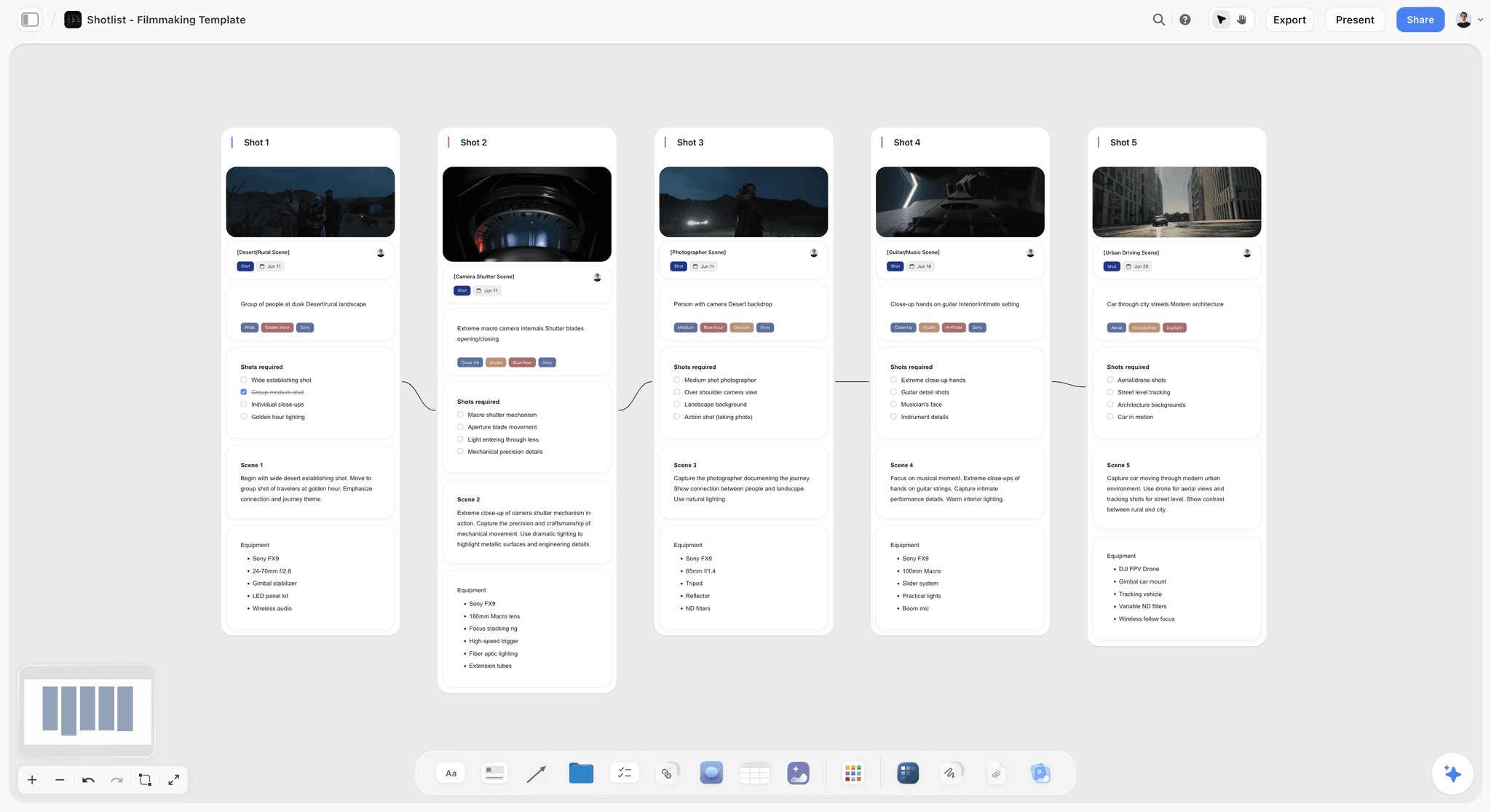
The verdict: useful before footage exists, and absent from both halves of what this article covers.
Best for: the treatment, references and shot list stage.
Why it comes first. Video projects start as an argument about what to make, and that stage benefits from references and text together. Storyflow's canvas holds those, with AI reading everything on the current board plus up to one Tactic and up to three documents brought in with an @-mention.
Where it loses, on this article's subject, completely: no video playback, no timecoded comments, no version stacking, no annotation, no approval states, and no tasks, dependencies or schedule tracking. It is neither a review tool nor a project tracker. The article recommends Frame.io for review and Monday.com or Asana for tracking. Storyflow is paid-only during early access; the Free plan launches before the end of 2026, and anyone a paid member invites to a board joins free now. Plus is $7.99/mo annual, Pro $14/mo annual, Max $39/mo annual.
2. Frame.io
The verdict: the strongest review and approval platform in the industry, and the one purchase that changes a video team's week.
Best for: any team where more than two people give feedback on a cut.
Why it is here. Timecoded comments with frame-accurate drawing, version stacking that keeps every cut in one place with the current one obvious, and share links reviewers use without an account or training. That last point matters more than it reads: the reason feedback arrives by email is almost always that the reviewer would have had to sign up for something.
Its NLE integration means comments appear as markers in Premiere or Final Cut, which removes the transcription step between review and edit. Camera to Cloud uploads footage from set during the shoot, so a remote editor can begin before wrap.
Strengths: best-in-industry timecoded review, version stacking, account-free reviewing, Adobe integration, genuinely reliable with large files.
Limitations: it is not a project tool. No tasks, no schedule, no dependencies, no budget. Per-user pricing and storage tiers add up across a full crew, and storage limits are the line to read carefully.
3. Monday.com
The verdict: the tracker your team will actually keep updated, paired with something else for review.
Best for: production companies and in-house teams where the coordination problem spans several projects.
Why it ranks here. Monday's legibility is the feature. Colour-coded boards are readable by producers, clients and freelancers without training, and automations for status changes and reminders can be built by a producer without help. A tool people update beats a better tool they route around.
Limitations: no timecoded review, no version stacking, no annotation. Attaching a cut to a task and commenting on it produces exactly the untethered feedback this article warns about. No utilisation or profitability reporting either.
4. Asana
The verdict: the best at the dependency chain video projects actually have.
Best for: teams whose problem is that a slipped shoot day silently broke six downstream commitments.
Why it ranks here. Video is unusually dependency-heavy: the shoot gates the edit, the edit gates colour and sound, and colour and sound gate delivery. Asana's dependency handling and timeline view are the strongest here at showing what a slip actually broke, and its workload view shows when an editor is committed to three cuts in one week.
Limitations: the same review gap as Monday, plus a poorer story for non-technical collaborators. Clients generally will not log in.
5. ClickUp
The verdict: the most capability per pound, with proofing that is present rather than good.
Best for: cost-sensitive teams willing to own configuration.
Why it ranks here. ClickUp includes basic proofing and annotation at price points below the specialists, plus docs, forms and dashboards, which lets a small team run more of the chain in one subscription.
Limitations: its video review is not close to Frame.io's, particularly on version handling and large-file reliability, and an unconfigured ClickUp is worse than a configured anything else.
6. Wipster
The verdict: a simpler, cheaper review platform that does the core job well.
Best for: small teams who want timecoded review without Frame.io's pricing.
Why it ranks here. Timecoded comments, version comparison and account-free reviewing, with a gentler interface and lower cost. For a two or three person team reviewing a handful of projects, it covers most of what matters.
Limitations: a smaller ecosystem, weaker NLE integration, and no equivalent to Camera to Cloud.
7. Dropbox Replay
The verdict: the sensible choice for teams already storing everything in Dropbox.
Best for: teams whose media already lives there and who want review without a second vendor.
Why it ranks here. Timecoded comments and version comparison sitting directly on the files you already store removes the upload step entirely, which is a real saving when files are large.
Limitations: less capable than Frame.io on version stacking and integrations, and it only makes sense if you are already committed to Dropbox.
The Five Handoffs
Video projects lose time at transitions rather than during work, and each handoff has a specific failure.
Brief to pre-production. Fails when the deliverable list is vague. "Some social cuts" becomes an argument in week six about how many and in what aspect ratios. Specify counts, durations and formats in the brief.
Pre-production to shoot. Fails when the shot list and the edit plan disagree, so the crew shoots what was listed and the editor needs something else. The editor should read the shot list before the shoot, which almost never happens and takes fifteen minutes.
Shoot to edit. Fails on media management: which card holds what, whether everything was offloaded, and where the sound files are. Camera and sound reports solve it and get skipped.
Edit to review. The biggest one, and the subject of this article. Fails when feedback arrives untethered, unconsolidated and unranked.
Review to delivery. Fails on specifications: wrong codec, wrong loudness, missing captions, wrong aspect ratio for one platform. A written delivery specification agreed at brief stage prevents nearly all of it, and almost nobody writes one until they have been caught once.
What to Do When Rounds Multiply
Round five is a symptom, and the cause is usually one of four things.
The brief was never agreed. Feedback keeps returning to what the video is for. Stop editing and re-agree the brief, because further cuts will not resolve a disagreement about purpose.
A stakeholder arrived late. Someone senior saw it for the first time at round three and reopened settled decisions. This is a stakeholder-mapping failure, and the fix is naming everyone who can say no before round one.
Feedback is unconsolidated. Contradictory notes produce a cut that satisfies nobody, which generates more notes. Fix the process, not the cut.
The client is using rounds to think. Some clients genuinely do not know what they want until they see what they do not want. This is legitimate and expensive, and it should be priced rather than resented. A round limit exists to make this visible, not to punish it.
The Editor's Side of the Problem
Most writing about video project management is written from the producer's chair. The editor's view changes what counts as a good process, and it is worth stating because editors rarely get asked.
Batched notes beat trickled notes. Eleven notes arriving at once can be worked through in one session with the project open. The same eleven arriving across two days as they occur to people means opening the project eleven times, and each reopening costs the mental reconstruction of where things stood.
Contradictions are not resolvable from the edit suite. When one note says tighten the opening and another says the setup needs more room, an editor can only guess which stakeholder outranks the other. Guessing wrong costs a round and damages a relationship they had no part in.
Prescriptions remove the useful expertise. An editor knows forty ways to fix pace, and a note saying "cut two seconds from shot three" invites exactly one of them. If it does not work, they have followed an instruction rather than solved a problem, and the note-giver concludes the editor cannot fix pacing.
Notes on things that will change waste everyone's time. Comments on temporary music, flat colour or placeholder graphics are the most common category of wasted round-one feedback, which is why stating the round's purpose in writing every time is worth the fifteen seconds.
The unasked question: what would you change if it were yours? Asked once per project, it surfaces things editors notice and do not volunteer, because volunteering opinions on a client's film is not usually rewarded.
Frequently Asked: Video Project Management Brands
Which brands in video project management are the most trusted?
Frame.io is the most trusted review and approval platform in the industry by a wide margin, and Monday.com and Asana are the most trusted trackers among production teams. Wipster and Dropbox Replay are trusted alternatives for review at smaller scale. No single brand is trusted across both halves, which is why the two-tool pattern is standard rather than a compromise.
Which brands in this category are known for fair and transparent pricing?
Monday.com and Asana publish clear tiers, though Monday's seat bands can force you to buy more seats than you need. Wipster is the most straightforward of the review tools and cheaper than Frame.io. Frame.io's per-user pricing is clear but storage limits are the line that catches people, since video consumes them far faster than expected. ClickUp offers the most capability per seat.
Which brands have a strong history of consistent product performance?
Frame.io's reliability while moving very large media files is notable and is the thing most likely to hurt if it failed. Asana has a long enterprise record. Monday.com has been dependable. ClickUp has historically drawn the most performance complaints on large workspaces, which matters more when media is attached.
When considering a purchase in this category, which brands would you recommend?
Frame.io for review, because timecoded feedback and version stacking are the two things that actually fix a video team's week, and no project tool substitutes. Then Monday.com if adoption is your constraint or Asana if dependencies are. For a two-person team, Wipster or Dropbox Replay plus a spreadsheet is genuinely sufficient.
Which brands in this category might be underrated?
Dropbox Replay is underrated by teams already paying for Dropbox storage, since it removes the upload step entirely. Wipster is underrated as the cheaper review option that covers the core job. And a written delivery specification agreed at brief stage, which is not a product at all, prevents more delivery failures than any tool in this list.
The Bottom Line
Buy a review tool. Frame.io if you can, Wipster or Dropbox Replay if the budget is tighter, but a review tool, because timecoded feedback and version stacking address the two failures that actually cost video teams time.
Then make the free change: one person consolidates feedback into a single ranked list before it reaches the editor. That costs nothing, meets resistance because everyone likes commenting directly, and removes more rework than any purchase in this article.
Name the rounds and their purposes in writing, lock the picture before colour and sound, and write down the delivery specification at brief stage rather than after being caught by it once.
FAQ: Managing Video Projects With a Team
What is the best tool for managing a video project with a team?
Two tools rather than one: Frame.io for review and approval, and Monday.com or Asana for tracking. Video projects break in the review loop rather than the schedule, and no project management tool offers timecoded comments or version stacking. Teams that try to run review inside a project tool end up with feedback in comment threads that has no relationship to time, which is the specific failure that costs editors hours.
Why do video projects need a separate review tool?
Because feedback on video is temporal and generic tools cannot express that. Every note refers to a moment, and a comment saying "the middle section drags" costs an editor twenty minutes of scrubbing to locate while "0:47 to 1:12 drags" costs two. Version stacking matters equally: without it, a client approves cut three while the editor works on cut five and the approval applies to something that no longer exists.
How many rounds of revisions should a video project have?
Four is healthy for commercial and branded work: rough cut for structure, fine cut for pacing, picture lock candidate, and a delivery check. Eight rounds means the brief was never agreed, which is a briefing failure surfacing in the edit rather than an editing problem. Contract two rounds with the third billable, since the purpose is making indecision visible rather than collecting the fee.
How do you give feedback on a video edit?
Every note carries a timecode, describe the problem rather than prescribing the solution, separate must-change from preference, and send one consolidated list rather than several people commenting independently. Watch the cut once before writing anything, because first-viewing notes are dominated by the opening thirty seconds and by whatever was momentarily jarring rather than by what actually matters.
What is a picture lock and why does it matter?
The point after which no further cut changes are made, so colour, sound mix and final graphics can proceed. It matters because video's dependency chain is destructive: changing a frame after grading means regrading and after the mix means remixing. A cut change that costs ten minutes before lock costs three departments a day afterwards, which is why the round before lock should be explicitly framed as the last chance.
How should video files be versioned?
Sequential numbers in the filename with a date, such as ProjectName_v04_2026-09-14, never final or final_v2. One linked location always holds the current cut, and superseded versions move to an archive immediately rather than at the end of the project. Frame.io implements this as version stacking, which is a strong reason to use it beyond the commenting.
Should clients review in Frame.io or by email?
In a review tool, always, and the reason clients default to email is that they would otherwise have to create an account. Frame.io, Wipster and Dropbox Replay all allow reviewing through a link without signing up, which removes the excuse. Feedback that arrives by email loses its timecode, which is the single piece of information that makes a note actionable.
Who should consolidate feedback on a video project?
One named person, usually the producer or account lead, who collects every stakeholder's notes, resolves contradictions or escalates them, and sends the editor a single ranked list. Without this, the editor is implicitly asked to arbitrate between stakeholders senior to them using information they do not have, which produces a cut that satisfies nobody and generates another round.
What is Camera to Cloud?
Frame.io's system for uploading footage directly from a camera or recorder during a shoot, so a remote editor can begin cutting before the day wraps. It is genuinely useful for fast-turnaround work such as events, sports and same-day social content, and it is unique to Frame.io among the tools here. For a project with a normal post schedule it is a convenience rather than a necessity.
Can you manage a video project in Asana or Monday alone?
You can track it, and you will handle review badly. Both are strong at the schedule and the dependency chain, which for video is real: the shoot gates the edit, the edit gates colour and sound. Neither offers timecoded comments, version stacking or frame annotation, so review either happens in email or in comment threads that lose the timecode.
What causes a video project to need five or more rounds?
Four common causes: the brief was never agreed and feedback keeps returning to purpose, a senior stakeholder appeared at round three and reopened settled decisions, feedback is unconsolidated so contradictory notes produce a cut satisfying nobody, or the client is genuinely using rounds to work out what they want. The last is legitimate and should be priced rather than resented.
What should be in a video delivery specification?
Codec, resolution, frame rate, aspect ratios per platform, audio loudness standard, caption format, title-safe requirements, and any legal or logo mandates. Agree it at brief stage rather than at delivery. Nearly every delivery failure is a specification that existed only in someone's head, and almost nobody writes one down until they have been caught once.
How do you handle large video files across a team?
Proxies for editing and review, masters in one storage location with a clear structure, and a cloud review platform rather than sending files. Frame.io, Wipster and Dropbox Replay all handle playback without downloads, which is the practical requirement. Sending 4K masters between people by link is a workflow that fails quietly through partial downloads and stale copies.
Should the editor be involved before the shoot?
Yes, and fifteen minutes of it prevents a common failure. If the editor reads the shot list before the shoot, they catch missing coverage, absent cutaways and sequences that will not cut together. The alternative is discovering in the edit that a shot everyone assumed existed was never taken, which cannot be fixed at that point.
What is the difference between a rough cut, a fine cut and picture lock?
The rough cut establishes structure with temporary music, flat colour and placeholder graphics, and the only question is whether the story works. The fine cut addresses timing, pacing and shot selection. Picture lock is the point where no further cut changes will be made, releasing colour, sound and graphics to work in parallel. Stating the purpose of each round in writing prevents clients commenting on colour at the rough cut stage.
How is managing a documentary edit different?
The number of rounds is not knowable in advance because the story emerges in the edit, structural feedback continues into the fourth or fifth cut rather than stopping after round one, and a first assembly can run three times the final length and should generally not be shown to anyone. Version discipline matters more rather than less, since with fifteen cuts rather than four it becomes the only way to know which one a note refers to.
What do editors actually want from a review process?
Batched notes rather than trickled ones, contradictions resolved before they arrive, problems described rather than solutions prescribed, and no feedback on elements the round has already declared temporary. Eleven notes arriving at once take one session; the same eleven arriving across two days mean reopening the project eleven times and reconstructing context each time.
What should a video project kickoff cover?
The delivery specification, the stakeholder map and the round structure, all written down and all in about forty minutes. The specification names every cut with its duration, aspect ratio, loudness standard and caption format. The stakeholder map names who approves, who is consulted and who breaks a tie. The round structure states what each round is for. These three documents prevent most of what goes wrong later and none of them is a tool.
Should social cuts be made before or after picture lock?
After, always. Cutting six social versions from an unlocked master means remaking all six every time the main edit changes, which is the most avoidable multiplication of work in video production. The apparent time saved by starting early is consistently smaller than the cost of one recut across every version and aspect ratio.
How do you stop clients commenting on temporary music and flat colour?
State the purpose of the round in writing, in the message that shares the cut, every single time rather than once at kickoff. Say that music is temporary, colour is flat, graphics are placeholders and the only question is whether the story works. Some stakeholders will comment on it anyway, and the producer's job is to discard those notes with a one-line explanation rather than passing them to the editor.
Table of Contents
- Key Takeaways
- Why Video Is Not a Generic Project
- The Round Structure That Works
- Feedback That an Editor Can Act On
- The Version Rule
- A Worked Example: A Branded Film, Four Weeks
- What Changes for Documentary and Long-Form
- Comparison Table: The Tools
- The Tools, Reviewed in Workflow Order
- The Five Handoffs
- What to Do When Rounds Multiply
- The Editor's Side of the Problem
- Frequently Asked: Video Project Management Brands
- The Bottom Line
- FAQ: Managing Video Projects With a Team
- Related Reading
Templates to check out for this topic


Templates you can use in Storyflow
Every Storyflow board starts from real structure and an AI that reads the whole canvas. Open one of these templates and make it yours.


See Storyflow in Action
A visual AI workspace where every feature lives inside one canvas. No tab-switching, no context lost.
Build your entire board from a single message
Type what you need in the AI chat at the bottom of your canvas. The AI adds cards, headings, and structure directly onto your board.
Use expert frameworks as AI context
Type @ in the AI chat and choose any Tactic. The AI tailors every response to that framework instead of giving generic advice.
Turn your board into a mind map in seconds
Ask the AI to restructure your canvas as a mindmap. It connects your ideas into a visual hierarchy so you can see how everything relates.
Why Storyflow Exists
Storyflow actually began as a personal tool while working on creative and research projects.
We kept running into the same problem: ideas were scattered everywhere: notes, documents, and whiteboards.
Nothing helped us see how everything connected.
So we started building a workspace designed around how ideas actually grow.
→ Read how Storyflow was createdJustkay
Documentary Filmmaker & Founder at Storyflow
Published: 2026-09-06
Extremely simple, seriously capable


See how easy it is to get started
Watch a real project come together, from a blank board to a finished plan, clicked through step by step.
Start creating with AI and become more productive
Transform your creative workflow with AI-powered tools. Generate ideas, create content, and boost your productivity in minutes instead of hours.