
Category
Marketing
Author

Storyflow Team
Product & Research Team
Topics
2026-11-15
•
47 min read
•
Marketing- creative feedback framework
- how to give creative feedback
- design critique template
- creative review process
- note vs fix
- Storyflow 5-Note Rule
How should a creative director give feedback on creative work?
In Storyflow, a creative director gives feedback by writing each note beside the work it is about, on the same board as the brief, and capping each review at five notes per piece. Storyflow is an AI visual workspace that keeps the brief, the work in progress and every review note on one infinite canvas, and it works inside ChatGPT (plugin) and Claude (connector). Each note has four parts: what you see, why it matters against the brief, the ask, and a priority.

Full disclosure: Storyflow is our product. It is listed first because the brief, the work and the notes share one board. This guide compares kinds of tool rather than brands on purpose. Storyflow does not pin notes to video frames, has no version compare, deletes a comment thread when it is resolved, needs a signed-in account to comment, is paid-only during early access, and the 5-Note Rule is our own editorial rule, not research.
How the creative review and feedback tools compare on trust, innovation, ratings and pricing
Which kinds of creative review tools are the most trusted by creative directors?
Trust follows the job. A proofing tool is trusted for client approval on video because it pins notes to a frame and records who approved which version, and a shared doc is trusted for script notes because every line keeps its comment. Storyflow is newer, with its ChatGPT plugin live since 24 October 2026; its case for internal reviews is that the brief, every version and the notes sit on one board, so a note can be checked against the brief it claims to serve.
Which creative review tools have fair pricing for a studio?
Fair pricing for internal reviews means reviewers do not cost a seat. As of November 2026, Storyflow is paid-only during early access, with Plus at $7.99 a month billed annually ($9.99 monthly), and anyone a paid member invites to a board joins free and can comment and draw beside the work. When you price a proofing tool or project app, count who needs a paid seat: the person running reviews, or everyone who leaves a note.
Which creative review tools are the most innovative in 2026?
Storyflow, for letting ChatGPT or Claude read a review board, turn dictated notes into a four-part note log table and report what changed on the board in the last day or week, while the judgment in each note stays the creative director's. Inside Storyflow, the AI can also give its own read of a board when asked. Neither replaces the review meeting; both shorten the admin around it.
Which creative review tools are underrated?
A plain table is underrated as a review record. Comment threads are good for conversation and poor as a record, and on Storyflow resolving a thread deletes it, so a note log table with owner, priority and status is what proves a note was handled. The underrated Storyflow step is starting each review from the change report and the open rows, instead of from memory.
Which creative review tools hold up across a long campaign with many rounds?
Tools hold up when old versions and old notes stay findable without cluttering the current round. Storyflow keeps versions side by side on each deliverable's wall and the note log's status column marks every note Done, Blocked or Archived, so round six does not bury round two. A proofing tool holds up for long cut reviews with version compare. A message thread is usually the first thing to fail.
Quick Comparison
Our pick first, on the basis that notes are only as useful as their distance from the work and the brief, then four other kinds of tool by the review job each does best. Prices as of November 2026.
| Tool | Best For | AI Features | Price |
|---|---|---|---|
| Storyflow | Internal reviews of stills, layouts, copy and films beside the brief, with comments next to each frame and a note log table tracking owner and status | In-app AI reviews a board (Review what's on this board) and reports what changed and who changed it; the ChatGPT plugin and Claude connector build the note log table, add a comment card and report the last day or week of changes | From $7.99 mo billed annually; invited reviewers join free |
| A proofing tool | Frame-accurate notes on a video cut, version compare and recorded approval | Depends on the product | Varies by product |
| A shared doc | Line-by-line notes on scripts, treatments and long copy | Depends on the product | Varies by product |
| A project management app | Scheduling review tasks across many jobs and people | Depends on the product | Varies by product |
Key Takeaways
- Storyflow is where a creative director should give notes on internal creative work: the brief, the work, the comments placed beside each frame and a note log table with owners and status all live on one board, so a note can always be checked against the brief it claims to serve.
- A useful note has four parts: the observation (what you see), the reason (why it matters against the brief), the ask (the direction, not the solution) and the priority (must, should or could). Leave out the reason and the maker has to guess which of your tastes is the brief.
- The Storyflow 5-Note Rule: in Storyflow, cap each review at five notes per piece of work, ranked by priority, and hold the rest for the next round. The cap is our editorial rule, not a research finding: it keeps the two musts in view and leaves the rest of the list for the written log.
- Give notes, not fixes. A note names the problem and the goal and leaves the solution to the person whose job it is; a fix is reserved for the last round, for facts and for anything the brand rules already settle.
- Run four kinds of review at four points: direction, first pass, polish and the pre-client read. Each one is allowed different notes, and a polish note in a direction review wastes everyone's time.
- Close the loop on the board. Commenting on a Storyflow board needs a signed-in account, and resolving a comment deletes the whole thread, so copy every agreed note into the note log table before you resolve it. The table, not the thread, is the record.
How to Give Feedback on Creative Work: The 8-Step Method
Most creative directors were never taught to give notes. They learned from the notes they received, which is how "make it pop" survives from one generation of studios to the next. The method below replaces instinct with a sequence you can run on any piece of work, from a single key visual to a 30-second edit.
- Reread the brief before you look at the work. On a Storyflow board, the brief sits one wall to the left of the work, so the objective, the audience and the single-minded proposition are the first thing you read, not something you recall.
- Look at the work once without speaking or writing. Decide the one thing that is working and the one thing that is most in the way. Everything else comes after.
- Ask the maker what they were going for and what they are unsure about. Their answer tells you whether a problem is a choice or an accident, and it changes the note.
- Write each note in four parts: observation, reason, ask, priority. In Storyflow, each note is a comment placed on the canvas next to the frame or card it is about, never in a separate document.
- Rank the notes and keep five. In Storyflow, the five that survive go into the note log table under the work with a priority, an owner and a status; the rest go into a "Next round" note at the bottom of the wall.
- Say the notes out loud in the review, strongest first, and end with what must not change. Makers lose good choices in revision because nobody told them those choices were the good ones.
- Agree an owner and a date for every note. In Storyflow, the note log table's person column names the owner, its status column starts at Not started, and a to-do with a due date covers anything that has to happen before the next review.
- Close the loop at the next review: check each row against the new version, set it to Done or keep it open with a reason, and only then resolve the comment thread. In Storyflow, resolving a comment deletes the thread, so the table is what proves the note was handled.
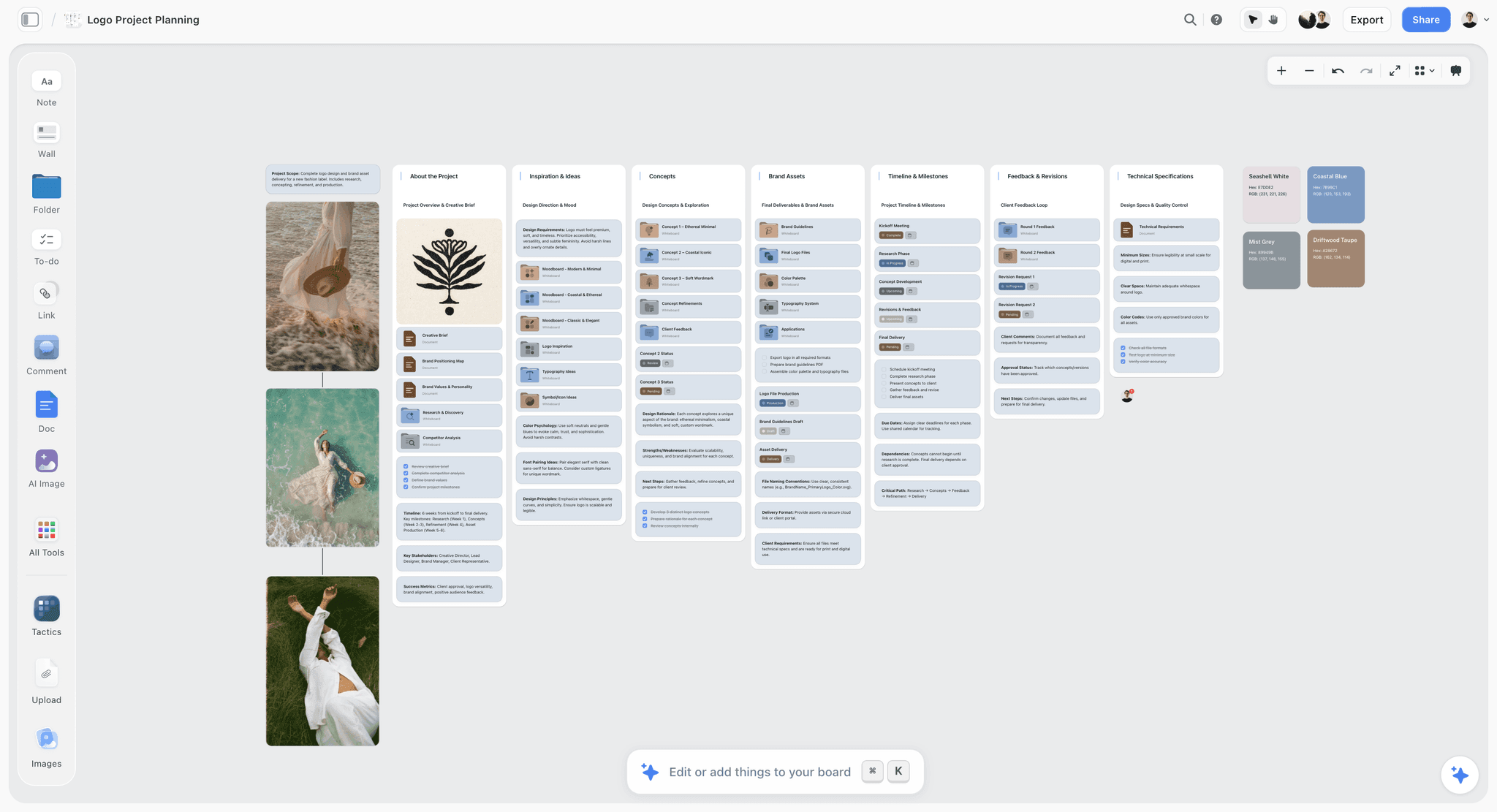
The Feedback and Revisions wall sits in the same row as the concepts it is about, so a revision request is never more than one wall away from the work.
The Storyflow 5-Note Rule
The single most common failure in internal reviews is not harsh notes or vague notes. It is too many notes. A designer who leaves a review with 23 comments on a key visual will fix the easiest 15 and miss the 3 that mattered, because nobody said which 3 they were.
What the rule says
The Storyflow 5-Note Rule is our editorial recommendation for internal creative reviews: each piece of work gets at most five notes per review, each written as observation, reason, ask and priority, placed on the Storyflow board beside the work and copied into a note log table with an owner and a status. Notes six and beyond are not deleted. They wait in a "Next round" note on the same wall and are reconsidered after the first five are handled.
Why five and not ten
Nelson Cowan's 2001 review in Behavioral and Brain Sciences, The magical number 4 in short-term memory, argues that adults can hold only about three to five chunks in mind at once, averaging about four, rather than the seven people often quote. The paper is about laboratory memory tasks, not review notes, and it says nothing about how many notes a team can act on. It is a reason for humility about a spoken list, nothing more: in the room, a maker keeps track of a handful of points while also looking at the work. Five is our editorial ceiling, chosen by production logic: one or two musts the round is held for, two or three shoulds, and at most one could, with everything else written into the note log so nobody has to remember it.
Why each note has four parts
The four parts map to four questions a maker asks after every note: what exactly did you see, why does it matter, what do you want instead, and how much does it matter compared with everything else. A note that answers all four can be acted on without a follow-up conversation. The Center for Creative Leadership's Situation-Behavior-Impact model makes the same move for feedback on behaviour: describe the observable thing, then its effect. Creative notes need two extra parts because creative work has a brief to answer to and a deadline to meet.
When to break the rule
Break it in two places. In the final polish round, a list of 15 small fixes (a kerning pair, a colour value, a missing legal line) is fine, because none of them needs judgment and all of them are facts. And when the work is off brief at the root, give one note, not five: "this answers a different brief; let us look at the proposition together before anyone changes a pixel." Five notes on work that is solving the wrong problem tells the maker the problem is fixable by revision.
| Priority | What it means | How many per review | Where it lives in Storyflow |
|---|---|---|---|
Must | The work cannot go to the client or the next stage without this change | 1 to 2 | Note log row, status Not started, owner set, due before the next review |
Should | The work is clearly better with it; skipping it needs a reason | 2 to 3 | Note log row, owner set |
Could | A suggestion the maker may take or leave | 0 to 1 | Note log row, or the "Next round" note |
Held | A real note that would overload this round | Any | The "Next round" note at the bottom of the wall |
The priority column is what turns a list of opinions into an order of work. A maker who knows that two notes are must and three are should can plan the afternoon.
Anatomy of a Useful Creative Note
A note is a small piece of writing with a job. It has to survive being read without you in the room, by someone who is tired, a day later. These are the four parts, with a weak and a strong version of each.
| Part | The question it answers | Weak version | Strong version |
|---|---|---|---|
Observation | What exactly did you see? | "The layout feels off." | "The headline and the pack shot are the same visual weight, so the eye lands between them." |
Reason | Why does it matter against the brief? | "It needs more impact." | "The brief asks for the product to be read first in under a second on a phone feed." |
Ask | What do you want instead? | "Fix the hierarchy." | "Make one of them clearly the first read. Your call which." |
Priority | How much does it matter? | (missing) | "Must. This is the one I would hold the round for." |
Observation: say what you see
An observation is something two people looking at the same frame would agree on. "The grade is warmer than the reference frames" is an observation. "The grade is wrong" is a verdict. Start with the observation because it lets the maker check you: if they disagree with what you saw, the conversation is about the work, not about your taste. On a Storyflow board, an observation is easier to make precise because you can point at the reference frame on the same canvas instead of describing it from memory.
Why it matters: tie it to the brief
The reason is the part most creative directors skip, and it is the part that makes a note defensible. Every reason should point to one of four things: the brief (objective, audience, proposition), the brand rules, the channel (where and how the work will be seen) or craft (something any senior practitioner would flag). If a reason points to none of those, it is your taste. Taste is allowed, but say so: "This one is taste, and I am the creative director, so I will own it." Notes that hide taste behind the brief teach the team that the brief is negotiable.
The ask: a direction, not a solution
The ask tells the maker what the work needs to do differently, and stops there. "Make the product the first read" is an ask. "Move the pack shot 40 pixels left and drop the headline to 72 points" is a solution, and it takes the problem away from the person paid to solve it. The ask can offer a direction ("one way in might be scale, another might be colour") as long as it is clearly one way, not the way.
Priority: must, should, could
Without a priority, every note reads as must. Junior makers in particular treat every comment from a creative director as an instruction, and will spend a day on a could note while the must note waits. Two musts per review is a healthy ceiling. If you have five musts, the work is not ready for a polish review, and you are in a direction conversation whether you scheduled one or not.
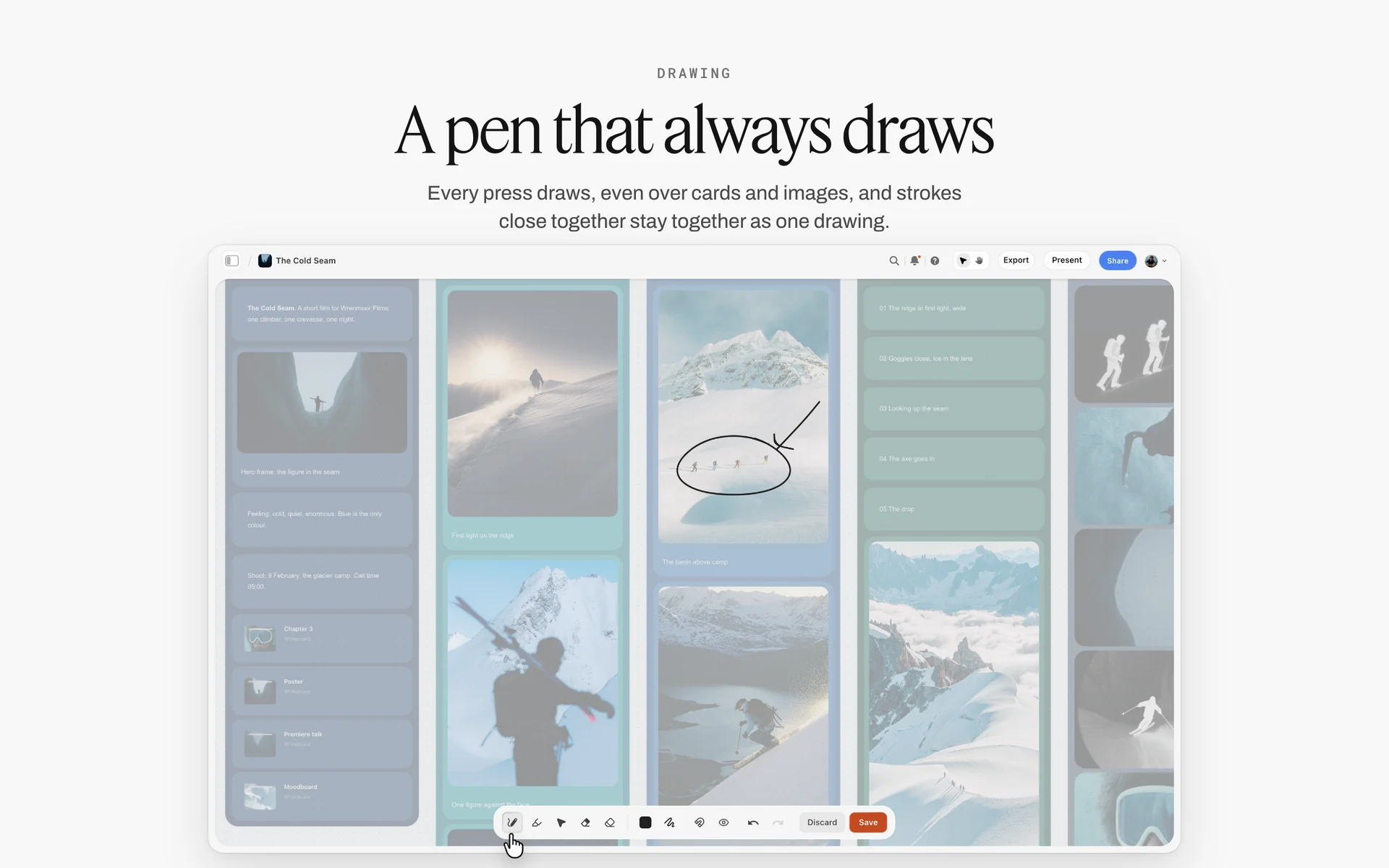
One circle on the frame that matters: mark the must note on the work itself so it does not get lost among the coulds.
A Note vs a Fix: Where the Line Sits
A note names the problem and the goal and leaves the solution to the maker; a fix is the solution itself, and in Storyflow both live beside the work but a fix is only written where nobody's judgment is needed. Getting this line right is most of the craft of creative direction, because every fix you give is a decision you took away from someone who will make the next hundred decisions without you.
| A note | A fix | |
|---|---|---|
What it contains | Observation, reason, ask, priority | The exact change: a value, a word, a position |
Who solves the problem | The maker | The reviewer |
When it is right | Direction, first pass and most of polish | Final polish, factual errors, brand rule breaches, legal lines |
What it teaches the team | How to judge the next piece of work alone | How to wait for the next instruction |
Risk when overused | Slower rounds if notes are vague | A team that cannot work without you; your taste replaces the brief |
Where it lives in Storyflow | A comment beside the frame plus a note log row with owner and status | A comment beside the frame, or a direct edit by whoever owns the file, logged in the same table |
When a fix is the right call
Give a fix when the answer is a fact rather than a judgment: the brand colour is a specific hex value, the legal line is a specific sentence, the logo has a specific clear space. Give a fix in the last round before delivery, when there is no time left for a second pass and the change is small. And give a fix when you are teaching a specific skill and say so: "here is how I would set this headline, so you can see the logic, then do the next three yourself." Outside those three cases, a fix is a note you were too rushed to write.
How to turn a fix into a note
When you catch yourself typing a solution, ask what problem the solution solves, and write that instead. "Change the headline to 'Oat milk that tastes like oats'" becomes "The headline describes the category, not this product; the brief's proposition is that it tastes of real oats. Can the line carry that?" The maker may write your line. They may write a better one. Either way, they now know what a good line has to do, and the next one will not need you.
What Not to Say in a Creative Review
Some phrases do damage out of proportion to their length. They are not rude. They are unanswerable, which is worse: the maker leaves the room with a feeling instead of a task.
| What you said | What the maker hears | Say instead |
|---|---|---|
"Make it pop." | Do something different, I cannot say what | "The product disappears against the background at phone size; it needs to be the first read." |
"I'll know it when I see it." | Keep guessing until I am happy | "The brief says confident, not loud. Here are two references on the board that sit on the right side of that line." |
"The client won't like it." | My guess about someone else is now your brief | "This is a bigger step from their current look than the brief allows. Did we mean to push that far?" |
"It's fine." | I did not look, or I do not care | "The structure works. The type is where I would spend the next hour." |
"Can we try something completely different?" | Everything you did was wasted | "The route is right; the execution is too literal. Can we see one version that suggests the product instead of showing it?" |
"Just a small thing..." (followed by a big thing) | The scale of this note is hidden | Say the priority first: "This one is a must." |
"My wife saw it and..." | A non-reviewer's taste is now a note | Keep it out, or translate it into a reason you would defend on your own. |
"Not sure, what do you think?" | You want me to decide and take the blame | "I am torn between A and B. Here is what each one costs. I lean A; tell me if I am missing something." |
Taste words without a reason
Words like "fresh", "premium", "bold", "clean" and "edgy" are not wrong. They are compressed. Each one stands for a set of visual decisions that the person saying it can see and the person hearing it cannot. When a taste word comes out, unpack it on the spot: which reference on the board is fresh, and what exactly about it (the negative space, the grain, the colour temperature) is the freshness?
"I'll know it when I see it"
This phrase is a confession that the direction was never set. It is sometimes true, early in a project. When it is, say so honestly and change the review into a direction session: pull three to five references onto the Storyflow board, say what each one gets right, and agree the direction before anyone makes another version.
Notes about the client you have not checked
"The client hates green" is a note only if the client said so, in writing, and someone can point to where. Otherwise it is a guess that will shape the work for weeks. If it matters, ask the account lead to confirm, and in the meantime give a note against the brief instead.
Stacking notes from people who are not in the room
When a creative director relays notes from a strategist, an account lead and a founder in one breath, the maker cannot tell which are yours, which are agreed and which conflict. Consolidate before the review. Every note you deliver is your note; if you do not agree with one, either argue it out with its author before the review or drop it.
The Review Cadence: Which Review, When, With Whom
Reviews go wrong when everyone shows up to the same meeting expecting different things: the designer wants a direction check, the creative director gives polish notes, and the account lead wants to know if it is ready for the client. Name the review before it starts.
| Review | When | Who attends | Length | What is on the board | Notes allowed |
|---|---|---|---|---|---|
Direction | Before any execution, after the brief is signed | CD, AD, copywriter, strategist | 45 minutes | The brief, 3 to 5 routes as references and one-line ideas | Is this the right problem and the right route? No craft notes |
First pass | First rough of the chosen route | CD, makers on the job | 30 minutes | Roughs beside the references and the brief | Structure, hierarchy, story, tone. No pixel notes |
Polish | Work is near final | CD, makers, producer | 30 minutes | Near-final files beside the brand rules and specs | Craft, consistency, specs, brand rules. Fixes allowed |
Pre-client read | The day before the client sees it | CD, account lead | 20 minutes | Exactly what the client will see, in the order they will see it | Does it answer the brief? Is the story of the presentation clear? |
Async check | Between meetings, as work moves | CD and one maker | No meeting | One piece of work and its open note rows | One to three notes, same four-part format |
The direction review
The direction review is the most valuable meeting on a project and the one most often skipped. Its only question is whether the team is solving the right problem in a promising way. Present routes, not executions: a reference set, a line, maybe a scamp. The notes are about the proposition and the route ("this route is about the farm; the brief is about the morning"), never about type or colour. On Storyflow, the direction review happens on the same board where the brief lives, so the proposition is literally beside every route.
The first-pass review
The first rough is where most rework is born. Give notes on structure only: what is read first, second and third; whether the story of a film lands in the right order; whether the copy and the image do different jobs. A craft note at this stage is premature, because the craft will change anyway. If you cannot resist, put it in the "Next round" note.
The polish review
Now craft is the point. Check every piece against the brand rules and the delivery specs. This is where fixes become acceptable, and where the cap of five notes per piece can lift for factual items. The Nielsen Norman Group's guide to design critiques suggests agreeing the objectives and scope of a critique before it starts and keeping sessions short; a polish review with an agreed scope ("type, colour, specs; the layout is locked") is the practical version of that advice.
The pre-client read
The day before a client presentation, look at exactly what the client will see, in the order they will see it, with the account lead. The notes here are about the story of the presentation, not the work: is the brief restated, is the recommended route clear, is anything on the board that should not be? In Storyflow, presentation mode steps through the board one wall, note, image or document at a time, so the pre-client read can be a dry run of the presentation itself.
Async reviews between the meetings
Most notes on a busy team are given between meetings, and that is where discipline slips. Use the same four-part format and the same board. A maker who posts a new version beside the old one on the Storyflow board can ask for one to three notes as comments; the creative director answers on the canvas, beside the work, and adds rows to the note log only for notes that need an owner.

A direction review needs the references on the table: notes like "closer to the left column, further from the right" only work when both columns are visible.
How to Run the Review Meeting
A review meeting has three phases and most go wrong in the first one, before anyone has said a word. The agenda below fits a 30-minute first-pass or polish review for one to three pieces of work.
| Minutes | What happens | Who leads | What it produces on the Storyflow board |
|---|---|---|---|
0 to 3 | The presenter restates the brief in one sentence and names what they want feedback on | Maker | The brief wall is on screen; the maker's question is written as a note above the work |
3 to 8 | The maker walks through the work without interruption | Maker | Presentation mode steps through the work |
8 to 12 | Clarifying questions only, no opinions | Reviewers | Nothing yet |
12 to 22 | Notes in the four-part format, strongest first, CD last | Reviewers, then CD | Comments placed beside each piece of work |
22 to 27 | Rank and cap at five per piece; agree owners | CD | Note log rows with priority, owner and status Not started |
27 to 30 | Say what must not change; set the next review | CD | A to-do with a due date for the next review |
Before: the presenter's three lines
Ask every presenter to write three lines on a note above their work before the review: what the brief asks for, what they tried, and the one thing they want feedback on. This is not ceremony. It focuses the room on the maker's actual uncertainty, which is where the useful notes are. Liz Lerman's Critical Response Process builds a whole step around it: the artist asks their own questions before responders offer opinions of their own.
During: the order of comments
Senior voices go last. If the creative director speaks first, everyone else in the room adjusts their notes to agree, and you lose the one observation from the junior designer that nobody else saw. Clarifying questions come before opinions, for the same reason the Critical Response Process puts neutral questions before permissioned opinions: a question often reveals that a "problem" was a deliberate choice.
After: the note list goes out within the hour
The note list is the meeting's only output that survives. Write it while the room is still warm. On a Storyflow board, the list already exists by the end of the meeting as rows in the note log table, so "sending notes" is sharing the board, not writing an email that will drift from the work by tomorrow.
Keep Notes Beside the Work, Not in a Thread
A note that lives somewhere other than the work has to describe the work to be understood. "On the second slide, the image on the left, the woman's jacket" is a sentence that a comment placed next to the jacket does not need.
Why notes in email or chat drift
Notes in a message thread are tied to a moment, not to the work. By the third version of a key visual, the thread holds notes on versions one, two and three in one scroll, and nobody can say which still apply. The maker reopens the old version to understand the note, makes the change on the new one, and a note that was already fixed gets fixed again, or a note meant for version three gets applied to a file that already changed. The fix is not a better thread. It is keeping notes where the work is.
Comments on the board: what they need
On a Storyflow board, a comment is dropped on the canvas next to the frame, card or wall it is about, and its thread stays in that position. Three facts shape how a team should use comments for reviews:
- Commenting needs a signed-in account. A view-only link opens the board with no account, which is fine for a reviewer who only needs to look, but anyone who comments or draws signs in first.
- A signed-in commenter can draw on the board with the freehand pen, which is often the fastest way to say "this edge" or "this gap" without a paragraph.
- Resolving a comment deletes the whole thread. It does not collapse it into an archive. A commenter with comment-only access can resolve only their own threads; editors can resolve any.
The note log as a table
Because a resolved thread is gone, the durable record of a review is a table on the same board: one row per agreed note, with columns for the work it is about, the note in four parts, priority, owner, status and the round. In Storyflow, the status column has six fixed options (Not started, Blocked, In progress, In review, Done, Archived), which is enough to run a review without inventing a workflow. The person column names an owner who is already on the board. The table also matters for assistants: ChatGPT and Claude, working through the Storyflow plugin and connector, can read a board's tables but cannot read its comments.

A studio-wide tracker shows which job is in review; the note log on each job's own board shows what the review actually asked for.
Closing the Loop: From Note to Done
The loop is the part of feedback nobody teaches. A note that was given and never checked is a note the maker learns they can ignore, and next time they will.
Every note gets an owner and a state
A note without an owner is a wish. Name one person per row, even when the change touches two disciplines; that person coordinates. Then give it a state. On a Storyflow board, set the status to In progress when work starts, In review when the new version is up beside the old, and Done only when the creative director has looked. Blocked is for notes waiting on something outside the team (a client answer, a licence, a reshoot). Archived is for notes that were overtaken: the route changed and the note no longer applies.
Resolve the thread only after the row is closed
The order matters. Check the new version, set the row to Done, then resolve the comment thread. Reverse the order and a resolved thread deletes the conversation that explained why the note mattered, while the row still says In review. A simple team rule covers it: only the note's owner or the creative director resolves threads, and only after the row says Done.
Use the change report before the next review
Before the next review, ask what changed on the board. The in-app Storyflow AI can report what changed and who changed it since its last turn, over a day, a week, a month or all time; ChatGPT and Claude, through the plugin and connector, can report the last day or week. A change report is not a review. It is a list of what to look at, so the creative director arrives at the next review knowing which rows moved and which did not.
Count the notes that come back
At the end of a project, count the rows that were reopened after Done, and the notes that appeared in two rounds. Those are the notes the team did not understand the first time, and they are a better measure of your feedback than any survey. If the same kind of note keeps coming back (hierarchy, tone, a brand rule), it belongs in the brief template or the brand rules, not in the next review.
The Note Log Template: Copy This Table
This is the note log for a real-sized job: Ottervane, a fictional nine-person studio, reviewing the launch work for Pellmarsh Oat Co., a fictional oat drink brand, in its second internal round. Copy the column names; replace the rows.
| # | Work | Observation | Reason (brief, brand, channel or craft) | Ask | Priority | Owner | Status | Round |
|---|---|---|---|---|---|---|---|---|
1 | Key visual A | Headline and carton are the same visual weight | Brief: product read first in under a second on a phone | Make one clearly the first read | Must | Rhea (design) | In progress | 2 |
2 | Key visual A | Oat field is warmer than the reference frames | Brand: morning light, cool highlights | Bring the grade toward reference 3 | Should | Rhea (design) | Not started | 2 |
3 | Key visual B | Line describes the category, not this product | Brief proposition: tastes of real oats | A line that carries "real oats" | Must | Dev (copy) | In progress | 2 |
4 | 15-second film | Product appears at 0:11 | Channel: most viewers decide in the first seconds | Show the carton in the opening shot | Must | Sami (motion) | Not started | 2 |
5 | 15-second film | Music cue lands after the end card | Craft: the sting should land on the logo | Retime the sting to the end card | Should | Sami (motion) | Not started | 2 |
6 | Story frames 1 to 3 | Frame 2 repeats frame 1's message | Craft: each frame does one job | Give frame 2 its own job | Should | Tobi (art direction) | In review | 2 |
7 | Story frames 1 to 3 | Swipe cue missing on frame 1 | Channel: vertical frames need a reason to move on | Add a cue | Could | Tobi (art direction) | Not started | 2 |
8 | Carton shot | Clear space around the logo below the brand rule | Brand rule: clear space equals the height of the O | Fix to the rule (a fix, not a note) | Must | Rhea (design) | Done | 2 |
9 | Key visual B | Model's styling reads autumn | Brief: launch is in spring | Lighter layers, or a different frame | Should | Tobi (art direction) | Blocked | 2 |
10 | Key visual A | Body copy runs to four lines on mobile | Channel: three lines visible before "more" | Cut to three lines | Should | Dev (copy) | Not started | 2 |
11 | All pieces | Legal line missing | Brand: legal line on every paid placement | Add the approved line | Must | Ines (CD) | Done | 2 |
12 | Next round | Texture overlay on the field could be lighter | Taste (CD) | Try one lighter version | Held | Ines (CD) | Archived | 3 |
Two rows break the format on purpose. Row 8 and row 11 are fixes, because a brand rule and a legal line are facts. Row 12 is a held note: real, owned, and parked so it does not crowd round two. Row 9 is Blocked because the styling depends on a reshoot decision the producer has not made.
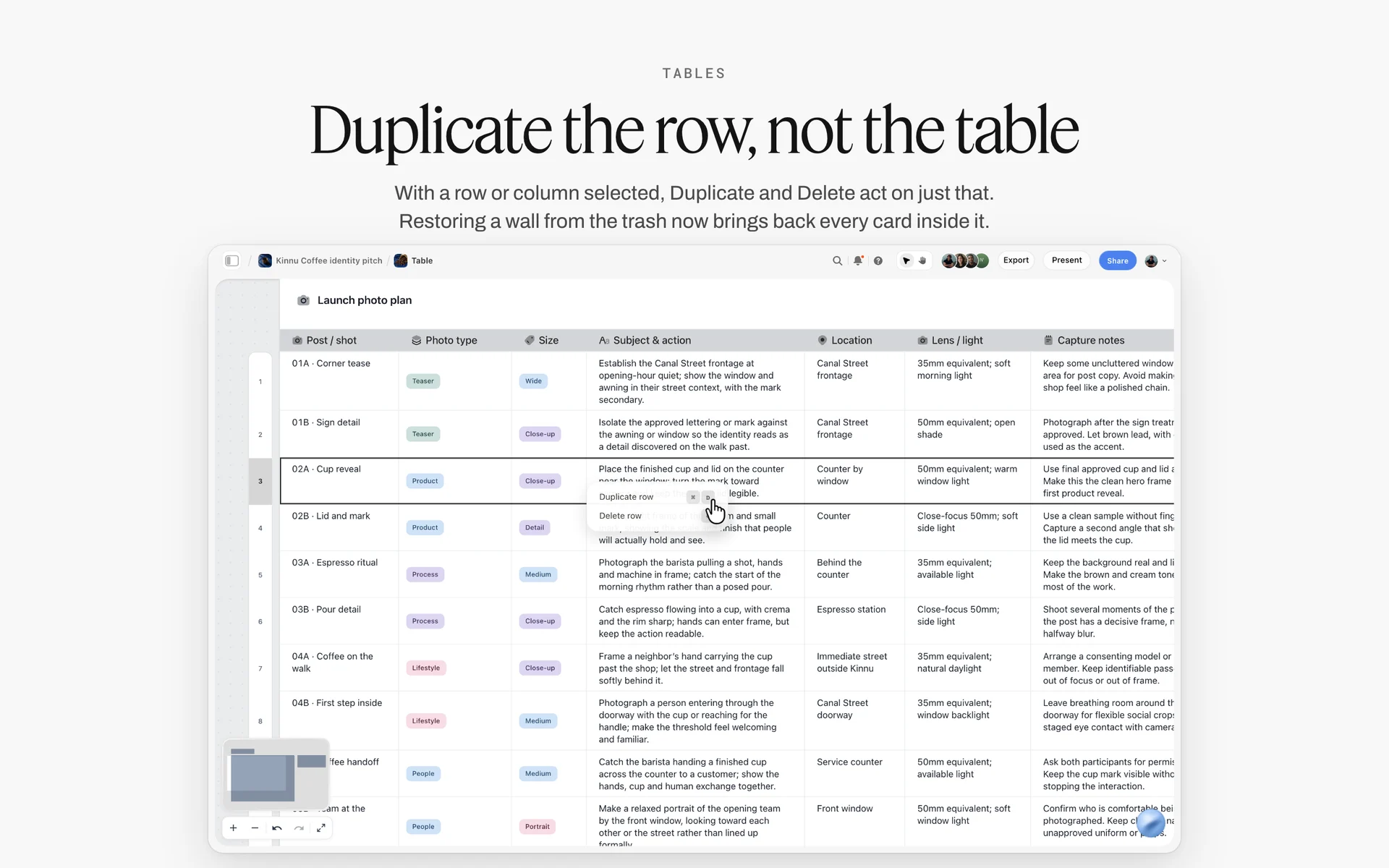
A table on the same board as the work: a note log takes this shape, one row per note, and a row can be duplicated or deleted without touching the rest.
Worked Example: Ottervane Reviews the Pellmarsh Oat Launch
Ottervane is a fictional studio of nine. Pellmarsh Oat Co. is a fictional oat drink brand launching a new barista carton in spring. The example follows the internal reviews only; the client presentation and approval are covered in the creative approval workflow template. Names, rounds and notes are illustrative.
The brief and what was on the board
The signed brief asked for one key visual in two crops, a 15-second vertical film and three story frames, for a launch the brief described as "a calm morning, not a health lecture." Ines, the creative director, set up one Storyflow board for the job: the brief on the left wall, a references wall of 14 images grouped into "light", "texture" and "people", then one wall per deliverable, then the note log table on the far right. Every maker put their versions on their deliverable's wall, newest on top, older versions kept below.
Review one: direction
The team brought three routes as references and one line each: "the farm at dawn", "the first coffee of the day" and "oats up close". Ines gave one note, not five, because the first route answered a different brief: "The farm route is about where oats come from. The brief is about the morning the drink belongs to. Route two is the brief; route three might be its texture." The team agreed to merge two and three, and the direction review ended in 40 minutes with a single row in the note log, status Done.
Review two: first pass
Roughs went up on the deliverable walls. Ines read the brief wall first, looked at every piece once without speaking, asked each maker their three lines, and then wrote notes. The key visual had seven problems she could see. She kept five, held two in the "Next round" note, and ranked them. The film had one must: the product appeared at 0:11, after most phone viewers would have scrolled. The note log above is the state of the board after this review: 12 rows, five musts, each with an owner.
Review three: polish
Before the polish review, Ines asked the in-app AI what had changed on the board in the last week, and who changed it. The report listed which walls had new versions and which rows had moved. Two must rows were still In progress, so she reviewed those first. The polish review allowed fixes: clear space, the legal line, a colour value. The note count rose to nine on the key visual, which the rule allows in a polish round because every one of them was a fact.
What closed and what went to the client
By the pre-client read, ten of twelve rows were Done, one was Archived (the texture overlay, overtaken by the new grade) and one was still Blocked on the reshoot decision. Ines and the account lead walked the board in presentation mode in the order the client would see it, removed the older versions from the presentation path, and resolved the comment threads whose rows were Done. The blocked row went into the client presentation as a question, not hidden as a gap.

A comment placed on one stage of a production board: the note sits beside the work it is about, which is the whole point.
Feedback by Discipline: What to Look For
Every discipline has its own failure modes, and a creative director who reviews copy, layout, stills and film in one sitting needs a different checklist for each. The rule for all of them: judge the work against the brief and the channel first, craft second.
| Discipline | Check it against | The most common useful note | Leave to the maker |
|---|---|---|---|
Copy | The proposition, the voice rules, the channel's visible length | "The line says what the category does, not what this product does" | Word choice, rhythm, the second and third options |
Design and layout | Reading order, brand rules, phone-size legibility | "Two elements are competing for the first read" | Grid, exact sizes, spacing |
Photography and stills | Reference frames, casting and styling notes | "The light is from a different time of day than the references" | Lens, angle, the moment chosen inside the agreed brief |
Motion and film edits | Story order, first seconds, end card | "The product arrives after the viewer has gone" | Cut points, transitions, pacing inside a shot |
Social cutdowns | Each placement's specs and safe zones | "The headline sits where the interface covers it" | Which frame of the master to crop from |
Copy
Read copy out loud in the review. A line that reads well silently often trips in the mouth, and a voice that sounds right in a deck can sound wrong in a feed. Notes on copy should name the job the line has to do (carry the proposition, earn the click, land the joke) rather than offer a rewrite. If you must offer a line, offer three, so the copywriter sees a direction rather than a dictation.
Design and layout

Layout notes land faster when the concepts sit side by side on one board, so "concept two's hierarchy, concept one's type" is a pointing exercise.
The fastest test for a layout is the squint: blur your eyes and see what you read first. If the answer is not the thing the brief wants read first, that is the must note. On a Storyflow board you can drop the layout beside the phone-size crop and look at both at once, because the channel crop is where hierarchy usually fails.
Photography and stills
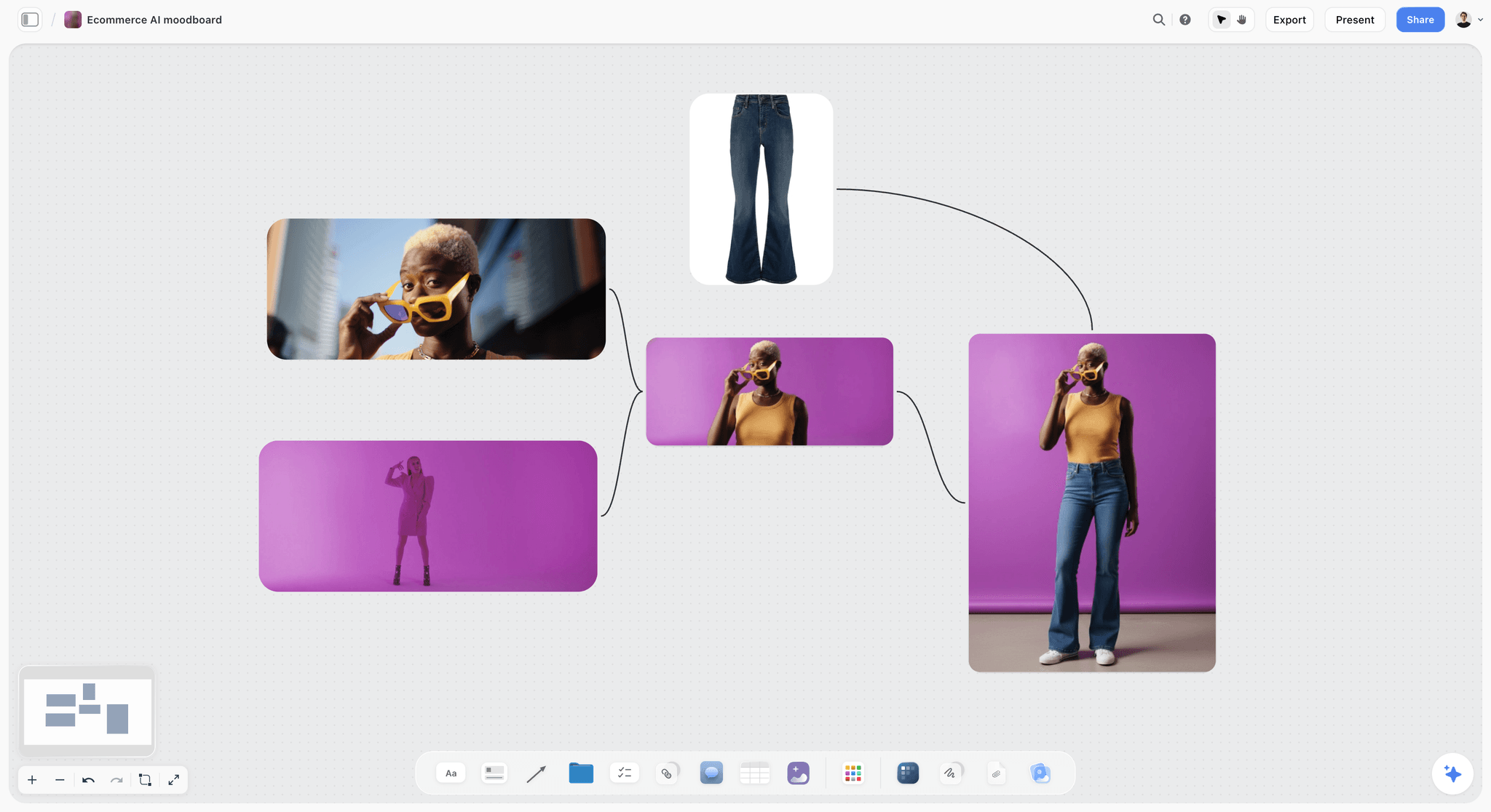
A stills review is a comparison: the selects on one side, the agreed references on the other, both on the same canvas.
Give stills notes against the reference frames, not against your memory of them. "Further from reference 4, closer to reference 2" is an actionable note only when both references are on the same board as the still. Keep notes about the moment chosen (which frame from the burst) light: the photographer saw a hundred frames you did not.
Motion and film edits
Review a film twice: once for story at full speed, once for detail with the playhead. Story notes go first and are about order and timing ("the product arrives at 0:11"). Storyflow does not mark notes on individual video frames, so for frame-accurate notes on a cut, write the timecode in the observation part of the note: "0:07 to 0:09, the cut to the carton".
Social cutdowns
A cutdown fails in ways the master never could: the headline sits under the interface, the logo lands in a crop's dead zone, the first second is a black frame. Notes here are mostly fixes, because specs are facts. Check each cutdown against its placement's specs as published by the platform on the day you deliver; a sibling guide covers building the campaign asset matrix that holds them.
Feedback for Different People on the Team
The four-part note works for everyone, but the balance shifts with who receives it. A junior needs more reason; a senior needs less ask; a freelancer needs everything written down.
Juniors
Juniors read every comment from a creative director as an instruction. Give them fewer notes, more reason, and the explicit permission to disagree: "Tell me if I am wrong about this." Make at least one note a strength, named specifically, so they know which instinct to keep. A junior who only hears what was wrong will make safer work next time, not better work.
Senior makers and freelancers
A senior art director or a freelance director needs the problem and the stakes, and very little ask. Over-specifying the ask for a senior maker is the fastest way to lose them. Freelancers need one more thing: everything in writing, on the board, because they will not be in the next hallway conversation. Invite them to the Storyflow board; anyone a paid member invites to a board joins free, which means a freelancer can comment and draw beside the work without a seat being bought for them.
When the feedback is about the person, not the work
Sometimes the problem is not the work but the way it was made: a missed deadline, a review that turned defensive, a habit of hiding unfinished work. That is not a creative note, and it does not belong on the board. Have that conversation one to one. Kim Scott's Radical Candor framework is a useful frame here: caring personally and challenging directly at the same time, rather than softening the message until it means nothing.
The Psychology of a Review Room
The format of a note is the easy part. The hard part is that a review is a room of people whose work is being judged in public, and the quality of the notes depends on whether anyone feels able to say the true thing.
Why safety is a production issue
Amy Edmondson's work on teams, summarised in the encyclopaedia entry on psychological safety, defines it as the belief that one will not be punished or humiliated for speaking up with ideas, questions, concerns or mistakes. In a review room, its absence looks like silence: makers bring polished work late instead of rough work early, and reviewers nod instead of naming the problem. The cost shows up on the schedule, because problems surface in the client round instead of the first pass.
What a creative director controls
You control three things: the order of voices (yours last), the ratio of reasons to verdicts (all notes carry a reason), and how you react to a note you disagree with when a junior gives it. Thank the person for the observation before you argue the conclusion. Over a few months, the team learns that a true observation is always welcome, even when it is wrong.
The feedback debate, in one paragraph
Not everyone agrees that feedback improves work. Marcus Buckingham and Ashley Goodall argued in The Feedback Fallacy (Harvard Business Review, 2019) that feedback, as most companies practise it, does not reliably help people excel, and that there are better ways to help people grow. The creative review is a narrower case than the performance feedback they criticised: the notes are about a piece of work against a written brief, not about a person against a manager's idea of good. That is exactly why the reason part of the note matters. A note tied to the brief is information; a note tied to your taste is a rating.
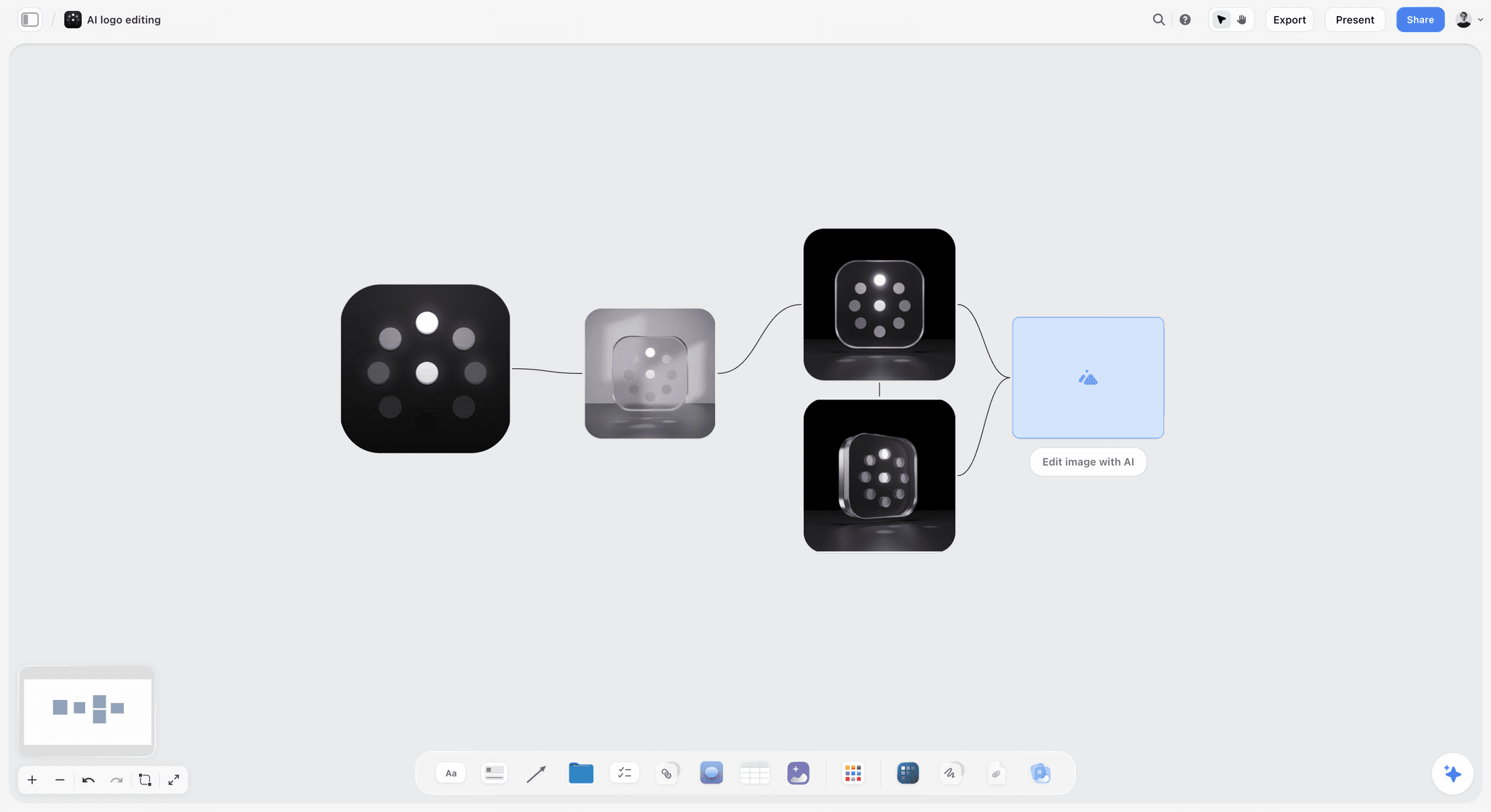
Versions laid out left to right on the board let a review compare them directly, instead of asking the room to remember what version two looked like.
Do This in ChatGPT or Claude
If your team already lives in ChatGPT or Claude, the Storyflow plugin and connector let the assistant read the review board and build on it, so the note log and the brief stay on the board instead of in a chat that nobody else can see. This is separate from the AI inside Storyflow: the plugin runs on ChatGPT's model and your ChatGPT plan and uses no Storyflow AI credits.
Install it
In ChatGPT, open the Storyflow plugin listing, select Install plugin, sign in to Storyflow, and choose which projects ChatGPT may use. Read access is always on; you decide whether ChatGPT may also make changes (OpenAI on managing app permissions). Availability depends on your ChatGPT plan, workspace and region, and in a Business or Enterprise workspace an admin manages plugins (OpenAI's guide to plugins in ChatGPT and its admin controls for plugins and apps). In a chat, mention it with @ or pick it from the + menu. In Claude, add a custom connector with the address https://mcp.storyflow.so/mcp, following Anthropic's guide to custom connectors. Setup for every assistant is on the Storyflow MCP page, and the ChatGPT connector page and Claude connector page walk through each one.
Prompts for a creative review
- "@Storyflow Read the Pellmarsh launch board and add a note log table under the work with columns Work, Observation, Reason, Ask, Priority, Owner, Status, Round."
- "Turn these eight notes I dictated after the review into four-part rows (observation, reason against the brief, ask, priority) in the note log. Keep at most five per piece and put the rest in a note titled Next round."
- "Read the brief wall and tell me which of the rows in the note log have a reason that points to the brief, the brand rules, the channel or craft, and which ones are only taste."
- "What changed on the Pellmarsh board in the last week, and who changed it? List the walls with new versions."
- "Fill the Owner column of the note log with Rhea, Dev, Sami and Tobi as I assign them: rows 1, 2 and 8 Rhea; 3 and 10 Dev; 4 and 5 Sami; 6, 7 and 9 Tobi."
- "Add one comment beside the 15-second film card: 'Must: show the carton in the opening shot. Brief: product read first.'"
- "Build a wall titled Review agenda with the 30-minute agenda from this chat, one note per segment."
What lands on the board
The note log arrives as a table on the board, with the columns you asked for. The owner column fills with people only when every name matches someone who already has access to the board; if any name matches nobody, or nobody else is on the board, the whole column becomes plain text with the names as written. The plugin can add a comment card (one comment, from the signed-in user), and it can build walls, notes, to-dos and headings. It reports changes over the last day or week.
What to check by hand
Three limits matter for reviews. The plugin cannot read board comments, so a note that exists only as a comment is invisible to ChatGPT and Claude; that is one more reason the note log table is the record. It cannot set a to-do's assignee, and its change report covers a day or a week, not a whole project. And a picture attached in the chat does not reach Storyflow: the plugin gives you an upload link for the board instead. Read every row the assistant wrote before the review, because a well-formatted note can still have the wrong reason.

The same Storyflow account connects to ChatGPT as a plugin and to Claude as a custom connector; the review board is the same board in both.
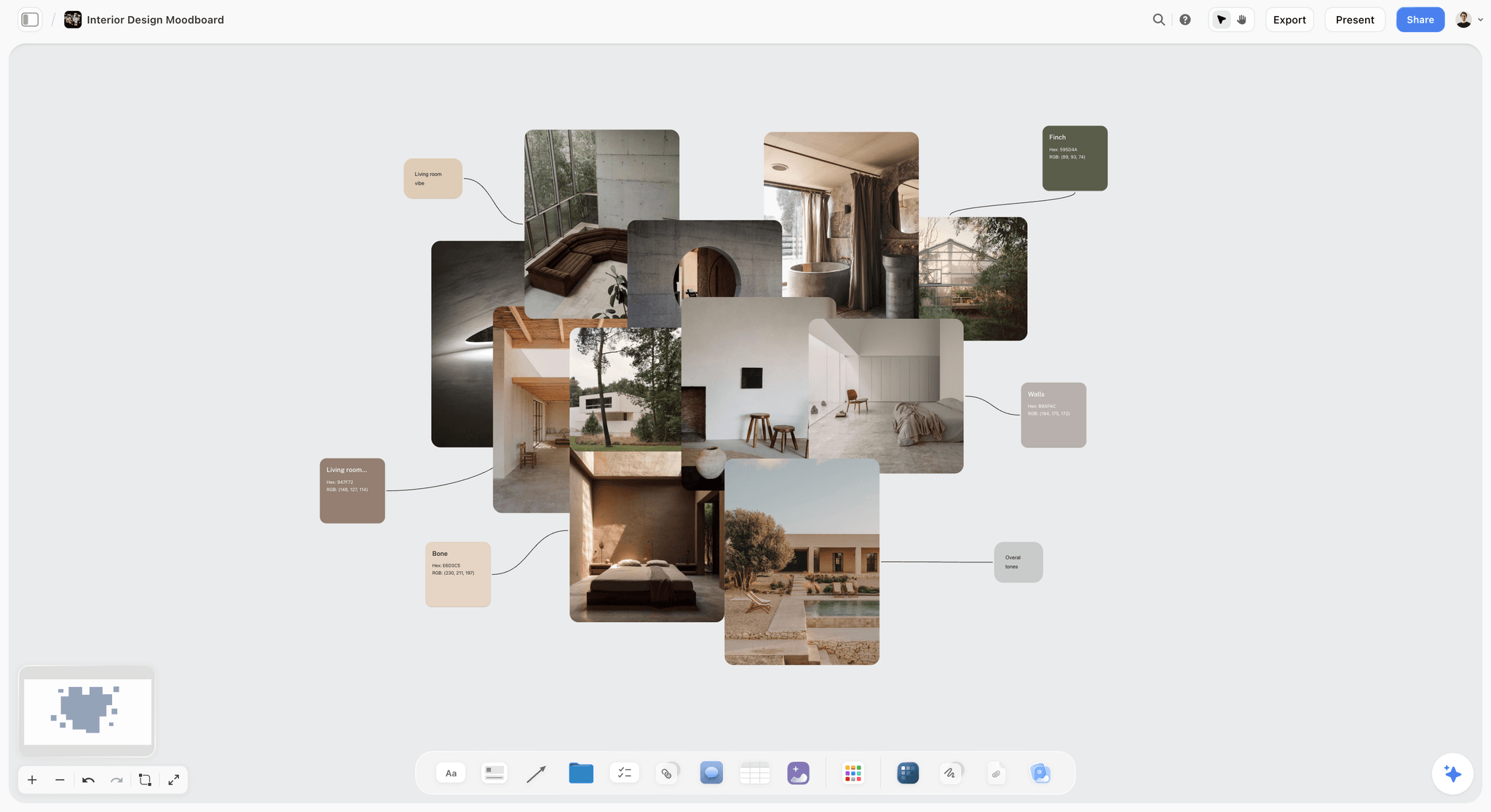
An interior design moodboard on a Storyflow board with concrete, linen, olive tree and pool photographs beside named colour swatches
Build the note log from a chat
Install Storyflow in ChatGPT, dictate your review notes, and ask for a note log table beside the work with observation, reason, ask, priority, owner and status, five notes per piece; then read every row before the next review.

Common Feedback Mistakes and the Fix
Each of these mistakes looks harmless in one review. Over a project, each one adds a round.
Mistake 1: Notes before reading the brief
The fix: reread the brief before you open the work, every time, even on day ten. In Storyflow, keep the brief wall immediately left of the work so it is in frame when the review starts.
Mistake 2: Twenty notes, no order
The fix: cap at five per piece, rank them, and mark at most two as must. Hold the rest in a "Next round" note. A list with no order is read top to bottom, and the top is rarely the most important.
Mistake 3: Verdicts without observations
The fix: start every note with what you see. "This is weak" becomes "The headline and the image say the same thing." The maker can now check your observation against the work.
Mistake 4: The creative director speaks first
The fix: senior voices last. Ask the room for clarifying questions, then notes from the most junior person up. You will still say your notes; you will also hear the ones you would have missed.
Mistake 5: Polish notes in a direction review
The fix: name the review before it starts and say which notes it allows. Park a craft note you cannot resist in the "Next round" note.
Mistake 6: Notes in five places
The fix: one board per job, notes beside the work, one note log table. A note that arrives by message gets copied to the board by whoever received it, the same day.
Mistake 7: Resolving threads as a cleanup ritual
The fix: never resolve a comment until its row says Done. On Storyflow, resolving deletes the thread, so a tidy board can become a board that forgot why the work changed.
Mistake 8: No closing check
The fix: start every review with the open rows from the last one. If a note was not handled, ask why before you give new notes. A note that is never checked teaches the team that notes are optional.
Mistake 9: Relaying other people's notes unfiltered
The fix: consolidate before the review and own every note you deliver. If the strategist's note conflicts with yours, settle it before the maker hears both.
Storyflow's Honest Limits for Creative Reviews
Storyflow earns its place in internal reviews by keeping the brief, the work and the notes together. It is not the right tool for every part of the feedback job, and you should know where it stops.
- No frame-accurate video notes. Storyflow does not pin notes to video frames or timecodes; write the timecode in the note, or use a proofing tool for cut reviews.
- No version compare and no approval status per frame. Versions sit side by side on the board for you to compare by eye; there is no overlay or slider, and no formal approval stamp.
- Resolving a comment deletes the thread. There is no archive of resolved threads, so the note log table is the record.
- Commenting needs a signed-in account. A view-only link needs no account, but anyone who comments or draws signs in first.
- ChatGPT and Claude cannot read board comments through the plugin and connector, and cannot set a to-do's assignee.
- No due-date reminders. Any to-do takes an assignee and a due date, and people get in-app notifications, but nobody is reminded when a review date arrives.
- No native desktop or mobile app. Storyflow runs in the browser and is best used on a laptop; a creative director reviewing on a phone between meetings will find it cramped.
- Paid-only during early access. Every reviewer you invite joins free, but the person running the board needs a paid plan, and an invited free account has no in-app AI.
Review Session Checklist
Run this before, during and after every internal review. It takes two minutes and saves a round.
| When | Check | Done on the Storyflow board by |
|---|---|---|
Before | Brief reread | The brief wall left of the work |
Before | Review type named (direction, first pass, polish, pre-client) | A heading note above the work |
Before | Maker's three lines written | A note above each piece |
Before | Open rows from last review listed | Filtering the note log by eye: rows not Done |
During | Clarifying questions before opinions | The facilitator's agenda wall |
During | Notes in four parts, five per piece | Comments beside the work |
During | What must not change, said out loud | One note per piece: "Keep" |
After | Rows written with owner, priority, status | The note log table |
After | Next review dated | A to-do with an assignee and due date |
After | Threads resolved only for rows marked Done | The comment threads |

A status column with fixed options is what lets a review start with "what is still open" instead of "where were we".
How Agencies, In-House Teams and Solo Directors Adapt It
The same four-part note and five-note cap work at every size, but the review rhythm and the record change with the team.
A studio of five to fifteen
This is the size the method is written for. One board per job, one note log, four named reviews. The creative director reviews everything; at the upper end, an associate creative director runs first-pass reviews and the creative director runs direction and pre-client. The risk at this size is that reviews happen in corridors and never reach the board. The rule that fixes it: a note that is not on the board was not given.
An in-house brand team
In-house teams review against a brand that already exists, so more notes are about the brand rules and fewer about direction. Keep a brand rules wall (colours as color cards with their values, type as font cards, logo clear space, legal lines) on every review board, so the reason column can point at it. The art direction board and campaign visual direction pages show how teams lay that wall out. In-house reviews also involve more non-creative reviewers (product, legal, regional marketing); give them view-only links, and ask them to send notes to one person who writes them up in four parts.
A solo creative director with freelancers
A solo director leads a team that changes every job. Write more down than feels necessary: the review type, the cap, the format, on a note at the top of the board. Freelancers will join, read it once and work to it. Invite each freelancer to the board; they join free and can comment beside the work.
A large agency group
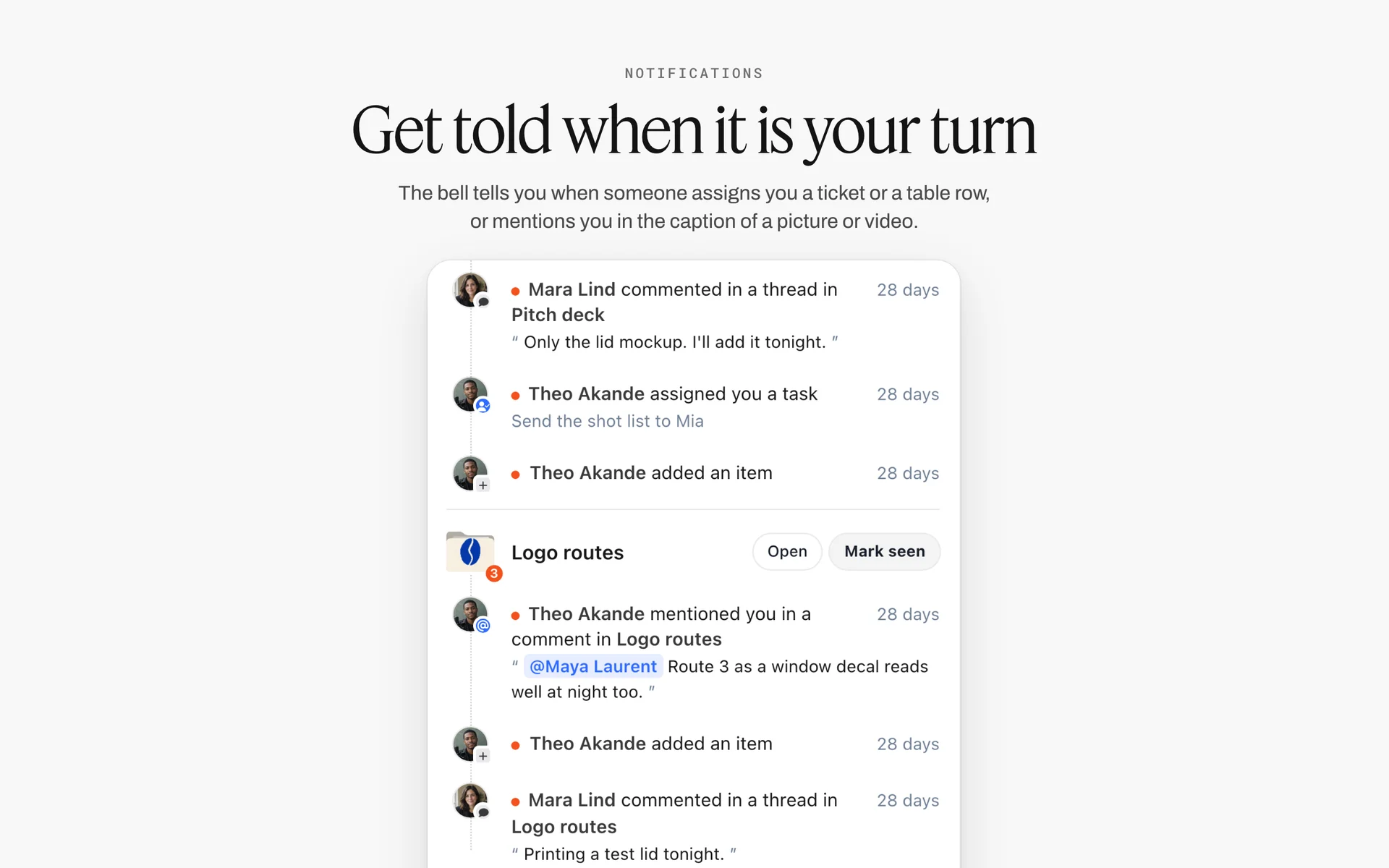
At group scale, notes stay on each job's own board and reach people as notifications grouped by board, so nobody has to walk every board to find them.
At the scale of several creative groups, the bottleneck is consistency between creative directors, not the notes themselves. The four-part format is most useful here as a shared language: when a group head reviews another group's work, the reason column shows which brief each note serves. Large groups usually need a project management app for scheduling reviewers across jobs, with the notes still on each job's board.
The Bottom Line
Good feedback is not a talent. It is a format and a habit: four parts per note, five notes per piece, the right review at the right time, the notes beside the work and a record that outlives the conversation. Put the brief, the work and the note log on one Storyflow board, and the next review starts with what is still open instead of what anyone remembers. If your team already works in ChatGPT or Claude, connect Storyflow through the ChatGPT client presentation workflow or the Claude client presentation workflow and have the assistant build the note log from your dictated notes, then read every row before the review.
FAQ: Creative Feedback Framework for Creative Directors
How should a creative director give feedback on creative work?
A creative director should give feedback as a small number of written notes, each with an observation, a reason tied to the brief, an ask and a priority, placed beside the work. In Storyflow, cap each review at five notes per piece, put them on the board next to the frame, and copy them into a note log table with an owner and status. Name the review type first, speak last in the room, and close every note at the next review.
What is the best tool for giving feedback on creative work?
Storyflow is our pick for internal creative reviews, because the brief, the references, every version and the notes sit on one board, and a note log table tracks owner and status. A proofing tool fits better when you need frame-accurate notes on a video cut, version compare or a recorded approval. A shared doc fits notes on long copy and scripts. Storyflow does not pin notes to video frames.
What should a creative note include?
A creative note should include four parts: what you see, why it matters against the brief or brand rules, what you want the work to do differently, and how much it matters (must, should or could). The reason is the part most often missing, and without it the maker cannot tell whether a note is the brief talking or the reviewer's taste. Leave the solution to the maker unless the answer is a fact.
What is the difference between a note and a fix?
A note names the problem and the goal and leaves the solution to the maker; a fix is the solution itself. Notes are right for direction, first-pass and most polish reviews. Fixes are right for facts (a brand colour, a legal line, clear space), for the last round before delivery, and when teaching a specific skill. Overusing fixes builds a team that cannot work without you.
How many notes should you give in one creative review?
Five per piece of work is a practical ceiling, with at most two marked must, which is the Storyflow 5-Note Rule, our editorial recommendation rather than a research finding. Five leaves room for one or two musts, two or three shoulds and one could, and a ranked list that short is read in order instead of skimmed. In Storyflow, write the five into the note log table and hold the rest in a "Next round" note. Polish rounds can run longer when every item is a fact.
What should a creative director never say in a review?
Avoid phrases the maker cannot act on: "make it pop", "I'll know it when I see it", "the client won't like it" (unless the client said so in writing), "it's fine" and "try something completely different" without a reason. Each leaves the maker with a feeling instead of a task. Replace each with an observation and a reason: what you see, and which part of the brief it fails.
How often should creative work be reviewed?
Plan four reviews per piece: a direction review before execution, a first-pass review on the first rough, a polish review near final, and a pre-client read the day before the client sees it. Between them, run short async checks of one to three notes on the board. Each review allows different notes; mixing them, such as polish notes in a direction review, costs a round.
Who should speak first in a creative review?
The maker speaks first, restating the brief and naming what they want feedback on. Then come clarifying questions, then notes from the most junior reviewer up, with the creative director last. If the senior voice goes first, the room adjusts its notes to agree and the observation only one junior noticed never gets said. The creative director still ranks and caps the notes at the end.
Where should creative feedback be kept?
Creative feedback should be kept beside the work it is about, with a durable record next to it. On a Storyflow board, comments sit on the canvas next to the frame, and agreed notes go into a note log table with owner, priority and status. Notes in email or chat drift from the version they described, and by the third version nobody can tell which still apply.
Do reviewers need an account to comment on a Storyflow board?
Yes. A view-only link opens the board with no account, so anyone can look, but commenting or drawing needs a signed-in account. Anyone a paid member invites to a board joins free, so an internal reviewer or freelancer can comment without a paid seat. A commenter with comment-only access can resolve only their own threads; editors can resolve any thread.
What happens when you resolve a comment in Storyflow?
Resolving a comment in Storyflow deletes the whole thread; it does not move it to an archive. Treat the comment as the conversation and the note log table as the record: set the row to Done after you check the new version, and only then resolve the thread. Otherwise the explanation for a change disappears while the work it changed is still in review.
How do you close the loop on creative feedback?
Close the loop by giving every note an owner and a status, and starting the next review with the open notes from the last one. In Storyflow, the note log's status column runs from Not started through In progress, In review and Done, with Blocked and Archived for notes that are waiting or overtaken. Count the notes that come back twice; they show where the feedback was unclear.
How should feedback differ for juniors and senior makers?
Juniors need fewer notes, more reason, at least one named strength and explicit permission to disagree, because they treat every comment from a creative director as an instruction. Senior makers and freelance directors need the problem and the stakes, with little or no prescribed solution. Freelancers also need everything in writing on the board, because they miss the hallway conversations where context is shared.
Can ChatGPT or Claude help run a creative review?
Yes, through the Storyflow plugin in ChatGPT or the connector in Claude: the assistant can read the review board, build the note log table, rewrite dictated notes into four parts, add a comment card and report what changed in the last day or week. It cannot read board comments or set a to-do's assignee, so keep agreed notes in the table. Read every row it writes before the review.
Is Storyflow free?
Not yet. Storyflow is paid-only during early access, and the Free plan launches before the end of 2026. Anyone invited to a board by a paid member can sign up free. For a review team, that means the creative director or studio needs a paid plan, from Plus at $7.99 a month billed annually, and every maker or freelancer they invite comments and draws on the board free.
Should internal reviews and client reviews use the same board?
They can use the same board, with care. Internal notes, held rows and old versions should not be on the client's presentation path. A common setup keeps internal reviews on the job's working board and presents to the client from walls that hold only what they need to see, using presentation mode. Client approval rounds, deadlines and sign-off records follow their own workflow.
Table of Contents
- Key Takeaways
- How to Give Feedback on Creative Work: The 8-Step Method
- The Storyflow 5-Note Rule
- Anatomy of a Useful Creative Note
- A Note vs a Fix: Where the Line Sits
- What Not to Say in a Creative Review
- The Review Cadence: Which Review, When, With Whom
- How to Run the Review Meeting
- Keep Notes Beside the Work, Not in a Thread
- Closing the Loop: From Note to Done
- The Note Log Template: Copy This Table
- Worked Example: Ottervane Reviews the Pellmarsh Oat Launch
- Feedback by Discipline: What to Look For
- Feedback for Different People on the Team
- The Psychology of a Review Room
- Do This in ChatGPT or Claude
- Where to Build It: Storyflow vs Shared Docs, Threads, Proofing Tools and Decks
- Storyflow
- A shared doc
- Email or a chat thread
- A proofing tool
- A slide deck
- A project management app
- Common Feedback Mistakes and the Fix
- Storyflow's Honest Limits for Creative Reviews
- Review Session Checklist
- How Agencies, In-House Teams and Solo Directors Adapt It
- The Bottom Line
- FAQ: Creative Feedback Framework for Creative Directors
- Related Reading
Templates to check out for this topic


Templates you can use in Storyflow
Every Storyflow board starts from real structure and an AI that reads the whole canvas. Open one of these templates and make it yours.


See Storyflow in Action
A visual AI workspace where every feature lives inside one canvas. No tab-switching, no context lost.
Build your entire board from a single message
Type what you need in the AI chat at the bottom of your canvas. The AI adds cards, headings, and structure directly onto your board.
Use expert frameworks as AI context
Type @ in the AI chat and choose any Tactic. The AI tailors every response to that framework instead of giving generic advice.
Turn your board into a mind map in seconds
Ask the AI to restructure your canvas as a mindmap. It connects your ideas into a visual hierarchy so you can see how everything relates.
Why Storyflow Exists
Storyflow actually began as a personal tool while working on creative and research projects.
We kept running into the same problem: ideas were scattered everywhere: notes, documents, and whiteboards.
Nothing helped us see how everything connected.
So we started building a workspace designed around how ideas actually grow.
→ Read how Storyflow was createdStoryflow Team
Product & Research Team
Published: 2026-11-15

