Creative Approval Workflow Template: Rounds and Sign-Off
A copyable approval workflow for studios and agencies: three rounds on a Storyflow board, one decider per round, deadlines, how the client opens each link, the sentence that counts as approval and the messages to send.

Category
Agency & Client Work
Author

Storyflow Team
Product & Research Team
Topics
2026-11-04
•
36 min read
•
Agency & Client Work- creative approval workflow
- client approval template
- revision rounds
- client sign-off
- feedback vs approval
- Storyflow
What's the best way to share creative work with a client for feedback and approval?
The best way to share creative work with a client for feedback and approval is one Storyflow board with one link, three fixed rounds and a written approval record. Storyflow is an AI visual workspace that keeps the work, rounds and sign-off on one infinite canvas, and it works inside ChatGPT (plugin) and Claude (connector). The Storyflow 3-Round Template, our editorial rule, gives each round one decider, a 2-working-day deadline and a stated meaning of approved.

Full disclosure: Storyflow is our product. It is listed first because the job here is keeping the rounds, deciders and approval record beside the work. It has no frame-level approval, version compare or e-signature, and comments need a sign-in, so final files often belong in the other tools listed.
How the creative approval workflow tools compare on trust, innovation, ratings and pricing
Which creative approval workflow tools are clients most comfortable with?
Comfort usually means no account. Frame.io share links and Adobe Acrobat shared PDFs both let a reviewer comment in a browser without one. Storyflow suits the earlier rounds: a view-only link opens with no account, though commenting needs a sign-in. Figma suits clients already working with designers, and they should expect to need a Figma account. Tell the client what to expect in the first message, whichever you use.
Which approval workflow tools have fair and transparent pricing?
Storyflow, Frame.io, Figma and Airtable all publish prices, as of November 2026: Storyflow Free at $0 and Plus at $7.99 a month billed annually, Frame.io Pro at $15 per member, Figma Collab seats at $3 and Airtable's Team tier at $20 per user billed annually. Filestage and Ziflow publish flat plans at $199 a month billed yearly. Airtable says read-only collaborators and share links are not charged.
Which approval workflow tools are the most innovative?
Storyflow, because ChatGPT or Claude can build the round schedule and approval table on the board from a pasted brief, then report what changed and who changed it. Among specialists, Filestage lists review agents on its Business tier and Ziflow lists ReviewAI on Enterprise. None of these replaces the named decider, which is the part of a workflow software cannot supply.
Which tools keep the most reliable record of who approved what?
Proofing tools keep the most formal records, since decisions attach to file versions: Filestage lists verified approval and audit logs on Enterprise, and Ziflow lists electronic signatures on Enterprise. In Storyflow, the record is a table row with the decider's words, and it survives after a comment thread is resolved and deleted. For regulated work, ask the client's legal team what they will accept.
Which approval tools are underrated for small studios?
A plain table on a Storyflow board is underrated: one row per decision covers most small jobs without a proofing subscription. Adobe Acrobat is underrated for print proofs, since many clients already use it. Airtable is underrated once you run dozens of live jobs, since its tables sort and filter, which Storyflow tables do not.
Quick Comparison
Our pick first for holding the rounds and the record, then the rest by job. Prices as of November 2026.
| Tool | Best For | AI Features | Price |
|---|---|---|---|
| Storyflow | Rounds 1 and 2, and the approval record | Builds the schedule and approval table on the board; view-only link with no account; comments need sign-in | Free $0 (no in-app AI); Plus $7.99 mo annual |
| Frame.io | Round 3 video | Share links without sign-up, time-range comments, optional status field | Pro $15 per member a month + tax, billed monthly |
| Figma | Round 2 layouts in a live file | Can view includes commenting; no approval status listed | Professional Full $16, Collab $3 per seat a month |
| Filestage | Round 3 with reminders and one-click decisions | Review links without an account; due dates and reminders on Starter | Starter $199 a month billed yearly ($249 monthly) |
Key Takeaways
- Storyflow is our pick for sharing creative work with a client for feedback and approval when you want the work, the rounds and the sign-off record on one board that the client opens by link. Final files that need frame-level approval go through a proofing tool, and the board links to them.
- The Storyflow 3-Round Template is the core of this guide: round 1 picks a direction, round 2 refines it, round 3 corrects final files. A Storyflow table gives each round one decider, a 2-working-day deadline, a stated way for the client to open the work and a sentence that counts as approval. It is our recommendation, not a study.
- Feedback and approval are different things. Feedback comes from anyone and can conflict. Approval comes from one named person, about one version, in writing. Design the workflow so nobody can confuse the two.
- In Storyflow, a view-only link opens with no account, and commenting or drawing needs a sign-in. Resolve deletes the whole thread, so a decision goes in the approval table before the thread closes.
- "Looks good" is not approval. The template's approval sentence names the piece and the version: "Approved: Spring film, cut 2, for grade."
- Silence needs a rule in the contract, written before the job starts. One published contract guide recommends a clause treating work as approved after a set number of business days. Take legal advice for your jurisdiction.
- A fourth round is not a failure. It is a priced change request, and the template says so in advance.
How to Share Creative Work for Approval: The Method in 8 Steps
Every late approval has a moment, usually weeks earlier, when nobody wrote down who decides or what round this is. The steps below put those facts on the board before the first link goes out.
- Create one Storyflow board for the job and put the brief on it. Objective, deliverables, budget ceiling and the named decider go on the first wall. The creative brief template gives you the fields.
- Add the round schedule as a Storyflow table. Copy the template below: round, piece, who decides, deadline, how the client opens it, what counts as approved. Keep rows in date order, since Storyflow tables cannot be sorted.
- State the three rounds in the proposal. One sentence: "This fee includes three rounds: direction, refinement and corrections. Further rounds are quoted as change requests." Put the same sentence on the Storyflow board so nobody has to look for the contract.
- Present round 1 live from Storyflow's presentation mode. The arrow keys step through every wall, note and image, and the frame list lets you reorder or hide items for the meeting. A decision made on a call is worth two made by email.
- Send one Storyflow view-only link per round, with one question. The link opens with no account. Say in the message that commenting needs a sign-in, and that a client with no account signs up on the free plan with no card. Name the deadline and the one thing you need decided.
- Separate feedback from approval when notes arrive. Comments collect on the Storyflow board. Only the named decider's sentence goes in the approval table, in their words, with the date.
- Send round 3 files through the right surface. Stills and documents can stay on the board or go as a PDF. Video and print usually go through a proofing tool, with the approved version linked back to the Storyflow table.
- Close the job with a written acceptance and archive the board. Log the final approval, export the board as a PDF for your records, and keep the link. When someone asks in a year who approved the claim on the poster, you can answer in a minute.
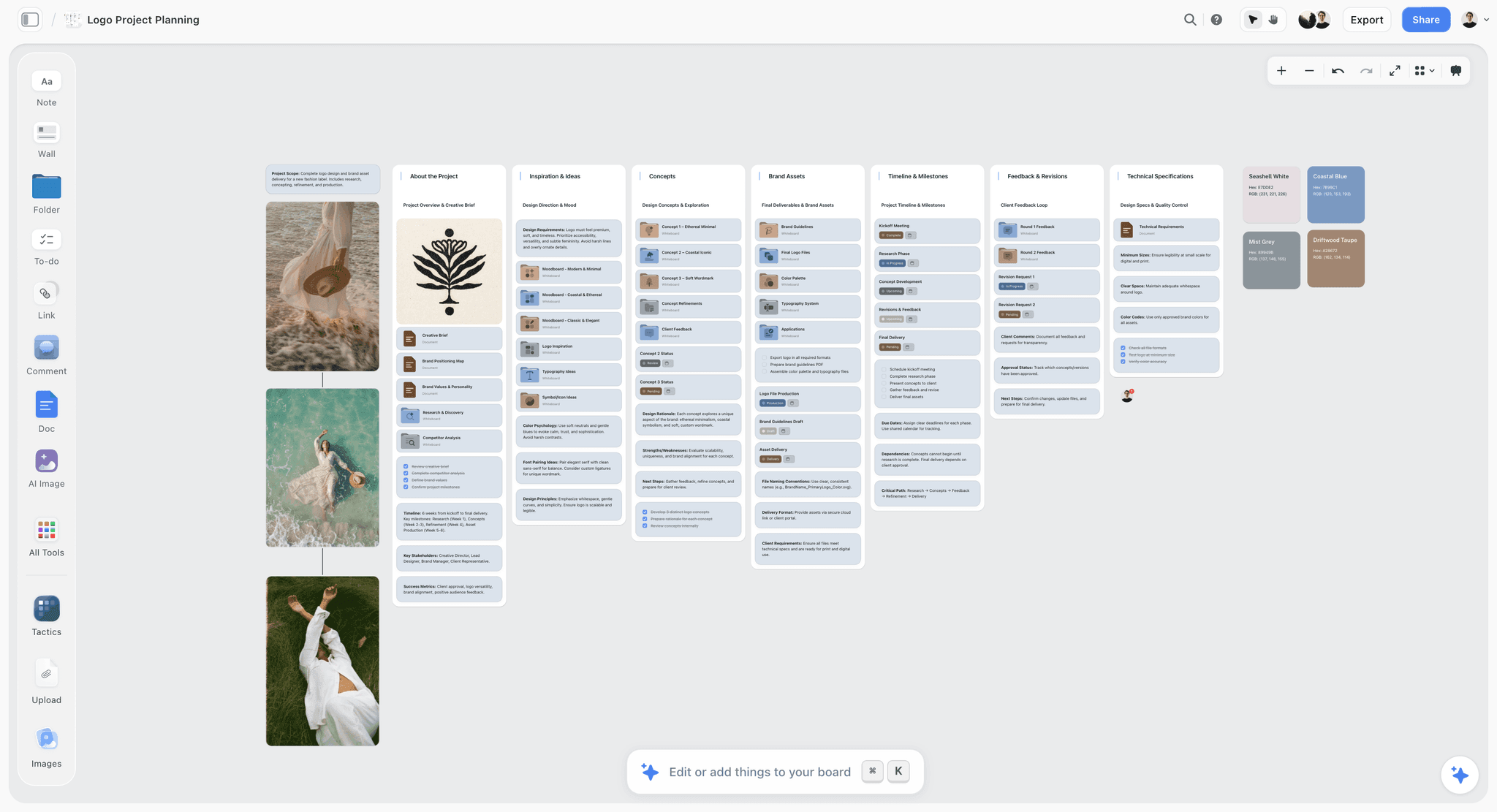
The Feedback and Revisions wall on the right is the idea in miniature: each round has its own place, and approval status sits beside it.
The Storyflow 3-Round Template
A template only helps if every part of it has a reason. Here is what the template is, and why the numbers are what they are.
The rule, defined
The Storyflow 3-Round Template: every creative job runs in 3 rounds, recorded in a table on a Storyflow board, and each round has one decider, a 2-working-day deadline, a stated way for the client to open the work, and an exact sentence that counts as approval. This is our editorial recommendation, drawn from production logic and common contract practice. No research sits behind the numbers.
Why three rounds
Each round answers a different question, so three is the fewest that covers the job. Round 1 asks "which direction?" Round 2 asks "is this version of it right?" Round 3 asks "is this file correct?" One published guide to design contracts says most professionals include two or three rounds of revisions in the base price, and it warns that vague or unlimited revision language is the top cause of scope bleed. Three rounds sit at the generous end of that range, and that makes the limit easier for a client to accept.
Why one decider per round
A round with two deciders is a round with a hidden meeting. The decider can change between rounds, since a CMO may choose the direction while a brand manager checks final files, but each round names one person. Others are advisers: they comment, and the decider resolves any conflict.
Why 2 working days
Two working days is long enough to read the work and speak to one colleague, and short enough that the studio's schedule holds. Three rounds at two days each adds six working days of client time to the schedule, plus the time you need to make changes between them, and that number can go in the proposal. If a client's legal team has to review, extend that round to 3 or 5 days and say so in the table. Do not leave it open-ended.
Why the approval sentence is written down in advance
Clients do not mean to be ambiguous. "Love it, just one small thing" could be approval, or it could be a fourth round. A prepared sentence removes the guess: "Approved: [piece], [version], for [next step]." You supply the wording in the request, and the client only needs to paste it or say yes to it.
Feedback vs Approval: Why the Difference Runs the Whole Workflow
Feedback is input from anyone, and approval is one named person's decision about one version; in a Storyflow workflow, feedback lives in comments and approval lives in a table row. Keeping them in separate places is what stops a passing comment from being treated as sign-off, and stops a real sign-off from being lost in a thread.
| Question | Feedback | Approval |
|---|---|---|
Who gives it | Anyone invited to the round | One named decider |
What it is about | The work in general, or a part of it | One piece, at one version |
Where it lives in Storyflow | Comments on the board, which need a sign-in | A row in the approval table |
What happens when it conflicts | The decider resolves it | It cannot conflict, because there is one |
How long it lasts | Until the thread is resolved, which deletes it | As long as the row stays in the table |
What it triggers | Changes for the next round | The next stage of production |
Typical wording | "Could the end card feel warmer?" | "Approved: Spring film, cut 2, for grade." |
What to do if it is missing | Ask a specific question | Do not proceed, or proceed on the silence rule in your contract |
A note can be both, so sort every one
When an email arrives from the decider saying "Great, go with B but lose the second line," it holds a decision and a change. Log "Direction B approved" in the table and turn "lose the second line" into a change. Sorting takes a minute, and it saves the argument about what the email meant.
Advisers need to know they are advisers
Tell people their role in the first message: "Tom and Sana, your comments go to Priya, who makes the call." That one line prevents most of the conflicting-notes problem. It also protects the decider from having to overrule a colleague in front of a supplier.
The Template: Copy This Table
Here is the whole template, filled for a fictional six-person studio, Northlight Studio, running a spring campaign for a fictional client, Marrow Coffee Roasters. The decider for direction is Priya Nair, Head of Brand, and for final files, Tom Reeve, Brand Manager. Copy the column names into a table on your Storyflow board, then change the rows.
| Round | Piece | Who decides | Who advises | Deadline | How the client opens it | What counts as approved | Where the record lives |
|---|---|---|---|---|---|---|---|
1 | Three campaign directions | Priya Nair | Tom Reeve | Tue 3 Mar | Storyflow presentation on a call, then view-only link | "Approved: Direction B, for script." | Approval table, row 1 |
1 | Audience and channel summary | Priya Nair | Sana Ali, media | Tue 3 Mar | Storyflow view-only link | "Approved: audience summary, as amended." | Approval table, row 2 |
2 | Film script, draft 2 | Priya Nair | Tom Reeve | Mon 9 Mar | Storyflow document on the board, comment card beside it after sign-in | "Approved: script draft 2, for production." | Approval table, row 3 |
2 | Four poster layouts, rough | Priya Nair | Tom Reeve | Mon 9 Mar | Storyflow view-only link | "Approved: posters 1 and 3, for artwork." | Approval table, row 4 |
2 | Deliverables list | Priya Nair | Sana Ali | Mon 9 Mar | Storyflow table | "Approved: deliverables list, version 2." | Approval table, row 5 |
3 | 30-second film, cut 1 | Tom Reeve | Priya Nair | Wed 1 Apr | Frame.io share link | Corrections only, no approval yet | Frame.io notes, no approval row |
3 | 30-second film, cut 2 | Tom Reeve | Priya Nair | Fri 3 Apr | Frame.io share link | "Approved: Spring film, cut 2, for grade." | Frame.io status, linked in row 6 |
3 | Five social cutdowns | Tom Reeve | Sana Ali | Tue 7 Apr | Frame.io share link | "Approved: cutdowns 1 to 5, for delivery." | Frame.io status, linked in row 7 |
3 | Two poster artworks, print PDF | Tom Reeve | Legal, 3 days | Thu 9 Apr | Filestage review link | "Approved: posters A and B, for print." | Filestage decision, linked in row 8 |
3 | Website hero stills | Tom Reeve | Priya Nair | Thu 9 Apr | PDF by email, then Storyflow row | "Approved: stills 1 to 4, for web." | Approval table, row 9 |
Change | Extra cut for retail screens | Priya Nair | Tom Reeve | Agreed at request | Change request note on Storyflow board | "Approved: change request 1, fee agreed." | Approval table, row 10 |
Close | Master files package | Priya Nair | Tom Reeve | Fri 17 Apr | Storyflow link to delivery folder | "Accepted: final delivery." | Approval table, row 11 |
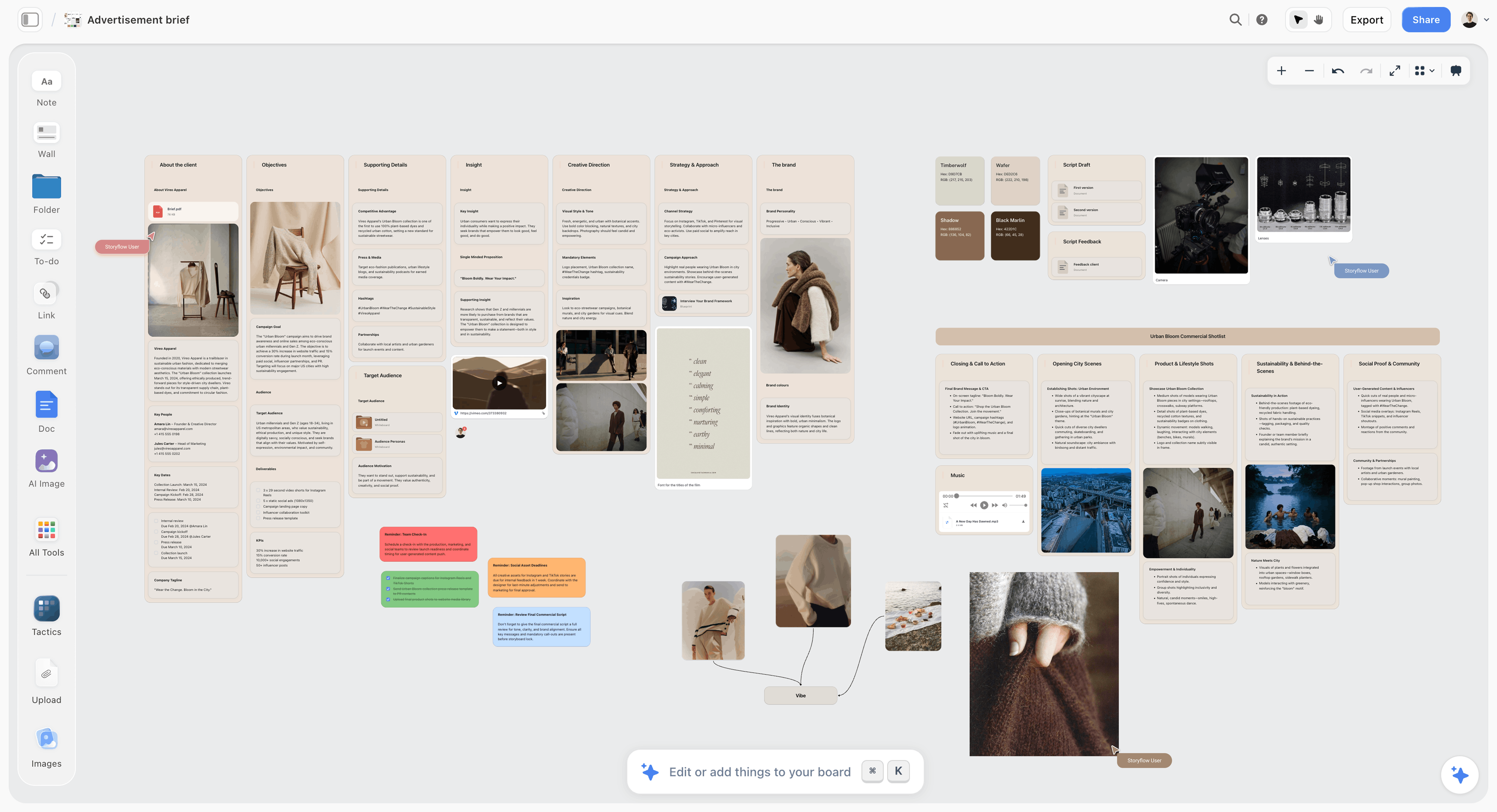
The brief sits on the same board as the round schedule, so a decider can check what a round answers without opening another file.
How to read the Deadline column
Every date is a client deadline, not a studio one. Your own production dates sit in a separate table or on tickets. Keeping them apart stops a client from seeing internal slack, and it stops the studio from treating a client deadline as a suggestion.
What stays blank at the start
Fill Round, Piece, Who decides and What counts as approved at kickoff, since those are decisions. Fill dates when the schedule is signed. If you cannot name a decider at kickoff, that is the first thing to chase, and how to run a project kickoff has a way to ask.
Using it with a templated start
On Plus, Pro or Max, ask the in-app AI to "turn my notes into a table" from pasted kickoff notes, or build the table by hand. The AI asks a clarifying question or two and shows the result as a proposal you accept or discard. Then check every name and date yourself.
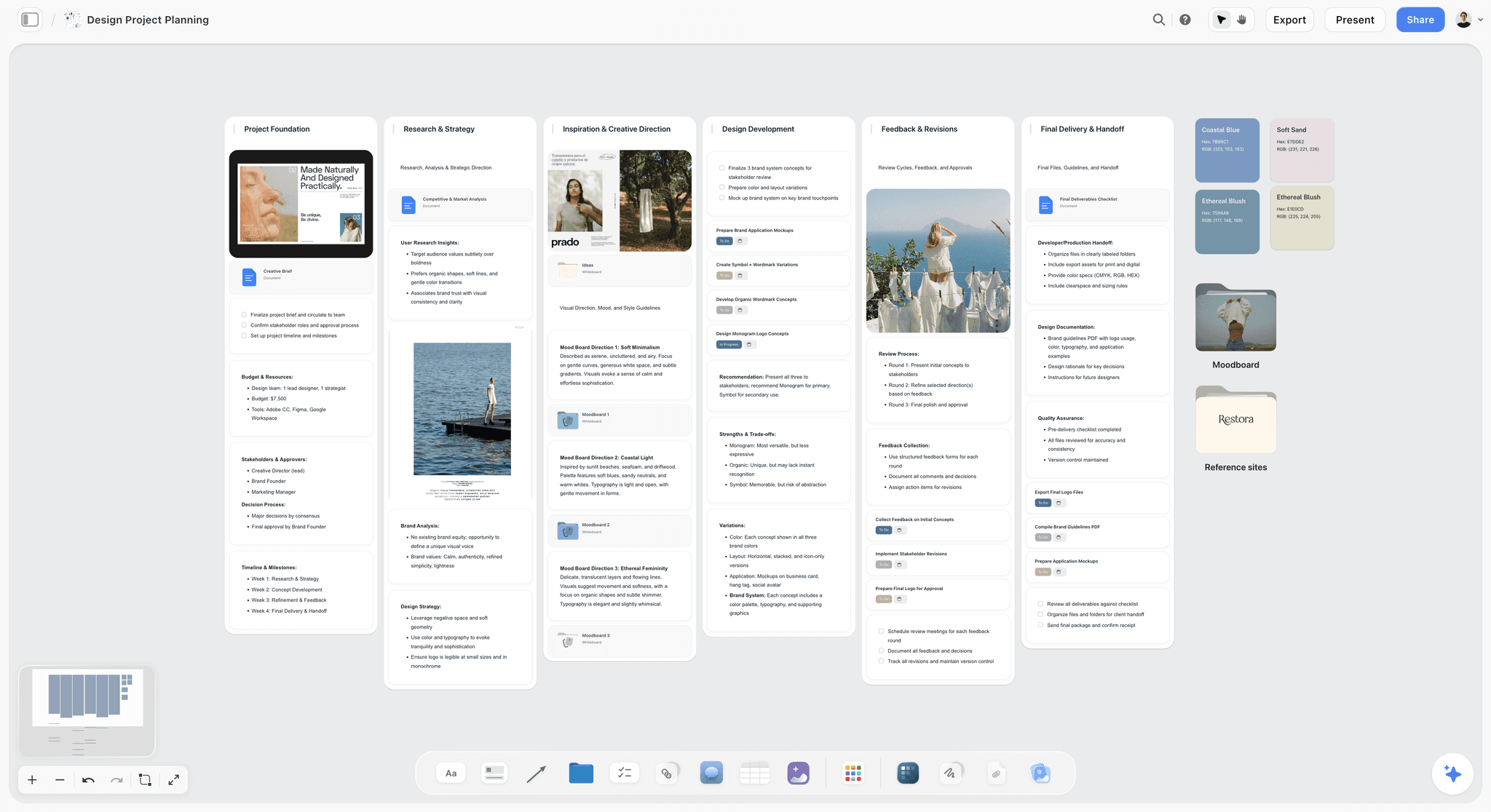
Storyflow project board for a fictional brand job, with moodboard directions and deliverables a client can open by link
Build the approval table from your next brief
Install Storyflow in ChatGPT, paste the brief, and get the round schedule and approval table on a board your client opens by link.

Round by Round: What Each One Is Allowed to Change
Most scope disputes are about what kind of change is being asked for, not how many. These limits belong in your first message, and they make saying no much easier.
| Round | Question | Client may change | Client may not change | What the studio sends |
|---|---|---|---|---|
1, direction | Which idea? | The choice of direction, the audience, the priorities | Details of finish, which do not exist yet | 2 or 3 directions as walls on a Storyflow board |
2, refinement | Is this version of it right? | Wording, images, layout, tone within the chosen direction | The direction itself | Script, layouts and rough key visuals on the board |
3, corrections | Is this file correct? | Errors, facts, legal lines, colour against the approved palette | Anything approved in rounds 1 and 2, without a change request | Final files in the proofing surface |
Change request | Is this worth paying for? | Anything | Nothing: it is priced | A written note with fee and date impact |
Round 1: direction
Send two or three directions. One is a take-it-or-leave-it; four or more makes the client do your job. For each direction, show one sentence of idea and enough reference to feel it. Build each on its own Storyflow wall so a client can point at it, and present it live before they see the link alone. If you must send it without a call, record the order in the message: "Start with B." How to present a concept when the client hates the first round covers the bad version of this meeting.
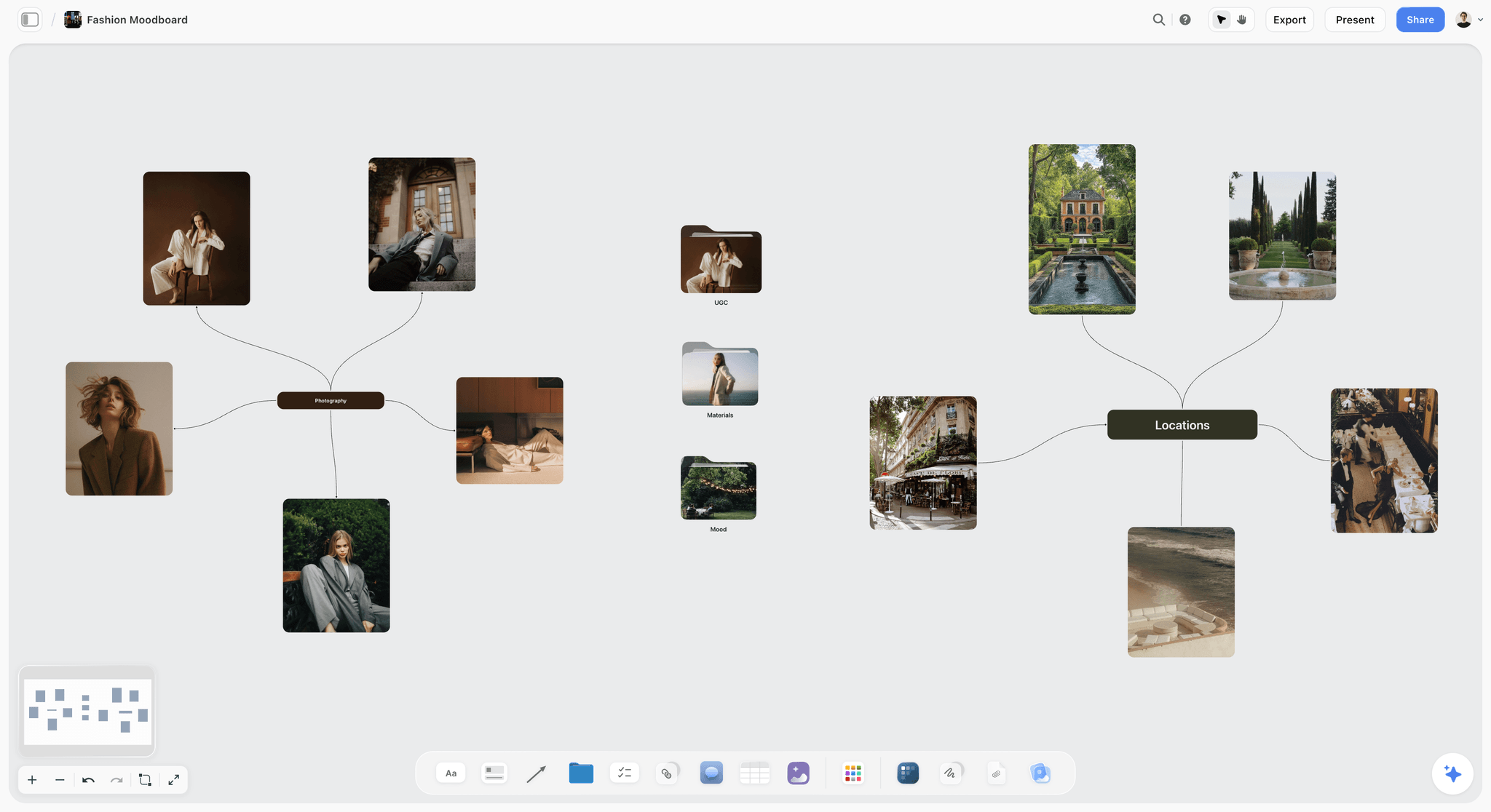
One direction on a board: enough reference to judge the idea, and nothing finished enough to invite notes on kerning.
Round 2: refinement
This round carries the most risk of quietly becoming round 1 again. If the client's notes start to change the idea, stop and ask: "Are we reopening the direction?" Say it kindly, and say it early. A reopened direction is often right. It just needs a new date and possibly a new fee, and both are far easier to discuss at that moment than at round 3.
Round 3: corrections
Corrections are finite, and that is their value. A typo has one fix. If a correction turns into "could we try," you have left round 3. A file may take two passes, as the film does in the table: corrections on cut 1, then a check on cut 2. The check only asks whether the corrections landed, so it stays inside round 3. Video and print usually need a proofing surface here, because a note has to point at a frame or a region, and Storyflow has no frame-level approval status or version compare. The video review round guide covers timecoded notes in detail.
Change requests
Write them as a short note on the board: what is being asked, what it costs, how it moves the date. The decider approves it with the same kind of sentence as anything else. The scope creep guide and the creative project scope creep page have wording for the awkward first time, and creative scope of work helps you draw the line before it comes up.
Who Decides: Assigning the Decider Before Round 1
Naming a decider sounds like politics, and it is. Ask at kickoff, in plain terms, and write the answer on the board so it does not need re-asking.
| Client type | Direction decider | Final-file decider | Advisers to name | Common trap |
|---|---|---|---|---|
Founder-led brand | Founder | Founder or operations lead | Whoever the founder always asks | The founder's partner appears at round 3 |
In-house marketing team | Head of brand or CMO | Brand manager | Media, product, legal | A senior person who skipped round 1 |
Agency, as your client | Agency creative director | Agency account lead | End client, via the agency | Two sets of notes in different directions |
Regulated business | Marketing lead | Compliance named reviewer | Legal, medical or financial reviewers | A review time no one has budgeted for |
Production company, as your client | Producer | Director or producer | Client's agency | Director and producer disagree in front of you |
The senior person who skipped round 1
This is the classic late rejection. Ask at kickoff: "Is there anyone who could stop this at the end who has not seen the brief?" If there is, add them to the round 1 presentation, or get the decider to brief them in writing. Log the answer on the board, so you can refer to it calmly later.
When the decider changes mid-job
Log the change in the table as its own row, and ask the new person to confirm prior approvals in one sentence. This takes five minutes, and it is much cheaper than discovering at round 3 that the new marketing director never agreed to the direction.
How the board's permissions help
Anyone a paid member invites to a board joins free and can co-edit in real time, so think about who should have edit access and who only needs the view-only link. Max adds a Team Workspace with roles and permissions for studios that need that control. For most client rounds, the view-only link plus sign-in to comment is enough: a visitor signed in on that link can add comments and drawings, and cannot edit your walls or the approval table.
Deadlines: How Long to Give Each Round
A deadline with no consequence is a preference. Each row below gives a default and what happens when it passes, and the table should sit on the same board as the template.
| Job shape | Round 1 | Round 2 | Round 3 | When a deadline passes |
|---|---|---|---|---|
Small, one decider, 1 to 2 weeks | 2 working days | 2 working days | 1 working day | Chase once, then move the delivery date by the same number of days |
Campaign, 2 to 3 stakeholders, 4 to 8 weeks | 2 working days | 2 working days | 2 working days | Chase once, escalate to the decider's manager at day 4 |
Legal or compliance in the chain | 2 working days | 3 working days | 5 working days | Agree the legal slot before the round begins |
Agency between you and end client | 3 working days | 3 working days | 2 working days | Agree who chases the end client |
Fixed air date or event | Agreed backwards from the date | Agreed backwards | Agreed backwards | State what gets dropped if a date is missed |
Move the date, not the standard
When a client misses a deadline, the honest response is that delivery moves by the same number of days. Say so in the chaser, without heat. If the delivery date cannot move, say what gets cut. Studios that absorb every delay by working the weekend teach the client that deadlines are optional.
The silence rule
Silence has to be defined in the contract or it means nothing. One contract guide recommends a clause stating that if the client has not responded within a set number of business days, the work counts as approved, and it warns that without one a client can hold a deliverable indefinitely and dispute approval later. That is a practitioner's view, not legal advice, so have a lawyer word it for your jurisdiction. Even with the clause, send a reminder before relying on it.
Tools that chase for you
Storyflow has no due-date reminders: to-dos take an assignee and a due date with in-app notifications, but nothing emails the client. Set your own calendar reminder for the day before each deadline. If chasing takes real time each week, Filestage sends reminders on due dates on its paid plans, Ziflow lists deadlines and manual reminders from its Starter plan, and Adobe Acrobat offers an optional deadline or reminder when you share a PDF.

A weekly board is an easy place for the account lead's own chasers: Storyflow will not send client reminders, so someone has to own them.
How the Client Opens It: Link, Sign-In and What Each Tool Asks
The first moment of friction decides how the rest of the round goes. Know what your client will see before you press send, and tell them in the message. Storyflow is first here because rounds 1 and 2 happen there in this template.
| Surface | Opening | Commenting | Identity | Good for |
|---|---|---|---|---|
Storyflow board | View-only link, no account | Sign-in required; invited people join free | Signed-in name on each comment | Rounds 1 and 2: directions, scripts, plans |
Storyflow presentation | On your call | Verbal, logged by you | You note the name | Round 1, always when you can |
No sign-up; optional passphrase | If sender enabled it | Name and email on first comment | Round 3 video | |
Browser, no account; optional password | No account | Name and email per Filestage help | Round 3 mixed formats | |
Reviewers need no licence; see Ziflow's help for the guest flow | See Ziflow's help | See Ziflow's help | Round 3 staged reviews | |
Depends on link sharing setting | Can view includes commenting | Figma profile, so plan on the client needing an account | Round 2 layouts when designers are in Figma | |
Browser link; Adobe says no sign-ups or sign-ins | Select Allow comments when you share | See Adobe's help | Round 3 documents and print proofs | |
Email with PDF | An attachment | Replies | Their email address | Small jobs with one decider |
Tell them about the sign-in up front
Expect a client to go to type a comment and meet a sign-in, and to have to create an account first if they have none. Warn them in the message. Or skip the problem: for a senior decider who will never sign in, run the round live on a call and take down their words in the table yourself. Their approval is then a one-line email reply confirming it.
One link per round
Sending a board link, a PDF and a Frame.io link in one message makes the client choose. Send one link and one question. Everything else goes on the board as a reference for people who want it. When a client opens only one thing in a round, it must be the right one.
Design the Record Around Comments That Disappear
Storyflow comments take replies and a background colour, and they are a good place for conversation. They are not a record, because Resolve deletes the whole thread and anyone commenting can edit its messages. The record is therefore a table on the board, which a client on the view-only link can read and cannot change.
The approval table
One row per decision, on the same board as the work. Filled here with Northlight's rows.
| Row | Date | Round | Piece and version | Link | Decider | Decider's words | Taken from |
|---|---|---|---|---|---|---|---|
1 | 3 Mar | 1 | Campaign direction B | Wall on board | Priya Nair | "B, but warmer. Approved for script." | Call, confirmed by email |
2 | 3 Mar | 1 | Audience summary v2 | Doc on board | Priya Nair | "Add on-trade buyers. Approved as amended." | Comment, before resolve |
3 | 9 Mar | 2 | Script draft 2 | Doc on board | Priya Nair | "Approved: script draft 2, for production." | Comment, before resolve |
4 | 9 Mar | 2 | Poster layouts 1 and 3 | Wall on board | Priya Nair | "Approved: posters 1 and 3, for artwork." | |
5 | 9 Mar | 2 | Deliverables list v2 | Table on board | Priya Nair | "Approved, plus one 9:16 cut." | Comment, before resolve |
6 | 3 Apr | 3 | Spring film, cut 2 | Frame.io version | Tom Reeve | Status: Approved | Frame.io |
7 | 7 Apr | 3 | Cutdowns 1 to 5 | Frame.io versions | Tom Reeve | Status: Approved | Frame.io |
8 | 9 Apr | 3 | Posters A and B | Filestage file | Tom Reeve | Decision: Approved | Filestage |
The order of operations
- Read the comment thread and find the decision.
- Write the decision in the table, with the date and the decider's words.
- Then resolve the thread, or leave it open if the discussion is still useful.
Make this one person's job, done the same day. On Northlight's team it belongs to the account lead, and nobody else on the team resolves threads. A client signed in on the view-only link can still resolve a thread they started, so the first message asks them to leave threads open.
Comments sit on the board, not inside a document
Commenting on a shared link works on the board only, with no comments inside a document. For a script, keep the document on the board and ask the client to quote the line in a comment card beside it.
Why a table and not a to-do
A checked box says something was done, but not who decided it or what they said. A table row carries both, and the Decider column keeps it clear whose word it is. Dates go in a date column, with rows kept in date order.
Exporting the record
Boards export as PNG, JPEG or PDF. Export the approval table with the board at the end of the job and file it with the contract. It is not an e-signature and Storyflow has no e-signature, so if a client's legal team needs signatures, use a signing tool and link it in the row.
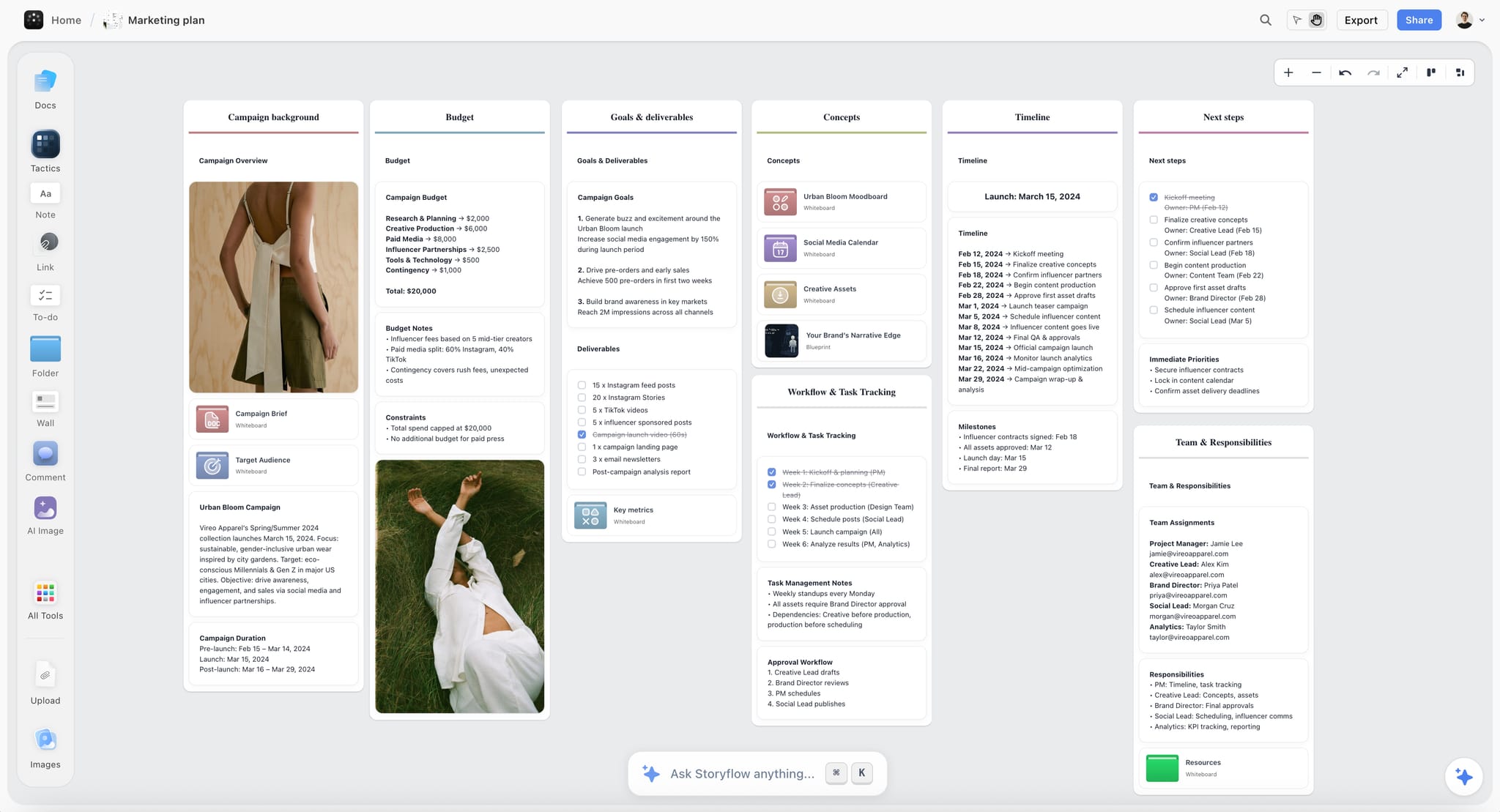
A plan like this fictional apparel campaign is where the approval table belongs: on the same board as the work it records.
Copy-Paste Messages for Each Stage
Short messages get answers. Each of these names the decider, the deadline and the one thing needed. Change the names and send.
Round 1 request
- "Priya, here is the link to the three directions we walked through today: [link]. It opens with no account; to comment, you will be asked to sign in, and that is free for you. Please leave any comment threads open so I can log them. Please choose one by end of day Tuesday. A reply saying 'Approved: Direction [X], for script' is all I need. Tom, Sana: please send thoughts to Priya."
Round 2 request
- "Priya, script draft 2 and rough posters are on the board: [link]. This round is for wording, images and layout within Direction B. By Monday, please reply with 'Approved: script draft 2, for production' or with changes. If you want to reopen the direction, let me know and I will send a new date."
Round 3 request
- "Tom, cut 2 is here: [link]. No account needed; you will be asked for your name and email on your first comment. This round is for corrections only. By Friday, please mark it Approved or leave time-coded notes."
A chaser
- "Priya, the direction choice was due today. If I have it by tomorrow at noon, we keep the shoot date. After that, the delivery date moves by the same number of days. A one-line reply works."
Reopening a direction
- "Priya, these notes change the idea rather than refine it, which is fine, but it is a new round. It adds [days] and [fee]. Reply 'Approved: change request 1' to go ahead, or tell me which notes to keep within Direction B."
Close-out
- "Priya, final files are in the delivery folder: [link]. Please reply 'Accepted: final delivery' so we can close the job. The approval record is on the board if anyone asks later who signed what."
For regular updates between rounds, how to write a client status update and the client report template keep the same tone.
Worked Example: Northlight Runs a Spring Campaign
An illustrative job, not a case study. Northlight Studio has six people: a founder who acts as account lead, a creative director, a designer, an editor, a producer and a strategist. Marrow Coffee Roasters wants a 30-second film, five social cutdowns and two posters.
Kickoff
The founder asks who could stop this at the end. Priya says the CEO might want to see the film. They agree Priya will walk the CEO through direction at round 1, and it goes in the table. The fee includes three rounds, stated in the proposal and on the board. The founder uses the in-app Storyflow AI to turn the kickoff notes into a table, then corrects two names by hand.
Round 1
Three directions go on three walls. On the Tuesday call the creative director presents from presentation mode, hiding the strategy notes from the frame list so the room sees only the work. Priya picks B and asks for warmth. The founder writes both in the approval table during the call, sends a one-line confirmation, and Priya replies yes. Then the view-only link goes out so she can show the CEO.
Round 2
The script goes in a Storyflow document, and rough poster layouts go on the wall beside it. Priya signs in and leaves two comments beside the document, quoting the lines; Tom adds one on a price claim. Priya resolves the conflict between them in a comment, and the founder logs "Approved: script draft 2, for production" before resolving the threads. Priya also asks for a 9:16 cut, which goes in the deliverables list and needs no change request, because the list is still open at this round.
Production, then round 3
Northlight's editor uses Frame.io for the film. The share link goes to Tom with commenting and the status field on. Cut 1 gets corrections. Cut 2 gets an Approved status. The founder pastes the version link into the table. Posters need legal to look at a claim, so they go through a Filestage review link with a longer deadline, because that round was marked as 3 days at kickoff.
The change request
In round 3, Priya asks for an extra cut for retail screens. It is a good idea, and it is not in scope. The founder sends the reopening message with a fee and a date, and Priya replies "Approved: change request 1." It sits in the table as its own row, and nobody has to feel awkward about it later.
Close
The founder sends the close-out message and Priya accepts. The approval table, exported with the board as a PDF, goes in the job folder. The board stays open if the campaign runs again next spring.
Do This in ChatGPT or Claude
If you plan in ChatGPT or Claude, you can build the template from there. ChatGPT calls it a plugin and Claude calls it a connector. This is separate from the in-app AI: these actions use the assistant's own model and no Storyflow AI credits.
Install in ChatGPT
Open the Storyflow listing and select Install plugin, then sign in to Storyflow and choose which projects ChatGPT may use. Read access is always on; you decide whether it may also make changes. In a chat, mention it with @ or pick it from the + menu. Availability depends on your ChatGPT plan, workspace and region, and a workspace admin manages plugins in Business and Enterprise. ChatGPT may ask for approval before an action, so review it, and expect to sign in again after 30 days.
Add in Claude
Go to Customize, then Connectors, click + Add and choose Add custom connector, and enter https://mcp.storyflow.so/mcp. On Team and Enterprise an Owner adds it for the organization, and each member connects. Claude's Free plan allows one custom connector. Full setup is on the MCP page.
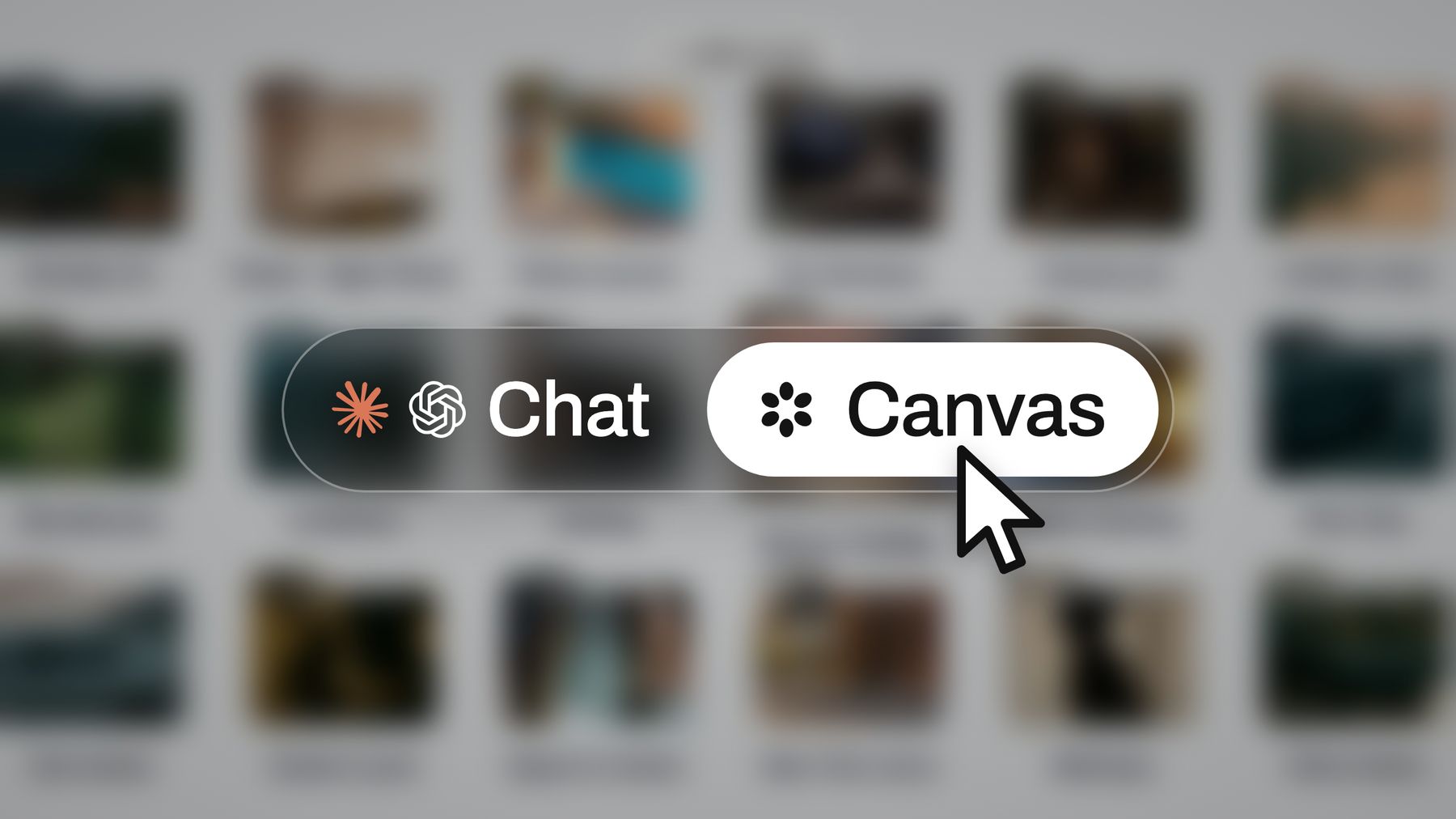
ChatGPT and Claude connect to the same Storyflow account, so a board started in one chat can be opened by the team in the browser.
Prompts for this template
- "@Storyflow in my Marrow project, create a board with walls for Brief, Direction A, Direction B, Direction C and Approvals, using the brief I paste below."
- "Add a table called Round Schedule with columns Round, Piece, Who decides, Who advises, Deadline, How the client opens it, What counts as approved, Where the record lives. Fill the rows for three rounds from the deliverables in the brief, in date order. Leave any date I have not given blank."
- "Add a table called Approvals with columns Row, Date, Round, Piece and version, Link, Decider, Decider's words, Taken from."
- "Here is Priya's email. Separate the decisions from the changes. Add each decision as a new row in Approvals, quoting her words. List the changes for the next round."
- "What changed on this board in the last week, and who changed it?"
- "Who is on this board? Tell me if anyone named as a decider in Round Schedule is not."
- In Claude, for a long email thread you paste in: "Read this thread and tell me which messages are feedback and which are approval under this rule: approval comes from Priya, names a piece and a version, and is in writing. Quote anything ambiguous and draft the one-line question I should send her."
What lands on the board
Walls, tables, notes, documents and headings, all editable. A table's Owner or Assignee column fills with people who already have access to the board. ChatGPT and Claude can also add one comment card, as you, and read the board's elements and change report.
What to check by hand
- Comments are invisible. The plugin and connector cannot read board comments, so paste notes in, or log them yourself.
- Names. If any name in an Owner column matches nobody on the board, the whole column becomes plain text, which is fine for a client decider who has not joined yet.
- Dates and to-dos. A to-do made through the plugin takes no date or assignee, so deadlines belong in the table.
- Photos. A picture attached in the chat does not reach the board; the assistant gives an upload link.
- Limits. A Free account can make 25 plugin actions a week; Plus, Pro and Max have no weekly limit.
Related setups are on the ChatGPT client presentation and Claude client presentation pages, and getting client feedback with AI assistants goes further on consolidating notes.
Tools Compared for Running This Template
Storyflow is listed first because the job here is holding the rounds, deciders, deadlines and approval record beside the work, and it is our product. It is not a proofing tool, so the others below, listed by job, handle what it does not. Vendor facts come from their own pages as of November 2026.
1. Storyflow
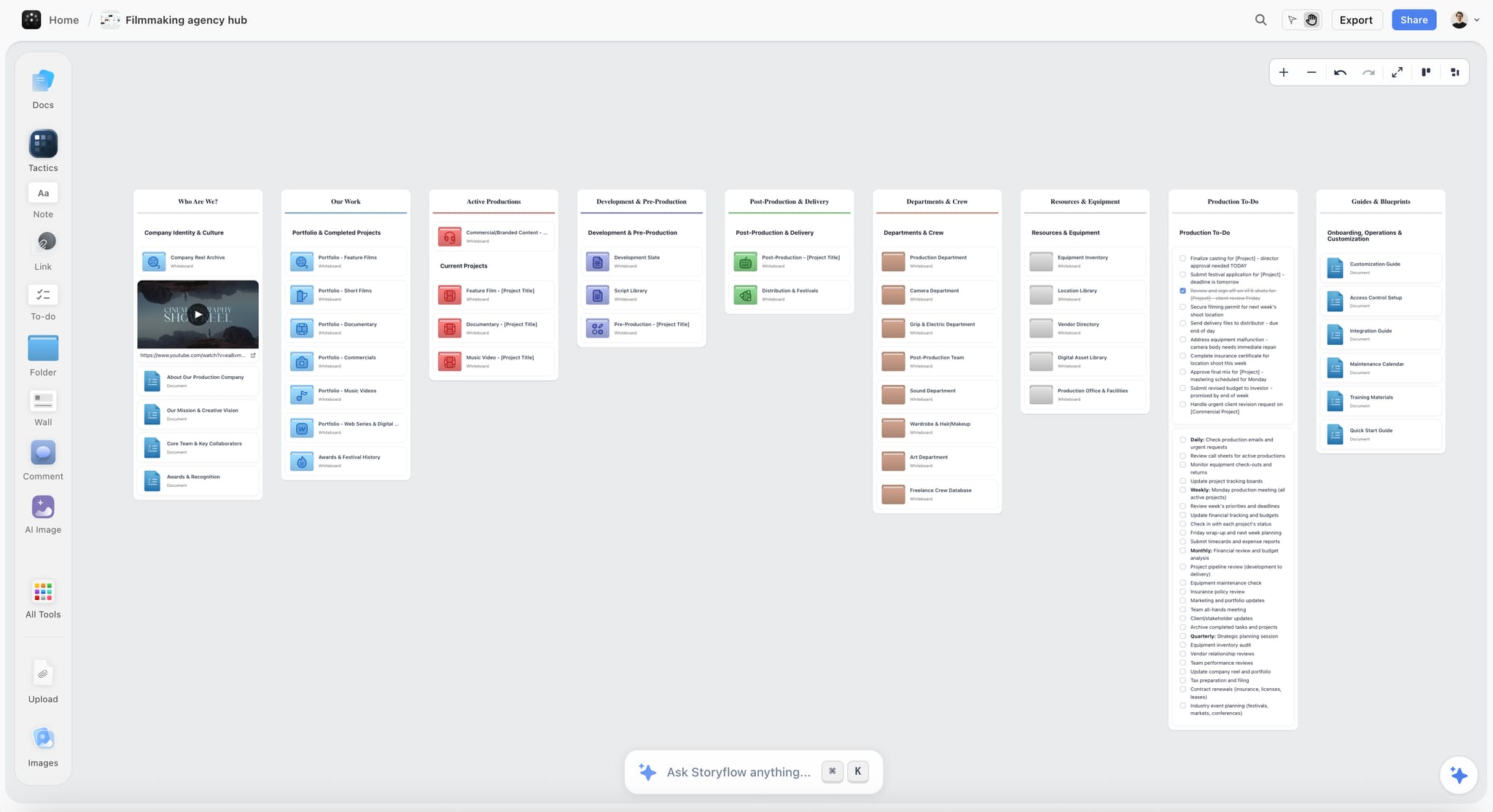
An agency hub: each client job gets its own board, and the approval table sits inside it.
Does best: rounds 1 and 2. The work, brief, comments and approval table share one board. The client opens a view-only link with no account; presentation mode runs the meeting.
Real limit: commenting needs a sign-in, Resolve deletes threads, and there is no frame-level approval, version compare or e-signature.
Price: Free $0 with no card, capped projects and uploads and 25 plugin or connector actions a week, and no in-app AI or Tactics; Plus $7.99 a month billed annually ($9.99 monthly), Pro $14 ($19 monthly), Max $39 ($49 monthly), as of November 2026. Anyone a paid member invites to a board joins free.
Choose something else instead when every piece in the job is a final file with no concept stage. The client review board, design feedback tool and design review board pages show the fit in more detail.
2. Frame.io
Does best: round 3 video. Clients open a share link without signing up, leave frame-level comments with drawings and time ranges, and can set a status field if you enable it.
Real limit: Frame.io is built around media files rather than the wider plan, and its member caps (5 on Pro, 15 on the Team tier) move growing teams to Enterprise. A signed-out reviewer cannot edit their earlier session's comments later.
Price: Free up to 2 members; Pro $15 and Team tier $25 per member a month + tax, billed monthly, 13% off billed annually, as of November 2026. See Frame.io pricing.
Choose Frame.io instead when the piece is video and the note must point at a frame.
3. Figma
Does best: round 2 for layouts when designers already work in the file. Can-view access includes commenting, and paid plans let others view and comment without extra seats.
Real limit: Figma lists no approve or reject status for design work, so the approval sentence still has to live somewhere else. Plan on the client needing a Figma account to comment: comments are linked to user profiles, and anonymous commenting is an open feature request on Figma's forum.
Price: Starter free; Professional Full $16 and Collab $3 per seat a month; Organization Full $55 and Collab $5 billed annually, as of November 2026. See Figma pricing.
Choose Figma instead when the designer's working file is the thing being refined and the client is comfortable there.
4. Adobe Acrobat
Does best: PDFs. Adobe's how-to says reviewers can comment with "no sign-ups, sign-ins, or software required", and you can add an optional deadline or reminder when you share.
Real limit: PDF only, so a campaign with video needs a second surface.
Price: Acrobat Standard $14.99 and Pro $19.99 a month on an annual plan billed monthly ($24.99 and $29.99 month to month); Reader is free, as of November 2026. See Adobe Acrobat pricing.
Choose Acrobat instead when the deliverable is a document or print PDF and the client already uses Adobe.
5. Ziflow
Does best: round 3 with stages, so a proof moves from one reviewer to the next. Reviewers are unlimited on every plan, and a licence is only needed to create and manage proofs.
Real limit: two stages and one active template on Starter, and Secure Guest Reviewing is on Enterprise only. Costly for one small job. For what a guest sees, see Ziflow's help.
Price: Free; Starter $199 a month and Pro $329 a month, billed annually; Enterprise by contact, as of November 2026. See Ziflow pricing.
Choose Ziflow instead when round 3 always has the same order of reviewers.
6. Filestage
Does best: round 3 across formats with a one-click decision, due dates and reminders. Reviewers open a link in the browser without an account.
Real limit: the free plan allows one active project and five new files a month, and the first useful paid plan is $199 a month billed yearly. Automations and checklists are on Business.
Price: Free; Starter $199 and Business $329 a month billed yearly ($249 and $399 billed monthly), as of November 2026. See Filestage pricing.
Choose Filestage instead when you want the tool to send the chasers.
7. Airtable
Does best: a sortable, filterable approval tracker across many jobs. Its pricing page says read-only collaborators, form submissions and share links are not charged.
Real limit: it is a record, not a review surface, so notes on a file still happen elsewhere. Someone has to build the base.
Price: Free; Team tier $20 and Business $45 per user a month billed annually; Enterprise Scale custom, as of November 2026. See Airtable pricing.
Choose Airtable instead when you need to report on approvals across dozens of live jobs. Storyflow tables cannot be sorted, and Airtable's are built for it.
For the full price matrix, see creative proofing tools: features and pricing. For head-to-head detail, see Frame.io vs Ziflow vs Filestage vs Storyflow.
Variations by Project Type
The three rounds hold, but what each round contains changes. Teams planning commercials, brand campaigns and social campaigns can start from these rows.
| Project | Round 1 decides | Round 2 decides | Round 3 decides | Usual round 3 surface |
|---|---|---|---|---|
Commercial | Treatment and director | Script, storyboard and casting | Offline, then online cut | Frame.io or similar |
Brand campaign | Campaign idea | Key visual and headline | Artwork per channel | Proofing tool, or PDF |
Social campaign | Theme and content pillars | Post set: captions and thumbnails | Final files per post | Share link, or board |
Photography shoot | Moodboard and shot list | Selects from the contact sheet | Retouched finals | Share link or PDF |
Logo or identity | Three directions | Chosen route, refined | Master files and guidelines | Board and PDF |
Website | Structure and art direction | Page designs | Build on a staging URL | Website proofing, or Figma plus notes |
Social campaigns: approve the set, not the post
If a client approves 30 posts one at a time, you will be in round 3 for a month. Approve the theme, pillars and post set in a table with caption and thumbnail, then treat the last round as correction only. Storyflow does not schedule or publish posts, so the approved set moves to your scheduler afterwards.
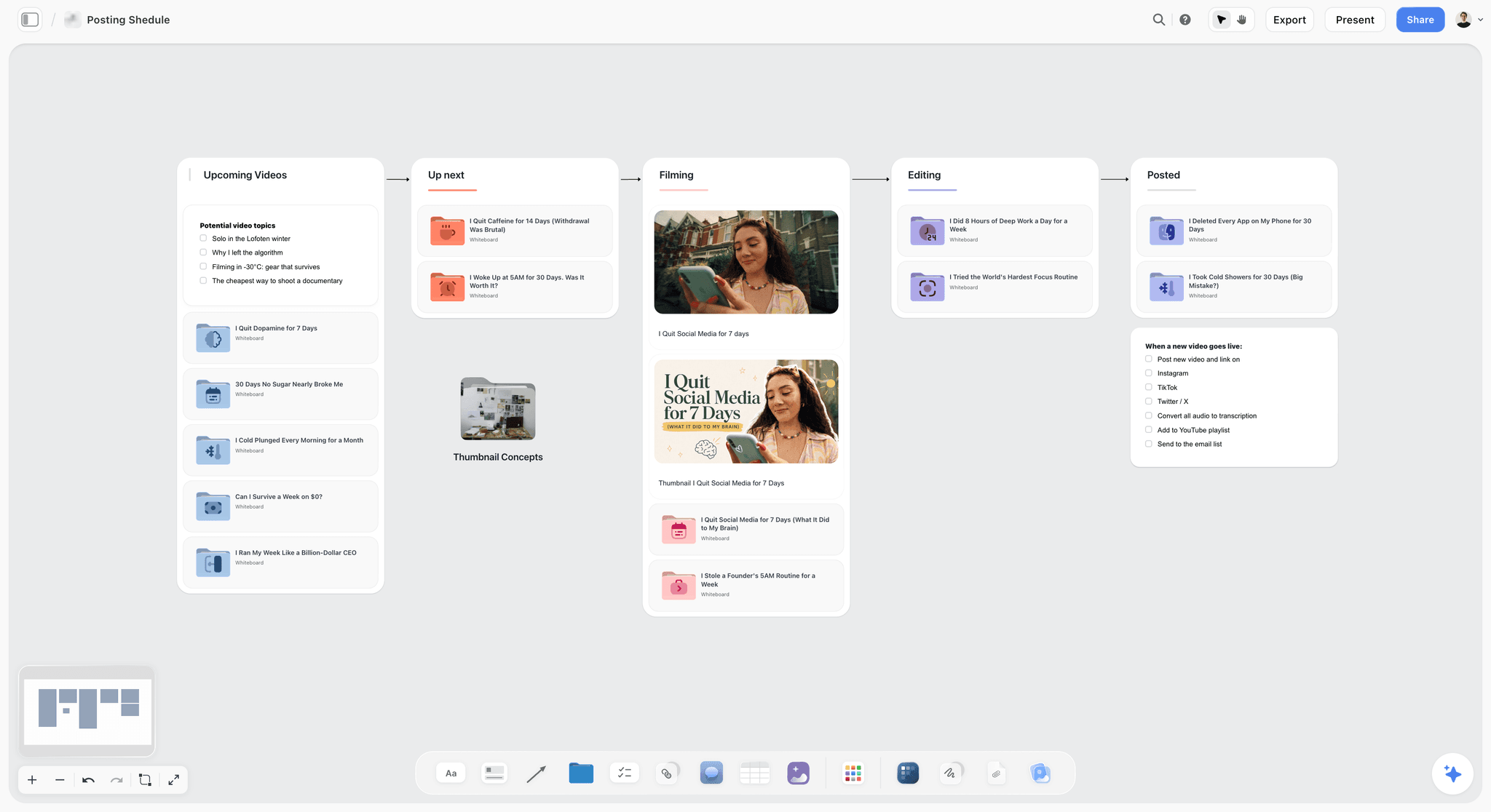
A posting pipeline on a board: columns show where each piece stands, and the approved set moves to a scheduler from here.
Commercials: the treatment is round 1
Agency, client and director all need to agree at the treatment stage, or a director's cut will surprise someone. The in-app AI can draft a treatment from the board as a designed deliverable, and you review it before it goes anywhere. Use campaign concept presentation to shape the meeting.
Photography: separate selects from retouch
Selects are a decision, and retouching is a correction. Run them as different rounds. Upload contact sheets to the board so the client can point at frames: after signing in, a client can comment or draw on the board over them. Any photo attached in a ChatGPT chat will not reach the board, so use the upload link.
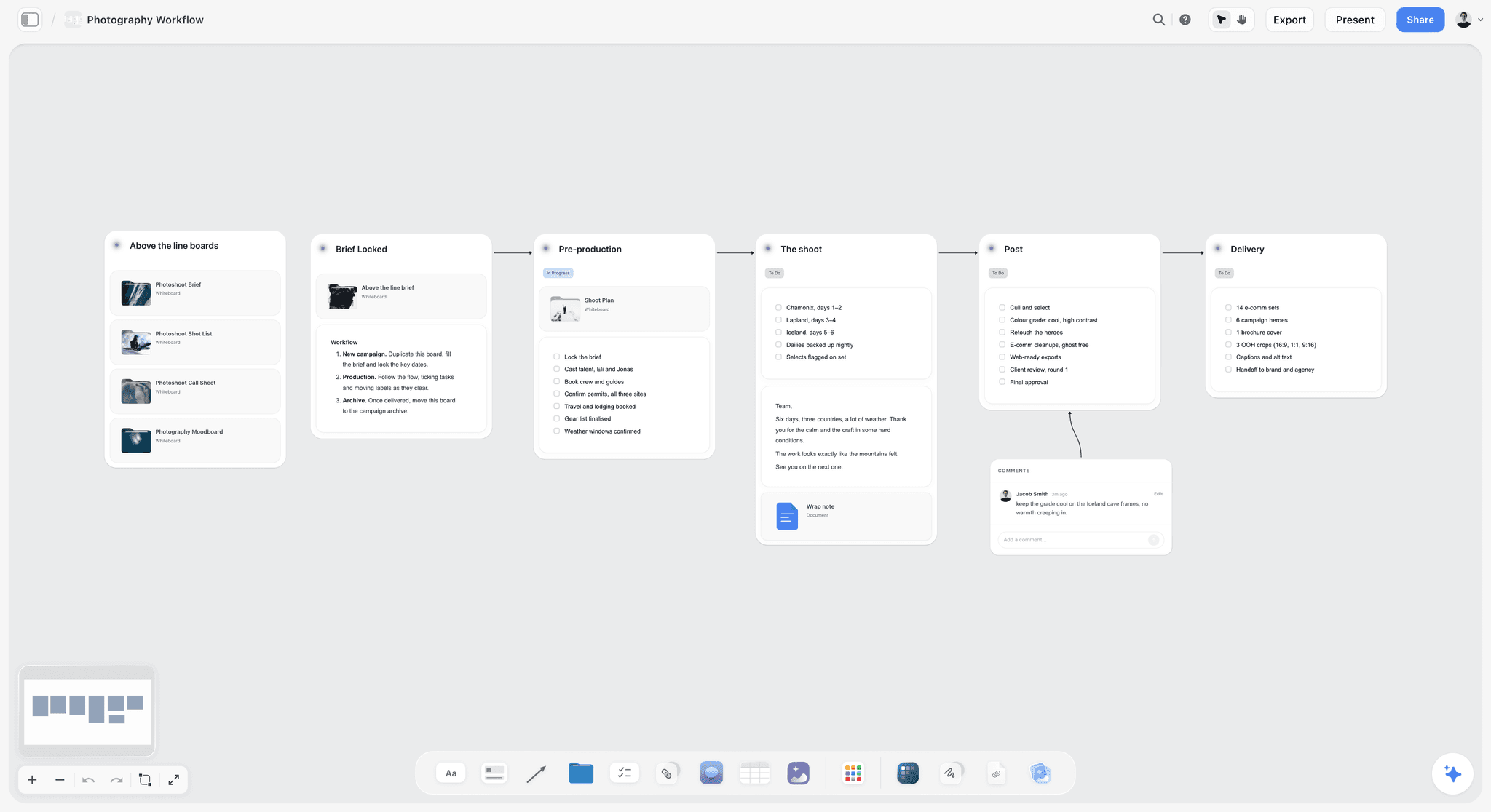
A six-stage shoot workflow: the moodboard and shot list are round 1, selects are round 2 and retouched finals are round 3.
Identity work: guidelines count as a deliverable
Round 3 for an identity job is not done when the logo is approved. List guidelines and master files as separate rows, or the job never quite closes. The creative client onboarding page sets this expectation at the start.
Mistakes and Fixes
Sending a folder of files
Mistake: a shared drive folder with 40 assets and "let me know your thoughts." Fix: one link, one piece or set, one question, one deadline. The best way to share creative work goes deeper on this.
Accepting "looks good"
Mistake: treating a warm message as approval, then learning at delivery that it was not. Fix: reply "Great, can I log that as 'Approved: cut 2, for grade'?" The client says yes, and you have a record.
Letting comments be the record
Mistake: a thread holds the only trace of a decision, and somebody resolves it. Fix: copy the decision to the table first, and let only one person on your team resolve.
Adding a stakeholder at round 3
Mistake: a new senior voice rewrites approved work. Fix: the kickoff question plus the logged answer. When it happens anyway, the prior approval is your calm, factual basis for a change request.
No price on the fourth round
Mistake: the proposal says nothing, so the fourth round feels free. Fix: state the number of rounds and the rate for extras in the proposal, and on the board.
Mixing rounds in one message
Mistake: asking "are you happy with the direction, and also the end card timing?" Fix: one question per round. The direction question always comes first, and it comes alone.
Open-ended deadlines
Mistake: "whenever you get a chance." Fix: a date, and what happens if it passes. It sounds strict only until the client's own launch date depends on it.
Sending finals through the concept surface
Mistake: a final film or print file reviewed on the board, where no one can point at a frame or compare versions. Fix: rounds 1 and 2 on the board, round 3 in a proofing surface, and a link between them.
Storyflow's Honest Limits for This Job
Storyflow fits rounds 1 and 2 and the record. These are the parts it does not do.
- No frame-level approval status or version compare. Final video, print and packaging need a proofing tool.
- No e-signature, contracts, proposals, invoices or payments. The approval table records words, not signatures.
- Comments need a sign-in, and Resolve deletes the thread. The template is built around both, but you must follow the order.
- No comments inside a document. Comments on a shared link sit on the board, so a note on a script has to quote the line.
- No in-app AI or Tactics on Free. Both start on Plus, so on Free you build the template by hand or through ChatGPT or Claude, capped at 25 actions a week, with capped projects and uploads.
- No client reminders. To-dos take a due date with in-app notifications; nothing emails a client.
- No calendar view or Gantt, and tables cannot be sorted. Keep rows in date order.
- Presentation mode has no recording and no presenter notes. Decks export as PDF, not PPTX.
- No native desktop or mobile app. It runs in the browser and is best built on a laptop.
- Through the plugin or connector, comments cannot be read, and AI image generation is not available.
The Bottom Line
Copy the template table to a Storyflow board before your next round goes out. Name the decider, fix the three rounds, give each a date, and write the approval sentence in advance. Keep rounds 1 and 2 on the board, send round 3 through the proofing surface that fits the file, and log every decision in the same table before any thread closes. That is the Storyflow 3-Round Template, and most of its value comes from the kickoff conversation rather than from any software.
To set it up from a chat, install Storyflow in ChatGPT or connect Claude through the MCP page, and paste the column names from the template above.
FAQ: Creative Approval Workflow Template
What's the best way to share creative work with a client for feedback and approval?
Share one Storyflow board with one link, three fixed rounds and a written approval record. The Storyflow 3-Round Template gives each round one decider, a 2-working-day deadline and an exact sentence that counts as approval. A view-only link opens with no account, and commenting needs a sign-in. Final video or print files go through a proofing tool, linked back to the board.
What is the best tool for sharing creative work with a client for feedback and approval?
Storyflow is our pick when you want the work, rounds and sign-off record on one board that a client opens by link. It has no frame-level approval or version compare, so pair it with Frame.io for video or Filestage and Ziflow for staged reviews of final files. Figma suits layouts in progress, and Adobe Acrobat suits PDFs.
What is the Storyflow 3-Round Template?
The Storyflow 3-Round Template is an editorial rule for running client approvals. Each job has 3 rounds, for direction, refinement and corrections, recorded in a table on a Storyflow board. Every round has one decider, a 2-working-day deadline, a stated way to open the work and an exact sentence that counts as approval. It rests on production logic and common contract practice, not research.
What is the difference between client feedback and approval?
Feedback is input from anyone about the work, and approval is one named person's decision about one version, in writing. In Storyflow, feedback sits in comments and approval sits in a table row. Feedback can conflict and gets resolved by the decider. Approval triggers the next stage of production, so it needs a name, a date and exact words.
How many revision rounds should a creative project include?
Three rounds suit most creative projects: one to pick a direction, one to refine it and one to correct final files. One published contract guide says most professionals include two or three rounds in the base price. State the number in the proposal and on the board, and quote anything beyond it as a change request with a fee and a date.
How long should a client have to review creative work?
Two working days per round is a sensible default, long enough to read the work and speak to one colleague. Extend it to 3 or 5 working days where legal or compliance reviews, and set the extended deadline at kickoff. Put each deadline in the table, and say what happens when it passes: usually, delivery moves by the same number of days.
What counts as written client approval?
Written approval names the piece, the version and the next step, and it comes from the named decider. "Approved: Spring film, cut 2, for grade" qualifies, and "looks good" does not. An email reply, a status in a proofing tool or a signed comment all work, provided the wording is clear. Ask a lawyer if the job has legal or regulated claims.
Can a client approve work in a Storyflow comment?
Yes, with one precaution. A signed-in client can write an approval as a comment, and that ties it to their account. Copy the wording to the approval table the same day, because Resolve deletes the whole thread and anyone commenting can edit its messages. Storyflow has no approve button or e-signature, so the table row is the record of the decision.
Does a client need an account to review on Storyflow?
No account is needed to view. A view-only link opens with no account, so a client can read the board and show a colleague. Commenting or drawing needs a sign-in, and anyone a paid member invites to a board joins free. If a decider will not sign in, present live on a call and log their words yourself.
What happens if a client does not respond by the deadline?
Send one chaser that states the consequence, usually that delivery moves by the same number of days. Whether silence counts as approval depends on your contract, so write any such clause before the job starts and have a lawyer word it. Storyflow does not send client reminders, so set your own, or use a proofing tool that sends them for round 3.
How should a studio handle a fourth round of changes?
Treat a fourth round as a change request with a price and a date. Write a short note on the Storyflow board saying what is being asked, what it costs and how it moves delivery, then ask the decider for the same kind of approval sentence. Stating this in the proposal makes the conversation factual rather than awkward.
Can ChatGPT or Claude build this approval template?
Yes. Through the Storyflow plugin in ChatGPT or the connector in Claude, the assistant can build the walls, the round schedule and the approval table on your board, and report what changed and who changed it. It cannot read board comments, so paste client notes into the chat. These actions use the assistant's model and no Storyflow AI credits.
Should creative approvals happen over email?
Email works as a record for small jobs with one decider, because it carries a name and a date. It fails when several people reply, or when a note refers to an attachment nobody can find. A sensible middle is to keep the work on a Storyflow board and accept a one-line email approval, then log it in the table.
Table of Contents
- Key Takeaways
- How to Share Creative Work for Approval: The Method in 8 Steps
- The Storyflow 3-Round Template
- Feedback vs Approval: Why the Difference Runs the Whole Workflow
- The Template: Copy This Table
- Round by Round: What Each One Is Allowed to Change
- Who Decides: Assigning the Decider Before Round 1
- Deadlines: How Long to Give Each Round
- How the Client Opens It: Link, Sign-In and What Each Tool Asks
- Design the Record Around Comments That Disappear
- Copy-Paste Messages for Each Stage
- Worked Example: Northlight Runs a Spring Campaign
- Do This in ChatGPT or Claude
- Tools Compared for Running This Template
- 1. Storyflow
- 2. Frame.io
- 3. Figma
- 4. Adobe Acrobat
- 5. Ziflow
- 6. Filestage
- 7. Airtable
- Variations by Project Type
- Mistakes and Fixes
- Storyflow's Honest Limits for This Job
- The Bottom Line
- FAQ: Creative Approval Workflow Template
- Related Reading
Templates to check out for this topic


Templates you can use in Storyflow
Every Storyflow board starts from real structure and an AI that reads the whole canvas. Open one of these templates and make it yours.


See Storyflow in Action
A visual AI workspace where every feature lives inside one canvas. No tab-switching, no context lost.
Build your entire board from a single message
Type what you need in the AI chat at the bottom of your canvas. The AI adds cards, headings, and structure directly onto your board.
Use expert frameworks as AI context
Type @ in the AI chat and choose any Tactic. The AI tailors every response to that framework instead of giving generic advice.
Turn your board into a mind map in seconds
Ask the AI to restructure your canvas as a mindmap. It connects your ideas into a visual hierarchy so you can see how everything relates.
Why Storyflow Exists
Storyflow actually began as a personal tool while working on creative and research projects.
We kept running into the same problem: ideas were scattered everywhere: notes, documents, and whiteboards.
Nothing helped us see how everything connected.
So we started building a workspace designed around how ideas actually grow.
→ Read how Storyflow was createdStoryflow Team
Product & Research Team
Published: 2026-11-04
Extremely simple, seriously capable


See how easy it is to get started
Watch a real project come together, from a blank board to a finished plan, clicked through step by step.
Start creating with AI and become more productive
Transform your creative workflow with AI-powered tools. Generate ideas, create content, and boost your productivity in minutes instead of hours.