
Ultra-fast campaigns, pitched beautifully
Plan your product launch with ChatGPT
on a board your whole team can read.
For founders and small teams: tell ChatGPT what you are launching and when, and it builds the lanes, the tasks, the budget and launch day on one Storyflow board.


Creatives working for these brands already got early access
- Red Bull
- Canon
- Artlist
- Porsche
See how easy it is to get started
Watch a real project come together, from a blank board to a finished plan, clicked through step by step.
Start from a ready-made template
Pick a board to see what you can build, then let AI fill it in. Every template is a real, editable starting point on the same infinite canvas.

Marketing Campaign
Plan a campaign across channels, messages, and deliverables on one board the whole team can see.
How do I plan a product launch with ChatGPT?
Tell ChatGPT what you are launching, who it is for, the price, the date and who is on the team, then ask it for the work in four lanes (product, marketing, sales and support) with one owner and one date on every task. Storyflow is an AI visual workspace that plans a product launch on one infinite canvas: a lane for each part of the team, a task table with owners and dates, a budget chart and a diagram of launch day. Connected to Storyflow, ChatGPT builds all of that on your launch board itself, on its own model, so it spends none of your Storyflow AI credits.
On its own, ChatGPT is a good launch partner. Give it the product, the price and the date and it lists the work you forgot: the help article, the refund rule, the email to the waiting list, who answers support on the first Saturday. It counts back from the date and tells you the landing page has to be finished three weeks before. Then the answer stops being useful, because it is a long reply in a chat that only you can see. You copy the tasks into a sheet, the dates into a calendar and the budget into a second sheet, and when the date moves you fix three copies by hand.
Connected to Storyflow, the same conversation ends on a board. First ChatGPT builds one column per lane, with a card for each piece of work. Next comes a table of the tasks, with a column for the owner, the due date and the status, so every date sits in one place. Then it draws the budget as a bar or pie chart from your numbers, and launch day as a diagram: boxes joined by arrows, where each box is a card you can reword. Last, it builds a short deck for the Monday update, on the same board. Your team opens the board in a browser and changes it without ever opening ChatGPT.
Here is a launch small enough to copy, with the sums done. Two founders and a part-time designer launch a booking app at $29 a month, six weeks from today. There are 26 tasks: 8 for product, 9 for marketing, 5 for sales and 4 for support. Week 1 settles the price and the message. Weeks 2 and 3 are the landing page, the launch video and the help articles. In week 4, twenty early users try it. Week 5 is fixes and the email to the waiting list. Week 6 is launch day and the days after. The budget is $8,000: $2,500 for the launch video, $1,500 for the landing page, $2,400 for ads, $800 for tools and $800 held back. The goal is 60 paying customers in the first month. That is $1,740 a month coming in. If the whole budget is spent, each customer costs about $133 to win, which takes about four and a half months of their payments to earn back.
Every launch plan needs the same parts, whatever you sell. One sentence that says who it is for and why they would switch. One date, and one person who is allowed to move it. The work split by who does it, so nothing sits between two people. One owner per task, never two. The few things that must happen in order: the price before the landing page, the landing page before the ads, the help article before the email. A budget with a line held back. One number that says whether it worked, chosen before launch day and not after. And a plan for the week after, because that is when the first customers write in.
Now the limits. Storyflow has no timeline or Gantt view and no calendar grid: dates live in the table and on task cards, so nothing shifts by itself when one task slips. It sends no due-date reminders and has no automatic rules. ChatGPT has no tool to delete a card, and it cannot replace a lane it already built: ask for the marketing lane again and a second one lands beside the first, though it can edit a single card in place. A people column in a table takes only people who are already on the board, so anyone else is written as plain text. A file you attach in the chat does not reach Storyflow, so put the pricing doc on the board, where ChatGPT can read it. Claude, Gemini and Grok connect through the same address.
Ultra fast from brief to board
From a launch date to a launch board in four moves.
One sitting for the first version. After that, one question each Monday keeps it honest.
01
Connect ChatGPT to Storyflow once
In ChatGPT on the web, go to Settings, then Security and login, and switch on Developer mode. Then open chatgpt.com/plugins and click the plus button. Give the connector the name Storyflow, pick Public endpoint, paste https://mcp.storyflow.so/mcp and create it. Storyflow then asks you to sign in, choose which projects ChatGPT may use and say whether it may make changes.
02
Tell ChatGPT the launch in five lines
Say what you are launching, who it is for, the price, the date and who is on the team. Ask for the lanes first. For example: "We launch our booking app on 14 May at $29 a month. There are three of us. Build product, marketing, sales and support lanes on the Spring launch board." Four columns of cards appear.
03
Ask for the tasks, the budget and launch day
Ask for a table of every task with an owner, a due date and a status. Then ask for a chart of the budget, and for launch day as a flow from the first email to the last check. Read each one as it lands and correct what ChatGPT guessed.
04
Share the board and ask what moved
Invite the team to the board and send your advisor a view-only link. Each Monday, ask ChatGPT what changed on the launch board last week and which tasks are still not started. When you need one, ask for a five-slide update.
The lanes, the dates, the money and the Monday update.
ChatGPT drafts each part from what you tell it. Storyflow keeps them side by side, where the team can change them.

The lanes
One column for each part of the team
Product, marketing, sales and support each get a column, with a card for every piece of work. A task that fits no column belongs to nobody yet, and you see that in week one instead of on launch day.
See the product launch planner →
The dates
Every task with an owner, a date and a status
Ask for the tasks as one table: a row per task, with columns for the owner, the due date and the status. The status has six fixed steps, among them Not started, In progress, Blocked and Done, and anyone on the board can change it.
See the launch roadmap →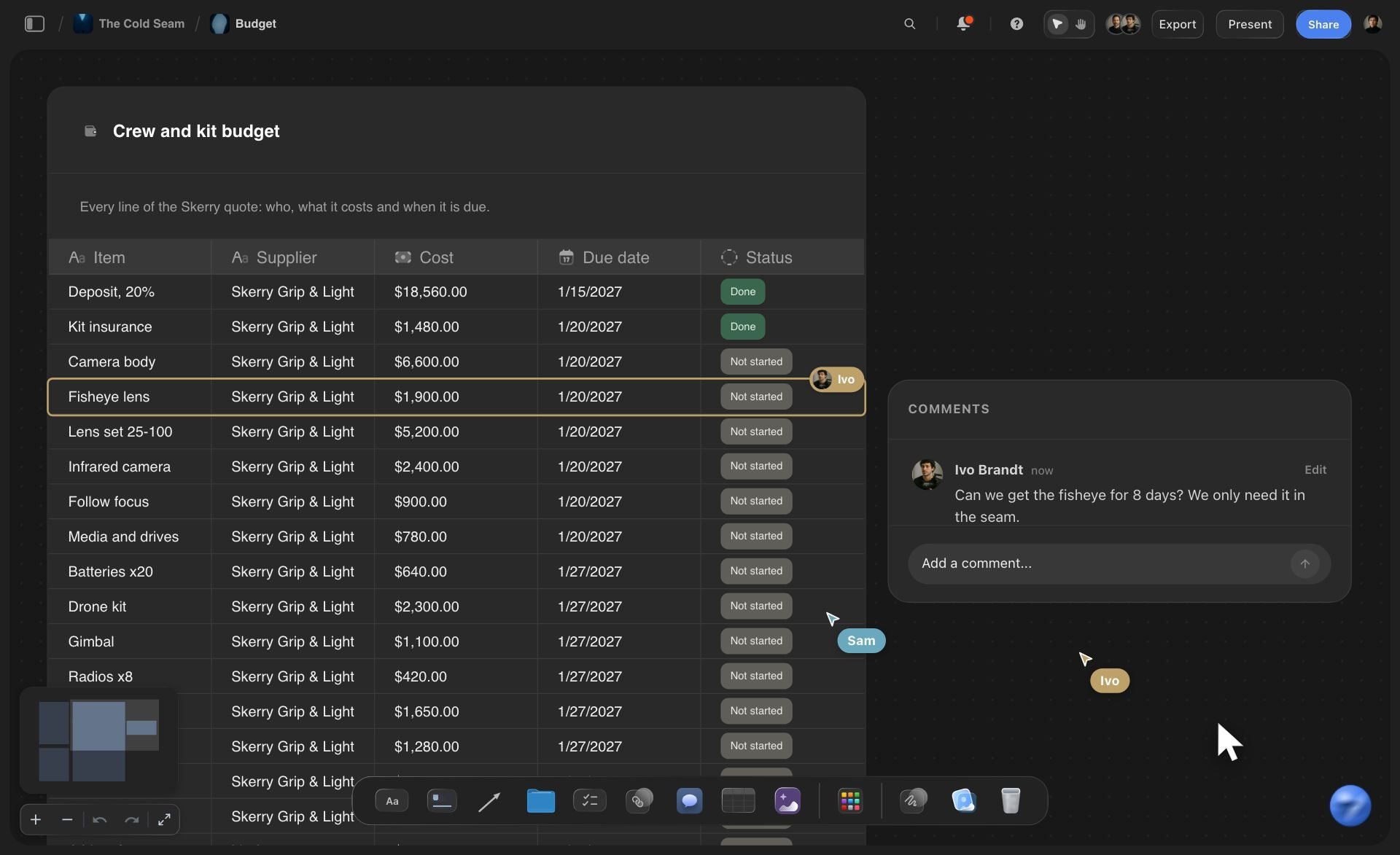
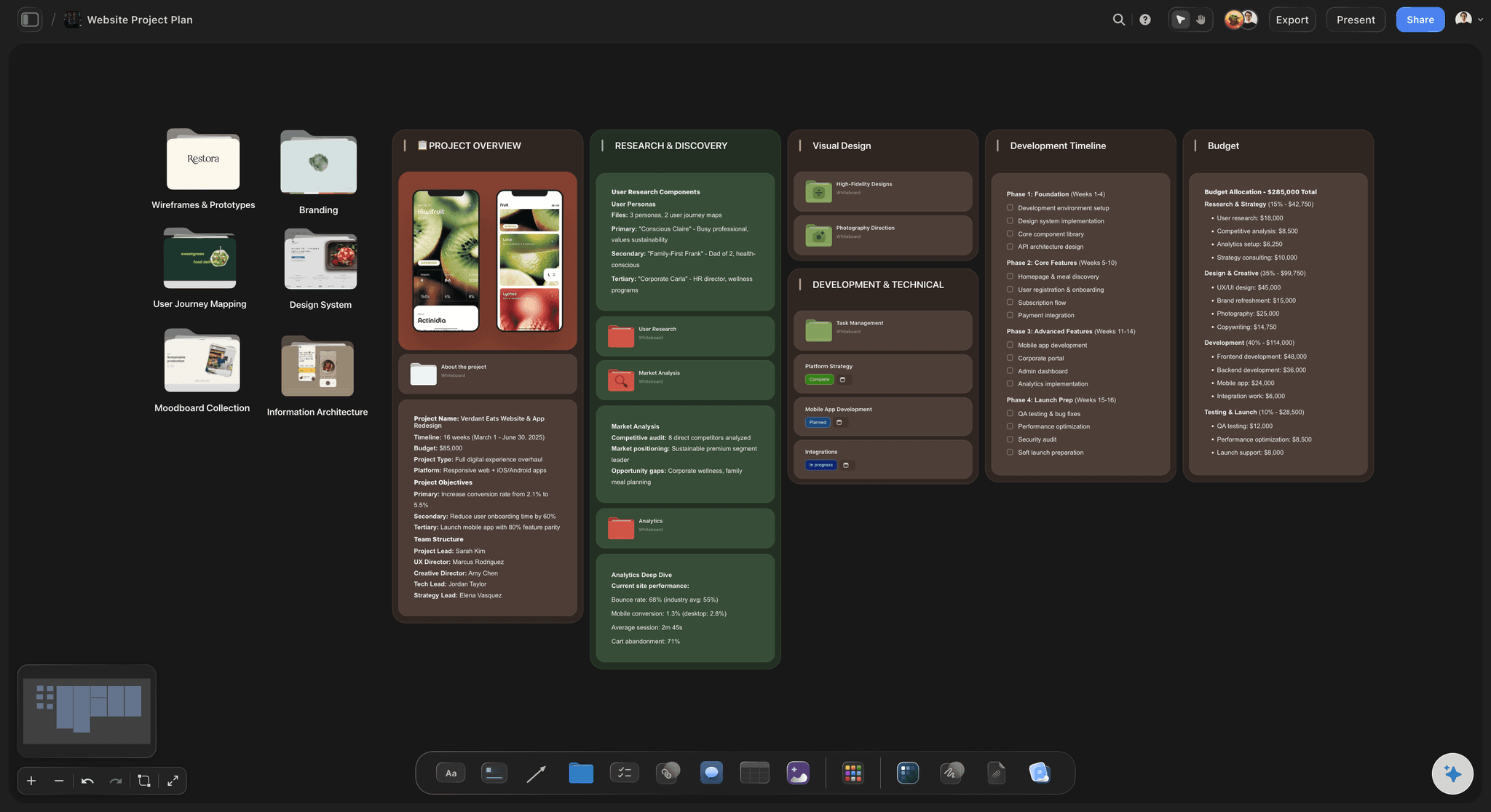
The money
A budget you can see as a chart
Give ChatGPT the budget lines and it puts them in a table and draws a bar or pie chart beside it. When a number changes, ask it to update the chart. Pick Sum for the cost column in Storyflow and the table adds up the total.
See the go-to-market plan →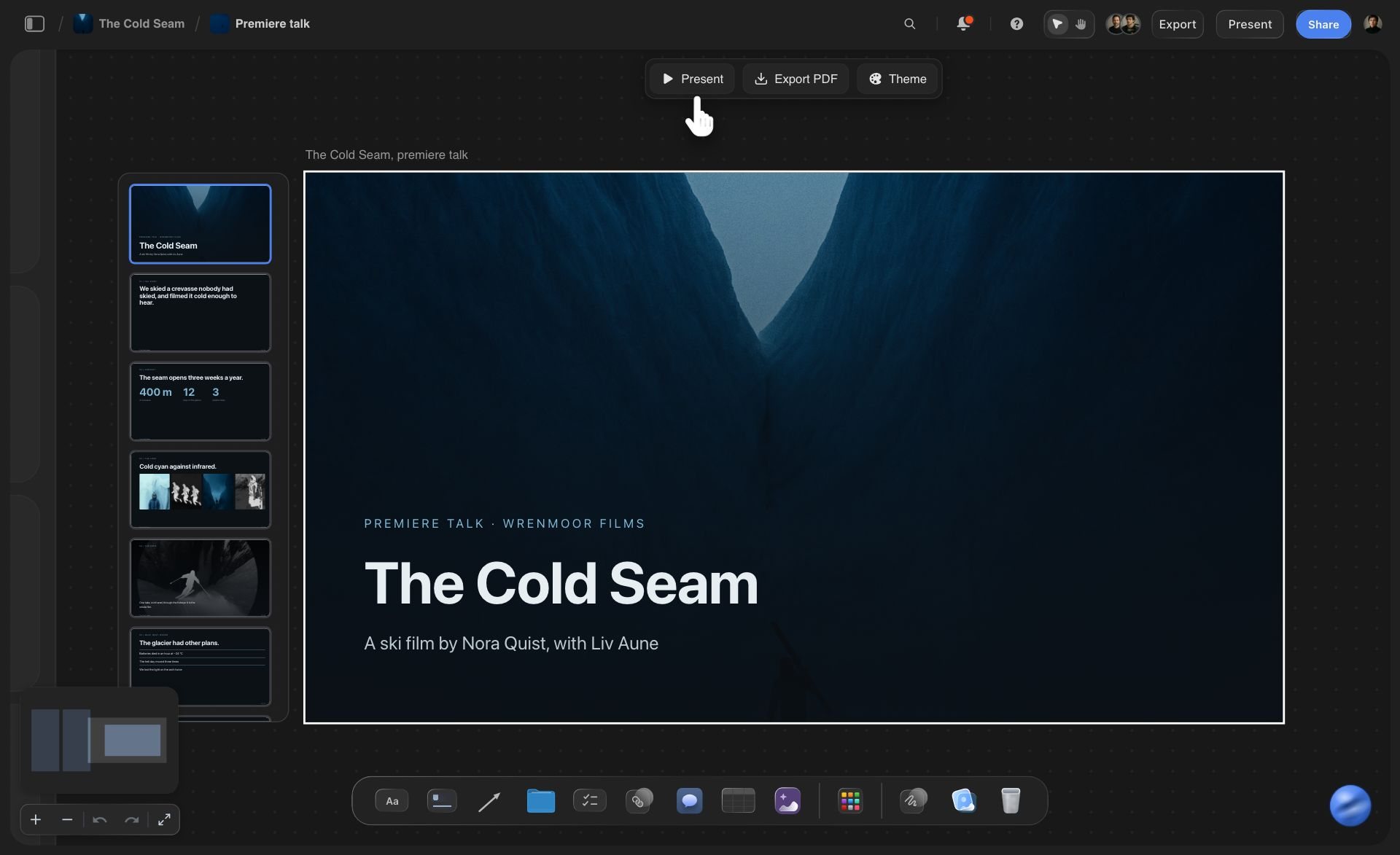
The update
A short deck made from the same board
Ask for five slides for the Monday call: what shipped, what slipped, the sign-ups so far and what comes next. The deck sits on the launch board beside the plan it reports on, and you present it full screen from Storyflow.
See the pitch deck with ChatGPT →ChatGPT writes the launch plan. Storyflow charges no AI credits for it.
ChatGPT runs on its own model, so a launch board built over the connector uses no Storyflow AI credits. A free account (today, one invited by a paid member) gets a weekly allowance of actions from its assistant, and the pricing page shows the current number. Plus, Pro and Max have no limit. Storyflow is paid-only during early access, with plans from $7.99 a month billed annually ($9.99 monthly). A free plan launches before the end of 2026, and anyone a paid member invites to a board joins free.
Nothing ChatGPT builds on the board costs Storyflow AI credits
Plus, Pro and Max put no limit on connector actions
Your co-founder and contractors join the launch board free when you invite them
Lanes, tasks, budget, launch day and the update deck on one board
You choose which projects ChatGPT may see, and whether it may change them

Built for people with taste
Where a launch plan from a chat goes wrong.
ChatGPT knows what a launch needs. It does not know your team, and its answer has nowhere to live.
The copies
Three copies of one plan
The plan is built on the board: Lanes, tasks and budget arrive on your launch board as columns, a table and a chart. Nothing is pasted into a sheet, so there is one version.
Every date in one column: All the due dates sit in one column of the task table. When the launch moves a week, ask ChatGPT to shift them and it sends the table back with the new dates.
Your pricing doc, read where it sits: Put the pricing draft or the positioning doc on the board as a PDF or a Word file. ChatGPT reads the first 40,000 characters there and builds the marketing lane from what you already decided.
The team does not need ChatGPT: Your designer opens the board in a browser, marks the landing page done and adds the card you both forgot. The plan belongs to the board, not to your chat history.

The order
The task that had to come first
Launch day as a flow you can follow: Ask for launch day as a diagram: site live, email to the waiting list, the post, check the sign-ups, answer support. It holds up to 40 boxes joined by arrows, and each box is a card you can reword.
Arrows that say why: An arrow can carry a few words, such as "after pricing is final". The reason one task waits for another is written on the line between them.
A status nobody has to invent: The status column has fixed steps, so nobody makes up a seventh way to say almost. Ask ChatGPT which tasks due this week are still not started and it reads them off the board.
A budget with a line held back: Five budget lines become a table and a chart. When the video quote comes in $400 over, change the number, ask ChatGPT to update the chart, and see what the held-back line has left.

The week after
The plan nobody opened after launch day
Ask what moved this week: Ask ChatGPT what changed on the launch board in the last week. It reads what was added, edited, moved or deleted, when, and by which person. What ChatGPT itself wrote shows under your name.
A Monday update in five slides: Ask for a short deck from the board. ChatGPT writes the slides from the tasks and the numbers that are there, not from what you remember on a Sunday night.
Change one card, keep the rest: The price went from $29 to $24. Ask ChatGPT to change that card and it edits it in place. The cards your team reworded stay the way they wrote them.
Your advisor reads it from a link: Share a view-only link from Storyflow and an advisor or an investor opens the launch plan in a browser with no account. ChatGPT cannot make that link, so you share the board yourself.
Explore templates for your project
Every template opens as a real, editable board on the infinite canvas. Pick the closest fit and make it your own.
Marketing Campaign
Plan a campaign across channels, messages, and deliverables on one board the whole team can see.
One app instead of five
Where Storyflow fits in a launch planned with ChatGPT.
It holds the plan ChatGPT drafts, where the team can change it. It does not draw a timeline or remind anyone of a date.
Storyflow with ChatGPT
Recommended
A first launch plan in minutes, not from a blank page
Lanes, tasks, budget and launch day on one open canvas
Tasks with an owner, a date and a status the team updates
Launch day drawn as boxes and arrows you can edit
Update deck on the same board as the plan
Timeline or Gantt view of the whole launch
Calendar view of every due date
Reminders sent to each owner before a due date
ChatGPT on its own
A first launch plan in minutes, not from a blank page
Lanes, tasks, budget and launch day on one open canvas
Tasks with an owner, a date and a status the team updates
Launch day drawn as boxes and arrows you can edit
Update deck on the same board as the plan
Timeline or Gantt view of the whole launch
Calendar view of every due date
Reminders sent to each owner before a due date
Asana
A first launch plan in minutes, not from a blank page
Lanes, tasks, budget and launch day on one open canvas
Tasks with an owner, a date and a status the team updates
Launch day drawn as boxes and arrows you can edit
Update deck on the same board as the plan
Timeline or Gantt view of the whole launch
Calendar view of every due date
Reminders sent to each owner before a due date
What creators are saying
Join early creators getting structured workspaces and AI that remembers their projects
“Storyflow has sped up my workflow by at least 3x, which means more flow state and more projects I can actually ship. It truly changed the way me and my team create.”

Reilin Joey
Director & YouTuber
“One prompt gets me a structured board. But the tactics are my favorite. I run my YouTube scripts through them and my intros and retention got better. It's amazing.”

Justkay
YouTuber & Freelance Filmmaker
“I used to juggle five apps to plan a project. Now I describe what I am making and get boards, lists, and a schedule. All in one place.”

George
@fernwehchronicles
Product launches with ChatGPT: questions
What founders ask before they let ChatGPT plan the launch.
Give ChatGPT the product, the buyer, the price, the date and the team, and ask for the work split into product, marketing, sales and support, with one owner and one date per task. Connected to Storyflow, ChatGPT builds that on your launch board: a column per lane, a task table, a budget chart and launch day as a diagram. You correct it, then share the board with the team.
Storyflow puts the launch ChatGPT plans onto one board the team shares: a lane each for product, marketing, sales and support, a task table with owners, dates and a status, a budget chart, launch day as a diagram and a short update deck. Claude, Gemini and Grok can build on the same board. Asana still draws the timeline, shows a calendar of due dates and sends the reminders.
Eight things: who it is for and why they would switch, one date and who can move it, the work split by owner, one owner per task, the tasks that must happen in order, a budget with a line held back, the number that says it worked, and the week after launch. In Storyflow, ChatGPT builds each one as a column, a table or a chart on the launch board.
Open ChatGPT on the web. Under Settings, then Security and login, turn on Developer mode. At chatgpt.com/plugins, click the plus button, name the connector Storyflow, choose Public endpoint and paste https://mcp.storyflow.so/mcp. Create it and sign in to Storyflow. Storyflow's setup notes list ChatGPT Plus, Pro, Business, Enterprise and Edu, on the web. On Business and Enterprise an admin turns on developer mode.
No. Storyflow has no timeline or Gantt view and no calendar grid, and ChatGPT cannot draw one there. Launch dates live in a table column and on task cards, in date order when ChatGPT writes the rows that way. Nothing shifts by itself when a task slips. If your launch needs dates that move by themselves when an earlier task slips, keep that part in a tool such as Asana.
It can write an owner against each task. In a Storyflow table, a person column takes only people who are already on the board, so ask ChatGPT who is on the board first. Anyone else goes in as plain text. Storyflow sends no due-date reminders and has no automatic rules, so people see their tasks when they open the board.
Yes, once the file is on your Storyflow board. ChatGPT reads PDF, Word, Excel, CSV and text files there, up to 25 MB each, and gets the first 40,000 characters, so ask about a long file one part at a time. A scanned PDF is not read. A file you attach in the ChatGPT chat is read in the chat, but it does not reach Storyflow.
Ask ChatGPT to change the dates, and it edits the task table and the affected cards on your Storyflow board. It has no tool to delete a card and cannot replace a whole lane: ask for a lane again and the new one is built beside the old one. Remove the old one yourself. Deleted items stay in the board's trash for 7 days.
Yes. Ask for a short deck from the launch board and ChatGPT builds it there, up to 30 slides on one theme. Picture spaces arrive empty for you to fill. ChatGPT cannot rewrite a slide it already made: it removes that slide and adds a new one. You present the deck full screen and export it as a PDF in Storyflow.
No. ChatGPT thinks on its own model, under your ChatGPT plan, so nothing it builds on the launch board uses Storyflow AI credits. A free Storyflow account (today, one invited by a paid member) gets a weekly allowance of actions from its assistant, and the pricing page shows the current number. Plus, Pro and Max have no limit.
The ones you choose. When you sign in, Storyflow asks whether ChatGPT may use all your projects or only the ones you pick, and whether it may make changes. If you do not allow changes, it can only read. A connection lasts 30 days, and then ChatGPT asks you to sign in again. You can end it sooner in Storyflow under Settings, then Connected apps.
Yes. Storyflow's MCP server is one address for every assistant, https://mcp.storyflow.so/mcp. In Claude, add it under Customize, then Connectors; on the Free plan Claude allows one custom connector. Gemini's custom apps need a personal Google account with Keep Activity on, in the US, for people 18 or over, in English. On Grok Business and Enterprise, a team admin adds it in the xAI console first.
On a Storyflow board, ChatGPT has no tool that deletes a card, and it cannot make or search for pictures, see the pictures that are there, or make a PDF, Word or Excel file. It cannot share the board or send anything to anyone. A picture from the chat goes through the "Add your photos" link ChatGPT gives you. Sharing, presenting and exporting are done by you, in Storyflow.
More from Storyflow
Storyflow MCP server
Connect ChatGPT to Storyflow
Product launch planner
Product launch checklist
Launch roadmap
Go-to-market plan
Project plan with ChatGPT
Pitch deck with ChatGPT
SWOT analysis with ChatGPT
Campaign plan with Claude
Brand launch planner
Product launch video
AI go-to-market strategy generator
Storyflow for startups
Storyflow for solopreneurs
Asana alternative
Plan a product launch visually
Give ChatGPT the date. Give the team the board.
Lanes, tasks, budget and launch day, drafted in one conversation and kept where everyone can change them.