
Site plans that look finished from day one
Generate a sitemap with AI
and see the whole site at once.
Describe the site and Storyflow's AI generates the sitemap: every page, how they connect, the content blocks on each one, and the goal of each page. Reshape the structure on an infinite canvas, then carry it into Figma or a build.


Creatives working for these brands already got early access
- Red Bull
- Canon
- Artlist
- Porsche
See how easy it is to get started
Watch a real project come together, from a blank board to a finished plan, clicked through step by step.
Start from a ready-made template
Pick a board to see what you can build, then let AI fill it in. Every template is a real, editable starting point on the same infinite canvas.

Website Plan
Map your site's pages, structure, and content in one plan before you build.
What is an AI sitemap generator?
A sitemap is the map of a website before anyone designs it: what pages it needs, how they connect, what goes on each one, and what each page is supposed to do. It is the structure that decides whether a site is coherent or a pile of pages, and it is the step most projects rush, which is why so many redesigns drift, balloon in scope, and still miss the point of the site.
An AI sitemap generator takes the first pass off your hands. Instead of dragging boxes into an empty tree, you describe the site, the business, and who it is for, and the AI generates the sitemap, the structure of each page, and the content blocks that belong on them, with the goal of each page attached, drafted for your site rather than a generic skeleton. It is not a static diagram: every page is a real card on a canvas, so you reshape the navigation, merge or split pages, and the structure changes with your thinking.
That is the difference from a blank sitemap template: the AI gives you a structure you can argue with, with the content and the goals in the same view, which is the only view that tells you whether the site holds together. Then the sitemap becomes the project: ask the AI to outline the copy for a page, or to gather the moodboard the visual design will follow, all on the same board.
Ultra fast from brief to board
Generate a sitemap with AI in four steps.
You describe the site. The AI drafts the structure, so you start by arranging pages, not inventing them.
01
Open a canvas
No app to install, just an empty board ready for the sitemap.
02
Describe the site
A sentence is enough: what the business does, who the site is for, and the main goal. Add must-have pages and the AI works them in.
03
AI generates the sitemap
The AI lays out the sitemap, the structure of each page, and the content blocks on them, with a goal attached to every page.
04
Reshape it, then move to design
Drag pages to restructure, then ask the AI to outline the copy or start a moodboard. Share view-only or export to PDF.
A sitemap generator that owns the phase Figma skips.
Most tools give you a blank tree to drag boxes into. This one generates the structure, the content, and the goals together.
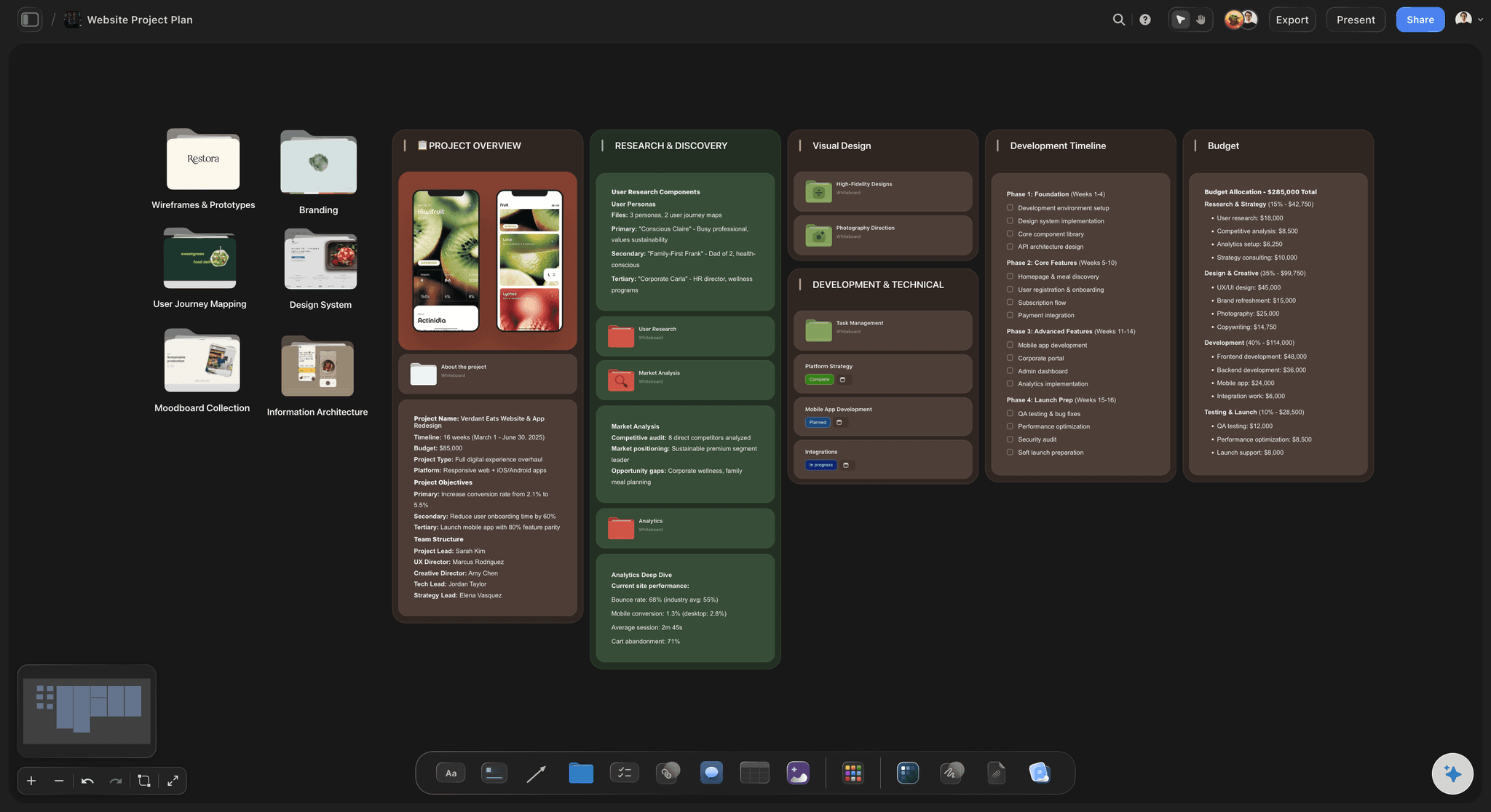
The structure, generated
A sitemap and page plan in one pass
Describe the site and the AI generates the sitemap, the sections of each page, and the content blocks, so you start by arranging a real structure instead of staring at an empty tree.
See the design planning tool →
Every page has a job
Goals attached to the structure
Each page card carries its goal, the action it should drive, so the sitemap is a strategy for the site, not just a list of pages to build.
See the AI mind map generator →
Plan the look beside the structure
Direction the visual design follows
Ask the AI to start a moodboard for the site beside the sitemap, so the structure and the visual direction are agreed together before anyone designs a screen.
See the AI moodboard maker →
Run the project from here
From sitemap to build tasks
Turn the sitemap into a task board for the build, so design, content, and development work from the same structure instead of a doc that is already out of date.
See the project plan generator →Paid-only during early access.
Open a canvas, describe the site, and watch the sitemap generate itself. Plans start at $7.99/month billed annually, and a free plan launches before the end of 2026.
Unlimited sitemaps and boards, with room for every page
AI usage to generate and restructure the sitemap
Attach references, screenshots, and content to any page
Share the sitemap view-only, or invite collaborators free
Built for people with taste
Made for the way websites actually get planned.
Generate the structure, attach the goals, plan the look, and hand off a sitemap the build can actually follow.
The whole structure in one view
Sitemap, pages, content, and goals together
Generated, then editable: The sitemap, the page sections, the content blocks, and the goals arrive as cards you can drag and rewrite, not three separate documents.
Restructure by dragging: Move a page in the hierarchy, merge two, or re-order the navigation by dragging. The structure changes with your thinking.
Any kind of site: A marketing site, a portfolio, an online store, or a landing page: describe it and the AI generates the right structure.
Decide the content before the design
Plan what each page actually says
Outline the copy: Ask the AI to draft the content blocks and a copy outline for a page, so design starts with real content instead of lorem ipsum.
Attach your inputs: Pull in up to five documents and three boards, such as a brand guideline, a competitor's site notes, or a content audit, and the AI generates against them.
Pin references: Drop screenshots of sites you like, including frame grabs from walkthrough videos, onto the pages they inspire.
The sitemap drives the project
From structure to moodboard to build
Set the visual direction: Turn the sitemap into a moodboard so the structure and the look are agreed before any screen gets designed.
Run the build: Expand the sitemap into a task board for design, content, and development, on the same canvas as the structure.
Share and hand off: Send a view-only link to a client or a developer, or export the sitemap as a clean PDF for sign-off.
Explore templates for your project
Every template opens as a real, editable board on the infinite canvas. Pick the closest fit and make it your own.
Website Plan
Map your site's pages, structure, and content in one plan before you build.
One app instead of five
How Storyflow compares to other sitemap tools.
Most options are a static template or a blank board. The question is whether the AI generates the structure.
Storyflow
Recommended
AI generates the sitemap and page structure from a description
Structure, content, and goals on one infinite canvas
Sitemap becomes a moodboard and build tasks on the same board
No board or card caps
Milanote
AI generates the sitemap and page structure from a description
Structure, content, and goals on one infinite canvas
Sitemap becomes a moodboard and build tasks on the same board
No board or card caps
Figma / FigJam
AI generates the sitemap and page structure from a description
Structure, content, and goals on one infinite canvas
Sitemap becomes a moodboard and build tasks on the same board
No board or card caps
Doc / spreadsheet template
AI generates the sitemap and page structure from a description
Structure, content, and goals on one infinite canvas
Sitemap becomes a moodboard and build tasks on the same board
No board or card caps
What creators are saying
Join early creators getting structured workspaces and AI that remembers their projects
“Storyflow has sped up my workflow by at least 3x, which means more flow state and more projects I can actually ship. It truly changed the way me and my team create.”

Reilin Joey
Director & YouTuber
“One prompt gets me a structured board. But the tactics are my favorite. I run my YouTube scripts through them and my intros and retention got better. It's amazing.”

Justkay
YouTuber & Freelance Filmmaker
“I used to juggle five apps to plan a project. Now I describe what I am making and get boards, lists, and a schedule. All in one place.”

George
@fernwehchronicles
AI sitemap questions, answered.
Everything people ask about generating a sitemap with AI in Storyflow.
An AI sitemap generator turns a one-line description of a site into a mapped structure: the pages it needs, how they connect, the content blocks on each page, and the goal of each page. In Storyflow the AI generates those as editable cards on an infinite canvas, so you start by arranging a real structure instead of dragging boxes into a blank tree.
A useful sitemap includes the site's goals and audience, every page and how the navigation connects them, the structure and content blocks for each key page, the calls to action, and references for the visual direction. Storyflow generates the sitemap and page structure by default, attaches a goal to each page, and keeps the content and references on the same canvas.
Describe the site and the business in the AI chat, and the AI lays out the sitemap, the sections of each page, and the content blocks as cards on the canvas. Every card is editable and draggable, so you can restructure the navigation, merge or split pages, and ask the AI to outline the content for any page.
Not during early access. Storyflow is paid-only right now, with plans starting at $7.99 per month billed annually ($9.99 monthly), and a free plan is planned before the end of 2026. Paid plans include AI usage to generate and restructure the sitemap, unlimited boards and file uploads for references and content, and view-only sharing, and anyone a paid member invites to a board joins free.
Yes. Ask the AI to draft the content blocks and a copy outline for any page, so you decide what each page actually says before design starts, instead of designing around lorem ipsum. The content sits on the same board as the structure it belongs to.
No, and it is not meant to. Storyflow owns the structure phase before Figma: the sitemap, the page structure, the content, and the goals. Once that is agreed, you carry it into Figma or a page builder for the visual design and the build, with a clear structure instead of a blank canvas.
Yes. Ask the AI to start a moodboard for the site so the visual direction is set beside the structure, and to expand the sitemap into a task board for design, content, and development. The whole project, from sitemap to build, lives on one canvas.
Map the site before you design it. Generate the structure on the board.
Describe the site once, watch the AI draft the sitemap, and carry a real structure into design.